• Здравствуйте. Сайт заработал в архивном режиме форум www.old.nado.in

Anthony's Software !!!

Adobe Prelude 2020 v9.0.0.415 Multilingual
b28e0aa3-0e72-45ca-9bc4-eb6fefeee2d5.png

Windows x64 | Languages: Multilingual | File Size: 580.93 MB

Prelude.​

Metadata ingest, logging, and rough cuts. Rapidly tag and transcode video footage and quickly create a rough cut with Prelude - a video logging and ingest tool designed for intuitive, efficient media organization and metadata entry. Prelude translates effortlessly into Adobe Premiere Pro, ensuring fluid communication and organization throughout the video production process.

Rapidly tag and transcode video footage and quickly create a rough cut with Prelude - a video logging and ingest tool designed for intuitive, efficient media organization and metadata entry. Prelude translates effortlessly into Adobe Premiere Pro, ensuring fluid communication and organization throughout the video production process.
Learn how to use the Prelude media organizer tool to make sure your Premiere Pro project is organized from the start.
Learn about the clip naming and metadata features of Prelude and how easy it is to create subclips, build a rough-cut assembly, and send your assembly to Premiere Pro as a sequence for immediate editing.
Annotate media files with notes for the editor or director to consult during editing in Premiere Pro.
- Processor: Intel Intel 6thGen or newer CPU
- Operating system: Microsoft Windows 10 (64-bit) version 1703 or later (required)
- RAM: 16 GB of RAM (32 GB recommended)
- 4 GB of GPU VRAM
- Hard disk space: Fast internal SSD (recommended) for app installation and cache - plus provisional space for media
- Monitor resolution: 1920 x 1080 or greater display resolution
- Hard drive speed:7200 RPM or faster hard drive (multiple fast disk drives recommended)
- GPU: Adobe-certified GPU card for GPU-accelerated performance
- Other: QuickTime 7.6.6 software required for QuickTime features
- Deutsch, English, Español, Français, Italiano, Português (Brasil), Русский, 日本語, 한국어, 简体中文

DOWNLOAD
uploadgig
Код:
https://uploadgig.com/file/download/06dD567c7bbC3ed2/IA4qgSnR_.PRLD9.rar

rapidgator
Код:
https://rapidgator.net/file/01101436c0472800be8d1c58e34bdf13/IA4qgSnR_.PRLD9.rar

nitroflare
Код:
http://nitroflare.com/view/23B152EAF36A7EB/IA4qgSnR_.PRLD9.rar
 
Adobe Photoshop CC 2019 (v20.0.7) Multilingual by m0nkrus

2aa5d3ee80baf2ebc437c007c92baf94.png

File Size : 1.81GB
​
Adobe Photoshop CC 2019 is a comprehensive solution for professional digital image processing, which contains the most advanced tools for working with images and new opportunities for implementing creative ideas that can significantly increase productivity. Edit images with exceptional accuracy, use new intuitive tools and workflows to create three-dimensional graphics, two-dimensional projects, as well as films.

Interface Language: English / Hungarian / Dutch / Danish / Spanish / Italian / Chinese (Simplified) / Chinese (Traditional) / Korean / German / Norwegian / Polish / Portuguese (Brazil) / Russian / Turkish / Ukrainian / Finnish / French / Czech / Swedish / Japanese / English (UK) / Arabic Arabic / English Hebrew / Spanish (Mexico) / French (Morocco) / French (Canada)

System requirements:
64-bit version of Microsoft Windows 7 with SP1 or Windows 10 (version 1709 or later); 64-bit version of Microsoft Windows 7 with SP1, Windows 8.1 or Windows 10 (version 1607 or later)
Microsoft Internet Explorer 11 or higher
Processor Intel Core 2 or AMD Athlon 64; 2 GHz or faster
2 GB RAM (8 GB recommended)
3.1 GB of free hard disk space for installing the 64-bit version; during installation, additional free space is required (cannot be installed on a disk where a file system with case sensitivity is used)
Monitor with a resolution of 1024x768 (recommended 1280x800), support for 16-bit color, as well as 512 MB VRAM (2 GB recommended)
System with support for OpenGL 2.0

Adobe Photoshop CC 2019 is part of Creative Cloud. Therefore, all the latest updates are available to its users, and access to new versions is provided from the moment of their release. Cloud publishing features let you organize your files on multiple computers. Thanks to integration with Behance, you can exchange your projects with other users directly from the program Adobe Photoshop CC 2019 and instantly receive feedback on your work from designers from around the world.
Benefits of Adobe Photoshop CC 2019
Updated content-based fills
Choose the pixels you want to use in the fills using the new specialized work environment, and also rotate, scale and reflect the original pixels thanks to Adobe Sensei technology. You can even create fills on separate layers to preserve the original image.

Frame tool for easy masking
Turn shapes and text into frames that you can use as placeholders or apply an image fill to them. Easily replace images by dragging them into the frame; the new image is automatically scaled to fit.

Cancel multiple actions
Use the CMD-Z keyboard shortcut to undo multiple actions - just like other Creative Cloud apps.

Usability enhancement
Now you can hide the control point, double-click the canvas to start editing the text, and also quickly crop, transform, place and enter text using the auto-fix function. In addition, Photoshop by default proportionally converts layers of text and pixels and makes it difficult to accidentally move panels.

Real-time preview of blending mode
No more guessing which blend mode to use. Just scroll through the various options to see how they look on the image.

Symmetry mode
Apply brush strokes with perfect symmetry - even on curves. Symmetry mode allows you to define an axis or axes, and then select styles, such as circular, radial, spiral or "mandala".

Color circle
Visualization of the color spectrum makes it easy to select additional colors.

Main screen
Create projects faster with the Photoshop main screen. You can access it at any time to learn about new features, view training materials, or go to open documents.

Improved in-app training
Use your own resources when working with tutorials to get the desired result in less time.

Basic user requests
Your ideas, our embodiment. Now you can distribute the distance between objects, enter simple mathematical operations in the fields of numerical values, view the end of long layer names, and also find Japanese fonts using the "Font Selection" and "Font Similarity" functions.

Customize UI Size
More accurate scaling of the Photoshop user interface allows you to customize it independently of other applications and view the font in the right size.


DOWNLOAD
uploadgig
Код:
https://uploadgig.com/file/download/5b54B80dFb24536c/Photoshop.CC.2019.part1.rar
https://uploadgig.com/file/download/5c1e20f5d769a8f3/Photoshop.CC.2019.part2.rar

rapidgator
Код:
https://rapidgator.net/file/700a668e3b55eae40c7a0124812a146d/Photoshop.CC.2019.part1.rar
https://rapidgator.net/file/1e89a0e0520daf183354d874c7016ea6/Photoshop.CC.2019.part2.rar

nitroflare
Код:
http://nitroflare.com/view/89E0CA5668EF7DC/Photoshop.CC.2019.part1.rar
http://nitroflare.com/view/349EAC35999650B/Photoshop.CC.2019.part2.rar
 
Architecture (.0.2) Addon for Autodesk AutoCAD 2020 by m0nkrus

2Tia4.jpg

File Size : 1.66GB
​
Many users of "vertical" AutoCAD products have noticed that recently, any AutoCAD product with advanced functionality consists, in fact, of AutoCAD as the basis and add-on for Mechanical, Electrical, Architecture, etc. Alas, developers, as before, have only full-size distributions

System requirements:
- Pre-installed Autodesk AutoCAD 2020 with an interface language identical to the language of the installed Architecture Addon
- 64-bit version of Microsoft Windows 7 SP1 with update KB4019990, Windows 8.1 with update KB2919355, Windows 10 (1803 or higher)
- A processor with a clock frequency of 2.5-2.9 GHz (3 GHz or higher recommended); application supports multi-processor
- 8 GB of RAM (16 GB recommended)
- Video adapter with 1 GB of video memory, bandwidth of 29 GB / s (4 GB and 106 GB / s recommended) and support for DirectX 11
- Screen resolution 1920x1080 with the color palette True Color. Windows 10 supports resolutions up to 3840x2160
- 10 GB of free disk space
- Google Chrome
- .NET Framework 4.7

Optional for 3D modeling and large data volumes
- At least 8 GB of RAM
- 6 GB of free disk space (not counting the space required for installation)
- A video adapter of a class of workstations with a memory of at least 128 MB, supporting a screen resolution of at least 1920x1080, with support for full color True Color, Pixel Shader 3.0 or later and Direct3D

That is, if you want to get Mechanical and Architecture, then you are forced to download two huge packages, most of the contents of which duplicate each other. In this regard, I decided to start releasing distributions of a new type containing only an add-in. Now, to install all the same Mechanical and Architecture, you will need to download the basic AutoCAD and two small add-ons. Download less, store more compactly - this is the main idea of ​​assemblies of this format!

AutoCAD Architecture is AutoCAD for architects. Specialized functions for architectural design and drawing, as well as a familiar working environment increase the efficiency of project and working documentation. AutoCAD Architecture's user productivity growth compared to traditional CAD systems has been observed since the first minute, and designers are exploring new product features at a convenient pace.

In AutoCAD Architecture, which is AutoCAD for architects, architectural design tools are combined with the familiar AutoCAD environment. This increases work efficiency and improves coordination with subcontractors.
Functionality
Reconstruction of buildings
Design and implement building reconstruction projects faster than before.

Work with walls, doors and windows
Create documents and drawings using elements that simulate their behavior in real conditions and the course of construction.

Design and release of working documentation
Create drawings using the tools for working with the design drawing design components and key notes.

Room Documentation
With Roombook, you can assign different finishes to surfaces.

Build Features
The assembly is based on the original Russian and English distributions integrated into a single package, from which everything that is not directly related to the installation of the Architecture add-in is removed.
Since the default so-called "classic interface" was missing in Architecture, I considered it possible to restore it for the afflicted (see screenshots 3 and 4).
The installation package integrates AutoCAD Architecture 2020.0.2 Update.
The assembly is relieved of some problems that arise when, when connecting an image via a virtual drive, the installer sometimes required a different drive.
Everything necessary for treatment, including detailed instructions, is located inside the image in the Crack folder.

Treatment procedure
Install Architecture Addon for Autodesk AutoCAD 2020.
ATTENTION! This is just an add-on. For it to work, AutoCAD 2020 must be installed on the computer. Moreover, the language of the source program and the add-in must not be different.
Copy keygen from the Crack folder to your hard drive. If you do not, it will not work correctly.
Run the program. A window will open asking you to select a license type. At the bottom of the window there will be a line with an additional activation offer using the serial number. Choose this option. In the new window, accept the privacy statement. In the licensing window that opens, click "Activate". In the next window, use 111-11111111 as the serial number and 185L1 as the product code, then click "Next".
In the window that opens, you will be notified that your serial number is invalid. Click "Back" and confirm the cancellation of the operation. The licensing window will reopen, where again you will need to click "Activate" (Activate). In the next window, use 111-11111111, 222-22222222 or 333-33333333 as the serial number and 185L1 as the

DOWNLOAD
uploadgig
Код:
https://uploadgig.com/file/download/4045f5D4de701aD9/Architectire.2020.Addon.part1.rar
https://uploadgig.com/file/download/E0B7583b7ac773e3/Architectire.2020.Addon.part2.rar

rapidgator
Код:
https://rapidgator.net/file/ffee042136cee3f4ccdc5fc15690e4b4/Architectire.2020.Addon.part1.rar
https://rapidgator.net/file/deb3e483bd1ac3a70089a67d7bd85e2e/Architectire.2020.Addon.part2.rar

nitroflare
Код:
http://nitroflare.com/view/A294A75ABFF9432/Architectire.2020.Addon.part1.rar
http://nitroflare.com/view/A44D737E7B8653B/Architectire.2020.Addon.part2.rar
 
MEP (.0.2) Addon for Autodesk AutoCAD 2020 by m0nkrus

2TjYE.jpg

File Size : 3.83GB
​
Many users of "vertical" AutoCAD products have noticed that recently, any AutoCAD product with advanced functionality consists, in fact, of AutoCAD as the basis and add-on for Mechanical, Electrical, Architecture, etc. Alas, developers, as before, have only full-size distributions .

System requirements:
- Pre-installed Autodesk AutoCAD 2020 with an interface language identical to the language of the installed MEP Addon
- 64-bit version of Microsoft Windows 7 SP1 with update KB4019990, Windows 8.1 with update KB2919355, Windows 10 (1803 or higher)
- A processor with a clock frequency of 2.5-2.9 GHz (3 GHz or higher recommended); application supports multi-processor
- 8 GB of RAM (16 GB recommended)
- Video adapter with 1 GB of video memory, bandwidth of 29 GB / s (4 GB and 106 GB / s recommended) and support for DirectX 11
- Screen resolution 1920x1080 with the color palette True Color. Windows 10 supports resolutions up to 3840x2160
- 12 GB of free disk space
- Google Chrome
- .NET Framework 4.7

Optional for 3D modeling and large data volumes
- At least 8 GB of RAM
- 6 GB of free disk space (not counting the space required for installation)
- A video adapter of a class of workstations with a memory of at least 128 MB, supporting a screen resolution of at least 1920x1080, with support for full color True Color, Pixel Shader 3.0 or later and Direct3D

That is, if you want to get Mechanical and Architecture, then you are forced to download two huge packages, most of the contents of which duplicate each other. In this regard, I decided to start releasing distributions of a new type containing only an add-in. Now, to install all the same Mechanical and Architecture, you will need to download the basic AutoCAD and two small add-ons. Download less, store more compactly - this is the main idea of ​​assemblies of this format!

AutoCAD MEP is AutoCAD for the design of heating, ventilation, electrical and sanitary systems in buildings. The familiar AutoCAD environment provides higher accuracy engineering documentation. Automated drawing operations and collision detection help increase productivity and reduce errors. Maintenance of the engineering systems project during construction and at other stages of the building's life cycle is made possible thanks to the reliable DWG technology.
Functionality
MEP Workspaces
Workspaces contain individual palettes and depending on the areas of the tape, allowing you to optimize work processes.

Documentation
Improve the design of documentation and increase productivity when working with drawings.

AutoCAD Block Conversion
Batch conversion of one or more blocks and symbols.

Style Browser
Now you can use additional components of engineering systems and add folders to the library of components

Build Features
The assembly is based on the original Russian and English distributions integrated into a single package, of which [everything is removed that is not directly related to the installation of the MEP add-in.
Since the so-called "classic interface" was missing by default in MEP, I considered it possible to restore it for the afflicted (see screenshots 3 and 4).
Since the default so-called "classic interface" was missing in Architecture, I considered it possible to restore it for the afflicted (see screenshot 5).
The installation package integrates AutoCAD MEP 2020.0.2 Update.
The assembly is relieved of some problems that arise when, when connecting an image via a virtual drive, the installer sometimes required a different drive.
Everything necessary for treatment, including detailed instructions, is located inside the image in the Crack folder.

Treatment procedure
Install MEP Addon for Autodesk AutoCAD 2020.
ATTENTION! This is just an add-on. For it to work, AutoCAD 2020 must be installed on the computer. Moreover, the language of the source program and the add-in must not be different.
Copy keygen from the Crack folder to your hard drive. If you do not, it will not work correctly.
Run the program. A window will open asking you to select a license type. At the bottom of the window there will be a line with an additional activation offer using the serial number. Choose this option. In the new window, accept the privacy statement. In the licensing window that opens, click "Activate". In the next window, use 111-11111111 as the serial number and 235L1 as the product code, then click "Next".
In the window that opens, you will be notified that your serial number is invalid. Click "Back" and confirm the cancellation of the operation. The licensing window will reopen, where again you will need to click "Activate" (Activate). In the next window, use 111-11111111, 222-22222222 or 333-33333333 as the serial number and 235L1 as the product code, and click Next. In the window that opens, you

DOWNLOAD
uploadgig
Код:
https://uploadgig.com/file/download/e014e7a3572F89bf/MEP.2020.Addon.part1.rar
https://uploadgig.com/file/download/D2fa8446Af2D624e/MEP.2020.Addon.part2.rar
https://uploadgig.com/file/download/80756fd5bD9dF0eb/MEP.2020.Addon.part3.rar
https://uploadgig.com/file/download/7BF83c7b0Ad9d6A1/MEP.2020.Addon.part4.rar

rapidgator
Код:
https://rapidgator.net/file/1b65945c8018506539995c1286c132bf/MEP.2020.Addon.part1.rar
https://rapidgator.net/file/e1932825df289e1df5ba5a9a6cf33444/MEP.2020.Addon.part2.rar
https://rapidgator.net/file/888ddf619d88ffe8357dfd93d167c017/MEP.2020.Addon.part3.rar
https://rapidgator.net/file/1fc7a523053bac53c9c08fe7c2a1ea15/MEP.2020.Addon.part4.rar

nitroflare
Код:
http://nitroflare.com/view/38F50F3E9271F08/MEP.2020.Addon.part1.rar
http://nitroflare.com/view/077966689156103/MEP.2020.Addon.part2.rar
http://nitroflare.com/view/81F203BD4D5EBAB/MEP.2020.Addon.part3.rar
http://nitroflare.com/view/7852016B14C84EA/MEP.2020.Addon.part4.rar
 
Advance Steel (.0.1) Addon for Autodesk AutoCAD 2020 by m0nkrus

2TpEa.jpg

File Size : 1.27GB
​
Many users of "vertical" AutoCAD products have noticed that recently, any AutoCAD product with advanced functionality consists, in fact, of AutoCAD as the basis and add-on for Mechanical, Electrical, Architecture, etc. Alas, developers, as before, only upload full-size distributions

That is, if you want to get Mechanical and Architecture, then you are forced to download two huge packages, most of the contents of which duplicate each other. In this regard, I decided to start releasing distributions of a new type containing only an add-in. Now, to install all the same Mechanical and Architecture, you will need to download the basic AutoCAD and two small add-ons. Download less, store more compactly - this is the main idea of ​​assemblies of this format!

You ask which side hereAdvance Steel ? After all, the word "AutoCAD" is missing in his name ?! Missing, it is absent, but it is still he who serves as the base - AutoCAD! That is why all the same distribution optimization methods apply to this product as to the "vertical" AutoCAD products! Advance Steel is a metalwork design application integrated into the latest version of AutoCAD. The Advance Steel model is the foundation of 3D design. It contains metal structures (for example, beams, plates, bolts, welds), as well as structural elements and the relationship of objects with each other and allows you to control them. Complex structures are created using Advance Steel structural elements.

(for example, the portal of the frame or stairs), which include all the necessary elements, nodes and connections.

Program Advance Steel is adapted to develop both standardized and custom designs. It has a wide range of cold-rolled bent profiles and lattice constructions of common manufacturers (Albion, Ayrshire, Canam Manac, Canfer, Fisher, HiSpan, Kingspan, Krupp, Metsec, SAB, SADEF, Staba, StructuralSections, Ward, Zeta, etc.). You can create individual user sections and other elements and save them in tables (libraries) for repeated reuse.

Build Features
All language packs are excluded from the original distribution package, except for Russian and English, and everything that is not directly related to the installation of the Advance Steel add-on.
Advance Steel 2020.0.1 Update is integrated into the installation package, upgrading the product version to 24.0.1141.0.
The assembly is relieved of some problems that arise when, when connecting an image via a virtual drive, the installer sometimes required a different drive.
Everything necessary for treatment, including detailed instructions, is located inside the image in the Crack folder.

Treatment procedure
Install Advance Steel Addon for Autodesk AutoCAD 2020.
ATTENTION! This is just an add-on. For it to work, AutoCAD 2020 must be installed on the computer. Moreover, the language of the source program and add-in must not be different.
Copy keygen from the Crack folder to your hard drive. If you do not, it will not work correctly.
Run the program. A window will open asking you to select a license type. At the bottom of the window there will be a line with an additional activation offer using the serial number. Choose this option. In the new window, accept the privacy statement. In the licensing window that opens, click "Activate". In the next window, use 111-11111111 as the serial number and 959L1 as the product code, then click "Next".
In the window that opens, you will be notified that your serial number is invalid. Click "Back" and confirm the cancellation of the operation. The licensing window will reopen, where again you will need to click "Activate" (Activate). In the next window, use 111-11111111 , 222-22222222 or 333-33333333 as the serial number and 959L1 as the product code, and click Next. In the window that opens, select "I have an activation code from Autodesk."
As administrator, run keygen on the hard drive (right-click on the file and select "Run as administrator" in the drop-down menu) and click the Patch button in the keygen window. A window should appear with the message "Successfully patched".
In the keygen Request field, copy the Request Code from the Autodesk licensing window, replacing it with the inscription "Paste Request here". After that, click the Generate button and transfer the result from the Activation field of the keygen to the Activation Code field of the Autodesk licensing window. Click the "Next" button. You should see a message about the successful activation of the product.
ATTENTION! The generated Activation Code is slightly longer than the keygen field allocated for it. Try not to lose some of the characters when copying. But also, I want to note that this code is shorter than the space allocated for it in the Autodesk licensing window. The sixteenth field is left blank, and the fifteenth contains only one symbol - the letter of the Z . This does not prevent activation.
Enjoy the registered version of the product!

DOWNLOAD
uploadgig
Код:
https://uploadgig.com/file/download/Ce9f146654057AE9/Advance.Steel.2020.Addon.part1.rar
https://uploadgig.com/file/download/4f5fe69d39bda693/Advance.Steel.2020.Addon.part2.rar

rapidgator
Код:
https://rapidgator.net/file/7426881a71d93afb09e775a541c878f7/Advance.Steel.2020.Addon.part1.rar
https://rapidgator.net/file/9153ff2da66a24013aec62f2b46b242c/Advance.Steel.2020.Addon.part2.rar

nitroflare
Код:
http://nitroflare.com/view/06A95BBDC017BD8/Advance.Steel.2020.Addon.part1.rar
http://nitroflare.com/view/5AE467502D928BA/Advance.Steel.2020.Addon.part2.rar
 
Civil 3D (.1.1) Addon for Autodesk AutoCAD 2020 by m0nkrus

2Trhd.jpg

File Size : 3.32GB
​
Many users of "vertical" AutoCAD products have noticed that recently, any AutoCAD product with advanced functionality consists, in fact, of AutoCAD as the basis and add-on for Mechanical, Electrical, Architecture, etc. Alas, developers, as before, have only full-size distributions .

System requirements:
- Pre-installed Autodesk AutoCAD 2020 with an interface language identical to the language of the installed Civil 3D Addon
- 64-bit version of Microsoft Windows 7 SP1 with update KB4019990, Windows 8.1 with update KB2919355, Windows 10 (1803 or higher)
- A processor with a clock frequency of 2.5-2.9 GHz (3 GHz or higher recommended); application supports multi-processor
- 16 GB of RAM
- Video adapter with 1 GB of video memory, bandwidth of 29 GB / s (4 GB and 106 GB / s recommended) and support for DirectX 11
- Screen resolution 1920x1080 with the color palette True Color. Windows 10 supports resolutions up to 3840x2160
- 10 GB of free disk space
- Google Chrome
- .NET Framework 4.7

Optional for 3D modeling and large data volumes
- At least 8 GB of RAM
- 6 GB of free disk space (not counting the space required for installation)
- A video adapter of a class of workstations with a memory of at least 128 MB, supporting a screen resolution of at least 1920x1080, with support for full color True Color, Pixel Shader 3.0 or later and Direct3D

That is, if you want to get Mechanical and Architecture, then you are forced to download two huge packages, most of the contents of which duplicate each other. In this regard, I decided to start releasing distributions of a new type containing only an add-in. Now, to install all the same Mechanical and Architecture, you will need to download the basic AutoCAD and two small add-ons. Download less, store more compactly - this is the main idea of ​​assemblies of this format!

You ask, what side is Civil 3D here? After all, the word "AutoCAD" is missing in his name ?! Missing, it is absent, but it is still he who serves as the base - AutoCAD! That is why all the same distribution optimization methods apply to this product as to the "vertical" AutoCAD products!

Civil 3D is a solution for the design of infrastructure and documentation, based on information modeling technology (BIM). Civil 3D is intended for engineers working on projects of transport facilities, land management and water protection facilities. Users get the opportunity to coordinate projects, explore design alternatives, simulate the operation of facilities and produce high-quality documentation.

Civil 3D allows you to create more complex and information-rich projects by increasing platform productivity and expanding user functionality. Among the new features of the product are work with pressure piping networks, improved topographic surveys, the creation of basic maps and the design of railway tracks. Improved the work of many functions of the design of transport facilities - the formation of corridors, 3D navigation, query execution and determining the boundaries of surfaces.
Functionality
Design of infrastructure facilities
Complete design tasks faster and streamline time-consuming tasks.

Drafting and issuing documentation
Combine design and documentation tasks to increase productivity and design.

Visualization and analysis
Use visualization, modeling, and stormwater analysis tools integrated into the design process to optimize project implementation and decision making.

Teamwork
Collaboration functions will help you coordinate the work of project team members and solve problems associated with work processes within the framework of infrastructure projects.

Profiles
Work with offset profiles that are even more accurate by supporting vertical curves.

Structural Elements
The software package has more than 60 additional structural elements that expand the possibilities of creating corridors.

Cuts
Additional controls for visual properties allow you to create reliable 3D-models of solid objects.

Pressure pipelines
Use new fittings and flow control devices to ensure your project meets all necessary standards.

Build Features
The assembly is based on the original Russian and English distributions integrated into a single package, from which everything that is not directly related to the installation of the Civil 3D add-in is removed.
The installation package integrates Russia Country Kit for Autodesk Civil 3D 2020.
Civil 3D 2020.1.1 Update, which upgrades the product version to 13.2.1404.0, has been integrated into the installation package.
The assembly is relieved of some problems that arise when, when connecting an image via a virtual drive, the installer sometimes required a different drive.
Everything is necessary

DOWNLOAD
uploadgig
Код:
https://uploadgig.com/file/download/17feC422e2dda12F/Civil.3D.2020.Addon.part1.rar
https://uploadgig.com/file/download/5A8408e83e9Bf8a0/Civil.3D.2020.Addon.part2.rar
https://uploadgig.com/file/download/6a3b7cb628653efD/Civil.3D.2020.Addon.part3.rar
https://uploadgig.com/file/download/Fde84dd5DadA7778/Civil.3D.2020.Addon.part4.rar

rapidgator
Код:
https://rapidgator.net/file/9b24d1aacb259d650072f4633c7b29c8/Civil.3D.2020.Addon.part1.rar
https://rapidgator.net/file/6710e8b50a04d8cdeb5f4d4d6e8defd8/Civil.3D.2020.Addon.part2.rar
https://rapidgator.net/file/61542e170da9b02adf34db9667dd6fe1/Civil.3D.2020.Addon.part3.rar
https://rapidgator.net/file/da9ba24d54ed2644e05a208133d33a44/Civil.3D.2020.Addon.part4.rar

nitroflare
Код:
http://nitroflare.com/view/B9EE52B1982C054/Civil.3D.2020.Addon.part1.rar
http://nitroflare.com/view/CA720F96A248361/Civil.3D.2020.Addon.part2.rar
http://nitroflare.com/view/1CABF44A098C8DC/Civil.3D.2020.Addon.part3.rar
http://nitroflare.com/view/D1C4F300BEA1E2A/Civil.3D.2020.Addon.part4.rar
 
Plant 3D (.1) Addon for Autodesk AutoCAD 2020 by m0nkrus

2TkLD.jpg

File Size : 1.1GB
​
Many users of "vertical" AutoCAD products have noticed that recently, any AutoCAD product with advanced functionality consists, in fact, of AutoCAD as the basis and add-on for Mechanical, Electrical, Architecture, etc. Alas, developers, as before, have only full-size distributions

System requirements:
- Pre-installed Autodesk AutoCAD 2020 with an interface language identical to the language of the installed Plant 3D Addon
- 64-bit version of Microsoft Windows 7 SP1 with update KB4019990, Windows 8.1 with update KB2919355, Windows 10 (1803 or higher)
- A processor with a clock frequency of 2.5-2.9 GHz (3 GHz or higher recommended); application supports multi-processor
- 8 GB of RAM (16 GB recommended)
- Video adapter with 1 GB of video memory, bandwidth of 29 GB / s (4 GB and 106 GB / s recommended) and support for DirectX 11
- Screen resolution 1920x1080 with the color palette True Color. Windows 10 supports resolutions up to 3840x2160
- 8 GB of free disk space
- Google Chrome
- .NET Framework 4.7.2
- MS SQL Server (Express, Standard or Enterprise) 2008 with SP1 or higher

Optional for 3D modeling and large data volumes
- At least 8 GB of RAM
- 6 GB of free disk space (not counting the space required for installation)
- A video adapter of a class of workstations with a memory of at least 128 MB, supporting a screen resolution of at least 1920x1080, with support for full color True Color, Pixel Shader 3.0 or later and Direct3D

That is, if you want to get Mechanical and Architecture, then you are forced to download two huge packages, most of the contents of which duplicate each other. In this regard, I decided to start releasing distributions of a new type containing only an add-in. Now, to install all the same Mechanical and Architecture, you will need to download the basic AutoCAD and two small add-ons. Download less, store more compactly - this is the main idea of ​​assemblies of this format!

AutoCAD Plant 3D is used for the design of technological equipment, pipelines and instrumentation of industrial enterprises, as well as for the release of documentation. At the disposal of technical designers and constructors - the ability to create the most advanced 3D-projects in the familiar AutoCAD environment.

Design capabilities based on technical requirements and a library of standard components allow you to optimize the design and layout of pipelines, process equipment and support elements. Built-in AutoCAD P&ID functions allow you to create and edit piping and instrumentation diagrams, and then coordinate the data with the 3D model. Based on the 3D model, you can create isometric and orthogonal views of drawings.
Functionality
Cloud based collaboration
General access to projects and the ability to invite other users to participate in joint projects.

Instrumentation Support
Place instrumentation directly from the instrumentation palette in the same way as piping components.

Backup Projects
Easily create local backups of projects.

Search in the project manager
Faster and more convenient search for project files.

Vault Enhancements
Improved integration with Vault data management software.

Isometric Drawing Enhancements
Added tools that improve the representation of asymmetric lines in the isometry of pipelines.

Enhanced 3D Graphics Performance
This toolkit provides all the advantages of hardware graphics acceleration, which significantly increases productivity.

Simplified Workflows
Many project teams in the Project Manager support a context menu. Due to this, work processes, in particular, changing the specifications of pipelines, are faster and easier.

Color options for piping and instrumentation
Display color lines and components based on property values.

Mini catalogs of piping schemes and instrumentation
Checking the consistency of pipeline specifications in piping and instrumentation schemes

Improvements in interstitial connection in piping and instrumentation schemes
Support for data consistency between technological processes and instrumentation and control lines in instrumentation circuits.

Checking the data of piping schemes and instrumentation
Piping and instrumentation are tightly integrated with the AutoCAD Plant 3D instrumentation model.

Build Features
The assembly is based on the original Russian and English distributions combined into a single package, from which everything that is not directly related to the installation of the Plant 3D add-in is removed.
The installation package integrates AutoCAD Plant 3D 2020.1 Update.
The assembly is relieved of some problems that arise when, when connecting an image via a virtual drive, the installer sometimes required a different drive.
Everything necessary for treatment, including detailed instructions, is located inside the image in the Crack folder.

Treatment procedure
Install Plant 3D Addon for Autodesk AutoCAD 2020.
ATTENTION! This is just an add-on. For her to work on the computer must be a mouth

DOWNLOAD
uploadgig
Код:
https://uploadgig.com/file/download/d7e013491aD44af9/Plant.3D.2020.Addon.part1.rar
https://uploadgig.com/file/download/25697E3248f895ba/Plant.3D.2020.Addon.part2.rar

rapidgator
Код:
https://rapidgator.net/file/6e4dc98360267c61e6b1be07d459d89f/Plant.3D.2020.Addon.part1.rar
https://rapidgator.net/file/19960c9abe37b82f811b86ba93014eb5/Plant.3D.2020.Addon.part2.rar

nitroflare
Код:
http://nitroflare.com/view/1F0C167C61CEC51/Plant.3D.2020.Addon.part1.rar
http://nitroflare.com/view/F3C83FB23EDE84A/Plant.3D.2020.Addon.part2.rar
 
Adobe Media Encoder 2020 v14.0.0.556 Multilingual

deef73ef-d172-45da-b534-49ad00fde5ac.png

Windows x64 | Languages: Multilingual | File Size: 1.06 GB

Ingest, transcode, create proxies, and output any format you can imagine.​

This powerful media management tool allows you to work with media in a unified way across applications. Tight integration with Adobe Premiere Pro CC, After Effects CC, and other applications provides a seamless workflow.

- Support for 8K H.264 export
- Export XAVC QFHD Long GOP 4:2:2 formats
- Hardware-accelerated HEVC encoding on Windows 10 with 7th Generation (or later) Intel Core processors and Intel Graphics enabled
- Improved RED camera format decoding
- Improved Sony RAW/X-OCN camera format decoding
- Hardware-accelerated H.264 encoding on Windows 10 with 6th Generation (or later) Intel Core processors and Intel Graphics enabled
- Hardware-accelerated H.264 and HEVC encoding on Mac OS 10.13 systems with supported hardware
- Support for importing Canon C200 camera formats
- Support for importing Sony Venice camera formats
- RED camera Image Processing Pipeline [IPP2] support
- Destination Publishing support for new Twitter 280-character limit
- Channel selection when publishing to YouTube and Vimeo
- Playlist selection when publishing to YouTube
- Page selection when publishing to Facebook
- Add custom titles when publishing to YouTube, Facebook, or Vimeo
- Add custom video thumbnails when publishing to YouTube
- Notification for missing items in queue before encoding
- H.264 adaptive bitrate presets automatically choose best output bitrate based on source frame size and frame rate
- Animated GIF export on macOS and Windows
- Time Tuner effect improvements
- Newly optimized list of H.264 presets
- Format support for RF64 WAV Decode/Encode, decode for Sony X-OCN, and QuickTime DNx Smart Rendering
- Warning when importing non-native QuickTime sources
- Timecode modification for 720p 59.94 media
- Destination Publishing to Adobe Stock Contributor
- Adobe Team Projects support
- Support for Color Profiles from After Effects sources
- Automatically relinked assets when importing a sequence
- Option to maintain playback in Premiere Pro while rendering in Media Encoder
- Streamlined bit depth and alpha channel settings (QuickTime only)
- Export support for ambisonic audio (H.264 only)
- Support for Hybrid LOG Gamma (HLG)
- Support for HDR in HEVC (H.265) export Export support for Panasonic AVC-Long GOP Op1b
- Processor: Intel 6thGen or newer CPU
- Operating system: Microsoft Windows 10 (64-bit), version 1703 or later (required)
- RAM: 16 GB of RAM
- Hard disk space: 4GB of available hard-disk space; additional free space required during installation (cannot install on removable flash storage devices)
- Monitor resolution: 1920 x 1080 or greater display resolution
- GPU: Adobe-recommended GPU card for GPU-accelerated performance (see Premiere Pro System Requirements)
- Ethernet: 10 Gigabit ethernet for 4K shared network workflows (1Gb for HD-only)
- Deutsch, English, Español, Français, Italiano, Português (Brasil), Русский, 日本語, 한국어, 简体中文

DOWNLOAD
uploadgig
Код:
https://uploadgig.com/file/download/Ddb97498f3cbB741/Tol7FwNK_.ME14.part1.rar
https://uploadgig.com/file/download/32a01a083646eA7b/Tol7FwNK_.ME14.part2.rar

rapidgator
Код:
https://rapidgator.net/file/5dd1cc73095129cb33f601b50aba635f/Tol7FwNK_.ME14.part1.rar
https://rapidgator.net/file/5f571fe060b56c2736ab130d4306127a/Tol7FwNK_.ME14.part2.rar

nitroflare
Код:
http://nitroflare.com/view/341D720CD359BF7/Tol7FwNK_.ME14.part1.rar
http://nitroflare.com/view/71CD66EC8173AD7/Tol7FwNK_.ME14.part2.rar
 
Adobe Bridge 2020 v10.0.0.124 Multilingual

ZyFBe5dzNZZNeL4P1W90ksxqQJJAb08a.png

Windows x64 | Languages: Multilingual | File Size: 1.01 GB

Bridge gives you centralized access to all the files and assets you need for your creative projects.​

Organize personal and team assets, batch edit with ease, add watermarks, set centralized color preferences, and even upload your photos to Adobe Stock. Bridge simplifies your workflow and keeps you organized and now with CC Libraries.

- Bulk import, export and preview CC Libraries assets
- Edit photo capture time
- Export/ Import network cache
- Native PDF Output Module
- Easy upload of images to Adobe Stock so you can get royalties for your work
- Support for Retina and HiDPI displays with the ability to scale
- Automated cache management
- Publishing to Adobe Portfolio to build your personalized website
- Quick organization and stacking of panoramic and HDR images
- On-demand thumbnail and metadata generation
- Option to import photos and videos from your mobile device or digital camera on macOS
- Support for CEP HTML5
- Flexible batch processing
- Drag-and-drop file flexibility
- Centralized color settings
Adobe Bridge now has an enhanced user interface to provide you a similar experience like other Creative Cloud applications. You can also change the default user interface appearance, text size, and scaling by setting the User Interface preferences in the Edit > Preferences > Interface dialog.
The Libraries workspace in Bridge now displays a high-quality preview of library items. You can select multiple items to see their previews together.
You can now share a cache with other Bridge users and let them use the shared cache instead of creating a cache. Any Adobe Bridge user can export a cache to a shared folder, and other users can import a copy of the shared cache to their local systems. Given that the systems are in synchronization, managing the cache at a centralized location lets you reuse the exported cache, without the need to rebuild the cache on different user machines. You can create and manage the shared cache by using the Manage Cache dialog (Tools > Manage Cache), which has now been enhanced to provide options for building, importing, and purging cache. In addition, the cache preferences have been enhanced (Edit > Preferences > Cache and Edit > Preferences > Cache Management).
Adobe Bridge now lets you change the capture time of the JPEG and RAW image files, just like the way it is done in Adobe Lightroom. This feature is helpful if you travel to a different time zone and do not change the date or time setting of your camera before you start photographing. With this feature, you can edit the capture time after capturing the image.
Bridge now supports preview, thumbnail generation, metadata tagging, and keyword generation for Adobe XD files.
Bridge now processes and maintains a cache of all audio and video playback files. This capability improves the performance of playback files because the files are available for ready access whenever you want to view them later. It is recommended that you regularly clean the old and unused media cache files to optimize the performance. The preferences for media cache can be set by choosing Edit > Preferences > Media Cache.
Bridge now lets you perform the following operations:
- Cut, copy, or move files and folders from File Explorer (Windows) or Finder (macOS) and paste them in Bridge
- Cut, copy, or move files and folders from the Bridge workspace and paste them in File Explorer (Windows) or Finder (macOS)
- Processor: Intel Core2 Duo or AMD Athlon 64 processor; 2 GHz or faster processor
- Operating system: Microsoft Windows 7 with Service Pack 1 or Windows 10
- RAM: 2 GB of RAM (8 GB recommended)
- Hard disk space: 2 GB of available hard-disk space for 32-bit installation; 2.1 GB of available hard-disk space for 64-bit installation; plus additional free space required during installation (cannot install on removable flash storage devices)
- Monitor resolution: 1024x768 display (1280x800 recommended) display with 16-bit color and 512 MB of VRAM (1 GB recommended)

DOWNLOAD
uploadgig
Код:
https://uploadgig.com/file/download/18Aa9c1e00062528/pzQUsXNl_.BR10.part1.rar
https://uploadgig.com/file/download/eba35291cA939a87/pzQUsXNl_.BR10.part2.rar

rapidgator
Код:
https://rapidgator.net/file/7e2e401c242c9e480c655eae7b902377/pzQUsXNl_.BR10.part1.rar
https://rapidgator.net/file/1332bc3f619cda95f934e699a823242b/pzQUsXNl_.BR10.part2.rar

nitroflare
Код:
http://nitroflare.com/view/15F5851DC7813DC/pzQUsXNl_.BR10.part1.rar
http://nitroflare.com/view/CCF8442CEB3DE20/pzQUsXNl_.BR10.part2.rar
 
Adobe After Effects 2020 v17.0.0.555 Multilingual

a9d746d2-c655-4775-86cb-c86d06d99cd5.png

Windows x64 | Languages: Multilingual | File Size: 2.19 GB

Make a big scene bigger.​

Create cinematic movie titles, intros, and transitions. Remove an object from a clip. Start a fire or make it rain. Animate a logo or character. With After Effects, the industry-standard motion graphics and visual effects software, you can take any idea and make it move.

Animators, designers, and compositors use After Effects to create motion graphics and visual effects for film, TV, video, and the web.
Create animated titles, credits, and lower thirds. Start from scratch or with one of the animation presets available right inside the app. From spin to swipe to slide - there are countless ways to make your text move with After Effects.
Combine videos and images to send a UFO across the sky or create an explosion - the possibilities are endless. Remove objects like booms, wires, or even people. Apply hundreds of effects to do anything from adding fog to making it snow. And create VR videos to drop your audience right into the center of the action.
Set anything in motion-from logos to shapes to cartoons-with keyframes or expressions. Or use presets to kick-off your designs and get unique results.
After Effects works seamlessly with other Adobe apps. Create comps and immediately see how they look in Premiere Pro with Adobe Dynamic Link. Import work from Photoshop, Illustrator, Character Animator, Adobe XD, and Animate. Use Team Projects to collaborate with editors no matter where they're located. And After Effects is integrated with 300+ software and hardware partners.
Want an object or person gone from your footage? With Content-Aware Fill, remove unwanted items quickly - no need to mask or cut out frame by frame.
A JavaScript expression engine delivers up to a 6x boost in performance. And a new Expressions Editor makes writing easier and faster, including automatically identifying errors in your code.
Apply depth effects such as Depth of Field, Fog 3D, and Depth Matte so elements look natural - or use depth data to simulate 3D looks.
- Processor: Multicore Intel processor with 64-bit support
- Operating system: Microsoft Windows 10 (64 bit) versions 1703 (Creators Update) and later
- RAM: 8 GB minimum (16 GB recommended)
- 4 GB of GPU VRAM
-Hard disk space
- 5GB of available hard-disk space; additional free space required during installation (cannot install on removable flash storage devices)
- Additional disk space for disk cache (10GB recommended)
- Monitor resolution 1280x1080 or greater display resolution
- Deutsch, English, Español, Français, Italiano, Português (Brasil), Русский, 日本語, 한국

DOWNLOAD
uploadgig
Код:
https://uploadgig.com/file/download/1eb2923C6F13c4e3/7uvsryqq_.AE17.part1.rar
https://uploadgig.com/file/download/dB4dd67a33a5B280/7uvsryqq_.AE17.part2.rar
https://uploadgig.com/file/download/748F08d6dfCcdb56/7uvsryqq_.AE17.part3.rar

rapidgator
Код:
https://rapidgator.net/file/b13ee5d4dc0ac45f1e3d3d50bcaf491c/7uvsryqq_.AE17.part1.rar
https://rapidgator.net/file/776b8ac1c72916b0b5edd33831101c58/7uvsryqq_.AE17.part2.rar
https://rapidgator.net/file/a6cace218dff78efa66793f4182af6a8/7uvsryqq_.AE17.part3.rar

nitroflare
Код:
http://nitroflare.com/view/32CE4E0248C9D03/7uvsryqq_.AE17.part1.rar
http://nitroflare.com/view/334287DDB068556/7uvsryqq_.AE17.part2.rar
http://nitroflare.com/view/1DF2FC6888E582D/7uvsryqq_.AE17.part3.rar
 
4K YouTube to MP3 3.8.3.3092 Multilingual

8b84b7e9-30e4-4e38-b2d4-10a5a751e29d.png

File size: 51 MB

4K YouTube to MP3 was specifically created to extract audio from YouTube, Vimeo or Facebook and save it in MP3, M4A, OGG.​

No annoying and complicated settings to deal with, just a clean, friendly and functional interface. Downloading is simple and straightforward: just copy the link from your browser and click 'Paste Url'. Done!
No toolbars, no adware, no malware. And best of all it's FREE YouTube to MP3 converter! Enjoy your audio anywhere, any time, and of course even when you are offline!
- Extract audio from YouTube videos and save it in MP3, M4A or OGG in high quality.
- Download full YouTube playlists or channels and generate m3u files.
- Transfer ed tracks automatically into iTunes and upload them on your iPhone or iPod.
- Listen music via native built-in music player.
- Download and extract audio tracks from SoundCloud, Vimeo, Flickr and DailyMotion videos.
- Download audio books from YouTube.
- Extract audio tracks even from embedded in HTML page videos.
- Use 4K YouTube to MP3 on your PC, Mac or Linux, doesn't matter what OS you prefer.
Updates: official site does not provide any info about changes in this version

DOWNLOAD
uploadgig
Код:
https://uploadgig.com/file/download/3973935a5d8356a7/JMXVwNpG_4kyoutubetomp3_3.8.3..rar

rapidgator
Код:
https://rapidgator.net/file/986f73d2b76f56cc6dc863d6c791302d/JMXVwNpG_4kyoutubetomp3_3.8.3..rar

nitroflare
Код:
http://nitroflare.com/view/695341E0C553ECF/JMXVwNpG_4kyoutubetomp3_3.8.3..rar
 
DxO ViewPoint 3.1.14 Build 284 Multilingual

bfc04bcf-ae22-4e28-9865-4d67b6606db7.png

Windows x64 | Languages: Multilingual | File Size: 79.96 MB

Control every aspect of your image's geometry.​

DxO ViewPoint automatically fixes skewed perspectives and restores subjects on the edges of the frame to their natural shape with just one click.

Manually use anchor points or the software's automatic feature to correct skewed perspectives in wide-angle photos, from the simplest to the most complex.
For natural-looking shapes, automatically correct the volume deformation of faces, bodies, and objects at the edges photos taken with a wide-angle lens.
With DxO's Optics Module database, the only one of its kind in the world, DxO ViewPoint can correct any type of distortion, including barrel, pincushion, and even fisheye effects.
Rebalance landscape photos by automatically straightening a slanted horizon line.
Are you an urban explorer? Do you enjoy photographing buildings and monuments, but are frustrated by the distorted vertical and horizontal lines in your images when you use a wide-angle lens? With DxO ViewPoint, you can manually or automatically fix skewed perspectives and automatically crop the image while maximizing the visible field.
Along the edges of photos taken with a wide-angle lens, bodies are stretched out and faces lengthened due to the phenomenon of "volume deformation." With just one click, DxO ViewPoint identifies the deformation and restores the subject to its natural shape. This exclusive DxO feature, especially useful for group and portrait photos, perfectly addresses this type of distortion. You can also make changes manually with the advanced controls: regulate the intensity of the correction and select the visible field in your image to create perfectly composed photos.
DxO ViewPoint uses a sophisticated tool to correct the various types of distortion created by your lenses. Whether barrel, pincushion, or fisheye distortion, no unwanted curve in your image will go uncorrected, after which you can easily apply the perspective tools.
Designed in our laboratories using an exclusive calibration process, DxO Optics Modules contain an extensive amount of data about the exact characteristics of each lens and camera body, providing you with corrections that are perfectly suited to your equipment.
DxO's sophisticated processing engine allows you to flawlessly reproduce the progressive quality of a blur and even replicate bokeh shapes. Simulate the effects created by reducing the depth of field in an image, which normally requires using an expensive tilt-shift lens. Images retain their relief-especially when it comes to highlights.
Rebalance your landscape photographs by automatically leveling a slanted horizon line.
Keep your photos full-framed no matter what corrections you apply. Whether you're correcting perspective, straightening the horizon, or changing the point of view, the automatic crop feature will optimize the visible field. You can also manually customize the way you crop the image.
The DxO ViewPoint interface features a minimalistic design, intuitive comparison tools, clearly-displayed perspective and horizon correction lines, and easily-identifiable settings that let you switch from one tool to another in an instant. The Loupe tool gives you incredibly precise control over the horizon and perspective controls, allowing you to fine-tune the corrections you apply to your photos.
DxO ViewPoint can be used as a standalone application or as a plugin for DxO PhotoLab. It can also be used as an external editor with Adobe Photoshop, Adobe Lightroom and Adobe Photoshop Elements.
- Intel Core 2 Duo, AMD Athlon 64 X2 or higher
- 2 GB of RAM (4 GB recommended)
- 400 MB or more of available hard-disk space
- Microsoft Windows 7 (64-bit) Service Pack 1, Microsoft Windows 8.1 (64-bit), or Microsoft Windows 10 (64-bit)
- 1024x768 or higher screen resolution
- DxO ViewPoint is available in English, French, German, and Japanese.

DOWNLOAD
uploadgig
Код:
https://uploadgig.com/file/download/39ebbe4aE8095e76/6D32miwy_.ViewPoint.3.1.14.rar

rapidgator
Код:
https://rapidgator.net/file/5a1b8075dc89413d33e8fb78bd022a0b/6D32miwy_.ViewPoint.3.1.14.rar

nitroflare
Код:
http://nitroflare.com/view/7A5E9704601D2FD/6D32miwy_.ViewPoint.3.1.14.rar
 
Comodo Dragon 77.0.3865.120

88958f5d-ca90-4bef-bd85-76101d4156e2.png

File size: 86/89 MB

Comodo Dragon - fast and versatile Internet Browser based on Chromium, infused with Comodo's unparalleled level of Security!​

The Comodo Dragon has taken the latest Chromium technology and beefed it up in the one way necessary to make it the optimum Browser to use on today's malware plagued Internet with superior security and privacy. The Comodo Dragon encompasses all of the best features of Chrome. It includes an important feature every user needs to use the Internet in total safety today. The interface looks pretty much the same like Chrome with tabs on top. A browser developed by a company that is best known for its firewall software can leave people feeling more secure about their Internet usage.
Comodo Dragon will pull up a bright-yellow caution message warning people that sending information may be unsafe when they are entering a Web site with an unstable security certificate. Also, Comodo Dragon does not send browsing information to a remote server.
Comodo Dragon is an aesthetically minimalist browser that is attractive, responsive, and secure. From the detachable tabs at the top of the screen to the bookmark-syncing option, it is impossible to instantly recognize where the "remix" takes place. The Help tab even redirects you to Google Chrome's Help page and the Extensions tab redirects you to Google as well.
It also keeps Chrome's incognito mode option, where all browsing information and cookies are deleted following the user's Web session. Upon poking around the Options menu, there are a couple of visible differences: there are no location settings and Dragon does not present an option to send "usage statistics and crash reports to Google."
This browser is not only fast, but like Google Chrome, it is not strewn with numerous icons, leaving more room for Web viewing. For those who are extra cautious about their online security, or for those who are worried about Google's data-mining, this fast browser is a great choice.
Improved Privacy over Chromium
Easy SSL Certificate Identification
Fast Website Access
Greater Stability and Less Memory Bloat
Incognito Mode Stops Cookies, Improves Privacy
Prevents all Browser tracking to ensure your privacy
Supported OS: Windows XP, Vista, Windows 7, Windows 8/ 8.1, Windows 10.
Updates: official site does not provide any info about changes in this version.

DOWNLOAD
uploadgig
Код:
https://uploadgig.com/file/download/0ee7744D1BfB6546/uPogltiD_dragonsetup..exe
https://uploadgig.com/file/download/Eb9e8cD1f29de1A7/uPogltiD_dragonsetup_x64..exe

rapidgator
Код:
https://rapidgator.net/file/5981042625419eb597febdfc47b17685/uPogltiD_dragonsetup..exe
https://rapidgator.net/file/1f2147fa9ad61f7b94a4c87746853f41/uPogltiD_dragonsetup_x64..exe

nitroflare
Код:
http://nitroflare.com/view/7F4CAE9A9AA9BCE/uPogltiD_dragonsetup..exe
http://nitroflare.com/view/7C5CB5BEF027957/uPogltiD_dragonsetup_x64..exe
 
DxO FilmPack 5.5.25 Build 601 Elite Multilingual

6391c9ab-4fb2-4c5d-8abe-9c8116280b3c.png

Windows x64 | Languages: Multilingual | File Size: 249.2 MB

Analog and creative film rendering software.​

Rediscover the style, the colors, and the grain of legendary analog films, faithfully thanks to DxO's exclusive calibration process. Combine many original renderings with filter, vignetting, blur, texture, frame, or light leak effects to give your photos a unique look.

DxO FilmPack applies to your digital images the saturation, the contrast, and the grain of the most celebrated analog silver halide, slide and negative films. Up to 45 color and 38 black & white analog films are available to bring out the sleeping visual poet in you.
DxO FilmPack provides you with many original creative renderings: up to 39 color and black & white designer presets are available. Vintage effects, aged photos, improbable tints: give a unique style to your photos!
Easily apply a large number of effects to your images with settings that are accessible in one click.
Now supporting RAW format, DxO FilmPack uses the calibrated data from your camera to apply analog renderings with perfectly faithful colors. Based on all of DxO's RAW processing know-how, DxO FilmPack automatically corrects all of your equipment's possible optical flaws, all while efficiently reducing the undesirable digital noise in your images. And of course, processing TIFF and JPEG images is always possible!
DxO FilmPack renderings are created in DxO's laboratories using an exclusive scientific process of exhaustively profiling each film. This process is based on a series of shots of specially-calibrated targets and as well as real-life subjects taken with the film being profiled. The film is then developed by the world's most reputable processing laboratories and is then subjected to high-resolution digitization in order to measure the film response and to extract the grain matrices.
You can use DxO FilmPack both as a standalone application and as a plugin for Adobe Photoshop, Adobe Photoshop Elements, Adobe Photoshop Lightroom, Apple Aperture and DxO PhotoLab. In standalone application mode or as a plugin for DxO PhotoLab, you can directly process your TIFF, JPEG, and RAW images in just a few clicks. In plugin mode, you can follow your regular processing workflow while enriching your Adobe or Apple solutions.
Process your images even more easily, thanks to DxO FilmPack's new interface - even more simple and intuitive! Quickly access all presets, effects, and settings grouped together in the unique lateral control panel. Select the style that best matches your taste: analog film or Designer, color or black & white, with or without a toning effect or a frame - the combinations are infinite! Click on a thumbnail: the processing is applied immediately.
- Intel Core 2 Duo, AMD Athlon 64 X2 or higher
- 2 GB of RAM (4 GB recommended)
- 400 MB or more of available hard-disk space
- Microsoft Windows 7 (64-bit) Service Pack 1, Microsoft Windows 8.1 (64-bit), or Microsoft Windows 10 (64-bit)
- 1024x768 or higher screen resolution
- DxO FilmPack is available in English, French, German, and Japanese.]

DOWNLOAD
uploadgig
Код:
https://uploadgig.com/file/download/90959c9c497a6Be0/O7A3yzrD_.FilmPack.5.5.25.rar

rapidgator
Код:
https://rapidgator.net/file/e54e9514f578b95ac97f39ac7b491924/O7A3yzrD_.FilmPack.5.5.25.rar

nitroflare
Код:
http://nitroflare.com/view/9AD0FC64AF5F7B5/O7A3yzrD_.FilmPack.5.5.25.rar
 
Acronis Snap Deploy 5.0.1993 + ISO

38863095-2199-40c1-8697-5463bd1f5727.png

File size: 1.0 GB / 353 MB

If you support a large enterprise, an educational institution, or a government agency, you know that deploying new software and configurations to multiple systems is a complicated, time-consuming task.​

Acronis Snap Deploy is a complete, user-friendly solution that lets you provision all your workstations and servers like you are provisioning just one!
Fast and easy.
Powered by the Acronis AnyData Engine, this product is ideal for rapid bare-metal deployments to a large number of PCs or servers, as well as effortless on-going redeployment to the same hardware. Award-winning disk-imaging technology helps you create an exact image of any standard configuration you choose- - including the operating system, configuration, files, and all applications - and simultaneously deploy image to multiple machines in one easy step.
Everything you need.
With Acronis Snap Deploy, you can redeploy an image to live Windows Machines, eliminating the need for manual booting of each individual system. You can also manage machine-specific configurations (including machine names, IP addresses, domain membership, and other settings). Acronis Snap Deploy will also take care of Windows Settings after deployment is complete.
Ease-of-Use
A simple and intuitive wizard-driven user interface saves time and reduces mistakes.
Multiple Operating System Support
Deploy to Windows PCs, Windows tablets, Windows servers, and Linux.
High-Speed Dispatch
Rapidly deploy a single image to multiple machines via unicast or multicast from a centralized management console.
Deploy to Live Machines
Start deployment to live Windows machines (and avoid having to boot each machine from network or CD manually).
Dissimilar Hardware Support
Provision the same image to dissimilar hardware, even to different machines! Acronis Universal Deploy technology injects the appropriate settings, HAL and drivers necessary for successful initial booting. Now included FREE with your purchase!
Flexible Deployment Methods
Leverage manual, automatic, user-initiated, and scheduled deployment modes. You can deploy a standalone image even if your system is not on a network. Additionally, Wake-On-LAN automatically boots your PCs for deployment, ensuring that you always stay on schedule.
Machine-Specific Configurations
Customize configurations and assign individual settings to each tablet, PC, or server. Monitor the status and pre-configure new machines identified by their MAC address.
Flexible Boot Options
Boot your bare metal machines from customizable media using CD, DVD or flash drive, or from self-configurable Acronis PXE Server with network boot.

DOWNLOAD
uploadgig
Код:
https://uploadgig.com/file/download/6B408ABd771b7Af2/axlIplHd_ASD5_1993_enUS..iso

rapidgator
Код:
https://rapidgator.net/file/26bc972f912d72cd2f3a6c8f0844e2eb/axlIplHd_ASD5_1993_enUS..iso

nitroflare
Код:
http://nitroflare.com/view/2D69D5FD636F1AC/axlIplHd_ASD5_1993_enUS..iso
 
RDS-Knight 4.3.10.23 Ultimate Protection Multilingual

1349e394-548b-4564-929f-42e87d829101.png

File Size: 5.52 MB

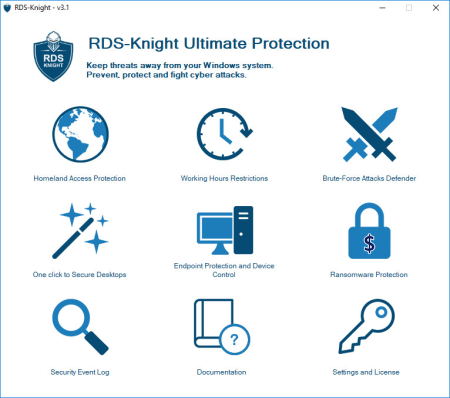
Fine-Tune the Level of Remote Desktop Security.​

When it comes to exposing Remote Desktop Protocol to direct connections, you need a solid secure server to protect your systems against remote attackers. Due to the innovative techniques available for modern cyber-criminals and a use-after-free vulnerability in the Microsoft solution, hackers from all across the globe can easily access login credentials anywhere at all, carry out ransomware attacks and run arbitrary code on the targeted systems.
Meanwhile, our team of qualified experts has worked hard to secure your remote desktop access. Born from the clear understanding of the problem, RDS-Knight offers advanced functionality and makes the use of remote access in your daily routine as safe as possible. Now, with RDS-Knight you can easily manage the entire fleet of workstations even if you are a thousand miles away.
Keep your Server Secure
If you want to log into your personal computer from another location, RDS-Knight is your sword and shield for protecting your server environment against unauthenticated attackers. Our product is designed to secure remote desktop, monitor login failures, block prohibited or suspicious IPs and prevent unauthorized actions. Checking your computer's remote access options, RDS-Knight provides you with excellent control over the connected users with granted access.
Access your Workstation Safely
Using the RDP Defender service, you can create a whitelist with dedicated IPs you need to achieve the server, and set the essential number of incorrect password attempts. Typically, setting the maximum failed login attempts from a single IP is an effective countermeasure for avoiding brute-force attacks.
If you want to secure server login and allow connections only from specific countries, be assured that our product will protect your system against any foreign attackers. On top of that, our cyber crime fighter offers endpoint protection and device control for regular checking of the device names approved for any incoming session.

DOWNLOAD
uploadgig
Код:
https://uploadgig.com/file/download/D527b1263ca2b14d/o4qGnYqq_RDSKnight.4..rar

rapidgator
Код:
https://rapidgator.net/file/ba83a89183095bb95e50e4e48161d816/o4qGnYqq_RDSKnight.4..rar

nitroflare
Код:
http://nitroflare.com/view/19021D60951C225/o4qGnYqq_RDSKnight.4..rar
 
Opera 64.0.3417.73 Multilingual

e415024d-52a2-4a37-a050-dbcbc0d69339.png

File Size: 52/54 MB

Opera is a fast and free alternative web browser, that includes tabbed browsing, pop-up blocking, integrated searches.​

Opera web browser is based on Chromium and Blink (the rendering engine used by Chromium). It has come up with bigger guns to enter the race for the most popular web browser, as the current leading role is played between Google Chrome, Firefox and Internet Explorer. The web browser has one intuitive, powerful location for searching and navigating the web. Search using multiple providers and view site suggestions as you type. The Discover feature gives you top-quality news and entertainment from around the globe. Opera also has the advanced functions such as Opera Mail program, the lightweight, customizable mail client that refines your email experience.
Features:
Now it comes with an innovative anti-Bitcoin mining tool. It also displays security badges, which give you a quick glance at the security of a page. If the browser's Fraud and Malware Protection detects anything potentially dangerous, it will display a popup to warn you.
Bookmarks. Now you can quickly enable or disable the bookmarks bar by selecting Show bookmark bar. If you want to bookmark a page, click the HEART icon.
Integrated PDF viewer. In addition, Opera has integrated a fast PDF Viewer directly into the browser so you can keep reading without changing applications.
Support for H.264 and MP3. H.264 video and MP3 Audio is widely used on the internet. Therefore, with Opera Browser you will have native access to such content.
Syncing Bookmarks with Android. If you install Opera browser for Android mobile and for Desktop on your computer, you can see cross-device syncing in action. Make some bookmarks on your computer and see them appear on your Android phone.
Sync open tabs between computers. In Opera for computers, you can now sync your open tabs.
MSE + MP3. MSE Audio now works from within Opera, enabling playback from Google Play Music and similar services.
Custom ad-blocking list support. Users have the possibility to load your own files in the block-list form. Use extra button in Preferences, where you can add/remove any extra block-list files you'd like to load.
Video pop out. Allows you to shift your video frame to the side of your screen, so you can truly multitask. Browse, shop online or do the research without missing out on the video action.
RSS in personal news. RSS support makes the built in newsreader even more customizable.

DOWNLOAD
uploadgig
Код:
https://uploadgig.com/file/download/e24716Ed0B0fe926/HcIMWxEB_Opera_64.0.3417.73_Setup..exe
https://uploadgig.com/file/download/15fd1d728BFa7FB4/HcIMWxEB_Opera_64.0.3417.73_Setup_x64..exe

rapidgator
Код:
https://rapidgator.net/file/ded74d99492dfc4d0f98203338aa83ab/HcIMWxEB_Opera_64.0.3417.73_Setup..exe
https://rapidgator.net/file/17b312422173cbaa7b18f38593efc94f/HcIMWxEB_Opera_64.0.3417.73_Setup_x64..exe

nitroflare
Код:
http://nitroflare.com/view/6FBF1CDF8A24EF6/HcIMWxEB_Opera_64.0.3417.73_Setup..exe
http://nitroflare.com/view/7D6CB1B41673820/HcIMWxEB_Opera_64.0.3417.73_Setup_x64..exe
 
Allegorithmic Substance Designer 2019.2.2.2644

ca537f9c-03f5-4384-815a-697cc9e077b7.png

Windows x64 | Languages: Multilingual | File Size: 508.79 MB

Create, iterate.​

Substance Designer is the Ultimate 3D Material Authoring and Scan Processing Tool. It has become the standard in the entertainment industry for PBR material authoring.

- Create materials with full control and infinite variations.
- Edit complete texture sets instantly and produce Substance textures and MDL materials that will be directly handled in your renderer or game engine.
- Process scans thanks to filters and tools in an adapted to photogrammetry workflow.
- Substance Designer features a complete set of tools and filters including: Crop Tool, Color Equalizer Tool, Extract Channels filters (Multi-angle to Albedo, Multi-angle to Normal, Normal to Height), Smart Patch Clone Tool, Smart Auto Tile Tool.
- Import procedural sbs and sbsar files, hand-painted images, photographs, scans and geometry (.fbx & .obj). No need to worry about tiling, either - Substance Designer handles it automatically.
- Use the real-time PBR viewport to preview your work exactly as it appears in Unity and Unreal. Match any other game engine via custom shaders.
- Create photo-realistic renders with Iray path-trace technology while working, embellish your work with Yebis post-production effects, and share portfolio-ready materials directly on ArtStation.
- Substance Designer features 4 graphs types: Tiling textures, MDL materials, Math Functions and Noise Editor. Edit complete texture sets instantly with the procedural node-based non-linear workflow. Want to change something while you're working? Make changes to any previous step while keeping your current work intact.
- Combine a large number of pre-set filters and tools for Procedural and Hybrid Workflows.
- Access and modify the sources of all filters.
- Bake quickly and easily with a complete set of bakers. Create non-uniform (non-square) bakes up to 8K resolution with Substance Designer.
- The bakers include: AO, normal, ID, height, curvature, position, polypaint, Bent Normals, Color Map, UV to SVG, Opacity Mask, Thickness, Transfered Texture, World Space Direction, World Space Normals.
- OS: Windows 7 / 8 / 10 - (64 bit)
- Memory: 8 GB RAM
- Graphics: VRAM 2GB
- DirectX: Version 11
- Resolution: 1280px width (≥ 1 Mega Pixels)
- OS: Windows 7 / 8 / 10 - (64 bit)
- Memory: 16 GB RAM
- Graphics: VRAM 4GB
- DirectX: Version 11
- Resolution: 1920x1080px
- Intel HD 5000 / IRis Pro 6200 and above
- NVIDIA GeForce GTX 600 and above
- NVIDIA Quadro K2000 and above
- AMD Radeon HD 7000 and above
- AMD Radeon Pro WX-serie / Pro Duo and above
- AMD FirePro W-series / FirePro S-series and above
- English, Japanese, Korean.

DOWNLOAD
uploadgig
Код:
https://uploadgig.com/file/download/cB214b4EabEa10b0/pekoZumf_.Designer.2019.2.2.rar

rapidgator
Код:
https://rapidgator.net/file/fd51782e6d0e410ab31417fa423c1d67/pekoZumf_.Designer.2019.2.2.rar

nitroflare
Код:
http://nitroflare.com/view/825DBFEFA9DD471/pekoZumf_.Designer.2019.2.2.rar
 
Bigasoft Video Downloader Pro 3.20.0.7235 Multilingual

4b0d3bad-651c-4f4c-8fd5-e33aab9c3c09.png

File size: 33 MB

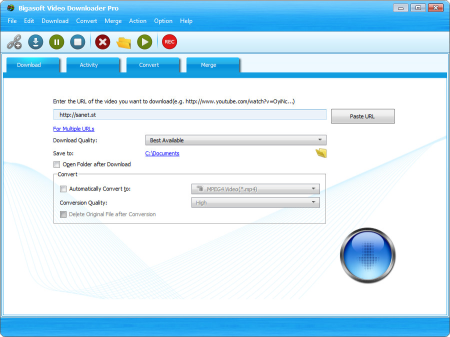
Bigasoft Video Downloader Pro is a popular one-step online video er and converter to help to fast and convert YouTube videos and other online movies for playing on personal computer, portable device, mobile phone, mp4 player, television and more with ease.​

The powerful Video Downloader tool can save online videos in HD, HQ and 3D movies and then convert to MP4, AVI, WMV, MOV, MKV, FLV, MPG, VOB and etc for playback on a great variety of digital devices including iPad mini, iPad, iPod, iPhone, Google Nexus, Microsoft Surface, Kindle Fire, BlackBerry, Apple TV, Zune, PSP, PS3, Pocket PC, Creative Zen, Xbox, Archos and more.
The all-in-one Video Downloader and Converter is not only an easy-to-use movie converter and er tool but also a powerful audio er which can extract music from YouTube and then convert YouTube to MP3, AAC, AC3, WAV, WMA, FLAC, OGG, and more.
Bigasoft Video Downloader Pro supports to videos instantly in HD 720p, HD 1080p, HD 2k, ultra high definition (4K), 3D video and stand definition with a single click from almost all popular video sharing websites like YouTube, Facebook, Google Videos, Metacafe, eHow, Vimeo, MTV, BBC, Dailymotion, etc. and automatically convert the ed videos to almost all popular video and audio formats.
Unlimited YouTube Videos Ready
Bigasoft Video Downloader Pro, the professional Video Downloader and Converter, is also a smart YouTube Converter that enables to save a whole lot YouTube videos and automatically convert YouTube to video for easily enjoy anytime, anywhere. Unlimited YouTube videos are ready for later viewing on desktop or mobile devices now.
Listen to YouTube
The amazing Video Downloader Pro is not only an easy-to-use YouTube to video converter tool but also a powerful YouTube to audio er and converter which can and extract music from YouTube and then convert to MP3, WMA, WAV, FLAC, M4A, AC3, AIFF and etc
High Quality, High Visual Experience
Bigasoft Video Downloader Pro features both ing online videos like YouTube videos with best quality and converting YouTube videos with high conversion quality for ultimate high-quality visual experience.
Online Videos with You
Besides ing and converting YouTube files, the professional Video Downloader Pro can video from other popular video sites like Facebook, Google Videos, Metacafe, eHow, Vimeo, MTV, BBC, Dailymotion, etc to helps to playback online videos on portable device, mobile phone, mp4 player, personal computer, television, and mor
Save Time
Say No to waiting for streaming with the power of concurrent ing online videos by feeding multiple URLs in batch, ing playlist, automatically conversion. The unbeatable YouTube converter is designed for saving valuable time just for you.
That Easy
Simply paste a URL from browser, select conversion profile and press "Download" button, it's that simple. A huge amount of YouTube movies are ready to play now.
Add New merge panel to merge ed f4f videos to any format you like.
Fixed issue in ing YouTube 4K music video.
Support 3 additional video sites, including PBS, NBR.

DOWNLOAD
uploadgig
Код:
https://uploadgig.com/file/download/0Df144f24a69Dd9d/1NgH7UGt_BigasoftVideoDownloader3..rar

rapidgator
Код:
https://rapidgator.net/file/ed29d5be032c131952916da93f9ea9f5/1NgH7UGt_BigasoftVideoDownloader3..rar

nitroflare
Код:
http://nitroflare.com/view/0501B62D48C565B/1NgH7UGt_BigasoftVideoDownloader3..rar
 
Adobe Photoshop 2020 v21.0.0.37 Multilingual

7109cb78bbaeb78ae117767f2dbd3a97.png

Windows x64 | Languages: Multilingual | File Size: 1.68 GB

Reimagine reality with Photoshop.​

Millions of designers, photographers, and artists around the world use Photoshop to make the impossible possible. From posters to packaging, basic banners to beautiful websites, unforgettable logos to eye-catching icons, Photoshop keeps the creative world moving. With intuitive tools and easy-to-use templates, even beginners can make something amazing.

Millions of designers, photographers, and artists around the world use Photoshop to make the impossible possible.
From posters to packaging, basic banners to beautiful websites, unforgettable logos to eye-catching icons, Photoshop keeps the creative world moving. With intuitive tools and easy-to-use templates, even beginners can make something amazing.
Whether you're looking for everyday edits or total transformations, our graphic design software offers a complete set of professional photography tools to turn your snapshots into works of art. Adjust, crop, remove objects, retouch, and repair old photos. Play with color, effects, and more to turn the ordinary into something extraordinary.
Draw and paint whatever you dream up with tools designed especially for illustrators. Paint in perfectly symmetrical patterns. Get polished looks with stroke smoothing. And create with pencils, pens, markers, and brushes that feel real - including more than 1,000 from celebrated illustrator Kyle T. Webster.
Paint in perfect symmetry with a new mode that lets you define your axes and choose from preset patterns like circular, radial, spiral, and mandala.
A dedicated workspace lets you select the exact pixels to use for fills, and Adobe Sensei makes it easy to rotate, scale, and mirror them.
Create shape or text frames to use as placeholders on your canvas. Drag and drop images to fill the frames and they'll scale to fit.
- Processor: Intel Core 2 or AMD Athlon 64 processor; 2 GHz or faster processor
- Operating system: Microsoft Windows 10 (64 bit) versions 1703 (Creators Update) and later
- RAM 2 GB or more of RAM (8 GB recommended)
- Hard disk space: 3.1 GB or more of available hard-disk space for 64-bit installation; additional free space required during installation (cannot install on a volume that uses a case-sensitive file system)
- Monitor resolution: 1024 x 768 display (1280x800 recommended) with 16-bit color and 512 MB or more of dedicated VRAM; 2 GB is recommended**
- Graphics processor acceleration requirements OpenGL 2.0-capable system
Dansk, Deutsch, English, Español, Français, Français*, Hebrew*, Hungarian, Italiano, Nederlands, Norwegian, Polish, Português (Brasil), Suomi, Svenska, Turkish, Ukrainian, čeština, Русский , 日本語, 简体中文, 繁體中文, 한국어

DOWNLOAD
uploadgig
Код:
https://uploadgig.com/file/download/2cC0c10dcbc56717/rioCkbRB_.PS21.part1.rar
https://uploadgig.com/file/download/6b8e2aa07e05260D/rioCkbRB_.PS21.part2.rar

rapidgator
Код:
https://rapidgator.net/file/f4183240ee93970948774985a16f36ea/rioCkbRB_.PS21.part1.rar
https://rapidgator.net/file/76552f32a502cd51f20dab49685e655e/rioCkbRB_.PS21.part2.rar

nitroflare
Код:
http://nitroflare.com/view/C88583BABA63EBE/rioCkbRB_.PS21.part1.rar
http://nitroflare.com/view/C7AF03DC3CA90BD/rioCkbRB_.PS21.part2.rar
 
Назад
Сверху