• Здравствуйте. Сайт заработал в архивном режиме форум www.old.nado.in

Anthony's Software !!!

Alfa eBooks Manager Pro 8.2.1.1 Multilingual Portable
8917be00a3de06e8d5c6d9b1df40b2c6.png

File Size: 30.4 MB

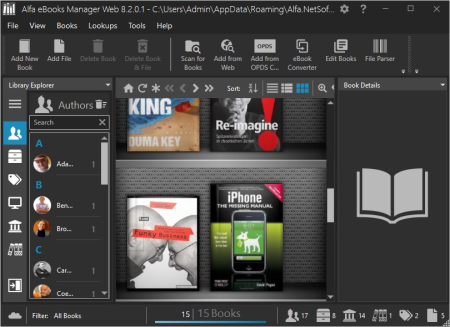
Alfa eBooks Manager - The most powerful and easy-to-use Book Organizer.​

Alfa is a PC software that allows to organize your electronic and paper books in a single e-Library. Alfa eBooks Manager is the top choice for book lovers, collectors, students, academicians and business libraries.
Create e-Library
Get your paper, electronic and audio-books in single e-library.
Catalog books
Catalog any book data. Add tags and custom fields.
Customize design
Customize look and feel of your e-Library.
Scan computer for ebooks
Scan your computer for ebooks, parse metadata.
Read e-Books
Built-in ebook reader supports all popular e-book formats.
Update from the Web
Update books from Amazon, Google and other sites.
Edit ebook metadata
All popular formats are supported: EPUB, MOBI, FB2, PDF, AZW.
Ebook converter
Convert ebooks for your Kindle, iPhone or Android reader.
View books in 3D
Play with realistic 3D-models of your favorite books.
Import from Calibre
Alfa is the best Calibre alternative for those who like comfort.
Web Interface
Access you library in local network even from mobile devices.
Manage audio books
Quickly add, organize audio books. Built-in audiobook player.
Alfa 8.2: New Publish date and other features:
New Publish Date
We realized most requested feature - flexible Publish Date. Now it's divided into three fields and allows to enter only year, or year/month, or exact date. It also can be empty and can contain publish dates earlier than 01.01.1753 (these were limitations of Microsoft's free database engine).

DOWNLOAD
uploadgig
Код:
https://uploadgig.com/file/download/62b4663C69605d51/prsSueAU_Alfa.eBooks.Manager.Pro.8.2.1.1.Port..rar

rapidgator
Код:
https://rapidgator.net/file/9c9e595a8d6b165a00a24625766bda4a/prsSueAU_Alfa.eBooks.Manager.Pro.8.2.1.1.Port..rar

nitroflare
Код:
http://nitroflare.com/view/C144044321CEA6C/prsSueAU_Alfa.eBooks.Manager.Pro.8.2.1.1.Port..rar
 
HE - Hardware Read & Write Utility 1.19.10.10

d51147f70dfd2b88317c13bb209369c5.png

File Size : 4.3 Mb

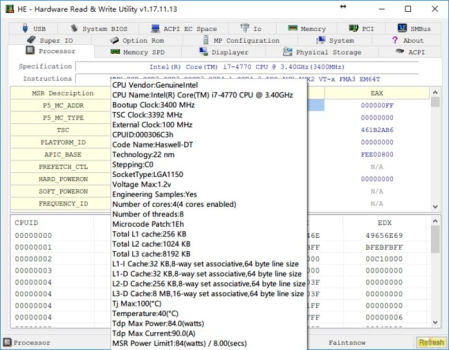
HE - Hardware Read & Write utility is a powerful utility for hardware engineers, BIOS engineers, driver developers, QA engineers, performance test engineers, diagnostic engineers. etc.​

This utility access almost all the computer hardware, including PCI (PCI Express), PCI Index/Data, Memory, Memory Index/Data, I/O Space, I/O Index/Data, Super I/O, DIMM SPD, CPU MSR Registers, S.M.A.R.T monitor, HDD physical sector , ATA Identify Data, ACPI Tables Dump, ACPI AML Code Disassemble, Embedded Controller, USB Information, SMBIOS Structures, PCI Option ROMs and MP Configuration Table. It's a Windows base utility support Windows Win2000 / Win2003 / XP / Vista / Win7 / Win8 / Win8.1 / Win10.
This utility comes with ABSOLUTELY NO WARRANTY, it allows you to modify hardware settings, this may damage your system if something goes wrong. Author will not take any responsibility about that, you are on your own risk.

DOWNLOAD
uploadgig
Код:
https://uploadgig.com/file/download/794255d1efbc2096/XMovzXr1_HE_v1.19.10.10_Setup..zip

rapidgator
Код:
https://rapidgator.net/file/1c27fbf957f361828aabec3e2c8999b7/XMovzXr1_HE_v1.19.10.10_Setup..zip

nitroflare
Код:
http://nitroflare.com/view/B4B017A45E144FC/XMovzXr1_HE_v1.19.10.10_Setup..zip
 
ExpanDrive 7.3.0

3ef7f8d5c2a0820690244b180130ce67.png

Languages: English | File Size: 129.74 MB

The Best Gets Even Better - Say Hello to ExpanDrive 7.​

ExpanDrive is a fast network drive and browser for cloud storage. Securely access the cloud from any application, including Finder and Explorer.

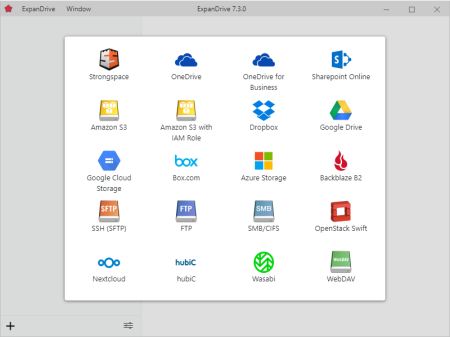
ExpanDrive adds cloud storage like Google Drive, Dropbox, Amazon S3, SFTP, Box, OneDrive and Sharepoint to Finder and Explorer. Don't bother with an extra app just to move data around. ExpanDrive connects cloud storage to every application on your computer including Office 365, Photoshop, and VS Code.
Choose files for offline access and work without an internet connection. Synchronization to the cloud takes place automatically when you're back online. Other files are accessed on-demand from the cloud, taking no disk space.
Major storage providers have left you behind and we're here to help. ExpanDrive adds native cloud storage access into Linux for all major Linux distributions, including Ubuntu, Mint, CentOS, Redhat, and more.
ExpanDrive hooks into Spotlight Search on Mac and Windows file search. Quickly search your remote storage for whatever you're looking for. The integrated storage browser has additional support for blazing-fast server side search.
ExpanDrive now propagates lock files in Microsoft Office documents across the cloud. If a user is editing an Office document, other users will only be able to open that document read-only until the editing user closes it.
Easily access older versions of files on cloud storage backends that support versioning, including Box, Dropbox, S3, Google Drive, OneDrive and Sharepoint.
Connect to all major cloud storage providers, or your own server. With a single app you can connect to:
- Dropbox
- Google Drive and Google Team Drives
- Amazon Drive
- Box
- OneDrive and OneDrive for Business
- Sharepoint
- Nextcloud (New!)
- Wasabi (New!)
- Backblaze B2
- SFTP/FTP, WebDAV
- SMB/Windows File Sharing
Add cloud storage, like Google, Dropbox, Amazon S3, Sharepoint, and more to every application on your computer. ExpanDrive builds a secure connection from the filesystem to the cloud. Open, edit, and save files to remote computers from within your favorite programs - even when they are on a server half a world away.
ExpanDrive has multi-threaded connection engine that is up to 500% faster that previous version. ExpanDrive performs parallel transfers in the background so that you have a reliable transfer even in the face of unreliable internet. Keep working and stop waiting for transfers to complete.
- Windows 7 through Windows 10 including Windows Server
- Supports 32-bit and 64-bit installations
- Supports Windows Server editions, including terminal server
- Contact support for a multi-user MSI based installer
- Does not support Windows RT

DOWNLOAD
uploadgig
Код:
https://uploadgig.com/file/download/06edD5b09209c8cB/X3D6Mj2N_.ExpanDrive.7.3.0.rar

rapidgator
Код:
https://rapidgator.net/file/e19046424d357f743c4ac5a0d7f9abf2/X3D6Mj2N_.ExpanDrive.7.3.0.rar

nitroflare
Код:
http://nitroflare.com/view/B20E6D4AF2F6922/X3D6Mj2N_.ExpanDrive.7.3.0.rar
 
OcenAudio 3.7.5 Multilingual

4312129e5ec79f4794082af0eb965ebb.png

File Size : 71 Mb

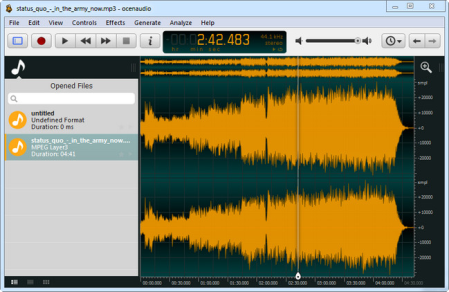
OcenAudio is a cross-platform, easy to use, fast and functional audio editor.​

It is the ideal software for people who need to edit and analyze audio files without complications. OcenAudio also has powerful features that will please more advanced users. This software is based on Ocen Framework, a powerful library developed to simplify and standardize the development of audio manipulation and analysis applications across multiple platforms.

It works on your computer!
OcenAudio is available for all major operating systems: Microsoft Windows, Mac OS X and Linux. This means you can always rely on OcenAudio on any computer.
It stays out of your way
No matter how many files are open, OcenAudio always remains responsive. Time-consuming tasks (such as opening and saving audio files, or applying effects) run in background, allowing you to work on other files.
The user comes first
The development of OcenAudio began when a brazilian research group at the Federal University of Santa Catarina (LINSE) needed an easy-to-use audio editor loaded with features such as multiple file formats support, spectral analysis and audio signal generation. OcenAudio development focuses primarily on usability, providing the user with a cohesive and intuitive audio editing and analysis tool.
Features
VST plugins support
OcenAudio supports VST (Virtual Studio Technology) plugins, giving its users access to numerous effects. Like the native effects, VST effects can use real-time preview to aide configuration.
Real-time preview of effects
Applying effects such as EQ, gain and filtering is an important part of audio editing. However, it is very tricky to get the desired result by adjusting the controls configuration alone: you must listen the processed audio. To ease the configuration of audio effects, OcenAudio has a real time preview feature: you hear the processed signal while adjusting the controls.
The effect configuration window also includes a miniature view of the selected audio signal. You can navigate on this miniature view in the same way as you do on the main interface, selecting parts that interest you and listening to the effect result in real time.
Cross-platform support
OcenAudio is available for all major operating systems: Microsoft Windows, Mac OS X and Linux. Native applications are generated for each platform from a common source, in order to achieve excelent performance and seamless integration with the operating system. All versions of OcenAudio have a uniform set of features and the same graphical interface, so the skills you learn in one platform can be used in the others.
Multi-selection for delicate editions
To speed up complex audio files editing, OcenAudio includes multi-selection. With this amazing tool, you can simultaneously select different portions of an audio file and listen, edit or even apply an effect to them.
For example, if you want to normalize only the excerpts of an interview where the interviewee is talking, just select them and apply the effect.
Efficient editing of large files
With OcenAudio, there is no limit to the length or the quantity of the audio files you can edit. Using an advanced memory management system, the application keeps your files open without wasting any of your computer's memory. Even in files several hours long, common editing operations such as copy, cut or paste happen almost instantly.
Fully featured spectrogram
Besides offering an incredible waveform view of your audio files, OcenAudio has a powerful and complete spectrogram view. In this view, you can analyze the spectral content of your audio signal with maximum clarity.
Advanced users will be surprised to find that the spectrogram settings are applied in real time. The display is updated immediately when altering features such as the number of frequency bands, window type and size and dynamic range of the display.

DOWNLOAD
uploadgig
Код:
https://uploadgig.com/file/download/c705974D3d6bcFaa/TfOPIVFY_ocenaudio..rar

rapidgator
Код:
https://rapidgator.net/file/839ada5bf0aa21da089a855d3b2b5724/TfOPIVFY_ocenaudio..rar

nitroflare
Код:
http://nitroflare.com/view/6DD12A86378B7BE/TfOPIVFY_ocenaudio..rar
 
Pixarra TwistedBrush Paint Studio 3.00

5bcb67a838a0c3facc1cf4a3516a6e4d.png

Languages: English | File Size: 35.94 MB

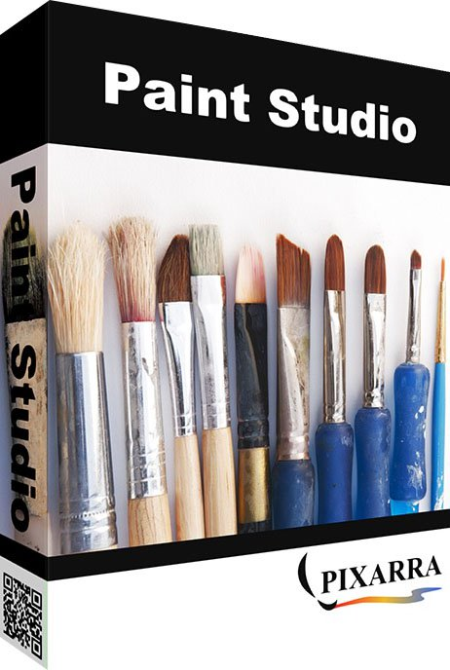
TwistedBrush Paint Studio is a product born from TwistedBrush Pro Studio but with a focus on natural media painting and drawing with a simpler, streamlined interface.​

Internally the same great TwistedBrush brush engine is used. TwistedBrush Pro Studio is feature packed but if you want a stripped down version for painting and drawing with a new slick interface then Paint Studio is for you. TwistedBrush Paint Studio strips away complexity and what remains is the very best natural media brushes available as well as the key features that have always made TwistedBrush great.

Paint Studio includes a selection of the best natural media brush from Pro Studio package for easy access for the digital fine artist. Below is just small sampling of some the brush strokes. The first image shows simple strokes the second shows white paint strokes overlaid on red paint strokes.
​Paint Studio, as all of Pixarra's focused Studio products, has a clean interface, designed for an easy, quick work flow. Shown is the dark theme but lighter color themes are also available.
On the right are two panels you will use a lot. The Color Management panel and the Brush Shortcut Panel. All the panels in Paint Studio will automatically hide if they get in your way while painting. Manually hiding all panels is also possible with the F3 hotkey.
The Quick Command panel gives you a configurable array of buttons you can keep close at hand while working. Resize and reshape the panel to your needs. Add, remove and move buttons to create the layout that works best for you. Quickly show or hide the panel with the [F4] hotkey. Right click to edit a button or add one to an empty slot. [Ctrl] + click to drag a button to a new location. As an added bonus there is some functionality exposed in the Quick Command panel that isn't available anywhere else in Paint Studio.
Since User ArtSets are available you might be thinking where will you get new brushes from. There are a number of ways, user shared brushes in the Pixarra forum, brushes imported from Pro Studio, OR now you can edit brushes right in Luminance Studio with the powerful Brush Effects system from Pro Studio. First an IMPORTANT NOTE: Editing brushes is NOT an easy task. There are over 500 different effects that can be combined in 28 effect layers with each effect processed with 100's of modifiers. I think it's safe to say the Pixarra brush effects system makes for the most powerful brush engine in existence. Evidenced in the ability with the same engine to draw simple lines or fully detailed tree with a single stroke as can be seen in Tree Studio.
Easy access support for layers are in Paint Studio. The idea is to keep your work flow simple and fast. A simple single click to create a layer with no scrolling. Right click a layer for additional options. Drag layers to rearrange them.
Above are just some of the features in Paint Studio, there is much, much more.
- 64 bit color painting system for the smoothest blends available anywhere.
- Worlds most powerful and flexible brush engine with the Pixarra brush effects system
- Automatic saving multiple copies of your work in progress.
- Brush compatibility with other Pixarra Studio products.
- Tracing paper to use as a guide.
- Up to 9 floating reference Image panels to hold reference photos when working on your art.
- Sketchbook system that automatically saves your work to your sketchbook.
- Switching pages in your book with a single key press (Page Up or Page Down)
- Saving your work to a range of standard image formats.
- And many more features!
- Windows /XP / Vista / Windows 7/ Windows 8 / Windows 10
- 500MB disk space
- 1024x768 minimum display resolution
- 4GB RAM (8GB or more recommended)

DOWNLOAD
uploadgig
Код:
https://uploadgig.com/file/download/0d30617e0d8d5F56/r35ASEyb_.Paint.Studio.3.00.rar

rapidgator
Код:
https://rapidgator.net/file/e0632963dc7130ea3956620c46f3e2e5/r35ASEyb_.Paint.Studio.3.00.rar

nitroflare
Код:
http://nitroflare.com/view/912F43A694BBEBF/r35ASEyb_.Paint.Studio.3.00.rar
 
TreeSize Professional 7.1.3.1467 (x64) Multilingual

43bf037c6fd9f74d99eb0ef05ffc3a33.png

File Size: 33.77 MB

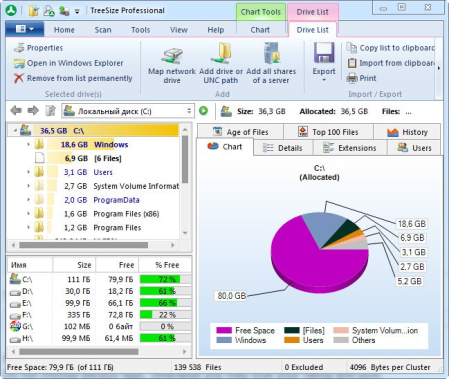
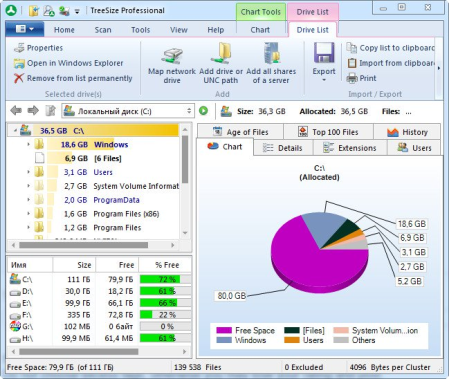
TreeSize Professional is a powerful and flexible hard disk space manager for Windows 2003/2008/XP/Vista/7/8/10.​

Find out which folders are the largest on your drives and recover megabytes on your disks. TreeSize Professional shows you the size, allocated and wasted space, the number of files, 3D charts, the last access date, the file owner and permissions, the NTFS compression rate and much more information for several folders or drives you choose. It also lets you search drives, entire servers or the entire network for old, big, temporary and duplicate files. The search results can be moved, deleted or exported. The application has an intuitive Explorer-like user interface, it is fast and multi-threaded and supports Unicode and scheduled scans. You can print detailed reports or export the collected data to Excel and to an HTML, XML or text file. TreeSize Professional can be started from the context menu of every folder or drive.

- Manage and clean up disk space efficiently
- Visualize disk usage
- Detailed analysis, right down to the lowest directory levels
- Find and remove redundant files
- Numerous export and reporting options
- The versatile duplicate file search
Manage disk space and scan your hard disks
Find out which folders are the largest on your drives and recover precious disk space. Use TreeSize as a hard disk cleanup tool: find space hogs and remove them. Graphical analyses provide a quick visualization of disk space usage. TreeSize Professional shows you folder size and allocated disk space as well as owner and permissions, the last access date, the NTFS compression rate, and much more information for selected folders or drives.
Search for Redundant Files
The integrated versatile file search helps you find old, big, temporary, and duplicate files on drives, entire servers or the entire network. Search results can be moved, deleted or exported to a ZIP file.
Print, Export, or Compare Results
You can print detailed reports and charts or export the collected data to many different formats such as XML, XLS, TXT, CSV and many more. Compare XML reports or take shapshots of your disk space usage to track its development over time.
The application has an intuitive Explorer-like user interface and supports drag and drop operations. It is fast, multi-threaded, and supports Unicode- and NTFS-specific features. TreeSize Professional can be started from the context menu of every folder or drive.
Efficient Disk Space Management from all perspectives
- See the size of all folders including their subfolders and break it down to the file level.
- Visualize disk usage in the pie or bar chart.
- Tree maps visualize hierarchies and sizes of subfolders in the selected directory.
- Detailed view with single files and additional information (e.g. date of last access).
- Statistics about file types and file owners for every branch.
- Filter the file system tree on the left by a certain user or file type.
- See a list of the 100 largest files.
- Distribution of occupied disk space by file age.
- Scan FTP, WebDAV, and SharePoint servers.
- Disk Space Management on smartphones and mobile devices.
Versatile File Search
- Integrated file search.
- Fully customizable file search.
- Archive, copy, or move the results of the TreeSize File Search, for instance lar, old, or temporary files or files of a certain type.
- Search multiple drives, whole servers and even your entire network neighborhood.
- Search results can be exported, moved, deleted or passed to any executable file or script.
- TreeSize offers a powerful duplicate file search, optionally with MD5 or SHA256 checksums. TreeSize also enables you to easily deduplicate files using hardlinks.
Exporting and Reporting
- TreeSize enables you to export scan results (showing the directory structure) to many different formats such as Excel, XML, HTML, text/CSV file, clipboard, or email.
- Export a list of all files in the scanned folder and its subfolders, for example for use in a database.

DOWNLOAD
uploadgig
Код:
https://uploadgig.com/file/download/0EfF770cdae832B4/P2RM7E6j_TreeSize.Professional.7.1.3..rar

rapidgator
Код:
https://rapidgator.net/file/8e2646966dfd6a8ded91d04813ed0e28/P2RM7E6j_TreeSize.Professional.7.1.3..rar

nitroflare
Код:
http://nitroflare.com/view/08AC5C537CAEC7E/P2RM7E6j_TreeSize.Professional.7.1.3..rar
 
Altair PollEx 6.0 (x64)

e5a74c48108412263f5cfe5151a1992b.png

File size: 407 MB

Design and engineering require a system-level view of products and systems.​

The integrated design of mechanical behavior and electronics is a trademark of today's product development. Based on a strong foundation of mechanical simulation software, Altair has expanded into areas of systems simulation and electromagnetics. Altair's Pollex PCB solvers and verification tools extend these capabilities into a new domain, allowing Altair to provide software for system-level design decisions.
Altair PollEx is the most comprehensive and integrated set of PCB design viewing, analysis and verification tools in the market for electrical, electronics and manufacturing engineers. PollEx is an open solution, which transfers data flawlessly between different ECAD and simulation environments. While PCB design tools are traditionally reserved for PCB design engineers, engineers from other disciplines like hardware design, manufacturing, testing and mechanical need to also access, review and analyze the design and manufacturing data of PCBs and their Integrated Circuit (IC) packages.
PollEx provides unsurpassed connectivity to all relevant ECAD systems and formats as well to third party PCB simulation software and brings Design for Excellence (DfX) through a common application and a powerful set of rule-based design checks addressing post-design process constraints in the early design stages.
Its many features include query, measure, finding objects, and various reporting. PollEx operates in an open environment, which can transfer data flawlessly between different ECAD and simulation environments.
PCB Modeler
PollEx PCB Modeler reads entire PCB design data quickly in an intuitive and flexible interface to explore design details. Users can do queries, measurements, find objects, view topologies, analyze nets, compare PCB designs, and receive import and export support for all standard ECAD packages and PCB layout formats.
Unified Part Editor
PollEx PCB Unified Part Editor (UPE) is a unified electronic part data management software allowing users to create and edit part data (from manufacturers, including physical, logical, thermal, electrical, manufacturing and testing); generate part data using automatic and manual generation wizards (including 3D package geometry for mechanical design); manage mount data for mounting analysis and control (from specific equipment); and it supports many EDA vendor formats and tools.
PCB Solvers
PollEx PCB Solvers investigate Signal Integrity (SI) and thermal PCB problems thanks to intuitive and easy to use solvers which are fully integrated into the PollEx PCB Modeler and the Unified Part Editor (UPE). Included are efficient domain SI solvers with SPICE and IBIS model support for wave propagation delay, reflection, crosstalk, eye diagrams, scattering, admittance and impedance matrix calculations.
Updates: official site does not provide any info about changes in this version.

DOWNLOAD
uploadgig
Код:
https://uploadgig.com/file/download/2754836D8717bF35/TdzdwUbr_Altair.PollEx.6.0.Win64SSQ..rar

rapidgator
Код:
https://rapidgator.net/file/b35fafd50c0aa20942b4701187fee4bd/TdzdwUbr_Altair.PollEx.6.0.Win64SSQ..rar

nitroflare
Код:
http://nitroflare.com/view/E5F6E1EA2815BD2/TdzdwUbr_Altair.PollEx.6.0.Win64SSQ..rar
 
DAEMON Tools Ultra 5.6.0.1216 (x64) Multilingual

6d71abfc9f034312deb18dd3c92f86b0.png

File Size: 37.07 MB

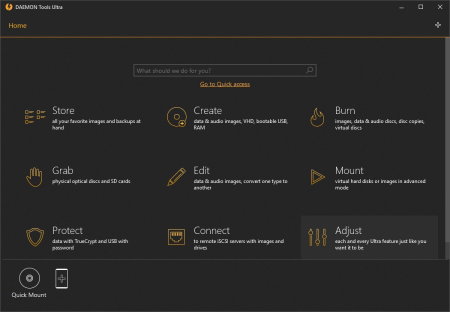
DAEMON Tools Ultra is the most powerful, ultimate and advanced imaging software we've ever created.​

Get the immense list of possibilities to work with virtual drives, create bootable USB-sticks for operating system recovery, use RAM disks to speed up your PC and evaluate the unique iSCSI Initiator that allows connecting to USB devices.

- Mount all types of image files including virtual hard disks and more
- Create virtual images from discs, files and audio tracks
- Emulate the unlimited number of DT, SCSI, IDE and HDD virtual drives
- Edit, convert, compress, split, protect and burn images
- Multitasking: Run more than one wizard simultaneously to reduce time
- Portable mode: Use DAEMON Tools Ultra wherever you want without installation
- Windows Vista/7 Gadget: Manage your virtual drives and program settings from your desktop
- GameSpace: Get an extra info about images you mount. Be in touch with the latest news of gaming industry
- Create Writable Virtual Drive and burn files to images instead of discs
- Use Writable Virtual Drive with DAEMON Tools Ultra or any other applications
- Test your custom CD/DVDs before burning them to optical discs
- Minimize wear and tear of physical devices
- Write bootable images to USB devices in a few clicks
- Create a fast, reusable, durable and handy device for OS recovery
- Setup OS on laptops without drives easily and quickly
- Try both Linux and Windows recovery USB flash drives
- Create and mount virtual RAM disks that use a block of memory
- Keep your temporary files in the fastest storage to get the highest performance
- Forget about hard disk fragmentation caused by undeleted temporary files
- Evaluate the benefits of both volatile and persistent RAM disks
- Create, mount and adjust different types of virtual hard disks
- Back up your data and host more than one OS on your PC
- Use TrueCrypt containers to protect the most sensitive data
- Mount TrueCrypt and VHD files created in other applications
- Use the upgraded iSCSI protocol to connect to USB devices
- Work with remote VHDs, images, USB and optical drives
- Connect to DAEMON Tools iSCSI Target or third-party servers

DOWNLOAD
uploadgig
Код:
https://uploadgig.com/file/download/3fE50423f37d5A8f/u8XN9Rnf_DAEMON_Tools_Ultra_5.6.0.1216..rar

rapidgator
Код:
https://rapidgator.net/file/1c20a87db8d5f7d55476d2cdb6c80246/u8XN9Rnf_DAEMON_Tools_Ultra_5.6.0.1216..rar

nitroflare
Код:
http://nitroflare.com/view/2833D830933CD5D/u8XN9Rnf_DAEMON_Tools_Ultra_5.6.0.1216..rar
 
Goversoft Privazer 3.0.80 Donors Multilingual

df5e06f2bf5375ba26a39ea58b97d1c3.png

File Size: 24.86 MB

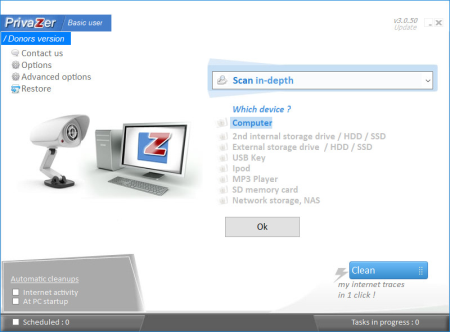
PrivaZer is a program that is designed to ensure the protection of personal data.​

It scans your hard disk for which data were on it after conventional treatment optimizers. You can then view the data and found to remove them completely, permanently. The program shows the tracks left in the process of surfing the Web, CD burning, the use of IM-clients. Also analyzes the "Start" menu, memory, registry.

The program has unique abilities to clean Windows computer of unnecessary files. With built-in depth scan is truly a complete analysis of the entire system, including secondary storage, external drives and storage devices attached to the computer of any kind. The application has a special module, permanently delete files and inverse function - recover deleted files. In-depth mode displays a list of items scanned. Some folders can be excluded from treatment. Application deletes the following files from the master file system table, log calls to the file system of Cookies, from the file registry Index.dat, system history, the history of IM, manager and many other components. Application is able to perform a complete erasure of files from the drive without the rest and recovery. Despite the great number of similar programs, this package is one of the best in its class. He has those features that are not even in expensive commercial software (such as a low-level file system

DOWNLOAD
uploadgig
Код:
https://uploadgig.com/file/download/4D34868E3518d31e/F4IIyrkY_Privazer.3..rar

rapidgator
Код:
https://rapidgator.net/file/e3bdfed7b6f15fd862bf5d9db5f1002f/F4IIyrkY_Privazer.3..rar

nitroflare
Код:
http://nitroflare.com/view/EBECAA79C202918/F4IIyrkY_Privazer.3..rar
 
Kainet LogViewPro 3.17.0

d32b0f7fb6e9fc436f60c46d23649fcd.png

File size: 6.0 MB

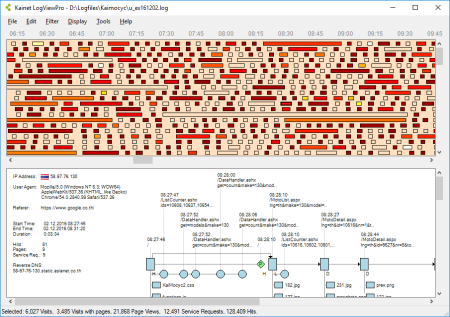
Kainet LogViewPro visualizes the contents of web server logfiles and lets you perform in-depths analyses of what is going on on your web server.​

This is useful for examining the success of marketing campaigns, finding server errors, hacker attacks or detecting data theft by bad bots.

Graphical session overview and graphical detail view
Various data views
Definition of event counters, parameter capturing, funnels
Extended filtering
Integrated WHOIS-Query and fast TraceRoute
Country Database support
Reads large logfiles (up to approx. 10GB / 25M entries) and supports load balancing
This software runs on Windows 7 or higher (64-bit recommended) and requires .NET framework 4.5. Supported logfile formats are: Microsoft IIS, IIS Advanced Logging Module, W3C Extended, Apache.
Updates: official site does not provide any info about changes in this version.

DOWNLOAD
uploadgig
Код:
https://uploadgig.com/file/download/291321292C99B620/wyWqbKog_LogViewPro3..rar

rapidgator
Код:
https://rapidgator.net/file/888244b38cac218d4c3596b382909c60/wyWqbKog_LogViewPro3..rar

nitroflare
Код:
http://nitroflare.com/view/75D25024C718717/wyWqbKog_LogViewPro3..rar
 
Peregrine Labs Bokeh 1.4.6 (x64) for Nuke 12.0

a9e3706445cef160ae82fd7e04b91018.png

File size: 2.0 MB

Bokeh is a highly optimized plug-in for simulating out-of-focus effects and the industry's first and only to fully support deep data.​

deep data support for both colour and depth
traditional Z-depth support
varying lens shapes including a user-supplied image
simulated lens aperture blades
lens blooming
spherical and chromic aberration simulation
f-stop and focal length settings for real world lens simulation
Nuke 3D camera input
matte inputs to control defocus, blooming and chromic aberration
visualization of focus regions and lens shapes for finer feedback
highly optimized to make use of multiple cores and SIMD processors
Updates: official site does not provide any info about changes in this version.

DOWNLOAD
uploadgig
Код:
https://uploadgig.com/file/download/b3e63cac88E53FbF/Raokwwey_Peregrine.Labs.Bokeh.v1.4.6.for.Nuke.12.0.X64AMPED..rar

rapidgator
Код:
https://rapidgator.net/file/6c8e60946518c4ded8a12dc44ac32dfc/Raokwwey_Peregrine.Labs.Bokeh.v1.4.6.for.Nuke.12.0.X64AMPED..rar

nitroflare
Код:
http://nitroflare.com/view/B949AA09C1D0C7E/Raokwwey_Peregrine.Labs.Bokeh.v1.4.6.for.Nuke.12.0.X64AMPED..rar
 
Sidelinesoft NL5 Circuit Simulator 2.6 Build 1

d4a2c2a185028797db4fa010a5812519.png

File size: 13.6 MB

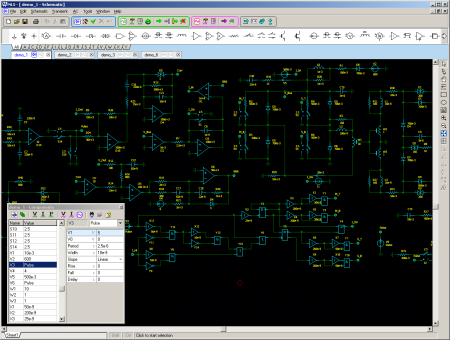
NL5 is the Non-Linear Electronic Circuit Simulator.​

The first version of NL for personal computers was developed in the early '90s as a tool for switching power supplies design. Since then NL has evolved into the Microsoft Windows-based NL4, which has been used extensively by world-class engineers in different fields of electronics for almost 10 years. NL5 is the first version to be publicly available.
How does NL5 work?
Unlike conventional SPICE-based simulators, which pretend to perform accurate simulation of electronic circuits using complex and detailed non-linear component models with dozens of parameters, the NL5 approach is quite different.
First, NL5 deals with ideal components as much as possible. An ideal component is one that provides just a basic functionality required for component of that type. As a rule, it is very simple and described by a minimal number of parameters. As a result, its behavior is clear and predictable. For example, an ideal switch has zero resistance when closed, infinite resistance when open, and it is switching instantly. For such a switch no parameters are required at all.
Second, non-linear components (e.g. diodes, transistors, or amplifiers) are represented as piecewise linear (PWL): consisting of a number of linear segments. For instance, a simple diode is either open or closed, so that its PWL representation consists of just two segments. As long as all of the components are staying within their current linear segment, the same system of linear equations can be used. The system is modified only at the moments when at least one component changes its linear segment. This can always be done much faster than solving complex non-linear equations at almost every step of simulation, which is what SPICE-based simulators usually do.
Understanding these NL5 principles gives users full control of the simulation process. Using ideal components with simple PWL models results in an extremely fast simulation, and gives a general idea of circuit functionality very quickly. On the other hand, more accurate results can be obtained by identifying critical components (those that affect circuit performance the most), and using more complex models for those components. Thus, users can always make a reasonable trade-off between simulation speed and desired level of accuracy.
Why use NL5?
NL5's major advantage is its ability to do iterations of the schematic and perform a simulation extremely fast. This is especially important in early stages of a project, when, using ideal components and simple models, engineers can evaluate a general concept and prove the feasibility of the design very quickly. After that, a thorough analysis can be performed by applying more accurate models and adding reasonable complexity to critical components.
Despite being originally designed for simulating switching power supplies, NL5 has proved to be an excellent simulation tool for almost any type of electronic circuitry, from nanoseconds transmission lines and high power RF generators, to precision instrumentation and digital signal processing. Recently added frequency domain analysis and some quite unique features broaden NL5's horizons, offering engineers almost all they would ever need for productive work.
Who can use NL5?
NL5 perfectly fits the needs of all users, regardless of their experience, interests, and expectations.
NL5 is ideal for novices and students studying electronics. The learning curve is negligibly short: basic knowledge of the Windows operating system is all that's needed to start working with NL5. A friendly and intuitive interface allows fast modifying of the schematic, even "on-the-fly" editing while the simulation is running, thus giving instant answers to "what if .?" questions.
Experienced engineers can simulate rather large systems, taking advantage of extremely fast and robust algorithm, since the convergence problem inherent to SPICE is no longer an issue. A simple, yet powerful, scripting language allows the user to perform complex tasks running NL5 as "add-on" simulation engine with popular engineering tools such as MATLAB and others.

DOWNLOAD
uploadgig
Код:
https://uploadgig.com/file/download/26037D96632dcf24/fDjy7SsF_nl5_2.6..rar

rapidgator
Код:
https://rapidgator.net/file/6d285377fdb89c8cbb9dbad6e171e12c/fDjy7SsF_nl5_2.6..rar

nitroflare
Код:
http://nitroflare.com/view/9BFD73A1355ADD4/fDjy7SsF_nl5_2.6..rar
 
Forensic Video Report 5.14.2380.1219

e3f7983371c89fc44fdde3ceb6b00a17.png

Languages: English | Incl. Plug-ins | File Size: 59.63 MB

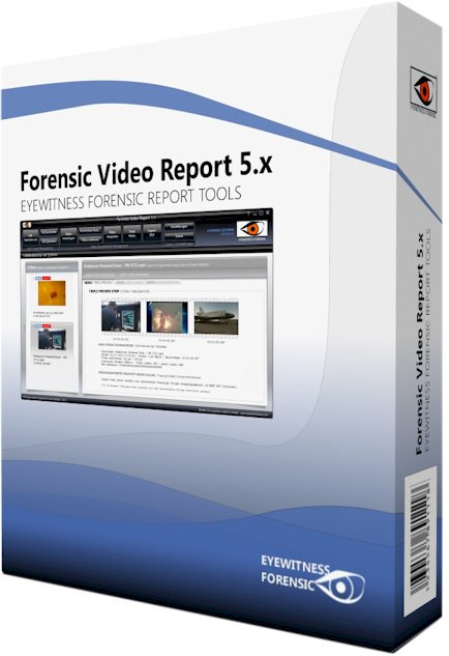
Innovative technology for automated video reporting and forensic video post processing.​

While processing of video files, the forensic experts constantly faced with the problem to enable a flexible and efficient fast functional evaluation. In the examination of video files, it is necessary to bring it in any visible form and on paper. This is made possible only by obtaining screenshoots of individual video frames. Forensic Video Report was developed for this purpose.
It is to give the forensic expert a video report tool in his hand, with which he can create a usable video preview quickly and without much time. Forensic Video Report provides the ability to create a PDF report file with a video overview or to generate a short three images preview for use in any standard software that can then be processed and printed. The video engine of the Forensic Video Report has been completely redeveloped. Standard video codecs in addition no longer required, they are all included.
The advantage of using the automatic features of the Forensic Video Report is primarily the time saved factor. It is no longer necessary to use human resource in order to view videos in real time. But also another advantage is obvious. The psychological burden of agents in procedure with images of children in sexual activity can be reduced, since a review of the mentally strong incriminating videos no longer needs to be done in real time but on the video overview of the evidence object a final classification can be done already.
With the expansions of the Forensic Video Report with plugins important new features have been added in the field of forensic manual processing of video recordings of surveillance cameras and mobile phones. With the help of plugins it is possible to work up video material quality with appropriate algorithms to obtain subsequently latent video information, which is not visible in the pure still image. This already known technique adopted from the famous forensic TV series are, at least to some extent also applicable in the real daily life of a forensic expert and can improve video representations of apparently poor base.
- including the main video codecs used (MPEG, AVC, VC1, MPEG 4, FLV, MATROSKA.)
- extraction of meta informationen of several tags (codec, stream, tiemstamp, Exif data, maker nodes, vendor nodes, GPS)
- including Videoplayer with frame accurate positioning
- manual frame segmentation feature
- percent based frame segmentation
- time based frame segmentation
- editable frame and scene overview
- PDF reporting with differnet report settings (supporting russian unicode)
- case managment with saving and reloading
- detection of Truecrypt Video Container
- X-Ways integration with 32/64 Bit X-Tension
- Master FLT Plugin for filtering of videos (brightness, rotation, deinterlacing, cropping features)
- Videostabilizer Plugin for stabilising shaky videos
- Superresolution Plugin extrapolation of video resolution (recognition of license plates)
- DeWarp Plugin dewarping of still images in videos (i.e. license plates)
- FrameAveraging Plugin for averaging multiple frames into one single frame including enhacements (signs etc..)
- MotionDeblur Plugin removing of motion blur in video and image files
- MotionDetection Plugin motion detection of selectable regions (processing long term video files)
- Desktop Record Plugin recording of proprietary videoplayer from surveillance systems
- Youtube Video Download Plugin for ing Youtube online videos
Intel Core Duo, 4GB RAM, Intel Graphics 200GB Disk Memory, Windows 7 or higher.
Intel i7 MIT, 16GB RAM, Intel Graphics 500GB Disk Memory, Windows 10.

DOWNLOAD
uploadgig
Код:
https://uploadgig.com/file/download/6777867Dd93e3b9c/fsuGW6EP_.FVR.5.14.2380.1219.rar

rapidgator
Код:
https://rapidgator.net/file/1f37f02a08fc1fe8ebf75e9fcfebc1eb/fsuGW6EP_.FVR.5.14.2380.1219.rar

nitroflare
Код:
http://nitroflare.com/view/AA09AC9E2E03DBB/fsuGW6EP_.FVR.5.14.2380.1219.rar
 
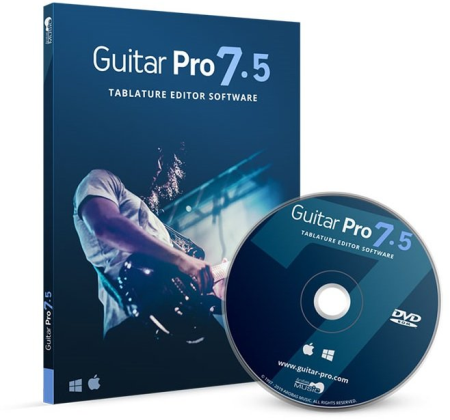
Guitar Pro 7.5.3 Build 1746 Multilingual

65f27c52ba458e4ca5dcd7387bfdbfa4.png

Languages: Multilingual | Incl. Soundbanks | File Size: 27.86 MB | 924.54 MB

Wide-ranging new features and enhancements, for creating, playing, and sharing your tabs!​

Guitar Pro allows you to edit your music scores and tablature for guitar, bass, and ukulele, as well as create backing tracks for drums or piano. This is a most thorough yet user-friendly tool for musicians who wish to get better, compose, or simply play along.

This new version of Guitar Pro is the result of several years' worth of development, and aims at meeting the expectations of our users by focusing on the specific needs of musicians. A redesigned interface, with a better rendering of your scores, audio improvements, and new tools - discover the many new features of Guitar Pro 7.
The interface gets more modern still, and more user-friendly. A toolbar contains the main functionalities of the software and an inspector simplifies choosing the song and tracks settings.
Software startup and file loading have been enhanced. Scrolling and zooming are now both smoother. The install/update process is also improved.
The software is compatible with high resolution screens (Retina and HD) and touch screens.
The score-display engine has been entirely rewritten for even more realistic, professional sheet music.
Notation now includes golpe, pick scrape, and dead slap. The writing of bends in standard notation has been enhanced, and we have improved the management of conflicts between the various elements of the score.
In addition to fretted instruments like guitars, standard notation gets automatically transposed into tablature - this on all tracks, including piano, voice or drums.
Plug your guitar into an external sound card connected to Guitar Pro and apply to it the effects exactly as they have been modeled for any track in a given file.
Simply brush down the six strings together to check their tuning in a single stroke.
Many sounds have been added, including the dobro, flamenco, manouche, and 7-string nylon guitars, the electric sitar, fretless bass, jazz double bass, accordions, mellotron, harmonicas, bagpipe, new synthesizers, and drum machines.
You can choose between mono and stereo for all acoustic instruments, as well as add automatic spacialization to drumkits.
Choose and modify your sound from over 1000 presets combining a soundbank and an effects chain.
Guitar Pro 7 makes it possible, within any given single file, to mix tracks that use MIDI tones with others that use RSE tones.
The virtual-instrument (guitar, bass, banjo, and piano) windows are resizable.
You may lock your file to prevent any accidental modification. You may also add a password to it, to keep it from being opened or edited.
MP3, FLAC and Ogg formats are available when exporting RSE (Realistic Sound Engine) tracks. It is also possible to export all tracks separately in a single operation.
Imports and exports in MIDI and MusicXML formats have been improved for better compatibility between Guitar Pro and other musical software programs. Windows 7 SP1 / 8 / 10

DOWNLOAD
uploadgig
Код:
https://uploadgig.com/file/download/8e376F159c88c77d/MhMr6Pw2_.Guitar.7.5.3.1746.rar
https://uploadgig.com/file/download/6D93747cdfc585d1/MhMr6Pw2_.Soundbanks.1.1.123.rar

rapidgator
Код:
https://rapidgator.net/file/fe97c8d1a10963358d4c3a673df41c68/MhMr6Pw2_.Guitar.7.5.3.1746.rar
https://rapidgator.net/file/36a36f0571e10c2d28d66a0a216f60d7/MhMr6Pw2_.Soundbanks.1.1.123.rar

nitroflare
Код:
http://nitroflare.com/view/FD00D4BDFB9FBC2/MhMr6Pw2_.Guitar.7.5.3.1746.rar
http://nitroflare.com/view/3FBD47D4D54CFC3/MhMr6Pw2_.Soundbanks.1.1.123.rar
 
TreeSize Professional 7.1.3.1467 (x86/x64) Multilingual Retail

534e6eac50f0d07021652dcfd0722460.png

File Size: 52.83 MB

TreeSize Professional is a powerful and flexible hard disk space manager for Windows 2003/2008/XP/Vista/7/8/10.​

Find out which folders are the largest on your drives and recover megabytes on your disks. TreeSize Professional shows you the size, allocated and wasted space, the number of files, 3D charts, the last access date, the file owner and permissions, the NTFS compression rate and much more information for several folders or drives you choose. It also lets you search drives, entire servers or the entire network for old, big, temporary and duplicate files. The search results can be moved, deleted or exported. The application has an intuitive Explorer-like user interface, it is fast and multi-threaded and supports Unicode and scheduled scans. You can print detailed reports or export the collected data to Excel and to an HTML, XML or text file. TreeSize Professional can be started from the context menu of every folder or drive.

- Manage and clean up disk space efficiently
- Visualize disk usage
- Detailed analysis, right down to the lowest directory levels
- Find and remove redundant files
- Numerous export and reporting options
- The versatile duplicate file search
Manage disk space and scan your hard disks
Find out which folders are the largest on your drives and recover precious disk space. Use TreeSize as a hard disk cleanup tool: find space hogs and remove them. Graphical analyses provide a quick visualization of disk space usage. TreeSize Professional shows you folder size and allocated disk space as well as owner and permissions, the last access date, the NTFS compression rate, and much more information for selected folders or drives.
Search for Redundant Files
The integrated versatile file search helps you find old, big, temporary, and duplicate files on drives, entire servers or the entire network. Search results can be moved, deleted or exported to a ZIP file.
Print, Export, or Compare Results
You can print detailed reports and charts or export the collected data to many different formats such as XML, XLS, TXT, CSV and many more. Compare XML reports or take shapshots of your disk space usage to track its development over time.
The application has an intuitive Explorer-like user interface and supports drag and drop operations. It is fast, multi-threaded, and supports Unicode- and NTFS-specific features. TreeSize Professional can be started from the context menu of every folder or drive.
Efficient Disk Space Management from all perspectives
- See the size of all folders including their subfolders and break it down to the file level.
- Visualize disk usage in the pie or bar chart.
- Tree maps visualize hierarchies and sizes of subfolders in the selected directory.
- Detailed view with single files and additional information (e.g. date of last access).
- Statistics about file types and file owners for every branch.
- Filter the file system tree on the left by a certain user or file type.
- See a list of the 100 largest files.
- Distribution of occupied disk space by file age.
- Scan FTP, WebDAV, and SharePoint servers.
- Disk Space Management on smartphones and mobile devices.
Versatile File Search
- Integrated file search.
- Fully customizable file search.
- Archive, copy, or move the results of the TreeSize File Search, for instance lar, old, or temporary files or files of a certain type.
- Search multiple drives, whole servers and even your entire network neighborhood.
- Search results can be exported, moved, deleted or passed to any executable file or script.
- TreeSize offers a powerful duplicate file search, optionally with MD5 or SHA256 checksums. TreeSize also enables you to easily deduplicate files using hardlinks.
Exporting and Reporting
- TreeSize enables you to export scan results (showing the directory structure) to many different formats such as Excel, XML, HTML, text/CSV file, clipboard, or email.
- Export a list of all files in the scanned folder and its subfolders, for example for use in a database.

DOWNLOAD
uploadgig
Код:
https://uploadgig.com/file/download/79673d5ab7aF374D/iFDQh1xA_TreeSize.Professional.7.1.3.1467..rar

rapidgator
Код:
https://rapidgator.net/file/c7dc9a23e983913b2e9b2266cf1e418a/iFDQh1xA_TreeSize.Professional.7.1.3.1467..rar

nitroflare
Код:
http://nitroflare.com/view/FAFD5EC2421B32E/iFDQh1xA_TreeSize.Professional.7.1.3.1467..rar
 
XYplorer 20.50.0100 Multilingual

428cb2e406fe7e76fa7446db910b09b6.png

File Size: 4.74 MB

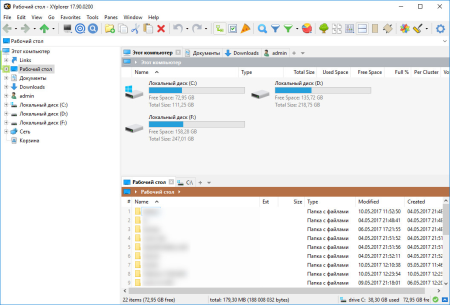
XYplorer is an Advanced File System Explorer targeting everybody who is looking for a real alternative to the Windows Explorer.​

It has the following features: Created Date, Last Accessed Date and Attributes are shown right in the file list. Extended file find supporting NT-only features, and including binary string search. Multiple location search (find files in all selected directories). Generates various sorts of file system reports (to clipboard, file, and printer - we are talking about one-click directory print-outs here). Export extended file informations of whole directories (or even directory trees) to CSV-formatted files. [Column Width Auto-Adjustment.
Highly customizable display formats for file size and date information. For each file and folder, the (real!) disk space used is immediately displayed. Remembers last folder location and sort order. Browser-like history functionality. Can define favorite folders. A large suite of useful commands added to the standard file context menu, including Copy To, Move To, Copy Filename with Path, Copy File Properties, Copy Large/Small Icon, Multi-file Rename. Icon-extraction, multi-file time-stamping and attribute-stamping. Instant display of complete file/version information for each selected file. Instant preview of image, audio, and video files (displaying detailed media information). Instant file content view for all files (ASCII and binary), including text extraction from binaries (BTW: the fastest on the market). Full support for drag'n'drop and wheel mouse. Made to handle heavy-duty jobs. Easy to install, and easy to remove. Installing and running the program does not change your system or registry. Easy to use, start working in no time (interface closely follows Explorer standards). Small, fast, and RAM-friendly.
Tabbed Browsing: have an unlimited number of tabs to make jumping around between folders a one-click affair. Rename the tabs, shift them around, hide them, drag-drop stuff onto the tab headers... the tabs remember their configuration individually and between sessions. You often search your system for files added in the last 24 hours? Let a "finding tab" do the job at a single click!
High end find files engine with tremendous power and amazing speed. Find files fully supports Boolean logic (up to 256 nesting levels), advanced pattern matching, Regular Expressions, whole word and fuzzy matching, binary string search, multiple location search (find files in all selected directories) and much more...
Instant preview of image (incl. PNG, JPEG, GIF, TIFF, ICO and many more), audio, and video files (displaying detailed media information).
Thumbnails of image files shown right in the file list, introducing the unique "Mouse Down Blow Up" functionality.
Instant preview of installed and uninstalled TrueType and Type-1 font files (displaying detailed font information).
Instant preview of HTML, MHT, PHP files (including configurable server mappings) with printing option.
Instant display of complete file/version information for each selected file.
Various revolutionary highlighting features add more visual grip to tree and list. Highlight Folder, Boxed Branch, Favorite Folder Bold, Highlight Focused Row, Highlight Sorted Column, ... all colors are fully customizable. And then there's a wildcard-configurable Color Filter for list items.
You have a Visual Filter for the file list. Control what you see by stating simple wildcard patterns like *.txt. The Visual Filter is per-tab and, as virtually all XYplorer settings, saved between sessions.
File Info Tips and MP3 Info Tips: extensive file information (depending on file type and individual file up to 35 fields!) pops up when you move the mouse over a file's icon.
Special MP3 service: instant ID3v1.1-tag view and edit, plus automatic filename to ID3v1.1-tag routine.
Instant file view (ASCII and HEX) for all files, including text extraction from binaries (BTW: the fastest on the market).
Generates various sorts of file system reports (to clipboard, file, and printer -- we're talking about one-click directory print-outs here).

DOWNLOAD
uploadgig
Код:
https://uploadgig.com/file/download/5f5Ec954eBc7e12e/ahMfyQxH_XYplorer.20..rar

rapidgator
Код:
https://rapidgator.net/file/43a7483c49a6af9d0dc987c14b5fa4e3/ahMfyQxH_XYplorer.20..rar

nitroflare
Код:
http://nitroflare.com/view/8D2172E15A5304D/ahMfyQxH_XYplorer.20..rar
 
A Ruler For Windows 3.4.2

262ad9d59f5fafdef3153227d9164fad.png

File Size : 1 Mb

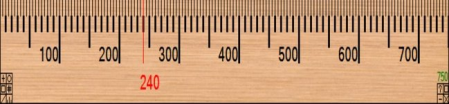
A Ruler for Windows is an on-screen pixel ruler, that allows you to perform measurements on your screen.​

It comes with to skins that resemble a wood ruler and a transparent plastic ruler.You can customize the length of the ruler, use it vertical or horizontal, and even magnify the screen up to 4x for more accurate measurements. A Ruler for Windows only supports pixel units.

Each ruler / reading guide can be flipped horizontally or vertically, resized to an exact length or resized by dragging it to a desired length.
The numbering on the ruler can be reversed and the ruler's length optionally displayed.
Ticks can be placed on which ever long edge of the ruler you prefer. You can click on a tick to have a measuring line automatically drawn at an exact location.
Automatic midpoint, third and golden ratio lines can optionally be shown.
Special 2x, 3x, and 4x modes allow you to take a snapshot of your primary screen and magnify it to more easily measure between very fine points.
Updates: official site does not provide any info about changes in this version

DOWNLOAD
uploadgig
Код:
https://uploadgig.com/file/download/a2d5BEb7f3d196F6/XNbhQKHx_arulersetup..rar

rapidgator
Код:
https://rapidgator.net/file/53f1cf37db1f16cc7eaefd9d7d7985dd/XNbhQKHx_arulersetup..rar

nitroflare
Код:
http://nitroflare.com/view/8D7D6F40C204F71/XNbhQKHx_arulersetup..rar
 
ARES Map 2019.2.1.3124 SP2 (x64)

af1d82196143936fcad919707c229e6e.png

x64 | Languages:English | File Size: 242 MB

ARES Map as a hybrid solution is bringing together the intelligence of GIS contents and a full-featured DWG-based CAD system.​

Maps and floorplans created with ARES Map are saved natively in DWG but can also contain smart GIS-enabled information associated to the entities.

ARES Map is the ideal CAD solution for organizations using ArcGIS Online/ Whether you need to update your GIS systems on actual CAD data or want to import CAD data into your GIS systems: ARES Map offers you a productivity driven environment specifically tailored to your needs.
-A complete set of 2D design and annotation tools for tablets and smartphones
-Optimized workflow: Keep files in sync between ARES Touch and ARES Commander
-Take your drawings for offline use
-Ability to add Picture Notes and Voice Notes - Annotate any drawing 
 by taking an image or recording audio to share with colleagues at the office
Enrich your DWG drawings with Professional Maps from Esri, the World leader for GIS Solutions - ARES Map brings you all the tools you need to make your CAD meet the real world.
-Coordinate systems - choose from hundreds of projected, geometric or vertical ones
-Work with map services and feature services from Esri servers or your own ArcGIS Online content
-Display and modify your GIS content directly from within ARES Map
-Batch import/read shape files - and access and read all the GIS data contained inside ARES Map
-Connect to Esri's map servers and add free base maps to your CAD drawings for any location on Earth: satellite images, street maps, topographic maps and more
-Add multiple maps and they will be positioned accurately with real-world coordinates
-Locate: Search any place or address to get the exact maps you want
-Manage the transparency and draw order of your maps to overlay or fade content
-Display the legend associated to a map service
-Map services can be saved and reloaded or exported as raster images in your drawing
-Add a GIS coordinate system to any DWG drawing from a list of systems
-Choose from hundreds of projected, geometric or vertical coordinate systems
-If no coordinate system is assigned, ARES Map will assign automatically a default one based on the first GIS service loaded
-Add multiple maps and they will be positioned accurately with real-world coordinates
-Locate: Search any place or address to get the exact maps you want
-Feature services entities do not contain only geometry but also attributes you can display and edit from ARES Map's properties panel
-ARES Map maintains the integrity of your GIS information, attributes can only be modified following the attributes field definition and constraints defined by the GIS administrator: named values, range
-Labels help you annotate your drawings with text information extracted from the feature services attributes and stay in your drawing
-even when the feature service is not loaded
-Create empty ARES Map templates (DWT format) containing your favorite coordinate system, base maps and feature services
-Insert one or more DWG drawings and define their position in the real world using for example a base map
-Move selected entities to feature services and they will be recognized as GIS entities
-Unique conversion tool to assign all the entities of your CAD drawing to each feature class type and subtype
-Entities not qualifying for the feature service definition will be automatically rejected
-ARES Map always preserves the integrity of your GIS project following the schema defined by your feature services
-Log in to your ArcGIS Online account to load map and feature services and publish modifications
-Connect to any feature or map server via ArcGIS for Server
-Drawings created with ARES Map are saved natively in DWG, you can share them with users of ARES Commander, AutoCAD or other DWG-based CAD software
-By default, the feature services will not be visible in other CAD software to protect your information; but you may decide to use our GIS to CAD feature to convert them into pure DWG entities

DOWNLOAD
uploadgig
Код:
https://uploadgig.com/file/download/D1db6a669ef1cE7F/uuS5fXBK__ARES_Map_2019_SP2_2019.2.1.3124_978_x64.rar

rapidgator
Код:
https://rapidgator.net/file/aeef486baa34ed7cbe341bcaba4afc36/uuS5fXBK__ARES_Map_2019_SP2_2019.2.1.3124_978_x64.rar

nitroflare
Код:
http://nitroflare.com/view/F13198A5D9B674E/uuS5fXBK__ARES_Map_2019_SP2_2019.2.1.3124_978_x64.rar
 
ARES Mechanical 2019.2.1.3124 SP2 (x86-x64)

6a46f78d251321fc9ffa6a558591abdb.png

x64 | Languages:English | File Size: 250/268 MB

ARES Mechanical is especially designed for the needs of 2D mechanical CAD users and for those who use 3D CAD occasionally.​

Whether you are a Factory Layout Planner making floor plans to place machines with efficiency in mind or a Maintenance Engineer making revisions to existing DWG drawings, ARES Mechanical has the right set of tools to help you get the job done. Conceptual Designers can use ARES Mechanical for creating quick sketches or technical drawings.
More generally, Designers can use ARES Mechanical to create detailed 2D mechanical drawings ready for production. ARES Mechanical meets the needs of a wide spectrum of technical drawing users.
-As a first step you should consider to select a Mechanical Standard for your project. ARES Mechanical supports international standards such as ANSI Inch, ANSI
Metric, BSI, DIN, ISO and JIS. The chosen standard will activate pre-defined settings for your drawing in terms of styles, layers, frames and parts libraries.
-Alternatively, ARES Mechanical is flexible enough to start a project without defining the standard. You would then make your choice from the part libraries when inserting your first components.
-Companies can further define their own standards as copies and/or extensions of existing international standards.
-ARES Mechanical includes ready-to-use mechanical part-libraries such as: Bolts & Screws, Screw Connections, Nuts, Pins & Washers, Hole & Hole Table, Hole Callouts.
-You will find these parts in the Toolbox ribbon of the Designer-planer workspace. They are pre-configured and standardized based on the mechanical standard you have chosen for your project.
-These smart entities will help you to speed up the design and make sure it is compliant with the chosen standard. They will also further be recognized for the creation of your BOM.
-The Toolbox ribbon includes other mechanical features such as symbols for surface and welding; Balloons and Bill of Materials (BOM) and Revision Tables.
-We created a dedicated user interface optimized for Mechanical Design with quick access to all the features you need. The Designer-Planer ribbon highlights in the first tabs the top level features needed for a quick sketch of a new drawing.
-In the Toolbox tab of this ribbon you will also find most of the mechanical features such as the part libraries, holes, screw connections, BOM, symbols and revision tables.
-If you don't like ribbons, the "Classic" workspace is replacing the ribbon by menus and toolbars.
-All the features of ARES Commander remain also available. If you are not working on a mechanical project you may simply switch to the "Drafting and Annotation" workspace for 2D or to the "3D Modeling" one for 3D.
-Advanced users may also simply use keyboard commands with any of these workspaces.
-RES Mechanical will automatically create the layers as your draw, based on the chosen standard and the entities you will use. Mechanical entities will therefore be grouped on specific layers as required by the standards.
-Besides significant time-savings, it will unify the style of your drawings, and make sure they are standard-compliant. Nevertheless, you can further customize the predefined layer settings to adapt to your company needs and save your preferences.
-Construction Lines (vertical, horizontal or at a defined angle) are easy to maintain, they are on a predefined layer and can be switched on or off as and when required. They are easy to pick and can be combined with our Power Trim feature to help you accelerate your design.
-ARES Mechanical includes some other smart features such as rectangles with dimensions. This feature would let you draw a rectangle and automatically add dimensions.
-Mechanical design conventions require that you use specific hatch patterns in the sections of your mechanical drawings. These hatch patterns help to standardize drawings and define the material of the elements.
-You can now use Predefined hatches in your designs. Many commonly used hatch patterns are included, which can be further customized based on your requirements.

DOWNLOAD
uploadgig
Код:
https://uploadgig.com/file/download/014f66a8cD218c2C/DXUTNZL2__ARES_M_2019_SP2_2019.2.1.3124.580_979_x64.rar
https://uploadgig.com/file/download/5422B1B943b7f197/DXUTNZL2__ARES_M_2019_SP2_2019.2.1.3124.580_979_x86.rar

rapidgator
Код:
https://rapidgator.net/file/4eb5fcc0e2d9ff377b4efde89ff110c4/DXUTNZL2__ARES_M_2019_SP2_2019.2.1.3124.580_979_x64.rar
https://rapidgator.net/file/4f3454d7fbc4786aa9dd84dc6c26ffda/DXUTNZL2__ARES_M_2019_SP2_2019.2.1.3124.580_979_x86.rar

nitroflare
Код:
http://nitroflare.com/view/06FE1BB8EDF0B30/DXUTNZL2__ARES_M_2019_SP2_2019.2.1.3124.580_979_x64.rar
http://nitroflare.com/view/2C3D3472FEB58BA/DXUTNZL2__ARES_M_2019_SP2_2019.2.1.3124.580_979_x86.rar
 
Autodesk Alias AutoStudio 2020.2 Update Only (x64)

0b911a50de132ab77f38919c3f79d8c2.png

File Size: 1.29 GB

Autodesk Alias software products ― Alias AutoStudio, Alias Surface, Alias Concept, Alias SpeedForm and Alias Design ―offer a premium range of tools for industrial designers, modelers and technical surfacing experts in automotive and other industries.​

Through a continuous workflow from concept to production quality surfaces, the Alias software provides industry-leading surfacing capabilities ― supported by best-in-class sketching, modeling and visualization tools ― helping you to create innovative and compelling designs faster than your competition, while maintaining design intent throughout the process.
Part of the Autodesk solution for Digital Prototyping, Alias software helps designers rapidly develop and iterate sketch concepts, 3D conceptual models and detailed designs, and to deliver Class-A production ready surfaces to engineering, ensuring that designs address both aesthetic and functional requirements.
Autodesk Alias Studio 2020
Autodesk Maya 2019
Autodesk Sketchbook 2020
Autodesk VRED Desing 2020
OS:
Microsoft Windows 10 (64-bit)
Microsoft Windows 8.1 Professional (64-bit)
Microsoft Windows 7 SP1 with Update KB3140245 ( 64-bit)
CPU:2 GHz 64-bit Intel or AMD multi-core processor
Graphics:
Alias General: Supported NVIDIA or AMD graphics card with a minimum of 256 MB dedicated texture memory and DirectX 11 compatible.
Alias VR: Any NVIDIA or AMD graphics card that is VR Ready certified.
Disk Space:Autodesk Alias AutoStudio:10 GB

DOWNLOAD
uploadgig
Код:
https://uploadgig.com/file/download/8FD0bd1eD8ec58ec/OgqZv3LQ__Alias_AutoStudio2020.2.part1.rar
https://uploadgig.com/file/download/fc6A5c0bcc2fB6f8/OgqZv3LQ__Alias_AutoStudio2020.2.part2.rar

rapidgator
Код:
https://rapidgator.net/file/d6a33119bc72c021714b2d0f22c9b82f/OgqZv3LQ__Alias_AutoStudio2020.2.part1.rar
https://rapidgator.net/file/e3c510717f7f68a28f2e27b512278b94/OgqZv3LQ__Alias_AutoStudio2020.2.part2.rar

nitroflare
Код:
http://nitroflare.com/view/D84AA4C04204D5A/OgqZv3LQ__Alias_AutoStudio2020.2.part1.rar
http://nitroflare.com/view/BA97EE11DF14191/OgqZv3LQ__Alias_AutoStudio2020.2.part2.rar
 
Назад
Сверху