• Здравствуйте. Сайт заработал в архивном режиме форум www.old.nado.in

Anthony's Software !!!

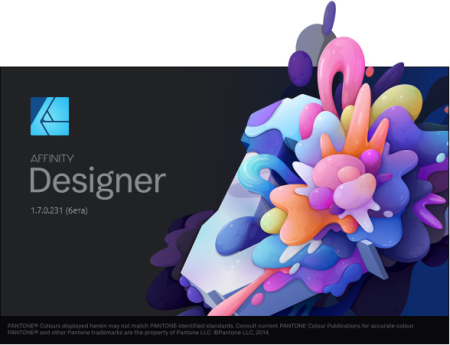
Serif Affinity Designer 1.7.3.481 (x64) Multilingual
46b63c784335de86102ffe7b2cb959a0.png

File size: 402 MB

Affinity Designer is the fastest, smoothest, most precise vector graphic design software available.​

Whether you're working on branding, concept art, print projects, icons, UI, UX, or web mock ups, Affinity Designer will revolutionise how you work, on macOS and Windows. Design tools redefined

All the tools you need in a professional vector design app, from an incredible precise pen tool to a super smooth gradient tool. All carefully considered and meticulously developed, they just work-in precisely the way you want them to.

Built for your workflow

With core principles of performance, stability and lack of bloat, Affinity Designer has been meticulously crafted for a professional workflow.

Cross platform performance

With a professional pedigree forged on Mac, and matched step for step on Windows, common file format delivers stunning results on either platform.

Unsurpassed speed and accuracy

Pan at 60fps and zoom to an eye-popping 10,000,000%, you'll see all adjustments, effects, transformations and brushes in real time.

Work in any color space

RGB, CMYK, LAB, Grayscale. End-to-end CMYK workflow with ICC color management, and 16-bit per channel editing.

Unsurpassed file compatibility

The best PSD import engine available and full support for SVG, EPS, PDF, PDF/X and FH files means injecting Affinity Designer into your workflow is painless.

Pixel perfect control

With real-time pixel preview in standard or retina resolution available with a single click, you can always see what you're going to get. Can't achieve the perfect result purely in vector? Just edit the pixels - Affinity Designer has a full suite of raster tools too.

Non-destructive effects and adjustments

With a huge library of adjustment layers, effects and blend modes-combined with full support for masks and clipping layers-Affinity Designer offers the most advanced layer controls available in any vector based app.

Flexible workspaces. and workflows

With a focused, fully customisable workspace, including docked and floating UI modes, Affinity Designer lets you work how you want. Add regular and custom 2D and isometric grids for flexible layouts, work on multiple designs at once, and use macOS features like Split Screen and Full Screen. Plus, with savable history, unlimited undo and non-destructive filters and adjustments you can always go back and change your mind.

Natural brushwork

Use Force Touch, stylus pressure, tilt and other controls for natural-looking artwork. Edit vector brush strokes as cleanly and easily as regular curves, and add raster brushwork-on its own or with vector art-to add depth and high quality organic textures. Rotate the canvas, blend colors, edit brush parameters, create your own brushes and nozzles, and import .abr brushes for complete control over your work.

Throw some shapes

Affinity Designer delivers a comprehensive set of shape primitives with easy controls for adjusting geometry with corner settings and smart snapping indicators. A full set of Boolean geometry operations, non-destructive compound shapes, and full node editing means you can create beautiful complex geometry in no time.

Just your type

Add artistic text for headlines, text frames of any shape, or text that follows any vector path. Apply sophisticated styling and ligatures, previewing all your available fonts and style sets in on-screen panels. All the controls you need are built in, including leading, kerning, baseline shift, tab stops - and now in version 1.5 you can create text styles across your document.

New professional print controls

Affinity Designer features full professional print output. Pantone support, end-to-end CMYK and ICC color management are just part of it. You can also open, edit and output PDF/X files, set overprint controls, use spot colors, and add bleed area, trim and crop marks.

Powerful export

In export mode you get a complete workspace dedicated to image export. Select areas, layers or objects to export, controlling each item's output settings independently. For efficient web and UI design, you can automatically create new files whenever your design changes, in whatever resolution, file format and folder structure you wish.

Common Affinity file format

Affinity's shared file format makes mixed discipline design as smooth and simple as it should be. Open any native Affinity file in any Affinity app on any platform and just keep working - with shared history, unlimited undo and seamless switching. And for export, Affinity Designer takes all major file types in its stride.

Incredibly powerful artboards

In Affinity Designer you can create an unlimited number of different design variants, sizes and screens - laying them out in one document to see them all at once. When you come to export you get full control over what artboards to output and with what settings, dramatically simplifying your workflow for responsive and app design.

Fixed crash when installing a new font

Fixed new fonts failing to appear when several thousand fonts have been installed

Fixed hang when pressing ESC to cancel Navigator panel Movement

Fixed clipped Asset names in list view

Fixed Styles missing labels when using grid view

Fixed inability to assign Backspace key as a shortcut

Added missing Select menu to Export Persona

Fixed Studio panel group gets disconnected after switching Personas

DOWNLOAD
uploadgig
Код:
https://uploadgig.com/file/download/7ec88864713348d6/CqIRX3Kc_AffinityDesigner1..rar

rapidgator
Код:
https://rapidgator.net/file/0dc2a0490c771564019a88d1fd60ea51/CqIRX3Kc_AffinityDesigner1..rar

nitroflare
Код:
http://nitroflare.com/view/617D09DD8942441/CqIRX3Kc_AffinityDesigner1..rar
 
Serif Affinity Photo 1.7.3.481 (x64) Multilingual

98ba95527371970078862f8226604ad2.png

File Size: 363.96 MB

Five years in the making, Affinity Photo redefines the boundaries for professional photo editing software.​

With a meticulous focus on workflow it offers sophisticated tools for enhancing, editing and retouching your images in an incredibly intuitive interface, with all the power and performance you need. Engineered for professionals

Built on rock solid foundations with principles of performance, stability and lack of bloat, Affinity Photo is a professional photography tool to the very core.

Comprehensive RAW editing

Develop camera RAW files in a dedicated built-in workspace with all the processing adjustments and corrections you need.

Unsurpassed file compatibility

We've got the best PSD support out there, plus all the standards you'd expect including PNG, JPG, TIFF, EPS, PDF, and SVG.

Work in any color space

RGB, CMYK, LAB, Grayscale. End-to-end CMYK workflow with ICC color management, and 32-bit per channel editing.

Dedicated RAW editing workspace

Compatible with all major camera file formats, the Develop persona offers a dedicated processing workspace offering incredibly accurate editing in an unbounded linear color space.

Complete digital darkroom

Affinity Photo includes all the tools you need from a professional photography application. Every tool has been painstakingly engineered for speed, power and accuracy-and they work in precisely the way you want them to.

Fast, customizable effects

Affinity Photo comes with a huge range of high-end filters including lighting, blurs, distortions, tilt-shift, shadows, glows and many more. Full control is given over every aspect of a filter's properties with incredibly precise controls-all the while seeing a real-time live preview of the result. Best of all, filters can be applied as live layers, enabling you to edit, erase away, or mask effects after they have been applied.

Advanced adjustment layers

Correct and enhance images with Levels, Curves, Black and White, White Balance, HSL, Shadows and Highlights and over a dozen other adjustments that are previewed instantly and can be edited any time. Adjust, readjust, and drag and drop onto any layer, group, mask, or in any place in a stack to control how they're applied.

Live blend modes

Remove trial and error from your workflow-see changes to blend modes live as you edit without having to click apply each time. Affinity Photo's 30 layer blends preview smoothly in real time while you scroll through them.

Sophisticated selection refinement

Accurate selections are critical, whether cutting out objects, creating masks or selectively applying adjustments. Our selection refinement algorithm is one of the most advanced available, making selections-even down to individual strands of hair-easier than ever before.

Precise photo stitching

Affinity Photo's stitching algorithm is one of the most advanced available. On top of accurate automatic alignment and perspective corrections, you get full control over each image and boundary in the composite to fine tune to perfection.

Extensive retouching tools

Whether you want to make quick corrections, or spend an hour on a detailed retouch, Affinity Photo has all the tools you need. That naturally includes dodge, burn, clone, patch, blemish, and red eye tools. But you'll also find an incredibly accurate inpainting brush, frequency separation capability, and a full set of liquify features built-in.

DOWNLOAD
uploadgig
Код:
https://uploadgig.com/file/download/01d4f6bA920cD532/gcrRRqME_Affinity.Photo.1..rar

rapidgator
Код:
https://rapidgator.net/file/3cfbe3518be918be12092cb2094baf0d/gcrRRqME_Affinity.Photo.1..rar

nitroflare
Код:
http://nitroflare.com/view/B6DD082921605C9/gcrRRqME_Affinity.Photo.1..rar
 
Serif Affinity Publisher 1.7.3.481 (x64) Multilingual

0c2e4ee164bc8e65ed28dceaf558f1e8.png

File size: 375 MB

Fluid publishing powerhouse.​

Bring your vision to life with Affinity Publisher, the next generation of professional publishing software. From magazines, books, brochures, posters, reports and stationery to other creations, this incredibly smooth, intuitive app gives you the power to combine your images, graphics and text to make beautiful layouts ready for publication. Engineered for advanced technology

Engineered with the same no-compromise vision as our acclaimed photo editing and graphic design apps, thousands of global professionals have contributed to the development of Affinity Publisher to meet the demands of the 21st century designer.

Pioneering performance

Superpower your layouts with the latest and greatest publishing technology. The refreshing lack of unnecessary or obsolete features in Affinity Publisher means it runs like the sweetest dream, even on the most content-heavy documents.

Spectacular layouts

With essentials like master pages, facing page spreads, grids, tables, advanced typography, text flow, full professional print output and other amazing features, Affinity Publisher has everything you need to create the perfect layout - whatever your project.

Text to match the power of your words

Free yourself from the constraints of tired, traditional text layouts. Let Affinity Publisher help you visualise your text in creative new ways and flow it seamlessly through your document.

Text styles

Link the style of your text across all pages in your document

OpenType support

Open up all stylistic features of the latest OpenType fonts

Text decorations

Add lines and borders to elements of your typography

Drop caps

Add drop capitals to any paragraph

Text on a path

Draw any curve and type along it

Artistic text

Gain creative control over titling and other stand out text

Flow options

Avoid orphaned or widowed lines, among many other features

Baseline grid

Ensure the baseline of your text is aligned across all columns and spreads

Perfect graphics

Whatever the brief calls for, you can rely on Affinity Publisher to handle all the standard file types you'd expect, leaving you free to create the most ambitious, content-rich combination designs, pulling in raster or vector assets from multiple sources.

Fine tune your images

Ensure your images match the brilliance of your layout. Affinity Publisher comes with a full collection of powerful, non-destructive adjustment layers to make crucial image corrections right there in your document.

Advanced design tools

Create and edit vector graphics in your layout using the powerful pen, node and comprehensive shape tools - all with fine control over gradients and transparency.

Unrivalled compatibility

Import and export to all major raster and vector files, including layered PSD, PDF and EPS formats.

Full colour control

Affinity Publisher can handle RGB, LAB, greyscale and CMYK colour spaces, with advanced control over professional colour requirements for print.

Professional Output

Pantone support, end-to-end CMYK and ICC colour management are just part of it. You can also open, edit and output PDF/X files, set overprint controls and add bleed, trim and crop marks for press-ready output.

And so much more.

Here are just some of the other capabilities built into this incredible app.

Instant undo history

Instantly scrub through hundreds of undo steps with the history slider. Plus, save your history with your document.

Rotate canvas

Rotate your whole document by 90, 180 and 270 degrees.

Smart colour picker

Dedicated colour picker tool to accurately pick a colour, including single point or averaged sampling over an area.

Asset management

Create sets of regularly used assets which can be instantly accessed and dragged onto your project.

Transform panel

Precisely adjust an object's position, size, rotation and shear.

Transparency tool

Drag a transparency gradient over any object, with support for linear, radial, elliptical and conical types.

Glyph browser

Browse the full set of available glyphs for any font.

Stroke panel

Offering full control over dashed line styles, arrowheads and pressure properties.

Customisable keyboard shortcuts

Affinity Publisher comes loaded with default keyboard shortcuts, but you can tailor to your own muscle memory.

Add noise

Apply noise to colour fills for a textured look to your work.

Preview mode

Instantly switch from viewing grids, guides, bleed and margins to a completely clean preview of your document.

Blistering performance

Pan, zoom and scroll through documents at 60fps.

Organisational tools

Organise your documents with the section manager and automatically generate indexes and a table of contents.

Updates: official site does not provide any info about changes in this version.

DOWNLOAD
uploadgig
Код:
https://uploadgig.com/file/download/4Fc3A2373bB4455a/jdgAEaWY_AffinityPublisher1..rar

rapidgator
Код:
https://rapidgator.net/file/431c77d6544adce14ed10b22c7d23dea/jdgAEaWY_AffinityPublisher1..rar

nitroflare
Код:
http://nitroflare.com/view/BE0FC30B464DFF0/jdgAEaWY_AffinityPublisher1..rar
 
JRiver Media Center 25.0.108 Multilingual

3fb0e1518f278dd845f02b609f73be26.png

File size: 77 MB

JRiver Media Center - all-in-one media management app turns any Windows PC into an entertainment hub for complete control of your digital media: Audio, Video, Images, and Television.​

It connects PC to stereo, TV, remote control devices, digital cameras, scanners, and portable MP3 players. It plays all media, rips, burns, and organizes all your music, images, and video. MC encodes and plays all popular media formats. Powerful utilities include Media Server for streaming music and images to remote PCs. Media Center is more than a world class player. It's also a Media Network, a whole house music, movie, TV, and photo solution. The leader in audiophile quality sound. The most powerful media database available; an essential tool for large collections.
Audio

* Native support of DirectShow DSP filters

* Audiophile - WASAPI exclusive output using high-end USB DACs

* Audiophile - Added ability to play files from memory instead of disk

* Audiophile - Support for high end USB DAC's with WASAPI

* Headphone DSP makes listening more natural and comfortable.

* SoundcardSwitch command for the launcher, allows soundcard selection

* 3D album view adjusts text size to display more tracks when necessary

* 3D album view allows playing, adding, shuffling, and adding as next to play

Images

* Image Preview allows zoom from a thumbnail to rotate, delete, compare, edit, and more

* Image thumbnail frames (optional)

* Photoshop PSD file support

* Single command copy / send to an editor like Photoshop, and stack new image with original

Video

* Video tagging using sidecar files

* Chapter Support for MKV and MP4

* Chapters added to On Screen Display

* Info Panel displays metadata

Television

* Added new "watched" column to metadata

* EPG can automatically retrieve XMLTV data

* Automatic correlation of XML channel names and MC channel names

* Info Panel displays metadata, including TV program art

* TV program art from YADB

Theater View

* Watch Hulu and YouTube from Theater View

* Customizable nested views in Theater View

* Customizable File Info panel to display metadata

* Speed and quality enhancements

* Custom backgrounds

* Touch screen support

* On screen clock

Remotes and Servers

* Wiki articles: Remotes and Servers

* Remote Relay using IR transceivers for controlling a set top box or receiver

* Remote Setup Wizard

* Media Center Remote learning and blasting

* Media Center can connect to another Media Center to act as a remote (TRemote)

* New HID remote control plug-in - supports shortcuts with keyboard, mouse, & gamepad

* Remote control with REST based Web Service Interface in Library Server

* Library Server supports read and write to allow for shared, multi-user database access

* DLNA added to the UPnP Server

* Library Server clients can write changes back to server

* Library Server connections allow playback on server as Playing Now zones

DOWNLOAD
uploadgig
Код:
https://uploadgig.com/file/download/202256A0d97dF646/XXmn5hEs_MediaCenter250108..rar

rapidgator
Код:
https://rapidgator.net/file/f4fd8b8833e3ab182f54259bc2e37616/XXmn5hEs_MediaCenter250108..rar

nitroflare
Код:
http://nitroflare.com/view/5426FFD96516623/XXmn5hEs_MediaCenter250108..rar
 
MailStyler Newsletter Creator Pro 2.5.7.100

c8a1c93f07593d292d0fa453d1b4fa4d.png

Languages: Multilingual | File Size: 103.91 MB

A revolution in the world of newsletters is there.​

It's called MailStyler. The only drag-and-drop editor that lets you create a newsletter dynamically, interactively, and incredibly quickly.
Choose between default items or custom items and drop them into your work area. Building your newsletter has never been so easy.

Change colors, images and the content layout. Work like a professional graphic designer with a very intuitive dashboard that's simple for everyone.

Save your newsletter and export it into your favorite email marketing programs. Your files will always be lightweight with an impeccable design in every email client.

Reposition and resize your images directly inside your newsletter. Forget third party software. Adjust your photos in a super dynamic, real-time dashboard and choose the result you prefer.

Compose your newsletter with the new useful preset blocks customizable in every way! Your changes will be automatically generated in HTML code with inline CSS style to guarantee newsletters that are always perfectly displayed.

Build your banners and ads directly with MailStyler! Thanks to the new graphic effects for texts you can apply preset styles and designs created for you by top graphics experts. Unleash your imagination and assemble images and texts in seconds like a real pro.

Personalize your social icons with just a few clicks. Change colors, size or shape and match them perfectly with your newsletter design.

Every customized item can be saved in your personal library. You can re-use them whenever you need them.

Freely resize your newsletter and columns. MailStyler will automatically reorganize all the contents, keeping your newsletter tidy and balanced.

Apply beautiful preset styles to your newsletter. With the practical preview tool, you can see the colors and final rendering in advance.

Everything. Only the simplicity has remained the same because email marketing has to be easy. The new version of MailStyler contains new powerful features designed to make the creation of your newsletters even easier than before.

- Insert images, icons and elements in preset blocks.

- Merge or separate multiple cells, and adjust spaces and sizes.

- Add predefined graphic styles to texts.

- Overlay text on images to create dynamic banners.

- Play with transparency and opacity on photos and text.

- Copy the style of a cell or a block to another cell or block.

- Export templates in pdf format.

- Enjoy advanced management of social icons.

- Optimize .png files when exporting.

- Windows Vista, 7, 8, 8.1, 10; Windows Server 2008, 2008 R2, 2012, 2012 R2, 2016

- Internet Explorer 9 or greater

- .NET Framework 3.5 SP1 or greater

- Monitor 1366 x 768

DOWNLOAD
uploadgig
Код:
https://uploadgig.com/file/download/cbd649D4e1BCa7c5/rqPYzPgC_.MailStyler.2.5.7.100.rar

rapidgator
Код:
https://rapidgator.net/file/e1b8ccd74176d4aee267309cdeae7134/rqPYzPgC_.MailStyler.2.5.7.100.rar

nitroflare
Код:
http://nitroflare.com/view/C037CC11FEF143B/rqPYzPgC_.MailStyler.2.5.7.100.rar
 
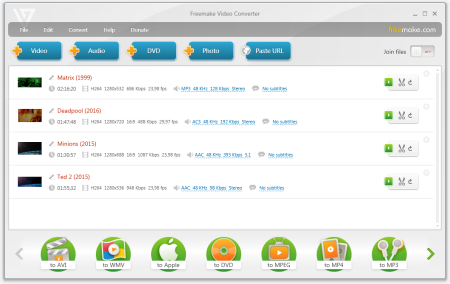
Freemake Video Converter 4.1.10.393

f8c13bad3ec31bc709cfe12bc704fcc5.png

File Size: 51.1 MB

Freemake Video Converter - Convert video to AVI, MP4, WMV, MKV, 3GP, DVD, MP3, iPad, iPhone, PSP, Android phones.​

Video to MP3 with one click! Rip & burn DVD. Convert YouTube to MP4, AVI, etc. with Freemake! Guaranteed result. 200+ Input Formats:

Input any video files: AVI, MP4, MKV, WMV, MPG, 3GP, 3G2, SWF, FLV, TOD, AVCHD, MOV, DV, RM, QT, TS, MTS, etc. Import music (MP3, AAC, WMA, WAV), and photos (JPG, BMP, PNG,GIF) to turn them into video free and easily! All supported formats

Output to AVI, MP4, MKV, FLV, 3GP, MP3, HTML5:

Convert video free to the most popular video formats. Rip DVD movie (unprotected) to AVI, WMV, MP4, MPEG, MKV, FLV, SWF, 3GP. Convert video to Flash and embed it directly to your web page. Create HTML5 video (Ogg, WebM, H.264) for modern web browsers.

Convert Free to iPod, iPhone, iPad, PSP, Android:

Optimize videos for Apple, Sony, and Android devices. Convert videos free to iPod Classic, iPod Touch, iPod Nano, iPod 5G, iPhone, iPad, Sony PSP, PS2, PS3, BlackBerry, Samsung, Nokia, Xbox, Apple TV, Android mobile devices, smartphones, etc.

Fastest Video Converter with CUDA and DXVA:

Freemake is the only free video converter that features integrated both CUDA and DXVA technologies for the fastest ever video conversion and less CPU usage. The software automatically detects the optimal conversion parameters and switches on/off CUDA and DXVA for better conversion results.

Burn Blu-ray Video:

Convert your movies to video Blu-ray format and burn high-quality BDs for free. Create Blu-ray discs out of any input content: video, audio, photos, URLs. Burn multiple Blu-ray copies and save the resulted Blu-ray video to HDD as an ISO image or Blu-ray folder.

Burn DVD - up to 40 hours:

Unlike other software, our free video converter doesn't have a two-hour limit and can burn DVD video up to 20h to a Standard DVD or 40h to DVD-DL. With our free video converter, you can make multiple DVD copies and save the output DVD video to your PC as an ISO image or DVD folder.

Video Converter with Subtitles Support:

Convert DVD, MKV, MOV with embedded subtitles to any video format or device for free. Add SSA/SRT/ASS external subtitles to any video with our free video converter.

Advanced Preset Editor:

Take total control of the output result by customizing conversion parameters. Create your own presets by establishing video and audio codecs, frame size, etc. Choose an icon, and save you custom preset for further usage with our free video converter.

Upload Photos and MP3 to YouTube:

Upload videos, photo slideshows, MP3 to YouTube with our free video converter. Upload AVI, WMV, MP4, 3GP, JPG, BMP, GIF, MP3 to YouTube. The program will cut videos (if required) into 15-minute parts and insert them into one YouTube playlist.

Make Slideshows and Visualizations:

Turn photos and MP3 into slideshows with background music for free. Edit your slideshow: add, delete, and shuffle photos, enable panorama effect. Create music visualizations and upload photos to YouTube for free!

Cut, Join, Rotate, Limit size, Adjust to aspect ratio:

Cut video parts from your file. Flip or rotate video. Join several videos into one file, add transitions between parts. Fit the output file size to any limit (e.g. 700 Mb, 1.4 Gb, 4.7 Gb). Adjust output video to the established aspect ratio: add black bars, stretch, zoom, auto-adjust.

DOWNLOAD
uploadgig
Код:
https://uploadgig.com/file/download/634B4f1941ffc8d1/ZLLBEx7I_Freemake.Video.Converter.4..rar

rapidgator
Код:
https://rapidgator.net/file/8c2450160322b16090bb264795939b3c/ZLLBEx7I_Freemake.Video.Converter.4..rar

nitroflare
Код:
http://nitroflare.com/view/F8ED1B5A076A85B/ZLLBEx7I_Freemake.Video.Converter.4..rar
 
Topaz Studio 2.0.13

a2ea906a414a068b65ace911fdcefdc0.png

Windows x64 | Languages: English | File Size: 604 MB

The future of creative photo editing.​

Edit your images beautifully with powerful filters and frictionless masking in a fine-tuned non-destructive layer workflow. Topaz Studio 2 has only one purpose: creative photo editing. This starts after you select your image and ends when you export your finished work. It's designed specifically around the artisanal post-processing workflow of carefully crafting a single image to your vision. Studio is the editor to use when you want jaw-dropping images and you're not afraid to spend the time to get them. It's for creating works that push the bounds of your artistic vision; the few that you know you'll look back upon in years as one of your best creations. That's why you won't find library management, design tools, batch editing, or other common "image editor" tools in Studio. There's a lot of photo editors out there that help you manage your workflow and make minor contrast adjustments. Topaz Studio is not intended for that. If it doesn't contribute to the vision of creating singularly beautiful images through post-processing, then we're not including it.

Most image editor tools are the same: your Exposure in one editor is the same Exposure in another. In Studio, we've thought about what common adjustments would look like if they were designed today, and updated them to their most modern and useful forms.

Very rarely do you want to apply the same effect to all parts of your image the same. Studio considers masking and selective adjustments to be a core task, and features several innovations that make selective editing substantially easier and faster for you.

Mix and match filters and effects with different blending modes and opacity. Everything that you do in Studio can be edited and adjusted after the fact with a fully non-destructive layer workflow.

You'll find that these aren't your everyday image editing filters as soon as you give them a try. Topaz Labs actually started off creating Photoshop filters. We've condensed our decade of specialized post-processing experience into a set of the most useful filters available only for Studio 2. Here are some of the most popular ones that you won't find anywhere else.

This AI-powered tool can actually sharpen detail while removing noise. Give it a try on your own images to see why some photographers say that AI Clear is the best thing we've ever developed.

When was the last time that using the Contrast slider produced a breathtaking image? Chances are, it blew out highlights and crushed shadows in your image instead.

Normal sharpening tools usually increase edge contrast, which just gives the appearance of sharpness but also adds artifacts and halos. Topaz Detail enhances natural detail that already exists in the image. This unique technology helps you naturally makes your photos look more "three-dimensional" and adds a sense of beautifully natural sharpness to your image.

Turn your photos into exquisite monochrome images that will emotionally move your viewers. The Black and White filter uses a unique BW conversion engine that emphasizes tone and texture in order to help you get BW images that pop.

Topaz Studio's filters work well individually, but the true magic happens when they're combined together. Topaz Studio 2 includes over 200 "Looks" (pre-built groups of filters) that help you explore different beautiful effects for your images with a single click.

Explore hundreds of beautiful texture and tone effects, hand-crafted by some of the best photographers in the world. With over 200 included one-click effects, each with the ability to blend with each other in various ways, the only limit is your imagination.

Capture the essence of your photos without being constrained by rigid detail. Topaz Impression helps you turn photos into paintings like a true artist would: by intelligently applying real brushstrokes to canvas.

Create beautiful light effects in your images to reveal the hidden life in each moment you capture. Apply a wide range of looks from a pleasing subtle diffusion to spectacular electric and neon effects.

Topaz Studio 2 doesn't do everything, but it is really good at what it does do. If you ever find yourself needing that extra "something" in your photos, please give it a try. You'll be pleasantly surprised!

There's a big difference between masking for compositing vs. selective adjustments. Topaz Studio focuses entirely on selective adjustments, and we think of it as a central feature of the product instead of an add-on. As you'll see, this led to many design decisions intended to shorten the amount of time you spend refining your mask, like including edge awareness in each masking tool in Studio.

Select different parts of your image by painting directly on it. Topaz Studio's brush is edge aware by default. This means you can quickly paint over your selection without having to worry too much about staying between the lines. This is the fastest and most direct way to selectively apply an effect to your image.

Emphasize a certain subject in your photo with the edge-aware spot tool. The spot tool is a quick way to draw attention to a certain subject in your your image. Since it is edge- and color-aware, you don't need to worry about refining your mask too much.

Gradually level off your effect with the gradient tool. Topaz Studio's gradient tool is unique in that it's also adjustably context-aware, which creates much better masking experience. It's like having a graduated neutral density filter that also knows how to tell between foreground and background.

Create a mask targeted at the different colors in your image. This is probably the easiest masking tool to use: just click on your image with the eyedropper and this will automatically select the correct parts of your image. Great to selectively apply effects to just a single color range in your image.

Create a mask targeted at different brightness levels in your image. This tool will get you a perfect selection very quickly in images with a clear separation in brightness between subject and background. Also great for selectively adjusting highlights, shadows, or anything in between.

Layers are essential for creative post-processing because they allow you to apply effects in unlimited ways to your image. Let's walk through an example workflow that illustrates what you can do with them.

- Windows 7, 8, 10 64-bit support only

- Display Size: 800 x 600

- OpenGL 3.3

- System RAM: 8GB (Minimum), 16GB (Recommended), 32GB (Optimal)

- GPU VRAM: 2GB (Minimum), 4GB (Recommended), 6+GB (Optimal)

DOWNLOAD
uploadgig
Код:
https://uploadgig.com/file/download/4d4d534549a1BE59/DOrTKHV1_.Topaz.Studio.2.0.13.rar

rapidgator
Код:
https://rapidgator.net/file/df7dc692aa902c3f0232bfcbead7cedf/DOrTKHV1_.Topaz.Studio.2.0.13.rar

nitroflare
Код:
http://nitroflare.com/view/E91BE045F5BB4A9/DOrTKHV1_.Topaz.Studio.2.0.13.rar
 
Zoner Photo Studio X 19.1909.2.187

5be7027a63103fd4528909eb663e30ca.png

Languages: English | File Size: 104.14 MB

Make every photo better with Zoner Photo Studio X!​

Your Lightroom and Photoshop alternative. ZPS X is the most universal photo software there is. RAW processing. Layer support. Presets. Retouching tools. Video editing. Cataloging. It's all there.
Need to handle a giant RAW file? Or maybe 100 photos at once? ZPS X has your back.

Thanks to layers and masks, you'll handle cloning, collages, and other photo tricks with ease.

The unique retouching brush and the faces tool make portrait enhancement a snap.

Turn your photos into a video, a presentation, or a time-lapse without switching software. Take care of it all in ZPS X.

Change a photo's whole mood in just one click with one of the best-loved features in ZPS X.

Easily organize hundreds of photos-or thousands. Browse them by date, shot location, keywords, or folders.

Several times each year we add a new heap of features and improvements to ZPS X.

- Faster Work with RAWs

- Transfer Edits Easily Between RAW and JPG

- Face Liquify

- New Distortion Tools

- New Video Clip Tools- Slow & Fast Motion plus Flipping

- A New Video Making Tool

- Importing and Exporting Presets

- Organizing presets into folders

- Linking Zoner Photo Cloud with the Catalog

- Zoner Photo Cloud

- Faster RAW reloading

- New presets

- New Auto-Enhancements

- Improved layer control

- Artificial intelligence

- Non-destructive Smoothing Brush

- Non-destructive Structure Cloning

- Polarizing filter

- Full support for HEIF

- Improved work with masks and layers

- Unlimited photo books layout editing

- Non-destructive retouching brush

- Adjustment Layers

- Tablet pressure support

- Major new video features

- Better contact sheet maker

- Clarity setting

- Batch edits in the Develop module

- Multi-selections

- Photo-print orders from inside of the program

- Filter Brush

- Refine Selection

- New Automatic Edits

- Radial Filter

- Smart Sharpen

- Smart Blur

- Dodge and Burn tools

- Advanced noise reduction in Develop

ZPS X sees when you attach your camera, imports your photos, and sorts them into folders.

Sort photos by location, date, folders, or keywords in a flash.

ZPS X is the only program that lets you share photos to Instagram. And every other social network is a snap too.

You don't have to go anywhere else to order prints, photo books, or calendars. You can do it all straight from ZPS X.
Zoner Photo Studio X supports Windows 7, 8 and 10.

DOWNLOAD
uploadgig
Код:
https://uploadgig.com/file/download/ae3a3e2d0d9B48dE/SiFpQ11Y_.ZPS.X.19.1909.2.187.rar

rapidgator
Код:
https://rapidgator.net/file/8902f82fe3e751157f4eb17b45d20261/SiFpQ11Y_.ZPS.X.19.1909.2.187.rar

nitroflare
Код:
http://nitroflare.com/view/A5515C703097EAD/SiFpQ11Y_.ZPS.X.19.1909.2.187.rar
 
Lighting Analysts AGi32 v19.7.7

989c1d79c71aa8ccc5f14a93b4da794a.png

File size: 174 MB

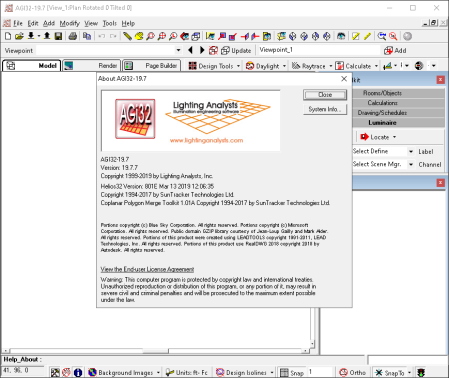
AGi32 is powerful and unique software for analyzing and simulating lighting.​

With this app you can effectively illuminate the interior and exterior of buildings, open spaces, conference rooms, reception rooms, exhibitions and any other imaginable place. You can easily place light sources in different areas, change directions, use lights in different colors, and instantly see changes in the desired location. AGi32 is a technical tool in this field and if used correctly and accurately predicts the output of different modes and optimal arrangement of lighting sources. Lighting When examining professionally, it is not only the use of a few light sources but also the materials used in the building and the effect of reflective light on these materials, the influence of the color of the walls on the light, the amount of light absorption and reflection, and so on. It needs to be able to visually assess the impact of these in a software environment that makes AGi32 a success for users. This program provides engineers with capabilities that look at different lighting modes and the influence of different parameters on it, which seems very unlikely to be tested in the real world, and ultimately results!

Of course, the input of this program is 3D models of other software and requires rendering to show simulated lighting changes, and rendering speed is also an important feature. If you fancy this app in terms of desirable hardware, it favors your high processing speed! The software ultimately processes the speed of the changes made and is uniquely functional.

DOWNLOAD
uploadgig
Код:
https://uploadgig.com/file/download/7e4849fdC4De62f5/KFbfEmWq_.Lighting_ysts_AGi32_v19.7.7.rar

rapidgator
Код:
https://rapidgator.net/file/65e6c7eb9538527fccec1cd2b76a5f8f/KFbfEmWq_.Lighting_ysts_AGi32_v19.7.7.rar

nitroflare
Код:
http://nitroflare.com/view/763C914DBC43286/KFbfEmWq_.Lighting_ysts_AGi32_v19.7.7.rar
 
GPU Caps Viewer 1.42.6.0

2fdaf1b6c9e137772299421f6ece5565.png

File size: 10.7 MB

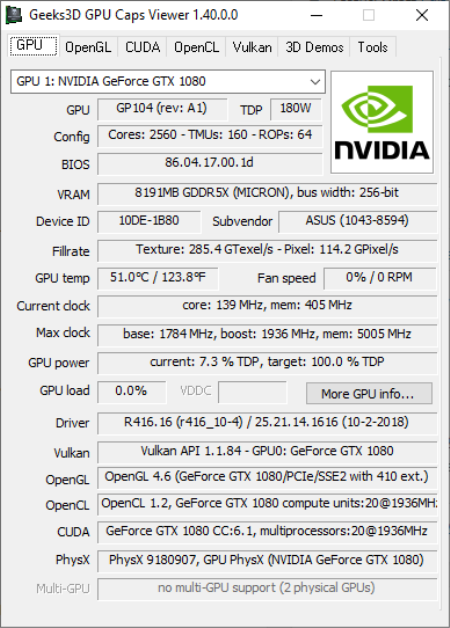
GPU Caps Viewer is a graphics card information utility focused on the OpenGL, Vulkan, OpenCL and CUDA API level support of the main (primary) graphics card.​

For Vulkan, OpenCL and CUDA, GPU Caps Viewer details the API support of each capable device available in the system. GPU Caps Viewer offers also a simple GPU monitoring facility (clock speed, temperature, GPU usage, fan speed) for NVIDIA GeForce and AMD Radeon based graphics cards. Most modern video games feature astonishing visuals which eat up a lot of your video card's resources. This does not only apply to games, specialized applications also making use of GPU. You can get details about the video card installed on your computer through tools integrated in your operating system. However, using tools such as GPU Caps Viewer you can even put it to various tests.

Quick deployment and simple interface

It does not take a lot of time to go through the setup process, in a matter of minutes the interface being brought up at your request. This sports a classic look so that it does not overwhelm you with unnecessary visual elements, which is just right for an application with the main purpose being to offer info.

Various info categories available

Your installed video card is automatically detected as soon as the application is launched. All available details are displayed and you can switch through several tabs, depending on what interests you. As such, you can analyze GPU, OpenGL, CUDA, OpenCL info, each in dedicated tabs.

Put your video card to the test

At the bottom of the main window, you have the possibility to run several test cases, regardless of the tab you currently have opened. You can run OpenGL and OpenCL demos, each with several different presets for each installed driver. Choosing to launch a demo lets you set resolution as well as the level of Multisample anti-aliasing to get an idea of how well your video card performs under pressure.

Find any info you need

You can view a breathtaking amount of info, ranging from and not limited to GPU, Meme size, GPU load, Max clock, VDDC, when it comes to GPU, OpenGL memory and extensions for OpenGL, various core and memory data if CUDA is available, compute units, constant buffer, max samplers, clock in the OpenCL tab.

Even more system details

In addition, accessing the Tools tab lets you view thorough system CPU related info, as well as display mode and total memory installed. There are also links that redirect you to web pages for the latest NVIDIA or AMD drivers to keep your device running smooth.

Save results to file

Last but not least, you can submit your info on the Geeks3D servers to compare with others or to view later on. Moreover, all data can be exported to a TXT or XML file, which comes in handy for testing and comparison purposes.

A few last words

Taking everything into consideration, we can say that GPU Caps Viewer is a handy utility, especially for test cases. The level of detail provided is staggering, with the possibility to also perform tests, save results and even compare with a large community. It's definitely a must for enthusiasts.

GPU Caps Viewer 1.42.6 is a maintenance release and fixes a bug in the Vulkan renderer (GeeXLab 0.29.3) that leads to a crash during the resizing of a window. Some SPIR-V shaders have been updated (vk-tessellation demo).

DOWNLOAD
uploadgig
Код:
https://uploadgig.com/file/download/b2b5Ddd24507E841/PludLtth_GPU_Caps_Viewer_Setup_v1.42.6.0..exe

rapidgator
Код:
https://rapidgator.net/file/79ef20555fa945db51b14724d7c8445c/PludLtth_GPU_Caps_Viewer_Setup_v1.42.6.0..exe

nitroflare
Код:
http://nitroflare.com/view/6938CC7E25EA1CE/PludLtth_GPU_Caps_Viewer_Setup_v1.42.6.0..exe
 
Canvas X GIS 2020 v20.0 Build 390

100f163f1cb24eb3ea53de9d827acfa9.png

Windows x64 | Languages: English | File Size: 319.26 MB

Canvas X is the preferred application for technical illustrators in many industries because it offers the most flexible, scalable and integrated design environment.​

Canvas X has the full range of precise vector object illustration tools and advanced raster image editing tools that you need - all in one single, workflow-accelerating application.
- An array of tools for illustration, layout, editing, proofing, and final output, so you can take projects from start to finish in Canvas X.

- A dynamic and flexible interface, including a Toolbar you can configure with commands, tools, and styles as well as customizable keyboard shortcuts, a Docking pane and Docking bar to store palettes, and a Properties bar for tool settings and object manipulation.

- Help when you need it, in the form of a Dynamic Help window and the Canvas Assistant help for the tool you're currently using, built right into the interface, as well as a fully searchable Help system available from the Help menu.

Canvas X GIS 2020 boasts a complete geographic information system module. This includes providing a powerful set of GIS-based features and commands that support a range of geospatial data formats, defining complex map projections, and performing advanced property operations. New optimization allows you to quickly open and work with documents containing over a million objects. With support for DPI settings for high resolution monitors, this feature-packed software is an essential tool for GIS professionals in the oil & gas and energy sectors, aerospace and automotive industries, education, and government.

As the go-to application of technical illustrators in precision industries, Canvas X GIS comes loaded with the impressive and comprehensive set of vector object illustration and advanced raster image editing tools you need to get the job done - all provided in one integrated, flexible design environment.

Create project-specific customized queries based upon unique properties, values, or other related criteria. Edit your query to meet new project needs, save for ongoing use, or share with colleagues.

Illustrate, design, and share your technical illustrations and graphic designs with ease, precision, and professional quality results - all from within one fully integrated application. Canvas X 2020 is all you need to create all you envision.

Canvas X comes loaded with a comprehensive set of vector object illustration and advanced raster image editing tools.

Comprehensive toolkit for technical design to work with total precision.

Canvas X makes sharing your vision with professional publications and presentations, and collaborating a piece of cake.

Select shapes meeting your defined spatial criteria.

Highlight shapes in your documents meeting specific criteria with geoprocessing functions Intersection, Difference, Symmetrical Difference, and Union.

Import maps from OpenStreetMap.org, and file formats including SQLite, GeoPKG, and GeoJSON.

Create tables for your data: components, changes, parts lists, legends, and more.

Mirror will make a reverse copy of selected objects in 2 clicks. The mirroring axis can be drawn or snapped to other objects and rotated freely.

Annotation Notes now supports auto-numbering and auto-alphabetizing. Use an EasyShape like a circle, rectangle, or diamond shape for annotations.

Save and share your settings file for consistency across your organization.

Additional template files to start off your illustrations.

Additional scripting functions to automate your workflow.

- Windows 7​, Windows 8, or Windows 8.1, Windows 10 (all 64-bit OS)​

- I​​​​​ntel Pentium 4 or better 64-bit processor​

- 4 GB RAM installed

- 2 GB free hard disk space (4 GB recommended)

- 16-bit color or higher (True color recommended)

- 1024x768 or higher screen resolution recommended​

DOWNLOAD
uploadgig
Код:
https://uploadgig.com/file/download/b2349A7cE426019b/GFNeNhBK_.Canvas.20.0.390.rar

rapidgator
Код:
https://rapidgator.net/file/2196af25ab3a662653c7429fe9e743db/GFNeNhBK_.Canvas.20.0.390.rar

nitroflare
Код:
http://nitroflare.com/view/394A7FD0A656163/GFNeNhBK_.Canvas.20.0.390.rar
 
Keysight Advanced Design System (ADS) 2020.0

cdd4bec2aedb9cf1f3241b9c5ad5f52b.png

File size: 2.03 GB

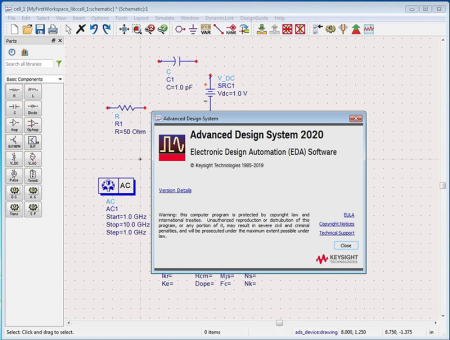
EDA stands for Electronic Design Automation, which means electronic design automation, a set of software tools for designing a variety of electronic systems.​

Advanced Design System Software, or ADS Keysight, a professional software formerly known as Agilent. It is for EDA that provides specialized facilities for the design and analysis of various types of radio or RF devices, microwaves, digital signal processing or DSPs, etc. It provides professional and complete tools for all stages of the schematic design, simulation and analysis process and is almost unique in this regard. Features of Advanced Design System Software

Full schematic layout and layout or layout circuit

Leading with the latest technologies in the electricity, electronics and telecommunications industries

Has a complete library of all kinds of components needed such as transistors, sources, diodes, transmission lines, etc.

Ability to design different types of analog and digital filters

Linear simulation and analysis of S parameters as well as X-Parameter

With Radio Frequency (RF) system simulator

AC and DC direct current analysis

Optimized circuit performance with 13 optimization tools

Analysis of power amplifiers

Calculation and simulation of transistors working point

Graphical and numerical representation of output information of different parameters with the possibility of comparison

Ability to work with Smith chart

Using Harmonic Balance Analysis

Determination and calculation of dispersion parameters of MOSFET (Metal-Oxide-Semiconductor Field-Effect Transistor)

Transient Analysis capability

Calculating Momentum or Momentum

Required system

This version is only installed in 64-bit versions and editing Interface or Ultimate for Windows 7 and later and cannot be installed on Vista or XP.

Processor: 1.66 GHz, 64-bit, x86 quad-core processors or higher

RAM: 4 GB RAM or higher

Hard Disk Space: 10 GB free disk space or greater

Screen Resolution: 1024 x 768

Model Development dependency for model development or 64-bit Verilog A Simulations

Visual Studio 2012 Update 1 Professional version or higher

DOWNLOAD
uploadgig
Код:
https://uploadgig.com/file/download/c91f957f1e44a887/X56ZO8wf_.Keysight_Advanced_Design_System_ADS_2020.0.part1.rar
https://uploadgig.com/file/download/e8136d6c10ec326B/X56ZO8wf_.Keysight_Advanced_Design_System_ADS_2020.0.part2.rar
https://uploadgig.com/file/download/680b56f5C1290dA3/X56ZO8wf_.Keysight_Advanced_Design_System_ADS_2020.0.part3.rar

rapidgator
Код:
https://rapidgator.net/file/ebcc43a7edcf90459ddc31e265c25a35/X56ZO8wf_.Keysight_Advanced_Design_System_ADS_2020.0.part1.rar
https://rapidgator.net/file/c08ed8caa017a52cbe7b8c6beb089c3f/X56ZO8wf_.Keysight_Advanced_Design_System_ADS_2020.0.part2.rar
https://rapidgator.net/file/3d915c8e680865f9df631c3d53a32814/X56ZO8wf_.Keysight_Advanced_Design_System_ADS_2020.0.part3.rar

nitroflare
Код:
http://nitroflare.com/view/134AE917DCB7DDD/X56ZO8wf_.Keysight_Advanced_Design_System_ADS_2020.0.part1.rar
http://nitroflare.com/view/D4626ABCBD902F8/X56ZO8wf_.Keysight_Advanced_Design_System_ADS_2020.0.part2.rar
http://nitroflare.com/view/55C5B002A88EACF/X56ZO8wf_.Keysight_Advanced_Design_System_ADS_2020.0.part3.rar
 
Krita Studio 4.2.7

a6b26dc6d6d486edd2ddf70c64652376.png

File size: 103/104 MB

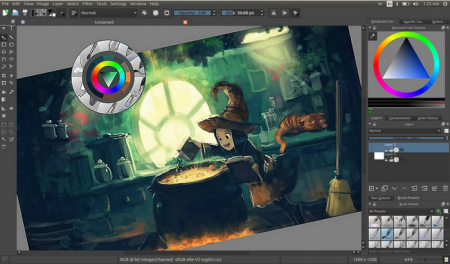
Krita Studio is the powerful painting application for professional artists, VFX and game studios.​

The uniquely innovative brush engines, the intuitive and fun interface and adherence to industry standards for pipeline integration, guarantee that Krita Studio supports your workflow and helps you get the most out of your ideas.
Krita has a user-friendly interface. In the settings menu, you can choose the color theme, which toolbars and dockers you want to use, and edit keyboard shortcuts. Save a given set of dockers as a workspace and switch between them. The canvas can be easily rotated and mirrored. The OpenGL canvas supports high-bit depth monitors. There is a large set of options available to create a no-distractions canvas-only painting mode

It is easy to create seamless textures and patterns now. Press the 'W' key while painting to toggle wrap-around mode. The image will make references of itself along the x and y axis. Continue painting and watch all of the references update instantly. No more clunky offsetting to see how your image repeats itself. You can even paint off the edge and it will automatically start painting on the top. It is one of those features you have to see for yourself.

A brush engine is more than just a typical brush pattern with settings changed. Each brush engine has its own logic and behavior. The included engines are pixel, smudge, duplicate, filter, hairy, hatching, texture, chalk, color smudge, curve, deform, dyna, experiment (Alchemy), grid, particle, sketch, and spray brushes. Brush settings can be saved as presets and shared. There are a staggering amount of blending modes available. The blending modes are arranged by category and have your favorites stored at the top of the list.

Krita comes with many methods of selecting parts of your canvas in order to edit them. You can select with shapes such as rectangles and circle, paint your selection, polgon selection, select by color, select by Bezier. You can add, remove, or intersect to your selection. You can also make selection by layer contents by context clicking the layer and clicking "select opaque". You can create a transparency layer by itself, or add one to an existing layer. This is great tool for non-destructive changes.

Symmetry tools that go much further than basic mirroring. Take full control by being able to determine how many axis you need. Modify the origin center, angle, and smoothing parameters. Easy to toggle x and y mirror buttons in the top toolbar. Drawing aids such as perspective grids and shapes that have magnetic settings.

Filters can be used directly on a layer, or as filter masks or layers. The effect of a filter is previewed on the image itself. There are special effects like wave, oil paint, and emboss. Adjustments such as levels, brightness/contrast, and HSV are also included. Additional tools that can be useful for making selections like color to alpha and color transfer.

Krita has raster, vector, filter, programmatic, group, and file-backed layers. Each layer has settings for visibility, edit lock, transparency lock, and alpha locking. Layers can be dragged and dropped to and from other applications. Vector layers support text, vector shapes and filters on vector shapes. Krita supports the following color models for creating and editing images: RGBA, Gray, CMYKA, Lab, YCbCr, XYZ in 8 bits integer, 16 bits integer, 16 bits floating point, 32 bits floating point. Krita always uses color management.

DOWNLOAD
uploadgig
Код:
https://uploadgig.com/file/download/ac1D72a287752d25/Pczw9Xys_kritax644.2.7setup..exe
https://uploadgig.com/file/download/b442788Ae5Cd5528/Pczw9Xys_kritax864.2.7setup..exe

rapidgator
Код:
https://rapidgator.net/file/a0661a22e37c7aed23292c47f17d4fe1/Pczw9Xys_kritax644.2.7setup..exe
https://rapidgator.net/file/697f221e4e3b49be57b4ee96084cb31f/Pczw9Xys_kritax864.2.7setup..exe

nitroflare
Код:
http://nitroflare.com/view/2D750FEBD8225D3/Pczw9Xys_kritax644.2.7setup..exe
http://nitroflare.com/view/7739DA35F66DD04/Pczw9Xys_kritax864.2.7setup..exe
 
Vue R3.1 Build 3002622 + PlantFactory Updates Only (x64)

fb155f7d1eb117cded87dab85f5f5602.png

File Size: 806 MB

A New Beginning - New Business Model and Product Portfolio.​

Together with its recently unveiled corporate re-branding, e-on software has undertaken a radical twist in the way it operates its business. Based on feedback and requests from its community, e-on has revised its entire pricing structure and replaced its former dated upgrade and support programs in favor of a more coherent, modern, understandable and - more importantly - budget friendly price grid. The company is now offering its applications through three "solutions", each dedicated to a specific artist profile. All three solutions bundle a version of VUE and PlantFactory, together with additional benefits depending on the chosen solution:

They'll rock your world!

VUE features an interface design that's optimized for ease-of-use and productivity and is packed full of amazing rendering features including volumetric effects, glowing materials, lens flares, stars and planets, rocks, and more!

VUE is so productive and easy to use that you'll be designing and animating 3D scenery within seconds.

-VUE integrates flexible and powerful terrain modeling technologies. From creating full planets to infinitely detailed terrainscapes, VUE's got you covered!

-Create hydrological and thermal simulations, manually sculpt them in real time, and even animate the parameters. Procedural terrains provide an unlimited level of detail; move your camera closer, and more detail is seamlessly added.

-Like procedural terrains, Heightfield Terrains are based on a function graph, but baked on a fixed-resolution grid. Allowing more flexibility and realism to your terrains. Heightfield Terrains are also significantly faster to render!

-VUE offers 2 render engines: a fully customizable CPU Ray-tracer, and a hybrid GPU/CPU Path tracer. Both render engines incorporate all of today's high-end features yet stands out in their ability to handle huge polygon counts quickly and efficiently.

-Render your scenes in stereo, 360° VR Panoramas, VR180, to play them on any Stereo-compliant platform (such as Youtube for instance) or devices such as Occulus Rift, HTC Vive, Nvidia 3DVision, Sony PSVR, Google DayDream, Google Carboard etc.

-For more artistic freedom, VUE also includes a fully featured Non-Photorealistic Rendering shader that analyzes your renders to create stylized artwork.

-Because we understand that our tools will find their place with bigger arsenal in your pipeline, we made sure that what you do in VUE does not merely stay in VUE, and what you do outside of VUE can be imported seamlessly.

-VUE can be installed both as a standalone package, and as a plugin for 3ds Max, Maya, Cinema4D or LightWave. With the included conversion tool, VUE scenes can be rendered with any renderer such as RenderMan, Arnold, Octane, VRay Next, Corona, etc.

-VUE features an extensible architecture that can be programmed using the Python cross-platform standard for application scripting.

-Easily exchange geometry with ZBrush using GoZ (terrains as quads, other meshes as triangles).

-Camera motion can be imported and exported as .FBX as well as Nuke .CHAN files. - And that's just scratching the surface of how well VUE can fit into your workflow!

-VUE lets you export every single asset of your scenes: Plants, Rocks, Terrains, Ecosystem populations, procedural materials, Camera paths, lights, Cloud Layers, Standalone Clouds and even full scenes, in a wide variety of file formats, such as FBX, Alembic, OpenVDB, 3ds, Collada, Ptex and more. You can control every single Level of Detail, per instance, or globally. On top of this, skies can be exported as HDR skydomes or skycubes.

-VUE provides extensive multi-pass rendering options. Virtually every rendering element, every layer, every material and every single object can be assigned a separate pass. VUE generates all multi-pass renders in High Dynamic Range, including all objects, cloud and layer masks, rendering components, ambient occlusion, shadows, reflections, atmospheric contributions, etc. Multi-pass renders can be exported as EXR 32 bit files with each pass stored in high dynamic range format.

-The creation of natural 3D environments requires highly complex shaders that respond to altitude or slope, seamlessly cover any terrain, and exhibit enough detail whether seen from distance or from close-up.

-VUE features a shader system that is fully optimized for the challenges of Digital Nature. By using three types of material editors, you can effectively create anything from simple bitmapped textures to elaborate multi-layered procedural materials that dynamically respond to the environment.

-VUE is fully compliant with the PBR Metalness workflow and includes a Specular to Metalness converter.

OS:Windows 64 bit (Windows 7, Windows 8 or Windows 10)

CPU:Multi-core CPU (Intel QuadCore, Core I7), AVX compliant

Memory:8GB+ of RAM,

Space:4GB+ of free Hard Disk space (on the drive hosting the OS),

We recommend a graphics card containing at least 4 GB of VRAM with a 3D Mark score of 10,000 or better

-Autodesk Maya 2015-2019

-Autodesk 3ds Max 2015-2020

-Maxon Cinema 4D R15-R20

-Newtek LightWave 11.6-2019

DOWNLOAD
uploadgig
Код:
https://uploadgig.com/file/download/7777aA77C7B33937/2yj4zqwd__VUEX1.3.R3.1_Build.3002622.rar

rapidgator
Код:
https://rapidgator.net/file/5b6666ba3d755be88e9d021715b2f7f3/2yj4zqwd__VUEX1.3.R3.1_Build.3002622.rar

nitroflare
Код:
http://nitroflare.com/view/7105253AFB3543C/2yj4zqwd__VUEX1.3.R3.1_Build.3002622.rar
 
Axure RP 9.0.0.3665

9116fdc3a56dbad5ff45e723fadfed3c.png

File size: 111 MB

Design the right solution.​

Create simple click-through diagrams or highly functional, rich prototypes with conditional logic, dynamic content, animations, math functions, and data-driven interactions without writing a single line of code. Easy to share

Click a button, and Axure RP will publish your diagrams and prototypes to Axure Share on the cloud or on-premises. Just send a link (and password) and others can view your project in a browser. On mobile devices, use a browser or the Axure Share App for iOS and Android.

Diagramming and Documentation

Create flowcharts, wireframes, mockups, user journeys, personas, idea boards and more. Quickly drag and drop elements from built-in or custom libraries to create your diagrams. Then, style it with fills, gradients, line styles, and text formatting. Annotate your diagrams and prototypes to specify functionality, keep track of tasks, or store project information. Organize your notes into separate fields for different audiences. Choose which notes to present in the HTML or in an auto-generated Word document that includes screenshots.

Easier Team Collaboration

Axure RP allows multiple people to work on the same file at the same time, making it easier for your team to work together. Create a team project on Axure share or SVN and use a check-in and check-out system to manage changes. Team projects also keep a history of changes with notes for each check-in.
Pro, Team, Enterprise

DOWNLOAD
uploadgig
Код:
https://uploadgig.com/file/download/4691e021cd5b0467/AoQSrvVB_AxureRP9..rar

rapidgator
Код:
https://rapidgator.net/file/217a0565d491085d1081f1ebefd9a037/AoQSrvVB_AxureRP9..rar

nitroflare
Код:
http://nitroflare.com/view/4411A760F77616A/AoQSrvVB_AxureRP9..rar
 
Adobe Audition 2019 v12.1.5.3 Multilingual

f43d9b3612dcdc1d5c5f28371118771e.png

Windows x64 | Languages: Multilingual | File Size: 439.5 MB

A professional audio workstation.​

Create, mix, and design sound effects with the industry's best digital audio editing software. Audition CC is a comprehensive toolset that includes multitrack, waveform, and spectral display for creating, mixing, editing, and restoring audio content. This powerful audio workstation is designed to accelerate video production workflows and audio finishing - and deliver a polished mix with pristine sound.
Meet the industry's best audio cleanup, restoration, and precision editing tool for video, podcasting, and sound effect design.
This step-by-step tutorial guides you through the robust audio toolkit that is Adobe Audition, including its seamless workflow with Adobe Premiere Pro CC.

Use the Essential Sound panel to achieve professional-quality audio - even if you're not a professional.

Learn the basic steps to record, mix, and export audio content for a podcast - or any other audio project.

Easily and automatically rearrange any song to fit any duration with Remix in Audition CC.

Get best practices for fixing audio, including how to use the spectral frequency display, Diagnostics panel, effects, and more.

Reduce or remove reverb and background noise from recordings without noise prints or complicated parameters with these efficient real-time effects or through the Essential Sound panel.

Playback over 128 audio tracks or record over 32 tracks, at low latencies, on common workstations and without expensive, proprietary, single-purpose acceleration hardware.

Playback over 128 audio tracks or record over 32 tracks, at low latencies, on common workstations and without expensive, proprietary, single-purpose acceleration hardware.

Adjust your audio without moving your eyes or mouse cursor away from your content with on-clip gain adjustments. Use your eyes and ears to match clip loudness to neighboring clips with a waveform that smoothly scales in real-time to amplitude adjustments.

Quickly add multiple audio or bus tracks of any channelization at once, or clean up all unused audio tracks in a session, with these commands.

Zoom to specific durations with customizable presets. No more guesswork or small adjustments needed to see an exact length of time.

When upgrading, Audition can import all 3rd party effects already scanned by a previous version of Audition, as well as custom effect presets and more.
Open native Premiere Pro projects from the Audition Media Browser and select the sequences you want to work on for a simpler, more efficient audio editing workflow.
Video previews in Audition update in real-time when clips are added, moved, or trimmed, always showing the users the correct frame for accurately-timed edits, sound effects, and more.

Use the Track panel to show or hide tracks, or groups of tracks, so you can focus on specific parts of your project. Create your own preferred track groups and save presets for an efficient, personalized multitrack editing experience.
Twirl down compound media files to choose the audio and video tracks you want to work on, or simply import entire compound files, including container formats like MXF.

Scroll through multitrack projects faster and more smoothly. Track heights are maintained when zooming in or out, making it easier to manage large projects, especially on smaller screens.

While working on a project, automatically generate a volume envelope to duck music behind dialogue, sound effects, or any other audio clip using the Ducking parameter in the Essential Sound panel. Powered by Adobe Sensei, this feature simplifies the steps needed to achieve professional-sounding audio mixes.
Browse and run scripts within Audition or via the command line to automate application functions, like loudness normalization, QC validation, and others. Streamline common tasks, including third-party integrations, and bring a new level of efficiency to your audio work.
Creating modern podcasts and albums in Audition just got easier. With support for .jpeg and .png files, you can embed thumbnails and images into your .mp3 files.
Navigate to any spot in the timeline with this useful keyboard shortcut. Save time and keep your workflow moving.

Input monitoring allows you to preview the input coming from your recording device before starting the actual recording by either observing the level meters or listening to it.

When recording punch-ins or layering sounds, clip Z-order is maintained when selecting stacked clips so that smaller clips don't get lost behind longer ones. Commands in the clip content menu make it easy to move clips to the front or back, and preferences allow users to customize the behavior. More improvements allow for symmetrical clip fades, or adjusting fade curves or duration independently.

Audition CC includes support for the Mackie HUI control surface protocol. To control your mix, transport, and automation in Audition, use HUI emulation mode with almost all modern control surfaces..

This modern version of the classic replaces the Adobe Premiere Pro Dynamics audio effect in Premiere Pro and Audition CC. This simple yet powerful plug-in offers a compressor, expander, limiter, and noise gate in one easy-to-use tool.

Use the Visual Keyboard Shortcut Editor to see which keys have been assigned shortcuts and which are available for assignment. A tooltip reveals the full command name when you hover over a key in the Keyboard layout. When you select a modifier key on the keyboard layout, the keyboard displays all the shortcuts that require the modifier.

Audition CC lets you view session and media timecode overlays in the Video panel. You can also lock your video output to your external display. The timecode overlay displays the current time display string as an overlay on the Video panel and the video fullscreen monitor.
Multichannel audio workflows allow you to separate all audio channels to unique clips automatically. You can customize the channels assigned to a clip and adjust Specific Channel Routing.

Audition support for native Premiere Pro projects means links to original assets, sequence metadata, markers, audio effects, parameters, sub-mixes and Essential Sound panel settings are transferred to Audition with full fidelity.
Audition can export your edited audio directly to Adobe Media Encoder CC. This feature enables a fully linear post-production workflow, using format presets and audio channel customization without rendering or wrangling various mixdown files.

Many existing audio effects have spectrum meters, gain meters, and gain reduction meters. You can use the frequency spectrum to identify imbalances in audio and use control points to correct them. Level Meter shows the input level of the audio, and Gain Reduction Meter shows how audio signals are compressed or expanded.
In-app tutorials offer new users a series of guided walkthroughs of common tasks. These guides help you navigate the core functionality and capabilities with ease, including reducing background noise, mixing audio elements, and producing a simple podcast. Coach marks and concise tutorials are offered inside the application to help you get started with Audition.
The Essential Sound panel gives you a complete toolset to mix your audio and achieve professional-quality output. The panel provides simple controls to unify volume levels, repair sound, improve clarity, and add special effects - so your video projects sound like a professional audio engineer has mixed them. You can save the applied adjustments as presets for reuse in Audition, making them handy for more audio refinements.

You can enable Common Extensibility Platform (CEP) extensions and build integrated panels in Adobe desktop applications.
Create remixes of music files from a collection using Adobe Sensei's machine learning. For example, you can take a song that has a longer duration and create a shorter version that still sounds like the original. You can recompose any piece of music in your collection to fit the video or project duration.
Type or paste text, and generate a realistic voiceover or narration track. Use this tool to create synthesized voices for videos, games, and audio productions.
Match loudness in audio clips, and apply correction to support various loudness standards and true peak limiting. The Match Loudness panel replaces the old Match Volume panel.
Audition lets you store periodic backups of your session files to prevent any loss due to power failure, crash, or file corruption. In the Preferences dialog box, choose Auto Save and select Backup Multitrack Session Files Automatically. Then, choose a backup location that can be your Adobe Creative Cloud storage environment, the session folder, or any other location of your choice.

The Dynamic Link video streaming feature lets you stream video without rendering when sending projects from Premiere Pro to Audition.
Audition lets you easily replace assets within an open project. Any edits made to the original clip are retained and applied to the new material so you can work uninterrupted even when an asset changes.
Get the most out of your editing experience in Audition by using a full-screen dual-monitor workflow. Display the contents of your video panel full-screen on a secondary monitor using HDMI, DVI, or VGA. This feature is especially useful for editing Foley and sound effects to video, recording automated dialog replacement (ADR) or voiceovers, and displaying your work as you edit.
Premiere Pro CC offers extensive native media support, letting you edit all the major video, image, and audio formats natively. The 2014.1 release of Audition CC supports all the native video formats that are supported in Premiere Pro.

Audition can import markers from any file containing XMP marker metadata, including video files from Premiere Pro and Adobe Prelude CC. You can import markers into either an audio file (displayed in the Waveform editor) or a multitrack composition in Audition. You can share these markers with third-party applications by exporting the markers to a CSV file using the Markers panel. At any point, you can import the CSV markers file back into Audition.
Audition lets you set custom levels for Yellow (Caution) and Red (Warning) indicators in the Level Meters panel. You can conform to station regulations or personal preferences by selecting custom values for level meter crossover points. In the Preferences dialog box, select Playback and specify the Yellow and Red levels.

Schedule recordings in advance and Audition will capture them automatically, or start recording immediately for a specified duration.
The Sound Remover effect removes unwanted audio sources from a recording. This effect analyzes a selected portion of the recording and builds a sound model, which is used to find and remove the sound.
The Target Dynamic Range option in Audition provides better control over volume leveling for spoken content.
Audition can read, modify, and generate iXML metadata. This metadata is typically captured by audio recording devices or on-location audio recording software such as Metacorder for Mac. Important features of iXML metadata are the ability to select and mark the best takes, and to record on-set notes.
To support different surround formats and configurations, Audition lets you add new custom audio channels when you create an audio file. Custom channels are typically used in audio for cinema, broadcast, and video games.
To make it easier to identify tracks, a color bar is added to the tracks. These color bars are added on the left of the track header, or at the bottom in the mixer panel. When you add a clip to a track, the clip color changes to match that of the track.
Use the Pitch Bender effect to change the tempo over time to vary the pitch. The effect uses a keyframe edit envelope laid across the entire waveform, similar to the Fade and Gain Envelope effects. Use the Pitch Shifter effect to change the musical pitch. It's a real-time effect that can be combined with other effects in the mastering rack or the effects rack.
Use the Click/Pop Eliminator and DeClicker effects to remove microphone pops, clicks, light hiss, and crackles. Such noise is common on recordings such as old vinyl records and on-location recordings.
Audition has an integrated, customized version of the TC Electronic Loudness Radar meter plug-in. Available in both the waveform and multitrack views, it provides you with information about peak, average, and range levels.
To quickly align overdubbed dialogue with original production audio, use automatic speech alignment. Audition matches the timing of each word, even if the original audio is noisy or differs in overall length.
See in real time how the waveform looks before you apply changes. Or work on separate regions of a file simultaneously. This functionality is especially valuable when you're working with effects that alter the duration of a clip. Choose View > Show Preview Editor to display the preview.
Use Frequency Band Splitter to take one audio clip (or a selection in a clip) and make up to eight copies, where each copy contains a different frequency range found in the original clip. The crossover frequencies determine the split points. Each copy of the waveform is created as a new file and placed in the Files panel. You can then edit or apply effects to each band separately.
Easily add, remove, and invert spectral selections made using the marquee, lasso, or paintbrush selection tools.

Extract selected CD tracks to a single file. Insert an audio CD into an optical drive, and choose File > Extract Audio from CD. Select the tracks and enable Extract to Single File.
Control paste operations in a multitrack session: You can choose to paste all clips in the same targeted track, or in multiple tracks. Press Alt while dragging to toggle. You can specify the default behavior in the Multitrack Clip preferences. When enabled, a new preference avoids overlapping clips when inserting or pasting new clips creates new tracks.
Use the Phase Analysis panel to reveal out-of-phase channels for stereo waveforms. The Phase Analysis panel also shows stereo separation. You can choose from several phase views, including Histogram, Mid/Side, Lissajous, and Phase Wheel. For additional display options, right-click the graph and choose an option.
Use the Favorites panel to record, view, organize, run, or edit your favorite tasks. To display the Favorites panel, choose Window > Favorites or Favorites > Edit Favorites.

The Manual Pitch Correction effect lets you visually adjust pitch with the Spectral Pitch Display. The Spectral Pitch Display shows the fundamental pitch as a bright blue line, and overtones in yellow to red hues. Corrected pitch appears as a bright green line. The Automatic Pitch Correction effect is available in both the Waveform and Multitrack editors. In the latter, its parameters can be automated over time using keyframes and external control surfaces.

Select multiple clips and choose Clip > Groups > Group Clips. You can move and edit grouped clips together, and even stretch them proportionately when clip stretching is enabled. Group stretch, gain, color, and other settings are available in the Properties panel.
Quickly stretch clips to the necessary length, while previewing the results during playback. In the Editor panel, select multiple clips to stretch them proportionately. In the Properties panel, choose from a variety of stretch types optimized for different audio content.

Mix audio interactively with popular control surfaces using the EUCON, Mackie MCU, or Logic Control protocols (including the Avid Artist series formerly made by Euphonix). Or use third-party, tablet-based controllers that support these protocols. You can even use multiple devices simultaneously.

- Processor: Multicore processor with 64-bit support

- Operating system: Microsoft Windows 10 (64 bit) version 1703 or higher.

- RAM: 4GB of RAM

- Hard disk space: 4GB of available hard-disk space for installation; plus additional free space required during installation (cannot install on removable flash storage devices)

- Monitor resolution: 1920x1080 or larger display

- OpenGL: OpenGL 2.0 capable system

- Sound card: Sound card compatible with ASIO protocol, WASAPI, or Microsoft WDM/MME

- Control surface support : USB interface and/or MIDI interface may be required for external control surface support (see manufacturer's specifications for your device)

- CD burning: Optical drive is used for CD burning (optional)

- French, German, Japanese, Italian, Spanish, Portuguese, Simplified Chinese, Korean

DOWNLOAD
uploadgig
Код:
https://uploadgig.com/file/download/C7d3a6E5835b3c01/dyKLB0PL_.AU1215.rar

rapidgator
Код:
https://rapidgator.net/file/591b40eb89376b0d5cd5c0e4979ac7bb/dyKLB0PL_.AU1215.rar

nitroflare
Код:
http://nitroflare.com/view/046DE7C74F5F722/dyKLB0PL_.AU1215.rar
 
RegCool 1.111 Multilingual

f4f27f69e616511f1e3ff63d8839f08d.png

File Size : 1.3 Mb

RegCool - Advanced Registry-Editor.​

Advanced registry editor: RegCool is an advanced registry editor. In addition to all the features that you can find in RegEdit and RegEdt32, RegCool adds many powerful features that allow you to work faster and more efficiently with registry related tasks. Key Features - Multiple undo and redo - Search and replace - Compare registries - Cut, copy and paste - Drag and drop - Registry Snapshot - Backup and restore - Defragment. RegCool runs on all Windows versions from Windows XP onwards and is available in the following languages: English, German, French, Chinese, Spanish, Nederlands, Hungary, Russian and Portuguese!
Multiple undo and redo - The undo history can be saved to disk and reloaded at startup...

Search & replace - Search and replace registry keys, values and data with a super fast search algorithm. You can search the entire registry in about ten seconds on a typical PC! -x - Search and replace registry keys, values and data with a super fast search algorithm. You can search the entire registry in about ten seconds on a typical PC!

Compare - Compare registry between computers with super fast speed...

RegShot-Function - Regshot allows you to quickly take a snapshot of your registry and then compare it with a second one - done after doing system changes or installing a new software product...

Cut, Copy & Paste - Cut, copy and paste registry keys and values...

Drag und Drop - With Drag and drop you can quickly move or copy registry keys and values...

Backup & Restore - Complete Backup and restore of the registry...

Defragment - Scan and optimize your registry by removing gaps and wasted space, thereby helping to improve system performance. If you choose to defrag your registry after the scan results, be prepared to reboot your machine...

Favorites management - Easy and flexible Favorites management...

Multiple local registry windows - Allow to open multiple local registry windows...

Secure registry keys - Allows you to open secure registry keys when running under the administrator privilege.... .

System Requirements:

Windows 10, 8.1, 8, 7, Vista and XP. Including both 32-bit and 64-bit versions.

DOWNLOAD
uploadgig
Код:
https://uploadgig.com/file/download/9Ca446Ebe3Cf8f5d/uCoLALmn_RegCool..exe

rapidgator
Код:
https://rapidgator.net/file/c3c8ed6f67dc10c5d4aaf466d955d14c/uCoLALmn_RegCool..exe

nitroflare
Код:
http://nitroflare.com/view/2162B88AEF1C7EA/uCoLALmn_RegCool..exe
 
EasyNetMonitor 2.9.0.1

98ec89775be6fe8ed722770ca65b68a0.png

File Size : 0.3 Mb

The smallest free tool for monitoring computers in your local network and any internet hosts.​

Just start EasyNetMonitor, open popup-menu in tray and get the information about computers network state.
EasyNetMonitor is the easiest and quickest way to get information on-line about computers in your local network!

You don't need to install it, just and use free network monitor EasyNetMonitor anywhere

EasyNetMonitor is only 300 Kb (only one file)

You can monitor any internet host

Email notifications (your computer name should be in English letters only!)

Sound notifications

Event log

Updates: official site does not provide any info about changes in this version

DOWNLOAD
uploadgig
Код:
https://uploadgig.com/file/download/feB1772095d1f5ad/DQ5hvgNh_easynetmonitorsetup..zip

rapidgator
Код:
https://rapidgator.net/file/1a294b41427868c5cc6fc067501d544c/DQ5hvgNh_easynetmonitorsetup..zip

nitroflare
Код:
http://nitroflare.com/view/61A662C38CC2ECD/DQ5hvgNh_easynetmonitorsetup..zip
 
ByteScout PDF Multitool 10.6.0.3667 Business

052c4db5a086bdbcb8d1399d54220b0b.png

File Size: 82.5 MB

Convert PDF files to multiple document and image formats, read damaged text, extract data from documents and more, with this versatile application.​

ByteScout PDF Multitool is an easy to use and powerful conversion suite created to help users save their PDF files to other common formats, such as TXT, CSV, HTML and even images.
PDF transformation and conversion of its scanned images into text searchable PDF files;

Reading of text on scanned files (English, German, Spanish, French and more are supported) with features of HTML PDF Viewer afterward;

PDF to CSV conversion, PDF to XML and XLS, PDF to XLSX and PDF To HTML conversions;

Ability to automatically find tables within a PDF document;

Extra options to Split, Merge, Extract pages from PDF;

Performing of regular expressions search within a PDF document;

Extract attached files and inside data from PDF, XFA and XFDF;

Convert PDF to TIFF, PDF to PNG, PDF to BMP, PDF to HTML;

Print PDF documents;

official site does not provide any info about changes in this version.

DOWNLOAD
uploadgig
Код:
https://uploadgig.com/file/download/6bEb5fb7eac30c0e/h414Z0HD_ByteScout.PDF.Multitool.10..rar

rapidgator
Код:
https://rapidgator.net/file/040a595ce5c386c4990550152279d199/h414Z0HD_ByteScout.PDF.Multitool.10..rar

nitroflare
Код:
http://nitroflare.com/view/EBEF16C34F72EC8/h414Z0HD_ByteScout.PDF.Multitool.10..rar
 
Paint.NET 4.2.5 Multilingual

1b923938e86a7d9aa5eff7939428f610.png

File Size : 7.4 Mb

Paint.​

NET is free image editing and photo manipulation software designed to be used on computers that run Windows. It supports layers, unlimited undo, special effects, and a wide variety of useful and powerful tools. It started development as an undergraduate college senior design project mentored by Microsoft, and is currently being maintained by some of the alumni that originally worked on it. Originally intended as a free replacement for the MS Paint software that comes withWindows, it has grown into a powerful yet simple tool for photo and image editing. The programming language used to create NET is C#, with a small amount of C++ for installation and shell-integration related functionality. NET can be used to enhance and clean up your photographs. Using the Clone Stamp tool, the power lines that criss-crossed in front of the Space Needle were carefully removed. Other operations were performed that had the effect of smoothing out theimage without blurring it, adding some "bloom" (glow), and increasing the contrast.

Simple, intuitive, and innovative user interface

Every feature and user interface element was designed to be immediately intuitive and quickly learnable without assistance. In order to handle multiple images easily, NET uses a tabbed document interface. The tabs display a live thumbnail of theimage instead of a text description. This makes navigation very simple and fast.

Layers

Usually only found on expensive or complicated professional software, layers form the basis for a rich image composition experience. You may think of them as a stack of transparency slides that, when viewed together at the same time, form oneimage.

Active Online Community

NET has an online forum with a friendly, passionate, and ever-expanding community. Be sure to check out the constantly growing list of tutorials and plugins!

Frequently Updated

Updates usually come about every 4 to 8 weeks, and contain new features, performance improvements, and bug fixes. Upgrading to the latest version is very simple, requiring only two clicks of the mouse.

DOWNLOAD
uploadgig
Код:
https://uploadgig.com/file/download/7643bA50663D8A07/Acj9xAUO_paint.net.4.2.5.install..zip

rapidgator
Код:
https://rapidgator.net/file/828916f87f1313c0ea44c8075ffcab93/Acj9xAUO_paint.net.4.2.5.install..zip

nitroflare
Код:
http://nitroflare.com/view/C82C7E6353DE261/Acj9xAUO_paint.net.4.2.5.install..zip
 
Назад
Сверху