• Здравствуйте. Сайт заработал в архивном режиме форум www.old.nado.in

Anthony's Software !!!

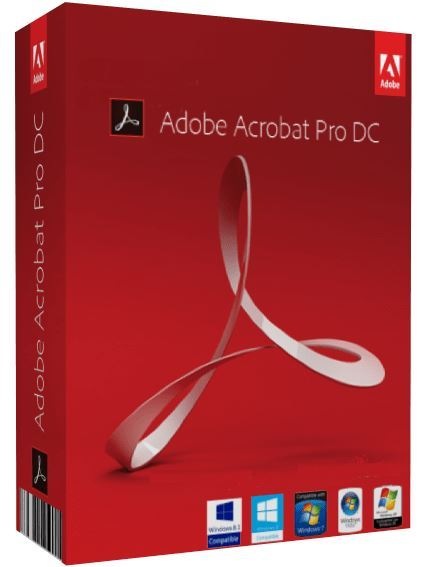
Adobe Acrobat Pro DC 2019.012.20036 RePack by KpoJIuK
e5d800c80fda.jpg

Adobe Acrobat Pro DC 2019.012.20036 RePack by KpoJIuK | 543MB
​
Acrobat DC is a fully updated desktop version of the world's best PDF file solution. This solution includes a mobile application that allows you to sign and send PDF files, as well as fill out forms from any device. And with Document Cloud, you can create, export, edit and track PDF files by opening them in any web browser. The latest versions of files will always be at your fingertips no matter what device you are working on.

Your office will be as mobile as you. The Acrobat DC application, supplemented by Document Cloud services, includes many tools for converting and editing PDF documents, as well as adding signatures to them. You can use it anywhere. Start creating a document in the office, correct it on the way home and send the final version for approval from home - it's simple, fast and convenient.
Acrobat DC works wonders. Now you can edit any document, even if you have only a paper version on hand. Just take a picture of it with your smartphone and open it in the desktop application. Acrobat before your eyes will turn a photo into a PDF file that you can edit on your tablet. You can use additional fonts of the same type as in the original document.
Electronic signatures. Everywhere. Acrobat DC's eSignature services are used by more than a billion devices worldwide. Any user can put a legal signature on a document simply by swiping a finger on the screen of the touch device or by making a few clicks in the browser. Acrobat DC is not just a convenient application for adding signatures. It allows you to easily send, track and store signed documents.
Attractive touch user interface. Acrobat DC's new touch user interface simplifies access to essential tools and takes into account all the features of mobile devices. Try it and you will not trade it for any other.
[collapse]
Features of the program:

File merge.
Keep all materials in one document. Combine and organize documents, spreadsheets, email messages, and other files into one PDF document.

Scan to PDF.
Convert paper documents to searchable editable PDFs. Copy and paste text for reuse in multiple documents.

Standardize daily operations with PDF.
The procedure for creating PDF files is always the same. Just follow the on-screen instructions.

PDF file protection.
When sharing files, be sure of their security. Block the copy and edit features of the contents of your PDF documents.

Create fillable forms.
Convert existing paper documents, Word files, and PDF forms to electronic forms that are easy to fill out and sign.

Access to tools from any device.
Access PDF tools and recently opened files from the office, from your home computer, or from your mobile device.

Take advantage of the complete solution for working with files in PDF format, wherever you are.
Work on computers running Mac and Windows, as well as on mobile devices.
Create high quality PDF files.
Editing and exporting PDF files to Office documents.
Signing and sending to sign PDF files.
Instant editing of scanned PDF documents.
Edit and organize PDF files on your iPad.
Adding audio and video to PDF files.
Consistent preparation of PDF files using guided actions.
Delete confidential information without the possibility of recovery.

Features of repacking:
Type: Installation
Languages: multi, there is Russian
Treatment: manual [keygen-XFORCE + hosts] or automatic [PAINTER]
Note: when using automatic activation, all network services are disabled

parameters:
SILENT INSTALLATION + AUTO ACTIVATION: setup_file.exe -y -nr -gm2
"% WINDIR% \ Temp \ AdobeAcrobatDC \ AcrobatHelper.exe" / S / AUTO
RD / S / Q "% WINDIR% \ Temp \ AdobeAcrobatDC"

SILENT INSTALLATION + MANUAL ACTIVATION:
setup_file.exe -y -nr -gm2
"% WINDIR% \ Temp \ AdobeAcrobatDC \ AcrobatHelper.exe" / S / MANUAL
RD / S / Q "% WINDIR% \ Temp \ AdobeAcrobatDC "

Selecting the installation location: / D = PATH
Key / D = PATH should be indicated with the most recent
Example: "% WINDIR% \ Temp \ AdobeAcrobatDC \ AcrobatHelper.exe "/ S / AUTO / D = C: \ MyProgram


DOWNLOAD
uploadgig
Код:
https://uploadgig.com/file/download/f59DD04431B4735a/Acrobat.Pro.DC.2019.012.200.KpoJIuK.rar


rapidgator
Код:
https://rapidgator.net/file/abb51107190366fcca8d7d8359db556f/Acrobat.Pro.DC.2019.012.200.KpoJIuK.rar

nitroflare
Код:
http://nitroflare.com/view/3ECFA2285B9D292/Acrobat.Pro.DC.2019.012.200.KpoJIuK.rar
 
Infix PDF Editor Pro 7.4.2 + Protable RePack by TryRooM

8ec8c18706ce.png

Infix PDF Editor Pro 7.4.2 + Protable RePack by TryRooM | 33.4MB
​
Using Infix PDF Editor, you can open, modify and save PDF files. It is simple and does not take much time: you can change text, fonts, images, etc. And unlike other PDF editors, Infix works like a regular text editor, and is really easy to use. Elimination of typos: fast correction of errors in PDF files.

Use existing PDF files: make changes to the PDF without accessing the source file. Save paper: fill out forms without having to print on paper. It doesn't matter how much text you need to change: a single word, paragraph or a whole page. Infix is ​​the only PDF editor that can insure you by changing the formatting and layout of the text. After saving, all changes will fit seamlessly into the file.

Features of Infix PDF Editor:
Advanced features for working with graphics PDF. Infix Pro includes a set of tools for processing graphics, for example, objects can be grouped, hidden or blocked, they can be changed and cropped masks can be conveniently aligned with the existing vertical ruler, in addition to which grids, guides and page fields are provided.
Insert from PDF. Use existing PDF documents as components - just place them on the page. Like any other object, they can be rotated and moved, as well as resized. Using Infix, any document can be converted to PDF, respectively, any type of document can be imported into PDF.
Combine PDF with drag and drop. Drag and drop any number of PDF files into Infix for later merging into one document. You can add headers and footers and page numbers to all pages of a document, using the powerful multi-page copy feature.
Translation of PDF documents using translation tools and XML. Export PDF to XML format to work in any automated translation application and import translated text (XML) back to PDF. In Infix, the translated text will be placed in the same way as in the original document, and the need to change the layout and replace the fonts will be minimal.
Combine PDF with drag and drop. Effective text fitting provides the best look for Infix Server templates and common illustrations. In Infix Pro, you can configure automatic text fitting options and specify which features should be changed. You can fit text in multiple columns or across pages.
Search and replace in multiple PDF documents. Infix Pro implements powerful search functions in several PDF documents and even in directories filled with such documents. The search is performed on all documents, while the original documents are not changed, and all errors or processing problems are recorded. In addition, the search and replace function can be applied to hyperlinks: this is convenient, for example, if the address of the company's website has changed.
Search in PDF and replace by font, color or size. More diverse search criteria allow you to limit the results by size, color or font of the text - this is convenient when replacing text in headers and footers, without having to change the main text of the PDF document.
Censorship text. Convenient and simple censorship function, which allows you to select and delete any piece of text. In this case, the source text is guaranteed to be deleted, and a black bar is substituted in its place.
Block PDF elements in templates. Setting limits in PDF files created for clients: the ability to block objects, move objects only vertically (to maintain alignment), restrict the use of sets of colors and fonts.
Censorship text. Create PDF templates for Infix Server. Marks up areas of text that should be replaced using the organize function. Ability to specify the type of text layout during replacement. Layout of images, definition of cropping and alignment parameters used during replacement.

The Professional edition includes all available functions:
Editing and typesetting, standard text editor tools
Convert PDF to ePub, RTF, HTML
Convert any file to PDF using Infix PDF Printer
Combining multiple PDF files into one
Comments: stamps, notes, signatures, text selection, etc.
Photo Albums: Add hundreds of photos and create a PDF album
Translation of PDF documents into other languages ​​using XML
Creating chart caption arrows
Search and replace text:
in formatted text
in hundreds of documents
in bookmarks and notes
in hyperlinks

Work with layers - the ability to show / hide / rename to facilitate editing
Text censorship - conveniently and efficiently delete text in confidential documents
Efficient automatic bookmarking
Copy objects to multiple pages
Auto pagination
Create a chain of text blocks and export their contents in HTML, ePub, RTF, etc.
Font redefinition - editing PDF files that it would be impossible to edit or export without this function
Grid, guides and margins - easy layout
Add inline or custom watermarks to pages and remove these marks.
PDF virus immunity (including Java malware scripts)

Features RePack'a:
Type: installation, unpacking (Portable by TryRooM)
Languages: Russian / English (Other languages ​​can be downloaded with Internet access)
Treatment: carried out (patch).
Deleted: complete infix PDF Printer (considered by many to be bulky, slow and not very functional)

Command line switches:
Silent unpacking: / VERYSILENT / Р
Silent installation in Russian: / VERYSILENT / I / RU
Silent installation in English: / VERYSILENT / I / EN
Silent installation without integration: / VERYSILENT / I / NM
Do not create desktop shortcut: / ND
Do not create a shortcut in the Start menu: / NS
Selecting the installation location: / D = PATH
Key / D = PATH should be indicated with the most recent
example: setup_file.exe / VERYSILENT / I / D = C: \ MyProgram


DOWNLOAD
uploadgig
Код:
https://uploadgig.com/file/download/3b5a6f2a344aE844/Infix.PDF.Editor7.4.2.TryRooM.rar

rapidgator
Код:
https://rapidgator.net/file/186716c9f5c51649cc291280ad14cfb0/Infix.PDF.Editor7.4.2.TryRooM.rar

nitroflare
Код:
http://nitroflare.com/view/7A96FD7A559A44A/Infix.PDF.Editor7.4.2.TryRooM.rar
 
Adobe Acrobat Reader DC 2019.012.20036 RePack by KpoJIuK

d427302a6836.jpg

Adobe Acrobat Reader DC 2019.012.20036 RePack by KpoJIuK | 184MB
​
Adobe Acrobat Reader DC is a completely new Reader application for the most important documents. Work with PDF files on any device. The free Adobe Acrobat Reader DC program offers more features than other programs for reading, printing and reviewing PDF files. Integration with the cloud services of Adobe Document Cloud provides an additional advantage - now it's even easier to work with PDF documents on computers and mobile devices.

Features of the program:
View and annotate PDF files.
Acrobat Reader DC not only allows you to open and view PDF files. You can easily add annotations to documents with a complete set of commenting tools.

Open the document once and read it anywhere.
Thanks to the Mobile Link function, you get instant access to all recently viewed files, regardless of where they were last opened - on computers, in browsers or on mobile devices.

Convert PDF files to Word documents.
Just one click - and you can use the additional services of Adobe Document Cloud. The Reader application allows you to activate additional features for creating PDF files and exporting these files to Word or Excel.

Fill out, sign and submit PDF forms.
Say goodbye to paper forms. Enter text directly into PDF forms. Add electronic signatures. Email forms. Keep copies for yourself.

Software deployment management and compliance.
Manage and deploy updates using Adobe and Microsoft tools. Get support for a wide range of document security standards. Extend the functionality of Reader with the free Acrobat SDK.

Version Features:
Type: Installation
Languages: multi, there is Russian
Treatment: not required
Updates to the distribution package installed on 05/14/2019

Command line keys:
Quiet installation: / S / Q
Selecting the installation location: / D = PATH
Key / D = PATH should be indicated with the most recent
example: setup_file.exe / S / Q / D = C: \ MyProgram


DOWNLOAD
uploadgig
Код:
https://uploadgig.com/file/download/7F36f3cd9E65aE93/Acrobat.Reader.DC.2019.012.2003.KpoJIuK.rar

rapidgator
Код:
https://rapidgator.net/file/f55ff3898e1736a1dd0c1ff73a2be6d3/Acrobat.Reader.DC.2019.012.2003.KpoJIuK.rar

nitroflare
Код:
http://nitroflare.com/view/5926671BCD65289/Acrobat.Reader.DC.2019.012.2003.KpoJIuK.rar
 
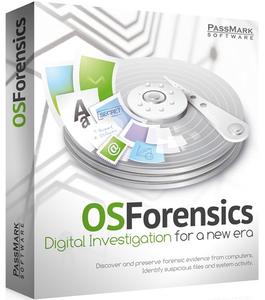
PassMark OSForensics Professional 7.0 Build 10016

006a41c0_medium.jpg

PassMark OSForensics Professional 7.0 Build 10016 | 128.6 Mb

OSForensics allows you to identify suspicious files and activity with hash matching, drive signature comparisons, e-mails, memory and binary data. It lets you extract forensic evidence from computers quickly with advanced file searching and indexing and enables this data to be managed effectively.​

Discover Forensic Evidence Faster:
Find files faster, search by filename, size and time
Index and Search within the file contents of Office, Acrobat documents, image files and more
Search through email archives from Outlook, ThunderBird, Mozilla and more
Recover and search deleted files
Uncover recent activity of website visits, s and logins
Collect detailed system information
Password recovery from web browsers, decryption of office documents
Discover and reveal hidden areas in your hard disk
Browse Volume Shadow copies to see past versions of files
Identify Suspicious Files and Activity:
Verify and match files with MD5, SHA-1 and SHA-256 hashes
Find misnamed files where the contents don't match their extension
Create and compare drive signatures to identify differences
Timeline viewer provides a visual representation of system activity over time
File viewer that can display streams, hex, text, images and meta data
Email viewer that can display messages directly from the archive
Registry viewer to allow easy access to Windows registry hive files
File system browser for explorer-like navigation of supported file systems on physical drives, volumes and images
Raw disk viewer to navigate and search through the raw disk bytes on physical drives, volumes and images
Web browser to browse and capture online content for offline evidence management
ThumbCache viewer to browse the Windows thumbnail cache database for evidence of images/files that may have once been in the system
SQLite database browser to view the and analyze the contents of SQLite database files
ESEDB viewer to view and analyze the contents of ESE DB (.edb) database files, a common storage format used by various Microsoft applications
Prefetch viewer to identify the time and frequency of applications that been running on the system, and thus recorded by the O/S's Prefetcher
Plist viewer to view the contents of Plist files commonly used by MacOS, OSX, and iOS to store settings
$UsnJrnl viewer to view the entries stored in the USN Journal which is used by NTFS to track changes to the volume
Manage Your Digital Investigation:
Case management enables you to aggregate and organize results and case items
HTML case reports provide a summary of all results and items you have associated with a case
Centralized management of storage devices for convenient access across all OSForensics' functionality
Drive imaging for creating/restoring an exact copy of a storage device
Rebuild RAID arrays from individual disk images
Install OSForensics on a USB flash drive for more portability
Maintain a secure log of the exact activities carried out during the course of the investigation
Professional and Bootable Editions:
The professional and bootable editions of OSForensics have many features not available in the free edition, including;
Import and export of hash sets
Customizable system information gathering
No limits on the amount of cases being managed through OSForensics
Restoration of multiple deleted files in one operation
List and search for alternate file streams
Sort image files by colour
Disk indexing and searching not restricted to a fixed number of files
No watermark on web captures
Multi-core acceleration for file decryption
Customizable System Information Gathering
View NTFS directory $I30 entries to identify potential hidden/deleted files
Ability to boot an image as a Virtual Machine from OSForensics.
Addition of System Resource Usage Monitor (SRUM) database scanning for User Activity collection
OCR (Optical character recognition) allows you to search for text within PDF files
New built in hash sets for: Keyloggers, VPN Software, Peer to Peer (P2P) software, Cryptocurrency
Support for importing Project VIC hash sets.
Windows Vista, Win 7, Win 8, Win 10, Server 2000, 2003, 2008, 2012
Minimum 1GB of RAM. (4GB+ recommended)
200MB of free disk space, or can be run from USB drive
-

DOWNLOAD
uploadgig
Код:
https://uploadgig.com/file/download/e190cad30801E7Cf/NmprRGcA_PassMark.OSForensics.Professional.7.0.Build.10016.rar

rapidgator
Код:
https://rapidgator.net/file/e4c74a577dbefd4c0f7492de0e8c0668/NmprRGcA_PassMark.OSForensics.Professional.7.0.Build.10016.rar

nitroflare
Код:
http://nitroflare.com/view/68CB6C89EBA4E52/NmprRGcA_PassMark.OSForensics.Professional.7.0.Build.10016.rar
 
DriverMax Pro 11.12.0.13 Multilingual

0057945b_medium.jpg

DriverMax Pro 11.12.0.13 Multilingual | 6.8 Mb

DriverMax is a new tool that allows you to the latest driver updates for your computer. No more searching for rare drivers on discs or on the web or inserting one installation CD after the other.
In computing, a device driver or software driver is a computer program allowing higher-level computer programs to interact with a hardware device.​

DriverMax is a new tool that allows you to the latest driver updates for your computer. No more searching for rare drivers on discs or on the web or inserting one installation CD after the other. Just create a free account, log in, and start ing the updates that you need. You can also export all your current drivers (or just the ones that work ok) to a folder or a compressed file. After reinstalling Windows you will have everything in one place! Most of the situations when Windows is running slower are caused by faulty driver installations. Windows stores all versions of older drivers just in case you want to go back; sometimes it messes up older versions with more recent ones. The Export Wizard will only export the drivers you select by copying the needed files to a folder or a compressed ZIP file.
Why update my system drivers?
In computing, a device driver or software driver is a computer program allowing higher-level computer programs to interact with a hardware device. A driver typically communicates with the device through the computer bus or communications subsystem to which the hardware connects.
index-question
What kind of drivers cand DriverMax update?
Windows XP system drivers, Motherboards, Network Adapters, Video Adapters, Digital Cameras / Camcorders, MP3 Players, USB Devices, Modems, Keyboard, Windows Vista system drivers, VOIP (Voice Over IP) Phones, CD and DVD Drives, Sound Cards, Printers, Scanners, Webcams, Hard Disks, Wireless Devices, Mouse from different manufacturers like 3Com, Adaptec, AMD, Atheros, BenQ, Brother, Cisnet, Conexant, CXT, D-Link, Genius, Hauppauge, Hp, Intel, Leadtek, Lexmark, Logitech, Maxtor, MPC, Nikon, NVidia, Olympus, Philips, RealTek, Saitek, Sapphire, Sharp, Sony Ericcson , Toshiba, Western Digital
question
DriverMax is able to display a full report of all installed drivers
This feature can be very useful when you want to analyze the differences between the driver versions installed on different machines or when talking to tech support. You can also export all your current drivers to a folder or a compressed file. When reinstalling Windows you will have all drivers in one place!
question
What device driver types can update?
Motherboard computer drivers are small programs that are read by Windows and allow basic computer functions while inside the operating system. These computer drivers normally include programs that enable broadband ports, USB ports and input / output ports for the mouse and keyboard. Depending on the manufacturer of the motherboard, these drivers may also include basic drivers for video and audio support. You can easily update these drivers using DriverMax, the free computer driver update tool. Give it a try and the latest driver update for any hardware device!
Hardware drivers are programs that are designed to allow pieces of computer hardware to function on a computer. Video cards, sound cards, network cards and other expansion cards come with driver discs to ease the installation process of the hardware. Other devices, like certain kinds of digital cameras and MP3 players, have PC drivers programmed into their software for easy use on most makes of personal computers. DriverMax lets you for free any driver update that you might need for your PC (video display adapter, graphics card, network adapter, sound controller, bluetooth, USB, camera, keyboard, mouse, hard driver, etc).
Windows 10/8.1/8/7/Vista/XP, Windows Server all editions.
-

DOWNLOAD
uploadgig
Код:
https://uploadgig.com/file/download/d1998205cb381577/AUVPc0jo_DriverMax.Pro.11.12.0.13.rar

rapidgator
Код:
https://rapidgator.net/file/95ee3799281a9510584f97cbe151c34d/AUVPc0jo_DriverMax.Pro.11.12.0.13.rar

nitroflare
Код:
http://nitroflare.com/view/8328148C2050064/AUVPc0jo_DriverMax.Pro.11.12.0.13.rar
 
Luminar 3.1.3.3920

0062c5e8_medium.jpg

Luminar 3.1.3.3920 (x64) Multilingual | 352.2 Mb

Luminar is a full-featured photo editor. It brings over 300 robust tools and features, including fast RAW support, layers, custom brush for selective editing, masking, dozens of photo filters with custom adjustments, presets and a lot more.​

Luminar also brings an innovative user interface, that photographers can adjust/customize based on the style of their photography, skill level and preferences. This makes Luminar a highly personalized photo software tool, suitable for photographers of all skill levels.
Luminar is the world's first photo editor that adapts to your style & skill level. It offers the versatility to support many different cameras available as well as styles of photography. It's designed to make complex photo editing easy & enjoyable. Luminar can help tackle anyone's photography needs, ranging from correcting challenging image problems to artful stylizing.
Skylum designed Luminar with a scalable, adaptive user interface. one that's responsive and beautiful. In it you'll find a powerful set of tools which are easy to use. We believe it can help all photographers from professionals to new photographers.
New photographers and mobile shooters will appreciate a simple approach using one-click presets and universal tools like cropping, noise reduction and image healing.
Casual photographers may start with those same presets, but will soon to using Luminar's uniquely tailored tools which achieve great results quickly.
For passionate enthusiasts and professionals, the full gamut of editing tools such as brushes, layers, blending modes, texture overlays, an editing history menu and much more herald a new generation of advanced photo editing possibilities.
Skylum is one of the world's leading developers of consumer and professional photography software, serving over 35 million customers worldwide. Using experience gained over more than 10 years of delivering mobile and desktop software, Luminar is truly a state-of-the-art tool for any photographer seeking to improve their photos.
- Windows-based hardware PC with mouse or similar input device
- Open GL 3.3 or later compatible Graphics Cards
- Processor Intel Core i5 or better
- Memory 8 Gb RAM or more
- Operating System Windows 7 (only 64-bit OS), Windows 8.1 (only 64-bit OS), Windows 10 (only 64-bit OS)
- Hard disk 10 Gb free space, SSD for best performance
- Display 1280x768 size or better
-

DOWNLOAD
uploadgig
Код:
https://uploadgig.com/file/download/968f5712c9CC56cD/E8dAWcbL_Luminar3.1.3.3920.rar

rapidgator
Код:
https://rapidgator.net/file/0bf7e7ed9bbf4425c63413a9c3b19c5c/E8dAWcbL_Luminar3.1.3.3920.rar

nitroflare
Код:
http://nitroflare.com/view/06B90BCFFDA2A69/E8dAWcbL_Luminar3.1.3.3920.rar
 
ManageEngine OpManager Enterprise 12.4.068 Multilingual

006a9de0_medium.jpg

ManageEngine OpManager Enterprise 12.4.068 (x86/x64) Multilingual | 149/201.2 Mb

ManageEngine OpManager, the trusted network monitoring software. Businesses rely on networks for all operations. Hence, network monitoring is very crucial for any business. Today, networks span globally, having multiple links established between geographically separated data centers, public and private clouds.​

This creates multifold challenges in network management. Network admins need to be more proactive and agile in monitoring network performance. However, this is easier said than done.
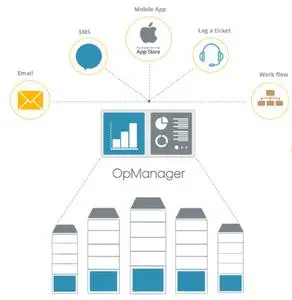
Introducing ManageEngine OpManager, an easy-to-use, and affordable network monitoring solution. It monitors network devices such as routers, switches, firewalls, load balancers, wireless LAN controllers, servers, VMs, printers, storage devices, and everything that has an IP and is connected to the network. OpManager continuously monitors the network and provides an in-depth visibility and control over it. In case of a fault, you can easily drill down to the root cause and eliminate it before operations are affected.
Real-time network monitoring
With over 2000 built-in network performance monitors, monitor health and critical metrics such as packet loss, latency, speed, errors and discards, and analyze performance bottlenecks.
Physical and virtual server monitoring
Monitor CPU, memory, and disk utilization of Windows and Linux servers. Also monitor the performance of Host and VMs of VMware, Hyper-V and Xen virtualization platforms.
Multi-level thresholds
Proactively monitor network performance with multi-level thresholds. For every critical performance monitor, set multiple thresholds and get instant alerts for violation.
Customizable dashboards
Assess default dashboards or create your own dashboards by making use of over 200 performance widgets available and view performance of your network at-a-glance.
WAN Link monitoring
Monitor key metrics such as latency, jitter, RTT, and packet loss to eliminate network issues. View hop-by-hop performance to find what's causing latency and fix it quickly.
Affordable and easy to set up
ManageEngine OpManager requires no costly consultation or training for installation and user education. It's the only network monitor tool to offer a transparent device-based pricing model.
Evaluation: Windows 10/8/7 (or) Windows Server 2019/ 2016/ 2012 R2/ 2012/ 2008
Production: Windows Server 2019/ 2016/ 2012 R2/ 2012/ 2008
-

DOWNLOAD
uploadgig
Код:
https://uploadgig.com/file/download/c8BDc8Eb0e08c3cb/YsZz4gdx_ManageEngine.OpManager.Enterprise.12.4.068.rar
https://uploadgig.com/file/download/1fFC757cc1fbcf6e/YsZz4gdx_ManageEngine.OpManager.Enterprise.12.4.068_x64.rar

rapidgator
Код:
https://rapidgator.net/file/3268bc06658563a54ff9f929ceff10ce/YsZz4gdx_ManageEngine.OpManager.Enterprise.12.4.068.rar
https://rapidgator.net/file/7977f93bd4a8b298e34d015725e341d4/YsZz4gdx_ManageEngine.OpManager.Enterprise.12.4.068_x64.rar

nitroflare
Код:
http://nitroflare.com/view/E0118A4D9FC7F0E/YsZz4gdx_ManageEngine.OpManager.Enterprise.12.4.068.rar
http://nitroflare.com/view/4C3583D30153B21/YsZz4gdx_ManageEngine.OpManager.Enterprise.12.4.068_x64.rar
 
Luminar 3.1.3.3920 Multilingual Portable

006ac179_medium.jpg

Luminar 3.1.3.3920 (x64) Multilingual Portable | 241.6 Mb

Luminar 3 is a full-featured photo editor for Mac and PC. It brings over 300 robust tools and features, including fast RAW support, layers, custom brush for selective editing, masking, dozens of photo filters with custom adjustments, Luminar Looks and much more.​

Luminar features advanced controls that are easy to use. Intelligent filters like Accent AI make it easy to get a great looking image in seconds. With Luminar's Library your photos will be the center of attention. A beautiful Interface offers a sleek canvas to enjoy all your images without extra distractions.
The Best Lightroom Alternative
You want your photos to look their best. Luminar brings the power and inspiration to help you achieve that with much more..
Enjoy your photos on a new scale
Luminar makes your photos the center of attention. a Beautiful interface offers a sleek canvas to enjoy and enhance your photography without extra distractions.
Do more with a click
Choose from over 60 styles, handcrafted by professional photographers.
Professional tools always within your reach
Luminar elevates photo editing to a whole new level of power and performance. Get the tools you need to make beautiful images without extra efforts.
Luminar 3 provides both pro photographers and casual shooters a way to organize their images inside of Luminar itself. Libraries, which load with lightning speed, allow Luminar users to manage their database of photos efficiently, find specific images faster than before, or simply view their photos easier. It lets users color label, tag, and rate their shots, and automatically organizes those shots by date, month, and year.
Here is a list of some of the new features and improvements in Luminar 3.
NEW: A fully non-destructive workflow for editing your photos
NEW: Luminar Library Panel for viewing and editing multiple photos
NEW: Single Image View, Gallery View, and Filmstrip View
NEW: Quickly sync adjustments between multiple images
NEW: Rate Images with stars & mark them with color labels
NEW: Flag Images as Favorites or Rejected
NEW: Referenced folders always stay in sync
NEW: Filtering and sorting on some criteria
NEW: Smart Shortcuts for automatically organizing your photos
NEW: Luminar Photos Trash to clean up media and drives
NEW: Quick Edits for editing single images
NEW: All New Luminar Looks with AI
IMPROVED: Info Panel
IMPROVED: Custom Color Profiles (Windows)
IMPROVED: Speed improvements
IMPROVED: Export performance (Windows)
IMPROVED: Filter Controls (Windows)
IMPROVED: Plug-in performance (Windows)
IMPROVED: Help menu and Support area
Luminar 3.1.0: Accent AI 2.0 + More Usability & Stability:
Luminar 3.1 adds Accent AI 2.0 plus stability improvements and ease of use improvements.
Accent AI 2.0. Reimagined.
The improved Accent AI filter lets you get natural-looking results in less time. New "human-aware" technology recognizes people in your photos and applies adjustments selectively for more realistic images. With Accent AI 2.0, you can make dozens of adjustments (done quickly) with just one slider. Fix tone, detail, exposure, depth, color, and more thanks to behind-the-scenes AI. In less than a second, your photos can look their absolute best. Make Accent AI 2.0 your go-to filter. (Tip: It can even replace the Develop step for most photographers!) For beautiful photos, rely on Accent AI 2.0 as your starting point.
Follow your style.
Whether you're working with the Library to organize your images or using the QuickEdit command, it's now even easier to get the results you want. Take advantage of image-aware filters and professionally designed Luminar Looks to unlock the best image possible. Once you've created the perfect style, apply it to all shots in your series with the improved Adjustment Sync. You can now select multiple photos and apply the same adjustments in just one click. Filters and Looks are transferred in just one click, while image-specific changes like cloning and cropping are ignored.
RAW shooters can stay organized.
If you capture RAW and JPEG at the same time, it's even easier to stay organized in Luminar 3. When you import RAW and JPEG pairs, you can decide which files to see. View just RAW or just JPEG for a less cluttered library, or see both and use the JPEG file as a reference while you edit. Edits to JPEG and RAW files are independent but can be easily synced. Use the View menu to control which images are shown for a clutter-free library.
Better Sorting.
Using the Gallery view to get organized or search for that perfect image? Now when you sort using a method like File Type or Color Label, a second organization is also applied. When you sort your images they are sorted by the new category first and then automatically sorted by date.
Trust your editing to Luminar.
Thanks to our users for reporting different issues. This version of Luminar offers general stability improvements. We've made hundreds of under-the-hood performance improvements based on user feedback. Windows users, in particular, will see tons of new features that bring Luminar for Mac and Windows into close alignment. Improved stability and performance along with robust catalog backups help keep your images and edits safe.
IMPORT IMAGES.
You can now import images from a memory card or hard drive and copy them to a folder. You can also choose to include subfolders when importing
SMUGMUG SHARING.
The ability to post images to SmugMug has now been added to Luminar for Windows.
SHORTCUTS.
Folders and user albums can be added to the Shortcuts list. Just right-click for a context menu or drag & drop them into the list.
IMPROVED SELECTIONS.
Want to choose a range of photos in the Gallery view? Try the Shift or Ctrl key to select a range or group of images. You can also deselect images from a multiselection by Ctrl+clicking on an image.
ROTATE IN GALLERY.
Images selected in the gallery can be quickly rotated left or right by 90 ̊increments with no need to switch to edit view. Just use the Image > Rotate menu or just right-click.
PHOTOSHOP ELEMENTS SUPPORT.
We've added Photoshop Elements support to the Windows platform. Just choose the Install Plugins command if you want to load Luminar as a plugin. For future versions of Luminar, plugin users should switch to Luminar Flex.
Windows-based hardware PC with mouse or similar input device
Open GL 3.3 or later compatible Graphics Cards
Processor Intel Core i5 or better
Memory 8 Gb RAM or more
Operating System Windows 7 (only 64-bit OS), Windows 8.1 (only 64-bit OS), Windows 10 (only 64-bit OS)
Hard disk 10 Gb free space, SSD for best performance
Display 1280x768 size or better
-

DOWNLOAD
uploadgig
Код:
https://uploadgig.com/file/download/aF157143E57544f8/J4Vfmzjs_Luminar.3.1.3.3920.Portable.rar

rapidgator
Код:
https://rapidgator.net/file/a66dd3459314835d63f0736ec19ece43/J4Vfmzjs_Luminar.3.1.3.3920.Portable.rar

nitroflare
Код:
http://nitroflare.com/view/385609F4DB88BBE/J4Vfmzjs_Luminar.3.1.3.3920.Portable.rar
 
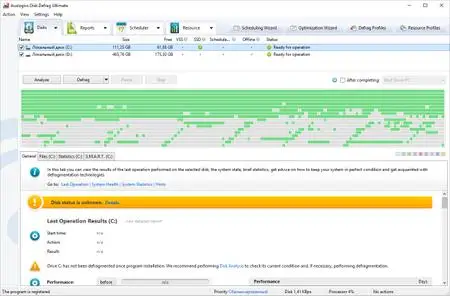
Auslogics Disk Defrag Ultimate 4.11.01 Multilingual

0069debd_medium.jpg

Auslogics Disk Defrag Ultimate 4.11.01 Multilingual | 11.6 Mb

Get your drives optimized for top speed and maximum efficiency with this powerful program's smart algorithms and boot-time defrag technology.

The problem: You may be experiencing longer application startup times or a general slowdown and believe disk fragmentation may be behind it.​

Get your drives optimized for top speed and maximum efficiency with this powerful program's smart algorithms and boot-time defrag technology.
What does Disk Defrag Ultimate do?
The problem: You may be experiencing longer application startup times or a general slowdown and believe disk fragmentation may be behind it. You want more than just a simple defrag to ensure your drives' optimal performance.
The solution: Disk Defrag Ultimate lets you defrag files that are inaccessible during system operation, as well as optimize file placement on your hard drive to ensure faster access and most efficient operation. The multiple scheduling options let you easily maintain consistently high HDD speed.
Windows XP, Vista, 7, 8.1, 10, Server 2008, 2012, 2016
-

DOWNLOAD
uploadgig
Код:
https://uploadgig.com/file/download/78b06D7E931038f1/epVt0SwG_Auslogics.Disk.Defrag.Ultimate.4.11.0.1.rar

rapidgator
Код:
https://rapidgator.net/file/dc3fea1475cdc387343b81101062d732/epVt0SwG_Auslogics.Disk.Defrag.Ultimate.4.11.0.1.rar

nitroflare
Код:
http://nitroflare.com/view/34912E0C23B038F/epVt0SwG_Auslogics.Disk.Defrag.Ultimate.4.11.0.1.rar
 
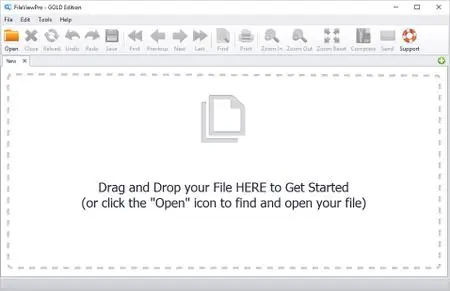
FileViewPro Gold Edition 1.9.8.19 Multilingual

006ac1a0_medium.jpg

FileViewPro Gold Edition 1.9.8.19 Multilingual | 60.1 Mb

FileViewPro is an easy-to-use solution that allows you to open hundreds of different file types with ONE program. Open any document, watch any video, listen to any song, view any photo or open any other file type that you desire.​

Watch Any Video, Any Format
.avi, .flv, .3gp, and many more
Listen To Any Audio File
.m4a, .flac, .wmv, and many more
View Your Photos & Images
.jpg, .bmp, .tif, and many more
Simple Drag & Drop Interface
Simply drag your file into FileViewPro to open instantly
Print Any Document
Need a printed copy? No problem!
Easily Share Your File
Email your file to anyone in a few clicks
Compress Your Files
Create ZIP files to save hard drive space
Instant Word Search
Quickly find any words or phrases in your file
Complete File Information
See all file details - size, date, file type, path
Windows XP, Vista, 7, 8/8.1, 10
-

DOWNLOAD
uploadgig
Код:
https://uploadgig.com/file/download/689B35c978e6E05f/McMveWAg_FileViewPro.Gold.Edition.1.9.8.19.rar

rapidgator
Код:
https://rapidgator.net/file/35694c8667ce7515eb8001543bc43dc2/McMveWAg_FileViewPro.Gold.Edition.1.9.8.19.rar

nitroflare
Код:
http://nitroflare.com/view/C2A8F04FD29825E/McMveWAg_FileViewPro.Gold.Edition.1.9.8.19.rar
 
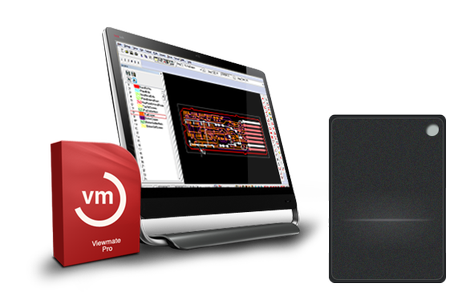
PentaLogix ViewMate Pro 11.16.16

003cc359_medium.png

PentaLogix ViewMate Pro 11.16.16 | 48.3 Mb

ViewMate Pro is designed for today's power user.
- DXF File Converter
​

ViewMate Pro is designed for today's power user. Now equipped with a DXF File Converter to give users the ability to convert Gerber to DXF and DXF to Gerber, ViewMate Pro has more value than ever before!
- Smart DFM automated design for manufacturing check and correct
- DXF File Converter
- Import multiple net-list formats
- Venting & Thieving
- Filleting
- Fill Polygons
- Solder-mask Generation
- Overlap Correction
- Draw to Flash Pad Conversion
- Easily Quote and Order circuits boards within your design
- Copper area calculation
- Solder-mask generation
- Copper pouring
- Silkscreen clipping
- Automated Venting & thieving
- Board Cleanup Functions
- One year of free technical support
- And, much more!
Microsoft Windows 10, 8/8.1, 7
-

DOWNLOAD
uploadgig
Код:
https://uploadgig.com/file/download/78bf977696deE2cd/8Uh2d6ss_PentaLogix.ViewMate.Pro.v11.16.16AMPED.rar

rapidgator
Код:
https://rapidgator.net/file/61d2de49794cbf959effce40ba49f589/8Uh2d6ss_PentaLogix.ViewMate.Pro.v11.16.16AMPED.rar

nitroflare
Код:
http://nitroflare.com/view/31A433E7A2578C2/8Uh2d6ss_PentaLogix.ViewMate.Pro.v11.16.16AMPED.rar
 
Toolchefs Atoms Crowd 3.0.1 for Houdini/Katana/Maya (Win/Lnx)

004bd080_medium.jpg

Toolchefs Atoms Crowd 3.0.1 for Houdini/Katana/Maya (Win/Lnx) | 1.05 GB (Total)

Atoms Crowd makes crowd animation available to anyone. You don't need any particular skill set to layout your crowd shots and simulate them. You don't believe it, do you? Wait and see!

There's no difference between two, four, eight, twelve legs! Atoms will simulate any kind of skeleton!
​

Atoms Crowd makes crowd animation available to anyone. You don't need any particular skill set to layout your crowd shots and simulate them. You don't believe it, do you? Wait and see!
Atoms Crowd supports characters with any number of legs!
There's no difference between two, four, eight, twelve legs! Atoms will simulate any kind of skeleton!
Full control on every single entity in the simulation!
Different users can take advantage of their skill sets.
Do you like playing with nodes?
Do you script with Python?
Can you write C++ plug-ins?
If the answer is yes, you can unlock a whole new world within Atoms Crowd.
Atoms Crowd supports multiple softwares and each integration shares the same workflow!
You can lookdev and prepare your agents in Maya, simulate in Houdini and come back to Maya for rendering. Or do the opposite. Or use only one software. It's up to you really!
- Microsoft Windows
-Linux
Video Card supported
- Any NVidia video card. You might get the following error depending on your drivers. In case you do, please set the ATOMS_GLSL_DISABLE_LIGHTS environment variable (defined in your Maya module) to 1.
0(490) : error C5208: Sampler needs to be a uniform (global or parameter to main), need to inline function or resolve conditional expression
- AMD video cards will only show agents in skeleton and proxy mode.
3D Packages supported
- Maya 2015 (windows only), 2016, 2016.5, 2017 (64 bit)
- Houdini 15, 16
Rendering engines
- Arnold 4.x
- Renderman 20.x, 21.x
- V-Ray 3.5x, 3.6x
-

DOWNLOAD
uploadgig
Код:
https://uploadgig.com/file/download/fF4425da15cfeDc5/OTFeCaMu_Toolchefs.Atoms.Crowd.v3.0.1.for.Houdini.16.5.496.LINUXAMPED.rar
https://uploadgig.com/file/download/f643aAd8E8a450e6/OTFeCaMu_Toolchefs.Atoms.Crowd.v3.0.1.for.Houdini.16.5.536.LINUXAMPED.rar
https://uploadgig.com/file/download/516B202dB359982f/OTFeCaMu_Toolchefs.Atoms.Crowd.v3.0.1.for.Houdini.17.5.173.LINUXAMPED.rar
https://uploadgig.com/file/download/91Db22Bd85cb6889/OTFeCaMu_Toolchefs.Atoms.Crowd.v3.0.1.for.Houdini.17.5.229.LINUXAMPED.rar
https://uploadgig.com/file/download/7881e9a7d22F43D4/OTFeCaMu_Toolchefs.Atoms.Crowd.v3.0.1.for.Houdini.17.5.258.LINUXAMPED.rar
https://uploadgig.com/file/download/761b7D13Fff16377/OTFeCaMu_Toolchefs.Atoms.Crowd.v3.0.1.for.Houdini.17.5.327.LINUXAMPED.rar
https://uploadgig.com/file/download/9C19b880d2259b45/OTFeCaMu_Toolchefs.Atoms.Crowd.v3.0.1.for.Houdini.17.5.327AMPED.rar
https://uploadgig.com/file/download/d0b85e8aA5bb739b/OTFeCaMu_Toolchefs.Atoms.Crowd.v3.0.1.for.KatanaAMPED.rar
https://uploadgig.com/file/download/afac969474c663B5/OTFeCaMu_Toolchefs.Atoms.Crowd.v3.0.1.for.Maya.LINUXAMPED.rar
https://uploadgig.com/file/download/84fd66EAA7116cAc/OTFeCaMu_Toolchefs.Atoms.Crowd.v3.0.1.for.MayaAMPED.rar

rapidgator
Код:
https://rapidgator.net/file/8ca104baf50228aba4766eb73156ed86/OTFeCaMu_Toolchefs.Atoms.Crowd.v3.0.1.for.Houdini.16.5.496.LINUXAMPED.rar
https://rapidgator.net/file/9db54cbaf81fc8675a1006fd723fec02/OTFeCaMu_Toolchefs.Atoms.Crowd.v3.0.1.for.Houdini.16.5.536.LINUXAMPED.rar
https://rapidgator.net/file/4d3a6d79f0847c3b96bf93a504bd2ad4/OTFeCaMu_Toolchefs.Atoms.Crowd.v3.0.1.for.Houdini.17.5.173.LINUXAMPED.rar
https://rapidgator.net/file/3a5665eb4ff9093f0aee79f5fd6c5d73/OTFeCaMu_Toolchefs.Atoms.Crowd.v3.0.1.for.Houdini.17.5.229.LINUXAMPED.rar
https://rapidgator.net/file/48b3e8fab734ba5e48e945c2e969afb4/OTFeCaMu_Toolchefs.Atoms.Crowd.v3.0.1.for.Houdini.17.5.258.LINUXAMPED.rar
https://rapidgator.net/file/a197fd14e6d6a51abf805853e4ff8082/OTFeCaMu_Toolchefs.Atoms.Crowd.v3.0.1.for.Houdini.17.5.327.LINUXAMPED.rar
https://rapidgator.net/file/e3e2cf789dbc3673b83e81c470cbc1ee/OTFeCaMu_Toolchefs.Atoms.Crowd.v3.0.1.for.Houdini.17.5.327AMPED.rar
https://rapidgator.net/file/2dd7d1aae65dbc05e4b8b87a0d91d3ee/OTFeCaMu_Toolchefs.Atoms.Crowd.v3.0.1.for.KatanaAMPED.rar
https://rapidgator.net/file/73a71f29361d3877163478dfbd7f746c/OTFeCaMu_Toolchefs.Atoms.Crowd.v3.0.1.for.Maya.LINUXAMPED.rar
https://rapidgator.net/file/3df8853f12dafde1bc23980d849c4633/OTFeCaMu_Toolchefs.Atoms.Crowd.v3.0.1.for.MayaAMPED.rar

nitroflare
Код:
http://nitroflare.com/view/2A93374A4B71E6E/OTFeCaMu_Toolchefs.Atoms.Crowd.v3.0.1.for.Houdini.16.5.496.LINUXAMPED.rar
http://nitroflare.com/view/3B4CA6E8C537EE6/OTFeCaMu_Toolchefs.Atoms.Crowd.v3.0.1.for.Houdini.16.5.536.LINUXAMPED.rar
http://nitroflare.com/view/F6DADA5D2F6FA3B/OTFeCaMu_Toolchefs.Atoms.Crowd.v3.0.1.for.Houdini.17.5.173.LINUXAMPED.rar
http://nitroflare.com/view/52D6DA724F96428/OTFeCaMu_Toolchefs.Atoms.Crowd.v3.0.1.for.Houdini.17.5.229.LINUXAMPED.rar
http://nitroflare.com/view/153EA14908AD661/OTFeCaMu_Toolchefs.Atoms.Crowd.v3.0.1.for.Houdini.17.5.258.LINUXAMPED.rar
http://nitroflare.com/view/57D65849084209B/OTFeCaMu_Toolchefs.Atoms.Crowd.v3.0.1.for.Houdini.17.5.327.LINUXAMPED.rar
http://nitroflare.com/view/5DAB5CA949FBF05/OTFeCaMu_Toolchefs.Atoms.Crowd.v3.0.1.for.Houdini.17.5.327AMPED.rar
http://nitroflare.com/view/38C69BFAFEC6637/OTFeCaMu_Toolchefs.Atoms.Crowd.v3.0.1.for.KatanaAMPED.rar
http://nitroflare.com/view/F42FD33CC1B4468/OTFeCaMu_Toolchefs.Atoms.Crowd.v3.0.1.for.Maya.LINUXAMPED.rar
http://nitroflare.com/view/E51890A986E1C54/OTFeCaMu_Toolchefs.Atoms.Crowd.v3.0.1.for.MayaAMPED.rar
 
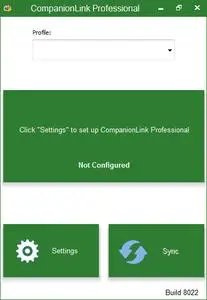
CompanionLink Professional 8.0.8042 Multilingual

005d2e1c_medium.jpg

CompanionLink Professional 8.0.8042 Multilingual | 28.1 Mb

Android Sync, iPhone Sync, Google Sync, Outlook Sync for PC and Mac. Contacts, Calendar, Tasks, Notes, Two-way or One-way. Categories. Guaranteed. CompanionLink will synchronize your PC data to your Phone and Tablet.​

We specialize in Contact, Calendar, Task and Memo sync.
Use CompanionLink if you need:
- Special Folder support in Outlook
- Colored Categories on your Phone Calendar
- PC-Side sync for Corporate Data (Act! IBM Notes, Groupwise)
- Special Security Needs (HIPAA, Blackphone)
- US Based Telephone Tech Support
Outlook Android Sync
Android Sync via USB, Wi-Fi, DejaCloud from PC or Mac for standalone Outlook, Exchange and Office 365
Outlook iPhone Sync
iPhone and iPad Sync via USB, Wi-Fi, DejaCloud from PC or Mac for Outlook, Exchange and Office 365
Google Calendar Sync
Sync Google Calendar, Contacts and Tasks with Outlook, Act!, IBM Notes, Palm Desktops
Outlook for Mac Sync
Outlook for Mac 2011, Outlook for Mac 2015 - Sync to Google, iPhone and Android
Act! Sync
Sync Sage Act! and Symantec ACT! - Activities, Contacts, History
Time & Chaos Sync
USB, Wi-Fi, DejaCloud Sync
Business Contact Manager
Accounts, Tasks, Projects
IBM Notes Sync
Standalone Lotus Notes Sync
Novell Groupwise Sync
Standalone Groupwise Sync
Palm Desktop Sync
USB, Wi-Fi, DejaCloud Sync from PC
BlackBerry
BB10, Original, BB Android
Windows Phone 7, 8 Sync
Sync to Lumia Phones
Windows 10 Mobile Sync
Sync to W10 Mobile Phones
Phone Companion that Works
Windows 10 integration with Microsoft Outlook fields that no one else handles. Task priorities, birthdays, "File-As" field, sort options, and category colors that match Outlook.
USB, WiFi, Cloud sync
You choose how to sync data. Get unparalleled data security with USB. Cloud automates sync across all your devices. WiFi uses your home/office network when you are in range.
Windows Vista (32-bit and 64-bit)
Windows 7 (32-bit and 64-bit)
Windows 8/8.1 (32-bit and 64-bit)
Windows 10 (32-bit and 64-bit)
-

DOWNLOAD
uploadgig
Код:
https://uploadgig.com/file/download/3C231Dca515dcD32/sEoeyyOW_CompanionLink.Professional.8.0.8042.rar

rapidgator
Код:
https://rapidgator.net/file/93873bf210068cf245ab481ce673579d/sEoeyyOW_CompanionLink.Professional.8.0.8042.rar

nitroflare
Код:
http://nitroflare.com/view/E40EDDBA424F87A/sEoeyyOW_CompanionLink.Professional.8.0.8042.rar
 
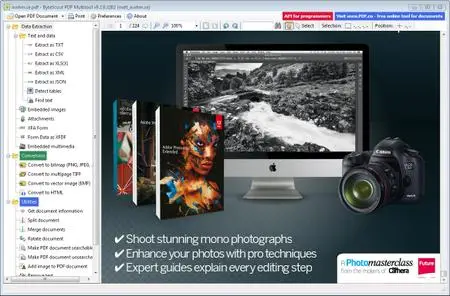
ByteScout PDF Multitool 10.4.0.3611 Business + Portable

005de1aa_medium.jpg

ByteScout PDF Multitool 10.4.0.3611 Business + Portable | 85/115.1 Mb

ByteScout PDF Multitool is an easy to use and powerful conversion suite created to help users save their PDF files to other common formats, such as TXT, CSV, HTML and even images.​

Features of ByteScout PDF Multitool for Businesses:
PDF transformation and conversion of its scanned images into text searchable PDF files;
Reading of text on scanned files (English, German, Spanish, French and more are supported) with features of HTML PDF Viewer afterward;
PDF to CSV conversion, PDF to XML and XLS, PDF to XLSX and PDF To HTML conversions;
Ability to automatically find tables within a PDF document;
Extra options to Split, Merge, Extract pages from PDF;
Performing of regular expressions search within a PDF document;
Extract attached files and inside data from PDF, XFA and XFDF;
Convert PDF to TIFF, PDF to PNG, PDF to BMP, PDF to HTML;
Print PDF documents;
Windows XP, Vista, 7, 8/8.1, 10
-

DOWNLOAD
uploadgig
Код:
https://uploadgig.com/file/download/6b46Db70c3392e6e/f6Oco6IU_ByteScout.PDF.Multitool.10.4.0.3611.Business.Portable.rar
https://uploadgig.com/file/download/779b6b12c2f6c416/f6Oco6IU_ByteScout.PDF.Multitool.10.4.0.3611.Business.rar

rapidgator
Код:
https://rapidgator.net/file/1108c9c0d9bcfd7373b75c77f28a4fe3/f6Oco6IU_ByteScout.PDF.Multitool.10.4.0.3611.Business.Portable.rar
https://rapidgator.net/file/9901f52d6893823a6478131499da2d2e/f6Oco6IU_ByteScout.PDF.Multitool.10.4.0.3611.Business.rar

nitroflare
Код:
http://nitroflare.com/view/2DDC6E24508F738/f6Oco6IU_ByteScout.PDF.Multitool.10.4.0.3611.Business.Portable.rar
http://nitroflare.com/view/735F2B0CEAFB8E3/f6Oco6IU_ByteScout.PDF.Multitool.10.4.0.3611.Business.rar
 
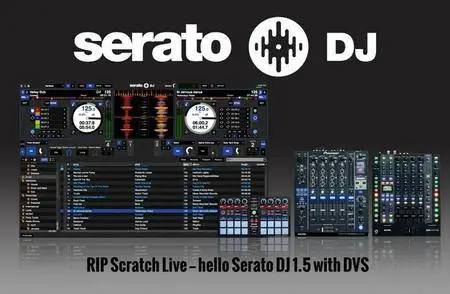
Serato DJ Pro 2.2.2 Build 3

003f91c7_medium.jpg

Serato DJ Pro 2.2.2 Build 3 (x64) Multilingual | 407.7 MB

Serato DJ has a brand new look and a greatly improved software layout, optimized for simplicity and a great experience. The new interface also offers two and four deck view modes for four deck controllers, alongside improvements to the cue point and looping controls, which now allow you to display either 8 cues, 8 loops or a combination of both depending on how you perform.​

New Key analysis features and display
We have added Serato key features and changed the workflow of the track analysis process. Get an accurate key reading for each track in your library without having to re-analyse BPM and beatgrids. Choose from 4 different key display options with optional color coding for easy harmonic mixing and library organization. Key information is written to your tracks ID3 tags and can be used in a number of other applications.
Key Shifting/PnT 2.0 updates
Make any mix harmonic with new Pitch 'n Time DJ key shifting and syncing features. Change the key of your tracks by +/- 12 semitones without affecting the tempo. Click key sync to match the keys of any tracks in your library and check the compatibility of your blends with the new key display area. These updates are part of the Pitch 'n Time DJ expansion pack, free for existing Pitch 'n Time DJ users. Speed up or slow down your track to extreme tempo values while maintaining its key perfectly, with the highest quality and definition of any available software.
Remap your primary hardware
The latest version of Serato DJ allows you to remap the buttons and knobs on your primary MIDI device. Change the MIDI mapping of your hardware to gain access to new features or customize your controller to suit your workflow.
Pioneer DJ DJM-S9
Announcing support for the all new Pioneer DJ DJM-S9 battle mixer. Plug-and-play support provided with two soundcards, for easy B2B sets and DJ changeover. The DJM-S9 is a Serato DJ and DVS Enabled device. Building on the legacy of Pioneer's classic DJM-909 mixer, the DJM‑S9 takes things a step further. Offering new hardware developments as well as tightly developed integration with Serato DJ. Large performance pads and customizable FX controls give DJs access to take control of their music.
Club Kit License Bundle & Hardware
The Serato DJ Club Kit is a license bundle containing Serato DJ and the DVS Expansion Pack. This is available with Serato DJ 1.7.4 to coincide with support for the Rane MP2015, Pioneer DJM-850, DJM-900NXS and the Allen & Heath Xone:43C, Xone:DB2 & Xone:DB4.
International Language Support
Serato DJ supports 7 languages including: English, German, French, Spanish, Simplified Chinese, Japanese and Portuguese. All the core features of the software have been translated along with the setup screen and the My Serato window.
- Windows 10, 8.1 (32-bit and 64-bit).
- Windows 7 (32-bit and 64-bit).
-

DOWNLOAD
uploadgig
Код:
https://uploadgig.com/file/download/5bE7eaCf3aa2Cf86/euZ6EfAC_SeratoDJPro2.2.2Build3.rar

rapidgator
Код:
https://rapidgator.net/file/a8c8b1c7ef20a61508c7a65ad7cfa1b0/euZ6EfAC_SeratoDJPro2.2.2Build3.rar

nitroflare
Код:
http://nitroflare.com/view/2D504C203AEC061/euZ6EfAC_SeratoDJPro2.2.2Build3.rar
 
PassMark OSForensics Professional 7.0.10016 (x86/x64) Portable

00212107_medium.jpeg

PassMark OSForensics Professional 7.0.10016 (x86/x64) Portable | 100 Mb

OSForensics allows you to identify suspicious files and activity with hash matching, drive signature comparisons, e-mails, memory and binary data. It lets you extract forensic evidence from computers quickly with advanced file searching and indexing and enables this data to be managed effectively.​

- Ability to boot an image as a Virtual Machine from OSForensics.
- Addition of System Resource Usage Monitor (SRUM) database scanning for User Activity collection
- OCR (Optical character recognition) allows you to search for text within PDF files
- New built in hash sets for: Keyloggers, VPN Software, Peer to Peer (P2P) software, Cryptocurrency
- Support for importing Project VIC hash sets
- Discover Forensic Evidence Faster
- Find files faster, search by filename, size and time
- Index and Search within the file contents of Office, Acrobat documents, image files and more
- Search through email archives from Outlook, ThunderBird, Mozilla and more
- Recover and search deleted files
- Uncover recent activity of website visits, s and logins
- Collect detailed system information
- Password recovery from web browsers, decryption of office documents
- Discover and reveal hidden areas in your hard disk
- Browse Volume Shadow copies to see past versions of files
- Verify and match files with MD5, SHA-1 and SHA-256 hashes
- Find misnamed files where the contents don't match their extension
- Create and compare drive signatures to identify differences
- Timeline viewer provides a visual representation of system activity over time
- File viewer that can display streams, hex, text, images and meta data
- Email viewer that can display messages directly from the archive
- Registry viewer to allow easy access to Windows registry hive files
- File system browser for explorer-like navigation of supported file systems on physical drives, volumes and images
- Raw disk viewer to navigate and search through the raw disk bytes on physical drives, volumes and images
- Web browser to browse and capture online content for offline evidence management
- ThumbCache viewer to browse the Windows thumbnail cache database for evidence of images/files that may have once been in the system
- SQLite database browser to view the and analyze the contents of SQLite database files
- ESEDB viewer to view and analyze the contents of ESE DB (.edb) database files, a common storage format used by various Microsoft applications
- Prefetch viewer to identify the time and frequency of applications that been running on the system, and thus recorded by the O/S's Prefetcher
- Plist viewer to view the contents of Plist files commonly used by MacOS, OSX, and iOS to store settings
- $UsnJrnl viewer to view the entries stored in the USN Journal which is used by NTFS to track changes to the volume
- Case management enables you to aggregate and organize results and case items
- HTML case reports provide a summary of all results and items you have associated with a case
- Centralized management of storage devices for convenient access across all OSForensics' functionality
- Drive imaging for creating/restoring an exact copy of a storage device
- Rebuild RAID arrays from individual disk images
- Install OSForensics on a USB flash drive for more portability
- Maintain a secure log of the exact activities carried out during the course of the investigation
-

DOWNLOAD
uploadgig
Код:
https://uploadgig.com/file/download/333993795818C7c9/Q6LfRruw_PassMark_OSForensics_Professional_7.0.10016_Portable_avxhome.in.7z

rapidgator
Код:
https://rapidgator.net/file/fa0b72259d5587baf986f5502b805cf9/Q6LfRruw_PassMark_OSForensics_Professional_7.0.10016_Portable_avxhome.in.7z

nitroflare
Код:
http://nitroflare.com/view/67389249153AF51/Q6LfRruw_PassMark_OSForensics_Professional_7.0.10016_Portable_avxhome.in.7z
 
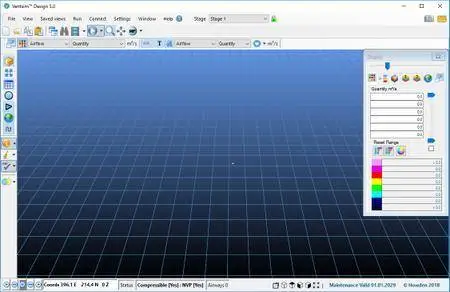
Chasm Consulting VentSim Premium Design 5.2.6.7

0053c14b_medium.jpg

Chasm Consulting VentSim Premium Design 5.2.6.7 | 122.7 Mb

Ventsim was originally introduced to mining operations in 1993 to help visually design, improve and optimise underground mine ventilation systems. The new Ventsim Visual ventilation software was released in 2009 and offers a graphically rich and dynamic 3-dimensional simulation environment.​

Faster and More Efficient - New algorithms, memory management and parallel processing greatly improves simulation performance.
New simulation tools - A wide range of new simulation tools for heat, moisture, airflow and error finding build on the existing power of Ventsim.
CONNECT option to link Ventsim to the real world - View and control underground ventilation devices (such as fans and regulators) directly from the ventilation model and see instant feedback.
New VentLOG version with stronger integration to Ventsim - A significant upgrade to the popular VentLOG tool.
Improved Graphics Engine faster and smoother graphics, particularly on large models - Ventsim graphics libraries have been optimised for modern computers.
parallel processing and multi-thread technology - means simulations and screen graphics can update independently and simulations can run faster.
sensitivity analysis and error checking- can check and predict areas of models where users are more likely to create problems from input errors.
Operating System: Windows 7, 8/8.1, 10
-

DOWNLOAD
uploadgig
Код:
https://uploadgig.com/file/download/4ecd0628d02a83A5/n1LoZVwk_Chasm.Consulting.VentSim.Premium.Design.v5.2.6.7AMPED.rar

rapidgator
Код:
https://rapidgator.net/file/ee79aed37b16734f2c7f00ef7d5676f2/n1LoZVwk_Chasm.Consulting.VentSim.Premium.Design.v5.2.6.7AMPED.rar

nitroflare
Код:
http://nitroflare.com/view/C5860044D17E6AC/n1LoZVwk_Chasm.Consulting.VentSim.Premium.Design.v5.2.6.7AMPED.rar
 
NCH Debut Professional 5.52 Beta

00557dc1_medium.jpeg

NCH Debut Video Capture Software Pro 5.52 Beta | 2.9 Mb

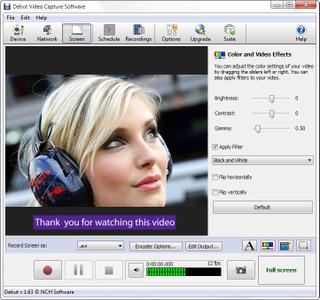
Debut is designed to be very easy and intuitive to use, giving you the ability to record essentially anything from capturing video from a webcam, your screen, or video input devices such as a VHS recorder within minutes of ing.​

Capture video directly to your hard drive
Record videos as avi, wmv, flv, mpg, mp4, mov and more video formats
Capture video from a webcam, network IP camera or video input device (e.g., VHS recorder)
Screen capture software records the entire screen, a single window or any selected portion
Digital zoom with the mouse scroll wheel, and drag to scroll the recording window
Zoom-to-mouse feature focuses the recording window on the cursor
Mouse highlighting spotlights the location of the cursor
Record video alone or video and audio simultaneously
Record audio from your microphone and speakers simultaneously, ideal for recording video conferences
Time lapse video recording
Create photo snapshots of a video at any time
Add your own text captions or time stamp your video
Change color settings and video effects before recording
Adjust the video resolution, size and frame rate for capture
Burn directly to DVD with Express Burn Disc Burner
Works with VideoPad Video Editor Software
Operating System: Windows 10, XP, Vista, 7, 8 and 8.1
-

DOWNLOAD
uploadgig
Код:
https://uploadgig.com/file/download/0bf0f30eDE3fE2a5/qAEIEktb_NCH.Software.Debut.Professional.v5.52AMPED.rar

rapidgator
Код:
https://rapidgator.net/file/5edeb2fdde2724151e01e55fe1cd1d2a/qAEIEktb_NCH.Software.Debut.Professional.v5.52AMPED.rar

nitroflare
Код:
http://nitroflare.com/view/F3CCADD9F02D50B/qAEIEktb_NCH.Software.Debut.Professional.v5.52AMPED.rar
 
Vehicle Manager 2019 Fleet Network Edition 3.0.1001.0

006a813e_medium.jpg

Vehicle Manager 2019 Fleet Network Edition 3.0.1001.0 | 29.3 Mb

A disciplined approach to service and maintenance is critical to keep your vehicle or equipment in top condition and maintain it's resale value. Maintain your vehicle log book on your computer and get reminders when service is due with Vehicle Manager.​

Vehicle Manager Benefits
Introduction.
A disciplined approach to service and maintenance is critical to keep your vehicle or equipment in top condition and maintain it's resale value. Maintain your vehicle log book on your computer and get reminders when service is due with Vehicle Manager.
Track your vehicle's fuel efficiency.
When you fill up your tank, keep your receipt and then enter the usage data into Vehicle Manager. Your fuel efficiency will be calculated, and you can identify long term trends to help spot problems before unplanned critical service becomes due.
Track your vehicle's service schedules and service history.
With Vehicle Manager you can create a unique service schedule for each vehicle you own. Vehicle Manager reminds you as the service due date comes near. Easily track the service status for all of your vehicles and equipment with simple red, yellow, green status indicators. When the service has been finished, just mark the item as complete to automatically add it to your vehicle's service history.
Track your vehicle's drivers, parts, vendors, and contacts.
When replacing parts on your vehicles, add the parts, vendors, and contacts to your Vehicle Manager database. If the part needs to be replaced again, you'll have all the information you need right at your fingertips.
Windows 7, 8/8.1, 10
-

DOWNLOAD
uploadgig
Код:
https://uploadgig.com/file/download/1d0d1bDBc74Fe886/lSOxiLoM_Vehicle.Manager.2019.Fleet.Network.3.0.1001.0.rar

rapidgator
Код:
https://rapidgator.net/file/51228509d371760e2462c47ccf0fb375/lSOxiLoM_Vehicle.Manager.2019.Fleet.Network.3.0.1001.0.rar

nitroflare
Код:
http://nitroflare.com/view/47ECE42D1E66E96/lSOxiLoM_Vehicle.Manager.2019.Fleet.Network.3.0.1001.0.rar
 
Stardock Start10 1.75 Multilingual

0055227d_medium.jpg

Stardock Start10 1.75 Multilingual | 35.8 Mb

When Windows 10 was officially launched, it aimed to provide users worldwide both with a familiar interface and with numerous functions to increase their productivity. However, if you are one of the people who consider the Start Menu could still use some work, especially when it comes to simplifying it, you can try Start10.​

Key Features
- Search menu is back in the Start menu
- Restores the quick links to core system functionality
- Maintains the "All Programs" folder metaphor
- Texture can be applied to Start10 background and taskbar
Windows 10's Start Menu can resemble the one in Windows 7
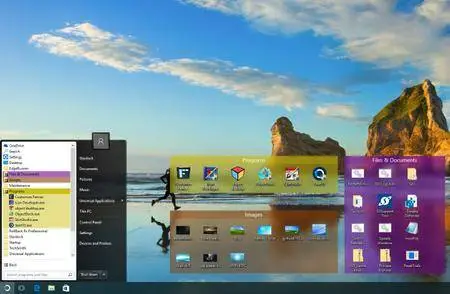
Due to Start10, you get the possibility to make the Start Menu on your Windows 10 computer resemble the one included in Windows 7. This means that it comes with a Search box for looking up files, folders or programs, while also including multiple power options (sign out, lock, restart, shutdown or hibernate).
Change the theme and colors of the Start Menu
If you have some time to spare, you can experiment with the many customization options of Start10 until you are pleased with the outcome. For example, you can switch to a different Start Menu style or theme, as well as choose a custom PNG or BMP image for the Start button. The transparency and the texture colors can be altered as well, with only a few mouse clicks. Once you have selected a new configuration, you can simply open the Start Menu and view its changed looks in real-time, without needing to restart the PC.
Customize the icons and shortcuts shown in the Start Menu
Due to Start10, you can also personalize the links displayed in your Start Menu, even if you are not a computer expert. You can select the folders that should be accessible in the right-hand side, as well as define their opening behavior. The newly installed apps can be highlighted in the Start Menu, to make them more noticeable, and the number of large icons can be user-defined.
Windows 10
-

DOWNLOAD
uploadgig
Код:
https://uploadgig.com/file/download/ff71b7Ed27F9cfa2/lqT8aqbj_Stardock.Start10.1.75.rar

rapidgator
Код:
https://rapidgator.net/file/e4f78ad2ce735c25efc6df881a5982c6/lqT8aqbj_Stardock.Start10.1.75.rar

nitroflare
Код:
http://nitroflare.com/view/07DD13143CC99E4/lqT8aqbj_Stardock.Start10.1.75.rar
 
Назад
Сверху