• Здравствуйте. Сайт заработал в архивном режиме форум www.old.nado.in

Anthony's Software !!!

SmartFTP Enterprise 9.0.2692.0 Multilingual

0058bdbf_medium.png

SmartFTP Enterprise 9.0.2692.0 (x86/x64) Multilingual | 57.5 Mb

SmartFTP is an FTP (File Transfer Protocol), FTPS, SFTP, WebDAV, Amazon S3, Backblaze B2, Google Drive, OneDrive, SSH, Terminal client. It allows you to transfer files between your local computer and a server on the Internet.​

With its many basic and advanced Features SmartFTP also offers secure, reliable and efficient transfers that make it a powerful tool.
SmartFTP can be used for:
- Web site publishing and maintenance
- Upload and of images, documents, movie and music files
- Managed file transfers. Automate file transfer processes.
- Backup and synchronize local and remote files
SmartFTP Features:
Protocols
FTP and FTPS (Secure FTP)
SFTP over SSH
WebDAV
Amazon S3 (Enterprise Edition)
Google Drive (Ultimate Edition)
Google Cloud Storage (Enterprise Edition)
Backblaze B2 Cloud Storage (Enterprise Edition)
Microsoft OneDrive (Ultimate Edition)
Terminal Emulator (Ultimate Edition)
Integrated Editor
HIPAA 5010 compliant
FIPS 140-2, 186-4 compliant
Modern Graphical User Interface (GUI)
High DPI support
File/Folder Synchronization
Multilingual (more than 20 languages)
Thumbnails View and Preview
Visual Compare
Advanced Schedule
IPv6
On-the-fly Compression (MODE Z)
UTF-8 Support
Support for KeePass, LastPass, 1Password password manager
Multiple Connections
Auto reconnect and resume of broken transfers
Transfer Integrity
Verified Transfers (XCRC, XMD5, XSHA)
FXP (Server-To-Server Transfer) support
Remote Edit of files
Search for files and folders on the server
Local Browser
Bulk Rename
Software Development Kit (SDK)
Enhanced NAT/UPnP Support
UPnP (Universal Plug and Play), ICS, ICF
Transfer Queue
Scheduling (Enterprise Edition)
Uploads/Downloads/FXP
Unlimited simultaneous threads
International Domain Names (IDN)
Proxy / Firewall support
SOCKS5, SOCKS4, SOCKS4A, HTTP Proxy
Wingate, Winproxy, CSM, Checkpoint FW-1, Raptor
URL Watcher
FTP command line
Custom Commands
CHMOD (Properties)
Section 508 compliant
and much more .
Windows 8.1, 2012 R2, 10, 2016
-

DOWNLOAD
uploadgig
Код:
https://uploadgig.com/file/download/E97995304738a356/LFT0PRui_SmartFTP.Enterprise.9.0.2692.rar

rapidgator
Код:
https://rapidgator.net/file/00948c848f05288cc69d38a2dfc5236e/LFT0PRui_SmartFTP.Enterprise.9.0.2692.rar

nitroflare
Код:
http://nitroflare.com/view/64107F55E8DE0DC/LFT0PRui_SmartFTP.Enterprise.9.0.2692.rar
 
Blackmagic Design Fusion Studio 16.0 Build 49 (x64) Multilingual

006a97f3_medium.jpg

Blackmagic Design Fusion Studio 16.0 Build 49 (x64) Multilingual | 685 Mb

Fusion is the world's most advanced compositing software for visual effects artists, broadcast and motion graphic designers, and 3D animators. Over the last 30 years, Fusion has been used on thousands of Hollywood blockbuster movies and television shows.​

Fusion features a powerful node based interface that lets you quickly and easily create sophisticated effects by connecting different types of image processing tools together! You get a massive range of tools, incredible VR and 3D support, GPU accelerated performance, unlimited network rendering and more! Fusion gives you everything you need to create exciting broadcast graphics, dramatic titles, and even major feature film visual effects!
Thousands of Hollywood's biggest blockbusters and hit television shows use Fusion to create their groundbreaking visual effects. Fusion has been used on feature films like The Hunger Games, Dr Strange and Guardians of the Galaxy, as well as hit television shows like Empire, NCIS and American Horror Story. Fusion also plays a major role in the development of cinematics for major video games such as Dawn of War III, Halo 5 and more!
Nodes are incredibly easy to use, especially as scenes become more complex. Fusion's nodes are small icons that represent effects, filters and other image processing operations. Nodes can be easily connected together to build larger and more complex visual effects. Tools, images, and objects can be combined in any order to create unlimited visual effects. Simply click on a node to quickly adjust any single part of your project. That's much faster than a timeline based tool because you don't need to hunt through nested stacks of confusing layers and filters!
Whether you need to pull a key, track objects, retouch images, animate titles, or create amazing particle effects, Fusion has a massive toolset that lets you tackle the most demanding jobs. You get a true 3D workspace along with tools for compositing, keying, painting, animation, virtual reality, stereoscopic 3D and more. Fusion combines effects and motion graphics, along with 3D modeling and rendering into a single toolset. That means you can import and render 3D models and scenes with the rest of your composite in Fusion. You don't have to pre‑render assets or transfer between multiple applications!
Fusion is extremely fast and responsive enough to be used in high pressure, client driven sessions. With its Metal, CUDA and OpenCL GPU acceleration, you get instant feedback while you work so you can see exactly what you're doing. Fusion 16 features more GPU optimisation than ever so whether you're working alone or with a client, you get the real time control you need. That means you'll be able to spend more time being creative and less time waiting! Fusion is so fast that you can even work in VR while wearing a headset and still get over 90 frames per second of interactivity!
Fusion has the world's fastest production quality render engine! You can even distribute your render jobs across an unlimited number of networked computers for incredible performance, at no additional cost! There's no "per node" render license fees. Simply install it on as many render nodes as you need! That means you can render complex scenes incredibly fast to meet the intense deadlines of production, without having to sacrifice creativity or quality.
When you're working with a large creative team, Fusion Studio also includes the new Studio Player application. Studio Player features a single layer timeline with basic shot trimming, storyboard tools, versioning and annotation notes. Fusion Studio also features a bin server to let everyone share and see common assets that are needed for the job. That means you don't have to copy and track multiple elements on different computers.
-

DOWNLOAD
uploadgig
Код:
https://uploadgig.com/file/download/e18DE347b6853052/FEXEjPSv_Blackmagic_Design_Fusion_Studio_16.0_Build_49.rar

rapidgator
Код:
https://rapidgator.net/file/5f7393ab969f9d647cdf7d7eabfd5ace/FEXEjPSv_Blackmagic_Design_Fusion_Studio_16.0_Build_49.rar

nitroflare
Код:
http://nitroflare.com/view/7791669A0F0073F/FEXEjPSv_Blackmagic_Design_Fusion_Studio_16.0_Build_49.rar
 
Adobe Photoshop Lightroom Classic CC 2019 v8.4.0.10 (x64) Multilingual ISO

006a985a_medium.jpg

Adobe Photoshop Lightroom Classic CC 2019 v8.4.0.10 (x64) Multilingual ISO | 1.13 Gb

Edit and organize your photos with the app that's optimized for desktop. Lightroom Classic CC gives you powerful one-click tools and advanced controls to make your photos look amazing. Easily organize all your photos on your desktop, and share in a variety of ways.​

Your photos don't always reflect the scene the way you remember it. But with Lightroom Classic CC, you have all the desktop editing tools you need to bring out the best in your photographs. Punch up colors, make dull-looking shots vibrant, remove distracting objects, and straighten skewed shots. Plus, the latest release offers improved performance so you can work faster than ever.
- With better performance under the hood, Lightroom Classic CC lets you import photos, generate previews, and move from Library to Develop Module in record time.
- Use range masking tools to easily select the areas or objects you want to edit based on their color, luminance, or depth.
- Create HDR panos faster now that you can merge multiple bracketed exposures into multiple HDR photos and then stitch them into a panorama - all in one step.
Experience greater speed and stability when tethering a Canon camera to Lightroom Classic CC.
Create HDR panos faster now that you can merge multiple bracketed exposures into multiple HDR photos and then stitch them into a panorama - all in one step.
Make selections based on specific depth ranges in either the foreground or background of your HEIC photos.
See less noise when you move the Dehaze slider to the left of zero.
Get natural color in your low-light, high-ISO shots.
-

DOWNLOAD
uploadgig
Код:
https://uploadgig.com/file/download/a31b1546001e6168/t6nDboMu_ps.Lightroom.part1.rar
https://uploadgig.com/file/download/a56144680039f05a/t6nDboMu_ps.Lightroom.part2.rar

rapidgator
Код:
https://rapidgator.net/file/980ab1a8ecf6bd249c8d35fcd6be3309/t6nDboMu_ps.Lightroom.part1.rar
https://rapidgator.net/file/580579e1e2fbc0023acddb50dcc68d26/t6nDboMu_ps.Lightroom.part2.rar

nitroflare
Код:
http://nitroflare.com/view/AF40E254D819821/t6nDboMu_ps.Lightroom.part1.rar
http://nitroflare.com/view/A2BB33C63AE84F6/t6nDboMu_ps.Lightroom.part2.rar
 
Adobe Audition CC 2019 v12.1.3.10 (x64) Multilingual ISO

005e0422_medium.jpg

Adobe Audition CC 2019 v12.1.3.10 (x64) Multilingual ISO | 431 Mb

Adobe Audition CC. A professional audio workstation. Create, mix, and design sound effects with the industry's best digital audio editing software. Audition CC is a comprehensive toolset that includes multitrack, waveform, and spectral display for creating, mixing, editing, and restoring audio content.​

This powerful audio workstation is designed to accelerate video production workflows and audio finishing - and deliver a polished mix with pristine sound.
Meet the industry's best audio cleanup, restoration, and precision editing tool for video, podcasting, and sound effect design.
This step-by-step tutorial guides you through the robust audio toolkit that is Adobe Audition, including its seamless workflow with Adobe Premiere Pro CC.
Use the Essential Sound panel to achieve professional-quality audio - even if you're not a professional.
Learn the basic steps to record, mix, and export audio content for a podcast - or any other audio project.
Easily and automatically rearrange any song to fit any duration with Remix in Audition CC.
Get best practices for fixing audio, including how to use the spectral frequency display, Diagnostics panel, effects, and more.
-

DOWNLOAD
uploadgig
Код:
https://uploadgig.com/file/download/b1c052cc946647F6/y7bmY8WN_au.CC.2019.v12.1.3.10.X64.MultilingualWEBiSO.rar

rapidgator
Код:
https://rapidgator.net/file/11a2d3a7639b38326405011f14ae5b09/y7bmY8WN_au.CC.2019.v12.1.3.10.X64.MultilingualWEBiSO.rar

nitroflare
Код:
http://nitroflare.com/view/A6BD613738733D3/y7bmY8WN_au.CC.2019.v12.1.3.10.X64.MultilingualWEBiSO.rar
 
Kinetics 2.1 R10129

006a9887_medium.png

Kinetics 2.1 R10129 | 565.8 mb

Ashlar-Vellum Kinetics offers an easy-to-use set of precision motion simulation tools at an affordable price point that's independent from any particular CAD or 3D modeling software. Available for both Macintosh and Windows, Kinetics enhances engineering design, optimizes product and assembly performance, and reduces the number of physical prototypes needed.​

In its virtual test environment, Kinetics determines the physical movement of a model or assembly, calculates the forces and analyzes components, helping to solve common challenges through time-based motion studies.
Simply load the model, appoint the joints (connections), click the button and watch what happens as it simulates the motion and presents an analysis of your model. Unlike other motion simulation software, Kinetics follows the Ashlar-Vellum Organic Workflow that allows you to test parts and assemblies at any time or from any model in your design process.
Simulate motions in Kinetics-define time-based, rigid body studies using kinematics or dynamics. Determine motion optimization by evaluating actuator force and joint loads. Assess product performance through it's cycle of operation. Analyze the design for range of motion, part displacements and overall performance.
- Render with realism-Apply materials from the extensive library then render in real time for high quality visualization.
- Animate components and assemblies-Show machine motion or walk through an environment.
- Export in 3D-Share your simulation in any number of different ways including 3D PDF, 3D HTML and proprietary file formats that support tablets.

DOWNLOAD
uploadgig
Код:
https://uploadgig.com/file/download/4F522a84960cbfb9/oAp4Cr05_TeNKin21r10129.x64.rar

rapidgator
Код:
https://rapidgator.net/file/4e040a15e326a10b4d2afcb18e7b2bda/oAp4Cr05_TeNKin21r10129.x64.rar

nitroflare
Код:
http://nitroflare.com/view/3FDD6BCC3082CC3/oAp4Cr05_TeNKin21r10129.x64.rar
 
Blackmagic Design DaVinci Resolve Studio 16.0.0.60 (x64) Multilingual

006a97fa_medium.jpg

Blackmagic Design DaVinci Resolve Studio 16.0.0.60 (x64) Multilingual | 1.65 Gb

DaVinci Resolve 16 is the world's only solution that combines professional 8K editing, color correction, visual effects and audio post production all in one software tool! You can instantly move between editing, color, effects, and audio with a single click.​

DaVinci Resolve Studio is also the only solution designed for multi user collaboration so editors, assistants, colorists, VFX artists and sound designers can all work live on the same project at the same time! Whether you're an individual artist, or part of a large collaborative team, it's easy to see why DaVinci Resolve is the standard for high end post production and finishing on more Hollywood feature films, television shows and commercials than any other software.
Designed specifically for editors working on high end fast turn around work such as television commercials and even news cutting, the cut page is all about speed. It's an alternate edit page with a streamlined interface and revolutionary new tools that will help you work faster than ever. The cut page lets you import, edit, trim, add transitions, titles, automatically match color, mix audio and more. Whether you're delivering for broadcast or for YouTube, the cut page has everything you need to get the job done, all in one place. Plus, the regular edit page is still available so you can switch between edit and cut pages to change editing style right in the middle of a job.
:
DaVinci Resolve includes everything professional editors need to cut blockbuster films, television shows, and commercials. It's perfect for both offline and online editing. The high performance playback engine makes editing and trimming incredibly fast, even for processor intensive formats such as H.264 and RAW.
:
With over 250 built in tools, Fusion VFX's advanced 3D compositing engine and node based workflow let you quickly connect effects and tools together in a flow chart style, making it easy to create cinematic feature film quality visual effects and broadcast motion graphics right inside of DaVinci Resolve!
:
DaVinci Resolve's legendary color tools let you manipulate color in breathtaking ways to get results that are simply impossible on other systems. That's why DaVinci Resolve has been used on more feature films and television shows than any other grading system! You get powerful primary and secondary tools, curves, tracking, stabilization and more!
:
With Fairlight in DaVinci Resolve, audio is no longer an afterthought in post production! You get a completely integrated and powerful digital audio workstation with full mixer, EQ and dynamics processing, sample level audio editing, ADR tools, sound library support, FairlightFX audio plugins and more!
:
Featuring a universal timeline, powerful database driven design, bin and clip locking, built in chat, timeline comparison tools and more, DaVinci Resolve Studio is the world's only post production solution that lets different artists all work together on the same project at the same time!
Upgrade to DaVinci Resolve Studio for even more creative tools and options! You get a huge set of indispensable ResolveFX and FairlightFX plugins, along with support for 4K, 8K and higher resolution projects at frame rates up to 120 frames per second. You also get the new DaVinci Neural Engine which enables features such as facial recognition, speed warp retiming, automatic color balancing and automatic color matching. DaVinci Resolve Studio also adds film grain tools, advanced noise reduction, blur and mist effects, HDR grading, 10bit H.264 support, 3D immersive audio, stereoscopic 3D support, multi user collaboration tools and more!
The new DaVinci Neural Engine uses state of the art deep neural networks and learning, along with artificial intelligence to power new features such as speed warp motion estimation for retiming, super scale for up-scaling footage, auto color and color matching, facial recognition and more! The DaVinci Neural Engine is entirely cross-platform and uses the latest GPU innovations for AI and deep learning to provide unparalleled performance and quality. The DaVinci Neural Engine provides simple tools to solve complex, repetitive and time consuming problems. For example, it enables facial recognition to automatically sort and organize clips into bins based on people in the shot!
DaVinci Resolve Studio 16 features major improvements to existing ResolveFX, along with several new plugins that editors and colorists will love! You get new ResolveFX plugins for adding vignettes, drop shadows, removing objects, adding analog noise and damage, chromatic aberration, stylizing video and more! There are also improvements to the scanline, beauty, face refinement, blanking fill, warper, dead pixel fixer and colorspace transformation plugins. Plus, you can now view and edit ResolveFX keyframes from the timeline curve editor on the Edit page or from the keyframe panel on the Color page!
DaVinci Resolve's Emmy award-winning image processing technology features deep 32-bit float processing combined with unique, patented YRGB color science that processes luminance independent of color. This allows you to adjust the luminance of video without rebalancing the color of your highlights, midtones, or shadows! The massive internal color space is perfect for the latest HDR and wide color gamut workflows.
Blackmagic RAW is a new and modern codec that gives you stunning image quality and blazing fast performance in an intelligent new file format. Featuring advanced de-mosaic technology and a revolutionary intelligent design, Blackmagic RAW gives you both the quality and benefits of RAW with the speed, ease of use and file sizes of traditional video formats.
When you have a client looking over your shoulder you need to work fast. DaVinci Resolve control panels are designed to give you fluid, hands-on control over multiple parameters at the same time, allowing you to create looks that are simply impossible with a standard mouse! All controls are logically placed near your natural hand positions and are made out of the highest quality materials. You get smooth, high resolution weighted trackballs, along with precision engineered knobs and dials that feature the perfect amount of resistance so you can accurately adjust any setting. DaVinci Resolve control panels let you instinctively touch every part of the image!
Fairlight mixing consoles provide high quality controls for nearly every parameter and feature in the software. Unique user interfaces and dynamic configuration changes provide fast to use buttons and controls that are optimized for the task at hand allowing you to work faster with Fairlight audio than any other tool in the world. With the modular design you can start with a larger console frame than you need and add more modules to meet the growing needs of your facility.
-

DOWNLOAD
uploadgig
Код:
https://uploadgig.com/file/download/9f75462ef12c0186/7R7C5KOV_Blackmagic_Design60.part1.rar
https://uploadgig.com/file/download/59d65C04aac18f90/7R7C5KOV_Blackmagic_Design60.part2.rar

rapidgator
Код:
https://rapidgator.net/file/2e3cd75d5fd0f6cab15fda399be53427/7R7C5KOV_Blackmagic_Design60.part1.rar
https://rapidgator.net/file/b5920f0a5e5b22c41c2f1825ad6e94a4/7R7C5KOV_Blackmagic_Design60.part2.rar

nitroflare
Код:
http://nitroflare.com/view/A8483A84F48D88C/7R7C5KOV_Blackmagic_Design60.part1.rar
http://nitroflare.com/view/69501D0EC0B39AD/7R7C5KOV_Blackmagic_Design60.part2.rar
 
3DF Zephyr Aerial 4.505

006a989e_medium.jpg

3DF Zephyr Aerial 4.505 | 219.3 mb

The 3Dflow team is pleased to announce the availability of Zephyr Aerial 4.505, tailored and designed for surveying professionals: with a set of tools specifically thought for day to day geographic surveys and analysis, aerial/UAVs mapping, architecture and more.​

3DF Zephyr allows to automatically reconstruct 3D model from photos. It builds on top of 3Dflow's proprietary, cutting-edge, reconstruction technology. It comes with a user-friendly interface and the possibility to export in many common 3D formats or even to generate lossless video without the need of external tools. The software is used in many different fields such as: UAV and Aerial Mapping, Architectural modeling, Close Range Photogrammetry, Archeology, Vehicle Collision Analysis, Innovative commerce and marketing solutions, 3D, VFX. Starting from version 3.0 Zephyr also supports the registration and management of 3D data coming from laser scan.
tailored and designed for surveying professionals: with a set of tools specifically thought for day to day geographic surveys and analysis, aerial/UAVs mapping, architecture and more.
3DF Zephyr Aerial allows you to automatically reconstruct 3D models from photos. The process is completely automatic and no coded targets, manual editing or special equipments are needed. 3DF Zephyr is built on top of proprietary, cutting-edge, reconstruction technology from 3Dflow. 3DF Zephyr Aerial comes with a user friendly interface, and the possibility to export in many common 3D formats or even to generate lossless video without the need of external tools. 3DF Zephyr Aerial is the perfect tool for modeling from reality.
3DF Zephyr Aerial is targeted to photogrammetry professional in which surveys are their day-to-day challenge: with Zephyr Aerial geographic, architecture and aerial surveys are now much easier: contour lines, sections and much more can be generated directly from the software.
is a technology company in the field of Computer Vision and Image Processing. It was established as a spinoff of the University of Verona in 2011 and recognized as a spinoff of the University of Udine in 2012. As an academic spinoff, 3Dflow is constantly pushing on research and development. Its operative headquarter is located inside the Computer Science Park in the department of Computer Science of the University of Verona.
3DF Zephyr
Areal 4.505
x64

multilanguage
PC *
*
219.3 mb

DOWNLOAD
uploadgig
Код:
https://uploadgig.com/file/download/167696AdEc0fc672/txi2jJZX_F3ZepAre4503.rar

rapidgator
Код:
https://rapidgator.net/file/b197aff52c67d5264cbf674e6121f839/txi2jJZX_F3ZepAre4503.rar

nitroflare
Код:
http://nitroflare.com/view/AD83A8991D340F6/txi2jJZX_F3ZepAre4503.rar
 
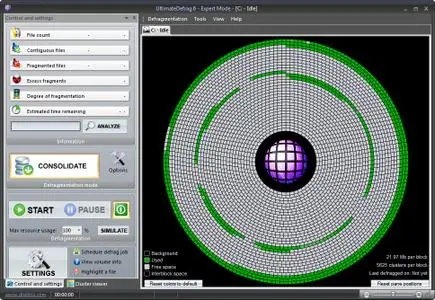
DiskTrix UltimateDefrag 6.0.22.0

006a4de1_medium.jpg

DiskTrix UltimateDefrag 6.0.22.0 (x86/x64) | 27.8 Mb

UltimateDefrag 6 gives you unlimited power and flexibility for defragmenting and, more importantly, OPTIMIZING your file system, by placing your most frequently used files on the fastest part of your hard drive, the outer tracks, to give you optimum hard drive performance.​

UltimateDefrag 6 gives you features that no other defragmentation software product in the world gives you and virtually every feature you could ever want in your defragmentation software, to enable you to squeeze every millisecond of performance from your hard drive.
New Defragmentation methods and enhanced existing ones
We've added new methods of defragmenting your hard drive such as being able to divide your drive into virtual zones. We've also added the ability to compress as you defragment, compress files that are archived to save space or moved to High Performance for even higher performance. Other methods have been enhanced and include a feature to reduce strictness of sorting for faster defragmentation times while rearranging your entire hard drive. The fast Fragmented Files Only method gives you advanced options that let you prioritize which files are given priority which enables you to defragment really quickly and better pack the files for both better performance and less free space fragmentation.
More ways to select files for high performance
We have further enhanced High Performance and Archive file selection options so that now there is literally no limit in the combination of files you choose for High Performance and archive.
Fragmented Files Explorer
Is a very powerful way of selecting and sorting files for defragmentation. You can browse and sort the fragmented files on your hard drive 10 ways and you can select and defragment a select a group of files. For example you may only want to select and defragment the files you used in the past 7 days. Just sort the list, click and then select Defragment Now. Only those files will be defragmented.
More information available during the defragmentation process.
You can now see vital defragmentation statistics on High Performance files and Archive files.
Need to chip away at a large heavily fragmented drive?
If you have a large 4 Tb drive with millions of fragments and don't want to try to defragment it all at once (which could take many hours), you can set UltimateDefrag to defragment for any amount of time .e.g 1 hour and then exit the program. So before you shut down your PC for the day, you can start the defragmentation run, set UltimateDefrag to run for 1 hour and then have it exit the program and put your computer to sleep. Just do this everyday for a few days and your drive will eventually be completely defragmented and performing as fast as it should be.
Very accurate analysis of expected performance from your hard drive
UltimateDefrag6 performs a complete analysis on file use frequency and the current file layout to give you an intelligent and accurate assessment of the expected performance you will achieve based upon the current drive status.
A re-engineered boot time system file defragmentation screen
The improved interface corrects a few bugs and produces a better outcome for your system file defragmentation. No other product anywhere on planet earth enables you to defragment and custom-place these NTFS system metafiles.
Many other fine tweaks, new features and enhancements
We've left no stones unturned in giving you absolute ultimate functionality that you would want in a defragmenter and hard drive performance optimizer and have introduced numerous other tweaks and enhancements and improved functionality. This version has evolved UltimateDefrag into as optimal a product as it can be in enabling you to realize the maximum performance possible from your hard drive. UltimateDefrag is Nirvana for system tweakers. You can squeeze literally every millisecond of performance out of your hard drive!
Windows XP, Vista, 7, 8/8.1, 10
-

DOWNLOAD
uploadgig
Код:
https://uploadgig.com/file/download/2258725a517B1983/kCHkL2rB_DiskTrix.UltimateDefrag.6.0.22.0.rar

rapidgator
Код:
https://rapidgator.net/file/03459be3ba85169a84910205779b6fbe/kCHkL2rB_DiskTrix.UltimateDefrag.6.0.22.0.rar

nitroflare
Код:
http://nitroflare.com/view/A65FE024CA4246B/kCHkL2rB_DiskTrix.UltimateDefrag.6.0.22.0.rar
 
Apeaksoft Screen Recorder 1.2.32 Multilingual

0064dedb_medium.jpg

Apeaksoft Screen Recorder 1.2.32 Multilingual | 48.7 Mb

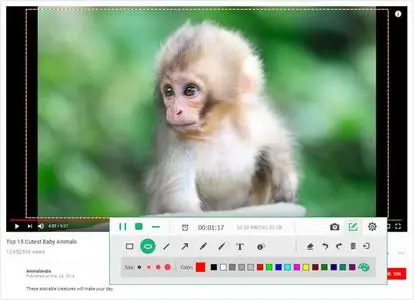
Apeaksoft Screen Recorder is a professional tool to record any video/audio and capture screen on your Windows or Mac computer. This excellent video screen recording software can help you easily get online movies and radio, record games, make video tutorials, capture webcam videos, take screenshot, etc.​

on your computer. Also, you are able to annotate your recording with a text box, arrow, highlight and more.
What's more, this powerful Screen Recorder enables you to make the settings you prefer in advance, and then you are able to record video using these settings next time. It is pretty convenient if you have lots of on-screen activities to record in the same demand. Screen Recorder enables you to record lock window as well.
Apart from videos, Apeaksoft Screen Recorder can also record audio only on your Windows or Mac computer. This feature enables you to record many kinds of music, radios or online audios instead of ing them. You can save the audio recording on your computer in MP3/WMA/AAC/M4A for easy playback.
Apart from videos/audio recording, Apeaksoft Screen Recorder also enables you to capture your Windows/Mac screen with ease. This function allows you to get the screenshot as you want. In addition, you can make drawings on the capture as well. For example, you are able to mark up your screenshot with a text box, arrow, highlight and more.
Windows OS: Windows 10, Windows 8.1, Windows 8, Windows 7
CPU: 1GHz Intel/AMD CPU or above
RAM: 1G RAM or more
-

DOWNLOAD
uploadgig
Код:
https://uploadgig.com/file/download/Fe488a78446Ef1b9/lKFkZu4p_Apeaksoft.Screen.Recorder.1.2.32.rar

rapidgator
Код:
https://rapidgator.net/file/b41e73a3e1c04cf9719d96768dc98a8e/lKFkZu4p_Apeaksoft.Screen.Recorder.1.2.32.rar

nitroflare
Код:
http://nitroflare.com/view/E88BCBD9D39F02E/lKFkZu4p_Apeaksoft.Screen.Recorder.1.2.32.rar
 
Macrium Reflect 7.2.4414

0043cd2e_medium.jpg

Macrium Reflect Workstation / Server / Server Plus 7.2.4414 (x86/x64) | 310/335 Mb

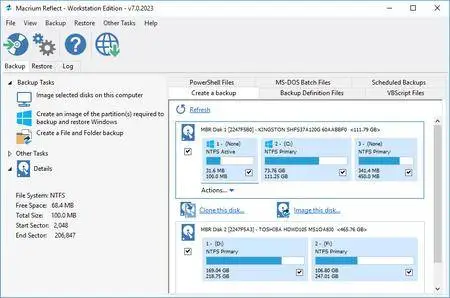
Macrium Reflect - backup and recovery for individual PCs and servers. Reflect Workstation - Designed for endpoint backup of business-critical PCs and workstations. Peace of mind for organisations when backing up Windows PCs.​

Solution highlights:
- New Backup Engine: Incremental and differential images up to 60 times faster
- Instant virtual booting of backup images: instantly create, start and manage Microsoft Hyper-V virtual machines
- Ultra-fast Live imaging of windows systems, physical and virtual
- Restore images to dissimilar hardware using Macrium ReDeploy
- Greatly simplified administration including pre-defined Backup Plans for popular backup strategies
- Fully featured file and folder level backup and recovery
- Updated support for all the latest Windows Operating Systems and disk formats
Macrium Reflect 7 Features:
- Backup your entire PC to a single compressed image file.
- Backup files and folders to a single compressed archive file.
- Recover partitions and entire disk images with just a few clicks of your mouse
- Dynamic disk support
- MBR and GPT disk support
- Restore images to dissimilar hardware using Macrium ReDeploy
Windows XP, Vista, 7/8/10
-

DOWNLOAD
uploadgig
Код:
https://uploadgig.com/file/download/4110252128f0666f/aZWaXcC9_Macrium.Reflect.7.2.4414.rar
https://uploadgig.com/file/download/e3a18273dcc406d6/aZWaXcC9_Macrium.Reflect.7.2.4414_x64.rar

rapidgator
Код:
https://rapidgator.net/file/cb49cd8efb74145d4b2eaaa7c30aecf6/aZWaXcC9_Macrium.Reflect.7.2.4414.rar
https://rapidgator.net/file/36fbff38c6c74d33f7de7d48986fcc8a/aZWaXcC9_Macrium.Reflect.7.2.4414_x64.rar

nitroflare
Код:
http://nitroflare.com/view/427B7046105810A/aZWaXcC9_Macrium.Reflect.7.2.4414.rar
http://nitroflare.com/view/AAE212F1D78F2C6/aZWaXcC9_Macrium.Reflect.7.2.4414_x64.rar
 
iFind Data Recovery Enterprise 5.9.5

00632eca_medium.jpg

iFind Data Recovery Enterprise 5.9.5 | 12.6 Mb

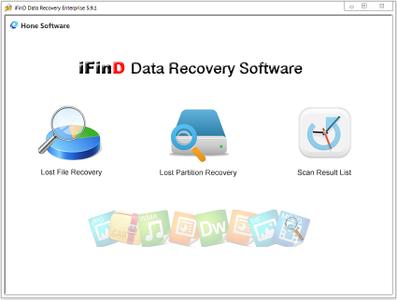
iFinD Data Recovery is a pretty straightforward application designed to help retrieve data lost in a variety of scenarios. Whether dealing with files you have deleted by accident or formatted partitions, this utility should get the job done.​

Device Support
CF,Memory Stick,Express Card, NMC card,MD, SDSC, SDHC, SDXC, miniSD, microSD,
SM card, SxS card, UFS, XD card, XQD, USB flash drive and More.
Hard Disk, SSD, Dynamic Disk, GPT Disk, RAID and More.
Digital Camera, Music Player, Video Player and More.
Windows 10/8.1/8/7/Vista/XP/2000 and Windows Server
-

DOWNLOAD
uploadgig
Код:
https://uploadgig.com/file/download/284412f835Fde48e/q6qwK2F1_iFind.Data.Recovery.5.9.5.rar

rapidgator
Код:
https://rapidgator.net/file/8039017faf576195f3873222f5f4c6a7/q6qwK2F1_iFind.Data.Recovery.5.9.5.rar

nitroflare
Код:
http://nitroflare.com/view/E37393A870D19B1/q6qwK2F1_iFind.Data.Recovery.5.9.5.rar
 
AnyMP4 Screen Recorder 1.2.26 Multilingual

005cb140_medium.jpg

AnyMP4 Screen Recorder 1.2.26 Multilingual | 45 Mb

AnyMP4 Screen Recorder is the best choice for you to record screen movements and actions. With its intuitive and terse interface, you can master it quickly. It is powerful software for video recording, and can record all video files and sound that are played on the computer screen.​

Whether you want to record a streaming video or a Blu-ray movie as a video file, record Skype calls or webinars, this software can help you. After recording, it saves the video files in WMV or MP4 format.
In order to avoid the black bars around the video and to better view the recording on different media devices, you can easily define the aspect ratio and the image size of the video recording. The Screen Recorder also offers you some predefined picture sizes, such as 640x480, 800x600, 1024x768. In addition, you are able to record the full image of your desktop.
Record Music and audio files easily
This recording software for Windows also offers you a convenient way to record the music or audio files on PC. You can not only record streaming music from YouTube, Dailymotion and SoundCloud, but also record Skype audio calls. Before you record the audio file, you can decide whether you want to record the system sounds and the microphone sound at the same time. The audio recorder can store audio and music as MP3, M4A, WMA, or AAC files. The quality of the audio file can be set at your request. You can pre-listen to the recorded audio file before saving it.
Play games as video
Do you want to show your friends what you are doing in games? The Screen Recorder is also a simple recording program for games, and helps you to record gameplay as a video. Whether you play League of Legends, World of Warcraft, Dota 2, or Overwatch, you can easily capture video from PC games in better output quality. The operation is comfortable and simple, and there are no restrictions on the resolution and length of the game recording. After recording, you can upload your video games to YouTube or Twitch, and share with the whole world.
Preview the recorded video and audio files
After you finish recording, you can play the recorded video in advance and watch it as well as listen to the audio files directly. This screen recorder software can create screenshots of the video. If you are satisfied with the recording, you can then save the video as WMV or MP4 on the hard disk. Then you can share the recorded videos with your friends or upload them to social networks like YouTube, Vimeo, Dailymotion.
Flexible settings for recording
The recording program provides you with an option to adjust the length of the video and audio recordings. The recording is automatically terminated when it reaches the duration. The Screen Recorder also allows you to highlight the cursor and the mouse clicks with a color. The color you can define yourself, so the mouse pointer is excellent for the background.
The program has many hotkeys that allow you to start/stop, pause, resume, and take screenshots. The hotkeys can be easily defined in settings. You can also set the format of the recorded video and audio files, the location of the output video and screenshots.
Supported System: Windows 10, Windows 8/8.1, Windows 7
CPU: 1GHz Intel/AMD CPU or above
RAM: 1G RAM or more
-

DOWNLOAD
uploadgig
Код:
https://uploadgig.com/file/download/724b1a90105dD53a/yedb2QAH_AnyMP4.Screen.Recorder.1.2.26.rar

rapidgator
Код:
https://rapidgator.net/file/a5828cff5b3730f84de7a6069730e5ea/yedb2QAH_AnyMP4.Screen.Recorder.1.2.26.rar

nitroflare
Код:
http://nitroflare.com/view/D24E8A445EB6922/yedb2QAH_AnyMP4.Screen.Recorder.1.2.26.rar
 
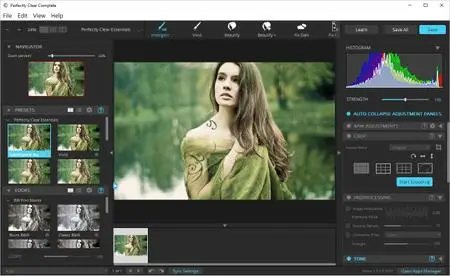
Athentech Perfectly Clear Complete 3.7.0.1634 (x64)

006682ab_medium.jpg

Athentech Perfectly Clear Complete 3.7.0.1634 (x64) | 94 Mb

Built for precision. Made for beauty. Above all, you want better photos. But what if you could have better photos faster? Perfectly Clear has mastered the science of intelligent image correction - creating superior quality photos in record time, so you can get back to doing what you really love.in no time.​

Spend less time in front of your computer.
With Perfectly Clear, you'll get results faster so you can spend more time behind the camera and less time in front of the computer. Take advantage of intelligent image analysis to find and fix numerous camera flaws automatically. Plus, you can quickly add your favorite finishing touch with our stylized LOOKs.
Take complete control.
Our presets are just the starting point. Easily apply only the adjustments you need for the perfect image. Use our powerful sharpening and noise reduction, which goes beyond what other tools can do, to unlock a whole new image. Keep an eye on your color and exposure with a dynamic histogram that tracks exposure and color clipping.
A custom experience.
Every photographer is different, and so is Perfectly Clear. Our adaptive interface lets you hide tools you don't need while you work, allowing you to focus on your image. Plus, you can make and manage your own presets, which intelligently adapt to each photo.
Why change your workflow?
Rather than move your entire image library or change your workflow, we'll make your existing workflow better. We support several platforms and have more coming soon. With powerful batch processing and up to 30 corrections in one click, we'll make everything better.
We've got image correction down to a science.
Creating our award-winning technology took more than a decade of R&D, multiple patented processes, and over a dozen unique algorithms. We cracked the code on correcting every pixel independently. The proof is in your pictures.
- Windows 7, 8, or 10 (64-bit OS and Host application)
- Photoshop CS5, CS6 or Creative Cloud
- Photoshop Elements 13,14,15
- Corel PaintShop Pro X6, X7, X8, X9
- 4 GB RAM or more
-

DOWNLOAD
uploadgig
Код:
https://uploadgig.com/file/download/97e65cd236F09Aba/GSHWNGbV_Complete.1634.rar

rapidgator
Код:
https://rapidgator.net/file/f30971da9dccf66fadfa3ff0a8f5c9d6/GSHWNGbV_Complete.1634.rar

nitroflare
Код:
http://nitroflare.com/view/76DD081C38775C7/GSHWNGbV_Complete.1634.rar
 
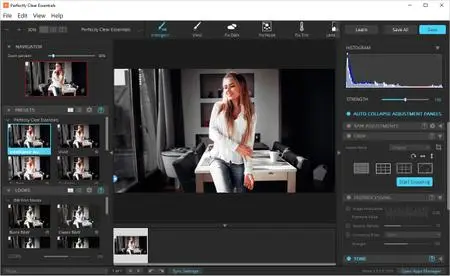
Athentech Perfectly Clear Essentials 3.7.0.1634 (x64)

00668d55_medium.jpg

Athentech Perfectly Clear Essentials 3.7.0.1634 (x64) | 94 Mb

Athentech has released a new product called Perfectly Clear Essentials. This product contains all of the Tone, Color, and Details controls that can give you perfect exposure, great color, and sharp photos with no noise.​

All of the preset functionality, as well as Creative LOOKs and Corrective Filters, are also unlocked.
40+ useful adjustments for perfect exposure, color, and details
Includes 32 Useful Presets for fixing most photographic challenges
Includes 42 Creative LOOKs to stylize your images
Unlock more features your favorite presets or LOOKs
Create your own presets and share with others
It is virtually identical to Perfectly Clear Complete except in two ways.
It removes controls for all of the Beautify technology. These adjustments are helpful for portrait and wedding photographers, but not really useful to landscape and travel folks.
It removed the batch export module from Lightroom.
While both of the above are useful, they are designed for pros who need the most time-saving options for processing portraits. If you do need portrait adjustments, you can easily add the Kristina Sherk preset packs or a new forthcoming one from Matthew Jordan Smith.
You can also create your own presets and exchange your favorite settings with other users. This is a great deal if you want the time-saving features as well as advanced technology to unlock perfect exposure and sharper images.
Windows 7, 8 or 10 (64-bit only)
Photoshop CS6 or Creative Cloud
Photoshop Elements 13,14,15
Corel PaintShop Pro X6, X7, X8, X9
Lightroom 4 or newer, including v6 and CC
4 GB RAM or more
OpenGL v2.0 or newer
-

DOWNLOAD
uploadgig
Код:
https://uploadgig.com/file/download/b1950E04916ef22c/bEKee05b_Essentials.1634.rar

rapidgator
Код:
https://rapidgator.net/file/fb4d27b5c545e4740d13ab47ec31988e/bEKee05b_Essentials.1634.rar

nitroflare
Код:
http://nitroflare.com/view/2CF3EE42FDDD989/bEKee05b_Essentials.1634.rar
 
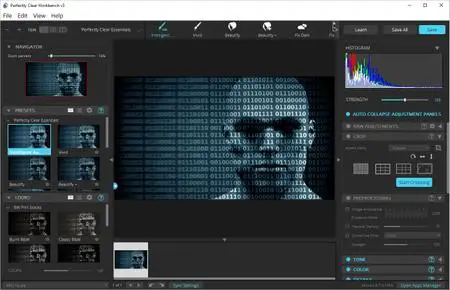
Athentech Perfectly Clear WorkBench 3.7.0.1634 (x64)

00668d44_medium.jpg

Athentech Perfectly Clear WorkBench 3.7.0.1634 (x64) | 56.1 Mb

Perfectly Clear Workbench is an application that uses Athentech's Perfectly Clear image correction libraries and is made available to demonstrate the capabilities of the Perfectly Clear processing libraries, face detection library and to allow a quick export of the processing settings for use.​

One of the key features in Workbench is the ability to "export to API" when saving a Preset. This allows you to make image corrections in Workbench and tune the settings to match your style and correction needs. Then, you can quickly export these settings to a text file - ready to be copy / pasted into your source code with our image correction SDK.
What's New in Perfectly Clear WorkBench 3:
1. Beautiful new interface
2. New image correction tools:
a. Preprocessing section for Input Looks and "Image Ambulance" for manual exposure corrections
b. "Face Aware" exposure for more accurate auto-exposure corrections in portraits and group photos
c. Black Point tool to deepen blacks
d. New Color Vibrancy tool to complement our previous "Vibrancy" control (now renamed to Color Restoration)
e. Sky and Foliage enhancements
3. Existing tools have been improved:
a. Added strength sliders to Light Diffusion and Vibrancy for better control
b. Better 'color pickers' for Skin Tone and Blush adjustments
4. Manually identify faces that are not detected automatically
5. One-click to zoom to individual faces
6. Modify facial regions to provide the best corrections
7. Histogram
8. Much improved preset management
Supported Image Formats:
Perfectly Clear requires RGB-formatted images in either 8 or 16-bit color depth. Any image file that Photoshop or Lightroom can open and convert to this format may be used in Perfectly Clear. Monochrome and CMYK images must be converted to RGB before using Perfectly Clear. RAW files must be opened through Adobe Camera RAW and loaded into Photoshop to be accessible to Perfectly Clear.
- Windows 7, 8, and 10 (64-bit only)
- 4 GB RAM or more
-

DOWNLOAD
uploadgig
Код:
https://uploadgig.com/file/download/066f9717083ebdf6/UVrMHjT2_WorkBench.1634.rar

rapidgator
Код:
https://rapidgator.net/file/2479fa38f63820236d5a334f20f51542/UVrMHjT2_WorkBench.1634.rar

nitroflare
Код:
http://nitroflare.com/view/A2A5FC88B351BFE/UVrMHjT2_WorkBench.1634.rar
 
DiskTrix UltimateDefrag 6.0.22.0 (x86/x64) Portable

006a63c8_medium.png

DiskTrix UltimateDefrag 6.0.22.0 (x86/x64) Portable | 16 Mb

UltimateDefrag is the only software product addresses all three causes of reduced hard drive performance to make your Windows PC, as well as all your favorite games and applications, perform at absolute maximum performance possible from a file access point of view..​

up to four times faster than "factory averages" and with one of the new features, six to eight times faster! This raw performance increase is real!
UltimateDefrag6 now gives you more available space on your hard drive and an average of 50% faster file read performance on regular mechanical hard drives. NTFS compressed files read faster because today's processors can decompress files faster on-the-fly than the hard drive can read them. e.g. it is almost twice as fast to access and decompress a 1 Gb compressed file than it is to access its 2 Gb uncompressed version.
On what are still high cost per Gb Solid State Drives, you get slightly slower read performance on NTFS compressed files, but you can get an average of 50% more space on your SSD. A 1 Tb SSD will be able to store around 1.5 Tb of compressed files.
UltimateDefrag gives you ultimate flexibility on choosing your files for compression using folders and filenames, usage frequency and wildcard file selection or even just by selecting a file from the cluster viewer or defrag explorer. Optionally compress your files while you defragment them. Our proprietary SmartCompress option instantly analyzes a file for compressibility and doesn't waste time trying to compress files that can't be compressed, This saves so much time over native command line compression functions.
You can also perform compression functions from the Command Line Interface with much more flexibility and functionality than the Windows Compact command.
Not everyone will use the compression features but for those who want the faster performance and/or more space on your hard drive, you now have the option to do so.
We've added new methods of defragmenting your hard drive such as being able to divide your drive into virtual zones. We've also added the ability to compress as you defragment, compress files that are archived to save space or moved to High Performance for even higher performance. Other methods have been enhanced and include a feature to reduce strictness of sorting for faster defragmentation times while rearranging your entire hard drive. The fast Fragmented Files Only method gives you advanced options that let you prioritize which files are given priority which enables you to defragment really quickly and better pack the files for both better performance and less free space fragmentation.
We have further enhanced High Performance and Archive file selection options so that now there is literally no limit in the combination of files you choose for High Performance and archive.
Is a very powerful way of selecting and sorting files for defragmentation. You can browse and sort the fragmented files on your hard drive 10 ways and you can select and defragment a select a group of files. For example you may only want to select and defragment the files you used in the past 7 days. Just sort the list, click and then select Defragment Now. Only those files will be defragmented.
Just go to Command Prompt. Navigate to a folder/directory. Enter the command UltimateDefrag *.* and every file in the folder/directory will be defragmented. Usually in just a minute or two. For subdirectories/subfolders just enter UltimateDefrag *.*\ and all files in all subdirectories will be defragmented. For users who are familiar with creating batch files, you could create a batch file that runs daily in a schedule to defragment all the files in your Windows Directory to keep your Windows tuned for fastest performance - all of the time! You could do the same for your Program Files folder etc etc.
Just installed some new software? Go into its folder and enter the command UltimateDefrag *.*\ and in a few moments your new program will be defragmented and ready to run with better performance right from the word go. Many PC users have no idea that installing new software installs it with many, sometimes tens of thousands, of fragments.
Of course you can also use the UltimateDefrag main program or even within Windows just right click on a folder to defragment from right within Windows Explorer itself.
If you have a large 4 Tb drive with millions of fragments and don't want to try to defragment it all at once (which could take many hours), you can set UltimateDefrag to defragment for any amount of time .e.g 1 hour and then exit the program. So before you shut down your PC for the day, you can start the defragmentation run, set UltimateDefrag to run for 1 hour and then have it exit the program and put your computer to sleep. Just do this everyday for a few days and your drive will eventually be completely defragmented and performing as fast as it should be.
You can now see vital defragmentation statistics on High Performance files and Archive files.
UltimateDefrag6 performs a complete analysis on file use frequency and the current file layout to give you an intelligent and accurate assessment of the expected performance you will achieve based upon the current drive status.
The improved interface corrects a few bugs and produces a better outcome for your system file defragmentation. No other product anywhere on planet earth enables you to defragment and custom-place these NTFS system metafiles.
We've left no stones unturned in giving you absolute ultimate functionality that you would want in a defragmenter and hard drive performance optimizer and have introduced numerous other tweaks and enhancements and improved functionality. This version has evolved UltimateDefrag into as optimal a product as it can be in enabling you to realize the maximum performance possible from your hard drive. UltimateDefrag is Nirvana for system tweakers. You can squeeze literally every millisecond of performance out of your hard drive!
-

DOWNLOAD
uploadgig
Код:
https://uploadgig.com/file/download/8B1173ccf9e773f3/notmScog_DiskTrix_UltimateDefrag_6.0.22.0_Portable.rar

rapidgator
Код:
https://rapidgator.net/file/6ae780b0ce0cb97da3f7e7efc0fad9e7/notmScog_DiskTrix_UltimateDefrag_6.0.22.0_Portable.rar

nitroflare
Код:
http://nitroflare.com/view/41F28973CCD2169/notmScog_DiskTrix_UltimateDefrag_6.0.22.0_Portable.rar
 
Topaz Studio 2.0.8 (x64)

006a9ae2_medium.jpg

Topaz Studio 2.0.8 (x64) | 576.1 Mb

The future of creative photo editing. Edit your images beautifully with powerful filters and frictionless masking in a fine-tuned non-destructive layer workflow. Topaz Studio 2 has only one purpose: creative photo editing.​

This starts after you select your image and ends when you export your finished work. It's designed specifically around the artisanal post-processing workflow of carefully crafting a single image to your vision.
Studio is the editor to use when you want jaw-dropping images and you're not afraid to spend the time to get them. It's for creating works that push the bounds of your artistic vision; the few that you know you'll look back upon in years as one of your best creations. That's why you won't find library management, design tools, batch editing, or other common "image editor" tools in Studio. There's a lot of photo editors out there that help you manage your workflow and make minor contrast adjustments. Topaz Studio is not intended for that. If it doesn't contribute to the vision of creating singularly beautiful images through post-processing, then we're not including it.
1. Cutting edge filters.
Most image editor tools are the same: your Exposure in one editor is the same Exposure in another. In Studio, we've thought about what common adjustments would look like if they were designed today, and updated them to their most modern and useful forms.
2. Powerful selection and masking.
Very rarely do you want to apply the same effect to all parts of your image the same. Studio considers masking and selective adjustments to be a core task, and features several innovations that make selective editing substantially easier and faster for you.
3. Fully non-destructive layers.
Mix and match filters and effects with different blending modes and opacity. Everything that you do in Studio can be edited and adjusted after the fact with a fully non-destructive layer workflow.
Cutting-edge and unique filters.
You'll find that these aren't your everyday image editing filters as soon as you give them a try. Topaz Labs actually started off creating Photoshop filters. We've condensed our decade of specialized post-processing experience into a set of the most useful filters available only for Studio 2. Here are some of the most popular ones that you won't find anywhere else.
AI Clear
This AI-powered tool can actually sharpen detail while removing noise. Give it a try on your own images to see why some photographers say that AI Clear is the best thing we've ever developed.
Precision Contrast
When was the last time that using the Contrast slider produced a breathtaking image? Chances are, it blew out highlights and crushed shadows in your image instead.
Precision Detail
Normal sharpening tools usually increase edge contrast, which just gives the appearance of sharpness but also adds artifacts and halos. Topaz Detail enhances natural detail that already exists in the image. This unique technology helps you naturally makes your photos look more "three-dimensional" and adds a sense of beautifully natural sharpness to your image.
Black and White
Turn your photos into exquisite monochrome images that will emotionally move your viewers. The Black and White filter uses a unique BW conversion engine that emphasizes tone and texture in order to help you get BW images that pop.
Explore and create Looks to transform your image.
Topaz Studio's filters work well individually, but the true magic happens when they're combined together. Topaz Studio 2 includes over 200 "Looks" (pre-built groups of filters) that help you explore different beautiful effects for your images with a single click.
Texture
Explore hundreds of beautiful texture and tone effects, hand-crafted by some of the best photographers in the world. With over 200 included one-click effects, each with the ability to blend with each other in various ways, the only limit is your imagination.
Impression
Capture the essence of your photos without being constrained by rigid detail. Topaz Impression helps you turn photos into paintings like a true artist would: by intelligently applying real brushstrokes to canvas.
Glow
Create beautiful light effects in your images to reveal the hidden life in each moment you capture. Apply a wide range of looks from a pleasing subtle diffusion to spectacular electric and neon effects.
Built with real users in mind
Topaz Studio 2 doesn't do everything, but it is really good at what it does do. If you ever find yourself needing that extra "something" in your photos, please give it a try. You'll be pleasantly surprised!
Powerful selective adjustments and masking.
There's a big difference between masking for compositing vs. selective adjustments. Topaz Studio focuses entirely on selective adjustments, and we think of it as a central feature of the product instead of an add-on. As you'll see, this led to many design decisions intended to shorten the amount of time you spend refining your mask, like including edge awareness in each masking tool in Studio.
Brush Tool
Select different parts of your image by painting directly on it. Topaz Studio's brush is edge aware by default. This means you can quickly paint over your selection without having to worry too much about staying between the lines. This is the fastest and most direct way to selectively apply an effect to your image.
Spot Tool
Emphasize a certain subject in your photo with the edge-aware spot tool. The spot tool is a quick way to draw attention to a certain subject in your your image. Since it is edge- and color-aware, you don't need to worry about refining your mask too much.
Gradient Tool
Gradually level off your effect with the gradient tool. Topaz Studio's gradient tool is unique in that it's also adjustably context-aware, which creates much better masking experience. It's like having a graduated neutral density filter that also knows how to tell between foreground and background.
Color Tool
Create a mask targeted at the different colors in your image. This is probably the easiest masking tool to use: just click on your image with the eyedropper and this will automatically select the correct parts of your image. Great to selectively apply effects to just a single color range in your image.
Luminance Tool
Create a mask targeted at different brightness levels in your image. This tool will get you a perfect selection very quickly in images with a clear separation in brightness between subject and background. Also great for selectively adjusting highlights, shadows, or anything in between.
Fully non-destructive layers.
Layers are essential for creative post-processing because they allow you to apply effects in unlimited ways to your image. Let's walk through an example workflow that illustrates what you can do with them.
Full non-destructive layer support.
As mentioned before, Topaz Studio 2 now has full layer support - and everything you do is non-destructive. Looks (formerly presets) go on their own layers so you can now mix, match, and stack them. (Apply and Duplicate no longer necessary!)
Major UI refresh.
Topaz Studio 2 received a major user interface change focused around layers. You can easily drag and drop to rearrange layers, access layer masks, and control blending/opacity. It does look quite different than the current Studio, but we're confident this new workflow will enable you to work more quickly and easily than before.
A couple things to keep in mind with Studio 2:
You will be able to use Studio 1 alongside Studio 2, but you will not be able to buy any additional paid adjustments
The old Studio 1 .tsp format will no longer be compatible
Studio 1 presets will not be compatible at launch, but we will offer a utility to help migrate custom Studio 1 presets into Studio 2
Studio 2 will not support plug-ins upon release, but this will be added soon
Windows 7, 8, 10 64-bit support only
Display Size: 800 x 600
OpenGL 3.3
System RAM: 8GB (Minimum), 16GB (Recommended), 32GB (Optimal)
GPU VRAM: 2GB (Minimum), 4GB (Recommended), 6+GB (Optimal)
-

DOWNLOAD
uploadgig
Код:
https://uploadgig.com/file/download/346d8F94ceabb0bB/XICnViib_Topaz.Studio.2.0.8.rar

rapidgator
Код:
https://rapidgator.net/file/fe5b91bd3b4dbfd0a5b102afb95267ff/XICnViib_Topaz.Studio.2.0.8.rar

nitroflare
Код:
http://nitroflare.com/view/699BEDF793BC98D/XICnViib_Topaz.Studio.2.0.8.rar
 
VideoSolo Screen Recorder 1.1.28 Multilingual

0059158b_medium.jpg

VideoSolo Screen Recorder 1.1.28 Multilingual | 47.2 Mb

Record and Capture Anything You Want to on the Computer Screen. No matter what kinds of screen activities on your computer, like online videos, games, skype chat, demonstrations, you can use VideoSolo Screen Record to record them to a video.​

Powerful and Independent Audio Recorder to Get Any Sound
If you want to record audio only, VideoSolo Screen Recorder can help you do that easily. It has an independent audio recorder, which can record all types of streaming music, radio or online audio and save them to high-quality MP3/AAC/M4A/WMA audio track.
Of course, this smart audio recorder also empowers you to record your own sound from microphone. Thus, you can add oral explanation to your video tutorial or presentation.
HIGH AUDIO QUALITY
This program can record and output any audio with high quality.
MULTIPLE OUTPUT FORMAT
It provides you multiple output audio format, so you can choose anyone you like.
SHORTCUT CONTROL
With the shortcut button, you can easily start and stop the audio recording.
Take a Snapshot with One-click
Aside from video/audio recording, VideoSolo Screen Recorder also enables you to capture snapshots of particular screen areas, then use drawing tools to highlight image hotspots or points of interest. This feature can also be done while recording videos. With this program, now you can make any screenshot as you want.
Supported OS: Windows 10/8/7/Vista/XP (SP2 or later)
Processor: 1GHz Intel/AMD CPU or above
RAM: 1G RAM or more
-

DOWNLOAD
uploadgig
Код:
https://uploadgig.com/file/download/AcDf6e4e61386f53/fW5Eeb5q_VideoSolo.Screen.Recorder.1.1.28.rar

rapidgator
Код:
https://rapidgator.net/file/ddb1dee25139f70294b9be99e099f7c6/fW5Eeb5q_VideoSolo.Screen.Recorder.1.1.28.rar

nitroflare
Код:
http://nitroflare.com/view/11DD781D6E0BA7E/fW5Eeb5q_VideoSolo.Screen.Recorder.1.1.28.rar
 
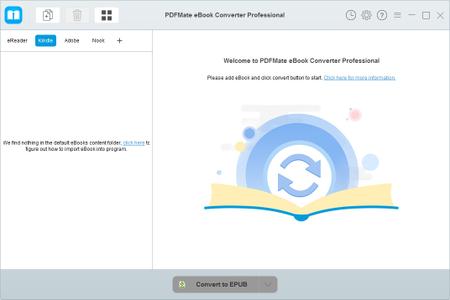
PDFMate eBook Converter Professional 1.0.5 Multilingual

0063c296_medium.jpg

PDFMate eBook Converter Professional 1.0.5 Multilingual | 83.2 Mb

PDFMate eBook Converter Professional is a powerful eBook converter as well as eBook DRM removal tool. It can easily remove DRM from Kindle/ Adobe/ Kobo/ Nook eBooks and convert them to EPUB, PDF, MOBI, AZW3, TXT, DOC.​

Support eBooks from specific devices - Kindle, Adobe, Kobo, Nook;
Support 24 input formats, such as Kindle, Adobe, PRC, DOCX and etc;
Remove DRM from eBooks;
Convert eBooks to EPUB/PDF/MOBI/TXT;
Save all metadatas after conversion;
Automatically scan the device; Easy-to-use interface;
Windows XP, Vista, 7, 8/8.1, 10
-

DOWNLOAD
uploadgig
Код:
https://uploadgig.com/file/download/3f716709436a853f/RiP06E6Q_PDFMate.eBook.Converter.Professional.1.0.5.rar

rapidgator
Код:
https://rapidgator.net/file/dc99fd39f6b83a8e62d0c4633a653f69/RiP06E6Q_PDFMate.eBook.Converter.Professional.1.0.5.rar

nitroflare
Код:
http://nitroflare.com/view/ECC172A3FEAE784/RiP06E6Q_PDFMate.eBook.Converter.Professional.1.0.5.rar
 
ReplaceMagic.Ultimate 4.7.2

00559eef_medium.jpg

ReplaceMagic.Ultimate 4.7.2 | 82.1 Mb

ReplaceMagic.Ultimate is used by IT staff to fix broken links in your Word, Excel, Powerpoint, Visio, Project, OneNote, PDF, Windows Shortcuts and Text documents when server gets renamed, to change header/footer when for example contact details are changed, by translators and other people who need to do massive search/replace in documents that ReplaceMagic supports (Word, Excel, PowerPoint, Visio, Project, OneNote, PDF, LNK, Text (txt, csv, html and custom extension)).​

Professional edition allows you to make scans and search&replace anywhere on your network where you have access from computer where ReplaceMagic is installed.
To use ReplaceMagic, create list of search/replace pairs and specify where in the document it should be found. Then you tell it which folders to process and it is it - it can not be more simple! Use it for.
Performing server consolidations where document links need updating
Server renaming or replacement where document links need updating
Features:
Search and replace inside the headers and footers of multiple sections
Search and replace inside hyperlinks and hyperlink addresses
Search and replace UNC link paths
Search Only mode - very handy for detecting where replaces would occur
Search and replace international character sets
Handles any number of sub folders
Handles documents with password for open or modify
Easy to install/uninstall
The original file date and time stamp will be preserved.
. and much more
Supported extensions:
Microsoft Word-Document (*.doc,*.dot,*.docx,*.dotx,*.docm,*.dotm)
Microsoft Excel-Document (*.xls,*.xlt,*.xlw,*.xla,*.xlsx,*.xlsm,*.xlsb,*.xltx,*.xltm)
Microsoft PowerPoint-Presentation (*.ppt,*.pps,*.pot,*.pptx,*.pptm,*.potx,*.potm,*.ppsx,*.ppsm)
Microsoft Project-Document (*.mpp,*.mpt)
Microsoft Visio Drawing (*.vdx,*.vsdx,*.vssx,*.vstx)
Microsoft OneNote (*.one)
Adobe PDF (*.pdf)
Text documents (*.txt, *.csv, *.html but also your custom extensions)
Windows Shortcuts (*.lnk)
Supported Office versions: 2000-2013 and most of the features in 2016/Office 365
Windows 7, 8/8.1, 10
-

DOWNLOAD
uploadgig
Код:
https://uploadgig.com/file/download/b5f898389987f58d/N77zHo0I_ReplaceMagic.Ultimate.4.7.2.rar

rapidgator
Код:
https://rapidgator.net/file/da2e61101d3ec7626bcb8bd623bbcfcd/N77zHo0I_ReplaceMagic.Ultimate.4.7.2.rar

nitroflare
Код:
http://nitroflare.com/view/5B6241290BAE670/N77zHo0I_ReplaceMagic.Ultimate.4.7.2.rar
 
Назад
Сверху