• Здравствуйте. Сайт заработал в архивном режиме форум www.old.nado.in

Anthony's Software !!!

Topaz JPEG to RAW AI 2.2.1

0069bb44_medium.jpg

Topaz JPEG to RAW AI 2.2.1 (x64) REPACK | 225.5 Mb

Edit JPEG as if you shot it in RAW. Use machine learning to convert JPEG to high-quality RAW for better editing. Prevent banding, remove compression artifacts, recover detail, and enhance dynamic range.
JPEG to RAW AI is highly effective at removing compression artifacts and recovering color detail.​

Edit JPEG as if you shot it in RAW. Use machine learning to convert JPEG to high-quality RAW for better editing. Prevent banding, remove compression artifacts, recover detail, and enhance dynamic range.
Fix artifacts, restore dynamic range, and recover detail
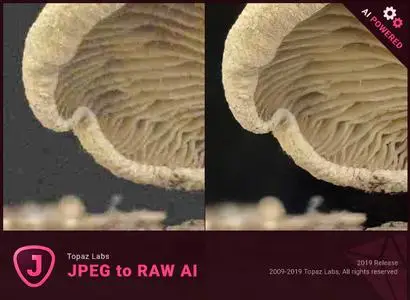
JPEG to RAW AI is highly effective at removing compression artifacts and recovering color detail. Note the additional fine detail in the top right and bottom of the image. There's also enhanced dynamic range as shown by deeper shadows and enhanced highlights.
Made possible by AI
There's normally no way of recovering lost detail. JPEG to RAW AI is currently the only machine-learning powered software capable of doing this.
Simple workflow
Whenever you would edit a JPEG, put it through JPEG to RAW AI first for best editing results. Standalone application for Mac + Windows that allows batch processing.
Constantly improving
We're continually training our JPEG to RAW conversion model with more data, which makes it better the more time passes. You'll get the latest and greatest when the model improves.
Dynamic range
Your image loses significant dynamic range when it's converted to JPEG. JPEG to RAW AI helps you recover a portion of this lost dynamic range by bringing back lost shadow and highlight details. While you won't be able to completely missing details, it can work with even very small amounts of information. This allows you to be more aggressive with editing your photo's exposure or contrast. If you ever think that you've blown out a sky and you don't have the original RAW file, try running it through JPEG to RAW AI first.
Color space
Color space represets the range of color that is supported in your image. JPEG images are usually in the sRGB color space, which works great for web but less for printing and editing. When editing a photo in sRGB, adjusting saturation or vibrance will often reveal ugly color blotchiness.
You can prevent this from happening by running it through JPEG to RAW AI. JPEG to RAW's machine learning models expand the sRGB colorspace to ProPhoto RGB, which is even better than a regular RAW file! This works so well because there is usually enough information in at least one color channel for our models to reconstruct missing detail with a high level of preciseness. The larger resulting color space allows you to better edit saturation and vibrance without any visible artifacting.
Color depth
Color depth (also called bit depth) is how much color information the image can store. When editing an image with low bit depth, you will see color banding in smooth gradients like skies.An 8-bit JPEG only has 256 values per channel. Running that JPEG through JPEG to RAW AI will expand it to 65,532 values per channel. This will prevent posterization and banding when you adjust the contrast in your images.
Artifacts
You'll see visible compression artifacts in your image when editing highly compressed images. JPEG to RAW AI is exceptional at removing these artifacts while preserving natural image features: Artifacts won't be easily visible in high-quality JPEGs, but they can completely ruin an image if they are. They'll also get accentuated by post-processing, especially sharpening. Run your images through JPEG to RAW AI to ensure artifacts don't impact your workflow.
Detail level
JPEGs will often feature smoothed details due to a small sensor or heavy processing. For example, iPhone photos are heavily processed before being saved, which sometimes ends up removing a lot of image detail. JPEG to RAW AI helps you recover fine detail removed during the conversion process.
- Windows 7 x64
- Windows 8/8.1 x64
- Windows 10 x64
- OpenGL 3.3
- RAM: 8GB (16GB recommended)
- GPU RAM: 2GB (4GB recommended)
- GeForce GTX 1070M 4GB
- R9 M460 4GB
-

DOWNLOAD
uploadgig
Код:
https://uploadgig.com/file/download/f65170e318a7Fa82/ALpry4zg_JPEG.RAW.2.2.1.rar

rapidgator
Код:
https://rapidgator.net/file/fc1810e2a55170f2975f3f895458a0d4/ALpry4zg_JPEG.RAW.2.2.1.rar

nitroflare
Код:
http://nitroflare.com/view/B0945839C5C80E1/ALpry4zg_JPEG.RAW.2.2.1.rar
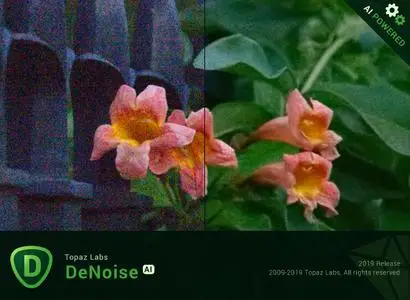

 
Topaz DeNoise AI 1.2.1

0069bb52_medium.jpg

Topaz DeNoise AI 1.2.1 (x64) REPACK | 285.6 Mb

Shoot anywhere in any light with no reservations. Eliminate noise and recover crisp detail in your images with the first AI-powered noise reduction tool. You may be surprised at the results you get.
Great noise reduction is like a lens upgrade.​

Shoot anywhere in any light with no reservations. Eliminate noise and recover crisp detail in your images with the first AI-powered noise reduction tool. You may be surprised at the results you get.
Shoot anywhere in any light
Great noise reduction is like a lens upgrade. You'll be able to get much higher-quality results when you're shooting fast action shots, night images, or any other situation that requires a high ISO. Use DeNoise AI to help you create a pixel-perfect photo in any situation.
Groundbreaking technology
Noise reduction technology has basically been the same for a decade, with only minor incremental improvements here and there. (We would know - we made one!) DeNoise AI is different: we fed an algorithm millions of noisy/clear images until it actually learned what noise is and how best to remove it.
Recover true detail
DeNoise AI examines the whole image and holistically determines the difference between detail and noise in that photo. (Other NR tools only look at pixel-level detail.) After understanding what noise vs detail looks like for that specific image, DeNoise AI recovers a surprising amount of detail from noise.
Lightroom vs DeNoise AI
When you need pixel-level perfection in your results, DeNoise AI offers the absolute best quality currently available anywhere. Existing noise reduction tools like Lightroom give you a choice: keep some noise or remove some detail. DeNoise AI's technology allows you to get the best of both worlds: to remove noise while actually strengthening detail. The original noisy image (© Luis Garena) is on the left; we compare the Lightroom vs DeNoise AI results on the right. Pay special attention to the increased definition in the image, especially in the car wheels and center signs.
- Enhance real detail
- Remove noise naturally with no smudging
- Best for moderate to ultra-high ISOs
Any noise reduction tool can remove noise - the really tricky part is to tell the difference between noise and detail. DeNoise AI helps you get the best quality at 100% by removing noise while recovering original image detail. Give it a try to see the difference for yourself!
- Windows 7 x64
- Windows 8/8.1 x64
- Windows 10 x64
- System RAM: 8GB / 16GB recommended
- GPU VRAM: 2GB / 4GB recommended
- NVIDIA: GeForce GTX 770 2GB / GeForce GTX 960 4GB recommended
- AMD: Radeon HD 8570 2GB / Radeon R9 270 4GB recommended
- Intel: HD Graphics 5000 / Iris Plus Graphics 640 recommended
-

DOWNLOAD
uploadgig
Код:
https://uploadgig.com/file/download/2c5f9Bd777DDb7ca/lEV6Kewo_DeNoise.1.2.1.rar

rapidgator
Код:
https://rapidgator.net/file/53a5fca094a483f0e79d1afcf9782470/lEV6Kewo_DeNoise.1.2.1.rar

nitroflare
Код:
http://nitroflare.com/view/BF8B128113967E1/lEV6Kewo_DeNoise.1.2.1.rar
 
Topaz Sharpen AI 1.3.1

0069bb46_medium.jpg

Topaz Sharpen AI 1.3.1 (x64) REPACK | 768 Mb

Create tack-sharp images with no artifacts or halos. Sharpen AI is the first sharpening and shake reduction software that can tell difference between real detail and noise. Create tack-sharp images even when you're shooting handheld, at night, or with a shallow depth of field.​

Powered by AI
Sharpen AI was trained with millions of images so it could learn the characteristics of detail vs. noise - and then enhance just the detail. In some cases, it can even recover image detail.
Seamless integration
Works wherever you currently edit your photos. Use Sharpen AI either as a standalone software or as a plug-in for Topaz Studio / Photoshop / Lightroom Classic.
Constantly improving
Through continuous AI training, Sharpen AI's enhancement model becomes both faster and higher-quality with time. You'll get the latest and greatest when the model improves.
Three kinds of sharpening for a perfect photo.
There's nothing worse than the feeling of taking the perfect photo, rushing home, opening it up on your computer. and realizing that it's blurry at 100%. When this happens, it's usually caused by one of three problems: camera shake, focus issues, or general softness. Sharpen AI includes a separate module to handle each one.
Stabilize: natural shake reduction
Even the steadiest hands don't compare to a tripod when it comes to image sharpness. Unlike a tripod, though, you always have your hands with you! Sharpen AI's Stabilize module has been trained to reverse motion blur and make handheld images look like they were taken from a tripod.
Focus: better focus correction
Focus correction is a notoriously difficult problem that's easy to get wrong, but Sharpen AI's Focus module excels at correct up to ten pixels of focus blur. This is perfect for sharpening out-of-focus eyes or correct issues caused by incorrect in-camera focus. Tip: use selective adjustments for best results!
Sharpen: general input sharpening
Even with no motion blur or focus issues, images generally come out of the camera soft. Sharpen AI includes the Sharpen module that specializes in correcting small amounts of general softness without any artifacts or halos. It's the most natural-looking sharpening tool that you will ever use.
The perfect time to make images tack-sharp.
The need for sharpening is universal: most images come out a little soft straight out of the camera. Here's just a handful of use cases in which we've seen exceptional results with Sharpen AI.
Animal Photography
You can pose people, but it's much harder to ask animals to stay still! Use Sharpen AI's Stabilize module to correct camera shake and the inevitable motion blur you get from fast-moving subjects. It's also difficult to focus perfectly in these situations, so the Focus module will also be very useful. This applies to any photos with fast-moving subjects - not just animals! Adjust the slider to the left to see the difference at 100%, or click for a larger before/after.
Hand-held Landscapes
No matter how fast you set your shutter speed, you can't shoot handheld landscapes as sharp as if you had a tripod. You don't always have a tripod with you, though. Sometimes you don't even have the luxury of using a fast shutter speed. Sharpen AI's Stabilize module helps you get handheld images that look like they were taken from a tripod. This model was trained specifically to counteract motion blur caused by camera shake and can produce some pretty exceptional results in your photos.
Portrait Photography
Getting sharp portraits is essential. Using controlled lighting and tripods in a studio setting is a good way to do that, but you're not always in a studio. Use Sharpen AI when the otherwise perfect portrait has slightly out-of-focus eyes or camera shake.
A new approach to sharpening.
We believe that better technology enables you to produce better art. The photos that thousands of other photographers have created with AI technology have been astounding, and we can't wait to see what you create. Here's how it works.
What does sharpness look like? (Training)
The first step of the machine learning process is to teach the software what sharpness is. We do this by feeding millions of blurred/sharp image pairs into the software and asking it to learn the characteristics of what makes an image sharp.
How to achieve this sharpness? (Learning)
Just like computers perform math and complex operations faster than humans, they can also learn much faster for very specific tasks. Sharpen AI soon understands how sharp images generally become blurred, and therefore how to reverse the process.
How do we sharpen images faster? (Optimization)
Sharpen AI performs millions of operations per pixel, so a significant amount of work is done to speed it up. This whole process continues even after the product's release: you'll likely see new updates with sharpening model improvements as the software learns more.
- Windows 7 x64
- Windows 8/8.1 x64
- Windows 10 x64
- System RAM: 8GB / 16GB recommended
- GPU VRAM: 2GB / 4GB recommended
- NVIDIA: GeForce GTX 770 2GB / GeForce GTX 960 4GB recommended
- AMD: Radeon HD 8570 2GB / Radeon R9 270 4GB recommended
- Intel: HD Graphics 5000 / Iris Plus Graphics 640 recommended
-

DOWNLOAD
uploadgig
Код:
https://uploadgig.com/file/download/e64eeBd49964d9ab/ZpE5FAxQ_Sharpen.1.3.1.rar

rapidgator
Код:
https://rapidgator.net/file/86e21de3a6cc07351593f75730b16488/ZpE5FAxQ_Sharpen.1.3.1.rar

nitroflare
Код:
http://nitroflare.com/view/B73658DB5757C99/ZpE5FAxQ_Sharpen.1.3.1.rar
 
Youtube Music Downloader 9.9.1.4

0031cc9d_medium.jpeg

Youtube Music Downloader 9.9.1.4 | 40.4 Mb

An easy-to-use Windows software to YouTube music videos and convert them to MP3, AVI, WMV, MOV, MP4, 3GP formats. You can millions of music from YouTube and listen them on your iPod, MP3 Player or watch them on your PC, iPod, iPhone.​

Unlimited 6,000,000+ music from YouTube, get started now.
Use YouTube Music Downloader To Download YouTube HD Video
With YouTube Music Downloader, You can YouTube Music Video as HD(High Definition) MPEG4 Video format!
Use YouTube Music Downloader To Download YouTube HQ Video
With YouTube Music Downloader, You can YouTube Music Video as HQ(High Quality) MP4 Video format!
Use YouTube Music Downloader As MP3 Downloader
With YouTube Music Downloader, You can YouTube Music Video to MP3 Audio for iPod, MP3 Player and Cellphone.
Use YouTube Music Downloader As YouTube Video Downloader
With YouTube Music Downloader, You can YouTube Music Videos To AVI and WMV files and watch them offline
Use YouTube Music Downloader to Download Videos for iPod
With YouTube Music Downloader, You can YouTube Music Videos To MOV format, and watch music videos on your iPod
Use YouTube Music Downloader to Download Videos for PSP
With YouTube Music Downloader, You can YouTube Music Videos To MP4 format for PSP
Use YouTube Music Downloader to Download Videos for Cellphone
With YouTube Music Downloader, You can YouTube Music Videos To 3GP files, you can watch them on your Cellphone
YouTube Music Downloader updated to fix the new YouTube ing problem for Vevo videos on YouTube.
YouTube Music Downloader now supports HD 1080P/HQ 720P MP4 videos ing from YouTube since Jan 2013.
Now we support YouTu.be links. Also YouTube Music Downloader supports ing new YouTube Music url, after YouTube has been updated on Sep 9th, 2012.
YouTube has changed their video format and url on Sep 9th, 2012. YouTube Music Downloader developer team updated the YouTube Music Downloader to version 3.7.8 very soon, and the new version allows users to new YouTube Music video HQ/HD MP4 and HQ FLV formats.
And the new version also fixed the bug that YouTube Music Downloader doesn't response when users copy the YouTube video url.
Operating System: Win XP/Vista/7/8/10
-

DOWNLOAD
uploadgig
Код:
https://uploadgig.com/file/download/bDcF91a4e2F637ad/LmVfLXQJ_Youtube.Music.Downloader.9.9.1.4.rar

rapidgator
Код:
https://rapidgator.net/file/a844f282a2c287db2aa61fbd82cdb380/LmVfLXQJ_Youtube.Music.Downloader.9.9.1.4.rar

nitroflare
Код:
http://nitroflare.com/view/591239790DB7836/LmVfLXQJ_Youtube.Music.Downloader.9.9.1.4.rar
 
Autodesk Inventor Tolerance Analysis 2020.1

006a63a3_medium.jpg

Autodesk Inventor Tolerance Analysis 2020.1 | 309.2 mb

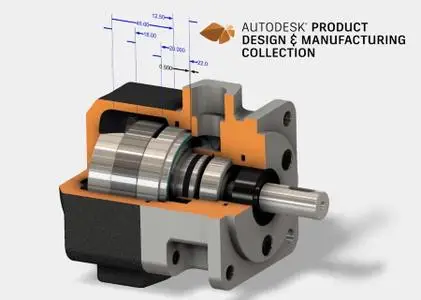
The Autodesk products team is pleased to announce the availability of Tolerance Analysis 2020.1, is a CAD-embedded 1D analysis solution which reports the mechanical fit and performance of your design based on dimensional tolerances.​

- Faces are now inferred from Insert constraints and they participate in an automatic constraint loop.
- Automatic constraint loop participants now include subassembly components.
- If a Mate constraint consumed in the constraint loop contains an offset value, the offset value is automatically added to the stackup.
- Most geometry editing operations are now disabled when the Tolerance Analysis environment is active because geometry edits can cause a crash. The preferred workflow is to exit the environment before making changes to the CAD model. (INVGEN-29588)
- Stackup data can be marked as invalid if two copies of an assembly are opened in the same session. (INVGEN-30304)
- Tolerance Analysis 2020.1 can be installed on Inventor 2019 RTM with no installation error. (INVGEN-28254)
- Preview boxes are no longer missing when creating tube and pipe run. (INVGEN-27525)
is a CAD-embedded, 1D analysis solution that reports the mechanical fit and performance of designs based on dimensional tolerances. Stack-ups automatically capture the relationships defined in the assembly model - and for Model-Based Definition users, tolerance values can be edited directly inside the software to streamline the process between design and manufacturing.
With an in-canvas workflow that uses geometric dimensions and tolerances right on your model, analyze critical areas of your design to ensure they satisfy your objectives for manufacturing. Inventor Tolerance Analysis captures the necessary parts and mate relationships automatically to close the loop.
helps people imagine, design and create a better world. Everyone-from design professionals, engineers and architects to digital artists, students and hobbyists-uses Autodesk software to unlock their creativity and solve important challenges.
Autodesk Inventor Tolerance Analysis
2020.1
x64


english
PC *
*
*
309.2 mb

DOWNLOAD
uploadgig
Код:
https://uploadgig.com/file/download/D7dE986b31edfeaD/VjiFQBQJ_TdEInvTolAn201.rar

rapidgator
Код:
https://rapidgator.net/file/f9a3c4c148eb9a0cf039d40d37e663d3/VjiFQBQJ_TdEInvTolAn201.rar

nitroflare
Код:
http://nitroflare.com/view/FE6938394CF7A8E/VjiFQBQJ_TdEInvTolAn201.rar
 
Arclab Watermark Studio 3.7

sh7epz8imaZcPH0l12rYRRkQrOhaFGm8.jpg

Arclab Watermark Studio 3.7 | 4.7 MB

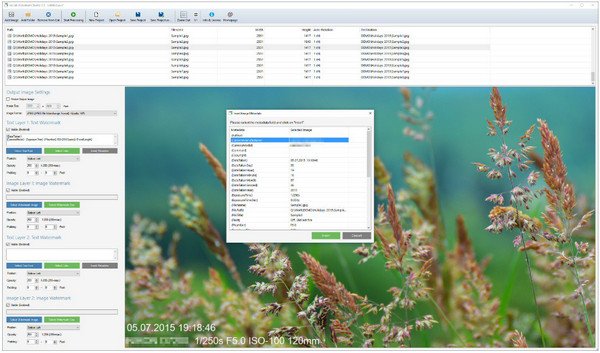
Arclab Watermark Studio is an easy to use image watermarking software to add visible and transparent watermarks to multiple images in a batch. It allows to protect photos from unauthorized distribution using one of the included or a custom watermark or logo, which could be added on any position and size.​

Batch protect your photos using a visible watermark or logo
Visual marketing
Supports jpeg photos, png, gif, tiff, bmp and psd images
Batch convert images and photos to popular image formats
Resize photos and create thumbnails
Transparent watermarks with custom opactiy
Add custom text and comments to images
Import comments from EXIF, IPTC, JPEG, filename
Batch processing of structures
OS : Windows 10/8/7/Vista/XP, 32/64-bit
Language : English
-

DOWNLOAD
uploadgig
Код:
https://uploadgig.com/file/download/d4184fDA789Ced63/oiISSxTG_WatermarkStudio3.7.rar

rapidgator
Код:
https://rapidgator.net/file/bb33df88806f8ed3c349687bc929556e/oiISSxTG_WatermarkStudio3.7.rar

nitroflare
Код:
http://nitroflare.com/view/159552EBE127A82/oiISSxTG_WatermarkStudio3.7.rar
 
DiskTrix UltimateDefrag 6.0.20.0 (x86/x64) Portable

006a63c8_medium.png

DiskTrix UltimateDefrag 6.0.20.0 (x86/x64) Portable | 17 Mb

UltimateDefrag is the only software product addresses all three causes of reduced hard drive performance to make your Windows PC, as well as all your favorite games and applications, perform at absolute maximum performance possible from a file access point of view..​

up to four times faster than "factory averages" and with one of the new features, six to eight times faster! This raw performance increase is real!
-

DOWNLOAD
uploadgig
Код:
https://uploadgig.com/file/download/F4303Ec376cf8845/1rMqTRXn_DiskTrix_UltimateDefrag_6.0.20.0_Portable.7z

rapidgator
Код:
https://rapidgator.net/file/a2fc3073cd22c7f44b26f81104c8f126/1rMqTRXn_DiskTrix_UltimateDefrag_6.0.20.0_Portable.7z

nitroflare
Код:
http://nitroflare.com/view/0C09A3AB34EC22C/1rMqTRXn_DiskTrix_UltimateDefrag_6.0.20.0_Portable.7z
 
ThunderSoft DRM Protection 4.0.0

0068c16e_medium.jpg

ThunderSoft DRM Protection 4.0.0 | 19.4 Mb

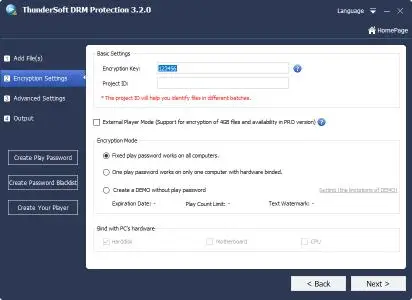
ThunderSoft DRM Protection is a DRM solution for video/audio/image files. DRM protected media files can prevent illegal copying and distribution, unauthorized users can not open them. Authorization key can be binding with end user's hardware, one device one key, specify its time interval and also blacklist feature included.​

Our software provide custom watermarks, custom player and many other advanced settings to help you complete your DRM protection.
Features:
Allow combine multiple files into the one DRM protected file.
Encrypt media files with Advanced Encryption Standard (AES), which have a very high level security.
Encryption with high speed, and the output file can be open quickly.
Allow authorization key binding with PC, USB Disk, CD or not.
Allow add watermark, supports float or fixed watermark style.
Anti-Copy settings can prevent screen recording software, and forbid to play when connecting to internet.
Ad-settings allow add Ad links to DRM protected files.
Online Password Blacklist can disable password you sent to uses.
Password maker help you create different password to different users.
Allow custom player with your company information.
Windows 2000/2003/XP/Vista/7/8/10
-

DOWNLOAD
uploadgig
Код:
https://uploadgig.com/file/download/933E7260440675f6/VHWNwvOQ_DRM.Protection.4.0.0.rar

rapidgator
Код:
https://rapidgator.net/file/60b6c8fd77d746e77c78a477ea5cd417/VHWNwvOQ_DRM.Protection.4.0.0.rar

nitroflare
Код:
http://nitroflare.com/view/EFC96DF246FD06C/VHWNwvOQ_DRM.Protection.4.0.0.rar
 
Wondershare Filmora 9.2.0.34 (x64) Multilingual

00603d16_medium.jpg

Wondershare Filmora 9.2.0.34 (x64) Multilingual | 275.1 Mb

Empower your imagination - a video editor for all creators. Filter, Overlays, Transitions and Custom Titles. Create Without Limits. Discover infinite ways to express yourself. Achieve a refined look with endless effects.​

Never miss a beat
Perfect your sound with tools like keyframing, background noise removal, and an audio equalizer.
Beyond the basic
Create new worlds with compositing by layering clips and using green screen effects.
Details matter
Filmora 9 ensures every frame of your creation is as crisp as reality.
Ready for anything
Utilize up to 100 layers of media to create complex stories with ease.
Get more done
Fast processing, proxy files, and adjustable preview quality help you be more productive.
Fine tune your adventures
Fix common action cam problems like fisheye and camera shake, and add effects like slow motion and reverse.
Perfect your aesthetic
Change the aesthetic of your video with one click. Filmora9 has both creative filters and professional 3D LUTs.
Share your story
Tailor your content to any platform and upload it directly from Filmora 9.
- Supported OS: Windows 7/Windows 8.1/Windows 10 (64 bit OS)
- Processor: Intel i3 or better multicore processor, 2GHz or above.
- (Intel 6th Gen or newer CPU recommended for HD and 4K Videos)
- RAM: 4 GB RAM (8GB required for HD and 4K videos)
- 2 GB vRAM (4GB required for HD and 4K videos)
- Graphics: Intel HD Graphics 5000 or later; NVIDIA GeForce GTX 700 or later; AMD Radeon R5 or later
- Disk: At least 10GB free hard-disk space for installation (SSD-Solid State Disk recommended for editing HD and 4K videos)
-

DOWNLOAD
uploadgig
Код:
https://uploadgig.com/file/download/64fCd706a326680F/yQQGG1HZ_Filmora.9.2.0.34.rar

rapidgator
Код:
https://rapidgator.net/file/7308b83bfba665e678f2cd762f6e72dc/yQQGG1HZ_Filmora.9.2.0.34.rar

nitroflare
Код:
http://nitroflare.com/view/23CE15CE5EDAD73/yQQGG1HZ_Filmora.9.2.0.34.rar
 
Aquaveo GMS Premium 10.4.5

006a6412_medium.jpg

Aquaveo GMS Premium 10.4.5 | 799.3 mb

Aquaveo, a water resources engineering consulting firm, has released the new version of its popular Aquaveo Groundwater Modeling System (GMS) Premium, is the most intuitive and capable software platform used to create groundwater and subsurface simulations in a 3D environment.​

is a comprehensive graphical user environment for performing groundwater simulations. The entire GMS system consists of a graphical user interface (the GMS program) and a number of analysis codes (MODFLOW, MT3DMS, etc.). The GMS interface is developed by Aquaveo, LLC in Provo, Utah.
GMS was designed as a comprehensive modeling environment. Several types of models are supported and facilities are provided to share information between different models and data types. Tools are provided for site characterization, model conceptualization, mesh and grid generation, geostatistics, and post-processing.
is synonymous with visualizing water. Our software solutions provide tools to engineers for modeling groundwater and surface-water in the areas of hydrology and hydraulics. Our customers around the world rely on our solutions to complete today's demanding water resources projects.
Aquaveo GMS (Groundwater Modeling System)
Premium 10.4.5
x64

english
PC *
*
799.3 mb

DOWNLOAD
uploadgig
Код:
https://uploadgig.com/file/download/602A7c76a7e774fc/jFvB4nMK_VeoAqGmSPr1045.x64.rar

rapidgator
Код:
https://rapidgator.net/file/95c67768f3f3d2353423eb89d8b7ca27/jFvB4nMK_VeoAqGmSPr1045.x64.rar

nitroflare
Код:
http://nitroflare.com/view/B554328D3FDE92C/jFvB4nMK_VeoAqGmSPr1045.x64.rar
 
SiNi Software Plugins 1.12.2 for 3dsMax 2020

006a64ee_medium.jpg

SiNi Software Plugins 1.12.2 for 3dsMax 2020 | 135.8 mb

SiNi Software is a developer of Autodesk 3ds Max plugins that minimise your time doing the tedious and boring stuff allowing you to focus on the creative work you enjoy. Our plugin products can be divided into two groups, Utility plugins and Object plugins.​

The utility plugins are grouped into our IgNite toolset and includes more than 200 tools and features with an expanding collection of bespoke plugins.
These plugins allow you to optimise and repair 3D models, automate the setup HDRI lighting, relink projects, asset management library, MAXScript loader, SiNiScript, spline tools and much more. The latest tools to be released soon is Preflight, a 3D model checklist to run through before exporting to Unreal Studio, and, AMI, our asset management interface which will file and load assets from a managed database.
Springboard daily workflow tools located in one UI, including camera and display settings, MAXScript loader, SiNi configuration settings and much more.
Forensic inspects your scene for issues and fix them before working on a scene. 5* rated by 3DWorld Magazine. Forensic is also available as a FREE version.
Scribe spline tools, repair, cleanup, optimise any CAD imported drawing.
Sculpt mesh tools, repair, cleanup, optimise any 3D, BIM model (Revit, Rhino, Sketchup etc).
Unite relink and archive projects, including over 45 3rd party file types you may use in your work.
Jumble random object transforms.
Illumi HDRI setup wizard.
SiNiScript Build your own MAXScripts adding SiNi tools and functions.
PREFLIGHT Utility checklist tool to run-through and check-off before exporting to Unreal Studio.
SiClone - Parametric modeller that allows you to build simple repetitive assets or complex models, with an easy to use UI.
Disperse - 3D paint and object replace tool.
ProxSi - Universal proxy with round-trip editing and asset lock.
Scatter - Random scattering of objects. (Beta).

DOWNLOAD
uploadgig
Код:
https://uploadgig.com/file/download/0a0fc4fc59B7E35A/me2J5uks_InSiof3DM1122.rar

rapidgator
Код:
https://rapidgator.net/file/395b5c6416941e970c8680b0c52e5876/me2J5uks_InSiof3DM1122.rar

nitroflare
Код:
http://nitroflare.com/view/B6C5F2D1A808F2A/me2J5uks_InSiof3DM1122.rar
 
SmartFTP Enterprise 9.0.2690.0 Multilingual

0058bdbf_medium.png

SmartFTP Enterprise 9.0.2690.0 (x86/x64) Multilingual | 57.5 Mb

SmartFTP is an FTP (File Transfer Protocol), FTPS, SFTP, WebDAV, Amazon S3, Backblaze B2, Google Drive, OneDrive, SSH, Terminal client. It allows you to transfer files between your local computer and a server on the Internet.​

With its many basic and advanced Features SmartFTP also offers secure, reliable and efficient transfers that make it a powerful tool.
SmartFTP can be used for:
- Web site publishing and maintenance
- Upload and of images, documents, movie and music files
- Managed file transfers. Automate file transfer processes.
- Backup and synchronize local and remote files
SmartFTP Features:
Protocols
FTP and FTPS (Secure FTP)
SFTP over SSH
WebDAV
Amazon S3 (Enterprise Edition)
Google Drive (Ultimate Edition)
Google Cloud Storage (Enterprise Edition)
Backblaze B2 Cloud Storage (Enterprise Edition)
Microsoft OneDrive (Ultimate Edition)
Terminal Emulator (Ultimate Edition)
Integrated Editor
HIPAA 5010 compliant
FIPS 140-2, 186-4 compliant
Modern Graphical User Interface (GUI)
High DPI support
File/Folder Synchronization
Multilingual (more than 20 languages)
Thumbnails View and Preview
Visual Compare
Advanced Schedule
IPv6
On-the-fly Compression (MODE Z)
UTF-8 Support
Support for KeePass, LastPass, 1Password password manager
Multiple Connections
Auto reconnect and resume of broken transfers
Transfer Integrity
Verified Transfers (XCRC, XMD5, XSHA)
FXP (Server-To-Server Transfer) support
Remote Edit of files
Search for files and folders on the server
Local Browser
Bulk Rename
Software Development Kit (SDK)
Enhanced NAT/UPnP Support
UPnP (Universal Plug and Play), ICS, ICF
Transfer Queue
Scheduling (Enterprise Edition)
Uploads/Downloads/FXP
Unlimited simultaneous threads
International Domain Names (IDN)
Proxy / Firewall support
SOCKS5, SOCKS4, SOCKS4A, HTTP Proxy
Wingate, Winproxy, CSM, Checkpoint FW-1, Raptor
URL Watcher
FTP command line
Custom Commands
CHMOD (Properties)
Section 508 compliant
and much more .
Windows 8.1, 2012 R2, 10, 2016
-

DOWNLOAD
uploadgig
Код:
https://uploadgig.com/file/download/70f3067Ec80502c8/0jRI3clz_SmartFTP.Enterprise.9.0.2690.rar

rapidgator
Код:
https://rapidgator.net/file/6e98c0cadce697be95c845eecc9b86fb/0jRI3clz_SmartFTP.Enterprise.9.0.2690.rar

nitroflare
Код:
http://nitroflare.com/view/C742DD35F6E6BB2/0jRI3clz_SmartFTP.Enterprise.9.0.2690.rar
 
Geometric DFMPro 6.1.0.6061 for NX 1847/1872 Series

006a652b_medium.jpg

Geometric DFMPro 6.1.0.6061 for NX 1847/1872 Series | 165.5 mb

Geometric Limited, announced the new version of its automated design for manufacturability solution, DFMPro for NX software, Siemens PLM Software's solution for integrated computer-aided design manufacturing and engineering (CAD/CAM/CAE).​

Geometric's award-winning DFMPro product is a unique solution that identifies and fixes these issues at the design stage itself. DFMPro comes with global best practices in the area of manufacturability and assembly, along with a powerful framework to add an organization's in-house best practices. This allows design engineers to save time on design reviews and rework, and utilize such time in creating innovative products.
DFMPro provides numerous built-in checks for manufacturing processes like machining, sheet metal, casting, molding and assembly. The standard checks in DFMPro are derived from various handbooks, design guidelines and global best design practices.
DFMPro automates manufacturability checks which help design and manufacturing engineers validate the design quickly. It assists identification of design areas which are difficult, expensive or impossible to manufacture, assemble and service. It works on principle of 'Right First Time' by validating manufacturability guidelines right at the design stage. These guidelines can be easily configured as per organizational requirements in form of rules. It facilitates a collaborative design environment by generating reports, which are compact and easy to share. The product received the 2011 Frost & Sullivan Global Enabling Technology Award for Computer-aided Design.
Geometric is a specialist in the domain of engineering solutions, services and technologies. Its portfolio of Global Engineering services and Digital Technology solutions for Product Lifecycle Management (PLM) enables companies to formulate, implement, and execute global engineering and manufacturing strategies aimed at achieving greater efficiencies in the product realization lifecycle.

NX 1847/1872 Series

DOWNLOAD
uploadgig
Код:
https://uploadgig.com/file/download/1F6095A6032f9296/LEmjfd5y_DFMPr6106061.rar

rapidgator
Код:
https://rapidgator.net/file/9fa3cfab6157fdd3654151daa53f8da2/LEmjfd5y_DFMPr6106061.rar

nitroflare
Код:
http://nitroflare.com/view/A0406CF771FD654/LEmjfd5y_DFMPr6106061.rar
 
Pichon (Icons8) 7.5.1

0063c7d6_medium.jpg

Pichon (Icons8) 7.5.1 | 70 Mb

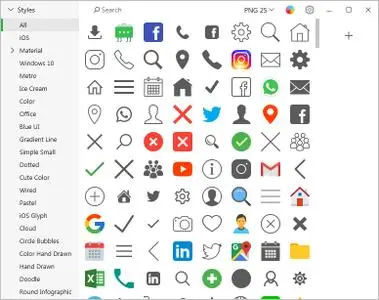
Pichon - all our Icons Offline on Your Computer that works with Photoshop, Adobe XD, Visual Studio, or anything. The app stores all the Icons8 icons on your hard drive and these are available in any format, size, or color.​

 No doubt, we have social media icons like Facebook, Twitter, Youtube, and all kinds of arrows. Surely, we have basic ones like phone, home, and settings. However, if you are up for something more unorthodox, simply request it. No charge. Guaranteed.  We tweet, message, and conduct structured interviews to determine which features the community needs, not to mention that the community invented many of them We have been creating 3-20 new line and filled icons every working day since 2012.
Single Style
All icons are done by a single designer, so your user interface will look consistent.
Editable Vectors
Vector icons are not merged and have preserved shapes. Check it out
Fonts Generator
Goodbye monster fonts of 500 icons. Pick only the icons you need and build your own, small font. How-to
Icon Recoloring
Pick a color and we will generate recolored versions of your PNG or SVG.
Mac&Win Apps
Allows you to search icons quickly, and works well with Photoshop. Download
HTML Embedding
Get a code to paste an icon right into your HTML. Choose one of the 5 ways to insert an icon.
Pick your color, size, and format. Drag it to Photoshop. You're done.
- All icons have ~20 tags for effective search.
- Browse around 50 categories, with 50-200 icons each.
- Recolor PNG and SVG icons on the fly.
- Drag icon to Illustrator, Photoshop, Visual Studio, or anything else.
Windows 7, 8/8.1, 10
-

DOWNLOAD
uploadgig
Код:
https://uploadgig.com/file/download/66F1e35f78ccd4bb/Q0JqfRUF_Pichon.Icons8.7.5.1.rar

rapidgator
Код:
https://rapidgator.net/file/c3fdf41334ad4cde5f45d2aa2fbb04c4/Q0JqfRUF_Pichon.Icons8.7.5.1.rar

nitroflare
Код:
http://nitroflare.com/view/0F50211023B5977/Q0JqfRUF_Pichon.Icons8.7.5.1.rar
 
BenVista PhotoZoom Pro 8.0 Multilingual Portable

006a6967_medium.jpg

BenVista PhotoZoom Pro 8.0 Multilingual Portable | 8 Mb

PhotoZoom Pro 8 not only creates larger images than any other software (up to 1 million by 1 million pixels), it also produces higher quality results. PhotoZoom Pro 8 is equipped with S-Spline Max, a unique, award-winning image resize technology which excels at preserving clean edges, sharpness, and fine details.​

Even noisy, compressed originals can be enlarged successfully. Normally, noise and JPEG compression artifacts become disturbingly visible during enlargement. PhotoZoom Pro 8 however offers the tools to eliminate these distortions. You'll be amazed by the amount of detail PhotoZoom Pro 8 is able to reveal.
PhotoZoom Pro 8 is extremely easy to use, and comes with various pre-defined settings. These settings can be manually fine-tuned as well. You can even put together your own resize profiles: compilations of your favorite resize method and size settings, which can be selected with a single click. When you often use the same settings, resize profiles will streamline your workflow.
Large quantities of images can be resized in one go, through batch processing. Multi-processor support and the improved GPU acceleration included with PhotoZoom Pro 8 ensure reduced processing time.
PhotoZoom Pro 8 works both as a stand-alone application and as a plug-in for various host programs, such as Adobe Photoshop, Adobe Photoshop Elements, Corel PHOTO-PAINT, and Corel PaintShop Pro. Also, PhotoZoom Pro 8 fully integrates with Adobe Lightroom!
Optimized for both printing and on-screen purposes, PhotoZoom Pro 8 is an absolute must-have for anyone who wants to resize images at the highest possible quality.
-

DOWNLOAD
uploadgig
Код:
https://uploadgig.com/file/download/351ce600878C0a2b/zWbQxt2e_BenVista_PhotoZoom_Pro_8.0_Portable.7z

rapidgator
Код:
https://rapidgator.net/file/85109c37dfa6d9f3f17fca673393b129/zWbQxt2e_BenVista_PhotoZoom_Pro_8.0_Portable.7z

nitroflare
Код:
http://nitroflare.com/view/C25BC731990588D/zWbQxt2e_BenVista_PhotoZoom_Pro_8.0_Portable.7z
 
Benvista PhotoZoom Pro 8.0 Multilingual

006a69f4_medium.jpg

Benvista PhotoZoom Pro 8.0 (x86/x64) Multilingual | 61.6 Mb

PhotoZoom Pro 8 not only creates larger images than any other software (up to 1 million by 1 million pixels), it also produces higher quality results. PhotoZoom Pro 8 is equipped with S-Spline Max, a unique, award-winning image resize technology which excels at preserving clean edges, sharpness, and fine details.​

Even noisy, compressed originals can be enlarged successfully. Normally, noise and JPEG compression artifacts become disturbingly visible during enlargement. PhotoZoom Pro 8 however offers the tools to eliminate these distortions. You'll be amazed by the amount of detail PhotoZoom Pro 8 is able to reveal.
PhotoZoom Pro 8 is extremely easy to use, and comes with various pre-defined settings. These settings can be manually fine-tuned as well. You can even put together your own resize profiles: compilations of your favorite resize method and size settings, which can be selected with a single click. When you often use the same settings, resize profiles will streamline your workflow.
Large quantities of images can be resized in one go, through batch processing. Multi-processor support and the improved GPU acceleration included with PhotoZoom Pro 8 ensure reduced processing time.
PhotoZoom Pro 8 works both as a stand-alone application and as a plug-in for various host programs, such as Adobe Photoshop, Adobe Photoshop Elements, Corel PHOTO-PAINT, and Corel PaintShop Pro. Also, PhotoZoom Pro 8 fully integrates with Adobe Lightroom!
Optimized for both printing and on-screen purposes, PhotoZoom Pro 8 is an absolute must-have for anyone who wants to resize images at the highest possible quality.
Windows 10, 8.1, 8, or 7
Intel or AMD compatible processor
100 MB free hard disk space
-

DOWNLOAD
uploadgig
Код:
https://uploadgig.com/file/download/3eD19ef1a381F357/8hfNpAsI_PhotoZoom.Pro.8.0.rar

rapidgator
Код:
https://rapidgator.net/file/e97464884613d4661664d48ec66af6b9/8hfNpAsI_PhotoZoom.Pro.8.0.rar

nitroflare
Код:
http://nitroflare.com/view/E44D69F5E11C311/8hfNpAsI_PhotoZoom.Pro.8.0.rar
 
Topaz Studio 2.0.4 (x64) Portable

006a6990_medium.jpg

Topaz Studio 2.0.4 (x64) Portable | 540 Mb

The future of creative photo editing. Edit your images beautifully with powerful filters and frictionless masking in a fine-tuned non-destructive layer workflow. Topaz Studio 2 has only one purpose: creative photo editing.​

This starts after you select your image and ends when you export your finished work. It's designed specifically around the artisanal post-processing workflow of carefully crafting a single image to your vision.
Studio is the editor to use when you want jaw-dropping images and you're not afraid to spend the time to get them. It's for creating works that push the bounds of your artistic vision; the few that you know you'll look back upon in years as one of your best creations. That's why you won't find library management, design tools, batch editing, or other common "image editor" tools in Studio. There's a lot of photo editors out there that help you manage your workflow and make minor contrast adjustments. Topaz Studio is not intended for that. If it doesn't contribute to the vision of creating singularly beautiful images through post-processing, then we're not including it.
Most image editor tools are the same: your Exposure in one editor is the same Exposure in another. In Studio, we've thought about what common adjustments would look like if they were designed today, and updated them to their most modern and useful forms.
Very rarely do you want to apply the same effect to all parts of your image the same. Studio considers masking and selective adjustments to be a core task, and features several innovations that make selective editing substantially easier and faster for you.
Mix and match filters and effects with different blending modes and opacity. Everything that you do in Studio can be edited and adjusted after the fact with a fully non-destructive layer workflow.
You'll find that these aren't your everyday image editing filters as soon as you give them a try. Topaz Labs actually started off creating Photoshop filters. We've condensed our decade of specialized post-processing experience into a set of the most useful filters available only for Studio 2. Here are some of the most popular ones that you won't find anywhere else.
This AI-powered tool can actually sharpen detail while removing noise. Give it a try on your own images to see why some photographers say that AI Clear is the best thing we've ever developed.
When was the last time that using the Contrast slider produced a breathtaking image? Chances are, it blew out highlights and crushed shadows in your image instead.
Normal sharpening tools usually increase edge contrast, which just gives the appearance of sharpness but also adds artifacts and halos. Topaz Detail enhances natural detail that already exists in the image. This unique technology helps you naturally makes your photos look more "three-dimensional" and adds a sense of beautifully natural sharpness to your image.
Turn your photos into exquisite monochrome images that will emotionally move your viewers. The Black and White filter uses a unique BW conversion engine that emphasizes tone and texture in order to help you get BW images that pop.
Topaz Studio's filters work well individually, but the true magic happens when they're combined together. Topaz Studio 2 includes over 200 "Looks" (pre-built groups of filters) that help you explore different beautiful effects for your images with a single click.
Explore hundreds of beautiful texture and tone effects, hand-crafted by some of the best photographers in the world. With over 200 included one-click effects, each with the ability to blend with each other in various ways, the only limit is your imagination.
Capture the essence of your photos without being constrained by rigid detail. Topaz Impression helps you turn photos into paintings like a true artist would: by intelligently applying real brushstrokes to canvas.
Create beautiful light effects in your images to reveal the hidden life in each moment you capture. Apply a wide range of looks from a pleasing subtle diffusion to spectacular electric and neon effects.
Topaz Studio 2 doesn't do everything, but it is really good at what it does do. If you ever find yourself needing that extra "something" in your photos, please give it a try. You'll be pleasantly surprised!
There's a big difference between masking for compositing vs. selective adjustments. Topaz Studio focuses entirely on selective adjustments, and we think of it as a central feature of the product instead of an add-on. As you'll see, this led to many design decisions intended to shorten the amount of time you spend refining your mask, like including edge awareness in each masking tool in Studio.
Select different parts of your image by painting directly on it. Topaz Studio's brush is edge aware by default. This means you can quickly paint over your selection without having to worry too much about staying between the lines. This is the fastest and most direct way to selectively apply an effect to your image.
Emphasize a certain subject in your photo with the edge-aware spot tool. The spot tool is a quick way to draw attention to a certain subject in your your image. Since it is edge- and color-aware, you don't need to worry about refining your mask too much.
Gradually level off your effect with the gradient tool. Topaz Studio's gradient tool is unique in that it's also adjustably context-aware, which creates much better masking experience. It's like having a graduated neutral density filter that also knows how to tell between foreground and background.
Create a mask targeted at the different colors in your image. This is probably the easiest masking tool to use: just click on your image with the eyedropper and this will automatically select the correct parts of your image. Great to selectively apply effects to just a single color range in your image.
Create a mask targeted at different brightness levels in your image. This tool will get you a perfect selection very quickly in images with a clear separation in brightness between subject and background. Also great for selectively adjusting highlights, shadows, or anything in between.
Layers are essential for creative post-processing because they allow you to apply effects in unlimited ways to your image. Let's walk through an example workflow that illustrates what you can do with them.
As mentioned before, Topaz Studio 2 now has full layer support - and everything you do is non-destructive. Looks (formerly presets) go on their own layers so you can now mix, match, and stack them. (Apply and Duplicate no longer necessary!)
Topaz Studio 2 received a major user interface change focused around layers. You can easily drag and drop to rearrange layers, access layer masks, and control blending/opacity. It does look quite different than the current Studio, but we're confident this new workflow will enable you to work more quickly and easily than before.
:
You will be able to use Studio 1 alongside Studio 2, but you will not be able to buy any additional paid adjustments
The old Studio 1 .tsp format will no longer be compatible
Studio 1 presets will not be compatible at launch, but we will offer a utility to help migrate custom Studio 1 presets into Studio 2
Studio 2 will not support plug-ins upon release, but this will be added soon
:
Windows 7, 8, 10 64-bit support only
Display Size: 800 x 600
OpenGL 3.3
System RAM: 8GB (Minimum), 16GB (Recommended), 32GB (Optimal)
GPU VRAM: 2GB (Minimum), 4GB (Recommended), 6+GB (Optimal)
-

DOWNLOAD
uploadgig
Код:
https://uploadgig.com/file/download/B9C866d853ffB04d/Lq9Gz5mS_Topaz_Studio_2.0.4_x64_Portable.7z

rapidgator
Код:
https://rapidgator.net/file/f56f925cc8854eae82d0194d9a765681/Lq9Gz5mS_Topaz_Studio_2.0.4_x64_Portable.7z

nitroflare
Код:
http://nitroflare.com/view/0D323389DAA7CBA/Lq9Gz5mS_Topaz_Studio_2.0.4_x64_Portable.7z
 
Adobe Illustrator 2019 v23.0.5 (x64/x86) Multilingual by m0nkrus

4466eef26a0af8466602a99c31788655.jpg

Adobe Illustrator 2019 v23.0.5 (x64/x86) Multilingual by m0nkrus | 1.86/1.77 GB
​
Adobe Illustrator 2019 is an industry-standard vector graphics software widely used by designers in various fields of digital graphics, illustrations and printing, in developing all kinds of multimedia resources, such as print materials, Internet content, interactive tools, videos and mobile applications.

Interface language:
English / Hungarian / Dutch / Danish / Spanish / Italian / Chinese (simplified) / Chinese (traditional) / Korean / German Polish / Portuguese (Brazil) / Russian / Turkish / Ukrainian / French / Czech / Swedish / Japanese / English (UK) / Arabic Arabic / English Hebrew / Spanish (Mexico) / French (Morocco) / French (Canada)

System requirements:
64-bit version of Microsoft Windows 7 with SP1 or Windows 10 (version 1703 or later); 64-bit version of Microsoft Windows 7 with SP1, Windows 8.1 or Windows 10
Microsoft Internet Explorer 11 or higher
Intel multi-core processor with 64-bit architecture or AMD Athlon 64
4 GB RAM (16 GB recommended)
2 GB of free hard disk space for installation; additional free space required for installation; SSD recommended
Monitor resolution 1024x768 (1280x1080 recommended)
To view Illustrator in HiDPI mode, the monitor must support a resolution of at least 1920x1080
OpenGL 4.x
To use the new Touch Control workspace in Illustrator, you need a tablet / monitor that supports touch input running Windows 10 (Microsoft Surface Pro 3 recommended)
To use the GPU Performance feature: 1 GB VRAM (4 GB recommended) and support for OpenGL 4.0 or higher
The following series of video adapters support Windows GPU performance functions in Illustrator: NVIDIA Quadro K Series, NVIDIA Quadro 6xxx, NVIDIA Quadro 5xxx, NVIDIA Quadro 4xxx, NVIDIA Quadro 2xxx, NVIDIA Quadro 2xxxD, NVIDIA Quadro 6xx, NVIDIA GeForce GTX Series (4xx, 5xx, 6xx, 7xx, 9xx, Titan), NVIDIA Quadro M Series, NVIDIA Quadro P Series, Intel HD Graphics 4600 Series, Intel HD Graphics 5000 Series, Intel Iris Graphics 5000 Series, Intel Iris Pro Graphics 5000 Series, Intel HD Graphics 6000 Series, Intel Iris Graphics 6000 Series, AMD Radeon R9 Series Graphics, AMD Radeon R7 Series Graphics, AMD Radeon HD 7000 Series Graphics, AMD Radeon HD 8000 Series Graphics, AMD FirePro V Series Graphics, AMD FirePro W Series Graphics.

Adobe Illustrator 2019 is part of Creative Cloud. Therefore, all the latest updates are available to its users, and access to new versions is provided from the moment of their release. Improve your skills and learn new tools thanks to a large and constantly updated collection of instructional videos. Thanks to integration with Behance, you can exchange your projects with other users and instantly receive feedback on your work from designers from around the world.

List of Changes
What is changed by the author of the assembly:
- The main Adobe Illustrator module has been updated to version 23.0.5.634.
- Adobe CCX Process Support Module updated to version 3.0.1.1.
- Adobe CC Library Support Module updated to version 3.2.3.545.
- The assembly is assembled on the basis of the standalone Adobe installer version 4.9.0.504, inaccessible to the general public.
- The original installer of the program is significantly redesigned and optimized. In particular, a choice of installation path and program interface language is available.
- From the installer, with the exception of the required minimum, the Adobe Application Manager module was cut, which is installed by the original installer without fail.
- From the installer, with the exception of the required minimum, the Adobe Desktop Common module was cut, which is installed by the original installer without fail.
- The Adobe Creative Cloud module, which is installed by the original installer without fail, is completely cut from the installer.
- In Windows 7, the installer offline integrates a certificate confirming Adobe's modern electronic signature.
- The Adobe CCX Process module is specially patched so that a message about the end of the trial period is not displayed on the program authorized by Adobe ID.
- Unlocked the ability to install the program on Windows 8.1 and Windows 10 minor versions.
- The program has already been treated. The start window (initial screen) works. You can use the libraries.

DOWNLOAD
uploadgig
Код:
https://uploadgig.com/file/download/3C9a735615284946/Illustrator.2019.x64.part1.rar
https://uploadgig.com/file/download/1056aabb9F4e5446/Illustrator.2019.x64.part2.rar
https://uploadgig.com/file/download/846a40394CfE8397/Illustrator.2019.x86.part1.rar
https://uploadgig.com/file/download/4f90b4c76483Bb89/Illustrator.2019.x86.part2.rar

rapidgator
Код:
https://rapidgator.net/file/64ee1fb69098791919fed795472eeef6/Illustrator.2019.x86.part1.rar
https://rapidgator.net/file/f9fb843cb2a353e801f2b9424027d41d/Illustrator.2019.x86.part2.rar
https://rapidgator.net/file/c7e78cd4db1cbc87f3e247cb6950ecd8/Illustrator.2019.x64.part1.rar
https://rapidgator.net/file/f3747de9b3def4d8497e046640a732ea/Illustrator.2019.x64.part2.rar

nitroflare
Код:
http://nitroflare.com/view/BBD05C12557BD96/Illustrator.2019.x64.part1.rar
http://nitroflare.com/view/C55D8C58BB9E915/Illustrator.2019.x64.part2.rar
http://nitroflare.com/view/5F2EE26FC78C422/Illustrator.2019.x86.part1.rar
http://nitroflare.com/view/224C75DCEBD9FCE/Illustrator.2019.x86.part2.rar
 
Autodesk AutoCAD 2020.1 by m0nkrus

2T9Vh.jpg

Autodesk AutoCAD 2020.1 by m0nkrus | 3.63GB
​
AutoCAD is a global leader in 2D and 3D design solutions. Being more visual, 3D modeling allows you to accelerate design work and documentation, share models and develop new ideas. Thousands of add-ons are available for AutoCAD to meet the needs of a wide range of customers. It's time to design in a new way - AutoCAD time.

System requirements:
- 64-bit version of Microsoft Windows 7 SP1 with update KB4019990, Windows 8.1 with update KB2919355, Windows 10 (1803 or higher)
- A processor with a clock frequency of 2.5-2.9 GHz (3 GHz or higher recommended); application supports multi-processor
- 8 GB of RAM (16 GB recommended)
- Video adapter with 1 GB of video memory, bandwidth of 29 GB / s (4 GB and 106 GB / s recommended) and support for DirectX 11
- Screen resolution 1920x1080 with the color palette True Color. Windows 10 supports resolutions up to 3840x2160
- 6 GB of free disk space
- Google Chrome (for AutoCAD web application)
- .NET Framework 4.7
Optional for 3D modeling and large data volumes
- At least 8 GB of RAM
- 6 GB of free disk space (not counting the space required for installation)
- A video adapter of a class of workstations with a memory of at least 128 MB, supporting a screen resolution of at least 1920x1080, with support for full color True Color, Pixel Shader 3.0 or later and Direct3D

AutoCAD allows you to solve the most complex design problems. Means of creating arbitrary shapes simulate a wide variety of bodies and surfaces; project verification time is significantly reduced; parametric drawings help keep all the information you need on hand. Design ideas can be visualized in PDF format, as well as implemented in mock-ups obtained through 3D printing. Even when ideas did not turn into reality so quickly.

New opportunities
Comparison Using DWG
Compare and document the differences between 2 versions of the same drawing (including drawings inserted via an external link).

Save for use on the web and mobile applications
Save drawings created on your desktop computer for viewing and editing in AutoCAD web and mobile applications.

2D graphics
Work with scale, create panoramas, change the drawing order and properties of layers - and all this is 2 times faster.

General views
Publish drawing views in a web browser so that other users can study them and add comments.

AutoCAD Web Application
Create, edit and view CAD drawings, as well as share them with any device through a browser.

AutoCAD Mobile Application
View, create and edit CAD drawings on a mobile device or work on them with colleagues.

User interface
Significantly improved interface design with new flat icons and support for 4K resolution.

Import PDF
Import geometry (including SHX font files), fills, bitmaps, and TrueType text into drawings from PDF files.

Build Features
The original Russian and English distributions were merged into one.
The installer adds the ability to install local help for both the English and Russian versions of the program.
The installer adds the ability to install the AutoCAD 2020 VBA Enabler module to support VBA macros.
The installer adds the ability to install the SPDS Extension 2020 Build 23.1.47.0 module that allows you to draw drawings in accordance with the requirements of GOST R 21.1101-2013 (see screenshots 3 and 4).
Since AutoCAD 2020 did not have the so-called "classic interface" by default, I considered it possible to restore it for the afflicted (see screenshots 4 and 5).
The installation package integrates AutoCAD 2020.1 Update.
The Autodesk Application Manager utility that was not involved in the installation has been removed from the installation package.
Autodesk Genuine Service utility, designed to catch unlicensed products, has been removed from the installation package.
Autodesk Licensing utility updated from version 9.0.1.1462 to version 9.0.3.46.
Autodesk Desktop App has been updated from version 7.0.14.33 to version 7.0.16.29.
Added the ability to refuse to install the Autodesk Desktop App utility.
The assembly is relieved of some problems that arise when, when connecting an image through a virtual drive, the installer sometimes required a different drive.
The integrated installer is optimized to lose ~ 400 MB in weight without losing functionality.
Everything necessary for treatment, including detailed instructions, is located inside the image in the Crack folder.

Treatment procedure
Install AutoCAD 2020 by selecting the desired components.
Copy the necessary keygen from the Crack folder to your hard drive. If you do not, it will not work correctly.
Run the program. A window will open asking you to select a license type. At the bottom of the window there will be a line with an additional activation offer using the serial number. Choose this option. In the new window, accept the privacy statement. In the licensing window that opens, click "Activate". In the next window, use 111-11111111 as the serial number and 001L1 as the product code, then click "Next".
In the window that opens, you will be notified that your serial number is invalid. Click "Back" and confirm the cancellation of the operation. The licensing window will reappear, where again you will need to click "Activate" (Activate). In the next window, use 111-11111111, 222-22222222 or 333-33333333 as the serial number and 001L1 as the product code, and click Next. In the window that opens, select "I have an activation code from Autodesk."
As administrator, run keygen on the hard drive (right-click on the file and select "Run as administrator" in the drop-down menu) and click the Patch button in the keygen window. A window should appear with the message "Successfully patched".
In the Keygen Request field, copy the Request Code from the Autodesk licensing window, replacing it with the inscription "Paste Request here". After that, click the Generate button and transfer the result from the Activation Keygen field to the Autodesk licensing window in the Activation Code field. Click the "Next" button. You should see a message about the successful activation of the product.
ATTENTION! The generated Activation Code is somewhat longer than the keygen field allocated for it. Try not to lose some characters when copying. But also, I want to note that this code is shorter than the space allocated for it in the Autodesk licensing window. The sixteenth field remains empty, and the fifteenth contains only one character - the letter Z. This does not prevent activation.
Enjoy the registered version of the product!

DOWNLOAD
uploadgig
Код:
https://uploadgig.com/file/download/c64066E03ecc6293/AutoCAD.part1.rar
https://uploadgig.com/file/download/dcD45D5ced9b4348/AutoCAD.part2.rar
https://uploadgig.com/file/download/8a56077cCaCb94Ec/AutoCAD.part3.rar
https://uploadgig.com/file/download/bb17fDF51d026078/AutoCAD.part4.rar

rapidgator
Код:
https://rapidgator.net/file/df4315307bdb75a0943974a723646d48/AutoCAD.part1.rar
https://rapidgator.net/file/110af6874baa72e729e069123f884cc4/AutoCAD.part2.rar
https://rapidgator.net/file/928bf1b26a0bd338127c191137e435cd/AutoCAD.part3.rar
https://rapidgator.net/file/7bc86be223ea1b1aaaf0e0c8b42a441a/AutoCAD.part4.rar

nitroflare
Код:
http://nitroflare.com/view/BDF23EAD12D8070/AutoCAD.part1.rar
http://nitroflare.com/view/E57F4FE03A9DCB6/AutoCAD.part2.rar
http://nitroflare.com/view/D709F22426B92EF/AutoCAD.part3.rar
http://nitroflare.com/view/E1ED39EB7999EFF/AutoCAD.part4.rar
 
Autodesk AutoCAD LT 2020.1 by m0nkrus

2TaFJ.jpg

Autodesk AutoCAD LT 2020.1 by m0nkrus | 2.77GB
​
AutoCAD LT 2020 is designed to develop and detail 2D drawings. The program automates most stages of the project. A complete set of 2D commands allows you to create drawings, modify them and issue working documentation for projects. The program provides built-in support for the DWG format and reliability, as well as contains powerful tools to improve drawing performance. Thanks to this, project files can be easily transferred to other specialists. In addition, you can customize the user interface of the program to your needs.

System requirements:
- 64-bit version of Microsoft Windows 7 SP1 with update KB4019990, Windows 8.1 with update KB2919355, Windows 10 (1803 or higher)
- A processor with a clock frequency of 2.5-2.9 GHz (3 GHz or higher recommended); application supports multi-processor
- 8 GB of RAM (16 GB recommended)
- Video adapter with 1 GB of video memory, bandwidth of 29 GB / s (4 GB and 106 GB / s recommended) and support for DirectX 11
- Screen resolution 1920x1080 with the color palette True Color. Windows 10 supports resolutions up to 3840x2160
- 6 GB of free disk space
- Google Chrome (for AutoCAD LT web application)
- .NET Framework 4.7

AutoCAD LT's drawing and detailing capabilities enable you to efficiently implement design ideas, streamline your workflow, and organize collaboration. AutoCAD LT is a professional solution that supports industry standards and can significantly increase the productivity of the designer.

Functionality
Comprehensive 2D documentation
Create two-dimensional drawings and documentation with a comprehensive set of tools for drawing, editing and annotating.

Intuitive interface
Use tools (ribbon contextual tabs, multifunction handles, customizable tool palettes, and smart command line) as needed.

Innovative technologies
Take advantage of the latest technology, including TrustedDWG, high-resolution monitor support, transfer tools, and the AutoCAD desktop app.

Network collaboration
Open your drawings from a desktop computer, over the Internet, and on mobile devices. Publish and use data from PDFs and DGN files, Bing maps and more.

Comparison Using DWG
Find and document graphic differences between two versions of the same drawing.

Advanced 2D Graphics Tools
Work with scale, create panoramas, change the drawing order and properties of layers - and all this is 2 times faster.

Save for use on the web and mobile applications
Save drawings created on your desktop computer for viewing and editing in AutoCAD web mobile applications.

PDF import options
Import geometry (including SHX font files), fills, bitmaps, and TrueType text into drawings from PDF files.

Build Features
The original Russian and English distributions were merged into one.
The installer adds the ability to install local help for both the English and Russian versions of the program.
Since AutoCAD LT 2020 did not have the so-called "classic interface" by default, I considered it possible to restore it for the afflicted (see screenshots 3 and 4).
AutoCAD LT 2020.1 Update has been integrated into the AutoCAD LT 2020 installation package.
The Autodesk Application Manager utility that was not involved in the installation has been removed from the installation package.
Autodesk Genuine Service utility, designed to catch unlicensed products, has been removed from the installation package.
Autodesk Licensing utility updated from version 9.0.1.1462 to version 9.0.3.46.
Autodesk Desktop App has been updated from version 7.0.14.33 to version 7.0.16.29.
Added the ability to refuse to install the Autodesk Desktop App utility.
The assembly is relieved of some problems that arise when, when connecting an image through a virtual drive, the installer sometimes required a different drive.
The integrated installer is optimized so that it has lost ~ 320 MB in weight without loss of functionality.
Everything necessary for treatment, including detailed instructions, is located inside the image in the Crack folder.

Treatment procedure

Install AutoCAD LT 2020 by selecting the desired components.
Copy keygen from the Crack folder to your hard drive. If you do not, it will not work correctly.
Run the program. A window will open asking you to select a license type. At the bottom of the window there will be a line with an additional activation offer using the serial number. Choose this option. In the new window, accept the privacy statement. In the licensing window that opens, click "Activate". In the next window, use 111-11111111 as the serial number and 057L1 as the product code, then click "Next".
In the window that opens, you will be notified that your serial number is invalid. Click "Back" and confirm the cancellation of the operation. The licensing window will reappear, where again you will need to click "Activate" (Activate). In the next window, use 111-11111111, 222-22222222 or 333-33333333 as the serial number and 057L1 as the product code, and click Next. In the window that opens, select "I have an activation code from Autodesk."
As administrator, run keygen on the hard drive (right-click on the file and select "Run as administrator" in the drop-down menu) and click the Patch button in the keygen window. A window should appear with the message "Successfully patched".
In the Keygen Request field, copy the Request Code from the Autodesk licensing window, replacing it with the inscription "Paste Request here". After that, click the Generate button and transfer the result from the Activation Keygen field to the Autodesk licensing window in the Activation Code field. Click the "Next" button. You should see a message about the successful activation of the product.
ATTENTION! The generated Activation Code is somewhat longer than the keygen field allocated for it. Try not to lose some characters when copying. But also, I want to note that this code is shorter than the space allocated for it in the Autodesk licensing window. The sixteenth field remains empty, and the fifteenth contains only one character - the letter Z. This does not prevent activation.
Enjoy the registered version of the product!

DOWNLOAD
uploadgig
Код:
https://uploadgig.com/file/download/5226840922511da4/AutoCAD.LT.part1.rar
https://uploadgig.com/file/download/79e5d5f6e6378d15/AutoCAD.LT.part2.rar
https://uploadgig.com/file/download/8b2659580a05a058/AutoCAD.LT.part3.rar

rapidgator
Код:
https://rapidgator.net/file/a50e704c7580ece65a4c00de2ad1d242/AutoCAD.LT.part1.rar
https://rapidgator.net/file/b8dd5411a451299eede27952b9dc4139/AutoCAD.LT.part2.rar
https://rapidgator.net/file/0259fd6132d0d556af6a59763fa1a1e2/AutoCAD.LT.part3.rar

nitroflare
Код:
http://nitroflare.com/view/B618FB743EFA635/AutoCAD.LT.part1.rar
http://nitroflare.com/view/8E0BDA382D864FF/AutoCAD.LT.part2.rar
http://nitroflare.com/view/CC6D96715B9821A/AutoCAD.LT.part3.rar
 
Назад
Сверху