• Здравствуйте. Сайт заработал в архивном режиме форум www.old.nado.in

Anthony's Software !!!

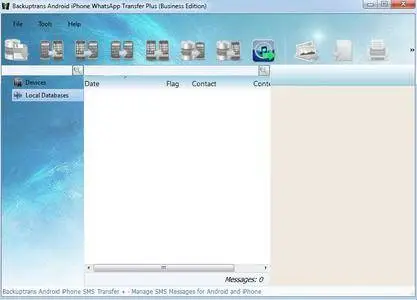
Backuptrans Android iPhone WhatsApp Transfer Plus 3.2.117
00516e05_medium.jpg

Backuptrans Android iPhone WhatsApp Transfer Plus 3.2.117 (x64) | 21 MB

Copy Android/iPhone WhatsApp Messages to PC or another Android/iPhone. If you have two Android/iPhone devices or one Android and one iPhone, it's always wise to find a tool to help you manage WhatsApp Chat History for your Android/iPhone devices or to transfer WhatsApp Messages between Android and iPhone.​

Backuptrans Android iPhone WhatsApp Transfer + is the best all-in-one WhatsApp Messages manager package which lets you copy & share WhatsApp Chat Mesages for Android/iPhone on computer directly. No Root/Jailbreak required.
Backup WhatsApp Chat History from Android/iPhone to PC
Restore WhatsApp Chat History from Computer to Android/iPhone
Transfer WhatsApp Messages between Android and iPhone
Recover WhatsApp Messages from iTunes Backup to Android/iPhone
Export WhatsApp Messages to document file(Txt, Csv, Doc, Html, PDF)
Print out WhatsApp Messages in conversations on PC
Extract WhatsApp pictures videos audios etc attachments on PC
Support iPhone, Samsung, HTC, Motorola, Sony Ericsson, LG, Huawei and More
All-in-one WhatsApp Chat Messages copy & share program for Android and iPhone
Own both an Android phone and an iPhone? How to manage your WhatsApp Chat History among Android, iPhone and computer? Nowadays, more and more people own more than one mobile phones. If you are one of them, either one Android phone and one iPhone or two Android phones/iPhones, Backuptrans Android iPhone WhatsApp Transfer + must be the best software for managing WhatsApp Chat History smoothly on Computer. It provides all needed solutions, including Android WhatsApp to iPhone transfer, iPhone WhatsApp to Android transfer, Android/iPhone WhatsApp to computer transfer, restoring WhatsApp from computer to Android/iPhone, and extracting attached files in WhatsApp Messages onto your computer.
Backup and Restore WhatsApp Chat History for Android/iPhone on computer - With Backuptrans Android iPhone WhatsApp Transfer +, you can easily backup & restore WhatsApp Messages including video, photo etc attached files on computer. No data loss worry.
Directly Transfer WhatsApp Messages between Android and iPhone - Backuptrans Android iPhone WhatsApp Transfer + is designed to transfer WhatsApp Messages between Android and iPhone directly on computer. Just connect both your iPhone and Android phone to computer and click the "Transfer" button, and you will get it done in a few seconds. All WhatsApp Messages will be merged perfectly.
Copy WhatsApp Messages from iTunes Backup to Android/iPhone - Lost your iPhone and now want to transfer WhatsApp Chat History from an old iPhone backup to a new iPhone or to an Android phone? As long as you once backed up your iPhone with your iTunes on computer, Backuptrans Android iPhone WhatsApp Transfer + will extract and copy WhatsApp messages from your iTunes backup to your Android/iPhone smoothly even without your old iPhone.
More - Backuptrans Android iPhone WhatsApp Transfer + provides a great way to view, export or print WhatsApp Messages on computer. Users can export and save WhatsApp Messages as a file onto computer with a few clicks. File format includes TXT, CSV, Word, HTML and PDF. Cleverly, Backuptrans Android iPhone WhatsApp Transfer + also lets users print out WhatsApp Messages from Android/iPhone in threading conversations. If you want to extract the attached files in WhatsApp Messages, simply click "Extract Attachment" button, and it will automatically extract all pictures, videos, audios attachments onto computer.
Requirements: Windows NT/2000/XP/2003/Vista/7/8/10.

DOWNLOAD
uploadgig
Код:
https://uploadgig.com/file/download/7aD67f7Dd5695ef6/uk2ltXrh_BackuptransAndroidiPhoneWhatsAppTransferPlus3.2.117.rar

rapidgator
Код:
https://rapidgator.net/file/e6b1fa99f51ad125e7e6f6e42390d4e0/uk2ltXrh_BackuptransAndroidiPhoneWhatsAppTransferPlus3.2.117.rar

nitroflare
Код:
http://nitroflare.com/view/F4A20973774CC8A/uk2ltXrh_BackuptransAndroidiPhoneWhatsAppTransferPlus3.2.117.rar
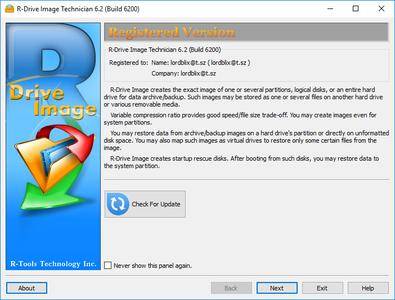

 
R-Tools R-Drive Image 6.2 Build 6208 Multilingual

005218f4_medium.jpg

R-Tools R-Drive Image 6.2 Build 6208 Multilingual | 104.8 Mb

R-Drive Image is a potent utility providing disk image files creation for backup or duplication purposes. A disk image file contains the exact, byte-by-byte copy of a hard drive, partition or logical disk and can be created with various compression levels on the fly without stopping Windows OS and therefore without interrupting your business.​

These drive image files can then be stored in a variety of places, including various removable media such as CD-R(W)/DVD, Iomega Zip or Jazz disks, etc.
R-Drive Image restores the images on the original disks, on any other partitions or even on a hard drive's free space on the fly. To restore system and other locked partitions R-Drive Image is switched to the pseudo-graphic mode directly from Windows or bootable version created by the utility is launched from CD disc or diskettes.
Using R-Drive Image, you can completely and rapidly restore your system after heavy data loss caused by an operating system crash, virus attack or hardware failure. You can also use R-Drive Image for mass system deployment when you need to setup many identical computers. In other words, you can manually setup one system only, create an image of the system, and then deploy it on all other computers, saving your time and costs. If you need to restore only certain files from a disk image, you can connect that image as a virtual disk and copy those files directly from the disk image using Windows Explorer or any other file utility.
R-Drive Image is one of the best backup and disaster recovery solutions to prevent losing your data after a fatal system failure.
R-Drive Image Features
- A simple wizard interface - no in-depth computer management skills are required.
- On-the-fly actions: Image files are created on-the-fly, no need to stop and restart Windows. All other disk writes are stored in a cache until the image is created. - Data from image files are restored on-the-fly as well, except on a system partition. Data to the system partition can be restored either by restarting R-Drive Image in its pseudo-graphic mode directly from Windows, or by using specially created startup disks.
- Image files compression. Image files can be compressed to save free storage space.
- Removable media support. Image files can be stored on removable media.
- Startup version. A startup version can be used to image / restore / copy partitions locked by the OS. The computer can be re-started into the startup version either directly from Windows, or from an external USB device, a CD/DVD disk, or 6 floppies. The startup version can use either a graphic user interface, or a pseudo-graphic mode, if the graphic card isn't supported. Support for UEFI boot for modern computers.
- USB 2.0 and 3.0 support in the startup version. With hard drives prices constantly going down, an external IDE-USB 2.0 or 3.0 HDD case with an appropriate hard drive is an ideal (fast and reliable) solution for storing backup files for system and other partitions that can be restored only in the startup version. Do not use numerous unreliable CD discs and slow CD/DVD recorders any more. Remember: with the incremental backup, this hard drive is not to be too large.
- Network support in the startup version. R-Drive Image startup version supports disk image file creation and restoration over the Microsoft network (CIFS protocol).
- Extended List of the supported devices in the startup version. The list of hardware supported by R-Drive Image startup versions has been extended.
- An image file can be connected as a read-only virtual disk. Such disk can be browsed through and files/folders can be found and copied.
- Individual files and folders restoration. Individual files and floders rather than entire disk can be restored either during the restoring action or from a image file connected as a virtual disk.
- Image files splitting. Drive images can be split into several files to fit a storage medium.
- Image Protection. Disk image files can be password-protected and contain comments.
- New partition creation. Data from a disk image can be restored on a free (unpartitioned) space on any place on a hard drive. The size of the restored partition can be changed.
- Partition replacement. Data from a disk image can be restored on other existing partitions. R-Drive Image deletes such partitions and restores data on that free space.
- Disk to Disk copy. An entire disk can be directly copied on another one.
- Image files verification. You may check if your image files are good before you store them or restore data from them.
- Scheduler. A time for disk image creation may be scheduled and the process can be run in unattended mode.
- Script creation for frequent or unattended actions. Such scripts for creating an image file and appending data to an existing image file are created from the R-Drive Image interface the same way the actual action is performed. Scripts are executed from a command line and such command can be included to any command file.
- Action Report. When disk image is successfully created or the action fails the report can be automatically sent over e-mail or an external application can be launched.
- Support for the ReFS file system (Resilient File System), a new local file system Microsoft has introduced in its Windows 2012 Server. All disk actions are supported, except partition resizing.
- Full support for the GPT partitioning layout. R-Drive Image can create GPT disks, resize them, and change their partition layout during copy/restore operations.
- Support for Windows Storage Spaces (Windows 8/8.1 and 10), Linux Logical Volume Manager volumes, and MacRAIDs.
An Intel-compatible platform running Windows 2000/XP/ 2003/Vista/2008/Windows 7/8/8.1/10 / Windows Server 2012 (including 64 bits editions).
The administrative privileges are required to install and run R-Drive Image under Win2000/XP/ 2003/Vista/2008/Windows 7/8/8.1/10 / Windows Server 2012.
-

DOWNLOAD
uploadgig
Код:
https://uploadgig.com/file/download/a2ee7B91e62b1711/CezO88q4_RDrive.Image.6.2.6208.rar

rapidgator
Код:
https://rapidgator.net/file/ae12a4dae36ad2733921d44480af6875/CezO88q4_RDrive.Image.6.2.6208.rar

nitroflare
Код:
http://nitroflare.com/view/25C16CCB6456A0B/CezO88q4_RDrive.Image.6.2.6208.rar
 
SmartFTP Enterprise 9.0.2681.0 Multilingual

0058bdbf_medium.png

SmartFTP Enterprise 9.0.2681.0 (x86/x64) Multilingual | 57.8 Mb

SmartFTP is an FTP (File Transfer Protocol), FTPS, SFTP, WebDAV, Amazon S3, Backblaze B2, Google Drive, OneDrive, SSH, Terminal client. It allows you to transfer files between your local computer and a server on the Internet.​

With its many basic and advanced Features SmartFTP also offers secure, reliable and efficient transfers that make it a powerful tool.
SmartFTP can be used for:
- Web site publishing and maintenance
- Upload and of images, documents, movie and music files
- Managed file transfers. Automate file transfer processes.
- Backup and synchronize local and remote files
SmartFTP Features:
Protocols
FTP and FTPS (Secure FTP)
SFTP over SSH
WebDAV
Amazon S3 (Enterprise Edition)
Google Drive (Ultimate Edition)
Google Cloud Storage (Enterprise Edition)
Backblaze B2 Cloud Storage (Enterprise Edition)
Microsoft OneDrive (Ultimate Edition)
Terminal Emulator (Ultimate Edition)
Integrated Editor
HIPAA 5010 compliant
FIPS 140-2, 186-4 compliant
Modern Graphical User Interface (GUI)
High DPI support
File/Folder Synchronization
Multilingual (more than 20 languages)
Thumbnails View and Preview
Visual Compare
Advanced Schedule
IPv6
On-the-fly Compression (MODE Z)
UTF-8 Support
Support for KeePass, LastPass, 1Password password manager
Multiple Connections
Auto reconnect and resume of broken transfers
Transfer Integrity
Verified Transfers (XCRC, XMD5, XSHA)
FXP (Server-To-Server Transfer) support
Remote Edit of files
Search for files and folders on the server
Local Browser
Bulk Rename
Software Development Kit (SDK)
Enhanced NAT/UPnP Support
UPnP (Universal Plug and Play), ICS, ICF
Transfer Queue
Scheduling (Enterprise Edition)
Uploads/Downloads/FXP
Unlimited simultaneous threads
International Domain Names (IDN)
Proxy / Firewall support
SOCKS5, SOCKS4, SOCKS4A, HTTP Proxy
Wingate, Winproxy, CSM, Checkpoint FW-1, Raptor
URL Watcher
FTP command line
Custom Commands
CHMOD (Properties)
Section 508 compliant
and much more .
Windows 8.1, 2012 R2, 10, 2016
-

DOWNLOAD
uploadgig
Код:
https://uploadgig.com/file/download/5561D0a104f2c2e9/OakIwInO_SmartFTP.Enterprise.9.0.2681.rar

rapidgator
Код:
https://rapidgator.net/file/7a7345e909ea1e7b50fafd9c772eed20/OakIwInO_SmartFTP.Enterprise.9.0.2681.rar

nitroflare
Код:
http://nitroflare.com/view/76D5513AE2FEE8B/OakIwInO_SmartFTP.Enterprise.9.0.2681.rar
 
Alien Skin Exposure X4 v4.5.6.142 (x64)

005c4900_medium.jpg

Alien Skin Exposure X4 v4.5.6.142 (x64) | 548.3 Mb

Exposure X4 - it's the latest version of our advanced photo editor and organizer, and it brings with it powerful new capabilities. Photographers of all genres will find Exposure X4 to be the only app they need to create gorgeous images and master their workflow in a fast, intuitive way.​

Here's what you can look forward to when Exposure X4 is available:
Improvements to Exposure's RAW processing system
Perspective and keystone correction to minimize or eliminate optical distortion
Enhanced light effects that you can move and rotate freely anywhere in your image
Smart collections
 that automatically populate based on photo criteria that you choose
Faster file exporting and launch times
Lightroom migration tool that brings your Lightroom organizational metadata over into Exposure
Monitored folders that support tethered shooting workflows
New printing presets
Support for new cameras and lenses
Expanded workflow options for image copying and exporting
Microsoft Windows: Windows 7 64-bit or newer
An Intel Core 2 processor or compatible
A monitor with 1280x768 resolution or greater
-

DOWNLOAD
uploadgig
Код:
https://uploadgig.com/file/download/8af244Bb3b2512a9/TXRgFPCe_Alien.Skin.Exposure.X4.4.5.6.142.rar

rapidgator
Код:
https://rapidgator.net/file/fc5a5c5c4f36bf7013a3d076423b9318/TXRgFPCe_Alien.Skin.Exposure.X4.4.5.6.142.rar

nitroflare
Код:
http://nitroflare.com/view/B2EF3E15FD6C7D4/TXRgFPCe_Alien.Skin.Exposure.X4.4.5.6.142.rar
 
FileMaker Pro 18 Advanced 18.0.2.209 Multilingual

0057f8fb_medium.jpg

FileMaker Pro 18 Advanced 18.0.2.209 Multilingual | 304.6/292 Mb

FileMaker Pro Advanced is the tool you use to create a custom app. You also use FileMaker Pro Advanced to access your app on a Windows or Mac computer. Start by importing data from a spreadsheet or using a built-in Starter app to manage contacts, inventory, meetings, and more.​

Or even quickly build a new app from the beginning.
FileMaker Pro Advanced includes a set of advanced tools to help you design and develop custom apps faster and easier. Plus, you'll get robust analysis capabilities, powerful diagnostic tools, and much more.
Start quickly
Create precisely the app you want using the intuitive graphical interface, flexible design tools, built-in Starter apps, and ready-to-use themes. Import existing data Bring your existing data into a FileMaker app. Import data types such as .CSV, Tab, XML, ODBC, and Microsoft Excel files.
Built-in reporting tools
Easily make summary reports, colorful charts, and executive dashboards using built-in reporting and charting tools. Save your information in popular Excel and PDF formats.
Out-of-the-box security
Centralize your information and safely access data using proven encryption standards. Manage group or individual user privileges - even for a single field.
Share with your team
Create custom apps that work together seamlessly across iPad, iPhone, Windows, Mac, and the web. Securely share your app with others using FileMaker Cloud or FileMaker Server. Learn more
Integrate with other programs
Connect with other popular apps and web services through powerful REST APIs. And create live, 2-way connections with Microsoft SQL Server, Oracle, MySQL, PostgreSQL, and IBM DB2 data sources.
Advanced Features:
Script Debugger
Instantly pinpoint problem areas in scripts and Script Triggers directly in the Script Workspace. Turn off Script Triggers when debugging to fine tune the troubleshooting process.
Data Viewer
Monitor fields, variables, and calculations while troubleshooting.
Database Encryption
Enable AES 256-bit encryption to protect data on FileMaker Cloud, FileMaker Server, or on a FileMaker client.
Custom Menus
Create, change, or delete specific menu items or entire menu sets.
Custom Functions
Build your own functions and copy, paste, or import them into any FileMaker file.
Database Design Report
Run comprehensive reports on all elements of your database schema.
Kiosk mode
Build applications where all menus are hidden.
OS: Windows 7, 8/8.1, 10
CPU: 1 GHz or faster x86- or x64-bit processor
RAM: 2 GB or more
-

DOWNLOAD
uploadgig
Код:
https://uploadgig.com/file/download/abBfa04f5087C084/g93rM4eG_FileMaker.Pro.18.Advanced.18.0.2.209.rar
https://uploadgig.com/file/download/4078f520286b9fed/g93rM4eG_FileMaker.Pro.18.Advanced.18.0.2.209_x64.rar

rapidgator
Код:
https://rapidgator.net/file/74d4375203d7c416e55908f4466df0c9/g93rM4eG_FileMaker.Pro.18.Advanced.18.0.2.209.rar
https://rapidgator.net/file/069743088d023cfb2b3901f4b1f1fb8c/g93rM4eG_FileMaker.Pro.18.Advanced.18.0.2.209_x64.rar

nitroflare
Код:
http://nitroflare.com/view/6EE865BA260231F/g93rM4eG_FileMaker.Pro.18.Advanced.18.0.2.209.rar
http://nitroflare.com/view/777FDB7F7F0CCD7/g93rM4eG_FileMaker.Pro.18.Advanced.18.0.2.209_x64.rar
 
O&O DiskRecovery Professional / Admin / Technician Edition 14.1.131

0065c0ec_medium.jpg

O&O DiskRecovery Professional / Admin / Technician Edition 14.1.131 | 25.1 Mb

O&O DiskRecovery functionality begins where other programs leave off. This software combs every sector of a hard disk, memory card, or digital camera to find lost files. Even when files systems are format-ted or destroyed, it is possible to reconstruct once deleted data.​

Over 400 file types and version can be recognized and restored, including Word docu-ments, Excel workbooks, Access databases, and virtually every sort of commonly used graphics, photo, movie, and music formats (SVG, MP4, BLEND, AUP, JPEG, AVI, MPEG, MP3, WAV, BMP, TIFF, Corel Draw, Photoshop, Framemaker, Adobe Illustrator, and many more)
Product features:
- Easy-to-use Wizard to search for and recover files
- New and improved data recovery methods
- Preview of files prior to recovery
- Unlimited number of files can be recovered
- Supports over 400 file types and versions, unlimited number of recoverable files
- Supports all Windows-compatible hard disks, removable drives, memory cards, USB Sticks, CompactFlash, and most digital cameras
- Fast Instant-Installation option
- Add User-defined signatures
O&O DiskRecovery searches for and reconstructs data that was deleted or lost through software error. It scans the entire hard disk, partition or USB Stick for lost files. Usage is very intuitive, with a step-by-step wizard enabling users with little or no experience to easily recovery data they feared was lost. The free trial version lets users see before they buy just what lost data is in fact recoverable!
Three integrated search algorithms
The three integrated search methods use different technologies for data reco-very, which complement each other perfectly. For quick searches, you can use the search algorithm of O&O UnErase, which completes a scan for files, even on very large hard drives, in no time. The advanced features of the special search algorithms in O&O FormatRecovery make it possible to find and then ignore defective sectors. This in turn facilitates data recovery on a drive that is damaged yet still accessible. For the sector-based deep scan, we recommend the use of the search algorithms in O&O DiskRecovery.
Preview function in O&O DiskRecovery
Upon completion of the scanning process, you'll be able to preview the reco-vered data. O&O DiskRecovery supports various picture and text formats for the preview function, including JPEG, BMP, TIFF, TXT.
Using O&O DiskRecovery in an emergency
If O&O DiskRecovery is not already installed on your computer when trouble strikes, the instant installation is ready to help you. All you'll need is a second computer and a removable drive (e.g., USB Stick, external hard disk). Start the installation on the second computer and save the "Instant Installation" on the removable drive. You can then connect this drive to the target computer on which you want to recover data, and run O&O DiskRecovery from there. Doing so will let you avoid a complete installation on the target computer, which in turn could possibly overwrite important sectors of the hard disk that are needed for a restoration.
Windows 7 to Windows 10 (All Editions)
-

DOWNLOAD
uploadgig
Код:
https://uploadgig.com/file/download/0465b8fde584E081/LTaUXvwz_DiskRecovery.14.1.131.rar

rapidgator
Код:
https://rapidgator.net/file/9ba75c432fb2803742388fe2fa5e95c0/LTaUXvwz_DiskRecovery.14.1.131.rar

nitroflare
Код:
http://nitroflare.com/view/36BEE40911D876A/LTaUXvwz_DiskRecovery.14.1.131.rar
 
R-Tools R-Drive Image 6.2 Build 6208 Multilingual BootCD

005fbadb_medium.jpg

R-Tools R-Drive Image 6.2 Build 6208 Multilingual BootCD | 81 Mb

R-Drive Image is a potent utility providing disk image files creation for backup or duplication purposes. A disk image file contains the exact, byte-by-byte copy of a hard drive, partition or logical disk and can be created with various compression levels on the fly without stopping Windows OS and therefore without interrupting your business.​

These drive image files can then be stored in a variety of places, including various removable media such as CD-R(W)/DVD, Iomega Zip or Jazz disks, etc.
R-Drive Image restores the images on the original disks, on any other partitions or even on a hard drive's free space on the fly. To restore system and other locked partitions R-Drive Image is switched to the pseudo-graphic mode directly from Windows or bootable version created by the utility is launched from CD disc or diskettes.
Using R-Drive Image, you can completely and rapidly restore your system after heavy data loss caused by an operating system crash, virus attack or hardware failure. You can also use R-Drive Image for mass system deployment when you need to setup many identical computers. In other words, you can manually setup one system only, create an image of the system, and then deploy it on all other computers, saving your time and costs. If you need to restore only certain files from a disk image, you can connect that image as a virtual disk and copy those files directly from the disk image using Windows Explorer or any other file utility.
R-Drive Image is one of the best backup and disaster recovery solutions to prevent losing your data after a fatal system failure.
R-Drive Image Features
- A simple wizard interface - no in-depth computer management skills are required.
- On-the-fly actions: Image files are created on-the-fly, no need to stop and restart Windows. All other disk writes are stored in a cache until the image is created. - Data from image files are restored on-the-fly as well, except on a system partition. Data to the system partition can be restored either by restarting R-Drive Image in its pseudo-graphic mode directly from Windows, or by using specially created startup disks.
- Image files compression. Image files can be compressed to save free storage space.
- Removable media support. Image files can be stored on removable media.
- Startup version. A startup version can be used to image / restore / copy partitions locked by the OS. The computer can be re-started into the startup version either directly from Windows, or from an external USB device, a CD/DVD disk, or 6 floppies. The startup version can use either a graphic user interface, or a pseudo-graphic mode, if the graphic card isn't supported. Support for UEFI boot for modern computers.
- USB 2.0 and 3.0 support in the startup version. With hard drives prices constantly going down, an external IDE-USB 2.0 or 3.0 HDD case with an appropriate hard drive is an ideal (fast and reliable) solution for storing backup files for system and other partitions that can be restored only in the startup version. Do not use numerous unreliable CD discs and slow CD/DVD recorders any more. Remember: with the incremental backup, this hard drive is not to be too large.
- Network support in the startup version. R-Drive Image startup version supports disk image file creation and restoration over the Microsoft network (CIFS protocol).
- Extended List of the supported devices in the startup version. The list of hardware supported by R-Drive Image startup versions has been extended.
- An image file can be connected as a read-only virtual disk. Such disk can be browsed through and files/folders can be found and copied.
- Individual files and folders restoration. Individual files and floders rather than entire disk can be restored either during the restoring action or from a image file connected as a virtual disk.
- Image files splitting. Drive images can be split into several files to fit a storage medium.
- Image Protection. Disk image files can be password-protected and contain comments.
- New partition creation. Data from a disk image can be restored on a free (unpartitioned) space on any place on a hard drive. The size of the restored partition can be changed.
- Partition replacement. Data from a disk image can be restored on other existing partitions. R-Drive Image deletes such partitions and restores data on that free space.
- Disk to Disk copy. An entire disk can be directly copied on another one.
- Image files verification. You may check if your image files are good before you store them or restore data from them.
- Scheduler. A time for disk image creation may be scheduled and the process can be run in unattended mode.
- Script creation for frequent or unattended actions. Such scripts for creating an image file and appending data to an existing image file are created from the R-Drive Image interface the same way the actual action is performed. Scripts are executed from a command line and such command can be included to any command file.
- Action Report. When disk image is successfully created or the action fails the report can be automatically sent over e-mail or an external application can be launched.
- Support for the ReFS file system (Resilient File System), a new local file system Microsoft has introduced in its Windows 2012 Server. All disk actions are supported, except partition resizing.
- Full support for the GPT partitioning layout. R-Drive Image can create GPT disks, resize them, and change their partition layout during copy/restore operations.
- Support for Windows Storage Spaces (Windows 8/8.1 and 10), Linux Logical Volume Manager volumes, and MacRAIDs.
An Intel-compatible platform running Windows 2000/XP/ 2003/Vista/2008/Windows 7/8/8.1/10 / Windows Server 2012 (including 64 bits editions).
The administrative privileges are required to install and run R-Drive Image under Win2000/XP/ 2003/Vista/2008/Windows 7/8/8.1/10 / Windows Server 2012.
-

DOWNLOAD
uploadgig
Код:
https://uploadgig.com/file/download/A7498d6353Fe13eE/Hgw4qUdX_RDrive.Image.6.2.6208.BootCD.rar

rapidgator
Код:
https://rapidgator.net/file/83c771ca5c19363e80223821c54a8455/Hgw4qUdX_RDrive.Image.6.2.6208.BootCD.rar

nitroflare
Код:
http://nitroflare.com/view/FDCAD2182585C03/Hgw4qUdX_RDrive.Image.6.2.6208.BootCD.rar
 
O&O MediaRecovery Professional 14.1.131

0065c959_medium.jpg

O&O MediaRecovery Professional 14.1.131 | 25.1 Mb

With O&O MediaRecovery you can recover deleted photos that captured those precious moments; last year's vacation, the day you got married, or the first pictures of your children. If those irreplace-able memories are deleted it no longer has to mean they are lost forever.​

And O&O MediaRecovery doesn't stop there: it can also recover your favorite songs and videos, simply and quickly, and all with just a few clicks of the mouse!
Product features:
- Quick scan for files, even on very large storage volumes
- Preview of files prior to data restoration
- Enhanced wizard for search and restoration
- Recognizes and restores over 80 File types (all standard graphic, video, and music formats)
- Supports all Windows-compatible hard disks, removable drives, memory cards, USB Sticks, CompactFlash, and most digital cameras
- Recovers data on storage volumes whose files have been damaged
- or destroyed by malfunctioning software
Important Features at a Glance
O&O MediaRecovery was primarily conceived for recovering data from removable drives such as MP3 players, digital cameras, memory cards (e.g., SD, MMC, xD as well others), hard disks, and, of course, devices such as the Apple iPod. Simply install O&O MediaRecovery on your computer and connect the storage volume on which you wish to recover data. After the program starts, the O&O MediaRecovery wizard guides you step by step through the recovery process so that you will quickly regain access to your lost data.
Preview function
After completion of a scanning process, you can view the files that are capable of being restored. The preview function of O&O MediaRecovery supports most picture formats, including JPEG, BMP, and TIF. The fact that a preview is not available for some files does not rule out the chance for a successful and flawless restoration of those files. This function should not be seen as a way to judge the quality of a pending restoration, but rather as a means to make the file identification process easier.
Various search algorithms
O&O MediaRecovery combines the powerful search processes of the hugely successful data recovery products O&O DiskRecovery and O&O UnErase. These search algorithms apply different technologies to locate data in nearly all scenarios, and can be used together or individually. The algorithm from O&O UnErase is best suited for quick data rescue. The algorithm from O&O DiskRecovery scans every sector of a volume for recognized file signatures and it can reconstruct data from them even when the entire content directory of the volume has been deleted or overwritten.
Integrated Data images
Data images created by O&O DiskImage are also included in the data rescue processes. To prevent a data loss through defective hardware, a forensic image can be created using the separately available O&O DiskImage. This comprehensive image also saves the (assumed) free disk space so that a full data recovery can be carried out later without touching the original hardware.
Filter function
Search results are presented in a clear overview, thanks to filters which sort by size or time (creation/last modified/last accessed). The filters can also blend out empty directories or files for refined search results.
Windows 7, 8/8.1, 10
-

DOWNLOAD
uploadgig
Код:
https://uploadgig.com/file/download/837958f33d6a87A9/QLjVRTQb_MediaRecovery.Professional.Edition.14.1.131.rar

rapidgator
Код:
https://rapidgator.net/file/7e146482ef4d1c7fc074f0993164751d/QLjVRTQb_MediaRecovery.Professional.Edition.14.1.131.rar

nitroflare
Код:
http://nitroflare.com/view/EC2D8E02B49E3BC/QLjVRTQb_MediaRecovery.Professional.Edition.14.1.131.rar
 
NCH DrawPad Pro 5.23 Beta

th_7hb8JMBaqEInBmWecXepWJO8lUuxNmKU.jpg

NCH DrawPad Pro 5.23 Beta | 6.5 Mb

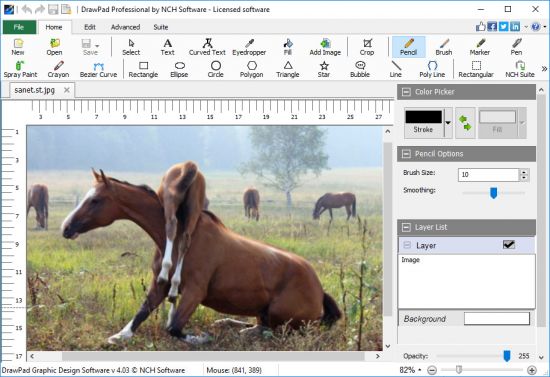
DrawPad is an easy-to-use image composition and manipulation program, and an essential tool for all types of graphic design projects.

Pencil and brush tools for drawing, sketching and painting​

DrawPad is an easy-to-use image composition and manipulation program, and an essential tool for all types of graphic design projects.
Graphic Design Software Features
Pencil and brush tools for drawing, sketching and painting
Ability to edit pencil & brush strokes
Tablet & touchpad pressure sensitivity
Work with both raster and vector images
Image layers allow for non-destructive editing
Layers allow you to easily rearrange elements
Add effects such as bevels and shadows
Fill areas with solid colors, gradients, patterns or textures
Editing features including crop, rotate, resize and flip
Insert shape objects, including circles, rectangles, polygons, stars, speech/thought bubbles and more
Insert text and edit the font, size, color and weight
Save graphics as png, bmp, jpg, gif, pdf, or svg files
Choose a design template to get your project started
Supported Input Formats
Scalable Vector Graphics (*.svg)
Graphics Interchange Format (*.gif)
JPEG Image (*.jpg; *.jpeg)
Windows Bitmap Image (*.bmp)
Microsoft Icon (*.ico)
PNG Image (*.png)
Tagged Image File Format (*.tif; *.tiff; )
Most major graphic file formats
Supported Output Formats
PNG Image (*.png)
JPEG Image (.jpg; *.jpeg)
Windows Bitmap Image (*.bmp)
Microsoft Icon (*.ico)
Scalable Vector Graphics (*.svg)
Portable Document Format (*.pdf)
Encapsulated Postscript (*.eps)
Windows 10, XP, Vista, 7, 8 and 8.1
-

DOWNLOAD
uploadgig
Код:
https://uploadgig.com/file/download/8B41527E5ddc4a61/ZNJr0N7D_NCH.DrawPad.Pro.5.23.rar

rapidgator
Код:
https://rapidgator.net/file/e2797dcda576218f0dc800dd8472628b/ZNJr0N7D_NCH.DrawPad.Pro.5.23.rar

nitroflare
Код:
http://nitroflare.com/view/4D506B5A442FA2E/ZNJr0N7D_NCH.DrawPad.Pro.5.23.rar
 
Aiseesoft Screen Recorder 2.1.58 Multilingual

005536a3_medium.jpg

Aiseesoft Screen Recorder 2.1.58 Multilingual | 47 Mb

Aiseesoft Screen Recorder is an easy-to-use screen capture tool to record any video or audio on your computer and save them in high quality. This powerful video screen recording app can help you grab online movies and radio, capture games, make video tutorials, record webcam videos, take screenshot, etc.​

on Windows 10/8/7.
Record screen video with high quality
The screen capture software helps you to record almost any screen video you want. You can use it to screencast online videos, games, podcast, webinars, lectures, presentations, Skype calls, online conference, webcam videos, etc. in full screen or customized screen size with ease.
For capturing your own operation screen, you can also highlight the cursor movement to make it easier to track. Moreover, the "Blue-light" real-time HD video encoding technology will ensure your excellent image and sound quality. The recorded screen video can be saved in MP4 or WMV file for you to easily watch in your VLC player or share to your friends for free.
Advanced settings for screen recorder
With this screen recorder, you can choose to record screen with system audio or microphone audio or both. Moreover, you can also record your computer screen and webcam at the same time. If you have more than one screen devices, you can also select which screen you would like to record.
You can also use the capture time option to pick when you want to stop recording the computer screen. With cursor option, you can also highlight the cursor and the click with the color you choose. All those advanced functions can assist you to make a professional screen recording on Windows.
Record screen audio only
Apart from videos, Aiseesoft Screen Recorder can also record screen audio only on your computer. This function enables you to record various music, radio or online audio instead of ing them. You can save the audio recording on your computer in MP3/WMA/AAC/M4A for easy playback.
Supported OS: Windows 10, Windows 8, Windows 7
Processor: 1GHz Intel/AMD CPU or above
RAM: 1G RAM or more
-

DOWNLOAD
uploadgig
Код:
https://uploadgig.com/file/download/74f0E5cdf677ee6c/GFrmqdUr_Aiseesoft.Screen.Recorder.2.1.58.rar

rapidgator
Код:
https://rapidgator.net/file/df177fd6db4b3c62ece6be364100713b/GFrmqdUr_Aiseesoft.Screen.Recorder.2.1.58.rar

nitroflare
Код:
http://nitroflare.com/view/7046BF58CFD2B79/GFrmqdUr_Aiseesoft.Screen.Recorder.2.1.58.rar
 
Tipard Blu-ray Copy 7.1.38 Multilingual

0069cd80_medium.jpg

Tipard Blu-ray Copy 7.1.38 Multilingual | 27.1 Mb

Tipard Blu-ray Copy provides the best solution for you to decrypt, copy, clone and backup Blu-ray to Blu-ray Disc or hard driver saved as Blu-ray folder/iso files with zero quality loss.

Superior backup of Blu-ray folder/ISO files (Virtual drive needed) to Blu-ray Disc
​

Tipard Blu-ray Copy provides the best solution for you to decrypt, copy, clone and backup Blu-ray to Blu-ray Disc or hard driver saved as Blu-ray folder/iso files with zero quality loss.
Copy/Colne 2D/3D Blu-ray disc/movie to Blu-ray disc, Blu-ray folder and Blu-ray iso file
Superior backup of Blu-ray folder/ISO files (Virtual drive needed) to Blu-ray Disc
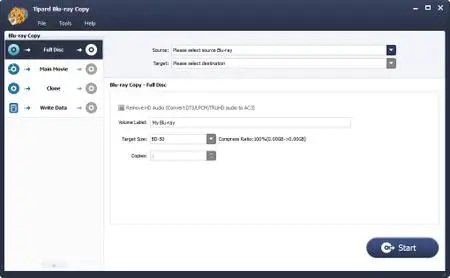
Copy Blu-ray Folder/ISO files with four modes: "Full Disc", "Main movie", "Clone", and "Write Data"
Optionally remove Dolby TrueHD and DTS-HD Master Audio to Dolby AC3 to save space
Copy Blu-ray disc/folder/iso files to Blu-ray disc losslessly
Tipard Blu-ray Copying software enables users to make 100% ratio copy of Blu-ray disc: from BD50 to BD50, BD25 to BD25 and even BD50 to BD25. One main feature of Blu-ray Copy is that it supports 3D Blu-ray disc as well as 2D Blu-ray, that is, you can clone 3D 50/25 Blu-ray to 2D 50/25 disc to have 3D Blu-ray content back-upped. Apart from making induplication of Blu-ray disc, it also enables you to clone Blu-ray iso file and backup Blu-ray folder to blank Blu-ray disc at no expense of video quality. To backup Blu-ray contents to Blu-ray disc, you have a special option to set number of copies at random as well by clicking the up or down triangle button. With this function, you can easily clone Blu-ray folder, iso image file to Blu-ray disc or make multiple copies of your Blu-ray disc.
Copy Blu-ray disc to Blu-ray folder/iso image file at blazing-fast speed
Owning wonderful copy capability, this Blu-ray Copy software is regarded as the best Blu-ray Cloner among Blu-ray Copies to allow you to backup Blu-ray disc to hard drive on your computer as Blu-ray folder or iso image files. It can recogniz 3D videos as well and help you induplicate classic Blu-ray disc to Blu-ray folder/iso content and saved on your hard drive in case of inevitable Blu-ray disc wear. Apart from back-upping Blu-ray disc, you can also clone Blu-ray folder to Blu-ray iso image files and copy Blu-ray write date to Blu-ray folder/iso image files. Keep it in mind that to copy Blu-ray iso image file, you need one virtual drive.
Four copy modes to customize Blu-ray copy content
Copy Blu-ray content is available with four optional modes: Full Disc, Main Movie, Clone and Write Date. With Full Disc, you are allowed to make backup of any Blu-ray disc, Blu-ray folder and Blu-ray iso files in the whole without option for chapter or main movie. When it comes to "Main Movie", copying main part or any title/chapter of a movie will be much easier. You can also select audio track and subtitle you need to copy, leaving alone useless ones. As its name puts, "Clone" will assist you make an induplicate of Blu-ray disc and iso file. To copy Blu-ray folder, you can use the "Write Date" mode. Any backups of the Blu-ray content will be display in the same quality as the original one. You will be free of any trouble for the quality and speed.
User-friendly Blu-ray UI design style and easy to use
To help users who need to save hard drive space or use less space to store the backups that have no influence on the playback quality, this Blu-ray Copy software offers option for you to remove HD audio, which will convert HD audios (Dolby TrueHD and DTS-HD Master Audio ) to Dolby AC3. Allowing for different requirement of users, this Blu-ray Cloner software is designed with not only four modes and providing build-in player in the "Main move" part only for you to select correctly the need-to-copy main movie, chapter or title. Its facility also lies in the striking button to leading users to continue every step by click "Next" or "Start" only. No superfluous modification,no excrescent word description or operation, this Blu-ray Copy software is undoubtedly treated as the best one to copy Blu-rays.
OS Supported: Windows XP (SP2 or later), Windows Vista, Windows 7, Windows 8, Windows 10
CPU: 1.2GHz Intel or AMD CPU, or above;
RAM: 1G RAM or higher recommended
Drive: A internal or external Blu-ray drive
-

DOWNLOAD
uploadgig
Код:
https://uploadgig.com/file/download/83afd8893775669a/qferjf1J_Tipard.Bluray.Copy.7.1.38.rar

rapidgator
Код:
https://rapidgator.net/file/9600883b15f39f546a29a09dc0511e76/qferjf1J_Tipard.Bluray.Copy.7.1.38.rar

nitroflare
Код:
http://nitroflare.com/view/4C55886B50FBA98/qferjf1J_Tipard.Bluray.Copy.7.1.38.rar
 
O&O SafeErase Professional 14.3 Build 497

00671bd6_medium.jpg

O&O SafeErase Professional 14.3 Build 497 (x86/x64) | 52.7 Mb

Your personal photos and confidential documents can easily fall into the wrong hands when you sell, give away or dispose of your old PC or hard drives. Identity theft is now a widespread security threat. This is because clicking on "Delete" does not mean your files are permanently deleted.​

Even formatting the hard disk is not enough to permanently delete data. O&O SafeErase permanently deletes your confidential files using recognized methods so that a recovery is never possible, not even when using the best file recovery software.
There is a good chance your personal photos or business data will easily fall into the wrong hands whenever you want to sell, give away or dispose of your old computer. This is because clicking on "Delete" doesn't automatically mean your data is irrevocably destroyed. Even formatting the hard disk is not enough to completely destroy your data. O&O SafeErase allows you to permanently delete your data using recognized methods so that a recovery is never possible, not even when using specialized software.
New and enhanced functions
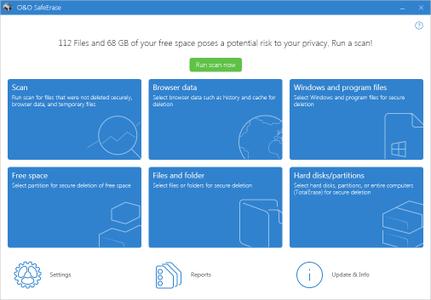
In addition to many minor enhancements, O&O SafeErase includes an analytical tool that scans your computer for temporary and unsafely deleted files. With just a few clicks, you can clean your computer so that unauthorized parties never have a chance to spy out old files for possible misuse. SSDs can also be detected, and deletions made on them will be done sparing resources. Advanced and improved management of reports make using O&O SafeErase even more convenient.
Internet security
When surfing the Internet, your browser usually stores Internet files unnoticed on your hard drive. These files can provide information about websites you've visited or the passwords you've entered. It makes no difference whether it involves cookies, data entered on forms, or browsing history - O&O SafeErase lists all the information saved for each browser you use, and you can then delete them individually or together. Once deleted, nobody will be able to detect your Internet traces and your online accounts are protected from data thieves or hackers. Version 14 supports Microsoft Edge, the successor to Internet Explorer, as well as Internet Explorer, Google Chrome and Firefox.
Safe erase your entire computer
Deleting the entire computer allows you to permanently delete all confidential files before you dispose of, sell, or give your computer away. All files, settings, applications and the operating system itself are deleted so that a file recovery is impossible. You can be sure that nobody will ever restore your confidential information and misuse it, protecting yourself against identity theft. With O&O SafeErase you can even delete your entire computer without a start medium (e.g. a Boot CD).
Six deletion methods for maximum security
O&O SafeErase allows you to choose from among six different deletion methods. The methods of deletion differ in the number of runs and the type of overwriting process. These methods ensure maximum security, whatever your requirements. In addition to standardized deletion methods of the U. S. Department of Defense (DoD) and the German Federal Office for Information Security (BSI) you can also select a complex mathematical method (the Gutmann method), which complies with the highest security levels. In this scientifically approved method of data deletion, corresponding areas of the hard disk are overwritten 35 times using precisely defined rules along with fixed and random values. In this way, O&O SafeErase exceeds even the requirements of the DoD and the BSI. Quick deletion can also be made by just overwriting data with zeros.
SolidErase
As of version 12.3, O&O SafeErase includes the feature SolidErase, which was developed especially for the deletion of SSDs. SolidErase uses resources sparingly and thoroughly so that the data is not recoverable and the SSD is exposed to the least possible strain.
Product features
"Instant Erase": Selecting files over the context menu prompts a mini-dialog from where deletion can immediately take place
Permanent deletion of files, folders, Memory cards and USB sticks
Delete an entire computer, no boot medium necessary
Delete internet traces and temporary program files
Six methods to permanently delete confidential data
Detailed reports as proof of deletion
Analysis tool to search for unsafe deleted files
Adapted deletion method for SSDs (Solid State Disks) with SolidErase (link to paragraph with further infos)
Enhanced report and activity management
.Net Framework 4.7.1
Windows 7, 8/8.1, 10
-

DOWNLOAD
uploadgig
Код:
https://uploadgig.com/file/download/55fcD9970Ba54e15/s9hbm3t2_SafeErase.14.3.497.Pro.rar

rapidgator
Код:
https://rapidgator.net/file/d11b48b09e26bcc19a1558bfd447de54/s9hbm3t2_SafeErase.14.3.497.Pro.rar

nitroflare
Код:
http://nitroflare.com/view/B4F3138310EDDE4/s9hbm3t2_SafeErase.14.3.497.Pro.rar
 
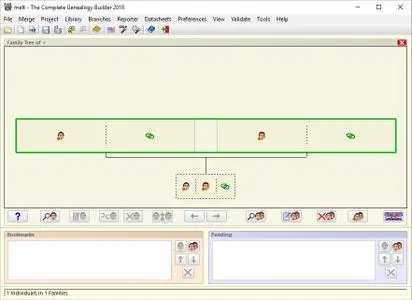
The Complete Genealogy Reporter 2018 Build 190719 Multilingual

0067b85f_medium.jpg

The Complete Genealogy Reporter 2018 Build 190719 Multilingual | 5.7 Mb

The Complete Genealogy Reporter uses the GEDCOM data exported from any genealogy data management program to create comprehensive genealogy reports, books, or websites. The Complete Genealogy Builder is a new genealogy data management program that provides 99.​

9% genealogy data standards compliance via a user interface that delivers maximum data visibility, rapid navigation capability, and layered data entry forms.
These may be configured to include fully cross-referenced narrative text, notes, sources, pictures, ancestor and descendant charts, family tree diagrams, and indexes of occupations, places, dates, anniversaries and individuals
Just export your data from the "File" menu of your genealogy data management program in GEDCOM format, specify the result as the input file for The Complete Genealogy Reporter, and you will be able to start producing a high-quality report in minutes!
Whether you are starting from scratch or seeking a better alternative to your existing genealogy data management program, there is no other known product that is more standards compliant, that provides the full range of GEDCOM-standard data fields, and that supports all international (Unicode) character sets
Includes all of the basic capabilities of "The Complete Genealogy Reporter". (Full report preference option specification and section customization is enabled only when The Complete Genealogy Reporter is separately installed and registered.)
Windows 7, 8/8.1, 10
-

DOWNLOAD
uploadgig
Код:
https://uploadgig.com/file/download/68d8E1dc881b9c6d/Ovx7LXaN_The.Complete.Genealogy.2018.Build.190719.Rep.rar

rapidgator
Код:
https://rapidgator.net/file/c22831b5e90ba6f875d5a3f4f854b314/Ovx7LXaN_The.Complete.Genealogy.2018.Build.190719.Rep.rar

nitroflare
Код:
http://nitroflare.com/view/F7CE29A5F50C42A/Ovx7LXaN_The.Complete.Genealogy.2018.Build.190719.Rep.rar
 
QuarkXPress 2018 v14.3.2 (x64) Multilingual

00586eda_medium.jpg

QuarkXPress 2018 v14.3.2 (x64) Multilingual | 581.4 Mb

QuarkXPress is the leading graphic design and page layout software for creative professionals. It's used by hundreds of thousands of users around the world who value quality and performance in their daily production of print and digital products.​

What's New in QuarkXPress 2018:
Unsurpassed Typography
- First-Class OpenType Controls
- Color Fonts Support
- Upgraded Font Listing
- Hyphenation Strictness Levels
- OpenType Support for Digital
Professional Print Publishing
- Direct InDesign IDML Import
- New PDF Print Engine
- Tagged/Accessible PDF
- Built-in JavaScript ES6+ V8
- Digital-to-Print Conversion
Unlimited Digital Publishing
- Unlimited Android Apps
- Digital Preview Improvements
- HTML5 Export Optimizations
- Grouped Interactivity
- Collect for Output Digital
- and more .
First-Class OpenType Controls
We all know that OpenType fonts offer the best typography options such as proper small caps, real fractions, ligatures, tabular figures, stylistic sets suggested by font designers and much more. However, most applications hide typographic functionality offered by OpenType or make it almost impossible to apply. QuarkXPress 2018 is different: For the first time OpenType is treated as a first-class citizen. Rather than hide the options in multiple submenus we make OpenType easier to use. With QuarkXPress 2018 you can now control your OpenType fonts the way you expect to.
Color Fonts Support
For many years the changes in typography have been incremental rather than radical.that is until color fonts emerged. (Emoji icons on your phone are examples of color fonts.) While browsers have supported color fonts for years, print publications have ignored them until now: QuarkXPress 2018 is the first layout application that fully supports Color Fonts. QuarkXPress supports Color Fonts in SVG, SBIX and COLR formats. And you can use them in print, PDF and digital outputs.
Upgraded Font Listing
A good typeface can increase the reading pleasure of the viewer but even the best typefaces are not appropriate for every situation. Font listing has been overhauled in QuarkXPress 2018 to help you make the best typographic choices. Font Family and available Font Styles (Roman, Bold, etc.) are now listed in two separate combinations. Additionally, font styles are mapped to the type styles buttons P/B/I in the palettes and dialog. Of course you can still turn off the WYSIWYG font listing for font family listing plus font styles are always listed in the default system font.
Hyphenation Strictness Levels
QuarkXPress has delivered quality hyphenation technology since version 6.5. It's based on technology licensed from UB Dieckmann, considered by many to be the best hyphenation available on the market. But it gets better. In QuarkXPress 2018 you can choose between five hyphenation strictness levels. You can hyphenate everywhere that is grammatically correct or e.g. chose to only hyphenate compound words. You pick which strictness level is best for your publication. And of course, you can decide that for each individual paragraph if you choose. Hyphenation strictness levels are available for all languages supported by the QuarkXPress hyphenation engine, including English, French, German, Italian, Spanish and many more.
Direct InDesign IDML Import
With more and more InDesign users switching to QuarkXPress, it was time to make it even easier to migrate. Of course, you can use existing QuarkXPress features to convert PDF files created in any application or even copy and paste InDesign objects into native QuarkXPress objects. However, this only migrates the design elements and not style sheets and master pages, for example. The new native InDesign IDML Import in QuarkXPress 2018 converts InDesign IDML documents directly into the QuarkXPress format.
New PDF Print Engine
Requirements for PDF workflows increase permanently. To keep up the pace, we implemented the best PDF technology available on the market - callas pdfToolbox - which even contains the Adobe PDF libraries. That means QuarkXPress 2018 users benefit from the highest quality PDF, PDF/X and PDF/A, driven by two of the best PDF technology providers. Now with leading PDF technology, QuarkXPress 2018 is the first layout application with the ability to create one single PDF/X-A file that complies with both the PDF/X-4 and PDF/A-2b standards. Combined with the new built-in JavaScript capabilities, the new PDF Print Engine opens up a broad new way for print production automation.
Tagged/Accessible PDF
Accessibility compliant PDFs are not just important but often mandatory. Many large corporates, governments suppliers are required by law to supply information published online in an accessible format. HTML5 is an obvious choice; often workflows require accessible PDFs. The new PDF engine in QuarkXPress 2018 combined with new tools for accessibility make this possible. Even if you don't need tagged PDFs for accessibility reasons, there are many benefits to understanding the text flow embedded within your PDFs.
Built-in JavaScript ES6+ based on V8
Scriptability and extensibility have always been core values of QuarkXPress. With QuarkXPress 2018 you can now write cross platform JavaScripts to automate repetitive tasks by accessing capabilities beyond the user interface. For example, you - or anyone with basic Java Scripting and HTML programming skills (HTML DOM manipulation) - can create unique features by accessing application and file system level commands, you can modify layout objects using document object model (DOM API). Unlike the competition, QuarkXPress uses an up-to-date version of JavaScript (ECMAScript ES6+).
HTML5 Export Optimizations
HTML5 Publications and ePub now export even more items as native HTML5 elements. This includes support for type styles (Outline, Shadow), Tables as HTML tables, Anchored text boxes, grouped boxes and Tables, non-solid rules, footnote separators and Index entries as Hyperlinks.
Digital Preview Improvements
The following new HTML5 Preview options are available when authoring in QuarkXPress 2018: Page Preview, Layout Preview, Project Preview.
Grouped Items Interactivity
Add interactivity to groups e.g. Buttons, Animations, Audio & Video.
Digital-to-Print Conversion (Digital First Workflow)
QuarkXPress 2018 now allows duplication of Digital layouts to Print layouts. This is powerful: Start with your digital design/publication first and then - in a second step - create a printable subset of it.
Span Footnotes over Columns
Footnotes can now be formatted to span across all columns of a text box. Spanning all columns is the default setting but you can turn it off in the Footnote Separator Style dialog.
Different Border for each side
Select a different border style on each side for all square or rectangular shaped boxes. The new frame options are added to the main measurement palette.
10 to 1000% Print Scaling
Print to device scaling is now allowed between 10% and 1000%. In previous versions, scaling was limited from 25% to 400%. Note: The output device should be supported for larger paper size to verify.
Flip Groups
Flip grouped objects in one go retaining their relative position within the group.
- Microsoft Windows 7 SP1 (64 Bit)
- Windows 8.1 (64 Bit) with April 2014 update rollup update (KB2919355) and March 2014 servicing stack update (KB2919442)
- Windows 10 Version 1607 (64 Bit)
- Microsoft .NET Framework 4.0 or later
- An update for Universal C Runtime is required on Windows 7 and 8.x.
-

DOWNLOAD
uploadgig
Код:
https://uploadgig.com/file/download/36955c598956e9fe/Utr4se9E_QuarkXPress.2018.14.3.2.rar

rapidgator
Код:
https://rapidgator.net/file/379feac450d87fc6fdb0d5e2aeac0988/Utr4se9E_QuarkXPress.2018.14.3.2.rar

nitroflare
Код:
http://nitroflare.com/view/A0DE44B66C25485/Utr4se9E_QuarkXPress.2018.14.3.2.rar
 
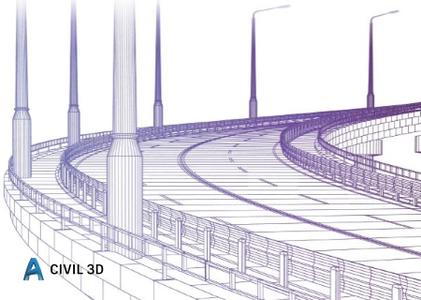
Autodesk AutoCAD Civil 3D 2019.3 Update

0069ce44_medium.jpg

Autodesk AutoCAD Civil 3D 2019.3 Update | 416.5 mb

Autodesk Inc., has released an update to Civil 3D 2019. New and enhanced features in Civil 3D 2019 improve design to construction documentation workflows with enhanced efficiency for design, production, collaboration, and data exchange.​

Civil 3D 2019 is here. In the meantime, if you're looking for a quick digest of what's new and notable, we've pulled together thoughts and appreciations from a couple of industry experts who've already had a sneak peek at Civil 3D 2019.


IMAGINiT Technologies' resident civil engineering, mapping, and surveying pro, Kevin Breslin is in the process of putting together a series of blogs and whitepapers on the latest version of Autodesk software, but for now, Kevin shares his first impressions of Civil 3D 2019 and what immediately caught his attention.
- A Crisper, Clearer Status Bar - Civil 3D 2019 includes updated graphics in its Status Bar making it much easier to see, at a glance, what's on or off. Here's a side by side comparison of the 2019 and 2018 Status Bar.
- New Tab/New Tools - Both Civil 3D and AutoCAD 2019 include a new "Collaborate" tab which includes a "DWG Compare" tool and "Shared Views". The former is useful because it allows users to know what's different between different versions of a file.

For a comprehensive round-up of what's new, what's changed, and whether you should upgrade to Civil 3D 2019, CADD Microsystems, an Autodesk Platinum Partner, enlists the help of civil infrastructure specialist, Marissa Gagné to break down into the Top 5 Things You Need to Know About Civil 3D 2019. Here's a summary:
- Civil 3D is Not Part of the New One AutoCAD - One AutoCAD is getting a lot of attention. It combines all the vertical flavors of AutoCAD into one toolkit. Previously standalone software like AutoCAD Map 3D, AutoCAD Architecture, AutoCAD Electrical, and more, are now all rolled into a single AutoCAD license. Although Civil 3D was previously included in the AutoCAD family as "AutoCAD Civil 3D", the 2019 release is now called simply "Civil 3D" and is not part of the One AutoCAD family. However, because it is based on AutoCAD it contains all the great new features added to AutoCAD 2019, like "Drawing Compare" and "Shared Views" (as mentioned above as standout features by Kevin Breslin).
- The DWG Format and Civil 3D Object Format Haven't Changed - In other words, Civil 3D 2019 is backward compatible, but, here's the caveat, only with Civil 3D 2018. Try to open a drawing in an earlier release and you're stuck.
- Performance Hotfix and Batch Save Functionality is Built Into 2019 - Users of the 2017 and 2018 Civil 3D releases reported performance and slowness issues when performing certain tasks. Autodesk attempted to fix those problems with the release of a "Performance Hotfix" that users could save to the program folder. The 2019 release streamlines this remediation step by rolling it all into the installation, minimizing corrective actions on your part.
- Vertical Geometry Enhancements of High/Low Point Added - Need to design a road or path but struggled to design curves based on a High or Low point? Civil 2019 includes a tool that lets you create Parabolic or Circular curves with ease based on a high/low point, a parameter, and a length.
- InfraWorks Component Roads Can Now Be Imported as Corridors - If you have Vehicle Tracking 2019 installed alongside your Civil 3D 2019 installation, you can now import an actual model of a road from InfraWorks (previously you could only get the Alignments and Profiles). See the featured image above to see this in action.
Autodesk helps people imagine, design and create a better world. Everyone-from design professionals, engineers and architects to digital artists, students and hobbyists-uses Autodesk software to unlock their creativity and solve important challenges.
Autodesk Civil 3D
2019.3 Update
x64

english
PC *
*
*
416.5 mb

DOWNLOAD
uploadgig
Код:
https://uploadgig.com/file/download/9fe1159c2F619121/7q4M7ZLG_kAoCi3D19U3.rar

rapidgator
Код:
https://rapidgator.net/file/ef246eacee167a6ed1fd6b56fdc4d2c6/7q4M7ZLG_kAoCi3D19U3.rar

nitroflare
Код:
http://nitroflare.com/view/C243C42452E148A/7q4M7ZLG_kAoCi3D19U3.rar
 
CONVERGE 2.4.21 datecode 082118

0069d12c_medium.jpg

CONVERGE 2.4.21 datecode 082118 | 1.6 Gb

Convergent Science has updated its CONVERGE CFD (computational fluid dynamics) software. Apart from fixes in the detected issues, this version hosts a couple of noteworthy enhancements as well.

In this demonstration reel, we show the simulation of a number of different compressors, where CONVERGE CFD easily handles complex geometries, moving boundaries, and fluid-structure interactions (FSI).​

Convergent Science has updated its CONVERGE CFD (computational fluid dynamics) software. Apart from fixes in the detected issues, this version hosts a couple of noteworthy enhancements as well.
CONVERGE is a revolutionary computational fluid dynamics (CFD) program thateliminates the grid generation bottleneck from the simulation process. CONVERGE wasdeveloped by engine simulation experts and is straightforward to use for both engine andnon-engine simulations. Unlike many CFD programs, CONVERGE automaticallygenerates a perfectly orthogonal, structured grid at runtimebased on simple, user-definedgrid control parameters. This grid generation method completely eliminates the need tomanually generate a grid. In addition, CONVERGE offers many other features to expeditethe setup process and to ensure that your simulations are as computationally efficient aspossible.
In this demonstration reel, we show the simulation of a number of different compressors, where CONVERGE CFD easily handles complex geometries, moving boundaries, and fluid-structure interactions (FSI). Adaptive Mesh Refinement (AMR) ensures that flow is resolved sufficiently, especially around valves.
Founded in 1997 in Madison, Wisconsin, Convergent Science is a global leader in computational fluid dynamics (CFD) software. Its customers include leading automotive and commercial vehicle manufacturers, tier one suppliers, and professional motorsport teams.
Its flagship product, CONVERGE, is an innovative CFD software with truly autonomous meshing capabilities that eliminate the grid generation bottleneck from the simulation process. CONVERGE is revolutionizing the CFD industry and shifting the paradigm toward predictive CFD.
CONVERGE
2.4.21 datecode 082118
x64

english
PC / Linux
Windows 7even or newer & Server 2003+ / SLED 11+, Ubuntu 10.04+, RHEL6.5+
1.6 Gb

DOWNLOAD
uploadgig
Код:
https://uploadgig.com/file/download/8Fc9f001a7330f37/PJ9neHTC_erCo2421de0821187_lin.rar
https://uploadgig.com/file/download/257f319e6f28714d/PJ9neHTC_erCo2421de0821187_win.rar

rapidgator
Код:
https://rapidgator.net/file/4e44a7680da0004a3069137b10a11d6e/PJ9neHTC_erCo2421de0821187_lin.rar
https://rapidgator.net/file/d1d9702abcc9dc2fa08add6a8e28e227/PJ9neHTC_erCo2421de0821187_win.rar

nitroflare
Код:
http://nitroflare.com/view/D1EB508DBFE4B63/PJ9neHTC_erCo2421de0821187_lin.rar
http://nitroflare.com/view/684757BF680C01A/PJ9neHTC_erCo2421de0821187_win.rar
 
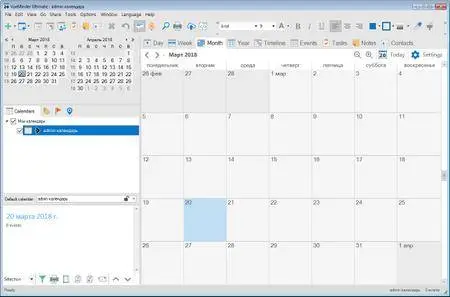
VueMinder Ultimate 2019.04 Multilingual

00526fb6_medium.jpg

VueMinder Ultimate 2019.04 Multilingual | 19.1 Mb

Take control of your schedule and get reminded wherever and however you want.
Windows 10, 8.1, 8, 7, Vista, and XP
​

Take control of your schedule and get reminded wherever and however you want. Instantly access your appointments, tasks, and notes with a simple glance at a transparent calendar that sits right on your Windows desktop. Share calendars and reminders in your home, office, or online. Automatically synchronize with Google Calendar and Outlook. Print calendars using a wide variety of layouts and styles. You can do all these things and much more with VueMinder.
VueMinder provides popup reminders, desktop alerts, and reminders that can be sent via email or SMS. It includes automatic 2-way synchronization through Google Calendar, Outlook, and iCalendar sharing. It can also import and export to Excel, print using a wide variety of layouts and styles, and much more. Here's a summary of the many unique features you'll find in VueMinder.
Windows 10, 8.1, 8, 7, Vista, and XP
-

DOWNLOAD
uploadgig
Код:
https://uploadgig.com/file/download/89113478a5d3DfE4/4QDJ0yXu_VueMinder.Ultimate.2019.04.rar

rapidgator
Код:
https://rapidgator.net/file/cc9c2975d34e40ebb547b5e40892d1bf/4QDJ0yXu_VueMinder.Ultimate.2019.04.rar

nitroflare
Код:
http://nitroflare.com/view/FB4D93B8D0148CB/4QDJ0yXu_VueMinder.Ultimate.2019.04.rar
 
EJ Technologies JProfiler 11.0.1 Build 11070 (x64)

00520be1_medium.jpg

EJ Technologies JProfiler 11.0.1 Build 11070 (x64) | 110.3 Mb

JProfiler is a powerful tool that you can use to profile Java based applications in a dynamic way and enables you to analyze them in hopes of optimizing performance.

When you profile, you need the most powerful tool you can get.​

JProfiler is a powerful tool that you can use to profile Java based applications in a dynamic way and enables you to analyze them in hopes of optimizing performance.
EXCEPTIONAL EASE OF USE
When you profile, you need the most powerful tool you can get. At the same time, you do not want to spend time learning how to use the tool. JProfiler is just that: simple and powerful at the same time. Configuring sessions is straight-forward, third party integrations make getting started a breeze and profiling data is presented in a natural way. On all levels, JProfiler has been carefully designed to help you get started with solving your problems.
DATABASE PROFILING FOR JDBC, JPA AND NOSQL
Database calls are the top reasons for performance problems in business applications. JProfiler's JDBC and JPA/Hibernate probes as well as the NoSQL probes for MongoDB, Cassandra and HBase show the reasons for slow database access and how slow statements are called by your code. From the JDBC timeline view that shows you all JDBC connections with their activities, through the hot spots view that shows you slow statements to various telemetry views and a list of single events, the database probes are an essential tool for getting insight into your database layer.
EXCELLENT SUPPORT FOR JAVA ENTERPRISE EDITION
Dedicated support for JEE is present in most views in JProfiler. For example, in the JEE aggregation level you see the call tree in terms of the JEE components in your application. In addition, the call tree is split up for each request URI. Also, JProfiler adds a semantic layer on top of the low-level profiling data, like JDBC, JPA/Hibernate, JMS and JNDI calls that are presented in the CPU profiling views. With its JEE support, JProfiler bridges the gap between a code profiler and a high-level JEE monitoring tool.
HIGHER LEVEL PROFILING DATA
JProfiler has a number of probes that show you higher level data from interesting subsystems in the JRE. In addition to the Java EE subsystems like JDBC, JPA/Hibernate, JSP/Servlets, JMS, web services and JNDI, JProfiler also presents high level information about RMI calls, files, sockets and processes. Each of these probes has its own set of useful views that gives you general insight, highlights performance problems and allows you to trace single events. And what's more, all these views are also available for your own custom probes that you can configure on the fly within JProfiler.
Windows 10/8/7/Vista, Server 2016/2012/2008, XP
-

DOWNLOAD
uploadgig
Код:
https://uploadgig.com/file/download/e8a9470a97e77418/w3MHNsTU_JProfiler.11.0.1.11070.rar

rapidgator
Код:
https://rapidgator.net/file/38be9d48d9fd21e0d8f941aca80947c5/w3MHNsTU_JProfiler.11.0.1.11070.rar

nitroflare
Код:
http://nitroflare.com/view/8352802E1D25682/w3MHNsTU_JProfiler.11.0.1.11070.rar
 
SolidCAM 2019 Documents and Training Materials (2019-07-19)

0069cfe8_medium.jpg

SolidCAM 2019 Documents and Training Materials (2019-07-19) | 5.2 Gb

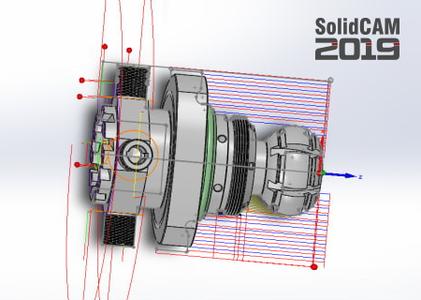
SolidCAM Inc., a world leader in advanced tool path generation technology (CAM) running directly inside SolidWorks, has released an update to SolidCAM 2019 Documents and Training Materials (build 2019-07-19).​

In recent years, technological advancements in the machine tool industry has grown exponentially. This acceleration of advancements is a challenge for vocational education. The VDW-Nachwuchsstiftung (foundation for secondary education) aims to strengthen and improve the transfer of knowledge between industry and vocational education.This task-based educational training manual was created by the collaboration of vocational educators and industry trained personnel.The intention of this manual is to introduce the techniques used in the design and manufacturing process. It is important that you exercise self-organization throughout the learning process. This manual also includes some additional information on the technical and methodical aspects of CAD/CAM.
This training manual was developed for you as both an informational and instructional booklet. It is provided to teach you the basics of CAD/CAM technology. The structure of this manual not only conforms to the teaching methods and curriculum guidelines required by schools and universities, but also the methodologies used by design and manufacturing professionals alike. For each task-based lesson, the final process is shown using part and assembly drawings. A general explanation accompanies each task to be performed, which should not be used as a direct solution. The process of determining an answer to each problem should be solved individually. In the same way, the content in this manual was created to help you develop the skills necessary to apply best practices related to CAD/CAM business operations.Like in today's manufacturing departments, you will have to produce the components and final assembled part for an adjustable workpiece stop (vise stop). Each lesson is comprised of the following tasks: Analysis of the task in relation to the final goal Planning of a workflowImplementation of the workflow in the design, manufacturing and documentation Presentation of the results followed by discussion Reflection of the procedures and the end result

InventorCAM and the standalone
suite are the flagship products. SolidCAM and InventorCAM integrate with SolidWorks and Inventor, respectively. Officially approved partners and all that. Their CNC programming toolsets look and feel like the CAD systems as much as possible, making the learning curve shorter. You define, calculate and verify all your machining operations without leaving the CAD environment. They can handle programming 2.5- to 5-axis machining, high-speed surface milling, wire EDM, etc. Their models are fully associative, so your toolpaths update when you make a part change. There are no import/export hassles, and you don't have to learn some CAM system's idea of a CAD application to make them work.
- basically, this is a wizard-based technology - patented, BTW - that makes defining cutting conditions easy by automatically calculating the cutting conditions for your toolpath. You give it your toolpath, stock, tool material and machine specifications then it derives optimal feeds, step over depths and widths as well as cutting speeds. For you old hands, the company says iMachining can save you 70% or more in CNC machining time and extends tool life dramatically.
SolidCAM has been developing CAM solutions for more than 30 years. The integration strategy of SolidCAM, in the major 3D mainstream CAD systems, has created major growth for SolidCAM and established SolidCAM as a leader in Integrated CAM. The InventorCAM product provides a complete CAM solution, integrated inside Autodesk Inventor.
SolidCAM
2019 Documents and Training Materials (build 2019-07-19) *
x64

english
PC
Windows 7even (with latest Service Pack) and above
SolidCAM 2019 or SolidCAM CAD/CAM Suite 2019
5.2 Gb

DOWNLOAD
uploadgig
Код:
https://uploadgig.com/file/download/09328ccf88478392/s1YX0IJA_oSoM19Dc.0719.part01.rar
https://uploadgig.com/file/download/71d50165c44ccb57/s1YX0IJA_oSoM19Dc.0719.part02.rar
https://uploadgig.com/file/download/c0f47bbd563D2464/s1YX0IJA_oSoM19Dc.0719.part03.rar
https://uploadgig.com/file/download/A9f8b63E7b635c68/s1YX0IJA_oSoM19Dc.0719.part04.rar
https://uploadgig.com/file/download/7380871b3D98e5e1/s1YX0IJA_oSoM19Dc.0719.part05.rar
https://uploadgig.com/file/download/7402dD1C3978f8c5/s1YX0IJA_oSoM19Dc.0719.part06.rar
https://uploadgig.com/file/download/512cb341519B30a8/s1YX0IJA_oSoM19Dc.0719.part07.rar
https://uploadgig.com/file/download/a6c1d41f690318Ce/s1YX0IJA_oSoM19Dc.0719.part08.rar
https://uploadgig.com/file/download/56b07f9F6a1651be/s1YX0IJA_oSoM19Dc.0719.part09.rar
https://uploadgig.com/file/download/b3E898d1f1640215/s1YX0IJA_oSoM19Dc.0719.part10.rar
https://uploadgig.com/file/download/6b67f49E4190715E/s1YX0IJA_oSoM19Dc.0719.part11.rar

rapidgator
Код:
https://rapidgator.net/file/e34722ad10f30f16381b2dd45ca04d19/s1YX0IJA_oSoM19Dc.0719.part01.rar
https://rapidgator.net/file/52a7205b8d3e55dd7d3162bf5ec4c77c/s1YX0IJA_oSoM19Dc.0719.part02.rar
https://rapidgator.net/file/169e3fd673dad8561fe6f65194dacc0b/s1YX0IJA_oSoM19Dc.0719.part03.rar
https://rapidgator.net/file/844cc83646b00137fcd0b176d30c0f99/s1YX0IJA_oSoM19Dc.0719.part04.rar
https://rapidgator.net/file/2060a2441247604335e10eddf7a8bdd0/s1YX0IJA_oSoM19Dc.0719.part05.rar
https://rapidgator.net/file/f5535e98482e9a34f9d1c86c30105037/s1YX0IJA_oSoM19Dc.0719.part06.rar
https://rapidgator.net/file/13d14f9b111d35e6a1c48b0adda7f63f/s1YX0IJA_oSoM19Dc.0719.part07.rar
https://rapidgator.net/file/d637dc6ad7293910e95280b4b0450c23/s1YX0IJA_oSoM19Dc.0719.part08.rar
https://rapidgator.net/file/0de63b5153ca747fcdf279040dbe9f67/s1YX0IJA_oSoM19Dc.0719.part09.rar
https://rapidgator.net/file/42cfb071ee6db61e455773317064ca9d/s1YX0IJA_oSoM19Dc.0719.part10.rar
https://rapidgator.net/file/8455bd4cce333d5a93782d385cf81e22/s1YX0IJA_oSoM19Dc.0719.part11.rar

nitroflare
Код:
http://nitroflare.com/view/A303C098276E28A/s1YX0IJA_oSoM19Dc.0719.part01.rar
http://nitroflare.com/view/E39B9E92C64548D/s1YX0IJA_oSoM19Dc.0719.part02.rar
http://nitroflare.com/view/A75508919422CA2/s1YX0IJA_oSoM19Dc.0719.part03.rar
http://nitroflare.com/view/A92C1801788860D/s1YX0IJA_oSoM19Dc.0719.part04.rar
http://nitroflare.com/view/BBBA47FD6E82B54/s1YX0IJA_oSoM19Dc.0719.part05.rar
http://nitroflare.com/view/6F059E5E51C69FB/s1YX0IJA_oSoM19Dc.0719.part06.rar
http://nitroflare.com/view/86596CA6997B043/s1YX0IJA_oSoM19Dc.0719.part07.rar
http://nitroflare.com/view/0EDDFA5A81E4EF1/s1YX0IJA_oSoM19Dc.0719.part08.rar
http://nitroflare.com/view/0710AA04D71DFEF/s1YX0IJA_oSoM19Dc.0719.part09.rar
http://nitroflare.com/view/C30D0D4B73CEFEA/s1YX0IJA_oSoM19Dc.0719.part10.rar
http://nitroflare.com/view/32E6A835655438F/s1YX0IJA_oSoM19Dc.0719.part11.rar
 
Elcomsoft Phone Viewer Forensic Edition 4.50 Build 32516

0063ac13_medium.jpg

Elcomsoft Phone Viewer Forensic Edition 4.50 Build 32516 | 114 Mb

Analyze information extracted with ElcomSoft and third-party acquisition tools with a fast, lightweight viewer. Decrypt and view iOS backups and synced data, analyze iCloud Photo Library, BlackBerry 10 backups and Windows Phone/Windows 10 Mobile data and access synchronized data with ease.​

Health Data
Health data can become an essential piece of evidence. Heartrate, sleeping habits, workouts, steps and walking routines are just a few things that come to mind speaking of Apple Health. Elcomsoft Phone Breaker can remotely extract synced Health data from iOS devices from the user's iCloud account, while Elcomsoft Phone Viewer can help viewing and analyzing Health data.
TAR Analysis
Since the introduction of the iPhone 5s, Apple's first 64-bit iPhone, physical acquisition is exclusively available via file system imaging. Regardless of the tool performing physical acquisition (Elcomsoft iOS Forensic or third-party tools), the result of these efforts is always a TAR archive containing an image of the device's file system. Elcomsoft Phone Viewer is a lightweight and convenient tool to quickly analyze evidence found in the results of physical acquisition.
Message Attachments in iCloud: Media Files and Documents
The last version of Elcomsoft Phone Breaker adds support for message attachments such as media files, documents and other files, while Elcomsoft Phone Viewer allows analyzing messages and attachments obtained from iCloud. Analyzing media files and EXIF tags can help obtain massive amounts of location data as well as other essential evidence.
Windows 7, 8/8.1, 10 and Server 2008/2016
-

DOWNLOAD
uploadgig
Код:
https://uploadgig.com/file/download/f3694Bb08F5de0b6/JLgpypVK_Phone.Viewer.Forensic.4.50.32516.rar

rapidgator
Код:
https://rapidgator.net/file/eca0edbfc636c385a5bed98951a5ebf6/JLgpypVK_Phone.Viewer.Forensic.4.50.32516.rar

nitroflare
Код:
http://nitroflare.com/view/F3F818ABF0C6628/JLgpypVK_Phone.Viewer.Forensic.4.50.32516.rar
 
Назад
Сверху