• Здравствуйте. Сайт заработал в архивном режиме форум www.old.nado.in

Anthony's Software !!!

Turbo Studio 19.3.1190.2 Portable

2b5f2096-cbbc-41c7-a5e4-6297048d764a.png

Turbo Studio 19.3.1190.2 Portable | 162.4 Mb

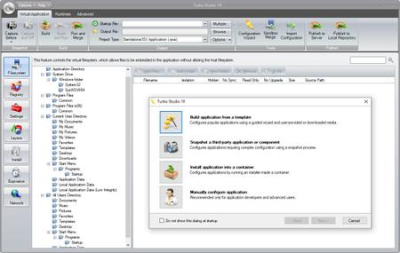
Turbo Studio (formerly known as Spoon Studio) - with this app you can combine files needed to make an app run into a package that is ready for use without deployment. The application allows you to create a virtual container and run programs in a virtual environment without the installation and make changes in registry and system.​

Run .NET Without .NET
Embed runtime dependencies such as .NET, Java, AIR, and SQL CE directly into virtual applications. Launch on completely clean desktops.
Migrate to Windows 10
Turbo.net allows legacy applications such as Internet Explorer 6 to execute on Windows 7, 8, and 10 unblocking operating system rollouts and assuring business continuity.
Deploy Anywhere
Deploy in standalone EXEs, traditional MSIs, on intranets with Turbo Server, or on the web with Turbo.net.
#1 in Compatibility
Virtualize both 32-bit and 64-bit applications, databases such as SQL Server, services such as IIS, as well as DCOM and SxS.
Easy to Use
Application templates and the new Desktop Import wizard allow painless migration of applications. Or, use setup capture to virtualize custom applications.
Eliminate Conflicts
Applications run in isolated sandboxes, eliminating conflicts, administrator privilege requirements, and other sources of application failure. Launch multiple application versions side-by-side.
Windows XP, Vista, 7, 8, and 10
-

DOWNLOAD
uploadgig
Код:
https://uploadgig.com/file/download/b0ce52a193a6CeB5/m8v1P0QO_Turbo.Studio.19.3.1190.2.Portable.rar

rapidgator
Код:
https://rapidgator.net/file/a23701d8e38c5857faedd03426533d83/m8v1P0QO_Turbo.Studio.19.3.1190.2.Portable.rar

nitroflare
Код:
http://nitroflare.com/view/3DB11D9F8E60FA4/m8v1P0QO_Turbo.Studio.19.3.1190.2.Portable.rar
 
Adobe Audition 2019 v12.1.1.42 Multilingual Portable

0aa44c1a-3ab8-42b8-bb18-b5e94ec684b9.png

Adobe Audition 2019 v12.1.1.42 (x64) Multilingual Portable | 230.8 Mb

Adobe Audition A professional audio workstation. Create, mix, and design sound effects with the industry's best digital audio editing software. Audition CC is a comprehensive toolset that includes multitrack, waveform, and spectral display for creating, mixing, editing, and restoring audio content.​

This powerful audio workstation is designed to accelerate video production workflows and audio finishing - and deliver a polished mix with pristine sound.
Meet the industry's best audio cleanup, restoration, and precision editing tool for video, podcasting, and sound effect design.
Record, edit, and integrate music clips.
This step-by-step tutorial guides you through the robust audio toolkit that is Adobe Audition, including its seamless workflow with Adobe Premiere Pro CC.
Add oomph to your audio.
Use the Essential Sound panel to achieve professional-quality audio - even if you're not a professional.
Create a podcast
Learn the basic steps to record, mix, and export audio content for a podcast - or any other audio project.
Remix to fit
Easily and automatically rearrange any song to fit any duration with Remix in Audition CC.
Repair and restore
Get best practices for fixing audio, including how to use the spectral frequency display, Diagnostics panel, effects, and more.
DeReverb & DeNoise effects [NEW]
Reduce or remove reverb and background noise from recordings without noise prints or complicated parameters with these efficient real-time effects or through the Essential Sound panel.
Improved playback and recording performance [NEW]
Playback over 128 audio tracks or record over 32 tracks, at low latencies, on common workstations and without expensive, proprietary, single-purpose acceleration hardware.
Improved multitrack UI [NEW]
Playback over 128 audio tracks or record over 32 tracks, at low latencies, on common workstations and without expensive, proprietary, single-purpose acceleration hardware.
On-clip gain control and waveform scaling [NEW]
Adjust your audio without moving your eyes or mouse cursor away from your content with on-clip gain adjustments. Use your eyes and ears to match clip loudness to neighboring clips with a waveform that smoothly scales in real-time to amplitude adjustments.
Add tracks and delete empty tracks [NEW]
Quickly add multiple audio or bus tracks of any channelization at once, or clean up all unused audio tracks in a session, with these commands.
Zoom to time [NEW]
Zoom to specific durations with customizable presets. No more guesswork or small adjustments needed to see an exact length of time.
Effects and presets migration [NEW]
When upgrading, Audition can import all 3rd party effects already scanned by a previous version of Audition, as well as custom effect presets and more.
Open Premiere Pro projects
Open native Premiere Pro projects from the Audition Media Browser and select the sequences you want to work on for a simpler, more efficient audio editing workflow.
Clip spotting
Video previews in Audition update in real-time when clips are added, moved, or trimmed, always showing the users the correct frame for accurately-timed edits, sound effects, and more.
Tracks panel
Use the Track panel to show or hide tracks, or groups of tracks, so you can focus on specific parts of your project. Create your own preferred track groups and save presets for an efficient, personalized multitrack editing experience.
Compound media import
Twirl down compound media files to choose the audio and video tracks you want to work on, or simply import entire compound files, including container formats like MXF.
Improved multitrack performance
Scroll through multitrack projects faster and more smoothly. Track heights are maintained when zooming in or out, making it easier to manage large projects, especially on smaller screens.
Auto-Duck music
While working on a project, automatically generate a volume envelope to duck music behind dialogue, sound effects, or any other audio clip using the Ducking parameter in the Essential Sound panel. Powered by Adobe Sensei, this feature simplifies the steps needed to achieve professional-sounding audio mixes.
Run scripts
Browse and run scripts within Audition or via the command line to automate application functions, like loudness normalization, QC validation, and others. Streamline common tasks, including third-party integrations, and bring a new level of efficiency to your audio work.
Add album art in MP3 files
Creating modern podcasts and albums in Audition just got easier. With support for .jpeg and .png files, you can embed thumbnails and images into your .mp3 files.
Jump to Time
Navigate to any spot in the timeline with this useful keyboard shortcut. Save time and keep your workflow moving.
Input monitoring
Input monitoring allows you to preview the input coming from your recording device before starting the actual recording by either observing the level meters or listening to it.
Multitrack clip improvements
When recording punch-ins or layering sounds, clip Z-order is maintained when selecting stacked clips so that smaller clips don't get lost behind longer ones. Commands in the clip content menu make it easy to move clips to the front or back, and preferences allow users to customize the behavior. More improvements allow for symmetrical clip fades, or adjusting fade curves or duration independently.
Support for Mackie HUI devices
Audition CC includes support for the Mackie HUI control surface protocol. To control your mix, transport, and automation in Audition, use HUI emulation mode with almost all modern control surfaces..
Dynamics effect
This modern version of the classic replaces the Adobe Premiere Pro Dynamics audio effect in Premiere Pro and Audition CC. This simple yet powerful plug-in offers a compressor, expander, limiter, and noise gate in one easy-to-use tool.
Visual keyboard shortcut editor
Use the Visual Keyboard Shortcut Editor to see which keys have been assigned shortcuts and which are available for assignment. A tooltip reveals the full command name when you hover over a key in the Keyboard layout. When you select a modifier key on the keyboard layout, the keyboard displays all the shortcuts that require the modifier.
Timecode overlay
Audition CC lets you view session and media timecode overlays in the Video panel. You can also lock your video output to your external display. The timecode overlay displays the current time display string as an overlay on the Video panel and the video fullscreen monitor.
Multichannel audio workflows
Multichannel audio workflows allow you to separate all audio channels to unique clips automatically. You can customize the channels assigned to a clip and adjust Specific Channel Routing.
Full fidelity with Premiere Pro
Audition support for native Premiere Pro projects means links to original assets, sequence metadata, markers, audio effects, parameters, sub-mixes and Essential Sound panel settings are transferred to Audition with full fidelity.
Direct export from Audition with Media Encoder
Audition can export your edited audio directly to Adobe Media Encoder CC. This feature enables a fully linear post-production workflow, using format presets and audio channel customization without rendering or wrangling various mixdown files.
Updated audio effects
Many existing audio effects have spectrum meters, gain meters, and gain reduction meters. You can use the frequency spectrum to identify imbalances in audio and use control points to correct them. Level Meter shows the input level of the audio, and Gain Reduction Meter shows how audio signals are compressed or expanded.
Guides for getting started
In-app tutorials offer new users a series of guided walkthroughs of common tasks. These guides help you navigate the core functionality and capabilities with ease, including reducing background noise, mixing audio elements, and producing a simple podcast. Coach marks and concise tutorials are offered inside the application to help you get started with Audition.
Essential Sound panel
The Essential Sound panel gives you a complete toolset to mix your audio and achieve professional-quality output. The panel provides simple controls to unify volume levels, repair sound, improve clarity, and add special effects - so your video projects sound like a professional audio engineer has mixed them. You can save the applied adjustments as presets for reuse in Audition, making them handy for more audio refinements.
CEP extensions
You can enable Common Extensibility Platform (CEP) extensions and build integrated panels in Adobe desktop applications.
Remixing and adjusting song duration
Create remixes of music files from a collection using Adobe Sensei's machine learning. For example, you can take a song that has a longer duration and create a shorter version that still sounds like the original. You can recompose any piece of music in your collection to fit the video or project duration.
Synthesized speech
Type or paste text, and generate a realistic voiceover or narration track. Use this tool to create synthesized voices for videos, games, and audio productions.
Automatic loudness correction
Match loudness in audio clips, and apply correction to support various loudness standards and true peak limiting. The Match Loudness panel replaces the old Match Volume panel.
Auto-backup to Creative Cloud
Audition lets you store periodic backups of your session files to prevent any loss due to power failure, crash, or file corruption. In the Preferences dialog box, choose Auto Save and select Backup Multitrack Session Files Automatically. Then, choose a backup location that can be your Adobe Creative Cloud storage environment, the session folder, or any other location of your choice.
Dynamic Link for streaming video content from Premiere Pro
The Dynamic Link video streaming feature lets you stream video without rendering when sending projects from Premiere Pro to Audition.
Live relinking
Audition lets you easily replace assets within an open project. Any edits made to the original clip are retained and applied to the new material so you can work uninterrupted even when an asset changes.
Dual display full-screen video
Get the most out of your editing experience in Audition by using a full-screen dual-monitor workflow. Display the contents of your video panel full-screen on a secondary monitor using HDMI, DVI, or VGA. This feature is especially useful for editing Foley and sound effects to video, recording automated dialog replacement (ADR) or voiceovers, and displaying your work as you edit.
Expanded video format support
Premiere Pro CC offers extensive native media support, letting you edit all the major video, image, and audio formats natively. The 2014.1 release of Audition CC supports all the native video formats that are supported in Premiere Pro.
Marker import and export
Audition can import markers from any file containing XMP marker metadata, including video files from Premiere Pro and Adobe Prelude CC. You can import markers into either an audio file (displayed in the Waveform editor) or a multitrack composition in Audition. You can share these markers with third-party applications by exporting the markers to a CSV file using the Markers panel. At any point, you can import the CSV markers file back into Audition.
Automatic copying of imported assets to a session folder
Audition lets you set custom levels for Yellow (Caution) and Red (Warning) indicators in the Level Meters panel. You can conform to station regulations or personal preferences by selecting custom values for level meter crossover points. In the Preferences dialog box, select Playback and specify the Yellow and Red levels.
Timed recordings
Schedule recordings in advance and Audition will capture them automatically, or start recording immediately for a specified duration.
Sound Remover effect
The Sound Remover effect removes unwanted audio sources from a recording. This effect analyzes a selected portion of the recording and builds a sound model, which is used to find and remove the sound.
Enhanced Speech Volume Leveler
The Target Dynamic Range option in Audition provides better control over volume leveling for spoken content.
iXML metadata support
Audition can read, modify, and generate iXML metadata. This metadata is typically captured by audio recording devices or on-location audio recording software such as Metacorder for Mac. Important features of iXML metadata are the ability to select and mark the best takes, and to record on-set notes.
Custom channelization
To support different surround formats and configurations, Audition lets you add new custom audio channels when you create an audio file. Custom channels are typically used in audio for cinema, broadcast, and video games.
Smart track colors
To make it easier to identify tracks, a color bar is added to the tracks. These color bars are added on the left of the track header, or at the bottom in the mixer panel. When you add a clip to a track, the clip color changes to match that of the track.
Pitch Bender and Pitch Shifter effects
Use the Pitch Bender effect to change the tempo over time to vary the pitch. The effect uses a keyframe edit envelope laid across the entire waveform, similar to the Fade and Gain Envelope effects. Use the Pitch Shifter effect to change the musical pitch. It's a real-time effect that can be combined with other effects in the mastering rack or the effects rack.
Click/Pop Eliminator and DeClicker effects
Use the Click/Pop Eliminator and DeClicker effects to remove microphone pops, clicks, light hiss, and crackles. Such noise is common on recordings such as old vinyl records and on-location recordings.
ITU Loudness Meter
Audition has an integrated, customized version of the TC Electronic Loudness Radar meter plug-in. Available in both the waveform and multitrack views, it provides you with information about peak, average, and range levels.
Automatic speech alignment
To quickly align overdubbed dialogue with original production audio, use automatic speech alignment. Audition matches the timing of each word, even if the original audio is noisy or differs in overall length.
Preview editor
See in real time how the waveform looks before you apply changes. Or work on separate regions of a file simultaneously. This functionality is especially valuable when you're working with effects that alter the duration of a clip. Choose View > Show Preview Editor to display the preview.
Frequency band splitter
Use Frequency Band Splitter to take one audio clip (or a selection in a clip) and make up to eight copies, where each copy contains a different frequency range found in the original clip. The crossover frequencies determine the split points. Each copy of the waveform is created as a new file and placed in the Files panel. You can then edit or apply effects to each band separately.
Waveform editing with Spectral Frequency Display
Easily add, remove, and invert spectral selections made using the marquee, lasso, or paintbrush selection tools.
Audio extraction from CDs
Extract selected CD tracks to a single file. Insert an audio CD into an optical drive, and choose File > Extract Audio from CD. Select the tracks and enable Extract to Single File.
Paste control for multitrack sessions
Control paste operations in a multitrack session: You can choose to paste all clips in the same targeted track, or in multiple tracks. Press Alt while dragging to toggle. You can specify the default behavior in the Multitrack Clip preferences. When enabled, a new preference avoids overlapping clips when inserting or pasting new clips creates new tracks.
Phase Analysis panel
Use the Phase Analysis panel to reveal out-of-phase channels for stereo waveforms. The Phase Analysis panel also shows stereo separation. You can choose from several phase views, including Histogram, Mid/Side, Lissajous, and Phase Wheel. For additional display options, right-click the graph and choose an option.
Edit Favorites feature
Use the Favorites panel to record, view, organize, run, or edit your favorite tasks. To display the Favorites panel, choose Window > Favorites or Favorites > Edit Favorites.
Manual and automatic pitch controls
The Manual Pitch Correction effect lets you visually adjust pitch with the Spectral Pitch Display. The Spectral Pitch Display shows the fundamental pitch as a bright blue line, and overtones in yellow to red hues. Corrected pitch appears as a bright green line. The Automatic Pitch Correction effect is available in both the Waveform and Multitrack editors. In the latter, its parameters can be automated over time using keyframes and external control surfaces.
Faster, more precise editing
Select multiple clips and choose Clip > Groups > Group Clips. You can move and edit grouped clips together, and even stretch them proportionately when clip stretching is enabled. Group stretch, gain, color, and other settings are available in the Properties panel.
Real-time clip stretching
Quickly stretch clips to the necessary length, while previewing the results during playback. In the Editor panel, select multiple clips to stretch them proportionately. In the Properties panel, choose from a variety of stretch types optimized for different audio content.
Control surface support and parameter automation
Mix audio interactively with popular control surfaces using the EUCON, Mackie MCU, or Logic Control protocols (including the Avid Artist series formerly made by Euphonix). Or use third-party, tablet-based controllers that support these protocols. You can even use multiple devices simultaneously.
- Processor: Multicore processor with 64-bit support
- Operating system: Microsoft Windows 10 (64 bit) version 1703 or higher.
- RAM: 4GB of RAM
- Hard disk space: 4GB of available hard-disk space for installation; plus additional free space required during installation (cannot install on removable flash storage devices)
- Monitor resolution: 1920x1080 or larger display
- OpenGL: OpenGL 2.0 capable system
- Sound card: Sound card compatible with ASIO protocol, WASAPI, or Microsoft WDM/MME
- Control surface support : USB interface and/or MIDI interface may be required for external control surface support (see manufacturer's specifications for your device)
- CD burning: Optical drive is used for CD burning (optional)
English, Spanish, Ukrainian, Russian
-

DOWNLOAD
uploadgig
Код:
https://uploadgig.com/file/download/d07a00e96123a2c7/9AVZHzKM_Audition_CC_2019_12.1.1.42_Portable.rar

rapidgator
Код:
https://rapidgator.net/file/1a86a2f9688ec8bdd1982484e8c57dff/9AVZHzKM_Audition_CC_2019_12.1.1.42_Portable.rar

nitroflare
Код:
http://nitroflare.com/view/8AA0A6ED7284408/9AVZHzKM_Audition_CC_2019_12.1.1.42_Portable.rar

 
save2pc Ultimate 5.5.7 Build 1585 Portable

894e1c69-2199-4471-bc05-434bf4055269.png

save2pc Ultimate 5.5.7 Build 1585 Portable | 15.5 Mb

save2pc (formerly known as YouTube Downloader) is a free tool that s videos from Youtube or Google Video and saves it as Avi or Mpeg or Flv file to your local computer. save2pc allows you to easily grab and save desired youtube video.​

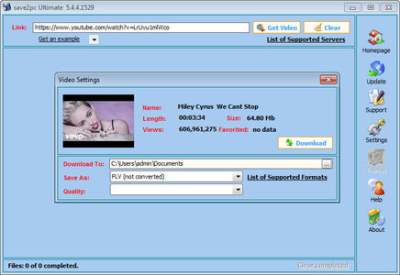
The user interface of save2pc is very simple, so you don't need any technical knowledge to use it. No need to use scripts for web browsers. Just run save2pc and start ing! save2pc is a small, fast, useful, practical and powerful. It has a clean, simple interface.
Simply paste the URL of a video into the program, press Start , and the AVI, MPEG or FLV file will be ed into the selected folder. You dont need any players to play flash video just play it on the defult media player clasic. save2pc is a completly FREE Software. It contains absolutely NO ADWARE, NO SPYWARE, NO REGISTRATION, NO POPUPS, NO MALWARE or other unwanted software.
Simply paste the URL of a video into the program, press Start , and the AVI, MPEG or FLV file will be ed into the selected folder. You dont need any players to play flash video just play it on the defult media player clasic.
- Easy to use
- Download from Youtube
- Download from Google Video
- Save youtube video as an AVI file
- Save youtube video as an MPEG file
- Save youtube video as an FLV file
Windows 7, 8/8.1, 10
-

DOWNLOAD
uploadgig
Код:
https://uploadgig.com/file/download/A5eFBc96034a232a/wJ1O3T7h_save2pc.Ultimate.5.5.7.1585.Portable.rar

rapidgator
Код:
https://rapidgator.net/file/103258478ed8db5fbe7068c954341826/wJ1O3T7h_save2pc.Ultimate.5.5.7.1585.Portable.rar

nitroflare
Код:
http://nitroflare.com/view/35EE9A6E8EAE0F4/wJ1O3T7h_save2pc.Ultimate.5.5.7.1585.Portable.rar
 
Siemens Simcenter FEMAP 2019.1 with NX Nastran

99ddb481-8aa4-413c-85ea-3d67c423b094.png

Siemens Simcenter FEMAP 2019.1 with NX Nastran | 2.1 Gb

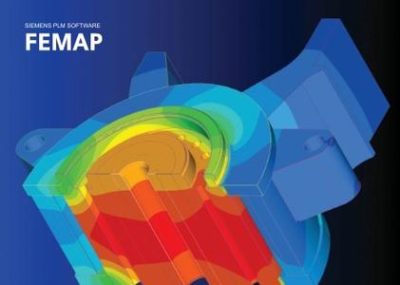
Femap software version 2019.1 from Siemens PLM Software is the latest release of the standalone finite element modeling (FEM) pre- and post - processor for engineering simulation and analysis.

Siemens Femap with NX Nastran is a cost effective, high performance finite element analysis modeling tool for engineers.​

Femap software version 2019.1 from Siemens PLM Software is the latest release of the standalone finite element modeling (FEM) pre- and post - processor for engineering simulation and analysis.
Siemens Femap with NX Nastran is a cost effective, high performance finite element analysis modeling tool for engineers. The software can create Finite Element Analysis (FEA) models of extremely complex engineering products and systems, and from these can determine the item's behavioural response for a given operating environment.
Femap version 2019 provides a number of interactive visualization and user interface updates facilitating model viewing and improving ease-of-use. There are also numerous enhancements to geometry modeling, pre- and postprocessing functionality and extended solver support. New solution capabilities include support for NX Nastran multi-step nonlinear analyses as well as topology optimization with extended design optimization functionality.
Femap with NX Nastran Structural Analysis Toolkit software features an advanced post-processing capability for general purpose Nastran analyses. It also includes efficient, state-of-the-art analytical tools for conducting Nastran modal-based response dynamics simulation.
Siemens PLM Software, a business unit of the Siemens Digital Factory Division, is a leading global provider of product lifecycle management (PLM) and manufacturing operations management (MOM) software, systems and services with over 15 million licensed seats and more than 140,000 customers worldwide. Headquartered in Plano, Texas, Siemens PLM Software works collaboratively with its customers to provide industry software solutions that help companies everywhere achieve a sustainable competitive advantage by making real the innovations that matter.
Siemens FEMAP
2019.1.0 with NX Nastran
x64

Chinese Simplified, Chinese Traditional, English, German, Japanese
PC
Windows 7even or newer
2.1 Gb

DOWNLOAD
uploadgig
Код:
https://uploadgig.com/file/download/02d8361d855E4B37/SnEFeM1910.part1.rar
https://uploadgig.com/file/download/7bfa86346F20fD45/SnEFeM1910.part2.rar
https://uploadgig.com/file/download/ada5cAB9121853e9/SnEFeM1910.part3.rar
https://uploadgig.com/file/download/7a7549D6b3aee3ff/SnEFeM1910.part4.rar
https://uploadgig.com/file/download/e09b33cfBef56890/SnEFeM1910.part5.rar
https://uploadgig.com/file/download/12c62905fF6f6Fef/SnEFeM1910.part6.rar
https://uploadgig.com/file/download/47a7A2e8F7924e7E/SnEFeM1910.part7.rar

rapidgator
Код:
https://rapidgator.net/file/39adc4a51ba30a1a24e365cf8473b2f5/SnEFeM1910.part1.rar
https://rapidgator.net/file/1d65ce824028f0cd3cf652def4b676b5/SnEFeM1910.part2.rar
https://rapidgator.net/file/96cda06dc8406e28adff45eaaac97aa2/SnEFeM1910.part3.rar
https://rapidgator.net/file/3b26376fb91a96dbcf459e63b19c30b4/SnEFeM1910.part4.rar
https://rapidgator.net/file/c95b6995c681a950a7bf754fee0a3c0e/SnEFeM1910.part5.rar
https://rapidgator.net/file/561ab3dbb3eea494aad2126a917dd36d/SnEFeM1910.part6.rar
https://rapidgator.net/file/a4fb4f955ed128a08157c8af0990743a/SnEFeM1910.part7.rar

nitroflare
Код:
http://nitroflare.com/view/13876D234E94887/SnEFeM1910.part1.rar
http://nitroflare.com/view/DE230584CB25136/SnEFeM1910.part2.rar
http://nitroflare.com/view/F8FF7BA5C0FCB8B/SnEFeM1910.part3.rar
http://nitroflare.com/view/C001AA9A55E6BCF/SnEFeM1910.part4.rar
http://nitroflare.com/view/4AE15F0FF4DF933/SnEFeM1910.part5.rar
http://nitroflare.com/view/F9ED1A36A2DEACC/SnEFeM1910.part6.rar
http://nitroflare.com/view/BDE8B8366F0448A/SnEFeM1910.part7.rar
 
TotalD Pro 1.5.8 Multilingual Portable

0ed80c23-235b-4a6e-8454-f00370f60abc.png

TotalD Pro 1.5.8 Multilingual Portable | 15.2 Mb

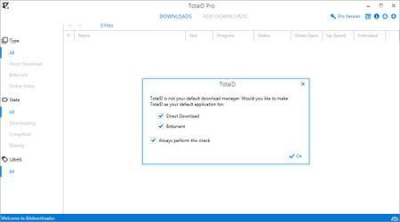
TotalD is an application designed to help you better manage the content you from your favorite hosting and file sharing services to your local drives.

The program includes an appealing interface that is split into two main section, namely the category summary and the panel where you can preview and manage your s.​

TotalD is an application designed to help you better manage the content you from your favorite hosting and file sharing services to your local drives.
Includes a sleek and stylish interface
The program includes an appealing interface that is split into two main section, namely the category summary and the panel where you can preview and manage your s. To be more precise, the dashboard comes with three broad categories, namely type of , status and labels.
The larger pane is dedicated to specifying the sources of the files, enables you to start, stop, remove and access the able content and add labels, so that you can find your videos, movies or documents easier.
In the lower section of the main window, you can view a status bar that displays the name of the file that is being ed along with the transfer speed. As far as the sources for ing are concerned, the tool works with the Bittorrent network, Vimeo, YouTube, Veoh, Dailymotion as well as a plethora of direct websites.
Enables you to manage your s efficiently
The idea behind the utility is to make ing content as smooth as possible by avoiding frustrating timeouts and annoying captchas that you can barely decipher. In this sense, the app comes with a simple interface that allows you to manage all your sources at once.
In addition, the program enables you to control how many files you want to simultaneously from the same server. At the same time, you can browse through your files whenever you need to check the content and even close it if you need to head out for instance. You can rest assured that the application resumes the as soon as you reopen it.
The app also brings additional convenience to the picture, especially since it allows you to set labels for the content and specify a dedicated folder for the files that should be stored in those directories.
TotalD can be installed on any computer with Windows XP, Windows Vista, Windows 7, Windows 8 and Windows 10.
-

DOWNLOAD
uploadgig
Код:
https://uploadgig.com/file/download/8277475d525E0f94/UfmtQBMP_TotalD.rar

rapidgator
Код:
https://rapidgator.net/file/1371eceacec623afbdd766262e7e06a1/UfmtQBMP_TotalD.rar

nitroflare
Код:
http://nitroflare.com/view/000EC3FA0E5E1FF/UfmtQBMP_TotalD.rar
 
GoodSync Enterprise 10.9.34.5 Multilingual

NURA52UAfkQ5t5AaOvnLwc22MyyZyvem.jpg

GoodSync Enterprise 10.9.34.5 Multilingual | 45.8 Mb

GoodSync synchronizes and backs up files such as photos, financial documents, MP3s, e-mails between desktops, laptops, servers, and external drives. GoodSync is the latest software in a series of highly reliable, easy-to-use products from Siber Systems, the makers of RoboForm.​

It uses an innovative synchronization algorithm that offers true bi-directional synchronization.
No More Clouds
GoodSync 9 connects multiple computers directly, completely bypassing the need for cloud based solutions.
Faster than Ever
All new block level synchronization syncs the file changes, greatly improving the speed and efficiency of sync.
Access Files From Anywhere
Forgot that file on your computer? No problem, use GoodSync Connect from any computer and quickly sync it.
Windows Vista/7/8/10 32bit and 64bit
-

DOWNLOAD
uploadgig
Код:
https://uploadgig.com/file/download/1591d1b99C3ae803/VwUb9FKq_GoodSync.Enterprise.10.9.34.5.rar

rapidgator
Код:
https://rapidgator.net/file/4ccfe77ba8d08e2a55a03edeb898f8e7/VwUb9FKq_GoodSync.Enterprise.10.9.34.5.rar

nitroflare
Код:
http://nitroflare.com/view/76173F751977715/VwUb9FKq_GoodSync.Enterprise.10.9.34.5.rar
 
WinCan VX 1.2019.5.4 Multilingual

78fb1aa3-a3cf-40a4-911d-59cb84334c92.png

WinCan VX 1.2019.5.4 Multilingual | 860 Mb

Maintaining sewers starts with understanding sewer condition, and WinCan makes it easy to collect detailed, standards-compliant inspection data. Relentless focus on innovation and productivity has made WinCan the industry's most preferred sewer inspection software, with more than 8,500 licenses worldwide.​

Powerful Analytics
Gathering sewer condition data is just the beginning. To help you make better decisions, WinCan identifies trends, pinpoints hotspots, prioritizes maintenance and lets you forecast budgets. Its broad range of reporting and data visualization tools lets you drill down to the insight you need.
Cloud-Based Collaboration
It takes a team to keep sewers flowing. WinCan Web is a cloud-based platform that lets you assign work and share inspections securely across your team. Results are available instantaneously, everywhere, through an app or browser-without the hassle of servers, offsite backups or email attachments.
Tailored Capability
WinCan bundles combine the core functionality needed for any given role on your team. Whether it's collecting, analyzing or managing data, WinCan bundles are configured to deliver full capability at an attractive price.
Room to Grow
WinCan's modular design lets you expand your capability as needs evolve. Add-on modules support emerging technologies like side scanning, laser, sonar and 3D visualization, as well as powerful features like image-based measurement and data validation/import/export.
Hardware Neutrality
Your choice of software should never constrain your choice of inspection equipment. WinCan works with all brands of sewer inspection technology-including crawlers, zoom cameras and push cameras-as well as all major applications of side-scanning, laser profiling, manhole scanning and other emerging technologies.
Enterprise Compatibility
Data is only useful when it's shared. WinCan integrates with more municipal asset management applications than any other sewer software, ensuring the status and needs of your sewer department automatically roll up into broader asset tracking and resource planning activities.
Feature Walk-through
In one minute, see how easy it is to document and share inspections with WinCan. Then continue on to explore WinCan's analytical toolkit, cloud-based workflow and support for emerging technologies.
Windows 7, 8/8.1, 10
-

DOWNLOAD
uploadgig
Код:
https://uploadgig.com/file/download/B4fcdd1B12DD7a6e/frowyVRO_WinCan.VX.1.2019.5.4.rar

rapidgator
Код:
https://rapidgator.net/file/0fba86645b355a3030a145826cc6191e/frowyVRO_WinCan.VX.1.2019.5.4.rar

nitroflare
Код:
http://nitroflare.com/view/618B5B2E0B13908/frowyVRO_WinCan.VX.1.2019.5.4.rar
 
The Infinite Kind Moneydance 2019.3.1880 (x64) Multilingual

4e415e13-895e-4728-8466-b8f580318b38.png

The Infinite Kind Moneydance 2019.3.1880 (x64) Multilingual | 126.6 Mb

Moneydance is easy to use personal finance software that is loaded with all the features you need: online banking and bill payment, account management, budgeting and investment tracking. Moneydance handles multiple currencies and virtually any financial task with ease.​

Online Banking
Moneydance can automatically transactions and send payments online from hundreds of financial institutions. It learns how to automatically categorize and clean up ed transactions.
Summary
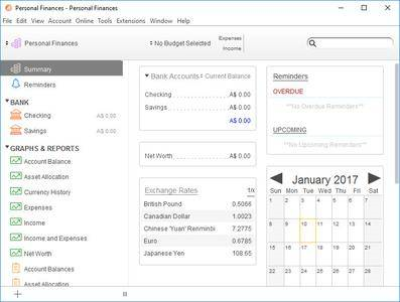
This is an overview of your finances. The information shown includes account balances, upcoming and overdue transactions and reminders, and exchange rate information. Clicking on an account or choosing an account from the drop-down account list will take you to the register for that account, where you can enter transactions or reconcile the account against a statement. Clicking on a transaction reminder will display a window where you can automatically record the transaction.
Graphs & Reports
Use the graphing tool to generate visual reports of your income and expenses. Set the graph type, the date range, and any specific settings for the type of graph you desire. Pop-up balloons display more information about the data being graphed as you move the mouse pointer over different regions of the screen. Graphs can also be printed or saved to PNG image files.
Account Registers
The account register is used to enter, edit, and delete transactions in an account. It is visually similar to a paper checkbook register, but the calculation of balances and sorting of transactions is all done automatically. The payee auto-complete feature makes it easier to enter and categorize your transactions.
Reminders
You can set up a payment schedule for single or recurring transactions so you'll never miss a payment.
Investments
Follow your investments and bring your portfolio into focus with support for stocks, bonds, CDs, mutual funds, and more. View the total value of your investment accounts or the performance of individual stocks and mutual funds over time. Stock splits and cost basis computations are a snap, and current prices can be ed automatically.
Windows 7, 8/8.1, 10 (64-bit only)
-

DOWNLOAD
uploadgig
Код:
https://uploadgig.com/file/download/Db10f6bEDff18a64/Ny7wdcQz_The.Infinite.Kind.Moneydance.2019.3.1880.rar

rapidgator
Код:
https://rapidgator.net/file/5e3135f962a0935959a81deabe95d30a/Ny7wdcQz_The.Infinite.Kind.Moneydance.2019.3.1880.rar

nitroflare
Код:
http://nitroflare.com/view/7A26CF130F98EDA/Ny7wdcQz_The.Infinite.Kind.Moneydance.2019.3.1880.rar
 
Iperius Backup Full 6.2.1 Multilingual + Portable

b6eeed7d-a155-4b5d-9451-c1a8a3e38286.png

Iperius Backup Full 6.2.1 Multilingual + Portable | 50.7/51 Mb

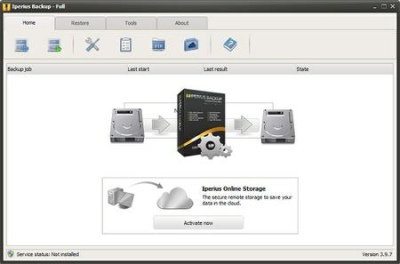
Iperius Backup is the perfect software to get the advantages of the many cloud storage services offered by well-known providers like Google or Microsoft. With a single application you will be able to easily save your files offsite to Google Drive, Dropbox or Microsoft SkyDrive.​

This backup task can be configured with a few clicks, and the result of this is the full security of automatic online backups, compressed and protected by an AES 256-bit encryption.
Iperius Backup uses the most advanced Windows drive imaging technology, that allows to copy the whole operating system with a fast and incremental backup (block-level backup). Iperius Backup can create full disk images, allowing to recover a server system in minutes (bare-metal restore). You can also restore individual files, mount the VHD image file, and restore the system to a dissimilar hardware (hardware independent restore).
Iperius Backup is an advanced and affordable tape backup software for Windows Server 2008 and Windows Server 2012. Iperius is one of the best tape backup software: extremely easy and quick to setup, reliable, fast, and with flexible recovery features. Iperius Backup supports any tape drive, starting from the common HP DAT 72 USB or SCSI, to AIT, DLT and SDLT, and up to the powerful and high-capacity LTO 5 and LTO 6 devices, that allows to back up several terabytes.
Iperius Backup is an advanced software for FTP backup on any type of server or NAS. Iperius can send backups to a remote server with a few simple configurations, with the secure FTPS protocol and also with zip compression and AES 256 bit encryption. Iperius can perform automated upload of entire websites, limit the transfer bandwidth, make parallel transfers to multiple servers and help system administrators to build a centralized backup strategy for clients.
Iperius Backup can synchronize an unlimited number of files and folders from your computer to external hard drives or to network devices (like NAS servers). You can copy files and folders to an unlimited number of destinations and keep mirror copies deleting those files no more existing in the source folders. This allows to save space on your backup device and to always have a perfectly synchronized backup.
Windows XP, Vista, 7, 8, Windows 10 - 2003, 2008, Server 2012, Server 2016 / 32-64 bit
-

DOWNLOAD
uploadgig
Код:
https://uploadgig.com/file/download/Dd365B559346a11d/9Gdlzwd4_Iperius.Backup.Full.6.2.1.Portable.rar
https://uploadgig.com/file/download/440cF95fc20f58a8/9Gdlzwd4_Iperius.Backup.Full.6.2.1.rar

rapidgator
Код:
https://rapidgator.net/file/1857d3636e608421dd48d4c0bb70b793/9Gdlzwd4_Iperius.Backup.Full.6.2.1.Portable.rar
https://rapidgator.net/file/3f8204aa232a5be7c253655ab5b73dfa/9Gdlzwd4_Iperius.Backup.Full.6.2.1.rar

nitroflare
Код:
http://nitroflare.com/view/3F0A3F3057F323C/9Gdlzwd4_Iperius.Backup.Full.6.2.1.Portable.rar
http://nitroflare.com/view/EDAB12D634184BC/9Gdlzwd4_Iperius.Backup.Full.6.2.1.rar
 
JRiver Media Center 25.0.59 Multilingual

cb216374-1206-4cfb-aef8-9860e60f1e5d.png

JRiver Media Center 25.0.59 Multilingual | 76.1 Mb

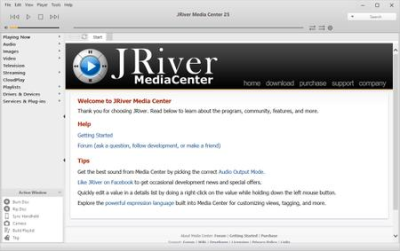
JRiver Media Center - all-in-one media management app turns any Windows PC into an entertainment hub for complete control of your digital media: Audio, Video, Images, and Television. It connects PC to stereo, TV, remote control devices, digital cameras, scanners, and portable MP3 players.​

It plays all media, rips, burns, and organizes all your music, images, and video. MC encodes and plays all popular media formats.
Powerful utilities include Media Server for streaming music and images to remote PCs. Media Center is more than a world class player. It's also a Media Network, a whole house music, movie, TV, and photo solution. The leader in audiophile quality sound. The most powerful media database available; an essential tool for large collections.
Features:
- Native support of DirectShow DSP filters
- Audiophile - WASAPI exclusive output using high-end USB DACs
- Audiophile - Added ability to play files from memory instead of disk
- Audiophile - Support for high end USB DAC's with WASAPI
- Headphone DSP makes listening more natural and comfortable.
- SoundcardSwitch command for the launcher, allows soundcard selection
- 3D album view adjusts text size to display more tracks when necessary
- 3D album view allows playing, adding, shuffling, and adding as next to play
Windows 10, Windows 8, Windows 7 and Vista
-

DOWNLOAD
uploadgig
Код:
https://uploadgig.com/file/download/891cb606bc069925/plMid14t_JRiver.Media.Center.25.0.59.rar

rapidgator
Код:
https://rapidgator.net/file/fb86f3d302a441a2ffd5c716ebbc1ce8/plMid14t_JRiver.Media.Center.25.0.59.rar

nitroflare
Код:
http://nitroflare.com/view/F2F28A53FA858EF/plMid14t_JRiver.Media.Center.25.0.59.rar
 
CorelDRAW Graphics Suite 2019 v21.2.0.706 Portable

ec7934e6-9e26-436f-b688-00c692558881.png

CorelDRAW Graphics Suite 2019 v21.2.0.706 Portable | 397 Mb
Languages: English, ???????

CorelDRAW Graphics Suite 2019 - Dare to design differently. Find all the professional vector illustration, layout, photo editing and design tools you need to work faster, smarter, and in more places with this superior graphic design software.​

- New non-destructive effects for bitmap and vector objects
- More control over your objects, layers and pages
- Improved pixel workflow for pixel-perfect documents
Manage your design journey and choose how you purchase. Enjoy premium capabilities developed for your platform-Windows or Mac-and work on the go with CorelDRAW.app.
Whether you're designing signage, logos, web graphics, or print projects, you'll enjoy unmatched customization and capabilities that complement your unique style.
Maximize time efficiencies with a comprehensive suite of creative applications that couples intuitive tools with exceptional speed, power and performance.
Achieve unsurpassed productivity with new high-caliber features in this versatile graphic design program. You'll appreciate a smoother workflow with industry standard PDF/X-4 support, and an improved content browsing experience. Plus with the all-new CorelDRAW.app, you can access your work anywhere.
Produce original illustrations, signage, and logos for both print and web. Create your way with an array of professional document styles, page layout and vector tools. Plus, enjoy new, non-destructive editing functionality when applying effects to vector and bitmap objects. Personalize the user interface, tools, templates and more to make them your own.
This powerful collection of applications is loaded with intuitive tools, tutorials, tips, tricks, learning materials and Discovery files, to ensure you can get started easily and be successful sooner. Try one of the many new templates to quickly create brochures, posters, cards, social media images, and more, without having to start from scratch.
: support x86 and x64 platforms
-

DOWNLOAD
uploadgig
Код:
https://uploadgig.com/file/download/6De3DD1f44E5e9e7/jIva216B_CorelDRAW_Graphics_Suite_2019_v21.2.0.706_Portable.rar

rapidgator
Код:
https://rapidgator.net/file/221dead4524d819def1e836cea21c8e0/jIva216B_CorelDRAW_Graphics_Suite_2019_v21.2.0.706_Portable.rar

nitroflare
Код:
http://nitroflare.com/view/451D27DF3715CF2/jIva216B_CorelDRAW_Graphics_Suite_2019_v21.2.0.706_Portable.rar
 
RedCrab Calculator PLUS 7.7.0.714

21e5877c-9a9a-4ccb-a620-2234fc64cd8a.png

RedCrab Calculator PLUS 7.7.0.714 | 14.4 Mb

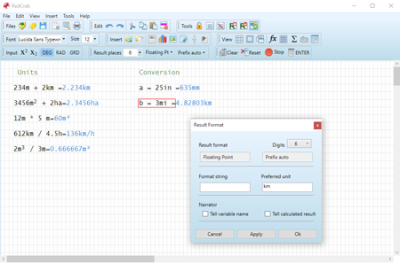
RedCrab Calculator is a mathematics software with fullscreen editor for the free placement of algebraic formulas on the worksheet in mathematical notation.Results can be displayed in different numeric formats and in diagrams.​

Images and texts can be inserted.
The shareware RedCrab PLUS extends the range of functions with additional functions for statistics, finances, matrices and special applications, as well as calculating with complex numbers and units of measure. Plotting of 2D graphics and charts.
- Free placement of mathematical formulas in natural notation
- Numerics formats of results
- Decimal fixed point, floating point, exponent
- Hexadecimal, octal or binary
- Date- and time format
- Optionaly with text
- With units of measurement
- With prefix
- Individual assignment of output formats to variables
- Audible announcement of the results
- Number of chart types for graphical display of the results
- 2D function plotter
- Calculating with units of measure. Automatic conversion of different systems in a formula (km, miles, acres, liter, yard). Automatische Umrechnung verschiedener Systeme in einer Formel (km, Meilen, Hektar, Liter, Yard)
- Defining your own mathematical functions
- Accuracy digits: 14 / 28
- Print selected areas of the worksheet
- Insert of text boxes
- Integrated functions: >250
- Tooltips and online help in German and English
- Interface (API) to perform its own functions in external programs
- Slider for variable data input
- Windows XP,
- Windows Server 2008, 2012,
- Windows Vista, Windows 7,
- Windows 8, Windows 10
- Net Framework 4.0
-

DOWNLOAD
uploadgig
Код:
https://uploadgig.com/file/download/549b9e8c95cde420/2wQMHRIW_RedCrab.7.7.0.714.rar

rapidgator
Код:
https://rapidgator.net/file/fa68d3fd7c71b2927578afcc6760e275/2wQMHRIW_RedCrab.7.7.0.714.rar

nitroflare
Код:
http://nitroflare.com/view/2FE2B4BB72DA445/2wQMHRIW_RedCrab.7.7.0.714.rar
 
Amyuni PDF Converter / PDF Suite Desktop 6.0.1.9

79a82199-7b41-4f79-b5c6-729bc0bc1f07.png

Amyuni PDF Converter / PDF Suite Desktop 6.0.1.9 | 78.8 Mb

The Amyuni PDF Suite is comprised of the Amyuni PDF Converter and PDF Creator. The Amyuni PDF Converter is a virtual printer driver that quickly converts documents from any Windows application to PDF. The PDF Creator is a PDF editor that enables you to modify, annotate, merge, and print PDF documents.​

The Amyuni PDF Converter is a virtual printer driver that quickly converts documents from any Windows application to PDF.
Unlike the high licensing costs of popular PDF tools or the lack of support for many open-source alternatives, the Amyuni PDF Suite is uniquely positioned. It comes with low-cost licensing options that are advantageous not only for single end-users, but also for large corporate distributions. And with easy-to-reach North American technical support services, any questions you may have about the Amyuni PDF Creator or Converter are just a call away. Easy to distribute, easy to use, and competitively priced, we invite you to explore the Amyuni PDF Suite.
Whether installed on one or several workstations, deploying the Amyuni PDF Converter is hassle-free and because it is Microsoft-certified, Windows system compatibilities are a non-issue.
The Amyuni PDF Converter's simple interface enables you to quickly convert documents to PDF. Without unnecessary or complicated options, you can spend more time converting documents and less time configuring software.
- Save PDF files from virtually any Windows application
- Microsoft certified Windows 7 and Windows 8 PDF printer
- Create PDFs that fully comply with the PDF/A ISO standard or with PDF/X-1 and PDF/X-3 industry standards
- Support for a wide range of PDF files such as the PDF 1.7 format and compressed XRef tables
- High performance and reliability: Create PDF documents in a fraction of the time needed with other tools
- Simplified, more intuitive PDF editing user interface
- Free OCR plug-in with up to 98% accuracy
- Merge, append and watermark PDF documents
- Generate CMYK-colored PDF files for printing purposes
- Create multiple configuration profiles for commonly used printer settings
- Automatically convert PDFs; advanced users can automate the conversion process using VBA macros from any application that supports VBA
- Powerful graphical editor that allows full page editing of PDF files with paragraph reflow capabilities
- Enhanced functions for adding, inserting, deleting, and moving pages
- Create and fill-out PDF forms
- Work with PDF form field objects such as check-boxes, radio-buttons, text fields, list-boxes and combo-boxes
- Comment and annotate PDFs with sticky notes, highlighters, stamps, lines, frames and more
- Text search and replace capabilities
- Insert objects from external applications such as Microsoft Word or Excel through OLE embedding
- Load, create, and view layered PDFs
- Documents containing images can be compressed using a variety of image compression techniques such as JPEG2000, JPEG, 256-color compression, CCITT Fax, greyscale, down sampling, removal of duplicate images, and more
- Remove duplicate fonts or images to optimize PDF structure and reduce document size
- Multi-national character sets are supported. These include Eastern-European, Middle-eastern, and Far-eastern (CJK) languages
- Fully or partially embed TrueType and Type1 fonts to ensure document portability while optimizing file size
- Automatic generation of hyperlinks and bookmarks by analyzing document content
- Include PDF metadata or document properties such as title, subject, author, etc
- Watermark PDF documents with either a simple text string or another PDF file
- Distribute PDFs directly with any MAPI- or SMTP-compliant emailing system. SMTP authentication is supported in version 4.5
- Export PDF documents to a wide range of formats such as XPS, Excel, HTML, RTF, TXT, TIFF, JPEG or BMP
- Prevent the display, modification or printing of PDFs with 40-bit, 128-bit or 256-bit AES encryption
- PDF documents can be digitally signed using any valid certificate installed on the end-user's system. Support for both Ansi and Unicode digital signatures
- Optimize PDF documents for viewing through the Web, also known as PDF Linearization
- Windows 10, Windows 8.1, Windows 8, Windows 7, Vista, XP
- Server 2012, Server 2008, Server 2003
-

DOWNLOAD
uploadgig
Код:
https://uploadgig.com/file/download/41B4bB0e249601d5/BtBvwsHl_PDF.Desktop.6.0.1.9.rar

rapidgator
Код:
https://rapidgator.net/file/eefba5ddc69e2016d23234f83e4fc496/BtBvwsHl_PDF.Desktop.6.0.1.9.rar

nitroflare
Код:
http://nitroflare.com/view/504A644AD0CC596/BtBvwsHl_PDF.Desktop.6.0.1.9.rar
 
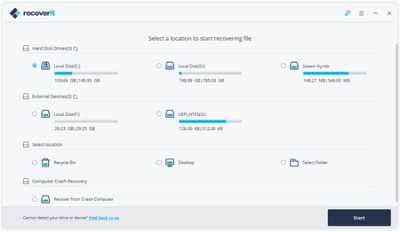
Wondershare Recoverit Photo Recovery Ultimate 8.0.0.6

6942fed1-093a-4be1-bcb6-162bc1ae1b16.png

Wondershare Recoverit Photo Recovery Ultimate 8.0.0.6 (x64) Multilingual | 72.6 Mb

Your Data Security and Our Recovery Capability. Recoverit, Regain it. Recoverit Data Recovery recover your deleted, lost data with high recovery rate. Data recovery is easier, faster, and more reliable than ever before.​

Recover Any Data from Anywhere
- Supports more than 550 data formats, including almost all images, documents, multimedia files, emails, archives, etc.
- Supports full data recovery for all devices with NTFS, FAT16, FAT32, HFS+, APFS, etc.
Advanced Algorithm Support
- Faster scan speed driven by a powerful built-in Data-Analyzer Engine.
- Advanced Deep-Scan algorithm goes deeper into the data structure and brings a record-high data recovery rate of more than 96%.
Powerful Data Recovery Solutions
- Supports lost data recovery from formatted hard drives, raw hard drives, lost or resized partitions.
- Able to recover deleted, lost data from computer crash or virus attacks with bootable media solution.
Ultimate Data Recovery Solution
Find all solutions helping you recover lost data from computers, hard drives, memory cards, iPhone, iPad , Android phones and tablets. Check it below for what you need.
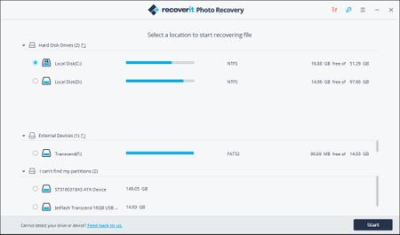
1. Select
Select the path/location where the data loss occurred, and click "Start" to restore data.
2. Scan
The data recovery software will scan your device/computer thoroughly to find out lost data
3. Recover
Selective recovery: Preview, Recover and Save Files.
For Windows 10/8/7/Vista/XP (64-bit).
-

DOWNLOAD
uploadgig
Код:
https://uploadgig.com/file/download/421833f1c6aaCbD7/NfECkIoS_Wondershare_Recoverit_Photo_Recovery_Ultimate_8.0.0.6.rar

rapidgator
Код:
https://rapidgator.net/file/a2e38d6b11704248dbccf967ca9cb119/NfECkIoS_Wondershare_Recoverit_Photo_Recovery_Ultimate_8.0.0.6.rar

nitroflare
Код:
http://nitroflare.com/view/FB9A621BD1EDB56/NfECkIoS_Wondershare_Recoverit_Photo_Recovery_Ultimate_8.0.0.6.rar
 
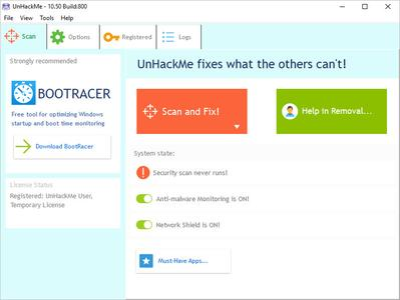
UnHackMe 10.70 Build 820

5c670ae0-5938-42d4-a3ff-ca8656bd1d8f.png

UnHackMe 10.70 Build 820 | 18.3 Mb

UnHackMe - First BootWatch AntiRootkit! Now it is the must have tool for you! UnHackMe is specially designed to detect and remove Rootkits (a new generation of Trojan programs - invisible Trojans). A rootkit is a program that a hacker uses to mask intrusion and obtain administrator-level access to a computer or computer network.​

The intruder installs a rootkit on a computer using a user action or by exploiting a known vulnerability or cracking a password.
The rootkit installs a backdoor giving the hacker a full control of the computer. It hides their files, registry keys, and process names, and network connections from your eyes. Your antivirus could not detect such programs because they use compression and encryption of its files. The sample software is Hacker Defender rootkit. UnHackMe allows you to detect and remove Rootkits.
Benefits:
UnHackMe Pro includes special designed tools for detecting deep hidden rootkits.
UnHackMe Pro is unique for each user and it is invisible for a rootkit.
You can open UnHackMe Pro from CD-ROM or from a flash drive.
You can use UnHackMe Pro license for checking and removing rootkits from user computers.
No need to install UnHackMe on a user computer.
No need to purchase additional licenses.
Easy in use. No comments!
Windows 2000-Windows 7/8.1/Windows 10
-

DOWNLOAD
uploadgig
Код:
https://uploadgig.com/file/download/E114de50225e8Dbe/jNL1Kbkm_UnHackMe.10.70.Build.820.rar

rapidgator
Код:
https://rapidgator.net/file/fded1a857f6052d7e17942eaf89683b9/jNL1Kbkm_UnHackMe.10.70.Build.820.rar

nitroflare
Код:
http://nitroflare.com/view/862C2E36481BE13/jNL1Kbkm_UnHackMe.10.70.Build.820.rar
 
Adobe Prelude CC 2019 v8.1.1.38 Multilanguage + Portable

b1ff5462-7b2d-492f-8eb9-e912b8157903.png

Adobe Prelude CC 2019 v8.1.1.38 (x64) Multilanguage REPACK + Portable | 597/462 Mb

Adobe Prelude CC 2019 - Program for professional video capture, allowing to convert any file formats, and set tags. The application offers effective management of file preparation process, instantly creating logs of the markers and other temporal metadata that provides the ability to search in the course of finishing.​

With Adobe Prelude CC 2019 you can develop and edit video content much faster and even more organized. Inserter and conducting video magazine, designed to work effectively with the media and metadata entry. Videos are easily transferred into Adobe Premiere Pro, thereby ensuring excellent communication and organization of the entire video production process.
- Visual Editor shortcut
- Improved matching of audio channels
- voiceover
- Transitions at the pre-assembly
- Shortcuts for tagging
- Improved user interface with HiDPI support
- Support for multiple audio tracks
- Support for entry and exit points
- Converting files when inserting
- Comparison tag colors
- playback mode the Cinema
- View thumbnails when you hover
- Renaming when inserting files
- Ability to determine the necessary inf rmatsii to insert clips
- Integration with Adobe Story to convert scripts into metadata
- Collaborate using as Adobe Anywhere
- Box files directly to the selected packages
- metadata support the Sony XMPilot
- Support for 64-bit files in Windows and the Mac OS
- Pre-installation Export
- metadata searchable by all fields
- Full and partial insertion
- transcoding to multiple formats when you paste
- Fast marking materials
- Integration of virtually any workflow
- Creation of advanced materials collections
- Scrolling thumbnails insert dialog box
- Custom markers
- Adjustable import metadata
- Customizable extensibility
OS:Microsoft Windows 10 (64-bit) version 1703 or later (required)
CPU:Intel Intel 6thGen or newer CPU
RAM:16 GB of RAM (32 GB recommended)
Display:1920 x 1080 or greater display resolution
GPU Vram:4 GB of GPU VRAM
GPU:Adobe-certified GPU card for GPU-accelerated performance
Hard Disk Space:Fast internal SSD (recommended) for app installation and cache - plus provisional space for media
Hard Disk Drive:7200 RPM or faster hard drive (multiple fast disk drives recommended)
Other:QuickTime 7.6.6 software required for QuickTime features
-

DOWNLOAD
uploadgig
Код:
https://uploadgig.com/file/download/747aB17bcD3c57c8/qm3mfFCT_Adobe.Prelude.CC.2019.v8.1.1.138.64.Bit.rar
https://uploadgig.com/file/download/16e264d000130EAf/qm3mfFCT_Prelude_CC_2019_v8.1.1.38_Portable.rar

rapidgator
Код:
https://rapidgator.net/file/25bd6e6f02f52aa5eed05ffccf8320d8/qm3mfFCT_Adobe.Prelude.CC.2019.v8.1.1.138.64.Bit.rar
https://rapidgator.net/file/59bf30b54b1bff3be064a48623f346ac/qm3mfFCT_Prelude_CC_2019_v8.1.1.38_Portable.rar

nitroflare
Код:
http://nitroflare.com/view/4DC4543AC6DAFA8/qm3mfFCT_Adobe.Prelude.CC.2019.v8.1.1.138.64.Bit.rar
http://nitroflare.com/view/45BA2CA5B8144F2/qm3mfFCT_Prelude_CC_2019_v8.1.1.38_Portable.rar
 
Autodesk Mudbox 2019.1 (x64) Multilanguage

c2c66801-2e56-44e9-986a-717508070915.png

Autodesk Mudbox 2019.1 (x64) Multilanguage | 1.4 Gb

The Autodesk products team is pleased to announce the availability of Mudbox 2019. This release contains improvements to Dynamic Tessellation, and new features like Combine Meshes, Separate Selection, and Preserve Volume.​

You'll notice redesigned icons, expanded tooltips, updated hotkeys, better support for high-resolution monitors, as well as several important bug fixes.
A new option, Preserve Volume, has been added to the Advanced properties from the Smooth tool so you can stop it from degrading the mesh excessively. This option is useful when working with dynamic tessellation if you want prevent the Smooth tool from reducing the triangulated mesh volume too quickly.
This new behavior is off by default so you can use the Smooth tool to reduce and shrink the mesh volume. If you want the new behavior, where the mesh volume is maintained and cannot be degraded, activate this setting in the Sculpting tool properties (under the Advanced heading).
The effects of Preserve Volume is less effective on low-polygon meshes.
Dynamic Tessellation now supports UVs, Selection Sets, Joint Weights, and Falloff Type. Previously, if any of these elements existed, they were ignored when Dynamic Tessellation created the new triangulated mesh copy. Now, Dynamic Tessellation includes these elements when the triangulated copy is created.
Now, when you sculpt on a surface with the sculpting tools "Tessellate" option enabled, Selection Sets are maintained. This means that new topology on the triangulated mesh copy is a part of a Selection Set if the surrounding faces on the original were also part of a set.
Existing Selection Sets are copied from the original mesh to the generated tessellation mesh and appear identical, except that they are triangulated.
Likewise, if a tessellated mesh is created from a mesh that originally had joint weights, these weight values are now copied to the new mesh as well. And this weighting is retained when sculpting on it using any tessellation-enabled sculpting tool. Any new faces created take the weighting from surrounding faces (or use none if there was no weighting).
Dynamic tessellation is not supported on meshes with PTEX. If you use dynamic tessellation either through the Mesh menu, or by using tessellation-enabled sculpting tools, on a PTEX mesh, a triangulated copy of the mesh is created, but it has no UVs.
Now, UVs on the original model are retained, and duplicates of the UVs are added to the new triangulated mesh, and when you sculpt on a surface with a tessellation-enabled sculpting tool, UVs are generated (or removed), the same way as new faces are generated (or removed) on the original mesh surface while sculpting with tessellation-enabled sculpting tools.
If you experience problems when collapsing edges on a tessellated mesh, delete UVs from your model before working with the Reduce, Refine, or Remesh tools.
Dynamic Tessellation now uses the current Sculpting Tool Falloff Type, so that you can set the way Tessellation affects the mesh surface. This way, it works together with the selected sculpting tool so that faces within the Falloff range are tessellated and faces outside are not.
There are three choices of how the brush determines the range of the Tessellation effect:
Brush distance measured from the center point outward, searching for vertices until it reaches the end of the surface or the edge of the brush radius, whichever comes first.
Brush distance measured by drawing a line from the center of the brush to each vertex within the brush radius, to determine where to tessellate. Volume falloff affects one mesh with separated parts, if they are within the brush radius.
Brush distance measured by the brush moving along the surface, searching for vertices until it reaches the end of the surface or the edge of its radius, whichever comes first.
A Combine Meshes option in the Mesh menu lets you merge multiple meshes into a single object that contains all of the faces. In previous versions of Mudbox, there was no way to combine more than one mesh into a single object without exporting to another software package. This is effectively the opposite of Separate Selection.
A new feature, Separate Selection, has been added to the Mesh menu so you can separate compound objects into multiple objects within Mudbox. Previously, dividing objects this way required that you export the object to another 3D package to do this work. This is effectively the opposite of Combine meshes.
A new property, Stamp Offset, has been added to all relevant sculpting tool properties to let you fine-tune the depth of a stamp imprint on a model's surface. The default value is 0.00, which means that black areas of the stamp image make no surface impression, and the deformation strength increases until it reaches white. A Stamp Offset value of 0.50 means that black areas of the stamp image indent the model's surface with -50% deformation, continuing until it reaches a +50% elevation in the white areas.
Now, you can cut down the number of UVs on your geometry while still in Mudbox, where previously you had to go to Maya or 3ds Max. The new Delete UVs feature gives you a way to remove UVs from your mesh from the UVs & Maps menu.
The Shift key now works to smooth curves while using any of the curve tools, the same way you use it to smooth vertices.
An updated Patch tool now lets you remove parts of a mesh without needing a hole or border faces in the tessellated mesh. Now you can use the Patch tool to remove parts of a mesh without leaving a hole. So now, depending on what you select, the Patch tool reacts to the kind of selection.
- A fully enclosed loop of border edges or faces: the hole in the loop is closed. (The same behavior as earlier versions)
- Interior faces with no border edges: the selected faces are deleted and patched with triangle faces. (The new behavior)
- Border edges or faces that do not form a fully-closed loop: nothing is done. (The same behavior as earlier versions)
- Multiple distinct groups of interior faces (for example, the four legs of a cow): Mudbox moves through each selection, deleting the selected faces and filling the holes with patches of triangle faces. (The same behavior as earlier versions).
The Mudbox keyboard shortcut list has been expanded to include functionality that previously existed but have not been assigned keys. This way, you can use the Hotkey editor to give these functions a key designation, for example choosing 6 to be the keyboard shortcut for the Blur tool.
In an ongoing effort to simplify the Mudbox interface, a number of new tooltips have been added to the user interface. Further, the information on many of the existing tooltips has been clarified.
The Gamma Correct Blending in the Advanced section of the Paint Tools Properties is now on by default. This feature, introduced in Mudbox 2018 update 2, blends colors before doing gamma correction when texture painting. This type of blending eliminates the dark edges that used to appear where colors intersected, for example, when you painted green over red. Disabling this option will make the edges between overlapping paint areas dark.
Mudbox has improved the experience for people using high-resolution monitors by providing support for Interface Scaling. Interface Scaling lets you use a different scaling method for 4K or Retina monitors, which previously would display fuzzy, aliased, text and icons. Interface Scaling appears in the Mudbox Setup window the first time you launch Mudbox so you can set the resolution that works best for you setup. You can always switch this setting in the User Interface Preferences. (The default setting is 100%.)
Also, to further improve the Mudbox interface for higher resolution, graphic elements such as icons, tools, and shelves have been updated so they are distinct and better-defined.
The Mudbox documentation will be incrementally updated to reflect these changes; some illustrations and animations in the Help may depict older interface elements but no behavior has changed.
Autodesk Mudbox is the first advanced, high resolution, brush-based 3D sculpting and painting application built from the ground up to address the needs of the digital sculptors and texture artists. Designed by production artists for production artists working on demanding projects, Mudbox introduces new workflow paradigms and combines familiar concepts in a new and exciting way to offer a unique solution for high-end commercial modeling and painting.
Mudbox is quick to learn, easy to use and integrates well with existing production pipelines.
Autodesk helps people imagine, design and create a better world. Everyone-from design professionals, engineers and architects to digital artists, students and hobbyists-uses Autodesk software to unlock their creativity and solve important challenges.
Autodesk Mudbox
2019.1
x64

English , French , German , Japanese
PC
Windows 7even or 10 / Apple Mac OS X 10.11.x, 10.12.x, 10.13.x, 10.14x

DOWNLOAD
uploadgig
Код:
https://uploadgig.com/file/download/3DC461ab8702b53b/YIpIg3iC_Autodesk_Mudbx_2019_1_ML.part1.rar
https://uploadgig.com/file/download/0F7745f9c825ea49/YIpIg3iC_Autodesk_Mudbx_2019_1_ML.part2.rar
https://uploadgig.com/file/download/c19e51424a870d05/YIpIg3iC_Autodesk_Mudbx_2019_1_ML.part3.rar
https://uploadgig.com/file/download/8b5301d88C3068AA/YIpIg3iC_Autodesk_Mudbx_2019_1_ML.part4.rar

rapidgator
Код:
https://rapidgator.net/file/4b50ee62c0c8c7f54825c9521d250bef/YIpIg3iC_Autodesk_Mudbx_2019_1_ML.part1.rar
https://rapidgator.net/file/069c01f790989b1ebd7316413deb7fa5/YIpIg3iC_Autodesk_Mudbx_2019_1_ML.part2.rar
https://rapidgator.net/file/7c837bb6b16015a07179ed02c0608fb8/YIpIg3iC_Autodesk_Mudbx_2019_1_ML.part3.rar
https://rapidgator.net/file/2c4de67be0c623eaba7bf08ba9188733/YIpIg3iC_Autodesk_Mudbx_2019_1_ML.part4.rar

nitroflare
Код:
http://nitroflare.com/view/E707D32712A791D/YIpIg3iC_Autodesk_Mudbx_2019_1_ML.part1.rar
http://nitroflare.com/view/BAC4FAB8BCBF857/YIpIg3iC_Autodesk_Mudbx_2019_1_ML.part2.rar
http://nitroflare.com/view/A97EC3E39F6163B/YIpIg3iC_Autodesk_Mudbx_2019_1_ML.part3.rar
http://nitroflare.com/view/569EBDB545EEC68/YIpIg3iC_Autodesk_Mudbx_2019_1_ML.part4.rar
 
Wondershare Recoverit Photo Recovery Ultimate 8.0.0.6 (x64) Multilingual Portable

d0961e42-5680-4208-8115-ea1c2b694158.png

Wondershare Recoverit Photo Recovery Ultimate 8.0.0.6 (x64) Multilingual Portable | 126.49 Mb

Recover Photos, Videos and Audios Without Limits of Devices. Recoverit Photo Recovery empowers you to restore images, movies and music from all storage media. Do deleted photos and videos recovery from computer hard drive, digital cameras, Drone cameras, Android phones, memory cards, etc.​

- Recover deleted or lost photos, videos and audios.
- Restore 10 media files for free without file size limits.
- Require no payment if your files can't be recovered.
All pictures and videos shot by digital cameras are riddled with every precious moment in our lives. Recoverit Photo Recovery helps you keep the lost files recovered and well protected.
- The camera photo recovery software supports photo and video recovery from digital cameras in different brands, including Canon, Nikon, Fuji, Sony, Panasonic, Pentax, etc.
- It recovers deleted photos and videos from such Drone cameras and instant cameras with SD card as DJI Drone, GoPro Drone, Fuji Instax Square, Polaroid cameras, etc.
SD cards have been universal in many electronic devices like cameras and Android phones. Recoverit Photo Recovery allows you to get back deleted media files effectively and efficiently.
- The SD card recovery software specializes in restoring deleted photos and videos from memory card in all types, including Micro SD card, SD Card, CF card, MMC, SmartMedia, xD-Picture card, etc.
- Android photo recovery can be done without any hassle here, regardless of the brands and models of your Android phone, like SamSung, BlackBerry, Nokia, Windows phone, HTC, Motorola, Nexus, etc.
Recoverit Photo Recovery is able to restore image files, photoshop files, video files and audio files from computer hard drive and connected external devices.
- The photo and video recovery software can work well with both Windows and Mac computer.
- It can get back the photos, videos and audios you deleted from a wide range of file systems, including FAT, FAT32 file system, NTFS, ReFS, HFS, HFSPlus, APFS, RAW file system, etc.
- The deleted files recovery can be done no matter where they were located on computer before, such as computer hard drive disk, emptied recycle bin or trash, solid state drive (SSD) and so on.
Recover deleted files from external hard drive
Recoverit Photo Recovery is a versatile external hard drive recovery tool for your deleted, lost or formatted photos, videos audios and other media files.
- The disk photo recovery software makes photo and video recovery much easier and securer from all sorts of external hard drives, SSDs, USB flash drives, and pen drives.
- It supports digital images, movies and songs recovery from external hard drive in different brands like SanDisk, LeCia, Transcend, WD, Seagate, Toshiba and so on.
- External hard drive is not detected, unallocated, damaged, crashed or formatted? Recoverit retrieves your lost photos, videos and audios within minutes and without harms.
- You're able to perform the pic and video recovery within 3 steps and minutes. No tech knowledge is required.
- Recoverit Photo Recovery features intuitive interface and straightforward process to undelete photos and videos.
- Get to know how to recover deleted photos, videos and audios here.
For Windows 10/8/7/Vista/XP (64-bit).
-
Multilingual

DOWNLOAD
uploadgig
Код:
https://uploadgig.com/file/download/a4649416544e2704/ZM9e9gDo_WondershareRecoveritPhotoUltimatev8.0.0.6Portable.rar

rapidgator
Код:
https://rapidgator.net/file/c883f68f950f281f8842b8bee2060e42/ZM9e9gDo_WondershareRecoveritPhotoUltimatev8.0.0.6Portable.rar

nitroflare
Код:
http://nitroflare.com/view/3625726D83340A3/ZM9e9gDo_WondershareRecoveritPhotoUltimatev8.0.0.6Portable.rar
 
Batch Compiler Pro 18.0.0 Business

b5250218-97c7-4aa2-a75c-5659dfe63073.png

Batch Compiler Pro 18.0.0 Business | 72.4 Mb

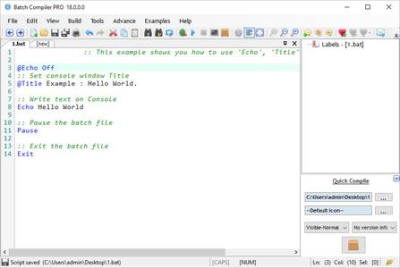
Batch Compiler is the one & only Integrated Development Environment for batch scripts.
Interface

Intellisense.

Code Auto-Completion.

Debugger, Check your code for syntax errors.
​

Batch Compiler is the one & only Integrated Development Environment for batch scripts. With the help of built in powerful compiler, Now you can convert your batch files into pure stand-alone windows executables including your Company name, Copyright info, Version info and embedded resources!
Unlike other bat to exe solutions, Batch Compiler can handle complex batch scripts and compile batch files easily with the built in Intelli-Parse technology and Debugger. Introducing a new era of windows programming, Batch Compiler gives you a bunch of Advance Commands which are specially designed to do advance file, mathematical and logical operations in batch scripts.
Interface
Bookmarks.
Intellisense.
Syntax highlighting and Syntax folding.
Code Auto-Completion.
Multi script tabbed interface.
Debugger, Check your code for syntax errors.
Run & debug your script while editing.
Advance Commands (BrowseFiles, LaunchSilent, MouseCMD)
Script Cloud. Free, public cloud storage for sharing batch scripts.
100+ useful examples.
EasyBuild, A new feature to script batch files.
Compiler
Powerful, versatile compiler.
Allows mouse input in batch files.
Use Windows Common Dialog Boxes.(BrowseFiles, BrowseFolders)
Draw graphics in batch files.
Reverse engineering proof encryption of source code.
Embed resources with executable.(music, images, files)
Include Company name, Copyright info and Version info.
Make invisible(silent) executables.
Digitally sign your executables.
Executables with administrator privileges.
Stand-alone executables. No dependencies needed.
Executables are working on almost all windows operating systems.(98 to 10)
Windows 7/8/8.1/10/Server 2008/Server 2012.
Microsoft .Net Frameworks 4.5 or higher. (version 4.5.2 is included in installer.)
100 Megabytes disk space.
-

DOWNLOAD
uploadgig
Код:
https://uploadgig.com/file/download/da9De512cE55b850/PbDqVmmU_Batch.Compiler.Pro.18.0.0.rar

rapidgator
Код:
https://rapidgator.net/file/99d384f53cb643f8ce396403b6384561/PbDqVmmU_Batch.Compiler.Pro.18.0.0.rar

nitroflare
Код:
http://nitroflare.com/view/5090B005B904A19/PbDqVmmU_Batch.Compiler.Pro.18.0.0.rar
 
DVD-Cloner 2019 v16.40 Build 1448 (x64) Multilingual

82684a9e-3bf2-483b-beed-9237a49d5f65.png

DVD-Cloner 2019 v16.40 Build 1448 (x64) Multilingual | 47.8 Mb

DVD-Cloner 2019 is a widely-acclaimed professional DVD copy software with perfect output image quality. It can decrypt DVD and clone DVD to any blank disc with diverse copy modes for playback on many media devices including PS4, Xbox, Blu-ray player, etc.​

Besides, it can copy DVD to your Windows computer as an ISO file or DVD folders. With DVD-Cloner 2019, you can also copy Blu-ray/4K UHD Blu-ray movies to BD-R/REs or your computer and rip DVD/Blu-ray/UHD movies to MKV format for easy storage.
Express mode (One-click copy):
Copy DVD-5 to DVD-5
Copy DVD-9 to DVD-5
Copy Blu-ray to BD-25
Copy 4K UHD Blu-ray to BD-50
Rip DVD to MKV
Rip Blu-ray to MKV
Expert mode (Professional copy):
Perfect 1:1 DVD Copy
Without any third party DVD decrypters, this best DVD copying software has unlimited access to all region codes and copy protection systems. It removes all known DVD copy protections.
Copy a DVD-5 movie to a blank DVD-5 DVD±R/RW disc in 1:1 ratio.
Copy a DVD-9 movie to a blank DVD-9 DVD±R/RW disc in 1:1 ratio.
Backup DVD movie to a DVD movie folder for playback on the player software or TV and a DVD player is not needed anymore.
Backup DVD movie to an ISO image file on the hard disk for later burning, which can also be uploaded to the Internet easily.
Movie Complete Copy
Compress one DVD-9 movie to a blank DVD-5 disc, keeping menus and special features.
Select to keep all audio tracks and subtitles or remove unwanted ones.
Manually define the compression rate to define the picture quality of your DVD copies.
Movie-Only Copy
Copy the main movie of a DVD-9/DVD-5 to a DVD-5 disc, omitting menus and special features.
Intelligently recognize the main movie from the source DVD to avoid copying a fake main movie.
Audio tracks and subtitles are selective to make a special copy of DVD movie.
Split DVD Copy
Split one DVD-9 movie to two blank DVD-5 discs with original picture quality, keeping all menus and special features.
Optionally keep menus when splitting a DVD-9 movie to two DVD-5s.
Movie Customized Copy
Episodic DVD copier software - Copy only a certain range of chapters, specially designed for Episodic TV series DVDs and music video DVDs.
Copy your favorite titles and chapters from the original DVD-5 movie to a DVD-9 disc.
Supports copying multi-channel audio tracks such as Dolby Digital 5.1 and DTS.
Create multiple DVD copies without having to repeat the entire process again.
Intel i5 or a faster processor
8GB of RAM
500GB free hard disk space (NTFS partition)
A Blu-ray burner
Windows 10
A UHD friendly drive
-

DOWNLOAD
uploadgig
Код:
https://uploadgig.com/file/download/23874F6b0fbcE1bC/FmZMq0T7_DVDCloner.16.40.1448.rar

rapidgator
Код:
https://rapidgator.net/file/2175b66afa12e05ca9ad96a2eaf2b7fa/FmZMq0T7_DVDCloner.16.40.1448.rar

nitroflare
Код:
http://nitroflare.com/view/05BE35AF80CAA99/FmZMq0T7_DVDCloner.16.40.1448.rar
 
Назад
Сверху