• Здравствуйте. Сайт заработал в архивном режиме форум www.old.nado.in

Anthony's Software !!!

DtSearch Desktop / Engine 7.94.8612

69aeae5a-cf3b-4e75-ae98-83b72af7b75c.png

DtSearch Desktop / Engine 7.94.8612 | 80.5/142 Mb

DtSearch Desktop provides instant searching of desktop-accessible files. dtSearch can instantly search terabytes of text because it builds a search index that stores the location of words in documents. Indexing is easy - simply select folders or entire drives to index and dtSearch does the rest.​

Once dtSearch has built an index, it can automatically update it using the Windows Task Scheduler to reflect additions, deletions and modifications to your document collection. Updating an index is even faster, since dtSearch will check each file, and only reindex files that have been added or changed.
The dtSearch indexer automatically recognizes and supports all popular file formats, and never alters original files. The dtSearch product line can instantly search terabytes of text across a desktop, network, Internet or Intranet site. dtSearch products also serve as tools for publishing, with instant text searching, large document collections to Web sites or CD/DVDs.
Features:
A scrolling word list, for instant feedback as you type in a search.
A look-up word feature, detailing the effect of fuzzy, phonic, wildcard, stemming and thesaurus search options.
Browse and customize thesaurus options.
A field button, showing all indexed document fields.
A search history display.
Search reports, showing hits in retrieved documents, along with the requested amount of context.
Clipboard options, file launching, and other tools for working with retrieved data.
Exporting of search results in various data formats, for easy use with other programs.
Special forensic indexing and searching tools
DtSearch Engine Text Retrieval Engine lets developers quickly add dtSearch's proven, "industrial-strength" text search and retrieval to applications. The dtSearch Engine is in use in hundreds of commercial applications. See Case Studies & 3rd Party Solutions for over a hundred developer case studies. Typical uses of the dtSearch Engine include: publishing and searching database-driven Web sites, incorporation into information management applications, searching of technical documentation, incorporation into forensics applications, email filtering usage, and incorporation into a broad range of vertical-market applications (legal, medical, financial, recruiting and staffing, etc.). The dtSearch product line can instantly search terabytes of text across a desktop, network, Internet or Intranet site. dtSearch products also serve as tools for publishing, with instant text searching, large document collections to Web sites or CD/DVDs.
Features:
The dtSearch Engine provides developer access to indexed, unindexed, full-text and fielded data search options, including support for hundreds of international languages through Unicode
The dtSearch Engine also provides developer access to dtSearch's integrated file parser and file format support
File format support includes dtSearch's WYSIWYG hit highlighted search display of web-ready files
File format support includes proprietary built-in HTML converters for non-web-ready files (like OpenOffice and MS Office documents)
Developer file format support also works in connection with distributed or federated searching, including integrated relevancy ranking and hit-highlighted display of local and remote content
The dtSearch Engine for Win & .NET supports C++, Java and .NET
For example, the dtSearch Engine for Win & .NET includes a choice of an ADO.NET API, a Java API, a C++ API and a COM API for indexing and searching SQL-type databases, along with associated BLOB data
The dtSearch Engine also supports search filters and other data classification options
A .NET Spider API makes the full dtSearch Spider functionality accessible to developers
The dtSearch Engine for Linux provides C++ and Java APIs to developers
Supported: Windows 10, Windows Server 2016, Windows Server 2012, Windows Server 2008, Windows Server 2003, Windows 8.1, Windows 8, Windows 7, Windows Vista, Windows XP Service Pack 3.
In Windows 8, 8.1, and10 dtSearch runs as a desktop application only (it does not run in the "Metro" user interface). Windows RT is not supported.
Both 32-bit x86 and 64-bit versions of Windows are supported. (Under 64-bit versions of Windows, the 64-bit executables are installed in the dtSearch bin64 folder.)
Web Browser
dtSearch Desktop also requires that Internet Explorer is installed. Internet Explorer does not have to be your default browser (you can still use Netscape, Opera, or any other browser). dtSearch just needs certain components that are only available if Internet Explorer is installed on the computer.
-

DOWNLOAD
uploadgig
Код:
https://uploadgig.com/file/download/dB088c617be084Df/cof5683q_DtSearch.7.94.8612.D.rar
https://uploadgig.com/file/download/4bdf77230dA3ab31/cof5683q_DtSearch.7.94.8612.E.rar

rapidgator
Код:
https://rapidgator.net/file/c7eff662c11467b49de4b9e37337dd3e/cof5683q_DtSearch.7.94.8612.D.rar
https://rapidgator.net/file/532c73ce60a1f9e3920b2d0eef363307/cof5683q_DtSearch.7.94.8612.E.rar

nitroflare
Код:
http://nitroflare.com/view/0A5C290DD9A3BD2/cof5683q_DtSearch.7.94.8612.D.rar
http://nitroflare.com/view/5882127474E4F73/cof5683q_DtSearch.7.94.8612.E.rar
 
Avast Premier Antivirus 19.5.2378 (Build 19.5.4444.439) Multilingual

910368d1-5b7a-47a9-aaf5-92bda36d2b5c.png

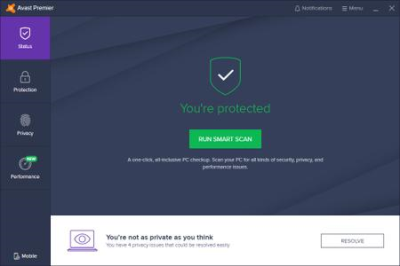
Avast Premier Antivirus 19.5.2378 (Build 19.5.4444.439) Multilingual | 358.6 Mb

This top of the range antivirus is not like the others. Because it blocks all webcam-hacking, and stops ransomware before it starts. It protects your PC, home network, and passwords against zero-second threats with smart cloud-based detection.​

It updates your apps automatically and shreds your data permanently when you say so. That's why you've never seen protection like this before.
Keep spies and snoops off your webcam
Can hackers really hijack your webcam? Yes - until now. Webcam Shield makes anything and anyone get your permission before they can use it so nobody takes a peek unless you say so. You can even disable your camera for good - and enable it again. Go on, do your happy dance - no one's watching.
Keep hostage-takers off your files
Hackers demand an average of $643 from ransomware victims. Ransomware Shield keeps your most important files from being encrypted and held hostage, and lets only trusted apps alter them in any way.
Update your apps against security gaps
Automatic Software Updater keeps your apps and programs up to date with the very latest safety patches and performance upgrades, so you're not exposed to hackers finding security holes from out of date versions. Safe and convenient.
No data left behind
Thinking of selling your PC, or maybe lending it to someone? You'd be surprised at how easy it is for others to retrieve your "deleted" files and data. Your Data Shredder makes sure your personal photos, bank statements and other private documents get obliterated - for good.
Firewall
Keep hackers on the other side of the wall with this essential security feature that monitors and controls what goes in and out of your computer.
Anti-spam
Dodge spam and other malicious content, so you can focus on the emails that truly matter.
Real Site
Protect yourself from hackers who attempt to hijack your DNS (Domain Name System) settings, redirect you to fake sites and steal your banking details.
Wi-Fi Inspector
Automatically detect weaknesses in your home Wi-Fi and strangers piggybacking on your network.
Intelligent Antivirus
Detect and block viruses, malware, spyware, ransomware and phishing. We use smart analytics to stop threats before they affect you.
CyberCapture
Automatically send suspicious files for analysis in the cloud, and push a cure to all Avast users if it's a threat.
Behavior Shield
Spot and block suspicious behavior patterns for zero-second protection against unknown threats and ransomware.
Smart Scan
Find all those cracks which allow malware to slip in, from unsafe settings and passwords to suspicious add-ons and out-of-date software.
Ransomware Shield
Block ransomware and other untrusted apps from changing, deleting, or encrypting your personal photos and files.
Automatic Software Updater
Old and outdated programs can slowly chip away at your security wall. Keep your software up to date automatically and you'll be less vulnerable to attacks.
Sandbox
Test and play with suspicious files in a safe environment before you let them run on your computer, making sure they don't wreak havoc on your PC.
Windows 10, 8.1, 8 or 7*, 1 GB RAM and 2 GB of hard disk space.
-

DOWNLOAD
uploadgig
Код:
https://uploadgig.com/file/download/2b5Cccddf1810c7D/ytBoAg5a_Avast.Premier.Antivirus.19.5.2378.rar

rapidgator
Код:
https://rapidgator.net/file/967f08c33607ebbb37aff81b7bc7b195/ytBoAg5a_Avast.Premier.Antivirus.19.5.2378.rar

nitroflare
Код:
http://nitroflare.com/view/C81ED47538AC129/ytBoAg5a_Avast.Premier.Antivirus.19.5.2378.rar
 
Adobe RoboHelp 2019.0.7 Multilingual Portable

eb098c62-0f79-400e-9f0e-3cf532a6d748.png

Adobe RoboHelp 2019.0.7 (x64) Multilingual Portable | 536 MB

Deliver exceptional Help, policy and knowledgebase content with the 2019 release of Adobe RoboHelp. Create media-rich experiences using HTML5 and CSS3. Customize layouts and templates with a powerful CSS and skin editor.​

Publish content as Responsive HTML5, PDF, Mobile App and much more to serve customers across all touchpoints. Personalize experiences using Dynamic Content Filters. Transform the way customers search with a new algorithm, search autocomplete and autocorrect. Collaborate using Git, SharePoint Online and more.
Reimagine content creation
Work faster with a powerful, reimagined user interface. Create media-rich experiences using HTML5 and CSS3 authoring support. Import high quality SVGs that seamlessly scale across web and print. With a powerful CSS editor, you can easily customize layouts in real-time. Smoothly import Word files with enhanced image and style handling.
Any device, format or platform. Discover limitless publishing.
Exceed customer expectations with highly personalized, rewarding content experiences. Easily customize templates with the new skin editor. Publish content as Responsive HTML5, PDF, Mobile App and much more to serve customers across all touchpoints. Make search easier for your customers with a new algorithm, search autocomplete and autocorrect. Take personalization to the next level with Dynamic Content Filters.
Infinite possibilities to collaborate smarter and faster
Bring distributed teams together to achieve content brilliance and faster go-to-market. Instantly connect with leading collaboration platforms like Git and SharePoint Online. Connect to any other source control by building customizations using a new plug-and-play architecture.
Reimagined user interface
Work easily with an all-new minimalist, yet powerful, user interface. Boost productivity with web-based technologies that make your workspace lighter and faster.
HTML5 and CSS3 authoring support
Create highly immersive content experiences with out-of-the-box HTML5 and CSS3 authoring support. Easily add videos, audio, images, text effects and other element.
Enrich content with Scalable Vector Graphics
Now import and use great-looking visuals that look super sharp across mobile, web and print with SVG support.
Enhanced Object Properties dialog
Adjust object properties with optimal accuracy and unprecedented ease as they transform in real time with every change.
Switch between multiple views
Quickly see a preview of your content output or its HTML by switching between author, code and preview views.
Style mirroring
Easily copy formatting and apply the inline or CSS based style to text anywhere else in the topic or its content.
Global style management control
Quickly switch all inline styles in the authoring view on or off via a central control as a global preference.
Search autocorrect
Enhance the end user search experience with automatic identification of mistyped search queries using fuzzy logic to display relevant results based on the closest match.
Git support
Empower team members with the ability to collaborate on projects of any size with speed and efficiency.
SharePoint Online support
Ensure everyone stays on the same page by enabling sharing and collaboration across your organization with SharePoint Online.
Connect with any source control
Work with any source control by building customizations using a new plug-and-play architecture.
- Core i3 or faster processor
- Microsoft Windows 7, 8.1, or 10
- 4 GB of RAM or more is recommended
- 3 GB of hard-disk space is required for installation; additional space is required during installation (cannot install on a volume that uses a case-sensitive file system or on removable flash storage devices)
- 64-bit CPU and operating system
-

DOWNLOAD
uploadgig
Код:
https://uploadgig.com/file/download/dD8783c0f535A577/C7FsAQhm_RoboHelp.rar

rapidgator
Код:
https://rapidgator.net/file/ed7492122973213467819c934e46c360/C7FsAQhm_RoboHelp.rar

nitroflare
Код:
http://nitroflare.com/view/FDB975CC996C2E7/C7FsAQhm_RoboHelp.rar
 
Key Metric Software FolderSizes 9.0.224 Enterprise Edition

7ed6d370-da85-4008-8429-3ba821e009a9.png

Key Metric Software FolderSizes 9.0.224 Enterprise Edition | 36.4 Mb

Desktop PCs and servers can quickly end up accumulating large quantities of unused, temporary, and duplicate files. Before you know it, you're out of drive space, backups are taking far too long to run, and users can't find the data they need when they need it.​

You need a visual, interactive software tool to help you manage disk usage. You need FolderSizes. FolderSizes is an award-winning, network-enabled disk space analysis tool. It can quickly isolate large, old, temporary, and duplicate files, or even show file distribution by type, attributes, or owner. All with multiple export formats, command-line support, shell context menu integration, and much more.
Benefits & Solutions
Explore, visualize, and comprehend local and network storage
Reclaim gigabytes of drive space - fast!
Improve storage capacity planning capability
Find the disk space hogs with just a few clicks
Manage and monitor disk space across the network (Pro edition only)
Publish disk usage reports right to your web server share
Streamline file systems to optimize backups
Monitor and enforce employee data storage policies
Find excessively long file names that interfere with CD storage, etc.
Find recently saved files without knowing their names (find recently modified)
Find files owned by a specific individual or group
View the "size on disk" (actual space consumed) for any file or folder
Visualize the distribution of files by file type, age, and size
Find and eliminate empty folders
Search files by nearly any file attribute combination
Schedule the generation of nearly any FolderSizes report (Pro edition only)
Features
Hierarchical folder map visualization (based upon treemap technology)
Integrated scheduler (Pro edition only)
Unicode file and folder name support
Interactive, dynamic, full-color bar and pie graphs
Fast, multi-threaded, network-aware file system scanning
Isolate largest, oldest, duplicate, and temporary files
View disk space utilization by file type / attributes
View local & network disk space usage by owner / group
Command line interface for scripting & integration (Pro edition only)
FilterZip regular-expression based compression system
See total & free space for fixed, removable, network drives
Export reports in HTML, XML (Pro edition only), CSV, and more
Integrates with the Windows shell context menu (32 and 64 bit support!)
Extremely configurable - colors, fonts, print options, etc.
Flexible, multi-path oriented search and file reporting systems
Strong support for viewing allocated disk space (e.g. "size on disk")
"Command Prompt from Here" in all context menus
Super-fast, in-memory database provides stunning performance
Support for direct entry of UNC network paths in all reports
Optional symbolic link skipping
Any edition of Windows 10, 8, 7, Vista, XP, Server 2003, Server 2008, Server 2012, and Server 2016.
Both 32 and 64 bit environments are fully supported.
-

DOWNLOAD
uploadgig
Код:
https://uploadgig.com/file/download/62391570d761451b/2IZkCU5u_FolderSizes.9.0.224.rar

rapidgator
Код:
https://rapidgator.net/file/fe56829046f027e6214f6f02c55ca542/2IZkCU5u_FolderSizes.9.0.224.rar

nitroflare
Код:
http://nitroflare.com/view/A84A3110DE4438C/2IZkCU5u_FolderSizes.9.0.224.rar
 
Rhinoceros 6.14.19127.17141 (x64)

dd186ad9-a4fa-4343-a4d8-59a076831f5c.png

Rhinoceros 6.14.19127.17141 (x64) | 270.5 Mb

In Rhino 6 for Windows, we've fully embraced Grasshopper - the wildly popular visual programming language - by "baking it in." Grasshopper is no longer beta; it's a stable development environment. We've also rewritten some features and renovated workflows that needed fundamental overhauls to make them truly productive.​

Grasshopper
The long beta period is over: Grasshopper, the world's most beautiful programming language, is now a full-fledged part of Rhino. Used in some of the most ambitious design projects of the past decade, Grasshopper, like Rhino, has become a robust development platform. Grasshopper provides the solid foundation for many incredible third-party components ranging from environmental analysis to robotic control.
Presentation
Presentation is key: during nearly every phase of design, you need to communicate, getting "buy-in" from clients, customers, collaborators, or the public at large. We've improved Rhino with the aim of helping you present your work: be it "quick and dirty" or "high-res glossy." With major changes to Rendering, Materials, or just plain capturing the viewport, it's now easier and faster to present, discuss, make decisions, and iterate.
Display
Rhino's new display pipeline is faster, more stable, and uses features found on modern graphics hardware, like GPU sensitive shaders and memory optimizations. This results in fewer GPU-specific display glitches and more consistent, beautiful, and frequent frames, even with large models. In some conditions, display speed can be up to 300% faster.
Documentation
Modeling is just one part of the design process; you also need to show how to build what is on the screen. We've refined many parts of the documentation workflow, from a completely reworked annotation-style interface, to better DWG support, and RichText throughout. It's now easier to convey accurately and clearly the what and the how of your design.
Licensing & Administration
We have worked hard to make Rhino easier to install, license, and configure. There's a great new option to license Rhino using the Cloud Zoo.
Make2D
Make2D has been completely rewritten to provide faster, better, cleaner, more customizable results.
Rhino Refinements
Small quirks add up to painful paper cuts over the course of a prolonged modeling session. In Rhino 6, we've fixed hundreds of minor bugs and consolidated disparate - but similar - features into single commands, making Rhino much more refined.
Development Platform
Rhino is more than just a modeler. With a rich ecosystem of plugins and an open set of development tools, Rhino is quickly becoming the development platform for those seeking to push the envelope of design. Rhino 6 brings major improvements to our free SDKs, with API refinements, better documentation, and more access to Rhino commands from Grasshopper.
Serengeti
We're constantly improving Rhino. Rhino 6 users have access to the Serengeti community and our Work-In-Progress (WIP) builds. The WIP builds are where we are developing future features like SubD support, Grasshopper 2, a new real-time rendering engine, and much more.
- Windows 10, 8.1, or 7
- 8 GB memory (RAM) or more is recommended.
- 600 MB disk space.
- OpenGL 4.1 capable video card is recommended.
- No more than 63 CPU Cores.
- Multiple-button mouse with scroll wheel is recommended.
- The SpaceNavigator is supported.
- Apple hardware is supported with Bootcamp.
Windows 8
Windows XP 64-bit
Windows Vista, NT, 95, 98, ME, or 2000
Windows 32-bit all versions
-

DOWNLOAD
uploadgig
Код:
https://uploadgig.com/file/download/7E34ba58bFfd666d/eOFWCZY2_Rhinoceros.6.14.19127.17141.rar

rapidgator
Код:
https://rapidgator.net/file/50caa36caf4f9326db0ff6978fd852e8/eOFWCZY2_Rhinoceros.6.14.19127.17141.rar

nitroflare
Код:
http://nitroflare.com/view/7CB1041262C0CED/eOFWCZY2_Rhinoceros.6.14.19127.17141.rar
 
BlogStomp 3.73 + Portable

f508eca2-72fb-4a79-9e84-bb08873e2371.png

BlogStomp 3.73 REPACK + Portable | 53.5/52 MB

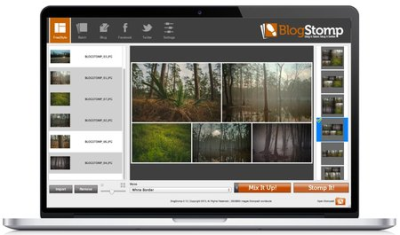
Resize, collage, crop, and watermark your images in one fell swoop. Create multiple styles for your blog, Facebook, gallery, or wherever you share images online. Upload to those sites all from within the app! Stand out from the crowd and personalize your stomps with text, border, color blocks and a ton of other options.​

BlogStomp3 is just as easy, even faster, and more fun than ever before.
- Create unique multi-image layouts.
- Batch process hundreds of images
- Re-size razor sharp web images
- Easily apply your logo/watermark
- Save custom styled image frames
- Crop images in-app
- Drag-n-drop image swapping
- Create custom stomp layouts.
- Add text to your stomps
- Add a color block to your layout
- Write and publish blog posts
- Upload to your gallery
- Create and upload Facebook albums
- Tweet a stomped image
- Stomp for Instagram
- Design and upload Facebook covers
Drag and drop.
Click-and-drag image swapping allows you full control over image placement.
Crop your images.
Crop using our preset crop ratios, or go completely freehand. It's your call.
Custom stomp layouts.
Not finding the perfect arrangement for your photos? You tell BlogStomp how you want it to look and we'll do all the hard maths.
Come to the Dark Side.
Ease eye strain with day and night modes.
Social Crop.
Crop for Instagram and Facebook's cover image.
Windows 10, Windows 8 / 8.1, Windows 7
-

DOWNLOAD
uploadgig
Код:
https://uploadgig.com/file/download/07a9e0B038d46A84/vyYo9Gac_BlogStomp.rar
https://uploadgig.com/file/download/3A4a3C665Fbcaf09/vyYo9Gac_BlogStomp3.73.rar

rapidgator
Код:
https://rapidgator.net/file/db7f718d65418893fa407eaf9cbb58a1/vyYo9Gac_BlogStomp.rar
https://rapidgator.net/file/695105a75f1140e971b343b3702d34f9/vyYo9Gac_BlogStomp3.73.rar

nitroflare
Код:
http://nitroflare.com/view/A660B18F189D290/vyYo9Gac_BlogStomp.rar
http://nitroflare.com/view/827A603622FC137/vyYo9Gac_BlogStomp3.73.rar
 
Adobe RoboHelp 2019.0.7 (x64) Multilingual

98a94a49-d6a7-4d95-bb44-7fa976066bda.png

Adobe RoboHelp 2019.0.7 (x64) Multilingual | 1.21 GB

Deliver exceptional Help, policy and knowledgebase content with the 2019 release of Adobe RoboHelp. Create media-rich experiences using HTML5 and CSS3. Customize layouts and templates with a powerful CSS and skin editor.​

Publish content as Responsive HTML5, PDF, Mobile App and much more to serve customers across all touchpoints. Personalize experiences using Dynamic Content Filters. Transform the way customers search with a new algorithm, search autocomplete and autocorrect. Collaborate using Git, SharePoint Online and more.
Reimagine content creation
Work faster with a powerful, reimagined user interface. Create media-rich experiences using HTML5 and CSS3 authoring support. Import high quality SVGs that seamlessly scale across web and print. With a powerful CSS editor, you can easily customize layouts in real-time. Smoothly import Word files with enhanced image and style handling.
Any device, format or platform. Discover limitless publishing.
Exceed customer expectations with highly personalized, rewarding content experiences. Easily customize templates with the new skin editor. Publish content as Responsive HTML5, PDF, Mobile App and much more to serve customers across all touchpoints. Make search easier for your customers with a new algorithm, search autocomplete and autocorrect. Take personalization to the next level with Dynamic Content Filters.
Infinite possibilities to collaborate smarter and faster
Bring distributed teams together to achieve content brilliance and faster go-to-market. Instantly connect with leading collaboration platforms like Git and SharePoint Online. Connect to any other source control by building customizations using a new plug-and-play architecture.
Reimagined user interface
Work easily with an all-new minimalist, yet powerful, user interface. Boost productivity with web-based technologies that make your workspace lighter and faster.
HTML5 and CSS3 authoring support
Create highly immersive content experiences with out-of-the-box HTML5 and CSS3 authoring support. Easily add videos, audio, images, text effects and other element.
Enrich content with Scalable Vector Graphics
Now import and use great-looking visuals that look super sharp across mobile, web and print with SVG support.
Enhanced Object Properties dialog
Adjust object properties with optimal accuracy and unprecedented ease as they transform in real time with every change.
Switch between multiple views
Quickly see a preview of your content output or its HTML by switching between author, code and preview views.
Style mirroring
Easily copy formatting and apply the inline or CSS based style to text anywhere else in the topic or its content.
Global style management control
Quickly switch all inline styles in the authoring view on or off via a central control as a global preference.
Search autocorrect
Enhance the end user search experience with automatic identification of mistyped search queries using fuzzy logic to display relevant results based on the closest match.
Git support
Empower team members with the ability to collaborate on projects of any size with speed and efficiency.
SharePoint Online support
Ensure everyone stays on the same page by enabling sharing and collaboration across your organization with SharePoint Online.
Connect with any source control
Work with any source control by building customizations using a new plug-and-play architecture.
English, German, French, Japanese
- Core i3 or faster processor
- Microsoft Windows 7, 8.1, or 10
- 4 GB of RAM or more is recommended
- 3 GB of hard-disk space is required for installation; additional space is required during installation (cannot install on a volume that uses a case-sensitive file system or on removable flash storage devices)
- 64-bit CPU and operating system
-

DOWNLOAD
uploadgig
Код:
https://uploadgig.com/file/download/efcdd4c0A153Fa58/H5xqh7ge_RoboHelp.2019.0.7.part1.rar
https://uploadgig.com/file/download/25b1b608913Dc2f6/H5xqh7ge_RoboHelp.2019.0.7.part2.rar

rapidgator
Код:
https://rapidgator.net/file/d4b5f2eb46ac087f9a0465ff8f22408a/H5xqh7ge_RoboHelp.2019.0.7.part1.rar
https://rapidgator.net/file/953dde699be7e4ccf8b60b227f5bcbcc/H5xqh7ge_RoboHelp.2019.0.7.part2.rar

nitroflare
Код:
http://nitroflare.com/view/E0C59FA6384F627/H5xqh7ge_RoboHelp.2019.0.7.part1.rar
http://nitroflare.com/view/190B412D5CD83DD/H5xqh7ge_RoboHelp.2019.0.7.part2.rar
 
Emurasoft EmEditor Professional 18.9.2 Multilingual

b39abfbf-12b1-4c2e-b9ad-0739061ee58e.png

Emurasoft EmEditor Professional 18.9.2 (x86/x64) Multilingual | 33.1 MB

EmEditor Professional - professional version of the powerful text editor for programmers, Web developers and ordinary users with the illumination of syntax and Unicode support. Editor features such as search and replace in files using regular expressions, auto-detection coding, highlighting the links and email addresses, block selection mode, configure the button bar, menu, font and color elements.​

For each language, you can create a separate configuration. The program also has the support of powerful macros written in javascript or VBScript, allowing you to capture virtually any action, used often or occasionally.
This editor is an ideal tool for editing HTML, PHP, JSP and XML files. When you specify a web browser as an external application, you will be able to view HTML files during editing.
Supports syntax highlighting ASP, C #, C, CSS, HTML, Java, javascript, JSP, Pascal (Delphi), Perl, Python, PHP, SQL, VBScript and other programming languages, function Drag & Drop, opening files size up to 248 GB the possibility of connecting additional external applications and plug-ins. In addition, the program allows to work with macros written in javascript or VBScript, and based on the Windows Scripting Host (WSH) engine, allows you to automate virtually any action. Adjustable backlight HTML and scripting languages makes it easy to detect spelling errors and typos.
Support for file sizes up to 248 GB
Edit binary files
Optimized search and relocation
Improved design plug-ins
Ability to display panel functions
Optimized speed when each row has a greater length
Auto-panning by clicking the mouse wheel
Supports Drag and drop
Specify the temporary folder in the program settings
Import INI files in the registry
Unicode
Syntax highlighting for ASP, C, CSS, HTML, javascript, JSP, Pascal, Perl, Python, PHP, SQL, VBScript and other
User-friendly interface with customizable toolbar
EmEditor Professional Features List:
* Large File Support
* Unicode Support
* Macros
* Vertical Selection Editing
* Tabbed Windows, Drag and Drop
* Lightweight Design
* Regular Expressions
* Binary Editing
* Crash Recovery
* Grab Text
Windows 10/8.1/8/7/Vista/Server 2012/Server 2008
-

DOWNLOAD
uploadgig
Код:
https://uploadgig.com/file/download/D6ba311e10da8A9b/m0c7N0eu_EmEditor.18.9.2.rar

rapidgator
Код:
https://rapidgator.net/file/25730dd7c5f9e9115d5093ea3c5bbc21/m0c7N0eu_EmEditor.18.9.2.rar

nitroflare
Код:
http://nitroflare.com/view/9B23FECAA04E0F2/m0c7N0eu_EmEditor.18.9.2.rar
 
Camera Bits Photo Mechanic 6.0 Build 3181 (x64)

dd32639b-682f-4f2e-bb3f-28c542fa8236.png

Camera Bits Photo Mechanic 6.0 Build 3181 (x64) | 177 Mb

Photo Mechanic's super fast browsing enables you to quickly Ingest, Edit and Export, taking the work out of your workflow. Its powerful batch processing, full support for image variables, IPTC and Exif metadata, make it the perfect tool for any digital photographer.​

Copy your images off of your memory cards and start working right away.
Ingest is the process of copying files from a memory card to your hard drive. Photo Mechanic supercharges this step by automating other tasks at the same time, making your life much easier.
Start Editing Immediately
Don't wait around. See the thumbnails of your images while they're being copied from your memory card. Cull, rate, and tag them as you go. Photo Mechanic is fast!
Browse Files Faster
Go from image to image quickly - faster than ever before in Photo Mechanic 6. Find your keepers and bring only the files you want to keep into your post-processing workflow.
Multi-Card Ingest
Save time by copying images off several memory cards at the same time when you have multiple card readers.
Add Metadata During Ingest
Save a step by adding copyright and credit information during the copying process.
Edit your photos in Photo Mechanic in a flash!
View all of your images, identify your keepers, tag your alternates, and add crucial metadata and never slow down. Photo Mechanic helps you do it fast!
Editing your photos can be a lot of work. Photo Mechanic makes the process of selecting, organizing and adding metadata to your images so much easier. Here are some of the key features that help you get things done more quickly and accurately.
Contact Sheet
The Contact Sheet is the heart of your workflow. See your image thumbnails, edit and organize quickly and efficiently. Photo Mechanic puts you in control.
View Photos At Full Size
Zoom up to 800% to check for critical sharpness. Quickly toggle between viewing the JPEG preview or the Raw file.
Keywords
Sometimes you need more than one keyword to describe (and find) an image. Photo Mechanic helps you add keywords in many ways. Structured Keyword lists allow you to add related keywords fast.
Variables
Automatically add EXIF camera data to your images like focal length, serial number, or ISO to metadata fields like captions or keywords.
Batch Editing
Work faster when you copy, delete, tag, watermark, rename, resize, and add IPTC metadata to lots of photos at once.
Move, Copy, & Rename
Add capture time to filenames. Create dated folders on the fly. Copy files to multiple destinations at once. Photo Mechanic's file-management tools are incredibly powerful.
Code Replacements
Save time typing long complex text with Code Replacements. A few keystrokes can add entire sentences to your captions.
GPS Coordinates
Geotag your photos by easily applying your saved GPS tracking logs to your photos with Photo Mechanic. Now, in Photo Mechanic 6: Use GPS data to automatically add city, state and country names to your metadata!
Adjust Capture Dates And Times
Take photos from multiple cameras and get them synchronized to the correct date and time. This is great for wedding photographers with second shooters.
Pick The Best Of The Bunch
View and compare images side by side, horizontally or vertically. Spot differences between images that are too subtle to see when viewing one at a time, or simply pick between two top choices.
Windows 7, Windows 8 or Windows 10 (64-bit versions)
-

DOWNLOAD
uploadgig
Код:
https://uploadgig.com/file/download/e03d86b15e977BAD/lQhpbuiF_Camera.Bits.Photo.Mechanic.6.0.Build.3181.rar

rapidgator
Код:
https://rapidgator.net/file/ff6ebeb07c79cab7f5d04b81c972e017/lQhpbuiF_Camera.Bits.Photo.Mechanic.6.0.Build.3181.rar

nitroflare
Код:
http://nitroflare.com/view/CB500E8B853482D/lQhpbuiF_Camera.Bits.Photo.Mechanic.6.0.Build.3181.rar
 
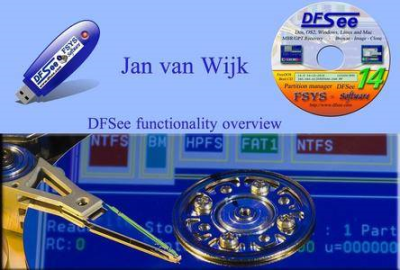
DFSee 16.0

885fc88f-0ecf-4811-8851-e770d1f296a9.png

DFSee 16.0 (Win/Lnx/macOS/DOS) | 21.6 Mb

Multiplatform Swiss army knife to examine disks in great detail and fix problems with partition definitions and file systems. Create an exact clone or a compressed imagefile from your whole disk or a single partition.​

BROWSE through directories, and view or copy/recover files directly from the browser. DFSee is a generic disk, partition and filesystem utility for maintenance and data-recovery. It supports partition-tables (FDISK, LVM) and filesystems like (V)FAT, FAT-32, EFAT, HPFS, NTFS, JFS, EXT2/3/4, HFS+, and some functionality for ReiserFS, XFS, SWAP and GRUB.
Disk partitioning
As a replacement for the classic FDISK and (OS/2) LVM programs, with support for MBR as well as GPT style tables.
DFSee is a complete replacement for the partitioning tools as found with DOS, OS/2, Win9x, Windows-NT/2000/XP/7/8/9/10 and Linux.
It is also a replacement for the LVM utility that comes with eComStation, ArcaOS 5.x and all OS/2 versions 4.50 or newer. Only some obscure features like disk-spanning are not supported.
Apart from the standard create/delete type of functions there are a lot of special commands to display information and fix all kinds of problems related to partition-tables and LVM information. A fully interactive partition-table editor is included as well (PTEdit), both for classic MBR-style partitiong as the more recent GPT (Guid Partition Tables).
Finally, the FDISK functionality combined with the scripting capabilities is being used by large organisations for automatic (and unattended) roll-out scenarios.
Disk and partition recovery
To recover from partition problems and disasters (UNFDISK)
An often used function here is the DFSDISK command/menu-item/script that automate the collection of needed information to 'UNDO' an accidental FDISK operation or other partitioning related disasters.
Another important feature is the ability to save and restore ALL partitioning information in a regular file that you can keep as a backup on a diskette so recovery operations will be MUCH easier.
Disk and partition copying
As a tool to copy whole disks or partitions
Two main functions are available:
IMAGING Whole disks, partitions or parts of partition can be saved to an imagefile, either RAW or in a compressed format. The imagefiles can be restored to the same or a different location resulting in backup or copy functionality. The compressed images can be opened for directory/file browsing, to view or to retrieve individual files from such a backup image. This works for partition images as well as full-disk images.
For large images, and using removable media to store them, it is possible to limit the size of the generated files and create multiple numbered files for one image. For direct writing to removable media like diskettes, CDR or DVD-R (streaming) it will prompt for media-change too.
CLONING Cloning can make an exact copy of (part of) a partition or disk to another area on the same or another disk. This can be used as a very fast backup facility (speeds of 30 MB/sec are not uncommon) and to move partitions arround. Check the CLONE, MOVE and COPY commands and menu-items .
On the bootable CD, the bootimage uses an Ultra-DMA driver to allow maximum speeds on modern ultra-DMA IDE disks.
For both imaging and cloning, DFSee can use internal allocation information from the filesystem structures to skip unused areas (SMART clone/image) minimizing imagesize and speeding up the process.
These DFSee functions are comparable to programs like Norton GHOST and PowerQuest DriveImage
Filesystem BROWSER, navigating files and directories
As a minimal directory and file BROWSER, much like a filemanager.
This is an easy to use and powerful way to access files in filesystems that may otherwise be inaccesible, either beacues there is some filesystem damage that prevents it from being 'mounted' in the normal way, or because you need to access it from an operating system that does NOT have a driver for this type of filesystem.
Once in the browser, you can navigate through the directory structure and edit/view/copy one or more of the presented files.
Copying files from the browser is a user-friendly way to RECOVER FILES from inaccessible filesystems, and can also be used in combination with undelete.
File undelete
As a tool to 'UNDELETE' files that have been accidentaly deleted or RECOVER files from unaccessible filesystems
This feature is implemented for FAT, HPFS, JFS and NTFS, but on those filesystems it is a very powerful tool.
It is operated either using the user-friendly BROWSE interface, where you navigate to the files to be recovered, or by using the underlying commands directly for maximum flexibility abd effectiveness.
It works by finding all deleted or normal files (DELFIND/FILEFIND), and then letting the user make a selection based on a wild-card filespecification and a recoverability outlook percentage (DELSHOW, or through the BROWSER). The actual recover operation will copy the matching files to a specified directory, if possible on another disk (RECOVER).
You can find the file-recover and undelete functions in the menu as well, in the specific 'Mode=.' submenus for the filesystems that support it.
DOS, Windows-NT/XP/7/8/10, Linux and Mac
-

DOWNLOAD
uploadgig
Код:
https://uploadgig.com/file/download/ea705bB42ad186C8/GtJjwg7W_DFSee.16.0.rar

rapidgator
Код:
https://rapidgator.net/file/cac33a96a5c4bfd5e96be264aa25501b/GtJjwg7W_DFSee.16.0.rar

nitroflare
Код:
http://nitroflare.com/view/86604EE373BC4A6/GtJjwg7W_DFSee.16.0.rar
 
Key Metric Software FolderSizes 9.0.224 Enterprise Edition Portable

7ed6d370-da85-4008-8429-3ba821e009a9.png

Key Metric Software FolderSizes 9.0.224 Enterprise Edition Portable | 25.2 Mb

Desktop PCs and servers can quickly end up accumulating large quantities of unused, temporary, and duplicate files. Before you know it, you're out of drive space, backups are taking far too long to run, and users can't find the data they need when they need it.​

You need a visual, interactive software tool to help you manage disk usage. You need FolderSizes. FolderSizes is an award-winning, network-enabled disk space analysis tool. It can quickly isolate large, old, temporary, and duplicate files, or even show file distribution by type, attributes, or owner. All with multiple export formats, command-line support, shell context menu integration, and much more.
Explore, visualize, and comprehend local and network storage
Reclaim gigabytes of drive space - fast!
Improve storage capacity planning capability
Find the disk space hogs with just a few clicks
Manage and monitor disk space across the network (Pro edition only)
Publish disk usage reports right to your web server share
Streamline file systems to optimize backups
Monitor and enforce employee data storage policies
Find excessively long file names that interfere with CD storage, etc.
Find recently saved files without knowing their names (find recently modified)
Find files owned by a specific individual or group
View the "size on disk" (actual space consumed) for any file or folder
Visualize the distribution of files by file type, age, and size
Find and eliminate empty folders
Search files by nearly any file attribute combination
Schedule the generation of nearly any FolderSizes report (Pro edition only)
Hierarchical folder map visualization (based upon treemap technology)
Integrated scheduler (Pro edition only)
Unicode file and folder name support
Interactive, dynamic, full-color bar and pie graphs
Fast, multi-threaded, network-aware file system scanning
Isolate largest, oldest, duplicate, and temporary files
View disk space utilization by file type / attributes
View local & network disk space usage by owner / group
Command line interface for scripting & integration (Pro edition only)
FilterZip regular-expression based compression system
See total & free space for fixed, removable, network drives
Export reports in HTML, XML (Pro edition only), CSV, and more
Integrates with the Windows shell context menu (32 and 64 bit support!)
Extremely configurable - colors, fonts, print options, etc.
Flexible, multi-path oriented search and file reporting systems
Strong support for viewing allocated disk space (e.g. "size on disk")
"Command Prompt from Here" in all context menus
Super-fast, in-memory database provides stunning performance
Support for direct entry of UNC network paths in all reports
Optional symbolic link skipping
Any edition of Windows 10, 8, 7, Vista, XP, Server 2003, Server 2008, Server 2012, and Server 2016.
Both 32 and 64 bit environments are fully supported.
-

DOWNLOAD
uploadgig
Код:
https://uploadgig.com/file/download/a96195be7Ae4391D/Tbd2hd9M_FolderSizes.rar

rapidgator
Код:
https://rapidgator.net/file/9374f3b8da2de80f1b21ae3fce69ecdc/Tbd2hd9M_FolderSizes.rar

nitroflare
Код:
http://nitroflare.com/view/218033B72E17504/Tbd2hd9M_FolderSizes.rar
 
Franzis SHARPEN projects 3 professional 3.31.03465 + Portable

18c405e3-82c6-49ae-b1dc-d09ebb7f2341.png

Franzis SHARPEN projects 3 professional 3.31.03465 Multilingual + Portable | 76.2/45 MB

The professional software for sharp images goes into the next round. Blurred shots can be saved with a few clicks, but also sharpen individual image areas or remove scratches and sensor errors. New tools and features complete the complete package for the most important step in professional image editing: re-sharpening.​

The right sharpness for every picture
The new intelligent masking function protects selected areas with just one click. For example, skin tones or smooth areas can be selected by default. This saves a lot of time and effort. In a jiffy, exactly what you want is sharp! Thanks to the revised image sharpness calculation, you can get the most out of your pictures. The oversampling modes "1-fold" and "2-fold" provide a fine and therefore better blur correction. All functions, all tools, all features - the SHARPEN projects 3 professional shows what is technically possible. Ideal for professionals and ambitious amateur photographers!
+ PRO: Includes plug-in for Adobe Lightroom Classic, Adobe Photoshop CS 6+ and Adobe Photoshop Elements 11+
+ PRO: full selection of 26 presets
+ PRO: integrated batch processing
+ PRO: extended RAW module with 8 color filters
+ PRO: new mode "after EV value" for generating bracketing
Detailed analysis
The new "Pro Infinity" quality mode and the Contour mode allow unprecedented blur distribution accuracy. Now the maximum actual size of the current image is used for the calculation. In addition, the program automatically selects the correct blur reduction mode based on this analysis. This creates the best conditions for naturally sharp images.
Rescue blurred shots
By slightly blurring are fast times 20 to 30 pixels blurred. Thanks to the adaptive multiscale deconvolution of SHARPEN projects 3 professional, up to 500 pixels of environmental information are included, which is 500 times more pixels than other products! How to achieve the visual sharpness impression of the high-end class.
Includes Photoshop filter plug-in
Many ways lead to SHARPEN projects, from now on also quite comfortably from Adobe Lightroom! A new full-featured filter plug-in for Adobe Lightroom and Photoshop for maximum comfort for your personal workflow. Simply select the desired image or image series in the Lightoom image database, export to SHARPEN projects, edit and save the result image back to the database.
NEW! intelligent masking function to protect certain image areas
NEW! "Pro Infinity" & "Oversampling" - revised methods for image analysis and blurring correction
NEW! Contour mode for optimal determination of the blur distribution function
NEW! 8 digital color filters for the selective simulation of colored photo filters
NEW! Improved scratch and sensor error correction in 5 quality modes
NEW! Scaled saving of pictures for facebook and co.
NEW! Enhancements in Selective Drawing
NEW! Note function in the undo timeline
NEW! 10 new additional presets
NEW! Improved performance
New: 8 digital color filters
The new Color Filters module in the Selective Drawing section provides 8 digital color filters: Red, Orange, Yellow, Green-Yellow, Green, Cyan, Blue, Purple.
Best workflow
Due to the accelerated work, calculations are faster. This shortens loading times and lets you work smoother.
- Windows 10/8/7
- Core Duo processor
- 2 GB of free RAM
- 2 GB HDD
- Screen resolution 1,280 x 1,024 pixels, graphics card: DirectX 9 compatible, 128 MB, 32 bit color depth
- Product languages: English, Deutsch, French.
-

DOWNLOAD
uploadgig
Код:
https://uploadgig.com/file/download/7bfE87aE08b3cd3f/aUwuNUlW_Franzis_SHARPEN_projects_3_professional_v3.31.03465_Portable.rar
https://uploadgig.com/file/download/0fb8965aF9cB9dfd/aUwuNUlW_FranzisSHARPENprojects3professional3.31.03465.rar

rapidgator
Код:
https://rapidgator.net/file/274553325686a6753df6443039ed8ca6/aUwuNUlW_Franzis_SHARPEN_projects_3_professional_v3.31.03465_Portable.rar
https://rapidgator.net/file/64d13719b1e49daa185134453bc76b33/aUwuNUlW_FranzisSHARPENprojects3professional3.31.03465.rar

nitroflare
Код:
http://nitroflare.com/view/9B83F5225315E37/aUwuNUlW_Franzis_SHARPEN_projects_3_professional_v3.31.03465_Portable.rar
http://nitroflare.com/view/EE9531089952B00/aUwuNUlW_FranzisSHARPENprojects3professional3.31.03465.rar
 
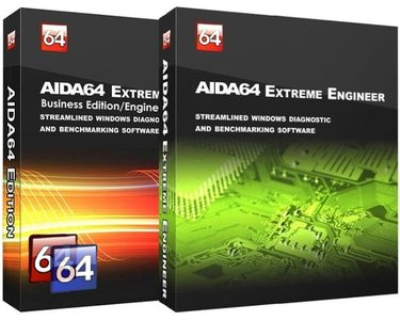
AIDA64 Extreme / Engineer 6.00.5100 Final Multilingual + Portable

616edcf8-cc87-4d25-bc14-9794b01a6fe4.png

AIDA64 Extreme / Engineer 6.00.5100 Final Multilingual + Portable | 91/93.6 Mb

AIDA64 - utility is a powerful tool for identification and testing of virtually all components of personal computers running operating systems Windows. Gives you detailed information about all the hardware and software, in addition, with built-in modules for testing and calibration can be further tested the individual subsystems PC.​

Displays detailed information about all the hardware and software installed on your system.
During system optimizations and tweaking it provides essential system and overclock information, advanced hardware monitoring and diagnostics to assess the effect of using those or other settings. Benchmarks CPU module floating point and memory to measure the actual system performance and compare it to previous states or other systems. Furthermore, complete software, operating system and security product AIDA64 translates into comprehensive system diagnostics tool that provides over 100 pages of information about your computer.
Features:
Level information about motherboard and CPU
Details of the video drivers and monitor
Information about all storage devices
Exhaustive information about network adapters, multimedia and input devices
Information about other glands (PCI, PnP, PCMCIA, USB)
Details of Windows, including the date of installation, the license key and more
Information about network shares, users and groups list, and much more
Large amount of information about networking status, remote access, network resources and Internet settings
Detailed information about installed programs, scheduled tasks and startup programs
Information about operating system security
A list of firewalls, anti-spyware and anti-
System Stability Test
CPUID Panel
Hardware monitoring
Benchmarks CPU and FPU
Tests of memory
Module performance test drive
Detection of possible misconfiguration and compatibility issues of hardware and software
Report Wizard
Mailing and printing
Albanian, Arabic, Belarusian, Bosnian, Bulgarian, Catalan, Croatian, Czech, Danish, Dutch, Estonian, English, Finnish, French, German, Hungarian, Indonesian, Italian, Japanese, Korean, Latvian, Lithuanian, Macedonian, Norwegian, Polish, Portuguese (Brazil), Portuguese (Portugal), Romanian, Russian, Serbian (Cyrillic), Serbian (Latin), Simplified Chinese, Slovak, Slovenian, Spanish, Swedish, Traditional Chinese, Turkish, Ukrainian.
Operating system: Windows 95/98/Me, Windows NT4/2000, Windows XP, Windows PE, Windows Server 2003, Windows Vista, Windows Server 2008, Windows 7, Windows Server 2008 R2, Windows 8, Windows Server 2012, Windows 8.1, Windows Server 2012 R2, Windows 10, Windows Server 2016
Processor: Intel Pentium or later
Required disk space to install: 80 MB
-

DOWNLOAD
uploadgig
Код:
https://uploadgig.com/file/download/ffe7581ee4df58Ae/HDD18M3K_AIDA64.6.00.5100.Portable.rar
https://uploadgig.com/file/download/88f2d44f038B0714/HDD18M3K_AIDA64.6.00.5100.rar

rapidgator
Код:
https://rapidgator.net/file/2a57c8df66961df50a7c1775effeee7c/HDD18M3K_AIDA64.6.00.5100.Portable.rar
https://rapidgator.net/file/d35d5c45bd06f3e3d10b518729206dd7/HDD18M3K_AIDA64.6.00.5100.rar

nitroflare
Код:
http://nitroflare.com/view/DC488648D32E36F/HDD18M3K_AIDA64.6.00.5100.Portable.rar
http://nitroflare.com/view/23E1EE5488529E4/HDD18M3K_AIDA64.6.00.5100.rar
 
DtSearch Desktop / Engine 7.94.8614

69aeae5a-cf3b-4e75-ae98-83b72af7b75c.png

DtSearch Desktop / Engine 7.94.8614 | 80.5/142 Mb

DtSearch Desktop provides instant searching of desktop-accessible files. dtSearch can instantly search terabytes of text because it builds a search index that stores the location of words in documents. Indexing is easy - simply select folders or entire drives to index and dtSearch does the rest.​

Once dtSearch has built an index, it can automatically update it using the Windows Task Scheduler to reflect additions, deletions and modifications to your document collection. Updating an index is even faster, since dtSearch will check each file, and only reindex files that have been added or changed.
The dtSearch indexer automatically recognizes and supports all popular file formats, and never alters original files. The dtSearch product line can instantly search terabytes of text across a desktop, network, Internet or Intranet site. dtSearch products also serve as tools for publishing, with instant text searching, large document collections to Web sites or CD/DVDs.
Features:
A scrolling word list, for instant feedback as you type in a search.
A look-up word feature, detailing the effect of fuzzy, phonic, wildcard, stemming and thesaurus search options.
Browse and customize thesaurus options.
A field button, showing all indexed document fields.
A search history display.
Search reports, showing hits in retrieved documents, along with the requested amount of context.
Clipboard options, file launching, and other tools for working with retrieved data.
Exporting of search results in various data formats, for easy use with other programs.
Special forensic indexing and searching tools
DtSearch Engine Text Retrieval Engine lets developers quickly add dtSearch's proven, "industrial-strength" text search and retrieval to applications. The dtSearch Engine is in use in hundreds of commercial applications. See Case Studies & 3rd Party Solutions for over a hundred developer case studies. Typical uses of the dtSearch Engine include: publishing and searching database-driven Web sites, incorporation into information management applications, searching of technical documentation, incorporation into forensics applications, email filtering usage, and incorporation into a broad range of vertical-market applications (legal, medical, financial, recruiting and staffing, etc.). The dtSearch product line can instantly search terabytes of text across a desktop, network, Internet or Intranet site. dtSearch products also serve as tools for publishing, with instant text searching, large document collections to Web sites or CD/DVDs.
Features:
The dtSearch Engine provides developer access to indexed, unindexed, full-text and fielded data search options, including support for hundreds of international languages through Unicode
The dtSearch Engine also provides developer access to dtSearch's integrated file parser and file format support
File format support includes dtSearch's WYSIWYG hit highlighted search display of web-ready files
File format support includes proprietary built-in HTML converters for non-web-ready files (like OpenOffice and MS Office documents)
Developer file format support also works in connection with distributed or federated searching, including integrated relevancy ranking and hit-highlighted display of local and remote content
The dtSearch Engine for Win & .NET supports C++, Java and .NET
For example, the dtSearch Engine for Win & .NET includes a choice of an ADO.NET API, a Java API, a C++ API and a COM API for indexing and searching SQL-type databases, along with associated BLOB data
The dtSearch Engine also supports search filters and other data classification options
A .NET Spider API makes the full dtSearch Spider functionality accessible to developers
The dtSearch Engine for Linux provides C++ and Java APIs to developers
Supported: Windows 10, Windows Server 2016, Windows Server 2012, Windows Server 2008, Windows Server 2003, Windows 8.1, Windows 8, Windows 7, Windows Vista, Windows XP Service Pack 3.
In Windows 8, 8.1, and10 dtSearch runs as a desktop application only (it does not run in the "Metro" user interface). Windows RT is not supported.
Both 32-bit x86 and 64-bit versions of Windows are supported. (Under 64-bit versions of Windows, the 64-bit executables are installed in the dtSearch bin64 folder.)
Web Browser
dtSearch Desktop also requires that Internet Explorer is installed. Internet Explorer does not have to be your default browser (you can still use Netscape, Opera, or any other browser). dtSearch just needs certain components that are only available if Internet Explorer is installed on the computer.
-

DOWNLOAD
uploadgig
Код:
https://uploadgig.com/file/download/44ea9b12d2c4E62f/bJxT5vLo_DtSearch.7.94.8614.D.rar
https://uploadgig.com/file/download/06f0aae58f7f9177/bJxT5vLo_DtSearch.7.94.8614.E.rar

rapidgator
Код:
https://rapidgator.net/file/a03d4958ebb54c4f6c01d8adf506983c/bJxT5vLo_DtSearch.7.94.8614.D.rar
https://rapidgator.net/file/e370dac44fac551621739cfeb151009e/bJxT5vLo_DtSearch.7.94.8614.E.rar

nitroflare
Код:
http://nitroflare.com/view/F0A8A06CBE6AA9C/bJxT5vLo_DtSearch.7.94.8614.D.rar
http://nitroflare.com/view/E406D23EF3D9122/bJxT5vLo_DtSearch.7.94.8614.E.rar
 
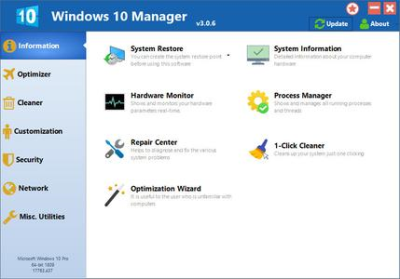
Yamicsoft Windows 10 Manager 3.0.8 Multilingual + Portable

94e4bf62-0f5b-4be0-9653-02ae15a6c3e9.png

Yamicsoft Windows 10 Manager 3.0.8 Multilingual + Portable | 31.5/13 Mb

Yamicsoft Windows 10 Manager is a system utility that helps you optimize, tweak, repair and clean up Windows 10. It will increase your system speed, eliminate system fault, improve system security, and meet all of your expectations.​

Windows 10 Manager is a system utility that helps you optimize, tweak, repair and clean up Windows 10. It will increase your system speed, eliminate system fault, improve system security, and meet all of your expectations.
Information:
Get detailed system and all hardware information on your system; help you find out the installation key of Windows, Office products; show all detailed information of running processes and threads on your machine; Windows 10 Manager offers 1-clicking Cleaner cleans your system automatically; Repair Center helps you to fix various system problems.
Optimizer:
Tweak your system to improve windows startup and shutdown speed, tweak your hardware to increase system speed and performance; Control what is started on Windows startup, check and repair the advanced starup items to restore the malicious change by viruses; Tune up and optimize system services and Task Schedule, turn off smartly some unnecessary system services and tasks to improve system performance.
Cleaner:
Find out which files or folders engross your disk space and shown with chart; Smart Uninstaller can fully delete programs from your system without residual files and Registry entries; Find and clean junk files to increase Hard Disk space; Duplicate Files Finder can scan your computer for files with the same size, name and modification time; Registry Cleaner checks and repair incorrectly linked Registry entries; Registry Defrag rebuilds and re-indexes your Registry to reduce registry access time and therefore improve application responsiveness; Desktop Cleaner can clean useless icons and files on Desktop easily.
Customization:
Customize the look of your system by tweaking system Explorer, Desktop, Start Menu, Taskbar and notification area; Manage the pinned items and can pin any files or folders to Taskbar and Start Screen; Create the quick startup items on Taskbar with the Jump List launcher; Tune up Windows 10 boot menu; Edit context menus of mouse Right-Clicking; Edit easily the Win + X menu that shown when right-click on Desktop bottom-left corner or Win + X keyboard shortcut ; Create the shortcut that executed quick on run dialog box. Visual Customizer can change system and file type icons, change the lock screen image automatically.
Security:
Improve system security by tweaking system components, UAC and login settings; Tune up System Restore options; Hide and restrict to access drives and programs; Encrypt/decrypt files, move system folders to safe locations; Undelete the files that accidentally deleted or formatted on disk; Privacy Protector can maintain your personal privacy by eliminating the tracks that you leave behind; Hide, add or delete the Control Panel entries.
Network:
Optimize your Internet connection speed, manage all shares items; Tweak the Microsoft Edge and Internet Explorer easily; IP Switcher can switch your IP address easily on different networks; Edits the Hosts file to speed up surfing internet and permit only to access the specified Hosts.
Misc. Utilities:
Show the collection of Windows utilities and pin system items to Start Screen and Taskbar; split and merge any files; Automatically back up files regularly using Super Copy. Registry Tools help you to operate Registry easily.
Windows 10
-

DOWNLOAD
uploadgig
Код:
https://uploadgig.com/file/download/da7c2F2b3403642b/P2ntRwBn_Windows.10.Manager.3.0.8.Portable.rar
https://uploadgig.com/file/download/57767F9B6aC0d1d9/P2ntRwBn_Windows.10.Manager.3.0.8.rar

rapidgator
Код:
https://rapidgator.net/file/ff6fb95edbe0e97b0536612488eb792c/P2ntRwBn_Windows.10.Manager.3.0.8.Portable.rar
https://rapidgator.net/file/389a713a9e5c470fa92e0b1cfbf769db/P2ntRwBn_Windows.10.Manager.3.0.8.rar

nitroflare
Код:
http://nitroflare.com/view/CA92F99EFCEC24A/P2ntRwBn_Windows.10.Manager.3.0.8.Portable.rar
http://nitroflare.com/view/854B9587D9A7354/P2ntRwBn_Windows.10.Manager.3.0.8.rar
 
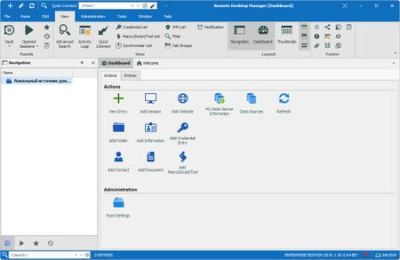
Remote Desktop Manager Enterprise 2019.1.21.0 Multilingual

5561a9e2-b566-42dc-af5e-ac5173098837.png

Remote Desktop Manager Enterprise 2019.1.21.0 Multilingual | 189.9 Mb

Remote Desktop Manager is a small application used to manage all your remote connections and virtual machines. Add, edit, delete, shared, organize and find your remote connection quickly. Compatible with Microsoft Remote Desktop, Terminal Services, VNC, LogMeIn, Team Viewer, Ftp, SSH, Telnet, Dameware, X Window, VMware, Virtual PC, PC Anywhere, Hyper-V, Citrix, Radmin, Microsoft Remote Assistance, Sun Virtual Box and more.​

Enterprise Edition
Share your remote connection settings inside a company database.
Save your credentials and passwords in a database.
Monitor user activities with the database logs.
Faster and more secure solution.
Available in single license, multiple licenses pack, global license or site license.
Features:
Microsoft Remote Desktop (RDP)
Microsoft Remote Assistance
VNC (UltraVNC, TightVNC, RealVNC and embedded)
LogMeIn
Team Viewer
FTP (Explorer, Filezilla and WinSCP)
X Window
Putty (SSH, Telnet, RAW and rLogin)
Dameware Mini Remote Control
Radmin Viewer
Citrix XenApp (ICA)
Symantec PC Anywhere
Microsoft Hyper-V
Microsoft Virtual PC
Microsoft Virtual Server
Microsoft Windows Virtual PC
Sun VirtualBox
VMware Player, VMware Workstation, VMware ESXi and VMware vSphere
Cisco VPN client
SonicWall Global VPN client
Minimum Requirements
Windows Vista SP2, 7 SP1, 8, 8.1 or 10
Windows Server 2008 SP2, 2008 R2 SP1, 2012, 2012 R2 or 2016
Microsoft .NET Framework 4.6
1 Ghz processor
512MB RAM
1024 x 768 screen resolution
500+ MB hard drive space
64-bit Support
Remote Desktop Manager is compatible with all 64-bit versions of Windows, starting with Windows Vista SP1.
Terminal Services and Thin Client Support
Remote Desktop Manager can be installed on a Terminal Server machine and thin client.
-

DOWNLOAD
uploadgig
Код:
https://uploadgig.com/file/download/5cb93c9faC5F0335/lS9hb3Qo_Remote.Desktop.Manager.Enterprise.2019.1.21.0.rar

rapidgator
Код:
https://rapidgator.net/file/c7f79a22cd9ab358b0a9056bb2801c11/lS9hb3Qo_Remote.Desktop.Manager.Enterprise.2019.1.21.0.rar

nitroflare
Код:
http://nitroflare.com/view/03F214A6BF27023/lS9hb3Qo_Remote.Desktop.Manager.Enterprise.2019.1.21.0.rar
 
AIDA64 Business / Network Audit 6.00.5100 Multilingual Portable

1c0405b6-4c22-4d61-9ba8-1e24516a42cc.png

AIDA64 Business / Network Audit 6.00.5100 Final Multilingual Portable | 62.1 Mb

AIDA64 - utility is a powerful tool for identification and testing of virtually all components of personal computers running operating systems Windows. Gives you detailed information about all the hardware and software, in addition, with built-in modules for testing and calibration can be further tested the individual subsystems PC.​

Displays detailed information about all the hardware and software installed on your system.
During system optimizations and tweaking it provides essential system and overclock information, advanced hardware monitoring and diagnostics to assess the effect of using those or other settings. Benchmarks CPU module floating point and memory to measure the actual system performance and compare it to previous states or other systems. Furthermore, complete software, operating system and security product AIDA64 translates into comprehensive system diagnostics tool that provides over 100 pages of information about your computer.
Features:
Level information about motherboard and CPU
Details of the video drivers and monitor
Information about all storage devices
Exhaustive information about network adapters, multimedia and input devices
Information about other glands (PCI, PnP, PCMCIA, USB)
Details of Windows, including the date of installation, the license key and more
Information about network shares, users and groups list, and much more
Large amount of information about networking status, remote access, network resources and Internet settings
Detailed information about installed programs, scheduled tasks and startup programs
Information about operating system security
A list of firewalls, anti-spyware and anti-
System Stability Test
CPUID Panel
Hardware monitoring
Benchmarks CPU and FPU
Tests of memory
Module performance test drive
Detection of possible misconfiguration and compatibility issues of hardware and software
Report Wizard
Mailing and printing
Albanian, Arabic, Belarusian, Bosnian, Bulgarian, Catalan, Croatian, Czech, Danish, Dutch, Estonian, English, Finnish, French, German, Hungarian, Indonesian, Italian, Japanese, Korean, Latvian, Lithuanian, Macedonian, Norwegian, Polish, Portuguese (Brazil), Portuguese (Portugal), Romanian, Russian, Serbian (Cyrillic), Serbian (Latin), Simplified Chinese, Slovak, Slovenian, Spanish, Swedish, Traditional Chinese, Turkish, Ukrainian.
Operating system: Windows 95/98/Me, Windows NT4/2000, Windows XP, Windows PE, Windows Server 2003, Windows Vista, Windows Server 2008, Windows 7, Windows Server 2008 R2, Windows 8, Windows Server 2012, Windows 8.1, Windows Server 2012 R2, Windows 10, Windows Server 2016
Processor: Intel Pentium or later
Required disk space to install: 80 MB
-

DOWNLOAD
uploadgig
Код:
https://uploadgig.com/file/download/9b6888B3a5FfBC0f/ro7PJZCN_AIDA64.6.00.5100.BN.Portable.rar

rapidgator
Код:
https://rapidgator.net/file/917d1e1d0665cba3ce2f910becdc4a9a/ro7PJZCN_AIDA64.6.00.5100.BN.Portable.rar

nitroflare
Код:
http://nitroflare.com/view/5F4CFA1BC57EA2C/ro7PJZCN_AIDA64.6.00.5100.BN.Portable.rar
 
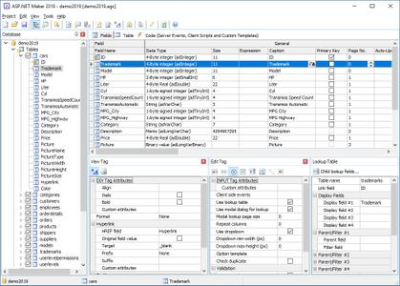
e-World Tech ASP.NET Maker 2019.0.6

24b55683-4664-4b2b-82f6-cdfc6e2412d4.png

e-World Tech ASP.NET Maker 2019.0.6 | 36.7 Mb

ASP.NET Maker is a powerful automation tool that can quickly generate an ASP.NET Core 2.1 (or 2.2) MVC web application in C# from a SQL Server, MySQL, PostgreSQL, Oracle, SQLite or Microsoft Access database.​

Using ASP.NET Maker, you can instantly create websites that allow users to view, edit, search, add and delete records.
ASP.NET Maker is designed for high flexibility, numerous options enable you to generate web applications that best suits your needs. The generated codes are clean, straightforward and easy-to-customize. ASP.NET Maker can save you tons of time and is suitable for both beginners and experienced developers alike.
Highlights
ASP.NET Core 2.1/2.2
Advanced Security
User registration system
Export to CSV/HTML/Excel/Word/XML/PDF/Email
File uploading to database or folder
Master/Detail-Add/Edit/View
Custom template
Windows 2008/2012/2016/7/8/10
-

DOWNLOAD
uploadgig
Код:
https://uploadgig.com/file/download/e8656535354d5cca/tc0b5pGY_ASP.NET.Maker.2019.0.6.rar

rapidgator
Код:
https://rapidgator.net/file/af2069bc6209ccc67972a0ebf96cd37a/tc0b5pGY_ASP.NET.Maker.2019.0.6.rar

nitroflare
Код:
http://nitroflare.com/view/D13A6FB374971D9/tc0b5pGY_ASP.NET.Maker.2019.0.6.rar
 
Emurasoft EmEditor Professional 18.9.3 Multilingual

b39abfbf-12b1-4c2e-b9ad-0739061ee58e.png

Emurasoft EmEditor Professional 18.9.3 (x86/x64) Multilingual | 33.1 MB

EmEditor Professional - professional version of the powerful text editor for programmers, Web developers and ordinary users with the illumination of syntax and Unicode support. Editor features such as search and replace in files using regular expressions, auto-detection coding, highlighting the links and email addresses, block selection mode, configure the button bar, menu, font and color elements.​

For each language, you can create a separate configuration. The program also has the support of powerful macros written in javascript or VBScript, allowing you to capture virtually any action, used often or occasionally.
This editor is an ideal tool for editing HTML, PHP, JSP and XML files. When you specify a web browser as an external application, you will be able to view HTML files during editing.
Supports syntax highlighting ASP, C #, C, CSS, HTML, Java, javascript, JSP, Pascal (Delphi), Perl, Python, PHP, SQL, VBScript and other programming languages, function Drag & Drop, opening files size up to 248 GB the possibility of connecting additional external applications and plug-ins. In addition, the program allows to work with macros written in javascript or VBScript, and based on the Windows Scripting Host (WSH) engine, allows you to automate virtually any action. Adjustable backlight HTML and scripting languages makes it easy to detect spelling errors and typos.
Support for file sizes up to 248 GB
Edit binary files
Optimized search and relocation
Improved design plug-ins
Ability to display panel functions
Optimized speed when each row has a greater length
Auto-panning by clicking the mouse wheel
Supports Drag and drop
Specify the temporary folder in the program settings
Import INI files in the registry
Unicode
Syntax highlighting for ASP, C, CSS, HTML, javascript, JSP, Pascal, Perl, Python, PHP, SQL, VBScript and other
User-friendly interface with customizable toolbar
EmEditor Professional Features List:
* Large File Support
* Unicode Support
* Macros
* Vertical Selection Editing
* Tabbed Windows, Drag and Drop
* Lightweight Design
* Regular Expressions
* Binary Editing
* Crash Recovery
* Grab Text
Windows 10/8.1/8/7/Vista/Server 2012/Server 2008
-

DOWNLOAD
uploadgig
Код:
https://uploadgig.com/file/download/6c712ed9CaE2a455/8tHqMNtl_EmEditor.18.9.3.rar

rapidgator
Код:
https://rapidgator.net/file/6f1fbd5d9d362ceaca0787b457fc6c4c/8tHqMNtl_EmEditor.18.9.3.rar

nitroflare
Код:
http://nitroflare.com/view/D8C4CCD05C84C7E/8tHqMNtl_EmEditor.18.9.3.rar
 
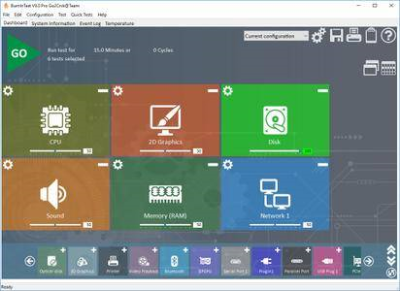
BurnInTest Professional 9.0 Build 1015 (x64)

d79cc283-d929-47aa-81d3-6880082cb83a.png

BurnInTest Professional 9.0 Build 1015 (x64) | 49.1 Mb

PassMark BurnInTest is a software tool that allows all the major sub-systems of a computer to be simultaneously stress tested for endurance, reliability and stability. Anyone who has used computers for any period of time will understand the importance of having a stable system.​

The cost of a hardware failure can be enormous. If you are lucky your data will only become inaccessible while faulty components are replaced. If you're unlucky you can lose your files completely or have them permanently corrupted. Even if you have good backups, you can still lose days of work returning the PC to its pre-failure state. In many cases the lost data can never be replaced and businesses can be brought to their knees, with the loss of documentation, customer details and financial records.
BurnInTest will bring intermittent or hidden problems to the surface so that after a successfully run the computer can be used with a much higher level of confidence. BurnInTest can also be used by overclockers to verify system stability at high clock speeds.
Assists in PC Troubleshooting and diagnostics.
Avoid delivering dead on arrival and faulty hardware to your customers.
Dramatically reduce your test times with simultaneous testing.
Build your image as a supplier of quality systems.
Avoid costly downtime, system rebuilds and lost data.
Test the stability of a system after configuration changes or hardware upgrades (critical for overclocking and system upgrades).
The hottest, fastest CPU Burn In tool around! (Heat testing)
Integrates with the PassMark Management Console Web server application for centralized storage of test results.
Testing for hardware problems
Just press the start button and have BurnInTest test your system hardware.
BurnInTest thoroughly exercises the hardware in Windows based servers, desktops, laptops and tablets* in a short period of time, in the same way as normal applications use a PC over a long period of time. This takes advantage of the fact that computer hardware tends to fail either very early in its life or after many thousands of hours of use. Typically BurnInTest should be used before a system is put into service or after a system upgrade.
BurnInTest tests the CPU, hard drives, SSDs, RAM, optical drives (CD, DVD and Blu-ray), sound cards, graphics cards (GPGPU, Video RAM, 2D graphics, 3D graphics and video playback), network ports and printers.
The Professional version also has a number of additional tests including microphones, webcams, battery's, tape drives, USB ports (USB 3.0 and 2.0), Serial ports and Parallel ports (with the use of loop back plugs).
If you have specialized hardware that BurnInTest does not test out of the box, you can write your own test and integrate it with BurnInTest. For example, PassMark has produced plugin tests for Touchscreens and Keyboards*.
This can all be done simultaneously as the application is multithreaded, making BurnInTest the fastest test around.
Additional Features
An easy to use interface. Configure, Run, Pass or Fail, Results report;
The ability to select the level of load placed on each component;
The ability to set detailed test parameters if and when required;
Timed test runs that will stop automatically at the expiry of the selected time or after a number of test cycles;
Support for production line automation;
Can be run from a disk drive, USB drive or optical disk (under Windows);
Can be made into a bootable solution from a USB drive, optical disk or PXE boot (with PassMark WinPE Builder);
Testing of up to 256 CPUs simultaneously;
Testing of up to 32 memory modules simultaneously;
Testing of up to 50 disk drives simultaneously;
Support for SMART hard disk parameter checking;
Testing of up to 20 optical drives simultaneously;
CD / DVD / Blu-Ray read testing using specialized optical test media, plus CD/DVD burner testing;
Testing of up to 8 graphics cards (GPGPU test) simultaneously;
Testing of up to 20 network ports simultaneously;
Testing of up to 25 USB ports simultaneously;
Windows shutdown and cyclic reboot testing (with complementary Rebooter software);
Scrolling 'H's for Electromagnetic Compliance (EMC) testing to ANSI standard C63.4-1992;
Native 32-bit and 64bit hardware and O/S support;
Online help & PDF manual.
Windows Vista, Windows 7, Windows 8, Windows 10, 2003 Server, 2008 Server, 2008 R2 Server, 2012 Server, 2012 R2 Server (64-bit only)
256 MB RAM, DirectX 9.0c, DirectX 11 for GPGPU tests, 225MB disk space (more required to run the disk test). Hardware loopback plugs for port testing (Professional Edition only).
-

DOWNLOAD
uploadgig
Код:
https://uploadgig.com/file/download/926abDc9586348dB/CPDavoNi_BurnInTest.Professional.9.0.Build.1015.rar

rapidgator
Код:
https://rapidgator.net/file/79db5462fe8dfe062635d8666be2c62f/CPDavoNi_BurnInTest.Professional.9.0.Build.1015.rar

nitroflare
Код:
http://nitroflare.com/view/F4E517F9D7F5155/CPDavoNi_BurnInTest.Professional.9.0.Build.1015.rar
 
Назад
Сверху