• Здравствуйте. Сайт заработал в архивном режиме форум www.old.nado.in

Anthony's Software !!!

Athentech Perfectly Clear Complete 3.7.0.1570 Portable
0ba96a14-c845-4362-89be-eb4a7e2ba01d.png

Athentech Perfectly Clear Complete 3.7.0.1570 (x64) Portable | 55.3 MB

Built for precision. Made for beauty. Above all, you want better photos. But what if you could have better photos faster? Perfectly Clear has mastered the science of intelligent image correction - creating superior quality photos in record time, so you can get back to doing what you really love.in no time.​

You have better ways to spend your day than laboring over manual edits
You became a photographer to go out and capture the beauty of the world, not sit inside at an editing desk. We invented our automatic image corrections to take away the tedium and give you back your freedom. So let Perfectly Clear handle the editing chores while you devote your day to doing what you do best-creating incredible images.
- Up to 20 auto corrections with one click
- Batch process 1000s of images in minutes
- Stay within your workflow
- Unlock the details in every image
- Tap into professionally created presets
- Save countless hours of manual editing
- Fine tune details with precise controls
Creating our award-winning technology took more than a decade of R&D, multiple patented processes, and over a dozen unique algorithms. We cracked the code on correcting every pixel independently. That's how we make a 12-megapixel photo look like it was taken with 12 million separate apertures. The proof is in your pictures.
At Athentech, we're committed to solving problems faced by photographers. Every year, we continue to innovate with R&D work by our team of physicists, engineers, and photographers. Every day, we invest in making your photos look their best.
- Perfect Exposure. More effective than traditional brightness, Perfect Exposure lets you maintain Real Color Photography without clipping or washing out. Our technology overcomes the distortions caused by a single aperture by replicating the way your eye gathers light and correcting your exposure pixel by pixel.
- Depth. Brings out the contrast in a photo without messing up the other colors. Perfectly Clear uses a patented algorithm that manages the dynamic range in a unique way, revealing the detail needed to produce this kind of depth.
- Light Diffusion. Perfectly Clear lets you create a softer look with warmer tones and captures the perfect portrait even in broad daylight.
- Skin & Depth bias. For realistic lighting on skin.
- Photoshop is powerful, but for Full Color Spectrum, Light Diffusion, automatic red-eye removal, you have to turn to Perfectly Clear.
- Vibrancy. Perfectly Clear mimics how the eye adjusts saturation, providing a color-vibrant photo. Sometimes digital cameras can cause photos to look washed out/faded because they have a linear response to light. But our solution overcomes this problem by looking at each channel independently.
- Fidelity. We reproduce the full visual spectrum of colors seen by the eyes, enabling you to capture purples properly every time.
- Tint. In the days of film, you had to carry around different films and filters for different times of day-all to get the lighting source correct. To remove nasty tints-from tungsten, fluorescent, incandescent, IR-Perfectly Clear searches for an abnormal tint, then reveals the great photo underneath.
- Sharpening. Traditional sharpening methods also sharpen weak signal and introduce halos. Perfectly Clear only searches for strong signal and creates sharp, clear photos with zero artifacts.
- Noise removal. Perfectly Clear automatically reduces noise 2-3 stops with one click (unlike Ps or Lr which requires multiple slider bar adjustments). ISO 1600 is effectively reduced to ISO 200-400 without blurring or losing details.
- Red-eye. We sourced this technology from our wonderful partner FotoNation, which is embedded in hundreds of millions devices. It detects and corrects imperfections as quickly as 5 images per second with no manual intervention.
- Unlike Photoshop, Perfectly Clear not only removes red eye automatically, it also includes Eye Enhance, Eye Enlarge, Dark Circle removal, and the ability to automatically add 5 different Catchlights.
Perfectly Clear lets you smooth and tone skin, adjust blush, and remove infrared, shine and blemishes. Our robust, automatic correction uses advanced facial detection techniques to identify age, gender and key facial features including texture and skin tone. As a result, we're able to determine the precise amount of corrections to apply automatically. All of our Beautify corrections are much faster than doing this manually in Ps or Lr which will takes minutes per image instead of seconds.
Perfectly Clear lets you whiten teeth for the perfect smile and saves a painful trip to the dentist. Plus, it can sharpen the look of your lips and tone your face shape for a more slender and youthful appearance.
- Windows 7, 8, or 10 (64-bit OS and Host application)
- Photoshop CS5, CS6 or Creative Cloud
- Photoshop Elements 13,14,15
- Corel PaintShop Pro X6, X7, X8, X9
- 4 GB RAM or more
-

DOWNLOAD
uploadgig
Код:
https://uploadgig.com/file/download/341dB10BA09dca20/CprhXb4Y_Athentech_Perfectly_Clear_Complete_v3.7.0.1570_64_Bit_Portable.rar

rapidgator
Код:
https://rapidgator.net/file/7e7596e75f7531b204ee4fa374206c19/CprhXb4Y_Athentech_Perfectly_Clear_Complete_v3.7.0.1570_64_Bit_Portable.rar

nitroflare
Код:
http://nitroflare.com/view/401B0663F1405B9/CprhXb4Y_Athentech_Perfectly_Clear_Complete_v3.7.0.1570_64_Bit_Portable.rar
 
Athentech Perfectly Clear Essentials 3.7.0.1570 Portable

484f6b4d-a4a1-4c9c-9ba6-c819d2a9f085.png

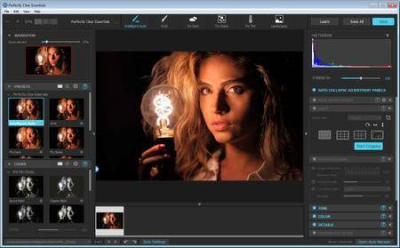
Athentech Perfectly Clear Essentials 3.7.0.1570 (x64) Portable | 37.4 MB

Athentech has released a new product called Perfectly Clear Essentials. This product contains all of the Tone, Color, and Details controls that can give you perfect exposure, great color, and sharp photos with no noise.​

All of the preset functionality, as well as Creative LOOKs and Corrective Filters, are also unlocked.
40+ useful adjustments for perfect exposure, color, and details
Includes 32 Useful Presets for fixing most photographic challenges
Includes 42 Creative LOOKs to stylize your images
Unlock more features your favorite presets or LOOKs
Create your own presets and share with others
It is virtually identical to Perfectly Clear Complete except in two ways.
It removes controls for all of the Beautify technology. These adjustments are helpful for portrait and wedding photographers, but not really useful to landscape and travel folks.
It removed the batch export module from Lightroom.
While both of the above are useful, they are designed for pros who need the most time-saving options for processing portraits. If you do need portrait adjustments, you can easily add the Kristina Sherk preset packs or a new forthcoming one from Matthew Jordan Smith.
You can also create your own presets and exchange your favorite settings with other users. This is a great deal if you want the time-saving features as well as advanced technology to unlock perfect exposure and sharper images.
System requirements:
Windows 7, 8 or 10 (64-bit only)
Photoshop CS6 or Creative Cloud
Photoshop Elements 13,14,15
Corel PaintShop Pro X6, X7, X8, X9
Lightroom 4 or newer, including v6 and CC
4 GB RAM or more
OpenGL v2.0 or newer
-

DOWNLOAD
uploadgig
Код:
https://uploadgig.com/file/download/e8cd729573F3AF08/R40dCFUn_Athentech_Perfectly_Clear_Essentials_v3.7.0.1570_64_Bit_Portable.rar
rapidgator
Код:
https://rapidgator.net/file/cb2eba0e5a772895d0ffaa9203238d07/R40dCFUn_Athentech_Perfectly_Clear_Essentials_v3.7.0.1570_64_Bit_Portable.rar
nitroflare
Код:
http://nitroflare.com/view/2A7D08E082EAF81/R40dCFUn_Athentech_Perfectly_Clear_Essentials_v3.7.0.1570_64_Bit_Portable.rar
 
DBF Converter 6.1

003d2c6a_medium.png

DBF Converter 6.1 | 6.1 Mb

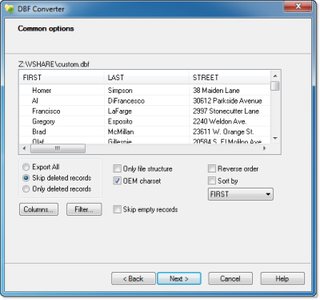
DBF Converter is a universal solution to all your DBF format conversion needs. Whenever you need to extract data from a DBF file to CSV, XLS, XLSX, SQL or plain text, the software delivers a straightforward way to do this with minimum efforts.​

3-Steps conversion
Working with DBF Converter is easy. You specify a DBF file or a folder with DBF files you want to convert, select fields and filter out records you need. Then it's just a matter of one click for DBF Converter to turn source files into the format of your choice.
Powerful data filtering
Data filtering in DBF Converter is visual. This means the program takes a sample of records in the DBF file and allows you to apply custom filter rules and masks and instantly see the sample changes according to your choice.
Batch conversion for multiple DBF files
When you have dozens of those DBFs, converting them could be tricky. But thanks to DBF Converter there's no difference whether you need to process one file or a hundred. The program accepts a folder containing your source DBF files and converts them all one by one. And thanks to the low-level access to data the conversion remains fast and accurate.
DBF Viewer 2000 runs on all versions of Windows from 95 through XP, Vista, Windows 7/8/10 and Server Editions (32/64-bit)
-

DOWNLOAD
uploadgig
Код:
https://uploadgig.com/file/download/2D12DE3724d82a93/t6tb3mL6_DBF.Converter.6.1.rar

rapidgator
Код:
https://rapidgator.net/file/87e64018946baf0b276e53873af12b28/t6tb3mL6_DBF.Converter.6.1.rar

nitroflare
Код:
http://nitroflare.com/view/6ECC943DBF3BD39/t6tb3mL6_DBF.Converter.6.1.rar
 
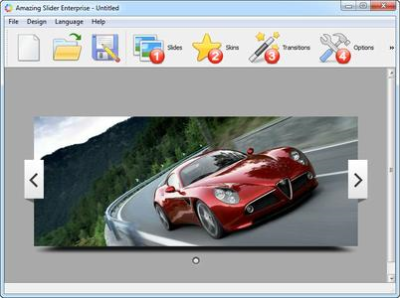
Amazing Slider 7.1 Enterprise Multilingual

0195eb5b-d510-423c-a1b2-8dfbe54f9877.png

Amazing Slider 7.1 Enterprise Multilingual | 29.1 Mb

An easy-to-use Windows app that enables you to create beautiful, professional, responsive jQuery Slider, YouTube Video Gallery, WordPress Slider Plugin and Joomla Slideshow Module.
All Modern Devices and Web Browseers
​

An easy-to-use Windows app that enables you to create beautiful, professional, responsive jQuery Slider, YouTube Video Gallery, WordPress Slider Plugin and Joomla Slideshow Module. With a wizard style user interface, fancy transition effects, plenty of professionally made templates, supporting for both images and YouTube videos - making an Amazing Slider has never been so easy and so fun!
Features
All Modern Devices and Web Browseers
Powered by jQuery, the created slider can work all modern devices and web browsers, including iPhone, iPad, Android, Windows Phone, Tablet, Firefox, Chrome, Safari, Internet Explorer 7, 8, 9 and 10.
Ready for Dreamweaver, Frontpage, WordPress and More
You can create the slider as a WordPress Slider Plugin. Or you can create the slider as HTML files which can be easily inserted to Dreamweaver, Frontpage and other HTML editors. It's also easy to insert multiple sliders into one web page.
Amazing and Professional
Amazing Slider comes with awesome transition effects: Fade, Cross Fade, Slide, Slice, Blinds, 3D, 3D Horizontal, Blocks and Shuffle. Each effect can be further customised to meet your own needs. The pre-made and highly configurable skins can give your slider a professional and unique looking.
Images and YouTube Videos
Not just jQuery Image Sliders, you can also use Amazing Slider to create YouTube Video Galleries. Or you can combine images and YouTube videos in one slider!
Fully Responsive
The created slider resizes automatically according to the screen size or web browser size which lets you easily create mobile friendly websites.
Easy to Use
With a wizard style, intuitive user interface, creating a jQuery slider can't get much easier!
Windows 7, 8/8.1, 10
-

DOWNLOAD
uploadgig
Код:
https://uploadgig.com/file/download/cE3b9c30f84056d1/A2wxr7pQ_Amazing.Slider.7.1.rar

rapidgator
Код:
https://rapidgator.net/file/4e37c770d6d39a63544fe18b2bfc99c2/A2wxr7pQ_Amazing.Slider.7.1.rar

nitroflare
Код:
http://nitroflare.com/view/F8832828CB0C911/A2wxr7pQ_Amazing.Slider.7.1.rar
 
Ashampoo Photo Commander 16.0.6 Multilingual

f269367d-84fc-46cf-a7ea-3a770a114fc1.png

Ashampoo Photo Commander 16.0.6 Multilingual | 390 Mb

The new Ashampoo Photo Commander 16 will amaze you right off the bat! The modern user interface will quickly learn your favorite features and adapt itself accordingly for quicker access. Slideshow images now appear in stunning 4K and the new panorama feature will steal the show.​

Experience more visual clarity with the decade view, benefit from new search filters and the enhanced file selection and work with fresh card designs and new transition effects for your videos. Make the most out of your photos!
The true all-rounder to view, edit and organize your photos
The new Ashampoo Photo Commander 16 is the complete solution to view, edit and organize your photos. Bring order to your collection, optimize multiple images in one go and create calendars, photo cards and entire slideshows with ease. Whether you're a beginner, novice or professional photographer, excellent results are always just a few clicks away.
Automatic photo enhancements
The built-in auto-correction can turn even the miserablest of snapshots into precious holiday memories by instantly remove scratches, digital noise or red eyes! Multiple auto-features take most of the work off your shoulders and the integrated batch processing can enhance all your photos in one go.
Create collages, calendars and photo cards
Use the many included templates to create photo cards with ease or give in to your love for detail and design your own calendars. Even stunning collages no longer pose no problem! Ashampoo Photo Commander 16 offers a wealth of options to put make your ideas a reality!
Create slideshows
Ashampoo Photo Commander 16 creates slideshows in high definition 4K! New transitions make for more beautiful and versatile scene transitions while added support for more audio formats allows for richer background audio. Finished slideshows are instantly previewable in real time with the new video playbar control.
Present photos in style
Whether you're enjoying your photos on your own or with friends, you'll love the new presentation mode. Use your primary display to control the flow and your secondary display to present your photos! Also great for beamers, modify your photos in real time without leaving the presentation!
Set, use and edit geotags
Modern cameras and cellphones use geotagging to save the location of each shot. Ashampoo Photo Commander 16 can add and edit this information and use it to sort your photos. The program can even process this data to determine the exact country, city and street for each photo! Retrace the stages of your vacation on a map from beginning to end in the comfort of your own home!
Crop and edit photos
Trim your images down to size, straighten horizons or set color accents. Cut out persons and objects or modify perspectives. Apply great effects and go professional with gradation curves and tonal corrections.
A modern, adaptive interface
Ashampoo Photo Commander 16 not only comes with a sleek new look but adapts to your working method. Frequently used functions automatically appear in the quick access menu so they're always just one click away for faster results! Naturally, you can always switch back to the classic view if you prefer that.
Bring order to your photo collection
Ashampoo Photo Commander 16 provides more visual clarity. New file filters enable you to track down photos more efficiently, e.g. by combining location and time-based searches! The flexible group view allows you to instantly select files and preview their EXIF data in the new status bar. Seasoned photographers will appreciate the new decade view that provides a completely new look on their photo collections.
Design and rescue photos
Unleash your creativity with Ashampoo Photo Commander 16! The newly developed panorama function creates breath-taking widescreen images. A built-in automatic takes care of overexposed or faded images for excellent results every time. Multiple included motives make it incredibly easy to create cards for every occasion.
Set new trends with PNG
PNG is already one of the most common image formats on the Internet with PNG animations posing an interesting alternative to GIF animations. Ashampoo Photo Commander can drastically reduce the file sizes of PNGs to save space and traffic particularly on mobile devices. Animations can also be quickly created, converted or extracted.
Customer wishes fulfilled
We heard you. EXIF and IPTC metadata is now displayed in the status bar and freely editable and exportable. The popular duplicate file finder has been greatly accelerated. Multiple pages can now be scanned in one go and converted into PDF if needed. The always important zoom feature has also been sped up significantly.
Microsoft Windows 10, 8/8.1, 7
-

DOWNLOAD
uploadgig
Код:
https://uploadgig.com/file/download/ded4395962fBe0bC/3A12XpHE_Ashampoo.Photo.Commander.16.0.6.rar

rapidgator
Код:
https://rapidgator.net/file/afc03230c15fbceea2288ff2c568488a/3A12XpHE_Ashampoo.Photo.Commander.16.0.6.rar

nitroflare
Код:
http://nitroflare.com/view/E9F37AD5432D340/3A12XpHE_Ashampoo.Photo.Commander.16.0.6.rar
 
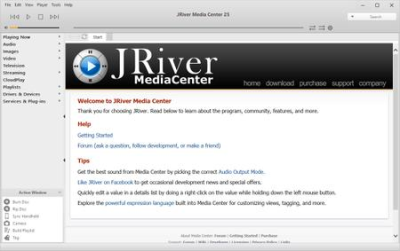
JRiver Media Center 25.0.39 Multilingual

955436aa-859e-48f1-8805-bbbd20775589.png

JRiver Media Center 25.0.39 Multilingual | 76 Mb

JRiver Media Center - all-in-one media management app turns any Windows PC into an entertainment hub for complete control of your digital media: Audio, Video, Images, and Television. It connects PC to stereo, TV, remote control devices, digital cameras, scanners, and portable MP3 players.​

It plays all media, rips, burns, and organizes all your music, images, and video. MC encodes and plays all popular media formats.
Powerful utilities include Media Server for streaming music and images to remote PCs. Media Center is more than a world class player. It's also a Media Network, a whole house music, movie, TV, and photo solution. The leader in audiophile quality sound. The most powerful media database available; an essential tool for large collections.
Features:
- Native support of DirectShow DSP filters
- Audiophile - WASAPI exclusive output using high-end USB DACs
- Audiophile - Added ability to play files from memory instead of disk
- Audiophile - Support for high end USB DAC's with WASAPI
- Headphone DSP makes listening more natural and comfortable.
- SoundcardSwitch command for the launcher, allows soundcard selection
- 3D album view adjusts text size to display more tracks when necessary
- 3D album view allows playing, adding, shuffling, and adding as next to play
Windows 10, Windows 8, Windows 7 and Vista
-

DOWNLOAD
uploadgig
Код:
https://uploadgig.com/file/download/f8e997E482c373BD/E96e2xX7_JRiver.Media.Center.25.0.39.rar

rapidgator
Код:
https://rapidgator.net/file/4b093421696ea13026e5f86b96c7d377/E96e2xX7_JRiver.Media.Center.25.0.39.rar

nitroflare
Код:
http://nitroflare.com/view/403822904E3B448/E96e2xX7_JRiver.Media.Center.25.0.39.rar
 
Corel VideoStudio Ultimate 2019 v22.3.0.436 Multilingual

1364e2ea-c42f-438d-a118-445535a29ef0.png

Corel VideoStudio Ultimate 2019 v22.3.0.436 (x64) Multilingual | 1.42 Gb

Introducing NEW VideoStudio Ultimate 2019.
- NEW Split Screen video with custom motions

- NEW 360° Tiny Planet and Rabbit Hole effects

Color Grading Controls

Dynamic Split Screen Videos
​

Introducing NEW VideoStudio Ultimate 2019. VideoStudio just got more creative-and so can you! New VideoStudio Ultimate 2019 brings the intuitive editing experience you love and turns up the creativity with exciting new features like Color Grading, Dynamic Split Screen videos, Video Text Masks, premium plugins, and more!
- NEW Color Grading controls
- NEW Split Screen video with custom motions
- NEW Video and screen recording software
- NEW 360° Tiny Planet and Rabbit Hole effects
- NEW Premium plugins, transitions and video text masks
Color Grading Controls
Set the mood and ambiance of your video with powerful color correction and adjustment tools. Easily shift the colors and boost the saturation and luminance on a per-color basis. Fine tune each color with HSL tuning, tone curves, waveform scope, Look-Up Table (LUT) profiles, and more.
Dynamic Split Screen Videos
The screen's the limit with split screen video. Introduce new frames with keyframes and create custom split screen layouts. Show multiple videos simultaneously with motion effects, shapes, and more-the creative possibilities are limitless!
Text Mask Creator
Create new text masks or try free select masks to select areas of your video. Easily create Alpha channels with precision-quickly converting sections of an image or video to a mask. When you're finished, export your masks to your library to use again in future projects.
It's our best VideoStudio yet
Here are just a few of the new features and enhancements in VideoStudio Ultimate 2019:
Seamless transitions
Flip, zoom, spin, or whip between scenes that add excitement and energy to your cuts. Just align similar colors or objects to create a smooth and artful transition between imagery.
Tiny Planet and Rabbit Hole effects
Give your audience a fun perspective and transform your 360 video footage into a Tiny Planet or Rabbit Hole effect with new spherical panoramas.
Webcam and Screen Recorder
Record your screen and webcam or external camera simultaneously and create engaging videos with new MultiCam Capture Lite. Capture videos and audio in a single click and edit them together seamlessly with multi-camera editing.
Export video with transparent background
Create your own unique overlays and export motion graphics, masks, or text with a transparent background-all using new alpha channel. Create your video on the overlay track and export to .MOV with alpha channel.
Title Editor
Introduce and tell your story with style. Create stunning titles with motion, text, and graphics in the enhanced Title Editor. No matter what you create, save custom titles in the library to spare cycles on future productions!
Customize Motion
Create and customize the movement of graphics, shapes, titles, and overlays along a defined path with new flexible controls. It's the perfect way to create a fun effect or emphasize elements in your video.
- Operating system: Windows 10, Windows 8, Windows 7, 64 bit only
- Processor: Intel Core i3 or AMD A4 3.0 GHz or higher
- Intel Core i5 or i7 1.06 GHz or higher required for AVCHD & Intel Quick Sync Video support
- Intel Core i7 or AMD Athlon A10 or higher for UHD, Multi-Camera or 360° video
- RAM: 4 GB or higher, 8+ GB highly recommended for UHD, Multi-Camera, or 360° video
- Graphics Card: Minimum resolution: 1024 x 768, minimum 256 MB VRAM, 512MB or higher recommended for hardware decoding acceleration
- Sound Card: Windows-compatible sound card
- Hard drive space: Minimum 8 GB for full installation
- Supported Languages: Dutch, English, French, German, Italian, Japanese, Traditional Chinese, Simplified Chinese
-

DOWNLOAD
uploadgig
Код:
https://uploadgig.com/file/download/14d50Fe86D1187ab/qZBQkQEQ_CorelVideoStudioUltimate2019v22.3.0.436.part1.rar
https://uploadgig.com/file/download/9959ee9125E22150/qZBQkQEQ_CorelVideoStudioUltimate2019v22.3.0.436.part2.rar
https://uploadgig.com/file/download/061d5972d3133b93/qZBQkQEQ_CorelVideoStudioUltimate2019v22.3.0.436.part3.rar

rapidgator
Код:
https://rapidgator.net/file/cb6f183e03b1b39fb2762f2f3dd7b94c/qZBQkQEQ_CorelVideoStudioUltimate2019v22.3.0.436.part1.rar
https://rapidgator.net/file/54068f17ce83370192ae6367c1817c01/qZBQkQEQ_CorelVideoStudioUltimate2019v22.3.0.436.part2.rar
https://rapidgator.net/file/63edb9476245c8f88627a82cb25bd411/qZBQkQEQ_CorelVideoStudioUltimate2019v22.3.0.436.part3.rar

nitroflare
Код:
http://nitroflare.com/view/3442B5EAD9D75BF/qZBQkQEQ_CorelVideoStudioUltimate2019v22.3.0.436.part1.rar
http://nitroflare.com/view/8B35602D1947525/qZBQkQEQ_CorelVideoStudioUltimate2019v22.3.0.436.part2.rar
http://nitroflare.com/view/27BB0F624E81347/qZBQkQEQ_CorelVideoStudioUltimate2019v22.3.0.436.part3.rar
 
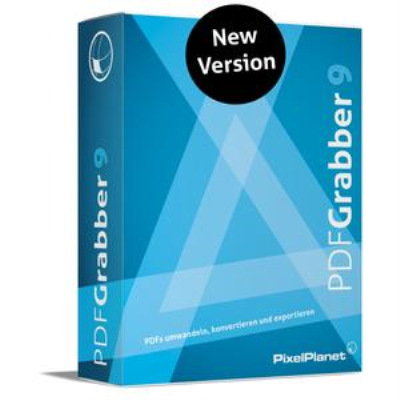
PixelPlanet PdfGrabber 9.0.0.10 Multilingual

eef6268f-ee11-4ed4-959e-f4dc45d13be1.png

PixelPlanet PdfGrabber 9.0.0.10 (x86/x64) Multilingual | 116 Mb

PdfGrabber is the professional PDF converter software for Windows. Export your documents into all important Office formats: Word, Excel, DXF/AutoCAD, JPEG, PowerPoint, HTML, eBook and many more. Export the images contained into numerous graphics formats or convert entire pages into an image.​

Conversion with PdfGrabber also works without Adobe Acrobat.
Word
Convert PDFs into Word and edit them using Microsoft Office or other software.
Excel
Convert PDF documents with tables in Excel files (.xls) and open them in Microsoft Office.
PowerPoint
Convert PDF documents into PowerPoint presentation files (.ppt).
AutoCAD / DXF
Convert PDF files with vectors into CAD drawings (DXF, AutoCAD, DWG).
Image
Convert complete PDF documents into an image (JPEG, BMP, PNG, Tiff, SVG).
Export Images
Export and save all the images in the PDF (JPEG, BMP, PNG, Tiff, SVG).
PDF requirements
In principle, all PDF documents are supported which have been created from an original document, e.g. Word, PageMaker, QuarkXpress etc.
Please note, that PdfGrabber does not fully support right-to-left languages, e.g. Arabic, Farsi, Hebrew.
For Windows 10, 8, 7, 2016, 2014, 2012, 2008, Vista, 2003 or XP (SP3)
50 MB free space on hard disk
Pentium 266 MHz or corresponding processor (Pentium III recommended)
512 MB RAM
Home / Standard / Professional / Professional-Network
-

DOWNLOAD
uploadgig
Код:
https://uploadgig.com/file/download/9d31c8e82972782C/RndP4MEl_PixelPlanet.PdfGrabber.9.0.0.10.rar

rapidgator
Код:
https://rapidgator.net/file/6225e6ba957f0d5129d400d03ce89cda/RndP4MEl_PixelPlanet.PdfGrabber.9.0.0.10.rar

nitroflare
Код:
http://nitroflare.com/view/0F8331BC43F8F84/RndP4MEl_PixelPlanet.PdfGrabber.9.0.0.10.rar
 
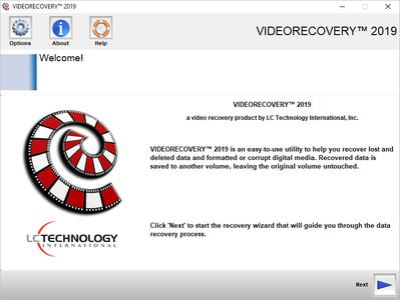
LC Technology VIDEORECOVERY 2019 v5.1.9.4 Multilingual Portable

33889132-6d0a-45b8-b3ee-1c201ea74c3e.png

LC Technology VIDEORECOVERY 2019 v5.1.9.4 Multilingual Portable | 9.17 Mb

VIDEORECOVERY is a safe and affordable do-it-yourself data recovery solution that is designed to recover lost files from all types of digital media such as Memory Sticks, SmartMedia, CompactFlash, Micro Drives, SD/XD cards, MMC, optical drives, flash media drives, and multi-media or mobile devices, and most other forms of digital media.​

VIDEORECOVERY recovers files whether they have been deleted from the camera, from a card reader, deleted by an application, or even if your media has been formatted. (Please note that some cameras and applications wipe the images during delete/format and cannot be recovered).
VIDEORECOVERY is easy to use. Simply attach the media to your computer (a card reader is recommended) and run VIDEORECOVERY. The pictures are automatically saved off to another location.
VIDEORECOVERY is a non-destructive read-only application and will not write or make changes to the drive it is recovering from.
Features
Easy to use wizard driven interface
Secure data recovery: VIDEORECOVERY does not write on the drive it is scanning
Recovers Image, Video, and Audio files
Recovers Documents, Spreadsheets, Text files, & more
Creates a backup image of your media card for archiving
Also supports RAW files and HD Video
ADVANTAGES
Easy to use and a fully automated wizard, which walks the user through the program
Automatically saves the data and allows burning to CD/DVD from the application.
Windows 7, 8/8.1, 10
-
Multilingual

DOWNLOAD
uploadgig
Код:
https://uploadgig.com/file/download/c5A71D582d7be60d/DJOzUMSz_VIDEORECOVERY.5.1.9.5Portable.rar

rapidgator
Код:
https://rapidgator.net/file/96aba05c1e69da2fb1eca991db9c78e8/DJOzUMSz_VIDEORECOVERY.5.1.9.5Portable.rar

nitroflare
Код:
http://nitroflare.com/view/3140A7DAF6329CB/DJOzUMSz_VIDEORECOVERY.5.1.9.5Portable.rar
 
VMware Workstation Pro 15.1.0 Build 13591040 (x64) Portable

4c8eb93d-ffd1-461e-9719-dfc436148f41.png

VMware Workstation Pro 15.1.0 Build 13591040 (x64) Portable | 783.41 Mb

VMware Workstation Pro is the industry standard for running multiple operating systems as virtual machines (VMs) on a single Linux or Windows PC. IT professionals, developers and businesses who build, test or demo software for any device, platform or cloud rely on Workstation Pro.​

Workstation Pro Delivers a Data Center in Your Laptop.
Run Multiple OSs on a Single PC
VMware Workstation Pro allows you to run multiple operating systems at once on the same Windows or Linux PC. Create real Linux and Windows VMs and other desktop, server, and tablet environments, complete with configurable virtual networking and network condition simulation, for use in code development, solution architecting, application testing, product demonstrations and more.
Develop and Test for Any Platform
Workstation Pro supports hundreds of operating systems and works with cloud and container technologies like Docker.
Connect to VMware vSphere
Securely connect with vSphere, ESXi or other Workstation servers to launch, control and manage both virtual machines (VMs) and physical hosts. A common VMware hypervisor maximizes productivity and enables easy transfer of VMs to and from your local PC.
Secure and Isolate Environments
Run a secure second desktop with different privacy settings, tools and networking configurations, or use forensic tools to investigate OS vulnerabilities. Workstation provides one of the most secure hypervisors in the industry and delivers powerful features for IT security professionals.
Features:
Sphere Connectivity
Use Workstation Pro to connect to vSphere, ESXi or other Workstation Pro servers. Drive remote Linux or Windows VMs (and others), command power operations, or transfer VMs to and from vSphere environments. A common VMware hypervisor enables simple portability.
Clones for Rapid Duplication
Save time and effort and ensure an exact duplicate when repeatedly creating the same VM setup. Use "Linked Clones" to quickly duplicate a VM while significantly reducing physical disk space. Use "Full Clones" to create fully isolated duplicates that can be shared with others.
Helpful Snapshots
Create a rollback point to revert to on the fly, which is perfect for testing unknown software or creating customer demos. Multiple snapshots make it easy to test a variety of different scenarios without the need to install multiple operating systems.
Powerful Virtual Networking
Create complex IPv4 or IPv6 virtual networks for VMs, or integrate with third-party software to design full data center topologies using real-world routing software and tools. New in Workstation is Network Simulation for introducing packet loss, latency and bandwidth restrictions.
High-Performance 3D Graphics
VMware Workstation Pro supports DirectX 10 and OpenGL 3.3, to deliver a fluid and responsive experience when running 3D applications. You can run the most highly demanding 3D apps like AutoCAD or SOLIDWORKS with near-native performance in a Windows VM.
High Resolution Display Support
Workstation Pro is optimized to support high-resolution 4K UHD (3840x2160) displays for desktops and QHD+ (3200x1800) displays used in laptops and x86 tablets. It also supports multiple monitors with different DPI settings, such as a new 4K UHD display along with an existing 1080p HD display.
Cross Compatibility
Create Linux or Windows VMs that can run across the VMware product portfolio or create restricted VMs for use in Horizon FLEX. We even support the open standard so you can create and play VMs from other vendors.
Monster Virtual Machines
Create massive VMs with up to 16 vCPUs, 8 TB virtual disks, and 64 GB of memory to run the most demanding desktop and server applications in a virtualized environment. Give graphics-intensive apps an additional boost by allocating up to 2GB of available host video memory to a VM.
Restricted Access to Virtual Machines
Protect corporate content by restricting access to Workstation VM settings like drag-and-drop, copy-and-paste and connections to USB devices. Virtual machines can be encrypted and password-protected to ensure only authorized users have access.
Shared Virtual Machines
Quickly share and test applications in a simulated production environment. Run VMware Workstation Pro as a server to share a repository of pre-loaded Linux and Windows VMs in every desired configuration with your teammates, department or organization.
Systems using Processors (CPUs) launched in 2011 or later are supported, except for the following:
Intel Atom processors based on the 2011 Bonnell micro-architecture. For example, Atom Z670/Z650 and Atom N570.
Systems using Intel Atom processors based on the 2012 Saltwell micro-architecture. For example, Atom S1200, Atom D2700/D2500, and Atom N2800/N2600.
Systems using AMD processors based on the Llano and Bobcat micro-architectures. For example, code-named Hondo, Ontario, Zacate, and Llano.
The following systems are also supported: Systems using Intel processors based on the 2010 Westmere micro-architecture. For example, Xeon 5600, Xeon 3600, Core i7-970, Core i7-980, and Core i7-990.
Windows 7, 8/8.1, 10 and Windows Server 2008 R2, 2008 R2 SP1, 2012, 2012 R2 (64-bit only)
-
English

DOWNLOAD
uploadgig
Код:
https://uploadgig.com/file/download/fe1B379d6ba5D133/Inrproba_vmwarePortable.rar

rapidgator
Код:
https://rapidgator.net/file/83733faa238d8bf4b9753596bdd6cf64/Inrproba_vmwarePortable.rar

nitroflare
Код:
http://nitroflare.com/view/4653ED27C851E0F/Inrproba_vmwarePortable.rar
 
Tweak Software RV 7.3.2

67b632e9-48b2-4e6b-b15c-b86db1aeb6f4.png

Tweak Software RV 7.3.2 | 144 Mb

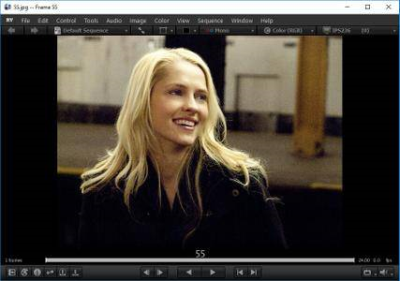
RV is the next generation image and sequence viewer for VFX and animation artists. RV is high-performance, hardware accelerated, and pipeline-friendly.
- Cross Platform 64 bit, Linux, Mac OSX, Windows
​

RV is the next generation image and sequence viewer for VFX and animation artists. RV is high-performance, hardware accelerated, and pipeline-friendly. It adapts to your workflow, runs on Windows, Mac and Linux, and integrates with key tools like Nuke, Maya, Deadline, and Qube!
RV Key Features
- Cross Platform 64 bit, Linux, Mac OSX, Windows
- 2K Uncompressed Playback from RAM or Disk
- One-Click Remote Sync for Collaborative Review
- Annotation/Paint Tools
- Stereo 3D (Active and Passive)
- Audio scrubbing/stepping with video sync
- Color Management with Support for Linear-Light Workflow
- Python Scriptable, Customizable Architecture
- Realtime Hardware Color Correction
Film Resolution, Uncompressed, High-Dynamic Range Playback from RAM or Disk
RV is high performance professional playback and review application optimized for direct from disk and cached RAM playback. So, RV works everywhere from the desktop to the digital theater.
Industry Standard Image Support
OpenEXR, DPX, Cineon, JPEG, Tiff, Targa, JPEG 2000, H.264, ARRIRAW, RED and Photo/Motion JPEG Quicktime are few of the industry standard formats RV supports out of the box. I/O can be multithreaded (with any number of cores) for all image types. For formats often used for direct from disk playback, I/O options are provided to maximize performance.
Nuke, Maya, Shotgun Native Integration
RV works directly with Nuke, Maya, and Shotgun out of the box. RV integration goes beyond old-style flipbook workflows to tie the power and flexibility of RV's media handling to leading CG and VFX tools.
Mix Resolutions, Color Spaces, File Formats and Framerates on a single Timeline
RV's advanced media engine resizes, reformats, retimes, and color manages your media on the fly in real-time so you can mix sources without extra work. Animators can match reference video at any frame rate against their shot at 24fps, supervisors can layer 2K renders over storyboards or half-res animation takes, editors can cut together the latest versions mixing DPX, Exr, Quicktimes of different resolutions.
Annotation/Paint
Annotation works over sync for remote reviews or you can use it in dailies and desktop reviews. Save your annotations in the session file or export them as snapshots or movies (RVIO license required).
Audio Scrubbing/Stepping and Timeline Magnifier with Waveform Display
RV mixes any number of audio inputs and plays them synchronized with video. RV preserves the pitch of your audio while you chage the frame rate, so your sound track is still recognizable. RV's timeline magnifier shows your waveform and lets you zoom in on a section of the timeline.
Multi-Layer Image Handling
RV handles multi-layer image files like OpenEXR. You can choose which layer to view and cache, and compare layers with A/B wipes or layouts.
Stereoscopic Playback
3D stereo playback comes naturally to RV; anything you can do with one image you can do with stereo images. RV supports: shutter glasses, HDMI 1.4a, DLP projectors, cross-polarized TVs, anaglyph, old-school eye-crossing (and more). RVIO, RV's batch processing program, handles stereo just as easily as RV; it can create stereo multi-track quicktime files and stereo OpenEXR files, or rip stereo sources to individual frames per-eye.
High Dynamic Range Pixel Management
RV can be connected over a network for remote reviews. Annotations, Play/stop, scrub, zoom/pan, color corrections, stereo offset, and more can be selectively sent or received between participants. RV can generate a 'Sync Link' that you can paste into chat so other artists can immediately connect up and review the same media.
High Dynamic Range image data has become common place and RV is the right tool for viewing it. Image data is kept in the best internal representation for examination and playback: 8 or 16 bit fixed point integral and 16 and 32 bit floating point imagery can be mixed together. For example, you can crunch high bit depth film images down to lower precision to fit more in cache or keep full 32 bit float data in memory to experiment with changes in exposure in real-time.
Script, Customize, Extend, and Integrate
RV is highly extensible. Using Python, Javascript, network remote control, and an extensive command-line, you can fit RV into your workflow. RV is profoundly open.
New Color Management and Color Pipeline Tools
RV's new color tools have taken color management to the next level. The color pipeline can be completely configured with any mix of color transforms in any order. RV Ships with a library of individual color operations (and inverses) such as Kodak Log, sRGB, Rec709, Matrix, CDL. These transforms can be chained together and inserted into multiple locations in RV's image processing pipeline.
Real-Time Color Correction
RV's sophisticated color processing system supports accurate color management with built-in support for:
- Film (Kodak Log, Viper Log)
- HDTV Color Space (Rec709)
- HD Reference Monitor Color Space (Rec709)
- Computer Monitor Working Spaces (sRGB, gamma)
- Unique Display Devices such as Digital Cinema Projectors (using HDR LUTs)
Color corrections are applied in real-time using your graphics hardware. The most important and common transfer functions like Kodak Log, sRGB, Rec.709, and basic Gamma, are built-in for maximum accuracy when used with HDR imagery. Real-time color adjustments work on the full range of your images.
Launch RV from Links Anywhere
RV can be launched from links in web pages, emails, documents, and chat windows. This makes it easy to integrate RV into your workflow whether you have an advanced production tracking system like Shotgun, or your own in-house workflow. RVlinks are special URLs that have the full power of RV's command-line interface, including the ability to control RV through the scripting language. So you can use them to do things like launch RV to A/B compare two takes, tile a directory of images, or even to automatically sync up to another user for a remote review.
Sequences, EDLs and Frame Marking
RV makes it easy to work with multiple image sequences, movies and still frames. You can load multiple clips from the command line, with drag-and-drop, or by reading a text based EDL. RV lets you mark the timeline so you can quickly navigate using hot keys. For example, a movie of a sequence can be marked at the shot boundaries so that you can skip from shot to shot or loop over each shot.
64-bit processor.
Apple Intel with ATI Radeon 9600, Nvidia GeForce FX, or newer, OSX 10.9 or newer.
Linux x86 64 bit (CentOS 6.x, RHEL 6.0+), Nvidia GeForce 8800 or Quadro 3800 or better. Non-Nvidia cards are not supported on Linux. Kernel version 2.6.32 or newer.
Windows 7 SP1, Nvidia GeForce 8800 or Quadro 3800 or better, or ATI FirePro (other ATI cards may work with recent drivers but are untested).
-

DOWNLOAD
uploadgig
Код:
https://uploadgig.com/file/download/c534Ff398ecf5D93/mMZVZjEo_Tweak.Software.RV.7.3.2.rar

rapidgator
Код:
https://rapidgator.net/file/3632db2cae7fcb1ec56b20c4310ccf0a/mMZVZjEo_Tweak.Software.RV.7.3.2.rar

nitroflare
Код:
http://nitroflare.com/view/47A1ED8BD64AC5F/mMZVZjEo_Tweak.Software.RV.7.3.2.rar
 
Insofta Cover Commander 5.8.0 Multilingual Portable

2fc4718a-4184-4e80-b882-375c6dbf56e0.png

Insofta Cover Commander 5.8.0 Multilingual Portable | 55.48 Mb

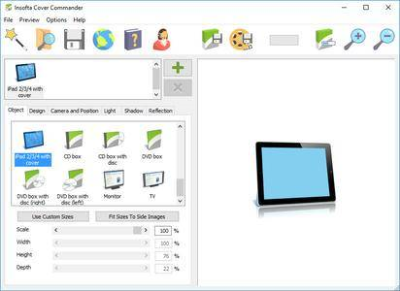
Cover Commander creates professional, custom-designed three-dimensional virtual boxes for your software, iPhones, e-books, Blu-ray discs, DVDs, manuals, and even screenshots. A simple picture, Cover Commander Wizard, and a few mouse clicks are all that's necessary to get the job done.​

The program's extensive light, shadow, and reflection controls allow you to render a box or a cover of just about any complexity.
Reasons to Go with Cover Commander
Compose a scene from several 3D objects.
3D mockups: Box, Box with disc, Disc, Screenshot, Curved screenshot, Book, Thin book, Manual, Vista box, Card, Spiral book, Laptop, iMac (Computer), Display, iPhone X/6s/SE/5c, Samsung Galaxy S6, Nexus 9, iPad, iPad with cover, Blu-ray box, Blu-ray with disc, Monitor, TV, DVD box, DVD box with disc, CD box, CD box with disc.
Let the built-in wizards do the dirty work for you and focus on the artistic details of the cover.
Create multiple projects, parse multiple images - with a single command (batch mode).
Save the result image with transparent background and use the picture for the complex web or print designs.
Save the light, shadow, and reflection settings under a unique name and use those settings in other projects.
Set the result image size (up to 4000 x 4000) and margins in pixels.
Draw your customer's attention with an animated (GIF, SWF, AVI) box, cover or screenshot.
Don't pay more than what it actually costs to create a great cover. Create additional covers at no cost at all!
A Picture, a Wizard, and a Mouse Click
Cover Commander creates professional, custom-designed three-dimensional virtual boxes for your software, e-books, iPhone/iPad apps, manuals, and even screenshots. A simple picture, Cover Commander Wizard, and a few mouse clicks are all that's necessary to get the job done. The program's extensive light, shadow, and reflection controls allow you to render a box or a cover of just about any complexity and see the final product as it is being made in the real-time preview window. The intelligent project creation wizard does the complex work for you, thus you can concentrate on the creative part of your project.
Windows XP/2003/Vista/7/8/8.1/10
-
Multilingual

DOWNLOAD
uploadgig
Код:
https://uploadgig.com/file/download/f468A9Fb96cb57e0/FlDFED0Q_InsoftaCoverCommander5.8.0Portable.rar

rapidgator
Код:
https://rapidgator.net/file/c7c8bfbcaa7d4acd39d0f54eb2b3a530/FlDFED0Q_InsoftaCoverCommander5.8.0Portable.rar

nitroflare
Код:
http://nitroflare.com/view/20BA9BACCC061E2/FlDFED0Q_InsoftaCoverCommander5.8.0Portable.rar
 
Actual Window Menu 8.14.0 Multilingual Portable

cc27fc8f-a9d2-4058-8131-efaff966bf30.png

Actual Window Menu 8.14.0 Multilingual Portable | 10.73 Mb

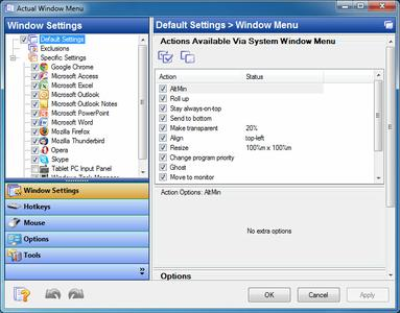
Take Unlimited Control over Your Windows with Extended Window Menu! Actual Window Menu adds several menu items to standard window menu accessible via application icon in the title bar. Among new commands are: Roll Up \ Unroll window, Set window transparency, change program priority, minimize to task tray and always keep window on top.​

These new features allow advanced and newbie Windows users save their time and desktop space by neatly organizing windows.
Installation, as well as the use of the program, is extremely easy and does not require much time. After installation, the application embeds its extra commands into each window's system menu. These new commands are as easy to use as common Move/Size/Minimize/Close ones, and they significantly enhance windows management abilities.
The set of commands can be customized for particular applications so that you can select just features which are really necessary there and, thus, form a convenient and flexible working environment. Actual Window Menu is irreplaceable when you have to work with numerous applications at once switching from one to another, which is very annoying and frustrating.
Moreover, it becomes quite difficult to distinguish between minimized programs as they get the taskbar piled up. Actual Window Menu enables you to forget that chaos and proceed with your work not being disturbed by windows mess on the desktop.
Actual Window Menu is a complex application that provides advanced users with alternative ways of organizing and managing windows.
Here are some key features of "Actual Window Menu":
· The 'Minimize to Tray' feature lets you save taskbar space while providing access to minimized applications via the system tray icons. Make your own taskbar less cluttered and more handy!
· The 'Make Transparent' feature lets you apply transparency effect from 0% (fully transparent) to 100% (solid) rate to any program in Windows 2000/XP.
· The 'Stay on Top' feature helps you place the selected windows on top of other ones, so that it were always accessible and couldn't be hidden by other windows. Don't let these windows annoy you when you busy!
· The 'Resize Window' feature allows you to set the size of any selected application window to have it always opened at the size you want. You can choose any Default Window Size from the list which includes exact window sizes in pixels (e.g. 640 x 480; 800 x 600; 1024 x 768) or in percents from the desktop size (e.g. 100% x 100%; 50% x 50%). Moreover you can set the width and height of any window on your own by using Custom Window Size option.
Windows 10 / 8.1 / 8 / 7 / Vista / XP / 2000 (both 32-bit and 64-bit editions)
Windows Server 2016 / 2012 R2 / 2012 / 2008 R2 / 2008 / 2003 / 2000 (both 32-bit and 64-bit* editions)
-
Multilingual

DOWNLOAD
uploadgig
Код:
https://uploadgig.com/file/download/02e1497Bdf20d557/gairEseK_Actual.Window.Menu.8.14.0Portable.rar

rapidgator
Код:
https://rapidgator.net/file/a4b9c5a7ec4b71e5f579e4947858cd04/gairEseK_Actual.Window.Menu.8.14.0Portable.rar

nitroflare
Код:
http://nitroflare.com/view/BCBE02DCCAFBCBB/gairEseK_Actual.Window.Menu.8.14.0Portable.rar
 
VMware Workstation Player 15.1.0 Build 13591040 (x64) Commercial Portable

8592d3c4-9c50-49a1-be3f-7d621d2d1211.png

VMware Workstation Player 15.1.0 Build 13591040 (x64) Commercial Portable | 168.92 Mb

VMware Workstation Player allows you to run a second, isolated operating system on a single PC. With many uses ranging from a personal educational tool, to a business tool for providing a simplified experience to run a corporate desktop on a BYO device, Workstation Player leverages the VMware vSphere hypervisor to provide a simple yet mature and stable, local virtualization solution.​

Simple but Powerful Virtualization
With nearly 20 years of active development, VMware Workstation Player builds from the same platform as VMware Workstation Pro and vSphere, making it one of the most mature and stable solutions for local desktop virtualization. Safely and easily run a second operating system as a virtual machine (VM) on a single PC without affecting your main desktop environment and without rebooting.
Your Path to BYO
With VMware Workstation Player, you can isolate corporate desktops from BYO devices by disabling copy-and-paste, drag-and-drop, shared folders and access to USB devices. Run restricted VMs that are encrypted and password-protected to ensure only authorized users can interact with corporate data.
The Perfect Tool for Learning
The isolation and sandbox capabilities of VMware Workstation Player make it the perfect tool to help you learn about operating systems, applications and how they work. Being able to run a server environment on a desktop PC also allows you to explore software and application development in a "real world" environment without interfering with the host desktop.
A Secure and Isolated Environment
Run a secure second desktop with different privacy settings, tools and networking configurations to keep your host system safe and secure while browsing online.
Systems using Processors (CPUs) launched in 2011 or later are supported except:
Intel Atom processors based on the 2011 "Bonnell" micro-architecture (e.g. Atom Z670/Z650; Atom N570)
Systems using Intel Atom processors based on the 2012 "Saltwell" micro-architecture (e.g. Atom S1200, Atom D2700/D2500, Atom N2800/N2600).
Systems using AMD processors based on the "Llano" and "Bobcat" micro-architectures (e.g. code-named "Hondo", "Ontario", "Zacate", "Llano")
In addition the following are supported:
Systems using Intel processors based on the 2010 "Westmere" micro-architecture (e.g. Xeon 5600, Xeon 3600, Core i7-970, Core i7-980, Core i7-990)
1.3GHz or faster core speed
2GB RAM minimum/ 4GB RAM or more recommended
OS: Windows 10, Windows 8.X, Windows 7, Windows XP
-
English

DOWNLOAD
uploadgig
Код:
https://uploadgig.com/file/download/8C045baee15016F2/Wpbfl1Sh_vmplayerPortable.rar

rapidgator
Код:
https://rapidgator.net/file/94e5ae54f8defd0fde88cb65e8a5d737/Wpbfl1Sh_vmplayerPortable.rar

nitroflare
Код:
http://nitroflare.com/view/63832126792E581/Wpbfl1Sh_vmplayerPortable.rar
 
Key Metric Software FolderSizes 9.0.223 Enterprise Edition x64 Portable

8d027ae4-05b0-441d-bcff-41c745ae07e2.png

Key Metric Software FolderSizes 9.0.223 Enterprise Edition x64 Portable | 25.22 Mb

Desktop PCs and servers can quickly end up accumulating large quantities of unused, temporary, and duplicate files. Before you know it, you're out of drive space, backups are taking far too long to run, and users can't find the data they need when they need it.​

You need a visual, interactive software tool to help you manage disk usage. You need FolderSizes. FolderSizes is an award-winning, network-enabled disk space analysis tool. It can quickly isolate large, old, temporary, and duplicate files, or even show file distribution by type, attributes, or owner. All with multiple export formats, command-line support, shell context menu integration, and much more.
Benefits & Solutions
Explore, visualize, and comprehend local and network storage
Reclaim gigabytes of drive space - fast!
Improve storage capacity planning capability
Find the disk space hogs with just a few clicks
Manage and monitor disk space across the network (Pro edition only)
Publish disk usage reports right to your web server share
Streamline file systems to optimize backups
Monitor and enforce employee data storage policies
Find excessively long file names that interfere with CD storage, etc.
Find recently saved files without knowing their names (find recently modified)
Find files owned by a specific individual or group
View the "size on disk" (actual space consumed) for any file or folder
Visualize the distribution of files by file type, age, and size
Find and eliminate empty folders
Search files by nearly any file attribute combination
Schedule the generation of nearly any FolderSizes report (Pro edition only)
Hierarchical folder map visualization (based upon treemap technology)
Integrated scheduler (Pro edition only)
Unicode file and folder name support
Interactive, dynamic, full-color bar and pie graphs
Fast, multi-threaded, network-aware file system scanning
Isolate largest, oldest, duplicate, and temporary files
View disk space utilization by file type / attributes
View local & network disk space usage by owner / group
Command line interface for scripting & integration (Pro edition only)
FilterZip regular-expression based compression system
See total & free space for fixed, removable, network drives
Export reports in HTML, XML (Pro edition only), CSV, and more
Integrates with the Windows shell context menu (32 and 64 bit support!)
Extremely configurable - colors, fonts, print options, etc.
Flexible, multi-path oriented search and file reporting systems
Strong support for viewing allocated disk space (e.g. "size on disk")
"Command Prompt from Here" in all context menus
Super-fast, in-memory database provides stunning performance
Support for direct entry of UNC network paths in all reports
Optional symbolic link skipping
Any edition of Windows 10, 8, 7, Vista, XP, Server 2003, Server 2008, Server 2012, and Server 2016.
Both 32 and 64 bit environments are fully supported.
-
English

DOWNLOAD
uploadgig
Код:
https://uploadgig.com/file/download/27901fa645FEe8Ef/xeQ0lQ6a_FolderSizesPortablex64.rar

rapidgator
Код:
https://rapidgator.net/file/01bc7a7aca698fbcf572300b9ea406de/xeQ0lQ6a_FolderSizesPortablex64.rar

nitroflare
Код:
http://nitroflare.com/view/966EBC1C4325A20/xeQ0lQ6a_FolderSizesPortablex64.rar
 
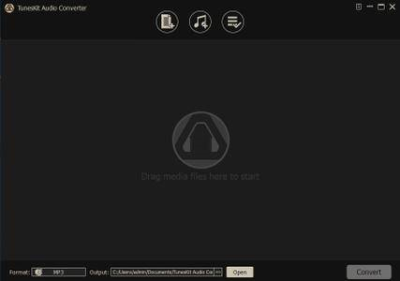
TunesKit Audio Converter 3.0.3.44 Multilingual Portable

e2a029c1-a8fd-4914-8034-247d861a23d1.png

TunesKit Audio Converter 3.0.3.44 Multilingual Portable | 22.52 Mb

An all-round mighty DRM removal solution to convert DRM-protected Apple Music, iTunes M4P and audiobooks, Audible AA, AAX, as well as non-DRM audios to common MP3, AAC, M4A, M4B, WAV, FLAC for any device and player.​

One-stop DRM audio tool to remove DRM copy protection from Apple Music, iTunes M4P and Audiobooks
TunesKit DRM Audio Converter is the most comprehensive DRM audio solution specialized in cracking DRM encryption from all protected audio resources, including Apple Music tracks, iTunes M4P songs, M4A, M4B audioboks, as well as Audible AAX, AA audiobooks. Thanks to this smart tool, you can easily convert your DRM-locked audios to any media device for playback at anytime without limit.
Convert DRM-ed Audios to MP3, AAC, WAV, M4A, M4B, and FLAC
Due to the compact user interface, TunesKit DRM Audio Converter for Windows makes it extremely simple for everyone to convert the DRM-ed M4P songs, albums, playlists from Apple Music and iTunes, and M4A, M4B, AA, AAX audiobooks to DRM-free MP3, AAC, WAV, M4A, FLAC, M4B and other common audio formats with CD quality so that you can enjoy the audio on any media player, like Samsung, Sony, Zune, iPod, iPhone, etc.
Convert all non-DRM and common audio files to other formats
In addition to a professional DRM audio encoder, TunesKit DRM Audio Converter is also a powerful converter supports converting common and popular audio files without DRM protection, such as MP3, WAV, WMA, FLAC, AAC, OGG, M4A, M4R, AC3, AMR, APE, etc. to MP3, M4A, WAV, FLAC, M4B, AAC with high quality for any device and player.
Keep 100% lossless quality for Audible AA, AAX audiobooks
If the source audio you are converting is Audible AA or AAX audiobook, TunesKit DRM Audio Converter will allow you select lossless quality for the output files. In this case, it will keep the 100% original audio quality, including the audio codec, sample rate, bit rate, channel, etc. when converting the copy-protected Audible audiobooks to DRM-free formats.
Operating System: Windows 10, 8, 7, Vista, XP
Processor: 1G Hz processor, or above
RAM: 512MB or higher of RAM
Monitor: Monitor with 1024x768 pixels or higher resolution
Other: iTunes 12.7 or lower (iTunes 12.6.1.25 not included)
-
English , French, German, Japanese

DOWNLOAD
uploadgig
Код:
https://uploadgig.com/file/download/741c3aB0b69f6ab4/m8bolKdC_TunesKit.Audio.Converter.3.0.3.44Portable.rar

rapidgator
Код:
https://rapidgator.net/file/4e54da2a4fecbb8ff7790d4b5c3657f6/m8bolKdC_TunesKit.Audio.Converter.3.0.3.44Portable.rar

nitroflare
Код:
http://nitroflare.com/view/5CDFF8F0F0DA337/m8bolKdC_TunesKit.Audio.Converter.3.0.3.44Portable.rar
 
DisplayFusion Pro 9.5 Beta 4 Multilingual

5b2196a6-268b-4b43-906f-c5522a908c18.png

DisplayFusion Pro 9.5 Beta 4 Multilingual | 21.8 Mb

DisplayFusion will make your dual monitor (or triple monitor or more) experience smooth and painless. With DisplayFusion you can add a taskbar to every monitor that works and looks just like the Windows Taskbar.​

Or take advantage of advanced multi-monitor wallpaper support, Flickr Integration for image searching and fully customizable window management hotkeys. These are just a few of the many things that DisplayFusion can do.
Features
DisplayFusion will make your multi-monitor life much easier. With powerful features like Multi-Monitor Taskbars, TitleBar Buttons and fully customizable Functions, DisplayFusion will make managing your multiple monitors easy. Take a look at some of the features below to learn how DisplayFusion can help you!
Advanced Wallpaper Management
Multi-Monitor Taskbars
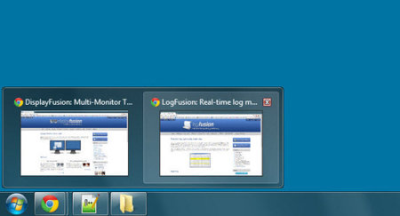
Multi-Monitor TaskbarsKeep your windows easily organized by adding a taskbar to each of your monitors. The taskbar on each monitor can be configured to show all windows, or only the windows that are located on that monitor. Use button grouping, auto-hide, window previews, shortcuts, a Start Button and much more to help you work more easily with your application windows.
Advanced Wallpaper Management
Advanced Wallpaper ManagementDisplayFusion has powerful Wallpaper features that let you use images from your own computer, or load images from online sources. Tile, stretch, scale, crop, position and tint your images exactly how you want.
Customizable Functions
Customizable FunctionsDisplayFusion comes bundled with over 30 pre-configured Functions, or you can create your own powerful custom Functions. Create Functions to load Wallpaper or Monitor Profiles, move windows around, change window opacity, toggle DisplayFusion features and much more. Any Function, including custom Functions that you've created, can be assigned to a TitleBar Button for easier access with the mouse, or to a keyboard shortcut for keyboard power users. Functions can also be assigned to the Jump List menus on the DisplayFusion Multi-Monitor Taskbars, allowing them to be run even on applications that are minimized.
Monitor Configuration
Monitor ConfigurationUse DisplayFusion to set your Monitor Configuration. Configure the resolution, colour depth, refresh rate and orientation. You can even save your configurations as Monitor Profiles that you can load later using a key combination or TitleBar Button. Link a Wallpaper Profile with your Monitor Profile to load your desktop wallpaper automatically based on the monitors you have connected.
Windows 8 Tweaks
Windows 8 TweaksThe Windows 8 Tweaks in DisplayFusion provide extra options so that you can customize Windows 8 to your liking. Bypass the Start Screen to go directly to the Desktop, move the Power User Menu (Win + X) to the current mouse position, and more!
Window Snapping
Window SnappingDisplayFusion's Window Snapping feature makes it easy to line-up your windows with each other, or line-up your windows along a monitor edge. Just drag a window near a monitor edge or another window and release the mouse button to let DisplayFusion snap the window into place. Fully configurable, with the ability to ignore specific applications if needed.
Window Management
Window ManagementUse DisplayFusion's Window Management feature to easily move windows between your monitors. Whether you use the simple Middle-Click Move, or the more advanced Maximized Window Dragging, managing your desktop windows has never been so easy. You can even show tooltips when moving or resizing windows to help you position them precisely.
Window Location
Window LocationThe Window Location feature allows you to specify which monitor you would like selected applications to open on. You can customize this by specifying actions like maximize, centre, span or 'Run Function'. You can have all windows from the selected application open on the specified monitor, or only the first window.
Windows Logon Background
Windows Logon BackgroundUse DisplayFusion's powerful Windows Logon background image changer to customize your logon screen. Load images from your computer, or from any of the online providers that DisplayFusion supports. Customize the image positioning and colours (greyscale, sepia. etc) to suit your taste.
Multi-Monitor Screen Savers
Multi-Monitor Screen SaversWhy settle for one screen saver on your main monitor? With DisplayFusion you can span your screen saver across all monitors, or even display a different screen saver on each monitor. Use the default Windows screen savers, or load your own custom screen savers to fully customize your desktop.
Desktop Icon Profiles
Desktop Icon ProfilesEasily save and load your desktop icon layouts using DisplayFusion's Desktop Icon Profile feature. Loading a previously saved Desktop Icon Profile is an easy way to restore your familiar desktop icon layout when the icons get jumbled after adding or removing a monitor.
Easy Administration
Easy AdministrationDeploy and manage DisplayFusion in your corporate environment with ease by using DisplayFusion's silent installer options, and custom ADMX templates for Active Directory Group Policy environments. The custom ADMX templates will allow you to make sure your DisplayFusion settings are consistent across all workstations, making management and troubleshooting much easier.
Available in dozens of Languages
Available in dozens of LanguagesDisplayFusion comes bundled with dozens of languages, and more are added all the time. Using DisplayFusion in your native language makes it easier to fully understand and use each feature.
Windows 10, 8.1, 8, and 7 (32-bit and 64-bit)
Windows Server 2016, 2012 R2, 2012, and 2008 R2 (32-bit and 64-bit)
-

DOWNLOAD
uploadgig
Код:
https://uploadgig.com/file/download/B31249f03032b1F1/Lx9Sykgm_DisplayFusion.Pro.9.5b4.rar

rapidgator
Код:
https://rapidgator.net/file/6f91b3b916933d5878d008548b142aba/Lx9Sykgm_DisplayFusion.Pro.9.5b4.rar

nitroflare
Код:
http://nitroflare.com/view/7ABE3EDCF0DCE33/Lx9Sykgm_DisplayFusion.Pro.9.5b4.rar
 
Power Music Professional 5.1.5.7 Multilingual

ce0f0b58-4594-415b-833e-fbbb1c314212.png

Power Music Professional 5.1.5.7 Multilingual | 61.9 Mb

Much more than just a music display system. Power Music gives you total control over your music collection - sheet music and chord sheets. All your music, in one place, instantly available on-screen for practice and performance.​

Free yourself from the hassles of paper
All your music, in one place, instantly available on-screen for practice and performance.
Create and manage your chord sheets
Convert chord sheets in PDF and Word documents into fully transposable chord sheets.
Find your music instantly
Search your music collections using title, composer, first line, category, or even by melody.
Share music, set lists and annotations
Give everyone in the band, group, or orchestra access to the set list and their music, fully annotated.
Effortless page turning
Move through your music and set lists using a foot pedal or touchscreen.
See your music clearly
Enlarge music and change colours to aid visually impaired musicians.
Explore the features of Power Music
No other music display system comes close to the sophistication of Power Music. Explore the amazing features of this unique software. In addition to the information on this page we have extensive help videos explaining each feature in detail in our Help Centre, and a full feature comparison table can be found here.
Display sheet music, chord sheets or both
Choose to display sheet music, chord sheets or both. Set the number of columns or pages per screen to display.
Search by multiple criteria
Incredible fast and powerful search options. Search by title, first line, words in lyrics, author, category, melody, alternative titles and copyright information. Worship musicians can choose to search by Bible reference.
Create and share playlists
Search for a song and with one click or tap, add it to a playlist (setlist). Save and recall your playlists. Re-order the list, print it, or share it on Power Music Box for the other musicians and band members you play with to see it.
Transpose chord sheets, add capo chords
You can instantly transpose a chord sheet, either by selecting a key from a drop down list or in full screen performance mode by tapping + or - to transpose up or down. Select your capo key and the chords are displayed in brackets. It even tells you what fret to use.
Page turning using keyboard, touch screen or foot pedal
Effortless page turning. Hands-free - using USB or Bluetooth foot pedal or tap the touchscreen, USB button or keyboard. Turns the page and moves through a playlist.
Full screen display in portrait or landscape
In full screen mode you make the most of all the space on the screen. Menu and icon bars are switched off. The sidebar, which can also be switched on and off, shows the playlist, a clock, your performance notes and a link to an optional audio track, for example a backing track. Press 'M' or tap the clock and a metronome appears. Automatic single page display in portrait or multiple pages in landscape.
Annotate your music
Annotate your music using tools to draw, highlight, add sticky notes, musical notation, fingering, bowing, performance marks, bar numbers for quick navigation and much more.
Quick navigation
In large pieces of music or a score with many pages, Power Music's Performance Marks and Bar Numbers allow instant navigation to any page or part of the piece of music. This feature is especially important and useful for orchestral players and accompanists during rehearsals.
Add performance notes
At a practice or rehearsal, add a performance note to a piece of music as a reminder. Use for organ registrations, intros and play order etc.
Intelligent chord sheet editor
The chord sheet editor has all the features you need to make creating and editing chord sheets a breeze. Type in your chord sheets or paste in lyrics/chord sheets. A single click places a chord above the lyrics. Automatic detection of lyrics and chords. Copy and paste from Word documents or web pages or import directly from PDF, .rtf or .txt. All chord sheets are transposable - even the ones you import from Word or PDF!
Sheet music editor - import sheet music from PDF, image files or scanner
Power Music has sophisticated PDF import features. If you want to import your paper sheet music the powerful built-in scanning software in Power Music makes life easy.
Power Music Box - share music & playlists
Power Music Box is integrated into all editions of Power Music. Power Music Box is a simple to use but incredibly powerful cloud storage system for sharing your music and playlists. At the click of a button send songs and playlists up to "My Box". Then securely from My Box into other PCs, Macs or iPads running Power Music.
Buy songs in Power Music format
To save you the time of importing or scanning your music into Power Music, we have set up a on-line music shop called Power Music Store. All the songs you buy from Power Music Store become available in your Power Music Box account (free account available). For more information, visit powermusicstore.com.
Social network and web links
As well as tagging, indexing and referencing your music, you can add web or social network links to all your songs. Clicking on an icon takes you to the artist's Facebook page, Twitter feed, YouTube video, iTunes song, or any other link you choose.
Organise music into libraries
If you play in different bands or play different instruments or teach different music courses, you can organise your music into Libraries to make searching and displaying your music simple.
Instrumental parts
The Parts feature allows you to store multiple versions of a score in the one song then select the part you want to use. Parts could be for scores for different instruments or versions of the song in different keys.
Linked audio track
Every song in Power Music can have an audio track linked to it. This can be used to play a backing track or simply as a help when practising. The audio track can be set to auto-play as soon as a song is selected from the playlist, or it can be played using a key press or a mouse click. The mini-player allows playback control and volume adjustment.
Features for visually impaired musicians
Power Music has been hailed as the greatest tool for VI musicians. Recommended by the RNIB and overseas VI organisations, Power Music has brought new life to musicians who thought their days of reading music were over. Enlarged music and configurable colours have made reading music possible for VI musicians all over the world.
Melody search
One of Power Music's unique features is the melody search. If you know the melody to a song, by simply noting if the next note in the melody is the same (s) as the last note, or higher (u) or lower (l), for the first 8 notes then you can find the song! For example, entering "udduudd" will find Silent Night.
Guitar tuner and metronome
Visual or audio metronome which can appear automatically or by key press. A tempo can be set for each song. The guitar tuner sounds the note for each string for tuning purposes.
Windows Vista, 7, 8, 10
-

DOWNLOAD
uploadgig
Код:
https://uploadgig.com/file/download/6d7AaA394CaEf897/wTAVTPpY_Power.Music.Pro.v.5.1.5.7.rar

rapidgator
Код:
https://rapidgator.net/file/40f21669e7b0ce71fadce15d98dd555e/wTAVTPpY_Power.Music.Pro.v.5.1.5.7.rar

nitroflare
Код:
http://nitroflare.com/view/24586CE2B5505AC/wTAVTPpY_Power.Music.Pro.v.5.1.5.7.rar
 
IMSI TurboFloorPlan Home and Landscape Deluxe 2019 v20.0

dac2cd18-10ec-4c34-8d49-b71147e05b0f.png

IMSI TurboFloorPlan Home and Landscape Deluxe 2019 v20.0 | 1.82 GB

TurboFloorPlan Home & Landscape Deluxe 2019 is a complete, easy-to-use home and landscape design solution for Windows Desktops. No experience required! Simply drag and drop and TurboFloorPlan does the work for you so you can focus on the final design.​

TurboFloorPlan Home & Landscape Deluxe is the easiest way to design your dream home! Start with professionally designed templates, video training, and thousands of drag & drop symbols. Access 2D/3D home design tools to plan all phases of your dream home. Visualize a new kitchen, bath, or room addition with custom cabinets, lighting, furniture and appliances. Update rooms swapping paint colors, flooring, light fixtures, and more. Even landscape with decks, fences, pathways, lawns, and gardens complete with irrigation.
TurboFloorPlan does most of the work in the background so you don't have to. Even novice can get started right away!
By making the small investment in TurboFloorPlan, you can save a lot in time, money, and frustration. By visualizing your living spaces, you can avoid costly mistakes before you commit to a design, plus get cost estimates, discover energy saving alternatives, and more. TurboFloorPlan has all the tools you need!

DOWNLOAD
uploadgig
Код:
https://uploadgig.com/file/download/05575e5c245ba3c5/mPOlO5FA_TurboFloorPlan.part1.rar
https://uploadgig.com/file/download/3A042126Ad69eabd/mPOlO5FA_TurboFloorPlan.part2.rar
https://uploadgig.com/file/download/dCB3f85a87ec2633/mPOlO5FA_TurboFloorPlan.part3.rar
https://uploadgig.com/file/download/69383dc049C5c4c3/mPOlO5FA_TurboFloorPlan.part4.rar

rapidgator
Код:
https://rapidgator.net/file/c015b5a8dd77777c56cdafeec595615b/mPOlO5FA_TurboFloorPlan.part1.rar
https://rapidgator.net/file/67875a01d1aabfac3cc4176f3b40754e/mPOlO5FA_TurboFloorPlan.part2.rar
https://rapidgator.net/file/778b8b66a16833a098dc0b4c69dd9f71/mPOlO5FA_TurboFloorPlan.part3.rar
https://rapidgator.net/file/b764ca7dfd34d9ee0de4a43988c0c8da/mPOlO5FA_TurboFloorPlan.part4.rar

nitroflare
Код:
http://nitroflare.com/view/7736F3A222590AA/mPOlO5FA_TurboFloorPlan.part1.rar
http://nitroflare.com/view/C6C76987C76BB3C/mPOlO5FA_TurboFloorPlan.part2.rar
http://nitroflare.com/view/3D06A2467591F5D/mPOlO5FA_TurboFloorPlan.part3.rar
http://nitroflare.com/view/540E7AFE30B5AD0/mPOlO5FA_TurboFloorPlan.part4.rar
 
EXIF Date Changer Pro 3.8.0.0 Portable

EXIF-Date-Changer-Main-1.png

EXIF Date Changer 3.8.0.0 Portable | 8.64 Mb

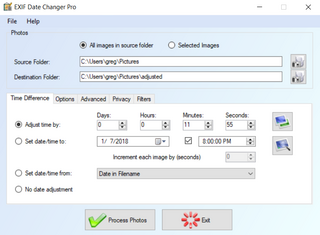
Photo Date Changer for Windows is an easy to use utility that allows you to correct problems with JPEG shooting dates (called EXIF timestamps). The shooting dates of digital photos ensure correct chronological sorting in third party applications (photo management applications, slide shows, online photo websites, etc.​

and once taken there is no easy way of changing these embedded dates. This leads to endless problems should you ever forget to change time zones when traveling or simply have an incorrectly set camera clock.
Photo Date Changer allows you to manipulate JPEG EXIF timestamps at will by setting them to specific times or batch adjusting them by adding and removing time (essential for correcting the timestamps of images taken with a digital camera with a incorrectly set clock and to compensate for timezone changes).
Photo Date Changer for Windows also allows you to synchronize the file creation and modification dates with the shooting dates of JPEG EXIF files, so that files are sorted correctly by applications and services that are not EXIF aware.
batch operation
drag & drop into the file list or onto the application icon
select files in the Windows Explorer and activate Photo Date Changer via the right click menu
separate processing for files and folders, batch processing of sub-folders
Windows 10, Windows 8 / 8.1, Windows 7
-

DOWNLOAD
uploadgig
Код:
https://uploadgig.com/file/download/3e3653F72502fb95/wEdgTrTQ_EXIF.Date.Changer.Pro.v.3.8.0.0.rar

rapidgator
Код:
https://rapidgator.net/file/5159d30fccce22831133f37432c01964/wEdgTrTQ_EXIF.Date.Changer.Pro.v.3.8.0.0.rar

nitroflare
Код:
http://nitroflare.com/view/DF89F6880A13980/wEdgTrTQ_EXIF.Date.Changer.Pro.v.3.8.0.0.rar
 
Назад
Сверху