• Здравствуйте. Сайт заработал в архивном режиме форум www.old.nado.in

Anthony's Software !!!

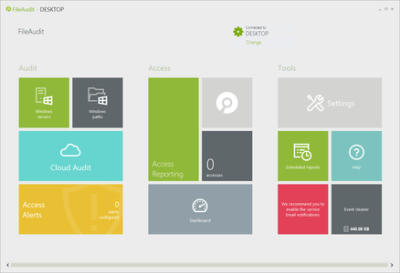
IS Decisions FileAudit 6.0.0.34

38248ec7-222d-426b-9681-ee27b2c7a5d9.png

IS Decisions FileAudit 6.0.0.34 | 64.4 MB

FileAudit - Proactively track, audit, report and alert on all access to files and folders on Windows servers and in the cloud. Configuring and managing file and folder auditing in Windows Server is painful and inflexible.​

FileAudit represents a management layer that simplifies multi-server object auditing and reporting.
Real-Time Monitoring
Monitor, in real time, access (or access attempts) to sensitive files and folders stored on both Windows systems and with cloud storage providers; OneDrive, Google Drive, Dropbox and Box.
Alerts & Automated Response
Set up Email alerts and a triggered response for access events (access denied - file deletion - a specific user, machine or IP address - time of access) and mass access such as the copy, deletion or movement of bulk files.
File Server Intelligence
Schedule recurrent email delivery of reports customized according to multiple criteria (path, file type, access type, IP source address, machine name, etc.) for auditing and regulatory compliance.
Delegation to Non-IT
Create specific accounts for people with no administrative rights (external auditors, non-IT executives, etc.), allowing them to perform audits securely and autonomously.
Secure sensitive enterprise data from improper access, potential theft, alteration or destruction
FileAudit provides IT professionals with the optimal visibility into data access events to help detect and combat malicious access and the alteration of sensitive information. The opportunity to react quickly in identifying potential abuse significantly reduces the risk of security breaches.
Simple to install & easy to use
Agentless, remote and non-intrusive; FileAudit offers an easy yet robust tool to secure access to files, folders and file shares that reside on Windows System. Microsoft certified for compliance and support with Windows Server 2012 and Windows 8, FileAudit is installed in less than 3 minutes on any machine. Because FileAudit is so easy and intuitive, even non-IT executives (and external auditors) can use FileAudit securely and autonomously.
Significantly reduce the workload related to monitoring access to sensitive files and folders
Manual event log analysis is a tedious and time-consuming task: decrypting hundreds or even thousands of events, and attempting to retrieve those of interest generates endless hours of non value added work and creates a significant risk of error.
Help regulated organizations meet compliance requirements
Organizations can prove to regulators that sensitive information is being monitored and protected effectively through comprehensive monitoring on all access activity to data found on files, folders and file shares.
Perform accurate IT forensics
FileAudit automatically archives all file activity events into a fully-documented Microsoft Access or SQL Server database for future reference and gives IT administrators the ability to support accountability and legal investigations.
Release Notes:
Added in version 6.0:
- Ability to audit accesses on files stored by OneDrive, Box, Dropbox and Google Drive.
- New accesses on files stored by OneDrive, Box, Dropbox and Google Drive (Copy, Rename, Move, Shared etc.).
- New Cloud Audit view in the console.
- Ability to start a process when an alert is triggered.
- New Subscription licenses.
- Ability to remove service events in console Warnings view.
- Windows Servers and Windows Paths views.
- Event Details view.
- Sync process of Active Directory group members.
- Console Statistics view.
FileAudit supports the following operating systems for Audit service installation (as for Console installation):
- Windows Server 2019
- Windows Server 2016
- Windows 10
- Windows 8
- Windows Server 2012 R2
- Windows Server 2012
- Windows 7
- Windows Server 2008 R2
- Windows Server 2008
- Windows Server 2012
- Windows Vista
- Windows Server 2003
- Windows XP
The .Net Framework 4 is required.
Take note that retrieving the IP address of the computer from which the access attempt has been performed through the network is supported for Windows 2008 R2 or higher File servers.
-

DOWNLOAD
uploadgig
Код:
https://uploadgig.com/file/download/cd3b6e6f6eBd5439/wL8sBSAG_FileAudit.6.0.0.34.rar

rapidgator
Код:
https://rapidgator.net/file/bb2aad3fb373d8d3a658b6803f4d7f20/wL8sBSAG_FileAudit.6.0.0.34.rar

nitroflare
Код:
http://nitroflare.com/view/11BD564C6035124/wL8sBSAG_FileAudit.6.0.0.34.rar
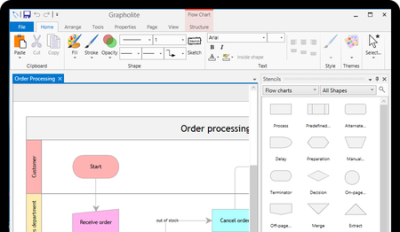

 
Grapholite 4.0.2 (x64) Multilingual

bff2ca83-413b-4851-9f43-e5c693e19198.png

Grapholite 4.0.2 (x64) Multilingual | 28.9 Mb

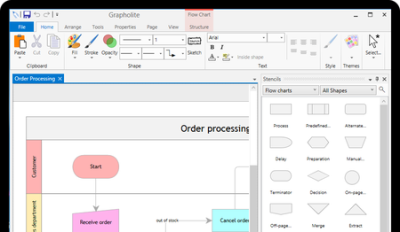
Grapholite is an easy to use, touch-friendly, inexpensive, yet very powerful alternative to Visio that can be used for all types of business graphics: flowcharts, floor plans, office layouts, uml diagrams, organizational charts, mind maps, venn charts, bpmn diagrams, web-site structures and wireframes, technical drawings, network layouts, ui mockups and much more.​

Use touch, pen, mouse, keyboard or all of them to create professional-looking diagrams in minutes
Unlike most tablet applications our iPad, Android and Window 10 apps are not a lite version of a desktop solution, but the real thing: all features of our desktop offering are available on smaller screens. On mobile, we fully embrace "content first" approach. Nothing stays between you and your work. All control elements are context aware and are placed on the flyout panels that appear on the screen only when you need them. Our UI allows you to be really productive on tablet devices.
Easy creation and styling
Creating beautiful drawings does not require design skills thanks to built-in themes and styles, hundreds of ready-to-use shapes on the toolbox, dynamic grid, snap lines and smart shapes. Unique "sketch" mode allows styling of any figure as if it is sketched by hand.
Smart algorithms
With Grapholite, you will be able to design even the most sophisticated diagrams with a couple of clicks/taps. An intellectual algorithm of connector layout helps you make automatic connections between the diagram elements as neatly as possible. Minimum intersections, a little shift of a line in the place where the connections could overlap, a loop in the intersection of the links - all these details that seem to be unimportant are in fact very useful and make your flowcharts more professional and readable. Minimum manual work is required.
Windows 7, 8/8.1, 10 (64-bit only)
-

DOWNLOAD
uploadgig
Код:
https://uploadgig.com/file/download/fF2af1aD23c0e9f4/MSBOoIDy_Grapholite.4.0.2.rar

rapidgator
Код:
https://rapidgator.net/file/9826e49d1433176870cf61300990a19e/MSBOoIDy_Grapholite.4.0.2.rar

nitroflare
Код:
http://nitroflare.com/view/5F16F8C511F7C79/MSBOoIDy_Grapholite.4.0.2.rar
 
Power Music Professional 5.1.5.0

c344bf7c-5b6d-4af3-9983-d973f2d3b64a.png

Power Music Professional 5.1.5.0 Multilingual | 145 Mb

Much more than just a music display system. Power Music gives you total control over your music collection - sheet music and chord sheets. All your music, in one place, instantly available on-screen for practice and performance.​

Free yourself from the hassles of paper
All your music, in one place, instantly available on-screen for practice and performance.
Create and manage your chord sheets
Convert chord sheets in PDF and Word documents into fully transposable chord sheets.
Find your music instantly
Search your music collections using title, composer, first line, category, or even by melody.
Share music, set lists and annotations
Give everyone in the band, group, or orchestra access to the set list and their music, fully annotated.
Effortless page turning
Move through your music and set lists using a foot pedal or touchscreen.
See your music clearly
Enlarge music and change colours to aid visually impaired musicians.
Explore the features of Power Music
No other music display system comes close to the sophistication of Power Music. Explore the amazing features of this unique software. In addition to the information on this page we have extensive help videos explaining each feature in detail in our Help Centre, and a full feature comparison table can be found here.
Display sheet music, chord sheets or both
Choose to display sheet music, chord sheets or both. Set the number of columns or pages per screen to display.
Search by multiple criteria
Incredible fast and powerful search options. Search by title, first line, words in lyrics, author, category, melody, alternative titles and copyright information. Worship musicians can choose to search by Bible reference.
Create and share playlists
Search for a song and with one click or tap, add it to a playlist (setlist). Save and recall your playlists. Re-order the list, print it, or share it on Power Music Box for the other musicians and band members you play with to see it.
Transpose chord sheets, add capo chords
You can instantly transpose a chord sheet, either by selecting a key from a drop down list or in full screen performance mode by tapping + or - to transpose up or down. Select your capo key and the chords are displayed in brackets. It even tells you what fret to use.
Page turning using keyboard, touch screen or foot pedal
Effortless page turning. Hands-free - using USB or Bluetooth foot pedal or tap the touchscreen, USB button or keyboard. Turns the page and moves through a playlist.
Full screen display in portrait or landscape
In full screen mode you make the most of all the space on the screen. Menu and icon bars are switched off. The sidebar, which can also be switched on and off, shows the playlist, a clock, your performance notes and a link to an optional audio track, for example a backing track. Press 'M' or tap the clock and a metronome appears. Automatic single page display in portrait or multiple pages in landscape.
Annotate your music
Annotate your music using tools to draw, highlight, add sticky notes, musical notation, fingering, bowing, performance marks, bar numbers for quick navigation and much more.
Quick navigation
In large pieces of music or a score with many pages, Power Music's Performance Marks and Bar Numbers allow instant navigation to any page or part of the piece of music. This feature is especially important and useful for orchestral players and accompanists during rehearsals.
Add performance notes
At a practice or rehearsal, add a performance note to a piece of music as a reminder. Use for organ registrations, intros and play order etc.
Intelligent chord sheet editor
The chord sheet editor has all the features you need to make creating and editing chord sheets a breeze. Type in your chord sheets or paste in lyrics/chord sheets. A single click places a chord above the lyrics. Automatic detection of lyrics and chords. Copy and paste from Word documents or web pages or import directly from PDF, .rtf or .txt. All chord sheets are transposable - even the ones you import from Word or PDF!
Sheet music editor - import sheet music from PDF, image files or scanner
Power Music has sophisticated PDF import features. If you want to import your paper sheet music the powerful built-in scanning software in Power Music makes life easy.
Power Music Box - share music & playlists
Power Music Box is integrated into all editions of Power Music. Power Music Box is a simple to use but incredibly powerful cloud storage system for sharing your music and playlists. At the click of a button send songs and playlists up to "My Box". Then securely from My Box into other PCs, Macs or iPads running Power Music.
Buy songs in Power Music format
To save you the time of importing or scanning your music into Power Music, we have set up a on-line music shop called Power Music Store. All the songs you buy from Power Music Store become available in your Power Music Box account (free account available). For more information, visit powermusicstore.com.
Social network and web links
As well as tagging, indexing and referencing your music, you can add web or social network links to all your songs. Clicking on an icon takes you to the artist's Facebook page, Twitter feed, YouTube video, iTunes song, or any other link you choose.
Organise music into libraries
If you play in different bands or play different instruments or teach different music courses, you can organise your music into Libraries to make searching and displaying your music simple.
Instrumental parts
The Parts feature allows you to store multiple versions of a score in the one song then select the part you want to use. Parts could be for scores for different instruments or versions of the song in different keys.
Linked audio track
Every song in Power Music can have an audio track linked to it. This can be used to play a backing track or simply as a help when practising. The audio track can be set to auto-play as soon as a song is selected from the playlist, or it can be played using a key press or a mouse click. The mini-player allows playback control and volume adjustment.
Features for visually impaired musicians
Power Music has been hailed as the greatest tool for VI musicians. Recommended by the RNIB and overseas VI organisations, Power Music has brought new life to musicians who thought their days of reading music were over. Enlarged music and configurable colours have made reading music possible for VI musicians all over the world.
Melody search
One of Power Music's unique features is the melody search. If you know the melody to a song, by simply noting if the next note in the melody is the same (s) as the last note, or higher (u) or lower (l), for the first 8 notes then you can find the song! For example, entering "udduudd" will find Silent Night.
Guitar tuner and metronome
Visual or audio metronome which can appear automatically or by key press. A tempo can be set for each song. The guitar tuner sounds the note for each string for tuning purposes.
Windows Vista, 7, 8, 10
-

DOWNLOAD
uploadgig
Код:
https://uploadgig.com/file/download/f7b89c69d5daA1eE/LgMHDQuf_PowerMusicProfessional5.1.5.0.rar

rapidgator
Код:
https://rapidgator.net/file/557e146a9b2a74d6d4eb6dbc961f682d/LgMHDQuf_PowerMusicProfessional5.1.5.0.rar

nitroflare
Код:
http://nitroflare.com/view/E9C670328CBBF41/LgMHDQuf_PowerMusicProfessional5.1.5.0.rar
 
R-Wipe & Clean 20.0 Build 2235 Portable

0d992a36-8fcc-48e6-aa11-1d55b3c0941a.png

R-Wipe & Clean 20.0 Build 2235 Portable | 19.3 Mb

R-Wipe & Clean is a complete R-Tools solution to remove useless files, free up your disk space, and clean various privacy-compromising information on your online and offline activity. This includes internet history and cookies, lists of ed files and opened documents, various data caches, temporary files, and many more items, created by the operating system, most contemporary internet browsers and communication programs, and by hundreds of third-party applications.​

It is also possible to create specific lists of traces to be cleaned for unsupported applications. All small computer cleaning and file erasing jobs can be combined into large computer cleaning tasks that can be started immediately, or at scheduled time/events.
Computer Cleaning
Traces Selection helper: a tool to quickly select some of the most common traces to clean.
Cleaning Internet activity: removing traces from most contemporary browsers and communication programs.
Cleaning personal traces: removing various lists, logs, caches, temporary files, and other traces of your activity.
Cleaning system traces: removing registry traces, temp files, system history, and various log files.
Cleaning traces from various third-party programs: removing various caches, logs, temporary files, recent file lists, and other traces left by applications.
Cleaning can be performed as a background task and computer can be turn off upon its completion.
Wiping
Support for SSD devices: R-Wipe & Clean correctly recognizes SSD devices and by default wipes only necessary data on the disk preventing them from additional wear.
Strong or fast erase algorithms, including DoD-approved, for wiping files and free disk space.
Support for FAT/exFAT and NTFS file systems.
Wiping files' alternate data streams and cluster "tips", or free parts of file clusters.
Wiping files directly from File Explorer.
Wiping free space on a single disk directly from its shortcut menu.
Wiping unused space of several disks through one single wipe task.
Wipe records of small files stored directly in the NTFS Master File Table.
Predefined wipe lists of files, folders, and Registry keys to be wiped through a single task. Files or folders can be added to a current wipe list directly from File Explorer.
All separate cleaning and wiping actions can be combined into large wipe and clean tasks to launch them manually or at scheduled times or events (user log-on/log-off, system start-up/shutdown, closing any or all browsers, etc.)
Detailed representation of all trace items on your computer.
Detailed logging of all wipe and clean operations.
Customization: R-Wipe & Clean can hide those items you will never want to clean.
Full system integration: Most wipe and clean operations can be performed directly from Windows.
Password protection.
R-Wipe & Clean Smart: an advanced tool to create and manage very complex wipe lists.
Cleaning and wiping task can be started from a command line.
Boss Key to close a web-browser in emergency.
Stealth mode to hide computer cleaning.
Standby/hibernate control: Your computer will not hibernate until R-Wipe & Clean finishes its long job.
Startup Renaming for files/folders locked by Windows and other programs. They will be renamed and cleaned during the next start-up.
An Intel-compatible platform running Windows 7/8/8.1/10 or Windows Server 2008 R2/2012/2012 R2/2016.
The administrative privileges are required during installation to install R-Wipe & Clean's Windows Explorer shell extensions.
-

DOWNLOAD
uploadgig
Код:
https://uploadgig.com/file/download/609187d39c5b6A54/ShQ9PThK_RWipe.Clean.20.0.Build.2235.Portable.rar

rapidgator
Код:
https://rapidgator.net/file/e6ade28ebc852a95b7cbb0f34ff92ed3/ShQ9PThK_RWipe.Clean.20.0.Build.2235.Portable.rar

nitroflare
Код:
http://nitroflare.com/view/67861EEA2835BEE/ShQ9PThK_RWipe.Clean.20.0.Build.2235.Portable.rar
 
Grapholite 4.0.2 Portable

1ea46a50-adca-45e0-a213-ffedbf662101.png

Grapholite 4.0.2 (x64) Portable | 20.4 Mb

Grapholite is an easy to use, touch-friendly, inexpensive, yet very powerful alternative to Visio that can be used for all types of business graphics: flowcharts, floor plans, office layouts, uml diagrams, organizational charts, mind maps, venn charts, bpmn diagrams, web-site structures and wireframes, technical drawings, network layouts, ui mockups and much more.​

Use touch, pen, mouse, keyboard or all of them to create professional-looking diagrams in minutes
Unlike most tablet applications our iPad, Android and Window 10 apps are not a lite version of a desktop solution, but the real thing: all features of our desktop offering are available on smaller screens. On mobile, we fully embrace "content first" approach. Nothing stays between you and your work. All control elements are context aware and are placed on the flyout panels that appear on the screen only when you need them. Our UI allows you to be really productive on tablet devices.
Easy creation and styling
Creating beautiful drawings does not require design skills thanks to built-in themes and styles, hundreds of ready-to-use shapes on the toolbox, dynamic grid, snap lines and smart shapes. Unique "sketch" mode allows styling of any figure as if it is sketched by hand.
Smart algorithms
With Grapholite, you will be able to design even the most sophisticated diagrams with a couple of clicks/taps. An intellectual algorithm of connector layout helps you make automatic connections between the diagram elements as neatly as possible. Minimum intersections, a little shift of a line in the place where the connections could overlap, a loop in the intersection of the links - all these details that seem to be unimportant are in fact very useful and make your flowcharts more professional and readable. Minimum manual work is required.
Windows 7, 8/8.1, 10 (64-bit only)
-

DOWNLOAD
uploadgig
Код:
https://uploadgig.com/file/download/51e4C160E0cf3edB/WDUZLk7k_Grapholite.4.0.2.Portable.rar

rapidgator
Код:
https://rapidgator.net/file/999ff51e6a96e7bf74b2a4156cee1d32/WDUZLk7k_Grapholite.4.0.2.Portable.rar

nitroflare
Код:
http://nitroflare.com/view/86C5413488B75F8/WDUZLk7k_Grapholite.4.0.2.Portable.rar
 
iliumsoft eWallet 8.5.1.35856 Portable

f349d79b-b860-438f-a7c7-37c7b016fe3a.png

iliumsoft eWallet 8.5.1.35856 Portable | 11.2 Mb

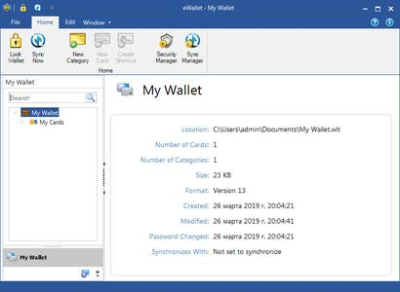
The number of passwords you need every day for websites and work systems can be impossible to remember. eWallet helps you protect yourself by keeping your passwords safe, but easy for you to access when you need them on a variety of devices.​

Store Your Information Securely
Using government-level (FIPS) 256-bit AES encryption, eWallet protects your personal information from falling into the wrong hands.
Never Forget Another Password
eWallet remembers your passwords so you don't have to. Create strong passwords for online banking and more - stop choosing weak passwords just so you won't forget.
Use Your Data Anywhere
With our included SyncPro technology you can synchronize your wallets between eWallet on your iPhone, iPad, iPod touch, or Android device (separate purchase) and your Windows PC via local Wi-Fi or the cloud.*
Protect Your Info
Protect Yourself, Your Money and Your Info: Weak passwords and unprotected data leave you open to identity theft and fraud. You can't be too careful - use eWallet's built-in password generator to create strong passwords.
Windows 7, 8/8.1, 10
-

DOWNLOAD
uploadgig
Код:
https://uploadgig.com/file/download/56dFF9cdacbebaDd/T40F7Vau_iliumsoft.eWallet.8.5.1.35856.Portable.rar

rapidgator
Код:
https://rapidgator.net/file/2b733f3777699b6bf6d43387a2393138/T40F7Vau_iliumsoft.eWallet.8.5.1.35856.Portable.rar

nitroflare
Код:
http://nitroflare.com/view/FE69A80E793BBC0/T40F7Vau_iliumsoft.eWallet.8.5.1.35856.Portable.rar
 
Key Metric Software FolderSizes 9.0.223 Enterprise Edition

982db250-a96b-4f4b-bac4-c69c934c1cd7.png

Key Metric Software FolderSizes 9.0.223 Enterprise Edition | 36.4 Mb

Desktop PCs and servers can quickly end up accumulating large quantities of unused, temporary, and duplicate files. Before you know it, you're out of drive space, backups are taking far too long to run, and users can't find the data they need when they need it.​

You need a visual, interactive software tool to help you manage disk usage. You need FolderSizes. FolderSizes is an award-winning, network-enabled disk space analysis tool. It can quickly isolate large, old, temporary, and duplicate files, or even show file distribution by type, attributes, or owner. All with multiple export formats, command-line support, shell context menu integration, and much more.
Benefits & Solutions
Explore, visualize, and comprehend local and network storage
Reclaim gigabytes of drive space - fast!
Improve storage capacity planning capability
Find the disk space hogs with just a few clicks
Manage and monitor disk space across the network (Pro edition only)
Publish disk usage reports right to your web server share
Streamline file systems to optimize backups
Monitor and enforce employee data storage policies
Find excessively long file names that interfere with CD storage, etc.
Find recently saved files without knowing their names (find recently modified)
Find files owned by a specific individual or group
View the "size on disk" (actual space consumed) for any file or folder
Visualize the distribution of files by file type, age, and size
Find and eliminate empty folders
Search files by nearly any file attribute combination
Schedule the generation of nearly any FolderSizes report (Pro edition only)
Features
Hierarchical folder map visualization (based upon treemap technology)
Integrated scheduler (Pro edition only)
Unicode file and folder name support
Interactive, dynamic, full-color bar and pie graphs
Fast, multi-threaded, network-aware file system scanning
Isolate largest, oldest, duplicate, and temporary files
View disk space utilization by file type / attributes
View local & network disk space usage by owner / group
Command line interface for scripting & integration (Pro edition only)
FilterZip regular-expression based compression system
See total & free space for fixed, removable, network drives
Export reports in HTML, XML (Pro edition only), CSV, and more
Integrates with the Windows shell context menu (32 and 64 bit support!)
Extremely configurable - colors, fonts, print options, etc.
Flexible, multi-path oriented search and file reporting systems
Strong support for viewing allocated disk space (e.g. "size on disk")
"Command Prompt from Here" in all context menus
Super-fast, in-memory database provides stunning performance
Support for direct entry of UNC network paths in all reports
Optional symbolic link skipping
Any edition of Windows 10, 8, 7, Vista, XP, Server 2003, Server 2008, Server 2012, and Server 2016.
Both 32 and 64 bit environments are fully supported.
-

DOWNLOAD
uploadgig
Код:
https://uploadgig.com/file/download/5b6d94d26e18F34f/4pwzpIqH_FolderSizes.9.0.223.rar

rapidgator
Код:
https://rapidgator.net/file/b5b9794aacdd62b2a00dc22576dc05bb/4pwzpIqH_FolderSizes.9.0.223.rar

nitroflare
Код:
http://nitroflare.com/view/942B6B18F8BA64B/4pwzpIqH_FolderSizes.9.0.223.rar
 
Aimersoft Video Converter Ultimate 11.0.0.198 Multilingual

b6ab131d-0da4-4e79-bbcf-7ba1c2045982.png

Aimersoft Video Converter Ultimate 11.0.0.198 Multilingual | 115.4 Mb

250+ formats, 30X faster speed, zero quality loss, all-in-one video and DVD solution! All-in-one video and DVD solution - Create wonderful media life in one-stop mode. Optimized for NVIDIA CUDA, AMD, etc.​

technologies, Aimersoft Video Converter Ultimate ensures accelerated video decoding/encoding on a CUDA-enabled graphics card.
30X faster conversion speed - save your time and fidelity
Optimized for NVIDIA CUDA, AMD, etc. technologies, Aimersoft Video Converter Ultimate ensures accelerated video decoding/encoding on a CUDA-enabled graphics card. The significant performance gain means prompt HD and SD video conversion, smooth playback and the highest quality for all your favorite movies. And the multi-threaded conversion ensures efficient and stable conversion of multiple files (video, audio, DRM and DVD files) at the same time.
Supports most of the video/audio formats, mobile devices, VR devices and game consoles
With an ultra-intuitive user experience, anyone can easily convert video to 250+ formats with excellent output quality. This video converter lets you convert between common video and audio formats, like MOV to WMV and M4A to MP3. It also lets you convert AVI to iPhone (iPhone 7 Plus/7), iPad (iPad Air, iPad Pro), and a rainbow of other devices like Android smartphones (Samsung Galaxy, Note II, HTC,etc.), Windows Phone, PSP, HTC Vive, Samsung Gear VR, Oculus Rift, Xbox One and many more.
Rip DVDs to any popular video or audio format
With Aimersoft Video Converter Ultimate, you can rip and convert DVD to HD video formats like HD MOV, HD WMV, HD AVI and standard video formats like WMV, AVI, MP4, FLV, MOV, MPEG, 3GP, etc. while preserving the high quality of DVD video. You can also extract audio from DVD to MP3, WMA, AAC, etc. for any music players. Converting DVD to multimedia players like iPhone 7 Plus/7, iPod touch 5, iPad Pro, Apple TV, PSP, PS3, Xbox 360, Android smartphones and tablets with optimized setting is also supported.
Burn virtually any video format to DVD
Thanks to the DVD burner, you can easily burn your homemade videos in MP4 or AVI to DVD with great-looking. Other regular video format like MOV, WMV, MTS, M2TS, FLV, 3GP and more are also in the supported list. 10+ fabulous customizable DVD menu templates are provided to make your DVD look more special and professional. Fast burning speed and high output quality are ensured with the leading acceleration technology! Simply create a home DVD from any video for play on and standard DVD player or TV in clicks!
Legally bypass digital copyright protection
If you are fed up with the DRM protection, first you need to convert iTunes movies to Android phones playable format. For WMV, WMA, M4P, M4V, ASF files, etc. that ed or purchased from iTunes,Windows Media Centre, Zune Marketplace, Xbox Live Store, Amazon, BBC iPlayer and other DRM protected media centers, this DRM removal will let you get rid of the DRM protection automatically and convert them to the format you want. With it, you can watch video anywhere you like in a hassle free manner.
Play videos with HD visual effects
The embedded HD media player allows you to watch any ed videos. You don't need to install any other codec or media player for watch the movies you get.
Download videos from various sites
With a built-in video editor, it can and convert virtually all kinds of videos or music from YouTube, Hulu, Vimeo, and many other sites.
Download a single video or an entire playlist in a click
One step to -then-convert all online movies
Fast ing speed and batch ing process
Supported OS: Windows XP/Vista/7/8/10
Processor: Pentium III 800 MHz or higher (PIV 1.6 GHz or higher recommended)
RAM: 1 GB RAM (2 GB recommended)
Free Hard Disk Space: 100 MB or more
-

DOWNLOAD
uploadgig
Код:
https://uploadgig.com/file/download/8A64516842dd46B2/7oPrWvGk_Aimersoft.Video.Converter.Ultimate.11.0.0.198.rar

rapidgator
Код:
https://rapidgator.net/file/a7518022184b5d9335db047a825924df/7oPrWvGk_Aimersoft.Video.Converter.Ultimate.11.0.0.198.rar

nitroflare
Код:
http://nitroflare.com/view/2390B4EAC13E0A0/7oPrWvGk_Aimersoft.Video.Converter.Ultimate.11.0.0.198.rar
 
Creature Animation Pro 3.63 (x64)

79da0e14-46da-40dd-9dff-781e066d3e67.png

Creature Animation Pro 3.63 (x64) | 37.8 Mb

Creature is the Cutting-edge 2D Animation Software designed to add stunningly fluid animation to your digital content. Take advantage of Creature's Directable Automated Animation Engine and powerful workflow to produce amazingly complex animation in an incredibly easy and time-efficient manner.​

Creature is the ideal animation Tool for game developers, digital artists and web designers wanting to add that special animated magic to make your content come alive.
Stunning Results via Groundbreaking Technology
Creature will make you rethink how 2D animation is done. At the heart of Creature lies the Directable Automated Animation Engine, an incredibly powerful technology that allows you to produce motion you might not thought had been possible with traditional skeletal animation software. Creature offers traditional tools like FK and IK chains for animation and then expands beyond that to offer you some very advanced tools: Physics Bend Motors, Automated Walk Cycle Generation, Directable Flesh/Muscle/Soft Body Dynamics, Advanced Intelligent Bone Weighting, 2D Motion Capture and much more.
Your art ready for the world.
Creature exports animation in multiple file formats ready to plug into your content. Easily export your animation into image sequences, sprite sheets, movie files and FBX. For additional power and flexibility, Creature allows the export of your animations into Creature's custom JSON format. We provide Source Code for the Runtimes of most major Game Toolkits to read in and display the animations in your own work.
Create your Character Animation Masterpiece Creature is the ideal animation Tool for game developers, digital artists and web designers wanting to add that special animated magic to make your content come alive.
Documentation, Samples and Tutorials
Learning Creature is your journey into the fascinating world of 2D animation. We provide in depth documentation on the usage of this powerful tool online as well as able animation samples. Video tutorials are also available to teach you how to use the major features of the system.
OS: Windows 7, 8, 10 (64-bit only)
CPU: Recommended Intel i3 or above
Display: Recommended Resolution of 1600x900 or above
GPU: Requires a GPU that can run OpenGL 3.3 and above
Memory: Recommended 4Gb and above
-

DOWNLOAD
uploadgig
Код:
https://uploadgig.com/file/download/333421c7e5480Da9/GlJhV6dV_Creature.Animation.Pro.3.63.rar

rapidgator
Код:
https://rapidgator.net/file/a58d0b7d7c05a7aecf9fdf6e005d0fc1/GlJhV6dV_Creature.Animation.Pro.3.63.rar

nitroflare
Код:
http://nitroflare.com/view/9AD317755AEC693/GlJhV6dV_Creature.Animation.Pro.3.63.rar
 
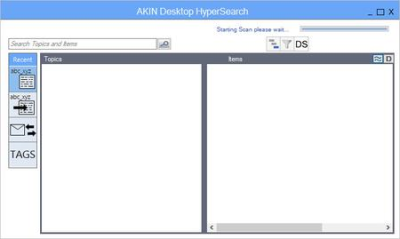
AKIN HyperSearch 2.0.175.0 (x64)

d68d112a-df83-4787-bcb2-60862ce1adaa.png

AKIN HyperSearch 2.0.175.0 (x64) | 11 Mb

AKIN HyperSearch is a lightweight application designed to help users search for files stored on their computer.​

Search capabilities
It boasts a clean and intuitive layout that allows users to start the search process by simply specifying the name of the file or only some characters.
AKIN HyperSearch displays the search results in the primary panel and lets you perform several actions, as you are allowed to insert keyword tags and sort items by the date when they were created or last modified.
Additionally, you can rename files, copy the information to the clipboard, open the directory where the item is stored, run or open the selected file, as well as preview each document in a dedicated window.
Windows x64 only (Versions: Vista, Windows 7 , Windows 8 & 8.1, Windows 10)
MS Office 2010, 2013, and 2016
Includes MS Outlook Add-in for searches from directly within Outlook.
-

DOWNLOAD
uploadgig
Код:
https://uploadgig.com/file/download/D89781238b1aDe08/Qpl7ZUss_AKIN.HyperSearch.2.0.175.0.rar

rapidgator
Код:
https://rapidgator.net/file/996b9989ca35f6b58faa0b0961b5b0d4/Qpl7ZUss_AKIN.HyperSearch.2.0.175.0.rar

nitroflare
Код:
http://nitroflare.com/view/FA85466C8FD5396/Qpl7ZUss_AKIN.HyperSearch.2.0.175.0.rar
 
Actual File Folders 1.14.0 Multilingual

010d9f81-542f-4d0f-a7c6-3a5d7b09f2b1.png

Actual File Folders 1.14.0 Multilingual | 8.4 Mb

Actual File Folders adds two title buttons, called Favorite Folders and Recent Folders. These buttons extend through the entire Windows operating system. It means that you can use them in any common Windows Explorer window, file manager app, and any other software that use system file-related dialog windows, for example, Microsoft Word, Internet Explorer, or Total Commander.​

Favorite Folders
The Favorite Folders ia a file folders extension lets you create the list of shortcuts to the folders you use the most often. Then, you can invoke this list in any file-related window of any program and access any of your favorite folders instantly in a single click. This is a good replacement for the tedious clicking to navigate to the required folder through the folders hierarchy. This resembles a list of bookmarks for your favorite websites in your web browser: instead of typing the URL each time you'd like to open your favorite website, you invoke the list of bookmarks and click that site's bookmark to get to it instantly.
You can manage the list of Favorite Folders shortcuts on the Favorite Folders panel. Then, you can invoke this list by clicking the special title button . When enabled, this button will be added to the title bar of any supported window.
Recent Folders
The Recent Folders is a file folders extension tracks automatically which folders you have been visiting recently and keeps the the list of shortcuts to those folders so that you could get back to them instantly in a single click. This resembles the browsing history in your web browser: you can quickly return to a web page you visited some time ago if circumstances require.
Most of file manager programs (including Windows Explorer itself) offer such service; however, the browsing history is available either while the window remains open or in that particular file manager only.
Instead, Actual File Folders keeps the browsing history globally, no matter which program you have used the folder in. This means that, for example, you can open the document in Microsoft Word from some folder, switch to Microsoft Excel and then jump there to the same folder using the Recent Folders history.
You can adjust the Recent Folders options on the Recent Folders panel. The list of recent folders can be invoked by clicking the special title button . When enabled, this button will be added to the title bar of any supported window.
Windows 10 / 8.1 / 8 / 7 / Vista / XP / 2000 (both 32-bit and 64-bit editions)
Windows Server 2016 / 2012 R2 / 2012 / 2008 R2 / 2008 / 2003 / 2000 (both 32-bit and 64-bit* editions)
-

DOWNLOAD
uploadgig
Код:
https://uploadgig.com/file/download/A74cd827cAe2Bf1e/HBhjCtIc_Actual.File.Folders.1.14.0.rar

rapidgator
Код:
https://rapidgator.net/file/68b4b13079f937829714d98096e33ece/HBhjCtIc_Actual.File.Folders.1.14.0.rar

nitroflare
Код:
http://nitroflare.com/view/14802F27DC79F8A/HBhjCtIc_Actual.File.Folders.1.14.0.rar
 
Actual Multiple Monitors 8.14.0 Multilingual

62516352-ee77-436c-abb3-391bd53fd861.png

Actual Multiple Monitors 8.14.0 Multilingual | 11 Mb

Actual Multiple Monitors is the comprehensive solution to improve the functionality of MS Windows user interface for comfortable and effective work with multi-monitor configurations. The smart app emulates standard Windows services on secondary monitors, and offers new window management services to free you from routine clicking and let you concentrate on your work undisturbed.​

Powerful yet easy-to-use, Actual Multiple Monitors emulates the original Windows Taskbar on the secondary displays, allowing you to manage windows in your usual manner. Such Taskbar can work in the individual mode, displaying only the tasks running on the same monitor, or in the mirror mode, displaying all the tasks running on all monitors in your setup.
Taskbar on each monitor
Start menu
notification area a.k.a. system tray
clock
Jump Lists support under Windows 7
Pin to Taskbar
grouping similar buttons
preview thumbnails (with the Aero Peek feature under Windows 7)
progress bars on taskbar buttons under Windows 7
Show Desktop button under Windows 7
Quick Launch and other toolbars
dragging the taskbar buttons with the mouse on systems before Windows 7
dragging the system tray icons with the mouse on systems before Windows 7
semi-transparent taskbars on systems before Windows 7
native look in any visual theme - from Windows Classic to Windows 7 Aero
Alt-Tab Task Switcher window on each monitor
new window controls specially designed for a work with multiple monitors
additional button in each window's title bar to put a window instantly to any monitor
additional button in each window's title bar to maximize a window to entire desktop
special hotkeys to put a window instantly to the next/previous monitor
automatic placement of windows by default to the monitor which the mouse pointer is on
automatic placement of certain windows to the specified monitors
easy dragging/sizing of windows - by clicking anywhere inside a window
snapping a dragged/sized window to desktop boundaries and other windows ("sticky borders")
emulation of Windows 7 Aero Snap on Windows XP/Vista
single-click maximization of windows - to entire desktop, to monitor's width, to monitor's height
custom wallpaper - single on entire desktop or individual per monitor (with the ability to run a background slideshow)
custom screen saver - single on entire desktop or individual per monitor
custom desktop profiles - switch between various desktop configuration in a flash!
keeping the order of desktop icons after the desktop configuration/resolution has been changed
desktop mirroring - observe various parts of desktop (windows, monitors, arbitrary areas) in separate floating windows called mirrors
Windows 10 / 8.1 / 8 / 7 / Vista / XP / 2000 (both 32-bit and 64-bit editions)
Windows Server 2016 / 2012 R2 / 2012 / 2008 R2 / 2008 / 2003 / 2000 (both 32-bit and 64-bit* editions)
-

DOWNLOAD
uploadgig
Код:
https://uploadgig.com/file/download/59D00f61CF3c8142/km0iyPLD_Actual.Multiple.Monitors.8.14.0.rar

rapidgator
Код:
https://rapidgator.net/file/01b63b131fc52f1d17acdf0fcee621c8/km0iyPLD_Actual.Multiple.Monitors.8.14.0.rar

nitroflare
Код:
http://nitroflare.com/view/CB037F8954A1C94/km0iyPLD_Actual.Multiple.Monitors.8.14.0.rar
 
Actual Virtual Desktops 8.14.0 Multilingual

4a6feae4-5310-4eb0-ae67-947d13cf4e0b.png

Actual Virtual Desktops 8.14.0 Multilingual | 8.6 Mb

Actual Virtual Desktops provides a "virtual" space - as if you have several logical monitors instead of a single physical one.​

You can extend the real estate of the workspace and move a window from virtual desktop 1 to virtual desktop 2 etc. The actual number of virtual desktops is not limited!
As a multi-tasking OS, Windows allows you running multiple programs simultaneously. As a result, you have a few windows open at any time. But when working with lots of applications, your desktop can easily become overcrowded. Actual Virtual Desktops will help you resolve this problem - you can allocate and classify all of your windows by moving them to virtual desktops.
Windows 10 / 8.1 / 8 / 7 / Vista / XP / 2000 (both 32-bit and 64-bit editions)
Windows Server 2016 / 2012 R2 / 2012 / 2008 R2 / 2008 / 2003 / 2000 (both 32-bit and 64-bit* editions)
-

DOWNLOAD
uploadgig
Код:
https://uploadgig.com/file/download/eE20bc0929409f50/qzxgleaP_Actual.Virtual.Desktops.8.14.0.rar

rapidgator
Код:
https://rapidgator.net/file/44969ce71e8cbac1733ea7874656bd81/qzxgleaP_Actual.Virtual.Desktops.8.14.0.rar

nitroflare
Код:
http://nitroflare.com/view/54C3DEA8D84BC66/qzxgleaP_Actual.Virtual.Desktops.8.14.0.rar
 
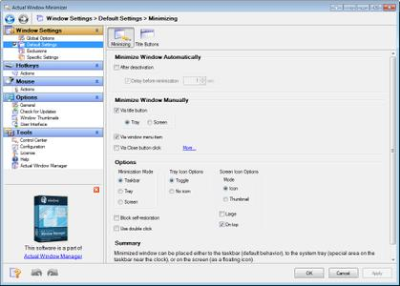
Actual Window Minimizer 8.14.0 Multilingual

be48f0f3-3a2d-4440-91da-11359b6d5134.png

Actual Window Minimizer 8.14.0 Multilingual | 8.6 Mb

Since Windows operating system doesn't provide the default ability to minimize any window to the system tray, Actual Window Minimizer was developed for this single purpose but being developed for years now it performs this single function flawlessly.​

Actual Window Minimizer is a small but powerful utility which is only needed to be installed to bring the minimize-to-tray ability online in a most quick and easy way: it adds an extra Minimize-to-Tray button to every window's title bar so that you can send any window to the system tray in a single mouse click! You can use Actual Window Minimizer for free for 60 days after it is installed so just and try it yourself now!
Besides the extra button Actual Window Minimizer offers many other ways to perform the minimize-to-tray action. For example, you can override the default behavior of any window's standard Minimize button and use it for the alternative minimization. Also you can hide windows in the tray automatically upon their startup or deactivation. Comprising the experience of thousands of its users Actual Window Minimizer is the ultimate solution for the 'Minimize-to-Tray' problem!
Work on: Windows 10 / 8.1 / 8 / 7 / Vista / XP / 2000 (both 32-bit and 64-bit editions)
Windows Server 2016 / 2012 R2 / 2012 / 2008 R2 / 2008 / 2003 / 2000 (both 32-bit and 64-bit* editions)
-

DOWNLOAD
uploadgig
Код:
https://uploadgig.com/file/download/183C727A2d255dE5/bPsYz32v_Actual.Window.Minimizer.8.14.0.rar

rapidgator
Код:
https://rapidgator.net/file/86925ba0ec8cd6df1a2f39661abe049f/bPsYz32v_Actual.Window.Minimizer.8.14.0.rar

nitroflare
Код:
http://nitroflare.com/view/74B86D927AB6549/bPsYz32v_Actual.Window.Minimizer.8.14.0.rar
 
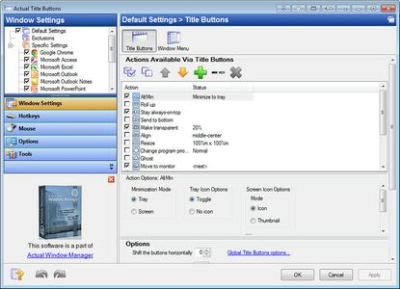
Actual Title Buttons 8.14.0 Multilingual

5257d408-2dfb-4b26-ad2d-ae52c11d3c1a.png

Actual Title Buttons 8.14.0 Multilingual | 8.8 Mb

Windows concept is quite usable when it comes to minimizing, maximizing and restoring a window. However, there are still possibilities to unleash. Actual Title Buttons is the unique window management tool which offers extended window manipulation capabilities by adding new buttons to a window caption.​

By clicking these buttons as you are used to do with the standard ones, you can take advantage of hidden Windows features, such as:
- making any window semi-transparent
- rolling windows up
- minimizing any window to Windows notification area (also known as system tray)
- making any window always-on-top
- quickly resizing any window to most appropriate size
- quickly placing any window to most appropriate position
- changing window's program priority on-the-fly
- "ghost" any window (it will pass through mouse clicks)
- easily move any window between monitors in a multi-monitor system
- quickly copy to clipboard window contents
- quickly paste clipboard contents to any window
These new buttons look native in all standard XP and Vista visual themes and as easy to use as general Minimize/Maximize/Close ones. You can define which buttons should be actually added as to all windows as specify an individual set of buttons for any particular window.
With the help of Actual Title Buttons you can apply the above features to almost any program:
- e-mail clients: Microsoft Outlook, Outlook Express, Mozilla Thunderbird, Eudora, Incredimail, etc.;
- instant messengers: ICQ, Windows/MSN Messenger, Yahoo! Messenger, etc.;
- media players: Windows Media Player, Winamp, etc.;
- office tools: Notepad, Adobe Acrobat Reader, Microsoft Word, Microsoft Excel, etc.;
- graphics suites: Adobe Photoshop, Corel Draw, etc.;
- development tools: Microsoft Visual Studio, CodeGear Developer Studio, etc.;
- offline browsers or FTP clients;
- and many other kinds of programs
Windows 10 / 8.1 / 8 / 7 / Vista / XP / 2000 (both 32-bit and 64-bit editions)
Windows Server 2016 / 2012 R2 / 2012 / 2008 R2 / 2008 / 2003 / 2000 (both 32-bit and 64-bit* editions)
-

DOWNLOAD
uploadgig
Код:
https://uploadgig.com/file/download/10fAdA53706b2f90/4SmQ7fZN_Actual.Title.Buttons.8.14.0.rar

rapidgator
Код:
https://rapidgator.net/file/ed91ba6861e153918d1ba7b3ce40fb78/4SmQ7fZN_Actual.Title.Buttons.8.14.0.rar

nitroflare
Код:
http://nitroflare.com/view/FE4B3659B9A2659/4SmQ7fZN_Actual.Title.Buttons.8.14.0.rar
 
Actual Window Guard 8.14.0 Multilingual

cbcaced6-54db-41e9-b082-14545e83f1c8.png

Actual Window Guard 8.14.0 Multilingual | 8.5 Mb

Actual Window Guard is what you need to keep your workspace in optimal condition for efficient and comfortable work. It has many settings helping to organize windows on the desktop and keep them in the order you prefer.​

It means you won't have to spend time resizing and positioning windows as it will be done automatically. And there are many other features in the program which you can use to skip everyday routine and get better productivity.
The program even enables you to change options which standard controls don't provide (for example, you can remove windows from the taskbar or change individual settings, such as window's icon and title). What's more, the tool supports multi-monitor systems allowing you automatically place particular windows to required monitor and specify window dimensions as per cent values of current monitor's resolution.
Not only Actual Window Guard serves well to facilitate your work with other applications but the program itself is very easy-to-use. The interface is made to be intuitive and friendly, so that you can get accustomed to it right away and quickly make needed adjustments. It's also handy that the tool offers functions for specified types of windows and has features applicable to all types at a time. With Actual Window Guard, it won't take much time to create and manage a system of rules for optimizing each and every detail of your workspace related to windows.
The rules can be applied to windows of almost any types of applications, including x64 ones. Moreover, at the moment Actual Window Guard is the only program of that kind, allowing you to manage command prompt (a.k.a. console/CMD/DOS) windows.
This utility is the final step to optimize your everyday Windows experience and make it far more comfortable!
Windows 10 / 8.1 / 8 / 7 / Vista / XP / 2000 (both 32-bit and 64-bit editions)
Windows Server 2016 / 2012 R2 / 2012 / 2008 R2 / 2008 / 2003 / 2000 (both 32-bit and 64-bit* editions)
-

DOWNLOAD
uploadgig
Код:
https://uploadgig.com/file/download/4d8D5acB50e1f9ed/LzneHFUD_Actual.Window.Guard.8.14.0.rar

rapidgator
Код:
https://rapidgator.net/file/8c0328c7d6b7abcf2948156c57ac0a36/LzneHFUD_Actual.Window.Guard.8.14.0.rar

nitroflare
Код:
http://nitroflare.com/view/FD265F5E8FE9E6D/LzneHFUD_Actual.Window.Guard.8.14.0.rar
 
Actual Transparent Window 8.14.0 Multilingual

4226ca9d-c11a-4e64-8900-dcbad6aa17da.png

Actual Transparent Window 8.14.0 Multilingual | 8.5 Mb

Actual Transparent Window is an innovative Windows desktop enhancement which allows setting any level of transparency for any particular window in the system.With Actual Transparent Window it is very easy to organize the simultaneously opened windows.​

It is a truly new approach to desktop space organization. Now you do not have to minimize and restore windows every time. Along with common techniques of switching between windows Actual Transparent Window offers the depth-based window ordering thanks to a fully customizable transparency levels that are saved individually for each window. When a brilliant idea is combined with a good realization, the results are outstanding!
Actual Transparent Window is intended for a broad range of Windows users who value their time and long for an aesthetic pleasure of modern computing. Windows is multifunctional, and sometimes we work with several different applications. While typing something in Microsoft Word you need, for example, to follow some information in your Internet browser. Push Win+T (toggle transparency), and the desired window becomes transparent, and you will solve your task easily. Besides, usage of semi-transparent windows reduces the negative effect on your eyes!
Features
Individual transparency rate:
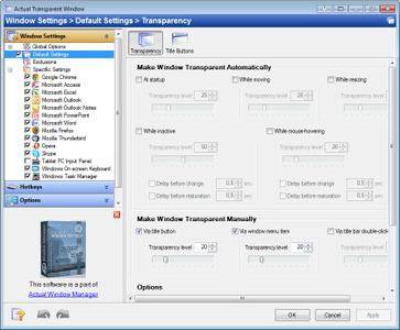
Actual Transparent Window lets you set individual transparency rate for each window. You can change transparency from 0% (solid) to 100% (fully transparent) to achieve the desired effect.
Inactive window transparency:
Actual Transparent Window has option to set transparency only when window becomes inactive. And when you activate this window it becomes non-transparent again. This option may be especially useful for your instant messenger (ICQ, Windows Messenger, Yahoo! Messenger or any other).
Ghost mode:
You can also activate the ghost mode. In this case all mouse clicks and moves to be made through the transparent window to underlying windows.
Apply transparency effect while window is moved or is resized:
Apply transparency effect only when you move/drag or resize the window across the desktop. Note that this does not affect your transparency setting for windows while they are not being moved or resized.
Toggle transparency\opaque window state by double click on title bar:
To toggle a window from transparent to opaque, double-click the title bar. To toggle a window from opaque to transparent, double-click the title bar again.
"Make Transparent" button:
The new "Make Transparent" button is may be added to a window title bar. Now you can switch the semi-transparency on/off just by pressing it.
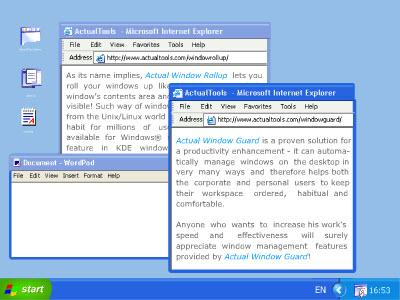
You can select a different transparency level for any window on-the-fly, while it is open! Right-click the "Make Transparent" title button to display its context menu where you can choose one of the predefined transparency levels. It's a very gorgeous effect, try it - and you'll like it very much!
Multilingual support:
Actual Transparent Window is available in English, German, French, Spanish, Russian, Ukrainian, Japanese, Chinese Simplified and Chinese Traditional languages.
Windows 10 / 8.1 / 8 / 7 / Vista / XP / 2000 (both 32-bit and 64-bit editions)
Windows Server 2016 / 2012 R2 / 2012 / 2008 R2 / 2008 / 2003 / 2000 (both 32-bit and 64-bit* editions)
-

DOWNLOAD
uploadgig
Код:
https://uploadgig.com/file/download/8f82Cc6DB8d433a0/YUuTqX0V_Actual.Transparent.Window.8.14.0.rar

rapidgator
Код:
https://rapidgator.net/file/c937e827590c490f654e270c42689a32/YUuTqX0V_Actual.Transparent.Window.8.14.0.rar

nitroflare
Код:
http://nitroflare.com/view/E12DBEFD0698CAD/YUuTqX0V_Actual.Transparent.Window.8.14.0.rar
 
Actual Window Menu 8.14.0 Multilingual

976879fc-6e51-4da9-af2b-f10bf49d50ef.png

Actual Window Menu 8.14.0 Multilingual | 8.6 Mb

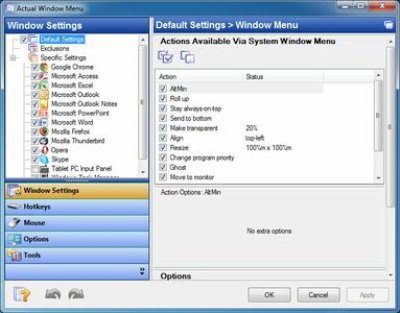
Take Unlimited Control over Your Windows with Extended Window Menu! Actual Window Menu adds several menu items to standard window menu accessible via application icon in the title bar. Among new commands are: Roll Up \ Unroll window, Set window transparency, change program priority, minimize to task tray and always keep window on top.​

These new features allow advanced and newbie Windows users save their time and desktop space by neatly organizing windows.
Installation, as well as the use of the program, is extremely easy and does not require much time. After installation, the application embeds its extra commands into each window's system menu. These new commands are as easy to use as common Move/Size/Minimize/Close ones, and they significantly enhance windows management abilities.
The set of commands can be customized for particular applications so that you can select just features which are really necessary there and, thus, form a convenient and flexible working environment. Actual Window Menu is irreplaceable when you have to work with numerous applications at once switching from one to another, which is very annoying and frustrating.
Moreover, it becomes quite difficult to distinguish between minimized programs as they get the taskbar piled up. Actual Window Menu enables you to forget that chaos and proceed with your work not being disturbed by windows mess on the desktop.
Actual Window Menu is a complex application that provides advanced users with alternative ways of organizing and managing windows.
Here are some key features of "Actual Window Menu":
· The 'Minimize to Tray' feature lets you save taskbar space while providing access to minimized applications via the system tray icons. Make your own taskbar less cluttered and more handy!
· The 'Make Transparent' feature lets you apply transparency effect from 0% (fully transparent) to 100% (solid) rate to any program in Windows 2000/XP.
· The 'Stay on Top' feature helps you place the selected windows on top of other ones, so that it were always accessible and couldn't be hidden by other windows. Don't let these windows annoy you when you busy!
· The 'Resize Window' feature allows you to set the size of any selected application window to have it always opened at the size you want. You can choose any Default Window Size from the list which includes exact window sizes in pixels (e.g. 640 x 480; 800 x 600; 1024 x 768) or in percents from the desktop size (e.g. 100% x 100%; 50% x 50%). Moreover you can set the width and height of any window on your own by using Custom Window Size option.
Windows 10 / 8.1 / 8 / 7 / Vista / XP / 2000 (both 32-bit and 64-bit editions)
Windows Server 2016 / 2012 R2 / 2012 / 2008 R2 / 2008 / 2003 / 2000 (both 32-bit and 64-bit* editions)
-

DOWNLOAD
uploadgig
Код:
https://uploadgig.com/file/download/5f6c475EE2090Dbc/ityow0Ox_Actual.Window.Menu.8.14.0.rar

rapidgator
Код:
https://rapidgator.net/file/9a32b1df02167e1a7c72112a7bc236d3/ityow0Ox_Actual.Window.Menu.8.14.0.rar

nitroflare
Код:
http://nitroflare.com/view/CE77419B3092B5E/ityow0Ox_Actual.Window.Menu.8.14.0.rar
 
Nsasoft Product Key Explorer 4.1.2.0 + Portable

5b8afa80-1a39-486d-9534-f5293e00b64b.png

Nsasoft Product Key Explorer 4.1.2.0 + Portable | 4.3/1.5 Mb

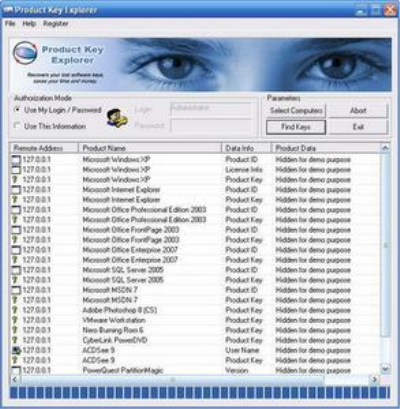
Product Key Explorer is a powerful product key finder solution for Windows, designed to help users find, recover and backup activation keys for +8000 popular software programs installed on local or network computers.​

Key Features and Benefits
Find product keys for over +8000 most popular programs: Windows 8.1, Windows 8, Windows 7, Vista, Windows 10, Microsoft Office, Adobe CS6, CS5, CS4 and CS3, Norton, Electronic Arts games, WinZip, Nero and more.
Product key Explorer recovers product keys for software installed on your local and network computers, allows track the number of software licenses installed in your business.
With Product Key Explorer you can recover lost product keys for all major software programs, prevent losing your investment and money!
You can save product keys as Tab Delimited Txt File (.txt), Excel Workbook (.xls), CSV Comma Delimited (.csv), Access Database (.mdb), SQLLite3 Database, Web Page (.html) or XML Data (.xml) file, Print or Copy to Clipboard.
Windows XP, Vista, 7, 8/8.1, 10
-

DOWNLOAD
uploadgig
Код:
https://uploadgig.com/file/download/ee8a321c8e498Cc1/SLPZvnhA_Product.Key.Explorer.4.1.2.0.Portable.rar
https://uploadgig.com/file/download/aab6eeE685384060/SLPZvnhA_Product.Key.Explorer.4.1.2.0.rar

rapidgator
Код:
https://rapidgator.net/file/f16b071eea8b15ef7ee4df9adb3e86ef/SLPZvnhA_Product.Key.Explorer.4.1.2.0.Portable.rar
https://rapidgator.net/file/f2b1c5e6ea46b74cb6af3aa0f3d12b95/SLPZvnhA_Product.Key.Explorer.4.1.2.0.rar

nitroflare
Код:
http://nitroflare.com/view/C4AADC3586FB48D/SLPZvnhA_Product.Key.Explorer.4.1.2.0.Portable.rar
http://nitroflare.com/view/DD9FBA09443072C/SLPZvnhA_Product.Key.Explorer.4.1.2.0.rar
 
Wondershare Recoverit 7.3.2.3 Multilingual

9b9735ea-6462-4930-b358-6f6aab93be15.png

Wondershare Recoverit 7.3.2.3 Multilingual | 44.6 Mb

We Recover Data Recoverit recover your deleted, lost data with high recovery rate. Data recovery is easier, faster, and more reliable than ever before. As time passed, the data that could be stored on our computers hasgrown to be able to have greater and greater value, either from an economic or sentimental standpoint.​

This makes data safekeeping an important aspect of our lives, and using a suitable software solution in case of failures and deletions, such as Recoverit, can be a good backup plan to have.
A modern looking software application
The moment you first launch the app you are greeted by a modern looking UI that is reminiscent of Windows 10 store apps. Everything is arranged in an intuitive and minimalist manner, so you will always know what you have to do.
All scanning processes are divided into several categories, ranging from the typical recovery of accidentally deleted files to the recovery of files lost due to partition format or failure.
A data recovery tool that offers support for a wide range of file formats
Once you select a recovery category, you will be greeted by a wizard-like process that will guide you step by step, ultimately finishing up with it displaying the scanning results of the selected media.
You have the option of choosing what file categories you want to recover, such as only the pictures, music, common MS Office files or even Outlook-specific mail files such as OST or PST.
There are no variables regarding how long a file scan lasts, expect maybe the amount of data that could be recovered, or your PC's general processing power. Finally, once the app successfully recovers all of the data you want, you may export it to a specified file directory.
An overall good file recovery software tool
Recoverit is a good piece of software when it comes to recovering deleted or lost items. The response times are short, and the interface is user-friendly, making it a good addition to anyone's digital library.
Windows 10/8/7/Vista/XP
-

DOWNLOAD
uploadgig
Код:
https://uploadgig.com/file/download/f16965A18119f0E2/sWzSwqtR_Recoverit.7.3.2.3.rar

rapidgator
Код:
https://rapidgator.net/file/0f226deb1ead0da333bf8e490f2e2ecb/sWzSwqtR_Recoverit.7.3.2.3.rar

nitroflare
Код:
http://nitroflare.com/view/7DF8C8106D6DE54/sWzSwqtR_Recoverit.7.3.2.3.rar
 
Назад
Сверху