• Здравствуйте. Сайт заработал в архивном режиме форум www.old.nado.in

Anthony's Software !!!

Rename Us 4.2.4

84bb0617-9443-4e55-ab74-aa3c34c81870.png

File Size : 3 Mb

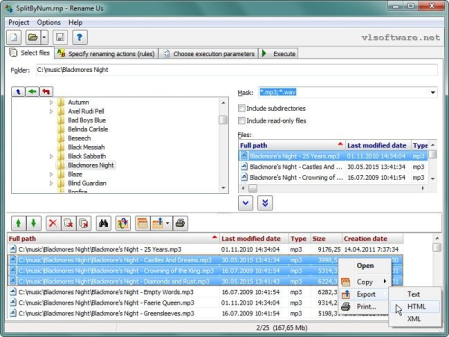
Rename Us is a file renaming utility that enables you to rename and move or copy a group of files.​

You can combine multiple rules to change case, add/remove a suffix or prefix, add increment counters, replace strings and other name modifications.The file name changes can be previewed in a test run without changing the actual file names. Your renaming rules can be saved so that they can be quickly applied at a later time.

DOWNLOAD
uploadgig
Код:
https://uploadgig.com/file/download/6021d6Af8dfbD824/W0WgZ4Ar_renamus_.rar

rapidgator
Код:
https://rapidgator.net/file/ea9538677c615a894c218e6b28ac621c/W0WgZ4Ar_renamus_.rar

nitroflare
Код:
http://nitroflare.com/view/AD3D8ACBC11351B/W0WgZ4Ar_renamus_.rar
 
SideSlide 4.70

4de00abf-ad58-4f5b-8ed4-061f18e54eaf.png

File Size : 1.1 Mb

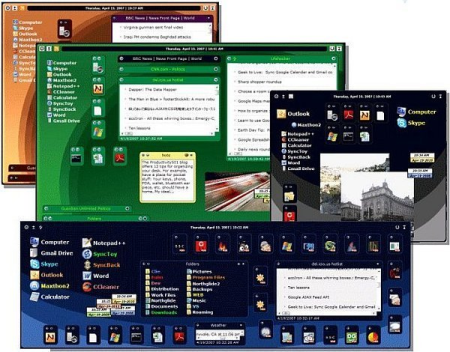
SideSlide is a feature-packed desktop launcher which allows you to organize a bunch of tools in a customizable working environment, such as a folder container, notes and file shortcuts.​

It is designed to all users who are looking to personalize their desktops. This piece of software has a portability option available in the installation procedure. Therefore, you can save SideSlide on a removable device (e.g. USB flash drive), store it on any computer and directly run its executable file. In this case, no items can be found on the hard drive or in the Windows Registry after app removal. Moreover, you can always have SideSlide with you when you're on the move.
The interface of the program is based on a stylish layout where you can lock/unlock the workspace for editing, as well as shrink/expand and fold/unfold all containers.
By opening the context menu, you can access a wide range of features. SideSlide allows the creation of containers (file or directory shortcuts, web URL, system command), folder containers, RSS news feeds, notes, reminders and pictures.
Each of these elements can be detached from the workspace area and includes its own set of configurable settings. For instance, you can submit RSS news feed, note and shortcut containers to a library, start slideshows from pictures, and choose container icons.
Some customization properties are available when it comes to the appearance of the items (change the background colors). Plus, you can edit tags and alter SideSlide settings (e.g. explode/implode effect, special effects, floating toolbar, minimize to system tray).
SideSlide requires a moderate amount of CPU and system memory, has a good response time, supports keyboard shortcuts and includes helpful tips. No error dialogs have been shown in our tests and SideSlide did not freeze or crash. Thanks to its intuitive layout and rich features, SideSlide can be handled by both first-time and experienced users who want to better organize their tasks.
Instantly accessible and adjustable workspace that stays out of your way until you need it
Add multiple shortcuts, commands, URLs, RSS news feeds, pictures, reminders and notes
Resizable, detachable, foldable and shrinkable containers extend the workspace beyond the limits of the screen. Mouse & keyboard support with a full-blown keyboard launcher and directory navigator
RSS news feed functionality allows you to track what you are interested in the most
Keep your eyes on multiple picture slideshows that are easily added
Floating, colorful notes are quickly created and adjusted in bulk or separately
Shortcuts can be tagged for additional functionality and organization
Various ways of launching multiple shortcuts with a single click
Link containers to actual folders on disk (launch, move, copy and delete files)
Shortcuts, URLs, text and pictures from Windows or your browser can be dragged & dropped in the workspace. -A growing online library with ready made RSS news feed and shortcut containers
Every style and setting in the entire program and for each individual object can be customized
Fancy special effects that don't slow you down
Comes with multiple themes and wallpapers and you can also define your own style
Supports portable setup and the ability to load objects from a relative path

DOWNLOAD
uploadgig
Код:
https://uploadgig.com/file/download/db4c7bbe5E4193Db/8xwh8uGt_SideSlide_v.rar

rapidgator
Код:
https://rapidgator.net/file/1479227e08c29366d6875084097e39fb/8xwh8uGt_SideSlide_v.rar

nitroflare
Код:
http://nitroflare.com/view/E1849832557D9A8/8xwh8uGt_SideSlide_v.rar
 
3delite DS WASAPI ASIO Router Mixer 1.0.44.140

5e216003-4f0f-4965-8542-319fcabacab2.png

File size: 71 MB

DS WASAPI ASIO Router Mixer is an audio input to audio output router/mixer with support of Direct Sound, WASAPI and ASIO modes.​

Any type and number of audio inputs can be routed to any type of audio output with matrix mixing, VST DSP plugin support, 11 band equalizer and recording option. ASIO output mixer is optionally multi-threaded to achieve lowest possible latency for high resolution 96/192KHz output with DSPs as well. Equalizer, matrix mixing and VST DSPs have a preset system to store and recall settings. Basic steps for using DS WASAPI ASIO Router Mixer:
In the upper-center part of the window select an output device. To the right set the desired format and click the 'Enable' switch. ASIO channel pairs inherit the root device's parameters so set the root parameters first if needed for the pairs.
In the left part of the window select an input device. To the right (center of the entire window) select the input's desired format and click the 'Enable' switch. The selected input device will start playing on the previously selected output device. The input device is always enabled through the last selected output device. It's possible to enable multiple input devices for 1 output device, but only 1 output is supported for an input device, but in the input device options panel it's possible (at the bottom) to specify another 'monitor' output device, that needs to be enabled previously, that will play the selected input device too.
To access the 3 FXes on the bottom select an input or output device from the list. The last selected input or output device will be affected. The lower panel's groupbox caption displays the currently selected device's name (input ot output).
For example to apply an equalizer to the device, set the EQ track bars and click on 'Enable'. Of course the parameters can be changed on the fly too.
ASIO channel pairs receive audio data from the root device, so setting any effect, like volume or EQ, VST DSP, on the root device will affect all the channel pairs. Note that most VST DSP plugins support only stereo, so other then 1/2 channel might be unaffected or muted, in this case set the VST DSPs on the channel pairs.
Hints:
Input and output channel/device 'format' settings may have no effect. This is always so with WASAPI and with root ASIO devices' channel count. Input and output ASIO devices will always have the maximum number of channels supported, ASIO pair channels will be always stereo. After enabling the device/channel the actual format is displayed below the set option. To set WASAPI devices' formats, please use the Windows audio devices control panel.
ASIO: if the output is skipping increase the ASIO device's buffer size. It's possible to access the ASIO device's configuration window by enabling the device then right mouse clicking on the device name and selecting 'ASIO Control Panel.'. Restart of DS WASAPI ASIO Router Mixer might be needed after changing the setting. If your computer's CPU has power saving functionality (the CPU is throtled when idle) adjust the CPU power saving option in Windows control panel to 50% or higher if the output is still skipping. A little CPU time can be saved with middle mouse button clicking on the input/output peak value number. This disables the peak calculation process. The fastest CPU (as of April 2019) is the Intel Core i9-9900K @ 3.60GHz for the application. For ASIO output, if multi-threaded processing is enabled in settings, a CPU with more cores is more optimal, this functionality is experimental and only has advantage if there are a lot of ASIO channels with a lot of effects like VST DSPs on the channels.
VST DSP: to bring up the plugin's configuration window double click on the plugin's name. To reset it's settings right mouse click on the plugin's name and from the menu select 'Reset Plugin To Defaults (disable)'.
It is advised to always work in 32 bit float sample format mode when dealing with input and output channels/devices. Recording may be set to any desired format, the sample data will be converted to the set format for recording.

DOWNLOAD
uploadgig
Код:
https://uploadgig.com/file/download/6f54518828c95268/7e2iqAhF_ASIO.Router.rar

rapidgator
Код:
https://rapidgator.net/file/2e7313a415fb78bee4245213837e0218/7e2iqAhF_ASIO.Router.rar

nitroflare
Код:
http://nitroflare.com/view/FBC6E82933FEF43/7e2iqAhF_ASIO.Router.rar
 
PDF Document Scanner Premium 4.23.0.0

7f261848-341a-4364-b5c5-ef3eca5677d4.png

Languages: English | File Size: 342.71 MB | 345.4 MB

Why keep filing cabinets full of old documents and paperwork?​

It's the 21st century after all. Sure those tax returns from 1976 are fun to dig out and look at from time to time, but do you really still need the paper copy after all these years? Fear not, now there is an easy way to create digital copies of your old documents with PDF Document Scanner!- Create digital copies of your old documents with PDF Document Scanner!
- PDF Document Scanner is quick and easy to use.
- Simply set your document on the table and then frame it up on the screen.
PDF Document Scanner is quick and easy to use. Simply set your document on the table and then frame it up on the screen and take a picture. The document will be converted to a PDF file and stored on your device! Create multiple page PDF document projects and save them to cloud storage for backup, burn them to DVD, or whatever else you choose!
It's quite simple. Once you load the app, your next move is to select the source of the scan. It can be a photo or image file on your computer, or you could directly capture a photo with a mobile device or webcam. Either will work wonders. It's quite easy to get a scan loaded into the app, and the options you gain access to afterwards make your job much easier.
The application works like magic. There are no stutters, and errors are something you will not encounter while using this app. It will definitely make life easier for you. It's useful, and it will definitely prove its worth once you get the chance to use it. PDF Document Scanner is an application that should not be missed if you have plenty of documents to scan and not that much time to actually do it with a normal scanner. It's fast and almost as reliable as the hardware variant would be. Furthermore, this application has a couple of added features that you would not get otherwise with normal scanning equipment. Windows 10 (32bit or 64bit)

DOWNLOAD
uploadgig
Код:
https://uploadgig.com/file/download/a16e03A817042D34/FRTiOZQe_.PDF.Docume.rar
https://uploadgig.com/file/download/B46Fb0890b9307f3/FRTiOZQe_.PDF.Docume_.rar

rapidgator
Код:
https://rapidgator.net/file/6e557280e81b6e2ac2c3bf0243bf8113/FRTiOZQe_.PDF.Docume.rar
https://rapidgator.net/file/539ae347b9a90a2ecc4bebcf8328b420/FRTiOZQe_.PDF.Docume_.rar

nitroflare
Код:
http://nitroflare.com/view/A94BC7123EE039E/FRTiOZQe_.PDF.Docume.rar
http://nitroflare.com/view/D54DF00CF0297EC/FRTiOZQe_.PDF.Docume_.rar
 
PilotEdit 13.6.0 Multilingual

c4f837da-ad29-4cb9-ab8b-e288bb3172f5.png

Windows x86/x64 | File size: 35.05 MB

PilotEdit is a handy and reliable file editor designed to help users to execute scripts, extract strings and edit large files.​

PilotEdit is a file editor that will help you search and replace multi line text, edit FTP files or even and upload FTP files and directories. With PilotEdit file editing just became easier. PilotEdit is an advanced text and hex editor that supports opening of files larger than 4GB. It offers customizable syntax and keyword highlighting, advanced search and replace operations, automatic text encoding, 256-bit AES encryption/decryption, and a built-in FTP client lets you open, edit and upload files directly to/from an FTP server.All the program's functions are displayed using a single window. The app's workspace is divided in three smaller windows. The first provides access to the files and folders stored in your computer. The second lets you view and edit the text, while the third is an output window where you can see the program's messages for different actions.
The inserted text can be viewed in a column mode, word wrapped or have the HEX values displayed for the it. The utility can remove tabs and spaces automatically. You can switch the text to upper or lower case letters and increase or decrease text indentation. The app can insert the system date and time into the document. Moreover, words can be browsed, selected or removed using the "Edit" tab.
You can change the encoding to ANSI or UTF and set the output to work on different systems like DOS, UNIX or MAC. The tool can apply different predefined scripts which can change the date format and remove empty lines or HTML tags. PilotEdit can sort, find and remove duplicate lines or be used to extract strings from the text and copy it to the Clipboard.
The utility can search and replace in multiple directories and files the custom item, useful in case you have a big text file with a lot of lines. It can open an encrypted FTP file or be used in the decryption process for your files. The program can store your FTP login details and connect to your FTP server.
Overall, PilotEdit is a handy utility for users who want to edit their documents and then upload them to their FTP server. The program does not burden system resources and did not display any errors during tests.
-The file size supported by PilotEdit is unlimited.
-PilotEdit only uses a little memory even you open a big file.
-ANSI, UTF-8, UTF-16 and UTF-16 big endian files are fully supported by PilotEdit. You may also change a file's encoding with PilotEdit easily.
-DOS, UNIX file support. When you copy/paste text, PilotEdit will adjust text encoding automatically.
-Self-defined file types and key words high-lightening.
-The user interface of HEX mode is as friendly as text mode.
-Column mode.
-Endless undo/redo. You may undo/redo your operations even after you switch between text mode and HEX mode.
-Word wrap enable you to view long lines within one page.
-PilotEdit provides a friendly interface for editing FTP files. You can also /upload FTP files and directories with PilotEdit.
-Searching and replacing multi-line text has become so easy with PilotEdit.
-You may compare two files or two directories with PilotEdit.
-Self-defined string table enable you to add a pre-defined text by just one click.
-Regular expression has made search and replacement much more powerful.
-You may define some operations in a script file and execute this script file so that you don't need to repeat your work day after day.
-Find/remove duplicated lines
-String collection
-Find/replace in multiple directories
-Sort

DOWNLOAD
uploadgig
Код:
https://uploadgig.com/file/download/dC76b63Db7E9832a/jriSbb9e__PilotEdit.rar

rapidgator
Код:
https://rapidgator.net/file/9eadcf949d548d841ea442558bc89c45/jriSbb9e__PilotEdit.rar

nitroflare
Код:
http://nitroflare.com/view/E6CF7B4F65458AD/jriSbb9e__PilotEdit.rar
 
WinCan VX 1.2019.7.6 Multilingual

74f9856e-b7e6-4c7f-a57b-26449c033dbf.png

File size: 976 MB

Maintaining sewers starts with understanding sewer condition, and WinCan makes it easy to collect detailed, standards-compliant inspection data.​

Relentless focus on innovation and productivity has made WinCan the industry's most preferred sewer inspection software, with more than 8,500 licenses worldwide. Powerful Analytics
Gathering sewer condition data is just the beginning. To help you make better decisions, WinCan identifies trends, pinpoints hotspots, prioritizes maintenance and lets you forecast budgets. Its broad range of reporting and data visualization tools lets you drill down to the insight you need.
Cloud-Based Collaboration
It takes a team to keep sewers flowing. WinCan Web is a cloud-based platform that lets you assign work and share inspections securely across your team. Results are available instantaneously, everywhere, through an app or browser-without the hassle of servers, offsite backups or email attachments.
Tailored Capability
WinCan bundles combine the core functionality needed for any given role on your team. Whether it's collecting, analyzing or managing data, WinCan bundles are configured to deliver full capability at an attractive price.
Room to Grow
WinCan's modular design lets you expand your capability as needs evolve. Add-on modules support emerging technologies like side scanning, laser, sonar and 3D visualization, as well as powerful features like image-based measurement and data validation/import/export.
Hardware Neutrality
Your choice of software should never constrain your choice of inspection equipment. WinCan works with all brands of sewer inspection technology-including crawlers, zoom cameras and push cameras-as well as all major applications of side-scanning, laser profiling, manhole scanning and other emerging technologies.
Enterprise Compatibility
Data is only useful when it's shared. WinCan integrates with more municipal asset management applications than any other sewer software, ensuring the status and needs of your sewer department automatically roll up into broader asset tracking and resource planning activities.
Feature Walk-through
In one minute, see how easy it is to document and share inspections with WinCan. Then continue on to explore WinCan's analytical toolkit, cloud-based workflow and support for emerging technologies.
Standards Compliance
To understand sewer condition citywide, individual inspections must be performed to a common standard. WinCan supports more observation catalogs worldwide than any other sewer inspection software, ensuring your data is fully portable and yields superior insight.
Bug fixes and improvements
Inspection flags are not updated when editing existing observation fixed
Sweden: "_" from the media naming plugin removed
Thread exception - Joint Counter fixed
Stuck at 20% after launching the software fixed
Report Generator: Null exception fixed
Report Generator: Incorrect outputs when sorting is applied fixed
Report Generator: System.Argument exception when using
SECTION.OBJ_Rating fixed
Export: DWA-M150 Abandoned codes BDCZ* need to be exported
differently fixed
Cutom PDF renaming presets unusable after updating VX fixed
OBS_DistanceToGo (m-) wrong calculated fied
DDMS: Error when exporting CD 535 compliant shapefiles fixed
DDMS: Import from GIS doesn't consider laterals fixed
Map: Rendering Wizard is not listing the correct values for selected field
fixed
Isybau 2013 Austria: Can`t Finish Node Observations fixed
Rehab: An error occurs during variant creation fixed
Iranian Catalog added

DOWNLOAD
uploadgig
Код:
https://uploadgig.com/file/download/52784A8e8b7d8c61/iZnt3QWL_WinCanVXS20.rar

rapidgator
Код:
https://rapidgator.net/file/182ec3bfd8ebe7392f19b047fc5ec14b/iZnt3QWL_WinCanVXS20.rar

nitroflare
Код:
http://nitroflare.com/view/CC08AD4FB57A1EE/iZnt3QWL_WinCanVXS20.rar

 
ZPAY TimeBillingWindow 2.0.21

177a958b-1cbf-4ba4-9695-896762ba2fc0.png

File size: 16 MB

Celebrating over 25 years of creating payroll software, TimeBillingWindow follows a long line of easy to use payroll tools starting with ZPAY, ZPAY 3, then PayWindow, TimeClockWindow and now TimeBillingWindow.​

The best news is that our time billing software is simple and easy to use. No more managing hours by hand! No more spending half a day trying to add up the billed hours and pulling your hair out because you lost the notes that you kept your time on or cannot read them! Automation with our time Billing software is the answer!
The best thing about TimeBillingWindow is that it is always ready sitting as a tray icon in the bottom corner of your screen. That means you are only a mouse movement away from logging your time as you work with clients on the phone or in the office!
Starting with the time billing interface, as you can see below, it shows you exactly which tasks are open and being timed while collecting the time worked for fast and easy billing.
It's so easy to use that you don't need to be a computer expert to set up and start using this time Billing software immediately. In fact it's so easy that we sell through the Try-Before-You-Buy method of marketing known as Shareware and we want you to and see for yourself before you buy it. Use the link on the top menu to go to our page.
The above interface of TimeBillingWindow gives you all the tools and power you need to set up and manage your client time billing records. If you charge by the hour the work that you do for your clients, this is the tool for you, simple, fast and very easy to use.
The small Tray Icon site waiting for you on your desktop. A client calls, you pass your mouse over the tray icon and our quick pick window springs into action. You can log your time in that window as you see below or select to open the main window to log your time.
* Software Time Billing, in an easy to use tool
* Runs under Windows 2003, XP, Vista and Windows 7
* Simple to use time tracking interface
* Manages unlimited number of clients to track time for
* Prints out reports as well as invoices ready for your clients
* Easy to add time periods and edit for work done on clients site
* Runs as a Tray Icon for fast and easy access can even start, pause and stop from tray popup
* Projects link to your Clients, Tasks link to Projects and Time Periods link to the tasks
Below is the Edit Time Periods tool from the administrative tools. As you can see, you have the ability to edit, delete and add new time records in this tool. This is just one of the many powerful features to save you time in managing the recording of time that you work for your clients.
Updates: official site does not provide any info about changes in this version

DOWNLOAD
uploadgig
Код:
https://uploadgig.com/file/download/568a9ccf8e7dd91C/La6IT74x_TimeBilling.rar

rapidgator
Код:
https://rapidgator.net/file/d640a600b88d69807cfc2a581f58bedc/La6IT74x_TimeBilling.rar

nitroflare
Код:
http://nitroflare.com/view/021FDE7B47C2A7D/La6IT74x_TimeBilling.rar
 
ZPAY TimeClockWindow 2.0.61.0

3ba34d52-d1c4-45e4-a5ad-b921117f1ca4.png

File size: 31 MB

The TimeClockWindow application follows a long line of easy to use payroll tools starting with ZPAY, ZPAY 3, then PayWindow and now TimeClockWindow.​

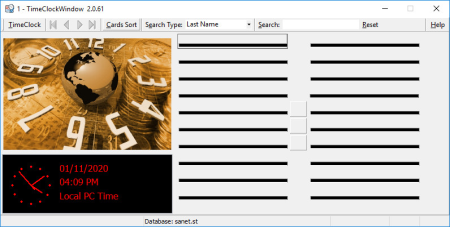
The best news is that our time clock is network ready and can be installed on all of your workstations and used by all of your employees in the same office. No extra costs for workstations or for the number of employees in the company, no limits!No more managing hours by hand! No more spending half a day trying to add up the employee time and pulling your hair out because of messy employee cards that you can't decipher! Automation with our time clock software is the answer! The best thing about TimeClockWindow is that it has full integration with PayWindow. That means full importing employee, company and departments data from PayWindow and pushing the employee hours direct into PayWindow each payday! Starting with the time clock employee interface, as you can see below, it shows you exactly who is clocked in and who is clocked out with color coded tags on the employee "time cards". Red is out, green is in and blue is on break or lunch. There is even a mailbox that shows when the employee has a message waiting when the flag is up. The administrator interface of TimeClockWindow gives you all the tools and power you need to set up and manage your employee time records. And for PayWindow users, it's as easy as clicking a few buttons to import your employees from PayWindow! And if you update any employees in PayWindow, simply re-import to refresh the data.The Employee forgets to clock out? You can edit the "time transactions" to easily fix problems like that. You can even add transactions such as Holiday hours if you have paid holidays, sick time if you pay sick time and even vacation hours.
- Software Time Clock, no expensive hardware to buy
- Simple to use time card interface
- Manages unlimited number of employees at no extra charge
- Network ready for unlimited workstations with no extra charge
- Can also run on single computer in small office
- Interfaces with PayWindow Payroll and imports employees and exports time to PayWindow
- Built-in message center with ability to broadcast to all from administrator
- Built-in security to prohibit time tampering on computer by employees
- Best security - can get time from Internet making it impossible for time tampering on computer by employees
- Password protected to keep employees from shutting down.
- Prints paper reports for those non-PayWindow users (not sure why you'd not use PayWindow)
- Database Merge tool allows you to merge databases from different building not on the Company Network.
- Export features: direct to PayWindow and to CSV file format
- Imports employee information, company information and list of departments from PayWindow
- Password protected at administrator level and for each employee
- Keep track of who is in and who is out at a glance
- Simple to set up and to administer
- PC based system, no expensive time clocks required
- Reports can be selected by individuals, range of individuals and date ranges
- Support for forced lunch and break times
Updates: official site does not provide any info about changes in this version

DOWNLOAD
uploadgig
Код:
https://uploadgig.com/file/download/0b82403c98f1696f/3X3l5R2i_TimeClockWi.rar

rapidgator
Код:
https://rapidgator.net/file/3d997a5e343572bf85a0665bf4ac80bc/3X3l5R2i_TimeClockWi.rar

nitroflare
Код:
http://nitroflare.com/view/7DC0650DD855D1D/3X3l5R2i_TimeClockWi.rar
 
VueScan Pro 9.7.20 Multilingual

4d5fb143-266c-4683-82c2-4af8a040c1fd.png

File size: 23 MB

VueScan is a powerful scanning application that allows you to acquire high-quality images using a flatbed or film scanner.​

If you are not satisfied with the software delivered by the scanner vendor or if you want to improve it with new functions you should try this program.

Whether you need to scan a single page or a hundred page book, VueScan has the tools to help you.
Scan with Flatbed and Automatic Document Feeders (ADF)
Scan to PDF (Single and Multipage)
Optical Character Recognition (OCR)
Automatic Color Detection
Small document file sizes
Automatic document deskewing
Do you have a box full of photos in your drawer? Use VueScan to get them on your computer, and off your to-do list.
Scan to JPG or TIFF
Whether you're saving a few snapshots or archiving boxes of prints, VueScan has the tools you need to output your scans at either the highest possible quality or a large number of good quality scans.
Scan with Flatbed and Automatic Document Feeders (ADF)
VueScan supports over 3000+ different scanners from 35 manufacturers, even scanners that don't have drivers from their manufacturers anymore.
Preset photo sizes for faster scans
VueScan improves one of the slowest parts about scanning by scanning only the part of the flatbed where your photo is. So you can spend less time scanning, and more time enjoying your photos.
Scan multiple photos on the flatbed
Scanning multiple photos with VueScan is very simple. Just put them in the corners of the flatbed, do a preview, and manually crop each of the photos without needing to do another scan.
Automatic file naming for faster scans
Don't waste time manually naming every photo, use VueScan's auto naming feature to include dates, numbers, or other prefixes and suffixes in your file names.
Remove fading and correct colors
Stay out of photoshop and save the best version possible of your photos with VueScan's built in features to remove fading, and correct colors.
VueScan is the ultimate tool for all your film and slide scanning needs.
Works with almost all film/slide scanners
Scan to JPEG/TIFF/RAW
Infrared Dust Removal
Color correction
IT8 Calibration
Photoshop Integration

DOWNLOAD
uploadgig
Код:
https://uploadgig.com/file/download/522E12Db90D64D53/RzozD6Kf_VueScan9.7.rar

rapidgator
Код:
https://rapidgator.net/file/0d27edbff729e6fa628aae4a45c827c0/RzozD6Kf_VueScan9.7.rar

nitroflare
Код:
http://nitroflare.com/view/B7D650C3A5D420C/RzozD6Kf_VueScan9.7.rar
 
ADINA System 9.5.4 (x64)

b22f9cbb-6720-431c-bb8a-bf8a3f899e21.png

File size: 516 MB

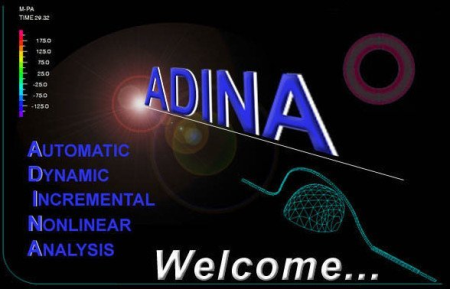
The ADINA System offers a one-system program for comprehensive finite element analyses of structures, fluids, heat transfer, electromagnetics and multiphysics.​

A brief descripton of the different ADINA System modules is presented below:
ADINA Structures The premier finite element program for linear and highly nonlinear analyses of solids and structures.
ADINA CFD CFD program for the analysis of compressible and incompressible flow with state-of-the-art capabilities for moving boundaries and automatic remeshing.
ADINA EM The ADINA EM module provides capability for solution of the general Maxwell's equations, governing electromagnetic phenomena. The resulting electromagnetic effects can be also coupled with fluid flows.
ADINA Thermal Module for the heat transfer analysis of solids and field problems.
ADINA FSI The ADINA FSI (fluid structure interaction) program is the leading code used by industries for fully coupled analysis of fluid flow with structural interaction problems. This module is available to users who license both the ADINA Structures and ADINA CFD modules.
ADINA TMC This module provides capabilities for thermo-mechanical coupled (TMC) analysis, including analysis of contact with heat transfer. By licensing both the ADINA Structures and ADINA Thermal modules, the user automatically has access to this module.
ADINA Multiphysics The ADINA Multiphysics package includes all ADINA solvers for solids and structures, heat transfer, CFD and electromagnetics as well as multiphysics capabilities such as fluid-structure interaction, thermo-mechanical coupling, porous media, piezoelectric, Joule heating and many more!
ADINA User Interface The ADINA User Interface program (AUI) provides complete pre- and post-processing capabilities for all the ADINA solution programs.
ADINA Modeler The ADINA Modeler (ADINA-M) is an add-on module to the AUI that provides solid modeling capabilities and direct integration with all other Parasolid-based CAD systems.
CAD/CAE Interfaces Through the ADINA Modeler, users can directly import Parasolid-based (e.g., NX, SolidWorks, and SolidEdge) CAD geometry. We also provide interface programs to major systems such as I-DEAS and Femap. Where a direct interface is currently not available (e.g., CATIA), the geometry can be imported via our IGES interface.

DOWNLOAD
uploadgig
Код:
https://uploadgig.com/file/download/7Be607a556395e90/IW5ViDLU_ADINA.9.5.4.rar

rapidgator
Код:
https://rapidgator.net/file/f331c85032240fb42dc7120aec1ab00d/IW5ViDLU_ADINA.9.5.4.rar

nitroflare
Код:
http://nitroflare.com/view/771DF9335EDDE89/IW5ViDLU_ADINA.9.5.4.rar
 
PC Info 3.7.0.542 Multilingual

e80ef3fb-0395-466f-81fc-0b7b9ffe7b6b.png

File Size: 24.7 MB

If you really want to call yourself a responsible user, you must first and foremost know everything about your computer, starting from hardware and ending with software.​

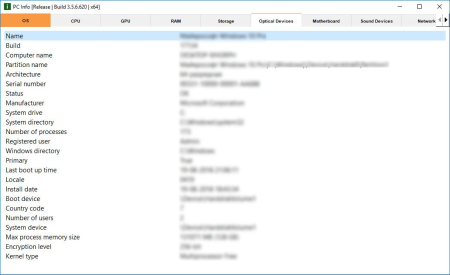
PC Info is a software solution that centralizes all the necessary data belonging to the former category in order to make users aware of their machine's capabilities as well as how they could exploit it more efficiently. New PC Info was redesigned and improved to get the best possible experience.
It will quickly scan your PC and get you access to a variety of services and programs.
Quick scan of your PC
Access to a variety of services/programs directly from the program
You can change the theme of the program
You can add the program to the system tray
The program is localized in three languages: English, ???????, ??????????
Gets information about all system processes
The application not only gets you precious information about your computer's hardware configuration but also gives you access to a series of controls you frequently use.

DOWNLOAD
uploadgig
Код:
https://uploadgig.com/file/download/C36E4f891235e676/U3bgdnt6_PCInfo_.rar

rapidgator
Код:
https://rapidgator.net/file/4508696128444ca5de84f3bacb55e0c4/U3bgdnt6_PCInfo_.rar

nitroflare
Код:
http://nitroflare.com/view/045DC30F96EA70D/U3bgdnt6_PCInfo_.rar
 
ADINA System 9.5.4 (x64)

b22f9cbb-6720-431c-bb8a-bf8a3f899e21.png

File size: 516 MB

The ADINA System offers a one-system program for comprehensive finite element analyses of structures, fluids, heat transfer, electromagnetics and multiphysics.​

A brief descripton of the different ADINA System modules is presented below:
ADINA Structures The premier finite element program for linear and highly nonlinear analyses of solids and structures.
ADINA CFD CFD program for the analysis of compressible and incompressible flow with state-of-the-art capabilities for moving boundaries and automatic remeshing.
ADINA EM The ADINA EM module provides capability for solution of the general Maxwell's equations, governing electromagnetic phenomena. The resulting electromagnetic effects can be also coupled with fluid flows.
ADINA Thermal Module for the heat transfer analysis of solids and field problems.
ADINA FSI The ADINA FSI (fluid structure interaction) program is the leading code used by industries for fully coupled analysis of fluid flow with structural interaction problems. This module is available to users who license both the ADINA Structures and ADINA CFD modules.
ADINA TMC This module provides capabilities for thermo-mechanical coupled (TMC) analysis, including analysis of contact with heat transfer. By licensing both the ADINA Structures and ADINA Thermal modules, the user automatically has access to this module.
ADINA Multiphysics The ADINA Multiphysics package includes all ADINA solvers for solids and structures, heat transfer, CFD and electromagnetics as well as multiphysics capabilities such as fluid-structure interaction, thermo-mechanical coupling, porous media, piezoelectric, Joule heating and many more!
ADINA User Interface The ADINA User Interface program (AUI) provides complete pre- and post-processing capabilities for all the ADINA solution programs.
ADINA Modeler The ADINA Modeler (ADINA-M) is an add-on module to the AUI that provides solid modeling capabilities and direct integration with all other Parasolid-based CAD systems.
CAD/CAE Interfaces Through the ADINA Modeler, users can directly import Parasolid-based (e.g., NX, SolidWorks, and SolidEdge) CAD geometry. We also provide interface programs to major systems such as I-DEAS and Femap. Where a direct interface is currently not available (e.g., CATIA), the geometry can be imported via our IGES interface.

DOWNLOAD
uploadgig
Код:
https://uploadgig.com/file/download/7Be607a556395e90/IW5ViDLU_ADINA.9.5.4.rar

rapidgator
Код:
https://rapidgator.net/file/f331c85032240fb42dc7120aec1ab00d/IW5ViDLU_ADINA.9.5.4.rar

nitroflare
Код:
http://nitroflare.com/view/771DF9335EDDE89/IW5ViDLU_ADINA.9.5.4.rar
 
PC Info 3.7.0.542 Multilingual

e80ef3fb-0395-466f-81fc-0b7b9ffe7b6b.png

File Size: 24.7 MB

If you really want to call yourself a responsible user, you must first and foremost know everything about your computer, starting from hardware and ending with software.​

PC Info is a software solution that centralizes all the necessary data belonging to the former category in order to make users aware of their machine's capabilities as well as how they could exploit it more efficiently. New PC Info was redesigned and improved to get the best possible experience.
It will quickly scan your PC and get you access to a variety of services and programs.
Quick scan of your PC
Access to a variety of services/programs directly from the program
You can change the theme of the program
You can add the program to the system tray
The program is localized in three languages: English, ???????, ??????????
Gets information about all system processes
The application not only gets you precious information about your computer's hardware configuration but also gives you access to a series of controls you frequently use.

DOWNLOAD
uploadgig
Код:
https://uploadgig.com/file/download/C36E4f891235e676/U3bgdnt6_PCInfo_.rar

rapidgator
Код:
https://rapidgator.net/file/4508696128444ca5de84f3bacb55e0c4/U3bgdnt6_PCInfo_.rar

nitroflare
Код:
http://nitroflare.com/view/045DC30F96EA70D/U3bgdnt6_PCInfo_.rar
 
Abelssoft Data2Pocket 2020 3.3.52 Multilingual

c0952232-4905-41ad-a2c2-fbc411ec2e12.png

Multilingual | File size: 6.98 MB

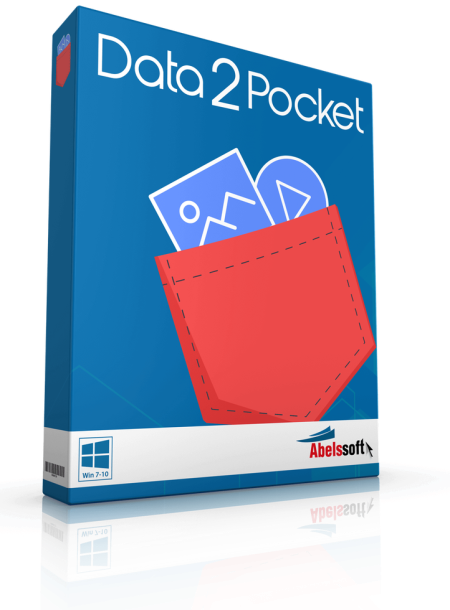
One click searches your computer for all your pictures, videos and songs and drags them to a stick or USB disk.​

So you always have all your important things with you.

Numerous folders, download directories and many hidden corners, where should you search for your files everywhere? Data2Pocket knows every potential location, no matter how hidden, so no photo, clip or song is forgotten.
Whether you want to have your files on a handy stick when you're on the go, or have them in one place to switch to another system or mobile phone, Data2Pocket is the perfect tool to help you.
Updates: official site does not provide any info about changes in this version.

DOWNLOAD
uploadgig
Код:
https://uploadgig.com/file/download/7C6521e56ee92008/5AWj1eNe_Abelssoft_D.rar

rapidgator
Код:
https://rapidgator.net/file/2a8fd5dddcf8539138913f72a5171a80/5AWj1eNe_Abelssoft_D.rar

nitroflare
Код:
http://nitroflare.com/view/52662262C8BC1D9/5AWj1eNe_Abelssoft_D.rar
 
Agile Commander 1.2.3

65499fdc-6068-48f9-bf86-40ed63590ce3.png

File size: 3.2 MB

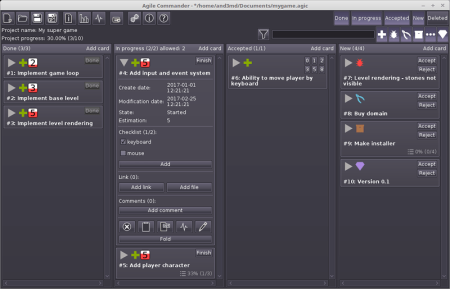
Agile Commander is a kanban board designed especially for independent programmers and small teams.​

It differs from other such solutions because it is a native application and all data is stored on your hard disk. That allows you to keep full control. It also works great as a bug tracker.
Designed especially for independent programmers and small teams
Nowadays, most project management tools are designed for large companies with large teams. They are often complex online systems, used not only to manage projects, but also to replace all other communication channels. But what about independent programmers or small teams?
These large systems have many functions that are not only useless but can interrupt and reduce productivity. Communication is a good example. It makes no sense to create a message in an online system or send an email when the person you want to ask something sits a desk next to you. A large company must formalize communication due to its size, in the case of a small company the use of such techniques will only reduce its competitiveness.
"The most efficient and effective method of
conveying information to and within a development
team is face-to-face conversation."
On the other hand, Agile Commander has features designed specifically for the environment of independent programmers that are difficult to find in online systems. For example, maybe you would like to add to the task a link to file on your hard disk and open it with one click? Agile Commander can do it.
What is and why Kanban?
The principles of agile software development give small teams and independent programmers many advantages, such as simplifying management, speeding up decision-making, and better understanding of users needs. One of these agile techniques is Kanban.
Kanban is a production control method invented in Japan. Its basic features are process visualization and limiting the number of tasks in progress.

DOWNLOAD
uploadgig
Код:
https://uploadgig.com/file/download/5970590ee59ef8E4/cBIiDRVg_AgileComman.rar

rapidgator
Код:
https://rapidgator.net/file/8beaafdd858159ed1d9cbab07d5d33cc/cBIiDRVg_AgileComman.rar

nitroflare
Код:
http://nitroflare.com/view/AB0959F34B607D8/cBIiDRVg_AgileComman.rar
 
App Builder 2020.51 (x64)

e6a24708-b799-404f-a3f6-576442f71f87.png

File Size: 57.1 MB

If you want to create modern desktop and mobile apps you're in the right place!​

DecSoft App Builder is a professional visual development environment to create HTML5 apps, WebApps, Progressive WebApps, Web Extensions and Hybrid apps for the modern mobile and desktop browsers, as well platforms like Google Android, Apple iOS and Microsoft Windows.
Languages
The DecSoft App Builder apps are based in HTML, CSS and Javascript. These are the languages that you must know (more or less) in order to create modern apps that run in all the mobile and desktop browsers, as well platforms like Android, iOS and Microsoft Windows. All with the same base code! This is a big reason to choose DecSoft App Builder.
Visual designer
App Builder provide us dozens of visual and non visual controls ready to be placed in the application's designer. Simply drag and drop the control that you need into the designer and then place it where you wanted.
Contextual help
DecSoft App Builder has a contextual help that point you exactly to the control, property, event reference, etc. Just press the F1 key where you are in the IDE. For your convenience, the help is also available online in: getappbuilderhelp.com
Apache Cordova
DecSoft App Builder is integrated with Apache Cordova and prepares for your app the right config file, platform icons, splash screens, batch files, shell files and JSON files. DecSoft App Builder integrates also the officials Apache Cordova plugins.
Quick code list
The DecSoft App Builder code editors provides the Quick code list for your convenience. The Quick code list helps you to write Javascript code more faster, providing all the available controls properties, methods and more.
App Files manager
The DecSoft App Builder IDE incorporates the right Files manager for your app, so you can link Javascript and stylesheet files, but also add images, other files (like JSON files) and even entire directories, to be available in your app at runtime.
User Functions
In addition to the available app methods and the methods provided by the app views, app dialogs, app frames, the Apache Cordova plugins methods, and, all the possible controls that you can use, its also possible to setup your own User Functions in order to be available for your app at runtime.
Auto scale apps
There are many themes availables for your app, and, you can also set the fixed and scaled styles, even at runtime. The auto scale style made the app properly show in different screen sizes.
* Add the window.setTimeout(), window.setInterval() and window.clearInterval() methods into the Quick Code list as well in the help documentation. This methods are useful to prepare some code to be executed after certain amount of time, or in certain interval of time. We add also into the documentation the reference for the window.alert(), window.console.info(), window.console.debug() and window.console.error() methods.
* Add the new ImageFit property to the Video Player control. This property act exactly in the same way than the ImageFit of the Image control, for example, and, allow to control the video apparence, no matter the level of app scale.

DOWNLOAD
uploadgig
Код:
https://uploadgig.com/file/download/9f17B4Bfa14520f7/ei31V5to_App.Builder.rar

rapidgator
Код:
https://rapidgator.net/file/f8669448a43fc2e70eca982131b2c378/ei31V5to_App.Builder.rar

nitroflare
Код:
http://nitroflare.com/view/44638002F85874F/ei31V5to_App.Builder.rar
 
BD Rebuilder 0.61.03

1aaf1fd6-9d08-41ab-b063-828654dcd22e.png

File Size : 70.4 Mb

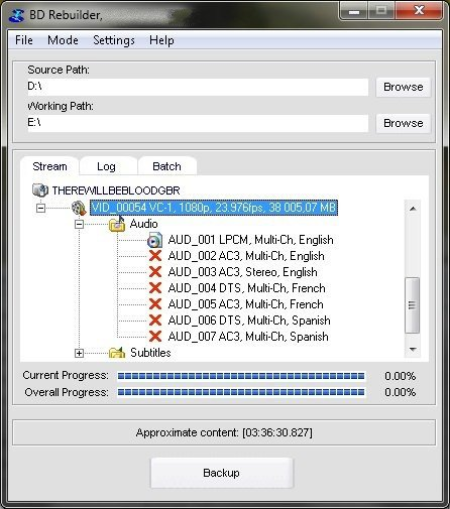
BD Rebuilder is a comprehensive software tool made to back up DVD and Blu-Ray movies, and compress the backups while attempting to preserve the original video quality.​

It supports DVD-5, DVD-9, BD-25 and custom-sized discs, and requires FFDShow and Avisynth to work properly. Back up DVD movies and reduce the size of Blu-ray clips
The app is wrapped in a simple and familiar-looking interface that offers fast access to options and tools. You can select the source drive and target location, as well as examine the audio, video and subtitle streams available in the disc movie.
Batch processing is supported, so you can prepare multiple jobs for sequential execution to speed up the entire task overall, as well as prioritize them. Alternatively, you can save the entire project to file and resume it later.
Multiple backup modes, encoding settings, and post-task options
BD Rebuilder can be configured to create a full backup (the output is an exact copy of the original disc), a quick-play backup, or a movie-only backup. It depends on how much time you're willing to spend waiting for the task to complete.
It's possible to pick a preferred audio track and subtitle language to keep while eliminating the rest, as well as to customize the encoding options to suit your requirements. The video can be resized, converted to HD, or deinterlaced, while the view mode can be changed. Additionally, you can maintain the original HD audio settings and instruct the program to skip AC3 re-encoding or DTS-to-AC3 conversions.
This is not mandatory but BD Rebuilder can apply AVS filters to encoding operations, LAV to decoding tasks, along with NeroAACenc to AAC encoding jobs. During this time, you can carry on with your regular PC activity after asking the tool to notify you when the procedure is over. If you plan to leave the workstation unattended, then the application can automatically power off the machine without your intervention.
Conclusion
The software utility worked smoothly in our tests and minimally affected system resources consumption. Taking everything into account, we've come to the conclusion that BD Rebuilder combines simplicity and advanced encoding options for seasoned PC users to help them back up DVD movies and shrinking Blu-Ray clips. However, you should keep in mind that it's not designed for Blu-ray decryption (you can use AnyDVD for that).
- Updated build with a new version of TSMUXER that supports UHD. Disabled correction of UHD M2TS, saving considerable time.
- Added code to prevent non-compatible sources that have been imported but are not compliant from flagging a "keep original" signal.
- Updated encoding parameters of UHD sources so that master-display settings using values of zero are not output for encoding.
- Changed the default so that, on UHD sources, an original imported file is used for input for encoding if it is still available.
- Fixed an error that resulted in a "- Source issue found, attempting correction..." to popup unnecessarily during UHD muxing and cause special muxing to take place.
- Corrected an issue that could cause several odd problems (including a possible wrong language track) when importing some sources with TrueHD audio tracks with Atmos.
- Fixed an error in which HDR could (rarely) not be transferred to newly encoded file.
- Added code to improve muxing speed during import of UHD video file sources.
- Made numerous changes to make UHD processing more stable.
- Other minor corrections and cosmetic fixes.

DOWNLOAD
uploadgig
Код:
https://uploadgig.com/file/download/4193c4Ee458b5Dce/qNs2DmyD_BDRBV06103_.rar

rapidgator
Код:
https://rapidgator.net/file/d239d73d1751c333b43f6b843f594746/qNs2DmyD_BDRBV06103_.rar

nitroflare
Код:
http://nitroflare.com/view/B9438F5AFC73035/qNs2DmyD_BDRBV06103_.rar
 
Debotnet 0.2.7

e113fc58-20b5-4a2c-a208-3e0194e118e9.png

File Size : 1.4 Mb

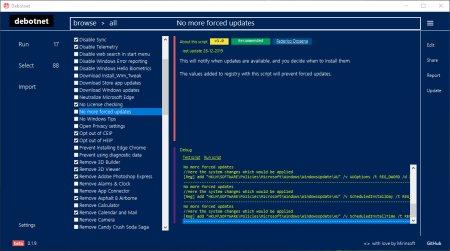
Debotnet is a free and portable tool for controlling Windows 10's many privacy-related settings and keep your personal data private.​

Once the app is extracted and run, you are presented with numerous options. Select all is an option, but there are no preconfigured recommendations to speed up the process of the 71 choices. There are, however, some options listed as recommended.
Each option will open a window to the right explaining what the option will accomplish.
Uninstalling preinstalled Windows 10 app
Disable Windows tips
Remove Adobe Photoshop Express
Clean-up Windows (installs Cleanmgr+)
Disable Cortana
Disable Windows Error reporting
Neutralize
Disable forced updates
Remove Game Bar
And more
At the moment backup is currently unavailable but it will be in a future version - setting a restore point, however, is possible if you're feeling anxious, this is done via the shipped script Create a System Restore point allowing you a little safeguard before making any tweaks.

DOWNLOAD
uploadgig
Код:
https://uploadgig.com/file/download/9ef0A4A8ad5e0f4b/JO4PeieB_debotnet_.rar

rapidgator
Код:
https://rapidgator.net/file/622b811dbe10246aeff1d9816355479a/JO4PeieB_debotnet_.rar

nitroflare
Код:
http://nitroflare.com/view/F853C457BA29FCD/JO4PeieB_debotnet_.rar
 
Expresii 2020.01.11 (x86/x64) Multilingual

360dc824-7aef-498e-9776-099e2e0be834.png

File Size: 64.4 MB

Beautiful digital Eastern watercolor, Real Time, Ultra-HD!​

Expresiiis an advanced digital painting system. After years of development Expresii has finally been released. The ink painting software uses fluid dynamics to simulate watercolor and other natural media, and features GPU-accelerated water-based paint, organic brushes simulation and ultra-deep zoom capabilities. Expresii, the startup founded by former Adobe and Microsoft graphics researcher Nelson Chu, has shipped Expresii 1.0, the first commercial release of its promising digital brush-and-ink painting system. In development for several years - we covered an early tech demo back in 2013 - Expresii mimics the behavior of real inks on paper, including the way they flow under gravity and the way colors blend.
It's designed to replicate traditional Eastern painting - the brush engine mimics the deformations of an actual calligraphy brush - but as the demo videos show, it can be used to create Western-style watercolor effects. The software can generate images up to 12K resolution, and is GPU-accelerated to smooth out panning and zooming, although the hardware requirements are quite low: a $60-100 graphics card is recommended.
It supports both pen and touch input, and if you've got a device with a tilt sensor (or a game controller), you can even tilt your virtual paper to control the flow of the ink. Images can be saved in PNG or PSD formats, with support for alpha channels and PSD layers. Moxi Paint Engine... We harnesses the GPU to bring watercolor sim to a whole new level! Yibi Brush Engine... Giving you power to create organic shapes like wielding a real brush! Youji Rendering Engine... Zoom in to see your work as if done on a real piece of paper. No more fat pixels! Let virtual ink flow and blend on virtual paper.
Moxi Paint Engine
We harnesses the GPU to bring watercolor sim to a whole new level!
Yibi Brush Engine
Giving you power to create organic shapes like wielding a real brush!
Youji Rendering Engine
Zoom in to see your work as if done on a real piece of paper. No more fat pixels!

DOWNLOAD
uploadgig
Код:
https://uploadgig.com/file/download/476F166314deD57B/v7ErIuKW_Expresii.20.rar

rapidgator
Код:
https://rapidgator.net/file/0dd2e3d988831ecf6139e8f89ad53049/v7ErIuKW_Expresii.20.rar

nitroflare
Код:
http://nitroflare.com/view/1189E8D2A05E4DE/v7ErIuKW_Expresii.20.rar
 
Imadio Fisheye-Hemi Photoshop Plug-In 2.0.6

698cee5c-e1a3-406c-aeeb-d90da34ff7be.png

Languages: English | File Size: 40.02 MB

Fisheye-Hemi Plug-In - See the entire Hemisphere without the distortion.​

The Fisheye-Hemi Plug-In automaticaly remaps your fisheye images to minimize distortion and maximize the preservation of all image details.Fisheye-Hemi is a set of plug-in filters for Photoshop, Photoshop plug-in compatible applications, Lightroom and Apple Aperture which provide correction for hemispheric fisheye lens distortion. Fisheye Hemispheric lenses in the hands of a photographer provide an expanded view of the world across approximately a 180 degree diagonal field. Until now, the primary option available to the photographer was to render these fisheye images using rectilinear mapping techniques. These methods have many drawbacks, such as distortion of people near the perimeter and loss of resolution and data. Although the image is similar to what is seen by the eye, printed, the images appear distorted.
Fisheye-Hemi offers an aesthetically pleasing and natural view of the image using a unique mapping technology! Fisheye-Hemi provides a more normal view of people by not distorting their faces and bodies, and straightens vertical lines. It has improved resolution of the image plus it displays the intended composition and framing better than other un-warping programs. The most important requirement for Fisheye-Hemi is to not distort people, no matter where they are in the image. The faces and bodies must appear as normal as possible; given it is a fisheye lens! The Fisheye-Hemi Plug-In preserves the people.
Another important feature of Fisheye-Hemi is the clarity of the mapping. A rectilinear mapping will discard approximately one third of the pixels and crop to the center along the horizontal axis. Photographers purchase a lens to capture up to 180 degrees. Much of the data is discarded in a rectilinear view. Fisheye-Hemi uses almost all of the pixel data in that view. A rectilinear view will shrink the center of the image which has the most detail. Fisheye-Hemi preserves this detail by using advanced mathematics to preserve all of the content of the original fisheye image.
Additionally, a rectilinear projection discards much of the framing of the image as composed by the photographer through fisheye lens. Fisheye-Hemi preserves all of this framing; what was seen on the top and bottom of the image in the viewfinder is included in the processed image. Last, but equally important, Fisheye-Hemi straightens vertical lines. The Fisheye-Hemi Plug-in produces an aesthetically pleasing image from the fisheye lens!
Works best with a lens and camera combination that covers 180 degrees horizontally across the field, such as a Nikon D80 with an 8mm lens.
Works best with a lens and camera combination that covers 180 degrees diagonally, but the captured image has no black edges in the corners. This combination is commonly called a "full frame fisheye image".
Works best with a lens and camera combination that covers less than 180 degrees, where the captured image appears almost normal with mild fisheye distortion.
Fisheye Hemispheric lenses provide a broader view of the world than is possible with any other lens. Until now, the primary correction option available to the photographer was to render these images using rectilinear mapping techniques. These methods have many drawbacks, such as distortion of people and loss of resolution and data.
The Fisheye-Hemi filter provides an aesthetically pleasing and natural view of the image using a unique mapping technology. Fisheye-Hemi provides a more normal view of people when photographed at acceptable distances. It improves the resolution of the image by including more of the original pixels (in comparison to a rectilinear view), displays the intended composition and framing, and straightens vertical lines.
Let's begin with a basic understanding of what a fisheye lens does and how the eye perceives the information. Light projects conically into the human eye. The cornea and lens are similar to a fisheye lens. The light is projected onto the curved retina. The human brain uses complex mathematics to correctly interpret the objects that you see into a three dimensional image.

DOWNLOAD
uploadgig
Код:
https://uploadgig.com/file/download/6566cFAa02cDb4e6/GCVGTnkQ_.FisheyeHem.rar

rapidgator
Код:
https://rapidgator.net/file/983ee9d1c62a582c3876f98b0d4c7bf5/GCVGTnkQ_.FisheyeHem.rar

nitroflare
Код:
http://nitroflare.com/view/0FA41F03D24EF92/GCVGTnkQ_.FisheyeHem.rar
 
Назад
Сверху