• Здравствуйте. Сайт заработал в архивном режиме форум www.old.nado.in

Anthony's Software !!!

Lucion FileCenter Suite 11.0.18

08328597-b376-4daa-b2ec-2a7fc9adbb30.png

File Size: 219.5 MB

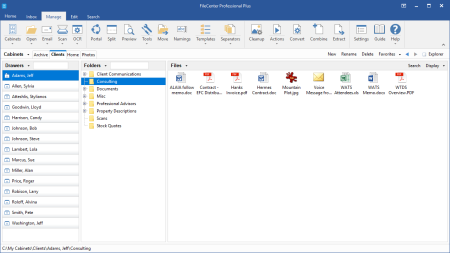
FileCenter is the most fully-featured and inexpensive document management software for small offices.​

It combines easy scanning and file organization with powerful PDF creation and editing. It also includes OCR, search, and integration with cloud services like Google Drive, OneDrive and Dropbox. Feature-for-feature, FileCenter DMS delivers at a price the competition can't touch. A filing system that makes sense. Organize your files in electronic filing cabinets that are intuitive and easy to understand.
Scan & organize in one step. Automatically scan and name documents based on their contents, and save them in the right cabinet with one click.
Keep using your favorite programs. FileCenter works with the programs you already use and integrates with all Windows desktop applications.
Do just about anything with PDFs. OCR scans into searchable PDFs, create PDFs from any other file, cut them apart or splice them together later.
Keep files in Windows, not a database. FileCenter saves to any drive you want, without the complication of a database that can hold your files hostage.
Everything in one intuitive program. Do all these things and more from a single interface, designed to be so simple our fathers could use it.
FileCenter DMS
Easy Document Management. Looking for an easy way to scan paper documents and organize your computer files? It's time to try the solution that's got everyone talking: FileCenter, the low-cost leader in document management. Simple yet powerful, FileCenter helps businesses, professionals, and home users scan, organize, edit, convert, and find files ... effortlessly.
FileCenter Automate
Batch OCR & PDF Conversion. For those needing to convert and OCR thousands of documents to fully searchable PDF, FileCenter Automate is the easy answer. Designed to be simple enough for average users and priced within reach of small businesses, FileCenter Automate will work behind the scenes to make sure that your document archives are kept fully searchable ... effortlessly.
FileCenter Receipts
Receipt Scanning & Organization. Say goodbye to shoeboxes. There's a better way to organize and track your receipts digitally: FileCenter Receipts. Easily scan and file those tiny bits of paper then pull the data into useful reports. Whether you're a single home user or a power business user, FileCenter Receipts has you covered.
FileCenter Portal
Simple & Secure File Sharing. Documents are the vehicle of business. For your business to thrive in the Internet age, you need an effortless way to share key documents without putting privacy and confidentiality at risk. Enter the solution: FileCenter Portal, a secure online portal where you can share and exchange files confidently and ... effortlessly.

DOWNLOAD
uploadgig
Код:
https://uploadgig.com/file/download/a5d582f988414383/xn1HaJ8A_Lucion.File.rar

rapidgator
Код:
https://rapidgator.net/file/1993962753d8208c9594a35d6d003eb3/xn1HaJ8A_Lucion.File.rar

nitroflare
Код:
http://nitroflare.com/view/A5E965FBBE539FF/xn1HaJ8A_Lucion.File.rar
 
Office Tool Plus 7.4.2.0 Multilingual

654f3521-9041-494d-bc82-a6a2d7924584.png

File Size : 5.8 Mb

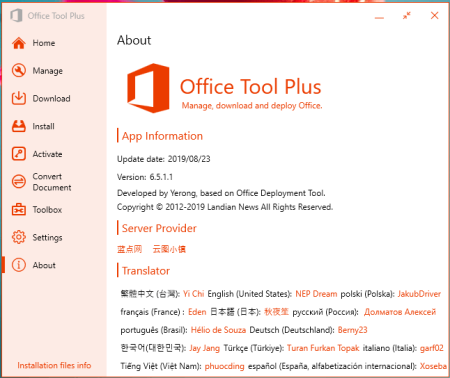
Office Tool Plus is a tool for managing, ing and installing Office.​

Office Tool Plus is based on Microsoft's Office Deployment Tool. You can customize configure your Office installation and installation files to install Office without Internet.1. Configure the Office installation, as well as customize the installed C2R products, such as adding and removing components, language packs, etc.
2. Download the Office installation package or the language pack, which can be ed using the official programs Thunder, Aria or Microsoft.
3. Configure your current Office, change the update channel, delete the product language, or delete the product, or use the built-in scripts or tools to clean the Office
4. Activate your office. Easily set the product key and configure your KMS server address or convert the Office version. (PS: the tool does not have a built-in KMS activation, it simply provides the ability to configure a KMS server.)
Supported products:
MS Office 2016 -> Standard, Pro Plus, Mondo, Professional, Personal, Home Business, Home Student, O365 ProPlus, O365 Business, O365 Small Business, O365 Home Premium
MS Office 2019 -> Standard, Pro Plus, Professional, Standard 2019 Volume, ProPlus 2019 Volume, Office 365, Home Business, Home Student

DOWNLOAD
uploadgig
Код:
https://uploadgig.com/file/download/dA2e40d58993f2b9/QCxjGLu0_Office.Tool.rar

rapidgator
Код:
https://rapidgator.net/file/74a1845e06403b94b0b6f840e6ab5186/QCxjGLu0_Office.Tool.rar

nitroflare
Код:
http://nitroflare.com/view/F7F0729BF402FD8/QCxjGLu0_Office.Tool.rar
 
Pdf995 pdfEdit995 20.0

dc0cb0d0-8b4a-4f6a-b68e-59b3b496c377.png

File size: 23.1 MB

PdfEdit995 provides Pdf995 users with added value through its plethora of editing capabilities.​

Pdf995 comes as an easy-to-use yet powerful solution for your everyday document-related work with various publishing options emphasized on both flexibility and security. The PDF (Portable Document Format) has been introduced back in 1993 and since then it has fought its way up becoming the reference document format in the world. Being an independent format, the PDF does not apply to restrictions such as software, hardware or operating system. While Adobe, the developer of this particular document format, offers a complete solution for your PDF publishing needs in the form of the Acrobat Pro software package, its price tag has always made users look for cheaper yet comprehensive alternatives and Pdf995 can be considered one of them.
What Pdf995Edit does is adding a handful of must-have editing features to the suite. You can use it to create links, bookmark pages, perform automatic attachment of PDF files to your outgoing emails or combine as many documents (Microsoft Office files) as you need to create one PDF file.
With Pdf995Edit you can also optimize your documents for web viewing or compress them in order to decrease their size. Rotating is yet another options that comes in handy for obtaining landscape pages when working with spreadsheets or presentation slides, for instance. Stationery such as letterheads, embossing or backgrounds can be easily created using this piece of software.
Pdf995Edit integrates in your Microsoft Word application to better transfer the links as well as the table of contents, while the autonaming option helps you quickly save your work with predefined name schemes. Font embedding is possible and stamping too. Page numbering and page conversion to an image format are also easy to achieve and comments can be conveniently added.
The bottomline is that Pdf995Edit is an indispensable addition to the Pdf995 suite. Its feature package ranges from basic to advanced editing functions and that is what makes it so great. It can bring more to the table and it will as long as the core application will keep on evolving; however the set of options is a comprehensive one and surely helps you achieve more in less time.
Updates: official site does not provide any info about changes in this version

DOWNLOAD
uploadgig
Код:
https://uploadgig.com/file/download/EdE2fA1fa4f1ac6f/0QkWAaIp_pdfEdit995.rar

rapidgator
Код:
https://rapidgator.net/file/b6218a3d0b8902b59f271adf691b1a4d/0QkWAaIp_pdfEdit995.rar

nitroflare
Код:
http://nitroflare.com/view/D1D460E9B413297/0QkWAaIp_pdfEdit995.rar
 
ProgramEdit 4.9

7c15742b-85d8-48e3-8642-9b89b2a5e246.png

File Size : 1.6 Mb

Program Edit is a reliable program that offers powerful source code editing functions, such as easy navigation or syntax highlight.​

The software is user-friendly, features a tabbed file viewer and supports a multitude of script files, in several programming languages. The software allows you to search and replace any piece of text.» Drag-Drop file loading and text editing
» Tabbed and sorted-list file selection
» Hundreds of files open at a time
» Hex viewer for binary files
» Find, Find All, Replace, Replace All
» Regular Expressions
» Text highlighting
» Support for many popular languages:
Ada, C, C++, C#, CSS, HTML, Java, JavaScript, Perl, PHP,
Python, Ruby, VB, VBScript, Verilog, VHDL and Batch files
» Color syntax highlighting
» Bracket/brace matching
» Customization - colors, fonts, tabs, margins, shortcuts
» 15 global Bookmarks
» Macros - keystroke recording - New
» unlimited Sessions
» Hyperlinks - file, folder, web URL
» Multiple Undo/Redo
» ASCII Tables
» HTML/XML Tidy checking - New
» Active Tech Support, frequent software updates
» See PgmEdit Help Files for additional features and details

DOWNLOAD
uploadgig
Код:
https://uploadgig.com/file/download/950A51c896753118/JAmB8txl_SSLPgmEditInstaller..rar

rapidgator
Код:
https://rapidgator.net/file/b829776a3b117e697c4418243333e16b/JAmB8txl_SSLPgmEditInstaller..rar

nitroflare
Код:
http://nitroflare.com/view/20F3385B5831800/JAmB8txl_SSLPgmEditInstaller..rar
 
Red Giant Magic Bullet Suite 13.0.15 (x64)

5bbac1be-c3a9-414c-9e2a-322d3b15164a.png

File size: 220 MB

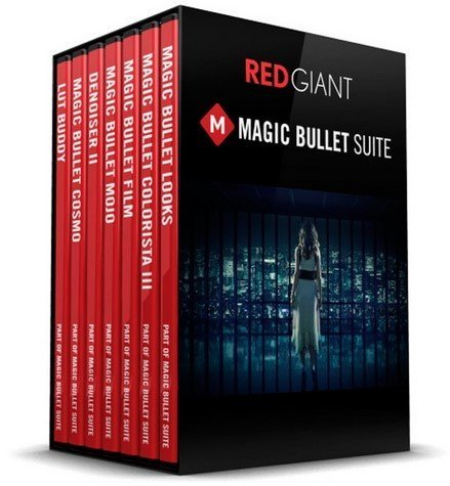
Magic Bullet Suite - color correction, finishing and film looks for filmmakers.​

Magic Bullet Suite is a set of seven tools that bring intuitive, real time color correction, and beyond, right to your editorial timeline. Color Correct
Magic Bullet Suite 13 gives you everything you need to make your footage look great, right on your editing timeline. Balance out your shots with powerful color adjustments that work the way your eye expects them to. Then, go beyond color correction, with accurate simulations of lens filters and film stocks. With Magic Bullet Suite, you'll have the most powerful and intuitive real time color correction tools available, without ever needing to switch to a different app.
Stylize
Give your footage the look of a Hollywood film. With the tools in Magic Bullet Suite, your footage can instantly have cinematic contrast and the sophisticated color palettes of big budget movies. With tons of fully customizable presets based on popular movies and TV shows, you will have beautiful results in seconds.
Refine
Quickly balance skin tones, reduce wrinkles and remove skin blemishes, so your talent can look their best. Magic Bullet Suite makes cosmetic cleanup fast and easy, and gives you natural results that look untouched.
Cleanup
Save your footage from video noise caused by shooting in the dark or at high ISOs. Magic Bullet Suite can clean up the noise while still preserving the details in your shot. At the end of your color grading process, Magic Bullet Suite can also reintroduce some subtle texture and a natural film grain that gives your final product a look that feels genuine and unprocessed.
Adobe Compatible
The tools in Magic Bullet Suite are compatible with Adobe Premiere Pro, After Effects and more
GPU Acceleration
Get realtime color correction with OpenGL/OpenCL support. All tools are GPU Accelerated for maximum speed
Magic Bullet Suite 13 includes seven products, six of which have been upgraded and one that is entirely new: Magic Bullet Looks 4, Colorista IV, Denoiser III, Mojo II, Cosmo II, Film 1, and the all-new Magic Bullet Renoiser. For the first time ever, Magic Bullet Suite 13 brings you real time color correction with OpenGL/OpenCL support. All tools are GPU Accelerated for maximum speed.
Magic Bullet Looks 4.0
- GPU: OpenGL/OpenCL
- Looks Presets
- Tool Presets
- Source Tool
- Renoiser Tool
- Mojo Tool
- Reference Library
- Universal strength slider
- Looks Favorites
- Resizing Scopes
- Save Looks Workflow
Magic Bullet Colorista IV 4.0
- GPU: OpenGL/OpenCL
- Colorista Panel
- Guided Color Correction
- LUTs
- Color Temperature & Tint
- RGB Point Curves
Magic Bullet Denoiser III 3.0
- Incredible quality results
- GPU acceleration
- Near Real-time performance
- New UI/Easier to use
- Rewritten entirely from scratch
- Log Support
Magic Bullet Mojo II 2.0
- Updated cinematic style
- GPU: OpenGL/OpenCL
- My Footage is...
- Presets
- Vignette
- Exposure
- Color Temperature
- Tint
Magic Bullet Cosmo II 2.0
- GPU: OpenGL/OpenCL
- Better Results
- Skin Sample Tool
- Refined Visual Feedback
Magic Bullet Renoiser 1.0
This is an entirely new product that gives your footage a cinematic texture and grain. Whether you've denoised your video, created CGI and motion graphics compositions, or even shot on a camera that produces virtually noiseless footage, Renoiser's all-new, realtime, GPU-accelerated grain engine rebuilds your footage with with a cinematic texture more genuine than anything you've seen before. Renoiser is fully-customizable, and Includes 16 noise/grain presets based on real film stocks and popular movies, such as 16MM, 8MM and much more.
Magic Bullet Film 1.2
- GPU: OpenGL/OpenCL

DOWNLOAD
uploadgig
Код:
https://uploadgig.com/file/download/2cE2b24201528a53/Tsn0DQak_Red.Giant.M.rar

rapidgator
Код:
https://rapidgator.net/file/5ca73a30464340f3fd23ece214f34938/Tsn0DQak_Red.Giant.M.rar

nitroflare
Код:
http://nitroflare.com/view/EE4DD0A337D9423/Tsn0DQak_Red.Giant.M.rar
 
SoftInterface Convert XLS 13.70 Multilingual

50dfefec-5eac-4aeb-af23-d4a979d2d329.png

Multilingual | File size: 9.89 MB

'Convert XLS' is a simple to use, yet powerful Excel converter utility specifically designed for Excel, fixed width text and CSV (character/comma delimited) files.​

If you need to convert/manipulate one or thousands of files, located in one or many folders this is the tool! Conversions can be done 10-20 times faster without using MS Excel.
Repeat complex conversion tasks simply by restoring prior 'Conversion Jobs'. A 'Conversion Job' consists of all 'Conversion Tasks' that you specify to be done within the 'Convert XLS' user interface. This makes your future work to manipulate and convert XLS/XLSX /CSV/TXT files on a regular basis a mindless endeavor!Built in Scheduler can be set to run jobs automatically at a specified interval
Command line (invisible at runtime) and GUI execution. Complete flexibility = Complete Power. COM/ActiveX interface is also available for power users and programmers.
Move or delete input files after processing
Save and restore complex conversion jobs
Convert Excel files to and from Text/CSV/HTML/XML without requiring MS Excel to be installed (Specify the 'Convert XLS' conversion method). Fixed width text files handled easily.
Advanced Excel Manipulation Special processes including Moving, Deleting, Adding and Copying whole or portions of sheets. Append/Concatenate Excel files into a single sheet. Change password and much more.
Special processing of files (TXT, DOC, HTM, etc.) including appending/concatenation, removing empty lines, launching 3rd party programs, search and replace strings and much more.
Numerous Comma Delimited File (CSV) manipulation methods
Do whole folders and subfolders easily
Batch can be stopped midway and resumed at a later time.
Can be adapted for all languages
Updates: official site does not provide any info about changes in this version.

DOWNLOAD
uploadgig
Код:
https://uploadgig.com/file/download/1947979D0f4eeD6f/o35Tw0j8_SoftInterfa.rar

rapidgator
Код:
https://rapidgator.net/file/a89addaf02e09e5b9d7fa4fb7410eb4b/o35Tw0j8_SoftInterfa.rar

nitroflare
Код:
http://nitroflare.com/view/01C438917783F8A/o35Tw0j8_SoftInterfa.rar
 
StudioLine Photo Classic 4.2.51 Multilingual

e9e54d57-a11c-4136-8bf4-8a6ae6cc1646.png

File Size: 94.4 MB

StudioLine Photo Classic 4 is a feature-packed software for conveniently managing and editing extensive image collections.​

Naturally all common file formats, including the RAW formats of the popular camera models are supported. New Features:
Your Personal Load Assistant
Quickly and easily load images from you camera, hard disk or other drives. Any files not previously loaded are automatically suggested and selected.
Pre-defined Tool Settings
Store frequently used image tools (filters) or entire filter sequences as templates. This way the same tool settings are available at any time to treat further images with the same editing steps.
Protect Your Images
Superimpose your personal watermark into your images to prevent unauthorized use. Any graphics and text may be combined to create watermarks.
Easy Print
Create print layout to suit various occasions. Taylor your images for optimal print results on the desired output medium.
MediaCenter
Quickly and easily share your photos and videos on the web with friends and family. You control who may access each of your online albums, and if ing is permitted.
Visitors of your albums can search images based on embedded information, or view them as a slide show or on a map.
Professional Image Editing
Numerous images tools such as white balance, unsharp mask oder RGB mixer are available. All editing steps are non-destructive; they are kept in a database and the original image remains untouched.
A few quick steps and your foto set will appear as a slide show, is published as a gallery to the web or burned onto CD/DVD, or is sent via email to your circle of friends.
Archival Made Easy
Categorize your images with unlimited text in system and user descriptors or by assigning keywords and ratings. After that, searching for specific images or those matching a certain theme is child's play.
Presentation
View your images in your own albums, in the advanced Timeline Explorer or by keywords and categories. Avoid data loss by backing up your image archive, with all metadata and image edits, to CD, DVD or secondary hard disk.
Convenient Geotagging
Geotag your images with GPS coordinates from GPS loggers or GPS equipped digital cameras. Or, use the Geo Explorer to drag untagged images to the correct location on a map.
StudioLine retrieves location details such as county, city and possibly street. This way, you'll be able to search, sort or filter your photo collection by names of cities and sites.

DOWNLOAD
uploadgig
Код:
https://uploadgig.com/file/download/30896C6cdFC31701/W2mFvoFl_StudioLine.rar

rapidgator
Код:
https://rapidgator.net/file/ad595098cc66cf077f25c54830e4a95e/W2mFvoFl_StudioLine.rar

nitroflare
Код:
http://nitroflare.com/view/065F105E678FE16/W2mFvoFl_StudioLine.rar
 
StudioLine Photo Pro 4.2.51 Multilingual

fe013805-82e1-442c-8e61-55ecd1ccd9af.png

File Size: 94.3 MB

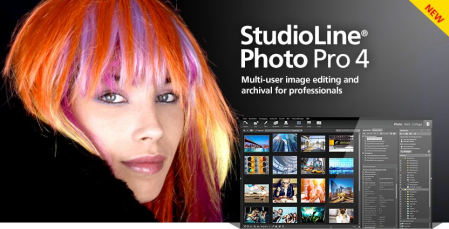
StudioLine Photo Pro 4 is the highly effective software for the professional editing and management of large image collections in server-based networks.​

Of course, the RAW formats from all popular camera models are supported. All in One - Plus Networking
StudioLine Photo Pro is a multi-user product for server-based networks. The initial license covers the server instance plus 5 workstations. Additional workstations licenses can be added at any time.
Sophisticated user administration functions are available to manage users, groups and permissions. Using a group-centric security model makes it easy to control capabilities for staff and grant varied access levels to specific image archive folders.
Your Personal Load Assistant
Quickly and easily load images from you camera, hard disk or other drives. Any files not previously loaded are automatically suggested and selected.
Pre-defined Tool Settings
Store frequently used image tools (filters) or entire filter sequences as templates. This way the same tool settings are available at any time to treat further images with the same editing steps.
Protect Your Images
Superimpose your personal watermark into your images to prevent unauthorized use. Any graphics and text may be combined to create watermarks.
Easy Print
Create print layout to suit various occasions. Taylor your images for optimal print results on the desired output medium.
MediaCenter
Quickly and easily share your photos and videos on the web with friends and family. You control who may access each of your online albums, and if ing is permitted. Visitors of your albums can search images based on embedded information, or view them as a slide show or on a map.
Professional Image Editing
Numerous images tools such as white balance, unsharp mask oder RGB mixer are available. All editing steps are non-destructive; they are kept in a database and the original image remains untouched. A few quick steps and your foto set will appear as a slide show, is published as a gallery to the web or burned onto CD/DVD, or is sent via email to your circle of friends.
Archival Made Easy
Categorize your images with unlimited text in system and user descriptors or by assigning keywords and ratings. After that, searching for specific images or those matching a certain theme is child's play.
Presentation
View your images in your own albums, in the advanced Timeline Explorer or by keywords and categories. Avoid data loss by backing up your image archive, with all metadata and image edits, to CD, DVD or secondary hard disk.
Convenient Geotagging
Geotag your images with GPS coordinates from GPS loggers or GPS equipped digital cameras. Or, use the Geo Explorer to drag untagged images to the correct location on a map.

DOWNLOAD
uploadgig
Код:
https://uploadgig.com/file/download/2f295c2f00DF020e/u1YQdii0_StudioLine.rar

rapidgator
Код:
https://rapidgator.net/file/301408d55e6a58102a4c995764bca0e8/u1YQdii0_StudioLine.rar

nitroflare
Код:
http://nitroflare.com/view/9D4E8F155FA76AF/u1YQdii0_StudioLine.rar
 
StudioLine Web Designer 4.2.51 Multilingual

3cc19288-ce0d-493b-a3b2-249202ecf0d2.png

File Size: 125.1 MB

StudioLine Web Designer 4 integrates the components for the design, publishing and maintenance of professional websites into a common user interface - page editor, image archive and editing, graphics effects, publishing control, template editor and site management.​

Web Design with Integrated Image Editor and Archive
Your create collages, edit image and use graphics effects directly in the page editor and instantly will see the results. With the media explorer your media assets - fotos, graphics, videos and sound bits. Image tools (filters) are applied as needed while working on your web page layout. Page templates let you position your design elements precisely and consistently, with the help of rulers and a guideline manager. Easily create menus and sub-menus for user friendly site navigation.
No HTML Programming Knowledge
Use the page editor to add content to your pages. Arrange text and images as needed until you are happy with the outcome. You can position content freely anywhere on your page, making use of a variety of available layout aids. Of course, snippets of your own custom HTML code can be embedded, if you should ever have the need.
Irregular Image Shapes
In StudioLine, images not limited to rectangular shapes. The actual shape of an image defines it's clickable area, not just in the StudioLine editor but also on the published web page. This enables complex layering of images without having to create and maintain traditional "image maps".
Shadows, Borders, Gradients and Rounded Corners
No need for external image editing software or learning HTML or CSS syntax. With StudioLine, you easily design your graphical elements using the integrated image tools.
Design Elements
Use intelligent container objects, called Design Elements, to automatically arrange text and images in a grid. Various settings control layout rules, such as horizontal and vertical alignment, spacing and margins. With that information, StudioLine will dynamically place and align the contained texts and images to fit within the available column width.
Professional Image Editing
Numerous images tools such as white balance, unsharp mask oder RGB mixer are available. All editing steps are non-destructive; they are kept in a database and the original image remains untouched. A few quick steps and your foto set will appear as a slide show, is published as a gallery to the web or burned onto CD/DVD, or is sent via email to your circle of friends.
Archival Made Easy
Categorize your images with unlimited text in system and user descriptors or by assigning keywords and ratings. After that, searching for specific images or those matching a certain theme is child's play.
Mobile Pages
Develop web pages for mobile devices such as smart phones and tablets. The web effects created by StudioLine are optimized to work on all popular mobile Internet devices.
Embed Slideshow on Web Page
Simply adding or removing images in your MediaCenter is all that's needed to change your slide shows - no need to manually update your web site each time.

DOWNLOAD
uploadgig
Код:
https://uploadgig.com/file/download/fa3883a4ac200e0E/CVujSthN_StudioLine.rar

rapidgator
Код:
https://rapidgator.net/file/064a0cd03d383f4d15e01328fdb6ce8e/CVujSthN_StudioLine.rar

nitroflare
Код:
http://nitroflare.com/view/4E2C7378E7FAF8C/CVujSthN_StudioLine.rar
 
Summitsoft Business Card Studio Pro 6.0.4

b2c9c0cc-65e1-44cb-bc85-0d709e6cef1e.png

Languages: English | File Size: 638.8 MB

Business Card Studio Pro - The Easy Way To Create & Print Business Cards.​

Create professional business cards in minutes with thousands of pre-designed templates or create your own business card from scratch.It only takes a few steps to create a great looking business card with Business Card Studio Pro. Chose your card style, personalize with your own information, change out graphics, and add your logo.
With Business Card Studio Pro there are no shipping and handling fees, and you only print the number of cards you need. Gone are the days where you have 500 business cards sitting around in a box.
Business Card Studio Pro lets you print your newly created business cards from the convenience of your home or send to a local printer like Kinkos or Staples and pick them up today.
Business Card Studio Pro combines the revolutionary ACG (Auto Concept Generator) and incredible graphics, giving you design options never before available in any business card software. After you input your name, title, business name and other data, ACG generates an unlimited number of business card design variations. Then you are able to alter the various card designs for a unique look. When you're done, Business Card Studio Pro assists you in designing professional looking letterhead and envelopes, creating a consistent look on all of your printed material. Now you finally have all the tools that professional designers use!
Business Card Studio Pro comes with hand selected professional fonts that help get your brand and service noticed.
Make your business name stand out from the rest by adding special effects like shadows, glows, bevel, and emboss.
Business Card Studio Pro works with all of the popular paper stock companies like Avery, Espon, and HP.
Import your own logos and graphics to create a great looking business card with Business Card Studio Pro.
In today's business, image is everything and you've got to go beyond the business card. What's great about Business Card Studio Pro is that you can design and print matching business stationary from envelopes, to return address labels, to letterheads and more. Make a seamless and professional impression across all your printed material with Business Card Studio Pro.
Yes, Busienss Card Studio Pro can save you time and money printing business cards at home or your local printer but did you know that Business Card Studio Pro can do much more? You can also design and print loyalty/reward cards. Do you own a retail store or clothing business? You can design custom hang tags so your branding goes with the customer. How about a service based business? Ever thought about designing magnets for the refrigerator?
Over 1000 incredible fonts perfect for business cards and 5000+ graphic art images will make your card stand out among the others. Business Card Studio Pro allows you to create vertical, horizontal, 2-sided, magnet, custom shapes sizes, and more. You can also create matching letterhead & envelope concepts based on your business card design.
- Hand Selected OpenType Fonts: Includes professional, high quality fonts
- Thousands of Objects & Backgrounds: Uniquely designed for any industry or interest
- Matching Letterhead & Envelope concepts based on your business
- Create unique eye-catching results with shadow, blur, frame and emboss techniques
- Use your own logo or images in any format
- Easy to use; no need to take design classes or learn complicated commands
Easy printing options allow you to print from home or a nearby printer.
Create letterheads and envelopes to match your business cards.
Using our ACG will produce thousands of unique card designs for your choosing.
Add stunning effects like blurs, shadows & glows with the click of a button.
- Operating System: Windows 10, Windows 8/8.1, Windows 7 and Windows Vista
- Hardware: PC with Pentium 400 MHz or higher processor
- Memory: 512 MB of RAM
- Hard Disk: 1500 MB of available hard-disk space

DOWNLOAD
uploadgig
Код:
https://uploadgig.com/file/download/88fdA99c32d74170/eheFKWid_.Business.C.rar

rapidgator
Код:
https://rapidgator.net/file/eb7e61086f31864b52f0319057708919/eheFKWid_.Business.C.rar

nitroflare
Код:
http://nitroflare.com/view/1913571BC4F67BE/eheFKWid_.Business.C.rar
 
iMyfone Umate Pro 6.0.0.7 Multilingual

260aa3c1-f073-41a3-888d-e99171f88736.png

File size: 41.16 MB

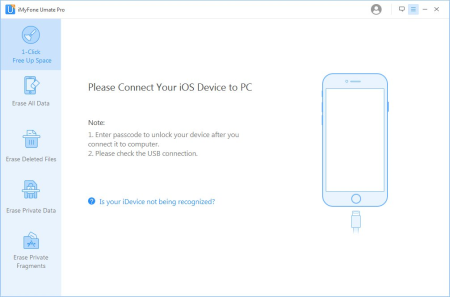
iMyfone Umate Pro is a useful software solution that enables you to delete unnecessary files from your iPhone or perform a complete wipe, as well as make deleted files impossible to recover.​

It is very easy to use, and it comes with an intuitive user interface.There is no guarantee that potential users are familiar with these types of applications, so it is pleasing to see that iMyfone Umate Pro was clearly designed with novices in mind.
Most operations can be performed with just a couple of mouse clicks, and no complex configurations are required. The program guides you throughout the process, so you should not run into any major issues.
iMyfone Umate Pro provides you with multiple modules, each designed to perform a specific function, and they can all be accessed from the convenient sidebar.
The "1-Click" free up feature enables you to scan for unnecessary junk files and temporary data, as well as photos, large files and applications. Once a scan has been completed, you can specify exactly which types of files should be removed.
Aside from removing unnecessary data from your iOS device, the application is also capable of overwriting these files in order to make sure they cannot be retrieved and accessed by others. This function is particularly useful if you want to sell your device and wish to ensure the future owner cannot recover your deleted files.
All in all, iMyfone Umate Pro is a powerful, easy-to-use application that can help you delete unnecessary files from your iOS device, prevent erased data from being recovered and perform a complete wipe. It features an intuitive interface and is very novice-friendly.
iMyfone iPhone data eraser offers four erase modes to choose from, you can pick an erasing mode depending on your needs.
By removing junk files/ temporary files, compressing and deleting photos, removing large files, managing apps, in just one click, you can free up your iOS device and your device will perform at optimal speeds.
Removing your data and files completely can be done with the factory reset option. But Factory reset is not enough to delete all data permanently. iMyfone iPhone data destroyer can do this job easily.
Normal deleted files can be recovered easily. iMyfone Umate Pro can show these deleted files and erase them with no chance of recovery.
To make sure private information on your iPhone is completely removed, this iPhone data eraser will destroy private data with 100% unrecoverable and keeping your personal information secure.
The program will scan your iDevice, then show both your previously deleted files and your existing personal files on your iPhone/iPad/iPod Touch. You can preview them and select the items that you want to erase permanently!
- Find & erase completely hidden previously deleted files
- Preview and choose the precise files to make them gone forever
iMyfone Umate Pro provides you with the facility to scan your iOS Device, make sure that all the files and private information are completely removed and are not recoverable.
- Keep your data private & unrecoverable 100%
- Data erased by iMyfone can't be recovered by any recovery tool

DOWNLOAD
uploadgig
Код:
https://uploadgig.com/file/download/7fdD81Df95483EfB/UrXiHclH__iMyFone.Um.rar

rapidgator
Код:
https://rapidgator.net/file/10caba9ea7ab903609dc4ea0fba255be/UrXiHclH__iMyFone.Um.rar

nitroflare
Код:
http://nitroflare.com/view/D8231E4E4365BDE/UrXiHclH__iMyFone.Um.rar
 
BurnInTest Professional 9.1 Build 1001 (x64)

219435e7-82a9-454f-860e-812ea7225e2e.png

File size: 50.25 MB

Passmark BurnInTest is a software tool that allows all the major sub-systems of a computer to be simultaneously stress tested for endurance, reliability and stability.​

Anyone who has used computers for any period of time will understand the importance of having a stable system. The cost of a hardware failure can be enormous. If you are lucky your data will only become inaccessible while faulty components are replaced. If you're unlucky you can lose your files completely or have them permanently corrupted. Even if you have good backups, you can still lose days of work returning the PC to its pre-failure state. In many cases the lost data can never be replaced and businesses can be brought to their knees, with the loss of documentation, customer details and financial records. Online help & PDF manual
A customer style results certificate
Support for printing results
Logging of results to disk in user selectable levels of detail (in ASCII format & HTML formats)
Timed test runs that will stop automatically at the expiry of the selected time or after a number of test cycles.
The ability to save your results to disk as log file.
'Notes' and 'Machine ID' fields for storing your own audit information along with the saved log file.
Support for copying the results to other applications (eg. MS-Word) via a variety of image formats. (BMP, GIF, EMF)
The ability to select the level of load placed on each component, via the setting of a duty cycle for each test.
Counters that count the total number of operations performed.
An easy to use point and click interface
Can be run from a USB drive or CD (under Windows)
Summary system information including CPU type, CPU speed & Serial number.
Temperature monitoring interface (with additional 3rd party Intel Active Monitor, HMonitor, MotherBoardMonitor and SpeedFan software)
Laptop battery & UPS monitoring interface (with additional BatteryMon software)
Support for production line automation and detailed logging
RAM testing beyond the 4GB barrier in Windows 2000, XP and Vista (up to 64GB of RAM)
Printer testing using raw print files, or standard B&W or color testing
MP3, Midi and Wave file playback for sound card testing
Testing of up to 20 hard and floppy disks simultaneously
Testing of up to 20 CD/DVD drives simultaneously
CD / DVD testing using specialized test CD/DVDs (or use the complementary CD-Maker software). CD burner testing
Windows shutdown and cyclic reboot testing (with complementary Rebooter software)
Scrolling 'H's for Electromagnetic Compliance (EMC) testing to ANSI standard C63.4-1992
Video RAM testing
Testing the playback of Videos
Support for SMART hard disk parameter checking

DOWNLOAD
uploadgig
Код:
https://uploadgig.com/file/download/bE3e18ba0cc80286/uFvKaH2F__BurnInTest.rar

rapidgator
Код:
https://rapidgator.net/file/3992b91c3618da69a4c52010ba0dbffb/uFvKaH2F__BurnInTest.rar

nitroflare
Код:
http://nitroflare.com/view/7F78107BD9F550B/uFvKaH2F__BurnInTest.rar
 
ES-Computing EditPlus 5.3 Build 2542

25d16626-0796-447f-ab8f-79ca6edc14f6.png

File size: 7.4 MB

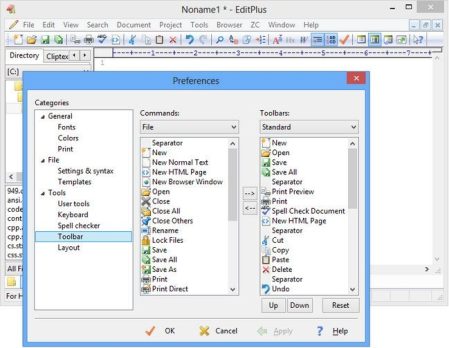
EditPlus is a text editor, HTML editor and programmers editor for Windows.​

While it can serve as a good Notepad replacement, it also offers many powerful features for Web page authors and programmers. EditPlus supports powerful and customizable syntax highlighting for HTML, CSS, PHP, ASP, Perl, C/C++, Java, javascript and VBScript by default. Also, you can create your own syntax file to support other programming languages. So, it supports user-defined tools, help files and keystroke recording files. The output of tool execution can be captured in the Output Window, so that you can double-click the error line to automatically load the file and locate the cursor to that line.* Multiple document interface
* Overlappable windows
* Tabbed document interface
* Window splitting
* Spell checking
* Regex-based find & replace
* Encoding conversion
* Newline conversion
* Syntax highlighting
* Multiple undo/redo
* Rectangular block selection
* Bracket matching
* Auto indentation
* Auto completion
* Code folding (Text folding)
* Compiler integration
* Shell integration
* Macro (Keystroke recording)
* Multi-line regex support
* Integrated web browser
* Dynamically customizable key bindings
* FTP
* sftp (SSH)
* ASCII
* UTF-8
* UTF-16 (Unicode, little/big endian)
* Any encoding supported by the OS
* DOS (CR/LF)
* Unix (LF)
* Mac (CR)

DOWNLOAD
uploadgig
Код:
https://uploadgig.com/file/download/A4974d122a66ad46/CAsWLwP5_EditPlus5.3_.rar

rapidgator
Код:
https://rapidgator.net/file/c00b16f52c68fa89f12bfdaa96095afc/CAsWLwP5_EditPlus5.3_.rar

nitroflare
Код:
http://nitroflare.com/view/A50858E0D6F8DA0/CAsWLwP5_EditPlus5.3_.rar
 
FxSound Enhancer Premium 13.028

75f41e26-8c27-43a8-bc01-c722ce5e6ecb.png

File Size: 3.2 MB

FxSound Enhancer (formerly DFX Audio Enhancer) dramatically improves the sound quality of your favorite media players with 3D Surround, higher fidelity, booming bass and more.​

That provides exceptional playback quality on your PC. FxSound Enhancer optimizes your music in seconds. It simply runs in the background. Just turn on your music and enjoy an improved listening experience. FxSound Enhancer brings you booming bass, crystal clear audio and high fidelity by optimizing your music in real time. That means you get a studio quality listening experience without the need for overly expensive headphones or speakers.
FxSound Enhancer optimizes 5.1 and 7.1 Surround Sound audio content and is carefully tuned to provide superior sound quality for each channel of all multi-channel Surround Sound formats. With FxSound Enhancer you can experience true theater sound quality.
With FxSound Effects, you can adjust levels of 3D Surround sound to personalize your music listening experience. With 3D Surround processing the sounds will surround you, virtually putting you inside the music! 3D Surround enhances the sound played on conventional 2-speaker systems and makes even small PC speaker systems sound larger and richer. It is also fully compatible with Surround Sound playback systems.
FxSound Enhancer automatically improves sound quality by restoring the frequencies that are lost through data compression. Music, however, is very subjective. That's why you'll get the tools to adjust FxSound Audio Effects to your personal tastes.
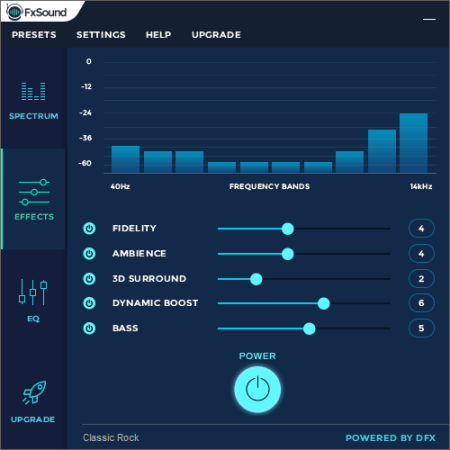
There are five FxSound Effects settings. Fidelity, Ambience, 3D Surround Sound, Dynamic Boost and HyperBass. Each can be adjusted with a slider on a scale of 1-10.
Streaming services like YouTube, Spotify and Pandora use low quality music, because it saves them money on bandwidth and data costs. With FxSound Enhancer you get a high definition listening experience no matter how bad the quality of a song was previously.
FxSound Effects
There are five FxSound Effects settings. Fidelity, Ambience, 3D Surround Sound, Dynamic Boost and HyperBass. Each can be adjusted with a slider on a scale of 1-10.
FxSound Equalizer
Multiband equalizers allow you to selectively boost or cut the audio energy present in multiple frequency ranges of your music and these frequency ranges are referred to as "bands". Making adjustments to the sound energy in these bands compensates for imperfections in the frequency response of your playback system and environment.
Presets
FxSound Enhancer is supplied with a broad set of easy to select processing presets that make it easy to find the settings which best match your audio system and listening tastes. You can also create and save own custom presets. FxSound Enhancer lets you import and export your personal presets for backup and restore purposes.
3D Surround Sound
Advanced DSP Sound Quality Enhancement
Explore Artist Videos, Bio, News, Lyrics, Similar Artists
Speakers and Headphones Optimization
Finely-tuned Music Presets
Dynamic Sound Spectrum Analyzer
Powerful Audio Processing Modes
Compatible With Many Players and Media Formats
Efficient Performance Using Minimal CPU
Stylish, Shapely Skins
Space Saving Mini-mode Interface
Presets Backup and Restore
Preset Song Associations
5.1/7.1 Surround Sound Support
64-Bit Windows Support
official site does not provide any info about changes in this version

DOWNLOAD
uploadgig
Код:
https://uploadgig.com/file/download/b5829CDBb5955391/WSEIXCY6_FxSound.Enh.rar

rapidgator
Код:
https://rapidgator.net/file/0ce69704b84f8a54a415adc1c678f74a/WSEIXCY6_FxSound.Enh.rar

nitroflare
Код:
http://nitroflare.com/view/5A7E9E05328CAEB/WSEIXCY6_FxSound.Enh.rar
 
JP Software CMDebug 25.00.27 Multilingual

59963288-8ca7-40dd-b103-8f1d65351c69.png

File size: 24 MB

CMDebug is a stand-alone version of the Take Command IDE and batch debugger component.​

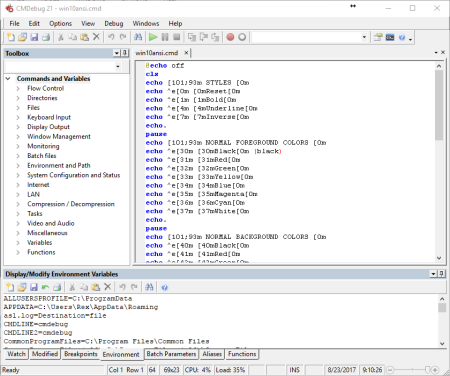
CMDebug is intended for developers who need to develop batch files to run in CMD.EXE or TCC-RT (runtime). CMDebug allows you to create and debug your batch scripts with the integrated graphical IDE. CMDebug includes tabbed edit windows and a sophisticated debugger with single stepping, breakpoints, syntax coloring, tooltips, bookmarks, and tabbed variable and watch windows. Windows batch file programming has never been easier or more powerful!
You can use CMDebug to develop either CMD-compatible batch files (.BAT or .CMD), or TCC-RT-compatible scripts (.BTM). If you select the "TCC Syntax" option, CMDebug provides the full TCC-RT command set. If you select the "CMD Syntax" option, CMDebug will maximize CMD compatibility and disable TCC-only internal commands, variables, and functions. Some internal CMD / TCC commands will also behave slightly differently or modify their display output in order to match CMD's behavior more closely.
Using CMDebug with TCC-RT allows you to write (and encrypt) scripts using the TCC command language, and then distribute them with the free TCC-RT runtime on an unlimited number of target machines.
Create and debug your batch scripts with the integrated graphical IDE. The IDE includes tabbed edit windows and a sophisticated debugger with single stepping, breakpoints, syntax coloring, tooltips, bookmarks, tabbed variable and watch windows. Windows batch file programming has never been easier or more powerful!
The TCC-RT scripting language is a massive superset of the Windows CMD shell, with 220+ internal commands, 367+ internal functions, and 289+ system variables. Almost all of the CMD command line commands (e.g. DIR, COPY, DEL, START, etc.) are enhanced with hundreds of additional options. And TCC adds more than 180 new commands. TCC-RT can usually do in one or two lines what requires dozens CMD commands (when CMD can do it at all).
The scripting language includes a complete set of extended flow control structures including IF-Then-Else, DO and FOR loops, SWITCH, subroutines, batch libraries, and more.
When using TCC-RT syntax, most interactive commands (such as COPY, DEL, DIR, MOVE, REN, START, etc.) have command dialogs that allow you to select filenames and options and see your command line before executing it. The most powerful Windows command processor is also the easiest to use!
Monitor your system's hardware and software events, and execute commands when an event is triggered. You can monitor directory changes, the clipboard, event logs, Ethernet and WiFi connections, services, processes, and USB and Firewire connections.
Environment variable substitution is greatly enhanced, including nested variables, delayed expansion, indirect variables, multidimensional array variables, and direct access to the system, user, and volatile variables in the registry.
Select or exclude files by date, time, size, owner, and extended wildcards or regular expressions for extraordinary flexibility in file management.
Specify multiple filenames for most file processing commands (i.e., COPY, DEL, DIR, MOVE, etc.), or optionally the name of a file that contains the filename arguments. (COPY even supports multiple targets as well as multiple sources.)
Multiple types of I/O redirection are available, including redirecting and piping to STDERR, "in-process" pipes, "here-document" and "here-string" redirection, and Tee and Y pipe fittings.
Send keystrokes to any application (console or GUI).
TCC-RT includes internal compression and extraction commands for ZIP, 7ZIP, TAR, JAR, GZIP, and BZIP files.
You can access FTP, TFTP and HTTP (including SSL and SSH) directories and files in all command processor file-handling commands (COPY, DEL, MOVE, etc.).
Internal support is included for Perl, Lua, REXX, Python, Tcl/tk, and any Windows Active Scripting language. You can even combine multiple languages in your batch scripts.

DOWNLOAD
uploadgig
Код:
https://uploadgig.com/file/download/d3119e0c0708f288/X2zqx8UU_cmdebug25_.rar

rapidgator
Код:
https://rapidgator.net/file/35cfc26004d313abc0a5975105a2feb4/X2zqx8UU_cmdebug25_.rar

nitroflare
Код:
http://nitroflare.com/view/B6B45C073534A25/X2zqx8UU_cmdebug25_.rar
 
JP Software TCC 25.00.27

5a7a6031-df02-4ccf-b528-b26cb9ab1af5.png

File size: 34 MB

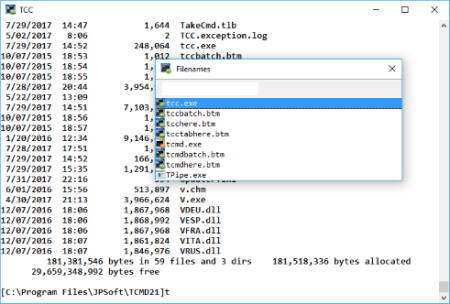
TCC is our console mode Windows command shell (formerly known as 4NT).​

TCC is a replacement for the CMD command line (the default Windows command prompt). TCC is a superset of CMD, with 246 internal commands (CMD has fewer than 40), 695+ internal variables and functions, and hundreds of enhancements to existing CMD commands. TCC works with your existing command line applications and batch files, but offers major improvements in command line and batch file capabilities, and adds thousands of new features to your command prompt windows.
TCC is a CMD replacement command processor that is compatible with your existing CMD commands and batch files, while adding thousands of new features. You're immediately more productive, and you can learn and add TCC's new features at your own pace.
Create and debug your batch scripts in a fraction of the time with the integrated editor and batch file debugger.
The integrated and familiar environment means you are immediately more productive with your interactive command prompt and batch file development tasks.
The consistent syntax reduces your learning and development time.
The comprehensive help (including context-sensitive popup help for command line syntax), speeds your development time and reduces syntax errors.
Updates: official site does not provide any info about changes in this version.

DOWNLOAD
uploadgig
Код:
https://uploadgig.com/file/download/f46c58924D1FeEd0/miDarw2M_tcc25_.rar

rapidgator
Код:
https://rapidgator.net/file/d2d646aa0bf0a7bfc27d11c7f17e1138/miDarw2M_tcc25_.rar

nitroflare
Код:
http://nitroflare.com/view/2ACE90F8146B428/miDarw2M_tcc25_.rar
 
JP Software Take Command 25.00.27 Multilingual

0923dd3d-8d5a-4263-a911-ca9006c8783a.png

File size: 41 MB

Take Command is a comprehensive interactive GUI and command line environment that makes using the Windows command prompt and creating batch files easy and far more powerful.​

Take Command displays your command line applications in tabbed windows, with optional Explorer-style integration for a visual look at your folders. Take Command includes hundreds of major enhancements to the command line and CMD commands such as COPY, DEL, and DIR, and adds more than 140 new commands, 460 internal variables and functions, a batch file IDE / debugger, and thousands of other features.· Modify and re-execute previous commands with a powerful command line editor
· Copy, delete, move, and rename groups of files and directories, not just individual ones
· Extended directory searches allow you to change to a directory anywhere on your system by entering only part of its name
· Quickly locate files or text within files anywhere on your system
· Built-in file viewer includes scrolling, search, and print capabilities
· Select or exclude files by date, time, size, and/or extended wildcards for extraordinary flexibility in file management
· Redefine commands, create new commands and functions for your regular tasks, even assign frequently used commands to a single keystroke
· Direct access to FTP, TFTP and HTTP (including SSL) directories and files in all file-handling commands
· Complete configuration adjustment, either through interactive dialogs or on the command line
· File descriptions up to 511 characters long provide information that can't fit in a filename
· Batch debugger with singlestepping, breakpoints, syntax coloring, bookmarks, popup variable windows, variable watch windows, and editing
· An improved batch language adds subroutines, IF/THEN/ELSE logic, DO loops, SWITCH statements, error and exception handling, and more than 130 internal commands, while retaining compatibility with batch files written for CMD
· More than 130 built-in variables include system configuration, device status, network drive detection, and free memory and disk space
· More than 200 variable functions assist with manipulation and display of strings, characters, numbers, date and time, file names, etc
· Start graphical and character-mode applications with ease - even run most console programs in the Take Command window
· Built-in screen scrollback buffer lets you review or print output from past commands at any time
· Customizable toolbar gives you quick access to frequently used commands and applications
· Find File dialog lets you search quickly for files or text, anywhere on your system - or search from the command line with the new FFIND command
· Dialogs, accessible from the Options and Utilities menus, for editing environment variables, aliases, file descriptions, and startup parameters
· New commands such as ACTIVATE, MSGBOX, and QUERYBOX that allow you to use GUI features and control GUI applications from your batch files

DOWNLOAD
uploadgig
Код:
https://uploadgig.com/file/download/2C46e90241104273/quMjLrWy_tcmd25.0.27_.rar

rapidgator
Код:
https://rapidgator.net/file/569291776f24c9ed800a0369e4bd08f6/quMjLrWy_tcmd25.0.27_.rar

nitroflare
Код:
http://nitroflare.com/view/455F8691D6AD62D/quMjLrWy_tcmd25.0.27_.rar
 
Remote Desktop Manager Enterprise 2019.2.24.0 Multilingual

4e70ed5b-1003-44f7-bf0f-a8faa6e06cf6.png

File size: 162 MB

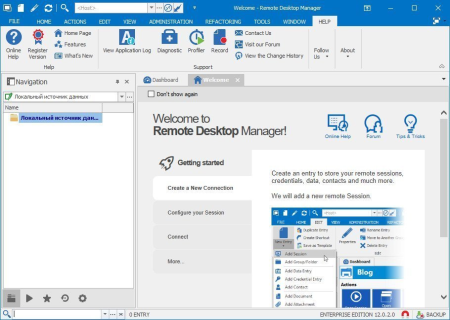
Remote Desktop Manager is a small apgfplication used to manage all your remote connections and virtual machines.​

Add, edit, delete, shared, organize and find your remote connection quickly. Compatible with Microsoft Remote Desktop, Termfinal Services, VNC, LogMeIn, Team Viewer, Ftp, SSH, Telnet, Dameware, X Window, VMware, Virtual PC, PC Anywhere, Hyper-V, Citrix, Radmin, Microsoft Remote Assistance, Sun Virtual Box and more.* Share your remote connection settings inside a company database.
* Save your credentials and passwords in a database.
* Monitor user activities with the database logs.
* Faster and more secure solution.
* Available in single license, multiple licenses pack, global license or site license.
Microsoft Remote Desktop (RDP)
Microsoft Remote Assistance
VNC (UltraVNC, TightVNC, RealVNC and embedded)
LogMeIn
Team Viewer
FTP (Explorer, Filezilla and WinSCP)
X Window
Putty (SSH, Telnet, RAW and rLogin)
Dameware Mini Remote Control
Radmin Viewer
Citrix XenApp (ICA)
Symantec PC Anywhere
Microsoft Hyper-V
Microsoft Virtual PC
Microsoft Virtual Server
Microsoft Windows Virtual PC
Sun VirtualBox
VMware Player, VMware Workstation, VMware ESXi and VMware vSphere
Cisco VPN client
SonicWall Global VPN client

DOWNLOAD
uploadgig
Код:
https://uploadgig.com/file/download/0a53a6e26c3303D9/i7VJ2gWE_RemoteDeskt.rar

rapidgator
Код:
https://rapidgator.net/file/0a5e7ccad410538fc192e9156bcebe86/i7VJ2gWE_RemoteDeskt.rar

nitroflare
Код:
http://nitroflare.com/view/F332B826C986B7A/i7VJ2gWE_RemoteDeskt.rar
 
Source Insight 4.00.0106

007d1cfd-370a-43a9-8f27-95c13f3c6575.png

File size: 21 MB

Need to Understand Code?​

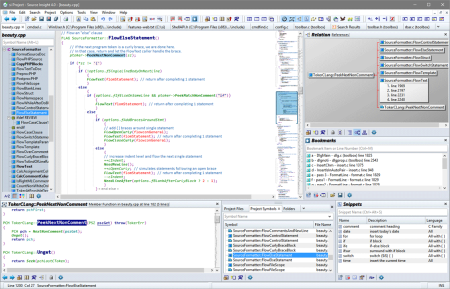
Source Insight is a powerful project-oriented programming editor, code browser, and analyzer that helps you understand code, while you work and plan. Source Insight has built-in dynamic analysis for C/C++, C#, Java, Objective-C, and more. Understand Code
Learn an existing code base quickly, and get up to speed on new projects. Evaluate the costs of potential changes by seeing where functions and objects are used. See class inheritance and function call trees.
Quickly Navigate
Source Insight parses your whole project and let's you navigate and edit code like a breeze, while showing you information automatically. Jump easily to callers of functions or references to variables.
Discover
See where functions and variables are used. Source Insight automatically shows references to functions, variables, classes, and more - almost instantly. Search across your project using advanced search features.
Read More
Code Analysis
Source Insight has built-in dynamic analysis for C/C++, C#, Java, Objective-C, and more.
Read More
Powerful Editing
Use powerful editing features, including code snippets, symbolic auto-completion, and smart-rename.
Syntax Formatting
See live references to variables and other declarations with Syntax Formatting. Identifiers are formatted based on their declaration, scope, and usage.
Source Insight 4.0 has many exciting new features and improvements. Here are some of the highlights:
Improved language parsing for C/C++, C#, Java, and other languages.
Language support now built-in for Objective-C, Python, PHP, XML, and JSON files.
Imports symbols from external sources, such as .NET assemblies, Java JAR files, and Include files.
File Window tabs appear across the top of the main application window.
Collapsible code blocks. You can control the position and appearance.
File and directory comparing (diff).
Code beautifier that works on curly brace languages, such as C/C++ and C#.
Unicode support.
Automatic reference highlights when you click on any identifier, showing references in the correct scope.
New User Interface with Panels and user-defined Visual Themes.
New Overview scroller bar is positioned like a scroll bar, but gives you a bird's eye view of your file. It can show you the boundaries of the current function and help to orient you within long functions.
New enhanced vertical scroll bar shows more details within the scroll bar.
Multiple window layouts you can switch quickly.
Code Snippets - define reusable templates of code to insert, which can include auto-generated placeholder variables.
Improved bookmarks - book marks are now stored persistently and they are stored as a line offset from a nearby function or class name. Each project has its own book mark list.
Improved Relation window - Reference finding is faster. There is also a new relation type for functions: "calls and callers". This shows both in the same outline or graph. You can also copy the graph view to the Windows clipboard.
Maintain backup files per-project, and easily compare with backup versions, or open an older version of the current file.
Better regular expressions - now supports Perl-compatible and multi-line expressions.
Better support for large projects. The virtual memory usage has been improved so that very large projects can fit better into the memory space. Older versions could suffer from a file read error on the project index files for large numbers of symbols, leading to project corruption. This has been eliminated.
Easier project management with multiple users and machines by using a Master File List. A project can have a MFL, which can be a part of your source code repository and shared with other people. It is a simple text file that lists all the files (and/or directories) in your project.
Export project source to HTML site. You can use this to export all the files to HTML versions that contain most of the same syntax formatting you see in Source Insight. This builds a web site that can used to browse the project source code with a web browser.

DOWNLOAD
uploadgig
Код:
https://uploadgig.com/file/download/6e173317C76A9b46/sgw78O0E_Insight4.0_.rar

rapidgator
Код:
https://rapidgator.net/file/d548d3c76c6b85e79372094bbb575542/sgw78O0E_Insight4.0_.rar

nitroflare
Код:
http://nitroflare.com/view/0067C7FB139C623/sgw78O0E_Insight4.0_.rar
 
PDF-XChange Pro 8.0.336.0 Multilingual

3bfbd3db-ca82-4493-b923-11af84f682e7.png

Windows x86/x64 | File Size: 282.6 MB

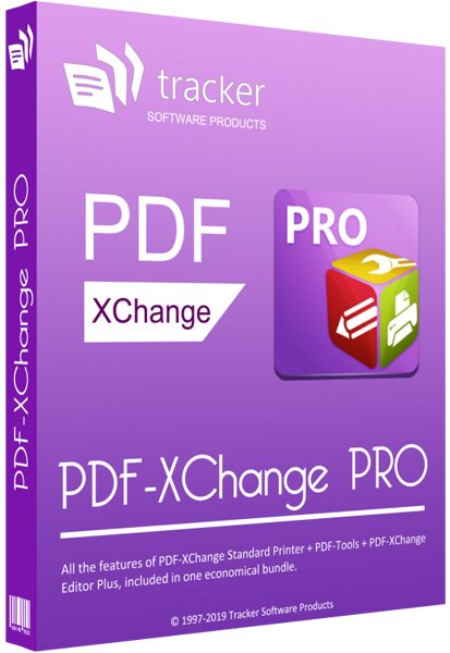
PDF-XChange PRO is the ultimate PDF solution.​

It's a bundle package that combines the three best-selling applications that Tracker Software produces. is a hugely dynamic and fully-customizable PDF application. Create, view, edit, annotate, OCR* and sign PDF files - and that's just the beginning. If you work with PDF then this fully-customizable product will optimize your work process to levels that no other product can achieve. Create PDF files from scanned documents, images, text files, Markdown files and much more. Open, edit and convert Microsoft Office documents.* Avail of over thirty tools to assist in the creation of document comments, annotations, links and fillable forms. These tools make editing PDFs a finely-tuned, precise process that produces documentation and image files of the highest quality. Our user-friendly functionality is diverse enough to meet the needs of all practitioners from novices to professionals.** is a worldwide leader in the creation and manipulation of PDF and image files. Highly user-friendly, it can be used to convert files of almost any format to/from PDF. Avail of sixty-six built-in standard tools, as well as functionality to clone and edit these tools and their variables as you desire. Use the Actions Library to fully customize your tools and the Tool Actions Sequence to determine the order in which they perform operations. Combine seventy-three available actions to create your own tools - out of billions of possibilities. PDF-Tools is compatible with large PDF files and can also handle a huge number of files simultaneously - batch conversion is its strength. is Tracker Software's best-selling virtual printer - the ultimate application for the creation and virtual printing of industry-standard PDF files. It's compatible with files from almost all Windows applications, such as Word, Excel and AutoCAD, and features an optimized engine for superb conversion of images and image-based text characters. The files it creates are surprisingly small, given their quality - allowing for faster uploads/s, a reduction in storage space and increased data retention - even at high levels of compression. PDF-XChange Standard also features MS Office integration, which provides extra functionality such as adding clickable tables of contents and embedded URL support that facilitates the creation of external links.
What do you get when you combine three applications of such functionality and potential into one package? The answer is simple: unbeatable power at an unbeatable price. See below for further information on the features and functionality of each product.
The Enhanced OCR plugin is now available as an optional extra in PDF-XChange PRO. It is more accurate, dynamic and faster than the default OCR engine, and contains a range of extra features. Further information on this plugin is available here.

DOWNLOAD
uploadgig
Код:
https://uploadgig.com/file/download/4bB919381d6821f4/oxN5yqac_PDF.XChange.rar

rapidgator
Код:
https://rapidgator.net/file/72b420a875397e2ac80c3d65bbc5fbc7/oxN5yqac_PDF.XChange.rar

nitroflare
Код:
http://nitroflare.com/view/96F7E63D0FC5E30/oxN5yqac_PDF.XChange.rar
 
Назад
Сверху