• Здравствуйте. Сайт заработал в архивном режиме форум www.old.nado.in

Anthony's Software !!!

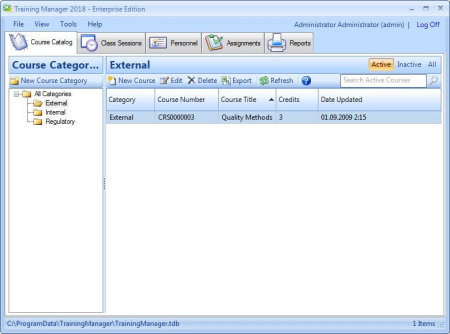
Training Manager 2019 Enterprise 3.2.1005.0
0d4b6f92-c7bc-4bc0-9bc7-add6fcb8441e.png

File size: 28.4 MB

Now you can plan and prepare for training without the last minute scrambling that occurs when recurring training becomes due.​

Run a report to show overdue and upcoming training for the next period of time that you define, and see what's coming up while you still have time to prepare and schedule. Easily track Employee Safety Training, HR Training, Internal/External Training, and more.
Do you have employee training records stored in different systems, file cabinets, or within various groups? With Training Manager, you can consolidate these disparate systems into one and always know where to find all your training records.
Manage and share your training data across your company in a central repository.
Whether you want to provide more transparency to training records for everyone or just standardize a back-office system for training records administrators and managers, Training Manager allows you to create login accounts to define who can login, view, or edit the training records database.
Eliminate the tedious, time-consuming work spent preparing training compliance reports.
If you have been working with a paper or Excel based tracking system, you know how much work it takes to determine whether an individual is compliant with required training. Summarizing compliance metrics for a Group or the entire Company can be a daunting task without a training records database. With Training Manager, you can print these reports at any time without the trouble of manually collating and preparing the data.
Track training records and status company-wide, or drill into individual training status.
Assign required training by individual, job function, or group.
Require retraining based on calendar time, course version, or one time only.
Schedule and manage class sessions and student enrollments.
Record attendance, training completion, and cancellations.
Record training credits, training hours, and assessment scores.
Print status reports to demonstrate training compliance.
Print employee transcripts.
Print employee training plans.
Track training costs by Group, Individual, Course, Category, or Supervisor.
Save file attachments associated with the records.
Import master course and personnel data.
Export data and reports to various formats.
Audit trail report which tracks data changes.
Send class session reminders by email using your default email client such as MS Outlook.
Updates: official site does not provide any info about changes in this version

DOWNLOAD
uploadgig
Код:
https://uploadgig.com/file/download/8AdDf90d953aba93/V8lb7Uyg_Training.Ma.rar

rapidgator
Код:
https://rapidgator.net/file/64e671726268591f4f93ef12d879b8c6/V8lb7Uyg_Training.Ma.rar

nitroflare
Код:
http://nitroflare.com/view/8267590312F5A84/V8lb7Uyg_Training.Ma.rar
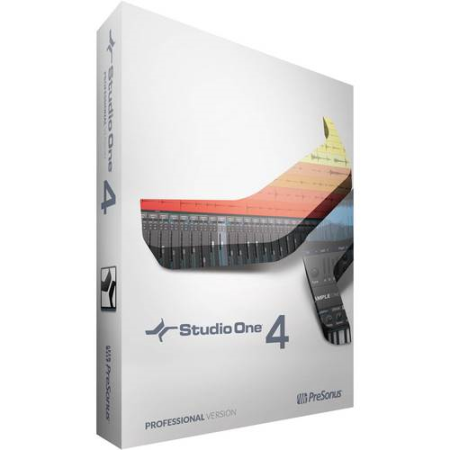
 
PreSonus Studio One Pro 4.6.0.55605 Multilingual

4d271a42-85f2-4715-adb5-437c920624bc.png

Windows x64 | Languages: Multilingual | File Size: 186.98 MB

Studio One 4 was designed with ease of use at its core.​

It seamlessly combines the time-tested and proven recording studio model with today's beat- and loop-oriented production process so you can bring musical ideas to sonic reality more quickly than ever before.An efficient, single-screen interface houses an unlimited number of tracks, intuitive editing tools, and advanced virtual instruments. Spend your precious time creating music instead of wondering what to click next. Studio One doesn't dictate how you work or what you work on.Studio One is your creative companion from start to finish. The Start page provides what you need to kickstart your creative process-open projects, set parameters, and check for updates and tips. From there, the Song page is all about recording, arranging, editing, and mixing your music with a complete set of virtual instruments, effects, and groundbreaking arrangement tools. Then, assemble and master your music in the Project page. Even better, the Project and Song pages are linked so if you need just that one little change in your master or stems, switch to the Song page, tweak, and mix back automatically to the Project. No other program accomplishes such an effortless transition as you move from the initial creative inspiration to the finished, mastered production.
Forget laborious transposition, cutting, pasting, and moving when arranging. With Scratch Pads to test out arrangements, an Arranger track that makes moving sections of songs around as easy as moving parts, and the groundbreaking Harmonic Editing-the most flexible chord track implementation ever-no other program can approach the ease of arranging and songwriting that Studio One 4 delivers.
Far more than just a simple chord track for note data, Studio One 4's Chord Track is a songwriter's dream come true. Create and change chord progressions, try out chord substitutions, substitute rich chords for simple ones, even have older parts follow a new, better chord structure you came up with thanks to the inspiration Harmonic Editing can provide. This breakthrough, which works with instruments and even audio tracks, underscores Studio One's commitment to streamline the songwriting and music creation process.
When you come up with an inspired chord progression, you needn't put your creativity on hold while you figure out what you played in order to add new parts. Built-in chord detection extracts chords from audio or instrument tracks-simply drag a part to the Chord Track to create a reference for Harmonic Editing.
When you're stuck in a rut, let Studio One Professional be your creative partner. Use the ingenious Chord Selector to experiment easily with new chord patterns and ideas. Let Harmonic Editing spark new ideas. Change chords in real time from an external MIDI controller to try out chord progressions on the fly. Transfer chord data from an audio or instrument track to the Chord Track, or from the Chord Track to other tracks.
With just a few clicks and Notion 6.4 or higher, Harmonic Editing makes it easy to create great-looking, printable lead sheets.
Studio One works with all the standard MIDI gear you know and love, from controllers to tone modules. But once MIDI data arrives into Studio One, it's converted to a high-resolution, 32-bit internal format. That means no zipper noise on instruments, smoother controller changes and pitch bends, more detailed automation, and other benefits when working in the Studio One environment. And if you need to drive external MIDI gear, you're covered there too-Studio One translates its high-resolution format back into standard MIDI data if it needs to return to the outside world.
With its rich roster of native plug-ins, Studio One has earned its reputation as a complete production package-and now our latest generation of virtual instruments, based on input from the Studio One community (thank you), deliver even more. Impact has been remade into Impact XT, a comprehensive beat and rhythm production environment. Sample One XT samples, slices, and dices to create great beats and realistic instrument sounds. These new instruments don't feel like separate plug-ins but like integrated-and integral-parts of music creation.

DOWNLOAD
uploadgig
Код:
https://uploadgig.com/file/download/C67df4dc424d791a/uCPMKs3o_.Studio.One.rar

rapidgator
Код:
https://rapidgator.net/file/f900a40f241c949e1fb33a1b68b580fd/uCPMKs3o_.Studio.One.rar

nitroflare
Код:
http://nitroflare.com/view/53BF1238A784CE3/uCPMKs3o_.Studio.One.rar
 
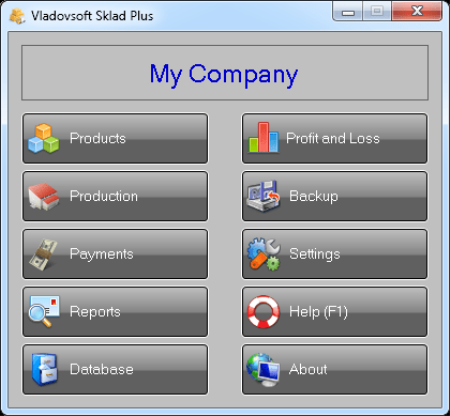
Vladovsoft Sklad Plus 8.6.3 Multilingual

315ffff7-d996-45b3-b44b-cdcd3cace6f6.png

File Size: 2.5 MB

Vladovsoft Sklad is an easy to use warehouse management software.​

It helps you keep track of your products and customers, simplifies the process of making deliveries, sales and invoices and makes the management and control of your warehouse/shop easier than ever. Number of products, deliveries and sales
Option to set photos for the products
Support for barcode readers and scanners
Deliveries and sales forms
Large number of predefined reports
Powerful report generator
Export of tables and reports as interactive web pages (in HTML format) and to XML
Automatic calculation of weighted average prices after delivery of products
Print preview, printer selection and printing of tables, forms, invoices and reports
Network support using the client-server technology
Daily database backup
English, Russian, Bulgarian, Georgian and Arabic translations of the user interface
Web reports: upload data and make reports from any device with Internet access
Module: Production - lets you create composite products
Module: Till - tracks the money in the till and any additional incomes and expenses
Module: Profit and Loss - charts and tables that show profits and losses
Number of products and services - unlimited
Number of databases on a single PC - 10
Monitoring of deferred payments
Operators with different user rights
Custom title and company logo when printing deliveries, sales and invoices
Import and export of data from Access and Excel
Export to PDF of all documents and reports from the print preview window
Generation of electronic invoices (e-invoices) in PDF format
Module: Invoices
Module: Inspections
Module: Statistics
NEW Web reports: upload data and make reports from any device with Internet access

DOWNLOAD
uploadgig
Код:
https://uploadgig.com/file/download/a8E1562D0fC0d44f/zUuTYVol_Sklad.Plus.8_.rar

rapidgator
Код:
https://rapidgator.net/file/7142a83e8e0a7fba564211e23412b0d4/zUuTYVol_Sklad.Plus.8_.rar

nitroflare
Код:
http://nitroflare.com/view/30F947177138EF1/zUuTYVol_Sklad.Plus.8_.rar
 
Bandicam 4.5.3.1608 Multilingual

26cc3646-a781-4d2d-84d8-af91fb6bde73.png

File size: 20.6 MB

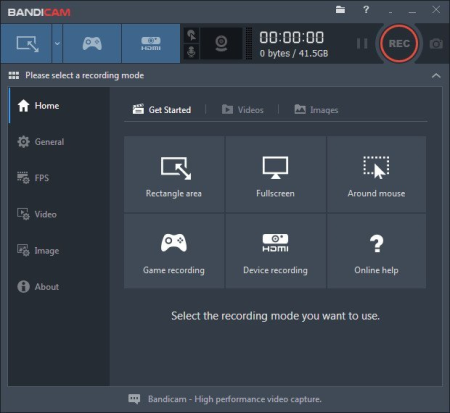
Bandicam makes it possible to record a certain area on a PC screen, or a program that uses the DirectX/OpenGL graphic technologies.​

Bandicam will help you carry out a video record with high compression ratio, while keeping the video quality closer to the original work, and provides performance far superior to other programs that provide similar functions. VIDEO-RECORDING of games and streaming videos
- Recording of WOW, Minecraft, Webcam, and computer screen
- H.264, Xvid, MPEG-1 and MJPEG video codec support
- PCM and MPEG-1 Layer II audio codec support
- AVI video format (.avi) support
- MPEG-1 video codec VBR mode support
Improved the recording performance by using a hardware-accelerated H.264 encoder.
- Bandicam provides hardware accelerated h.264 encoder
- Nvidia CUDA/NVENC H.264 encoder
- Intel Quick Sync video H.264 encoder
- AMD APP H.264 encoder
IMAGE-CAPTURING of games and streaming videos
- BMP, PNG and JPEG image format support
- Continuous image capturing
FRAME RATE control (FPS management)
- FPS overlay (Show FPS) / FPS limit
- Bandicam can record DirectX/OpenGL programs like Fraps (Fraps Alternative, Better than Fraps)
- The recorded file size is much smaller than other software (Bandicam compresses the video when recording)
- You can upload the recorded file to YouTube without converting (720p/1080p full HD video can be made)
- You can record over 24 hours without stopping (Auto Complete Recording function can be used)
- You can record video at resolutions of up to 2560x1600 in high quality
- You will experience much less lag than with other capture programs (It uses much lower CPU/GPU/HDD

DOWNLOAD
uploadgig
Код:
https://uploadgig.com/file/download/54f96d20fe8b20C1/hq3EC1Cd_Bandicam_4.rar

rapidgator
Код:
https://rapidgator.net/file/7e14c25256e951cadcc1a07bce86e91a/hq3EC1Cd_Bandicam_4.rar

nitroflare
Код:
http://nitroflare.com/view/915B80C5CE3C8F6/hq3EC1Cd_Bandicam_4.rar
 
Adobe InDesign 2020 15.0.1.209 RePack by KpoJIuK

555dc5c444f1.jpg

Interface language: Russian, English and others | 597MB
​
Adobe InDesign is a professional product for designing any print or online publications. Adobe InDesign has all the advanced features and machine layout tools with which you can quickly and efficiently design pages of any complexity. The program supports the import of drawings and text from a wide variety of formats, including PDF and XML files, offers a large set of tools for editing imported materials, which includes working with layers, cascading styles, tables and templates.

Adobe InDesign is a universal application for publishing content that provides precise control over the design and typography at the pixel level. Convenient adaptation of layouts to various page formats, orientations and devices while maintaining high image quality.

The best features of Adobe InDesign:
Publish to digital devices. Create expressive e-books and the latest content for tablet devices, which can be distributed using the integrated service Adobe Digital Publishing Suite - as well as export interactive layouts to SWF or PDF files.
Polygraphy. Create stunning documents and immediately print them or convert them to PDF files for sending to desktop and professional printers. Effectively handle related content, use content collection tools, and other features.
Integration with other Adobe solutions.Easily realize your creative ideas when developing a wide variety of projects thanks to the tight integration of leading Adobe industry solutions, including Adobe Photoshop, Illustrator, Acrobat and Flash Professional.
Productivity tools. Create complex page layouts using related content, the Alternative Layout feature, content collection tools, quick guides, and the quick creation of tables and controls that apply directly to objects.
Reliable compilation of texts. Create beautiful and modern typography with styles, text wrap, paragraph layout, OpenType support, capital letters, and style conversion options for EPUB export.
Built-in designer tools. Discover new creative opportunities with integrated drawing tools, reversible effects, built-in Adobe Photoshop effects, enhanced transparency control and support for Photoshop 3D graphics.
Automation. Create powerful automated workflows using standard XML functions to automatically fill pages with text and images. Embed database-driven content for multi-channel publishing.
Extensibility.Create projects for specialized publications using the InDesign Markup Language (IDML), an XML-based format that allows developers to create and modify files using standard XML tools.
Collaboration while editing. Improve the interaction between designers and editors through tight integration between InDesign and Adobe InCopy.
Access to Adobe Digital Publishing Suite software. Access Adobe Digital Publishing Suite * from InDesign to publish engaging digital documents for a variety of tablet devices. The new edition of Adobe Digital Publishing Suite, Single Edition allows you to publish applications on the iPad separately.
"Liquid" layout. Easily design and create multiple layout versions for various devices and print materials in a single InDesign file.

Assembly Features:
1. Two-click installation
2. The Creative Cloud application does not litter in the system - it has the required minimum
3. All localizations in the bundle change in the program settings
4. The original installer is used, problems with other products are excluded

Command-line options:
-S or -S1 - hide the window with the progress of unpacking temporary files
-S2 - show the window with the progress of unpacking temporary files
-S or -S1 or -S2 - required parameter

/ XPATH = "PATH" - specify the installation location.
Default: C: \ Program Files \ Adobe \ Adobe InDesign CC 2019

/ XDISABLENET = 1- disconnect the Internet connection for ~ 10 seconds to start the installation

/ XFORCE = 1 - forced English installation

/ XVCR - install the Visual C ++ Redistributable Package (necessary for the program to work)

Example: INSTALL.EXE -S / XPATH = "C: \ Program Files \ Adobe \ Adobe InDesign CC 2019 "/ XDISABLENET = 1 / XVCR


DOWNLOAD
uploadgig
Код:
https://uploadgig.com/file/download/dB1c9c35fC446b1f/InDesign.2020KpoJIuK.rar

rapidgator
Код:
https://rapidgator.net/file/6a075fd8e7ecd7dd9f0b116dc28fe4ba/InDesign.2020KpoJIuK.rar

nitroflare
Код:
http://nitroflare.com/view/9E7FB55C1C0316D/InDesign.2020KpoJIuK.rar
 
Adobe After Effects 2020 17.0.1.52 RePack by KpoJIuK

eec9b12fb413.jpg

File size : 960MB
​
After Effects is an industry-leading animated graphics compilation and layout program that many visual effects and animated graphics developers use. It offers great management features, a wide selection of creative tools, and the ability to integrate with other post-processing applications for video content. Make the impossible possible with the new, more versatile

After Effects software. Enjoy powerful new features such as Live 3D Pipeline that let you use CINEMA 4D scenes as layers - without rendering in between. Share your work directly through the application and get access to new features at the time of their release. Put all your work together.

Assembly Features:
1. Installation in two clicks, you only need to disconnect the Internet connection (automatically or manually)
2. The Creative Cloud application does not litter in the system - the minimum necessary is left from it
3. All localizations in the set are selected during installation.
Note: English can be turned on at any time by creating the text file ae_force_english.txt in the My Documents folder
4. The original installer is used, problems with other products are excluded

Command line parameters:
-S or -S1 - hide the window with the progress of unpacking temporary files
-S2 - show a window with the progress of unpacking temporary files
-S or -S1 or-S2 - required parameter

/ XPATH = "PATH" - indicate the installation location. Default: C: \ Program Files \ Adobe \
Please note that due to the features of the official installer
, "Adobe After Effects CC 2019" will be added to the selected path,
so in most cases, select C: \ Program Files \ Adobe

/ XDISABLENET = 1 - disconnect the Internet connection for ~ 10 seconds to start the installation

/ XVCR - install the Visual C ++ Redistributable Package (necessary for the program to work)

Example: INSTALL.EXE -S / XPATH = "C: \ Program Files \ Adobe" / XDISABLENET = 1 / Xvcr


DOWNLOAD
uploadgig
Код:
https://uploadgig.com/file/download/abA9fb3413A4948D/After.Effects.KpoJIuK.rar

rapidgator
Код:
https://rapidgator.net/file/87090e8c73d84c8db990b20b0be201db/After.Effects.KpoJIuK.rar

nitroflare
Код:
http://nitroflare.com/view/B6F9CAA655DA24E/After.Effects.KpoJIuK.rar
 
Adobe Audition 2020 13.0.1.35 RePack by KpoJIuK

35621acc07e1.jpg

Interface language: Russian, English and others | 296MB
​
Description: The program for working with audio data Adobe Audition is a professional tool for professionals who work in the field of processing audio and video products, offering them almost unlimited possibilities. Ease of use is perfectly combined with the flexibility of work, allowing you to create master copies of the highest class, edit, mix, process, impose a variety of sound special effects. In fact, the user gets on his computer a full-fledged powerful recording studio with easy-to-use and, at the same time, fairly professional tools.

The product offers users the following features:
Create high-quality audio products - Adobe Audition supports files with a digitization depth of up to 32-bit and a sampling frequency of more than 192 kHz, and recording on any media (including magnetic tape, CD, DVD or DVD-Audio discs). All processing is performed in 32-bit resolution, which allows to achieve highly professional results.
Get the most out of your work - Adobe Audition will provide you with all the tools you need for fast and efficient work. A user-friendly interface will allow you to perform the necessary operations in the shortest possible time, and floating work panels will provide quick setup of the workspace taking into account your personal preferences.
Use integrated tools - Adobe Audition offers a complete solution for editing and mixing audio files. Built-in viewing modes (multi-track and intended for editing), special effects in real time, support for loops, analysis tools, the recovery function and support for video sequences will provide you with unlimited possibilities in the field of processing audio files.
Powerful tools based on DSP technology - Use more than 45 effects based on DSP technology, tools for creating master copies, analytical tools, as well as the function of restoring audio files.
Creating soundtracks for films - Edit, mix and add effects to soundtracks in AVI format while watching a video sequence.
Expanded support for various audio formats - Work with audio files in all common formats (including WAV, AIFF, MP3, mp3PRO and WMA).
Intuitive user interface - Thanks to a convenient and intuitive interface, you can get to work immediately without spending extra time on training.

Assembly information
1. Two-click installation, you only need to disconnect the Internet connection (manually or automatically)
2. The Creative Cloud application does not litter the system - it requires a minimum of
3. The original installer is used, problems with other products are excluded
Switching between Russian and English is carried out by the files! RUS.VBS and! ENG.VBS in the program folder

Command line parameters:
-S or -S1 - hide the window with progress unpacking temporary files
-S2 - by show the window with the progress of unpacking temporary files
-S or -S1or -S2 - required parameter

/ XPATH = "PATH" - indicate the installation location. Default: C: \ Program Files \ Adobe \
Please note that due to the features of the official installer, "Adobe Audition CC 2019" will be added to the selected path, so in most cases, select C: \ Program Files \ Adobe

/ XDISABLENET = 1 - disconnect the Internet connection for ~ 10 seconds to start the installation

/ XVCR - install the Visual C ++ Redistributable Package (necessary for the program to work)

Example: INSTALL.EXE -S / XPATH = "C: \ Program Files \ Adobe" / XDISABLENET = 1 / XVCR


DOWNLOAD
uploadgig
Код:
https://uploadgig.com/file/download/545Fb86Ed1218330/Audition.KpoJIuK.rar

rapidgator
Код:
https://rapidgator.net/file/4bb446be006801116510e182d484e997/Audition.KpoJIuK.rar

nitroflare
Код:
http://nitroflare.com/view/6262B1E6EB19F21/Audition.KpoJIuK.rar
 
Adobe Bridge 2020 10.0.1.1 RePack by KpoJIuK

5e67aaa9-b32a-4cb9-9cdf-684f3e5768f0.png

File size : 620MB
​
Bridge gives you centralized access to all the files and assets you need for your creative project

Organize personal and team assets, batch edit with ease, add watermarks, set centralized color preferences, and even upload your photos to Adobe Stock. Bridge simplifies your workflow and keeps you organized and now with CC Libraries. - Bulk import, export and preview CC Libraries assets
- Edit photo capture time
- Export/ Import network cache
- Native PDF Output Module
- Easy upload of images to Adobe Stock so you can get royalties for your work
- Support for Retina and HiDPI displays with the ability to scale
- Automated cache management
- Publishing to Adobe Portfolio to build your personalized website
- Quick organization and stacking of panoramic and HDR images
- On-demand thumbnail and metadata generation
- Option to import photos and videos from your mobile device or digital camera on macOS
- Support for CEP HTML5
- Flexible batch processing
- Drag-and-drop file flexibility
- Centralized color settings
Consistent user experience
Adobe Bridge now has an enhanced user interface to provide you a similar experience like other Creative Cloud applications. You can also change the default user interface appearance, text size, and scaling by setting the User Interface preferences in the Edit > Preferences > Interface dialog.
Enhanced Creative Cloud Libraries
The Libraries workspace in Bridge now displays a high-quality preview of library items. You can select multiple items to see their previews together.
Centralized cache management
You can now share a cache with other Bridge users and let them use the shared cache instead of creating a cache. Any Adobe Bridge user can export a cache to a shared folder, and other users can import a copy of the shared cache to their local systems. Given that the systems are in synchronization, managing the cache at a centralized location lets you reuse the exported cache, without the need to rebuild the cache on different user machines. You can create and manage the shared cache by using the Manage Cache dialog (Tools > Manage Cache), which has now been enhanced to provide options for building, importing, and purging cache. In addition, the cache preferences have been enhanced (Edit > Preferences > Cache and Edit > Preferences > Cache Management).
Edit capture time
Adobe Bridge now lets you change the capture time of the JPEG and RAW image files, just like the way it is done in Adobe Lightroom. This feature is helpful if you travel to a different time zone and do not change the date or time setting of your camera before you start photographing. With this feature, you can edit the capture time after capturing the image.
Support for XD file formats
Bridge now supports preview, thumbnail generation, metadata tagging, and keyword generation for Adobe XD files.
Media cache preferences
Bridge now processes and maintains a cache of all audio and video playback files. This capability improves the performance of playback files because the files are available for ready access whenever you want to view them later. It is recommended that you regularly clean the old and unused media cache files to optimize the performance. The preferences for media cache can be set by choosing Edit > Preferences > Media Cache.
Cut, copy, or move files and folders across Bridge and File Explorer or Finder
Bridge now lets you perform the following operations:
- Cut, copy, or move files and folders from File Explorer (Windows) or Finder (macOS) and paste them in Bridge
- Cut, copy, or move files and folders from the Bridge workspace and paste them in File Explorer (Windows) or Finder (macOS)
- Processor: Intel Core2 Duo or AMD Athlon 64 processor; 2 GHz or faster processor
- Operating system: Microsoft Windows 10 (64 bit) versions 1703 (Creators Update) and later
- RAM: 2 GB of RAM (8 GB recommended)
- Hard disk space: 2 GB of available hard-disk space for 32-bit installation; 2.1 GB of available hard-disk space for 64-bit installation; plus additional free space required during installation (cannot install on removable flash storage devices)

Assembly Features:
Information about the assembly
1. Two-click installation, you only need to disconnect the Internet connection (automatically or manually)
2. The Creative Cloud application does not litter the system - the minimum necessary is left from it
3. All localizations in the set are changed in the program settings
4. Used original installer, problems with other products are excluded

Command line parameters:

-S or -S1 - hide the window with the progress of unpacking temporary files
-S2 - show a window with the progress of unpacking temporary files
-S or -S1 or -S2 - required parameter

/ XPATH = " WAY " - decree set the installation location

/ XDISABLENET = 1 - disconnect the Internet connection for ~ 10 seconds to start the installation

/ XVCR - install the Visual C ++ Redistributable Package (necessary for the program to work)

Example: INSTALL.EXE -S / XPATH = "C: \ Program Files \ Adobe" / XDISABLENET = 1 / XVCR


DOWNLOAD
uploadgig
Код:
https://uploadgig.com/file/download/4c298755962a72d4/Bridge2020.KpoJIuK.rar

rapidgator
Код:
https://rapidgator.net/file/7676e42d42061afcd5b53106a7d85753/Bridge2020.KpoJIuK.rar

nitroflare
Код:
http://nitroflare.com/view/A7E2F62843C75E4/Bridge2020.KpoJIuK.rar
 
Adobe Photoshop 2020 21.0.2.57 RePack by KpoJIuK

1912101306230097.png

File size : 1.2GB
​
Millions of designers, photographers, and artists around the world use Photoshop to make the impossible possible. From posters to packaging, basic banners to beautiful websites, unforgettable logos to eye-catching icons, Photoshop keeps the creative world moving. With intuitive tools and easy-to-use templates, even beginners can make something amazing.

The creative world runs on Photoshop.
Millions of designers, photographers, and artists around the world use Photoshop to make the impossible possible.
Designed for anyone to design anything.
From posters to packaging, basic banners to beautiful websites, unforgettable logos to eye-catching icons, Photoshop keeps the creative world moving. With intuitive tools and easy-to-use templates, even beginners can make something amazing.
Not just photo taking. Breathtaking.
Whether you're looking for everyday edits or total transformations, our graphic design software offers a complete set of professional photography tools to turn your snapshots into works of art. Adjust, crop, remove objects, retouch, and repair old photos. Play with color, effects, and more to turn the ordinary into something extraordinary.
Power to the paintbrush.
Draw and paint whatever you dream up with tools designed especially for illustrators. Paint in perfectly symmetrical patterns. Get polished looks with stroke smoothing. And create with pencils, pens, markers, and brushes that feel real - including more than 1,000 from celebrated illustrator Kyle T. Webster.
Symmetry mode
Paint in perfect symmetry with a new mode that lets you define your axes and choose from preset patterns like circular, radial, spiral, and mandala.
New Content-Aware Fill experience
A dedicated workspace lets you select the exact pixels to use for fills, and Adobe Sensei makes it easy to rotate, scale, and mirror them.
Frame tool
Create shape or text frames to use as placeholders on your canvas. Drag and drop images to fill the frames and they'll scale to fit.
- Processor: Intel Core 2 or AMD Athlon 64 processor; 2 GHz or faster processor
- Operating system: Microsoft Windows 10 (64 bit) versions 1703 (Creators Update) and later
- RAM 2 GB or more of RAM (8 GB recommended)
- Hard disk space: 3.1 GB or more of available hard-disk space for 64-bit installation; additional free space required during installation (cannot install on a volume that uses a case-sensitive file system)
- Monitor resolution: 1024 x 768 display (1280x800 recommended) with 16-bit color and 512 MB or more of dedicated VRAM; 2 GB is recommended**
- Graphics processor acceleration requirements OpenGL 2.0-capable system
Dansk, Deutsch, English, Español, Français, Français*, Hebrew*, Hungarian, Italiano, Nederlands, Norwegian, Polish, Português (Brasil), Suomi, Svenska, Turkish, Ukrainian, čeština, Русский , 日本語, 简体中文, 繁體中文, 한국어

Feature repack
The start page does not work due to imperfect activation, therefore it is disabled by default in the settings:
"Settings - Basic - Automatically open the start screen" 1. Two-click installation, you only need to disconnect the Internet connection (manually or automatically) 2. Creative Cloud application does not garbage in the system - the necessary minimum is left from it 3. All localizations in the set are selected during installation (de-DE, en-US, ru-RU, uk-UA are pre-installed) 4. The original installer is used, problems with other products are excluded Parameters to andnoy string: -S or -S1 - hide the window with the progress unpack temporary files -S2

- show a window with the progress of unpacking temporary files
-S or -S1 or -S2 - required parameter

/ XPATH = "PATH" - indicate the installation location.
Default: C: \ Program Files \ Adobe \ Adobe Photoshop 2020

/ XVCR - install the Visual C ++ Redistributable Package (necessary for the program to work)


DOWNLOAD
uploadgig
Код:
https://uploadgig.com/file/download/8F1724563f8C2fCc/Photoshop2020.KpoJIuK.part1.rar
https://uploadgig.com/file/download/6D47614F0446c3Cb/Photoshop2020.KpoJIuK.part2.rar

rapidgator
Код:
https://rapidgator.net/file/08ce8915891007ce87e394794c534bff/Photoshop2020.KpoJIuK.part1.rar
https://rapidgator.net/file/9c3eb3fda46e5f8d597cbae0151c7231/Photoshop2020.KpoJIuK.part2.rar

nitroflare
Код:
http://nitroflare.com/view/D75D8BEC3DB508A/Photoshop2020.KpoJIuK.part1.rar
http://nitroflare.com/view/398B2A381361BF4/Photoshop2020.KpoJIuK.part2.rar
 
IronCAD Design Collaboration Suite 2020 (x64)

54abd63b-0253-4d66-a754-1eae6885efb4.png

x64 | File Size: 1.90 GB

IronCAD, a leading provider of design productivity solutions, announced their product release which includes substantial improvements for customers working in the fabrication and assembly sector.​

Among the noticeable developments are Sheet Metal specific improvements, enhanced smart design capabilities that make it easy to add intelligent rules plus the brand new Mechanical add-in that offers increased utilities for design operations. The new sheet metal improvements retain the speed, ease of use, and renowned in-place design behaviors but now offer the ability to create more complex bending operations with a new sketched bend command. Additionally, users have the ability to import and use sheet metal data from customers or suppliers as if it were native to IronCAD. The ability to intelligently use non-native geometry dramatically improves customer flexibility and increases productivity. With more powerful bend handling and better lofting profiles for accurate sheet metal manufacturing, IronCAD users can now tackle the most complex fabrication challenges.
IronCAD launches a new and advance offering of Smart Design tools such as the Smart eBehavior which provides customers with the ability to dynamically drive designs based on optimized product configuration and assembly fit and function. Typically, configuration systems build rules and variables at the part level and are complex engines with a fixed number of variations. IronCAD's Smart eBehavior works with how products are actually configured at the assembly level allowing engineers to work with content, but also permits customers and other stakeholder's access to IronCAD's data. Engineers can build intelligent assemblies that adjust and move according to built-in rules. IronCAD's catalog system further accelerates the design process by enabling reuse of typical components for new product designs. Customers and sales teams can directly configure 3D data to meet customers' requirements and can even communicate new suggestions. In addition to speeding up the production process, the IronCAD interoperability process is secure since all data is returned to the engineering team for conversion to real-world production data.
-3D Modeling
-3D Part Catalogs
-2D Drawing
-2D Parts Catalog
-Rendering
-Animation
-Dual Kernel Support
-Single Scene Environment
-Smart eContent
TriBall
-IntelliShape Modeling
Handles
-PMI Annotation
-Sheel Metal Design Tools
-Structural Steel Creation
OS:Windows 7/8/10
CPU:A Pentium 4 CPU or higher (current AMD processors supported)
Memory:4GB Recommended (8 GB or more for large assembly work)
Direct X and/or OpenGL compatible accelerated video graphics card (required for large assembly work)
Space:2 GB of free disk space to install. More recommended for design data.

DOWNLOAD
uploadgig
Код:
https://uploadgig.com/file/download/Fd6B2a4f14ca2a2d/kxTWRouT__IronCad_20.part1.rar
https://uploadgig.com/file/download/EC9e3Fcf1c1041fd/kxTWRouT__IronCad_20.part2.rar

rapidgator
Код:
https://rapidgator.net/file/e7ad0bafc89d229c5c8ec80a9c7f4be6/kxTWRouT__IronCad_20.part1.rar
https://rapidgator.net/file/9c0de0b54749f9be13ef764627710bd0/kxTWRouT__IronCad_20.part2.rar

nitroflare
Код:
http://nitroflare.com/view/0314C5D3DCAE7E0/kxTWRouT__IronCad_20.part1.rar
http://nitroflare.com/view/78C47D4D869A4C3/kxTWRouT__IronCad_20.part2.rar
 
PassFab for ZIP 8.2.0.5 Multilingual

b15c5d5e-8ece-4325-a49f-9e0830ff4b8f.png

File size: 20.44 MB

PassFab for ZIP is an innovative program to recover password-protected ZIP files with three attack types.​

Using GPU acceleration, you can recover large size ZIP files within minutes and the multi-core CPU processing supports maximizing recovery speed. Meanwhile, it supports a wide range of encryption algorithms, including the latest AES encryption.

Instantly unlock and recover forgotten passwords from encrypted ZIP archives (*.zip) created using any tools no matter what compression and encryption algorithm is used.
Step1: Import ZIP file
Step2: Select a proper attack type
Step3: Start ZIP password recovery
Brute-force Attack
Try all possible combinations of characters and symbols to find password.
Brute-force with Mask Attack
Set the possible password length and character settings first in order to recover complex password with less time
Dictionary Attack
Try password combinations in the built-in or self-created dictionary. (Highly Recommendeded)
Using GPU acceleration, you can recover large size ZIP files within minutes and multi-core CPU processing supports maximizing recovery speed. Meanwhile, it supports a wide range of encryption algorithms, including the latest AES encryption.

DOWNLOAD
uploadgig
Код:
https://uploadgig.com/file/download/aaadb16676F0Ff08/3BT5YJQj__PassFab.fo.rar

rapidgator
Код:
https://rapidgator.net/file/0904745ac2bca77ccc062ccb3b48fe2b/3BT5YJQj__PassFab.fo.rar

nitroflare
Код:
http://nitroflare.com/view/1CE3CF35565FFE8/3BT5YJQj__PassFab.fo.rar
 
Flowerfire Sawmill Enterprise 8.8.1.1 (x64) Multilingual

0dfd1929-bd7a-495e-affd-2826f0912689.png

File size: 62 MB

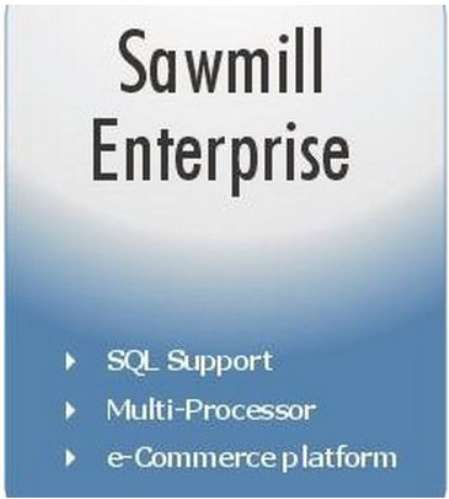
Sawmill ENTERPRISE brings together all the power of Sawmill PROFESSIONAL and adds support for multi-processor systems.​

ENTERPRISE edition also offers full support for the industry-standard MySQL database (including MySQL Cluster) as well as the integrated Sawmill database as used in LITE and PROFESSIONAL. The Sawmill scripting language (Salang) also offers the ENTERPRISE user the ability to customize the complete user interface (Administration and Report interfaces) and add or modify many of the reporting functions in order to customize or personalize the product or to add specialized functions.

Report drill down (Zoom Filters)
Clickstream Web Visitor Reports
Integrated Sawmill Database
MySQL database server support
Complete* GUI control via Salang
User Management Editor for admin and report user access
Log Filter Editor (Import Filters) to filter the raw log data into the database
Report Filter Editor (Output Filters) to filter the report being displayed without changing the database
Report Editor for modifying the reports and the report menu allowing creation and editing of the reports - the graphs, tables and report menu navigation
Sawmill Scheduler for automation of all report functions
DNS resolution for log data IP addresses
Geographic Location reports to the City level via GeoLite City
635 supported log file formats
Multiple log sources including Cluster / Load Balanced environments via HTTP, FTP, Local File or Command Line
Single, 5, 10, 25, 50, 100, 500, 1000, 5000, 10000 and unlimited profile license packs
Language support for English, German, Italian, Czech, Chinese (Traditional) and Polish.

DOWNLOAD
uploadgig
Код:
https://uploadgig.com/file/download/b2215ab8862e1c6a/INavBqi5_Flowerfire.rar

rapidgator
Код:
https://rapidgator.net/file/752c449874e788f08a619e9a08d1f18d/INavBqi5_Flowerfire.rar

nitroflare
Код:
http://nitroflare.com/view/880A7D7BAB21191/INavBqi5_Flowerfire.rar
 
McAfee Client Proxy 3.0.0 Multilingual

a9af0608-356a-423a-b776-b72f778519f0.png

File size: 169 MB

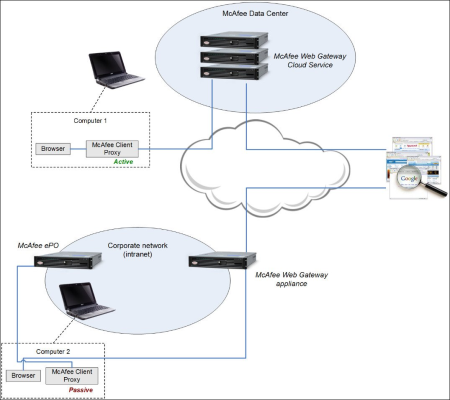
McAfee Client Proxy is endpoint client software for Microsoft Windows that is an essential component of the McAfee Web Protection hybrid deployment solution.​

The Client Proxy technology allows you to apply your organization's web security policy to a computer, whether it is located inside or outside your network.

DOWNLOAD
uploadgig
Код:
https://uploadgig.com/file/download/16aDf8bfccb9F703/RS1nOL1j_McAfee.Clie.rar

rapidgator
Код:
https://rapidgator.net/file/12d5b219e3079a7bde82ab39df95e8e4/RS1nOL1j_McAfee.Clie.rar

nitroflare
Код:
http://nitroflare.com/view/B72346E586C25CE/RS1nOL1j_McAfee.Clie.rar
 
McAfee Agent 5.6.3

1912111258200095.jpg

File size: 41 MB

The McAfee Agent is the client-side component providing secure communication between ePolicy Orchestrator and managed products.​

The McAfee Agent comprises an ePolicy Orchestrator extension and a number of packages corresponding to the various client operating systems supported by the agent.

DOWNLOAD
uploadgig
Код:
https://uploadgig.com/file/download/A39D18c69c6B2aeB/ovXIqk94_McAfee.Agen.rar

rapidgator
Код:
https://rapidgator.net/file/e8b0db26adc92a1626d70c3c4bc91d9d/ovXIqk94_McAfee.Agen.rar

nitroflare
Код:
http://nitroflare.com/view/8CF144A333FF2F1/ovXIqk94_McAfee.Agen.rar
 
Daum PotPlayer 1.7.21091 Multilingual

ae11e80b-a68a-4e9d-a716-3ffd1ab78099.png

File size: 27/27 MB

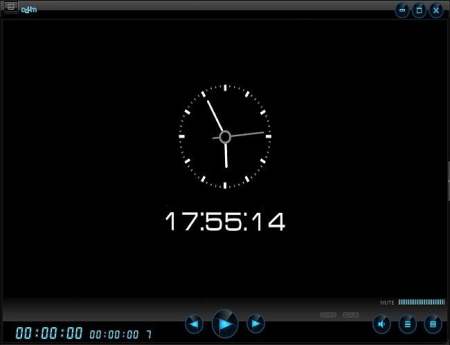
PotPlayer is a comprehensive freeware video and audio player, that also supports TV channels, subtitles and skins.​

Done by the same Korean author as The KMPlayer. It works w/ madVR/HR/EVR and Reclock of course.it's a much improved/faster version of KMPlayer, including ffdshow and some other stuff to connect to a Korean-only video/chat network. Plenty of features and rich customization. It gives its users great control over its functions, allowing modification of the video speed, adjusting the audio volume, decrease or increase contrast and brightness. Also, several skins are available so that users can match the appearance of their video player to the theme of their OS. Player contains internal codecs and there is no need to install codecs manually.
Diversity is a word that can be attached next to anything, from living beings, objects to virtual items. When referring to media files, these are found in an astonishing large variety of quality settings and formats. Luckily, specialized applications such as PotPlayer give you the possibility to enjoy your favorite songs and videos without worrying about compatibility issues.
Visually appealing and easy to use
The setup process guides you through a series of steps, which take very little of your time. Additional codecs are installed only if these are missing from your computer and not without your consent. However, codecs and encoders can also be configured through the application's preferences panel.
Running it unveils a pretty interface, with elements reduced to a minimum, yet managing to include all necessary playback options, volume slider and a decent, resizable preview section. A playlist can be toggled on, as well as a control panel, with the possibility to stick them to the main window and move around the desktop as a group.
Supporting a large variety of formats
Adding a media file is no rocket science, and barely requires you to drag desired items either over the playlist or the preview section. Lists can be easily saved and loaded when needed, as well as importing already existing ones.
You need not worry whether or not the application is capable of opening a certain file, as it supports nearly all available formats. Ranging from AVI, WMV, MP4, 3GP, FLV, MKV in the video category, to MP3, WAV, FLAC, AAC, APE for music, and even commonly used playlists, tha application is sure to satisfy any requirement. The actual list of supported formats is considerably larger than the few mentioned examples.
Enhance audio and video experience
The application puts several tools at your disposal in order to fully enjoy clips or songs. A control panel lets you carefully adjust several frequency sliders or put presets to good use, to get the most out of the audio. Moreover, your custom configurations can be saved for later use.
Furthermore, you can adjust a few color related sliders to correct any errors in a video or make it suitable to your liking. Subtitles can also be inserted and placed at a custom position, while an integrated function lets you take snapshots of desired frames.In conclusion
Taking everything into consideration, we can say that PotPlayer is worth at least a try. The interface is extremely minimalistic, letting even the most inexperienced accommodate in a jiffy. However, it's packed with rich features under the hood, coming in handy even to pro users. It might just convince you to keep it around for a long time.

DOWNLOAD
uploadgig
Код:
https://uploadgig.com/file/download/28b0062766eeba9d/HDfNZUmg_PotPlayerSetup..rar
https://uploadgig.com/file/download/b796B25679cfB59a/HDfNZUmg_PotPlayerSetup64..rar

rapidgator
Код:
https://rapidgator.net/file/ccf3214c47bc661eeda30dbe986519ff/HDfNZUmg_PotPlayerSetup..rar
https://rapidgator.net/file/9522b72bb56bcd81051d0e893d4776ce/HDfNZUmg_PotPlayerSetup64..rar

nitroflare
Код:
http://nitroflare.com/view/114186EE450C47F/HDfNZUmg_PotPlayerSetup..rar
http://nitroflare.com/view/3DFC924F5084991/HDfNZUmg_PotPlayerSetup64..rar
 
Evaer Video Recorder for Skype 1.9.12.11 Multilingual

794cf436-53d0-4a83-a424-072bca8bea1c.png

File size: 26 MB

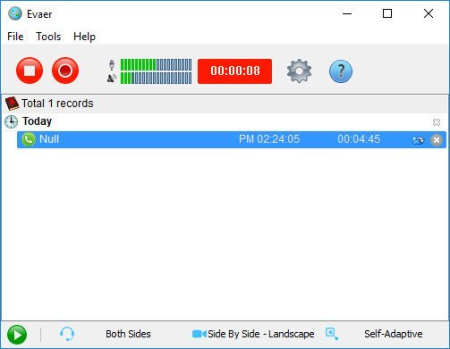
Recording your Skype video and audio calls into AVI movies.​

Easy to use for your Skype video and audio interviews, conferences, podcasts, or family VoIP calls. Evaer records Skype with capturing original media data and there is no data loss. It is not a screen-capture recorder, video quality is not affected at all if you resize Skype video windows while recording.

Capture original Skype audio and video data to record with high quality.
Supports recording single Skype video calls, Skype screen sharing sessions and up to 10 way Skype group video calls.
Record Skype video calls directly to your hard disk with picture-in-picture, side-by-side (landscape ,portrait), separate files, audio-only, local-webcam-only and remote-webcam-only mode.
Changeable recording video codec, video resolution (supports 240p, 360p, 480p, 720p, 1080p), aspect ratio (4:3, 16:9) and frame rate.
Self-adaptive selection of video resolution and aspect ratio.
Preview video while recording video calls.
Changeable local video position on picture-in-picture mode
Exchange video position during the recording on picture-in-picture mode
dynamically switch the video when recording Skype video calls
Save Skype video message and Skype voicemail directly to your hard disk.
Option to record Skype video calls into MP4 or AVI files.
Option to record separate MP3 audio files with video calls.
Option to record both sides sound, local sound only and remote sound only.
Automatically record MP3 audio files if audio calls only.
Supports recording Desktop of Skype, Skype 8, Skype UWP and Skype for Business.
Compatible with Windows Vista/7/8/10 (32/64-bit).
Easy to use with friendly UI.
Updates: official site does not provide any info about changes in this version

DOWNLOAD
uploadgig
Код:
https://uploadgig.com/file/download/9fef839113279788/zrSmiHqO_Evaer1_.rar

rapidgator
Код:
https://rapidgator.net/file/7869fedd733ad9281f1030e76c418071/zrSmiHqO_Evaer1_.rar

nitroflare
Код:
http://nitroflare.com/view/71F0EF7F841131C/zrSmiHqO_Evaer1_.rar
 
MOTU Digital Performer 10.1.83521

cb7dfe6f-5912-4b57-ab0b-f4ed4653f07b.png

File size: 1.3 GB

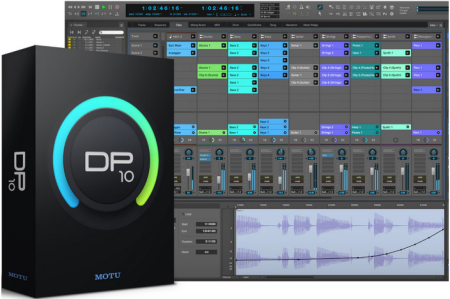
Introducing Digital Performer 10 - artistry and engineering in elegant counterpoint.​

Exciting new plug-in processors, a powerful synth and many workflow enhancements headline this major new upgrade. Spark your creativity, then refine your mix - all in a singular workflow. DP version 10 delivers exciting new features like the Clips window and Stretch Audio, plus hundreds of included virtual instruments and dozens of workflow enhancements requested by DP users.
Introducing DP10
DP version 10 delivers exciting new features like the Clips window and Stretch Audio, plus hundreds of included virtual instruments and dozens of workflow enhancements requested by DP users.
Trigger loops and phrases from your laptop or controller
The new Clips window brings loop triggering to Digital Performer. Drag and drop audio and MIDI clips from DP's new Content Browser into the Clips window and trigger them in real time, interactively, for live performance or on-the-fly inspiration while creating new material. Trigger individual clips, multi-track clip groups (a partial row) or the entire row (clips across all tracks). DP's unique clip queue lets you stack clip sequences ahead of time, so you don't have to manually trigger each one. Dynamically add and remove clips from the queue, as inspiration strikes, from your laptop or any MIDI controller. The Clips window makes DP a live performance powerhouse, combining clip triggering with linear, track-based playback and live mixing. DP is now your one stop shop for creative studio production and live performance.
Manipulate audio like never before
From precision editing of individual beats to global tempo changes, Stretch audio lets you manipulate audio faster and easier, with more control than ever before. Grab an individual audio beat to adjust its timing. The new Stretch Edit layer lets you precisely control anchor points to achieve exactly the feel you want. For global tempo control, simply enable Stretch mode and the entire audio track instantly conforms to your project tempo and time line, even with smooth tempo changes over time. ZTX PRO technology from Zynaptiq ensures the highest possible audio quality throughout.
Ultimate tempo and beat control
Like magic, DP10's Beat Detection finds the beats in your rhythmic audio, from individual loops to multi-channels stems to full mixes. Once beats are detected, you can fully manipulate them with DP's new Stretch Audio feature and industry-leading tempo adjustment features. Instantly conform your audio to the project's tempo and timeline. Apply tempo changes, even gradual ones that change over time. Drop loops into the Clips window, all completely in time with the rest of your music.
Instant access to everything
Get instant access to all of the resources you use to empower your creativity: virtual instruments, loops, clips, plug-ins... Whatever you need, it's now right at your fingertips, just a drag and drop away. Use Search to quickly find material by name or text strings. The Content Browser will speed your workflow by tenfold.
Enhanced control for your mix
As with classic analog consoles of years past, VCA faders will revolutionize how you mix in DP. A single VCA fader can control any number of tracks, precisely maintaining their relative volume. Create as many VCA groups as you want. Control VCAs with other VCAs, to create multiple nested sub-groups. Apply mix automation to VCAs and sub-fader automation is maintained and scaled throughout. Achieving the perfect mix has never been faster or easier.
Edit audio waveforms with clarity and precision
Digital Performer's Waveform Editor is your all-in-one environment for down-to-the-sample waveform editing, precision beat editing, elastic audio stretching, pitch correction, embedded tempo maps and more. Choose an Edit Layer and go: menus and tools follow you. Zooming shortcuts abound. Revel in the precision and clarity the Waveform Editor affords your engineering eye.

DOWNLOAD
uploadgig
Код:
https://uploadgig.com/file/download/7A282f394b93Dd67/RXlk7quI_DP101_.part1.rar
https://uploadgig.com/file/download/1d27349d75dc0331/RXlk7quI_DP101_.part2.rar

rapidgator
Код:
https://rapidgator.net/file/e75678bf7bb027a60b6eb8072b5b4203/RXlk7quI_DP101_.part1.rar
https://rapidgator.net/file/528c6f673079fe5db9785483eaee5336/RXlk7quI_DP101_.part2.rar

nitroflare
Код:
http://nitroflare.com/view/15810FCED4B04C0/RXlk7quI_DP101_.part1.rar
http://nitroflare.com/view/94A14FBB2C05C4D/RXlk7quI_DP101_.part2.rar
 
WinRAR 5.80 (x86/x64) Portable

d31ba853-fd33-4a55-aa6d-c4629f2c10a1.png

File Size: 11.9 MB

WinRAR is a powerful archive manager.​

RAR files can usually compress content by 8 percent to 15 percent more than ZIP files can. WinRAR is a powerful compression tool with many integrated additional functions to help you organize your compressed archives. It can backup your data and reduce size of email attachments, decompress RAR, ZIP and other files downloaded from Internet and create new archives in RAR and ZIP file format.
WinRAR puts you ahead of the crowd when it comes to compression. By consistently creating smaller archives, WinRAR is often faster than the competition. This will save you disc space, transmission costs AND valuable working time as well. WinRAR is ideal for multimedia files. WinRAR automatically recognizes and selects the best compression method. The special compression algorithm compresses multimedia files, executables and object libraries
- Using WinRAR puts you ahead of the crowd when it comes to compression by consistently making smaller archives than the competition, saving disk space and transmission costs.
- WinRAR provides complete support for RAR and ZIP archives and is able to unpack CAB, ARJ, LZH, TAR, GZ, ACE, UUE, BZ2, JAR, ISO, 7Z, Z archives.
- WinRAR offers a graphic interactive interface utilizing mouse and menus as well as the command line interface.
- WinRAR is easier to use than many other archivers with the inclusion of a special "Wizard" mode which allows instant access to the basic archiving functions through a simple question and answer procedure. This avoids confusion in the early stages of use.
- WinRAR offers you the benefit of industry strength archive encryption using AES (Advanced Encryption Standard) with a key of 128 bits.
- WinRAR supports files and archives up to 8,589 billion gigabytes in size. The number of archived files is, for all practical purposes, unlimited.
- WinRAR offers the ability to create selfextracting and multivolume archives.
Recovery record and recovery volumes allow to reconstruct even physically damaged archives.
- WinRAR features are constantly being developed to keep WinRAR ahead of the pack.

DOWNLOAD
uploadgig
Код:
https://uploadgig.com/file/download/2d250b7Fe0253179/Yaief5zN_WinRAR.5.80.Port..rar

rapidgator
Код:
https://rapidgator.net/file/fe8735a6cd1b4a988be4a2ae22652801/Yaief5zN_WinRAR.5.80.Port..rar

nitroflare
Код:
http://nitroflare.com/view/66315D003F09759/Yaief5zN_WinRAR.5.80.Port..rar
 
MyPCfree 1.2.0.3

95d64ef1-f830-4f52-a343-f111299f675e.png

File size: 2.9 MB

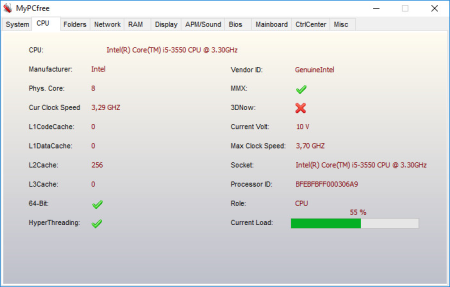
MyPCfree is a professional and reliable application designed to provide you with basic hardware information about your computer.​

You will be able to view information about your CPU, folders, memory, display, BIOS and many others. It also features a control center much similar to the Control Panel of Windows.

Advanced system infos and features compared to freeware version
NEW! Update Windows 10
OS infos like version, product id, service pack version, IE version etc.
Drive information
Open/Close cd drives by button click
Location of important system folders like Autostart, Favorites, Temporary Internet files etc.
CPU data like cores, frequency, manufacturer
Network: IP, computer name, workgroup name etc.
Open FTP directory
Display/Open IP of any domain
Memory infos
Display infos like graphic adapter, resolution, color depth etc.
APM
Mainboard infos
Bios infos
Process manager
Autostart manager
Online update
Advanced screenshot tool
More hardware infos like network adapter, MAC address etc.
Restore screen resolution
Check sound
Get infos about an IP
Clock with alarm
Stopwatch
Extract icons from EXE or DLL files
Show/Edit file properties
Show Windows user list
Run DOS prompt. Specify initial folder and DOS comand as parameters
Add/Remove entries to/from Autostart folders
Access system configuration like firewall, User accounts, security center, services etc.
Clipboard viewer
Clear clipboard
Cleaner deletes redundant files and clears browser history and cookies including hidden index.dat of IE.
Clear system restore (deletes all old restore points and creates a new one)
Fast file search. Open file folder from the result list, sort result list
New advanced screenshot tool
Create system restore point
Enable/Disable system restore
Restart/Shut down system
Save/Restore icon positions
Run Windows Update
With MyPC you can extract embedded icons from any EXE or DLL file. Select the file and click 'Extract icons'. The embedded icons are saved to the same folder as the source file and will be listed in the file list. You can display them by click on the filename in the viewer.
Delete temporary files
Delete temporary internet files
Delete cookies
Clear browser history
Clear Windows clipboard
Clear recyle bin
The cleaner removes redundant and absolete files and deletes internet trails left on your system.
Specify your own directories to clear. Define if all files in the specified directory should be deleted or only files with a given file extension like .tmp.Furthermore you may define if subdirectories should be included or not.
Updates: official site does not provide any info about changes in this version

DOWNLOAD
uploadgig
Код:
https://uploadgig.com/file/download/932fc507230b1471/uhADQ58j_setupmypc..rar

rapidgator
Код:
https://rapidgator.net/file/f87c3d4896014caa3e42f34d82ac412a/uhADQ58j_setupmypc..rar

nitroflare
Код:
http://nitroflare.com/view/343E31DA455F082/uhADQ58j_setupmypc..rar
 
BlueStacks 4.150.10.1032 Multilingual

3bc46f94-1265-43dc-b45f-6795af412e2f.png

File Size: 521/525 MB

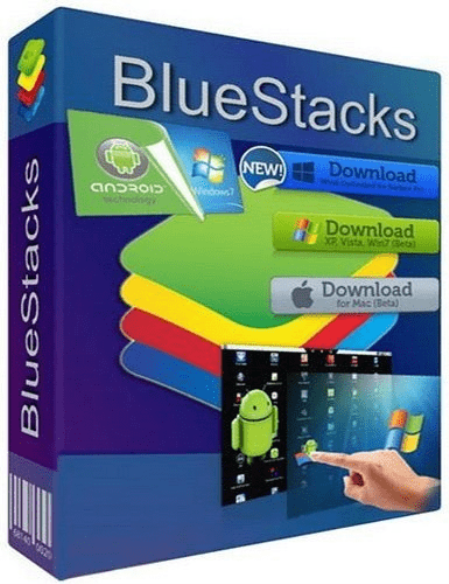
BlueStacks is an easy to use and powerful App Player which is designed to run Android OS and apps on Windows PCs with instant switch between Android and Windows.​

No reboot is required. End consumers can now enjoy their favorite Android apps on Windows PCs. Android apps can appear either as icons on the Windows desktop, or within a full-blown Android environment. BlueStacks helps PC manufacturers to ride the Android momentum by enabling Android apps on x86-based tablets, netbooks, notebooks, convertibles and AiO Windows PCs.
With the new hybrid convertible form factors, BlueStacks completely eliminates the need to carry two devices. The end consumer benefits from getting both Android and Windows at the price of a single PC.
The seamless user experience, simultaneous use of Android and Windows apps, and multi-touch enablement are built on ground breaking virtualization technology which requires zero configuration and is transparent to the end consumer.
Once installed and launched, this application displays 10 pre-loaded applications, with a dedicated option to allow its users download new ones from the Internet. There is no separate configuration screen, but only a few options, so you shouldn't spend too much time setting up the program.
BlueStacks can run the Android apps in full-screen, with very fast loading times and with absolutely no errors. Most of the games can be controlled by mouse, just like you'd do on your typical touschscreen mobile phone.
Another feature that's worth mentioning is the so-called BlueStacks Cloud Connect, a separate tool designed to allow users push their applications from the Android device to the PC and thus access them on the computer.
The software integrates seamlessly with Citrix and Microsoft software delivery infrastructure and with Citrix's Enterprise App Store. With BlueStacks, enterprise IT can deliver Android apps securely and effortlessly to any end point running Windows.
This app runs on low resources and works just fine on Windows 10, but there are some minor compatibility issues on older systems, which means it may fail to load on Windows XP and Vista.

DOWNLOAD
uploadgig
Код:
https://uploadgig.com/file/download/0646b6d4874692a0/w3jrcsdq_BlueStacksInstaller_4.150.10.1032_amd64_native_90d4770e1e9812eb7a090fcbe62ca3d3..rar
https://uploadgig.com/file/download/59e138d4C88feA2C/w3jrcsdq_BlueStacksInstaller_4.150.10.1032_x86_native_edcbcd943863f9a21ca0828f1177a265..rar

rapidgator
Код:
https://rapidgator.net/file/fa0da0ed8ac5d6f4a1e9d4a330ff3ec7/w3jrcsdq_BlueStacksInstaller_4.150.10.1032_amd64_native_90d4770e1e9812eb7a090fcbe62ca3d3..rar
https://rapidgator.net/file/65cd3f2488d2aafe018c0dab5775e2a7/w3jrcsdq_BlueStacksInstaller_4.150.10.1032_x86_native_edcbcd943863f9a21ca0828f1177a265..rar

nitroflare
Код:
http://nitroflare.com/view/B615CD9037C1960/w3jrcsdq_BlueStacksInstaller_4.150.10.1032_amd64_native_90d4770e1e9812eb7a090fcbe62ca3d3..rar
http://nitroflare.com/view/6923742A5FAA3B5/w3jrcsdq_BlueStacksInstaller_4.150.10.1032_x86_native_edcbcd943863f9a21ca0828f1177a265..rar
 
Назад
Сверху