• Здравствуйте. Сайт заработал в архивном режиме форум www.old.nado.in

Anthony's Software !!!

JP Software TCC 25.00.24

0a38da0f-2e91-4845-8b8c-3578199e5038.png

File Size: 32 MB

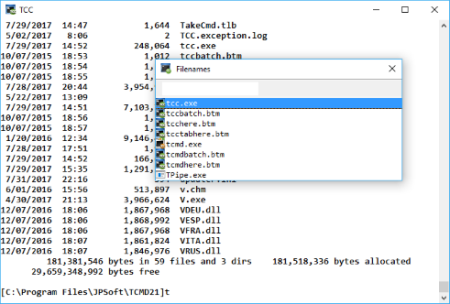
TCC is our console mode Windows command shell (formerly known as 4NT).​

TCC is a replacement for the CMD command line (the default Windows command prompt). TCC is a superset of CMD, with 246 internal commands (CMD has fewer than 40), 695+ internal variables and functions, and hundreds of enhancements to existing CMD commands.
TCC works with your existing command line applications and batch files, but offers major improvements in command line and batch file capabilities, and adds thousands of new features to your command prompt windows.
TCC is a CMD replacement command processor that is compatible with your existing CMD commands and batch files, while adding thousands of new features. You're immediately more productive, and you can learn and add TCC's new features at your own pace.
Create and debug your batch scripts in a fraction of the time with the integrated editor and batch file debugger.
The integrated and familiar environment means you are immediately more productive with your interactive command prompt and batch file development tasks.
The consistent syntax reduces your learning and development time.
The comprehensive help (including context-sensitive popup help for command line syntax), speeds your development time and reduces syntax errors.
official site does not provide any info about changes in this version.

DOWNLOAD
uploadgig
Код:
https://uploadgig.com/file/download/5fE31309ebfc3bBf/9qGcQ0BQ_JP.Software.TCC.25..rar

rapidgator
Код:
https://rapidgator.net/file/3db52b551f167f25d9df8bbab7402b08/9qGcQ0BQ_JP.Software.TCC.25..rar

nitroflare
Код:
http://nitroflare.com/view/4DEC7AB11B4F645/9qGcQ0BQ_JP.Software.TCC.25..rar
 
JP Software Take Command 25.00.24 Multilingual

4c9766af-45e1-4599-8b42-c6734570772f.png

File Size: 34.65 MB

Take Command is a comprehensive interactive GUI and command line environment that makes using the Windows command prompt and creating batch files easy and far more powerful.​

Take Command displays your command line applications in tabbed windows, with optional Explorer-style integration for a visual look at your folders. Take Command includes hundreds of major enhancements to the command line and CMD commands such as COPY, DEL, and DIR, and adds more than 140 new commands, 460 internal variables and functions, a batch file IDE / debugger, and thousands of other features.

· Modify and re-execute previous commands with a powerful command line editor
· Copy, delete, move, and rename groups of files and directories, not just individual ones
· Extended directory searches allow you to change to a directory anywhere on your system by entering only part of its name
· Quickly locate files or text within files anywhere on your system
· Built-in file viewer includes scrolling, search, and print capabilities
· Select or exclude files by date, time, size, and/or extended wildcards for extraordinary flexibility in file management
· Redefine commands, create new commands and functions for your regular tasks, even assign frequently used commands to a single keystroke
· Direct access to FTP, TFTP and HTTP (including SSL) directories and files in all file-handling commands
· Complete configuration adjustment, either through interactive dialogs or on the command line
· File descriptions up to 511 characters long provide information that can't fit in a filename
· Batch debugger with singlestepping, breakpoints, syntax coloring, bookmarks, popup variable windows, variable watch windows, and editing
· An improved batch language adds subroutines, IF/THEN/ELSE logic, DO loops, SWITCH statements, error and exception handling, and more than 130 internal commands, while retaining compatibility with batch files written for CMD
· More than 130 built-in variables include system configuration, device status, network drive detection, and free memory and disk space
· More than 200 variable functions assist with manipulation and display of strings, characters, numbers, date and time, file names, etc
· Start graphical and character-mode applications with ease - even run most console programs in the Take Command window
· Built-in screen scrollback buffer lets you review or print output from past commands at any time
· Customizable toolbar gives you quick access to frequently used commands and applications
· Find File dialog lets you search quickly for files or text, anywhere on your system - or search from the command line with the new FFIND command
· Dialogs, accessible from the Options and Utilities menus, for editing environment variables, aliases, file descriptions, and startup parameters
· New commands such as ACTIVATE, MSGBOX, and QUERYBOX that allow you to use GUI features and control GUI applications from your batch files

DOWNLOAD
uploadgig
Код:
https://uploadgig.com/file/download/37aB5774812a420b/P9U8Bxhu_Take.Command.25..rar

rapidgator
Код:
https://rapidgator.net/file/ac4a54ea13a70487e4dda36ce08323cf/P9U8Bxhu_Take.Command.25..rar

nitroflare
Код:
http://nitroflare.com/view/EC96BD0AA2FE20A/P9U8Bxhu_Take.Command.25..rar
 
JP Software CMDebug 25.00.24 Multilingual

5c85797b-fe81-4d7b-bf20-658cce27ce1e.png

File Size: 23.8 MB

CMDebug is a stand-alone version of the Take Command IDE and batch debugger component.​

CMDebug is intended for developers who need to develop batch files to run in CMD.EXE or TCC-RT (runtime).
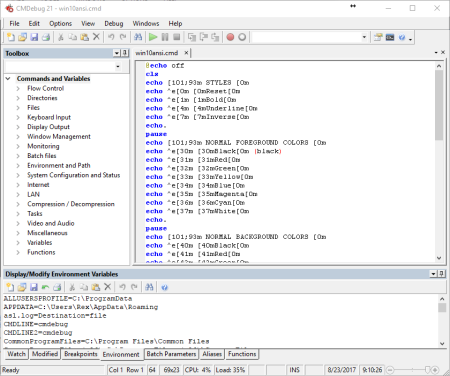
CMDebug allows you to create and debug your batch scripts with the integrated graphical IDE. CMDebug includes tabbed edit windows and a sophisticated debugger with single stepping, breakpoints, syntax coloring, tooltips, bookmarks, and tabbed variable and watch windows. Windows batch file programming has never been easier or more powerful!
You can use CMDebug to develop either CMD-compatible batch files (.BAT or .CMD), or TCC-RT-compatible scripts (.BTM). If you select the "TCC Syntax" option, CMDebug provides the full TCC-RT command set. If you select the "CMD Syntax" option, CMDebug will maximize CMD compatibility and disable TCC-only internal commands, variables, and functions. Some internal CMD / TCC commands will also behave slightly differently or modify their display output in order to match CMD's behavior more closely.
Using CMDebug with TCC-RT allows you to write (and encrypt) scripts using the TCC command language, and then distribute them with the free TCC-RT runtime on an unlimited number of target machines.
Create and debug your batch scripts with the integrated graphical IDE. The IDE includes tabbed edit windows and a sophisticated debugger with single stepping, breakpoints, syntax coloring, tooltips, bookmarks, tabbed variable and watch windows. Windows batch file programming has never been easier or more powerful!
The TCC-RT scripting language is a massive superset of the Windows CMD shell, with 220+ internal commands, 367+ internal functions, and 289+ system variables. Almost all of the CMD command line commands (e.g. DIR, COPY, DEL, START, etc.) are enhanced with hundreds of additional options. And TCC adds more than 180 new commands. TCC-RT can usually do in one or two lines what requires dozens CMD commands (when CMD can do it at all).
The scripting language includes a complete set of extended flow control structures including IF-Then-Else, DO and FOR loops, SWITCH, subroutines, batch libraries, and more.
When using TCC-RT syntax, most interactive commands (such as COPY, DEL, DIR, MOVE, REN, START, etc.) have command dialogs that allow you to select filenames and options and see your command line before executing it. The most powerful Windows command processor is also the easiest to use!
Monitor your system's hardware and software events, and execute commands when an event is triggered. You can monitor directory changes, the clipboard, event logs, Ethernet and WiFi connections, services, processes, and USB and Firewire connections.
Environment variable substitution is greatly enhanced, including nested variables, delayed expansion, indirect variables, multidimensional array variables, and direct access to the system, user, and volatile variables in the registry.
Select or exclude files by date, time, size, owner, and extended wildcards or regular expressions for extraordinary flexibility in file management.
Specify multiple filenames for most file processing commands (i.e., COPY, DEL, DIR, MOVE, etc.), or optionally the name of a file that contains the filename arguments. (COPY even supports multiple targets as well as multiple sources.)
Multiple types of I/O redirection are available, including redirecting and piping to STDERR, "in-process" pipes, "here-document" and "here-string" redirection, and Tee and Y pipe fittings.
Send keystrokes to any application (console or GUI).
TCC-RT includes internal compression and extraction commands for ZIP, 7ZIP, TAR, JAR, GZIP, and BZIP files.
You can access FTP, TFTP and HTTP (including SSL and SSH) directories and files in all command processor file-handling commands (COPY, DEL, MOVE, etc.).
Internal support is included for Perl, Lua, REXX, Python, Tcl/tk, and any Windows Active Scripting language. You can even combine multiple languages in your batch scripts.

DOWNLOAD
uploadgig
Код:
https://uploadgig.com/file/download/4e399dE40f619319/7PiO2Nhc_CMDebug.25..rar

rapidgator
Код:
https://rapidgator.net/file/2b1a2f243c08701bd2bb3bab304cbf50/7PiO2Nhc_CMDebug.25..rar

nitroflare
Код:
http://nitroflare.com/view/5CCD5C69AE15EE3/7PiO2Nhc_CMDebug.25..rar
 
Bandicam 4.5.1.1597 Multilingual

c36f8862-dfb2-4e4a-95ce-703686f012a7.png

File size: 19.5 MB

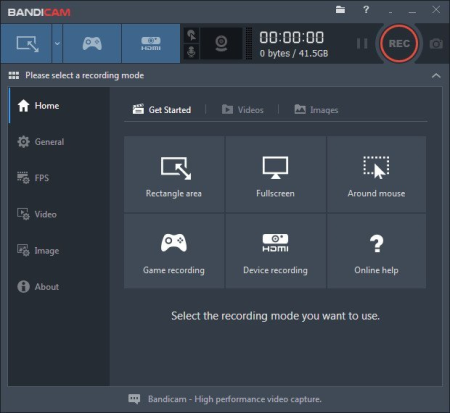
Bandicam makes it possible to record a certain area on a PC screen, or a program that uses the DirectX/OpenGL graphic technologies.​

Bandicam will help you carry out a video record with high compression ratio, while keeping the video quality closer to the original work, and provides performance far superior to other programs that provide similar functions.
VIDEO-RECORDING of games and streaming videos
- Recording of WOW, Minecraft, Webcam, and computer screen
- H.264, Xvid, MPEG-1 and MJPEG video codec support
- PCM and MPEG-1 Layer II audio codec support
- AVI video format (.avi) support
- MPEG-1 video codec VBR mode support
Improved the recording performance by using a hardware-accelerated H.264 encoder.
- Bandicam provides hardware accelerated h.264 encoder
- Nvidia CUDA/NVENC H.264 encoder
- Intel Quick Sync video H.264 encoder
- AMD APP H.264 encoder
IMAGE-CAPTURING of games and streaming videos
- BMP, PNG and JPEG image format support
- Continuous image capturing
FRAME RATE control (FPS management)
- FPS overlay (Show FPS) / FPS limit
- Bandicam can record DirectX/OpenGL programs like Fraps (Fraps Alternative, Better than Fraps)
- The recorded file size is much smaller than other software (Bandicam compresses the video when recording)
- You can upload the recorded file to YouTube without converting (720p/1080p full HD video can be made)
- You can record over 24 hours without stopping (Auto Complete Recording function can be used)
- You can record video at resolutions of up to 2560x1600 in high quality
- You will experience much less lag than with other capture programs (It uses much lower CPU/GPU/HDD

DOWNLOAD
uploadgig
Код:
https://uploadgig.com/file/download/e54b99DDdc068b6c/JD15rT7T_Bandicam_4.5.1.1597.rar

rapidgator
Код:
https://rapidgator.net/file/63ddad93e494c4521908fbc79c62a2d3/JD15rT7T_Bandicam_4.5.1.1597.rar

nitroflare
Код:
http://nitroflare.com/view/C433FDB2DEB842C/JD15rT7T_Bandicam_4.5.1.1597.rar
 
ES-Computing EditPlus 5.2 Build 2501

4a16bba9-e35c-4233-8f02-7b1cde8a735b.png

File size: 5.0 MB

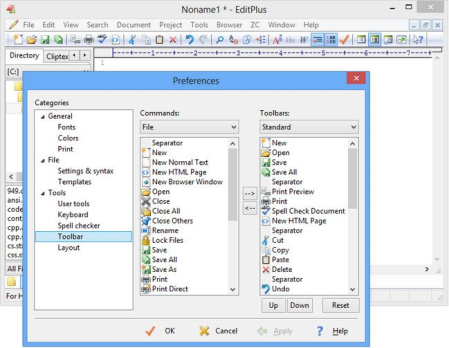
EditPlus is a text editor, HTML editor and programmers editor for Windows.​

While it can serve as a good Notepad replacement, it also offers many powerful features for Web page authors and programmers. EditPlus supports powerful and customizable syntax highlighting for HTML, CSS, PHP, ASP, Perl, C/C++, Java, javascript and VBScript by default. Also, you can create your own syntax file to support other programming languages. So, it supports user-defined tools, help files and keystroke recording files. The output of tool execution can be captured in the Output Window, so that you can double-click the error line to automatically load the file and locate the cursor to that line.

* Multiple document interface
* Overlappable windows
* Tabbed document interface
* Window splitting
* Spell checking
* Regex-based find & replace
* Encoding conversion
* Newline conversion
* Syntax highlighting
* Multiple undo/redo
* Rectangular block selection
* Bracket matching
* Auto indentation
* Auto completion
* Code folding (Text folding)
* Compiler integration
* Shell integration
* Macro (Keystroke recording)
* Multi-line regex support
* Integrated web browser
* Dynamically customizable key bindings
* FTP
* sftp (SSH)
* ASCII
* UTF-8
* UTF-16 (Unicode, little/big endian)
* Any encoding supported by the OS
* DOS (CR/LF)
* Unix (LF)
* Mac (CR)

DOWNLOAD
uploadgig
Код:
https://uploadgig.com/file/download/3f596c3e775806F6/uquCpIv0_EditPlus5.rar

rapidgator
Код:
https://rapidgator.net/file/daa7b3016dc2f9e4e60064db81d37179/uquCpIv0_EditPlus5.rar

nitroflare
Код:
http://nitroflare.com/view/60FD00A7ADC4220/uquCpIv0_EditPlus5.rar
 
Movavi Video Suite 20.0.1 Multilingual

d25b9c94-f619-4986-b93f-7e5b1ce42c78.png

File size: 227.89 MB

Movavi Video Suite is comprehensive video making software that helps you create professional-looking movies and slideshows on your home computer - even if you have no experience.​

Incorporate music, create text captions, apply visual effects and transitions - you can do whatever you want with your video. In addition to the video making app, Movavi Video Suite contains a number of useful apps to help every video maker: powerful video converter that supports 180+ media formats, convenient utility for burning DVDs, a special tool for digitizing analog video, and more.
Making video with Movavi is easy and fun! So, let's get started!
Step 1. Decide What You're Going to Make
Make a movie from video or audio clips already stored on your computer, mobile device, or camera
Create a slideshow from photos or pictures
Capture video from a screen and make a video tutorial
Record yourself on a webcam to create a unique entry for your blog
Step 2. Make Your Video and Audio Better
Improve Video Quality
Stabilize shaky video, tweak color settings, sharpen blurry video, and much more
Cut and Join
Cut out unnecessary fragments or join individual clips to make one longer movie
Let Your Story Flow Smoothly
Link the different segments of your video with stylish transitions
Step 3. ...and Apply Intriguing Video Effects
In Movavi Video Suite you'll find more than 80 different visual effects, including
Retro Movie
Slow Motion
Flying Objects
. and many more
Step 4. Let the Music Play! Let the Words Fly!
Work with Audio
Add background music and sound effects in almost any format
Take advantage of the built-in ready-made audio tracks and samples
Record your own voice-over using your microphone
Vary audio volume and playback speed, equalize sound, apply fade-in/out effects
Overlay creative filters like Robot, Echo, Radio, and more
Add Captions and Labels
Choose from over 100 fonts
Add atmosphere with animated text
Create colorful text backgrounds
Enliven video tutorials with ready-made callouts
. and much more!
Step 5. Save Your Movie so You Can Watch it Anywhere!
Upload your movie to YouTube or Facebook directly from the program
or
Save it in any popular video or audio format and watch it on your computer
Use our handy mobile presets to watch your movie on your smartphone, tablet, or other mobile device
Record video on CD, DVD, or Blu-ray
And that's not all!
In addition to Movavi's video maker, you also get a set of useful apps that will come in handy anytime you're working with video. You'll find:
The most powerful video converter ever!
Supports more than 180 video, audio, and image formats, changes the file format as quickly as copying it from one folder to another.
Convenient app for screen capturing
Records all your screen activity at the best quality possible: your use of applications, streaming video and audio, and much more.
Video Digitizer
Will accurately digitize your VHS collection or video stream from your TV tuner, as well as transfer AVCHD-camera recordings to your computer.

DOWNLOAD
uploadgig
Код:
https://uploadgig.com/file/download/c352da8DF77Cd77b/Ba7nsnxZ_Suite_.rar

rapidgator
Код:
https://rapidgator.net/file/34ad8e9ecad24dbbbb5c2b3aa58680bc/Ba7nsnxZ_Suite_.rar

nitroflare
Код:
http://nitroflare.com/view/0FEF8BA597C402C/Ba7nsnxZ_Suite_.rar
 
Portable Vov Sticky Notes 5.2

3dd3726f-013d-4300-875f-9b5767a7cee5.png

File Size: 23.11 MB

For many people, the desktop is simply the place where shortcuts and icons are located, without any real functionality.​

Nonetheless, you can benefit from all the empty space on your desktop by adding post-its, and Vov Sticky Notes is one of the apps that can help you do that. Once you install it on your PC, the application automatically goes to the system tray, and you can right-click its icon when you want to create a new note. It basically opens a resizable window where you can paste text or start typing some of your important tasks. Another handy function of Vov Sticky Notes is that you can create reminders to be displayed on a regular basis. You only need to choose the frequency interval, and then enter an appropriate message.

The application's main function is to enable the user to place colorful stickers on their desktop. You can create as many as you like, resize them and change the text font, but there is no option to hide the title bar and the Delete and New buttons.
Additionally, the name displayed in the title bar is generated automatically, and it is not possible to keep notes on top of all other windows.
Lastly, the notes cannot be hidden after they have been created. Therefore, you will have to delete stickers if you wish to remove them from your desktop.
Vov Sticky Notes enables you to create reminders that display a notification on your desktop at specific times. These can be one-time, hourly, daily, monthly or annual alerts.
However, you cannot choose between multiple types of notifications, disable the default alert sound or replace it with a personalized one.
Moreover, it is not possible to edit reminders once they have been created. While they can be deleted easily from the system tray menu, it may be difficult to identify specific notes due to the fact that their descriptions are not displayed.
In conclusion, Vov Sticky Notes is not a particularly impressive application, as it lacks a number of important features. It can be used to create simple desktop stickers and set up reminders, but it needs to be improved in several respects.

DOWNLOAD
uploadgig
Код:
https://uploadgig.com/file/download/09ee388427881356/M7LmMBUg_Vov.Sticky.Notes.5.2.rar

rapidgator
Код:
https://rapidgator.net/file/56f564f4e2e8855d5bf33d21d0bffb9c/M7LmMBUg_Vov.Sticky.Notes.5.2.rar

nitroflare
Код:
http://nitroflare.com/view/C3047332A374C13/M7LmMBUg_Vov.Sticky.Notes.5.2.rar
 
3D-Coat 4.9.09 (x64) Multilingual

6e2b3e0c-8441-41eb-9bb6-da0dcbc138c7.png

File size: 957 MB

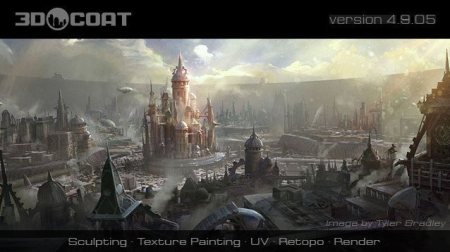
3DCoat is the one application that has all the tools you need to take your 3D idea from a block of digital clay all the way to a production ready, fully textured organic or hard surface model.​

Today 3DCoat is available to learn at 240 Universities, colleges and schools worldwide.

- Possibility to attach Smart Materials to layers! Materials managing becomes even easier.
- Improved Curvature calculation. This is crucial for Smart Materials to be looking even more realistic.
- New Primitives in Retopo room: cylinder, torus, cube, ellipse, spiral, etc. We are getting closer and closer to a low-poly modeling!
- Possibility to change resolution of textures, attached materials will automatically be re-sampled!
- Smart Materials usage history.
- Render scene in Renderman. Yep, you heard it right!
- Proxy Slider. Set your proxy degree with an easy slider movement.
- Baking Scan. Paint baking depth with brush. Now you can define with an ease of a brush stroke how big the depth of scanning will be.
- 4K monitors support. Now UI elements and font size will automatically fit your screen resolution.
- Rotation mode quick switch - around Y or free rotation. See navigation panel.
Need both modes at hand? Now you have the quick swap. Windows 10 | 8 | 7 | Vista / (x64)

DOWNLOAD
uploadgig
Код:
https://uploadgig.com/file/download/e5a88e90c881e543/uSTmy3ho_3DCoat4.9.09.rar

rapidgator
Код:
https://rapidgator.net/file/8bc4ec6f978a17a20fc10fb34dc20e5f/uSTmy3ho_3DCoat4.9.09.rar

nitroflare
Код:
http://nitroflare.com/view/7545EE9403E5542/uSTmy3ho_3DCoat4.9.09.rar
 
Movavi Video Suite 20.0.1 Multilingual

d25b9c94-f619-4986-b93f-7e5b1ce42c78.png

Windows x86/x64 | File size: 108.23 MB / 119.71 MB

Movavi Video Suite is comprehensive video making software that helps you create professional-looking movies and slideshows on your home computer - even if you have no experience.​

Incorporate music, create text captions, apply visual effects and transitions - you can do whatever you want with your video. In addition to the video making app, Movavi Video Suite contains a number of useful apps to help every video maker: powerful video converter that supports 180+ media formats, convenient utility for burning DVDs, a special tool for digitizing analog video, and more.
Making video with Movavi is easy and fun! So, let's get started!
Step 1. Decide What You're Going to Make
Make a movie from video or audio clips already stored on your computer, mobile device, or camera
Create a slideshow from photos or pictures
Capture video from a screen and make a video tutorial
Record yourself on a webcam to create a unique entry for your blog
Step 2. Make Your Video and Audio Better
Improve Video Quality
Stabilize shaky video, tweak color settings, sharpen blurry video, and much more
Cut and Join
Cut out unnecessary fragments or join individual clips to make one longer movie
Let Your Story Flow Smoothly
Link the different segments of your video with stylish transitions
Step 3. ...and Apply Intriguing Video Effects
In Movavi Video Suite you'll find more than 80 different visual effects, including
Retro Movie
Slow Motion
Flying Objects
. and many more
Step 4. Let the Music Play! Let the Words Fly!
Work with Audio
Add background music and sound effects in almost any format
Take advantage of the built-in ready-made audio tracks and samples
Record your own voice-over using your microphone
Vary audio volume and playback speed, equalize sound, apply fade-in/out effects
Overlay creative filters like Robot, Echo, Radio, and more
Add Captions and Labels
Choose from over 100 fonts
Add atmosphere with animated text
Create colorful text backgrounds
Enliven video tutorials with ready-made callouts
. and much more!
Step 5. Save Your Movie so You Can Watch it Anywhere!
Upload your movie to YouTube or Facebook directly from the program
or
Save it in any popular video or audio format and watch it on your computer
Use our handy mobile presets to watch your movie on your smartphone, tablet, or other mobile device
Record video on CD, DVD, or Blu-ray
And that's not all!
In addition to Movavi's video maker, you also get a set of useful apps that will come in handy anytime you're working with video. You'll find:
The most powerful video converter ever!
Supports more than 180 video, audio, and image formats, changes the file format as quickly as copying it from one folder to another.
Convenient app for screen capturing
Records all your screen activity at the best quality possible: your use of applications, streaming video and audio, and much more.
Video Digitizer
Will accurately digitize your VHS collection or video stream from your TV tuner, as well as transfer AVCHD-camera recordings to your computer.

DOWNLOAD
uploadgig
Код:
https://uploadgig.com/file/download/8e848078aAfC02f3/oPoElM96__Movavi.Video.Suite.20.0.1_x64.rar
https://uploadgig.com/file/download/cD35527174E09940/oPoElM96__Movavi.Video.Suite.20.0.1_x86.rar

rapidgator
Код:
https://rapidgator.net/file/db0b2f37f23eeb481f8feeef03aa26b6/oPoElM96__Movavi.Video.Suite.20.0.1_x64.rar
https://rapidgator.net/file/dbf656b77b11f3a960dceb6191ccfa73/oPoElM96__Movavi.Video.Suite.20.0.1_x86.rar

nitroflare
Код:
http://nitroflare.com/view/B90B01BBFA9EA99/oPoElM96__Movavi.Video.Suite.20.0.1_x64.rar
http://nitroflare.com/view/751BAFF3DD66856/oPoElM96__Movavi.Video.Suite.20.0.1_x86.rar
 
Adobe Photoshop CC 2020 21.0.1.47 RePack by KpoJIuK

Adobe-Photoshop-png.png

File Size : 1.2GB
​
A new, next to CC version of the program for processing raster graphics. Many graphic formats are supported. Adobe Photoshop allows you to both create new images and edit them. Photoshop is used to create photorealistic images, to work with color scanned images, for retouching, color correction, collage, graphics transformation, color separation, etc.

Adobe Photoshop has all the methods for working with bitmaps, while it has the ability to work with layers and uses contours. The program is the undisputed leader among professional graphic editors due to its wide capabilities, high efficiency and speed. Adobe Photoshop provides all the necessary tools for correction, editing

New and improved features in Adobe Photoshop CC 2019:
Updated content-based fills. Choose the pixels you want to use in the fills using the new specialized work environment, and also rotate, scale and reflect the original pixels thanks to Adobe Sensei technology. You can even create fills on separate layers to preserve the original image.
Frame tool for easy masking. Turn shapes and text into frames that you can use as placeholders or apply an image fill to them. Easily replace images by dragging them into the frame; the new image is automatically scaled to fit.
Cancel multiple actions. Use the CMD-Z keyboard shortcut to undo multiple actions - just like other Creative Cloud apps.
Improved usability. Now you can hide the control point, double-click the canvas to start editing text, and also quickly crop, transform, place and enter text using the auto-fix function. In addition, Photoshop by default proportionally converts layers of text and pixels and makes it difficult to accidentally move panels.
Real-time preview of blending mode. No more guessing which blend mode to use. Just scroll through the various options to see how they look on the image.
Symmetry mode. Apply brush strokes with perfect symmetry - even on curves. Symmetry mode allows you to define an axis or axes, and then select styles, such as circular, radial, spiral or "mandala".
Color circle. Visualization of the color spectrum makes it easy to select additional colors.
Main screen. Create projects faster with the Photoshop main screen. You can access it at any time to learn about new features, view training materials, or go to open documents.
Improved in-app training. Use your own resources when working with tutorials to get the desired result in less time.
Basic user requests. Your ideas, our embodiment. Now you can distribute the distance between objects, enter simple mathematical operations in the fields of numerical values, view the end of long layer names, and also find Japanese fonts using the "Font Selection" and "Font Similarity" functions.
Customize user interface size. More accurate scaling of the Photoshop user interface allows you to customize it independently of other applications and view the font in the right size.
Improved Export As menu. The Export As menu loads faster and provides access to an optimized interface for convenient operation. In addition, it can be used to view several artboards at the same time.
And much more. Other updates and enhancements: a function to flip the canvas horizontally, a Lorem Ipsum text mode for quick placement of sample text, and customizable keyboard shortcuts for the Select and Mask workspace.

Assembly Features:
The start page does not work due to imperfect activation, therefore it is disabled by default in the settings:
"Settings - Basic - Automatically open the start screen"

1. Two-click installation, you only need to disconnect the Internet connection (manually or automatically)
2. Creative Cloud application does not garbage in the system - the necessary minimum is left from it
3. All localizations in the set are selected during installation (de-DE, en-US, ru-RU, uk-UA are pre-installed)
4. The original installer is used, problems with other products are excluded

Parameters to andnoy string:

-S or -S1 - hide the window with the progress unpack temporary files
-S2 - show window with the progress unpack temporary files
-S or -S1 or -S2 - required parameter

/ XPATH = "PATH" - indicate the installation location.
Default: C: \ Program Files \ Adobe \ Adobe Photoshop 2020

/ XDISABLENET = 1 - disable the Internet connection for ~ 10 seconds to start the installation

/ XVCR - install the Visual C ++ Redistributable Package (necessary for the program to work)

Example: INSTALL.EXE - S / XPATH = "C: \ Program Files \ Adobe \ Adobe Photoshop 2020" / XDISABLENET = 1

System requirements:
Intel Pentium 4 Processor or AMD Athlon 64 Processor (2 GHz or faster)
Microsoft Windows 7 Service Pack 1, Windows 8, Windows 8.1, Windows 10
2 GB RAM
2 GB of free hard disk space for installation; additional free space required during installation (cannot be installed on removable flash storage devices)
Monitor with a resolution of 1024x768 (1280x800 recommended), support for 16-bit color and 512 MB of video memory
System with support for OpenGL 2.0


DOWNLOAD
uploadgig
Код:
https://uploadgig.com/file/download/DF0ed105Cb3e5457
https://uploadgig.com/file/download/ed13775955aCd6A6/

rapidgator
Код:
https://rapidgator.net/file/715ff94b8af4ae68a2859909506470c8/Photoshop.2020_21.0.1.47.KpoJIuK.part1.rar
https://rapidgator.net/file/40134db1070746383d53339e8b5d5fe6/Photoshop.2020_21.0.1.47.KpoJIuK.part2.rar

nitroflare
Код:
http://nitroflare.com/view/66D87FDBC2787D3/Photoshop.2020_21.0.1.47.KpoJIuK.part1.rar
http://nitroflare.com/view/D006E1DD55D144C/Photoshop.2020_21.0.1.47.KpoJIuK.part2.rar
 
Adobe Bridge 2020 (v10.0) Multilingual by m0nkrus

f70f14062e7f.jpg

Platform : Windows x64
Interface language : English / Hungarian / Dutch / Danish / Spanish / Italian / Chinese (simplified) / Chinese (traditional) / Korean / German / Norwegian / Polish / Portuguese / Russian / Turkish / Ukrainian / Finnish / French / Czech / Swedish / Japanese / English (United Kingdom) / English with Arabic writing support / English with Hebrew support / Spanish (Mexico) / French (Canada) / Franz Zsky (Morocco)
File size : 1.13GB
​
Description: Adobe Bridge will provide you with centralized access to all the multimedia resources needed for creative projects. You can easily edit components in batch mode, edit digital images in RAW format, work with IPTC and XMP formats, rate images, add watermarks and centrally set color parameters - Bridge CC will simplify your work and help to maintain order.

System requirements:
At least 2 GHz Intel Core 2 Duo or AMD Athlon 64 Processor
Microsoft Windows 10 (64 bit)
2 GB of RAM (8 GB recommended)
2 GB of free hard disk space for installing the 32-bit version; 2.1 GB of free hard disk space for installing the 64-bit version, as well as additional free space required for installation (cannot be installed on removable flash storage devices)
Resolution 1024x768 (1280x800 recommended) with support for 16-bit color; 512 MB VRAM (1 GB recommended)
System with support for OpenGL 2.0
Internet connection and registration are required to activate the software, confirm subscriptions and access web services **

Key features:
Adobe Mini Bridge. Use all the necessary work resources associated with the current project, using Adobe Mini Bridge (custom panel, which is included in InDesign CS5 and Photoshop CS5). Filter and sort, and then drag and drop files directly into the document.
Display related files in InDesign documents. Get quick access to any component of the page layout, thanks to the ability to view related files in InDesign documents directly through Adobe Bridge CS5.
JPEG export. Convert any graphic, image or document to JPEG format directly in Adobe Bridge CS5. This will allow you to easily and easily share files through websites and galleries, email, etc.
Resize images and use watermarks in PDF for web galleries. Now it's more convenient to create web galleries. Add watermarks to PDF files, accurately resize images and display file names in HTML and SWF format galleries with one click.
Preview mobile content with Adobe Device Central CS5. Access Device Central CS5 from Adobe Bridge to preview, test, and optimize images, animations, videos, and other content on a wide range of devices, from mobile phones and game consoles to TV screens.
More flexible batch renaming function. Rename file groups quickly and easily using the updated batch rename dialog box. Create your own predefined styles, use the Find and Replace command, and customize the dialog box by moving the fields with a simple drag and drop.
Ability to drag and drop resources between applications. Simply put Illustrator files into InDesign layouts, create new smart objects in Photoshop, and do many more by simply dragging and dropping files between Adobe Bridge CS5, Adobe Mini Bridge, and other components of Creative Suite 5.
Editable Path panel. Navigating folders is now even more convenient thanks to an advanced navigation bar.
Centralized color settings. Set color options in the centralized Adobe Bridge panel to ensure that colors match projects and files exactly. This set of options controls the color settings in Photoshop CS5, Illustrator CS5, InDesign CS5, and Adobe Acrobat 9 Pro, so when you work in any component of Creative Suite, the colors on the screen are almost exactly the same.

Benefits of Adobe Bridge 2020
- Convert resources using the Export panel
Convert resources such as video, PDFs and images, and export to an image file format using the Export panel. - User Interface Performance Learn more about the user interface enhancements introduced in this release of Bridge. - Support for transparency for PSD files. Display checkerboard thumbnails and preview for transparent .PSD files. - Changes Learn more about APIs that are no longer in use since this release of Bridge. - Bugs fixed. Problems with ACR editing, animated styles After Effects and others.

List of Changes
What is changed by the author of the assembly:
- To make it possible to install the program not only on Windows 10, the installer version has been reduced to 4.9.0.515.
- From the installer, with the exception of the required minimum, the Adobe Application Manager module was cut, which is installed by the original installer without fail.
- From the installer, with the exception of the required minimum, the Adobe Desktop Common module was cut, which is installed by the original installer without fail.
- The Adobe Creative Cloud module, completely installed by the original installer without fail, is completely cut out from the installer.
- The installer offline integrates into Windows 7 a certificate confirming Adobe's modern electronic signature.
- The installer provides a choice of installation path and interface language of the program, as well as the ability to run the program immediately after installation.
- Unlocked the ability to install the program on Windows 8.x and Windows 10 minor versions.
- Added Adobe CC Library version 3.6.1.5 auxiliary module.
- The program has already been treated. You can use the libraries.

FAQ
Question: How will the program work on officially unsupported operating systems?
Answer: I unlocked the installation of the program on Windows 8.x and Windows 10 minor versions. How the program will work for them, I do not know. Those who actively use the program, please unsubscribe in the comments on the release. If any bugs are noticed when working on old OSs, in the next version of the assembly I will block their support. I especially want to note that the inclusion of support for old OSs does not affect the work in officially supported operating systems. Question: Is there a version of this version of the program that runs on 32-bit OS? Answer:

Alas, the 32-bit version of Bridge in the 2020 line is missing. It remains to be satisfied with the 32-bit version of Bridge 2019. Question: During the installation, when I click the Continue button, nothing happens to me. How to be? Answer: For the installer to work, Internet Explorer version 11 is required. Install or update this product to bring the system into compliance with the requirements of the installer. Question: I can't click the Continue button, because the contents of the window do not fit in the window itself, and the button is out of sight. What to do? Answer: This happens occasionally on crooked OS. There is a TAB key on the keyboard. Click it to the desired menu item. Question:

I have a plug at the initial stage of installation, not described above. Can you tell me something?
Answer: Try replacing the Set-up.exe file used in the distribution with the one downloaded from here . Question: Installation was not completed due to an incomprehensible error. What to do? Answer: Read the error code decryption . Also, I recommend to study the installation log. It is located in the C: \ Program Files (x86) \ Common Files \ Adobe \ Installers folder. Perhaps here you will receive more detailed information about the problem and how to resolve it. Question: What needs to be done to make it possible to work with libraries? Answer:

To do this, you need to connect to the Adobe server with your ID by selecting Help-> Sign In from the program menu and logging in. After restarting the program, the library panel will work. Question: What is the medicine for this version of the program? Answer: Using the uncia hacker method, the patched Bridge.exe file was released. The cured file is built into the installer by me, so you do not need to do anything special for treatment. Just in case, the original file is saved under the name Bridge.exe.bak. To restore the original file, remove the .bak extension from it and replace the existing patched file with it. Question: When a program is uninstalled by a standard uninstaller, the progress of removal reaches 100% and everything freezes on this. How to be? Answer:

In some cases, this does happen. This is a small uninstaller glitch that developers can't fix in any way. If you encounter this, then start the Windows Task Manager and interrupt the two processes with the name Set-up.exe. Do not worry, the removal at that time will be completely completed.

Image Size and CRC
Image size: 1.12 GB (1 209 573 376 bytes)
MD5-image sum: 34973b1a6cc4c8452ab62188c984ec65
SHA1-image sum: 579269c1085692fc27b448458e3837b91eace313

DOWNLOAD
uploadgig
Код:
https://uploadgig.com/file/download/fd6cE0d3452DdE60/Bridge.2020.part1.rar
https://uploadgig.com/file/download/9084905a8b359DAa/Bridge.2020.part2.rar

rapidgator
Код:
https://rapidgator.net/file/61f6884089a4587323d6574e5cfba534/Bridge.2020.part1.rar
https://rapidgator.net/file/b04f08e5b1ff8c8811ccbe7500f908e6/Bridge.2020.part2.rar

nitroflare
Код:
http://nitroflare.com/view/C06630D032145F7/Bridge.2020.part1.rar
http://nitroflare.com/view/0CBFF65C7EFB168/Bridge.2020.part2.rar
 
Adobe InCopy 2020 (v15.0) Multilingual by m0nkrus

09bb13293c6635e770412c99347b0878.png

Platform : Windows x64 | 830MB
Interface language : English / Hungarian / Dutch / Danish / Spanish / Italian / Chinese (simplified) / Chinese (traditional) / Korean / German / Norwegian / Polish / Portuguese (Brazil) / Russian / Turkish / Ukrainian / Finnish / French / Czech / Swedish / Japanese / English (UK) / English with Arabic language support / English with Hebrew / Spanish (Mexico) / French (Mark o) / French (Canada)
​
Collaborate with copywriters and editors. What can you do with InCopy? InCopy lets copywriters and editors style text, track changes, and make simple layout modifications to a document while designers work on the same document simultaneously in Adobe InDesign CC - all without overwriting each other's contributions.

Build a following and follow other inspiring artists - and even find your next professional opportunity - on Behance, the world's largest creative community.
- Conditional Text
- Edit tables in preview mode "Material" and "Proofs"
- Tracking changes in tables
- Built-in editorial notes in tables
- Support for cross-references
- Support for reverse rotation
- Easily create hyperlinks
- Adjustable panel "Communication"
- Creating a single-turn
- Using Adobe ConnectNow
- Processor: Intel Pentium 4 or AMD Athlon 64 processor
- Operating system: Microsoft Windows 7 with Service Pack 1 or Windows 10*
- RAM: 4 GB of RAM (16 GB recommended)
- Hard disk space: 3 GB of available hard-disk space for installation; additional free space required during installation (cannot install on removable flash storage devices); SSD recommended
- Monitor resolution: 1024 x 768 display (1920 x 1080 recommended)
- Video card: 32-bit video card
- Other: Adobe Flash Player 10 software required to export SWF files

What is changed by the author of the assembly:
- To make it possible to install the program not only on Windows 10, the installer version has been reduced to 4.9.0.515.
- From the installer, with the exception of the required minimum, the Adobe Application Manager module was cut, which is installed by the original installer without fail.
- From the installer, with the exception of the required minimum, the Adobe Desktop Common module was cut, which is installed by the original installer without fail.
- The Adobe Creative Cloud module, completely installed by the original installer without fail, is completely cut out from the installer.
- The installer offline integrates into Windows 7 a certificate confirming Adobe's modern electronic signature.
- The installer provides a choice of installation path and interface language of the program, as well as the ability to run the program immediately after installation.
- Unlocked the ability to install the program on Windows 8.x and Windows 10 minor versions.
- The Adobe CCX Process auxiliary module is excluded from the installation because the program does not use it.

FAQ
Question: How will the program work on officially unsupported operating systems?
Answer: I unlocked the installation of the program on Windows 8.x and Windows 10 minor versions. How the program will work for them, I do not know. Those who actively use the program, please unsubscribe in the comments on the release. If any bugs are noticed when working on old OSs, in the next version of the assembly I will block their support. I especially want to note that the inclusion of support for old OSs does not affect the work in officially supported operating systems. Question: Is there a version of this version of the program that runs on 32-bit OS? Answer:

Alas, the 32-bit version of InCopy in the 2020th line is missing. It remains to be satisfied with the 32-bit version of InCopy 2019. Question: During the installation process, when I click the Continue button, nothing happens to me. How to be? Answer: For the installer to work, Internet Explorer version 11 is required. Install or update this product to bring the system into compliance with the requirements of the installer. Question: I can't click the Continue button, because the contents of the window do not fit in the window itself, and the button is out of sight. What to do? Answer: This happens occasionally on crooked OS. There is a TAB key on the keyboard. Click it to the desired menu item. Question:

I have a plug at the initial stage of installation, not described above. Can you tell me something?
Answer: Try replacing the Set-up.exe file used in the distribution with the one downloaded from here . Question: Installation was not completed due to an incomprehensible error. What to do? Answer: Read the error code decryption . Also, I recommend to study the installation log. It is located in the C: \ Program Files (x86) \ Common Files \ Adobe \ Installers folder. Perhaps here you will receive more detailed information about the problem and how to resolve it. Question: What is the medicine for this version of the program? Answer:

Using the uncia hacker method, the patched Public.dll file was released. The cured file is built into the installer by me, so you do not need to do anything special for treatment. Just in case, the original file is saved under the name Public.dll.bak. To restore the original file, remove the .bak extension from it and replace the existing patched file with it. Question: When a program is uninstalled by a standard uninstaller, the progress of removal reaches 100% and everything freezes on this. How to be Answer:

In some cases, this does happen. This is a small uninstaller glitch that developers can't fix in any way. If you encounter this, then start the Windows Task Manager and interrupt the two processes with the name Set-up.exe. Do not worry, the removal at that time will be completely completed.

Image Size and CRC
Image size: 830 MB (870524,928bytes)
MD5 image sum: b86a1610518e1ebc4299787a6e78084b
SHA1 image sum: 72c10945933dcc1cedfaa83f91a05fe7b6a2ea75

DOWNLOAD
uploadgig
Код:
https://uploadgig.com/file/download/6adD3De36632781D/InCopy.2020.rar

rapidgator
Код:
https://rapidgator.net/file/bbd22dd47295cfccacaba4e761dbf777/InCopy.2020.rar

nitroflare
Код:
http://nitroflare.com/view/9EB8D4D7AB9CEB2/InCopy.2020.rar
 
Adobe InDesign 2020 (v15.0) Multilingual by m0nkrus

005dc730_medium.png

Platform : Windows x64
Interface language : English / Hungarian / Dutch / Danish / Spanish / Italian / Chinese (simplified) / Chinese (traditional) / Korean / German / Norwegian / Polish / Portuguese (Brazil) / Russian / Turkish / Ukrainian / Finnish / French / Czech / Swedish / Japanese / English (UK) / English with Arabic language support / English with Hebrew / Spanish (Mexico) / French (Maro to) / French (Canada)
File Size : 999MB
​
Adobe InDesign is a professional product for designing the design of any print or Internet publications. Adobe InDesign.

It has all the advanced features and tools of machine typesetting, with which you can quickly and efficiently design pages of any complexity. The program supports the import of drawings and text from a wide variety of formats, including PDF and XML files, offers a large set of tools for editing imported materials, which includes working with layers, cascading styles, tables and templates. Adobe InDesign is a universal application for publishing content that provides precise control over the design and typography at the pixel level. Convenient adaptation of layouts to various page formats, orientations and devices while maintaining high image quality.

What is changed by the author of the assembly:
- To make it possible to install the program not only on Windows 10, the installer version has been reduced to 4.9.0.515.
- From the installer, with the exception of the required minimum, the Adobe Application Manager module was cut, which is installed by the original installer without fail.
- From the installer, with the exception of the required minimum, the Adobe Desktop Common module is cut, which is installed by the original installer without fail.
- The Adobe Creative Cloud module, completely installed by the original installer without fail, is completely cut out from the installer.
- The installer offline integrates into Windows 7 a certificate confirming Adobe's modern electronic signature.
- The installer provides a choice of installation path and interface language of the program, as well as the ability to run the program immediately after installation.
- Unlocked the ability to install the program on Windows 8.x and Windows 10 minor versions.
- Added Adobe CC Library version 3.6.1.5 auxiliary module.
- The Adobe CCX Process module is specially patched so that a message about the end of the trial period is not displayed on an authorized program using Adobe ID.
- The program has already been treated. The start window (initial screen) works. You can use the libraries.

FAQ
Question: How will the program work on officially unsupported operating systems?
Answer: I unlocked the installation of the program on Windows 8.x and Windows 10 minor versions. How the program will work for them, I do not know. Those who actively use the program, please unsubscribe in the comments on the release. If any bugs are noticed when working on old OSs, in the next version of the build I will block their support. I especially want to note that the inclusion of support for old OSs does not affect the work in officially supported operating systems. Question: Is there a version of this version of the program that runs on 32-bit OS? Answer:


Alas, the 32-bit version of InDesign in the 2020 line is missing. It remains to be satisfied with the 32-bit version of InDesign 2019. Question: During the installation, when I click the Continue button, nothing happens to me. How to be Answer: For the installer to work, Internet Explorer version 11 is required. Install or update this product to bring the system into compliance with the requirements of the installer. Question: I can't click the Continue button, because the contents of the window cannot fit in the window itself and the button is out of sight. What to do? Answer: This happens occasionally on crooked OS. There is a TAB key on the keyboard. Click it to the desired menu item. Question:

I have a plug at the initial stage of installation, not described above. Can you tell me something?
Answer: Try replacing the Set-up.exe file used in the distribution package with the one downloaded from here . Question: Installation was not completed due to an incomprehensible error. What to do? Answer: Read the error code decryption . Also, I recommend to study the installation log. It is located in the C: \ Program Files (x86) \ Common Files \ Adobe \ Installers folder. Perhaps here you will receive more detailed information about the problem and how to resolve it. Question: What needs to be done to make it possible to work with libraries? Answer:

To do this, connect to the Adobe server with your ID by selecting Help-> Sign In from the program menu and logging in. After restarting the program, the library panel will work. Question: What is the medicine for this version of the program? Answer: Using the uncia hacker method, the patched Public.dll file was released. The cured file is built into the installer by me, so you do not need to do anything special for treatment. Just in case, the original file is saved as Public.dll.bak. To restore the original file, remove the .bak extension from it and replace the existing patched file with it. Question: When a program is uninstalled by a standard uninstaller, the progress of removal reaches 100% and everything freezes on this. How to be Answer:

In some cases, this does happen. This is a small uninstaller glitch that developers can't fix in any way. If you encounter this, then start the Windows Task Manager and interrupt the two processes with the name Set-up.exe. Do not worry, the removal at that time will be completely completed.

Image Size and CRC
Image size: 999 MB (1,047,678,976bytes)
MD5 image total: 8157206322fd685ff0a7873603d6f854
SHA1 image total: 739ef034356c4a797f4bfdba52b4f06ea8782b3d

DOWNLOAD
uploadgig
Код:
https://uploadgig.com/file/download/65fcfaf2061DC2e6/InDesign.2020.rar

rapidgator
Код:
https://rapidgator.net/file/65a88ce18f7ab13cf6c124a7d73ecb3c/InDesign.2020.rar

nitroflare
Код:
http://nitroflare.com/view/5DD495A64FDED2E/InDesign.2020.rar
 
Adobe XD v24.1.22 Multilingual by m0nkrus

f3001de4-8fb2-4263-8c8a-b9dbf13e90f2.png

Platform : Windows 10 x64
Interface language : English / Spanish / Chinese (Simplified) / Korean / German / Portuguese (Brazil) / French / Japanese
Size : 350MB
​
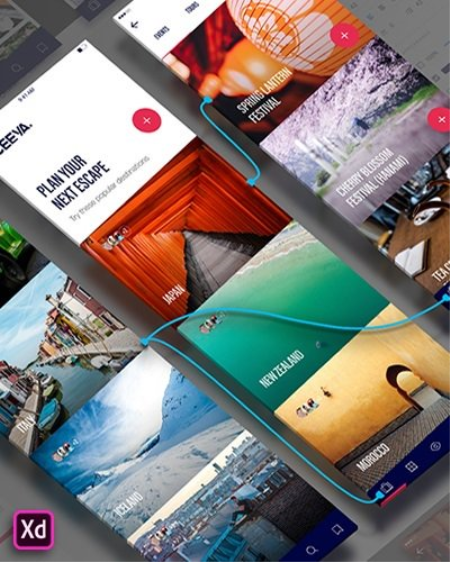
Adobe XD is a new creative tool from Adobe for designing high-quality prototypes of user interfaces for mobile and web applications. This tool is specially designed for building rapid prototypes, as well as for high fidelity of user interface and design. Using Adobe XD anyone can create frames, interactive prototypes and highly reliable design of applications and websites. Once you have your prototype, you can import visual effects into the Visual Studio or IDE of your choice to start creating the final application.

What is changed by the author of the assembly:
- The assembly is assembled on the basis of the standalone Adobe installer version 4.9.0.515, inaccessible to the general public.
- From the installer, with the exception of the required minimum, the Adobe Application Manager module was cut, which is installed by the original installer without fail.
- From the installer, with the exception of the required minimum, the Adobe Desktop Common module was cut, which is installed by the original installer without fail.
- The Adobe Creative Cloud module, completely installed by the original installer without fail, is completely cut out from the installer.
- The Adobe CoreSync auxiliary module is excluded from the installation.
- The program has already been treated. Connecting to an Adobe server with your ID is optional.

Installation Instructions
1. Start the installation of Adobe XD (file autoplay.exe ), and regularly continue it until successful completion.
2. After closing the program installer window, the treatment mechanism starts automatically. Just wait until the message "Cracking complete. Enjoy!" Appears.
3. Enjoy the opportunity to use the product without access to the Internet!

FAQ
Question: Are there any editions of this program that run on 32-bit OS or OS younger than Windows 10?
Answer: There are no such editions.

Question: How can I set the installation path different from the standard one?
Answer: No way. This program is installed strictly in a specific folder. Question: How do I set the program interface language? Answer:

The installer of this type does not provide the user with the opportunity to choose the language of the application to be installed. The language is automatically selected based on the language of the operating system. Nevertheless, the interface language of the program can be changed on an already installed application. To do this, run the program and open any template. In the upper left corner, click on the icon with three stripes. In the pop-up menu, click Help ...-> Language, where the language of the application interface is set. Question: Is there any way to access online services? Answer:

Theoretically, yes, the medicine does not prevent this. However, the Adobe Creative Cloud module is cut out in the assembly, which may partially or completely impede access to online services. But if you have Adobe Creative Cloud installed (for example, with another Adobe program), then there should be no problems. Just log in to the Help menu ...-> Sign In ... Question: When I try to create a new template, I see the error "Can't create document (Error code: ...)", after which the template is reset. What is it and how to deal with it? Answer:

You have logged in with your Adobe ID on the Adobe server. And not necessarily in this program. Authorization made in one Adobe program is picked up by all programs of this manufacturer. So, you passed authorization, but the Adobe Creative Cloud module was cut out of the assembly, and the program cannot fully synchronize the project with the remote server. Hence the error. The problem can be solved in two ways. The easiest way is to deauthorize. If this method does not suit you, as soon as you run into this problem, close the error message and on the Toolbar on the left side of the program, click on the icon for creating a new "Artboard" template (between the letter "T" and the magnifying glass). On the right side of the program, a list of available templates is displayed. Choose the template you need - it will open without errors.

Question: Installation was not completed due to an incomprehensible error. What to do?
Answer: Read the error code decryption . Also, I recommend that you familiarize yourself with the installation log. It is located in the C: \ Program Files (x86) \ Common Files \ Adobe \ Installers folder. Perhaps here you will receive more detailed information about the problem and how to resolve it. Question: What is the medicine for this version of the program? Answer:

Using the uncia hacker method, the patched XD.exe file was released. The treated file is automatically replaced in the installed program at the final stage of installation. Just in case, the original file is saved under the name XD.exe.bak. To restore the original file, remove the .bak extension from it and replace the existing patched file with it. Question: When a program is uninstalled by a standard uninstaller, the progress of removal reaches 100% and everything freezes on this. How to be

Answer: In some cases, this really happens. This is a small uninstaller glitch that developers can't fix in any way. If you encounter this, then start the Windows Task Manager and interrupt the two processes with the name Set-up.exe. Do not worry, the removal at that time will be completely completed.

Image Size and CRC
Image size: 350 MB (367 110 144 bytes)
MD5 image sum: 9c7b5febce57649c4f49543ebc85237f
SHA1 image sum: f16d36ce1e0cebcf3d55fe344e6aee9ebbcbebe4

DOWNLOAD
uploadgig
Код:
https://uploadgig.com/file/download/3ef189b539252696/Xd.rar

rapidgator
Код:
https://rapidgator.net/file/f0efc391ae070729411bd024b7eef8b6/Xd.rar

nitroflare
Код:
http://nitroflare.com/view/F0F769F3156966F/Xd.rar
 
Adobe Photoshop 2020 (v21.0.1) Multilingual by m0nkrus

Adobe-Photoshop-png.png

Platform : Windows x64 | Size : 2GB
Interface language : English / Hungarian / Dutch / Danish / Spanish / Italian / Chinese (simplified) / Chinese (traditional) / Korean / German / Norwegian / Polish / Portuguese (Brazil) / Russian / Turkish / Ukrainian / Finnish / French / Czech / Swedish / Japanese / English (UK) / English with Arabic language support / English with Hebrew / Spanish (Mexico) / French (Maro ccco) / French (Canada)
​
A new, next to CC version of the program for processing raster graphics. Many graphic formats are supported. Adobe Photoshop allows you to both create new images and edit them. Photoshop is used to create photorealistic images, to work with color scanned images, for retouching, color correction, collage, graphics transformation, color separation, etc.

Adobe Photoshop has all the methods for working with bitmaps, while it has the ability to work with layers and uses contours. The program is the undisputed leader among professional graphic editors due to its wide capabilities, high efficiency and speed. Adobe Photoshop provides all the necessary tools for correction, editing

New and improved features in Adobe Photoshop CC 2019:
Updated content-based fills. Choose the pixels you want to use in the fills using the new specialized work environment, and also rotate, scale and reflect the original pixels thanks to Adobe Sensei technology. You can even create fills on separate layers to preserve the original image.
Frame tool for easy masking. Turn shapes and text into frames that you can use as placeholders or apply an image fill to them. Easily replace images by dragging them into the frame; the new image is automatically scaled to fit.
Cancel multiple actions. Use the CMD-Z keyboard shortcut to undo multiple actions - just like other Creative Cloud apps.
Improved usability. Now you can hide the control point, double-click the canvas to start editing text, and also quickly crop, transform, place and enter text using the auto-fix function. In addition, Photoshop by default proportionally converts layers of text and pixels and makes it difficult to accidentally move panels.
Real-time preview of blending mode. No more guessing which blend mode to use. Just scroll through the various options to see how they look on the image.
Symmetry mode. Apply brush strokes with perfect symmetry - even on curves. Symmetry mode allows you to define an axis or axes, and then select styles, such as circular, radial, spiral or "mandala".
Color circle. Visualization of the color spectrum makes it easy to select additional colors.
Main screen. Create projects faster with the Photoshop main screen. You can access it at any time to learn about new features, view training materials, or go to open documents.
Improved in-app training. Use your own resources when working with tutorials to get the desired result in less time.
Basic user requests. Your ideas, our embodiment. Now you can distribute the distance between objects, enter simple mathematical operations in the fields of numerical values, view the end of long layer names, and also find Japanese fonts using the "Font Selection" and "Font Similarity" functions.
Customize user interface size. More accurate scaling of the Photoshop user interface allows you to customize it independently of other applications and view the font in the right size.
Improved Export As menu. The Export As menu loads faster and provides access to an optimized interface for convenient operation. In addition, it can be used to view several artboards at the same time.
And much more. Other updates and enhancements: a function to flip the canvas horizontally, a Lorem Ipsum text mode for quick placement of sample text, and customizable keyboard shortcuts for the Select and Mask workspace.

What is changed by the author of the assembly:
- To make it possible to install the program not only on Windows 10, the installer version has been reduced to 4.9.0.515.
- From the installer, with the exception of the required minimum, the Adobe Application Manager module was cut, which is installed by the original installer without fail.
- From the installer, with the exception of the required minimum, the Adobe Desktop Common module is cut, which is installed by the original installer without fail.
- The Adobe Creative Cloud module, completely installed by the original installer without fail, is completely cut out from the installer.
- The installer offline integrates into Windows 7 a certificate confirming Adobe's modern electronic signature.
- The installer provides a choice of installation path and interface language of the program, as well as the ability to run the program immediately after installation.
- Unlocked the ability to install the program on Windows 8.x and Windows 10 minor versions.
- In the menu for selecting the interface language of the installed program, a false indication of support for an additional six languages ​​has been fixed.
- Updated Adobe Photoshop core module to version 21.0.1.
- Added Adobe CC Library version 3.6.1.5 auxiliary module.
- The Adobe CCX Process module is specially patched so that a message about the end of the trial period is not displayed on an authorized program using Adobe ID.
- The program has already been treated. The start window (initial screen) fully works in Windows 7 and 8.x, and during authorization in Windows 10. You can use libraries.

FAQ
Question: How will the program work on officially unsupported operating systems?
Answer: I unlocked the installation of the program on Windows 8.x and Windows 10 minor versions. How the program will work for them, I do not know. Those who actively use the program, please unsubscribe in the comments on the release. If any bugs are noticed when working on old OSs, in the next version of the build I will block their support. I especially want to note that the inclusion of support for old OSs does not affect the work in officially supported operating systems. Question: Is there a version of this version of the program that runs on 32-bit OS? Answer:

Alas, the 32-bit version of Photoshop in the 2020 line is missing. It remains to be satisfied with the 32-bit version of Photoshop CC 2018. Question: During the installation process, when I click the Continue button, nothing happens to me. How to be Answer: For the installer to work, Internet Explorer version 11 is required. Install or update this product to bring the system into compliance with the requirements of the installer. Question: I can't click the Continue button, because the contents of the window cannot fit in the window itself and the button is out of sight. What to do? Answer: This happens occasionally on crooked OS. There is a TAB key on the keyboard. Click it to the desired menu item. Question:

I have a plug at the initial stage of installation, not described above. Can you tell me something?
Answer: Try replacing the Set-up.exe file used in the distribution package with the one downloaded from here . Question: Installation was not completed due to an incomprehensible error. What to do? Answer: Read the error code decryption . Also, I recommend to study the installation log. It is located in the C: \ Program Files (x86) \ Common Files \ Adobe \ Installers folder. Perhaps here you will receive more detailed information about the problem and how to resolve it. Question: When starting the program, an error was displayed related to the D3DCOMPILER_47.dll file. What to do? Answer: Install Windows Update under number

KB4019990 . Question: When I start the program, I have an unfinished start window (initial screen). What to do? Answer:

Such a problem exists when installing the program on Windows 10. On younger operating systems, it is missing. As a one-time solution, I recommend closing the window in the "Help-> Home ..." menu (Help-> Home ...). As a permanent solution, if there is no Internet access, I advise you to permanently turn off the demonstration of the initial screen by unchecking the menu "Edit-> Settings-> General ...-> Automatically open the initial screen" (Edit-> Preferences-> General ...- > Auto show the Home Screen). As a permanent solution, if you have Internet access, you need to connect to the Adobe server with your ID by choosing Help-> Sign In from the program menu and going through authorization, the initial screen will work normally. Question: What needs to be done, to make it possible to work with libraries? Answer:

To do this, connect to the Adobe server with your ID by selecting Help-> Sign In from the program menu and logging in. After restarting the program, the library panel will work. Question: I want to have Photoshop immediately with two or more interface languages ​​with the possibility of their regular switching. Can this be implemented? Answer: Initiate reinstalling the program in another language directly on top of the already installed one. After that, changing the interface language will be available using the standard switch in the menu "Edit-> Settings-> Interface ...-> Interface Language" (Edit-> Preferences-> Interface ...-> UI Language). Question: What is the medicine for this version of the program?

Answer:
Using the uncia hacker method, a patched Photoshop.exe file was released. The cured file is built into the installer by me, so you do not need to do anything special for treatment. Just in case, the original file is saved under the name Photoshop.exe.bak. To restore the original file, remove the .bak extension from it and replace the existing patched file with it. Question: When a program is uninstalled by a standard uninstaller, the progress of removal reaches 100% and everything freezes on this. How to be? Answer:

In some cases, this does happen. This is a small uninstaller glitch that developers can't fix in any way. If you encounter this, then start the Windows Task Manager and interrupt the two processes with the name Set-up.exe. Do not worry, the removal at that time will be completely completed.

Image Size and CRC
Image size: 1.99 GB (2,143,694,848bytes)
MD5-image sum: c669eda0fd10dd0bf09782b1759e49ec
SHA1-image sum: 436343a7589bde0125e4d61c0144468046a987f3

DOWNLOAD
uploadgig
Код:
https://uploadgig.com/file/download/0b43F3c4aBe25c6b/Photoshop.2020.part1.rar
https://uploadgig.com/file/download/59a85a3dA09e383a/Photoshop.2020.part2.rar

rapidgator
Код:
https://rapidgator.net/file/8cb4be4c086f7abc574913100acade16/Photoshop.2020.part1.rar
https://rapidgator.net/file/b5cabe0d414aea6121c6104dfc6c14f1/Photoshop.2020.part2.rar

nitroflare
Код:
http://nitroflare.com/view/F779F2141941287/Photoshop.2020.part1.rar
http://nitroflare.com/view/6E5222C3A12B448/Photoshop.2020.part2.rar

 
Adobe Dreamweaver 2020 (v20.0) Multilingual by m0nkrus

th-MZXmtv-VFrn-Piqnuz-B3-ONNki4b-LJqg1h2.png

Platform : Windows x64 | size : 1.1GB
Interface language : English / Hungarian / Dutch / Danish / Spanish / Italian / Chinese (simplified) / Chinese (traditional) / Korean / German / Norwegian / Polish / Portuguese (Brazil) / Russian/ Turkish / Ukrainian / Finnish / French / Czech / Swedish / Japanese / English (Middle East) / English (UK) / Arabic Arabic / English Hebrew / Spanish (Mexico) / French (Morocco) / French (Canada) )
​
Adobe Dreamweaver is a professional program for creating websites. The program simplifies and speeds up the development, coding and publishing of websites and web applications that look great on any screen. Adobe Dreamweaver has an intuitive visual interface, a flexible environment for quickly creating code, provides the ability to dynamically view the project on any device. Create professional websites for any browser and device!

- Easy editing in interactive viewing mode
Editing in interactive viewing mode has become even easier. - Standard Japanese Font Introducing the new standard font for the Japanese language. - Code hint enhancements Code hints are now enhanced for better accessibility and accurate filtering logic.

List of Changes
What is changed by the author of the assembly:
- To make it possible to install the program not only on Windows 10, the installer version has been reduced to 4.9.0.515.
- From the installer, with the exception of the required minimum, the Adobe Application Manager module was cut, which is installed by the original installer without fail.
- From the installer, with the exception of the required minimum, the Adobe Desktop Common module is cut, which is installed by the original installer without fail.
- The Adobe Creative Cloud module, completely installed by the original installer without fail, is completely cut out from the installer.
- The installer offline integrates into Windows 7 a certificate confirming Adobe's modern electronic signature.
- The installer provides a choice of installation path and interface language of the program, as well as the ability to run the program immediately after installation.
- Unlocked the ability to install the program on Windows 8.x and Windows 10 minor versions.
- Added Adobe CC Library version 3.6.1.5 auxiliary module.
- The Adobe CCX Process module is specially patched so that a message about the end of the trial period is not displayed on an authorized program using Adobe ID.
- The program has already been treated. The start window (initial screen) works. You can use the libraries.

FAQ
Question: How will the program work on officially unsupported operating systems?
Answer: I unlocked the installation of the program on Windows 8.x and Windows 10 minor versions. How the program will work for them, I do not know. Those who actively use the program, please unsubscribe in the comments on the release. If any bugs are noticed when working on old OSs, in the next version of the build I will block their support. I especially want to note that the inclusion of support for old OSs does not affect the work in officially supported operating systems. Question: Is there a version of this version of the program that runs on 32-bit OS? Answer:

Alas, the 32-bit version of Dreamweaver in the 2020th line is missing. It remains to be satisfied with the 32-bit version of Dreamweaver 2019. Question: During the installation process, when I click the Continue button, nothing happens to me. How to be Answer: For the installer to work, Internet Explorer version 11 is required. Install or update this product to bring the system into compliance with the requirements of the installer. Question: I can't click the Continue button, because the contents of the window cannot fit in the window itself and the button is out of sight. What to do? Answer: This happens occasionally on crooked OS. There is a TAB key on the keyboard. Click it to the desired menu item. Question:

I have a plug at the initial stage of installation, not described above. Can you tell me something?
Answer: Try replacing the Set-up.exe file used in the distribution package with the one downloaded from here . Question: Installation was not completed due to an incomprehensible error. What to do? Answer: Read the error code decryption . Also, I recommend to study the installation log. It is located in the C: \ Program Files (x86) \ Common Files \ Adobe \ Installers folder. Perhaps here you will receive more detailed information about the problem and how to resolve it. Question: What needs to be done to make it possible to work with libraries? Answer:

To do this, connect to the Adobe server with your ID by selecting Help-> Sign In from the program menu and logging in. After restarting the program, the library panel will work. Question: What is the medicine for this version of the program? Answer: According to the uncia hacker method, the patched Dreamweaver.exe file was released. The cured file is built into the installer by me, so you do not need to do anything special for treatment. Just in case, the original file is saved under the name Dreamweaver.exe.bak. To restore the original file, remove the .bak extension from it and replace the existing patched file with it. Question: When a program is uninstalled by a standard uninstaller, the progress of removal reaches 100% and everything freezes on this. How to be

Answer: In some cases, this really happens. This is a small uninstaller glitch that developers can't fix in any way. If you encounter this, then start the Windows Task Manager and interrupt the two processes with the name Set-up.exe. Do not worry, the removal at that time will be completely completed.

Image Size and CRC
Image size: 1.09 GB (1,178,576,896bytes)
MD5 image sum: ac996e61f908a29b92ad58ed08a78364
SHA1 image sum: 2f1b8a03860578aea137f39ddeabe4722778f27a

DOWNLOAD
uploadgig
Код:
https://uploadgig.com/file/download/FEaa3ffC921f2647/Dreamweaver.2020.part1.rar
https://uploadgig.com/file/download/AC1e260b7a52aC98/Dreamweaver.2020.part2.rar
rapidgator
Код:
https://rapidgator.net/file/234006801e4f7a2327457d96aa5e00df/Dreamweaver.2020.part1.rar
https://rapidgator.net/file/fa8db8fbf8be5e7dec2254f3c1ae19dc/Dreamweaver.2020.part2.rar
nitroflare
Код:
http://nitroflare.com/view/A9183D09D6B01F8/Dreamweaver.2020.part1.rar
http://nitroflare.com/view/5237A44834F1865/Dreamweaver.2020.part2.rar
 
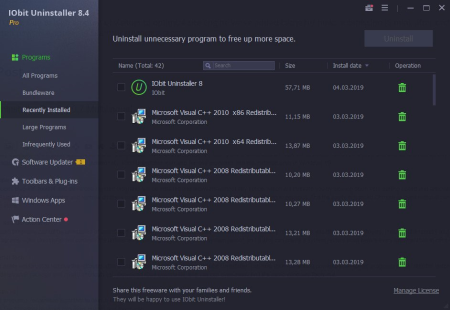
IObit Uninstaller Pro 9.1.0.12 Multilingual

5c8e5db7-a1c2-4e4c-8f59-ceeb616fa5e8.png

File size: 21 MB

Integrated with up to date uninstall technology, IObit Uninstaller helps you remove unneeded programs easily even when Windows "Add or Remove Programs" fails.​

Besides removing unwanted applications, it also scans and removes leftovers easily. The most attractive part is that it makes a restore image before every uninstallation. With the new added Toolbars Uninstallation Module, IObit Uninstaller helps you remove unwanted toolbars thoroughly.
Cleaner & More Stable PC
As time going on, your PC will easily become slow after piling up too many leftovers in registry after general uninstallation. But now users can remove the programs and all leftovers quickly by just 1 click in IObit Uninstaller ; and get a cleaner, faster and more stable PC. Additionally, IObit Uninstaller can also remove programs and pre-installed apps in Windows 10.
Faster & Safer Browsing
Some malicious plug-ins, toolbar and unwanted injected programs will be installed into browsers without any notice, which will frustrate you by slowing down your surfing speed and annoying ads pop-ups. The improved Toolbar & Plug-in removal will monitor and remove all these useless programs and give you fast and clean online surfing experience. And the newly enhanced Chrome plug-ins removal can remove the plug-ins not installed via Chrome store.
Powerful & Safe Uninstallation
Many stubborn programs cannot be uninstalled or uninstalled completely in an easy way. IObit Uninstaller can powerfully remove them and delete all the leftovers, including the registry and file directory of some stubborn antivirus programs. IObit Uninstaller will continue the unfinished uninstall process caused by system reboot; and it also can create a system restore point before every uninstallation in case of unexpected happens.
More Powerful Tools
Sometimes users will forget to remove the leftovers after uninstallation, and the new tools in IObit Uninstaller can help them continuing powerful scan for the programs in the uninstall history, as well as cleaning other useless update/install package and invalid shortcuts etc. Download IObit Uninstaller, and you can even easily find the basic Windows Tools in it.
+ Enhanced leftover scanning to clean more files and registry entries left after uninstall.
+ Improved Software Health to clean 50% more leftovers of already uninstalled programs.
+ Improved Software Health to fix the bug of inaccurate leftover scanning for IrfanView, Firefox, and Mozilla Thunderbird.
+ Optimized Software Updater to reduce the software update time by 20%.
+ New languages added: Persian, Malay.
+ Fixed known bugs.

DOWNLOAD
uploadgig
Код:
https://uploadgig.com/file/download/0d2097d54103af1a/uhJpEf4j_IObitUninstaller9..rar

rapidgator
Код:
https://rapidgator.net/file/6014a14d09320e82f4e3d21dde5ea180/uhJpEf4j_IObitUninstaller9..rar

nitroflare
Код:
http://nitroflare.com/view/925B6048DD1DF38/uhJpEf4j_IObitUninstaller9..rar
 
Accdb Password Get 5.7.32.70

a454d30e-0135-4492-9034-236d5c5f627b.png

File size: 1.5 MB

Accdb Password Get is a program to recover passwords for Microsoft Access 2007/2010/2013/2016 is supported.​

databases(.accdb). Accdb Password Get - Idiot Version is a handy application designed to help you recover the forgotten password for a ACCDB file. You only need to specify the password length and scan the file.

Microsoft Access 2007/2010/2013/2016 is supported.
Recovering passwords for Access 2007/2010/2013/2016 database files (*.accdb)
Updates: official site does not provide any info about changes in this version

DOWNLOAD
uploadgig
Код:
https://uploadgig.com/file/download/7664711DC929Bcda/zDNgBFUT_PasswordGet5.7..rar

rapidgator
Код:
https://rapidgator.net/file/748498a9ceb814615059206ea3cf4d35/zDNgBFUT_PasswordGet5.7..rar

nitroflare
Код:
http://nitroflare.com/view/D0D2FC96D09CAE0/zDNgBFUT_PasswordGet5.7..rar
 
YouTube Downloader Converter 7.8.15

ed55fc27-a47e-4f63-8694-253f4a5fbd6e.png

File size: 19.64 MB

YouTube Downloader Converter is a tool that facilitates an attractive interface and plenty of features to help you video clips from YouTube, Facebook, Dailymotion, Instagram and other websites.​

The app can videos from YouTube, Facebook, Instagram, Dailymotion, and thousands of other video sites.

The app can UHD 8K, 5K, 4K, QHD 2K, HD 1080p and 720p videos from YouTube.

The app allows you to only audio stream from YouTube, and save it as MP3. You don't need to the entire video file.

The app enables you to entire or part of a playlist with just a few clicks.

The app features a multi-thread acceleration engine that increases your speeds by up to 500% or even more.

The app supports simultaneous s. It allows you to more than one video at the same time.

You can pause and resume your s at any time.

You may directly drag and drop video link from your browser to the drop box or the app window to start a . You don't even need to copy and paste video URL.

While ing, you can click the 'Preview' button to view incomplete file and make sure the content is you want.

The app can convert your disk video/audio files between MP4, FLV, AVI, WMV, MOV, MP3, AAC, and any other formats for any device.

The app automatically optimizes ed videos for popular mobile devices, so you can watch ed videos smoothly on your iPhone, iPad, Android phone, and other devices.

The app allows you to extract audio stream from video and save it as MP3, WAV, AC3, or other audio format.

The app provides ready-made presets for all video and audio formats. You can also customize your own video/audio formats.

Optionally, the app can add ed video/music to your iTunes library automatically, so you can easily synchronize your videos and music to your iPhone, iPad, iPod.

The app contains an easy-to-use media player for playing files that Windows Media Player cannot play.

DOWNLOAD
uploadgig
Код:
https://uploadgig.com/file/download/cc5b3Dd9bF873533/3Ht9AGmu__YouTube.Downloader.Converter.7.8.15.rar

rapidgator
Код:
https://rapidgator.net/file/99c720ff6800be33fcafc3e41821510d/3Ht9AGmu__YouTube.Downloader.Converter.7.8.15.rar

nitroflare
Код:
http://nitroflare.com/view/07C6FDC7F76E93A/3Ht9AGmu__YouTube.Downloader.Converter.7.8.15.rar
 
Lumenzia 8.1.0 (Win/macOS)

665d7a5e-a5c9-4c55-95fa-ff5fc7c82e62.png

File size: 113 MB

Luminosity masks allow you to create gorgeous and realistic edits in Photoshop.​

Lumenzia allows you to use use them quickly and easily. Its advanced JavaScript engine handles all the luminosity masking complexity for you in the background, so all you need to think about is making beautiful images.

Preview to easily choose the right preset or custom mask.
Apply the preview as a selection or mask.
Refine by location/color, clean up rough edges, and paint on the mask non-destructively for perfect results.
Select and mask anything, visually! With Lumenzia, you get a full screen preview of the mask before you apply it. Interactively click on the image to select (or deselect) the tones/colors to the degree you wish. No guesswork with adding and subtracting channels. Isolate the mask to to specific parts of the image with a simple selection. And you can combine group masks to easily see the overall mask impact. It's never been faster and easier to create or customize the right mask. And the masks are created in 16-bits, allowing for smooth transitions in extreme masks.
Click to pick! You don't have to know which mask to use, just use the built-in zone and range tools to create the right mask automatically.
It's stays out of the way. Lumenzia offers a compact panel with only the buttons you need, and completely eliminates the need for the channels pallet. This leaves room to easily see your images big and beautiful, even on a laptop screen. Every action in Lumenzia creates just a single history step, so you can undo anything with <ctrl>-Z. And because Lumenzia is programmed in JavaScript, it's smart enough to take care of errors and other tricky situations for you.
Simplify exposure blending. Automatically stack, align, and sort your exposures light to dark for blending.
Smaller files. Lumenzia doesn't use channels, so your files stay small. Additionally, it offers BlendIf and vector masks to avoid layer mask bloat, as well as a "Combine" tool to reduce the impact of group masks. A typical TIF file from a Nikon D800 grows from 200MB to 1.4GB when creating channel masks, but would remain the same 200MB size in Lumenzia. And Lumenzia can combine group masks to significantly cut down on file size, often reducing file size by 20-50%!
Beautiful vignettes with ease. Just draw a selection around the target area to create a vignette of any size, sharp, or position in the image. The vignette can be easily modified, inverted (to lighten the center) or combined with luminosity masks (to avoid darkening shadows too much).
Streamlined workflow and completely custom masks
BlendIf and Vector masks (to save significant file space and avoid the need to update masks)
Ability to see and edit luminosity selections just like a layer mask
Add, subtract, or intersect any mask or selection for advanced control
Color masks (select by color and/or luminosity, visually)
Local Contrast Enhancement (easily and automatically bring out more detail)
Live masks (see the blended result immediately and try different masks)
Zone masks for precise refinement
Zone and Range pickers (select the right mask visually by clicking on the image)
Zone maps to visualize the image in zones 0-10.
"Lighter/Darker" masks (select pixels relative to surrounding pixels)
Refine masks to specific locations or colors in the image
Combine masks (merge group masks to save space and see exactly what is masked)
Support for paths, to facilitate use of luminosity masks with hard edges in architecture
Split-screen to see the mask and image simultaneously
"PreBlend" to automatically stack, align, and sort exposures for blending
A utility to save files >4GB which can be viewed in Lightroom
Custom vignettes
Dodging and burning
Non-destructive sponge tool (advanced saturation painting)
Saturation masks (color-specific vibrance control)
Apply or replace masks on existing layers with a single click
Luminosity and dust visualization tools to easily find and fix defects

DOWNLOAD
uploadgig
Код:
https://uploadgig.com/file/download/4De6f1Ef4bf9ada6/wBenFQRk_lumenzia8.1.0.zip

rapidgator
Код:
https://rapidgator.net/file/cc0811eba792006f3c525ea033662917/wBenFQRk_lumenzia8.1.0.zip

nitroflare
Код:
http://nitroflare.com/view/B65FC2DACEC6866/wBenFQRk_lumenzia8.1.0.zip
 
Назад
Сверху