• Здравствуйте. Сайт заработал в архивном режиме форум www.old.nado.in

Anthony's Software !!!

PGWare PCBoost 5.11.11.2019 Multilingual
1c0aa1e2-11d8-40de-810b-7a82dea841c7.png

File Size: 5 MB

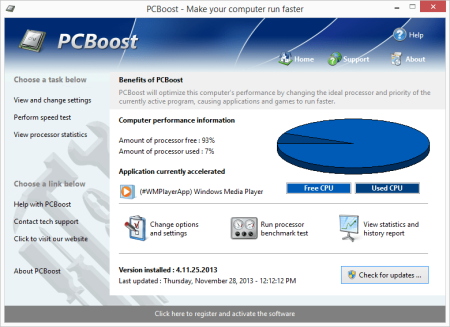
PCBoost allows you to run programs such as games, video production, photo editing software and any software that requires excessive processing power to run much faster than the software was originally designed for.​

With little to no effort you can instantly force programs & games to run faster on your computer without having to purchase new hardware. Most programs are designed to use a minimal amount of CPU (processor) power which often leads to the CPU being idle and not used to its fullest potential, with PCBoost your computer is able to take advantage of this by allocating more CPU power to the currently active application.
PCBoost constantly monitors which application is running as the foreground and active program; it then tells the CPU to give this application priority over all other applications. This direct instruction to the CPU forces the application to get more attention and quickly finish any tasks that are required as soon as possible. If you switch to another program or game PCBoost instantly notices this change and instructs the CPU to set the old application to a normal priority and the newly active and foreground application to a higher priority. This approach allows the current and active program to always use the most CPU power as possible.
Performance Increase
Instantly makes the foreground application run faster by instructing the computer processor to give the application a higher priority than all other applications running in the background.
Artificial Intelligence
Constantly switches the foreground application to use the least used processor core on multi-core computers; ensuring applications always have the most CPU power available to them.
Unlock Your Hardware
Unlock the power of your computer hardware, no longer do you have idle processor power being wasted when you need time critical applications to finish as soon as possible.
No More Waiting
Don't wait for programs that take forever to complete, applications now run much faster and tasks complete quicker when you take control of the CPU with PCBoost installed.
PCBoost also takes advantage of multi-core processors found in most computers today. Generally the more CPU cores you have the faster your computer will operate, however most applications are not written to take advantage of multi-core processors. When a multi-core processor is detected PCBoost instantly instructs the foreground application to run on a CPU core that is being used the least. For instance if your computer has two CPU cores and core one is at 75% and core two is at 25%, then PCBoost will make sure the application will run on core two. This feature allows applications to always have the most processing power available and instantly makes your computer run faster.
Any application that requires excessive processing power can instantly become faster when PCBoost is installed. It's as easy as ing the current version of our software, clicking the install button and letting everything work on its own. PCBoost's simple to use interface allows you to set it and forget it, and let PCBoost automatically make your applications work faster. For the power computer users we do offer many settings, such as how fast applications should be accelerated, which applications should be blocked from being accelerated, if PCBoost should start up with Windows and many numerous other settings that are available for you to control. You can decide if you want to fine tune PCBoost or let it work on its own - our software works with the novice all the way up to expert computer users. Download a trial version of PCBoost and take control of your computer.
Compatible with Microsoft Windows 10, 8, 7, Vista, XP & Windows Server 2012, 2008, 2003. 32-BIT/64-BIT ready.
Optimizes games and applications by increasing the processor priority thread of the currently active application, allowing these programs to run faster.
Runs in the background, which allows the software to run quietly and accelerate applications without user interaction.

DOWNLOAD
uploadgig
Код:
https://uploadgig.com/file/download/edD53763E9883B22/FjU4HIUP_PCBoost.5..rar

rapidgator
Код:
https://rapidgator.net/file/1a070793b5be39586edd0fe20be1acec/FjU4HIUP_PCBoost.5..rar

nitroflare
Код:
http://nitroflare.com/view/87409A6A72E0F3B/FjU4HIUP_PCBoost.5..rar
 
Adobe Master Collection CC 2020 November 2019 Multilanguage (x64)

95cbbcd7-7eb0-4835-bedf-1b1ddc7e22eb.png

x64 | Languages:Multilanguage | File Size: 17.3 GB

As I hope you know, Adobe Master Collection CC 2020 does not exist in nature, Adobe has never released it.​

But, nevertheless, he is in front of you! And it is assembled on the basis of a modern installer, manufactured by Adobe, the transition to which was made possible through joint efforts, both by mine and by many of the famous PainteR. We both did our best to bring this package to life.
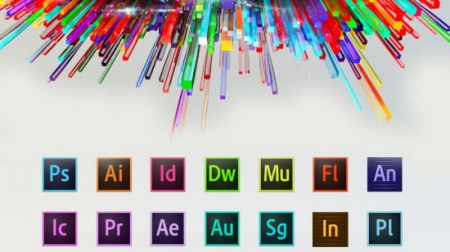
Adobe Master Collection CC 2020 is a collection of applications from the Creative Cloud 2020 line and a number of junior version programs combined by a single installer with the ability to select the installation path and the language of the installed programs.In terms of functionality, everything is very similar to the well-proven Adobe Master Collection CS6 in the past. Only here, the installer interface has changed, the current package includes significantly more programs than its namesake Creative Suite 6, and the versions of the programs themselves are mostly fresher.
Adobe Acrobat DC 2019 2019.012.20049
Adobe After Effects 2020 17.0.0.557
Adobe Animate 2020 20.0.0.17400
Adobe Audition 2020 13.0.0.519
Adobe Bridge 2020 10.0.0.124
Adobe Character Animator 2020 3.0.0.276
Adobe Dimension 3.0.0.1082
Adobe Dreamweaver 2020 20.0.0.15196
Adobe Illustrator 2020 24.0.0.330
Adobe InCopy 2020 15.0.0.155
Adobe InDesign 2020 15.0.0.155
Adobe Lightroom Classic 9.0.0.201910151439
Adobe Media Encoder 2020 14.0.0.556
Adobe Photoshop 2020 21.0.0.37
Adobe Prelude 2020 9.0.0.415
Adobe Premiere Pro 2020 14.0.0.572
Adobe XD 24.1.22
Adobe Creative Cloud Core 5.0.0.354
Adobe CoreSync 4.3.14.8
Adobe CCX Process 3.3.0.39
Adobe CC Library 3.6.1.5
Adobe Camera Raw 12.0.0.68

DOWNLOAD
uploadgig
Код:
https://uploadgig.com/file/download/1ce0cdbec3bEBa7c/Oj1t7oRE__Adobe_2020_MasterCol_win_v10_20191109.part01.rar
https://uploadgig.com/file/download/22a1762c4891b0b0/Oj1t7oRE__Adobe_2020_MasterCol_win_v10_20191109.part02.rar
https://uploadgig.com/file/download/9b5A3616746d32c6/Oj1t7oRE__Adobe_2020_MasterCol_win_v10_20191109.part03.rar
https://uploadgig.com/file/download/b466905c9099E9c2/Oj1t7oRE__Adobe_2020_MasterCol_win_v10_20191109.part04.rar
https://uploadgig.com/file/download/dca8913385A10530/Oj1t7oRE__Adobe_2020_MasterCol_win_v10_20191109.part05.rar
https://uploadgig.com/file/download/72014f69849eD5e4/Oj1t7oRE__Adobe_2020_MasterCol_win_v10_20191109.part06.rar
https://uploadgig.com/file/download/596ac95eB1Ef21Fd/Oj1t7oRE__Adobe_2020_MasterCol_win_v10_20191109.part07.rar
https://uploadgig.com/file/download/66A9a3D39ee10fd0/Oj1t7oRE__Adobe_2020_MasterCol_win_v10_20191109.part08.rar
https://uploadgig.com/file/download/b2d77a6143D1Da05/Oj1t7oRE__Adobe_2020_MasterCol_win_v10_20191109.part09.rar
https://uploadgig.com/file/download/A4d0991dC7050042/Oj1t7oRE__Adobe_2020_MasterCol_win_v10_20191109.part10.rar
https://uploadgig.com/file/download/8932c893eDFEa00a/Oj1t7oRE__Adobe_2020_MasterCol_win_v10_20191109.part11.rar
https://uploadgig.com/file/download/a6393eCa4c0E19fd/Oj1t7oRE__Adobe_2020_MasterCol_win_v10_20191109.part12.rar
https://uploadgig.com/file/download/9b9E514D783d2fd3/Oj1t7oRE__Adobe_2020_MasterCol_win_v10_20191109.part13.rar
https://uploadgig.com/file/download/64A83a5bCbbde382/Oj1t7oRE__Adobe_2020_MasterCol_win_v10_20191109.part14.rar
https://uploadgig.com/file/download/CEF924a8f045955d/Oj1t7oRE__Adobe_2020_MasterCol_win_v10_20191109.part15.rar
https://uploadgig.com/file/download/00ca5f219b539b03/Oj1t7oRE__Adobe_2020_MasterCol_win_v10_20191109.part16.rar
https://uploadgig.com/file/download/754959ec234f736B/Oj1t7oRE__Adobe_2020_MasterCol_win_v10_20191109.part17.rar

rapidgator
Код:
https://rapidgator.net/file/c5b4edf609a7b639b583a03558b08fe0/Oj1t7oRE__Adobe_2020_MasterCol_win_v10_20191109.part01.rar
https://rapidgator.net/file/c0560ef078063c1b7eff779ec563bd0d/Oj1t7oRE__Adobe_2020_MasterCol_win_v10_20191109.part02.rar
https://rapidgator.net/file/d89bf578adb9fe864879111f87dcac86/Oj1t7oRE__Adobe_2020_MasterCol_win_v10_20191109.part03.rar
https://rapidgator.net/file/c33daf7c82e83952d4e60956d0414047/Oj1t7oRE__Adobe_2020_MasterCol_win_v10_20191109.part04.rar
https://rapidgator.net/file/56e16e5fd66d8347ea16e29b82303c9c/Oj1t7oRE__Adobe_2020_MasterCol_win_v10_20191109.part05.rar
https://rapidgator.net/file/cc9926cb7c18e5d34cfe2fe97eff4580/Oj1t7oRE__Adobe_2020_MasterCol_win_v10_20191109.part06.rar
https://rapidgator.net/file/673857e1121e25eacb6c849a4b42cac3/Oj1t7oRE__Adobe_2020_MasterCol_win_v10_20191109.part07.rar
https://rapidgator.net/file/bdd4a66a627e30a6e0c42d869883e1a0/Oj1t7oRE__Adobe_2020_MasterCol_win_v10_20191109.part08.rar
https://rapidgator.net/file/0c2d3019b8362106223352c0ea8028f8/Oj1t7oRE__Adobe_2020_MasterCol_win_v10_20191109.part09.rar
https://rapidgator.net/file/d28ea57b187ce33ec438be30a3fd29e2/Oj1t7oRE__Adobe_2020_MasterCol_win_v10_20191109.part10.rar
https://rapidgator.net/file/b040d463621edf0f2ff36990298ac719/Oj1t7oRE__Adobe_2020_MasterCol_win_v10_20191109.part11.rar
https://rapidgator.net/file/0ba2f621124d9fab6e03f4d51ff2526c/Oj1t7oRE__Adobe_2020_MasterCol_win_v10_20191109.part12.rar
https://rapidgator.net/file/a371d25cc043f0984668510c624520bc/Oj1t7oRE__Adobe_2020_MasterCol_win_v10_20191109.part13.rar
https://rapidgator.net/file/685e8b0a349c72203c9ac0b5cd8d2325/Oj1t7oRE__Adobe_2020_MasterCol_win_v10_20191109.part14.rar
https://rapidgator.net/file/2c8ca45330f4274f3f9e6797fa38b4e3/Oj1t7oRE__Adobe_2020_MasterCol_win_v10_20191109.part15.rar
https://rapidgator.net/file/9a87b3ce8fd62edf918721681dfae5e7/Oj1t7oRE__Adobe_2020_MasterCol_win_v10_20191109.part16.rar
https://rapidgator.net/file/c2e1ee454120dad15c9e0690894c9b5f/Oj1t7oRE__Adobe_2020_MasterCol_win_v10_20191109.part17.rar

nitroflare
Код:
http://nitroflare.com/view/42937FBD091E2D3/Oj1t7oRE__Adobe_2020_MasterCol_win_v10_20191109.part01.rar
http://nitroflare.com/view/7ABECCB1B6EE720/Oj1t7oRE__Adobe_2020_MasterCol_win_v10_20191109.part02.rar
http://nitroflare.com/view/F1B0EB8EB1F8A53/Oj1t7oRE__Adobe_2020_MasterCol_win_v10_20191109.part03.rar
http://nitroflare.com/view/AC0CDBC92CC7FAD/Oj1t7oRE__Adobe_2020_MasterCol_win_v10_20191109.part04.rar
http://nitroflare.com/view/6C88ECA56A15935/Oj1t7oRE__Adobe_2020_MasterCol_win_v10_20191109.part05.rar
http://nitroflare.com/view/CF9D009BAE6A26A/Oj1t7oRE__Adobe_2020_MasterCol_win_v10_20191109.part06.rar
http://nitroflare.com/view/37CA8034472328E/Oj1t7oRE__Adobe_2020_MasterCol_win_v10_20191109.part07.rar
http://nitroflare.com/view/0E0627730CF086D/Oj1t7oRE__Adobe_2020_MasterCol_win_v10_20191109.part08.rar
http://nitroflare.com/view/86901159D6A1C93/Oj1t7oRE__Adobe_2020_MasterCol_win_v10_20191109.part09.rar
http://nitroflare.com/view/6CD1058A5FD5027/Oj1t7oRE__Adobe_2020_MasterCol_win_v10_20191109.part10.rar
http://nitroflare.com/view/3AB40C96C5B67BD/Oj1t7oRE__Adobe_2020_MasterCol_win_v10_20191109.part11.rar
http://nitroflare.com/view/8130FA62F6AAF48/Oj1t7oRE__Adobe_2020_MasterCol_win_v10_20191109.part12.rar
http://nitroflare.com/view/FB1E55FCE3C70C3/Oj1t7oRE__Adobe_2020_MasterCol_win_v10_20191109.part13.rar
http://nitroflare.com/view/AF77CECC174718D/Oj1t7oRE__Adobe_2020_MasterCol_win_v10_20191109.part14.rar
http://nitroflare.com/view/C16351D83E33841/Oj1t7oRE__Adobe_2020_MasterCol_win_v10_20191109.part15.rar
http://nitroflare.com/view/03BDB4304AFBF4A/Oj1t7oRE__Adobe_2020_MasterCol_win_v10_20191109.part16.rar
http://nitroflare.com/view/9B8C5D2710F8F45/Oj1t7oRE__Adobe_2020_MasterCol_win_v10_20191109.part17.rar
 
Multi Commander 9.2.0 Build 2555 Multilingual

a16d2f15-0cd5-4930-8a16-e38c5f450c40.png

File Size : 14.5 Mb

Multi Commander is a multi-tabbed file manager that is an alternative to the standard Windows Explorer.​

It uses the very popular and efficient dual-panel layout. Multi Commander has a everything you need in your daily works with files to make your work fast and efficient. It has all the standard features like a file manager has like copy, move, rename, view. But Multi Commanders big strength is the special features that allow you to do advanced task with ease. Like Auto-unpacking , Auto-sorting , Browse inside archives, registry and FTP, Search for file, View files and pictures and the Scripting support let you automate many task. And it allows you to do everything from the keyboard using shortcut so you can work fast and efficient.

- Tabs allowing you to have multiple folders open.
- Caching that enable fast file browsing.
- Show files in Detailed, List, or Thumbnail list modes.
- Background work for all tasks that takes time to finish, allowing you to continue working without interruptions.
- Customize the layout and colors to fit your styling needs.
- Extensions and plugins that will increase the functionality of Multi Commander.
- FTP, Registry , Zip, 7-Zip, Rar , Tar , GZ , Bz2 , Jar Support
- View and Change file permissions, Take ownership of files.
- Picture tools like Convert / Rotate Pictures, View/Remove EXIF tags, Adjust EXIF Date of pictures.
- Internal picture viewer for Jpg, Png, Gif, Png, Bmp, Tiff and many RAW formats.
- Show Movie information from IMDB/Rotten tomato as extra columns on you movie files.
- Audio tools like View Audio file properties, View/Edit MP3 Tags.
- Open API for developers to create extensions and plugins.
- Remember selections when you get back from another location when browsing the filesystem.
- Use mouse and drag and drop or use quick keyboard command for all the task.
- FileOperations plugins that can automatically sort / unpack files when they are moved or copied.
- MultiRename tool for fast and safe rename of multiple files/folder, Rule based and supports Undo.
- File viewer that lets you view files of any size, as ASCII/Unicode/UTF8/Binary and Hex.
- Take over the file type association from windows. Configure view, edit and open action based on file type and path.
- Both 32bit and 64bit versions available.
- Handle folders with many thousands of files with easy, And use power full filters to limit what you want to view.
- Compare folders and select the files and folders that are different, that are the same and many other options.
- Powerfull script engine allowing you to create script that automate tasks.
- Portable. Can be installed and run from portable (USB) device. Will not write any settings/session info on host computer.
- Multi Language support. English, German, French, Czech, Dutch, Russian, Spanish, Swedish, Chinese (Simplified & Traditional), Polish and Japanese is supported.

DOWNLOAD
uploadgig
Код:
https://uploadgig.com/file/download/72a984Acabfa5fe7/2Z19HxwG_Multi_Commander_9.2.0..rar

rapidgator
Код:
https://rapidgator.net/file/0970af7fd9e070166a4d4be0e45c55c4/2Z19HxwG_Multi_Commander_9.2.0..rar

nitroflare
Код:
http://nitroflare.com/view/4BBC9A3DB061B94/2Z19HxwG_Multi_Commander_9.2.0..rar
 
PGWare GameSwift 2.11.11.2019 Multilingual

54eb10ac-5e75-4080-8209-685f74304ecb.png

File Size: 4 MB

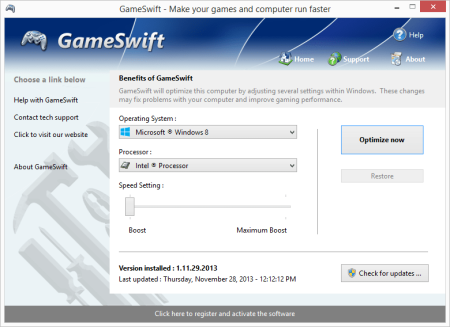
GameSwift sets the standard for PC and game optimization software.​

A combination of our two products PCMedik and GameGain; GameSwift instantly makes your computer faster and fixes common problems associated with frustrating slowdowns and errors and squeezes out every last bit of performance your computer and games are capable of. Do you remember when you first turned your brand new computer on and how fast it worked? With GameSwift and a click of the mouse you can bring back this speed to your computer instantly.
GameSwift quickly scans your computer for common problems and fixes them, it then makes several permanent changes to Windows so your computer feels like it is brand new once again. Don't deal with a slow computer and make tasks take longer to complete, install GameSwift and make your computer run faster.
Over time as you install new and updated software, you get the impression your computer is slower due to these applications being more demanding of faster hardware. GameSwift makes your computer faster by making several changes to Windows settings; for instance it turns off several animations that degrade performance, instructs the CPU how to prioritize background tasks, how files are loaded and written to the hard drive and changes to the way memory is used when programs use the memory swap file.
Heals Problems
Many small problems on your computer lead to a combined loss of performance over time, PCSwift will scan your computer for these problems and instantly repair them.
CPU Prioritization
GameSwift instructs the CPU to prioritize full screen applications so they are given the most power and access to more CPU cores; this allows games to work faster.
Constant Updates
We constantly update PCSwift with new system performance tweaks; this allows your computer to keep up with the latest software that demand faster hardware.
Faster Gaming Graphics
Increase the frames per second you are getting when playing the most current and exciting games without having to purchase a new graphics card, memory, or CPU.
GameSwift makes several Windows registry and system changes to increase the performance of your current gaming hardware; this allows you to play the most recent games without having to spend hundreds of dollars to upgrade your hardware. These changes made to your computer improve memory usage, how foreground applications are prioritized with the CPU, hard drive access read and write speeds, how fast graphics can display on your screen. GameSwift does not make changes, no patches and no modifications to games themselves, thus no anti-cheat detection software considers our software cheating software and you will not be banned from those gaming networks.
Optimizing your Windows environment to work faster with games is a no brainer if you are a hardcore PC video game enthusiast. Just like tuning a car to get higher performance, GameSwift tunes your PC's hardware to work faster which improves gaming and your computer performance. Get every last bit of horsepower out of your computer to play your games smoother and faster while also fixing problems with your computer with a few clicks of the mouse. Download a trial version of GameSwift today and unleash the full power of your computer hardware for faster gaming.
Compatible with Microsoft Windows 10, 8, 7, Vista, XP & Windows Server 2012, 2008, 2003. 32-BIT/64-BIT ready.
Optimizes your computer hardware to allow the latest games to run faster with the highest graphic settings possible.
Increase the frames per second that is displayed allowing games to play much smoother and increase your enjoyment of these games.
Decreases the amount of time for Windows to load, and makes loading and running your favorite programs much faster.
GameSwift repairs common problems found on most computers and instantly fixes them to improve computer stability and performance.
Changes are made to the Windows system permanently, allowing you to perform a single one time tune-up to increase performance forever.

DOWNLOAD
uploadgig
Код:
https://uploadgig.com/file/download/B478c18f0c983F90/gLUWvD3u_GameSwift.2..rar

rapidgator
Код:
https://rapidgator.net/file/f43e9ee7d9fbea6e65daa4e9f5989005/gLUWvD3u_GameSwift.2..rar

nitroflare
Код:
http://nitroflare.com/view/9510C9B9765AA99/gLUWvD3u_GameSwift.2..rar
 
Exiland Backup Professional 5.0 Multilingual

0419d4ad-3bd2-4b9c-b110-62f30d4bbcb2.png

File size: 10.7 MB

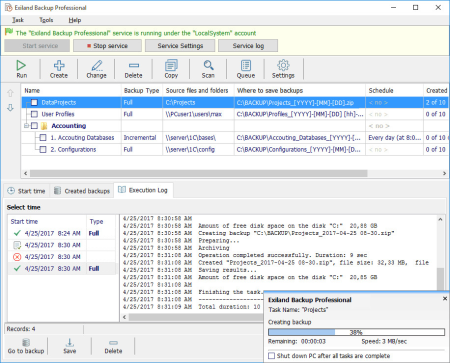
Exiland Backup Professional is the full-featured edition.​

It includes all the features of the Standard edition, plus it allows you to back up files from multiple PCs through local network, back up of open (locked) files using VSS (Volume Shadow Copy), FTP, SFTP (SSH) and save backups to any storage. The Professional edition runs as a Windows service in background regardless of user sessions. It is excellently suited for backing up any data in local network: work documents, MS Outlook files (*.ost, *.pst), MS Exchange, database files, website files, user profiles, etc. It gives you full control over the backup creation.

Administration tool (can be used for configuring tasks)
Windows service (executes the configured tasks running in background)
Supports four backup types: Full, Incremental, Differential, and Synchronization of files
Backs up open (locked) files used by another applications such as MS Outlook (*.pst, *.ost), MSSQL (*.mdf, *.ldf), and etc. (VSS - Volume Shadow Copy)
Can copy files from different computers through LAN
Backs up the data from local and network drives, removable devices, flash drives, NAS, FTP, SFTP (SSH) servers
Uses fast multi-threaded copying
Compresses the data using the Standard ZIP format, strong AES encryption; supports of archives greater than 2.1 GB
Runs as a Windows service
Accesses network folders using the specified account (login and password)
Duplicates backups
Logs all the backup operations
Supports three types of notifications: e-mail, SMS, or screen
Allows the users to view and restore files from backups

DOWNLOAD
uploadgig
Код:
https://uploadgig.com/file/download/10a5F57f040CA0c6/48v7npDR_Exiland.Backup.Professional.5.0..rar

rapidgator
Код:
https://rapidgator.net/file/4192dd8bba770baf5172608bc6dae9c5/48v7npDR_Exiland.Backup.Professional.5.0..rar

nitroflare
Код:
http://nitroflare.com/view/4C7567A006F850A/48v7npDR_Exiland.Backup.Professional.5.0..rar
 
RootsMagic 7.6.2.0

1be4cd89-5d9b-43f3-916a-ca1407e44bc4.png

File Size: 28.7 MB

RootsMagic is the award-winning genealogy software which makes researching, organizing, and sharing your family history easy!​

Whether you're a beginner or an experienced professional, RootsMagic is the perfect tool for you!
RootsMagic has six main views, plus a sidebar for easier navigation. You switch between the views by simply clicking on the tab for the desired view. All views are fully navigatible using either the mouse or arrow keys. Double clicking on a person's name brings up the data entry screen for that person. You can even open multiple databases side by side.
The RootsMagic edit screen lets you add an unlimited number of facts for every person (i.e. birth, death, marriage, occupation, religion, description, etc). If you want to add a fact type that isn't in RootsMagic's predefined list, you can simply create your own fact types. RootsMagic also allows notes and unlimited source citations for every fact.
The Edit Screen
Every piece of information on a person is available from this one screen... name, parent and spouse info, personal and family facts, DNA test results, alternate names, or LDS information. You can directly access the notes, sources, media, and more for every item.
The RootsMagic Explorer
ExplorerThe RootsMagic Explorer is the heart of RootsMagic' search system. The Explorer makes it easy to find and edit anyone in your file. Quickly search by surname or given names, genetic lines, or perform sophisticated searches easily. Even find women by their married names.
And you can easily edit any person in the search list with the click of a single button.
Let RootsMagic Find Your Family Online
ExplorerWith WebHints, RootsMagic automatically searches your favorite genealogy records sites including FamilySearch and MyHeritage for possible matches to your data. Clicking on the light bulb opens up a web browser with the matching records (some records may require a subscription). The powerful WebSearch allows you to quickly search the internet for more matches.
Sources - Documenting Your Family History
Edit SourceRootsMagic provides a powerful source list which lets you add, edit, delete, and print the sources of your information. Simply add the source once, then when you add a fact to a person and want to document where that information came from, you simply point to the source in the source list.
And best of all, the RootsMagic SourceWizard will help you write properly formatted sources regardless of your expertise. Quickly and easily create sources as defined by Evidence!, Evidence Explained, or Cite Your Sources. You can even create your own source types.
Printing Reports
Report SelectionRootsMagic offers a large selection of printouts, all available from a single report dialog. Pedigree charts, family group sheets, wall charts, 7 styles of narrative reports (where RootsMagic writes the sentences for you), numerous lists, mailing labels, calendars, relationship charts, individual summaries, and photo trees. And if that isn't enough, RootsMagic even provides a custom report generator, so you can create your own specialized lists. Since we can't possibly show you all the printouts, you can a free trial copy of RootsMagic to try them for yourself.
Publish Your Family History
PublisherPublishing your family history has never been easier. The RootsMagic Publisher lets you combine multiple reports and charts into a single document, and will automatically create a table of contents and full index for the book. You can include photos, notes, sources and other text in your book. You can even add cover and title pages, copyright page, dedication, and more.
Send your book directly to your printer, or save it to a PDF file to burn on a CD or email to family members.

DOWNLOAD
uploadgig
Код:
https://uploadgig.com/file/download/Ee103c53771F476a/I4d97qaj_RootsMagic.7..rar

rapidgator
Код:
https://rapidgator.net/file/af9ed5b1accb8d60f2a9070da8b61cae/I4d97qaj_RootsMagic.7..rar

nitroflare
Код:
http://nitroflare.com/view/EAF1487678D2967/I4d97qaj_RootsMagic.7..rar
 
Corona Renderer 4 Hotfix 1 for 3DS MAX 2013-2020

c70c3d49-24eb-45de-9dce-cf9522a6e886.png

x64 | File Size: 147 MB

Corona Renderer for 3ds Max is now available with many new features to this CPU-based un(biased) photorealistic renderer.​

Render times can be reduced by as much as 50 to 70% thanks to the new denoising capability, which is based on the 3D scene information and not just a 2D post-process effect, while adaptive rendering further reduces noise and grain in renders. Corona now also efficiently handles scenes with more than 255 lights.
Workflow is accelerated thanks to multiple render regions in interactive rendering, the Visual Frame Buffer allowing renders to be saved for quick A / B comparisons, the use of Nitrous for viewport drawing of all Corona Light / proxy / scatter items, and the option to display Corona Scatter objects as pointclouds in the viewport.
The update also brings with it an extensive list of other improvements and features, bug fixes, and support for all versions of 3ds Max, including the recently released 2017 version, in the installer.
Corona Renderer offers both biased and unbiased rendering solution at the user's discretion. In both cases it delivers predictable, reliable, and physically plausible results with no compromises in quality.
Usability is our strongest weapon. Render setup is really as simple as pressing "Render". Most new users will learn Corona in just one day, and fall in love with it over the next few.
Corona Renderer brings you state of the art, fully-featured interactive rendering. You can change materials, lights, and create and adjust geometry while rendering. There is no need to manually restart or update the rendering, as it happens automatically, usually within less than a second. It runs completely on the CPU, so it has no limitations to what it can handle.
Corona Renderer is extremely flexible. We understand how important it is to be able to "bend" physical laws to deliver the results your clients expect. So Corona supports numerous reality hacks which allow you to get exactly the effect you desire.
Speed is an important factor in production that cannot be ignored. A usable renderer must always deliver results as fast as possible and that is why we are always looking for.
The output quality and speed are not the only things that make a great renderer. That is why Corona comes with many "little" workflow tweaks that will make your life much easier.
Our design goal for Corona materials is to make them physically based, yet intuitive, flexible, and easy to set up.
The whole process of creating lights is designed to give artists complete control over their scene, while being fast and intuitive. There are no sampling multipliers, and no differences between using light objects and materials.
Corona Renderer also offers the volumetric/SSS rendering option since the version 1.0. We call it the Subsurface scattering revolution (SSSR). Why revolution? Because it is a fast, .
Traditionally, users had to choose to either use unbiased algorithms without any caching and wait long time for all renders, or use biased caching algorithms, and deal with splotches, missing shadows, and sensitive input parameters. Corona merges the best of both worlds.
Rendering with multiple computers at once is essential for any real production. Corona facilitates this in multiple ways - for example it has its own distributed rendering system, and it is compatible with the Backburner and Thinkbox's Deadline render farm management systems.
Corona Renderer does not need any special hardware to run. It uses the CPU and you can run it on any processor from Intel or AMD released in the past decade.
OS:64-bit Microsoft Windows (7, 8, 8.1, 10)
CPU:For Corona Renderer 2 and newer, you will need a CPU that supports the SSE4.1 instruction set (any processor from within the last 10 years). Here is a list of compatible CPUs. this denoiser type is optional, and Corona Renderer will work fine even if it's not installed (for example if you are using an AMD or integrated GPU). We also offer a High Quality denoiser, which utilizes purely the CPU, and this denoiser can be used on any computer which can run Corona Renderer.

DOWNLOAD
uploadgig
Код:
https://uploadgig.com/file/download/4f82cb9495c2b9b5/MfWzvGgr__CoronaRenderer_4.1_3dsmax_2.rar

rapidgator
Код:
https://rapidgator.net/file/ce362e5cd5a584481a5085dd445a99ea/MfWzvGgr__CoronaRenderer_4.1_3dsmax_2.rar

nitroflare
Код:
http://nitroflare.com/view/D1D760E7C84DA45/MfWzvGgr__CoronaRenderer_4.1_3dsmax_2.rar
 
PGWare PCMedik 8.11.11.2019 Multilingual

861872be-2732-4fe3-8496-0cb3a0995c5d.png

File Size: 4 MB

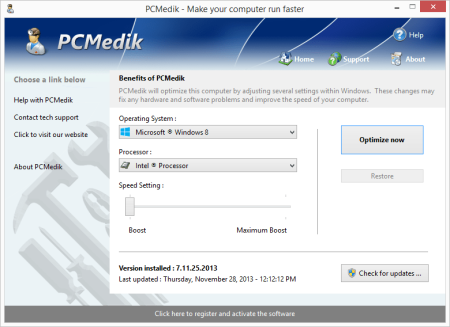
PCMedik instantly makes your computer faster and fixes common problems associated with frustrating slowdowns and errors.​

Do you remember when you first turned your brand new computer on and how fast it worked? With PCMedik and a click of the mouse you can bring back this speed to your computer instantly. PCMedik quickly scans your computer for common problems and fixes them, it then makes several permanent changes to Windows so your computer feels like it is brand new once again. Don't deal with a slow computer and make tasks take longer to complete, install PCMedik and make your computer run faster.
Over time as you install new and updated software, you get the impression your computer is slower due to these applications being more demanding of faster hardware. PCMedik makes your computer faster by making several changes to Windows settings; for instance it turns off several animations that degrade performance, instructs the CPU how to prioritize background tasks, how files are loaded and written to the hard drive, changes to the way memory is used when programs use the memory swap file and dozens of other performance settings. With these system changes made to Windows and the fixes to common problems, your computer will run faster and operate like it is brand new.
Constant Updates
We constantly update PCMedik with new system performance tweaks; this allows your computer to keep up with the latest software that demand faster hardware.
Heals Problems
Many small problems on your computer lead to a combined loss of performance over time, PCMedik will scan your computer for these problems and instantly repair them.
Simple to Use
PCMedik is easy to use, simply click a single button and the software instantly performs changes to your computer safely. PCMedik is simple, efficient and effective.
Instant Speed Increase
PCMedik will instantly increase the speed of your computer's hardware by making permanent system wide Windows changes to how your computer operates.
PCMedik is one of the easiest to use PC optimization utilities available on the market. We designed PCMedik to be very easy to use, allowing a novice computer user to simply install our software, click a single button and reboot the machine for an instant speed increase. While our software may appear very simple, it is extremely powerful on the inside and instantly fixes many of the common computer problems and makes permanent changes to your system intelligently. PCMedik has a built in system analyzer and diagnostic engine which quickly locates problems and fixes them, and we constantly update our software to provide you with new improvements.
Your computer works similar to a car, if over time you do not perform maintenance and tune-up's they both begin to exhibit problems and don't have the same performance they did when they were brand new. PCMedik performs a quick tune-up, fixes problems and optimizes the performance of your computer with a single click of the mouse. Don't waste money buying a new computer because your computer is slowing down or having problems, a trial version of PCMedik today and make your computer run faster.
Compatible with Microsoft Windows 10, 8, 7, Vista, XP & Windows Server 2012, 2008, 2003. 32-BIT/64-BIT ready.
Instantly increases the speed of your computer with a very easy to use interface, simply click one button and reboot the computer.
Decreases the amount of time for Windows to load, and makes loading and running your favorite programs much faster.
PCMedik repairs common problems found on most computers and instantly fixes them to improve computer stability and performance.
Makes your computer faster by optimizing how the computer memory operates, how applications are prioritized with the CPU and how the disk drive performs.
Changes are made to the Windows system permanently, allowing you to perform a single one time tune-up to increase performance forever.
New and improved modern user interface, easy and intuitive to use and compliant with Windows user interface guidelines.

DOWNLOAD
uploadgig
Код:
https://uploadgig.com/file/download/b6B838b7254C7040/O266OI8b_PCMedik.8..rar

rapidgator
Код:
https://rapidgator.net/file/5174cacdb0041844a3fd63268df4416c/O266OI8b_PCMedik.8..rar

nitroflare
Код:
http://nitroflare.com/view/A64975F0072177A/O266OI8b_PCMedik.8..rar
 
IDM UltraCompare Professional 20.00.0.36

91fd2e98-8adc-412e-9f20-e848482ea915.png

File size: 87 MB

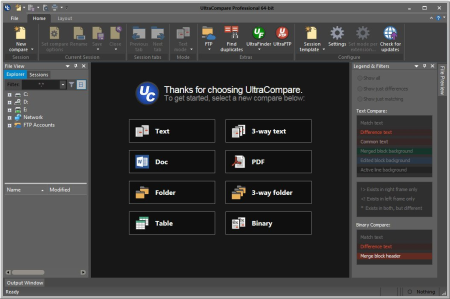
A complement to your file management suite, UltraCompare Professional is loaded with features to enable you to compare text files and folders, as well as zip files and jar archives.​

Text file compare features include binary and text compare of two or three text files at a time, with the ability to merge text differences between compared files. Folder compare supports comparison of local/network directories (and subdirectories with recursive folder compare) and zip file compare as well, and like text/binary compare, you can merge differences between compared directories. With automatic integration with UltraEdit or UEStudio, UltraCompare Professional is a compare tool you should not be without!

Text Compare Features:
· Powerful 3-way text compare
· Shell Integration (right click menu in Windows Explorer)
· Ability to edit line and merge within UltraCompare
· Copy/paste multiple selected contiguous lines to clipboard
· Copy frame to clipboard
· Ability to see whitespace differences (tabs and spaces)
· Set Tab value to a specific number of spaces (like UltraEdit-32/UEStudio)
· Bookmark support
· Ability to delete lines from file
· Line-by-line comparison of individual files
· Status bar shows number of lines/blocks with differences
Difference Summary includes:
· data in source but not in destination file (or vice versa)
· character differences between files on the same line
· Command Line Support
Ignore options:
· Ignore case
· Ignore spaces
· Ignore blank lines
· Line terminator differences
· Lines which begin with...
· Lines which contain..
· Lines which end with...
· A defined number of lines at the beginning of file
· A defined number of lines at the end of file
· EBCDIC compare supported
· Double-byte compare supported
Folder Compare Features:
· 3 Way Folder Compare
· ZIP Archive Compare
· ZIP file password support
· Support for RAR compressed files
· Side-by-side Compare Presentation
· Shell Integration
· Split screen to preview text in one pane while moving from file to file
· Option to compare files just on the basis of time/date/size
· Ability to set a NOT operator for filter, ie, NOT *.bak, etc.
· Provide live update on progress (useful when working with large nestedtrees)
· Favorite files and folders now allows quick access to commonly used items
· Explore source or destination folder by right click in folder mode
· Compare individual directories
· Recursive compare of directories (includes subdirectories)
Difference Summary includes:
· Same named files with different sizes
· Same named files with different creation dates/times
· File type: Binary or ASCII
· Compare two folder structures and indicate which files have different permissions
· Ability to select files with different names and compare them
· Ability to right-click on column headings and select fields
Word Compare Features:
· Compare Microsoft Word documents
· Compare RTF Files
Fast Binary Compare Features:
· Binary comparison allowing for shifted data
· Command Line invocation
· Option to display decimal offset rather than Hexadecimal
Merge Features:
· Undo merge feature
· Merge compared lines/blocks between files for 2 and 3 way compare
· Merge compared files between directories for 2 and 3 way folder compare
· Selected line merge capability
· Accept all (or Merge All) button for text mode, and folder mode
· Word-level (or selection-level) replacement and insertion
· Mark merged lines for review
· Enhanced merging - allows changes to be added to changes in other file
· Merge contents of compared directories
· Option to automatically move to the first difference when loading
· Option to automatically move to next difference after merge
Print/Output Features:
· Ability to use UC in batch files to produce reports, side-by-side difference output
· Print right/left file from File menu
· Print difference summary showing matching lines or differences only
· Print and save differences in context

DOWNLOAD
uploadgig
Код:
https://uploadgig.com/file/download/DFfe85b03Aa623ac/htTh5mmb_IDM_UltraCompare_Professional_20.00.0.36..rar

rapidgator
Код:
https://rapidgator.net/file/4e46e8b1376f03a202b3470c3b0a267d/htTh5mmb_IDM_UltraCompare_Professional_20.00.0.36..rar

nitroflare
Код:
http://nitroflare.com/view/3039E4589C50D03/htTh5mmb_IDM_UltraCompare_Professional_20.00.0.36..rar
 
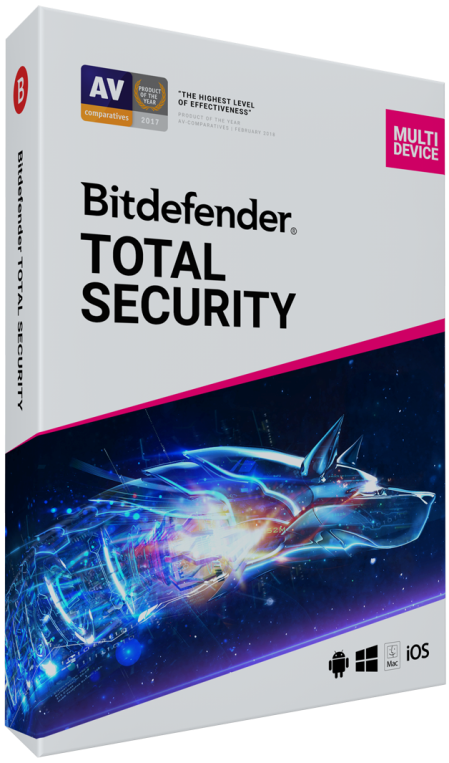
Bitdefender Total Security 22.0.21.297

c987fcde-a303-4cad-98f9-894b0325619c.png

File size: 463 MB

Bitdefender Total Security delivers ironclad protection against even the most advanced malware and provides features designed to safeguard your private life across multiple platforms - all without slowing down your devices.​

It uses the most advanced security technology in the world, yet it's simple and intuitive. You only need one account to protect up to 10 different PCs, Macs, and Android smartphones and tablets.
Continue your activities, always with maximum protection.
- Inaccurate security for Windows, Mac OS and Android
- Unbeatable malware detection
- High performance: it saves batteries and speeds
- Anti-ransomware: an innovative and effective defense
- Autopilot: automatic security
- Wi-Fi Security Advisor security anywhere
- Parental Advisor: Family Protection
- Data protection, privacy and theft
Complete safety cover with only one product
Why use more security products when you have the best all-in-one solution? Bitdefender Total Security is the perfect choice to protect your Windows, Mac OS, and Android devices all together.
Bitdefender Total Security offers insecure security even against the most advanced malware, providing features specifically designed to safeguard your privacy across platforms, all without slowing down your devices. It uses the most advanced security technology in the world, but it is always simple and intuitive. You will only need one account to protect up to 10 different PCs, Macs, and Android smartphones / tablets.
Protection
Bitdefender's security software has earned the industry's best malware detection rate over the last 5 years. What is the secret to being the best in computer security for so long? We use advanced artificial intelligence and a range of other revolutionary technologies as well as a global network of more than 500 million computers to instantly anticipate, detect, and block even the latest threats anywhere in the world. Even better, we do all this without slowing down your devices.
Full data protection
Maximum power in the most effective antivirus available. Bitdefender Total Security contrasts every threat, from viruses, worms and trojan to ransomware, zero-day, rootkits and spyware. Your data and your privacy are in good hands.
Active Threat Control
We use an innovative technique called behavioral tracking to closely monitor your active applications. When Bitdefender Total Security 2017 detects suspicious behavior, it immediately comes into action.
PC performance
Is a racing car that is also an impenetrable armored vehicle? Bitdefender Total Security gives you the best of both. It's fast and powerful at the same time, in more than one way. Our revolutionary technologies provide instant response to malware, but also maximum performance for your system without slowing down. It's what's hidden under the hood that makes Bitdefender Total Security so fast and easy to use.
Bitdefender Autopilot
Once activated, Autopilot will automatically manage your entire computer security by taking the best security decisions without requiring any action from you, but above all without tedious pop-ups and dialogs. Nothing to set up and nothing to configure.
Privacy
In Bitdefender we know that you want to protect what's really important in your life. You want to protect your family, choosing what to share with the world and what to hide with prying eyes. That's why Bitdefender Total Security integrates tools and features that make it invulnerable to computer hackers, preventing theft of data and blocking any malicious program that can invade your privacy.
- Improved interface.
- Several interface improvements.
- Support Tool better collects data.
- WSC is better integrated with Windows 10.
- Improved performance.
- Improved DiskCleanup.
- Updated Safe Files.
- Some minor bugs fixed.

DOWNLOAD
uploadgig
Код:
https://uploadgig.com/file/download/69ed03BCDD03f3ea/IgZhBfIo_.Bitdefender_Total_Security_22.0.21.297_x86x64.zip

rapidgator
Код:
https://rapidgator.net/file/c87aad9a61816e2ec34752591fb66544/IgZhBfIo_.Bitdefender_Total_Security_22.0.21.297_x86x64.zip

nitroflare
Код:
http://nitroflare.com/view/073DC77E470D767/IgZhBfIo_.Bitdefender_Total_Security_22.0.21.297_x86x64.zip
 
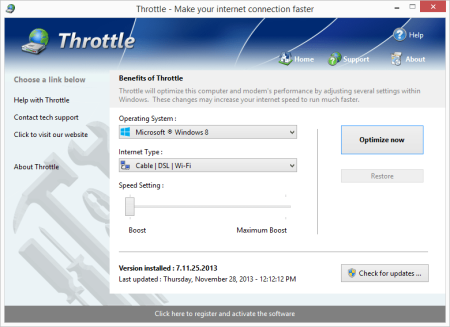
PGWare Throttle 8.11.11.2019 Multilingual

bfbcb457-1119-4a48-b6e5-da85d6511839.png

File Size: 4 MB

Throttle instantly upgrades your computer and modem to files faster, browse the web faster and play games without lag.​

If you are tired of browsing the web and pages taking forever to load or you want to large files faster, Throttle can instantly increase the speed of your internet. Throttle is one of the best internet acceleration software products available and works with Cable, DSL, U-Verse, Fios, dial-up, satellite and mobile phone (2G/3G/4G) internet connection types. You can easily upgrade you internet connection without having to pay extra monthly fees to your ISP using Throttle.
Throttle is very safe to use and makes several Windows registry and system changes to increase the performance of your modem and internet speed; this allows you to browse the web faster, files faster and play games without lag. These permanent changes made to your computer and modem improves how large data packets are sent between your computer and servers, it lowers the latency between your computer and servers, and how Internet Explorer simultaneously s images and files. With Throttle your internet will become much faster and the changes it makes to your computer are completely safe and permanent.
Faster Downloads
Instantly makes s from the internet faster. Don't wait while ing large files, Throttle makes large s take much less time to finish.
Safe and Permanent
Changes made to your computer and modem with Throttle are completely safe and are permanent, run once and your internet is permanently faster.
Easy to Use
Simply and install Throttle on your computer and click a single button. Browsing the web, ing and online gaming are instantly faster.
Faster Internet Speed
Instantly increases the speed of your Cable, DSL, U-Verse, Fios and dial-up internet connection and improves the speed of your internet connection dramatically.
Throttle instantly increases the speed of your internet and immediately saves you money. Throttle allows you to take advantage of a faster internet without having to pay extra monthly fees to your ISP for a more expensive internet package; try our Throttle software and instantly increase the speed you can files, browse the web and play online games. Throttle makes several Windows registry changes to improve how networking packets are transmitted and received, we increase the buffer sizes which allows data to be transmitted and processed faster on your computer, allowing games, web browsing and ing files to work much faster.
Increasing the speed of your internet connection, browse the web faster and files faster as well as saving monthly fees are as easy as installing Throttle. Simply and install Throttle from our web site, click a single button and reboot your computer; upon reboot you will quickly see how fast your internet connection has transformed, browsing the web is now much more enjoyable and playing games online will become an incredibly fun lag-free experience.
Compatible with Microsoft Windows 10, 8, 7, Vista, XP & Windows Server 2012, 2008, 2003. 32-BIT/64-BIT ready.
Instantly increases the speed of your internet making s faster, surfing the web faster and playing online games without lag.
Increases the speed of all internet connection types such as Cable, DSL, U-Verse, Fios and dial-up satellite and mobile phone (2G/3G/4G).
Saves you money by maximizing your current internet connection without having to upgrade to a higher package with your ISP.
Easy to use software that allows you to make permanent changes to your computer and modem with a single click.
Playing online multiplayer games is now a lag-free experience due to many of the settings Throttle makes to the computer.
New and improved modern user interface, easy and intuitive to use and compliant with Windows user interface guidelines.
Software updates can be ed and installed directly from inside the application without having to visit our web site.

DOWNLOAD
uploadgig
Код:
https://uploadgig.com/file/download/661385A922fa7D91/y2DqI3SY_Throttle.8..rar

rapidgator
Код:
https://rapidgator.net/file/f651169d010868f8b621cde7aaa05755/y2DqI3SY_Throttle.8..rar

nitroflare
Код:
http://nitroflare.com/view/4CA17A4E0C33046/y2DqI3SY_Throttle.8..rar
 
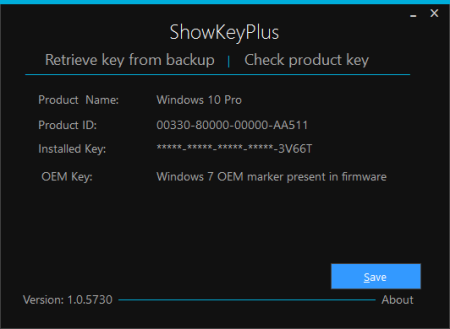
ShowKeyPlus 1.1.13.38538 Pre-release

826b1aee-1089-4e73-806d-87d5cd568857.png

File Size : 3.7 Mb

Tech-savvy users already know that there are dedicated commands for revealing the product key of their operating system, yet novices still have a long way to go in this respect.​

This is why there are several specialized applications that are meant to meet this purpose, that of helping all users view their product key without too much hassle. ShowKeyPlus is one such utility.
Straightforward GUI
Since this application is portable, it does not need to be installed onto the computer, and it can be carried on removable USB drives so as to be launched when needed.
Its interface is meant to be as intuitive as possible, and it displays the detected product key without any intervention from your side. Clicking the product key toggles masking it, thus protecting your privacy if someone passes by while you are using this app.
A handy feature of ShowKeyPlus is that it displays details about the original operating system that you ran before upgrading to the current one.
In other words, if you upgraded to Windows 10, the app shows the product key and the name of the Windows edition that was installed beforehand. Nonetheless, it should be mentioned that upgrading to Windows 10 automatically replaces your product key with a generic one, since your PC is granted a unique digital entitlement instead.
You can also rely on this software solution to view the product keys stored in a backup file by simply browsing to its location. This comes in handy when your backup includes a Windows folder that also features a product key.
After examining all the displayed information, you can save the data to a file on your PC, for later analysis. Unfortunately, only TXT is supported as the output format.
To sum it up, ShowKeyPlus provides novices and experts alike with a straightforward solution for viewing their product keys, even if they have upgraded their OS rather than get a fresh install.

DOWNLOAD
uploadgig
Код:
https://uploadgig.com/file/download/380522Cb75f710fF/NLBsrGek_ShowKeyPlusPreview..zip

rapidgator
Код:
https://rapidgator.net/file/376edd0be984a729963fe4f66c0800dd/NLBsrGek_ShowKeyPlusPreview..zip

nitroflare
Код:
http://nitroflare.com/view/21AD6A055E0D1A2/NLBsrGek_ShowKeyPlusPreview..zip
 
GreatCirc 3.2 x86

5228f1d8-af5c-4fbe-b01a-fde8ca466056.png

English | File size: 6.68 MB

GreatCirc is a tool for calculating Great Circle distances on the earth's surface, and plotting points and great circle paths on a world map.​

The "great circle path" is the shortest direct route between two points on the earth's surface. Because the earth is a globe, the shortest path between any two points lies on a circle which is centred at the earth's core and passes around the surface of the world. Such a path will appear to be a curved line when drawn on a flat world map because of the distortion inherent in mapping the globe onto a flat map.
GreatCirc can calculate the Great Circle Distance between any two points on the earth. Also, given a starting point, direction and distance it can calculate the Great Circle End Point. In both cases, GreatCirc will plot the resulting Great Circle path on a world map. GreatCirc can also do a Coverage Area calculation, given a centre point and a range, GreatCirc will plot the resulting circle on a world map and calculate the area of the earth's surface enclosed within the circle.
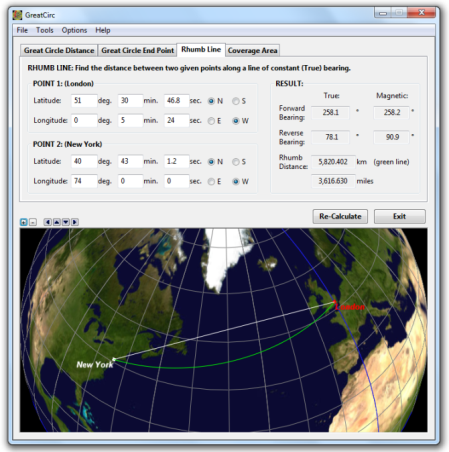
GreatCirc can also calculate and plot the Rhumb Line distance between two locations. In navigation, a rhumb line (or loxodrome) is a line crossing all meridians of longitude at the same angle, i.e. a path derived from a defined initial bearing. That is, upon taking an initial bearing, one proceeds along the same bearing, without changing the direction as measured relative to true north.
The following maps, produced using GreatCirc, show the Great Circle shortest distance line between London and Beijing in white. They also show the Rhumb Line of constant bearing in green. The Rhumb line appears shorter on a flat map, and may be easier to navigate on a constant bearing, but in fact is significantly longer.
System Requirements
You will need:
32bit: Windows XP or later.
64bit: Windows 7 or later.
12MB free hard disk space.
Screen resolution set to at least 1024x768.
If you choose to register, you will also need DirectX v9.0c or later to support the globe/mercator view options.

DOWNLOAD
uploadgig
Код:
https://uploadgig.com/file/download/963c6a922e2e1513/NScpccdm_GreatCirc__3.2_x86..rar

rapidgator
Код:
https://rapidgator.net/file/6931d49f1be589567b36e9b568923641/NScpccdm_GreatCirc__3.2_x86..rar

nitroflare
Код:
http://nitroflare.com/view/B78494B669016A8/NScpccdm_GreatCirc__3.2_x86..rar
 
KCleaner 3.6.5.104

54300abb-4f28-46af-b634-5be27a0c7b42.png

File Size : 3.4 Mb

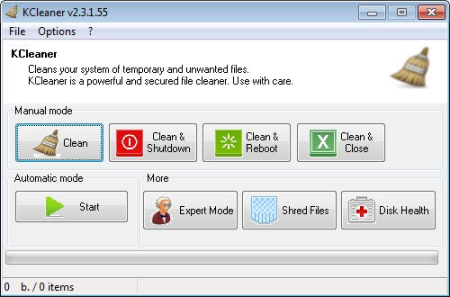
KCleaner is designed to be the most efficient Hard Disk cleaner, tracking every useless byte.​

It is the first product of this kind featuring a full automatic mode, which works in background so that you don't have to care about when to launch it. As a proof of its efficiency, it often finds up to many GB not even seen by its competitors so... give KCleaner a try ! And if data security is something you are interested in, you'll love the secured file deletion methods proposed by KCleaner, making deleted files unrecoverable by any known mean.

Detects and cleans temporary and useless files (cache, unused setup files...)
Automatic mode working in background
Secured file deletion method
Expert mode : let users control any file deletion done by KCleaner
International support.

DOWNLOAD
uploadgig
Код:
https://uploadgig.com/file/download/264Ce8ecC4b03574/yW3tXyUW_kcleaner..exe

rapidgator
Код:
https://rapidgator.net/file/f496b6cc0e268727519025de1c71e6da/yW3tXyUW_kcleaner..exe

nitroflare
Код:
http://nitroflare.com/view/9D91469E1296CAC/yW3tXyUW_kcleaner..exe
 
CyberLink PowerDirector Ultimate 18.0.2228.0

d90cf437-bd0f-4c1d-9b49-670eb4e03dec.png

Windows x64 | Languages: Multilingual | File Size: 967.51 MB

Take Total Control of Your Video Creation Without the Learning Curve.​

PowerDirector Ultimate provides over 200 powerful video editing tools, whether you are new to video editing or if you are creative pros, you can start your video creation without the learning curve!

Apply and edit completely customizable vector shapes to your videos, with auto-fit text and keyframe controls. Perfect for YouTubers and video tutorials.
Combine motion graphic elements with your videos' titles to make them stylish and modern.
Easily create, edit and produce content perfectly fit for social media. Produce square (1:1) output for Facebook and Instagram. Or edit and save vertical videos, the perfect size ratio for social media Stories.
Repurpose previous project files in your new ones. Embed them into scenes with keyframe control to scale, skew, rotate & even set opacity.
Hear audio while dragging the playhead through a project so that you can quickly find the scene you need.
Perform Hollywood-style green screen editing thanks to an improved chroma key engine and multi-key color sampling.
Ensure 100% object tracking accuracy in your video clips with frame-by-frame motion tracking.
Transform your videos into living artworks thanks to the magic of AI. We've trained our AI Style Engine to analyze footage frame by frame and intelligently apply brushstrokes, so your video looks like it was hand-painted by a master artist.
Shaky video footage is virtually unavoidable when shooting with a 360º camera. Our 360º VR stabilization technology gives you the control to produce mind-blowing VR videos, free of shakes and stutters, in next to no time!
Switch timeline track order between top-down and bottom-up to suit your workflow.
Don't waste time waiting for your software to respond! PowerDirector supports transcoding of non-full frame video clips in a single timeline track. Also enjoy better performance on 8+ core processors with improved multi-threading.
Preview your projects in 4K quality, and see how your video will look like before you produce.
Import and edit video shot on professional-grade cameras and in HEVC & VP9 10bit HDR10 & HLG, ProRes 10bit 4:2:2, XAVC 8bit 4:2:0 and MXF AVC 8bit 4:2:0 video compatibility.
- Microsoft Windows 10, 8/8.1, 7 (64 bit OS only)
- Intel Core i-series or AMD Phenom II and above
- Standard Video: 128 MB VGA VRAM or higher
- 360-video: DirectX 11 compatible
- AI Plugin: 2GB VGA VRAM or higher
- 4GB memory required (6GB or above recommended)
- 7GB hard disk space
- Burning drive is required for disc burning purpose
- Windows compatible sound card is required
- English
- French
- German
- Italian
- Spanish (European)
- Chinese Simplified
- Chinese Traditional
- Japanese
- Korean
- Dutch

DOWNLOAD
uploadgig
Код:
https://uploadgig.com/file/download/3d8fbCAbec1Bd7dd/rwkrl2hM_.PDIR.18.0.2228.0.rar

rapidgator
Код:
https://rapidgator.net/file/faf03f38ee308ee4ae8b1fa046a770d2/rwkrl2hM_.PDIR.18.0.2228.0.rar

nitroflare
Код:
http://nitroflare.com/view/AA7965DA7BDB6C8/rwkrl2hM_.PDIR.18.0.2228.0.rar
 
Easy2Convert PCX to IMAGE 2.5

427faf26-3007-43d8-a41d-855a1df5360d.png

File size: 3.5 MB

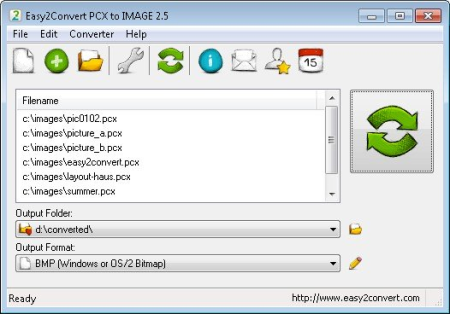
Easy2Convert PCX to IMAGE converts ZSoft Paintbrush files (.​

pcx) to many various image files (.bmp, .gif, .png, .jpg, etc.) quickly and works on Windows OS. You may set the image quality/size ratio and perform an image resize. Using Easy2Convert PCX to IMAGE, you can save many pcx-files to other popular image formats at once!
Easy2Convert PCX to IMAGE is a professional batch image converting software. It has many advanced options and it's a highly customizable converter.
Convert ZSoft Paintbrush files (.pcx) to many image files (.bmp, .png, .gif, .jpg, etc.)
Batch convert option (convert many pcx-files at once)
Command-line support
Image rotation, resize and image flip options
Color manipulation option (brightness, contrast, gamma, etc.)
Text/Graphic watermark option
Fast, easy-to-use software
Enhanced file processing
Few internal improvements

DOWNLOAD
uploadgig
Код:
https://uploadgig.com/file/download/a609a0daBdec5B7e/Ty4EmEUz_Easy2Convert.PCX.to.IMAGE.2.5..rar

rapidgator
Код:
https://rapidgator.net/file/13dea7047e1f1405d4a81fddba12075a/Ty4EmEUz_Easy2Convert.PCX.to.IMAGE.2.5..rar

nitroflare
Код:
http://nitroflare.com/view/270AC41ED155049/Ty4EmEUz_Easy2Convert.PCX.to.IMAGE.2.5..rar
 
PGWare GameBoost 3.11.11.2019 Multilingual

9076eb26-d279-4e00-a843-2e7abfbe3296.png

File Size: 4 MB

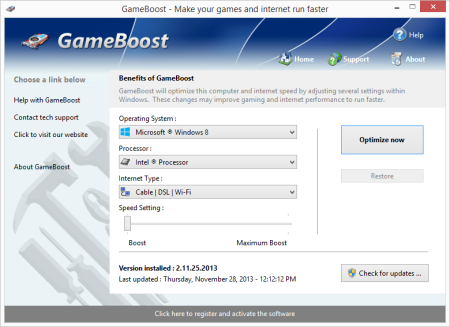
GameBoost sets the standard for PC gaming and internet optimization software.​

A combination of our two products GameGain and Throttle; GameBoost instantly increases the performance of your computer and squeezes out every last bit of performance your computer and internet connection is capable of. With many of the latest PC games requiring high hardware requirements to have a suitable gaming experience, it is important to optimize your computer's performance.
Windows is a general operating system which is used for many tasks; it is not optimized for gaming. With GameBoost and a few clicks of your mouse, you will notice an increase in frames per second, smooth game play and less latency and lag during multiplayer gaming.
GameBoost makes several Windows registry and system changes to increase the performance of your current gaming hardware; this allows you to play the most recent games without having to spend hundreds of dollars to upgrade your hardware. These changes made to your computer improve memory usage, how foreground applications are prioritized with the CPU, hard drive access read and write speeds, how fast graphics can display on your screen, the overall speed of your internet connection and latency. GameBoost does not make changes, no patches and no modifications to games themselves, thus no anti-cheat detection software considers our software cheating software and you will not be banned from those gaming networks.
Faster Gaming Graphics
Increase the frames per second you are getting when playing the most current and exciting games without having to purchase a new graphics card, memory, or CPU.
CPU Prioritization
GameBoost instructs the CPU to prioritize full screen applications so they are given the most power and access to more CPU cores; this allows games to work faster.
No Patches to Games
Games run faster and are not directly patched or modified, thus you are not banned from networks that have cheat detection software that detect modifications to games.
Faster Internet Speed
Instantly increases the speed of your Cable, DSL, U-Verse, Fios and dial-up internet connection and improves latency issues that cause lag during multiplayer gaming.
GameBoost also improves the speed of your internet connection; these system changes work with all internet connections such as Cable, DSL, U-Verse, Fios and dial-up. If you notice during multiplayer gaming that you are getting long pings and lag, GameBoost can help improve the speed of your connection. GameBoost makes several Windows registry changes to improve how networking packets are transmitted and received, we increase the buffer sizes which allows data to be transmitted and processed faster on your computer, allowing games, web browsing and ing files to work much faster.
Optimizing your Windows environment to work faster with games is a no brainer if you are a hardcore PC video game enthusiast. Just like tuning a car to get higher performance, GameBoost tunes your PC's hardware to work faster which improves gaming and internet performance. Get every last bit of horsepower out of your computer to play your games smoother and faster while also increasing the speed of your internet with a few clicks of the mouse. Download a trial version of GameBoost today and unleash the full power of your computer hardware for faster gaming and internet.
Compatible with Microsoft Windows 10, 8, 7, Vista, XP & Windows Server 2012, 2008, 2003. 32-BIT/64-BIT ready.
Optimizes your computer hardware to allow games to run faster and increase the speed of your internet connection for faster s and speed.
Increases the speed of all internet connection types such as Cable, DSL, U-Verse, Fios and dial-up.
Increase the frames per second that is displayed allowing games to play much smoother and increase your enjoyment of these games.
Advanced software based over-clocking feature which enhances memory speed, CPU prioritization of full screen applications and internet speed for games.

DOWNLOAD
uploadgig
Код:
https://uploadgig.com/file/download/920213c3bb4eaAe3/7aJA6OCO_GameBoost.3..rar

rapidgator
Код:
https://rapidgator.net/file/d1a16373b9da43ffae6efd5b613e35a4/7aJA6OCO_GameBoost.3..rar

nitroflare
Код:
http://nitroflare.com/view/8B2FA06A27007C1/7aJA6OCO_GameBoost.3..rar
 
MapList-Flat 1.4 (x86 / x64)

eda92b4e-b24d-4f87-ad25-34a6bde57bdd.png

(x86/x64) English | File size: 10.3 / 10.9 MB

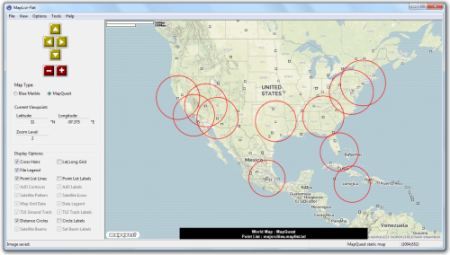
MapList-Flat is an easy to use windows program to present simple GIS data, and map grid data on a flat world map.​

This is a sister program to MapList-Globe, which does the same job, but on a 3D world globe instead of a flat map.
Primarily intended for mapping data produced by other Gunamoi Software applications in MapList (*.maplist) and Map Grid (*.warray) files, this application can also load and display limited information from standard GPX, GeoJSON and KML map information files. Additional functions include the ability to plot satellite pointing angles (azimuth and elevation) on a map for a satellite located at any latitude, longitude or altitude; as well as the ability to draw multiple circles on the map at a fixed distance from designated centre points. Although not of much use to most people, MapList-Flat can also plot legacy satellite pattern (*.satpat) files from our old SatBeam program; or draw elliptical (or circular) satellite beams from a specified GEO satellite location. MapList-Flat can also plot satellite orbit ground tracks from TLE orbit data files.
The primary map used by MapList-Flat is a NASA Blue Marble image, which can be zoomed and dragged around the screen to centre on any location. For registered users, MapList-Flat can also automatically load and use static background map images from MapQuest. This function requires a live internet connection to the static map images from MapQuest as they are required. The blue marble map display is a 'slippy map' that may be dragged around with the mouse, or moved using keyboard arrow keys. The MapQuest maps are static and must be individually ed from the MapQuest server, and so these cannot be dragged around. Changing the view centre location of the map in MapQuest mode is performed using the View Controls on the left hand side, or via the View Menu.
MapList-Flat uses the WGS84 standard latitude and longitude system. The primary Blue Marble map is a flat map with linear equirectangular projection of latitude and longitude. The MapQuest maps, like most web mapping systems, use a modified mercator projection. MapList-Flat automatically takes account of these differences when plotting data on the different map types.
Users may load alternate background map images, instead of the default Blue Marble, provided that they conform to the same equirectangular projection. Use of alternate maps with mercator projection is not currently supported.
Features :
Hi-res blue marble satellite flat map that can be easily moved or zoomed using the mouse, keyboard or on screen buttons.
Ability to load alternate map image files if available.
Function to load and display map points, lines and labels from a variety of input files, including MapList format, GPX format, GeoJSON format and KML format files.
Able to quickly zoom to any specified latitude, longitude view location, including a built-in list of major cities to choose from.
Able to quickly turn on and off display of various map features via check box controls on the main window.
Able to vary all of the colours, line widths, and labelling options via individual settings in the Options Menu.
Able to save the current map view to an image file at any time.
Pro features for registered users :
Function to load Map Grid Data from file and display on the map as a grid of coloured dots with contour lines, or as a field of direction arrows.
Able to vary contour scale, dot sizes, arrow colours, and legend position for map grid data display via settings in the Options Menu.
Function to load and display legacy SatBeam satellite pattern files, with option settings in the Options Menu.
Tool to display satellite pointing angles (azimuth and elevation) for any satellite latitude, longitude and altitude (not just geostationary), with full control of colours, line widths, and label options.
Tool to plot elliptical (or circular) satellite beams from a GEO satellite location onto the map.
Tool to load satellite orbit two-line elements (TLE) from a file and plot the satellite orbit ground track on the map.

DOWNLOAD
uploadgig
Код:
https://uploadgig.com/file/download/eca229F0a2CAaE42/c8CyM6AG_MapListFlat__Flat_1.4_x64..rar
https://uploadgig.com/file/download/1b27403775f0CDc7/c8CyM6AG_MapListFlat__Flat_1.4_x86..rar

rapidgator
Код:
https://rapidgator.net/file/0db810dc618750b8028dec88e5083042/c8CyM6AG_MapListFlat__Flat_1.4_x64..rar
https://rapidgator.net/file/8fe64322a546c8778bf937b2c09ca705/c8CyM6AG_MapListFlat__Flat_1.4_x86..rar

nitroflare
Код:
http://nitroflare.com/view/F13349A27DBAC99/c8CyM6AG_MapListFlat__Flat_1.4_x64..rar
http://nitroflare.com/view/4807EACF310C944/c8CyM6AG_MapListFlat__Flat_1.4_x86..rar
 
FastRawViewer 1.5.4.1553 (x86/x64)

e72ebe86-2a80-4c91-92f3-e4d43079849e.png

File size: 54 MB

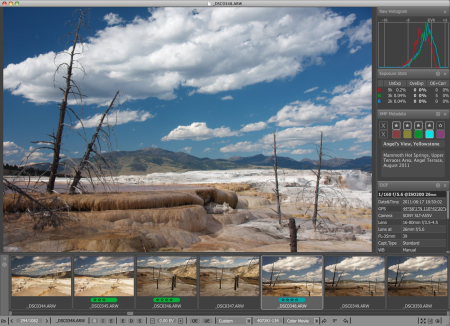
FastRawViewer is a must have; it's all you need for extremely fast and reliable culling, direct presentation, as well as for speeding up of the conversion stage of any amounts of any RAW images of every format.​

FastRawViewer is the only WYSIWYG RAW viewer that allows to see RAW exactly as a converter will "see" it, and provides RAW-based tools to estimate what a converter will be able to squeeze from the shot.
FastRawViewer's RAW-based tools (unique ones such as RAW histogram, RAW statistics, Shadow Boost, Highlight Inspection, Focus Peaking, per-channel view, as well as familiar ones like Exposure Compensation, White Balance, Contrast Curves) allow one to estimate what a converter will be able to squeeze from the RAW image data and make preliminary adjustments to the RAW file, which will be acknowledged in Adobe converters.
FastRawViewer provides tools for the rating, labeling and sorting photos, and filtering of any number of RAW images.
FastRawViewer supports a variety of RAW, JPEG, TIFF, and PNG formats.
FastRawViewer is very user-friendly and seamlessly integrates into any existing RAW workflow. It is extremely flexible; nearly all of its settings can be tuned and keyboard/mouse shortcuts can be changed according to individual habits and preferences.

DOWNLOAD
uploadgig
Код:
https://uploadgig.com/file/download/c8E2af8b7F1145e2/FvkOs1ct_FastRawViewer.1.5.4.1553..rar

rapidgator
Код:
https://rapidgator.net/file/41429af51ccf2373a46e796b450d933e/FvkOs1ct_FastRawViewer.1.5.4.1553..rar

nitroflare
Код:
http://nitroflare.com/view/43F5F430DBCD2E7/FvkOs1ct_FastRawViewer.1.5.4.1553..rar
 
PGWare GameGain 4.11.11.2019 Multilingual

627eb547-d57f-426c-997b-8a555e30acd9.png

File Size: 4 MB

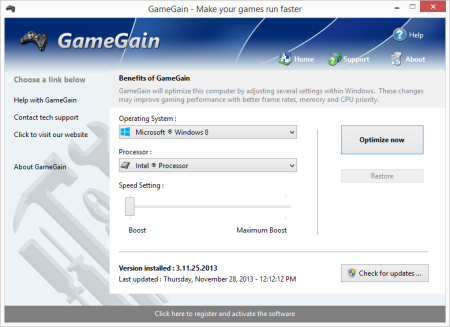
One of the first and most comprehensive products, GameGain sets the standard for PC gaming optimization software.​

GameGain instantly increases the performance of your computer and squeezes out every last bit of performance your computer gaming hardware is capable of. With many of the latest PC games requiring high hardware requirements to have a suitable gaming experience, it is important to optimize your computer's performance.
Windows is a general operating system which is used for many everyday tasks; it is not optimized for gaming performance. With GameGain and a few clicks of your mouse, you will notice an increase in frames per second, smooth game play and less lag during gaming.
GameGain makes several Windows registry and system changes to increase the performance of your current gaming hardware; this allows you to play the most recent games without having to spend hundreds of dollars to upgrade your computer hardware. These changes made to your computer improve memory usage, how foreground applications are prioritized with the CPU, hard drive access read and write speeds and how fast graphics can display on your screen. GameGain does not make changes, no patches and no modifications to games themselves, thus no anti-cheat detection software considers our software cheating software and you will not be banned from those gaming networks.
Constant Updates
We constantly update GameGain with new system performance tweaks; this allows your gaming computer to keep up with the latest games that demand fast hardware.
Faster Gaming Graphics
Increase the frames per second you are getting when playing the most current and exciting games without having to purchase a new graphics card, memory, or CPU.
CPU Prioritization
GameGain instructs the CPU to prioritize full screen applications so they are given the most power and access to more CPU cores; this allows games to work faster.
No Patches to Games
Games run faster and are not directly patched or modified, thus you are not banned from networks that have cheat detection software that detect modifications to games.
Sometimes even the most powerful computer gaming hardware can be slowed down by the latest games. Many of the newer games require faster graphics cards, more memory and faster processors to have a playable game experience. Also due to the popularity of home game consoles many of these games are ported to the PC poorly, impacting performance on the fastest of machines. With GameGain your computer hardware is optimized to the extreme, allowing you to get the best performance possible for these games without sacrificing graphics fidelity.
Optimizing your Windows desktop environment to work faster with games is a no brainer if you are a hardcore PC video game enthusiast. Just like tuning a sports car to get higher performance, GameGain tunes your PC's hardware to work faster which improves gaming performance. Get every last bit of horsepower out of your computer to play your games smoother and faster with a few clicks of the mouse. Download a trial version of GameGain today and unleash the full power of your computer hardware for faster gaming.
Compatible with Microsoft Windows 10, 8, 7, Vista, XP & Windows Server 2012, 2008, 2003. 32-BIT/64-BIT ready.
Optimizes your computer hardware to allow the latest games to run faster with the highest graphic settings possible.
Decreases the amount of lag and screen pop-in you get playing games that require large map files to load during game play.
Increase the frames per second that is displayed allowing games to play much smoother and increase your enjoyment of these games.
Advanced software based over-clocking feature which enhances memory speed, CPU prioritization of full screen applications, making games run faster.
Changes are made to the Windows system directly not patches to game files; this prevents anti-cheat systems from accusing you of game modification.
New and improved modern user interface, easy and intuitive to use and compliant with Windows user interface guidelines.

DOWNLOAD
uploadgig
Код:
https://uploadgig.com/file/download/BE007919d1c62210/nOyp58o7_GameGain.4..rar

rapidgator
Код:
https://rapidgator.net/file/fdb5245992574b0594b0e9081d2d34ae/nOyp58o7_GameGain.4..rar

nitroflare
Код:
http://nitroflare.com/view/12BBF62A7A05F54/nOyp58o7_GameGain.4..rar
 
Назад
Сверху