• Здравствуйте. Сайт заработал в архивном режиме форум www.old.nado.in

Anthony's Software !!!

Altair Activate 2020.0 Build 6029 (x64)
2364b001-a7aa-40f2-8342-b5401b6d7035.png

File size: 1.1 GB

Altair Activate software is an open & flexible tool for rapidly modeling and simulating products as multi-disciplinary systems in the form of 1D models (expressed as signal-based or physical block diagrams), optionally coupled to 3D models.​

Leverage a flexible spectrum of simulations throughout your development cycle - rag from early concept design (with models involving more abstraction and typically shorter simulations) to later detailed design (with less model abstraction & longer simulations).
Holistic Assessment

Simulate the performance of your entire product, including as a system-of-systems, to better assess overall behavior as well as interactions between components & subsystems.

Better Insight, Faster

Gain an increased understanding of your product's performance by incorporating multi-disciplinary aspects in your system simulations (e.g., mechanical & electrical; fluids & structures; electromagnetic and thermal effects; etc.), including coupling 1D and 3D models.

Open & Flexible

Powerful built-in functionality is further extended by use of open standards such as Modelica and FMU. Complements, and works well with, Altair's broad suite of eeering simulation software (e.g., MotionSolve, Flux, FEKO, etc.)

1D System Simulation

Simulating at the system-level enables performance assessment of the complete product, rather than only of a portion of the product.

Block Diagrams; Control System Design

Providing a natural modeling approach for developing today's smart systems involving sensors, actuators, feedback, and built-in logic.

Mix Signal-based and Physical Modeling in Same Diagram

Leveraging the power of pre-defined Modelica libraries for modeling common Mechanical, Electrical, and Thermal physical components.

Typically much Faster than 3D Simulations

Relying on greater levels of model abstraction enables more product-performance insight earlier (i.e., nearer the Concept Design stage) and rapid design exploration.

Connections to Other Altair Tools

Enabling true multi-disciplinary system simulation via model exchange or co-simulation with MotionSolve for controlled multi-body dynamics, with Flux for controlled motor dynamics models, etc.

Support for Functional Mockup Interface (FMI)

Including Functional Mockup Units (FMU) enables model exchange or co-simulation connections to non-Altair tools which also support the FMI standard.

Windows 7, 8.1 and 10. 64 bits only


DOWNLOAD
uploadgig
Код:
https://uploadgig.com/file/download/e2b387Ff083e88b7/8ppqymLS_Altair.Acti.part1.rar
https://uploadgig.com/file/download/9fd3326685B010cf/8ppqymLS_Altair.Acti.part2.rar

rapidgator
Код:
https://rapidgator.net/file/531bfbb8a48bdf015d6d0a6e01824bc2/8ppqymLS_Altair.Acti.part1.rar
https://rapidgator.net/file/468e92cf448e873713f57cdf7c19d4da/8ppqymLS_Altair.Acti.part2.rar

nitroflare
Код:
http://nitroflare.com/view/0B2A7F98C23807D/8ppqymLS_Altair.Acti.part1.rar
http://nitroflare.com/view/C795E607E76C1DE/8ppqymLS_Altair.Acti.part2.rar
 
Altair Compose 2020.0 Build 5077 (x64)

6b55a57b-0e6b-48d5-8adc-c98ca735984d.png

File size: 1.0 GB

Altair Compose software is an environment for doing calculations, manipulating and visualizing data (including from CAE simulations or test results), programming and debugging scripts useful for repeated computations and process automation.​

Altair Compose allows users to perform a wide variety of math & linear algebra (including matrix analysis and differential equations), filter signals, fit polynomials through data, approximate or check results from commercial simulation software, perform optimization.
Other products in Altair's Model-Based Development offering include Altair Activate and Altair Embed.

Better Eeering Decisions

Perform useful eeering calculations based on first principles, either one- or repeatedly (when archivable as reusable scripts). Pre- or post-process data. Plot results. Make informed decisions.

Affordably All-in-One

All capabilities are available in a single, multi-functional tool with a user-friendly Integrated Development Environment (IDE). No additional toolboxes required.

Easily Accessible

Readily usable on its own or with other Altair products, with easy access through Altair's innovative licensing system (available via HyperWorks units, solidThinking units, and/or Carriots units).

Numerical Computing

Hundreds of powerful math operations and built-in functions - for calculations rag from ultra simple to super complex.

All-in-One

A single product with an Integrated Development Environment (IDE). No separate toolboxes and extra costs required.

Multi-language Math Environment

Based on the Open Matrix Language (OML), is also compatible with Octave and Python.

Process Automation & Scripting

Especially handy when doing often-repeated calculations or streamlining common processes. Also includes a useful debugging ability.

Plotting & Visualization

Useful 2D and 3D plots provide richer insight from your calculations & data.

Built-in CAE Data Readers

Makes it extremely simple (and fast) to import, visualize, and manipulate input & output data for CAE tools such as FEA, CFD, etc.

Windows 7, 8.1 and 10. 64 bits only


DOWNLOAD
uploadgig
Код:
https://uploadgig.com/file/download/5A07dB0f4630d951/ryHw6WY3_Altair.Comp.part1.rar
https://uploadgig.com/file/download/77d0203cac3804CF/ryHw6WY3_Altair.Comp.part2.rar

rapidgator
Код:
https://rapidgator.net/file/8d5aa1868f85a3a24fb0f49e00e0ed19/ryHw6WY3_Altair.Comp.part1.rar
https://rapidgator.net/file/961374079050005341f51a409d1f7ee4/ryHw6WY3_Altair.Comp.part2.rar

nitroflare
Код:
http://nitroflare.com/view/6FA2614CF4F6A3E/ryHw6WY3_Altair.Comp.part1.rar
http://nitroflare.com/view/6DB61E0A8748090/ryHw6WY3_Altair.Comp.part2.rar
 
Altair Flux 2020.0 Build 1708 (x64)

a1ebbcbe-bd13-44df-9d02-04dc561a95e3.png

File size: 2.0 GB

Flux captures the complexity of electromagnetic and thermal phenomena to predict the behavior of future products with precision.​

Flux is the leading software for electromagnetic and thermal simulations. For more than 30 years, Flux simulation software has been used worldwide in leading industries and university labs. It has become a reference for the high accuracy it delivers.

With its continuously improving technology, Flux is a versatile, efficient and user-friendly tool that will help to generate optimized and high-performance products, in less and with fewer prototypes. Together with a highly qualified support network and a strong community of users, Altair and its Flux team provide recognized expertise in electrical eeering.

In a greener and more electric world, eeers can rely on Flux to assist in designing energy efficient devices, brig more innovation and value to your customers.

Flux, using breakthrough technologies, is the right tool for the analysis, design and optimization of modern applications. Featuring embedded multi-parametric analysis capabilities, its open interface deals with different simulation domains and is well suited for multiphysics couplings.

Benefits

Open and intuitive, Flux can be easily included in your design workflow to deliver reliable analysis results. With the most advanced numerical methods available, it deals with complex modeling situations.

Its multi-parametric capabilities allow an efficient search of the design space for optimal performance of your device. Customization, automation and connection to CAD tools are available for maximum productivity.

Accurate

Through the years, Flux has proven its ability to get close to measurements and to reproduce with great accuracy complex phenomena. Flux generates results eeers can trust allowing them to concentrate on innovation. Flux solvers are constantly being improved to bring the best solving speed, allowing for the evaluation of thousands of design configurations.

Flexible

Because each simulation is unique, Flux can be easily adapted to specific needs. Different options are available to fine tune the models and the solvers, brig accurate results in the most efficient way. With its embedded scripting tools and the ability to write macros, Flux captures simulation processes and automates them, thus speeding-up the everyday use of the software.

Parametric simulation

Using a parameter to define a geometric dimension or a physical characteristic is one of the Flux fundamentals. Linking several parameters together through equations is also very easy, and users can intuitively explore the influence of any parameter.

Flux also takes advantage of the distribution of the calculations, allowing for the evaluation of numerous design configurations with an optimized computational .

Interoperable

The connection to the Altair suite enables users to work in a global creative environment. Flux can be coupled to the best available 3D analysis software to consider multiphysics and get the most realistic representation of phenomena, or to system level simulation tools to design control strategy.


DOWNLOAD
uploadgig
Код:
https://uploadgig.com/file/download/9df8ef5D528f33e4/WLFdGC4N_Altair.Flux.part1.rar
https://uploadgig.com/file/download/de842BD6f9Baf860/WLFdGC4N_Altair.Flux.part2.rar

rapidgator
Код:
https://rapidgator.net/file/ea9725be7361db5fef176be36a9e16d5/WLFdGC4N_Altair.Flux.part1.rar
https://rapidgator.net/file/a0d67d79a45ff1ca00f4e3c574d002bc/WLFdGC4N_Altair.Flux.part2.rar

nitroflare
Код:
http://nitroflare.com/view/4EF75B1FB1E0257/WLFdGC4N_Altair.Flux.part1.rar
http://nitroflare.com/view/045C242D6EC3F6A/WLFdGC4N_Altair.Flux.part2.rar
 
Altair HW FEKO + WinProp 2020.0 (x64)

4af34188-dea4-4072-9884-ea2895a648b1.png

File size: 1.7 GB

Altair Feko is a comprehensive computational electromagnetics (CEM) code used widely in the telecommunications, automobile, space and defense industries.​

Feko is a comprehensive computational electromagnetics (CEM) software used widely in the telecommunications, automobile, aerospace and defense industries. Feko offers several frequency and domain EM solvers under a single license. Hybridization of these methods enables the efficient analysis of a broad spectrum of EM problems, including antennas, microstrip circuits, RF components and biomedical systems, the placement of antennas on electrically large structures, the calculation of scattering as well as the investigation of electromagnetic compatibility (EMC). WinProp is a dedicated tool for wave propagation modeling and radio network planning.

Feko also offers tools that are tailored to solve more challeg EM interactions, including dedicated solvers for characteristic mode analysis (CMA) and bi-directional cables coupling. Special formulations are also included for efficient simulation of integrated windscreen antennas and antenna arrays.

Combined with the MLFMM, and the true hybridization of the solvers, Feko is considered the global market leader for antenna placement analysis.

One Product, Multiple Solvers

Electromagnetic applications vary in complexity and electrical size and no single numerical method is capable of handling the entire range efficiently. By offering a selection of different solvers, Feko users can choose the method that is most suitable to the problem that they are trying to solve, or use more than one solver for cross validation purposes. All solvers are included in Feko, and are not licensed separately.

True Hybridization

In some instances a single solver might still not be enough to solve a challeg problem. Feko offers industry leading hybridization of different solvers, combining the beneficial characteristics. This allows more efficient and accurate analysis of multi-scale problems, that are both complex and electrically large.

Solver Accuracy and Performance

Extensive validation (analytical solutions, measurement, cross validation) of the numerical methods and enhancements in Feko is carried out to ensure the accuracy of our approaches. Solver performance and parallel scaling is continually optimized to achieve leading computational efficiency.

HWU License Value

As part of the HyperWorks suite, Feko can be used with other products (e.g. HyperMesh or HyperStudy) at no extra cost. This is the value of the patented HyperWorks unit licensing scheme.

Specialized Solutions

Feko offers the only commercial CMA solver. Furthermore, specialized numerical solutions for bidirectional cable coupling, windscreen antennas and large finite arrays reduce computational requirements. Model decomposition workflows for classical antenna placement problems enable equivalent representation of the transmittieceiving antenna. WinProp is used for indoor/outdoor wave propagation analysis and radio network planning.

User Interface and User Experience

Intuitive and easy to use User Interface designed to simplify main workflows and enrich the user experience.

Technical Support and Training

Excellent local technical support network. Comprehensive and in-depth training sessions can be requested to accelerate the learning curve.


DOWNLOAD
uploadgig
Код:
https://uploadgig.com/file/download/EbDefa05426Be175/J3avWF3X_Altair.Feko.part1.rar
https://uploadgig.com/file/download/fb73aE6b96582999/J3avWF3X_Altair.Feko.part2.rar

rapidgator
Код:
https://rapidgator.net/file/701b8af4d2e8ac251eeab7e4ef467c8b/J3avWF3X_Altair.Feko.part1.rar
https://rapidgator.net/file/23b819f4709ec714952b6aff40c8feee/J3avWF3X_Altair.Feko.part2.rar

nitroflare
Код:
http://nitroflare.com/view/7F8BF4B5FACD407/J3avWF3X_Altair.Feko.part1.rar
http://nitroflare.com/view/717CFB1D6A5BFC0/J3avWF3X_Altair.Feko.part2.rar
 
R-Wipe & Clean 20.0 Build 2279

0b54e210-7144-4eb8-9b30-a9bff2e97e8f.png

File size: 23 MB

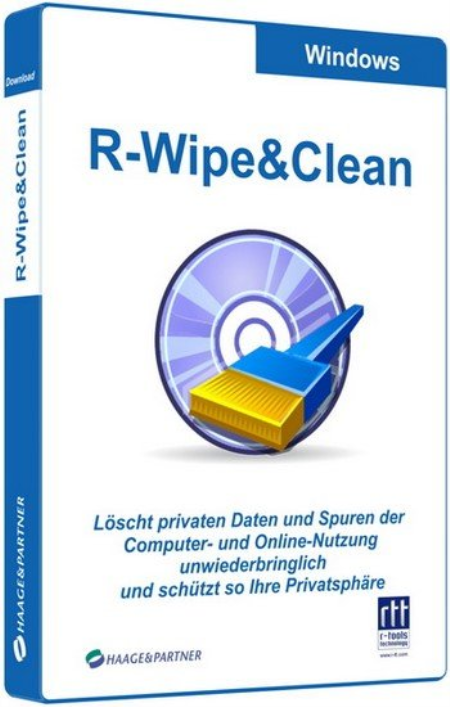
R-Wipe & Clean is a complete R-Tools solution to wipe useless files and maintain your computer privacy.​

It irretrievably deletes private records of your online and off-line activities, such as temporary Internet files, history, cookies, autocomplete forms and passwords, swap files, recently opened documents lists, Explorer MRU (most recently used) lists, temporary files, and traces from more than 300 third-party applications, thus freeing up your disk space.
The utility wipes files and unused disk space using either fast or secure-erase algorithms. All files and folders may be entered in wipe lists to erase them in a single procedure. Supports both the FAT and NTFS file systems. You can combine separate wiping and cleaning tasks and launch them to b erasing immediately or set them to b erasing procedures as a background task at predefined s or events.

New R-Wipe & Clean supports Windows 10, 8.1, and 8, removes traces from more than 600 third-party applications, including Microsoft Office 2016 and Skype(!), and supports all recent versions of Microsoft Edge, Internet Explorer, Mozilla/Mozilla Firefox, Opera, Safari, Flock, Netscape, AOL, MSN, Google Chrome, SeaMonkey, BT Yahoo!, Konqueror, and K-Meleon, as well as the Google, Windows Live, Yahoo!, and MSN toolbars.

- The following items are added to the Internet (Skype) tab: Business Intelligence Statistics, Emoticons Cache, Internal Database, Media Transfer Cache, Stored Emoticons Information, Stored File Transfer Information, Stored Media Transfer Information.

- A new item Update Logs is added to the Microsoft OneDrive tab in the Application Traces section.

- The Typed URLs item is added to the Internet (Microsoft Edge) section.

- Three new items are added to the System section: Component-Based Servicing Log, Deployment Image Service and Management Log, Startup File Renaming Log.

- Four new items are added to the Setup Logs tab: Delta Package Expander Setup Log Files, Driver Package Installer Logs, Local Security Authority Setup Log Files, Setup Cleanup Task Log Files.

- The Swap file can be wiped and cleaned for Metro/Universal applications.

- Full support for Windows 10 and Microsoft Edge browser.

- 2 new items are added to the Internet (Google Chrome) section: Web Applications File System's Files and Google Cloud Messaging Traces.

- 7 new items are added to the Program Data section: Windows Defender Activity Logs, Windows Defender Detection Logs, Windows Defender Network Inspection Service Log, Windows Defender Scan Results, Windows Defender Quick Scan Results, Windows Defender Scan Logs, Windows Defender WPP Files.

- iCloud is added to the Application Traces section.


DOWNLOAD
uploadgig
Код:
https://uploadgig.com/file/download/96A8d6c869b593df/nmZ5IGSV_RWipeClean20_.rar

rapidgator
Код:
https://rapidgator.net/file/231d996e62810015c599450c7413a0c4/nmZ5IGSV_RWipeClean20_.rar

nitroflare
Код:
http://nitroflare.com/view/46EF3103A7FA270/nmZ5IGSV_RWipeClean20_.rar
 
Altair Inspire 2020.0 Build 11850 (x64)

c53ed98f-b020-4578-97c1-65874486d5cc.png

File size: 2.1 GB

Altair Inspire software is the industry's most powerful and easy-to-use Generative Design/Topology Optimization and rapid simulation solution for design eeers.​

It enhances the concept development process by enabling simulation-driven design to increase your product's efficiency, strength and manufacturability. This can lead to reduced costs, development , material consumption, and product weight.

Geometry Creation and Simplification

Create, modify, and de-feature solid models using Altair Inspire's modeling tools.

Optimization Options

Altair Inspire offers a number of topology options including: optimization objectives, stress and displacement constraints, acceleration, gravity, and temperature loading conditions

Analysis

Investigate linear static and normal modes analysis on a model and visualize displacement, factor of safety, percent of yield, tension and compression, von Mises stress, and major principal stress.

Customizable Materials

Altair Inspire is packaged with a material library including various aluminum, steel, magnesium, and titanium alloys. Custom materials can also be added.

Interactive Results Visualization

Explore optimized shapes using a simple slider to add or remove material. Users can decide which features are important and then pick the concept design best suited to their needs.​

Assembly Configuration

Multiple assembly configurations can be created. These configurations can then be used to evaluate various design scenarios and the resulting concepts.

Easily generate dynamic motion of complex mechanisms, automatically identifying contacts, joints, springs and dampers. Forces obtained from a motion analysis are automatically applied as inputs to a structural analysis and optimization, or can be used to detee initial requirements for motors and actuators.

Generate optimized lattice and mixed solid - lattice structures, visualize simulation results in 3D, and export lattice designs in a .stl file format for 3D printing.

View and interactively assign loads to load cases and import / export design loads in .csv file format with the new Load Cases Table.

Design for additive manufacturing with overhang shape controls to help reduce overhangs to create more self-supporting structures.

Automatically optimize the fit of PolyNURBS CAD geometry to generative design results with the new PolyNURBS Fit Tool.


DOWNLOAD
uploadgig
Код:
https://uploadgig.com/file/download/c6ea6b92D8151608/KmrX5h14_Altair.Insp.part1.rar
https://uploadgig.com/file/download/5A880bffb56d9c8a/KmrX5h14_Altair.Insp.part2.rar
https://uploadgig.com/file/download/52989f97B2A00Fb3/KmrX5h14_Altair.Insp.part3.rar

rapidgator
Код:
https://rapidgator.net/file/c4ecd9c946e55ff9ec045e2343d40a53/KmrX5h14_Altair.Insp.part1.rar
https://rapidgator.net/file/c8e25f5a74d1b7b5e6c0a20349c5d256/KmrX5h14_Altair.Insp.part2.rar
https://rapidgator.net/file/8e61852100298fa379c084dfbbd86ddd/KmrX5h14_Altair.Insp.part3.rar

nitroflare
Код:
http://nitroflare.com/view/3107E272D4C53DA/KmrX5h14_Altair.Insp.part1.rar
http://nitroflare.com/view/9FAA209C25B2810/KmrX5h14_Altair.Insp.part2.rar
http://nitroflare.com/view/31DA1099CABD362/KmrX5h14_Altair.Insp.part3.rar
 
Altair Inspire Cast 2020.0 Build 2638 (x64)

36521a39-f6ef-4276-bcb3-b2684f816f06.png

File size: 2.1 GB

Altair Inspire Cast (formerly Click2Cast) software is a fast, easy, accurate and affordable casting simulation environment focused on creating high quality components with increased profitability through a highly intuitive user experience.​

It is the only tool that caters to bners and experts alike, from product designers to foundry eeers.
Right from early design phase, users can visualize typical casting defects such as air entrapment, shrinkage porosity, cold shuts, mold degradation and rectify them avoiding costly downstream corrections. Guided process templates offer 5 easy steps to simulate Gravity Die, Gravity Sand, Investment, High Pressure, Low Pressure Die Casting and Tilt Pouring. Altair Inspire Cast's innovative experience enables users to increase product quality and design better products with a few hours of training.

Design for Castings

Radically new designs in combination with new materials demand designers to evaluate their designs early. Engage early with Altair Inspire Cast to simulate possible issues upfront with minimal or no training. As the process gets refined the ability to further investigate and optimize the process makes Altair Inspire Cast uniquely valuable during the entire product development cycle from early design to manufacturing.

Minimize Process Complexity

It is typical in the industry to first design a process and then simulate it. Altair Inspire Cast turns that concept overs its head by helping users evolve the process in tandem with their ideas. You can start the filling with virtualized in-gates that will guide you through areas of porosity and the right risers to compensate. Gravity, Die, High Pressure, Low Pressure, Investment and Tilt casting, all have guided templates for refinement.

Improve Quality and Profitability

State of the art, bi-phasic Finite Element formulation allows for capturing the filling and solidification process with great precision. This helps with building great quality castings with high mas.

Ease of Use with 5 Simple Steps

Simulate, run analysis, optimize, and cast final part all within one comprehensive environment and user-friendly interface.

Variety of Casting Templates to Simulate

Altair Inspire Cast offers a number of casting templates to simulate high and low pressure die casting, gravity sand, and investment casting.

Optimize Ingate Design and Position

Altair Inspire Cast allows quick and simple ingate simulation - simply select the size and position and Altair Inspire Cast will auto-generate the ingate.

Validate Full Casting Designs

Altair Inspire Cast allows users to validate full casting designs including cavities, runners and overflows.


DOWNLOAD
uploadgig
Код:
https://uploadgig.com/file/download/6b9f8447b1863756/oFgyRiR2_Altair.Insp.part1.rar
https://uploadgig.com/file/download/a19D2d44F9e6d099/oFgyRiR2_Altair.Insp.part2.rar
https://uploadgig.com/file/download/4a9d242BcdFc2c03/oFgyRiR2_Altair.Insp.part3.rar

rapidgator
Код:
https://rapidgator.net/file/7aadffbb49c9fb042deb76c14d06416e/oFgyRiR2_Altair.Insp.part1.rar
https://rapidgator.net/file/be675d7a0a97810f83d1660cf3ed2641/oFgyRiR2_Altair.Insp.part2.rar
https://rapidgator.net/file/3e2cdc59baf1248db2a1076825bb9bec/oFgyRiR2_Altair.Insp.part3.rar

nitroflare
Код:
http://nitroflare.com/view/FA3A86E66855154/oFgyRiR2_Altair.Insp.part1.rar
http://nitroflare.com/view/2E734B85052FAA8/oFgyRiR2_Altair.Insp.part2.rar
http://nitroflare.com/view/B8A062655D3CD60/oFgyRiR2_Altair.Insp.part3.rar
 
Altair Inspire Extrude Metal/Polymer 2020.0 Build 6337 (x64)

c482b7cb-c7eb-426e-a97f-e1c60e60f018.png

File size: 5.2 GB

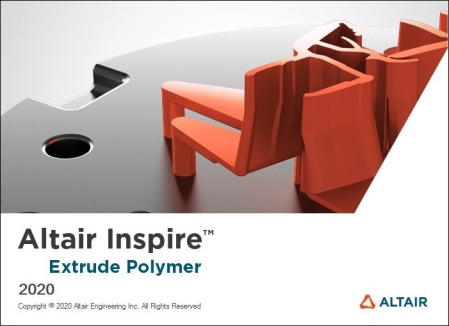
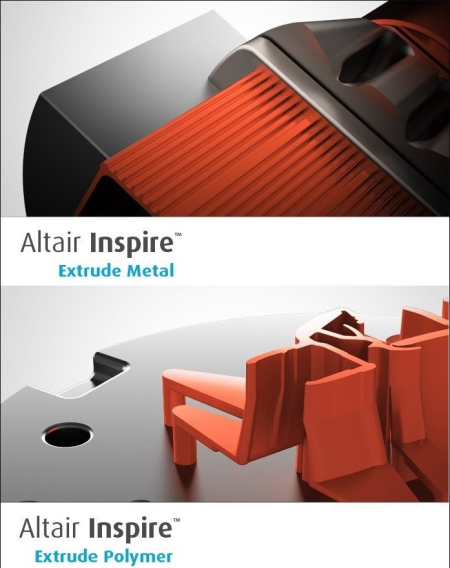
Altair Inspire Extrude (ex Click2Extrude) Metal and Polymer are simulation based environments designed to help metal and polymer extrusion companies meet the ever increasing demands to produce complex profiles with tight tolerances, quality surface finishes and high strength properties at reduced cost.​

Altair Inspire Extrude Metal and Polymer are virtual presses where users can visualize material flow and temperature inside a die during extrusion and make necessary changes to ensure balanced flow, while identifying and eliminating product defects.


DOWNLOAD
uploadgig
Код:
https://uploadgig.com/file/download/5b38368841aBfA2B/9xMc5sOa_Altair.Insp.part1.rar
https://uploadgig.com/file/download/2978Fec888de58bE/9xMc5sOa_Altair.Insp.part2.rar
https://uploadgig.com/file/download/9b70dd73641C501c/9xMc5sOa_Altair.Insp.part3.rar
https://uploadgig.com/file/download/9Fe80Fe613105570/9xMc5sOa_Altair.Insp_.part1.rar
https://uploadgig.com/file/download/18555C485773fFb8/9xMc5sOa_Altair.Insp_.part2.rar
https://uploadgig.com/file/download/8cF25627880b5e93/9xMc5sOa_Altair.Insp_.part3.rar

rapidgator
Код:
https://rapidgator.net/file/021096829999052805e15d9de202672a/9xMc5sOa_Altair.Insp.part1.rar
https://rapidgator.net/file/587861cf4d8ab139c8b2c5c0f2b85799/9xMc5sOa_Altair.Insp.part2.rar
https://rapidgator.net/file/4e69d4a22aba0a82bd89e7a3ee3b72e1/9xMc5sOa_Altair.Insp.part3.rar
https://rapidgator.net/file/dc7a6d89a3f195ca40fb5d2673c49f5f/9xMc5sOa_Altair.Insp_.part1.rar
https://rapidgator.net/file/b57f7b7dbfcbb25f74ce5f9cce37dbcb/9xMc5sOa_Altair.Insp_.part2.rar
https://rapidgator.net/file/34b542e4949812bc12243514b80d3cf6/9xMc5sOa_Altair.Insp_.part3.rar

nitroflare
Код:
http://nitroflare.com/view/120957EAE8FA791/9xMc5sOa_Altair.Insp.part1.rar
http://nitroflare.com/view/7969DC0A8D9361F/9xMc5sOa_Altair.Insp.part2.rar
http://nitroflare.com/view/1A79758D9D2188B/9xMc5sOa_Altair.Insp.part3.rar
http://nitroflare.com/view/0ECB7E6EC809060/9xMc5sOa_Altair.Insp_.part1.rar
http://nitroflare.com/view/5D17E95D3C7A7FA/9xMc5sOa_Altair.Insp_.part2.rar
http://nitroflare.com/view/5179B9697E367D2/9xMc5sOa_Altair.Insp_.part3.rar
 
App Builder 2020.85 (x64)

b74f20b1-d114-4345-a4c2-a551fd89d1f9.png

File Size: 118.5 MB

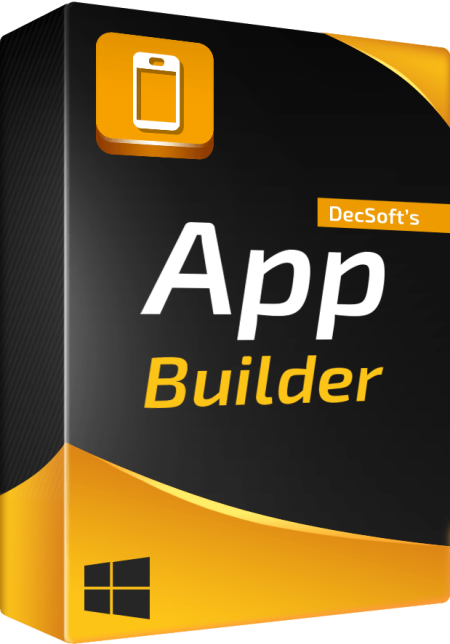
If you want to create modern desktop and mobile apps you're in the right place!​

DecSoft App Builder is a professional visual development environment to create HTML5 apps, WebApps, Progressive WebApps, Web Extensions and Hybrid apps for the modern mobile and desktop browsers, as well platforms like Google Android, Apple iOS and Microsoft Windows.
Languages

The DecSoft App Builder apps are based in HTML, CSS and Javascript. These are the languages that you must know (more or less) in order to create modern apps that run in all the mobile and desktop browsers, as well platforms like Android, iOS and Microsoft Windows. All with the same base code! This is a big reason to choose DecSoft App Builder.

Visual designer

App Builder provide us dozens of visual and non visual controls ready to be placed in the application's designer. Simply drag and drop the control that you need into the designer and then place it where you wanted.

Contextual help

DecSoft App Builder has a contextual help that point you exactly to the control, property, event reference, etc. Just press the F1 key where you are in the IDE. For your convenience, the help is also available online in: getappbuilderhelp.com

Apache Cordova

DecSoft App Builder is integrated with Apache Cordova and prepares for your app the right config file, platform icons, splash screens, batch files, shell files and JSON files. DecSoft App Builder integrates also the officials Apache Cordova plugins.

Quick code list

The DecSoft App Builder code editors provides the Quick code list for your convenience. The Quick code list helps you to write Javascript code more faster, providing all the available controls properties, methods and more.

App Files manager

The DecSoft App Builder IDE incorporates the right Files manager for your app, so you can link Javascript and stylesheet files, but also add images, other files (like JSON files) and even entire directories, to be available in your app at run.

User Functions

In addition to the available app methods and the methods provided by the app views, app dialogs, app frames, the Apache Cordova plugins methods, and, all the possible controls that you can use, its also possible to setup your own User Functions in order to be available for your app at run.

Auto scale apps

There are many themes availables for your app, and, you can also set the fixed and scaled styles, even at run. The auto scale style made the app properly show in different screen sizes.

* Update the jQuery JavaScript library and the Moment JavaScript library to their latest versions, which include various changes, fixes and enhancements.

* Improve the apps backups creation by overwriting possible existing files and by prefixing the backup folder names with a UNIX stamp. The backup folders names have now a human readable local date, but, also a machine readable stamp, for some possible further processing of these backup folders names from the IDE.


DOWNLOAD
uploadgig
Код:
https://uploadgig.com/file/download/66F00A1b4c3f7ec1/akwZrPSh_App.Builder.rar

rapidgator
Код:
https://rapidgator.net/file/ab663f559fbadcbf47f28693bf59aa03/akwZrPSh_App.Builder.rar

nitroflare
Код:
http://nitroflare.com/view/C25036CFE80368F/akwZrPSh_App.Builder.rar
 
Coolutils Total PDF Converter 6.1.0.23 Multilingual

1ff90931-c6ec-40f0-ae25-512caa26bad3.png

Multilingual | File size: 216 MB

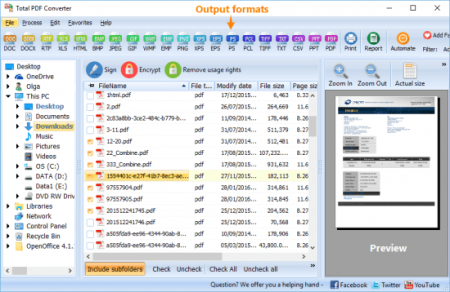
Total PDF Converter converts PDF to DOC, RTF, TIFF, XLS, HTML, EPS, PS, TXT, CSV, PDF/A and images in batch.​

Unlike other batch PDF converters, the Total PDF Converter is extremely user-friendly thanks to a well-planned interface. Additionally, registered users gain direct access to command line support for quiet automatic functioning on the back end.

Total PDF Converter supports PDF, PS, EPS, PRN, XPS, OXPS files. It's not a simple PRN converter, it's the all-in-one solution. New formats are constantly being added.

Tell Total PDF Converter if you want to omit images from the source files. You can also get the new file with images only without text if you like.

Convert PDF to PDF/A in batch. Update thousands of files in one process.

Total PDF Converter can act as a PDF splitting utility and extract selected pages from a multi-page PDF. It can also split PDF by bookmarks or by blank pages.

Total PDF Converter will change the date of the file or keep the original stamps. Just check the appropriate checkbox.

Sign PDF documents with your digital signature during the file conversion process.

Combine several PDF files into one multi-page document with out powerful batch PDF converter.

Total PDF Converter can automatically rotate your documents.

PDF to Word converter supports both Doc and DOCX for your convenience.

Convert PDF to JPG? Customize the final image to your needs. Set the desired quality of the JPEG image to compromize the file size. The app also extracts selected pages and converts them to JPEG.

Convert PDF/PS/EPS/PRN files via our clear interface with lots of hints for bners.

The widest list of output file types: DOC, DOCX, RTF, XLS, HTML, BMP, JPEG, GIF, WMF, EMF, PNG, EPS, PS, TIFF, TXT, CSV, PDF/A and PDF!

Total PDF Converter can combine several PDF files into one TIFF image. Or place every page of a multi-page PDF into a new TIFF files.

Tune the output: set new mas in inches to your standards (ready for printing).

Each PDF file is displayed in Preview panel. You can zoom it in/out or view the document full-sized. Preview option makes it easy to find the necessary PDF file.

Add text or image watermarks to the header or the footer of the output file. It's perfect for stamping bates too!

Want more order? Add pagination (sequential numbering of folders is available).

Total PDF Converter can extract odd or even pages for you.

Unlike free PDF converters, our app processes thousands of documents keeping the folder stucture.

No matter what MS Office you have, our app can convert PDF to DOC and DocX.

We also offer PDF Converter SDK for Web\SQL server\ASP\.NET\C#. With ActiveX you can easily implement our PDF converter into your application and redistribute it to the end users.

Total PDF Converter has full command line support (get the ready-to-use command line from GUI).


DOWNLOAD
uploadgig
Код:
https://uploadgig.com/file/download/2eB44cf968e00cb9/elkJez2B_.Coolutils_.rar

rapidgator
Код:
https://rapidgator.net/file/e45b44f77f6b00d2d282bc7da41ce17b/elkJez2B_.Coolutils_.rar

nitroflare
Код:
http://nitroflare.com/view/255A98427858AC0/elkJez2B_.Coolutils_.rar
 
Duplicate & Same Files Searcher 6.0.2

87627e43-6826-4e12-9656-aca61933e644.png

File Size : 1.3 Mb

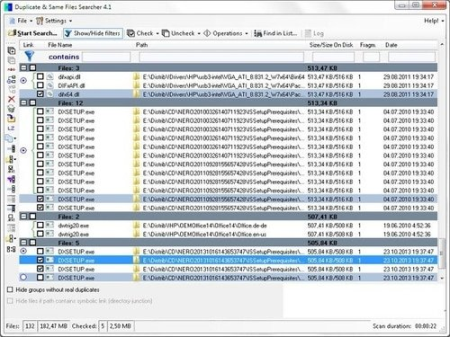
Duplicate & Same Files Searcher (Duplicate Searcher) is an application for searching duplicate files (clones) and NTFS hard links to the same file.​

It searches duplicate file contents regardless of file name (true byte-to-byte comparison is used). This application allows not only to delete duplicate files or to move them to another location, but to replace duplicates with NTFS hard links as well (unique!).
This application was developed because I haven't find any similar application which allows to operate NTFS-links.

Fast search ee (byte-to-byte comparison and hard link detection algorithm are used).

Detailed visualisation of duplicate files, NTFS hard links, junction points and symbolic links (unique!).

Shows fragmentation of files (unique!).

Shows compressed NTFS files in color.

Manual and filtered selection files to delete, move or replace with NTFS hard links.

Allows to move and delete files.

Allows to replace files with NTFS hard links (unique!).

Allows to compress files on NTFS volumes.

Allows selecting disks and folders to scan.

Supports long paths (path longer than 260 characters).

Allows to save/load results.

Supports alternate NTFS-streams.

Support for checking NTFS-permissions compatibility for the files being replaced by hard links.

Supports ignoring differences in MP3-files metadata (ID3-tags) and comparing the music MP3-content only (expental).


DOWNLOAD
uploadgig
Код:
https://uploadgig.com/file/download/cd6Fc84d4D9c2e0A/3AUeoaPj_Dup_Same_Fi.rar

rapidgator
Код:
https://rapidgator.net/file/c0631a6ab66ac3c46dd5421392a4f91a/3AUeoaPj_Dup_Same_Fi.rar

nitroflare
Код:
http://nitroflare.com/view/5D97365862CC42F/3AUeoaPj_Dup_Same_Fi.rar
 
USBOblivion 1.12.2.0

5f78ad9a-eb3d-4493-b0f5-74c2345c5367.png

File Size : 2.3 Mb

This utility designed to erase all traces of USB-connected drives and CD-ROMs from the registry in Windows XP, Windows 2003, Windows Vista, Windows 7, Windows 8, Windows 10 32/64-bit versions.​

The utility has a test mode of operation, i.e. without actually removing data from the registry, and, just in case, creates a .reg-file to undo any changes. There is also a fully automatic mode.
USBOblivion is a tiny and portable application designed to get rid of all Windows registry traces left by USB drives and CD-ROMs. It takes care of the entire process on its own, requiring minimal user intervention.

Since installation is not a prerequisite, you can save the EXE file to any folder on the hard disk and just click it to run.

There is also the alternative of saving USBOblivion to a USB flash disk or similar removable device, in order to run it on any machine with minimum effort and without previous installers.

What's more, the app does not add new entries in the registry or Start menu, as it usually happens with installers, leaving the disk clean after removal.

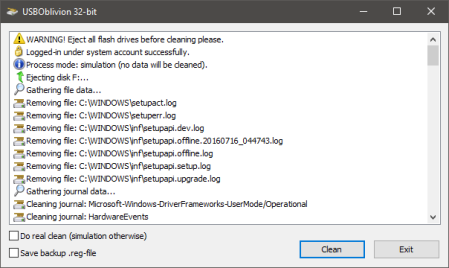
The interface is represented by a standard window with a plain and simple layout, where you can start the cleaning procedure with the click of a button. Before doing so, you can ask the program to create a backup of the registry and keep it on the hard drive, just in case Windows starts experiencing issues afterward.

Instead of running a cleaning session, you can perform a simulation to view and analyze log details shown in the main frame, such as the exact keys that will be removed.

USBOblivion is very low-demanding when it comes to CPU and RAM, so it does not hog system resources. It finishes a cleaning job very quickly and without issues. No error dialogs were shown in our testing, and the utility did not hang or crash. Thanks to its intuitive layout and overall simplicity, even first- users can use USBOblivion with confidence.

Added cleaning of "Unknown USB Device" entries

* Updated German translation (by Steven)


DOWNLOAD
uploadgig
Код:
https://uploadgig.com/file/download/59f7B280ec4eb077/j9iZjl5E_USB_Oblivion_1.12.2..rar

rapidgator
Код:
https://rapidgator.net/file/ff0585a642fec5eb7bc62059dcdddc1c/j9iZjl5E_USB_Oblivion_1.12.2..rar

nitroflare
Код:
http://nitroflare.com/view/D8F019828444D9B/j9iZjl5E_USB_Oblivion_1.12.2..rar
 
MSC EASY5 2020 (x64)

185d73cd-b899-4d7e-b78c-44e7307c8a47.png

File size: 479 MB

Easy5.​

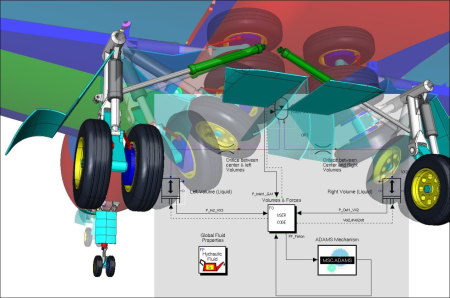
Advanced Controls & Systems Simulation. Accurately simulate control systems, hydraulics (including thermal effects), pneumatics, gaseous flow, thermal, electrical, mechanical, refration, environment control, lubrication or fuel systems, and sampled-data/discrete- behavior.
eering aircraft, vehicles, agricultural equipment, and other complex systems require a systems-eeering approach in which not only the components and subsystems but the entire system as a whole is tested. Traditional build and test methodologies are -consuming and expensive; and now more than ever, every industry is challenged to meet the conflicting requirements of increasing innovation while reducing cost and to market.

Dynamic systems (those systems whose behavior as a function of is important) are typically defined using first-order differential or difference equations. Easy5 simplifies the construction and analysis of such systems with a graphical, schematic-based application. A comprehensive set of pre-packaged components, stored in application-specific libraries, simplify the assembly of a representative model and facilitate quick and accurate system simulation. Eeers work within a familiar schematic drawing paradigm to add and specify data connections between components in an intuitive, simple-to-use, multi-level hierarchical modeling environment.

Easy5 was developed and designed by eeers to efficiently solve real-world, industrial problems. For over forty years, through continuous improvement, Easy5 has remained the simulation tool of choice for many complex and difficult systems.

Thermal hydraulics: actuation systems, power shift transmission systems, anti-lock braking systems, landing gear, fuel injection systems, active suspension systems, lubrication systems

Gas dynamics: pneumatics, propulsion, sterilization, air and steam cycles, high-pressure gas, gas transmission, adsorption, gas phase reactions, HVAC, ECS, multi-species gaseous systems

Multiphase fluids: refration, air-conditioning, climate control, cryogenic piping networks, steam/water systems, or fuel systems with exotic, volatile fluids

Systems control hardware and software evaluation (data acquisition sampling rates, asynchronous communication, analog and digital electronic filters, control loop execution rates, network (CAN) bus communication, etc.)

Electrical systems: AC/DC machines, power electronics, batteries, etc.

Detailed and accurate plant modeling for flight dynamics and many other physical systems

Updates: official site does not provide any info about changes in this version.


DOWNLOAD
uploadgig
Код:
https://uploadgig.com/file/download/e84E0B475a411a48/IpxpiyWE_MSC.EASY5.V.rar

rapidgator
Код:
https://rapidgator.net/file/7c47ad547c1ccb04c10f91bb138fc752/IpxpiyWE_MSC.EASY5.V.rar

nitroflare
Код:
http://nitroflare.com/view/C3FD2CE82EAC25C/IpxpiyWE_MSC.EASY5.V.rar
 
MSC Patran 2019 FP1 SP1 (x64)

11acddb8-9033-4441-879b-e7df5d7d8473.png

File size: 3.3 GB

Patran is the world's most widely used pre/post-processing software for Finite Element Analysis (FEA), providing solid modeling, meshing, analysis setup and post-processing for multiple solvers including MSC Nastran, Marc, Abaqus, LS-DYNA, ANSYS, and Pam-Crash.​

Patran provides a rich set of tools that streamline the creation of analysis ready models for linear, nonlinear, explicit dynamics, thermal, and other finite element solutions. From geometry cleanup tools that make it easy for eeers to deal with gaps and slivers in CAD, to solid modeling tools that enable creation of models from scratch, Patran makes it easy for anyone to create FE models. Meshes are easily created on surfaces and solids alike using fully automated meshing routines, manual methods that provide more control, or combinations of both. Finally, loads, boundary conditions, and analysis setup for most popular FE solvers is built in, minimizing the need to edit input decks.

Patran's comprehensive and industry tested capabilities ensure that your virtual prototyping efforts provide results fast so that you can evaluate product performance against requirements and optimize your designs.

Direct Access of CAD Geometry

Patran enables access to geometry from leading CAD systems for creating finite element models. Support for many industry-standard geometry exchange formats is also provided. An option is also available for direct import from and export into Parasolid format supported by several CAD systems. All finite elements, loads, boundary conditions, and material properties can be associated to the geometry.

Advanced Geometry Creation, Editing and Feature Recognition

Patran contains an advanced set of geometry creation tools in addition to the direct CAD access capabilities for generating finite element model geometry.

Patran also has a sophisticated feature recognition capability that allows users to delete or edit holes, fillets, and chamfers. For 3D solid geometry, existing meshes and loads will be automatically re-applied to the model after a change is made to the geometry.

Support for Multiple FEA Solvers

Patran is tailored to support both MSC Nastran and MD Nastran to enable the use of common finite element models and perform advanced eeering analysis and enhance designs using Nastran's Design Optimization and Topology Optimization capabilities.

In addition to MSC Nastran, Patran also supports the other solvers developed by MSC (Marc, Dytran, and MSC Sinda) and also solvers like Abaqus, Ansys, LS-Dyna and Pamcrash, enabling you to stay in a single graphical user environment even if you have to use multiple solvers for various analyses.

Post-processing and Reporting Tools for Easy Results Evaluation

Patran displays results for structural, thermal, fatigue, fluid, magnetic analyses, or in relation to any other application where the resultant values are associated with their respective finite elements or nodes. Imaging encompasses the complete graphics capability found within the Patran product, including graphic shading and visual verification prior to analysis. Imaging features a number of options that take advantage of specialized hardware capabilities, including local view manipulation, local shading, multiple light sources, and transparency. You can also export images and movies in many standard formats to include in documents and web-based reporting.

Patran Command Language

Patran Command Language (PCL) is the programming language at the heart of Patran. PCL is a high-level, block-structured language that provides many features found in traditional programming languages. It can be used to write application or site-specific commands and menus, perform variational modeling, and to more completely integrate with commercial or in-house software programs.


DOWNLOAD
uploadgig
Код:
https://uploadgig.com/file/download/4338cb6128A0397c/nM7vXK6o_MSC.PATRAN.part1.rar
https://uploadgig.com/file/download/425ca8ed500E66d5/nM7vXK6o_MSC.PATRAN.part2.rar
https://uploadgig.com/file/download/7bd1b1327056dbB4/nM7vXK6o_MSC.PATRAN.part3.rar

rapidgator
Код:
https://rapidgator.net/file/1d63d95617bb238571198bcefe0d60b8/nM7vXK6o_MSC.PATRAN.part1.rar
https://rapidgator.net/file/609af53af972eabf7dd045d5610c1ea3/nM7vXK6o_MSC.PATRAN.part2.rar
https://rapidgator.net/file/5bb80cc4b80af004f5fbc6ab067851ce/nM7vXK6o_MSC.PATRAN.part3.rar

nitroflare
Код:
http://nitroflare.com/view/93E22139E352C1D/nM7vXK6o_MSC.PATRAN.part1.rar
http://nitroflare.com/view/B7C405E005690F2/nM7vXK6o_MSC.PATRAN.part2.rar
http://nitroflare.com/view/83224EA7062B45C/nM7vXK6o_MSC.PATRAN.part3.rar
 
Vovsoft Alpha Blend 1.6

6f2d54b4-211c-410e-9f5f-2ce62f22ea5d.png

File Size: MB

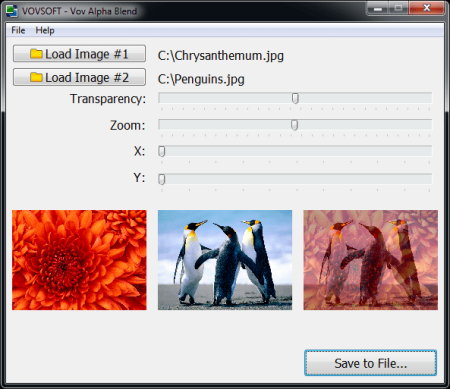
Merge two images with transparency.​

Alpha blending (alpha compositing) is the process of combining an image with a background image to create the appearance of partial or full transparency. It is often useful to render image elements in separate passes, and then combine the resulting multiple 2D images into a single, final image called the composite. Vov Alpha Blend applies this process to two images and generates a new image file.


DOWNLOAD
uploadgig
Код:
https://uploadgig.com/file/download/b0906Cff0b19d228/DrGsBfXM_Vov_Alpha_B.rar

rapidgator
Код:
https://rapidgator.net/file/044c27e8b7e41af631d207d0879aa260/DrGsBfXM_Vov_Alpha_B.rar

nitroflare
Код:
http://nitroflare.com/view/7D083A11491263E/DrGsBfXM_Vov_Alpha_B.rar
 
Altair Inspire Render 2020.0 Build 11178 (x64)

2d91da98-e6e5-4f92-bc17-f85e2a05aada.png

File size: 3.2 GB

Altair Inspire Render is the new 3D rendering and animation powerhouse for innovative designers, architects, and digital artists to produce stunning product presentations faster than ever before.​

Quickly create, modify, drag-n-drop a variety of materials, add lighting environments to generate images and animations in real- with the built-in high-quality, physically-based global illumination rendering ee. All in a slick and efficient user experience that fulfills the needs of novice and expert users alike.

Supporting CUDA and OpenCL, Inspire Render leverages the latest high-end graphic processor technology. No dedicated GPU card? No problem, fast production rendering by the software's interactive Presto/IR ee enables immediate feedback on production quality, while being versatile, quick, and fun to use.

Running on both Mac OS X and Windows as a standalone product or under Altair's flexible token-based licensing model, Inspire Render frees designers' creativity from the constraints of traditional tools, while assuring export of robust digital models for product development.

A list of supported operating systems and minimum requirements for hardware and memory.

Windows Operating System

Windows 7, Windows 8.1, Windows 10 is required

64-bit only

Hardware

Intel SSE3 CPU (or compatible)

For Presto GPU:

Nvidia CUDA Graphics Card (Compute Capability 2.x / 3.x / 5.x / 6.x / 7.0 / 7.2 / 7.5 ) with latest graphics driver, or

AMD Graphics Card (Hawaii, Tahiti, Pitcairn, Capeverde, Bonaire) with latest OpenCL and graphics drivers

Memory

4 GB of RAM (8 GB recommended)

10 GB or more of free hard disk space


DOWNLOAD
uploadgig
Код:
https://uploadgig.com/file/download/dbFf443b6A5852e5/LrVFKxow_Altair.Insp.part1.rar
https://uploadgig.com/file/download/c4e76c3a3978b160/LrVFKxow_Altair.Insp.part2.rar
https://uploadgig.com/file/download/837aE435FBaa0887/LrVFKxow_Altair.Insp.part3.rar
https://uploadgig.com/file/download/037f386997950acC/LrVFKxow_Altair.Insp.part4.rar

rapidgator
Код:
https://rapidgator.net/file/75f4b15cc6f3570700788e64539c429d/LrVFKxow_Altair.Insp.part1.rar
https://rapidgator.net/file/0505a1f44cf780236d1e3de592fbc7cb/LrVFKxow_Altair.Insp.part2.rar
https://rapidgator.net/file/daea4dff84361cd7be46b83c0815b5ab/LrVFKxow_Altair.Insp.part3.rar
https://rapidgator.net/file/04c4aa478a7e5076395da545c60f5664/LrVFKxow_Altair.Insp.part4.rar

nitroflare
Код:
http://nitroflare.com/view/F23B6E14A4B731B/LrVFKxow_Altair.Insp.part1.rar
http://nitroflare.com/view/9321EB7BD483136/LrVFKxow_Altair.Insp.part2.rar
http://nitroflare.com/view/78DC4637441F2B9/LrVFKxow_Altair.Insp.part3.rar
http://nitroflare.com/view/65673AF0EFD2D61/LrVFKxow_Altair.Insp.part4.rar
 
Altair Inspire Studio 2020.0 Build 11178 (x64)

f760748f-6146-4e5e-9a90-d98a9554acd4.png

File size: 3.2 GB

Altair Inspire Studio is the new solution for innovative designers, architects, and digital artists to create, evaluate and visualize designs faster than ever before.​

With unrivaled flexibility and precision, its unique construction history feature along with multiple modeling techniques empowers users throughout the creative process.
By building on the functions of Altair Evolve, Inspire Studio introduces a sleek, efficient user experience. Each tool and workflow are now optimized for an efficient design experience from initial sketches to exploring styling with polygonal, freeform, and PolyNURBS parametric modeling.

Produce stunning product presentations in real- with the in-built high-quality, physically-based global illumination renderer using biased photorealistic, unbiased and GPU modes.

Running on both Mac OS X and Windows as a standalone product or under Altair's flexible token-based licensing model, Inspire Studio frees designers' creativity from the constraints of traditional CAID tools, while assuring export of robust digital models for product development.

A list of supported operating systems and minimum requirements for hardware and memory.

Windows Operating System

Windows 7, Windows 8.1, Windows 10 is required

64-bit only

Hardware

Intel SSE3 CPU (or compatible)

For Presto GPU:

Nvidia CUDA Graphics Card (Compute Capability 2.x / 3.x / 5.x / 6.x / 7.0 / 7.2 / 7.5 ) with latest graphics driver, or

AMD Graphics Card (Hawaii, Tahiti, Pitcairn, Capeverde, Bonaire) with latest OpenCL and graphics drivers

Memory

4 GB of RAM (8 GB recommended)

10 GB or more of free hard disk space


DOWNLOAD
uploadgig
Код:
https://uploadgig.com/file/download/554fE2c8088da28e/f34gznmY_Altair.Insp.part1.rar
https://uploadgig.com/file/download/e59Feff8dB393231/f34gznmY_Altair.Insp.part2.rar
https://uploadgig.com/file/download/1bb1E8c35d9dC848/f34gznmY_Altair.Insp.part3.rar

rapidgator
Код:
https://rapidgator.net/file/0aa748499dc046f5bfd64d03461e660c/f34gznmY_Altair.Insp.part1.rar
https://rapidgator.net/file/8cb64de1ce23279e43706248dee5354a/f34gznmY_Altair.Insp.part2.rar
https://rapidgator.net/file/76a154bdd787ad9aee634f873e6543f8/f34gznmY_Altair.Insp.part3.rar

nitroflare
Код:
http://nitroflare.com/view/73AD2933650454C/f34gznmY_Altair.Insp.part1.rar
http://nitroflare.com/view/CF0D812A87FD508/f34gznmY_Altair.Insp.part2.rar
http://nitroflare.com/view/1FAC77E4DAB6413/f34gznmY_Altair.Insp.part3.rar
 
MSC SimXpert 2020 (x64)

baa05922-d432-49ae-a568-67ca07a96700.png

File size: 3.0 GB

SimXpert is a next generation CAE application for modeling and analysis using FEA and multibody dynamics (MBD).​

Integrated with MSC's advanced multidiscipline solver technologies, SimXpert provides an efficient "end-to-end" solution that takes you from CAD to analysis report in a single easy-to-use application.
Translating and fixing CAD data, meshing, reworking models, creating the same plots and charts over and over - all of these mean that eeers are spending more developing expertise in using tools rather than on evaluating and understanding their products. SimXpert changes that by providing native access to CAD data and easy to use tools to automate their simulation jobs and get results fast. SimXpert's unified user environment also enables teams to share data, models, results and best practices across zones, geographic boundaries, and CAE disciplines, so that they can approach problems more consistently and get reliable results faster. Complete teams of eeers can now work in a modern and easy to use interface to run multi-body dynamics, structural analysis, thermal simulations, crash tests, drop testing, and more.

Updates: official site does not provide any info about changes in this version.


DOWNLOAD
uploadgig
Код:
https://uploadgig.com/file/download/f64bA6E09d2f793C/dE5DwulW_MSC.SIMXPER.part1.rar
https://uploadgig.com/file/download/b1FE083f5c097Fef/dE5DwulW_MSC.SIMXPER.part2.rar
https://uploadgig.com/file/download/4460ba30174b2cC0/dE5DwulW_MSC.SIMXPER.part3.rar

rapidgator
Код:
https://rapidgator.net/file/9e4c9a4ea67ab3fb3e5cafc1abfd9a85/dE5DwulW_MSC.SIMXPER.part1.rar
https://rapidgator.net/file/c75824b010f36fd0b1ed92b45d39b75e/dE5DwulW_MSC.SIMXPER.part2.rar
https://rapidgator.net/file/ba49f066fb6626fbee64096632ba692b/dE5DwulW_MSC.SIMXPER.part3.rar

nitroflare
Код:
http://nitroflare.com/view/755698B795F0D8E/dE5DwulW_MSC.SIMXPER.part1.rar
http://nitroflare.com/view/66D328109145829/dE5DwulW_MSC.SIMXPER.part2.rar
http://nitroflare.com/view/8515CDEAC62AC8E/dE5DwulW_MSC.SIMXPER.part3.rar
 
Altair Inspire Form 2020.0 Build 2836 (x64)

aff7c10a-2ba6-4e05-abf4-f896c27f634b.png

File size: 2.0 GB

Altair Inspire Form (formerly Click2Form) is a complete stamping simulation environment that can effectively be used by product designers and process eeers to optimize designs, simulate robust manufacturing and reduce material costs.​

With the fast and easy feasibility module, users can analyze parts in seconds to predict formability early in the product development cycle. The automated blank nesting proposes an efficient layout of the flattened blank on the sheet coil to maximize material utilization. The tryout module includes a highly scalable incremental solver, helping users to iterate and simulate multi-stage fog, trimming and springback in a modern and intuitive user interface, reducing complexity and making the production of high quality parts more economical.
Design Better Products

Altair Inspire Form enables users to quickly and reliably check the formability of apart early in the product design cycle. With Altair Inspire Form, users can visualize potential defects such as splits or wrinkles, and then modify to eliminate defects and improve overall design.

Easy to Use

Altair Inspire Form has a simple and highly intuitive workflow which is easy to learn and apply. Standard training sessions for last only 4-6 hours although most users can learn Altair Inspire Form applications with no formal training at all!

Save

Altair Inspire Form predicts accurate blank shapes that can be optimally nested in progressive and transfer die layouts within manufacturing constraints to save material and cost.

Geometry Creation and Simplification

Extract midsurface, fill holes and cutouts, remove flanges using Altair Inspire Form's geometry preparation tools. In addition, use Altair Inspire tools to create and modify geometry.

Model Setup

If the part geometry is available in car coordinates, Altair Inspire Form automatically calculates the best stamping direction. The user can also specify the stamping direction. It is also possible to apply restraining forces corresponding to blankholder and drawbeads.

Materials Library

Altair Inspire Form provides a material library with properties for standard steel and aluminum grades. It is also possible to create a new material and save it within the user database.

Analysis and Results Visualization

The flat blank needed to form the part shape is available at the end of the analysis. Visualize thinning and other defects such as splits, wrinkles and loose metal.

Multi-stage Virtual Tryout

Optimize the manufacturing process setting up single and multistage metal fog virtual tryout tools. The fast and scalable incremental solver supports fog and trimming, giving the ability to accurately analyze material flow, splits, wrinkles, lose metal, and springback.


DOWNLOAD
uploadgig
Код:
https://uploadgig.com/file/download/883845dE9B6f71b9/5RZ1Pv9s_Altair.Insp.part1.rar
https://uploadgig.com/file/download/9bEdDBF43c428161/5RZ1Pv9s_Altair.Insp.part2.rar

rapidgator
Код:
https://rapidgator.net/file/6675a730aa2b2f373a0bac5a40cb019a/5RZ1Pv9s_Altair.Insp.part1.rar
https://rapidgator.net/file/ddf6a31c517a420a57afa2c20b2515c5/5RZ1Pv9s_Altair.Insp.part2.rar

nitroflare
Код:
http://nitroflare.com/view/1A8DDCE5729722F/5RZ1Pv9s_Altair.Insp.part1.rar
http://nitroflare.com/view/81289006F479F21/5RZ1Pv9s_Altair.Insp.part2.rar
 
Altair SimLab 2020.0 (x64)

0efd5002-7437-474c-8bd4-020d0272cdca.png

File size: 5.1 GB

SimLab is a process-oriented multidisciplinary simulation environment to accurately analyze the performance of complex assemblies.​

Multiple physics including structural, thermal and fluid dynamics can be easily setup using highly automated modeling tasks, helping to drastically reduce the spent creating finite element models and interpreting results. Altair's robust, accurate and scalable solvers can run either locally, on remote servers or in the cloud.
An intuitive and self-explanatory graphical user interface covers all aspects of the modeling process. Instead of tedious geometry clean-up, work is performed directly on the geometry - imported and updated via the bi-directional CAD coupling - by defining mesh specifications for individual regions.

Robust, Repeatable Simulation Workflows

Increase efficiency of simulation cycles with shareable, robust, and repeatable simulation workflows. Eliminate manual solid meshing, model setup, solver execution and post-processing for high accuracy and consistency across the organization.

Intuitive User Environment

Solve statics, dynamics, heat transfer, fluid flow, and electromagnetic problems in minutes directly from within SimLab's intuitive user environment.

Live Syncing to Parametric CAD

Rapidly explore and evaluate design changes on-the-fly with live synching to popular parametric CAD systems including CATIA, Pro/E Siemens NX, and SolidWorks.

Automation: DOE/Optimization

Automation enables easy setup of results and convergence, DOE, and Optimization.

Comprehensive Solver Support

A common environment across pre- and post-processing with interfaces to several common FE solvers enables users to be versatile even when projects require to work with various tools.

Multiphysics

SimLab enables efficient model setup of multidisciplinary, and multiphysics problems including co-simulation of disciplines, such as structural, CFD, electromagnetics, and thermal analysis.


DOWNLOAD
uploadgig
Код:
https://uploadgig.com/file/download/3Fa197ed61Fcb31F/vQuM7IOi_Altair.SimL.part1.rar
https://uploadgig.com/file/download/11dC753d072509F6/vQuM7IOi_Altair.SimL.part2.rar
https://uploadgig.com/file/download/6421880DE199b644/vQuM7IOi_Altair.SimL.part3.rar
https://uploadgig.com/file/download/fDe475bfd3672461/vQuM7IOi_Altair.SimL.part4.rar
https://uploadgig.com/file/download/8Fea49bd2e3086FD/vQuM7IOi_Altair.SimL.part5.rar
https://uploadgig.com/file/download/FD01Fa0948C0c925/vQuM7IOi_Altair.SimL.part6.rar

rapidgator
Код:
https://rapidgator.net/file/8cd7469707cfba835ca900af5ae04a20/vQuM7IOi_Altair.SimL.part1.rar
https://rapidgator.net/file/5c4f09534cff628ebbe4cd6336732821/vQuM7IOi_Altair.SimL.part2.rar
https://rapidgator.net/file/ac197890fbdca7fbd1b379e99ce88aeb/vQuM7IOi_Altair.SimL.part3.rar
https://rapidgator.net/file/efed4c0d682803ee41915d810901f143/vQuM7IOi_Altair.SimL.part4.rar
https://rapidgator.net/file/fee6d3a4c4e106e6a6628bc10a795473/vQuM7IOi_Altair.SimL.part5.rar
https://rapidgator.net/file/3dca343f73d735fbc6fec487495f0eca/vQuM7IOi_Altair.SimL.part6.rar

nitroflare
Код:
http://nitroflare.com/view/AB9BFBDF0D9ACCE/vQuM7IOi_Altair.SimL.part1.rar
http://nitroflare.com/view/9CFB7BCD0E248AD/vQuM7IOi_Altair.SimL.part2.rar
http://nitroflare.com/view/3725CC17D5B624C/vQuM7IOi_Altair.SimL.part3.rar
http://nitroflare.com/view/5119D7936E3AB70/vQuM7IOi_Altair.SimL.part4.rar
http://nitroflare.com/view/C6C54DCE4C94E60/vQuM7IOi_Altair.SimL.part5.rar
http://nitroflare.com/view/C9F5C873C23E7D4/vQuM7IOi_Altair.SimL.part6.rar
 
Назад
Сверху