• Здравствуйте. Сайт заработал в архивном режиме форум www.old.nado.in

BaDshaH Software House

  • Автор темы Автор темы BaDshaH
  • Дата начала Дата начала
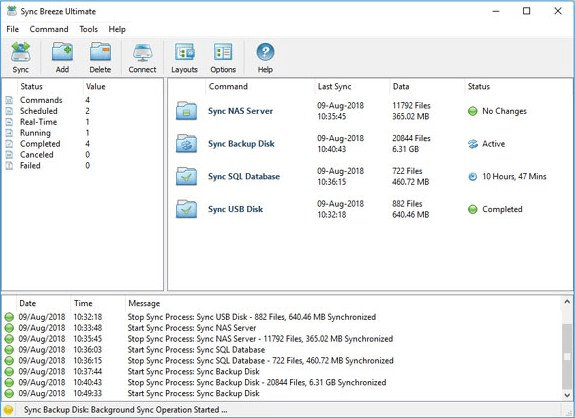
Sync Breeze Pro 12.7.16

HUTFQTDWzd1a-L4-HUEwvh1i-Yu-Ziue8-FBQ.png

Sync Breeze Pro 12.7.16 | File Size: 13.1 MB

SyncBreeze is a fast, powerful and reliable file synchronization solution for local disks, network shares, NAS storage devices and enterprise storage systems. Users are provided with multiple one-way and two-way file synchronization modes, periodic file synchronization, real-time file synchronization, bit-level file synchronization, multi-stream file synchronization, background file synchronization and much more.
​

File Synchronization Modes
SyncBreeze provides a number of one-way and two-way file synchronization modes optimized for different usage scenarios. Users can setup a number of file synchronization commands with each one pre-configured to synchronize files according to user-specific needs and requirements.

File Synchronization Preview Dialog
The file synchronization preview dialog shows all sync actions that should be performed and allows one to select/unselect specific actions. The preview dialog is displayed in the 'Preview' file synchronization mode and it may be effectively used for small-sized to medium-sized file systems. For large file systems containing millions of files, SyncBreeze provides the 'Stream' file synchronization mode, which synchronizes files on-the-fly, without showing the preview dialog.

File Synchronization Schedule Options
The file synchronization schedule tab allows one to configure periodic file synchronization operations, scheduled file synchronization operations, real-time file synchronization operations and control the file synchronization timeout.

Advanced File Synchronization Options
The advanced file synchronization options tab allows one to control the file copy mode, file copy verification mode, file synchronization performance mode, the number of parallel file synchronization streams and configure recoverable file copy operations.

File Synchronization Rules
The file synchronization rules dialog provides the ability to synchronize specific types of files or file groups using one or more flexible file matching rules. In addition to positive file matching rules specifying which types of files to synchronize, the user can configure negative file matching rules specifying which types of files or groups of files to exclude from the file synchronization process.

File Synchronization Exclude Directories
SyncBreeze provides the ability to exclude one or more directories from the file synchronization process. In addition, the user is provided with a number of exclude macro commands allowing one to exclude groups of directories using text patterns and regular expressions.

File Synchronization Options
The file synchronization options dialog provides the user with the ability to optionally synchronize file attributes, user/group security descriptors and security access control lists (ACLs and DACLs), enable bit-level file synchronization and enable verification of each synchronized file.

SyncBreeze Command Line Utility
In addition to the desktop GUI application, power computer users and IT professions are provided with the SyncBreeze command line utility, which can be used to sync directories and/or execute pre-configured file synchronization commands from shell scripts and batch files.

File Synchronization Server
IT professionals and enterprise customers are provided with SyncBreeze Server - a dedicated file synchronization server, which runs in the background as a service and is capable of synchronizing disks, directories or NAS storage devices in a fully automatic and unattended mode. SyncBreeze Server may be controlled through the network using the SyncBreeze client GUI application or the SyncBreeze command line utility.

Web-Based Management Interface
In addition to the client GUI application, SyncBreeze Server provides a complete web-based management interface allowing one to control, configure and manage one or more SyncBreeze Servers using a regular web browser locally or through the network.

Whats New
Код:
https://www.syncbreeze.com/news.html

HOMEPAGE
Код:
https://www.syncbreeze.com

url.png


Download From Rapidgator

Код:
https://rapidgator.net/file/d33030e2d1a21f65206f43edc8d10c1d

Download From Nitroflare

Код:
http://nitroflare.com/view/EAE2C4A5F1E92A5/BaDshaH.syncbreezepro.Pro12.7.16.rar

​
 
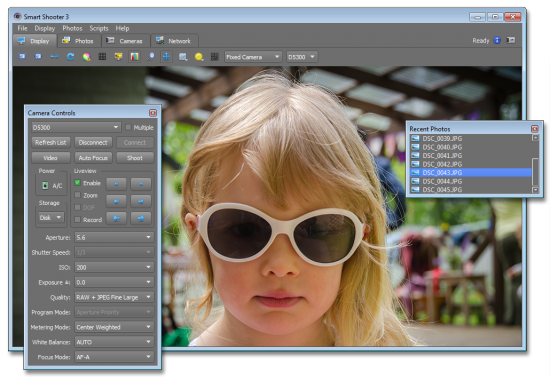
Smart Shooter Pro 4.15 (x64)


th-5ho-Vq-Ui3-Wr34-Dw-ZHCAbe-JOps2-CRhk-Rcp.png

Smart Shooter Pro 4.15 (x64) | File size: 27 MB

Smart Shooter is a digital photography work flow application for tethered shooting, remote capture and advanced camera control. Smart Shooter allows you to fully control your camera from your computer, giving you freedom to explore and experiment to help take the perfect picture. Automatic download and display means you can fully evaluate your photos in seconds, and real time live view output will help you focus and compose the scene. Scripting language lets you control your camera, allowing you to take multiple photos with varying settings just by clicking a single button.
​

Key Features:
Smart Shooter is aimed at both the professional and amateur photographer, providing them with the following features:

Remote camera control via USB cable
Full control of camera settings
Photo download and display on you computer
Real time zooming/panning photo display
Live View display including overlay mode
Live View recording of each frame to JPEG file
Bulb shooting with timed exposure
JPEG and RAW file formats
Connect and control multiple cameras
Automatic control via scripting

Smart Shooter allows you to fully control your camera from your PC, giving you freedom to explore and experiment to help take the perfect picture.
Automatic download and display means you can fully evaluate your photos in seconds, and real time live view output will help you focus and compose the scene.
Scripting language lets you control your camera, allowing you to take multiple photos with varying settings just by clicking a single button.

Whats New
Код:
https://capturegrid.com/release_notes.html

HOMEPAGE
Код:
https://kuvacode.com/

url.png


Download From Rapidgator

Код:
https://rapidgator.net/file/03b6d9a707871a8b535f4b541ed2a786

Download From Nitroflare

Код:
http://nitroflare.com/view/A3765F0B0362B80/BaDshaH.SmartShooter4.rar


​
 
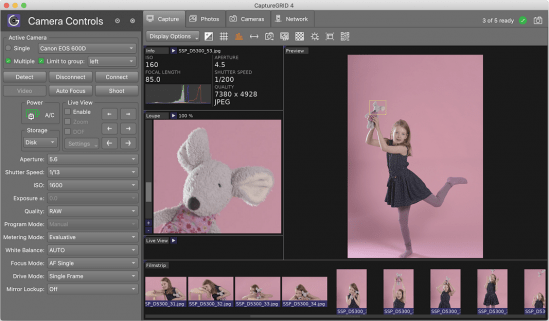
CaptureGRID Pro 4.15 (x64)


th-H9-HWU8-IUp6-LLXEr-Cet-Ahpvtw-Ywu80-UTI.png

CaptureGRID Pro 4.15 (x64) | File Size: 26 MB

CaptureGRID is a digital photography work flow application for tethered shooting, remote capture and advanced camera control. CaptureGRID supports all recent DSLR cameras from Canon and Nikon, as well as some cameras from the Sony Alpha range. We regularly update the app, so support for new cameras is added as they come on to the market.
​

CaptureGRID
- CaptureGRID 4 is a digital photography work flow application for tethered shooting, remote capture and advanced camera control.
- Multi-Camera Control allows you to fully control and synchronise all your cameras simultaneously, including camera settings, triggering, live view, photo download and filename management.
- Networked Operation across multiple computers allows you to scale up the number of cameras and orchestrate large multi-camera capture rigs.

Supported Cameras
CaptureGRID supports all recent DSLR cameras from Canon and Nikon, as well as some cameras from the Sony Alpha range. We regularly update the app, so support for new cameras is added as they come on to the market. The software uses wired USB connection for direct communication with the cameras, using our custom built PTP engine. This delivers reliable camera control and fast photo downloads.

Supported Computers
CaptureGRID runs on Windows, macOS, and Linux. The software also supports a wide range of hardware, and can adapt to make optimal use of the hardware resources available. This means it can even run on single board computers such as the Raspberry Pi, but also scale up and make use of high-performance multi-core workstation PCs and Macs.

Networked Operation
CaptureGRID allows you to connect and control a large number of cameras, by splitting the USB connections across multiple computers. This means the number of cameras is not limited by the USB hardware capabilities of a single computer, but instead can be scaled up by adding more computers. When all computers are connected and synchronised, the user can operate the app from just one of the computers, to get a unified view of all cameras and photos, and be able to take actions on all cameras at the same time.

Photo Download
CaptureGRID gives you precise control over what happens to your photos. After capture, photos can be either saved to memory card, automatically downloaded to the computer, or both. If your cameras are split across multiple computers, the software has options to transfer photos across the network and gather them in a single location, ready for the next step of your workflow.

Filename Management
The app will manage the filenames given to each photo, taking into account which camera it came from, and can automatically organise them into subfolders. This mechanism can be easily configured to match the filenaming scheme you need for your processing workflow.

Trigger Systems
The app can trigger multiple cameras itself, but for improved accuracy of trigger timing it can also be used together with an external trigger system. For example, dedicated TriggerBox and lighting hardware from ESPER can be combined with CaptureGRID for a complete 3D capture system. In this scenario the Esper components take care of precise triggering and lighting, and CaptureGRID handles sychronisation of camera settings, automatic photo download, and filename management.

External API and Scripting
CaptureGRID can be integrated with an external system by using the External API feature. This provides two key channels of communication that you can hook into, to listen to a stream of event information coming from the app, and to send requests to the app to control the cameras. The app itself has scripting support for automating the control of the cameras. There are some built-in scripts provided with app, for tasks such as bracketting, HDR, and timelapse, and you can write your own using Python.

RELEASE NOTES:
Latest Changes:
- Fix issue with update window getting stuck in background on mac
- Fix issue with Live View FPS controls
- Fix issue with photo names contained absolute files paths
- Fix External API fields for CameraNumDownloadsComplete and CameraNumDownloadsFailed
- Support GRID network transfers for video files
- Separate GRID photo USB download and network transfer operations
- Add option for setting default Live View FPS
- Add rate limiter to photo viewer to avoid backlog of loading/decoding operations
- Stop sendling LiveviewUpdated message to External API
- Do not switch network adapter if chosen IP address temporarily goes down
Requirements: Microsoft Windows 7 (64bit) or later

HOMEPAGE
Код:
https://kuvacode.com/

6d69ce3aee1ac0cc3e7937ec31f415c5.png


Download From Rapidgator

Код:
https://rapidgator.net/file/99547a7ac81fc45b58b8a0959269d4ed

Download From Nitroflare

Код:
http://nitroflare.com/view/3A82DFF3D62ECEC/BaDshaH.CaptureGRID.4.rar


​
 
WinX DVD Ripper Platinum 8.20.2.243 Multilingual


https://i.postimg.cc/FzckMcP6/O4-ATUPFj48j6z-Y7-M1oz-D21-Rhk-WOXGIgv.jpg/img]
[b]File size: 33 MB[/b]

WinX DVD Ripper Platinum can rip the content of DVDs to all popular video formats such as AVI, MOV, FLV, WMV, MPEG, MP4, 3GP, etc. What's more, it also owns the ability of ripping different DVDs (including encrypted DVDs) to Sony PSP, Apple iPhone, iPod, iPad, iTouch, Apple TV, Zune, Mobile phone, etc.
[/center]

This DVD ripper software supports multi-core CPU and is fully compatible with Windows 7. We promise WinX DVD Ripper Platinum is the fastest DVD ripping solution in the market. Besides converting DVD to regular video formats, 1:1 DVD copy enables you to backup your DVD with original video, audio and subtitles within only 5 minutes (the processing time also depends on your CPU and DVD driver speed).

WinX DVD Ripper Platinum fully supports normal DVDs, CSS protected DVDs, Sony ArccOS DVDs and all region 1-6 DVDs. Moreover, we are so proud to tell you that WinX DVD Ripper Platinum is the unique DVD ripping program which supports decrypting DVDs with the latest copy protection technology such as Transformers 2, Star Trek 2009, The Dark Knight, UP, WALL-E, The Proposal, District 9 etc.

[b]Powerful Functions[/b]
Support ripping DVD video, extracting audio, grabbing screenshot and enable users to fully control output video quality or size by freely adjusting parameters.

[b]Advanced Technology[/b]
Build in powerful and high speed encoding engine, support multi-core CPU, automatically detect and connect converted videos to portable devices and fully compatible with Windows 7.

[b]Easy and Fast[/b]
WinX DVD Ripper Platinum is a one-click solution for DVD ripping. It is suitable for all levels of experienced users or even novices. And we promise it owns the fastest ripping speed.

[b]Key Features[/b]
[b]Unique features:[/b]
1. 1:1 DVD Copy without Quality Loss: Decrypt & copy DVD to PC with 100% original video, audio and subtitles within only 5 minutes - new!
2. If your original DVD's audio is out of sync with movie, the Intelligent A/V Synchronizer can help you solve the problem - new!
3. To avoid any kind of problems during conversion process, we offer you safe mode which can skip the problems and finish the whole conversion process more smoothly - new!
4. Enable to change interlaced scanning DVD movie to progressive scanning, make converted video with clearer image - new!
5. Multi-core CPU supported, which makes your conversion process much faster - new!
6. Batch rename all clips easily with "Renaming Template" before converting - new!

[b]Ripping features:[/b]
1. Rip DVD to popular video formats, e.g. DVD to MOV, DVD to AVI, DVD to FLV, DVD to WMV, DVD to MPEG, DVD to MP4, etc
2. Rip DVD to popular portable devices including DVD to iPhone, DVD to iPod, DVD to iPad, DVD to PSP, DVD to Zune, DVD to Mobile phone, etc
3. Rip DVD audio into MP3 music file
4. Support grabbing screenshot from DVD video to JPG & BMP

[b]Extra features:[/b]
1. All video/audio parameters are adjustable for users to optimize video quality
2. Automatically disable subtitles but enable users to choose
3. Trim any segment of DVD to convert
4. With powerful and high speed encoding engine inside, Platinum Edition enables users to rip and convert DVD video with much better video/audio quality
5. Support automatically detecting, connecting and transferring converted videos to portable devices

[b]Whats New[/b]
[code]https://www.winxdvd.com/dvd-ripper-platinum/updatelog.htm[/code]

[b]HOMEPAGE[/b]
[code]https://www.winxdvd.com[/code]

[center][img]https://extraimage.net/images/2019/10/18/6d69ce3aee1ac0cc3e7937ec31f415c5.png


Download From Rapidgator

Код:
https://rapidgator.net/file/b9e5913ee7fe993b8511f7ebe2e0dad7

Download From Nitroflare

Код:
http://nitroflare.com/view/2C5EA4E9FEC1EA7/BaDshaH_winxdvdripperpt8.rar


​
 
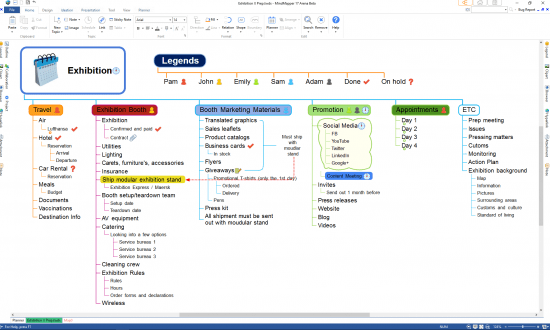
MindMapper 17.9013a(22) Arena


v0-UJZj-Dj-Z7k-IUp-Cka-Bl2-Fek-T4mdwz-Gc4.png

English | File size: 139 MB

MindMapper Arena is an application that enables you to easily create complex mind maps containing massive amounts of information, using clip art and custom shapes to depict branches and central ideas. The utility comes with a wide variety of layouts, templates and styles you can use to represent data. All of these can be employed to create various type of projects, such as class schedules, weekly plans or purchase strategies.
​

In order to come up with ideas for your projects, or to train the cognitive abilities of your students, you can use one of the included strategies, such as radiant association, backward reasoning or forced connection. These employ various techniques to come up with original thoughts and ideas, in order to solve a specific problem.

Whats New:
Updates: official site does not provide any info about changes in this version.

HOMEPAGE
Код:
https://www.mindmapper.com/

6d69ce3aee1ac0cc3e7937ec31f415c5.png


Download From Rapidgator

Код:
https://rapidgator.net/file/ff333181ac56d74cdd4393c4cc29f6d9

Download From Nitroflare

Код:
http://nitroflare.com/view/1A162DA2B7E26CF/BaDshaH_MindMapper_17.9013a%2822%29_Arena.rar

​
 
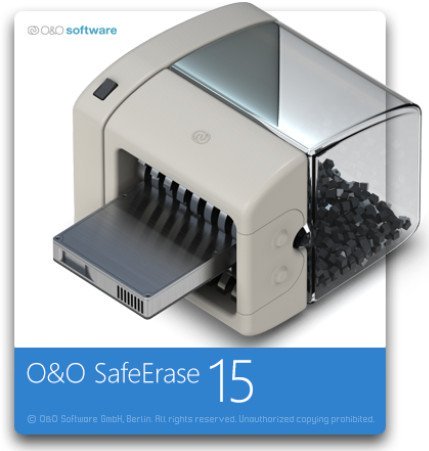
O&O SafeErase Professional 15.3 Build 62


Q6kawv-U4n-Y8xxnit-Ge-P2z-YXo6-X4-O1-GPS.jpg

O&O SafeErase Professional 15.3 Build 62 | File size: 51 MB

O&O SafeErase 14 is the solution for securely deleting sensitive data from your hard disk and offers you the ultimate protection of your privacy. Thanks to this protection against data misuse, you see a return on your investment with every securely deleted file. In this way you can be sure that no data gets into the wrong hands. This O&O Software offers a reliable solution for safe erasure of security sensitive files and gives you the ultimate in data protection.
​

There is a good chance your personal photos or business data will easily fall into the wrong hands whenever you want to sell, give away or dispose of your old computer. This is because clicking on "Delete" doesn't automatically mean your data is irrevocably destroyed. Even formatting the hard disk is not enough to completely destroy your data. O&O SafeErase allows you to permanently delete your data using recognized methods so that a recovery is never possible, not even when using specialized software.

New and enhanced functions
In addition to many minor enhancements, O&O SafeErase includes an analytical tool that scans your computer for temporary and unsafely deleted files. With just a few clicks, you can clean your computer so that unauthorized parties never have a chance to spy out old files for possible misuse. SSDs can also be detected, and deletions made on them will be done sparing resources. Advanced and improved management of reports make using O&O SafeErase even more convenient.

Internet security
When surfing the Internet, your browser usually stores Internet files unnoticed on your hard drive. These files can provide information about websites you've visited or the passwords you've entered. It makes no difference whether it involves cookies, data entered on forms, or browsing history - O&O SafeErase lists all the information saved for each browser you use, and you can then delete them individually or together. Once deleted, nobody will be able to detect your Internet traces and your online accounts are protected from data thieves or hackers. Version 15 supports Microsoft Edge, the successor to Internet Explorer, as well as Internet Explorer, Google Chrome and Firefox.

Safe erase your entire computer
Deleting the entire computer allows you to permanently delete all confidential files before you dispose of, sell, or give your computer away. All files, settings, applications and the operating system itself are deleted so that a file recovery is impossible. You can be sure that nobody will ever restore your confidential information and misuse it, protecting yourself against identity theft. With O&O SafeErase you can even delete your entire computer without a start medium (e.g. a Boot CD).

Six deletion methods for maximum security
O&O SafeErase allows you to choose from among six different deletion methods. The methods of deletion differ in the number of runs and the type of overwriting process. These methods ensure maximum security, whatever your requirements. In addition to standardized deletion methods of the U. S. Department of Defense (DoD) and the German Federal Office for Information Security (BSI) you can also select a complex mathematical method (the Gutmann method), which complies with the highest security levels. In this scientifically approved method of data deletion, corresponding areas of the hard disk are overwritten 35 times using precisely defined rules along with fixed and random values. In this way, O&O SafeErase exceeds even the requirements of the DoD and the BSI. Quick deletion can also be made by just overwriting data with zeros.

SolidErase
As of version 12.3, O&O SafeErase includes the feature SolidErase, which was developed especially for the deletion of SSDs. SolidErase uses resources sparingly and thoroughly so that the data is not recoverable and the SSD is exposed to the least possible strain.

Features:
"Instant Erase": Selecting files over the context menu prompts a mini-dialog from where deletion can immediately take place
Permanent deletion of files, folders, Memory cards and USB sticks
Delete an entire computer, no boot medium necessary
Delete internet traces and temporary program files
Six methods to permanently delete confidential data
Detailed reports as proof of deletion
Analysis tool to search for unsafe deleted files
Adapted deletion method for SSDs (Solid State Disks) with SolidErase (link to paragraph with further infos)
Enhanced report and activity management
.Net Framework 4.7.1
Supports Windows 10, Windows 8.1 and Windows 8

Whats New:
Updates: official site does not provide any info about changes in this version.

HOMEPAGE
Код:
https://www.oo-software.com

6d69ce3aee1ac0cc3e7937ec31f415c5.png


Download From Rapidgator

Код:
https://rapidgator.net/file/e4a0eca4e7720247c116cc78b19948d2

Download From Nitroflare

Код:
http://nitroflare.com/view/BE16BE8C75337FB/BaDshaH.SafeErase15.3.rar


​
 
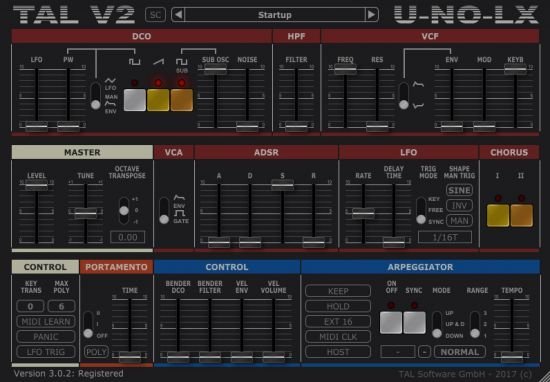
Togu Audio Line TAL-U-NO-LX 4.2.4 (x64)


th-3p-X3-Mkb3-Icdd-L9q-NH08kc-An1v4-Nhiitm.jpg

Togu Audio Line TAL-U-NO-LX 4.2.4 (x64) | File size: 33 MB

TAL-U-NO-LX is a complete rewritten emulation of the popular Juno 60 with a new engine and GUI. Up to date zero feedback delay filters and carefully calibrated controls make this synth a good replacement for the analog device with all the advantages software plugins have. As an addition, the TAL-U-NO-LX also supports portamento and different filter LFO waveforms and some more useful features. An arpeggiator with different sync modes and hold function is also included. A very fast envelope with a smooth roll-off, emulated inaccuracy and a very smooth filter sound gives this synth the typical sound. The synth was calibrated after a hardware device that's property of TAL.
​

Features:
Self resonating zero feedback delay filter (24dB LP).
Filter range up to ~40kHz (depends on the sample rate).
Calibrated and tuned after TAL's hardware device.
Midi learn / automation for all controlls.
Improved alias free oscillators for an authentic sound also @ 44'100Hz sampling rate.
Arpeggiator with different sync modes (host, midi clock, not on).
Portamento and mono mode.
LFO manual trigger button.
Sustain pedal support.
Up to 12 voices.
New file based preset system for transparent preset management.
More than 300 factory presets by different sound designers (FMR, Particular - Sound, TAL).
Original hardware "Factory Bank A" included.

Requirements:
Windows: Windows XP or higher (32 / 64 bit)
AAX: Pro Tools 10.3.6 or higher

Whats New
Код:
https://tal-software.com/products/tal-u-no-lx

HOMEPAGE
Код:
https://tal-software.com/

6d69ce3aee1ac0cc3e7937ec31f415c5.png


Download From Rapidgator

Код:
https://rapidgator.net/file/6667f5674061560cf39cc702ed45a21e

Download From Nitroflare

Код:
http://nitroflare.com/view/EB7FA3E96A3ADD8/BaDshaH.TAL-U-NO-LX_4.2.4.rar


​
 
Raxco PerfectUpdater 2.0.651.18068


la5-T5i6t-LL6-LRor6q-Sw62l2efou-Kby-Qw.jpg

File size: 19.48 MB

Enhance your PC's performance with a simple scan, download and installation of the latest drivers for the devices on your system. PerfectUpdater detects and installs the last appropriate drivers for devices, minimizing hardware conflicts and improving system stability.
​

Update Outdated Drivers
Enhance your PC's performance with a simple scan, download and installation of the latest drivers for your system. PerfectUpdater detects and installs the appropriate drivers for your devices, minimizing hardware conflicts and improving system stability.

PerfectUpdater helps you avoid errors such as the BSOD (blue screen of death) by installing the latest device drivers. Are you a gamer? Optimize the functionality of your graphics card with PerfectUpdater for the best gaming experience.

100% Guaranteed Safe Driver Updates
Ensure the drivers you download to your PC are 100% safe. PerfectUpdater's extensive library of driver updates only includes original manufacturer (OEM) drivers, ensuring compatibility with your devices, hardware and software. PerfectUpdater includes NO 3rd party driver downloads in our advanced database.

Backup and Restore
PerfectUpdater takes a full backup of existing drivers - or specific drivers you choose - allowing you to restore the original drivers on your PC in case the new drivers are damaged during installation.

Driver Exclusion List
You can select and exclude drivers from your scan that would cause system instability due to compatibility issues. Once excluded, they will not show up in subsequent scan results.

Advance Scheduling
Automatic driver scans can be scheduled in advance with PerfectUpdater, either on a reoccurring basis or for a one-time scan.

RELEASE NOTES
Full Compatibility with Latest Operating Systems
PerfectUpdater is fully compatible with both 32-bit and 64-bit versions of Windows XP, Vista, 7, 8 and 10.

HOMEPAGE
Код:
https://www.raxco.com/

url.png


Download From Rapidgator

Код:
https://rapidgator.net/file/30962f77e34df0b37f11ccbe30352cd3

Download From Nitroflare

Код:
http://nitroflare.com/view/7113E455FD8C319/BaDshaH_Raxco.PerfectUpdater.2.0.651.18068.rar

​
 
The Foundry Katana 3.5v3 (x64)


th-g-Ibdi00-Vtb-OW8-Mj-IHFB38-YKu1mkn-ARNQ.jpg

File size: 338 MB

With its highly efficient, collaborative approach to look development and lighting, Katana® gives you the creative scope and scalability to meet the needs of today's most demanding CG-rendering projects.
​

Hydra Powered Viewport
Katana now features a new, modern viewport powered by Pixar's USD Hydra technology. Designed to render massively complex scenes, the Hydra viewport is a perfect addition to Katana's Viewer API. Now artists can load huge scenes and view larger portions of their work with buttery-smooth interaction. To compliment this new level of user experience, there's a set of artist-friendly transform handles, a rich API for creating custom object drawing and manipulators. This new viewport is the game changer all Katana artists have been waiting to have at their fingertips.

Performance Improvements
No matter what program you use, how much work you get done always comes down to performance. Katana is the same and the team have done a lot of work since Katana 2.6. While the new viewport is 7x to 10x faster, Katana 3.0 itself now starts up and loads files 1.5x faster than previous versions. General performance has also been improved by strategic changes to key areas like CEL, OpScript, and Alembic processing.

Improved UI
As a compliment to the new viewport and improved performance, we've updated the design of the overall UI, added new transform tools, and made information easier to process, so artists can now get more information from Katana at a glance. All part of our larger plan to merge artist driven workflow and UX with Katana's power and technical foundation.

Integrated Rendering
Katana 3.0 would be half a solution without a rendering plugin, so Katana 3.0 ships with the NSI powered 3Delight rendering plugin giving users best-in-class production live rendering, free of charge for interactive renders. Fast, powerful, clean rendering and super easy-to-use, this renderer has lots to offer everyone. The 3Delight plugin is the first to tap the full potential of Katana's rendering APIs.

Whats New
Код:
https://www.foundry.com/products/katana/new-releases

HOMEPAGE
Код:
https://www.foundry.com

6d69ce3aee1ac0cc3e7937ec31f415c5.png


Download From Rapidgator

Код:
https://rapidgator.net/file/09c4b55b4d7fb619005966738b1c18fc

Download From Nitroflare

Код:
http://nitroflare.com/view/FEE14BEA96830D5/BaDshaH_Katana3.5v3.rar

​
 
Aiseesoft FoneTrans 9.1.28 Multilingual


th-0-Fy1i-Jt-Ljq-Zw-J3-Fost-GVc-PRCMEGq-NRq-O.jpg

File size: 72 MB

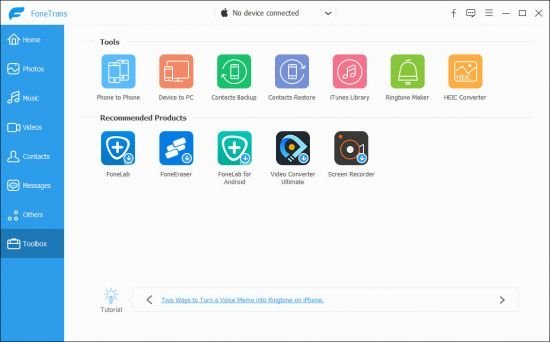
FoneTrans - iOS Transfer. It is the best iOS Transfer software to manage iOS files. Not just an alternative to iTunes. Now you don't have to rely on iTunes to transfer photos, music, contacts and voice memos from iPhone/iPad/iPod to your computer or reversely. When you change an iPhone, you won't have to worry about how to transfer the contacts, music and other data to your new iPhone.
​

You can use FoneTrans to transfer photos and pictures from your iPhone/iPad/iPod to computer without using iTunes. You can also transfer photos from iPhone/iPad/iPod to a new iOS device in one click. For example, you can transfer photos taken on iPhone to iPad with larger screen. Photos in Camera Roll and Photo Library can all be transferred.

With this iOS file transfer, you can backup music from iPhone/iPod to computer, or import music from computer to iPhone/iPod conveniently. It provides another easy way to share songs between different iOS devices, like iPhone and iPod. It also makes it possible to sync music from iPhone/iPod/iPad to iTunes without running iTunes.

You may want to transfer your iPhone contacts to computer for backup, or move your contacts to a new iPhone. FoneTrans could help you easily do that! You can export contacts from iPhone to computer and import them to another iPhone later, or transfer contacts from iPhone to iPhone directly.

Sometimes you may want to export text messages from your iPhone to computer for backup or for printing, sometimes you have a lot of important SMS and just changed a new iPhone. Under these situations, you need FoneTrans to export text messages from iPhone to your computer.You can save the messages in formats you want.

If you have recorded videos with your iPhone and want to move them to your computer, just copy them. But it's not so easy if you want to import movies or music videos to your iPhone. FoneTrans will help you do it. Unlike iTunes, FoneTrans won't overwrite your last backup, it will copy the video(s) you need from iPhone/iPad/iPod or computer to iPhone/iPad/iPod losslessly.

Some voice memos are important reminder or evidence. You'd better make backups from time to time. If you choose FoneTrans, this process will become easier and faster. It will help you transfer voice memos between iPhone/iPad/iPod and computer. You can even use it to complete the transfer between different iOS devices directly.

Supported Devices:
iPad,iPad Pro, iPad 2, iPad 3, iPad 4, iPad Air, iPad Air 2, iPad mini, iPad mini 2, iPad mini 3
iPhone,iPhone X, iPhone 8, iPhone 8 Plus, iPhone 7, iPhone SE, iPhone 6s, iPhone 6s Plus, iPhone 6 Plus, iPhone 6, iPhone 5s, iPhone 5c, iPhone 5, iPhone 4S, iPhone 4, iPhone 3GS
iPod, iPod touch 5, iPod touch 4, iPod Nano 7G/6G/5G/4/3G/2/1, iPod Shuffle 4G/3G/2G/1G, iPod Classic 2/1
Other iPod Devices, iPod Nano 7G/6G/5G/4/3G/2/1, iPod Shuffle 4G/3G/2G/1G, iPod Classic 2/1

System Requirements:
Supported OS: Windows 10, Windows 8.1, Windows 8, Windows 7, Windows Vista, Windows XP (SP2 or later)
Supported iOS: iOS 6.0 and higher versions (iOS 10.3, iOS 11 included)

Whats New:
Updates: official site does not provide any info about changes in this version.

HOMEPAGE
Код:
http://www.aiseesoft.com

url.png


Download From Rapidgator

Код:
https://rapidgator.net/file/c4e5465fb783681dcce21ee0af04ba3f

Download From Nitroflare

Код:
http://nitroflare.com/view/C3226DB8288C08E/BaDshaH.fonetrans9.1.rar

​
 
WordWeb Pro Ultimate Reference Bundle 9.02a


UMmqy9zh-Mto-Zd-Xa8a-HK0-JHJBs7a-Hnkii.jpg

Languages: English | File Size: 154.72 MB | 719.59 MB

WordWeb Pro can look up words in virtually any program with just one click: just hold down the Ctrl key and right-click on the word. If you are online, with one extra click you can also search web references, for example Wikipedia. The hotkey can be customized, or you can use a keyboard shortcut if you prefer. If you are editing a document you can select a synonym and replace the look-up word. WordWeb has the option to highlight widely used synonyms, great for helping you write clear easy-to-understand English. Look up using Ctrl+Right click on a word in almost any program.
​

Exploring senses
If you are looking for a particular part of speech you can click on the Noun, Verb, Adjective or Adverb buttons to show only the relevant synonyms and related words. To look at a particular sense you can click on the sense number. Browsing around related words is simple: click on the tabs for synonyms, antonyms, parts, part of, types, type of, similar, see also, and anagrams. To see the definition for one of the related words double-click on the word. You can also use the back and forward buttons. Related words also have "+" and "-" buttons to be more or less specific. For example if you look at the similar words, maybe you'd like to see words that are more loosely similar: you can do this by pressing the "+" button, and go back again by pressing the "-" button.

Web references
In addition to using the comprehensive English dictionary and thesaurus supplied, if you are online you can also search your choice of web references. Each reference is on a separate tabbed page for easy cross-referencing. The list of tabs can be customized to use your favorite references. Wikipedia and some online dictionaries are installed by default.

Extra dictionaries
You can also get optional third-party dictionaries, including the Oxford, Chambers and Collins dictionaries, shown on separate tabs like the web references.

Use custom glossaries
You can add your own technical glossaries (or list of company acronyms, etc) using the option on the "Glossaries" menu.

Find words
Using the "Find Word" feature you can quickly find words matching a pattern. You can also search a wide range of optional extra word lists using the Find Word window. The screenshot shows what you'd get if you did a punctuation sensitive search in the optional "Compounds and Phrases" word list for phrases ending in "word".

Full-text definition search
Use the "full text" button to search for text appearing in any definition. For example search for "female fox" and it will find the definition of "vixen". The screenshot shows another example.

Anagrams
Enter a word and you can find all straight and multiple word anagrams. You can also find partial anagrams. How many words can you make using the letters in "constitutional"? WordWeb Pro's answer: 726!

Add definitions
Select "New Definition" from the "Edit" menu to add a new word (or set of words) with definition. You can also import and export to common spreadsheet-format files.

Learn vocabulary
Use the bookmark feature to remember useful words. There's a feature to randomly look one up as a way of helping you remember vocabulary. WordWeb also builds a list words you've looked up, so you can go back and check you remember definitions. You can also export the list to a text editor, delete items, or delete the entire history list.

Replace, copy and paste
If you are looking up a word from a document you are editing, you can select any word and press the "Replace" button to substitute a synonym. You can also copy to the clipboard parts of definitions, all of the definitions, the selected related word, or all of the listed related words (or anagrams/words matching a pattern).

Proper Nouns
Includes many names of places and people, with a concise definitions and related words.

RELEASE NOTES:
- Fix for occasional crash searching in add-on dictionaries

System Requirements:
- You do not need to be online to use WordWeb
- You just need a computer running Windows Vista, Windows 7, 8 or 10 (desktop).

HOMEPAGE
Код:
http://wordweb.info

url.png


WordWeb Pro 9.02a (Incl. WordWeb Pro Sound 9.0):

Код:
http://nitroflare.com/view/EF04193C97BCE14/BaDshaH.WWP.9.02a.rar

https://rapidgator.net/file/48b388b8a80c1c92f45cf510cd920449

WordWeb Pro Ultimate Reference Bundle:

Код:
http://nitroflare.com/view/3E32177FA9E52B0/BaDshaH.WWP.Bundle.rar

https://rapidgator.net/file/2aa685d57193fb6b6b988a9e06ff8224

​
 
RemoteScan Enterprise Server 10.818 Multilingual


th-91j-LO7-Vd-Lt-Fck-ADth-Iev-W7bh9q-Y6o-Bmy.jpg

File Size: 2.53 MB

RemoteScan, the software product that enables you to connect document scanners and cameras to remote desktop hosted applications that are running in Microsoft Hyper-V, Citrix, and VMware servers.
​

Experience the flexible solution for document scanning that adapts to the most complex virtual environments. RemoteScan allows you to scan documents via remotely hosted applications over any Microsoft Azure, Terminal Server, Citrix or VMware environment using any TWAIN or WIA compliant scanner and most Fujitsu ScanSnap scanners- all while ensuring security and compliance both in transmission and storage.

See for yourself how to:
Ensure a compliant document-scanning workflow
Enable fast scan speeds while maintaining image quality
Reduce scanning-related help desk tickets
Turn any document scanner into a network RDP scanner
Provide secure scan-to-cloud functionality with any document scanner

Features:
Scanner redirection
Use any number of scanners on a virtual remote desktop network such as Azure Cloud, Terminal Server/RDSH, Citrix or VMware. Scanning software on the server detects scanners at remote locations as if they are locally attached.

Support for all scanner brands
Use with all TWAIN- and WIA-compliant scanners or image capture devices, including high capacity sheet-fed scanners, check scanners, card scanners, all-in-one devices, web cams, flatbed scanners, digital cameras, digital X-ray machines, and intraoral cameras. Additionally, RemoteScan can be used with the following Fujitsu ScanSnap scanners: iX500, iX100, S1300i, S1100i.

High-efficiency compression
Maintain the image quality of your scanned document without experiencing network congestion thanks to lossless and lossy compression options.

Support TWAIN-compliant applications
Use with all applications that can import from any camera or scanner using TWAIN image capture, including electronic medical records software, Hyland OnBase, Laserfiche, Adobe Acrobat, and Intuit QuickBooks, as well as custom applications. With RemoteScan, TWAIN- compliant applications can connect to WIA-or TWAIN-compliant scanners, as well as the following Fujitsu ScanSnap scanners: iX500, iX100, S1300i, S1100i.

Support for RDP, PCoIP, and ICA/HDX protocols
RemoteScan uses native Windows RDP, VMware PCoIP, and Citrix ICA/HDX protocols which ensures that document scanning is supported, no matter what type of network your users have.

OS: Windows 10.x, Windows 8.x, Windows 7, Windows XP, Windows XPe, Windows Embedded thin clients and Windows Vista

Whats New:
Updates: official site does not provide any info about changes in this version.

HOMEPAGE
Код:
https://www.quest.com

6d69ce3aee1ac0cc3e7937ec31f415c5.png


Download From Rapidgator

Код:
https://rapidgator.net/file/62a8260f985fdc2030c32148627f4a2f

Download From Nitroflare

Код:
http://nitroflare.com/view/B78B597BEA640E8/BaDshaH.RemoteScanEnterprise_10.818.zip

​
 
AppleMacSoft Easy M4P Converter 6.7.3 Multilingual


th-y1mv1z-My-De3-Z3-DC0jgb-MOCORitg-Fid-KK.jpg

Multilingual | File size: 44.9 MB

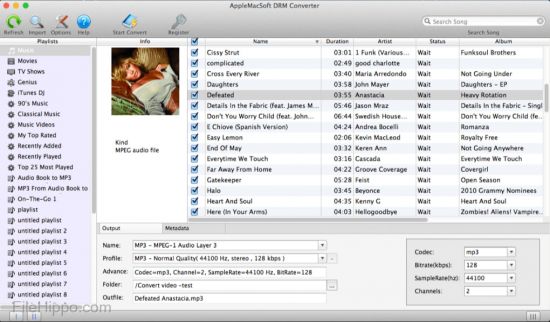
Easy M4V Converter for Windows is simply the best DRM removal software for iTunes movies. It can remove DRM protection from iTunes purchased M4V movies & convert iTunes M4V videos to MP4 so that you can play the videos on various non-Apple devices. It gives you more freedom to enjoy the iTunes movies you purchased and play them anywhere at anytime!
​

Features :

Convert iTunes M4V videos for multiple purposes :
After converting, you can enjoy the DRM-free iTunes movies/TV shows on any device freely. or you can import the iTunes videos to video editing software.

Fully compatible with many portable media devices, such as Android devices, Plex, Tablet, Apple TV, iPad, iPod video, Chromecast, Roku, Smart-TV, iPhone, iPhone X, iPhone 8/Plus, Xbox360, PS4, PSP, Windows devices, game consoles, car, HD media players, etc. as long as device supports playing video of MP4 format. watch iTunes movies whenever and wherever you like.

Batch M4V Conversion :
Easy M4V Converter for Windows runs unbelievably fast on Windows 7 or later. The converting speed is up to 30X faster, which is the fastest speed for removing DRM from iTunes movies than other similar DRM video removal software. In addition, it supports batch iTunes video conversion, you just need to add the iTunes video and let the software to convert iTunes M4V videos without sitting in front of the computer. With this high performance iTunes M4V Converter, you can save a lot of time.

Lossless output quality :
Worry about the output video quality? Easy M4V Converter can output 1080/720 HD videos with 100% original video quality preserved. So you will get a copy of the iTunes video you purchased in .mp4 format.

As a professional video DRM removal software, Easy M4V Converter for Windows works much faster and easier than its competitors while producing lossless quality in output MP4 videos.

Keep 5.1 Dolby Audio Track & Subtitles :
Easy M4V Converter for Windows make 1:1 lossless copy to MP4 from original iTunes movies with AC3 audio tracks (5.1 Dolby) and all original subtitles will be well preserved in output files. which is what our competitors cannot do. so you can watch DRM-free iTunes videos with 5.1 audio on HDTV perfectly.

Whats new:
Updates: official site does not provide any info about changes in this version.

HOMEPAGE
Код:
https://www.applemacsoft.com

6d69ce3aee1ac0cc3e7937ec31f415c5.png


Download From Rapidgator

Код:
https://rapidgator.net/file/ae7d2ec2354d54318e1c114b305f41c3

Download From Nitroflare

Код:
http://nitroflare.com/view/3A863655161A2D0/BaDshaH.AppleMacSoft_Easy_M4P_Converter_6.7.3_Multilingual.rar


​
 
Directory Lister Pro 2.41 Enterprise Multilingual


fa9ce451ce7c234c77fa4b67a8c836f2.jpg

File size: 20.52 MB

Directory Lister Pro allows you to list files or print folders, that is to create and then save, print or send via e-mail list of files from selected folders on hard disks, cd-roms, dvd-roms, floppys, USB storages and network shares. Listing can be in HTML, text, CSV format (for easy import to Excel) or stored directly to a database. Directory Lister Pro is one of the best and at affordable price application from a wide category of directory printers.
​

Additional columns you can include when you print folder list When you print a file list, you can include standard file information like file name, extension, type, owner and attributes as well as executable file information (EXE, DLL, OCX) like file version, description, company.
Also multimedia properties (MP3, AVI, WAV, JPG, GIF, BMP) like track, title, artist, album, genre, video format, bits per pixel, frames per second, audio format, bits per channel can be listed.
Another set of columns you can print is for Microsoft Office files (DOC, XLS, PPT) so you can see document title, author, keywords etc. without opening these files one after another.
For each file and folder it is also possible to obtain its CRC32, MD5, SHA-1 and Whirlpool hash number so you can verify the file has not been modified.

Print files in folder - further customization
Extensive number of options allows you to completely customize the visual look of the output. You can set sorting for files and folders so they are always displayed as you want. You can define column order so the most important columns are immediately visible. International display format options allows you to adjust the output for your local needs. Listing can contain links to actual files and directories so you are able to put the listing on a web page with clickable contents.
HTML display style is fully customized - you can change background color, separate style for header, directory rows, odd and even file rows and for surrounding frame.
You can limit the files list by applying a filter for filename, date, size or attributes.
Directory Lister Pro can also be integrated into the context menu of Windows Explorer so you don't even need to open the application to generate listings.
Command line interface is supported for automated listings that can be run from Windows Task Scheduler.

Check folder size or find large folders
With Directory Lister Pro, you can also find out what is the given directory size, sort by folder size and check which folders occupy the most space on your disks. You can also find the largest files on your PC by using size filter options.

Whats New
Код:
http://www.krksoft.com/Whatsnew.php

HOMEPAGE
Код:
http://www.krksoft.com

6d69ce3aee1ac0cc3e7937ec31f415c5.png


Download From Rapidgator

Код:
https://rapidgator.net/file/4bc2427b2da20bef3ad4efa372b15019

Download From Nitroflare

Код:
http://nitroflare.com/view/AE316B736EED2D3/BaDshaH_Directory.Lister.Pro.2.41.Enterprise.rar


​
 
Easy Video Reverser 4.0.0


th-2-ZIRYDw-Hf-TPj-FPb-Kcs9zsd-OAgjufc-Rjf.jpg

File size: 17.07 MB

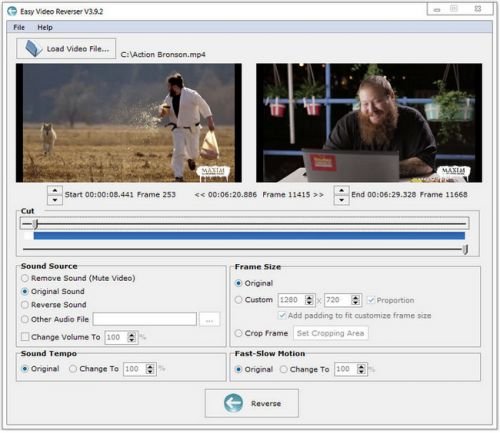
Easy Video Reverser indeed reverses video clip and save frames from last to first. You can also reverse audio or not, make the video frame size reasonably small or large, and speed up (fast motion) or slow down (slow motion) video and audio. This cute tool make it is possible to encode a video in reverse so the resulting video plays in reverse. It is simply to watch the movie from end to start. Easy Video Reverser supports all popular video & Flash formats.
​

RELEASE NOTES

• official site does not provide any info about changes in this version

HOMEPAGE
Код:
http://www.dandans.com/

url.png


Download From Rapidgator

Код:
https://rapidgator.net/file/282129eb128ab46fc1b08eb032d1ee42

Download From Nitroflare

Код:
http://nitroflare.com/view/36BAD68D6E1083D/BaDshaH_Easy.Video.Reverser.4.0.0.rar

​
 
Boris FX Silhouette 2020.5.2


th-b3-Pee-Vot-ZOSd-VJAn-YZH5-IZIZdgy-AXEc8.jpg

Windows x64 | Languages: English | File Size: 145.15 MB

Academy and Emmy Award-Winning VFX Tools. Boris FX Silhouette 2020 is here! Silhouette is a best-in-class, GPU-accelerated compositing application, delivering the industry's most robust non-destructive paint and roto tools to feature film and visual effects teams. Since 2005, Silhouette has made its mark on Hollywood's biggest films including Avatar, Black Panther, Avengers: End Game, and many more.
​

The Artists Tool for Roto, Paint & Tracking. Silhouette 2020 goes far beyond roto and effects cleanup tasks with tools to finish the most complex VFX shots thanks to node-based compositing with integrated keying, tracking, warping, morphing, OCIO color management, and OFX support for Mocha Pro and Sapphire plug-ins. Includes 143 VFX nodes with full stereoscopic support. New! Silhouette 2020 now includes integrated Mocha planar tracking for no additional charge OR the optional Silhouette + Mocha Pro bundle.

What's New in Silhouette 2020:
- Integrated Mocha tracking now included at no extra charge
- New Roto tools: Magnetic splines with edge snapping, RotoOverlay previews and Weighted Keyframe creation to change the timing of shape animations
- New Paint tools: New Dodge, Burn and Detail brushes as well as a frequency (detail) separation workflow for improved retouching
- Improved Planar Tracker: Group tracking of multiple planar surfaces in addition to tracking non-planar surfaces through overlapping shapes
- New nodes DOD and Extract Detail
- New interface enhancements: Multiple Viewers, Node and Object windows; Streamlined Workspace and more
- New bundle options: Add the Mocha Pro plug-in for Silhouette for increased tracking and VFX workflows

THE EVOLUTION OF ROTO
Silhouette features the world's most refined tools for rotoscoping teams. Create sophisticated keyframeable mattes using B-Spline, Bézier or X-Spline shapes. Intelligent design and easy-to-use tools, such as variable per-point edge softening, assist in creating articulate animations. Render mattes with realistic motion blur or export to industry-standard shape formats. Watch Intro to Roto

Advanced roto tools include:
Highly-optimized interface, layer controls, and toolset
New magnetic spline and edge-snapping tools to create shapes fast fast
IK (Inverse Kinematics) to animate limbs and all manner of jointed creatures
Integrated point tracking, planar tracking, and Mocha planar tracking option
Stereoscopic 3D workflow
Move, scale, rotate, shear, and corner pin shapes and groups of shapes
Animation changes for one point or selected points across all keyframes

Additional 2020 roto improvements include the Freehand Selection tool to interactively control point selection, Weighted Keyframe creation to change the timing of shape animations, new RotoOverlay displays to visualize shape animation by displaying a preview of the motion path, motion blur or onion skin.

FAST & NON-DESTRUCTIVE PAINT
Paint is a high dynamic range non-destructive 2D paint system that handles the demands of feature film and 4K television production. Whether it's image restoration, dust busting, matte painting, beauty work, rig removal or just plain paint, Silhouette provides the artistic tools to get the job done.

NODE-BASED COMPOSITING
Silhouette's core is a feature rich node-based effects tree that delivers film-grade results. View and edit any combination of nodes for complex compositing, matte manipulation, keying, color correction, grain management, look development, morphing, warping, and much more. Get Started with Node Based Compositing

Silhouette 2020 now features 145 speciality nodes organized into Color, Composite, Diffusion, Filter, Film Lab, Image, Key, Light, Silhouette, Special Effects, Time, Tints, Transform, and Warp. Silhouette also supports OFX plug-ins including Mocha Pro and Sapphire!

Features:
- Gestural node-based compositing
- Multiple roto and paint nodes
- Exacting color grading
- Proprietary matte generation
- Effectively composite fire, explosions, and smoke
- Edge tools to color correct or blur the composite's edge
- Matte manipulation using shrink, grow, blur, and wrap functions
- 145 different nodes organized into Color, Composite, Diffusion, Filter, Film Lab, Image, Key, Light, Silhouette, Special Effects, Time, Tints, Transform, Warp and OFX groups
- Visual presets for most nodes

WARPING & MORPHING
Silhouette's warp and morph tools provide the highest level of creative control and render quality for digital retouching, image deformations, and even talking animals. Create invisible touch-ups, subtle facial exaggerations or dramatic transitions with either shape or pin options.

KEYING & MATTE GENERATION
The powerful ZMatte and Power Matte nodes use proprietary matte extraction techniques that handle the most difficult keying and matting challenges, including shots with fine hair detail, smoke, or reflections.

POWERFUL TRACKING OPTIONS
The industry's most powerful tracking drives Silhouette's animation system and can be applied to speed up paint, roto, warp, and stabilization tasks. Choose from 1, 2, or 4 point tracking, native planar tracker, or award-winning Mocha tracking, now included as a standard feature in Silhouette 2020.

DEPTH
The Depth node contains a dedicated tool set for creating depth channels from 2D sources.

Features:
- Shapes can be assigned individual depth values
- Horizon, Ramp, Hall and Tunnel gradient depth tools
- Alpha tool that converts the alpha channel generated by other Silhouette nodes (zMatte, Power Matte, Roto, Paint, etc) into a depth map.
- Depth Preview window displays a 3D view of the depth map.Useful for visualizing the depth and placement of objects in 3D space.
- Output to stereo displays

RELEASE NOTES:
Код:
https://cdn.borisfx.com/borisfx/store/silhouette/2020-5/Silhouette-2020.5-WhatsNew.pdf

System Requirements:
- Windows: Windows 7 or higher on x64
- Processor: Intel or AMD processor
- Memory: 2GB of RAM (4GB or more recommended)
- Disk: High-speed disk array or SSD storage. 1GB of available disk space for caching and temporary files
- Graphics Card: NVIDIA GTX 460 or better
- AMD Radeon 57xx series or better
- OpenGL 2.1 capable graphics card
- OpenCL 1.1 capable graphic card
- 1GB of graphics memory for film resolution

HOMEPAGE
Код:
https://borisfx.com

6d69ce3aee1ac0cc3e7937ec31f415c5.png


Download From Rapidgator

Код:
https://rapidgator.net/file/ed5cd35f4b3896dae387afe73e704461

Download From Nitroflare

Код:
http://nitroflare.com/view/8E5A69E56CD5292/BaDshaH_Silhouette.2020.5.2.rar

​
 
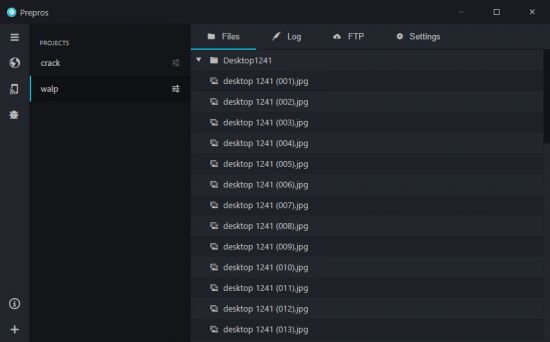
Prepros 7.2.18


th-DUr-Ciav-Yt-JN6-HZsb-U7hau-ELFfq6-TLAvp.jpg

File Size: 152.1 MB

Compile Sass, Less, Stylus, Jade, CoffeeScript on Mac, Windows & Linux with Live Browser Reload. Prepros can compile almost all preprocessing languages like Sass, Less, Stylus, Cssnext, Jade/Pug, Markdown, Slim, Coffeescript etc.
​

Find Out Errors At a Glance
Forget black screen full of millions of unreadable errors.

Live Reload
Prepros reloads your browser automatically every time you save a file in code editor.

Minify & Optimize
Prepros can minify and optimize CSS, javascript & images with just one click.

JS Concatenation
Concatenate and combine javascript files to reduce http requests.

File Minification
Minify & Uglify files with ease to reduce bandwidth and load time.

Image Optimization
Losslessly optimize image to reduce bandwidth and load time.

Network Preview
Prepros has built in server that can help preview your site in multiple devices like phones and tablets.

Browser Sync
Prepros synchronizes browsers across multiple devices for easier testing

Scroll Sync
Cross browser synchronized scroll in real time. No complicated setup.

Click Sync
Synchronize clicks and other mouse events in real time.

Form Sync
Synchronize user input such as forms and other keyboard events in real time.

Remote Inspect
Prepros has Chrome DevTools like inspector to remotely inspect & debug devices.

Build & Deploy
Prepros can export files ready for deployment or It can just upload all the files via FTP or SFTP for you.

Whats New
Код:
https://prepros.io/changelog

HOMEPAGE
Код:
https://prepros.io/

6d69ce3aee1ac0cc3e7937ec31f415c5.png


Download From Rapidgator

Код:
https://rapidgator.net/file/3c1bb354fbb70d7c1429711bb766d7cb

Download From Nitroflare

Код:
http://nitroflare.com/view/29E6428F99C615A/BaDshaH_Prepros.7.2.18.rar

​
 
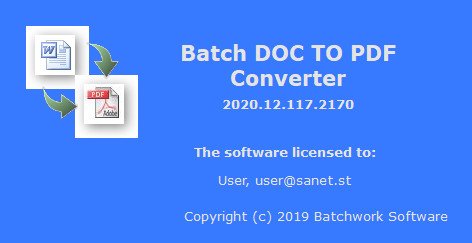
Batch DOC to PDF Converter 2020.12.502.2182


HXKHVGLap-Os-ZWw-Kjh-Gl-Fx-ZPh-HNdlj7-P1.jpg

File size: 6.22 MB

Batch Word to PDF Converter Word to PDF, DOC/DOCX to PDF Batch Converter. Word to PDF, DOC/DOCX to PDF Batch Converter publish Word DOC to PDF format.
​

Batch DOC TO PDF Converter is a Word to PDF, DOC/DOCX to PDF Batch Converter that can convert Word DOC/DOCX to PDF (Portable Document Format) easily. Batch DOC TO PDF Converter supports powerful search for a lot of files. A PDF publisher for Word.
Batch DOC TO PDF Converter supports project and command line. Batch DOC TO PDF Converter has a friendly GUI so it is used very easily. Batch DOC TO PDF Converter Drag and Explorer Context supported.

Batch DOC TO PDF Converter supports an efficient Multi-Thread conversion engine. So you could control the conversion action very easily. You can stop or pause and continue it in any time.
You can save your conversion work in a project file (.batch-doc2pdf) for re-use. You can run the batch-doc2pdf project in Microsoft Windows Explorer or command line directly.

The main features of Batch Word to PDF Converter:
Convert Word DOC/DOCX to PDF (Portable Document Format) easily.
Batch convert DOC to PDF with GUI that supports powerful search function.
Supports convert a doc/docx file.
Supports convert doc/docx files in a folder.
Drag and context menu with Microsoft Explorer supported.
Supports batch project and command line.
An efficient high-speed Multi-Thread conversion engine.

Whats New:
Updates: official site does not provide any info about changes in this version.

HOMEPAGE
Код:
http://batchwork.com/en/doc2pdf/

6d69ce3aee1ac0cc3e7937ec31f415c5.png


Download From Rapidgator

Код:
https://rapidgator.net/file/77f4806a3d6c004897220702e1ec3077

Download From Nitroflare

Код:
http://nitroflare.com/view/A6477906CFB17CB/BaDshaH_Batch_DOC_to_PDF_Converter_2020.12.502.2182.rar


​
 
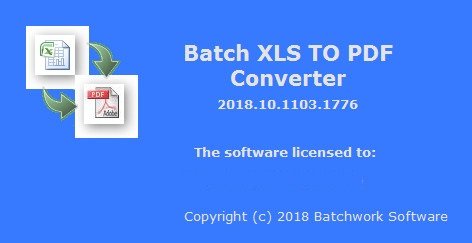
Batch XLS to PDF Converter 2020.12.502.1842


i-Skz-Ruh9-TOOx-RJvx-N4thw-MQYpw-EKM7s5.jpg

File size: 6.24 MB

Batch XLS TO PDF Converter is a Excel to PDF, XLS/XLSX to PDF Batch Converter that can convert Excel XLS/XLSX to PDF (Portable Document Format) easily. Batch XLS TO PDF Converter supports powerful search for a lot of files. A PDF publisher for Excel.
​

Batch XLS TO PDF Converter supports project and command line. Batch XLS TO PDF Converter has a friendly GUI so it is used very easily. Batch XLS TO PDF Converter Drag and Explorer Context supported.
Batch XLS TO PDF Converter supports an efficient Multi-Thread conversion engine. So you could control the conversion action very easily. You can stop or pause and continue it in any time.
You can save your conversion work in a project file (.batch-xls2pdf) for re-use. You can run the batch-xls2pdf project in Microsoft Windows Explorer or command line directly.

The main features of Batch Excel to PDF Converter:
Convert Excel XLS/XLSX to PDF (Portable Document Format) easily.
Batch convert XLS to PDF with GUI that supports powerful search function.
Supports convert a xls/xlsx file.
Supports convert xls/xlsx files in a folder.
Drag and context menu with Microsoft Explorer supported.
Supports batch project and command line.
An efficient high-speed Multi-Thread conversion engine.

Whats New:
Updates: official site does not provide any info about changes in this version.

HOMEPAGE
Код:
http://www.batchwork.com

6d69ce3aee1ac0cc3e7937ec31f415c5.png


Download From Rapidgator

Код:
https://rapidgator.net/file/61e746d9be61863d690785e2bc621d62

Download From Nitroflare

Код:
http://nitroflare.com/view/4142C30C087CC60/BaDshaH_Batch_XLS_to_PDF_Converter_2020.12.502.1842.rar


​
 
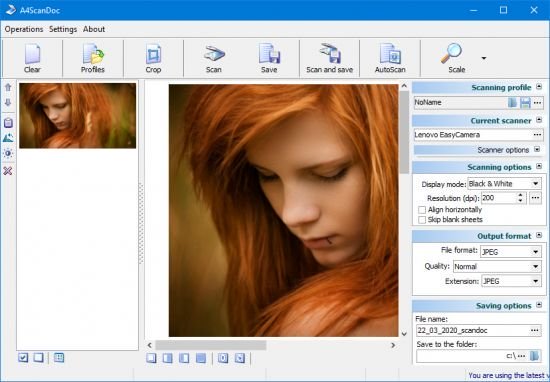
A4ScanDoc 2.0.5.1 Multilingual


Lk-W5gqgk-Vw-Lwmh-QPPt-T17xmtp-Jyo-Kbew.jpg

File size: 8.97 MB

A4ScanDoc is a scanning software It is easy to use and yet powerful tool for scanning.
​

A4ScanDoc Features:

Supports image formats
- scan to TIFF, BMP, JPEG, PNG

Scan settings.
- user-friendly interface for scan settings

Scan profiles.
- just set up once an option scan documents and save the profile. The next time it will be enough just to open it.

Stream scanning.
- support the ADF and duplex scanning. Automatic Deskew function

Scan to PDF
- support scan to PDF.

Whats New:
Official site does not provide any info about changes in this version

url.png


Download From Rapidgator

Код:
https://rapidgator.net/file/3a65b13daaf05fc6096b7a54efc95b1b

Download From Nitroflare

Код:
http://nitroflare.com/view/6541860EA74B6E3/BaDshaH_A4ScanDoc_2.0.5.1_Multilingual.rar

​
 
Назад
Сверху