• Здравствуйте. Сайт заработал в архивном режиме форум www.old.nado.in

BaDshaH Software House

  • Автор темы Автор темы BaDshaH
  • Дата начала Дата начала
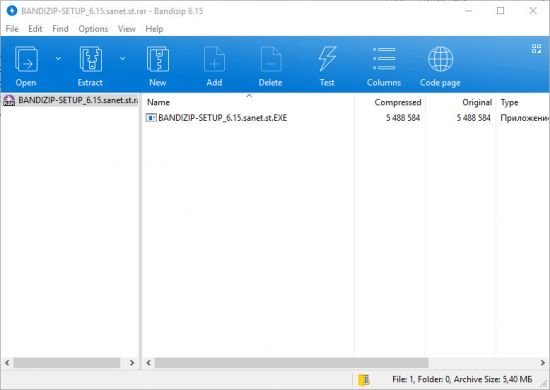
Bandizip Enterprise 7.03 Multilingual


th-PG7-Py-Plf-Jr-Sx-Non-ZI5-A1-IASZy-P09-PS5-F.jpg

File size: 9.0 MB

BandiZip is an intuitive and fast archiving application that supports WinZip, 7-Zip, and WinRAR, as well as other archive formats. BandiZip supports for ZIP, 7Z, RAR, ALZ, EGG, TAR, BH, LZH, GZ, BZ2, ISO, CAB, WIM, XZ, ARJ, and Z archives files and users can create self-extracting files (.EXE) and multi-volume (split) archives files. Bandizip has very fast Zip algorithm for compression & extraction by "Fast Drag and Drop" and "High Speed Archiving" function.
​

When you archive multimedia files (AVI, WMV, MP3...) or archived files (ZIP, RAR, 7Z...), you can't get good compression results. These files are hard to compress and sometimes the file size could be bigger than the original one. Bandizip's "High Speed Archiving" function will allow you to compress or bypass the files its own algorithm. It will increase the archiving speed dramatically.

A number of file archiving software extract files to temporary folder, and then it copies the files to the targeted folder. BandiZip's "Fast Drag & Drop" function does not use temporary folder, and it just extracts to the targeted folder directly. It will increase the extraction speed dramatically.

Another advantage of BandiZip is that it supports Unicode system perfectly. BandiZip has "Code Page", and it will allow you to select a language in archive without breaking international characters. With "Fast Drag & Drop", "High Speed Archiving", and "Code Page" functions, BandiZip might be the sensation in archiving software market.

Whats New
Код:
https://www.bandisoft.com/bandizip/history

HOMEPAGE
Код:
https://www.bandisoft.com

url.png


Download From Rapidgator

Код:
https://rapidgator.net/file/e5f6c82b49e11e71856007deba6b834d

Download From Nitroflare

Код:
http://nitroflare.com/view/FB0B693B0EC4159/BaDshaH_Bandizip7.03..rar

​
 
Mini KMS Activator Ultimate 2.2


w-Uas-WXrlvl4hp7yrow-Ycz6-A5-DRT1mo-JT.jpg

File size: 5.1 MB

Mini KMS Activator Ultimate is latest edition for windows Activation that helps you to activate the all Windows and all Office Products with more reliable way. You have best chance to avail this latest offer by Microsoft windows and office . It has powerful capability to activate the Windows 10, 8, 8.1, as well as Office 2016/2013/2010/2019/365.
​

Mini KMS Activator Ultimate is very safe and easy Activation program without any harmful effects to the system files. Its Activation limit is 180 days but you can renew it when it expires. After 180 days you can activate again for another 180 days.

New Feature:
Activate the Windows 10 permanently with digital License

Instructions:
Install.
Run tool.
Click on "Activate .." for what you want to activate.
Detects and activates any edition of windows and Office.
Enjoy.

Instructions for Digital License Windows 10:
After you have activated windows 10 with kms.
Click on "Get Windows 10 Digital License" After running TOOL , click on "PATCH".
Done, You have activated windows 10 permanently.

What's new:
-Add "Clean Activation History"
-I Have Updated the Tool "Digital License"
-Can activate the latest version of windows 10.
-Fixed Activation Bug.
-Fixed For All Bugs.

HOMEPAGE
Код:
http://softwarez.us

6d69ce3aee1ac0cc3e7937ec31f415c5.png


Download From Rapidgator

Код:
https://rapidgator.net/file/d8a880cb39fa867e70c9f82b57144c8c

Download From Nitroflare

Код:
http://nitroflare.com/view/6252185AA000EAC/BaDshaH_act2.2.rar

​
 
Navicat for MySQL 15.0.13


2cc2aa17618552b35f12a917a86037bb.png

File size: 71 MB

Navicat for MySQL is the ideal solution for MySQL/MariaDB administration and development. It is a single application that allows you to connect to MySQL and MariaDB databases simultaneously. Compatible with cloud databases like Amazon RDS, Amazon Aurora, Oracle Cloud and Google Cloud. This all-inclusive frontend provides an intuitive and powerful graphical interface for database management, development, and maintenance.
​

Features:
Seamless Data Migration
Data Transfer, Data Synchronization and Structure Synchronization help you migrate your data easier and faster for less overhead. Deliver detailed, step-by-step guidelines for transferring data across databases. Compare and synchronize databases with Data and Structure Synchronization. Set up and deploy the comparisons in seconds, and get the detailed script to specify the changes you want to execute.

Diversified Manipulation Tool
Use Import Wizard to transfer data into a database from diverse formats, or from ODBC after setting up a data source connection. Export data from tables, views, or query results to formats like Excel, Access, CSV and more. Add, modify, and delete records with our spreadsheet-like Grid View together with an array of data editing tools to facilitate your edits. Navicat gives you the tools you need to manage your data efficiently and ensure a smooth process.

Easy SQL Editing
Visual SQL Builder will help you create, edit and run SQL statements without having to worry about syntax and proper usage of commands. Code fast with Code Completion and customizable Code Snippet by getting suggestions for keywords and stripping the repetition from coding.

Intelligent Database Designer
Create, modify and manage all database objects using our professional object designers. Convert your databases into graphical representations using a sophisticated database design and modeling tool so you can model, create, and understand complex databases with ease.

Increase your Productivity
Our powerful local backup/restore solution guides you through the backup process and reduces the potential for errors. Compile professional high-quality reports in minutes using an interactive design interface and efficient workflow, and set an automation for repeatable deployment process like report generation, database backup, and script execution at a specific time or day. No matter where you are, you can always get the job done.

Make Collaboration Easy
Synchronize your connection settings, models, queries and virtual groups to our Navicat Cloud service so you can get real-time access to them, and share them with your coworkers anytime and anywhere. With Navicat Cloud, you can leverage every minute of your day to maximize your productivity.

Advanced Secure Connection
Establish secure connections through SSH Tunneling and SSL ensure every connection is secure, stable, and reliable. Support different authentication methods of database servers such as PAM authentication. Navicat 12 provides more authentication mechanisms and high-performance environments so you never have to worry about connecting over an insecure network.

Whats New
Код:
https://www.navicat.com/en/products/navicat-for-mysql-release-note

HOMEPAGE
Код:
https://www.navicat.com/

6d69ce3aee1ac0cc3e7937ec31f415c5.png


Download From Rapidgator

Код:
https://rapidgator.net/file/a2ec60d949c95cc67a36e9f218c45436

Download From Nitroflare

Код:
http://nitroflare.com/view/AFA298E66FD0BD6/BaDshaH_navicat150_mysql.rar


​
 
LicenseCrawler 2.3 Build 2464 Multilingual


ff03a177ba0e5ef6767775c4ddd97257.png

File size: 2.0 MB

Scan the Windows Registry for Windows product keys and other serial numbers and licenses by using this straightforward software solution. LicenseCrawler is a small and portable application which lets you scan your computer or others remotely for purchased and registered software programs. It can be handled by users of any skill level.
​

Since installation is not required, you can store LicenseCrawler on a USB flash drive, external drive or similar storage unit, save it to any computer and run it.
Alternatively, you can simply drop the app's files on any location of the hard drive. The most important factor is that the Windows Registry does not receive new entries, and no leftover files can be found on the hard drive after program removal. Plus, you can carry LicenseCrawler in your pocket whenever you're on the go.

The interface of the tool is common and user-friendly; you can get started by selecting a computer to search in, together with the Registry category. After a brief scanning session, you can find out the product ID, type and name, owner and serial number for each entry, aside from the scan date and time. These details can be exported to a plain text document (TXT), encrypted or not.
Furthermore, you can create a whitelist or blacklist, disable high speed scanning if you want to spare your computer's resources, enable a 64-bit scan, as well as scan multiple computers at the same time by inserting a TXT file from the hard drive.

Additional tools of LicenseCrawler let you encode or decode Base64, translate ASCII into decimal or hexadecimal, calculate MD5 or SHA2 checksums, as well as to check an Adobe key. Furthermore, you can save the configuration settings for further use, switch to a different language for the UI, and view log details.
The program has a good response time, swiftly completes a scan job, and uses a moderate quantity of CPU and system memory. It didn't cause us any trouble during our tests, such as making Windows hang, crash or pop up error notifications. All in all, LicenseCrawler is a reliable tool for finding out product licenses on a computer.

Whats New:
official site does not provide any info about changes in this version.

HOMEPAGE
Код:
http://www.klinzmann.name

url.png


Download From Rapidgator

Код:
https://rapidgator.net/file/9051d1769f0587589ad556318cc9833f

Download From Nitroflare

Код:
http://nitroflare.com/view/57DCB51AB60FF26/BaDshaH_LicenseCrawler2..rar


​
 
Malwarebytes Anti-Exploit Premium 1.13.1.164 Beta


c37b8eadb9ad2c68ab2041c8ad30072b.jpg

File size: 2 MB

Popular software programs contain millions of line of code. Bad guys exploit flaws (vulnerabilities) in the code to deliver malware. Except when they can't. Malwarebytes Anti-Exploit wraps three layers of security around popular browsers and applications, preventing exploits from compromising vulnerable code. Not an antivirus, but compatible with most antivirus, Malwarebytes Anti-Exploit is a small, specialized shield designed to protect you against one of the most dangerous forms of malware attacks.
​

Malwarebytes Anti-Exploit Premium:
- Shields browsers and browsers add-ons (including Microsoft Internet Explorer, Mozilla Firefox, Google Chrome, Opera)
- Shields Java
- Shields PDF readers (including Adobe Reader, Adobe Acrobat, Foxit Reader)
- Shields Microsoft Word, Excel, and Powerpoint
- Shields media players (including Microsoft Windows Media Player, VideoLAN VLC Player, QuickTime Player, Winamp Player)
- Ability to add/manage custom shields

Whats New
Код:
https://www.malwarebytes.com/support/releasehistory

HOMEPAGE
Код:
https://www.malwarebytes.com

6d69ce3aee1ac0cc3e7937ec31f415c5.png


Download From Rapidgator

Код:
https://rapidgator.net/file/22c09b24e61100581498d3022b973140

Download From Nitroflare

Код:
http://nitroflare.com/view/552EB6E831837B5/BaDshaH_Malwarebytes.Anti-Exploit.1..rar


​
 
Navicat for MariaDB 15.0.13


173788560d52e2522b5571f89302351e.png

File size: 71 MB

Navicat for MariaDB provides a native environment for MariaDB database management and development. Connect to local/remote MariaDB servers and compatible with Amazon RDS. Navicat for MariaDB supports most of the additional features like new storage engines, microseconds, virtual columns, and more.
​

Features:
Seamless Data Migration
Data Transfer, Data Synchronization and Structure Synchronization help you migrate your data easier and faster for less overhead. Deliver detailed, step-by-step guidelines for transferring data across databases. Compare and synchronize databases with Data and Structure Synchronization. Set up and deploy the comparisons in seconds, and get the detailed script to specify the changes you want to execute.

Diversified Manipulation Tool
Use Import Wizard to transfer data into a database from diverse formats, or from ODBC after setting up a data source connection. Export data from tables, views, or query results to formats like Excel, Access, CSV and more. Add, modify, and delete records with our spreadsheet-like Grid View together with an array of data editing tools to facilitate your edits. Navicat gives you the tools you need to manage your data efficiently and ensure a smooth process.

Easy SQL Editing
Visual SQL Builder will help you create, edit and run SQL statements without having to worry about syntax and proper usage of commands. Code fast with Code Completion and customizable Code Snippet by getting suggestions for keywords and stripping the repetition from coding.

Intelligent Database Designer
Create, modify and manage all database objects using our professional object designers. Convert your databases into graphical representations using a sophisticated database design and modeling tool so you can model, create, and understand complex databases with ease.

Increase your Productivity
Our powerful local backup/restore solution guides you through the backup process and reduces the potential for errors. Compile professional high-quality reports in minutes using an interactive design interface and efficient workflow, and set an automation for repeatable deployment process like report generation, database backup, and script execution at a specific time or day. No matter where you are, you can always get the job done.

Make Collaboration Easy
Synchronize your connection settings, models, queries and virtual groups to our Navicat Cloud service so you can get real-time access to them, and share them with your coworkers anytime and anywhere. With Navicat Cloud, you can leverage every minute of your day to maximize your productivity.

Advanced Secure Connection
Establish secure connections through SSH Tunneling and SSL ensure every connection is secure, stable, and reliable. Support different authentication methods of database servers such as PAM authentication. Navicat 12 provides more authentication mechanisms and high-performance environments so you never have to worry about connecting over an insecure network.

Whats New
Код:
https://www.navicat.com/en/products/navicat-for-mariadb-release-note

HOMEPAGE
Код:
https://www.navicat.com/

6d69ce3aee1ac0cc3e7937ec31f415c5.png


Download From Rapidgator

Код:
https://rapidgator.net/file/f5f76aec582ded78c940704ea42efc42

Download From Nitroflare

Код:
http://nitroflare.com/view/A37288E47013A32/BaDshaH_navicat150_mariadb.rar


​
 
Transmutr Artist 1.2.2 (x64)


455c435253f5e5e45570b4976bf76ef2.png

File Size: 71.1 MB

Convert various 3D formats to SketchUp files, with powerful features such as automated render-ready materials and proxies, geometry simplification, as well as essential options like scaling, unit conversion, axes/origin transformations and much more.
​

Automated render-ready materials
Automatically convert render-ready materials or tweak them with just a few clicks.

Automated proxies
With a single click, Transmutr can generate proxies for V-Ray, Thea and Enscape.

Geometry simplification
Simplify high-poly objects with millions of faces down to a few thousands or hundreds.

Direct link with Quixel Megascans Bridge
With a couple of clicks, you can send Megascans assets from Quixel Bridge to SketchUp.

Adjust units, scale and axes
Scale the model, adjust the origin or change the Up Axis with just a couple clicks.

Clean model hierarchy
Transmutr keeps the model hierarchy, while simplifying it to avoid redundent nesting.

Material Automations
Studio only - Automations are user-defined rules that allow you to automatically and instantly edit multiple materials at once.

Command-Line Interface
Studio only - The Command-Line Interface is a very powerful tool that allows users to easily process large sets of models.

Whats New
Код:
https://help.transmutr.com/manual/release-notes

HOMEPAGE
Код:
https://transmutr.com/

6d69ce3aee1ac0cc3e7937ec31f415c5.png


Download From Rapidgator

Код:
https://rapidgator.net/file/24230308926856e40819bd03a2bc046a

Download From Nitroflare

Код:
http://nitroflare.com/view/AB03C5C1A196143/BaDshaH_Transmutr.Artist.1.2.2..rar

​
 
Navicat for SQLite 15.0.13


2620730ea239e50ce66fc6673b7aa5cc.png

File size: 69 MB

Navicat for SQLite is a powerful and comprehensive SQLite GUI that provides a complete set of functions for database management and development. Optimizing your SQLite workflow and productivity - you can quickly and securely create, organize, access, and share information.
​

Features:
Seamless Data Migration
Data Transfer, Data Synchronization and Structure Synchronization help you migrate your data easier and faster for less overhead. Deliver detailed, step-by-step guidelines for transferring data across databases. Compare and synchronize databases with Data and Structure Synchronization. Set up and deploy the comparisons in seconds, and get the detailed script to specify the changes you want to execute.

Diversified Manipulation Tool
Use Import Wizard to transfer data into a database from diverse formats, or from ODBC after setting up a data source connection. Export data from tables, views, or query results to formats like Excel, Access, CSV and more. Add, modify, and delete records with our spreadsheet-like Grid View together with an array of data editing tools to facilitate your edits. Navicat gives you the tools you need to manage your data efficiently and ensure a smooth process.

Easy SQL Editing
Visual SQL Builder will help you create, edit and run SQL statements without having to worry about syntax and proper usage of commands. Code fast with Code Completion and customizable Code Snippet by getting suggestions for keywords and stripping the repetition from coding.

Intelligent Database Designer
Create, modify and manage all database objects using our professional object designers. Convert your databases into graphical representations using a sophisticated database design and modeling tool so you can model, create, and understand complex databases with ease.

Increase your Productivity
Our powerful local backup/restore solution guides you through the backup process and reduces the potential for errors. Compile professional high-quality reports in minutes using an interactive design interface and efficient workflow, and set an automation for repeatable deployment process like report generation, database backup, and script execution at a specific time or day. No matter where you are, you can always get the job done.

Make Collaboration Easy
Synchronize your connection settings, models, queries and virtual groups to our Navicat Cloud service so you can get real-time access to them, and share them with your coworkers anytime and anywhere. With Navicat Cloud, you can leverage every minute of your day to maximize your productivity.

Advanced Secure Connection
Establish secure connections through SSH Tunneling and SSL ensure every connection is secure, stable, and reliable. Support different authentication methods of database servers such as PAM authentication. Navicat 12 provides more authentication mechanisms and high-performance environments so you never have to worry about connecting over an insecure network.

Whats New
Код:
https://www.navicat.com/en/products/navicat-for-sqlite-release-note

HOMEPAGE
Код:
https://www.navicat.com/

6d69ce3aee1ac0cc3e7937ec31f415c5.png


Download From Rapidgator

Код:
https://rapidgator.net/file/95ee7a508c3f6d576b797ec1aa59bff0

Download From Nitroflare

Код:
http://nitroflare.com/view/0D16E111C156024/BaDhaH_navicat150_sqlite.rar


​
 
Internet Download Manager 6.37 Build 9 Multilingual + Retail


459506b72a0702f57d23f4cabbc72c6a.jpg

File size: 32 MB

Internet Download Manager has a smart download logic accelerator that features intelligent dynamic file segmentation and safe multipart downloading technology to accelerate your downloads. Unlike other download accelerators and managers that segment files before downloading starts, Internet Download Manager segments downloaded files dynamically during download process.
​

Features:
• All popular browsers and applications are supported!
Internet Download Manager has been tested with the following browsers: Internet Explorer, MSN Explorer, AOL, Netscape Communicator, Netscape 6, Netscape 7, Mozilla, Mozilla Firefox, Mozilla Firebird, Opera, NetCaptor, UltraBrowser, Slim Browser, Avant Browser, MyIE2, Optimal Desktop, Ace Explorer, Advanced Browser, 27 Tools-in-1 Wichio Browser, WindowSurfer, 550 Access Browser, FineBrowser Freeware, Kopassa Browser, Fast Browser Pro, Enigma Browser, GoSuRF, K-Meleon, Smart Explorer, The Off By One Web Browser, Smartalec Voyager, CrystalPort AppCapture, The Family Browser, XANA Web Browser, Bluto, AutoSurf, 32bit Web Browser, BrowseMan, WrestlingBrowser, Eminem Browser, UltraBrowser, Cygsoft LDAP Browser, and Net M@nager. Internet Download Manager supports all versions of popular browsers, and can be integrated into any 3rd party Internet applications.

• Easy downloading with one click.
When you click on a download link in a browser, IDM will take over the download and accelerate it. IDM supports HTTP, FTP, HTTPS and MMS protocols.

• Download Speed Acceleration.
Internet Download Manager can accelerate downloads by up to 5 times due to its intelligent dynamic file segmentation technology. Unlike other download managers and accelerators Internet Download Manager segments downloaded files dynamically during download process and reuses available connections without additional connect and login stages to achieve best acceleration performance.

• Download Resume.
Internet Download Manager will resume unfinished download from the place where they left off.

• YouTube grabber.
Internet Download Manager can grab FLV videos from popular sites like YouTube, MySpaceTV, and Google Video.

• Simple installation wizard.
Quick and easy installation program will make necessary settings for you, and check your connection at the end to ensure trouble free installation of Internet Download Manager

• Drag and Drop.
You may simply drag and drop links to IDM, and drag and drop downloaded files out of Internet Download Manager.

• Automatic Antivirus checking.
Antivirus checking makes your downloads free from viruses and trojans.

• Advanced Browser Integration.
When enabled, the feature can be used to catch any download from any application. None of download managers have this feature.

• Built-in Scheduler.
Internet Download Manager can connect to the Internet at a set time, download the files you want, disconnect, or shut down your computer when it's done.

• IDM includes web site spider and grabber.
IDM downloads all required files that are specified with filters from web sites, for example all pictures from a web site, or subsets of web sites, or complete web sites for offline browsing. It's possible to schedule multiple grabber projects to run them once at a specified time, stop them at a specified time, or run periodically to synchronize changes.

• IDM supports many types of proxy servers.
For example, IDM works with Microsoft ISA, and FTP proxy servers.

• IDM supports main authentication protocols:
Basic, Negotiate, NTLM, and Keberos. Thus IDM can access many Internet and proxy servers using login name and password.

• Download All feature.
IDM can add all downloads linked to the current page. It's easy to download multiple files with this feature.

• Customizable Interface.
You may choose the order, and what buttons and columns appear on the main IDM window.

• Download Categories.
Internet Download Manager can be used to organize downloads automatically using defined download categories.

• Quick Update Feature.
Quick update may check for new versions of IDM and update IDM once per week.

• Download limits.
Progressive downloading with quotas feature. The feature is useful for connections that use some kind of fair access policy (or FAP) like Direcway, Direct PC, Hughes, etc.

• IDM is multilingual.
IDM is translated to Albanian, Arabic, Azerbaijan, Bosnian, Bulgarian, Chinese, Croatian, Czech, Danish, Dutch, Farsi, French, German, Greek, Hebrew, Hungarian, Italian, Japanese, Korean, Lithuanian, Macedonian, Norwegian, Polish, Portuguese, Romanian, Russian, Serbian, Slovak, Slovenian, Spanish, Thai, Turkish, and Uzbek languages.

Whats New
Код:
http://www.internetdownloadmanager.com/news.html

HOMEPAGE
Код:
http://www.internetdownloadmanager.com/

6d69ce3aee1ac0cc3e7937ec31f415c5.png


Download From Rapidgator

Код:
https://rapidgator.net/file/47cf78b50f4d82215d862a508b6ff19a

Download From Nitroflare

Код:
http://nitroflare.com/view/2DDE1845DB70704/BaDshaH.idman637build9.rar


​
 
Password Depot 14.0.5 Multilingual


1d567e88f2467b1b160621da994e8f8b.png

File size: 47.41 MB

Password Depot is a powerful and very user-friendly password manager which helps to organize all of your passwords - but also, for instance, information from your credit cards or software licenses. The software provides security for your passwords - in three respects: It safely stores your passwords, guarantees you a secure data use and helps you to have secure passwords. However, Password Depot does not only guarantee security: It also stand for convenient use, high customizability, marked flexibility in interaction with other devices and, last but not last, extreme functional versatility. From now on you will need to remember only one single password - the password which you use to open Password Depot. Your passwords are protected from external access to the best possible extent due to double encryption with AES (Rijndael 256).
​

You can not only save your passwords locally, but also on a USB device, mobile phone, in the network or on an FTP server. With Password Depot Server you can manage password files in the network to use them together in a team.
Password Depot is very easy to use and spares you a lot of work. You can configure Password Depot individually and in this way adapt it precisely to your needs. Password Depot is able to work together with a range of other applications, flexibly and without problems.

Safe Password Storage:
* Best possible enryption . In Password Depot, your information is encrypted not merely once but in fact twice, thanks to the algorithm AES or Rijndael 256. In the US, this algorithm is approved for state documents of utmost secrecy!
* Double protection. You can secure your passwords files doubly. To start with, you select a master password that has to be entered in order to be able to open the file. Additionally, you can choose to protect your data by means of a key file that must be uploaded to open the file.
* Protection against brute-force attacks. After every time the master password is entered incorrectly, the program is locked for three seconds. This renders attacks that rely on the sheer testing of possible passwords - so called "brute-force attacks" - virtually impossible..
* Lock function. This function locks your program and thereby denies unauthorized access to your passwords. The locking conditions are determined by you yourself, for instance every time the program has not been used for a certain time.
* Backup copies. Password Depot generates backup copies of your passwords files. The backups may be stored optionally on FTP servers on the Internet (also via SFTP) or on external hard drives. You can individually define the time interval between the backup copies' creation.

Secure Data Use:
* Protection from keylogging. All password fields within the program are internally protected against different types of the interception of keystrokes (Key Logging). This disables that your sensible data entries can be spied out.
* Traceless Memory. Dealing with your passwords, Password Depot does not leave any traces in your PC's working memory. Therefore, even a hacker sitting directly at your computer and searching through its memory dumps cannot find any passwords.
* Clipboard protection: Password Depot automatically detects any active clipboard viewers and masks its changes to the keyboard; after performing auto-complete, all sensitive data is automatically cleared from the clipboard.
* Virtual keyboard. The ultimate protection against keylogging. With this tool you can enter your master password or other confidential information without even touching the keyboard. Password Depot does not simulate keystrokes, but uses an internal cache, so that they can neither be intercepted software- nor hardware-based.
* Fake mouse cursors. Typing on the program's virtual keyboard, you can also set the program to show multiple fake mouse cursors instead of your usual single cursor. This additionally renders impossible to discern your keyboard activities.

Verified Passwords:
* Uncrackalble passwords. The integrated Password Generator creates virtually uncrackable passwords for you. Thus in future, you will not have to use passwords such as "sweetheart" anymore, a password that may be cracked within minutes.
* Verified password quality. Let Password Depot check your passwords' quality and security! Intelligent algorithms will peruse your passwords and warn you against 'weak' passwords which you can subsequently replace with the help of the Passwords Generator.
* Password policies. You can define basic security requirements that must be met by all passwords which are added or modified. For instance, you can specify the passwords' minimum length and the characters contained therein.
* Security warnings. Password Depot contains a list of warnings which always keep an eye on your passwords' security. For instance, the program warns you in case you use the unsafe FTP protocol and in this case advices you to use SFTP instead.
* Protection against dictionary attacks. An important warning featured in Password Depot is the notification in case you are using unsafe passwords. These are passwords which are frequently used, therefore appear in hacker dictionaries and are easily crackable.
* Warning against password expiry. You can set Password Depot to warn you before your passwords expire, for instance before the expiry date of your credit card. This ensures that your password data always remains up-to-date and valid.

Convenient Access:
* User-friendly interface. Password Depot's user interface is similar to that of Windows Explorer. This allows you to effectively navigate through your password lists and to quickly find any password you happen to be searching for.
* Auto-completion. If you wish, Password Depot automatically fills in your password data into websites opened within the common browsers. This function runs via an internal setting on the one hand, and via so called browser add-ons on the other hand.
* Automatic recognition. You can set the program to automatically recognize which password information corresponds to the website you have called up and to then pre-select this password entry for you - as well as, if desired, to finally automatically fill this information into the website.
* Top bar. The program's form can be reduced to a narrow bar whose position may be individually determined: whether freely movable or stuck to the screen edge (Application Desktop Toolbar). In this way, the software is always at your hand without disturbing you.
* Direct opening of websites. URLs belonging to password entries saved in Password Depot may be opened directly from within the program. This spares you the hassle of having to manually copy website addresses and then paste them into your browser.
* Usage via mouse click. Using your password information may be done super easily via simple clicks with your mouse cursor. By means of a single mouse click, you can copy data to the clipboard and can even drag it directly into the target field on the website.
* Hotkeys. Pasword Depot features keyboard shortcuts for often-used commands in Windows ("Hotkeys"). By means of these hotkeys, you can easily turn Password Depot's format into a top bar or call it into the foreground when minimized to the system tray.
* Recycle bin. Password Depot features a recycle bin that stores deleted password data and enables their restoration. In this way, data you may have accidentally deleted, for instance, is yet not lost irrevocably.

Flexible Interplay:
* Server module. Password Depot features a separate server model enabling several users to access the same passwords simultaneously. The access to the password files may run either via a local network or via the Internet.
* USB stick. You can copy both your password files and the program Password Depot itself onto a USB stick. In this way, you can carry the files and the software along wherever you go, always having them ready to use.
* Cloud devices. Password Depot supports web services, among them GoogleDrive, Microsoft SkyDrive and Dropbox. In this way, Password Depot enables you to quickly and easily enter the Cloud!
* Password files on the Web. You can optionally deposit your encrypted password files on the Internet. By this means, you can always access your passwords, no matter where you are! To access, you can use the protocols HTTP, HTTPS, FTP or SFTP as required
* TAN support. Password Depot supports the input and management of TAN numbers. In this way, it facilitates the life of all of those users that refer to online banking, securely storing their sensible banking data.
* URL placeholders. Entering URLs into Password Depot, you can replace any number of characters by placeholders, namely an asterisk (*). Using this symbol, you can thus match several URLs to a single password entry instead of having to enter one entry for each URL.

Whats New
Код:
https://www.password-depot.com/news/index.htm

HOMEPAGE
Код:
https://www.password-depot.com/

6d69ce3aee1ac0cc3e7937ec31f415c5.png


Download From UploadGig

Код:
https://uploadgig.com/file/download/831025D58bD96225/BaDshaH.Password.Depot.14.0.5.rar

Download From Rapidgator

Код:
https://rapidgator.net/file/87561c1d7effdeb4ededcf9ea5f52913

Download From Nitroflare

Код:
http://nitroflare.com/view/3F48FFDEA020B8D/BaDshaH.Password.Depot.14.0.5.rar


​
 
Autodesk AutoCAD Civil 3D 2021 (x64)


th-v-VCi-BGACobfqica0-Cb0b-LSFmtw-GXl-ASR.jpg

x64 | Languages:English | File Size: 8.63 GB

AutoCAD Civil 3D is the software of choice for anyone who is active in civil engineering. For each phase of a project is within AutoCAD Civil 3D to find a suitable job. Whether it is about the process of surveying inwinningen or the design of roads, sewers, embankments and other volume objects (wells, dykes etc.), AutoCAD Civil 3D provides the right features to make this happen.
​

AutoCAD Civil 3D is a comprehensive solution within the civil sector, where both a software design and documentation, 2D and 3D data and powerful tools for BIM in processes are.
AutoCAD Civil 3D provides the functionality of both AutoCAD and AutoCAD Map3D and complements this with intelligent and dynamic models, an object oriented environment and functionalities, and reporting and presentation tools for civil draftsman or designer.

System Requirements:
OS:
-Microsoft® Windows® 7 SP1 with Update KB4019990 (64-bit only)
-Microsoft Windows 8.1 with Update KB2919355 (64-bit only)
-Microsoft® Windows® 10 (64-bit only) (version 1803 or higher)
CPU:Minimum: 2.5-2.9 GHz or faster processor / Recommended: 3+ GHz or faster processor
Memory:16 GB

Display:
-Conventional Displays:1920 x 1080 with True Color
-High Resolution & 4K Displays:Resolutions up to 3840 x 2160 supported on Windows 10, 64 bit systems (with capable display card)

Display Card:
Minimum:1 GB GPU with 29 GB/s Bandwidth and DirectX 11 compliant
Recommended:4 GB GPU with 106 GB/s Bandwidth and DirectX 11 compliant
Brower:Google Chrome (for AutoCAD web app)
Space:16 GB

Whats New
Код:
https://help.autodesk.com/view/CIV3D/2021/ENU/?guid=Civil3D_ReleaseNotes_2021_Release_Notes_html

SCREENSHOTS
У Вас недостаточно прав для просмотра ссылок. Войдите или зарегистрируйтесь.


HOMEPAGE
Код:
http://www.autodesk.com/

6d69ce3aee1ac0cc3e7937ec31f415c5.png


Download From Rapidgator

Код:
https://rapidgator.net/file/67d17650869034ee2853b7883119ac16
https://rapidgator.net/file/d0db1d5496647441eb60da331d9764f6
https://rapidgator.net/file/13440ba8ffa8f6e3883238e4f04af2c2
https://rapidgator.net/file/47068194b19d50c13372dc8240fe0010
https://rapidgator.net/file/79170be19451528d0361fba83eaf93e9
https://rapidgator.net/file/6379ab2754d450a29703bb024b444cde
https://rapidgator.net/file/fc34a5b96b25456e25c227eb899f7542
https://rapidgator.net/file/65c78b0d35a8ae49f21079f3e17623a7
https://rapidgator.net/file/72b870e2b394b2be3b3abeefb1009f5a

Download From Nitroflare

Код:
http://nitroflare.com/view/AE728B20495FD3D/BaDshaH.Autodesk_Civil_3D_2021_English_Win_64bit.part01.rar
http://nitroflare.com/view/125D0BEF9B84142/BaDshaH.Autodesk_Civil_3D_2021_English_Win_64bit.part02.rar
http://nitroflare.com/view/9E8C85FEDA4A8C3/BaDshaH.Autodesk_Civil_3D_2021_English_Win_64bit.part03.rar
http://nitroflare.com/view/C4882E17216B844/BaDshaH.Autodesk_Civil_3D_2021_English_Win_64bit.part04.rar
http://nitroflare.com/view/08F0B3D4BA8D60F/BaDshaH.Autodesk_Civil_3D_2021_English_Win_64bit.part05.rar
http://nitroflare.com/view/8EE65D33BFE80AA/BaDshaH.Autodesk_Civil_3D_2021_English_Win_64bit.part06.rar
http://nitroflare.com/view/6BA2F00ECB5329D/BaDshaH.Autodesk_Civil_3D_2021_English_Win_64bit.part07.rar
http://nitroflare.com/view/76B4A3C6FB576EB/BaDshaH.Autodesk_Civil_3D_2021_English_Win_64bit.part08.rar
http://nitroflare.com/view/B7389EC0C3C8246/BaDshaH.Autodesk_Civil_3D_2021_English_Win_64bit.part09.rar

​
 
HomeGuard Professional 9.7.3


4bd19a506946d421393450e53943dbef.jpg

File Size: 26.6 MB

HomeGuard Professional is an easy to use activity monitoring tool for tracking and controlling the use of computers in home and office networks. HomeGuard records web activity and automatically blocks all adult and inappropriate content in websites in addition to customizable website block and allow lists and filtering based on file types (e.g.: exe downloads or online flash games).
​

It also records detailed reports on usage of programs including active usage time, run time, bandwidth used, mouse clicks and keystrokes typed in each program with the option to block or time limit certain programs or games. Plus screen capture, periodically or based on specific activities, chat and email monitoring and filtering, printer and USB devices monitoring and blocking, Internet time restrictions, network connection monitoring and filtering, email notifications and more.

HomeGuard runs, by default, in stealth mode completely hidden and undetectable, however, it can be set to show warnings to users when anything is blocked. Either way it is uninstallable, unclosable and cannot be bypassed using proxy servers.

Key Features:
Porn filtering based on websites content not just names
Automatic content filtering of websites, chat messages and email for pornographic or inappropriate content or for a list of words defined by you. Internet content filtering cannot be circumvented by the use of proxy servers, all Internet traffic is filtered regardless of ports or destination, all while keeping the use of CPU and memory to a minimum through the use of advanced search and identification algorithms, thus adding very little to no overhead to computer and Internet speed.
Websites blocking by name or URL, blacklists and whitelists
Block access to websites in a predefined 'block' list. Or allow access only to websites on a 'allow' list, blocking all other websites. Recorded details include time spent on each website and which program was used to visit the website. As in content/porn filtering above, the use of proxy servers to defeat websites blocking won't work.
Time and event based screenshots capture
Take screenshots at predefined intervals and times of day and days of week. By default HomeGuard will take screenshots every 10 minutes everyday but can be set to take screenshots as often as every 2 seconds. It can also take screenshots when a website is visited, a keyword is found, a chat message/instant message or Email is sent or received, a program is started, a file is printed or it can record screenshots of blocked events only.
Restrict programs/games usage times or completely block a program
Set the times at which each program can be used and for how long. Or completely block certain programs. This feature is designed with excessive/addictive gaming in mind. Blocked programs cannot be opened by renaming or moving the program, once a program is added to a blocking list its signature is computed and saved and it will be recognized no matter where it is on the hard disk or what its name is.
Keylogger Tool
Quietly record all keystrokes typed including usernames, passwords, chat messages and emails along with the time of typing for each segment, program the keystrokes were typed in and window title at the time of typing. HomeGuard keylogger includes full support for languages using non Latin scripts (Unicode).
Web search monitoring and blocking
View words searched for in all search engines and block porn content in search results by enforcing Safesearch.
Restrict Internet and computer usage times
Set the time of day and/or days of week at which the computer and Internet can be used. Time restrictions cannot be manipulated by changing system time, by default HomeGuard blocks system time changing for all users and you can define a list of users to allow to change time.
Detailed program usage statistics
Record total running time of programs and actual time spent on each program, how many words and characters typed and how many times the mouse was clicked in each program, total bytes sent and received by each program and more.
Web files content type blocking
This feature is rather radical but can prove useful...Blocks Internet content by type, for example you can bock all online video and flash (e.g. PornTube and the like but also YouTube, Metacafe, Vimeo...etc) other web page elements will still show (unless they were of blocked types too) but all videos will be blank. Use the built in list of types (includes: exe downloads, scripts, videos..) or add a custom (MIME) type.
Network monitoring and blocking
Allows monitoring and blocking of individual Internet connections by port and IP addresses. Can be used to block certain Internet protocols (e.g. Peer to peer file sharing.) HomeGuard also attempts to detect protocol type of the connection and will show detailed statistics of the connection's duration and bandwidth used.
USB storage media monitoring and blocking
Monitor and optionally block removable devices like USB thumb drives, external hard disks...etc useful for preventing sharing of pornographic files or protecting your computer against viruses and spyware transmitted on thumb drives.
File monitoring and blocking
Monitor and block deleting and moving of files.
Printer monitor
Monitor printed files and/or block printing altogether.
User and time specific monitoring
Choose which users to monitor and at what times.

Whats New:
Updates: official site does not provide any info about changes in this version.

HOMEPAGE
Код:
http://veridium.net/

6d69ce3aee1ac0cc3e7937ec31f415c5.png


Download From Rapidgator

Код:
https://rapidgator.net/file/2fcba05716676b33c9f63d16aaf394b2

Download From Nitroflare

Код:
http://nitroflare.com/view/7275622FE6CBDBD/BaDshaH.HomeGuard.9.rar


​
 
MAGIX SOUND FORGE Pro Suite 14.0.0.45


1dc8ce297426eaefb9dd62062eb522bd.jpg

Windows x86/x64 | File size: 325.99 MB / 425.05 MB

The complete bundle for spectral editing, sound design and mastering. The new SOUND FORGE Pro 13 Suite is here - and bundled with many renowned audio shaping and enhancing plugins, like the brand new SpectraLayers Pro 6 or Melodyne essential. Designed to be a complete set for recording, editing and processing audio at the highest quality standards. Experience a suite of software that continues to set new standards for audio professionals.
​

Recording
Record audio on up to 32 channels simultaneously, at sample rates of up to 64-bit/768 kHz. The new SOUND FORGE Pro 13 offers professional-quality mastering, editing and sound-design features all within an intuitive and inspiring interface.

Audio Editing
Audio Editing From video soundtracks to the final surround-sound mix, edit with sample-accurate precision. Its numerous effects processors and audio editing tools make SOUND FORGE Pro 13 the ideal application for sound designers.

Mastering
Mastering Deliver technically-perfect masters for CD or streaming thanks to advanced signal-processing tools and a host of high-end effects and visualizations like the new oscilloscope. Restore recordings and remove clicks, pops and other noise with ease.

Highlights
• Professional multichannel recording up to 64-bit/768 kHz
• Precision editing & restoration
• Customizable interface: 4 color levels, new icon design & docking
• Upgraded VST engine
• New ARA2 support

What's New in SOUND FORGE Pro Suite 14?
• Wave Coloring, a new graphical representation mode in the data window that visualises the sonic qualities of an audio file.
• Instant Action window with shortcuts to frequently used tasks.
• New Oscilloscope and Spectroscope visualization.
• Quick converting audio files from Windows Explorer context menu.
• QuickFX: Professional VST effects with many presets and extremely easy operation using just one fader.
• Improved VST support with many bug fixes and a faster scan.

System Requirements:
• You require a 32- or 64-bit version of one of the following operating systems:
• Windows 10, Windows 8, Windows 7
• Processor: 1 GHz
• RAM: 512 MB
• Graphics card: Onboard, min. resolution 1024 x 768
• Sound card: Onboard
• Hard drive space: 500 MB for program installation

RELEASE NOTES
• official site does not provide any info about changes in this version

HOMEPAGE
Код:
https://www.magix.com

6d69ce3aee1ac0cc3e7937ec31f415c5.png


Download From Rapidgator

Код:
http://nitroflare.com/view/1F187050B5768AC/BaDshaH_SOUND.FORGE.Pro.14.0.0.45.Suite_x86.rar
http://nitroflare.com/view/F3B570C5D915B73/BaDshaH_SOUND.FORGE.Pro.14.0.0.45.Suite_x64.rar

Download From Nitroflare

Код:
https://rapidgator.net/file/9e612d9f6bf056e43ceeb30be1197412
https://rapidgator.net/file/b0641d5654041bf94080d06d4c9278b4

​
 
EndNote X9.3.3 Build 13966


0bbafecc793584a72d48aa4d1e81d602.jpg

File size: 105 MB

As a researcher, you are constantly juggling different roles, dealing with competing demands on your time, and coordinating not only your own activities in publishing research but also those of your collaborators-around the department and around the world. EndNote X9 is the reference management software that not only frees you from the tedious work of manually collecting and curating your research materials and formatting bibliographies, but also gives you greater ease and control in coordinating with your colleagues.
​

How does EndNote help you research smarter?
- Search hundreds of online resources for references and PDFs
- Find full text for references in one click
- Read, review, annotate and search PDFs
- Create rules to automatically organize references as you work
- Keep your data accurate with automatic reference and link updating
- Share a library or just a portion with new group collaboration options
- Provide write or read only access to your library
- Build your bibliography using the latest reference types
- Ensure bibliographic accuracy with refreshed journal and referencing styles
- Track your teammates' changes and view their activity on your shared library
- Access research from your desktop, online, or your iPad

EndNote X9 - Research Smarter
Why EndNote X9? As a researcher, you are constantly juggling diferent roles, dealing with competing demands on your time, and coordinating not only your own activities in publishing research but also those of your collaborators around the department and around the world.

EndNote X9 is the reference management software that not only frees you from the tedious work of manually collecting and curating your research materials and formatting bibliographies, but also gives you greater ease and control in coordinating with your colleagues.

This means you can research smarter with EndNote X9. How?
- Smarter teamwork
- Smarter workflow
- Smarter insights - Powered by Web of Science

EndNote X9 - Smarter teamwork
- Share a library of references or just a portion with new group sharing options
- Manage team input by providing "write" or "read only" access to your library
- Track your teammates' changes and view their activity on your shared library

EndNote X9 - Smarter workflow
- Create and reformat bibliographies instantly in Microsoft® Word
- Search hundreds of online resources for references and PDFs
- Find full text for references in one click
- Read, review, annotate and search PDFs
- Create rules to automatically organize references as you work
- Keep your data accurate with automatic reference and link updating
- Build your bibliography with the latest reference types, including blogs, multimedia, and social media
- Ensure bibliographic accuracy with new Refreshed Styles to update references to key styles
- Access research from your desktop, online, or your iPad

EndNote X9 - Smarter insights, now powered by Web of Science
- Use Manuscript Matcher to get an informed list of best-fit journals for submitting your paper
- Determine the impact and relevance of a group of references through a Citation Report with a Web of Science subscription

RELEASE NOTES:
Код:
https://endnote.com/wp-content/uploads/ENX9-Current-version-comparison-chart_V6.pdf

EndNote X9 - Compatibility:

Operating Systems:
- Windows 7 SP1 or later | macOS 10.10 or later

Cite While You Write™ compatibility:
- Microsof Word 2007, 2010*, 2011, 2013*, 2016*

Bibliographic formatting integration:
- Wolfram Mathematica 8, Apple® Pages

HOMEPAGE
Код:
https://endnote.com

6d69ce3aee1ac0cc3e7937ec31f415c5.png


Download From Rapidgator

Код:
https://rapidgator.net/file/d3ee5d242bedf36cef4eb6a0c4058ef6

Download From Nitroflare

Код:
http://nitroflare.com/view/A8E5D2FA59A7457/BaDshaH_EndNoteX9.rar


​
 
Wing FTP Server Corporate 6.3.2 Multilingual


0ce9d6e4ae1ff7e3646fe55dce45ea08.jpg

File Size: 13 MB

Wing FTP Server is a highly functional, easy-to-use and secure FTP Server solution that can be used in Windows, Linux, Mac OSX and Solaris. It supports multiple file transfer protocols, including FTP, HTTP, FTPS, HTTPS and SFTP, giving your end-users flexibility in how they connect to the server. And it provides administrators with a web based interface to administrate the server from anywhere. You can also monitor server performance and online sessions and even receive email notifications about various events taking place on the server.
​

The supported transfer protocols are listed as follows:
- FTP (File Transfer Protocol)
- HTTP (Hyper Text Transfer Protocol)
- FTPS (FTP over SSL)
- HTTPS (HTTP over SSL)
- SFTP using SSH2 (File Transfer over Secure Shell)

Corporate Edition:
- Unlimited accounts number
- Unlimited concurrent connections
- Database storage of accounts via ODBC
- Database storage of accounts via Mysql
- Event Manager
- Task schedulers with lua script
- Windows Authentication (NTLM or Active Directory)
- LDAP Authentication
- All features in the secure edition

RELEASE NOTES:
Код:
https://www.wftpserver.com/serverhistory.htm#gotop

System Requirements:
- Windows 7/8/10, Windows Server 2008/2012/2016.
- Memory: 128 MB of system memory (RAM)
- Disk space: 30 MB free hard disk drive space
- Display: SVGA(1024 x 768) or higher is required when using the administration program

HOMEPAGE
Код:
http://www.wftpserver.com

6d69ce3aee1ac0cc3e7937ec31f415c5.png


Download From Rapidgator

Код:
https://rapidgator.net/file/c485b09b783d8f9dcc78f3f2cd5f61cf

Download From Nitroflare

Код:
http://nitroflare.com/view/321881601F5BD2C/BaDshaH_Wing.FTP.Server.6.rar


​
 
WordWeb Pro Ultimate Reference Bundle 9.02


1461520f0d6a2ba733acc9a6211e2945.jpg

Languages: English | File Size: 154.72 MB | 719.59 MB

WordWeb Pro can look up words in virtually any program with just one click: just hold down the Ctrl key and right-click on the word. If you are online, with one extra click you can also search web references, for example Wikipedia. The hotkey can be customized, or you can use a keyboard shortcut if you prefer. If you are editing a document you can select a synonym and replace the look-up word. WordWeb has the option to highlight widely used synonyms, great for helping you write clear easy-to-understand English. Look up using Ctrl+Right click on a word in almost any program.
​

Exploring senses
If you are looking for a particular part of speech you can click on the Noun, Verb, Adjective or Adverb buttons to show only the relevant synonyms and related words. To look at a particular sense you can click on the sense number. Browsing around related words is simple: click on the tabs for synonyms, antonyms, parts, part of, types, type of, similar, see also, and anagrams. To see the definition for one of the related words double-click on the word. You can also use the back and forward buttons. Related words also have "+" and "-" buttons to be more or less specific. For example if you look at the similar words, maybe you'd like to see words that are more loosely similar: you can do this by pressing the "+" button, and go back again by pressing the "-" button.

Web references
In addition to using the comprehensive English dictionary and thesaurus supplied, if you are online you can also search your choice of web references. Each reference is on a separate tabbed page for easy cross-referencing. The list of tabs can be customized to use your favorite references. Wikipedia and some online dictionaries are installed by default.

Extra dictionaries
You can also get optional third-party dictionaries, including the Oxford, Chambers and Collins dictionaries, shown on separate tabs like the web references.

Use custom glossaries
You can add your own technical glossaries (or list of company acronyms, etc) using the option on the "Glossaries" menu.

Find words
Using the "Find Word" feature you can quickly find words matching a pattern. You can also search a wide range of optional extra word lists using the Find Word window. The screenshot shows what you'd get if you did a punctuation sensitive search in the optional "Compounds and Phrases" word list for phrases ending in "word".

Full-text definition search
Use the "full text" button to search for text appearing in any definition. For example search for "female fox" and it will find the definition of "vixen". The screenshot shows another example.

Anagrams
Enter a word and you can find all straight and multiple word anagrams. You can also find partial anagrams. How many words can you make using the letters in "constitutional"? WordWeb Pro's answer: 726!

Add definitions
Select "New Definition" from the "Edit" menu to add a new word (or set of words) with definition. You can also import and export to common spreadsheet-format files.

Learn vocabulary
Use the bookmark feature to remember useful words. There's a feature to randomly look one up as a way of helping you remember vocabulary. WordWeb also builds a list words you've looked up, so you can go back and check you remember definitions. You can also export the list to a text editor, delete items, or delete the entire history list.

Replace, copy and paste
If you are looking up a word from a document you are editing, you can select any word and press the "Replace" button to substitute a synonym. You can also copy to the clipboard parts of definitions, all of the definitions, the selected related word, or all of the listed related words (or anagrams/words matching a pattern).

Proper Nouns
Includes many names of places and people, with a concise definitions and related words.

RELEASE NOTES:
Version 9
- Extensive revisions, with thousands of new words, senses and updates
- Much more comprehensive tagging of informal and other usages
- Thousands of new audio pronunciations
- Support for Dark Mode theme (WordWeb and additional non-web dictionaries)
- Support for latest MS Edge browser
- Display improvements for high-DPI screens (minor remaining issues with dark mode to be fixed in update)
- Shortcuts Ctrl+Tab for next tab, Ctrl+Shift+Tab for previous tab
- Improve mouse wheel and trackpad scrolling control
- Clearer hotkey setting when mouse buttons swapped

System Requirements:
- You do not need to be online to use WordWeb
- You just need a computer running Windows Vista, Windows 7, 8 or 10 (desktop).

HOMEPAGE
Код:
http://wordweb.info

url.png


Download From Rapidgator

Код:
https://rapidgator.net/file/92ecdc59fed90e932a185d3e51a27f22
https://rapidgator.net/file/3e33df8df58b4cf8815cb5d524f8d986

Download From Nitroflare

Код:
http://nitroflare.com/view/98E97316BC464C3/BaDshaH_WWP.9.02.rar
http://nitroflare.com/view/9D2400A170C516A/BaDshaH_WWP.Bundle.rar

​
 
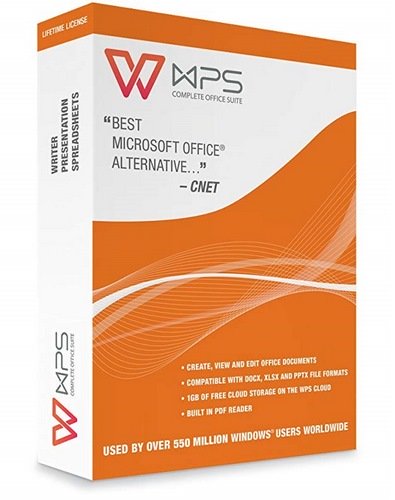
WPS Office 2019 v11.2.0.9281 Multilingual


WEWARfbpf7ghbr60ei-EC1sr6-VDLhw-U7s.jpg

Languages: Multilingual | File Size: 151.11 MB

A visually appealing office suite, that you can use in a variety of situations, delivered as a complex yet very user-friendly application package. WPS Office 2019 is a comprehensive office suite that provides you with the ability to perform a wide array of tasks related to the creation, editing and display of text documents, slideshows and data tables. Your dream solution for a low-budget, no-commitment, free productivity office suite. The smallest size office suite consisting of Writer, Presentation, and Spreadsheets.
​

Three tools with intuitive and straightforward looks
This software package offers three distinct components, namely Kingsoft Writer, Kingsoft Presentation and Kingsoft Spreadsheets, each with their own individual purpose and numerous functions.

Create and edit written documents, slideshows and workbooks
Kingsoft Writer is a text editor that features countless options and tools. Aside from being able to change fonts, colors, alignment types, insert bullets, or special characters and symbols, you can also add tables or pictures, shapes or charts, or date and time stamps. Moreover, it comes with a series of 'Recommended Templates' for letters, invoices, resumes, memos, timetables, agreements and other standardized documents that you can use to ease your work.

All In One Mode
Document, Spreadsheets, Presentation, PDF, all tabs in one window like browser.

Skin Center
Multiple skins to show your personality.

WPS Office - Rich Content
Now it's getting simple to make a more good-looking document. Newly-designed charts feature modern colors and graphics. You can directly adjust the effect of wordarts in preview page as professional graphics software does. Everything is for you to compile and create a better document.

WPS Office - Synchronize Your Work
Automatically synchronize document on any devices, anywhere and anytime. You can log in your account to activate the synchronization service. Any change on any of your devices will be applied on all your devices.

RELEASE NOTES:
Startpage
- Support for managing shared documents and documents received from browsers or communication software.
- New interaction design brings smoother document management experience.

Send to computer
- Support sending documents from mobile phone to computer.

The Cloud font
- Support for downloading online fonts.

New document
- You can quickly create new documents in four formats by right-clicking the WPS Office icon in the taskbar.

Performance Improvement
- Compatible with Mendeley plugin.
- Fixed some crashes and improved program stability.

Required Operating System:
Windows XP / Windows Vista (32bit, 64bit) / Windows 7 (32bit, 64bit) / Windows 8 / Windows 10

Basic Configurations:
- CPU: Pentium II 266 MHz or higher
- Memory: at least 128 MB
- Hardware: at least 200 MB available space

Recommended Configurations:
- CPU: Pentium III 450 MHz or higher
- Memory: 256 MB or larger
- Hardware: 250 MB available

HOMEPAGE
Код:
https://www.wps.com/

6d69ce3aee1ac0cc3e7937ec31f415c5.png


Download From Rapidgator

Код:
https://rapidgator.net/file/7b460d50a117b8983fa9c0a21fcfcd33

Download From Nitroflare

Код:
http://nitroflare.com/view/B5148C72D37079C/BaDshaH_.WPSO.11.2.0.9281.rar

​
 
Loaris Trojan Remover 3.1.24.1455 Multilingual


a920270038665775d243f4439bfd85c6.jpg

File size: 74.8 MB

Loaris Trojan Remover aids in the removal of Malware - Trojan Horses, Worms, Adware, Spyware - when standard anti-virus software either fails to detect them or fails to effectively eliminate them. Standard antivirus programs are good at detecting this Malware, but not always good at effectively removing it. The majority of Anti-Malware Scanners well detects malicious software - Trojan Horses, Internet Worms, Adware and Spyware. But they are not always efficient in removing them once they have been triggered.
​

Key Features:
- Removing of complex threats requiring system-level operation (backdoor, rootkit, etc.)
- Ignore list
- Removable scan type
- Additional tools
- Use connection via proxy

Time-tested Company
We have established trusted relationships with our clients and gathered and crew, specialized on software security.

Modern Technologies
Use of advanced technologies is vital in our work to provide our users with maximum quality of computer protection.

Motivated Management
Loaris Trojan Remover team is united by security! We have strict goals of helping users to protect their information.

Cyber security is one of the main concerns for companies as the most valuable asset for many of them is data. Your company's data is always safe with LOARIS Corporate License.

RELEASE NOTES:
- May include unspecified updates, enhancements, or bug fixes.

System Requirements:
- Windows XP, Vista, 7, 8, 8.1, 10.
- 90 MB hard disk space
- Minimum 800*600 screen resolution

HOMEPAGE
Код:
https://loaris.com/

6d69ce3aee1ac0cc3e7937ec31f415c5.png


Download From Rapidgator

Код:
https://rapidgator.net/file/9caeef1935a1d54a04f8aa1f008caf05

Download From Nitroflare

Код:
http://nitroflare.com/view/E5305887F9921F2/BaDshaH_Loaris.Trojan.Remover.3.1.24.1455..rar


​
 
Navicat for PostgreSQL 15.0.13


8c72f893c2c4ca154891e386f0d2fdff.png

File size: 70 MB

Navicat for PostgreSQL is an easy-to-use graphical tool for PostgreSQL database development. From writing simple SQL queries to developing complex databases, Navicat for PostgreSQL is designed to accommodate a wide range of users, from PostgreSQL beginners to seasoned developers. Connect to local/remote PostgreSQL servers and compatible with cloud databases like Amazon Redshift, Amazon Aurora, Amazon RDS and Google Cloud, and all PostgreSQL database objects.
​

Features:
Seamless Data Migration
Data Transfer, Data Synchronization and Structure Synchronization help you migrate your data easier and faster for less overhead. Deliver detailed, step-by-step guidelines for transferring data across databases. Compare and synchronize databases with Data and Structure Synchronization. Set up and deploy the comparisons in seconds, and get the detailed script to specify the changes you want to execute.

Diversified Manipulation Tool
Use Import Wizard to transfer data into a database from diverse formats, or from ODBC after setting up a data source connection. Export data from tables, views, or query results to formats like Excel, Access, CSV and more. Add, modify, and delete records with our spreadsheet-like Grid View together with an array of data editing tools to facilitate your edits. Navicat gives you the tools you need to manage your data efficiently and ensure a smooth process.

Easy SQL Editing
Visual SQL Builder will help you create, edit and run SQL statements without having to worry about syntax and proper usage of commands. Code fast with Code Completion and customizable Code Snippet by getting suggestions for keywords and stripping the repetition from coding.

Intelligent Database Designer
Create, modify and manage all database objects using our professional object designers. Convert your databases into graphical representations using a sophisticated database design and modeling tool so you can model, create, and understand complex databases with ease.

Increase your Productivity
Our powerful local backup/restore solution guides you through the backup process and reduces the potential for errors. Compile professional high-quality reports in minutes using an interactive design interface and efficient workflow, and set an automation for repeatable deployment process like report generation, database backup, and script execution at a specific time or day. No matter where you are, you can always get the job done.

Make Collaboration Easy
Synchronize your connection settings, models, queries and virtual groups to our Navicat Cloud service so you can get real-time access to them, and share them with your coworkers anytime and anywhere. With Navicat Cloud, you can leverage every minute of your day to maximize your productivity.

Advanced Secure Connection
Establish secure connections through SSH Tunneling and SSL ensure every connection is secure, stable, and reliable. Support different authentication methods of database servers such as PAM authentication. Navicat 12 provides more authentication mechanisms and high-performance environments so you never have to worry about connecting over an insecure network.

Whats New
Код:
https://www.navicat.com/en/products/navicat-for-postgresql-release-note

HOMEPAGE
Код:
https://www.navicat.com/

6d69ce3aee1ac0cc3e7937ec31f415c5.png


Download From Rapidgator

Код:
https://rapidgator.net/file/74c764bf2f84bca2e6de59292fc5d39b

Download From Nitroflare

Код:
http://nitroflare.com/view/554B43B791953CF/BaDshaH_navicat150_pgsql.rar


​
 
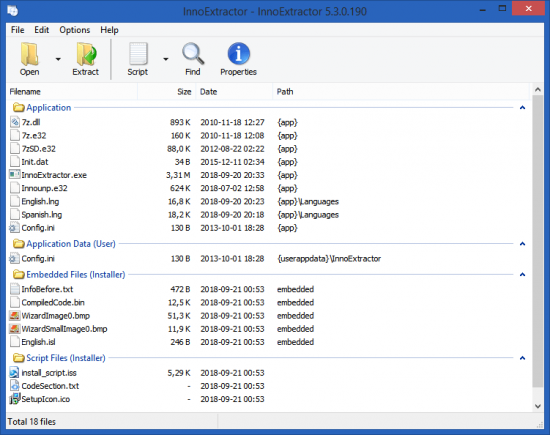
InnoExtractor Plus 5.3.1.200


th-7j-Xz5-MOCl-F0-Me-TSxbc3-Up99u-Ygk-X4-IQc.png

File Size: 2.6 MB

InnoExtractor is a powerful application that helps you to unpack Inno Setup installers using InnoUnp technology. With InnoExtractor you can explore the internal structure and content of the installer and you can to extract them to a local folder or a portable devices, without having to run the setup.
​

Features:
Simple and friendly GUI.
Open installers into the application with only drag and drop executables from Windows Explorer.
Explore the internal content (files and more) of the installer.
Extract the embedded files and script to a local folder, to a zip package or to a self-extracting module (portable).
Decompiles the "CompiledCode.bin" file of the Installer to get the assembly code, corresponding to the "Code" script section (for advanced users only).
Open internal files of the installer into the same application.
Perform file searches by keyword.
Input panel, that allows you to enter a valid password to extract encrypted installers.
Properties panel to see advanced information about the installer.
History for recently opened installer.
Other miscellaneous options.
Support older and latest versions of Inno Setup.
Support older and latest versions of InnoUnp.
Application available in multiple languages.
Designed for Windows 2000, XP, Vista, 7 and 8/8.1.
Full Unicode support.
Much more...

What's new:
official site does not provide any info about changes in this version.

HOMEPAGE
Код:
http://www.havysoft.cl/

6d69ce3aee1ac0cc3e7937ec31f415c5.png


Download From Rapidgator

Код:
https://rapidgator.net/file/122d81dab222e1130aad436d842733d0

Download From Nitroflare

Код:
http://nitroflare.com/view/03DA137E50F123D/BaDshaH_InnoExtractor.Plus.5.3.1.200..rar


​
 
Назад
Сверху