• Здравствуйте. Сайт заработал в архивном режиме форум www.old.nado.in

All mitsumi'1s Applications !! (updated daily)

  • Автор темы Автор темы mitsumi1
  • Дата начала Дата начала
Argente System Repair 1.0.7.4

8a30dd4876973b6805c934a8cf2f163a.png


Argente System Repair 1.0.7.4 | Size: 121.94 MB
Language: English
​


Argente System Repair is aimed at diagnosing the Windows system, allowing you to analyze key areas of the computer, identify errors and quickly fix them to ensure high performance.

Three scan modes available
The application is extremely easy to use, mostly due to the user-friendly and minimalistic GUI. The main window displays information and statistical data about the last scan and the number of repaired items.
Below, you can find options to select the scan type. Argente System Repair comes with three different scan modes, each with its own particularities. In the 'Simple' mode, Argente System Repair only analyzes environment variables and errors in the file system and the WMI repository. The 'Recommended' mode, which is the default, selects all the scan areas, including Windows components, installation files and installed packages. It allows you to defragment and recover drive C.
The 'Custom' mode is, as its name suggests, the way to go if you want to freely select the actions to perform and device upon the scan yourself. And speaking of custom mode, you are also free to create an exclusion list to leave out any application or Windows section that you don't want analyzed.
Get info on your computer's health and status
Once you start the scan, Argente System Repair updates the number of detected and scanned elements.
The analysis results are shown, allowing you to explore them and check out details about the application's findings. However, during our test, we were not able to read all the details. This application can get a primary diagnostic when you need to assess your PC's health.

System Requirements: Windows 8/10/11


DOWNLOAD LINKS:​


Код:
https://rapidgator.net/file/a2b3be754a2b865aebc0445a22789fe1/Argente_System_Repair_1.0.7.4.rar.html

Код:
https://nitroflare.com/view/4F7606F4DA8B786/Argente_System_Repair_1.0.7.4.rar
 
Autodesk Advance Steel 2027.0.1 (x64) Hotfix Only

7f07803f685443cbba8dc0154cf07e05.png


Autodesk Advance Steel 2027.0.1 (x64) Hotfix Only | Size: 320.41 MB
Language: English
​


Advance Steel detailing software is built on the AutoCAD platform. Intelligent 3D modeling tools help you accelerate accurate design and detailing. Speed time to fabrication and construction with tools that automatically generate shop drawings and deliverables.

Features and amenities Autodesk Advance Steel:
-Selecting parts of the model: discrete and display selected elements
-Intelligent structural objects: Modeling Quick library objects and wizards
-Stairs , railings, ladders and cages: help to speed the modeling of miscellaneous steel work
-Model-based approval workflow: color code objects based on the approval status
-Steel Parameters: extensive library of parametric connections
-Working with sheet metal: rapid creation of multi-layer elements in a variety of forms
-Defining the properties of welding: Welding automatic or user-defined symbols
-Engine design, steel connection: connection design review in real time
-Produce detailed maps than for construction
-Production data for CNC machine workshop
-Adding tags to automatically and manually after
-Maps clearer for installation in
-Put the list in general arrangement drawings
-Data integration for the entire project
-KISS or output of data via XML
-Cooperation multiple users simultaneously
-Control and document management

System Requirements:
OS:Microsoft Windows 10 Anniversary Update (64-bit only) (version 1607 or higher)
CPU:3+ GHz
RAM:16 GB
Display Resolution:1920x1080 (1080p) / 3840x2160 (4K)
Disk Space:9 GB / 1 GB additional free disk space is recommended for disk cache.
Net FrameWork:NET Framework Version 4.7

HOMEPAGE: Code:
Код:
https://www.autodesk.com/


DOWNLOAD LINKS:​


Код:
https://rapidgator.net/file/e386284e3a3ef7a567a8476a2f22a9b5/Autodesk_Advance_Steel_2027.0.1_x64_Hotfix_Only.rar.html

Код:
https://nitroflare.com/view/755E8269A29DA8C/Autodesk_Advance_Steel_2027.0.1_x64_Hotfix_Only.rar
 
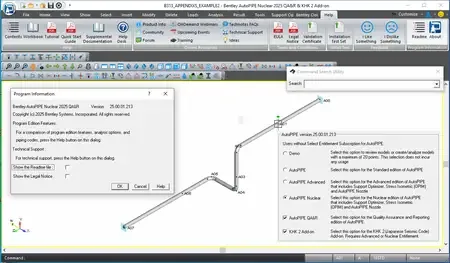
AutoPIPE 2025 Minor 1 v25.00.01.213 Win x64 English

7df5779d65d17edcf32bae866551a1bc.webp

AutoPIPE 2025 Minor 1 v25.00.01.213 | 1.1 Gb
Languages Supported: English, 中文, Polski, 日本語
Bentleyhas released AutoPIPE 2025 Minor 1 (25.00.01.213) is design and analysis application for calculating piping code stresses, loads, and defl ections under static and dynamic load conditions to meet the highest nuclear standards.
AutoPIPE 2025 is a new major yearly release, you will be able to install it side by side with any earlier version of AutoPIPE. In addition to new code updates and bug fixes, we have managed to deliver some new features that I hope you will find useful. Note, that some of these features were released earlier in the two minor updates to AutoPIPE 2024 but have not yet been introduced.


Code updates
- ASME Nuclear Codes NB and NCD both updated to the latest code year 2023. No significant changes to the calculations and only minor changes to the material properties.
- ASME B31J Stress Intensification Factors and Flexibility Factors code updated to the latest code year 2023. Note we retain the previous versions should you want to continue using them.
- Canadian CSA-Z662 updated to the latest code year 2023. No significant changes to the calculations were observed.
New codes and analysis features
ASME NM.2
As part of our drive the support the ASME non metallic codes we completed the implementation of ASME NM.2 for Glass / Fiber Reinforced Plastic (GRP / FRP) in the first minor update to AutoPIPE 2024. This has been well received by our users as more and more move to non metallic piping. We will deliver the ASME NM.1 Thermoplastic Piping later this year.
EN1591 Flange design
The long awaited European Flange design to EN1591 is now available. This required writing from the ground up with a brand new reporting tool as the input is very different to the already supported ASME approaches. This feature will allow users to extract flanges from their models, carry out the more detailed analysis that is available with EN1591 and generate a report from within AutoPIPE.
Fatigue analysis
We already have fatigue analysis for nuclear users that follows the process in ASME NB for Class 1 nuclear components. We now support non nuclear fatigue using ASME B31.3 Appendix W302.1. Combine operating conditions and assign expected number of cycles and receive the material fatigue usage. Leveraging AutoPIPE's principal "General" stress calculations, the solution is piping code agnostic. Standard ASME fatigue curves and custom fatigue curves with up to 100 entries can be considered. An extensive fatigue report showing how cycles contribute to the usage factor (total fatigue damage) is provided.
Other features
Data API
We now provide a well documented Python API to read and manipulate AutoPIPE's proprietary binary file. Create scripts so that repetitive processes can be automated. Import pipe property details from external spreadsheets, define options, test compliancy of all models in a directory, query a number of models for specific data, assign data to multiple components like flange weight based on specification, calculate the surface area of pipe for paint or insulation requirements and much more. With the very powerful API can work on multiple models at the same time, improving you productivity. AutoPIPE Data API Webinar
Template file
Templating your project information and sharing around your team, will improve efficiency and consistency. Saving a model to template stores global information like Model Options (General, Edit, Results), Pipe Properties, Loadings (Wind, Static G etc) that can then be shared and reused saving time entering them into each new model and allowing for standardization across the project.
Landing Page
The Landing Page brings together all the setting, tools, help and license control for your convenience and provides direct access to your recent models including the new Template Files. Most importantly it notifies you that we have a newer version available than the one you are using as many users have found it difficult to know when this is the case. Additionally we will also send notifications of news items and events relevant to AutoPIPE.
Report Cache
Many times, the report might be needed when there has been no change to the model. Currently, the report would need to regenerate fresh each time. With report cache the program will reopen the previous output report held in cache without the need to regenerate it. Once the model has changed, the results will be affected and a new report will grnerated.
What's New: AutoPIPE 2025 Minor 1 Release
What is New & Changed in AutoPIPE 2025 Minor 1 (25.00.01.213) - Date: Dec. 2025
AutoPIPE 2025 is a yearly release which gets updated by occasional minor releases for security, critical fixes, and improvements. The details of the releases and timelines are provided below:
Piping Codes
- Added the 2024 edition of ASME B31.1 Power Piping. This edition does not introduce any changes from the 2022 edition that affect AutoPIPE design calculations.
- Added the 2024 edition of ASME B31.3 Process Piping. This edition of B31.3 now requires that B31J General Note D is applied. Occasional stress indices now follow the same rules as sustained stress, equation 23a.
User Interface
- User-customizable settings such as ribbon commands, themes, and viewport colors can now be easily exported, imported, or reset.
- Added the AutoPIPE API Documentation command to the Landing Page (Help > Help > AutoPIPE API Documentation) and the Ribbon (Help > Help > AutoPIPE API Documentation), which can be used to access the documentation for the AutoPIPE API.
Import/Export
- AutoPIPE can now import structural models from Revit using iTwin Services.
- PCF Import: Tap Connections can now be imported through PCF. Also, default stiffness values can now be defined for Flexible Joint import.
- Extended support for importing Caesar II v13 and v14 neutral files.
Analysis
- The number of modes for modal analysis has been extended to 9,999 modes (previously 999 modes).
abc51e266fa7581ad05f01c791439d18.webp

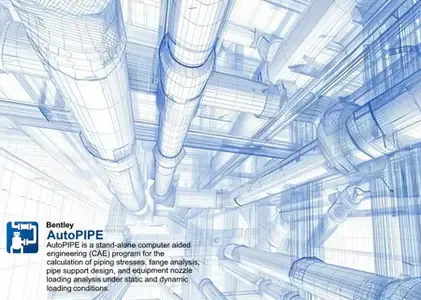
AutoPIPEis a stand-alone, engineering application for the calculation of piping stresses, fatigue stresses, fluid transient, bowing or thermal transient analysis, flange or pipe support design, and equipment nozzle loading analysis under static and dynamic loading conditions. In addition to 30+ piping codes, AutoPIPE incorporates ASME, JSME, British Standard, European, API, NEMA, ANSI, ASCE, AISC, UBC, GOST and WRC guidelines and design limits to provide a comprehensive analysis of the entire system.
AutoPIPE Overview
AutoPIPE provides you with a comprehensive and advanced software tool specialized in pipe stress analysis. Increase your productivity and improve quality control with an intuitive modeling environment and advanced analysis capabilities. Ensure efficient workflows between pipe stress engineers, structural engineers, and CAD designers through interoperability with leading plant design applications.
Bentley Systems, Inc.is the global leader dedicated to providing architects, engineers, constructors, and owner-operators with comprehensive architecture and engineering software solutions for sustaining infrastructure. Founded in 1984, Bentley has nearly 3,000 colleagues in more than 45 countries, $500 million in annual revenues, and, since 2001, has invested more than $1 billion in research, development, and acquisitions.
Сopyright holder \ Distributor:Bentley Systems, Inc.
Product Name:AutoPIPE
Version:2025 Minor 1 (25.00.01.213)
Supported Architectures:x64
Website Home Page :www.bentley.com
Languages Supported:english
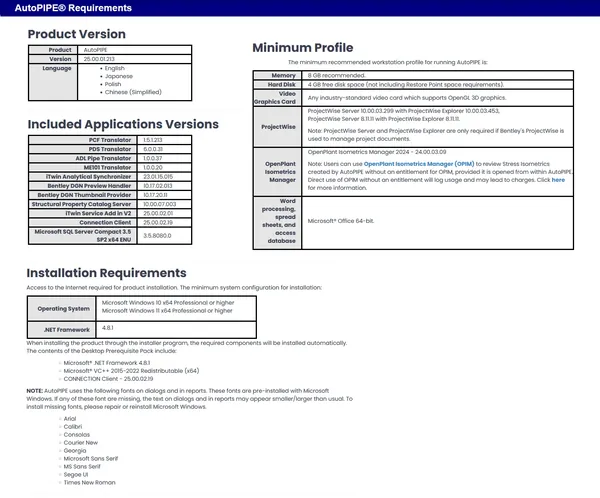
System Requirements:Windows *
Size in archive:1.1 Gb

63ecabef80fc070408de6d593c143f23.webp


Rapidgator
Код:
https://rapidgator.net/file/bf3c4167cc9d89d34f828378e0d4f43e/4fho7.AutoPIPE-2025-Minor-1-25-00-01-213.rar.html

Код:
https://nitroflare.com/view/48244AF4B481A53/4fho7.AutoPIPE-2025-Minor-1-25-00-01-213.rar
 
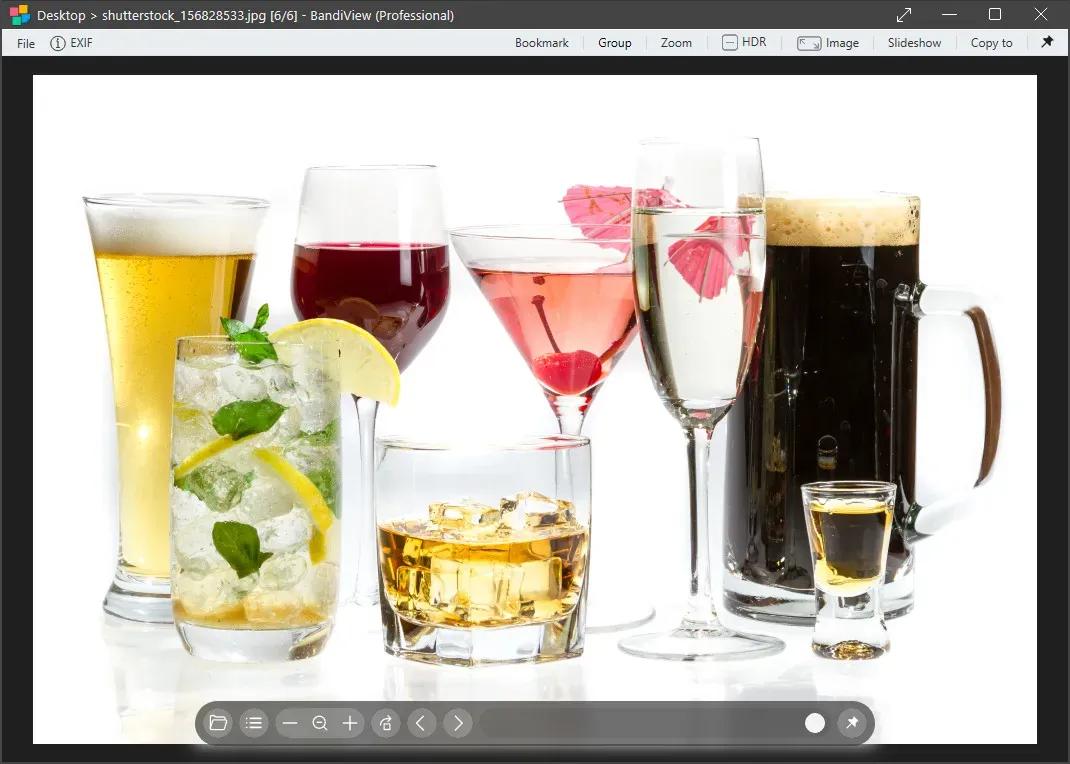
BandiView Pro 7.27 (x64) Multilingual

707ffa0130d4c259b05e2201dc7c683a.jpg


BandiView Pro 7.27 (x64) Multilingual | Size: 18.29 MB
Language: English
​


BandiView is the succeeding image viewer to Honeyview, that inherits everything cool of its predecessor and also gets improved even further. Fast and easy to view images in a variety of formats, from the most common ones to the most professional ones.

For the most graphic details - HDR support
BandiView supports an image output using HDR (High Dynamic Range) to express a widened range of brightness and color.
Do not miss the full experience of what HDR can really do with BandiView.

Webtoon view mode
BandiView can show multiple images as one vertical flow.
Useful when working on a webtoon; arrange images to grasp the overall story.

Multiple format support
Not to mention images in many popular formats, BandiView provides support for RAW files taken by your camera, professional graphics like Clip Studio Paint, and even HEIC files from your iPhone.

Convert images faster and easier
BandiView can convert the format or size of multiple images simultaneously, at 10x faster processing speed than other converters do. Only thing it needs is a few click of your mouse.

OS: Windows 10, 11 (64-bit)

HOMEPAGE: Code:
Код:
https://en.bandisoft.com/bandiview/


DOWNLOAD LINKS:​


Код:
https://rapidgator.net/file/050a7fabfc14dd8cbe0a6152cf871749/BandiView_Pro_7.27_x64_Multilingual.rar.html

Код:
https://nitroflare.com/view/C8A98370AB9DC7A/BandiView_Pro_7.27_x64_Multilingual.rar
 
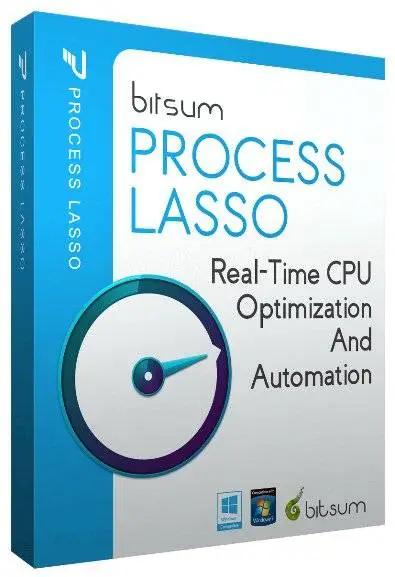
Bitsum Process Lasso Pro 18.2.1.6 Multilingual

cb34b098d805a51ee75141026ced3aaa.jpg


Bitsum Process Lasso Pro 18.2.1.6 Multilingual | Size: 6.44 MB
Language: English
​


Process Lasso is a unique new technology that will, amongst other things, improve your PC's responsiveness and stability. Windows, by design, allows programs to monopolize your CPU without restraint - leading to freezes and hangs. Process Lasso's ProBalance (Process Balance) technology intelligently adjusts the priority of running programs so that badly behaved or overly active processes won't interfere with your ability to use the computer!

Process Lasso also offers an assortment of ways to take full control of how your CPUs are allocated to running programs. You can choose at what priority processes should run, and which CPUs (cores) should be assigned to them. You can also disallow certain programs from running, log all programs run, and so much more (see list below).

Once you install Process Lasso, it'll just start working. More advanced users can tweak the configuration, but you needn't touch anything to have it instantly improve your system responsiveness and prevent stalls in high load situations.

For network admins, Proces Lasso works wonderfully on Terminal Servers and in multi-user environments. We have many clients that have been using Process Lasso on their Terminal Servers for years.

Best of all, Process Lasso is written in native C++, not .NET. This means it consumes very few system resources - considerably less than any similar software.

Process Lasso Features
Prevent processes from monopolozing the CPU(s)
ProBalance dynamic priority optimization
CPU throttling (new)
Save process priorities for future instances
Save process CPU affinities for future instances
Gaming mode
Foreground boosting
Limit allowed program instances
Disallow programs from running
Log all programs run
Auto-restart processes if they are terminated (new in beta)
System responsiveness graph
Stand-alone core engine
Available in x86-32 and x86-64 builds
Extremely low RAM and CPU use

Operating System: Windows XP to Windows 11, and all Server variants

HOMEPAGE: Code:
Код:
https://bitsum.com/


DOWNLOAD LINKS:​


Код:
https://rapidgator.net/file/f2a526d25591afd33ffea1b237696e52/Bitsum_Process_Lasso_Pro_18.2.1.6_Multilingual.zip.html

Код:
https://nitroflare.com/view/979832FF8866327/Bitsum_Process_Lasso_Pro_18.2.1.6_Multilingual.zip
 
Bitsum Process Lasso Pro 18.2.1.6 Multilingual

cb34b098d805a51ee75141026ced3aaa.jpg


Bitsum Process Lasso Pro 18.2.1.6 Multilingual | Size: 6.44 MB
Language: English
​
[/center]

Process Lasso is a unique new technology that will, amongst other things, improve your PC's responsiveness and stability. Windows, by design, allows programs to monopolize your CPU without restraint - leading to freezes and hangs. Process Lasso's ProBalance (Process Balance) technology intelligently adjusts the priority of running programs so that badly behaved or overly active processes won't interfere with your ability to use the computer!

Process Lasso also offers an assortment of ways to take full control of how your CPUs are allocated to running programs. You can choose at what priority processes should run, and which CPUs (cores) should be assigned to them. You can also disallow certain programs from running, log all programs run, and so much more (see list below).

Once you install Process Lasso, it'll just start working. More advanced users can tweak the configuration, but you needn't touch anything to have it instantly improve your system responsiveness and prevent stalls in high load situations.

For network admins, Proces Lasso works wonderfully on Terminal Servers and in multi-user environments. We have many clients that have been using Process Lasso on their Terminal Servers for years.

Best of all, Process Lasso is written in native C++, not .NET. This means it consumes very few system resources - considerably less than any similar software.

Process Lasso Features
Prevent processes from monopolozing the CPU(s)
ProBalance dynamic priority optimization
CPU throttling (new)
Save process priorities for future instances
Save process CPU affinities for future instances
Gaming mode
Foreground boosting
Limit allowed program instances
Disallow programs from running
Log all programs run
Auto-restart processes if they are terminated (new in beta)
System responsiveness graph
Stand-alone core engine
Available in x86-32 and x86-64 builds
Extremely low RAM and CPU use

Operating System: Windows XP to Windows 11, and all Server variants

HOMEPAGE: Code:
Код:
https://bitsum.com/


DOWNLOAD LINKS:​
​

Код:
https://rapidgator.net/file/f2a526d25591afd33ffea1b237696e52/Bitsum_Process_Lasso_Pro_18.2.1.6_Multilingual.zip.html

Код:
https://nitroflare.com/view/979832FF8866327/Bitsum_Process_Lasso_Pro_18.2.1.6_Multilingual.zip
 
Boris FX Silhouette 2026.0 (x64)

bc4763d4cd328f7f4ecce0fa5c18e3b7.jpg


Boris FX Silhouette 2026.0 (x64) | Size: 5.13 GB
Language: English
​
[/center]

The industry's leading roto and paint tool is now packed with major features for compositing. Silhouette 2024 delivers 400+ nodes including premier plugins Sapphire, Mocha Pro, and Particle Illusion wrapped in one integrated node-based package. Silhouette has been integral to Hollywood's biggest titles for over fifteen years and recently made its mark on Dune, Spiderman: No Way Home, Free Guy, and The Mandalorian. Designed by visual effects artists, Silhouette has been recognized with prestigious Academy and Emmy technical awards and is a member of the Netflix Production Technology Alliance.

Packed with Effects Tools
Top Boris FX tools are now included in Silhouette.

Sapphire
Award-winning plugins with 270+ effect nodes and thousands of presets. Featuring the best lighting effects, lens flares, and creative image processing filters for VFX.

Mocha Pro
Now included! Featuring PowerMesh, Remove and Stabilize. New data ports and node actions connect the Mocha node to native nodes.

Particle Illusion
Create realistic particle simulations with 3D emitters, fluid dynamics, and a massive preset library. Add useful environmental elements such as snow, smoke, and fire - all within Silhouette.

More Filters
Select Continuum nodes with fast GPU processing. Including Magic Sharp, Beauty Studio, Light Leaks, Video Glitch, Film Glow, and new blur filters.

New Nodes for Invisible VFX
New nodes add control and flexibility on advanced clean up shots.

InPaint
Apply the InPaint node to remove unwanted pixels using auto-generated textures from surrounding image data. Effective for removal of unwanted objects such as markers, blemishes, or wire removal when using open splines! Learn more about InPaint

PowerMeshWarp
Using new data ports, connect the Mocha Pro node to this node for efficient "reverse warp stabilized" painting or rotoscoping. Useful for beauty work and painting on skin and fabric surfaces.

Tracking & Roto Improvements
New Surface tool and DOD update with cropped tracking for precision and speed.

Data Port update enables the Mocha Pro node to pass tracking and spline data within Silhouette's node graph to paint and roto for improved workflows. Point Control Parameter Tracking. Drive lens flares, particles and more by channeling data into any node via tracking data ports and new transform property pop-up menu.

Node Actions
Create Mocha generated nodes without launching the UI. Save time with Copy Data, Create Roto Node, Create Tracker Node actions. Watch Video.

More tracking exports
Silhouette adds more tracking and roto export formats with the Mocha Pro node with more support for Nuke, Fusion, Flame, FBX, and Alembic.

Architecture and Speed
Silhouette 2024 includes under the hood enhancements that improve general workflows for professional post-production and VFX studios. Apple M1 support delivers speed boosts on newest Mac hardware. Improved OCIO v2 color management features GPU rendering and improved ACES support on color managed projects.

System Requirements
- Windows: Windows 10 & 11 (64-bit)
- Processor: Intel or AMD processor
- Memory: 8GB or more
- Disk: High-speed disk array or SSD storage. 1GB of available disk space for caching and temporary files

Graphics Card
- NVIDIA GTX 460 or better
- AMD Radeon 57xx series or better
- OpenGL 2.1 capable graphics card
- OpenCL 1.1 capable graphic card
- 1GB of graphics memory for film resolution

HOMEPAGE: Code:
Код:
https://borisfx.com/


DOWNLOAD LINKS:​
​

Код:
https://rapidgator.net/file/45afc88a2bfc1e284290acf0fd93dda2/BorisFX.Silhouette.2026.0..part1.rar.html
https://rapidgator.net/file/bfe06a6c26efe189ea5a7bd6d51a7723/BorisFX.Silhouette.2026.0..part2.rar.html
https://rapidgator.net/file/61c61c0328f636040cd461accee84f9b/BorisFX.Silhouette.2026.0..part3.rar.html
https://rapidgator.net/file/4e04eaf8e766fd96584d0c74a664fe24/BorisFX.Silhouette.2026.0..part4.rar.html
https://rapidgator.net/file/45a74b90a2bc0a86a7355a3e23b9fc18/BorisFX.Silhouette.2026.0..part5.rar.html
https://rapidgator.net/file/a707540939b1e33f8581b4e1982e7906/BorisFX.Silhouette.2026.0..part6.rar.html

Код:
https://nitroflare.com/view/DDD39B41E719966/BorisFX.Silhouette.2026.0..part1.rar
https://nitroflare.com/view/1CBE52BEC0B80BC/BorisFX.Silhouette.2026.0..part2.rar
https://nitroflare.com/view/0D467CCA5682323/BorisFX.Silhouette.2026.0..part3.rar
https://nitroflare.com/view/95EF6C24F0CE908/BorisFX.Silhouette.2026.0..part4.rar
https://nitroflare.com/view/BD5C8B640596936/BorisFX.Silhouette.2026.0..part5.rar
https://nitroflare.com/view/A1A23115F97EB70/BorisFX.Silhouette.2026.0..part6.rar
 
Calibre 9.9.0 (x64) Multilingual

a07499f4698e69cdcaa841342d50e144.jpg


Calibre 9.9.0 (x64) Multilingual | Size: 212.46 MB
Language: English
​
[/center]

Effortlessly keep your e-book library thoroughly organized with the help of this efficient and straightforward software solution. Calibre is an e-book library management application. It is free, open source and cross-platform in design and works on Linux, OSX and Windows.Calibre is meant to be a complete e-library solution and thus includes, library management, format conversion, news feeds to ebook conversion as well as e-book reader sync features.
Calibre is an application that allows you to view, convert and organize e-books in a simple manner.

The user interface of the program is simple to use. You can add e-books (from a single or multiple directories) by using the file browser or the "drag and drop" function. You can also add books by entering their ISBN code.

In the tag browser you can sort e-books according to their author, language, series, format, publisher, rating, as well as news, tags and identifies.
So, you can download or edit metadata individually or in bulk, get covers, merge e-book records, convert e-books individually or in bulk (in the XML, CSV, EPUB, MOBI and other formats), as well as send e-books to devices.

You can also use the "Fetch news" feature to download news from websites and convert them into a preferred e-book format. It is possible to schedule news downloads, add a custom sources or download all scheduled news sources as well.
Calibre allows you to create libraries and toggle between them, as well as rename, delete, backup and restore libraries, connect to iTunes, start a content server, search and sort e-books, and more.
The program uses a high amount of system resources and contains a comprehensive help file. It didn't freeze or crash during our tests. Calibre is easy to use and provides a great solution for viewing and organizing e-books in various formats.

System Requirements: Windows 11, Windows 10, 8 , 7


DOWNLOAD LINKS:​
​

Код:
https://rapidgator.net/file/6dad54b88e8ee44a7683881ee0073c6d/Calibre_9.9.0_x64_Multilingual.rar.html

Код:
https://nitroflare.com/view/DF100F33E893FDA/Calibre_9.9.0_x64_Multilingual.rar
 
Capture One Enterprise 16.8.0.32 macOS

8b228f5917adadc129679843b13afc2a.webp

Capture One Enterprise 16.8.0.32 Multilingual Fast Links | macOS | 1.89 Gb
Capture One Enterprise is designed for high-volume studios where efficiency is paramount. It comes with the same imaging benefits that Capture One Pro offers but with extra functionality specifi- cally designed for a streamlined workflow.
[/center]

. Enterprise users benefit from an expanded tool-box and automation solutions that can be tailored to the way their business works.
Capture One creates powerful photo editing software for all kinds of photographers. Its authentic true-to-life color processing, seamless editing experience, and fastest tethering in the industry gives you total creative control, making it a household name in studios across the world. Based in Copenhagen, Denmark, Capture One empowers photographers with cutting-edge features to keep your photography one step ahead.
A powerful editing software that lets you quickly bring your photography to life with lightning-fast tethering, timesaving editing tools that give you creative control, and a personalized workflow with a customizable interface. Renowned for its RAW image processing and true-to-life colors thanks to tailored profiles for nearly 600 camera models and lenses, Capture One gives you the best of your image to work with right from the start.
With an updated processing engine, market-leading performance and powerful new features, Capture One is the professional choice in imaging software. You get the highly responsive precision tools you need to create stunning images from your camera's RAW files in a time-saving workflow that can be customized to fit your needs.
Tools exclusive to Capture One Enterprise are as follows:
1. Barcode scanner tool
2. Advanced Guides
3. Next Capture Backup
4. Next Capture Keywords
5. Next Capture Metadata
6. Tool Locks
7. Capture Pilot with Enterprise enhancements
8. Dedicated Studio workspaces
Compatibility: macOS 14.0 or later

Rapidgator
Код:
https://rapidgator.net/file/aacbc117614b7a9cd5a921a4b4b890c1/vxt3d.Capture_One_ent_16.8.0.32macOS.rar.html

Код:
https://nitroflare.com/view/61493208A2B0D84/vxt3d.Capture_One_ent_16.8.0.32macOS.rar
 
Capture One Pro 16.8.0.32 macOS

40db19300bb75c4bb1f57a645262395c.webp

Capture One Pro 16.8.0.32 Multilingual Fast Links | macOS | 1.89 Gb
Capture One creates powerful photo editing software for all kinds of photographers. Its authentic true-to-life color processing, seamless editing experience, and fastest tethering in the industry gives you total creative control, making it a household name in studios across the world
[/center]

Based in Copenhagen, Denmark, Capture One empowers photographers with cutting-edge features to keep your photography one step ahead.
A powerful editing software that lets you quickly bring your photography to life with lightning-fast tethering, timesaving editing tools that give you creative control, and a personalized workflow with a customizable interface. Renowned for its RAW image processing and true-to-life colors thanks to tailored profiles for nearly 600 camera models and lenses, Capture One Pro gives you the best of your image to work with right from the start.
With an updated processing engine, market-leading performance and powerful new features, Capture One is the professional choice in imaging software. You get the highly responsive precision tools you need to create stunning images from your camera's RAW files in a time-saving workflow that can be customized to fit your needs.
Compatibility:macOS 14.0 or later

Rapidgator
Код:
https://rapidgator.net/file/f36667d1edef2496ded7d1697d977034/0q0d5.Capture_One_Pro_16.8.0.32macOS.rar.html

Код:
https://nitroflare.com/view/7B81E83A0C31CC1/0q0d5.Capture_One_Pro_16.8.0.32macOS.rar
 
TechSmith Snagit 2026.2.0 macOS

3fbfee9a3797a8721813a39fc1c4f44f.webp

TechSmith Snagit 2026.2.0 Multilingual Fast Links | macOS | 196 mb
TechSmith Snagit is a powerful screen capture and recording tool that makes it easier than ever to collect and share information. With intuitive editing features and access to a library of templates, anyone can transform simple captures into professional-quality images, GIFs, and videos.
[/center]

Share information like never before
Snagit lets vou quickly capture vour screen and camera at the same time and instantly share your video anywhere. Give status updates, deliver feedback, or demonstrate a process without a meeting, call, or long email.
Bring your ideas to life
Adding context to your screen captures is a breeze with Snagit's full suite of easy-to-use editing tools. Redact sensitive information, rearrange objects, and even draw on your screen while you record a video.
Work and share from anywhere
Snagit's cloud librarv helps vou keep vour captures organized and accessible from multiple devices. Instantly share your images, videos, and GIFs via the apps you already use every day.
Key Features:
Screen Draw
Picture-in-Picture video
One-click share a link
Create video from images
Encourage team conversation
Compatibility: macOS 15.0 or later

Rapidgator
Код:
https://rapidgator.net/file/9a017fe4b57249922b6b340caa581ab6/2mt5j.TechSmith.Snagit.2026.2.0.dmg.html

Код:
https://nitroflare.com/view/5A11B00D92C3880/2mt5j.TechSmith.Snagit.2026.2.0.dmg
 
Capture One Pro / Enterprise 16.8.0.3565 (x64) Multilingual

a281a106738555f7edab0d04596caa6e.jpg


Capture One Pro / Enterprise 16.8.0.3565 (x64) Multilingual | Size: 1.52 GB
Language: English
​
[/center]

Capture One - powerful photo editing on desktop. Superior image quality and true-to-life colors thanks to tailored profiles for nearly 600 camera models and lenses. Lightning-fast tethered shooting and precise photo editing tools. An interface you can personalize for a faster workflow.

True-to-life colors and superb image quality
Get incredible color accuracy and image quality right from the start. Our powerful RAW converter is customized for nearly?600 camera profiles?and over 700 lenses. Thanks to this, our true-to-life color processing?gives you even more vibrant images - so you can spend less time tweaking and deliver even better results.

Lightning-fast tethered shooting
Shoot directly into your computer with lightning-fast tethering for a quick and more efficient workflow. Get a full screen view of your images within seconds, letting you quality control shots in the moment with teams or clients and make the changes you need on set right then and there. With Live View, you can see what your camera sees from your screen, have full control of your camera settings from your computer, and organize images immediately from the get-go.

Get even more space to create with no cords holding you back with Wireless Tethering - available for select Canon and Nikon cameras.

Work quicker with speedy tools
Cull quickly by browsing images with zero delay. Easily choose your top selects by getting an overview of similar shots that are automatically grouped together. Edit with tools that do the work for you. Features like Smart Adjustments let you cut down on editing time with AI-driven adjustments that give you a similar look across photos shot under different lighting conditions by auto adjusting Exposure and White Balance specific to each photo.

Make rapid changes and set your own shortcut keys with Speed Edit, meaning you never need to take your eyes off your image to adjust sliders, letting you edit a single image or make batch edits even faster.

Collaborate quickly with clients around the world
Remote collaboration is made easier with Capture One Live, our timesaving collab tool that lets you get instant feedback from teams and clients anywhere. By sharing images from your photoshoot with a simple link, they can view, comment, rate, and color tag photos directly on any device without needing to download a single file - no third-party software or emailing large files back and forth needed.

The power of Capture One for a studio photographer
Lagos-born, Atlanta-based photographer Daniella Almona works to highlight blackness in all forms in her work. Playing with highly saturated tones in backdrops, clothes, and make-up to bring out her subjects' features, Capture One Pro is key to Daniella's workflow, including her culling and editing processes, control of color, and more.

New in Capture One Pro

Faster Culling
Cull your images even faster. Rate and tag images directly in the importer or using the dedicated cull view once your images are already in Capture One Pro. Get an easier overview of similar images with automatic group view, letting you choose your top selects even quicker. Plus, instant browsing allows you to click through your images with zero delay.

Smart Adjustments
Reduce editing time massively with Smart Adjustments. Get a similar look across photos that are shot under different lighting conditions by automatically adjusting Exposure and White Balance - optimized for portraits, weddings, or other jobs featuring people.

Layers In Styles
Have more control over editing and full flexibility over your Style workflow with the ability to include Layers in Styles. Apply your edits to multiple Layers from a single Style, allowing for easy opacity control and versatility. Save your own Styles with Layers in them or get layered versions of Capture One Style Packs.

Change Capture Time
Ensure accurate order of photos for easier culling by changing capture time. When shooting with two or more cameras that are out of sync or capture time is set to the wrong time zone, easily adjust the time on each image so they appear chronologically. Culling is made easier by being presented with all images from certain moments or similar shots in the right order.

Variants in Albums
Easily sort different variants of the same image into separate albums, allowing for more efficient photo organization.

Microsoft Windows minimum requirements:
Intel Core i3 (1st generation) or AMD Jaguar Family
8 GB of RAM
10 GB of free hard disk space
Calibrated monitor with 1280x800, 24-bit resolution at 96dpi
Windows 10 64-bit (builds from 1607 to 22H2) or Windows 11

HOMEPAGE: Code:
Код:
https://www.captureone.com/


DOWNLOAD LINKS:​
​

Код:
https://rapidgator.net/file/71283dac4bdf1fe910ae9066cbd5b44d/Capture_One_Pro__Enterprise_16.8.0.3565_x64_Multilingual.rar.html

Код:
https://nitroflare.com/view/DBB54D87B7C4503/Capture_One_Pro__Enterprise_16.8.0.3565_x64_Multilingual.rar
 
Capture One Pro / Enterprise 16.8.0.3565 Portable (x64)

5f8080609ecf5c802b0385ffda8f8634.webp

Capture One Pro / Enterprise 16.8.0.3565 (x64) Multilingual Portable Fast Links | 3.5 GB
Capture One - powerful photo editing on desktop. Superior image quality and true-to-life colors thanks to tailored profiles for nearly 600 camera models and lenses. Lightning-fast tethered shooting and precise photo editing tools. An interface you can personalize for a faster workflow.
[/center]

True-to-life colors and superb image quality
Get incredible color accuracy and image quality right from the start. Our powerful RAW converter is customized for nearly?600 camera profiles?and over 700 lenses. Thanks to this, our true-to-life color processing?gives you even more vibrant images - so you can spend less time tweaking and deliver even better results.
Lightning-fast tethered shooting
Shoot directly into your computer with lightning-fast tethering for a quick and more efficient workflow. Get a full screen view of your images within seconds, letting you quality control shots in the moment with teams or clients and make the changes you need on set right then and there. With Live View, you can see what your camera sees from your screen, have full control of your camera settings from your computer, and organize images immediately from the get-go.
Get even more space to create with no cords holding you back with Wireless Tethering - available for select Canon and Nikon cameras.
Work quicker with speedy tools
Cull quickly by browsing images with zero delay. Easily choose your top selects by getting an overview of similar shots that are automatically grouped together. Edit with tools that do the work for you. Features like Smart Adjustments let you cut down on editing time with AI-driven adjustments that give you a similar look across photos shot under different lighting conditions by auto adjusting Exposure and White Balance specific to each photo.
Make rapid changes and set your own shortcut keys with Speed Edit, meaning you never need to take your eyes off your image to adjust sliders, letting you edit a single image or make batch edits even faster.
Collaborate quickly with clients around the world
Remote collaboration is made easier with Capture One Live, our timesaving collab tool that lets you get instant feedback from teams and clients anywhere. By sharing images from your photoshoot with a simple link, they can view, comment, rate, and color tag photos directly on any device without needing to download a single file - no third-party software or emailing large files back and forth needed.
The power of Capture One for a studio photographer
Lagos-born, Atlanta-based photographer Daniella Almona works to highlight blackness in all forms in her work. Playing with highly saturated tones in backdrops, clothes, and make-up to bring out her subjects' features, Capture One Pro is key to Daniella's workflow, including her culling and editing processes, control of color, and more.
New in Capture One Pro
Faster Culling
Cull your images even faster. Rate and tag images directly in the importer or using the dedicated cull view once your images are already in Capture One Pro. Get an easier overview of similar images with automatic group view, letting you choose your top selects even quicker. Plus, instant browsing allows you to click through your images with zero delay.
Smart Adjustments
Reduce editing time massively with Smart Adjustments. Get a similar look across photos that are shot under different lighting conditions by automatically adjusting Exposure and White Balance - optimized for portraits, weddings, or other jobs featuring people.
Layers In Styles
Have more control over editing and full flexibility over your Style workflow with the ability to include Layers in Styles. Apply your edits to multiple Layers from a single Style, allowing for easy opacity control and versatility. Save your own Styles with Layers in them or get layered versions of Capture One Style Packs.
Change Capture Time
Ensure accurate order of photos for easier culling by changing capture time. When shooting with two or more cameras that are out of sync or capture time is set to the wrong time zone, easily adjust the time on each image so they appear chronologically. Culling is made easier by being presented with all images from certain moments or similar shots in the right order.
Variants in Albums
Easily sort different variants of the same image into separate albums, allowing for more efficient photo organization.
Microsoft Windows minimum requirements:
Intel Core i3 (1st generation) or AMD Jaguar Family
8 GB of RAM
10 GB of free hard disk space
Calibrated monitor with 1280x800, 24-bit resolution at 96dpi
Windows 10 64-bit (builds from 1607 to 22H2) or Windows 11
Home Page-
Код:
https://www.captureone.com/

Rapidgator
Код:
https://rapidgator.net/file/a84d91ae27a90431ccf9318927a158d7/62942.Capture.One.Pro..Enterprise.16.8.0.3565.Portable.rar.html

Код:
https://nitroflare.com/view/D0AFF647133B72C/62942.Capture.One.Pro..Enterprise.16.8.0.3565.Portable.rar
 
Chaos Corona 15 for Cinema 4D (x64)

b071b147ea3000f91cd93d2f81a0c108.jpg


Chaos Corona 15 for Cinema 4D (x64) | Size: 1013.07 MB
Language: English
​
[/center]

Unmatched photorealism with Chaos Corona. Create stunning architectural visualization effortlessly. Be an artist, not a technician, and achieve photorealism with ease.

Learn Corona in a day, fall in love with it in two.
Less technical setup. More creative momentum.
Beautiful renders from the start
Smart defaults that keep you moving
An intuitive, artist-friendly workflow
Powerful tools like Gaussian splats, Tile Map, procedural clouds, Scatter, and LightMix
Interactive rendering for fast creative decisions

Polish your renders to perfection. Because "good enough" doesn't cut it.
Achieve lighting and realism that feel natural.
Physically accurate CPU rendering for interior, exterior, and product visualization
Industry-standard PBR materials
Precise camera controls and advanced lighting
Built-in post-processing tools
Realistic caustics for convincing reflections and refractions.

Everything you need to build lifelike scenes faster.
Build emotion, realism, and storytelling into every frame.
20,000+ high-quality Chaos Cosmos assets and beautiful HDRI skies
3,100+ ultra-realistic, editable scanned materials
Advanced scattering to populate your scenes in an instant
Animated people, crowds, and traffic with Anima
Cinematic animations and fly-throughs

AI that supports your creative flow.
From concept to final polish - AI when you need it, control when it matters.
Generate concepts, styles, and material variations from VFB shots
Turn any real-world surface photo into a PBR material.
Enhance people, foliage, terrains and large surfaces automatically
Create instant animations from still images
Upscale 2x or 4x and refine in one click

Real-time meets photoreal.
Strike the perfect balance between speed and quality at every stage of your project.
Explore your scene in real-time with Corona to Chaos Vantage Live Link
Get immediate feedback on lighting, materials, and compositions
Navigate complex scenes smoothly in real time
Speed up reviews, iterations, and approvals

What's New
Updates: official site does not provide any info about changes in this version.

System Requirements
Windows: 64-bit Microsoft Windows 10 or newer
Installation requires administrator privileges

HOMEPAGE: Code:
Код:
https://corona-renderer.com/


DOWNLOAD LINKS:​
​

Код:
https://rapidgator.net/file/d631f08ec39b4dd3e7769dccdd3a0329/Chaos_Corona_15_for_Cinema_4D_x64.rar.html

Код:
https://nitroflare.com/view/CA0603C475AA507/Chaos_Corona_15_for_Cinema_4D_x64.rar
 
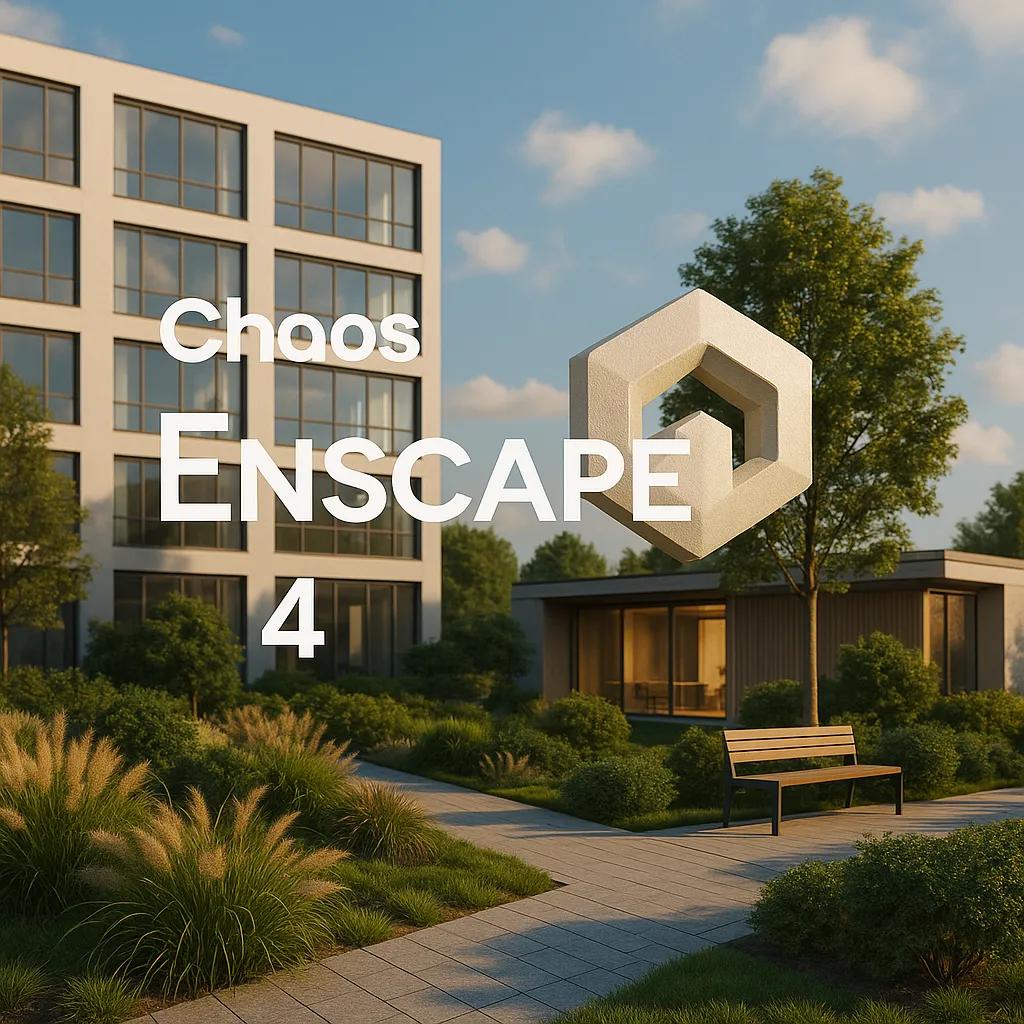
Chaos Enscape 4.18.1.1579 (x64)

e5875897ae42b3007e1f2ec56b4babca.jpg


Chaos Enscape 4.18.1.1579 (x64) | Size: 767.89 MB
Language: English
​
[/center]

The real-time technology visualizes your project as a fully rendered 3D walkthrough that can be navigated and explored from every angle. You can follow every update to your plan instantly thanks to the bi-directional geometry exchange between your CAD or BIM program and the renderer. Use NVIDIA Deep Learning Super Sampling support to improve performance in walkthroughs.

Virtual reality
Explore your design in the compelling realism of virtual reality. Connect a VR headset like the Meta Quest 3 or HTC Vive Pro 2, and get ready to walk or fly through your project. You won't believe the extraordinary experience it will evoke.

NVIDIA Denoiser
Boost the quality of your walkthroughs and capture exports with the advanced denoising solution powered by NVIDIA ReLAX denoiser. Enjoy sharpness and clarity in enclosed interior spaces with minimal direct light, particularly on glossy or metallic surfaces.

V-Ray scene exporter
Transfer key data from Enscape to V-Ray and other design applications, including 3ds Max and Cinema 4D with .vrscene files. From early design to final production, avoid duplication of work and collaborate better with project stakeholders.

Chaos AI Enhancer
This functionality leverages AI to improve Enscape assets, specifically people and vegetation assets. Simply focus on designing and let AI elevate your visuals. Easily upload, enhance, and share images via Chaos Cloud while continuing to work in Enscape, saving time and maintaining productivity.
Get professional-level quality images without interruptions or performance loss to your Enscape workflow.
Share elevated visualizations to get your design intent across faster.

Integrated Graphics Support
Enscape can now be used on Windows computers with Intel and AMD iGPUs (integrated graphics processing units), as it is accessible to more than just computers with separate physical GPUs. This is great if you're budget-constrained or can't purchase a machine without a dedicated GPU.
Use Enscape while working on-site or while traveling
Enjoy a more flexible and cost-effective way of visualizing

Chaos Cloud
This integration lets you perform every step of the design review process on Chaos Cloud. Upload panoramas and renders, and make annotations directly on your visualizations with markup tools. You can also assign floor plans and use a mini-map to assist with tour navigation.
Easily collaborate with your team and peers in one place
Let clients explore designs with advanced virtual tours

Site context
Eliminate the lengthy processes of modeling topography and importing geometry with the Site Context mode. See what your building will look like on-site and make better decisions with real-world context added.

Material library
Access more than 425 predefined high-quality materials in the Enscape Material Library. Communicate your design aesthetic and improve the realism of any scene with little effort.

Asset library
Our ever-expanding Asset Library will help you to fill your scene with life and make it even more realistic. Browse through just a small selection of our collection, so you can get a feel for the available models. We're always adding more.

Clouds
Get wind of Enscape's cloud settings: adjust the cloud density and variety to perfect the ambiance and feel of your scene. Depending on your defined parameters, the rendering will appear brighter or darker, and the clouds thicker or thinner. Adjust the time of day to see the clouds travel across the dynamic Enscape sky.

White mode
Start with a clean slate: if you want your audience to focus on the architecture rather than materials or colors, switch on White Mode. All colors are set to white, while other parameters like glossiness and bump are maintained to preserve the natural appearance of the scene.

The Enscape plug-in is provided for the following host applications:
Revit 2022, 2023, 2024, and 2025
SketchUp 2022, 2023 and 2024
Rhino 7.0 and 8.3 (or later)
Archicad 25, 26, 27 and 28
Vectorworks 2022, 2023 (Service Pack 1 or later), 2024 and 2025

System Requirements:
Operating system: Windows 10 or higher
Graphics card: NVIDIA or AMD dedicated GPU with 4GB VRAM that supports Vulkan 1.1
NVIDIA GeForce GTX 900 series / Quadro M series and newer
AMD Radeon RX 400 series / equivalent Radeon Pro series and newer
VRAM: 4GB VRAM
Unsupported hardware: Radeon 6000 mobile GPU's
Intel Integrated Graphics onboard GPU's SLI

HOMEPAGE: Code:
Код:
https://enscape3d.com/


DOWNLOAD LINKS:​
​

Код:
https://rapidgator.net/file/5edb9595e55684e5e669549276a81918/Chaos_Enscape_4.18.1.1579_x64.rar.html

Код:
https://nitroflare.com/view/5AE443C0D3BED41/Chaos_Enscape_4.18.1.1579_x64.rar
 
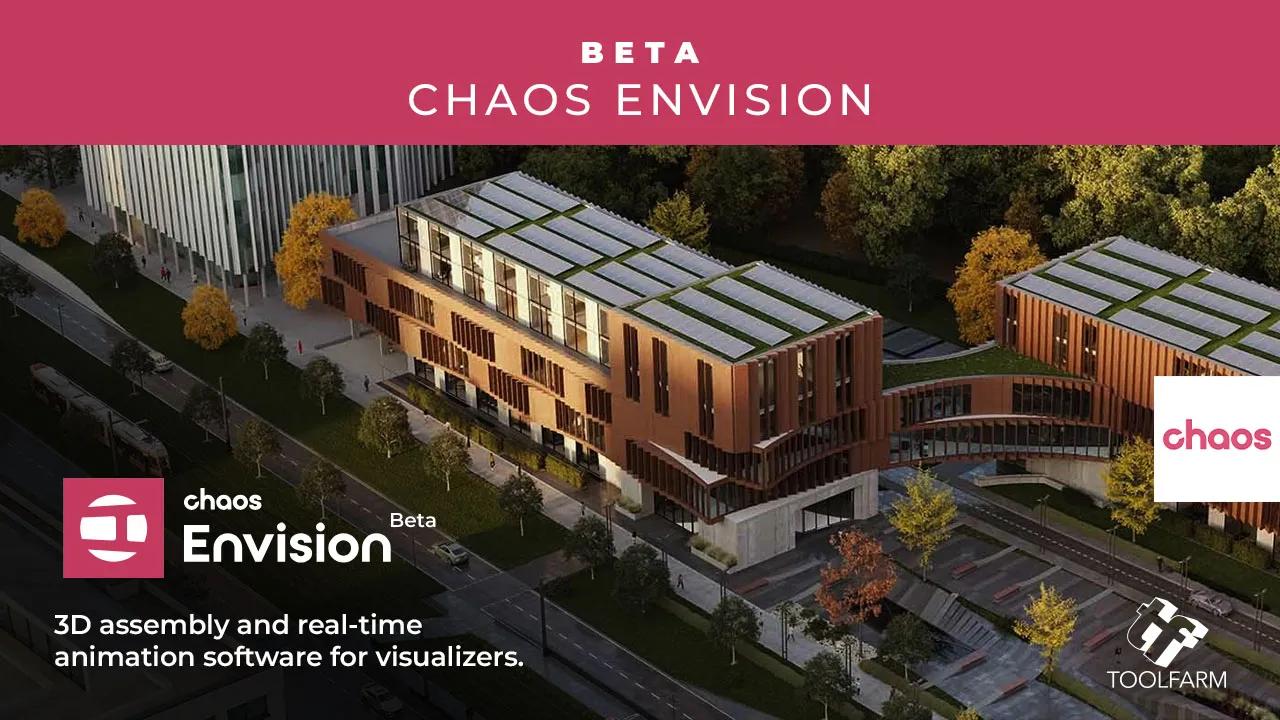
Chaos Envision 1.6.0

8f19209c258bbdb8ba173dfcc0f9b3a4.jpg


Chaos Envision 1.6.0 | Size: 1.41 GB
Language: English
​
[/center]

Immersive architectural experiences. Real-time 3D assembly, photorealism, and animations.

Let your design speak for itself with Chaos Envision.
For architects and archviz specialists who want to elevate their design effortlessly.

Scene scaling
As a standalone tool, Envision goes beyond the common CAD limitations and makes it possible to create detail-heavy scenes without compromising on performance or quality.

Robust assembly
Combine scene elements from various 3D creation tools with no data prep or loss.

Real-time realism
Dive into intricate, high-complexity designs with fast performance and visual fidelity.

Creative flexibility
Adjust any aspect of your project without needing to pre-separate objects - data is imported at the object level of granularity.

Cinematic storytelling
Communicate architectural intent and captivate stakeholders with interactive, cinematic, and emotionally compelling visual stories that are intuitive, easy and fast to create.

Advanced animations
From moving objects on paths to showing construction phasing, design variations and cinematic flyovers.

Immersive environments
Adjusting time of day, cloud appearance and haze sets the mood, while animated vegetation and wind effects create a lively feel of the environment.

4D humans and crowds
Bring designs to life with crowds of animated humans - thanks to the direct integration of the Anima engine.

High-end visual realism
Powered by a high-fidelity ray tracing engine, Envision supports trillions of polygons in real-time, allowing users to populate their scenes with high-quality assets.

100% ray-tracing
High-end visual fidelity in both real-time and offline output.

Cosmos library
Render-ready assets, recognized for their rich geometry, advanced materials, dynamic lighting, and lifelike entourage.

AI enhancements
Enhance vegetation and human figures with AI-driven textures, lighting, and clarity.

Design exploration
Research lighting scenarios, materials, and entourage options and see them demonstrated through animated transitions between design variations.

Unlimited variations
Create variations of any adjustable object, material, light, or asset of your scene and explore design options.

Interactive walkthroughs
Seamlessly animate between variations to create immersive walkthroughs and over-the-shoulder presentations.

Intuitive visual presets
One-click effects like rounded corners, translucency, strands, and displacement elevate realism and enhance the natural look of your scenes.

Ecosystem
Seamlessly integrated with the Chaos ecosystem, Envision works with Enscape and V-Ray, offering a natural continuation to their workflows for fluid data exchange and streamlined collaboration.

Easy coordination (.vrscene)
Leveraging the .vrscene format, Envision loads scene data instantly and supports all assets and materials coming from the creation tools.

Non-destructive workflow
Design iterations do not restart the visualization process and minimize repetitive artist work.

Continuous design
Visualization stays up to date even as design evolves thanks to advanced file linking.

HOMEPAGE: Code:
Код:
https://www.chaos.com/envision


DOWNLOAD LINKS:​
​

Код:
https://rapidgator.net/file/f0519b21a8e69700c76920f5181506f6/Chaos_Envision_1.6.0.rar.html

Код:
https://nitroflare.com/view/5D35A0776734C68/Chaos_Envision_1.6.0.rar
 
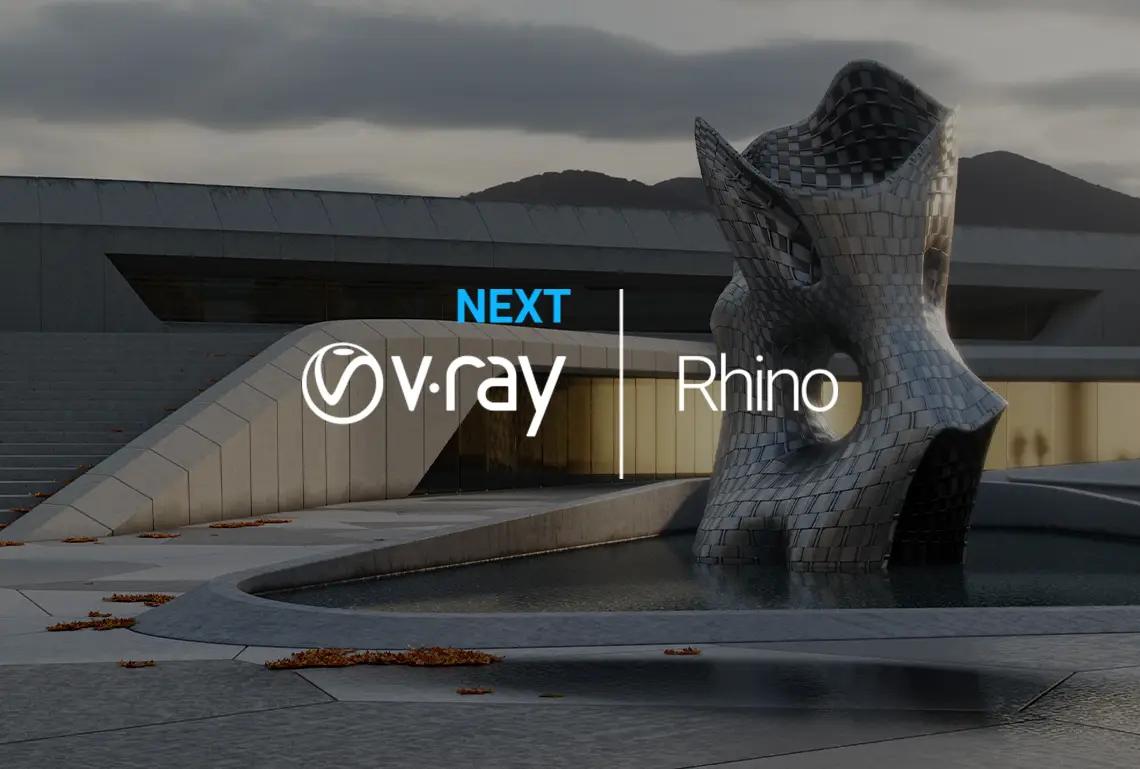
Chaos V-Ray 7.40.00 for Rhinoceros

03dabce3e529181355e9102473ec7cad.jpg


Chaos V-Ray 7.40.00 for Rhinoceros | Size: 1.2 GB
Language: English
​
[/center]

V-Ray® for Rhino is a 3D rendering software that combines real-time and photoreal rendering into one complete suite of visualization tools. From architecture to product design, it's everything you need to bring your next design project to life.

Why choose V-Ray for rendering in Rhino?

V-Ray and Enscape compatibility
You can now open your real-time Enscape scenes directly in V-Ray to continue building on your work to take it to the highest possible level of photorealism. Your department can now experience a fast and easy end to end design process.

Visualize in real-time.
New in V-Ray 5, V-Ray Vision gives you a live real-time view as you build your model, apply materials, and light your Rhino and Grasshopper designs. Now you can visualize any project in real-time while you design. You can also package your V-Ray Vision result for others to experience just like you did in Rhino.

Turn your vision into reality.
With photorealistic lights, cameras, and materials, Rhino rendering with V-Ray is as real as it gets. Communicate and collaborate with confidence, knowing that your designs look just right.

Go beyond rendering.
Introducing all-new tools that let you fine-tune and finish your renders without needing an extra app. Composite render layers, make color corrections, and instantly adjust lighting in the new V-Ray Frame Buffer.

levate your designs.
Choose from a collection of smart assets - including high-quality models of plants, people, vehicles and furniture - and give your project real-world context. The all-new Chaos® Cosmos asset browser lets you easily place render-ready 3D content right into your Rhino scene.

Seamless Grasshopper integration.
Visualize your parametric designs on the fly. V-Ray for Grasshopper comes with V-Ray for Rhino and includes a collection of nodes to support V-Ray geometry, lighting, materials, rendering, and animation.

System Requirements:

Minimum:
Rhinoceros 6
Windows® 10
Only IPv4 is supported, IPv6 is currently not supported
8 GB RAM
Intel 64, AMD64 or compatible processor with SSE4.2 support

Recommended:
Windows® 10
IPv4
16 GB RAM or more
Intel 64, AMD64 or compatible processor with SSE4.2 support. Larger cache memory, higher memory bandwidth and more cores are better.

HOMEPAGE: Code:
Код:
https://www.chaosgroup.com/


DOWNLOAD LINKS:​
​

Код:
https://rapidgator.net/file/1999d370c50030d2b7991fc4f5030d47/Chaos_V-Ray_7.40.00_for_Rhinoceros.rar.html

Код:
https://nitroflare.com/view/3DE10B6F4721D93/Chaos_V-Ray_7.40.00_for_Rhinoceros.rar
 
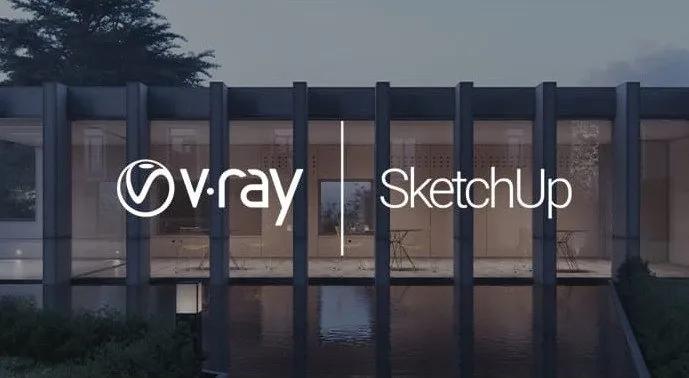
Chaos V-Ray 7.40.00 for SketchUp

6bea7bc77fffe70d2611b101ade0e26f.jpg


Chaos V-Ray 7.40.00 for SketchUp | Size: 1.21 GB
Language: English
​
[/center]

V-Ray® for SketchUp is a 3D rendering software that combines real-time and photorealistic rendering - all in SketchUp. From beginner to pro, Chaos® V-Ray has all the tools you need to create stunning architectural renders and animations.

Why choose V-Ray for rendering in SketchUp?
V-Ray and Enscape compatibility.
You can now open your real-time Enscape scenes directly in V-Ray to continue building on your work to take it to the highest possible level of photorealism. Your department can now experience a fast and easy end to end design process.

See your designs in real-time.
Seeing your Sketchup designs in real-time has never been easier. Now with V-Ray Vision, you can visualize your designs in real-time while you work in SketchUp. Move around your model, apply materials, set up lights and cameras - all in a live real-time view of your scene. You can also package your V-Ray Vision result for others to experience just like you did in SketchUp.

Create photorealistic renders.
With true-to-life lights, cameras, and materials, rendering with V-Ray is as real as it gets. For any project, you can see exactly how it will look. It's as close you can come to the real thing before it's built.

Bring your scenes to life.
Employ our curated collection of smart assets - including high-quality models of furniture, accessories, vegetation and people - and stage your project with just a few clicks. The all-new Chaos Cosmos asset browser lets you easily drop render-ready 3D content right into your SketchUp scene.

Get a headstart on your next project.
V-Ray comes with hundreds of ready-to-render materials that you can apply to any scene and access to an extensive library of video tutorials, free technical support, and helpful forums. V-Ray has one of the largest visualization communities, with a world of community-created content that's readily available.

V-Ray is the ultimate power-up for SketchUp.
V-Ray and SketchUp are the perfect team. SketchUp is the world's most widely used 3D modeling software for architecture and design. And V-Ray is the world's #1 rendering software for architectural visualization. The two together are the perfect combo to take your designs to the next level.

HOMEPAGE: Code:
Код:
https://www.chaosgroup.com/


DOWNLOAD LINKS:​
​

Код:
https://rapidgator.net/file/3bd49ab6e0d04dea59a0a3dbded0635f/Chaos_V-Ray_7.40.00_for_SketchUp.rar.html

Код:
https://nitroflare.com/view/A9CB6A3153CA7E7/Chaos_V-Ray_7.40.00_for_SketchUp.rar
 
Chaos V-Ray 7 Update 4 (Build 7.40.00) for 3ds Max (x64)

7f92b3941f4ffc8412d6792ca25f7d6f.png


Chaos V-Ray 7 Update 4 (Build 7.40.00) for 3ds Max (x64) | Size: 8.51 GB
WiN x64 | 3ds Max 2022 - 2027 | Language: English
​
[/center]

The world's most complete 3D rendering software for high-end visualization and production. V-Ray® for 3ds Max is a production-proven rendering software. Known for its versatility and ability to handle any type of project - from massive, dynamic scenes having thousands of lights to a sublime still life - it is the go-to solution for artists and designers across 3D industries.

Why choose V-Ray for rendering in 3ds Max?
ScanlineVFX © Twentieth Century Fox
Emmy and Academy Award-winning rendering technology for any project.
For truly photorealistic renders, you want a raytracer that's built for quality, optimized for speed, and ready to scale. V-Ray gives you the power to work with lightning-fast interactive and heavyweight production rendering-all while getting the most from your CPU and GPU hardware.

Uniform
Built to handle your toughest scenes.
When you're working with the biggest scene you've ever seen, you need a renderer that won't let you down. Billions of polygons? Thousands of lights? V-Ray can handle it all. Render anything and everything with V-Ray. Adaptive Lights, Proxy Objects, Distributed Rendering - an arsenal of production-proven features when you need them.

Post-process your renders without the need of a separate tool.
V-Ray equips you with a complete set of lighting, shading, and rendering tools-all integrated with 3ds Max. The redesigned V-Ray Frame buffer with light mixing and layered compositing means you only need to use one tool for more than just rendering - no need to go back and forth between different apps.

See what's new >
Neoscape
Create interactive experiences in real-time - in a 100% raytraced environment.
Present your ideas in 100% ray-traced quality without the need of extra optimizations and conversions. Make project changes directly in 3ds Max and validate your designs on the spot.

Den Brooks
Work seamlessly with other software.
V-Ray is compatible with all the most popular 3ds Max plugins - Substance, Forest Pack, Railclone, Ornatrix, Tyflow, Phoenix, and more. V-Ray is also the perfect fit for any pipeline with support for open standards such as Alembic, OSL, OpenColorIO, and now ACEScg. Plus, it works seamlessly with data from other Chaos products like Enscape.

System Requirements
Windows: 64-bit Microsoft Windows 10 or newer
Installation requires administrator privileges


DOWNLOAD LINKS:​
​

Код:
https://rapidgator.net/file/0f7a50e0ddb3444f65429047b4f09119/Chaos_V_Ray_7_Update_4_Build_7.40.00_for_3ds_Max_2022.rar.html
https://rapidgator.net/file/ed83610b9c19968fb60bf4d86498a3d0/Chaos_V_Ray_7_Update_4_Build_7.40.00_for_3ds_Max_2023.rar.html
https://rapidgator.net/file/688905a6b28dbdddd3fa881f6542431a/Chaos_V_Ray_7_Update_4_Build_7.40.00_for_3ds_Max_2024.rar.html
https://rapidgator.net/file/378d1f109a78f75d789de14207f4516b/Chaos_V_Ray_7_Update_4_Build_7.40.00_for_3ds_Max_2025.rar.html
https://rapidgator.net/file/2f51cc4b50159cf506a0146f8cfbefac/Chaos_V_Ray_7_Update_4_Build_7.40.00_for_3ds_Max_2026.rar.html
https://rapidgator.net/file/b1a51bc15a22af286be3fd1a93a54e55/Chaos_V_Ray_7_Update_4_Build_7.40.00_for_3ds_Max_2027.rar.html

Код:
https://nitroflare.com/view/18C4EC444469AB1/Chaos_V_Ray_7_Update_4_Build_7.40.00_for_3ds_Max_2022.rar
https://nitroflare.com/view/AB4CB835852FF28/Chaos_V_Ray_7_Update_4_Build_7.40.00_for_3ds_Max_2023.rar
https://nitroflare.com/view/E690F43814FDD98/Chaos_V_Ray_7_Update_4_Build_7.40.00_for_3ds_Max_2024.rar
https://nitroflare.com/view/A8ABC647F6B1B64/Chaos_V_Ray_7_Update_4_Build_7.40.00_for_3ds_Max_2025.rar
https://nitroflare.com/view/27FD2649E61AFAF/Chaos_V_Ray_7_Update_4_Build_7.40.00_for_3ds_Max_2026.rar
https://nitroflare.com/view/8754AD456A7F1C0/Chaos_V_Ray_7_Update_4_Build_7.40.00_for_3ds_Max_2027.rar
 
COAA PlaneDescriptionter 6.7.5.4

c617a1c55b7760b4f9af387baa72f7cd.webp

COAA PlaneDescriptionter 6.7.5.4 | 7.7 Mb
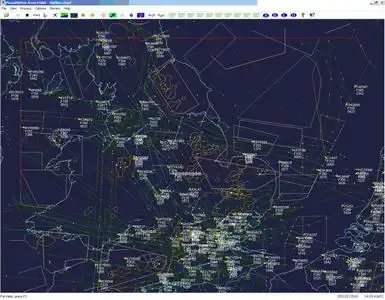
PlaneDescriptionter receives and decodes live digital position reports from aircraft and Descriptions them on a chart. Using PlaneDescriptionter, you can see a radar-like display of all those aircraft around you that are transmitting the appropriate digital messages including ACARS, ADS-B and HFDL.
[/center]

PlaneDescriptionter - Features
The animated screen grab from PlaneDescriptionter (left) was kindly provided by John Locker.
Message display
PlaneDescriptionter shows a table display of messages received and decoded from live aircraft transmissions.
Data saving
PlaneDescriptionter archives all the digital data that it receives and decodes to a log file.
Chart display
PlaneDescriptionter Descriptions aircraft positions, altitudes and times decoded from the message traffic that it receives. These include embedded position reports, AMDAR reports and ADS reports contained in ACARS messages, ADS-B position reports received by the Kinetic SBS1™ or AirNav System RadarBox™ Mode-S receivers, and position reports on HF using Charles Brain's PC-HFDL software. The Description can be superimposed on a suitable aeronatical chart that you have prepared, or PlaneDescriptionter can download satellite imagery and Description the aircraft symbols on that. Where altitude information is available (eg Mode-S messages), you can select the data by altitude band to distinguish low level and high level traffic.
Google Earth server
If you are receiving Mode-S ADS-B position reports, PlaneDescriptionter can interface to Google Earth to display aircraft positions over the Google Earth base map. It can even give you a dynamic real-time view from the flight deck of an aircraft that you designate.
Direction finding
PlaneDescriptionter can determine and display the direction of any transmission using a simple passive antenna switch. This allows aircraft to be located even if they are not equipped with ACARS or Mode-S/ADS-B.
Operating System:Windows Vista, 7, 8/8.1, 10, 11
Home Page-
У Вас недостаточно прав для просмотра ссылок. Войдите или зарегистрируйтесь.


Rapidgator
Код:
https://rapidgator.net/file/eb6e704f3f78565315e00cd3fbd6a4ea/x8kez.COAA.PlaneDescriptionter.6.7.5.4.rar.html

Код:
https://nitroflare.com/view/E838B0EA351B76B/x8kez.COAA.PlaneDescriptionter.6.7.5.4.rar
 
Назад
Сверху