• Здравствуйте. Сайт заработал в архивном режиме форум www.old.nado.in

All mitsumi'1s Applications !! (updated daily)

  • Автор темы Автор темы mitsumi1
  • Дата начала Дата начала
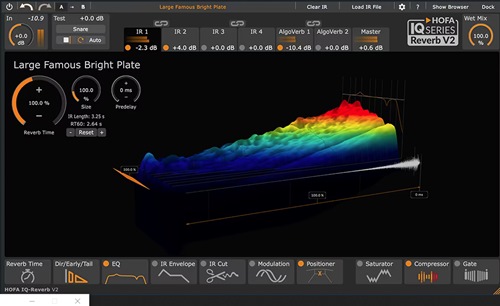
Hofa Iq-Reverb 2.0.17

6d71be6076fd5606f17a8b93fc363c60.jpg

Hofa Iq-Reverb 2.0.17
File size: 51.2 MB


It has never been easier to achieve impressive depth and three-dimensionality in your productions!
The largest, most colorful, and best reverb collection in the world.
2,886 high-quality impulse responses
Full 5.1 surround capability
With EQ, compressor, modulation, saturation, gate, IR envelope and positioner
Groundbreaking features overcome the limitations of other reverb plugins
4 IR engines + 2 AlgoVerbs for individual blends
Stereo and true stereo IRs for music and post-production
Room, Ambience, Chamber, Hall, Church, Plate, Space, Spring, FX, Reverse, Hybrid, Cabinet
Whats New
Updates: official site does not provide any info about changes in this version
System Requirements
Formats: VST3, AU, AAX
Windows 10 or later
HOFA plugins are continuously tested on the following DAWs
Ableton Live, Apple Logic, Avid Pro Tools, Bitwig, Cockos Reaper, Image Line FL Studio, Magix Samplitude/Sequoia, Presonus Studio One, Steinberg Cubase/Nuendo/Wavelab

Код:
https://rapidgator.net/file/cf3198682cc4032a538f231c0d43aa0f/unfnk3m-hof-iqr.rar.html

Код:
https://nitroflare.com/view/EC8E2ED0A71F35D/unfnk3m-hof-iqr.rar
 
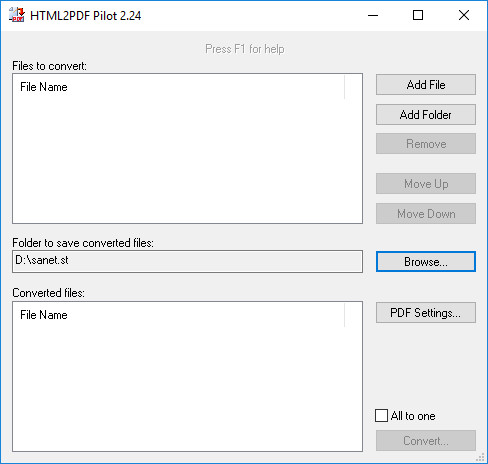
HTML2PDF Pilot 2.33.2

7c19e88addbd7b38f2a22afaf30f5926.jpg


HTML2PDF Pilot 2.33.2

File size: 12.6 MB


The PDF file format has become a standard for storing and sharing information, as it offers many advantages over other document formats. However, converting all your existing files to PDF can be a challenging task.

HTML2PDF Pilot is a simple program that can help you batch convert HTML and TXT files to PDF. It features a minimalistic interface that should pose no problems even to inexperienced users, but lacks advanced PDF customization features.

Supports batch processing and command-line activation
The application allows you to load any number of HTML or TXT files in its processing queue and can convert them all in one operation. Files can be added individually, but it is also possible to select entire folders and have the program load all the supported files within them.

After adding a list of documents, you have the option of converting them to separate PDF files, but you can also merge all of them into a single document.

The program can also be run directly from the command-line, enabling you to process all the files in a folder without launching the graphical user interface.

Customize output PDF layout
HTML2PDF Pilot enables you to modify various page settings in the created documents. For example, you can choose page size and orientation, depending on the output file's intended purpose.

Additionally, it is possible to specify the size of page margins and have the application automatically insert page numbers.

Easy-to-use, but only offers basic functions
HTML2PDF Pilot is a very user-friendly application, as its functions are straightforward and simple to understand. However, it lacks certain advanced functions, such as the ability to add items using drag and drop actions, encrypt PDF files and embed metadata.

Overall, this is a handy program, designed to offer a simple way of converting HTML and TXT files to PDF. It requires no advanced computer operating knowledge to be used effectively, but offers limited functionality.

Whats New

System Requirements
Windows XP
Windows Vista
Windows 7
Windows 8
Windows 10
Windows 11


HOMEPAGE


Код:
https://www.colorpilot.com/


DOWNLOAD

Код:
https://rapidgator.net/file/d85ff98cfd9d77d9eeec161ea5f8645e/HTML2PDFPilot2..rar.html

Код:
https://nitroflare.com/view/E592BCEC3ED8B31/HTML2PDFPilot2..rar
 
IDimager Photo Supreme 2026.3.0.9113 (x64) Multilingual

834146ee55db6bf51c167eeb41222ecf.jpg


IDimager Photo Supreme 2026.3.0.9113 (x64) Multilingual | Size: 162.01 MB
Language: English


Photo Supreme v2026 is a thoughtful and forward-looking release. This update has focused on smarter discovery, faster performance, and modern workflow expectations, especially around large catalogs, mobile integration, searches, and team environments.

Import and Select
One of the standout additions in Photo Supreme v2026 is the new multi-pass Import and Select workflow. This allows users to review and refine image selections in multiple stages instead of making all decisions in one pass. It's especially useful for large shoots, letting photographers cull images more deliberately and with less pressure. In addition, the Import and Select feature now loads images faster than ever. Mac users will also appreciate direct iOS device importing, which makes it possible to bring photos straight from an iPhone or iPad into the catalog without relying on intermediary software. This significantly streamlines mobile-first workflows.

Powerful Searches
Photo Supreme now supports natural language searching, allowing users to find images using plain, conversational phrases rather than rigid metadata queries. This feature is powered by AI services such as OpenAI, Google Gemini, or local models with Ollama. This gives users flexibility in how advanced features are enabled. In addition, a new classification system enhances search accuracy by grouping images into meaningful categories upon import, making it easier to surface relevant results in large or complex catalogs.

Video & Media Handling
For users working with video, Photo Supreme v2026 introduces hover-based video previews. Simply hovering over a video thumbnail now reveals a short animated preview, making it much faster to identify clips without opening them individually. Support for modern formats has also been expanded, ensuring the software keeps pace with current media standards.

Sharing with ZIP
Exporting images is more flexible in v2026 thanks to ZIP output support in transfer profiles. This makes it easy to bundle images into a single archive for delivery, backup, or client sharing, all directly from within Photo Supreme. These enhancements simplify distribution workflows and reduce the need for external tools.

GEO Maps
GEOgraphic-Mapping features can now generate maps using not only Google Maps, but also OpenFreeMap with OpenStreetMaps. This removes the need for API keys while still delivering rich, interactive map displays. This update makes location-based browsing easier to configure and more accessible for all users.

Performance and Refinements
Photo Supreme v2026 delivers notable performance enhancements, resulting in faster browsing and a more responsive overall experience. Response times are improved by up to 10%, with especially noticeable gains for large libraries containing many catalog labels.
Catalogs with numerous stacks also see significant performance improvements, particularly when displayed in stacked views.
v2026 includes a wide range of refinements, such as: "Visually similar" stack detection, numerous stability fixes and workflow enhancements, polished UI behavior in collections, searches, and metadata handling

Wait, there's more, a lot more.
New "RAW Files" and "Video Files" catalog states
Added support for Google Gemini as an AI service
Added support for OpenAI GPT-5.2 as an AI Service
Added support for Ministral3 model with Ollama
Added file management support for ACR sidecar files
Update HTTP Server with Photo Supreme Online (Server Edition)
Faster face recognition
Added "AI-Estimated GEO Location" to the AI Panel
Faster result display in the Collection Viewer
"Cascade Metadata" from image to Stack or Version Set is now a background process
A highlighted stroke has been added to the active tabs, improving navigation
Now you can display metadata charts and graphs across multiple tabs
Added support for Ctrl/Cmd+Z functionality in text and memo fields
Defined the new Affinity v3 .AF and .AVIF file format as a supported "other file format"
Switching the collection viewer's view style is faster (eg from Basic to Grid to Clean to Custom Thumb Info)
Advanced Search now has an option to search by "File Size" and "File Size MB"
Finetuned the check for "need to compact" on PostgreSQL (Server Edition)
Bookmark keyboard shortcuts are now a "toggle", similar to ratings and color labels
Expanding nodes in the Catalog Tree is ~25% faster
When using the "Dump Full to Catalog File" feature, there's now the option to create either a "catalog dump" file, or a "catalog with thumbs" dump files
Added a XMP Storage Location for "original file AND non-standard sidecar file"
In "Stacked View", you can now select a specific item from the stack to show
Support for PostgreSQL 18.
And more.

Highlights for v2026
Multi-Pass "Import and Select": Seamlessly transition through passes with a fast-culling system that optimizes your workflow.
Direct iOS Image Import on macOS: Import images directly from your iOS devices with ease.
Video Thumbnail Preview: Hover over a video thumbnail or open the Quick View to view a live video preview.
Natural Language Search Powered by AI: Search your content using plain language, with smart integration through OpenAI, Google Gemini, or Ollama models.
Transfer Profiles can now create ZIP output files: Copy or send sets of images as a single ZIP file for easier sharing.
Maps with OpenFreeMap: Display images on interactive maps using OpenFreeMap/OpenStreetMaps with no API key needed.
Server Edition Thumbnail Caching: Enjoy faster performance with local thumbnail caching, automatic cleanup, and customizable settings for retention and cache size.
Classifications: Enhance search accuracy with an automatic image classification mechanism on import.

Operating System: Windows 10 or higher

HOMEPAGE:
Код:
https://www.idimager.com/


DOWNLOAD LINKS:


Код:
https://rapidgator.net/file/8fa61db45bbd5e4624576caaa8c73bcd/IDimager_Photo_Supreme_2026.3.0.9113_x64_Multilingual.rar.html

Код:
https://nitroflare.com/view/7BE6AF2598A3067/IDimager_Photo_Supreme_2026.3.0.9113_x64_Multilingual.rar
 
JP Software CMDebug 36.01.53 (x64) Multilingual

e0d302c99981b68e9a06ab81e79931b6.png


JP Software CMDebug 36.01.53 (x64) Multilingual

File size: 42.8 MB


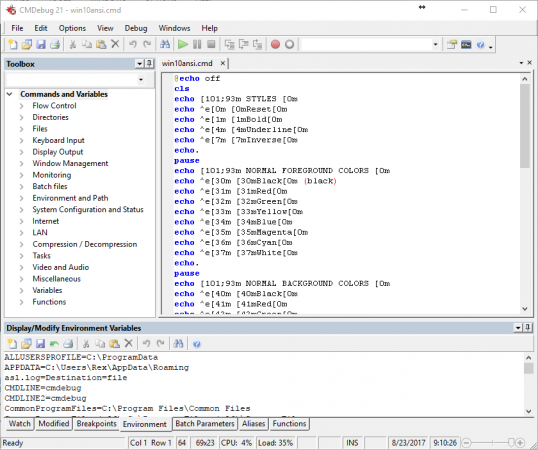
CMDebug is a stand-alone version of the Take Command IDE and batch debugger component. CMDebug is intended for developers who need to develop batch files to run in CMD.EXE or TCC-RT (runtime).

CMDebug allows you to create and debug your batch scripts with the integrated graphical IDE. CMDebug includes tabbed edit windows and a sophisticated debugger with single stepping, breakpoints, syntax coloring, tooltips, bookmarks, and tabbed variable and watch windows. Windows batch file programming has never been easier or more powerful!

You can use CMDebug to develop either CMD-compatible batch files (.BAT or .CMD), or TCC-RT-compatible scripts (.BTM). If you select the "TCC Syntax" option, CMDebug provides the full TCC-RT command set. If you select the "CMD Syntax" option, CMDebug will maximize CMD compatibility and disable TCC-only internal commands, variables, and functions. Some internal CMD / TCC commands will also behave slightly differently or modify their display output in order to match CMD's behavior more closely.

Using CMDebug with TCC-RT allows you to write (and encrypt) scripts using the TCC command language, and then distribute them with the free TCC-RT runtime on an unlimited number of target machines.

Whats New

System Requirements: Windows 10, Server 2016, Server 2019, Windows 11, and Server 2022


HOMEPAGE


Код:
https://jpsoft.com/


DOWNLOAD

Код:
https://rapidgator.net/file/1b0147724d5d9a53b242ceef34669689/JP_Software_CMDebug_36.01.53..rar.html

Код:
https://nitroflare.com/view/0F83B87FD815DA5/JP_Software_CMDebug_36.01.53..rar
 
JP Software Take Command 36.01.53 (x64) Multilingual

8ceb967bcd57e68af01d168d1c9523d4.jpeg


JP Software Take Command 36.01.53 (x64) Multilingual

File size: 57.2 MB


Take Command is a comprehensive interactive GUI and Windows command line toolkit that makes your Windows command prompts easier to use and far more powerful. Take Command includes optional Windows Explorer integration, tabbed console windows, and major enhancements to standard Windows CMD commands such as COPY, DEL, FOR, MOVE, REN, SET, and START And it and adds 210+ new commands, command dialogs, command line syntax coloring, vastly improved command line editing, programmable filename and directory completion, and thousands of other features.

Take Command is also a powerful batch file programming tool, including an integrated IDE with a sophisticated editor and batch debugger. Take Command offers extensions such as DO loops, SWITCH statements, error and exception handling, system monitoring and event triggers, third-party plugins, and more than 700 built-in variables and functions.

The Windows "Command Prompt" shortcut is a Windows console (command line, or character mode) session that runs the default command processor CMD (also called the "Windows command shell"). The command prompt is essential for developers, systems administrators and advanced users. Unfortunately, CMD commands and the Windows console UI have always been woefully lacking in ability compared to what is available in most other operating systems. Because of the limitations in the Windows command prompt, users have been forced to use the GUI for inappropriate tasks, or even to write custom programs to perform simple tasks that CMD should have been able to handle.

Are you frustrated with the limitations of the CMD command line and batch scripting? Do you yearn for a real scripting language, and an integrated IDE and batch debugger? How about a Windows command processor that can do all of that, and still run your existing CMD prompt commands and batch files?

Take Command is our flagship product. For 30+ years, JP Software has been helping programmers, system administrators, technical support professionals, and advanced users save time and money, and cure their command prompt frustrations. Take Command offers a new approach to working in Windows, bringing users the power of the command line and the ease of use of the Windows GUI. Take Command includes a complete CMD replacement command shell that provides you with a vastly better Windows command line UI, and thousands of features that are not available in CMD (or even in those vaunted Linux shells).

Whats New

System Requirements: Windows 10, Server 2016, Server 2019, Windows 11, and Server 2022


HOMEPAGE


Код:
https://jpsoft.com/


DOWNLOAD

Код:
https://rapidgator.net/file/fd5da7704636ea291a67c9337b23b3b9/JP_Software_Take_Command_36.01.53..rar.html

Код:
https://nitroflare.com/view/C680B15DB3ABD4D/JP_Software_Take_Command_36.01.53..rar
 
JP Software TCC 36.01.53 (x64)

6bcb70fff9287f67e582bef36a1a10e1.png


JP Software TCC 36.01.53 (x64)

File size: 55 MB


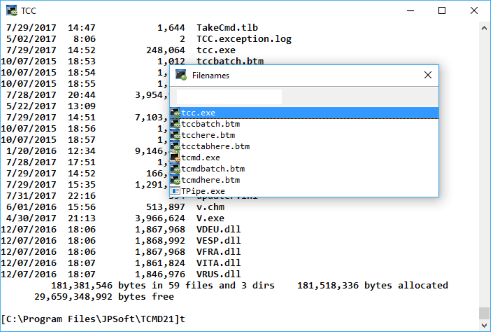
TCC is our console mode Windows command shell (formerly known as 4NT). TCC is a replacement for the CMD command line (the default Windows command prompt). TCC is a superset of CMD, with 250 internal commands (CMD has fewer than 40), 700+ internal variables and functions, and hundreds of enhancements to existing CMD commands.

TCC works with your existing command line applications and batch files, but offers major improvements in command line editing and batch file scripting, and adds thousands of new features to your console windows.

Benefits
TCC is a CMD replacement command processor that is compatible with your existing CMD commands and batch files, while adding thousands of new features. You're immediately more productive, and you can learn and add TCC's new features at your own pace.
Create and debug your batch scripts in a fraction of the time with the integrated editor and batch file debugger.
The integrated and familiar environment means you are immediately more productive with your interactive command prompt and batch file development tasks.
The consistent syntax reduces learning and development time.
The comprehensive help (including context-sensitive popup help for command line syntax), speeds your development time and reduces syntax errors.

Whats New

System Requirements: Windows 10, Server 2016, Server 2019, Windows 11, and Server 2022


HOMEPAGE


Код:
https://jpsoft.com/products/tcc.html


DOWNLOAD

Код:
https://rapidgator.net/file/32fee356894141c01f449dfe411ca8ed/JP_Software_TCC_36.01.53..rar.html

Код:
https://nitroflare.com/view/42F7DCC2810386D/JP_Software_TCC_36.01.53..rar
 
Lucen Timeline Expert 14.14.00.00

18b84206c0a262fa2cd3e0c8052641b2.webp

Free Download Lucen Timeline Expert 14.14.00.00 | 147.3 Mb
Office Timeline is now called Lucen Timeline, part of Lucen Software! The #1 PowerPoint Timeline Maker for Windows and Office. Create PowerPoint timelines or roadmaps as fast as clients and executives need them. Simple but powerful PowerPoint add-in that anyone can use to quickly make and manage impressive timelines.


Beauty trumps complexity.
Build stunning PowerPoint timelines without the effort and cost.
Free yourself from manually building and managing visual project plans.
Office Timeline helps you make timelines, Gantt charts and Swimlanes in PowerPoint almost instantly. Customize them with just a few clicks to create clear, elegant high-level presentations that everyone will understand.
User-friendly PowerPoint timeline generator. Works the way clients and colleagues do.
Office Timeline works with all versions of PowerPoint. Give them stunning PowerPoint slides that can be viewed, edited and shared by anyone who has Microsoft Office.
Manage and change data with ease.
The plugin's powerful Data wizard and drag & drop Visual Editor make timeline management agile and intuitive. Updating timelines when projects and plans change is quick and easy.
PowerPoint timelines made easy.
No complex steps. No learning curve. No hassle!
Start from scratch or pick a template.
The timeline wizard was designed to make it simple. It all starts by selecting the type of timeline you want to make.
Enter your data and click Create.
Once you've selected a timeline template, enter or import your key milestones and tasks. Set their dates, click the Create button, and voilà ! Timeline created.
Arrange and style to impress.
Use Drag & Drop to instantly rearrange or update your visual. Then customize it your way â?? colors, shapes, date formats, task duration, percent completeâ?¦ change any detail, anyway you want.
Enjoy more freedom with Plus Edition.
While the Free edition is fully functional, Office Timeline Plus brings more! Plus Edition unlocks predesigned templates and gives you the freedom to add as much data as needed, so you can create detailed, unique PowerPoint timelines and Gantt charts.
See the power of Pro Edition.
Office Timeline Pro gives you everything you get with the Plus add-in, but adds powerful extra features. Pro Edition creates impressive Swimlanes and roadmaps, so you can manage complex projects with big-picture visuals that anyone can understand.
System Requirements:
- Microsoft Windows Vista, Windows 7 (SP1), Windows 8, or Windows 10 (LTSB, CBB and CB). Office Timeline does not run on Windows 10 S. The add-in is functional on Windows XP and Windows Server but unsupported.
- 32-bit versions of Microsoft Office 2007 (SP3), 2010, 2013, or 2016. Although Office Timeline works with 64-bit versions of Office, we do not formally test or support it on 64-bit. The vast majority of the Office install base is the 32-bit version of Office. 32-bit is recommended by Microsoft unless you have very specific needs for 64-bit.
- .NET Framework 4.5.2 or greater.
Home Page -
Код:
https://www.lucensoftware.com/

Rapidgator
Код:
https://rapidgator.net/file/a42f13a62fda788f60d5b45c08b69d8c/ukuqu.Lucen.Timeline.Expert.14.14.00.00.rar.html

Код:
https://nitroflare.com/view/1078287A39FFC6B/ukuqu.Lucen.Timeline.Expert.14.14.00.00.rar
 
Mediahuman Youtube To Mp3 Converter 3.9.20 (1905) Multilingual

64a41e217c3539cc08a54ba7b90197a7.jpg

Mediahuman Youtube To Mp3 Converter 3.9.20 (1905) Multilingual
Windows x64 | File size: 82.91 MB


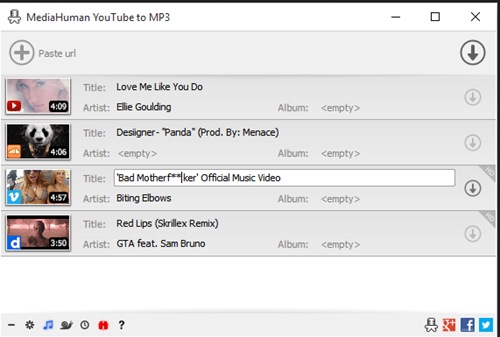
You like to listen to music on YouTube or SoundCloud and want to save it for offline playing. Or you want to download soundtrack of a new movie. Then we recommend you to try out this software developed specifically for this purpose.
• Downloads all music from playlist or channel
• Downloads highest available quality up to 320 kbps
• Supports YouTube, Vimeo, SoundCloud, Dailymotion, VEVO, etc.
• Downloads simultaneously several tracks
• Includes simple tag editor with cover art image support
• Works on all modern platforms (macOS, Windows, Ubuntu)
• Exports to iTunes
Main Features
Playlists and channels
The software supports downloading all videos of a playlist or a channel. And there is also an option for subscribing to and downloading only newly uploaded tracks.
iTunes support
In the preferences of the application you can select an option to add downloaded tracks into iTunes automatically. You can also specify iTunes playlist, where the converted track should be added.
Saves your time & traffic
The app detects audio track in YouTube video clip and downloads it, skipping the video part. As a result download speed increases dramatically, especially on HD-quality content.
Simple tag editor
Application automatically detects artist name and track title of the video and saves it in the downloaded file. But at the same time, you can easily change tags to whatever you want. You can even change a cover art image.
Original format, no conversions
You can save audio tracks in original quality without any conversion. It means that there will be no loss of quality and it greatly reduces the downloading time.
Free music
There is a great amount of music on YouTube. You can always find the one you like there. And YouTube to MP3 Converter allows you to save it on your computer for free. Just find the track you like and download it in the quality you need.
Not only YouTube
Vevo.com, Vimeo, DailyMotion, Soundcloud, Bandcamp, HypeMachine, MixCloud, UOL and many other sites are also supported. So you can download music as easy as from YouTube.
Clipboard tracking
The program tracks the content of the system clipboard. It means that you can easily add a video clip without switching from your favorite browser. Just copy an URL into the clipboard and it will be added to the download queue.
Multilingual interface
Localized to: Arabic, Armenian, Azerbaijani, Bulgarian, Catalan, Chinese (Taiwan), Croatian, Czech, Danish, Dutch, English, Esperanto, French, German, Greek, Hebrew (Israel), Hungarian, Indonesian, Italian, Japanese, Korean, Latvian, Lithuanian, Malay, Norwegian Bokmål, Polish, Portuguese, Portuguese (Brazil), Romanian, Russian, Spanish, Swedish, Turkish, Vietnamese
]System Requirements: Windows 11, Windows 10, Windows 8, Windows 7 for PC systems (64bit)

Код:
https://rapidgator.net/file/95ecd3576aa82ede4cc0abc17008ce61/YouTubeToMP3.3.9.20.1905.rar.html

Код:
https://nitroflare.com/view/B169A193755785C/YouTubeToMP3.3.9.20.1905.rar
 
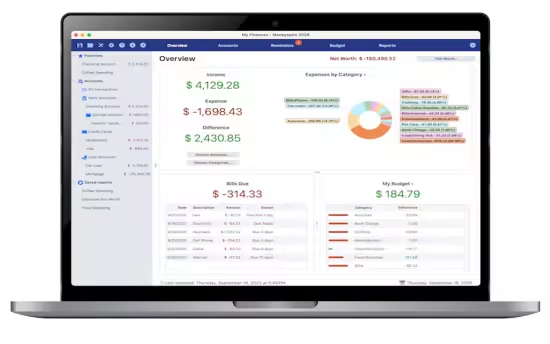
Moneyspire 2026 v26.0.14 (x64)

e33704e2a0bc41132cfc5bf103e94c61.avif


Moneyspire 2026 v26.0.14 (x64)

File size: 119 MB


Personal finance software, made personal. Keep track of your bank accounts, credit cards, loans, cash and investment accounts. Categorize your spending and income with customizable categories. Keep track of your bills so you never forget to make a payment again and avoid late fees.

Set a budget to keep track of your spending so you don't overspend on specified categories like Dining Out. Forecast your account balance to prevent overdrafts and insufficient funds. Balance your checkbook and reconcile with bank statements to catch errors and bank fraud.

Generate detailed reports to see exactly where your money is going and to make tax time easier. Optionally sync to your financial institutions (if you would like) via the Moneyspire Connect feature and automatically download your transactions. Optionally sync to the cloud (if you would like) via the Moneyspire Cloud feature so you can share your finances between multiple computers and mobile devices.

Moneyspire can also import data from Quicken, Microsoft Money (MS Money) and other personal finance software, so you can easily make the change to Moneyspire.

Whats New

System Requirements: Windows 10 or later


HOMEPAGE


Код:
https://www.moneyspire.com/moneyspire-desktop/


DOWNLOAD

Код:
https://rapidgator.net/file/e2590fbfcff468f8f174a31c3af14354/Moneyspire2026v26..rar.html

Код:
https://nitroflare.com/view/5D476F1270436D7/Moneyspire2026v26..rar
 
Nero Ai Video Upscaler Pro 1.3.16

771474a60abe14ce156fc8a8866504bb.jpg

Release Name: Nero AI Video Upscaler Pro 1.3.16
Size: 476.4 MB


Description: Bigger, better, sharper! With state-of-the-art AI technology, Nero AI Video Upscaler PRO takes your videos to the next level. Enlarge films, clips and recordings up to 4K or 8K - razor-sharp, rich in detail and colourful. This makes old videos fresh again and new projects even more impressive.

c379673fcb91b1544443912da2591bf7.jpg


Super Resolution
- Enhance videos to 2x or 4x their original quality.
- Remove noise and grain, ensuring your videos are crystal clear.

6 AI models for every need
- Fast: Upscale quickly, perfect for time-sensitive projects.
- Animation: Recommended for animation and AI-generated content.
- Realistic: Enhance actual video footage for true-to-life quality.
- Versatile: Enhance the video quality with less artifacts and keep more details.
- Face Enhancement: Face detection, recognition, and video enhancement can be used to recover faces from old videos and increase overall quality.
- Restoration (New) - Designed to recover fine textures and revive old or low-quality footage.

Clip selection
Enhance any clip within a video without the need for pre-cutting.

AI Frame Interpolation
Nero AI Video Upscaler intelligently analyzes your video frames and fills in the gaps to increase the frame rate, providing a truly smooth and fluid viewing experience. Boost your videos up to 120 FPS for the ultimate in seamless playback.

- Slow-Motion - Generate high-quality slow-motion effects without needing high-speed cameras.
- Low FPS Videos - Convert low FPS videos into 60 FPS or even up to 120 FPS for ultra-smooth, fluid motion.
- AI-Generated Videos - Ensure your AI-created videos play at up to 120 FPS for professional-grade output.

Minimum Requirements
- Windows Operating System: Windows 10 64-bit or Windows 11 64-bit
- CPU: AMD Ryzen or Intel Core, released after 2017
- System Memory (RAM): 8 GB RAM
- Graphics Card (GPU): AMD Radeon 500 series / NVIDIA GeForce GTX 900 series or higher, 4 GB VRAM for Full HD upscaling to 4K
- At least 20 GB of free space on the system hard disk

Recommendations
- Windows Operating System: Windows 10 64-bit or Windows 11 64-bit
- CPU: AMD Ryzen or Intel Core, released after 2017
- System Memory (RAM): 32 GB RAM
- Graphics Card (GPU): AMD Radeon RX 6700 XT / NVIDIA GeForce RTX 3060 or higher, 12 GB VRAM for 4K upscaling to 8K
- At least 20 GB of free space on the system hard disk

Код:
https://rapidgator.net/file/0e52823327ab47ad42017f17331f8f2f/Nero.Ai.Video.Upscaler.Pro.1.3.16.rar.html

Код:
https://nitroflare.com/view/8466BEF91D4CFCF/Nero.Ai.Video.Upscaler.Pro.1.3.16.rar
 
ON1 Photo RAW / ON1 Photo RAW MAX 2026.4 v20.4.0.18729 x64 Multilingual

7caaad8bbcce95265f724740b38f4bc6.avif


Free Download ON1 Photo RAW / ON1 Photo RAW MAX 2026.4 v20.4.0.18729 x64 Multilingual Fast Links | File size: 1.72 GB
ON1 Photo RAW MAX 2026 is coming this October, and you can lock in your copy today. This major release introduces powerful updates to masking, the Effects module, and photo enlargements, making it one of the most capable Lightroom alternatives available. With all-new Super Resolution AI models, a fully redesigned masking experience, and next-level creative filters, you'll have the perfect mix of quality, speed, and control-whether you're making precise selections, exploring fresh creative looks to bring your vision to life, creating stunning photo enlargements.


New ON1 Photo RAW MAX 2026
Photo RAW is getting a HUGE upgrade this month! Version 2026 brings groundbreaking new masking tools, new creative filters, new AI for super-resolution enlargements, and a whole lot more.
See ON1 Photo RAW 2026 in Action
Discover the next breakthrough in photo editing with ON1 Photo RAW 2026. From groundbreaking masking tools to new creative filters and built-in Resize AI, this release is packed with smarter, faster, and more powerful features designed to bring your photos to life.
New Features Include
How to Add Cinematic Depth Lighting in Seconds
Depth Lighting filter with AI depth masks arrives in Photo RAW 2026!
One-Click Subject & Background Masking
Automatic subject & background masks in ON1 Photo RAW 2026. Fast, accurate, effortless.
Start Every Edit with the Look You Love
Starting Points in ON1 Effects make editing simple-just click to turn on your favorite filters.
Make Your Background Larger Without Losing the Foreground
Bring your landscape backgrounds closer with the Split Field Filter, new in Photo RAW 2026.
Turn Tiny, Noisy Images into Huge Photo Enlargements
Resize AI 2026 is built into Photo RAW-bigger, sharper, cleaner photos made easy.
Get Cleaner Edges with Less Manual Touch-Up
Mask the tough stuff easily with ON1 2026-better edges, fewer halos, no refinements needed.
Fix Crooked Buildings Without Losing Image Edge
Fix perspective easily in ON1 Photo RAW 2026-new tools, no black corners, perfect lines.
Stop Fighting Complex Masks - Stack & Combine Them Instead
Stack, mix, and refine masks like never before-combine tools and layers for unlimited control.
Customize Your Workspace to Edit Faster
Customize your workspace in ON1 Photo RAW 2026-float or dock panes for more editing space.
Find Your Favorite Filters & Effects
New Add Filter dialog in Photo RAW 2026 puts your favorite filters and Effects front and center.
Turn Ordinary Shots into Art with Double Exposure
Create stunning double exposures in seconds-no camera tricks or complex layers needed.
Add Realistic Motion Blur Right at Your Desk
Add panning, zoom, or twist motion to still photos-no missed shots, just dynamic effects.
Digitizing Film? How to Perfectly Invert & Color-Correct Negatives
Easily invert and color-correct film negatives-no scanners or backwards sliders required.
Recommended System Requirements
Windows 11 x86 or ARM (Current maintenance releases, 64 bit only)
Eight-Core processor with 64-bit support
2 GHz or faster processor with SSE 4.2 or neon or better
RAM: 32+ GB
DirectX 12, DirectML, Vulkan 1.1, and OpenGL 4.2 compatible video card with 8GB VRAM
1920x1080 resolution (at 100% scale factor)
NVIDIA RTX 3xxx or AMD Radeon RX 6xxx or better
6 GB for installation
SSD

Home Page -
Код:
https://www.on1.com/


Rapidgator
Код:
https://rapidgator.net/file/ef5af799981a6668d8c7b4048cf57bca/1qh4z.ON1.Photo.RAW.ON1.Photo.RAW.MAX.2026.4.v20.4.0.18729.rar.html

Код:
https://nitroflare.com/view/914C6A859350A2A/1qh4z.ON1.Photo.RAW.ON1.Photo.RAW.MAX.2026.4.v20.4.0.18729.rar
 
OnlyOffice v9.4.0.129 Desktop Editors

723a26bac4650e1f031b407dbf8617ee.avif


OnlyOffice v9.4.0.129 Desktop Editors
File Size: 354.41 MiB | Languages: English, Deutsch, Español, Italiano, Português, Français, ...


Office suite. Work with documents, spreadsheets, presentations, fillable forms and PDF files (editor, reader and converter) on your computer. Highest compatibility with Microsoft Office formats.

An office suite that opens documents, presentations and spreadsheets in different tabs of the same window, providing compatibility with the most popular file formats.

With a visually-appealing interface and intuitive controls, OnlyOffice enables its users to open documents, spreadsheets and presentations or create new ones from scratch. It comes with support for the most popular file formats, even those native to Microsoft's office suite.

Although OnlyOffice is an alternative to Microsoft Office, it has its own unique style and it comes with many useful features. The software's streamlined design allows you to work with text documents, spreadsheets and slideshow presentations faster and easier and you can also switch between them or share everything with your co-workers without any effort.

The first thing that should be mentioned is the fact that OnlyOffice's components can be accessed directly from the same user interface. Instead of running different executables for text documents, spreadsheets or slideshow presentations, you can create such files instantly, by selecting the corresponding options, on OnlyOffice's home screen, on its user interface. Regardless of what kind of files you create and how many, you will always work on the same window, but on separate tabs.

Each editor works exactly the way you expect. When editing text, you can make all sorts of font and paragraph settings, change headings and so on. Spreadsheets can be created easily and you can also generate various graphs, charts and diagrams. The presentation editor comes with various presets, so you can focus on arranging your ideas, rather than overthinking the general design.


HOMEPAGE


Код:
https://www.onlyoffice.com/desktop


DOWNLOAD

Код:
https://rapidgator.net/file/07a88d80a2fa584c4fce450fb1180d29/OnlyOffice-v9.4.0-DesktopEditors-win64.rar.html

Код:
https://nitroflare.com/view/1BA417CD10BA95B/OnlyOffice-v9.4.0-DesktopEditors-win64.rar
 
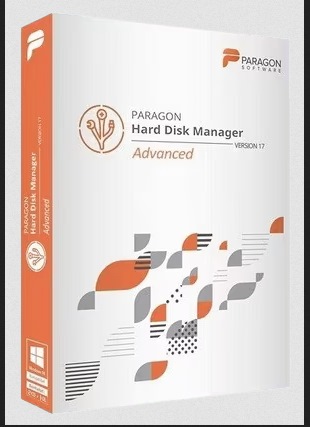
Paragon Hard Disk Manager 17 Advanced 17.63.0 / Business Server 17.64.0

613a3347cbd4335fcce50292e9161ee5.jpg

Paragon Hard Disk Manager 17 Advanced 17.63.0 / Business Server 17.64.0
Languages: Multilingual
File Size: 397 MB (In Total)


Hard Disk Manager™ Advanced - Data safety and disk health for tech-savvy users. Data security requires taking care of several aspects. Paragon Hard Disk Manager consolidates 25 years of hands-on expertise in system software to keep your data healthy and safe.
Data safety and disk health for tech-savvy users
- Organize your disks, ensure capacity and performance of storage media
- Transfer systems on the fly, use physical and virtual appliances at will
- Use professional-grade backup to secure systems, applications and data
- Always stay up and running with boot fix and fail-safe system recovery
New in Hard Disk Manager™ 17 Advanced
- Covers up to three personal computers
- Partitioning functionality for advanced users
- Updated Drive Copy features
- New restore from backup scenarios
- Improved graphical user interface
Organized and optimized storage
Next-generation partitioning functionality ensures optimal storage use. Your internal drive running low on available disk space? This dilemma often occurs when you have multiple partitions to accommodate different systems and data types. With Hard Disk Manager, you can resize partitions on the fly to maximize available storage capacity. With newly-added features, you also can undelete and merge partitions, edit and view sectors in the built-in hex editor, convert partitions into primary and logical. Easily perform a surface test to identify bad sectors of the partitions.
Live transfer your systems and data
Want to change an old HDD to a new SSD? With Hard Disk Manager, you simply choose where you want your Windows and clone your disk. Continue working on your system while Windows is being relocated. No manual operations or reboots necessary - just switch over when it's ready. New Drive Copy functionality creates an exact, uncompressed replica of your system's hard drive onto another drive.
Paragon Recovery Media Builder
Hard Disk Manager comes with full-fledged Paragon Recovery Media Builder to correct boot problems inflicted by logical errors, hardware malfunctions, or failures. If the system becomes corrupted or compromised - malware or ransomware reasons included - you can quickly restore full operability of system and applications with minimal data loss.
Clean up media
Wipe personal data before disposing of a hard disk. Alternatively, clean unused space only with possibility to restore a deleted file. You know better than neglecting this simple rule.
Restore any file from backup
Restore data from backups, including an entire hard disk or its partitions, separate files or folders. Protect backups with a password. Import any backup to restore in WinPE.
Basic partitioning
Create, format, delete/undelete, hide/unhide, active/inactive, assign/remove drive letter, change volume label, file system conversion (FAT to NTFS, NTFS to FAT, HFS to NTFS, NTFS to HFS), file system integrity check.
Advanced partitioning
Split/merge, redistribute free space, change cluster size, convert to logical/primary, edit sectors, compact/defragment MFT, convert to MB R/GPT, change primary slots and serial number, connect VD, surface check.
Disk wipe
Industry-class algorithms, shell integration, SSD trim, clear HDD/partition, clear free space, cleanup reports.
Data Migration
Copy partition, copy entire disk, migrate operating system.
Backup and Restore
Restore data from backups, including an entire hard disk or its partitions, separate files or folders. Protect backups with a password. Import any backup to restore in WinPE.
Backup automation
View/edit backup jobs, unlimited number of jobs.
Recovery Media Builder
Hybrid (uEFI and BIOS compatible) x32/x64 recovery environment, WinPE bootable USB/ISO, optional Windows Assessment and Deployment Kit (ADK), Automated Installation Kit (WAIK), driver injection, pre-mounted network connection during setup.
Release NotesNew and key features in Hard Disk Manager 17
- New! User interface color scheme, intuitive controls, and comprehensive UX improvements.
- New! Granular partitioning for power users
- Undelete, merge, move, resize partitions;
- Easily edit and view sectors in the built-in hex editor;
- Convert partitions into primary or logical;
- Perform a surface test to identify bad sectors.
- New! Disk Cloning for easy system migration - Create an exact, uncompressed replica of a system hard drive on another drive, saving migration time and effort with greater OS portability.
Backup & Recovery delivers smart, automated backup strategies and system recovery management. Partition Manager provides hard disk storage organization and optimization. Whenever internal drives run low on disk space due to multiple partitions accommodating different systems and data types, this feature resizes partitions to maximize available storage capacity.
Drive Copy assists with migration of an entire hard drive or operating system to a larger-capacity HDD or a speedy SSD. The user can continue working uninterrupted while live migration of the system is performed, and only switch over once migration is completed.
Disk Wiper is a professional data erasure tool that ensures safe HDD and SSD recycling and information security. Home users can permanently wipe sensitive data before transferring a computer to a third party, thus protecting their privacy and eliminating the risk of personal data misuse. Disk Wiper employs more than 10 algorithms adopted by military and government organizations worldwide.
New in Hard Disk Manager™ Advanced
- Backup Excludes
- E-Mail Notifications
- File Transfer Wizard
- Verify backup data viability
- Restore from isolated containers
System Requirements
- Windows 11
- Windows 10
- Windows 8.1
- Windows 8
- Windows 7 SP1
- Windows Server 2008 R2 with SP1
- Windows Server 2012
- Windows Server 2012 R2
- Windows Server 2016
- Windows Server 2019
- Windows Server 2022
- Windows Server 2025
Supported Languages
English, German, French

Код:
https://rapidgator.net/file/4b7ec30e538a8609c0b132982bce6cf7/Paragon.Hard.Disk.Manager.Business.17.64.0.rar.html
https://rapidgator.net/file/6aed4c52003b8da86e841c8bd86958b1/Paragon.Hard.Disk.Manager.Advanced.17.63.0.rar.html

Код:
https://nitroflare.com/view/56D7B9499129E27/Paragon.Hard.Disk.Manager.Business.17.64.0.rar
https://nitroflare.com/view/726ABE2CC3471C3/Paragon.Hard.Disk.Manager.Advanced.17.63.0.rar
 
Perfectly Clear WorkBench 5.1.0.3213 (x64) Multilingual

5318dde2f3fb76d87f8b96df51adb6fe.jpg


Perfectly Clear WorkBench 5.1.0.3213 (x64) Multilingual

File size: 247.6 MB


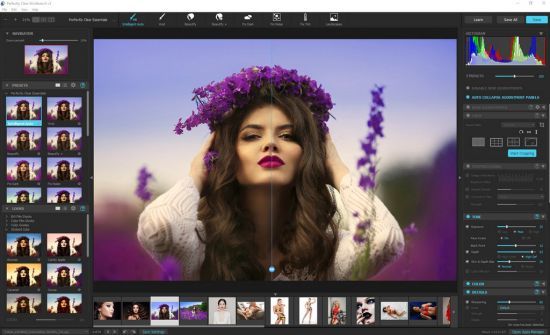
Perfectly Clear Workbench is an application that uses Athentech's Perfectly Clear image correction libraries and is made available to demonstrate the capabilities of the Perfectly Clear processing libraries, face detection library and to allow a quick export of the processing settings for use.

One of the key features in Workbench is the ability to "export to API" when saving a Preset. This allows you to make image corrections in Workbench and tune the settings to match your style and correction needs. Then, you can quickly export these settings to a text file - ready to be copy / pasted into your source code with our image correction SDK.

Whats New

System Requirements: Windows 10, 11


HOMEPAGE


Код:
https://eyeq.photos/


DOWNLOAD

Код:
https://rapidgator.net/file/e14bee6221c60bafbbfd6558d0cdb4f7/Perfectly_Clear_WorkBench_5.1.0.3213..rar.html

Код:
https://nitroflare.com/view/B1C0DE29D26B115/Perfectly_Clear_WorkBench_5.1.0.3213..rar
 
reaConverter Pro 8.0.222 Multilingual

c77559c5c257d01079dd15f418c09d8c.webp

Free Download reaConverter Pro 8.0.222 Multilingual Fast Links | 399 Mb
Easily process full batches of files and folders. reaConverter combines powerful automation with intuitive tools to streamline image conversion and eliminate repetitive editing.


700+ File Formats
reaConverter delivers high-efficiency batch conversion for an extensive range of file formats.
Efficient Conversion
A powerful file conversion toolkit with advanced processing features - giving you precise, granular control over every output.
Image Editing
reaConverter simplifies batch image editing - apply touch-ups, transformations, and effects to unlimited images simultaneously.
Automation
Professional-grade automation features for high-volume file conversion and batch processing.
Development
Integrate reaConverter's functionality into scripts, applications, or websites using its command-line tool or DLL.
Home Page-
Код:
https://www.reaconverter.com/

Rapidgator
Код:
https://rapidgator.net/file/a1304ce1e57dd4d41b6e11d8132dfad4/lblac.reaConverter.Pro.8.0.222.Multilingual.rar.html

Код:
https://nitroflare.com/view/0EAA909F39E2542/lblac.reaConverter.Pro.8.0.222.Multilingual.rar
 
Remo Video Repair 1.0.0.34 Portable

2d8c2fe07bfcf34fe97ce8b1d7678f4e.webp

Free Download Remo Video Repair 1.0.0.34 Portable Fast Links | 13 Mb
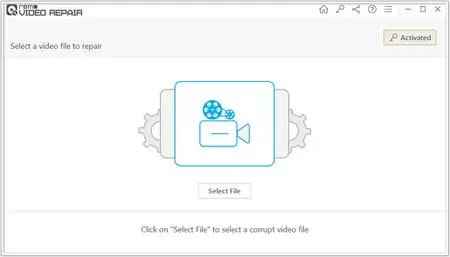
Remo Video Repair Tool is built with a powerful algorithm that is designed to repair videos of major file formats like MOV, AVI, MP4, XVID, DIVX etc.


Repair Videos from any Camera
Remo Digital Video Repair tool is a flexible utility to repair damaged videos files shot on cameras of major brands like Canon, Nikon, Sony, GoPro, DJI Phantom etc.
Ensures Safe Repair of Videos
To avoid further damge to the corrupted video file, Remo Video Repair Tool works on the damaged file in Read Only Mode to repair and generate playable video file.
Preview Repaired Videos
With an option to preview the repaired video files, the Video Repair Software lets you test its capabilities at fixing damaged, corrupted or broken video files.
Repair Corrupted, Damaged or Broken Video Files
Be it damaged, corrupted or broken video files, Remo Video Repair Software with its sleek performance ensures quick fix of damaged or corrupted videos irrespective of scenarios. The Video Repair Tool also fixes videos with audio video sync issues or header corruption.
Safest Tool to Repair Digital Videos
Built with an advanced algorithm that is designed to work in read only mode, the tool ensures that no harm is done to the original damaged file. The tool makes use of a reference video of the same file format and rebuilds the corrupted or damaged video file into a healthy playable file.
AI Powered Video Repair Methodology
The tool uses futuristic artificial intelligence to understand the format of the sample file. Remo Video Repair Tool then masters at repairing MOV video files by performing repairs post learning from the sample video file. With Remo Video Repair Software, you can easily repair the videos shot on any Cameras like DSLR, CCTV cameras, Drones, iPhone, GoPro and many more.
Operating System: Windows 7, 8/8.1, 10, 11
Home Page -
У Вас недостаточно прав для просмотра ссылок. Войдите или зарегистрируйтесь.


Rapidgator
Код:
https://rapidgator.net/file/d8ec57bfbfa5c90b60e5ebf011448229/w1ky5.Remo.Video.Repair.1.0.0.34.Portable.rar.html

Код:
https://nitroflare.com/view/3AEB4618CCD0F1F/w1ky5.Remo.Video.Repair.1.0.0.34.Portable.rar
 
Resolume Arena 7.26.2 rev 8882 x64 Multilingual

1ab5dae352135f34f7b7f0558bb04d3a.webp

Free Download Resolume Arena 7.26.2 rev 8882 x64 Multilingual Fast Links | 1 GB
Resolume Arena Media Server. Arena has everything Avenue has, plus advanced options for projection mapping and blending projectors. Control it from a lighting desk and sync to the DJ via SMPTE timecode.


Live Video Mixing
Resolume puts you in charge. You can play your videos when you want, how you want. Forwards, backwards, scratch and adjust tempo to the beat. Mix and match your visuals quickly and easily and play Resolume like an instrument.
Intuitive Interface
Whatever your style is, Resolume offers you an easy interface to rock it. Use as little or as many videos and effects as you like. The only limit is your computer's raw power and your imagination.
From Your Local Club to Main Stage
You can play on any amount of screens. From a simple screen behind the DJ in your local club to main stage at Ultra. As long as your computer can recognise it as an output, Resolume will let you use it.
Audio Visual Playback
Resolume plays both audio and video files. Animate pixels and drop beats, combine any video file with any audio file.
Audio Visual Effects
Resolume has both audio effects and video effects. Use them separately or combine them to create exciting new audio visual effects.
Audio Analysis
Make clips and effects dance to the beat. Resolume can analyse audio to make any parameter bounce to the music.
Projection Mapping with Arena
Project video on any type of surface. Complex geometrical structures or whole buildings. Resolume does all the hard work, so you can concentrate on the important part: being creative.
Blend Projectors with Arena
With edge blending you can seamlessly project one beautiful widescreen image with two or more projectors. It can even wrap around for a full 360 degree experience.
Project on Cars, Buildings or Pumpkins
With Arena you can take on any size mapping project. From projecting on DJ booths to cars, buildings and LED mappings on giant stages like Ultra.
LED There Be Light
Think outside the screen and colour the lights too! With Arena you can send out colours to DMX fixtures and the lights will be in sync with your visuals.
Live Composite & Effects
Adjust the scale and position of your clips to suit your needs. Apply effects to drastically change the look of your video. Everything runs on the video card so you get the fastest performance and best image quality possible.
Real Time Rendering
Apply effects, blend, mix, cut and edit, everything happens on the spot.
Audio & Visual Plugins
All visual effects in Resolume are plugins and you can easily add more effects by download 3rd party plugins. You can even program your own using OpenGL. On the audio side you can use VST plugins to play your favourite effects.
Integrate With Other Apps
With Syphon on the Mac and Spout on Windows you can share visuals in real-time between Resolume and other apps running on the same computer. You can even program your own apps that integrate with Resolume.
All Hands on Deck
Liberate yourself from the mouse. Use your favourite MIDI controller or get physical with your iPhone via OSC.
Control from a Lighting Desk
You can control Arena from a lighting desk using DMX. So you can operate the lights and video with the touch of a fader.
What's New In Resolume 7?
UNDO
You now have a little guardian angel looking over your shoulder. Made a mistake? Just hit undo and you're back to where you were. Accidentally removed a deck instead of renamed it? Hit CTRL + Z and all your clips are back. Phew! Undo is also a great design tool. Feel free to experiment with the look of your clips, apply effects, change the colors and if you do not like what you see you can always go back with undo.
Color Eye Dropper
Pick a color from anywhere on your screen and apply it in your composition.
Multiple MIDI Devices
What's better than an APC40? Two APC40's! Connecting multiple MIDI devices was always possible but their MIDI signals would get mixed. Resolume can now distinguish MIDI coming from different devices making them work nicely together almost magically.
Improved Random Playback
Random playback was always a bit too . well . random. But you now have a lot more control over random playback. You determine how often it will jump to a new random position and how far it is allowed to jump.
Color Palette Animation
Pink Green Pink Green Pink Green. Pink Green Animate your favorite colors in a color palette.
Autopilot Loops
You can now determine how often a clip should loop before advancing to the next.
MetaBalls, Sine Wave, Spiral
They say it's more sustainable to buy local produce. So we worked together with The Hague based artist Darien Brito to create a few versatile generators so you can create even more visuals right within Resolume.
System
Requirements
:
- Windows 7 SP 1 or later, 64 bit
- AMD or NVIDIA graphics card with 256MB of VRAM
- 4GB RAM
Recommended Specs:
- Windows 10, 11
- i7 Processor, 2.6 GHz
- NVidia RTX 2070
- SSD
16GB Ram
Home Page -
Код:
https://resolume.com/

Rapidgator
Код:
https://rapidgator.net/file/a8a1e3322f600d19ff96d3960cc54492/ydno3.Resolume.Arena.7.26.2.rev.8882.x64.Multilingual.rar.html

Код:
https://nitroflare.com/view/DB2C5162823985E/ydno3.Resolume.Arena.7.26.2.rev.8882.x64.Multilingual.rar
 
Rs Browser Forensics 4.2 Multilingual

defaeb0a5708d3dc59ece671a66081f7.jpg

Rs Browser Forensics 4.2 Multilingual
Windows x86/x64 | FIle size: 35.53 MB


Analyzing the user's online activities? Attempting to recover data from incognito/private browsing sessions? Require access to the user's online accounts and social networks? RS Browser Forensics helps extract existing and deleted records and traces left by the users' browsing activities.
Helps recovering information about the user's online activities. The tool can extract existing and deleted browsing history records from most common Web browsers, access stored passwords and recover bookmarks and favourites.
Even if the browsing cache was cleared or the browsing session occurred in Incognito mode, RS Browser Forensics may still be able to locate traces of the user's online activities. The tool can recover deleted data by analysing the hard drive in low-level mode, automatically discovering all Web browsers currently installed and previously used on the computer.
Web Browsing Analytics
In addition to extracting and recovering information, RS Browser Forensics comes with a powerful analytic module. You will gain access to the user's complete browsing history in a convenient timeline, track their use of social networks and online accounts, and access their saved passwords.
RS Browser Forensics helps identify online resources, social networks, chats and forums frequented by the user by laying them out in a convenient timeline. You will be able to investigate the user's online activities during a specified period of time, analyse their search queries, translation history, sent and received messages, page transitions, and much more.
Low-Level Disk Access
Quick pre-recovery preview allows viewing the content of recoverable files in live mode, allowing to quickly locate the exact document, picture or archive to recover. You don't have to purchase the full version or actually recover a file to have a peek. Just complete a disk scan and click on a file to see its live pre-recovery preview!
Comprehensive recovery and analysis of deleted data
RS Browser Forensics analyzes the disk in low level, allowing extracting browsing data after the browser cache was cleared. In addition, the low-level data recovery engine helps obtain information occurred during InPrivate/Incognito browsing sessions.
Access to saved forms and passwords
The tool extracts passwords and filled form data stored by all supported Web browsers including addresses, nicknames, logins and passwords that were used to sign in to social networks, chats, forums and other types of online resources.
Timeline
The Timeline offers a highly convenient way of analysing the user's online activities by congregating data extracted from all supported Web browsers and placing records on a single timeline. The user's search requests, opened Web pages, sign ins, messages sent and received as well as many other activities can be quickly analysed.
Incognito mode support
Depending on the Web browser, private (incognito) sessions may or may not leave visible traces on the hard drive. RS Browser Forensics will analyse the disk in low level to extract the bits and pieces left after a private browsing session, recover deleted files and place activities onto the timeline.
Support for multiple Web browsers
RS Browser Forensics supports all popular Web browsers including Chrome, Mozilla FireFox, Opera, Yandex.Browser, UC Browser and many others.
What's new
• official site does not provide any info about changes in this version
Editions: Unlimited / Commercial / Office / Home
System Requirements: Windows 7/8/10/11

Код:
https://rapidgator.net/file/f46ff2982649f8271e0fb7746a531293/RS.Browser.Forensics.4.2.rar.html

Код:
https://nitroflare.com/view/72E725A3A52D3D7/RS.Browser.Forensics.4.2.rar
 
Rs Data Recovery 5.1 Multilingual

bed69ef227f783a5788fb8bdec8ed305.jpg

Rs Data Recovery 5.1 Multilingual
Windows x86/x64 | File size: 238.01 MB


RS Data Recovery makes data recovery easy for everyone. Combining two useful tools in one convenient package, RS Data Recovery can undelete all types of data while offering dedicated support for picture recovery. RS Data Recovery is extremely easy to use by using a convenient step-by-step wizard. The available pre-recovery preview instantly displays deleted files and documents, allowing you to estimate whether or not a particular document or picture is worth recovering.
Data Recovery and Picture Restoration at a Discount
RS Data Recovery combines the functionality of two separate tools, RS File Recovery and RS Photo Recovery. By including two tools in one convenient package, RS Data Recovery is offered at a 20% discount compared to purchasing the two products separately.
Recover Files from Formatted and Repartitioned Drives
RS Data Recovery offers a highly sophisticated deep scan algorithm for locating and recovering files stored on corrupted and reformatted disks, deleted partitions and failed memory cards. In deep scan mode, RS Data Recovery will read the entire disk surface and match information it reads against a built-in database of known file formats. If a known type of file is detected, the algorithm analyzes its header and correctly determines the exact location and length of the file. When using deep scan, RS Data Recovery can successfully recover files no other tool can even see.
Recover Deleted Pictures
RS Data Recovery can recover lost and deleted pictures, producing viewable and editable images from empty memory cards. The data recovery tool supports pictures and RAW files in a wide range of photographic formats, including *.cr2, *.crw, *.jpeg, *.jpg, *.psd, *.cdr, *.bmp, *.raw, *.tiff, *.tif ,*.nef, *.pef, *.x3f and so on.
Instant Preview
RS Data Recovery comes equipped with pre-recovery preview to display the content of supported documents and pictures before they are being recovered.
Recover Files from All Kinds of Storage Media
The data recovery utility supports all models of hard drives made by different manufacturers. We tested a wide range of SSD disks, USB drives, and pretty much every type of memory card (click here to access the full list of supported memory cards).
Safer Recovery with Virtual Drive Images
The data recovery utility has an option to recover data from virtual drive images instead of the real disk. By recovering data from a bit-precise snapshot of a disk instead of the real, physical device, RS Data Recovery offers an additional protection against accidents.
CD/DVD and FTP Support
Recoverable information should always go onto another drive. If you're short of a spare disk, you can upload the files being recovered to a network location over an FTP protocol, or burn them to a CD or DVD media.
Features at a Glance
• Recovers deleted files and folders;
• Recovers lost and deleted digital pictures;
• Offers two tools in one discounted package;
• Recovers information cleared off the Recycle Bin or deleted with "Shift"+"Del";
• Restores information from formatted and repartitioned disks;
• Recovers files from corrupted or deleted FAT and NTFS partitions;
• Recovers from physical drives and virtual drive images;
• Pre-recovery preview quickly views images and documents;
• Can store recoverable files to another drive letter, burn to a CD/DVD, or upload them onto an FTP server.
Deleted Digital Picture Recovery
RS File Recovery recovers deleted picture files in the following formats
*.CR2, *.CRW, *.JPEG, *.JPG, *.PSD, *.CDR, *.BMP, *.RAW, *.TIFF, *.TIF ,*.NEF, *.PEF, *.X3F
Lossless JPEG recovery (jpg, jfif, jpeg formats)
Supported Storage Media
RS Data Recovery supports all types of fixed and removable storage media. The data recovery tool has been successfully tested with the following devices
• Desktop and laptop hard drives of all makes and models;
• SSD drives including those with TRIM support;
• USB sticks and removable solid-state drives;
• Memory cards including SD, SDHC, SDXC, Compact Flash, Memory Stick, xD, MMC, regardless of make and capacity;
• Most digital compact cameras and media players connected via a USB cord.
Recoverable Files
RS Data Recovery can recover all types of files and folders, including compressed and encrypted. In addition, advanced recovery mode powered by the deep scan algorithm is available for certain types of files
• Recovers Microsoft Office documents: Word (*.doc, .docx, *.rtf etc.), Excel(*.xls, .xlsx etc.), PowerPoint (*.ppt);
• Recovers Adobe Reader(*.pdf), databases and email databases (*.pst *.dbf, *.mdb, *.1cd, *.mdf);
• Recovers digital pictures in all popular formats including *.cr2, *.crw, *.jpeg, *.jpg, *.psd, *.cdr, *.bmp, *.raw;
• Recovers audio and video files (*.avi, *.dat, *.mkv, *.mov, *.mpg, *.vob, *.wmv, *.m4p, *.mp3, *.wav, *.wma, etc.;
File Systems
The data recovery utility supports all Windows file systems including exFAT, FAT 16, FAT 32, NTFS, NTFS 4, and NTFS5.
What's new
• official site does not provide any info about changes in this version
Editions: Unlimited / Commercial / Office / Home
System Requirements: Windows 7/8/10/11

Код:
https://rapidgator.net/file/67b5f93422813ba1e4ad927d5da964ca/RS.Data.Recovery.5.1.rar.html

Код:
https://nitroflare.com/view/FB80A0D125C81F2/RS.Data.Recovery.5.1.rar

 
Rs File Recovery 7.3 Multilingual

54c7d0df634f7a7013a3626b32cfe061.jpg

Rs File Recovery 7.3 Multilingual
Windows x86/x64 | File size: 78.83 MB


Deleted a bunch of files from the .hard disk or lost information after a memory card failure? Want your documents, compressed archives or digital pictures back? Looking for a tool to recover files from a repartitioned disk? Formatted a hard drive or memory card and want your files back? Something really important stored on a drive that turned unreadable? No worries, your files are not gone forever. Chances are that your files are sitting safely exactly where they used to be.
ou simply need a way to get them back. Today's data recovery technologies have drastically evolved. With modern file recovery utilities you can even recover everything from a crashed hard drive that's been repartitioned and formatted afterwards, let alone simple cases such as formatted memory cards or deleting a bunch of files from the Recycle Bin.
RS File Recovery is a modern file recovery utility using highly sophisticated algorithms to locate and recover your files and folders. You can use this file recovery utility to undelete a single file or a bunch of folders, recover information from corrupted and formatted disks and memory cards.
Its simple, step-by-step wizard and instant pre-recovery preview allow anyone feel immediately comfortable using RS File Recovery.
RS File Recovery Features
- Recovers files deleted directly or removed from the"Recycle Bin";
- Recovers information from formatted hard disks and deleted FAT and NTFS partitions;
- Recovers data from hard drives or all makes and models, USB flash drives, and all types of memory cards including full-size and micro SD, SDHC, SDXC, Compact Flash, Memory Stick, MMC, and xD.
- Recovers data from hard drives or all makes and models, USB flash drives, and all types of memory
What's new
• official site does not provide any info about changes in this version
Editions: Unlimited / Commercial / Office / Home
System Requirements: Windows 7/8/10/11

Код:
https://rapidgator.net/file/7b8d49c3fa9577e25cc05b5b607f93e8/RS.File.Recovery.7.3.rar.html

Код:
https://nitroflare.com/view/453C5F20E33C77C/RS.File.Recovery.7.3.rar
 
Назад
Сверху