• Здравствуйте. Сайт заработал в архивном режиме форум www.old.nado.in

All mitsumi'1s Applications !! (updated daily)

  • Автор темы Автор темы mitsumi1
  • Дата начала Дата начала
MP08 for Siemens Solid Edge 2025 (x64)

th_Z56kN431RhNpQxQ1JrwjtQcLj3mgoR0c.avif


File size: 441.1 MB​

Solid Edge is the most full-featured hybrid 2D / 3D CAD system that uses synchronous technology to accelerate design and editing process, as well as enhanced support for reusing imported geometry. Solid Edge is a key component of the Velocity Series solution portfolio and features excellent tools for modeling parts and assemblies, drawing designs, transparent data management, and an integrated finite element analysis module that allows you to successfully cope with the increasing complexity of designed products.

The new version of Solid Edge offers enhanced functionality based on synchronous technology, which significantly speeds up the product design process, simplifies the modification, import and application of data created in various CAD systems. The latest version includes improvements in finite element analysis, design data management, and over a thousand user-defined changes.
Implementing the concept of synchronous technology, Siemens PLM Software has expanded the possibilities of using synchronous technology in the entire system. In addition to support for modeling parts and sheet bodies implemented in previous versions, synchronous models can be used directly in assemblies - for example, in the design of pipelines, trusses, electrical wiring, and other types of products. First introduced associativity between synchronous parts, which allows the user to create and edit his idea before, during or at the end of the assembly design process.
Solid Edge provides the ability to work with both synchronous and conventional (ordered in the construction tree) structural elements in a single integrated design environment. Users can use synchronous structural elements to speed up the design process and flexible editing of models, and elements with a construction tree - for designing cast parts and parts obtained by machining. Elements with a construction tree in existing models can be selectively converted to synchronous, which gives the designer more flexibility and ease of use of the system.
As the number of enterprises making the transition from other 3D systems to Solid Edge and using the advantages of synchronous technology is growing, the possibility of combining 2D drawings with existing 3D models has emerged - another way to increase productivity. Technological dimensions in 2D drawings can now be automatically transferred to the appropriate imported 3D model. The resulting "production" 3D dimensions can be edited immediately, and the imported 3D model changes simultaneously due to synchronous technology.
Solid Edge has an application for finite element analysis, including new types of loads - torque and load in a cylindrical support, user-defined constraints, as well as new ways of connecting parts in assemblies, such as bolted connections and rib connections for sheet metal parts. The tools to simplify models allow you to quickly get the results of calculations, and improved visualization tools - to see the model from the inside.
The model can be adjusted using either synchronous technology or using a construction tree. Solid Edge provides control of models of parts and assemblies in the early stages of design, which reduces the time to market products and the cost of manufacturing prototypes.
In Solid Edge, thousands of customer-defined improvements that further increase the return on this product at all stages of the product design process. New functionality has appeared in various modules, including modeling of sheet bodies, pipelines and truss structures, assembly management and drawing tools. Improvements in the design environment of sheet bodies include new types of corner closures, an element for etching part designators and other geometry, as well as technological elements in the development of sheet metal parts, for example, shipping ears.
Solid Edge continues to raise the bar in the field of creating drawings, in which you can now transfer all technological dimensions and designations, designations of parts in the assembly, and even represent parts with different colors of lines in the drawing, borrowing them from the 3D model.
New "international" drawings allow you to use different sets of characters in different languages ​​of the world in one drawing or in one callout. The simplified user interface includes a fully customizable radial menu, which reduces the number of mouse movements. Transparent dialogues for managing structural elements and details, as well as dialogs for reduced-sized commands, provide the largest area of ​​the graphic workspace.
Whats New
Updates: official site does not provide any info about changes in this version
Homepage:
Код:
https://www.plm.automation.siemens.com/

Download link

rapidgator.net:
Код:
https://rapidgator.net/file/ee39ce46a7f3f33281b812dd435960fb/kvlai.MP08.for.Siemens.Solid.Edge.2025.x64.rar.html

nitroflare.com:
Код:
https://nitroflare.com/view/9CE50E38D0C425D/kvlai.MP08.for.Siemens.Solid.Edge.2025.x64.rar

 
Muziza YouTube Downloader Converter 8.11.3

fb729825837eb96ca2ef30381c88fc1d.jpeg


File size: 47.2 MB​

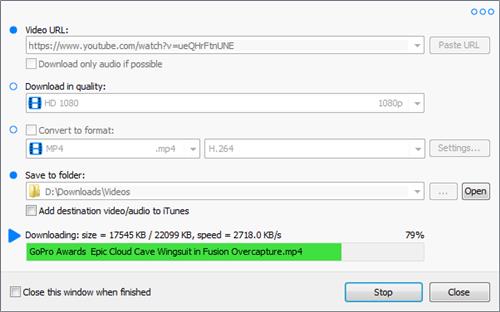
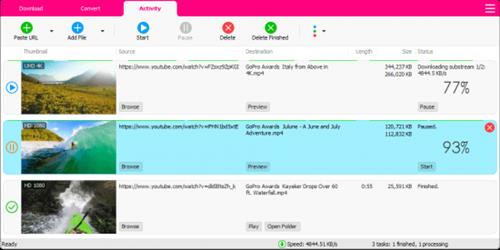
YouTube Downloader Converter is a tool that facilitates an attractive interface and plenty of features to help you download video clips from YouTube, Facebook, Dailymotion, Instagram and other websites.


Features
•Online video downloader
The app can download videos from YouTube, Facebook, Instagram, Dailymotion, and thousands of other video sites.
•HD video downloader
The app can download UHD 8K, 5K, 4K, QHD 2K, HD 1080p and 720p videos from YouTube.
•YouTube to MP3 converter
The app allows you to download only audio stream from YouTube, and save it as MP3. You don't need to download the entire video file.
•Playlist downloader
The app enables you to download entire or part of a playlist with just a few clicks.
•Download accelerator
The app features a multi-thread download acceleration engine that increases your download speeds by up to 500% or even more.
•Download multiple videos at a time
The app supports simultaneous downloads. It allows you to download more than one video at the same time.
•Pause and resume downloads
You can pause and resume your downloads at any time.
•Support drag-and-drop
You may directly drag and drop video link from your browser to the drop box or the app window to start a download. You don't even need to copy and paste video URL.
•Preview video/audio while downloading
While downloading, you can click the 'Preview' button to view incomplete file and make sure the content is you want.
•Video and audio converter
The app can convert your disk video/audio files between MP4, FLV, AVI, WMV, MOV, MP3, AAC, and any other formats for any device.
•Video optimizer
The app automatically optimizes downloaded videos for popular mobile devices, so you can watch downloaded videos smoothly on your iPhone, iPad, Android phone, and other devices.
•Video to MP3 converter
The app allows you to extract audio stream from video and save it as MP3, WAV, AC3, or other audio format.
•Ready-made presets
The app provides ready-made presets for all video and audio formats. You can also customize your own video/audio formats.
•iTunes compatible
Optionally, the app can add downloaded video/music to your iTunes library automatically, so you can easily synchronize your videos and music to your iPhone, iPad, iPod.
•Media Player
The app contains an easy-to-use media player for playing files that Windows Media Player cannot play.
Whats New
Updates: official site does not provide any info about changes in this version
Homepage:
Код:
https://www.muziza.com/

Download link

rapidgator.net:
Код:
https://rapidgator.net/file/ae62859b1f4ea1d035ec0062fb05708e/iekxb.Muziza.YouTube.Downloader.Converter.8.11.3.rar.html

nitroflare.com:
Код:
https://nitroflare.com/view/51441755AF6FF4E/iekxb.Muziza.YouTube.Downloader.Converter.8.11.3.rar
 
NCH VideoPad Pro 17.36 Beta

6968ed537f8256d27fce75f597008730.jpeg


File size: 10.41 MB​

Working with video files, especially editing them, is a task that requires a specialized application that can provide all the tools one needs. Among the software applications of this kind you can find VideoPad Video Editor. The interface of this utility is divided into several parts (e.g. Media List, Effects, Transitions, Files, Clips, Video Track, Audio Track, Overlay Track), which may make everything seem a little hard to operate. You can capture video from a camcorder or another device like a webcam or a TV capture card, and once you have added files and sequence clips to the queue, you can start editing them.

So, you can select position for the new clip (at slider's position, to the timeline's start or end point), add blank slides and overlays, modify media in an external editor, change playback speed and stabilize video with the Deshaker filter.
You can also create bookmarks and subtitles, import and export subtitles, select Chrome Key color, save video in the "Stereoscopic 3D" output format, apply audio effects (e.g. amplify, chorus, compressor, distortion, flanger, reverb), as well as record a narration.
Furthermore, you can apply various video effects (e.g. brightness, crop, edge detection, sepia, temperature, posterize, hue) and transitions (e.g. cross fade, reveal, split, fan, circle, diamond).
The program comes with a well-drawn help file and video tutorials while the system resource usage is moderate. It may lag sometimes between commands, but overall, VideoPad Video Editor manages to put up a good performance.
Key Features
Stunning Transition Effects
• Choose from a range of fade transitions to give your movie that professional touch.
• Preview the effects in real time.
• Customize the duration of the effect.
Amazing Audio Tools
• Import and mix music tracks like a pro.
• Make your own custom movie soundtrack.
• Record your own narrations with the click of a button.
• Import pre-recorded narrations, sound effects or music.
Complete Video Optimization
• Fine tune brightness, saturation and color for your video.
• Add photos and digital images with a click of a button.
• Apply effects like black & white, sepia tone and negative.
• Add text captions to your movie.
Share With Your Family and Friends
• Burn to DVD and watch in your living room on your TV.
• Save for Youtube and share online with friends.
• Save to PSP, iPod, iPhone or 3GP mobile phone.
• Save to your PC as a high-quality digital movie.
Input Formats
• Video: avi, mpeg, wmv, divX, Xvid, mpeg1, mpeg2, mpeg4, mp4, mov, asf, vob, ogm, .3gp, H.264, RM and many more.
• Image: bmp, gif, jpg, jif, jiff, jpeg, exif, png, tif
Output Formats
• Disc export: DVD, CD, Blu-ray Discs, HD-DVD
• Video export: avi, wmv, asf, mpg, 3gp, mp4, mov, iPod, iPhone, PSP, Mobile Phone, Pocket PC
Код:
https://www.nchsoftware.com/videopad/versions.html
System Requirements:Works on Windows 11, 10, XP, Vista, 7, 8 and 8.1
Homepage:
Код:
https://www.nchsoftware.com/

Download link

rapidgator.net:
Код:
https://rapidgator.net/file/993d48406ddf2baaa95c59b30092269c/pvphd.NCH.VideoPad.Pro.17.36.Beta.rar.html

nitroflare.com:
Код:
https://nitroflare.com/view/BA4BFCD1D731755/pvphd.NCH.VideoPad.Pro.17.36.Beta.rar
 
Net Monitor For Employees Pro 6.4.8

th_9EN4lCFkEDfSzeSDr40hupAY6NQ53jkb.avif


Windows x86/x64 | File size: 100.41 MB​

Powerful Employee Monitoring Software. Increasing productivity in offices is not as much a task you may think. If you are a business leader, a teacher, a chairman of a company or project supervisor, you need strong employee monitoring software to keep an eye over the screen of your students, employees and team members.

Employee Monitoring and Why It is Essential for Your Business
Businesses worldwide suffer from employees not doing what they are paid to do. With that costing business a lot of money and time, especially small businesses or those who are struggling to get on top of their competition.
Why is employee monitoring software essential for your business?
Employee monitoring software has become an essential part of any business because it helps businesses track employee activity and prevent employees from sharing confidential company data by uploading it to their personal cloud or downloading it to their USB drives.
The web opens prime avenues for employees to expose sensitive or regulated data. This makes for a major blind spot where companies can be at risk
- Of employees running application reports to collect sensitive data.
- Of employees installing remote control applications to work from home.
- Of employees uploading sensitive data to their personal cloud or downloading it to their USB drive.
What can employers track?
Employers can record and track any screen activity with Desktop Recorder and then export it as MPEG4 (video) or JPEG (pictures). This comes in very useful when employers are not on their computers or phones/tablets. They can also log and export any Internet Usage and Application Usage data using Reporting. Keystroke Logging and exporting of all presses keys in a specific time frame is also available.
Biggest benefits of employee monitoring
- Businesses can save large sums of money that they are spending on employee wages and development. It can particularly help small and struggling businesses.
- It increases productivity and lessens the time wasted of employees slacking off.
- It offers security measures to protect confidential data and the integrity of a company.
The most important features for employee monitoring
- Desktop Recorder is a great feature that runs in the background and records all desktop activity.
- Internet control is a crucial tool to block all unwanted pages like Facebook, Twitter, etc...
- Reporting lets you log web and application usage and log keystrokes.
- Remote control even allows you to control computers from a mobile/tablet.
- View and block any unwanted applications or processes.
- Restrictions allow you to restrict the use of certain devices and functions. By locking USB drives you can prevent employees from downloading or uploading any files to the PC
- Several tools allow you to turn the computer on or of, lets you run shell commands, open webpages, etc.
- Increase productivity with our integrated messaging, desktop sharing and file sharing features.
New in Version
Major new features
- Application Blocking
Additional tools like
- Disable Printing
- Disable CTRL+ALT+DEL
- Mute computers
- Limit remote computer audio volume
- Clear Desktop
What's new
• official site does not provide any info about changes in this
Homepage:
Код:
https://networklookout.com/

Download link

rapidgator.net:
Код:
https://rapidgator.net/file/37e9d4d5ab15cd2f09682a7abe44f564/raxjb.Net.Monitor.For.Employees.Pro.6.4.8.rar.html

nitroflare.com:
Код:
https://nitroflare.com/view/079418E348ECCD3/raxjb.Net.Monitor.For.Employees.Pro.6.4.8.rar
 
NETworkManager 2025.8.10.0

959aadbdd3fc759da3ca4d67aace928e.jpeg


File Size : 23.6 Mb​

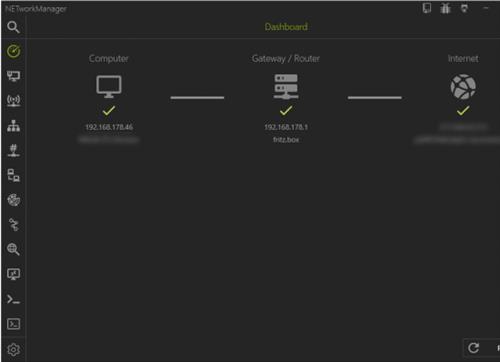
NETworkManager is an Open Source tool that allows you to manage networks and troubleshoot network problems.NETworkManager centralizes several tools that can assist in network management of connections. You are given access to a large assortment of tools all readily available from NETworkManager's primary window for efficient use. You can use these tools to view the network interface along with many other essential bits of information like IP addresses, DNS servers, etc.). Connected network cards can be configured using profiles. You can also perform a PING or quick lookup, scan ports and hosts, connect to a server (with PuTTy/VNC), Wake on Lan and much more


NETworkManager makes being in control of your network a breeze with quick access to all the essential tools needed to keep it running correctly.
.
Features
Dashboard
Network Interface - Information, Bandwidth, Configure
WiFi - Networks, Channels
IP Scanner
Port Scanner
Ping
Ping Monitor
Traceroute
DNS Lookup
Remote Desktop
PowerShell
PuTTY (requires PuTTY)
TigerVNC (requires TigerVNC)
SNMP - Get, Walk, Set (v1, v2c, v3)
Wake on LAN
HTTP Headers
Whois
Subnet Calculator - Calculator, Subnetting, Supernetting
Lookup - OUI, Port
Connections
Listeners
ARP Table
Код:
https://github.com/BornToBeRoot/NETworkManager/releases/
Homepage:
Код:
https://github.com/BornToBeRoot/NETworkManager

Download link

rapidgator.net:
Код:
https://rapidgator.net/file/ea913e1f3699382986283e44620b28f0/emrkj.NETworkManager.2025.8.10.0.msi.html

nitroflare.com:
Код:
https://nitroflare.com/view/2490D904C36A91F/emrkj.NETworkManager.2025.8.10.0.msi
 
O&O DiskImage Professional / Server 21.1.182 (x64)

th_gjhE75iVea3K7TzRLN9mAckXTuvpXbHq.avif


File size: 239.2 MB​

O&O DiskImage 21 enables businesses to back up entire workstations or individual files - even during ongoing operations. In the event of data loss or system failure, backups can be restored quickly and easily, even if Windows is no longer able to start. With full support for SSDs and modern UEFI systems, O&O DiskImage also allows you to clone or migrate complete systems - including to hardware with different configurations. This makes it ideal for IT environments where flexibility and minimal downtime are key.

A regular backup is still something that many users prefer to avoid. At least that is until they suffer their first loss of important files as a result of software, hardware or user error: that's when it becomes crystal clear just how valuable a reliable and up-to-date backup really is!
Comprehensive VHD / VHDX functionality
With version 21, O&O DiskImage now allows image files to be converted into Microsoft Virtual Hard Disk formats (VHDX and VHD). This feature is particularly valuable for IT administrators who want to simulate or test a migration from Windows 10 to Windows 11 in a virtual environment before deploying it across their infrastructure.
O&O DiskImage 21 also supports the creation of incremental and differential images of virtual drives. These images can be combined or mounted as needed, enabling quick access to individual files from any available backup. This ensures minimal disruption to operations and allows work to resume immediately - without loss of time or critical data.
O&O DiskImage 21 with its own recovery partition
Traditional backup and imaging solutions typically require creating an external boot medium - such as a USB stick - to recover systems in the event of failure. This medium must be kept safe and accessible, which adds complexity to disaster recovery planning.
With the integrated O&O DiskImage RecoveryPartition, there's no need for external devices. The recovery environment is built directly into the system, allowing administrators to quickly restore the last system image without additional tools. Whether Windows fails to start or faulty drivers need to be removed, all necessary O&O tools are immediately available to bring the workstation back online.
This integrated approach not only simplifies the recovery process but also increases reliability by eliminating the risks of lost or damaged external media.
O&O DiskImage To Go
In the past, creating regular backups also meant having to manually prepare a separate O&O DiskImage boot medium for system recovery. With the new O&O DiskImage To Go feature, this process is now fully automated.
An external hard drive or sufficiently large USB flash drive can be converted into a bootable O&O DiskImage medium. It is then designated as the default storage device for future backups. Once connected, O&O DiskImage 21 automatically initiates a backup, ensuring a current system image is always available - without requiring user interaction.
In the event of a system failure or when migrating to a new machine, the integrated boot medium allows for a one-click restoration of the stored backup - no need to search for recovery tools or separate storage devices.
System protection and migration have never been easier or more efficient.
Further functions of O&O DiskImage
All default and advanced features are combined in one single product
This backup software is the safest and easiest way to avoid losing important personal files! Options are available for both auto backup and manual settings. Thanks to a unique recovery system that includes additional system recovery tools combined with O&O DiskImage you'll quickly be able to restore all your important data - even if the backup you're using was created with an older O&O DiskImage version.
Backup entire PCs, hard drives or files with the push of a button
When you back up a PC, O&O DiskImage saves all personal files as well as hard drive information and individual settings. This not only protects irreplaceable files but, in a worst case scenario, also saves you the trouble of having to carry out a time-consuming new setup of programs and the Windows operating system. O&O DiskImage lets you back up an entire computer, system and hard drives or just individual files and folders. To make sure your backups are always up to date, we recommend creating them at short intervals from one another.
Quick and easy system restore - even onto different hardware
Restoring a backup with O&O DiskImage is as easy as pie: all you have to do is start the program, select the backup you want to restore, and you're off. Included with the software is our machine independent restoration which means your old backup can be transferred 1:1 onto a new machine. Hardware of a different make will be automatically recognized and Windows settings will be carried out by themselves.
Plug-and-play function
Anyone wanting to save data on an external hard disk has it even easier with the new O&O DiskImage 21. Thanks to the integrated plug-and -play option, selected files and folders can be backed up automatically as soon as, for example, an external hard disk is connected to the computer. This is ideal for users who forget to carry out regular backups or who don't want to go through the trouble. Once configured, the auto backup function runs by itself.
Create a boot medium directly from within the program
O&O DiskImage can bring a system back to life immediately and with no installation required. It does so by way of a Boot Medium (USB Stick) which is based on the currently installed Windows system and which contains all the standard drivers required.
Made in Germany. Made in Berlin.
All O&O products are developed and serviced in Berlin. We at O&O are proud of our German heritage, and proud to represent the quality, security and satisfaction long associated with products "Made in Germany". We take the concerns of our customers very seriously because we know just how important their data is for them.
Product features
Backup an entire computer with the push of a button
Backup system and hard drives, clone drives and entire disks
Brand new file-based backup: now twice as fast as ever before - backup and restore individual files and/or folders
Direct creation of VHD/VHDX
Monitoring and warning of security risks
Incremental/differential backup: back up only the changes
Easily restore files, folders, drives and disks
System restore onto different hardware (M.I.R.)
Create a Windows Boot system directly from within the program with driver integration
Plug-and-play: Selected files and folders are automatically backed up and synchronized
Variable pixel density settings: adjusts to the selected DPI setting of the connected monitor
New and enhanced functions Control via Command Lines
Supports Windows 11 and Windows 10
Код:
https://www.oo-software.com/en/oodiskimage-corporate/for-workstations
Homepage:
Код:
https://www.oo-software.com/

Download link

rapidgator.net:
Код:
https://rapidgator.net/file/d548a0d6bc7b9a623c80593ed79b7097/yeftl.OO.DiskImage.Professional..Server.21.1.182.x64.rar.html

nitroflare.com:
Код:
https://nitroflare.com/view/CEC2844B3A0678A/yeftl.OO.DiskImage.Professional..Server.21.1.182.x64.rar
 
OCCT 14.2.5.99 (x64) Multilingual

14125085bf7be7faec4b6b8fc8d4fbcc.jpeg


File size: 280.2 MB​

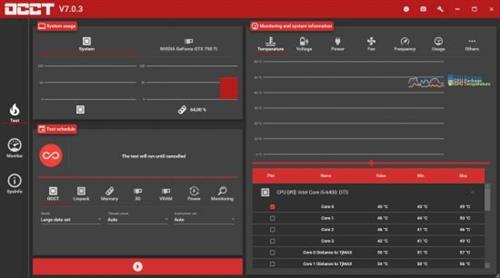
OCCT is the most popular all-in-one stability check & stress test tool available. OCCT is great at generating heavy loads on your components ( CPU, GPU, Memory, GPU Memory & Power supply ) , and aims at detecting hardware errors or stability issues faster than anything else. A monitoring engine is also embedded, to ease diagnostic and see how your computer reacts under heavy load using graphs.


6 TESTS
OCCT includes 6 different tests : OCCT and Linpack for your CPU, Memory for testing system RAM, 3D and VRAM for your Graphic card, and Power to stress your power supply. You can even monitor your PC while using an external app to generate reports using the Monitoring-only test !
MONITORING
OCCT will monitor your computer's reading and present you real-time graphs showing you temperatures, voltages, fan speed, frequencies, component usage, and power consumption during your tests. We are using the AWESOME engine from HwInfo !
BUILT-IN PROTECTION FOR YOUR COMPUTER
Worried about frying your components ? Turn the maximum temperature threshold in OCCT's options ! Should a component reach this critical temperature during a test, OCCT will stop itself immediately.
TEST REPORT
At the end of a test, you will be able to save a full graphical report of what happened during the test, for diagnostic purposes.
Код:
https://www.ocbase.com/download
Homepage:
Код:
https://www.ocbase.com/

Download link

rapidgator.net:
Код:
https://rapidgator.net/file/64963a2a3a983d37eca56cb7b80e9370/qtuhd.OCCT.14.2.5.99.x64.Multilingual.rar.html

nitroflare.com:
Код:
https://nitroflare.com/view/456107254954B83/qtuhd.OCCT.14.2.5.99.x64.Multilingual.rar
 
Plagius Professional 2.9.9 Multilingual

959c2c2fb82fc91559ec3bddcaaa789b.jpeg


File size: 93.7 MB​

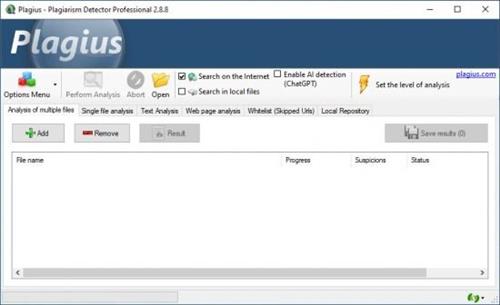
Plagius - Plagiarism Detector is a software that analyzes academic papers and documents in search of suspected plagiarism.


Plagiarism Checker
Plagius is a desktop plagiarism checker software that analyzes documents looking for suspected plagiarism by searching on the internet or in local files.
It is a tool to help in the hard task of finding plagiarism, allowing you to easily find sentences copied directly from websites or other files in your computer.
Plagius examines documents of various formats (Word, PDF, OpenOffice, HTML, RTF, plain text.) and displays detailed reports, informing the references found, the frequency of occurrences on the Internet and the percentage of suspected plagiarism.
Find the site from where it was copied
Search for suspected plagiarism in documents by searching through various internet search engines
Supports multiple file formats
Plagius supports Word files (doc and docx), PDF, OpenOffice, PPT, Html, RTF, plain text.
Your work is safe
Plagius does the analysis locally, on your computer.
Your work is not sent to be analyzed remotely.
Result
Advanced algorithm that discards insignificant occurrences
Builds detailed report with dynamic information about the analysis, including
Suspicious phrases and their sources;
URLs found, with percentage of similarity;
Percentage of suspected plagiarism and quality indicators of the analysis;
Opens the analysis result in your Web Browser or exports it to a html file.
Plagius Professional
Get all plagiarism detection features with Plagius Professional.
Local Search: It allows you to search similarities in files from your computer or network shares.
Batch Search: Too many files to analyze? No problem, with Plagius Professional you can add all files at once and let Plagius analyze them all.
Scan a page on the internet: If the text you want to analyze is on a website, page or blog, with the Plagius Professional you can enter the URL and the program will search for similar passages on the internet.
Whats New
Updates: official site does not provide any info about changes in this version
Homepage:
Код:
https://www.plagius.com/en

Download link

rapidgator.net:
Код:
https://rapidgator.net/file/9a978e07a7cc724036ec7d46334565f6/flcse.Plagius.Professional.2.9.9.Multilingual.7z.html

nitroflare.com:
Код:
https://nitroflare.com/view/8E79F8B0E37D9C7/flcse.Plagius.Professional.2.9.9.Multilingual.7z
 
Plugin Alliance Elysia Alpha Compressor V2 v2.1.0 U2B macOS

th_YE0En3aW2c3Pn1NEfKsI7OSOd5K935uj.avif


MORiA | AU | VST | VST3 | 222 MB​

Much more than a facelift
The elysia alpha compressor V2 is a detailed emulation of one of the most revered analog mastering compressors ever made. Utilizing the very latest in physical modeling technology with Brainworx's exacting new model of the built-in Lehle transformer for adding pristine analog warmth, and a customizable UI optimised for today's screen resolutions, V2 represents the apotheosis of the alpha compressor concept.

The original alpha compressor is legendary for a reason
It delivers clean, controlled, high-end compression even at extreme settings, providing both flexibility and accuracy while preserving immaculate sound. It's the kind of compressor that enhances whatever you put through it, providing everything from subtle glue to surgical refinements and correction, all while retaining the original musicality of your mix or master.
An established partnership once again sets a reference standard
Developed by Brainworx in close collaboration with elysia, V2 builds on the hardware and the celebrated V1 plugin to incorporate a raft of new features that intelligently expands on the original alpha compressor's controls and sonic capabilities. The result is an incredibly refined tool for meeting the demands of modern workflows with efficiency, precision, and uncompromisingly pristine audio quality.
Alpha sound. V2 control
The overhauled and resizable UI now incorporates the Brainworx top tool bar and an expandable plugin-only section with options for further dialling in exactly the sound you're looking for. You'll find Brainworx's patented TMT channel-modeling, controls for setting up the headroom, adjusting the stereo field and sidechain linking, as well as the option to use an external key input if desired.
Features
Modeled from the hardware
Precise emulation of the original alpha compressor in collaboration with elysia, providing the most sophisticated and complete set of dynamics control available in plugin form.
Maintains the sonic integrity of the original source material even when extreme settings are applied.
Integrated M/S matrix: As an alternative to standard stereo operation, you can process mid and side signals independently, opening up further options for precision enhancements to your stereo field.
Feed forward & backward: Compression types can be individually chosen for each channel, making a different characteristic response available with just a button push.
Auto Fast: Switchable semi-automation consistently provides perfect attack and release based on adjustable values-even when working with complex material.
The Niveau EQ provides further control for detailed tone shaping, additional clarity and punch with zero harshness.
Sidechain filter: Onboard frequency selective compression, avoiding the need for complex routings and favoring an efficient workflow.
Parallel compression: Both direct and compressed signals can be blended as desired.
Plugin-Only Enhancements in V2
A completely overhauled CPU-efficient and resizable UI for high resolution displays
Brainworx TMT (Tolerance Modeling Technology) for ultra-realistic analog behavior and channel variance
TX-Drive transformer modeling for rich harmonic saturation
Stereo Width and Mono Maker for advanced spatial control
Headroom control to match modern mastering workflows
Enhanced metering and gain staging with Auto Output Gain
Ambience, external sidechain (key) input and sidechain listening
Whats new in this version
Version 2.1.0 (Jul 18, 2025)
- Fixed broken gain reduction limit when only using the right/side control
- Added Special Modifier Keys for Threshold, Ratio, Attack and Release (Ambience), as well as Sidechain Filter Gain and Frequency (SC Listen)
System Requirements
macOS 15 down to macOS 12
Homepage:
Код:
https://www.plugin-alliance.com/en/products/elysia_alpha_compressor_v2.html

Download link

rapidgator.net:
Код:
https://rapidgator.net/file/e3a039ce5a0389bc21092fa96f53a361/ygvbf.Plugin.Alliance.Elysia.Alpha.Compressor.V2.v2.1.0.U2B.macOS.rar.html

nitroflare.com:
Код:
https://nitroflare.com/view/761026A33C95565/ygvbf.Plugin.Alliance.Elysia.Alpha.Compressor.V2.v2.1.0.U2B.macOS.rar
 
PullTube 1.8.5.79 macOS

f3796873467d39f54797b48458024b68.jpeg


Language: Multilingual | File size: 149 MB​

A beautiful online video downloader for your Mac. PullTube proposes a streamlined workflow for quickly downloading videos provides control over the output quality, and enables you to extract the audio to MP3 or M4A files. Save video from Youtube, TikTok, Twitch, Facebook, Vimeo, Instagram, Bilibili, Soundcloud and more.


The PullTube app can handle videos of any duration or size, and you get to monitor the download progress within its main window. The utility also integrates with the Notification Center to send completion alerts.
• Download videos with 8K, 4K, HD & 60fps support
• Simply drag & drop and copy and paste videos to download
• Download subtitles (including Youtube auto-generated) with your videos
• Supports HEVC (h265), VP9/8 (Webm), AV1 video codecs
• Save media thumbnails
• Convert videos to mp3 & mp4a formats
• Use clever Chrome, Safari, Firefox extensions to download faster
• Trim Youtube videos on the fly
• Recognize when videos are part of a playlist & choose which to download
• HTTP/SOCKS proxy support for location restricted downloads
• Keep download history
Release Notes
Updates: official site does not provide any info about changes in this version

Supported Operation Systems
macOS 10.12 or later
Homepage:
Код:
https://mymixapps.com/pulltube

Download link

rapidgator.net:
Код:
https://rapidgator.net/file/de6bf5f8da6dc1237626efb281dd5d45/yjayf.PullTube.1.8.5.79.macOS.dmg.html

nitroflare.com:
Код:
https://nitroflare.com/view/04F01384FE1C23D/yjayf.PullTube.1.8.5.79.macOS.dmg
 
Session Loops DrumNet 1.9.7 macOS

th_CwGqkSvv9gaXDZyBf2EFH4AchpPusgEQ.avif
th_EyIGG7CLPV9W2nARueWHXiDAqNU3cxoc.avif


File size: 1.21 GB​

DrumNet is not just another sample-based drum machine. Using state-of-art AI technology, it allows you to easily create your own drum samples in any music genre and modify them at will, without any technical knowledge.


Infinite Variations based on your Own Samples
With our innovative Deep Resampling technology, you can now unlock infinite possibilities for creating unique and customized drum sample variations, giving your music a distinct edge and allowing your creativity to soar to new heights.
Simple, yet Powerful built-in Sequencer
Whether you're looking to create a complex drum beat or a simple rhythm, our intuitive interface dramatically simplifies pattern creation, keeping the hassle at a minimum.
200 New Groundbreaking Presets
Get started with our collection of 200 brand-new hand-crafted presets. Explore drum sounds of House, Disco, R&B, Hip Hop and lots more - all coming with individual layers.
Supported Operation System
• macOS 10.14 or later
• Apple Silicon or Intel Core processor
Homepage:
Код:
https://sessionloops.com/drumnet

Download link

rapidgator.net:
Код:
https://rapidgator.net/file/8f0fcb87754e47c899d0be2ac3dbd6ea/usqnh.Session.Loops.DrumNet.1.9.7.macOS.part1.rar.html
https://rapidgator.net/file/bf4313b8e6dd38b8632bb9f4fe66369c/usqnh.Session.Loops.DrumNet.1.9.7.macOS.part2.rar.html

nitroflare.com:
Код:
https://nitroflare.com/view/2A7B98E673BA019/usqnh.Session.Loops.DrumNet.1.9.7.macOS.part1.rar
https://nitroflare.com/view/2D5A62DD7CCC104/usqnh.Session.Loops.DrumNet.1.9.7.macOS.part2.rar
 
Session Loops VocalNet 1.0.4 macOS

th_dfawQEw1NfyakVsqxe9rUTAuDVOCIs1H.avif


File size: 702.01 MB​

VocalNet is a voice transformation plugin. Powered by AI, it offers voice manipulation and post-processing, all in a compact, offline plugin.


How VocalNet works:
• Capture Mode
Capture audio in real-time and playback converted as audio effect.
• File Mode
Load audio directly and Drag & Drop converted to DAWs.
Supported Operation System
• macOS 10.13 or later
• Apple Silicon processor
Homepage:
Код:
https://sessionloops.com/vocalnet

Download link

rapidgator.net:
Код:
https://rapidgator.net/file/9be57afbf2a6c3ba5d630b18df4c8a55/uxbxd.Session.Loops.VocalNet.1.0.4.macOS.dmg.html

nitroflare.com:
Код:
https://nitroflare.com/view/B20000EC638BFFB/uxbxd.Session.Loops.VocalNet.1.0.4.macOS.dmg
 
Sonible truelevel v1.0.4 U2B macOS

th_VYKypuYHoLho1lGDOyctmqGsjhob1xrd.avif


MORiA | 11 August 2025 | 62 MB​

Gain productive insights with the help of references
true:level comes with a range of predefined references - including the loudness standards of publishing platforms and dynamic references for different genres. Aiming for these reference values avoids unpleasant surprises when you publish your a mix. To ensure consistency across an entire project, you can load up to 8 reference tracks to compare your mix with.

Easily find and make the right trade-offs
true:level makes the link between loudness and dynamics of a mix immediately apparent and provides you with a holistic overview of both values. The calculated reference zone is specified either by your chosen loudness and dynamics reference or the custom reference tracks that you've uploaded. In case you need a little guidance regarding how to modify your track to bring it within the reference zone, just hit the Level Check. That will provide you with hints as to what actions are needed.
Focus on readouts that really matter
All displayed readouts as well as their visualizations are designed so that you don't have to second-guess what you are seeing - or become distracted by too many details. true:level's key readouts are supported by target indicators, allowing you see if your track is close to the values of your chosen reference.
true:level
Get true:level to make sure that the loudness and dynamics of your track are in good shape for publishing.
Код:
https://www.sonible.com/truelevel/</p>
Whats new in this version
Official site does not provide any info about changes in this version.
System Requirements
MacOS 10.12+
Homepage:
Код:

Download link

rapidgator.net:
Код:
https://rapidgator.net/file/e45b2cd4de8ee27cc47c774b38504c9e/ampxv.Sonible.truelevel.v1.0.4.U2B.macOS.rar.html

nitroflare.com:
Код:
https://nitroflare.com/view/C37B7BF9BE806EE/ampxv.Sonible.truelevel.v1.0.4.U2B.macOS.rar
 
Swinsian 3.0 Preview 27 macOS

f1b2625f35b344e103693cbf5b260e8d.jpeg


File size: 24 MB​

The Advanced Music Player for Mac. Swinsian is a sophisticated music player for Mac OS X with wide format support, folder watching and advanced tag editing and designed to be responsive even with the largest


Features
- Supports FLAC/Ogg Vorbis as well as MP3, AAC, WAV, APE, AC3, WavPack, WMA, and cue files
- Copies tracks from iPods and iPhones
- Watches folders for new files
- Fetches album art
- Quick control window
- Imports iTunes libraries
- Playback over AirTunes
- Duplicate finding
- Bulk tag editing with regex support
Release Notes
Fixes smart playlists that reference other smart playlists within playlist folders.
Minor UI fixes.

Supported Operation Systems
macOS 10.11 or later
Homepage:
Код:
https://swinsian.com

Download link

rapidgator.net:
Код:
https://rapidgator.net/file/ed25d61ee95f92a1015f3bea60bc6a7b/zbfng.Swinsian.3.0.Preview.27.macOS.dmg.html

nitroflare.com:
Код:
https://nitroflare.com/view/0AFC8BC2BD6FE69/zbfng.Swinsian.3.0.Preview.27.macOS.dmg
 
Things 3.21.15 macOS

435aef50e653e88f02f738a48208ad34.jpeg


Language: Multilingual | File size: 34 MB​

Meet the all-new Things! A complete rethinking of the original, award-winning task manager - with a perfect balance between simplicity and power, incredible new features, delightful interactions, and a timeless new design.


Our screencast is a great introduction.
- The big picture. A Leopard-style source list lets you easily focus without ever switching view modes or wrapping your head around filter criteria.
- A magical tag bar automatically appears when needed and adapts to the currently displayed list. It lets you drill down even the longest list of To-Dos. Hierarchical tags? We got you covered!
- Teamwork. Things offers convenient collaboration features. Easily delegate tasks to members of your team. (This is work in progress.)
- No columns! Whether it's multiple tags, dates or notes, To-Do items display their information on an as needed basis. No more space wasted by empty or irrelevant column cells!
- Out of your head, out of your way. A quick entry HUD lets you enter any idea the moment it hits you. Never let the thought of an unfinished business distract you again.
- Yours forever. We won't lock you in.
Release Notes
Код:
https://geo.itunes.apple.com/app/id904280696

Supported Operation Systems
macOS 10.15 or later
Homepage:
Код:
https://geo.itunes.apple.com/app/id904280696

Download link

rapidgator.net:
Код:
https://rapidgator.net/file/b6d1ff68f9cfa70367c86a833b84e755/ashpf.Things.3.21.15.macOS.dmg.html

nitroflare.com:
Код:
https://nitroflare.com/view/CDACE93014E3DB3/ashpf.Things.3.21.15.macOS.dmg
 
Rainbow Analyst add-in Professional 25.08.2

645efe0f53e7ef614ac2f188000ac60c.jpeg


File size: 3.1 MB​

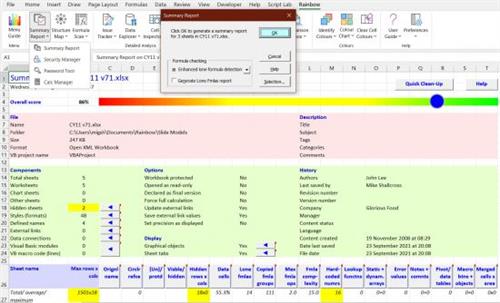
Rainbow Analyst (so named for its uniquely powerful use of colour-coding) combines several areas of world-class spreadsheet auditing functionality.


- Excel™ spreadsheet audit and analysis tools with formula grouping and >50 analysis options.
- Spreadsheet comparison tools to track differences in cell formulas, macro code and other content.
- A unique set of spreadsheet clean-up tools which can even repair Excel's underlying XML files.
- An audit sampling tool with three different methods of sample selection and a sample size calculator.
Whats New
Updates: official site does not provide any info about changes in this version
Homepage:
Код:
https://www.themodelanswer.com/

Download link

rapidgator.net:
Код:
https://rapidgator.net/file/92e6d613434cf0af2f978566d338a13b/voubu.Rainbow.Analyst.addin.Professional.25.08.2.rar.html

nitroflare.com:
Код:
https://nitroflare.com/view/FB1DC09F997765C/voubu.Rainbow.Analyst.addin.Professional.25.08.2.rar
 
RAM Saver Professional 25.8.1 Multilingual

96074260c2a962443805af18582a1dba.jpeg


File Size: 1.5 MB​

RAM Saver Pro is an easy-to-use RAM optimizer tool that will keep your computer running faster. It increases the operation system performance by making more memory available for your applications. Using these optimization tricks will help your favorite applications and games will run faster and more efficiently - even on old computers. "RAM Saver Pro" program consists of two basic parts: System Tray - module and Control Panel.


RAM Saver Pro will
- defragment system memory for faster access time;
- increasing the efficiency of your CPU and Motherboard caches;
- recover memory leaks from poorly behaved applications;
- temporarily flush unused libraries out to disk and so on.
Using these optimization tricks will help your favorite applications and games run faster and more efficiently - even on old computers.
Main program features
System Tray monitor of RAM optimizer
Desktop RAM monitor
specialized Control Panel
professional memory monitoring
flexible memory optimization with complete statistics output
RAM benchmark test
monitoring and control over the processes which take place in the memory
possibility to create "boosted shortcuts"
common and advanced RAM optimizer options
automatic and intelligent RAM optimization
fast run of tools
forced cleaning of Clipboard
possibility to close all programs for full memory release by one click
control over Windows uptime
suppressing and fast running of screen saver
check the presence of disk in CD-ROM drive in the moment of computer shut down
hide all desktop icons
forced shut down and restart of computer
Whats New
* Fixed an error that occurred when the help file was missing.
+ Spanish help file was added.
+ Updated the help files.
Homepage:
Код:
https://www.wintools.net

Download link

rapidgator.net:
Код:
https://rapidgator.net/file/446a5d64d275f6bc593aa0f96e93f01e/flkmi.RAM.Saver.Professional.25.8.1.Multilingual.rar.html

nitroflare.com:
Код:
https://nitroflare.com/view/53AEF74708D8248/flkmi.RAM.Saver.Professional.25.8.1.Multilingual.rar
 
Rizom-Lab RizomUV Real / Virtual Space 2025.0.63 (x64)

0171d988f6afc5eac48c2bb33f998108.jpeg


File size: 72.7 MB​

Today, following the path towards an ideal tool set capable of segmenting, flattening and packing UVs without any manual intervention, Rizom-Lab focuses on enhancing our technology, and making it available to 3D artists and product designers within our new standalones applications RizomUV Virtual Spaces and RizomUV Real Space, and in a form that can be integrated into others 3D editing softwares or pipelines within our RizomUV C++ Library.


This RizomUV CAD variant is adapted to projects focused on manufactured products of the real word.
It is dedicated to product design such as packaging design or laser surface texturing. RizomUV Real Space contains all the features of RizomUV Virtual Spaces but creates and handles UV maps in unnormalized UV space, so that the flattened version of your model will respect its unflattened absolute dimensions all along your edition.
REAL SPACE WORKFLOW
Robustly get a stretch-free flattened version of your 3D model in seconds, even with non-quads meshes. Get your the real sized flattened version of your 3D model in a second.
ABSOLUTE STRETCH DISPLAY
Stretch color map displays the ratio between flattened areas over unflattened ones, so that you get a permanent visual feedback of the real final stretch while editing your UV maps.
BIGTIFF UV EXPORT
Convert your UV maps into a 10 billions pixels bigtiff files, and use it for your texturing laser processes that need micro-meter precision.
Код:
https://www.rizom-lab.com/changelog
Homepage:
Код:
https://www.rizom-lab.com/

Download link

rapidgator.net:
Код:
https://rapidgator.net/file/d6e09859dfb329df4f196809b1870c0f/txvih.RizomLab.RizomUV.Real..Virtual.Space.2025.0.63.x64.rar.html

nitroflare.com:
Код:
https://nitroflare.com/view/69B747189442D0D/txvih.RizomLab.RizomUV.Real..Virtual.Space.2025.0.63.x64.rar
 
Robin YouTube Video Downloader Pro 6.15.5

ce5d8238f639b1cc5d5a315bd602e8c5.jpeg


File size: 46.9 MB​

YouTube Video Downloader is a small Windows app for downloading and converting videos from YouTube, Facebook, Dailymotion, and thousands of other video sharing sites. It accelerates your download by up to 5 times.


Features
Download video from YouTube and thousands of other video sites
YouTube Video Downloader can download videos from YouTube, Facebook, Dailymotion, Vimeo, Vine, Metacafe, and thousands of other video sites.
Accelerate download by up to 5 times
YouTube Video Downloader features an advanced download acceleration engine that lets you download video up to 500% faster than normal speed.
Download UHD 4K, QHD 2K, FHD 1080p, HD 720p, and 3D video from YouTube
YouTube Video Downloader can download 4K Ultra HD, 2K Quad HD, 1080p Full HD, 720p HD, and 3D video from YouTube if it is available.
Download only audio stream from YouTube
YouTube Video Downloader allows you to download only audio stream from YouTube, without downloading the entire video file.
Convert downloaded video to any format
YouTube Video Downloader can automatically convert downloaded video to the format that you specify. It supports MP4, FLV, WMV, MOV, ASF, AVI, DV, M4V, MKV, MPG, OGV, SWF, TS, VOB, WEBM, DVD, VCD, SVCD, and many other formats.
Optimize downloaded video for any device
YouTube Video Downloader automatically converts and optimizes downloaded video for your mobile/desktop device, so you can watch it smoothly on your iPhone, iPad, iPod, Android phone, Android tablet, Xbox, PSP, PS4, PS3, Samsung Galaxy, or other device.
Extract audio stream from video
YouTube Video Downloader allows you to extract audio stream from video, and save it as MP3, WAV, WMA, AC3, AAC, OGG, M4A, FLAC, MP2, or any other audio format.
Ready-made presets
YouTube Video Downloader provides ready-made presets for all popular video and audio formats. You can also custom output video/audio format settings.
iTunes compatible
Optionally, YouTube Video Downloader can automatically add downloaded video/music to your iTunes library, so you can easily synchronize your videos and music to your iPhone, iPad, iPod, etc.
Integrate with Internet Explorer and Firefox
YouTube Video Downloader adds download button and menu commands to the toolbar and the context menu of your browser, so you can download and convert any video with just one click.
Support drag-and-drop
You may directly drag and drop video link/URL from your browser to the main window of YouTube Video Downloader to start download, you don't even need to copy and paste video URL manually.
Whats New
Updates: official site does not provide any info about changes in this version
Homepage:
Код:
https://www.robinsoftware.com

Download link

rapidgator.net:
Код:
https://rapidgator.net/file/0013907583c14114c263139923a88ad3/mpwql.Robin.YouTube.Video.Downloader.Pro.6.15.5.rar.html

nitroflare.com:
Код:
https://nitroflare.com/view/B349CDD6759FD26/mpwql.Robin.YouTube.Video.Downloader.Pro.6.15.5.rar
 
Stackz Dictionary Edition 8.0.6

th_Iq9opHtpZGd5r2FnUTxhmVKHox2ssfFS.avif


Languages: Multilingual
File Size: 271.44 MB​

The Stackz flashcard organizer helps you optimize your learning efficiency, regardless whether you must keep up to the pace of an intensive course with 30 new words per day (intensive learning), or whether you spend 20 minutes per week on your 10'000 words collection (proficiency retention).


This is the Dictionary Edition of Stackz, a flashcard organizer with study tools running on Windows. The core feature of Stackz is a graphical representation of the current proficiency state, which makes it easy to spot one's difficulties. Tools are offered to eliminate the weak spots efficiently.
The dictionary edition includes a Japanese kanji and word lookup system that can be used for generating wordlists and further analyze the studied content.
Features
- Assess vocabulary knowledge state with colors
- Identify and refresh previously mastered, but outdated cards
- Identify and learn not yet mastered cards
- Create wordlists from files, tables found in webpages or integrated Japanese dictionary
- Analyze Japanese kanji and kanji combinations
Release Notes
- Study dialog quick hints simplified
- Ink text recognition corrected

System Requirements
Windows 10 version 14393.0 or higher
Homepage:
Код:
https://www.stackz.com

Download link

rapidgator.net:
Код:
https://rapidgator.net/file/dc4b3d93e4a98825ebc80bc159098cf4/bajmk.Stackz.Dictionary.Edition.8.0.6.rar.html

nitroflare.com:
Код:
https://nitroflare.com/view/27D5CE5A03559DB/bajmk.Stackz.Dictionary.Edition.8.0.6.rar
 
Назад
Сверху