• Форум работает в архивном режиме www.old.nado.in

All mitsumi'1s Applications !! (updated daily)

  • Автор темы Автор темы mitsumi1
  • Дата начала Дата начала
Default Folder X 6.0.5 macOS

Default Folder X 6.0.5 macOS


ef13cd2c5e7eacbf5b27168febea971b.jpeg


File size: 20 MB​

Folder X attaches a toolbar to the right side of the Open and Save dialogs in any OS X-native application. The toolbar gives you fast access to various folders and commands. You just click on the buttons to go to your favorite and recently used folders, manage the folders and files shown in the list, and make changes to your settings.


It also fixes a number of problems in Open and Save dialogs, "rebounding" to the last selected file, putting the path listing back in the top menu, and correcting bugs in scrolling column view
Features
- Directory assistant: You can access the contents of your recent, favorite, and open folders right from Default Folder X's toolbar.
- Real time saving: If you're constantly saving things inside the same folder, Default Folder X can remember that folder for you.
- Finder management: Default Folder X lets you open up or save to any Finder window with a single click.
Instant Recall: To help you quickly return to folders you've recently used, Default Folder X remembers them for you.
- Spotlight on the spot: Default Folder X lets you add Spotlight keywords, OpenMeta tags, and Finder labels on the spot, while you're still in the Save dialog.
- Information central: With Default Folder X you get previews below every Open dialog, expanded to fill the available space.
- Workflow without work: Rather than make you learn and set up a new application, Default Folder X blends into OS X.
Release Notes
Updates: official site does not provide any info about changes in this version

Supported Operation Systems
macOS 10.13 or later

Homepage:


Код:
http://www.stclairsoft.com


Download link


rapidgator.net:
Код:
https://rapidgator.net/file/d20cea940057693e2468fdd0fdecdf7d/zvflf.Default.Folder.X.6.0.5.macOS.dmg.html

nitroflare.com:
Код:
https://nitroflare.com/view/9725B780AA16B06/zvflf.Default.Folder.X.6.0.5.macOS.dmg
 
Downie 4.7.10 macOS

Downie 4.7.10 macOS


1e7d541d5edead952b70467b39d6f9ec.jpeg


Language: Multilingual | File size: 49 MB​

Ever wished you could save a video from the Internet? Search no more, Downie is what you're looking for. Easily download videos from thousands of different sites.


Key Features
- Supports many sites - currently supports over 1,000 different sites (including YouTube, Vimeo, etc.) and the number is rapidly growing.
- 4K video YouTube support - unlike many other YouTube downloaders, Downie supports HD video on YouTube, up to 4K.
- Postprocessing - need your video in MP4 for iTunes? Or want just the audio track? No problem, Downie can handle this for you automatically!
- Quick support - I respond to emails usually within 24 hours and often add support for requested sites in the next update.
- Frequent updates - Don't wait weeks for new sites to be supported, or bugs to be fixed! Downie is updated about once a week with new features, sites supported, etc.
- International - not only that Downie supports country-specific sites, it is localized into various languages.
Код:
https://software.charliemonroe.net/trial/downie/v4/rnotes.html
Supported Operation Systems
macOS 10.12.6 or later

Homepage:


Код:
https://software.charliemonroe.net/


Download link


rapidgator.net:
Код:
https://rapidgator.net/file/d0e721d9e29fb921de2db4f01f55935f/cnlju.Downie.4.7.10.macOS.dmg.html

nitroflare.com:
Код:
https://nitroflare.com/view/AF6EE64496E0005/cnlju.Downie.4.7.10.macOS.dmg
 
DxO PhotoLab 6 ELITE Edition 6.16.0.70 macOS

DxO PhotoLab 6 ELITE Edition 6.16.0.70 macOS


e8593b27d4fc5e07e906d9df78bdd522.jpeg


Language: Multilingual | File size: 697 MB​

DxO PhotoLab provides a complete set of smart assisted corrections that you can manually fine-tune at any time. Take control on every aspect of your photos: effectively remove noise, get rid of light constraints, recover color details, apply sophisticated optical corrections, and enhance details.


Reducing digital noise in RAW images is an ongoing challenge for most photo-editing software. But with DxO DeepPRIME we are breaking new ground. The first artificial intelligence-based (AI) technology of its kind, DeepPRIME enables you to demosaic and denoise images simultaneously. Try it out - the results speak for themselves.
Demosaicing and denoising are usually two separate processes. But with DxO DeepPRIME we've combined them to achieve even better results.
The outcome is spectacular. DxO DeepPRIME removes noise and renders photographic information without reducing color detail. Transitions are smoother and more natural, and you gain nearly two ISO sensitivity values compared to our earlier version, DxO PRIME, the benchmark software for all comparable programs currently available.
If you are an expert photographer, DxO DeepPRIME will open up a world of new possibilities by enabling you to shoot at very high sensitivities. As an amateur photographer, DeepPRIME will allow you to compensate for the drawbacks of small sensors in compact and bridge cameras that produce digital noise even at low ISO sensitivities. And if you're struggling with low quality, or older-generation cameras that are no longer suitable because of the scale of digital noise, DxO DeepPRIME will give your images a new lease of life.
New features in DxO PhotoLab 6
• Introducing DxO Wide Gamut working color space: Harness the potential of the latest printers and monitors with DxO's new color space. Avoid clipping in highly saturated areas and ensure accuracy across your workflow. Easily switch between the legacy color space (for all images coming from previous versions of DxO PhotoLab) and the new DxO Wide Gamut working color space (for your new images loaded in DxO PhotoLab 6);
• New Soft Proofing mode: For beautiful, accurate reproduction, whatever the screen or print type. Preparing your images for different output has never been easier. Achieve accurate color at every stage of your workflow;
• New DeepPRIME XD denoising option: Alongside DeepPRIME, DeepPRIME XD adds another level of performance when required. Expect less noise, more detail and smoother bokeh;
• New ReTouch tool: The brand-new ReTouch Tool gives you unprecedented control when cloning and repairing. Rotate, flip, or transform source points, and edit source areas for absolute precision;
• New nested Projects: Organize your virtual collections of images more efficiently with the new hierarchy of Projects. Create Projects and groups of Projects and simply organize them by drag-and-drop;
• Crop tool improvement: You can now rotate your images when in Crop mode;
• Embedded Perspective tools: Perspective correction tools (keystoning) are now natively available in the ELITE
version;
• New Color labels support: Identify, classify, and cull your images more easily with the new Color tags;
• New Exif & IPTC fields: For complete metadata management;
• New sticky headers in the source tree: The user interface of the source tree has been revamped;
• Keyword tokens improvement: Keyword tokens now show the full hierarchy if children have the same name;
• More than 77,000 camera/lens combinations are now available.
Release Notes
Updates: official site does not provide any info about changes in this version

Supported Operation Systems
macOS 11.6 or later

Homepage:


Код:
http://www.dxo.com


Download link


rapidgator.net:
Код:
https://rapidgator.net/file/eef24f47a6387ec8f49639e54219649a/mvrod.DxO.PhotoLab.6.ELITE.Edition.6.16.0.70.macOS.dmg.html

nitroflare.com:
Код:
https://nitroflare.com/view/F265E234AFE7ED3/mvrod.DxO.PhotoLab.6.ELITE.Edition.6.16.0.70.macOS.dmg
 
DxO PhotoLab 7 ELITE Edition 7.6.0.53 macOS

DxO PhotoLab 7 ELITE Edition 7.6.0.53 macOS


47a17469e098f2201ebb5360f3ff605e.jpeg


Language: Multilingual | File size: 758 MB​

DxO PhotoLab provides a complete set of smart assisted corrections that you can manually fine-tune at any time. Take control on every aspect of your photos: effectively remove noise, get rid of light constraints, recover color details, apply sophisticated optical corrections, and enhance details.


Reducing digital noise in RAW images is an ongoing challenge for most photo-editing software. But with DxO DeepPRIME we are breaking new ground. The first artificial intelligence-based (AI) technology of its kind, DeepPRIME enables you to demosaic and denoise images simultaneously. Try it out - the results speak for themselves.
Demosaicing and denoising are usually two separate processes. But with DxO DeepPRIME we've combined them to achieve even better results.
The outcome is spectacular. DxO DeepPRIME removes noise and renders photographic information without reducing color detail. Transitions are smoother and more natural, and you gain nearly two ISO sensitivity values compared to our earlier version, DxO PRIME, the benchmark software for all comparable programs currently available.
If you are an expert photographer, DxO DeepPRIME will open up a world of new possibilities by enabling you to shoot at very high sensitivities. As an amateur photographer, DeepPRIME will allow you to compensate for the drawbacks of small sensors in compact and bridge cameras that produce digital noise even at low ISO sensitivities. And if you're struggling with low quality, or older-generation cameras that are no longer suitable because of the scale of digital noise, DxO DeepPRIME will give your images a new lease of life.
Release Notes
Updates: official site does not provide any info about changes in this version

Supported Operation Systems
macOS 12.6 or later

Homepage:


Код:
http://www.dxo.com


Download link


rapidgator.net:
Код:
https://rapidgator.net/file/e3a911350a1aa272fcbec2e3cf65108d/djzus.DxO.PhotoLab.7.ELITE.Edition.7.6.0.53.macOS.dmg.html

nitroflare.com:
Код:
https://nitroflare.com/view/6E21C98B8D370E1/djzus.DxO.PhotoLab.7.ELITE.Edition.7.6.0.53.macOS.dmg
 
EVAbeat Melody Sauce 2.1.5 macOS

EVAbeat Melody Sauce 2.1.5 macOS


302538ae250cef32a5ec4edf7fde82a8.jpeg


File size: 507.93 MB​

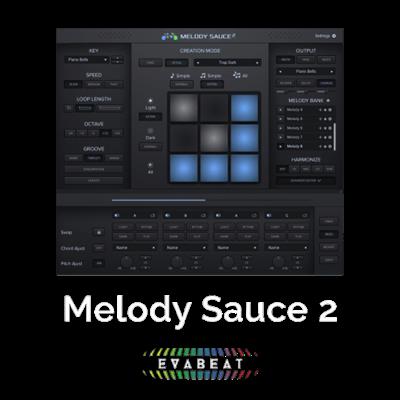
Melody Sauce 2 is a VST/AU/MIDI effect that uses advanced algorithms to help you create melodies and hooks in your music production software. Melody Sauce is a co-creation tool for everyone who makes music in the styles of Electronic Pop, EDM, Hip Hop and RnB, because Melody Sauce offers a fast and unlimited source of melodies and melodic inspiration. Simply link Melody Sauce to any VST or AU instrument in your DAW and start exploring millions of melodic possibilities.


Melody Sauce 2 has been designed with the modern producer in mind, by a production team that understands what it takes to create great-sounding melodies. Melody Sauce 2 is your new must-have music production assistant. This supercharged upgrade is a massive overhaul of the original version, with a set of powerful new features to inspire you and your music making.
• Now a complete melody creation tool with a new Sound Engine of nearly 100 sounds and 3 built-in FX so you can hear melodies straight out of the box using internal instruments, with no need to route MIDI to other instruments.
• New Style Mode with over 300 style settings, create melodies by genre for Hip Hop, Trap, EDM, House & Techno, Pop, Reggaeton, and R&B.
• New Advanced Editor lets you select specific chords for your melodies to follow, and make detailed edits to your melodies bar by bar.
• A host of additional controls including more options for loop length, octave, speed, and more targeted output with the new 'Extra' buttons.
• A new fully resizable and redesigned UI.
• Improved algorithms, powered by EVAbeat's AI-powered Phrase Builder EngineTM.
• Now compatible with all major DAWs, including those that don't allow MIDI routing like Reason, Maschine 2, MPC Beats, and Garageband.
If you've ever struggled to come up with melody ideas or needed some melodic inspiration in your music-making, Melody Sauce 2 will speed up your workflow with an unlimited and instant supply of unique, high-quality melodies created for you in a few clicks.
Melody Sauce 2's simple interface helps you create MIDI melodies in your DAW using the internal Sound Engine and FX, or by easily connecting to any software instrument. Simply drag and drop your MIDI melodies inside your DAW or work on them further using the new Advanced Editor section.
None of the melodies are pre-programmed, they are created for you based on the parameters you control using complex algorithms that are capable of creating a near-endless supply of melodic ideas.
And you don't need in-depth music theory knowledge to get the best out of Melody Sauce, just your ears.
→ Designed for the modern producer
•Complete melody creation tool
*Melody Sauce 2 will help you create inspiring melodies and new ideas for your music projects. Our AI-powered PhraseBuilder Engine™ mirrors the way top producers build melodic phrases.
•Your new creative partner
*Create ideas to get your projects going, or to help you finish what you started. Generate quality melodies quickly and easily and stay in the flow.
•Your own unique melodies
*Melodies are not pre-progammed, they are created for you based on your settings, or use one of over 300 style settings for Hip Hop, Trap, EDM, House, Techno, Pop, Reggaeton and R&B.
→ Inspiration for your next project
•Intuitive and simple, no need for theory
Designed to fit neatly into your workflow without you needing to know lots of complex music theory, Melody Sauce 2 is destined to be an integral part of your creative sessions.
•Packed with creative features
Includes nearly 100 internal instruments with 3 built-in FX which you can also play with your own midi. Plus an advanced bar-by-bar editing section with the ability to select chords for your melodies to follow.*
→ Additional Sounds, FX and Styles
• A complete melody creation tool, with a updated Sound Engine of nearly 100 sounds and 3 built-in FX so you can hear melodies straight out of the box - no need to route MIDI to other instruments.
• Get instant results in your chosen style with the new Style Mode. Choose from over 300 style settings for Hip Hop, Trap, EDM, House & Techno, Pop, Reggaeton and R&B.
• Unique, unlimited melodies for your tracks in only a few clicks.
→ Product Features
•Create Ideas Quickly
With Melody Sauce you can quickly and easily create, audition and select melodies for use as leads, synth lines, arpeggios and other instrumental hooks, all on-the-fly whilst you playback your song project. Create ideas to get you started, or get instant melodic help when you have beat block.
•Unlimited Possibilities
None of the phrases that Melody Sauce creates are pre-programmed as you hear them, they are all built from scratch each time you click to generate. The melody engine features a deliberate element of chance and controlled randomisation to offer up a diverse range of melody options.
•Advanced Algorithms
Melody Sauce is capable of creating many millions of different permutations of melody through its complex algorithms, which are the result of 18 months' research and collaboration with top music producers.
•Mood & Convolution
Instantly create melodies in Melody Sauce with different mood and complexity setting combinations laid out in a simple interface.
•Co-Creation
By adjusting a set of simple parameters, you get to control the melodies Melody Sauce creates for you. It drops into your workflow and starts delivering ideas without the need for complex settings or advanced music theory knowledge.
•Instant Harmonies
Experiment with adding instant harmonies to the melodies you've created in Melody Sauce, with different harmony voicing options.
•Seamless DAW integration
Melody Sauce operates inside your DAW sequencer. Easily connect Melody Sauce to your favourite VST or AU software synths and create melodies "on-the-fly" whilst your project is playing. Drag and drop melodies straight into your DAW. Operates in Audio Unit (AU) MIDI FX and VST plug-in formats. Compatible with Ableton Live, Logic Pro, FL Studio, Studio On, Reaper and more.
→ Summary of Features:
• VST plugin / Audio Unit (AU MIDI FX also available for Logic) for use in your DAW that creates 1 bar to 16 bar melodies based on the settings you select.
• Create melodies for specific genres based on the internal Style options, or build melodies using your own settings.
• Styles cover Hip Hop, Trap, EDM, House, Techno, Reggaeton, and R&B.
• Use the new inbuilt Sound Engine with nearly 100 sounds and 3 FX or connect the MIDI to any software instrument.
• Use the new Advanced Editor to make detailed edits to your melodies bar by bar and select specific chords for your melodies to follow.
• Instant melody inspiration for your productions.
• Create, audition, and modify melodies at the click of a button.
• Advanced generative algorithms capable of creating millions of melodies.
• Melodies are not pre-programmed, they are created for you on demand.
• An unlimited supply of unique melodies, no two melodies are the same.
• Simple interface and intuitive controls help you guide the output.
• Select between Light and Dark mood, and Simple and Complex settings plus the new 'Extra' buttons to give even greater control.
• Select the basic rhythmic feel of the melodies (Speed, Swing, Triplet, Syncopation).
• Instantly add harmonies to generated melodies.
• Generate and modify melodies inside the plugin as your DAW project plays or drag and drop MIDI clips into your project.
• Speed up your workflow and overcome beat block.
• Works for any DAW that accepts VST or AU plugins.
• No need for in-depth music theory knowledge.
Release Notes
Код:
https://sanet.st/confirm/url/dHRwcyUzQSUyRiUyRnd3dy5ldmFiZWF0LmNvbSUyRnJlbGVhc2Utbm90ZXM=/ttps://www.evabeat.com/release-notes

Supported Operation System
• OS X 10.9 or later
• Apple Silicon or Intel Core processor

Homepage:


Код:
https://www.evabeat.com/


Download link


rapidgator.net:
Код:
https://rapidgator.net/file/65e91dde0bca166268280c8d2fbc4d3e/cmjfo.EVAbeat.Melody.Sauce.2.1.5.macOS.dmg.html

nitroflare.com:
Код:
https://nitroflare.com/view/DB9AA26874B937A/cmjfo.EVAbeat.Melody.Sauce.2.1.5.macOS.dmg
 
Excite Audio Bloom Bass Impulse v1.0.0 macOS

Excite Audio Bloom Bass Impulse v1.0.0 macOS


bba3bf8bee1c105e23fa296742a483fd.jpeg


Team R2R | 16 Apr 2024 | 517.3MB​

Groundbreaking Bass
Bloom Bass Impulse merges an extensive array of modern synth bass loops, samples, and one-shots into a versatile and dynamic instrument, meticulously crafted to inject your tracks with low-end and tailored to fuel genres that demand contemporary bass sounds.


What Can Bass Impulse Do?
Elevate your tracks with a spectrum of modern, powerful basslines
Seamlessly blend between bass styles for genre-defying productions
Shape and sculpt unique bass layers with expressive modulation
Form dynamic sequences from a rich library of contemporary bass sounds
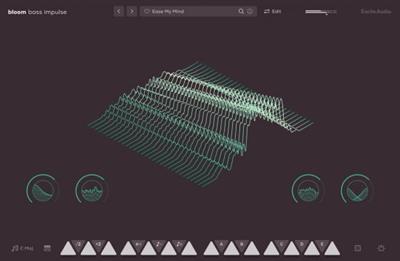
Bloom Bass Impulse offers an intuitive path to finding the perfect bass sound, providing you with high-quality, royalty-free loops and one-shots ready to be morphed and manipulated. Switch between bass styles with ease, enhance their character with extensive effect modulation and tailor them to fit any mix with an array of focused processing options.
From the pulsating energy of Drum and Bass's Reese Bass to the acid squelch of 303s, the gritty growl of distorted basses, the depths of Sub-Bass, the precision of Tech, to the wobble of Dubstep, this tool is a treasure trove for anyone looking to anchor their tracks with a spectrum of cutting-edge bass.
Crafting the ideal bassline is now an intuitive and engaging process, allowing for hands-on control over sample triggering and sound shaping. Four macro controls offer instant tonal adjustments, while the Edit page unveils detailed customisation tools, giving you complete control over sample manipulation, sequence creation, modulation and effects across 250 presets.
Whats new in this version
Official site does not provide any info about changes in this version.
System Requirements
macOS 10.15 or higher (Intel / Native Apple Silicon supported).

Homepage:


Код:
https://www.excite-audio.com/bloombassimpulse


Download link


rapidgator.net:
Код:
https://rapidgator.net/file/6d6fe697f68f347da328007b67e97f90/frzfk.Excite.Audio.Bloom.Bass.Impulse.v1.0.0.macOS.rar.html

nitroflare.com:
Код:
https://nitroflare.com/view/587C06D3E0813B9/frzfk.Excite.Audio.Bloom.Bass.Impulse.v1.0.0.macOS.rar
 
Excite Audio VISION 4X v1.2.2 macOS

Excite Audio VISION 4X v1.2.2 macOS


175d09661556d5ffaaaa1add3239bf60.jpeg


Team R2R | 16 Apr 2024 | 41.4MB​

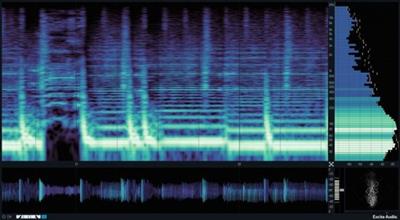
Get a deeper understanding of your sound than ever before with VISION 4X, a powerful visual analysis plugin with maximum precision.


Developed in partnership with electronic music trio Noisia, VISION 4X gives you the insights you need to prepare your tracks ready for competition with today's top mixes, and the clarity to make the right mixing decisions with confidence - however modest your setup.
Features
4 real-time, high-definition visual analysers
Customisable and resizeable layout
10 Colour Maps designed for maximum information density
Customisable Frequency Range and dB Range
Freeze and Zoom-In functionality
Focus the colour map on specific frequencies with Map Curve/Tone Bias
Sync the analysis timeframe to your DAW
2 Display Modes - Continuous visualisation or Overlay for visualisation that loops a timeframe and redraws the analysis.
MIDI retriggering - Restarts the analysis whenever a MIDI signal is received
Information Bar shows pitch, note, dB and timing information on hover (A3 +7ct, -3.2db, bar 2.1.1)
Stereo/Left/Right/Mid/Side modes
Presets designed by Noisia
M1 Native
Standalone mode
Whats new in this version
Official site does not provide any info about changes in this version.
System Requirements
macOS 10.15 or higher (Intel / Native Apple Silicon supported)

Homepage:


Код:
https://www.excite-audio.com/vision


Download link


rapidgator.net:
Код:
https://rapidgator.net/file/fb00806b567ab1d05824358c361f7b88/gahls.Excite.Audio.VISION.4X.v1.2.2.macOS.rar.html

nitroflare.com:
Код:
https://nitroflare.com/view/A37AA29E08EA146/gahls.Excite.Audio.VISION.4X.v1.2.2.macOS.rar
 
GraphicConverter 12.1.1 (6485) macOS

GraphicConverter 12.1.1 (6485) macOS


f3cdc7ca7ce00268d9eb51a5f2ee90eb.jpeg


Language: Multilingual | File size: 264 MB​

GraphicConverter is an all-purpose image-editing program that can import 200 different graphic-based formats, edit the image, and export it to any of 80 available file formats.


The high-end editing tools are perfect for graphic manipulation as well as the ability to use Photoshop-compatible plug-ins. It offers batch-conversion capabilities, a slide-show window, batch rename, batch and individual editing of metadata (EXIF, IPTC, XMP) and so much more.
Import and export functions
Import of approx. 200 & export of approx. 80 graphic formats
Catalog generation (web, print, picture)
Picture import direct from the camera (also RAW)
Support for scanners via TWAIN and Image Capture
Direct support of the photo services Flickr and DPHOTO
Picture organization & workflow management

Most sophisticated and flexible metadata management in the market
Advanced reverse geotagging
Automatic AI based keywording (multiple AI engines available)
Graphical file and picture browser
Slide show functions
Batch conversion
Support for AppleScript
Face detection
Picture editing
Express picture enhancement function
Enhancement and creation of pictures for use in the internet
Basic functions for editing pictures
Advanced functions, effects and filters for picture manipulation
Plug-in architecture
Color management with ColorSync and ICC profiles
3D image support
Extensive Functions for Geodata
Release Notes
Updates: official site does not provide any info about changes in this version

Supported Operation Systems
macOS 10.13 or later

Homepage:


Код:
https://www.lemkesoft.de/en


Download link


rapidgator.net:
Код:
https://rapidgator.net/file/fd9b9e52b21a1b459dce09598912afa6/cxleb.GraphicConverter.12.1.1.6485.macOS.dmg.html

nitroflare.com:
Код:
https://nitroflare.com/view/CD0BA2AFC45FA32/cxleb.GraphicConverter.12.1.1.6485.macOS.dmg
 
Guitar Pro 8.1.2-32 macOS

Guitar Pro 8.1.2-32 macOS


e73f5f48e8bb0e0ec32111f192336dbc.jpeg


File size: 1.07 GB​

GUITAR PRO 8 is the ultimate guitarist's toolbox and the leading software for reading and editing tabs. For 25 years, Guitar Pro has been helping musicians worldwide learn to play the guitar, compose songs, and transcribe and edit songbooks.


This new version of Guitar Pro offers many improvements and new features to users. This time, we have made our best to offer you a better product without changing the user experience.
→ Guitar Pro's features:
Play accompanied
Hit play and learn your favourite songs accompanied by the score.
Create
Edit your scores easily with numerous editing tools such as scale and chord diagrams.
Craft your sound
Play with more than 100 instruments to create your own tabs: guitars, basses, drums...
Customize your tabs
Create professionally designed sheet music for your songbooks or students.
Share
The Guitar Pro file is the most widespread and shared among musicians and guitarists worldwide.
Enlarge your repertoire
Subscribe to mySongBook to access thousands of scores for all levels directly in the software.
→ TABLATURE AND SHEET MUSIC PLAYER
Learn faster, develop your technique and create your repertoire of songs by downloading any tablature online.
Learn songs without knowing music theory
Guitar Pro lets you choose your notation, whatever the instrument: tablature, standard notation, or rhythmic notation. No need to master music theory to learn a song.
Use advanced playback features
Metronome, visual countdown, looping, solo/mute, speed trainer... Guitar Pro offers many tools to help you learn.
Take advantage of the chord and scale tools
Guitar Pro includes libraries containing thousands of chords and scales to develop your creativity.
And many other playing features
• Use the audio player to accompany you and learn faster: loop, speed trainer, metronome, visual countdown, etc...
• 3 musical notations are available: tablature, standard and rhythmic notation
• Find hundreds of thousands of free tablatures on the internet
• Use the virtual guitar neck to find notes more easily and to visualize left-hand positions
• Import an audio track to make your file a real backing track
• And many others...
→ TABLATURES EDITOR
Compose complete songs, transcribe songs, and create educational content for your students. Guitar Pro has been the reference in tablature editing for many years. We continue to innovate in order to offer you more practical editing features to save you time.
Create tablatures with many instruments
You can compose for dozens of different instruments. Guitar Pro allows you to edit instruments from 3 to 10 strings, keyboards, drums, percussion, and much more.
Enjoy specific guitar technique notations
Bends, vibratos, slides, palm mute, let ring... every effect or notation element can be edited in Guitar Pro. Express your creativity to the fullest!
Use the audio track to transcribe faster
Import an audio track into your project to create realistic backing tracks. You can also use your audio track to transcribe songs more easily.
And many other editing features
• Set the number of strings (from 3 to 10) and the tuning of your guitars
• Easily set tempo, rhythmic signature and automation
• Use the chords and scales tools to compose more easily
• Use the command palette to edit faster
• Transpose or detune your scores at any time
• And many others...
→ AUDIO ENGINE AND SOUND OPTIONS
Create backing tracks and emulate more than 100 instruments: guitars, basses, drums, pianos, ukuleles, winds, brass or traditional instruments.
Virtual effects chain
Reverb, chorus, delay, compressor, EQ, tremolo... Guitar Pro comes with dozens of legendary pedals to help you fine-tune your sound.
Mixing each track and mastering your project
Apply mixing and panning effects to each track to create a consistent mix for your song. Mastering options also allow you to improve the sound of your tabs.
Adding an audio track to your project
The audio track is an excellent way to make your scores more realistic. For example, you can ask your singer or drummer to record himself and then import his audio file into Guitar Pro to create a pre-prod of your future song.
And many other sound features
• Use the detune feature to try another tuning in one click
• Mix MIDI and RSE (Realistic Sound Engine) on any track
• Manage pan and volume automations to create realistic renderings
• Use the focus/unfocus mode to quickly isolate one track from the others
• Fine-tune the sound of each note to create more precise and realistic scores
• Mix each drum element separately
• And many others...
→ LAYOUT OPTIONS
Create professionally-looking sheet music to edit your own songbooks or share your files.
The exceptional quality of the scores
Guitar Pro respects the standards of music writing and allows you to enjoy a very high resolution for your scores.
Use the design mode for a clean layout
The design mode allows you to set up each element of your score: spacing between notes, bar alignments, etc...
Setup all the elements of the partition
The stylesheet gives you the possibility to configure the fonts and graphic aspects of your scores to make them unique and professional.
And many other layout features
• Add detailed information about your scores (copyright, author, etc...)
• Display chord or scale diagrams on your files
• Add lyrics or indications on the score
• Align your bars easily with the new design mode
• And many others...
→ COLLABORATE AND SHARE
Use the most popular file extension on the market, download and access thousands of free tablatures on the internet, and share your work easily with other musicians.
Music teacher
Create your teaching materials quickly and train your students with interactive scores. Share your knowledge with an effective teaching tool.
Bands, solo artists and composers
Collaborate with other musicians and compose your future hits together. Guitar Pro allows you to move forward outside of your weekly rehearsal!
Journalists and bloggers
Edit the scores that will be published in your future educational pages of your magazines and blog posts.
Multi-instrumentalists
Guitar Pro is not just for guitarists! Edit or play scores for bass, drums, piano, ukulele, violins and much more!
Students
Learn to play in rhythm and accompanied by virtual instruments. Slow down the tempo, listen and visualize the score to progress at your own pace.
Influencers and content creators
Create, edit and share your scores with your community.
And many other sharing features
• File import formats: .gtp, .gp3, .gp4, .gp5, .gpx, .gp, PowerTab, MIDI, ASCII, TablEdit, MusicXML and audio (.mp3, .wav)
• File export formats: .gp5, .gp, .gpx, PowerTab, MIDI, ASCII, TablEdit, .mp3, .wav, FLAC, OGG, AIFF and .pdf
• Use the password file lock feature to secure your work
• And many others...
→ mySongBook SCORES LIBRARY
Access thousands of quality scores made by professional transcribers.
Subscribe to get access to a lot of "Full Score" with tracks for bass, drums, vocals and other instruments. Play solo guitar arrangements, and duets for voice and guitar in many musical genres such as Rock, Pop, Metal, Funk, Reggae, Blues, Jazz, Classical, Country and many more.
New tabs added every week
The mySongBook team of transcribers offers you new content every week to feed your passion for the guitar!
Play accompanied by scores containing an audio file
Discover our new file format including tablature for all tracks and a backing track for the voice.
Access your tabs directly in Guitar Pro
The mySongBook library is directly integrated into Guitar Pro. You can access your files directly in the software. No need to search for badly transcribed tablatures on the Internet.
And many other features are available on mySongBook
• Access many arrangements: full scores, guitar and vocals, solo guitar, simplified songs, and scores with an integrated audio track to play along with a backing track
• Learn to play all the tracks of your favourite songs: rhythm and solo guitars, bass, drums, piano, vocal track
• Learn more easily with our simplified scores specially made for beginning musicians
• Access your mySongBook tablatures on the Guitar Pro applications for iOS and Android compatible with smartphone and tablet
• And many others...
→ What's new in Guitar Pro 8:
Add an audio file to your scores!
Play along with your score with an audio file such as a song or a backing track.
Enjoy practicing
Play along your score with an audio file such as a song or a backing track.
Relative tempo and detune mode are also compatible with the audio track.
Edit easily
Synchronize your audio file with your score to transcribe songs easily.
Share your knowledge
Insert an audio file containing a recording of your teaching instructions for your music students or your band members.
Focus/Unfocus track
Quickly amplify or attenuate the selected track to create a volume contrast with the other tracks.
Work on your rhythm with the visual metronome
Play with the new visual metronome and countdown displayed over the LCD screen.
Fix the tempo
Ignore tempo changes and automations in the score to easily learn new songs and riffs.
Change the relative speed
Press +/- keys to speed up or slow down the relative speed or fixed tempo of your song during the playback.
Lock the sound of the line-in
You can now lock your preset using the line-in to keep the same sound while changing tracks or even when you close a file.
Create the perfect guitar sound
Easily create your own effects chain and mastering with the new pedalboard.
Adjust the sound precisely
Customize the duration, the offset and the relative velocity of each note of your score.
Mix the drum set
Adjust the sound of the drum set and percussion tracks by setting the volume and pan of each element.
Pre-listen to the soundbanks while playing your tabs
Mouse over the sound presets to get an audio preview while your score is playing.
New design options
Move and adjust the placement of each beat. Align the bars easily with the automatic guideline.
New Stylesheet options
Set the spacing of the chords diagram in the score header, the systems, the staff and the scale diagrams. Customize the font of the music symbols. Edit the font and text of numerous score indications like: palm muting, slap, pop, rasgueado, pick scrape and more.
Scale diagrams
Edit and insert scale diagrams in your scores for guitars from 3 to 10 strings and up to 24 frets. Customize the diagrams by changing the shape, color and text of the dots representing the notes, and change the orientation of the diagram on your scores.
Nested tuplets
You can now create tuplets inside tuplets to create complex rhythmic patterns.
Piano fingering
Edit piano fingering and indicate sustain piano pedal.
Increase your productivity
The command palette is like shortcuts on steroids! Get quick and direct access to Guitar Pro's notation options to edit your scores and boost your productivity massively!
Dozens of commands available
Select and easily add chords and directions to your score with the "Expression Text" tool. Quickly go through Guitar Pro main features in the "Action List" and use them to edit your scores.
Filters
Apply 3 filters on the mySongBook song list to sort out the scores by genres, instruments/levels and types.
Audio tracks
Learn songs with our enhanced tab library. Enjoy audio tracks directly in your mySongBook tabs to learn easily and play along with your files.
And many more improvements...
• The contrast and colors of the interface have been adjusted to offer you a better reading comfort.
• Guitar Pro 8 benefits from an improved efficiency on Mac with Apple Silicon.
• Export your scores to PNG with transparent backgrounds.
• Export your scores to SVG (Scalable Vector Graphics).
• The accuracy and dynamics of the soundbanks have been corrected and improved.
• Chords are now transposed with their names and fingerings.
• To find the files you are working on more easily, pin them in the recent section of the homepage.
• Edit quarter tones on tremolo bar.
• Show slash notation for drums and standard music notation.
• The numbered musical notation called jiǎnpǔ is now available.
• Show cautionary accidentals.
• Use decimal tempo.
• Diatonic transposition.
• Improved performance.
• And many others...
Release Notes
Код:
https://www.guitar-pro.com/c/10-guitar-pro-new-features#changelog

Supported Operation System
• macOS 10.13 or later
• Apple Silicon or Intel Core processor

Homepage:


Код:
http://www.guitar-pro.com


Download link


rapidgator.net:
Код:
https://rapidgator.net/file/d4479501f4a726d65a4b370078ed408e/qyshd.Guitar.Pro.8.1.232.macOS.part1.rar.html
https://rapidgator.net/file/845446c8b246956882191ca03780e185/qyshd.Guitar.Pro.8.1.232.macOS.part2.rar.html

nitroflare.com:
Код:
https://nitroflare.com/view/567D4BC0B9D0346/qyshd.Guitar.Pro.8.1.232.macOS.part1.rar
https://nitroflare.com/view/FCE98714214E952/qyshd.Guitar.Pro.8.1.232.macOS.part2.rar

 
iBarcoder 3.14.10 macOS

iBarcoder 3.14.10 macOS


e494afca27e483f93232f3554cab5cfe.jpeg


Language: Multilingual | File size: 16 MB​

The Cristallight iBarcoder is professional mac barcode generator for creating any number of individual, or sequential barcodes, printing them as colorful barcode labels in your own style, of any size, or shape, or exporting them as graphic image files in common vector and raster image formats.


The iBarcoder makes it really easy to design and print barcode labels, stickers, tags on your mac in just a few steps. Use our mac barcode software to produce barcodes of more then 40 1-D and 2-D (Datamatrix and QR Code, etc.) barcode symbologies.
Export barcodes either as high-resolution (up to 4800 dpi) image files, or vector graphics
• PDF (vector)
• EPS (vector)
• BMP
• TIFF
• JPEG
• PNG
• PNTG
• Photoshop and more.
Release Notes
Release notes were unavailable when this listing was updated

Supported Operation Systems
macOS 10.10 or later

Homepage:


Код:
https://cristallight.com/


Download link


rapidgator.net:
Код:
https://rapidgator.net/file/fadaa321afc35400018c67bd5ba8a432/jbmqt.iBarcoder.3.14.10.macOS.dmg.html

nitroflare.com:
Код:
https://nitroflare.com/view/180541A655BDEA3/jbmqt.iBarcoder.3.14.10.macOS.dmg
 
Iris 1.6.8 macOS

Iris 1.6.8 macOS


fdbe8c4a8da3e55517d41daeca838ecc.jpeg


File size: 23 MB​

Iris is a high-performance screen recorder that records to h.264. Iris leverages on-board GPU acceleration when available. It can optionally include video from a camera and up to two microphones. Iris is free to try with a watermark embedded in recordings. Use the in-app purchase to remove watermark from new recordings.


Features
High performance recording directly to h.264, Apple ProRes, or optionally record and encode later.
Record audio from your Mac, even targeting a specific app.*
Great color matching.
Record Retina quality on supported Macs.
Start and stop timers.
Full hotkey support.
Advanced automatic naming and tagging.
Release Notes
Updates: official site does not provide any info about changes in this version

Supported Operation Systems
macOS 10.14 or later

Homepage:


Код:
https://staticz.com/


Download link


rapidgator.net:
Код:
https://rapidgator.net/file/30c8682b615959043933dd64d65ec5f3/zthqr.Iris.1.6.8.macOS.dmg.html

nitroflare.com:
Код:
https://nitroflare.com/view/9568D2AEA1B0BB9/zthqr.Iris.1.6.8.macOS.dmg
 
Kaleidoscope 4.5 macOS

Kaleidoscope 4.5 macOS


c4b11590d2f87247058319491ed2803a.jpeg


File size: 39 MB​

Spot the differences. Merge in seconds. With text merge, three-way merge, folder comparison, and the ability to ignore whitespace-only differences, Kaleidoscope integrates perfectly with the version-control systems you already use.


FEATURES
Easy Workflow Integration
- Subversion, Git, Mercurial, Bazaar, and Perforce support
- Works as a fully functional diff or merge tool
- Supported by a growing list of GUI source control management apps
Two-Way Text Comparison & Merging
- Three powerful display modes
- Super-fast diffing of lines and character-level changes
- Color coding to spot added, deleted, and changed text
Three-Way Merge
- Review code changes and resolve conflicts
- Intelligently auto-merge the right content
File & Folder Comparison
- Ultra-fast algorithm for finding differences in large folders
- Sort and filter down to what matters most
- Drill deeper into folders for more detailed comparisons
- Copy your preferred files across sources
Release Notes
Updates: official site does not provide any info about changes in this version

Supported Operation Systems
macOS 13.0 or later

Homepage:


Код:
https://kaleidoscope.app/


Download link


rapidgator.net:
Код:
https://rapidgator.net/file/bbe37069695509d5614e7142b10a18f5/ygpus.Kaleidoscope.4.5.macOS.dmg.html

nitroflare.com:
Код:
https://nitroflare.com/view/2FF46784EA0440E/ygpus.Kaleidoscope.4.5.macOS.dmg
 
KCNcrew Pack 04-15-2024 macOS

KCNcrew Pack 04-15-2024 macOS


c8eb988558073ecc68d86af83c7a7d10.jpeg


File Size: 31.8 MB​

KCNcrew Pack - This is a huge collection of serial numbers for software under MacOS X with a convenient cover for browsing and searching. There is a very long time and is periodically updated! Base serial numbers KCNcrew project as of 2018. Unlike Serial Box, no readers are required.


Just open the dmg file, drag and drop the app where you like. However, there is no way to view what serials, cracks and patches are new in this issue as compared to the previous. Thanks to all contributors and supporters!
What's new
official site does not provide any info about changes in this version.


Download link


rapidgator.net:
Код:
https://rapidgator.net/file/2c3c2cec30e6e633546e33fec43ab4e2/njiqv.KCNcrew.Pack.04152024.macOS.zip.html

nitroflare.com:
Код:
https://nitroflare.com/view/122399F8F1CBAF1/njiqv.KCNcrew.Pack.04152024.macOS.zip
 
Keep It 2.4.5 macOS

Keep It 2.4.5 macOS


456625d94ca57081d0993a3b858e7b81.jpeg


File size: 32 MB​

Keep It is for writing notes, saving web links, storing documents, and finding them again. Available on Mac, and as a separate app for iPhone and iPad, changes are automatically made available to all your devices with iCloud. Keep It is the destination for all those things you want to put somewhere, confident you will find them again later.


*** You need to disable the System Integrity Protection (SIP) to perform the selected Application.
Release Notes
Fixed an issue where no icon may be shown for an item in thumbnails view before it has been downloaded.
Fixed an issue saving attachments from notes and rich text documents when a file with the same name already exists.

Supported Operation Systems
macOS 11.3 or later

Homepage:


Код:
http://reinventedsoftware.com/keepit/


Download link


rapidgator.net:
Код:
https://rapidgator.net/file/fa9d47494d5228d9534541a0b5af3ca3/anuyy.Keep.It.2.4.5.macOS.dmg.html

nitroflare.com:
Код:
https://nitroflare.com/view/85E5662ADB9E0EC/anuyy.Keep.It.2.4.5.macOS.dmg
 
Leaf - RSS News Reader 5.2.3 macOS

Leaf - RSS News Reader 5.2.3 macOS


4850ef23404159fa92f6b3cb91f4ae25.jpeg


File size: 10 MB​

Leaf is an amazing news reader for your Mac. Preview, share, star and search your articles by using a smooth, clean and intuitive interface.


Features
- Enhanced for Retina display
- Quick and clean article preview with a sharing button
- Hide articles and notifications for subscriptions
- Synchronized read and starring with Google Reader
- Alerts/banners for new articles and access to past alerts in Notification Center
- Fast search for articles by title, source and content
- Swipe to mark articles read/unread
- Secure and convenient OAuth2 authorization
- Custom refresh interval + pull-to-refresh
- Default RSS Reader capability
Release Notes
Release notes were unavailable when this listing was updated.

Supported Operation Systems
macOS 10.11 or later

Homepage:


Код:
https://geo.itunes.apple.com/app/id576338668


Download link


rapidgator.net:
Код:
https://rapidgator.net/file/497d8127f066fe038aeaea1275ba1b85/nxnnb.Leaf..RSS.News.Reader.5.2.3.macOS.dmg.html

nitroflare.com:
Код:
https://nitroflare.com/view/1174BA9EAC606E9/nxnnb.Leaf..RSS.News.Reader.5.2.3.macOS.dmg
 
MathWorks MATLAB R2024a 24.1.0.2537033 macOS

MathWorks MATLAB R2024a 24.1.0.2537033 macOS


c6ddc054f00d52c9a128dec5d005cc19.jpeg


File Size: 18.41 GB​

Company MathWorks most complete software for computational computer produces; the main program the company that actually Passport is software MATLAB (short for Mat rix Lab Oratory and means lab Matrix) is one of the most advanced software, algorithms and math and a programming language developed generation fourth is possible to visualize and plot functions and data is provided. Icon and bookmark MATLAB with the manufacturer's logo is the same as the wave equation, L-shaped membrane and special functions have been extracted. MATLAB competitors such as Mathematica, Maple and Mathcad noted.


Facilities and software features MathWorks MATLAB
-perform a variety of complex mathematical calculations and heavy
-Development environment for managing code, files, and data
-explore ways to achieve this solution
-A variety of mathematical functions for linear algebra, statistics, Fourier analysis, optimization, filtering, numerical integration and ...
-drawing two-dimensional and three-dimensional graphics functions for visualizing data as
-Design and construction of user interfaces under the programming languages ​​C ++, C or Java
-Ability to test and measure the exact functions and graphs
-the possibility of communication signal processing, image and video
-There are various Jbhabzarhay engineering companies for specific applications such as
telecommunications, control, fuzzy, estimates, statistics, data collection, simulation systems,
neural networks, probability and ...
R2024a Product and Platform List
System requirements
macOS Sonoma (14)
macOS Ventura (13)
macOS Monterey (12.6)
Processor
Intel Minimum: Any Intel x86-64 processor with two or more cores
Recommended: Any Intel x86-64 processor with four or more cores and AVX2 instruction set support
Note: A future release of MATLAB will require a processor with AVX2 instruction set support
Apple Silicon Minimum: Any M-series chip
RAM
Minimum: 8 GB Recommended: 16 GB
Storage
3.5 GB for just MATLAB
4-6 GB for a typical installation
16 GB for an all products installation
An SSD is strongly recommended
Код:
https://www.mathworks.com/products/new_products/latest_features.html

Homepage:
Код:
https://www.mathworks.com/

Download link

rapidgator.net:
Код:
https://rapidgator.net/file/66db60b56302e1035631fe5b1748a671/nkaxd.MathWorks.MATLAB.R2024a.24.1.0.2537033.macOS.part01.rar.html
https://rapidgator.net/file/0b5fbc263fa59ad699f55458bdfe2cae/nkaxd.MathWorks.MATLAB.R2024a.24.1.0.2537033.macOS.part02.rar.html
https://rapidgator.net/file/1db19f9fd684cedbbcad902a4fa70314/nkaxd.MathWorks.MATLAB.R2024a.24.1.0.2537033.macOS.part03.rar.html
https://rapidgator.net/file/d10a1c3c3203cc89186f102d3eb399a3/nkaxd.MathWorks.MATLAB.R2024a.24.1.0.2537033.macOS.part04.rar.html
https://rapidgator.net/file/ee559c1998e81944b86a7596b174913b/nkaxd.MathWorks.MATLAB.R2024a.24.1.0.2537033.macOS.part05.rar.html
https://rapidgator.net/file/88fde7a6d121b7f6c17bf75d73564f2e/nkaxd.MathWorks.MATLAB.R2024a.24.1.0.2537033.macOS.part06.rar.html
https://rapidgator.net/file/d0db3a0b4f863f379409d738aa7de10c/nkaxd.MathWorks.MATLAB.R2024a.24.1.0.2537033.macOS.part07.rar.html
https://rapidgator.net/file/cc435fd87b4ecd5897a2df12d48d5f02/nkaxd.MathWorks.MATLAB.R2024a.24.1.0.2537033.macOS.part08.rar.html
https://rapidgator.net/file/f4943dd987d6b6595a71b56abc5f0333/nkaxd.MathWorks.MATLAB.R2024a.24.1.0.2537033.macOS.part09.rar.html
https://rapidgator.net/file/d6bc8b66fc01ef29c9c8e64e89ad5efb/nkaxd.MathWorks.MATLAB.R2024a.24.1.0.2537033.macOS.part10.rar.html
https://rapidgator.net/file/b3029bc2d81240d2c4244c2bb822d767/nkaxd.MathWorks.MATLAB.R2024a.24.1.0.2537033.macOS.part11.rar.html
https://rapidgator.net/file/14abf8ff16336ce63f922e0372fa21e2/nkaxd.MathWorks.MATLAB.R2024a.24.1.0.2537033.macOS.part12.rar.html
https://rapidgator.net/file/bf989c1262c15a2adda4160d26e06fc2/nkaxd.MathWorks.MATLAB.R2024a.24.1.0.2537033.macOS.part13.rar.html
https://rapidgator.net/file/e83584187aef6577df33f95071cca20e/nkaxd.MathWorks.MATLAB.R2024a.24.1.0.2537033.macOS.part14.rar.html
https://rapidgator.net/file/56e0aed42e93f164c954fd6756201b8c/nkaxd.MathWorks.MATLAB.R2024a.24.1.0.2537033.macOS.part15.rar.html
https://rapidgator.net/file/303a4198ce005b6748a4aed1867d60c9/nkaxd.MathWorks.MATLAB.R2024a.24.1.0.2537033.macOS.part16.rar.html
https://rapidgator.net/file/aad0c010b7d2f1edd67266f649f7722e/nkaxd.MathWorks.MATLAB.R2024a.24.1.0.2537033.macOS.part17.rar.html
https://rapidgator.net/file/ab845265ac7560531a961975f957f143/nkaxd.MathWorks.MATLAB.R2024a.24.1.0.2537033.macOS.part18.rar.html
https://rapidgator.net/file/6ec4a913b8507b7445e8357ba4b039a5/nkaxd.MathWorks.MATLAB.R2024a.24.1.0.2537033.macOS.part19.rar.html

nitroflare.com:
Код:
https://nitroflare.com/view/EFA628884F30C38/nkaxd.MathWorks.MATLAB.R2024a.24.1.0.2537033.macOS.part01.rar
https://nitroflare.com/view/C74D446B9FB7686/nkaxd.MathWorks.MATLAB.R2024a.24.1.0.2537033.macOS.part02.rar
https://nitroflare.com/view/0B85A4DE976B02E/nkaxd.MathWorks.MATLAB.R2024a.24.1.0.2537033.macOS.part03.rar
https://nitroflare.com/view/EEC6F5AB2454670/nkaxd.MathWorks.MATLAB.R2024a.24.1.0.2537033.macOS.part04.rar
https://nitroflare.com/view/A5C081C0857D815/nkaxd.MathWorks.MATLAB.R2024a.24.1.0.2537033.macOS.part05.rar
https://nitroflare.com/view/87DD7880D8D2250/nkaxd.MathWorks.MATLAB.R2024a.24.1.0.2537033.macOS.part06.rar
https://nitroflare.com/view/7A655049D82ECA9/nkaxd.MathWorks.MATLAB.R2024a.24.1.0.2537033.macOS.part07.rar
https://nitroflare.com/view/CFF7F9569EB68A7/nkaxd.MathWorks.MATLAB.R2024a.24.1.0.2537033.macOS.part08.rar
https://nitroflare.com/view/A5FA6BC379B4F94/nkaxd.MathWorks.MATLAB.R2024a.24.1.0.2537033.macOS.part09.rar
https://nitroflare.com/view/E453AC0E09BB415/nkaxd.MathWorks.MATLAB.R2024a.24.1.0.2537033.macOS.part10.rar
https://nitroflare.com/view/59A40F107F04184/nkaxd.MathWorks.MATLAB.R2024a.24.1.0.2537033.macOS.part11.rar
https://nitroflare.com/view/02EBF62DEDA2DB2/nkaxd.MathWorks.MATLAB.R2024a.24.1.0.2537033.macOS.part12.rar
https://nitroflare.com/view/AA7A03B5C3CB3CD/nkaxd.MathWorks.MATLAB.R2024a.24.1.0.2537033.macOS.part13.rar
https://nitroflare.com/view/A2630BA6266CCFD/nkaxd.MathWorks.MATLAB.R2024a.24.1.0.2537033.macOS.part14.rar
https://nitroflare.com/view/869391992DF74CA/nkaxd.MathWorks.MATLAB.R2024a.24.1.0.2537033.macOS.part15.rar
https://nitroflare.com/view/5087265985F7436/nkaxd.MathWorks.MATLAB.R2024a.24.1.0.2537033.macOS.part16.rar
https://nitroflare.com/view/38D22861B8FE80A/nkaxd.MathWorks.MATLAB.R2024a.24.1.0.2537033.macOS.part17.rar
https://nitroflare.com/view/62C6E0239FA3B2B/nkaxd.MathWorks.MATLAB.R2024a.24.1.0.2537033.macOS.part18.rar
https://nitroflare.com/view/8AB9AEC19069513/nkaxd.MathWorks.MATLAB.R2024a.24.1.0.2537033.macOS.part19.rar
 
Music Tag Editor 7.6.1 macOS

Music Tag Editor 7.6.1 macOS


1117790bece47814feb2a27326d9f7e7.jpeg


Language: Multilingual | File size: 35 MB​

Music Tag Editor is a professional all-round tool for editing metadata of audio and video files. The concise and clear interactive method can help you modify metadata in batches efficiently and quickly. Supports batch renaming of files using metadata, and formatting and writing metadata from file names. You can also use it to solve some garbled problems caused by text encoding.


Support Music formats: MP3, M4A (Apple lossless), MP4, FLAC, APE, AIFF, WAV , Ogg files, asf, mkv, dsf, dsd.
Support ID3V1, ID3V2.3,ID3V2.4, xiphComments, APE Tag, Ogg Vorbis, Ogg Speex, Ogg Flac.
● Supported Music formats: MP3, M4A, MP4, FLAC, APE, AIFF, WAV , Ogg files, asf, dsf, dsd,wma,wmv.
● Supported Tag Formats: ID3V1, ID3V2, iTunes specific tags, xiphComments, APE Tag, Ogg Vorbis, Ogg Speex, Ogg Flac.
● Main features
1. support id3v1,id3v2,xiphComments, APE Tag, Ogg Tags, ASF Tags, iTunes tags and so on.
2. support batch edit any kind of tags of music file. Customize tag's key and value of music file.
3. Online album image download,multi album image supported.
4. batch rename audio file with metadata.
5. batch convert file name to tags using regular expression
6. user can change,convert the tag text encoding easily, it also can repair messy code in situations.
7. Support strip APE or ID3V1 tags in mp3 files
8. support to save id3v2.3 or id3v2.4 tags!
9. support Batch Find & Replace tags with regular expression supported.
10. Batch clean tags,Batch Upper / Lower Case.
11. Built-IN Music player for all audio formats
12. export to CSV file in one click.
13. Support senior lyric editor and preview at realtime.
14. iTunes specific tags is fully supported (up to 32 kind of tags).
15. Support editing in library table columns.
Top In-App Purchases:Full Version - included
Release Notes
Код:
https://geo.itunes.apple.com/app/id511170796

Supported Operation Systems
macOS 10.13 or later

Homepage:


Код:
https://geo.itunes.apple.com/app/id511170796


Download link


rapidgator.net:
Код:
https://rapidgator.net/file/6d253302fa0480d19b335f11e1d48b43/sgxgp.Music.Tag.Editor.7.6.1.macOS.dmg.html

nitroflare.com:
Код:
https://nitroflare.com/view/D4BBD3509F95CD5/sgxgp.Music.Tag.Editor.7.6.1.macOS.dmg
 
Nevercenter CameraBag Pro 2024.1.0 macOS

Nevercenter CameraBag Pro 2024.1.0 macOS


a4226a6804763a67908421501f1f33b6.jpeg


File size 71 MB​

The best kept secret in photography (and videography) just got a whole lot better! CameraBag lets you instantly apply one of hundreds of beautiful presets to your photos and videos, and then dive deeper with ultra-intuitive professional adjustments and custom presets. CameraBag's focus on intuitive tools and workflows isn't about dumbing down image editing, it's about making it work better.


With presets specifically designed for portraits, different landscape scenarios, faithful emulation of analog film stock from the past, popular modern photo styles, and more, CameraBag has you covered, even if you don't yet know how to use all of its powerful tools. For those with professional needs, what really sets CameraBag apart from other photo editors is just how intuitive and powerful its advanced tools are. Unique curve tools, adjustment re-ordering and layering, and large precise controls let you do things you simply can't do in other popular software.Following are some ways CameraBag is perfect for specific groups of users.
Wedding Photography
- Easy batch filtering and watermarking
- Quick comparison tools for large sets of photos
- Tons of useful presets for wedding photography
*** CameraBag Pro includes all the same great features as CameraBag Photo, but also works on videos and includes LUT file support! ***
Release Notes
Updates: official site does not provide any info about changes in this version

Supported Operation Systems
macOS 10.10 or later

Homepage:


Код:
https://nevercenter.com/


Download link


rapidgator.net:
Код:
https://rapidgator.net/file/7b07b235eed831b3d3db806087006d09/frpye.Nevercenter.CameraBag.Pro.2024.1.0.macOS.dmg.html

nitroflare.com:
Код:
https://nitroflare.com/view/26B342D3D9AE13A/frpye.Nevercenter.CameraBag.Pro.2024.1.0.macOS.dmg
 
OmniFocus Pro 4.2.1 macOS

OmniFocus Pro 4.2.1 macOS


a9827449d79f138b2b292bd37a63d61f.jpeg


Language: Multilingual | File size: 41 MB​

OmniFocus is an organizer app. It uses projects to organize tasks naturally, and then add tags to organize across projects. Easily enter tasks when you're on the go, and process them when you have time. Tap the Forecast view - which shows both tasks and calendar events - to get a handle on your day.


Use the Review perspective to keep your projects and tasks on track..
Release Notes
• Fixed a few bugs

Supported Operation Systems
macOS 11.0 or later

Homepage:


Код:
https://www.omnigroup.com


Download link


rapidgator.net:
Код:
https://rapidgator.net/file/4fa0d8685a1659dc9ec23ac96b79eb54/lokly.OmniFocus.Pro.4.2.1.macOS.dmg.html

nitroflare.com:
Код:
https://nitroflare.com/view/C5D5F253FC750FF/lokly.OmniFocus.Pro.4.2.1.macOS.dmg
 
Path Finder 2170 macOS

Path Finder 2170 macOS


13304997ce1aeebdc10605f4c1288d52.jpeg


Language: Multilingual | File size: 27 MB​

Path Finder makes you a master of file management. Take full control over your file system. Save your time: compare and synchronize folders, view hidden files, use Dual Pane and full keyboard navigation to browse your file system.


Work how you want: extreme customization allows you to access most tools in many different ways to suit your workflow. Work seamlessly with other platforms: don't leave any hidden .DS_Store files on non-Mac volumes, delete files securely and completely with the powerful delete feature from any volume type, search any network volume.
Features
- View and manipulate hidden files
- Dual Pane View
- Full keyboard navigation
- Folder comparison and synchronization
- Folder merging
- Batch renaming
- Powerful file filtering
- One-click dual-pane copy
- Bookmarks and Tab Presets
- ACL editor
- File tagging
- Editable Path Navigator
- Powerful low-level search
- Smart sorting
- Advanced selection
- Integrated terminal
- Integrated text and image editors
Release Notes
Updates: official site does not provide any info about changes in this version

Supported Operation Systems
macOS 10.12 or later

Homepage:


Код:
https://www.cocoatech.io/


Download link


rapidgator.net:
Код:
https://rapidgator.net/file/d0ad5c48ccee54575f2bae22dd7775dd/lndjw.Path.Finder.2170.macOS.dmg.html

nitroflare.com:
Код:
https://nitroflare.com/view/D49217AA3161B52/lndjw.Path.Finder.2170.macOS.dmg
 
Назад
Сверху