• Форум работает в архивном режиме www.old.nado.in

All mitsumi'1s Applications !! (updated daily)

  • Автор темы Автор темы mitsumi1
  • Дата начала Дата начала
Antivirus Removal Tool 2024.03 (v.1)

Antivirus Removal Tool 2024.03 (v.1)

305106563d2a628a2c0986d44cc3be96.jpeg


File Size : 200 Mb​

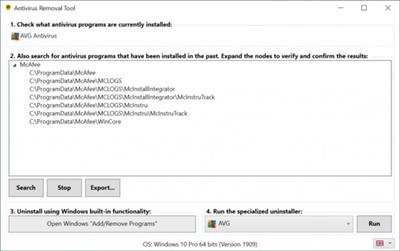
Antivirus Removal Tool is designed to detect and completely remove antivirus software. It will help you to identify current and past installations, and it will provide you with the official specialized uninstallers. These are designed by the manufacturers of the antivirus programs to completely delete all files, drivers, services, and registry records left behind by the programs they produce.


Here are some scenarios where this tool will be useful
- You want to install a new antivirus, but in order to avoid possible conflicts, you want to remove as thoroughly as possible the one that is currently installed, as well as the leftovers of any others that had been installed in the past.
- The regular uninstall failed, and you are left with a broken system.
- The regular uninstall completed, but you are now having problems related to the antivirus you have just removed.
- Your computer is having problems because it has two or more antivirus programs installed and active, and you are unable to completely remove them.
Antivirus Removal Tool is divided in 4 sections
1 - Identify the currently installed antivirus programs.
2 - Search for leftovers of past installations of antivirus programs.
3 - Uninstall using Windows built-in functionality.
4 - Run the specialized uninstaller provided by the manufacturer.
Here is a more detailed description of the program features
- Identifies the currently installed antivirus program(s).
- Helps in identifying past installations of antivirus programs, by searching the system for leftover folders of several common solutions. The results are conveniently presented in tree views, grouped by the name of the antivirus / manufacturer found. You can right-click the paths and open them in file explorer to check its contents.
- Ability to generate a report containing the computer serial number, operating system, current and past installations of antivirus products.
- Provides 1-click access to Windows "Add / Remove Programs". From there you can uninstall the antivirus using the regular uninstaller. Whenever is available, the regular uninstaller should always be used in the first place.
- Provides the official specialized uninstallers for 29 antivirus programs. These are handily presented in a combobox and can be executed with the click of a button.
- Multi-language support: Chinese (simplified), French, German, Italian, Portuguese, Russian, Spanish, English.
- Frequently updated: as a rule of thumb this program will be updated once every month, but it can also be updated more frequently whenever is necessary. It will automatically check for the existence of an updated version when it starts.
Requirements: Windows 7 through Windows 10.
Код:
https://antivirus-removal-tool.com/changelog.txt

Homepage:
Код:
https://antivirus-removal-tool.com/

Download link

rapidgator.net:
Код:
https://rapidgator.net/file/36dc64cd96a3cdbd094c3aacbc645a04/xyxpl.Antivirus.Removal.Tool.2024.03.v.1.zip.html

nitroflare.com:
Код:
https://nitroflare.com/view/2FD06A928FA45CF/xyxpl.Antivirus.Removal.Tool.2024.03.v.1.zip
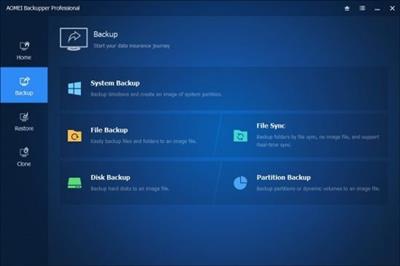
 
AOMEI Backupper 7.3.4 Multilingual

AOMEI Backupper 7.3.4 Multilingual


c86009fd4c4f97648cf34ab111602356.jpeg


File Size: 139.8 MB​

AOMEI Backupper is a professional-like, easy-to-use backup and recovery software. But is free for home users and commercial use, fully protects your computer from data loss. It lets you securely backup PC and Server, provides one-click backup your system partition or disk and does it in minutes. This software also can explore the created image and restore it to the hard drive if your data gets lost or corrupted. In addition, you can create a bootable rescue disk for recovering your data when the system crashes and the application cannot be accessed from the Windows interface.


AOMEI Backupper lets you clone the partition or disk, too. The software already supports the Microsoft Volume Shadow Copy Service (VSS) that enables the data backup process and does not interfere the running applications. This option of AOMEI Backupper is very efficient because backup data can still be made when you're working.
To prevent data loss, so we need to make data backup, AOMEI Backupper with the following features to ensure the safety of your data.
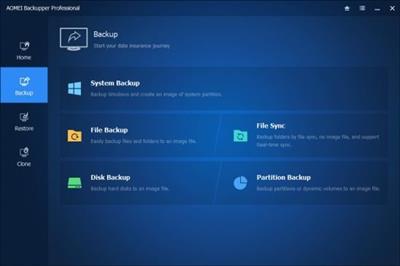
System Backup. One-click back up all data of system drive, including system files and installed applications without interrupting system run.
Disk Backup. Backup your hard disk drives including MBR disk, GPT disk, external hard drive, USB disk, and other storage devices that can be recognized by Windows.
Partition and Volume Backup. If you just want to backup a partition or volume, not the entire disk, the feature will be your best choice. With it, you can backup one or multiple partitions/volumes (including dynamic volumes) to an image file.
When your computer occurs some problems, such as accidentally deleted files, the system can not start, virus damage, by using the created backup before, you can restore system to its previous normal state or retrieve lost data.
System Recovery. Easily and quickly restore system partition and ensure system bootable after completing the recovery process.
Disk and Partition Recovery. Reliably recover the whole hard disk drive, partition or dynamic volume to original state.
Selective file restore. Selectively restore individual files and folders from a backup image file without recovering the entire backup.
In addition to backup and restore functions, AOMEI Backupper supports cloning operations. If you need to upgrade hard drive, or replace old disk, or migrate hard drive to new one, this feature can be more convenient to your work.
Disk Clone: Directly copy one hard drive to another without creating an image file. The program allows you to resize partitions during this cloning process, and supports to clone small disk to larger disk as well as copy traditional hard drive to solid state drive.
Partition and Volume Clone: Directly create an exact duplication of partition or dynamic volume and exactly transfer it to another partition or volume.
AOMEI Backupper Other Features
Incremental and differential backups. Based on a full backup, the software supports to create incremental or differential backups to taking less time and save storage space.
Encryption and Compression. You can set a password for each backups to prevent unauthorized access. When the backup process, specify an industry leading compression algorithm to compress image file in order to take up less disk space.
Image file checker and explorer. Check data integrity of image file to ensure the backups can be restored successfully. Mount image files to a virtual partition so that you can browse the contents of the backups in Windows Explorer.
Comment Backups and Splitting Backups. Add comments to backups so that the backups can be further identified and clarified. Let you know what a backup is for or what it contains. Splitting Backups can split backup an image file into proper sizes to fit storage media.
Create Bootable Rescue Media. You can create a bootable media (e.g. CD or USB media) to restore system drive on the condition that Windows can not boot.
Editions:Professional / Technician / Technician Plus / Server
Код:
http://www.backup-utility.com/changelog.html?ab

Homepage:


Код:
http://www.backup-utility.com


Download link


rapidgator.net:
Код:
https://rapidgator.net/file/e221385bc5c83e97db8a6346e5447a44/xvler.AOMEI.Backupper.7.3.4.Multilingual.rar.html

nitroflare.com:
Код:
https://nitroflare.com/view/A24A7F6E448EB40/xvler.AOMEI.Backupper.7.3.4.Multilingual.rar
 
AOMEI Backupper 7.3.4 WinPE Multilingual

AOMEI Backupper 7.3.4 WinPE Multilingual


e7d86e02c6f954987cc4de69f44f8a99.jpeg


All Editions | File size: 3.2 GB​

AOMEI Backupper is a professional-like, easy-to-use backup and recovery software. But is free for home users and commercial use, fully protects your computer from data loss. It lets you securely backup PC and Server, provides one-click backup your system partition or disk and does it in minutes. This software also can explore the created image and restore it to the hard drive if your data gets lost or corrupted. In addition, you can create a bootable rescue disk for recovering your data when the system crashes and the application cannot be accessed from the Windows interface.


AOMEI Backupper lets you clone the partition or disk, too. The software already supports the Microsoft Volume Shadow Copy Service (VSS) that enables the data backup process and does not interfere the running applications. This option of AOMEI Backupper is very efficient because backup data can still be made when you're working.
To prevent data loss, so we need to make data backup, AOMEI Backupper with the following features to ensure the safety of your data.
System Backup. One-click back up all data of system drive, including system files and installed applications without interrupting system run.
Disk Backup. Backup your hard disk drives including MBR disk, GPT disk, external hard drive, USB disk, and other storage devices that can be recognized by Windows.
Partition and Volume Backup. If you just want to backup a partition or volume, not the entire disk, the feature will be your best choice. With it, you can backup one or multiple partitions/volumes (including dynamic volumes) to an image file.
When your computer occurs some problems, such as accidentally deleted files, the system can not start, virus damage, by using the created backup before, you can restore system to its previous normal state or retrieve lost data.
System Recovery. Easily and quickly restore system partition and ensure system bootable after completing the recovery process.
Disk and Partition Recovery. Reliably recover the whole hard disk drive, partition or dynamic volume to original state.
Selective file restore. Selectively restore individual files and folders from a backup image file without recovering the entire backup.
In addition to backup and restore functions, AOMEI Backupper supports cloning operations. If you need to upgrade hard drive, or replace old disk, or migrate hard drive to new one, this feature can be more convenient to your work.
Disk Clone: Directly copy one hard drive to another without creating an image file. The program allows you to resize partitions during this cloning process, and supports to clone small disk to larger disk as well as copy traditional hard drive to solid state drive.
Partition and Volume Clone: Directly create an exact duplication of partition or dynamic volume and exactly transfer it to another partition or volume.
Storage Devices: Supports all storage devices recognized by Windows, such as IDE, SATA, SCSI, SSD, USB external disks, Hardware RAID and so on. Moreover, supports MBR and GPT style, and fully support capacities greater than 2TB.
Editions:Professional / Technician / Technician Plus / Server
Код:
https://www.backup-utility.com/changelog.html

Homepage:


Код:
http://www.backup-utility.com/


Download link


rapidgator.net:
Код:
https://rapidgator.net/file/eba44655499f608e1553434c72683239/bqnah.ampe7.3.4.Pro..iso.html
https://rapidgator.net/file/8ae6a0f460f9f49fb9ec6d9299a54c53/bqnah.ampe7.3.4.Server..iso.html
https://rapidgator.net/file/c776c7d60e973b8e2da457cdf7b756b9/bqnah.ampe7.3.4.Technician..iso.html
https://rapidgator.net/file/0f948fd8194376f96b3857ead4bcc285/bqnah.ampe7.3.4.TechnicianPlus..iso.html

nitroflare.com:
Код:
https://nitroflare.com/view/55EBA4488C1639E/bqnah.ampe7.3.4.Pro..iso
https://nitroflare.com/view/3023E137FD2CF36/bqnah.ampe7.3.4.Server..iso
https://nitroflare.com/view/FEEC9A73D4B17CB/bqnah.ampe7.3.4.Technician..iso
https://nitroflare.com/view/0799F4E1040FA41/bqnah.ampe7.3.4.TechnicianPlus..iso
 
ColorPicker Max 6.1.0.2403

ColorPicker Max 6.1.0.2403


21b19ee054fd96b40d1d28417d67c6c1.jpeg


File Size : 5.6 Mb​

ColorPicker Max is a powerful and intuitive color selection and manipulation tool that is designed to make working with color easier and more efficient than ever before. With its wide range of features and tools, ColorPicker Max offers an unprecedented level of control and customization over every aspect of color selection and manipulation.


The app allows you to select a specific color using different sliders, pick a color from a pixel on the screen, or even choose a color randomly. All of the color's details are available in a dedicated panel, including RGB, HEX, HSL, HSV, CMYK, XYZ, YIQ, and YUV values, and hovering over the values reveals a copy button for easy copying to the clipboard. ColorPicker Max also includes a chromatic wheel for easy color selection and a wide range of color tools and converters, including the ability to convert between different color types and preview the results in real-time.
ColorPicker Max also offers a range of creation tools, such as the ability to generate color palettes and gradients, making it easy to create and customize your own unique color schemes. The app also includes a dedicated text tool, which allows you to set the font, font size, text foreground and background color, and get the contrast ratio between the foreground and background color.
The user interface of ColorPicker Max is designed to be easy to use and intuitive, with a mesh gradient background that adapts to the light or dark theme. The app is also highly customizable, with the ability to set your default color type, page on start, keyboard shortcuts, and more.
Overall, ColorPicker Max is a comprehensive color selection and manipulation tool that offers an unprecedented level of customization and control, making it the perfect choice for designers, artists, and anyone who works with color on a regular basis.
Top Features of ColorPicker Max
Advanced color selection options, including sliders, pixel picking, and random selection.
Detailed color information panel with RGB, HEX, HSL, HSV, CMYK, XYZ, YIQ, and YUV values.
Chromatic wheel for easy color selection and multiple wheel options.
Color converter tool with support for multiple color types and automatic text field population.
Text tool for selecting fonts and foreground/background colors, with contrast ratio calculation.
Color palette creation with options for different shades, brightness, and hues.
Gradient generator with adjustable parameters and CSS export.
Bookmarking system for saving colors, palettes, and gradients.
Customizable settings, including theme, language, default color type, and keyboard shortcuts.
Dashboard: see the most relevant features displayed, and access least relevant features in the "Discover" section. (Powered by Synethia)
Код:
https://github.com/Leo-Corporation/ColorPicker/releases

Homepage:


Код:
https://github.com/Leo-Corporation/ColorPicker


Download link


rapidgator.net:
Код:
https://rapidgator.net/file/c9b8d4b8aa2375cb9d8c524cdb8e58a5/qxfol.ColorPicker.Max.6.1.0.2403.exe.html

nitroflare.com:
Код:
https://nitroflare.com/view/908A309BFBB786E/qxfol.ColorPicker.Max.6.1.0.2403.exe
 
CorelDRAW Technical Suite 2024 25.0.0.230 Multilingual

CorelDRAW Technical Suite 2024 25.0.0.230 Multilingual


62c808fb4909047388f9244117d14282.jpeg


Windows x64 | File size: 3.42 GB​

Benefit from the versatile authoring tools in CorelDRAW® Technical Suite 2024 that allow you to create detailed assembly instructions, complex user manuals, multi-faceted documentation and more. Achieve unsurpassed productivity with new, high-caliber features to accelerate efficiency, and get full support for technical standards to publish, share or print with this expansive technical illustration and drafting software.


Technical illustration and drafting software
- Comprehensive suite of professional applications
- Graphically rich and technically accurate
- Dedicated illustration and design tools
- Industry-leading file compatibility
Comprehensive
Enjoy a full suite of professional applications that covers all aspects of visual communication authoring, project creation and publishing of technical documentation.
Precise
Apply exacting specifications to design visually detailed assembly instructions, complex user manuals, multi-faceted documentation and technical marketing with versatile design tools.
Productive
Achieve unsurpassed productivity with new high-caliber features, increasing workflow efficiency and effectively delivering multi-lingual technical communication.
Innovative
Explore groundbreaking tools for sketching and illustration to demonstrate your technical authoring expertise and impress your audience.

Intuitive

Experience a seamless workflow, from opening source files, such as 2D, 3D, photo, documents and data, to supporting output for print, online and mobile.
Find all the powerful applications you need for success
CorelDRAW® Technical Suite delivers an expansive toolbox of applications to create a wide variety of highly-detailed technical documentation, instructions, manuals and so much more!
Accessing design assets
Make the most of your content and important data by repurposing it from existing sources, including 3D designs with the integrated XVL Studio Corel Edition, and the optional XVL Studio 3D CAD Corel Edition add-on for advanced 3D CAD assembly formats. You'll benefit from full support for a variety of content exchange types including .DWG CAD files, and over 100 other data file formats, and the ability to instantly access content through Corel® CONNECT™.
Using precision illustration and graphics tools
Achieve unsurpassed productivity with new high-caliber features and functionality to accelerate workflow efficiency. Advance your technical communication capabilities with a collection of dedicated illustration tools that ensure accuracy and precision for isometric drawing, detailed callouts and expansive dimensioning capabilities.
Publishing industry-standard compliant output
Leverage all the power you need to publish, share and output important technical documents, including a new capability to publish to WordPress. Using a diverse set of cross-media publishing and distribution capabilities, including CGM, WebCGM, SVG, PDF, and 3D PDF, you will ensure all of your important technical files will be delivered in a readable format and accessible through online, print and mobile options.
Код:
https://www.coreldraw.com/en/product/technical-suite/#whats-new
Tech specs
- Windows 11 or Windows 10 (Version 21H1 or later), 64-bit, with latest Updates
- Intel Core i3/5/7/9 or AMD Ryzen 3/5/7/9/Threadripper, EPYC
- OpenCL 1.2-enabled video card with 3+ GB VRAM
- 8 GB RAM
- 9 GB hard disk space for application and installation files
- Mouse, tablet or multi-touch screen
- 1280 x 720 screen resolution at 100% (96 dpi)
- For optimal performance, ensure you have the latest device drivers provided by the manufacturer.
- Internet connection is required to install and authenticate CorelDRAW Technical Suite and access some of the included software components, online features and content.

Homepage:


Код:
https://www.coreldraw.com/


Download link


rapidgator.net:
Код:
https://rapidgator.net/file/08878fbe5d1ef40c2725fd9c38891342/yoveg.CorelDRAW.Technical.Suite.2024.25.0.0.230.Multilingual.part1.rar.html
https://rapidgator.net/file/53fa841b9f36540295197590c87be9c6/yoveg.CorelDRAW.Technical.Suite.2024.25.0.0.230.Multilingual.part2.rar.html
https://rapidgator.net/file/ea3b2eab8c9772f3fd6f3a594f8d9d64/yoveg.CorelDRAW.Technical.Suite.2024.25.0.0.230.Multilingual.part3.rar.html
https://rapidgator.net/file/cfe338e987fbd3453ae76552c618a633/yoveg.CorelDRAW.Technical.Suite.2024.25.0.0.230.Multilingual.part4.rar.html

nitroflare.com:
Код:
https://nitroflare.com/view/9ECFF8B91E718DB/yoveg.CorelDRAW.Technical.Suite.2024.25.0.0.230.Multilingual.part1.rar
https://nitroflare.com/view/10129A6AD8C884B/yoveg.CorelDRAW.Technical.Suite.2024.25.0.0.230.Multilingual.part2.rar
https://nitroflare.com/view/B7563357ED21B32/yoveg.CorelDRAW.Technical.Suite.2024.25.0.0.230.Multilingual.part3.rar
https://nitroflare.com/view/0BEFC06546BB7D1/yoveg.CorelDRAW.Technical.Suite.2024.25.0.0.230.Multilingual.part4.rar
 
Diamond Cut Audio Restoration Tools 11.03

Diamond Cut Audio Restoration Tools 11.03


b5003722d30b71da7dddc9efa3a9f3b4.jpeg


File size: 64.9 MB​

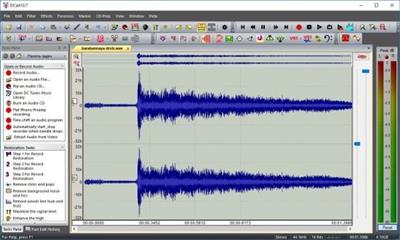
DCart11 is the next step in audio processing evolution. With DCart11, we have added to, and enhanced the existing tools you know and love and we have made the much easier to find and use. Plus we have significantly lowered the price for both the new and upgrade versions!


Audio Restoration & Enhancement
Make MP3's of your favorite music
Clean up your old records and tapes
Create CD's of your favorite music
Clean up recorded conversations, speeches, concerts, etc.
File Transcription / Time Expansion / Speed and/or Pitch Change
Organize and play all of your music
Add effects and enhancements to your music on the fly
Audio & Acoustical Measurements
Audio File Format Conversions
Statistical Measurement Tools
And much more . . .
Ease of Use
Green Zones to guide filter slider settings
Tasks Pane feature guides you to the correct filter
Updated GUI Appearance
VST Hosting (VST Plug-in Support)
Waveform Overview for quickly getting around in a file
Tabbed display or traditional multi window view
Larger and completely configurable toolbar Icons
One-Click Switch between Fast & Classic Edit Mode
Improved tracking of all editing functions in classic editing mode between source and destination files
Quick access to Spectrogram or Histogram views from the main window
Changed the software application "look" to follow various flavors of Windows
Paste Interpolate Icon button for easy waveform interpolation when working with tablet computers.
Easy check for updates from the help menu
Customizable Keyboard Accelerators
Customizable Application Look
Additions and Improvements to existing features
Wind Noise Filter
VST Hosting (Up to 6 VST Plug-ins at a time)
AAC (Advanced Audio Coding) compressed audio file support added for file extensions such as .aac, .m4a, etc.
Vertical setting for the Virtual Phono Preamp
Improved the audio quality of the Stretch and Squish (pitch and tempo change) system.
Low Frequency Shelf option added to the Paragraphic EQ.
Over 2,000 Descriptive Factory Presets are now provided for ease in "getting started" with any given function.
Sampling Rate support extended from 192 kHz up to as high as 210 kHz providing up to 100 kHz Bandwidth capability.
Set New Start Time for File feature added.
Set a file Time offset for tracking time in multipart files
Added offset capability to the overtone and sub-harmonic synthesizer filters for a more natural sound.
Added "Delete All Filters" right menu option to the Multifilter
Whats New
Updates: official site does not provide any info about changes in this version

Homepage:


Код:
http://www.diamondcut.com


Download link


rapidgator.net:
Код:
https://rapidgator.net/file/607bb0ff7ed9ded33256ccbc5688742f/ezeey.Diamond.Cut.Audio.Restoration.Tools.11.03.rar.html

nitroflare.com:
Код:
https://nitroflare.com/view/37F18F95E6F6131/ezeey.Diamond.Cut.Audio.Restoration.Tools.11.03.rar
 
Diamond Cut Forensics Audio Laboratory 11.03

Diamond Cut Forensics Audio Laboratory 11.03


9ec11bc73686cfa6e30f9aca879be49e.jpeg


File size: 86.4 MB​

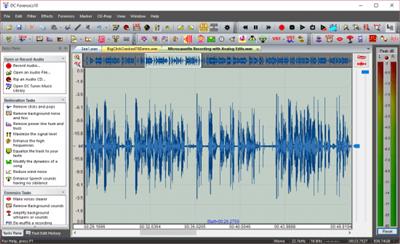
We're now proud to announce DC Forensics 11 This powerful Forensics software product has all of the power previous versions of DC LIVE/Forensics but with some major new features! You'll still have the best odds on the planet of pulling a voice out of the recording muck.


Explore rich editing options
You can add markers and labels, change the gain of highlighted areas, apply a fade in and out effect, or edit the Wave header when it comes to the format tag, sample rate, number of channels, bit depth, block alignment, and average bytes/second.
The software application also lets you change the file's sample rate, resolution, conversion quality and dithering mode, start a recording based on the time of day, create test signal wave files, convert a stereo file into two mono files or vice versa, as well as import and export presets to share with other users (e.g. averaging, bandpass, blender, compressor, continuous noise, declipper, dynamics, echo, enhancer).
A wide range of filters, effects and forensic tools
A batch file editor lets you run a filter on multiple files at once, such as auto-leveling or big click. What's more, you can clean up a track by adjusting the scratch, crackle, hiss and humming levels, create a multi-filter from individual filters, manage virtual photo preamp settings, run DirectX plugins, as well as remove clicks, pops, large clicks, harmonically rich noise, and selected frequencies.
As far as effects are concerned, you can add realistic reverb and punch, adjust multi-tap echo and tone controls (level, exciter, bass, mids, treble), simulate tube sounds through a virtual valve amplifier, tweak a dynamics processor, expander and noise gate, make the track play backwards, combine the left and right channels, increase or decrease speed, change the time and pitch, and so on.
Forensic tools include lowpass, highpass, bandpass and bandstop filters with very sharp edges, a spectrogram viewer with frequency versus time, along with a declipper for removing clips from distorted files.
It's possible to quantize tracks for audio CDs, chop files into pieces, find and mark silent passages, normalize gain to 0dB, perform gain normalization with scaling, burn audio CDs or data discs, as well as rip tracks from audio CDs.
Evaluation and conclusion
No error dialogs popped up in our tests, and the app didn't hang or crash. It used low CPU and low-to-moderate RAM but it sometimes carried out simple tasks slowly, like changing the main window's position on the screen.
Taking everything into account, Diamond Cut Forensics Audio Laboratory proves to be a reliable and resourceful application for analyzing, restoring and enhancing audio tracks, and it should meet the requirements of most experienced users.
Features
- Surveillance Audio Recording
- Forensics Audio Authentication, Voice-Printing, & Formant Analysis
- File Transcription / Time Expansion / Speed and/or Pitch Change
- Audio Restoration & Enhancement
- Audio Editing & Voice Garbling / Voice Disguising
- Audio & Acoustical Measurements
- Audio File Format Conversions
- Statistical Measurement Tools
- And, much more.
Whats New
Added new noise color demo file
Added new presets for Make Waves for noise colors

Homepage:


Код:
https://www.diamondcut.com/


Download link


rapidgator.net:
Код:
https://rapidgator.net/file/4da57b5dc9f58faa82c2d2626f4f7925/baihk.Diamond.Cut.Forensics.Audio.Laboratory.11.03.rar.html

nitroflare.com:
Код:
https://nitroflare.com/view/EAA6D9D82D3C46F/baihk.Diamond.Cut.Forensics.Audio.Laboratory.11.03.rar
 
DriversCloud 12.0.21.0

DriversCloud 12.0.21.0


5194507029bf66be0231eb5a1d8e0cd8.jpeg


File Size : 30.4 Mb​

DriversCloud is a complex tool that helps you retrieve complete data about the configuration of your system, both hardware and software, and perform additional maintenance tasks such as installing and updating drivers, real-time monitoring the hardware, or analyzing BSOD (Blue Screen of Death) crashes.
This tool doesn't only accurately detect your complete system's configuration, but also allows you to export this important data to PDF documents in order to let you easily share them online.


I like a lot the real-time monitoring feature of this tool, as it helps you keep a close eye on hardware parameters like the voltage or the temperature of the processor or of the graphics card, etc.
Whats New
Updates: official site does not provide any info about changes in this version

Homepage:


Код:
https://www.driverscloud.com/


Download link


rapidgator.net:
Код:
https://rapidgator.net/file/556c079f58164793f3add872bb7e3c03/wdxee.DriversCloud.12.0.21.0.rar.html

nitroflare.com:
Код:
https://nitroflare.com/view/36A90F8311E8E30/wdxee.DriversCloud.12.0.21.0.rar
 
DS SIMULIA Suite Abaqus 2024 (x64)

DS SIMULIA Suite Abaqus 2024 (x64)


973b2d81c35fb626dd917b96de850e34.jpeg


x64 | File Size: 7,09 GB​

Description
Finite Element Analysis (FEA) reaches the desk of the engineering analyst as a software package. Unless that software has been designed to exploit the true generality of the method, the analyst will become frustrated by the gap between the method's theoretical potential and the unnecessary limitations imposed by the software. This is where Abaqus shines. Abaqus is truly a general-purpose finite element-based software package.

With an extensive library of element types, it can model nearly any geometry. Abaqus has an equally extensive library of material models that can simulate stress and deformation in isotropic and anisotropic metals at low and high temperatures, at low and high strain rates, and at small and large strains. Beyond metals, Abaqus can simulate rubber and polymers, reinforced concrete, glass and ceramics, crushable or resilient foam, and geotechnical materials like soils and rock.
However, Abaqus offers more than just stress analysis. With Abaqus, you can simulate conductive and convective heat transfer, mass diffusion, acoustics, piezoelectricity, and electrochemistry either independently, sequentially coupled, or fully coupled with the stress analysis. What makes Abaqus uniquely powerful is its modularity. You can model any physically reasonable combination of elements, materials, procedures, and loading sequences. Any material can be used with virtually any element (or, in the case of composites, in a layer of an element) and thus form a part of a model subjected to any sequence of static or dynamic loading histories.
Finite element simulation of large models
The need for a detailed understanding of designs increases with the complexity of those designs. This in turn leads to the requirement for large simulation models. The FEA system must allow the analyst to run very large problems easily while efficiently leveraging available computer resources. Abaqus takes advantage of the high-performance features of modern computers, so model size limitations rarely prevent you from realizing an adequate simulation. Users appreciate being able to meet schedules because the code runs large, complex jobs through to completion. Realistic models quickly expose how well the code's designers took care of the details. Abaqus holds up under the rigors of real-life, large model requirements.
Simulation of nonlinearity
More and more frequently, the analyst must consider nonlinear response as an essential part of a simulation. Lightweight structures buckle; in accident scenarios, they may collapse. Some important modern materials - like rubbers and plastics - are too soft to simulate based on linearized deformation. Often the designer wishes to take full advantage of the ductility and toughness of the materials available. Many design problems involve contact, from Hertz contact in bearing design to general sliding contact between a part and the die or mold used to form it, or between two parts, each undergoing substantial deformation. Abaqus has been designed from its beginning to address these types of problems. This has led to its worldwide reputation as the tool of choice for simulations where nonlinearity dominates the response.
Simplicity of use in complex problems
The popularity of Abaqus as an advanced analysis code is based on its focus on production analysis. Despite its great breadth of capabilities, Abaqus is easy to learn and use. Because it is modular and has simple, consistent, and intuitive problem definition rules, you are freed from artificial and frustrating limitations. You can model geometry as closely as needed, define material behaviors associated with the various components of the model, and simulate a sequence of events of concern. At no time will the code limit this process unnecessarily. As far as possible, Abaqus relieves you of difficult tasks. One of the best examples is automatic time stepping in nonlinear static, dynamic, and heat transfer problems: Abaqus chooses and continuously adjusts the time increments automatically. This feature alone has permitted many users to perform simulations that would have been impossible otherwise. You can tackle realistic simulations with confidence of success and with the assurance of meeting design schedules.
Research organizations use Abaqus extensively because of its versatility and user-defined extensibility. But its great success has been built on its acceptance in the design analysis community as a general analysis tool that not only provides convenience in routine simulations but greatly extends the range of possible simulations.
What distinguishes Abaqus is its proven record of success in the largest and most complex problems. If you face relatively straightforward applications, you will find Abaqus a pleasure to use. If you are facing very challenging problems, you will come to rely on Abaqus as the one tool that provides reliable answers.
Abaqus/Standard
-Abaqus/Standard is ideally suited for static, low-speed dynamic, and steady-state transport applications.It enables analyses of a model in both time and frequency domain in one single simulation. Abaqus/Standard delivers highly accurate stress analyses.
-Abaqus /Standard can provide starting points for Abaqus/Explicit simulations as well as continuing from Abaqus/Explicit results. Pre- and postprocessing is supported within the Abaqus/CAE modeling environment.
Abaqus/Explicit
Abaqus/Explicit enables the simulation of brief transient dynamic events, such as drop testing or ballistic events with finite element analysis. Its ability to handle severely non-linear behavior makes Abaqus/Explicit ideally suited for the simulation of quasi-static events such as slow crushing of energy absorbing devices.
Abaqus/CAE
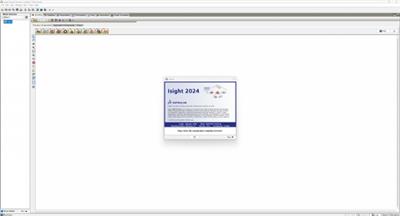
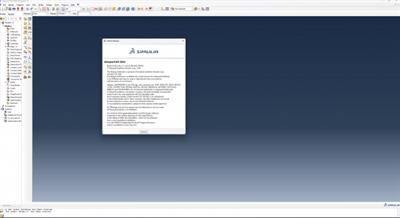
With Abaqus/CAE you can quickly and efficiently create, edit, monitor, diagnose, and visualize advanced Abaqus analyses. It supports interactive computer-aided engineering concepts such as feature-based, parametric modeling, interactive and scripted operation. Besides the built-in geometry creation it enables interfacing with other CAD environments for geometry and mesh imports or model synchronization. Abaqus/CAE also offers comprehensive visualization options, which enable users to interpret and communicate the results of any Abaqus analysis.
System Requirements
OS:Server 2008 R2 SP1 / Windows 8.1 / Server 2012 R2 / Windows 10
Minimum requirement
CPU:Intel x86-64processor
Memory:16GB RAM
GPU:100% OpenGL compatible graphics card
Storage:30GB of free disk space
High end server/ workstation recommendation
CPU:Dual Intel Xeon Scalable (also known as "Skylake" ) processor
Memory:32- 64 GB per CPU
GPU:NVIDIA Quadro series card dedicated to CAD/CAE applications
Storage:At least 500GB hard disk drive/SSDs may be used, but are not necessary for good simulation performance
Код:
https://www.3ds.com/products-services/simulia/products/abaqus/latest-release/

Screenshots

37e82af73a27e34debaa99f33801af55.jpeg


346ca77f60d2e4bc383e2383fe5d16f2.jpeg

Homepage:
Код:
https://www.3ds.com/

Download link

rapidgator.net:
Код:
https://rapidgator.net/file/0d952d6b8bd6c41416da8d71fb1ec656/sayvd.DS.SIMULIA.Suite.Abaqus.2024.x64.part1.rar.html
https://rapidgator.net/file/d02352446150d9c5fdcf50d919d93afd/sayvd.DS.SIMULIA.Suite.Abaqus.2024.x64.part2.rar.html
https://rapidgator.net/file/6a99c4e716d90a330571d4a5287a68d4/sayvd.DS.SIMULIA.Suite.Abaqus.2024.x64.part3.rar.html
https://rapidgator.net/file/89b9731f94c47c456c44a7f8b86f0fba/sayvd.DS.SIMULIA.Suite.Abaqus.2024.x64.part4.rar.html
https://rapidgator.net/file/4353ec2bb13d604e316999d2eb84bf9f/sayvd.DS.SIMULIA.Suite.Abaqus.2024.x64.part5.rar.html
https://rapidgator.net/file/21598462a2769864c8c5e362738171ac/sayvd.DS.SIMULIA.Suite.Abaqus.2024.x64.part6.rar.html
https://rapidgator.net/file/64e0c4941d4cf635d18223d770837314/sayvd.DS.SIMULIA.Suite.Abaqus.2024.x64.part7.rar.html

nitroflare.com:
Код:
https://nitroflare.com/view/8BB9FAFC3EC0EC5/sayvd.DS.SIMULIA.Suite.Abaqus.2024.x64.part1.rar
https://nitroflare.com/view/1F0AC604BDEC331/sayvd.DS.SIMULIA.Suite.Abaqus.2024.x64.part2.rar
https://nitroflare.com/view/CA52FC52AD99517/sayvd.DS.SIMULIA.Suite.Abaqus.2024.x64.part3.rar
https://nitroflare.com/view/43F04BC793953D4/sayvd.DS.SIMULIA.Suite.Abaqus.2024.x64.part4.rar
https://nitroflare.com/view/CA737ADC05447BB/sayvd.DS.SIMULIA.Suite.Abaqus.2024.x64.part5.rar
https://nitroflare.com/view/4614CBBEEBB2386/sayvd.DS.SIMULIA.Suite.Abaqus.2024.x64.part6.rar
https://nitroflare.com/view/8A3175EC41D81EC/sayvd.DS.SIMULIA.Suite.Abaqus.2024.x64.part7.rar
 
FastCopy 5.7.3

FastCopy 5.7.3


98716142274bee52de80f61a0682e49a.jpeg


File Size : 4.8 Mb​

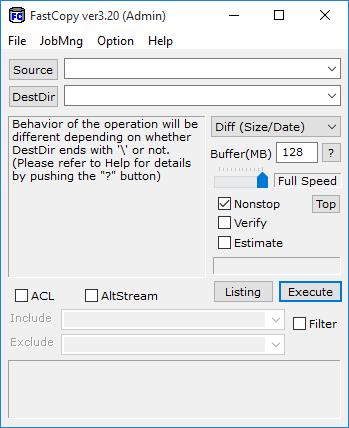
FastCopy is the Fastest Copy/Delete Software on Windows. It can copy/delete unicode and over MAX_PATH(260byte) pathname files. Automatically, after whether the copy origin and copy destinations are HDD according to same physical HDD or is judged, it operates as follows. Diff HDD: Reading and writing are done with the MultiThreading in parallel. Same HDD: Using big buffer, reading until the buffer becomes full, and writing in bulk. Because Read/Write doesn´t use the cache of OS at all, other processes (application) do not become heavy easily. Read/Write performance is a near the limit of the device. Include/Exclude Filter (UNIX Wildcard style) can be specified. It operates lightly because MFC is not used, and it makes it only from Win32 API.


Код:
https://fastcopy.jp/help/fastcopy_eng.htm#history

Homepage:


Код:
https://ipmsg.org/en/


Download link


rapidgator.net:
Код:
https://rapidgator.net/file/50fcff7d3da08317405e7db54ed2c68c/zylgd.FastCopy.5.7.3.exe.html

nitroflare.com:
Код:
https://nitroflare.com/view/6B48D31B1650B69/zylgd.FastCopy.5.7.3.exe
 
Fast Video Cutter Joiner 4.4

Fast Video Cutter Joiner 4.4


cecd3bbfdbf4f1c74d335b68bcb5ed0b.jpeg


File size: 20.2 MB​

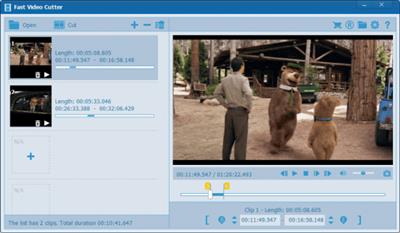
Editing video data can be done in numerous ways, and thanks to the latest advancements in software and online services, cutting, trimming, joining or editing video content has become easier than ever. Fast Video Cutter Joiner aims at offering users a simple, clutter-free desktop solution for either cutting individual video files, or, joining multiple together, therefore making resorting to more complex software or online services not required.


Right from the start, we find out quite quickly that the app is centered on simplicity, and users have an easy choice to make, by selecting to either cut or, join videos. The design, as well as the layout of the interface, isn't elaborate, but we didn't feel that this aspect impeded the app's functionality in any way.
Adding files and initializing the processing is quite straightforward, meaning that even novices won't have any issues.
When it comes to selecting the cutting or joining types, users have a bit more flexibility, in the sense that the application offers two modes, a simple, and a more advanced one. The latter will enable one to select parameters that pertain to the characteristics of the output videos, such as format, as well as audio characteristics.
Last but not least, it is fair to mention that Fast Video Cutter Joiner does come equipped with minor playback capabilities, in the form of a rudimentary player, which allows users to preview the loaded video content.
Simple in design, and even simpler in handling, Fast Video Cutter Joiner can provide average performance for the user who seeks a way of quickly cutting or joining video clips.
Whats New
Updates: official site does not provide any info about changes in this version

Homepage:


Код:
https://www.videocutterjoiner.com/


Download link


rapidgator.net:
Код:
https://rapidgator.net/file/9603b2c389ed17e5b24beaa5bdf5949a/fykcz.Fast.Video.Cutter.Joiner.4.4.rar.html

nitroflare.com:
Код:
https://nitroflare.com/view/66FD623F9908A93/fykcz.Fast.Video.Cutter.Joiner.4.4.rar
 
Hybrid 2024.03.10.1

Hybrid 2024.03.10.1


f6aa6bc60b14418725b7778dfe73a765.jpeg


File Size : 1.3 gb​

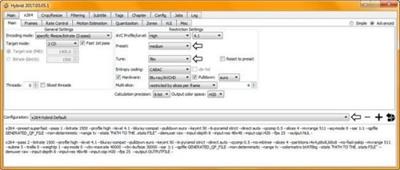
Hybrid is a powerful converter, based mostly frontend for a couple of other tools. Hybrid can convert every input to x264 nearly, x265, Xvid, VP9 .... Ac3 also, ogg, mp3, aac, flac in a mp4, m2ts, mkv, webm, mov, container avi, a Blu-ray or an AVCHD composition. Hybrid 2017.03.05.1 bundles multiple video recording processing resources into an individual package. You are enabled by it to convert multiple file types into various multimedia formats. Moreover, it can perform muxing and tagging businesses and automate common tasks.


One of the key benefits of Hybrid relates to the number of supported types. It could deal with VC-1 and AVC natural type, along with all the current other document types that mplayer and ffmpeg can decode. Supports x264 also, Xvid, VP8, x265 and ProRes as output. The integrated training video encoder are designed for multiple encoding methods. Each with specific guidelines, such as bitrate, regular rate factors and so forth. It offers compatiblity with various pots furthermore, including Blu-ray discs or a AVCHD. Furthermore, you may use sound removal function for generate MP3, OGG, AAC, FLAC, AC3, DTS and other similar forms.
Hybrid includes lots of settings options for more complex users. You may enhance the encoding method, adapt the bitrate, established the melody and the entropy coding function. You may resize packed images furthermore, change its aspect percentage, crop images physically. Or permit the application to execute this procedure for you with 'car crop' function.
Here's a general feature list
extensive ability to configure x264s setting (with dependency checks)
ability to configure x265s setting
tagging support for mkv/mp4/mov
chapter support for mkv/mp4/Blu-ray
subtitle suppot for mkv/mp4/Blu-ray
separated audio-, video-, filter profiles, audio&video combi profiles
an integrated bitrate calculator
accepts vc-1 and avc raw input
manual&automatic creation&pass-through of chapters
ability to encode single title/chapters
a job-control
aac/mp3/ac3/ogg/flac/dts/pcm audio encoding with dcaenc/mencoder/ffmpeg/aften and different aac encoders
supported aac encoders: qaac, fdk, faac, fhg, neroaacenc, vo-aacenc
filtering through mencoder (+ some resize automation) or avisynth if the 'avisynth extension' is used
acceptable Input: avs and everything that mplayer/ffmpeg can decode
supported video output formats: MPEG-4 ASP (Xvid), MPEG-4 AVC (x264, qsvencc, nvencc, vceencc), VP8/VP9 (vpxenc), ProRes (ffmpeg), MPEG-4 HEVC (x265, kvazaar, DivX265, nvencc, qsvencc, vceencc), FFV1 (ffmpeg), UT video (ffmpeg), FFvHuff (ffmpeg)
supported audio output formats: dts, ac3, ogg vorbis, mp3, aac, flac, pcm, opus, pass-through
supported containers: mov/mp4/mkv/m2ts/webm/avi, Blu-ray or a AVCHD structure
audio/video pass-through -> can be used for muxing, tagging, chapter editing
a lot of option to automate stuff
Код:
http://www.selur.de/changelog

Homepage:


Код:
http://www.selur.de/


Download link


rapidgator.net:
Код:
https://rapidgator.net/file/d17aeb0b60b1f93ac77fe9a32c84f9eb/orczx.Hybrid.2024.03.10.1.part1.rar.html
https://rapidgator.net/file/315e0f415257e016d2fd83011239b741/orczx.Hybrid.2024.03.10.1.part2.rar.html

nitroflare.com:
Код:
https://nitroflare.com/view/CFD9FA26F175AC2/orczx.Hybrid.2024.03.10.1.part1.rar
https://nitroflare.com/view/B2AFA0DFB059FF1/orczx.Hybrid.2024.03.10.1.part2.rar
 
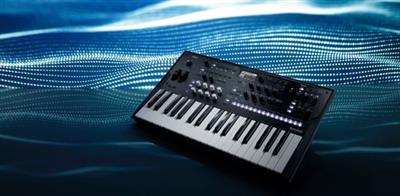
KORG Modwave Native 1.2.7

KORG Modwave Native 1.2.7


f2661c542562be4cd9255b6752e87848.jpeg


File size: 53 MB​

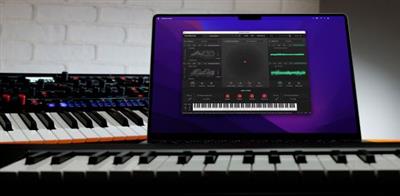
Modwave Native Wavetable Synthesizer Synthesis powerhouse with distinctive wavetable timbres, Kaoss Physics, and Motion Sequencing 2.0. The modwave, released in 2021, builds on the DW legacy and transforms it into a modern monster synth, featuring incredibly deep wavetable oscillators, gorgeous filters, wildly flexible modulation, sophisticated pattern sequencing, and macro controls to deliver unique, powerful, and easily customizable sounds and phrases.


What's a wavetable?
Wavetables are sets of single-cycle digital waveforms, arranged in a specific order. The wavetable's "position" determines which waveform is played. Moving the position with an envelope, LFO, or other modulation source creates subtle or dramatic changes in timbre. Some wavetable systems switch abruptly from one waveform to another; others crossfade smoothly between them. The modwave can do either one.
Modifiers
Use over 30 Modifiers to alter the character of any wavetable at load time. For instance, isolate the odd or even harmonics, add weight through anti-aliased quantization or saturation, or revisit the gritty character of old-school wavetable synths with the Vintage 8 & 12 options.
Morph
The 13 Morph Types let you stretch, squeeze, reflect, and otherwise alter the wavetables in real-time, changing their timbre and-when modulated-creating additional motion in the sound. Sync creates classic swept-sync timbres, using only a single oscillator. Three special Morph Types-FM, AM, and Ring Mod-modulate Osc 2 with Osc 1, and the last two even apply to samples.
A/B Blend
Using the unique A/B mode, oscillators can blend any two wavetables with phase-synchronous precision-different from simply layering voices-opening up a dimension of intermediate waveforms. Add body to otherwise "thin" waveforms, for instance, or a touch of sizzle to a mellow timbre. Even fade between two different "modifier" versions of the same wavetable. A/B Blend can be modulated in real-time, of course.
Whats New
Updates: official site does not provide any info about changes in this version.

Homepage:


Код:
https://www.korg.com/ro/products/software/modwave_native/


Download link


rapidgator.net:
Код:
https://rapidgator.net/file/1104790dfa7c50a41abde37613c6e34b/xxvnw.KORG.Modwave.Native.1.2.7.rar.html

nitroflare.com:
Код:
https://nitroflare.com/view/5BDEA8E9BF82689/xxvnw.KORG.Modwave.Native.1.2.7.rar
 
KORG Wavestate Native 1.3.6

KORG Wavestate Native 1.3.6


7dbd61184cab80b32454e99f32d0097e.jpeg


File size: 42 MB​

KORG's legendary Wavestation introduced the world to Wave Sequencing, transforming raw samples into sounds that no-one had ever heard before. The flagship OASYS and KRONOS keyboards developed Wave Sequencing even further, expanding on its unique palette of lush, evolving pads and driving rhythms.


In 2020, the acclaimed wavestate brought Wave Sequencing to the next level. Featuring the radically re-imagined Wave Sequencing 2.0, the wavestate delivers astonishing, ever-changing sounds with extensive hands-on control. Far from a nostalgic reissue, the wavestate is designed from the ground up for a new generation of musicians, producers, and composers, taking cues from sources as diverse as modular synths, groove boxes, and algorithmic composition.
Now, Korg is proud to present wavestate native, the fully-compatible software counterpart to the hardware wavestate synthesizer. wavestate native is available in VST3, AAX, and standalone formats on both macOS and Windows, as well as AU on macOS. You can seamlessly exchange sounds between hardware and software. Produce in your DAW with wavestate native, and then play the same sounds onstage using the wavestate hardware. Create sounds with the hardware's hands-on interface, and then share them with a computer-based collaborator. Plus, you can use any of the many third-party sound and sample libraries available for the hardware wavestate.
Whats New
Updates: official site does not provide any info about changes in this version.

Homepage:


Код:
https://www.korg.com/us/products/synthesizers/wavestate/


Download link


rapidgator.net:
Код:
https://rapidgator.net/file/0fdfb036067a3494a71809dc8dd86af3/guidk.KORG.Wavestate.Native.1.3.6.rar.html

nitroflare.com:
Код:
https://nitroflare.com/view/951FFA901B7EE9D/guidk.KORG.Wavestate.Native.1.3.6.rar
 
ManicTime Pro 2024.1.0 Beta Multilingual

ManicTime Pro 2024.1.0 Beta Multilingual


96fc887a24b951692814f25799ab4021.jpeg


File size: 152.8 MB​

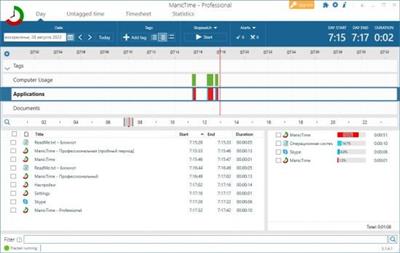
ManicTime allows you to keep up with your employees' work, send accurate progress reports, and manage your time better than ever before. This kind of software can help your business be more efficient when it comes to internal employee affairs as well as the external partnerships.


Automatic tracking
ManicTime automatically records your computer usage. It remembers which apps you've used and for how long. It will also remember which web sites you've visited and which documents you've worked on. All this data will help you keep track of your work hours.
Privacy
Data, which ManicTime collects, is stored on your machine and not sent anywhere. It is not shared with us or any third party and exists only on your machine.
Offline work
ManicTime is not a cloud based service, instead it uses a local datastore, so all recorded data will be kept on your machine. This also means that it will work the same with or without internet connection.
Accurate timekeeping
All the data ManicTime collects will be presented in a easy to understand graphical interface. This will help you to quickly figure out when you went to lunch and when you've switched tasks. From now on, your logged hours will be accurate and simple to track.
Easy timesheets
From the hours you logged its easy to create almost any kind of report. Once you create the report, you can easily copy it to Excel or some other tool and create an invoice there.
Integrate with other systems
ManicTime can integrate with task based systems, like Jira or GitHub. You can use ManicTime to enter your work hours, then send the timesheet back to specific issue.
Company wide reports
Use ManicTime in your company or your team. ManicTime Server will collect all data and generate useful reports.
Auto tagging
ManicTime captures a lot of data and you can use this data to create work activities. For example you can say that all facebook activity is "Browsing" and that all MS Word usage is "Work".
Away time
Equally important as tracking computer usage is tracking non usage. When you step away from the computer, ManicTime will track this as Away time. When you return, you can create a note of what you were doing during Away.
Stopwatch
Even though ManicTime excels at automatic time tracking, you can still use a stopwatch to manually track your time.
Код:
https://www.manictime.com/releases/windows

Homepage:


Код:
https://www.manictime.com/


Download link


rapidgator.net:
Код:
https://rapidgator.net/file/a5a8f85dbada51276da2f1f61a0ea5f4/humuc.ManicTime.Pro.2024.1.0.Beta.Multilingual.rar.html

nitroflare.com:
Код:
https://nitroflare.com/view/B22DB1DC3D4849A/humuc.ManicTime.Pro.2024.1.0.Beta.Multilingual.rar
 
MediaHuman YouTube Downloader 3.9.9.89 (0314) Multilingual (x64)

MediaHuman YouTube Downloader 3.9.9.89 (0314) Multilingual (x64)


96601d6009bfd7cc846157cf11cb4e6b.jpeg


Windows x64 | File size: 79.09 MB​

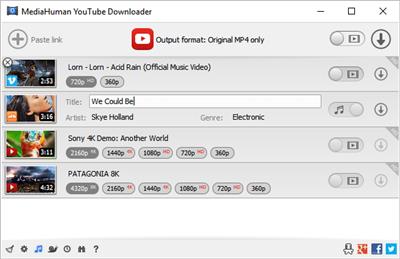
There are so many interesting things to be found on YouTube, but you can't download the videos or save them as audio files by default. That's why we developed YouTube Video Downloader. This app will help you to accomplish video downloads quickly and without hangups. Using our program you can simply download an entire YouTube playlist or channel at once and watch it whenever and wherever you want.


The application has many other convenient and practical functions for you to explore and enjoy. Give it a try, download it now!
• Downloads several videos simultaneously
• Supports Ultra High resolutions including 4K & 8K (with audio)
• Downloads entire playlists and channels
• YouTube, Vimeo, Dailymotion, Soundcloud and much more
• Extracts audio track and saves it as MP3
• Supports exporting to iTunes/Music.app
• Works on all modern platforms (macOS, Windows and Ubuntu)
Main Features
Playlists and channels
The program supports downloading of all videos of a playlist or a channel. And there's also an option to track the selected channel or playlist and download new clips as they are uploaded.
Add to iTunes
You can configure the program to automatically add downloaded movies to your iTunes library. You can also pick a playlist where the downloaded video should be added.
HQ, HD, 4K or 8K
The program supports all available resolutions, be that 720p, 1080p, 4K or 8K. The choice is up to you. Unlike online video downloaders, the app downloads any resoulution with audio.
Monitor the clipboard
The program keeps an eye on the clipboard and as soon as it spots a supported link there, it automatically adds this video into the download queue.
Quality of the original
You can choose to save videos in the original quality (usually in MP4 format), without any modifications. In this case, the clip you get is exactly the same as the one its author uploaded.
Simple tag editor
The app automatically detects the artist and the title of a video and saves them to the downloaded file. And you can easily change them later.
Not just YouTube
The program supports Twitch, Vevo.com, Vimeo, Dailymotion, Facebook, UOL, VKontakte, SoundCloud, TikTok and a lot of other sites. So you can download video from these websites as easy as you do from YouTube.
Drag & Drop
The app features a 100% drag&drop support. Just drag the link to a video with your mouse and drop it to the main window of the program, or to its dock icon on Mac.
Multi-language interface
The app is translated into: Arabic, Armenian, Azerbaijani, Bulgarian, Catalan, Chinese (Taiwan), Croatian, Czech, Danish, Dutch, English, Esperanto, French, German, Greek, Hebrew (Israel), Hungarian, Indonesian, Italian, Japanese, Korean, Latvian, Lithuanian, Malay, Norwegian Bokmål, Polish, Portuguese, Portuguese (Brazil), Romanian, Russian, Spanish, Swedish, Turkish, Vietnamese.
Код:
https://www.mediahuman.com/youtube-downloader/changelog.html

Homepage:


Код:
https://www.mediahuman.com/


Download link


rapidgator.net:
Код:
https://rapidgator.net/file/f562e8816546f8c1814c44b9d3680f58/myfto.MediaHuman.YouTube.Downloader.3.9.9.89.0314.Multilingual.x64.rar.html

nitroflare.com:
Код:
https://nitroflare.com/view/C0F7AB60B7C6CF2/myfto.MediaHuman.YouTube.Downloader.3.9.9.89.0314.Multilingual.x64.rar
 
MediaHuman YouTube Downloader 3.9.9.89 (0314) Multilingual (x64) Portable

MediaHuman YouTube Downloader 3.9.9.89 (0314) Multilingual (x64) Portable


1b93011e523cdf4e25c89b73542205c6.jpeg


Windows x64 | File size: 79.11 MB​

MediaHuman YouTube Downloader is a handy application for those who found a favorite music video or trailer of a new movie and wants to keep it on your computer for viewing offline. Or you need to download a video lesson/tutorial. Our video downloader is an ideal solution for such kind of tasks.


Simultaneous downloads
- Supports Ultra High resolutions up to 4K
- Download whole playlists and channels
- YouTube, Vimeo, Dailymotion, Soundcloud
- Extract audio track and save it as MP3
- iTunes support
- VEVO support
System Requirements
Internet connection
Windows 11, Windows 10, Windows 8, Windows 7, Windows Vista, Windows 2003, Windows XP for PC systems (32bit/64bit)
About 70 Mb of free hard drive space
Код:
http://www.mediahuman.com/youtube-downloader/changelog.html

Homepage:


Код:
http://www.mediahuman.com/


Download link


rapidgator.net:
Код:
https://rapidgator.net/file/2a9d68e245ab74c8d1abac1ecb55c828/ymqnd.MediaHuman.YouTube.Downloader.3.9.9.89.0314.Multilingual.x64.Portable.rar.html

nitroflare.com:
Код:
https://nitroflare.com/view/E3424A71D011FAE/ymqnd.MediaHuman.YouTube.Downloader.3.9.9.89.0314.Multilingual.x64.Portable.rar
 
MediaHuman YouTube To MP3 Converter 3.9.9.89 (0314) Multilingual (x64)

MediaHuman YouTube To MP3 Converter 3.9.9.89 (0314) Multilingual (x64)


6978b0fe11bee8d5332d6d3df491f22b.jpeg


Windows x64 | File size: 75.52 MB​

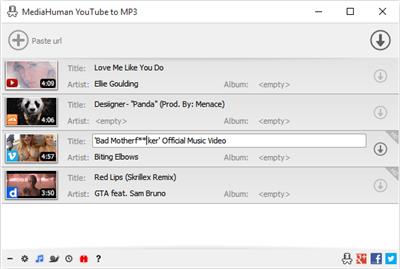
You like to listen to music on YouTube or SoundCloud and want to save it for offline playing. Or you want to download soundtrack of a new movie. Then we recommend you to try out this software developed specifically for this purpose.


• Downloads all music from playlist or channel
• Downloads highest available quality up to 320 kbps
• Supports YouTube, Vimeo, SoundCloud, Dailymotion, VEVO, etc.
• Downloads simultaneously several tracks
• Includes simple tag editor with cover art image support
• Works on all modern platforms (macOS, Windows, Ubuntu)
• Exports to iTunes
Main Features
Playlists and channels
The software supports downloading all videos of a playlist or a channel. And there is also an option for subscribing to and downloading only newly uploaded tracks.
iTunes support
In the preferences of the application you can select an option to add downloaded tracks into iTunes automatically. You can also specify iTunes playlist, where the converted track should be added.
Saves your time & traffic
The app detects audio track in YouTube video clip and downloads it, skipping the video part. As a result download speed increases dramatically, especially on HD-quality content.
Simple tag editor
Application automatically detects artist name and track title of the video and saves it in the downloaded file. But at the same time, you can easily change tags to whatever you want. You can even change a cover art image.
Original format, no conversions
You can save audio tracks in original quality without any conversion. It means that there will be no loss of quality and it greatly reduces the downloading time.
Free music
There is a great amount of music on YouTube. You can always find the one you like there. And YouTube to MP3 Converter allows you to save it on your computer for free. Just find the track you like and download it in the quality you need.
Not only YouTube
Vevo.com, Vimeo, DailyMotion, Soundcloud, Bandcamp, HypeMachine, MixCloud, UOL and many other sites are also supported. So you can download music as easy as from YouTube.
Clipboard tracking
The program tracks the content of the system clipboard. It means that you can easily add a video clip without switching from your favorite browser. Just copy an URL into the clipboard and it will be added to the download queue.
Multilingual interface
Localized to: Arabic, Armenian, Azerbaijani, Bulgarian, Catalan, Chinese (Taiwan), Croatian, Czech, Danish, Dutch, English, Esperanto, French, German, Greek, Hebrew (Israel), Hungarian, Indonesian, Italian, Japanese, Korean, Latvian, Lithuanian, Malay, Norwegian Bokmål, Polish, Portuguese, Portuguese (Brazil), Romanian, Russian, Spanish, Swedish, Turkish, Vietnamese
Код:
https://www.mediahuman.com/youtube-to-mp3-converter/changelog.html

Homepage:


Код:
https://www.mediahuman.com/


Download link


rapidgator.net:
Код:
https://rapidgator.net/file/e7c91800cbc5675804b9410e41a6c7f2/vsfur.MediaHuman.YouTube.To.MP3.Converter.3.9.9.89.0314.Multilingual.x64.rar.html

nitroflare.com:
Код:
https://nitroflare.com/view/0A0ABEED41F79A6/vsfur.MediaHuman.YouTube.To.MP3.Converter.3.9.9.89.0314.Multilingual.x64.rar
 
Microsoft Office 2024 v2404 Build 17514.20000 Preview LTSC AIO (x86x64) Multilingual

Microsoft Office 2024 v2404 Build 17514.20000 Preview LTSC AIO (x86/x64) Multilingual


d9b3fa252f76a57ae374843703d8d52d.jpeg


Microsoft Office 2024 v2404 Build 17514.20000 Preview LTSC AIO (x86/x64) Multilingual
Windows (x86/x64) | Languages:Arabic,English,German,Spanish,Greek,French,Italian,Portuguese-Portuguese,Portuguese-Brazil,Turkish,Dutch,Czech | File Size: 6.82/7.37 GB​

Microsoft has officially announced the availability of the final version of its Office 2024 release for Windows and Mac users. Following the release of the preview version in the first half of this year, the product has been refined and is now available to users. Office 2024 includes updated versions of apps from the suite, Word, Excel, PowerPoint, Outlook, Access, and Publisher.

Office 2024 includes virtually every change that has been added to the suite of programs in Office 365 over the past 3 years, although some features remain exclusive to subscribers. In addition to the main programs Word, Excel, PowerPoint, and Outlook, which are available for both Windows and macOS, the Access and Publisher versions are only available for Windows and are included, as usual, only in premiums. Visio and Project for Windows are also available, although they are not part of the ongoing release of Office.
Microsoft Office 2024 includes
Microsoft Office 2024 Professional Plus
Microsoft Access 2024
Microsoft Excel 2024
Microsoft Lync 2024
Microsoft OneNote 2024
Microsoft Outlook 2024
Microsoft PowerPoint 2024
Microsoft Publisher 2024
Microsoft Visio Viewer 2024
Microsoft Word 2024
Microsoft Visio pro 2024
Microsoft Project 2024
Skype for business 2024
OneDrive for Business 2024
Office Shared Features
Profing Tools Only 2024
And many more
System Requirements
OS:Windows 10/11.
Код:
https://docs.microsoft.com/en-us/officeupdates/current-channel

Homepage:
Код:
http://www.microsoft.com

Download link

rapidgator.net:
Код:
https://rapidgator.net/file/3524dadb2fc0f83015f48d7a1ddf5646/rggng.Office.16.0.17514.20000.32Bit..part1.rar.html
https://rapidgator.net/file/85b181a0504493844a09acda5e5c8d49/rggng.Office.16.0.17514.20000.32Bit..part2.rar.html
https://rapidgator.net/file/2f3f65ab9f4d0cc4aa4c2cec86b55a85/rggng.Office.16.0.17514.20000.32Bit..part3.rar.html
https://rapidgator.net/file/06b3099d30bd6a2b2a7ec864e2040661/rggng.Office.16.0.17514.20000.32Bit..part4.rar.html
https://rapidgator.net/file/7ce2ec76a8de6185921e436403e87db2/rggng.Office.16.0.17514.20000.64Bit..part1.rar.html
https://rapidgator.net/file/1a1f08b37bcc062809ca72b41d2ab560/rggng.Office.16.0.17514.20000.64Bit..part2.rar.html
https://rapidgator.net/file/35beeac4858b817cc10ff4ef45dff3ec/rggng.Office.16.0.17514.20000.64Bit..part3.rar.html
https://rapidgator.net/file/f03f071489d37a7c742f7b975ea2b048/rggng.Office.16.0.17514.20000.64Bit..part4.rar.html

nitroflare.com:
Код:
https://nitroflare.com/view/C8408758DEB62C4/rggng.Office.16.0.17514.20000.32Bit..part1.rar
https://nitroflare.com/view/6FC1F1ABEEF45A7/rggng.Office.16.0.17514.20000.32Bit..part2.rar
https://nitroflare.com/view/2BFAB519B97D4DC/rggng.Office.16.0.17514.20000.32Bit..part3.rar
https://nitroflare.com/view/7554AC2257D371A/rggng.Office.16.0.17514.20000.32Bit..part4.rar
https://nitroflare.com/view/ADEEE92BDAA52D0/rggng.Office.16.0.17514.20000.64Bit..part1.rar
https://nitroflare.com/view/2FDA2C01F1FEDBB/rggng.Office.16.0.17514.20000.64Bit..part2.rar
https://nitroflare.com/view/F4BAC2D5D3F8692/rggng.Office.16.0.17514.20000.64Bit..part3.rar
https://nitroflare.com/view/859F95F17E006D9/rggng.Office.16.0.17514.20000.64Bit..part4.rar
 
Mixland-Plugin Alliance Vac Attack 1.0.0 Build 10.10.23

Mixland-Plugin Alliance Vac Attack 1.0.0 Build 10.10.23


53c40864e6b584e8673dcc804990f421.jpeg


File size: 45 MB​

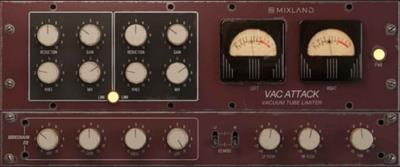
Smooth optical compression for tracks and groups. Mixland's Vac Attack is an analog-modeled optical limiter plugin that's intended to control the dynamics of individual tracks and groups. The vacuum tube saturation circuit introduces harmonically-rich warmth and character to vocals, drums, basses, and your stereo bus.


Based on a discontinued hardware unit
Vac Attack is based on a coveted hardware unit that was discontinued in 2020 and has since skyrocketed in value. The plugin was developed by Grammy-award-winning mixer Jesse Ray Ernster and coding ninja Eddie Lucciola.
Focus on changes in character, not changes in loudness
The Gain Link feature provided by Vac Attack links the value of the Reduction knob to the value of the Gain knob. Increasing the amount of gain reduction applied leads to an increase in makeup gain. As a result, you're able to make level-matched A/B comparisons and focus on the beautiful character provided by this optical limiter plugin.
Non-linear gain reduction that sounds natural
Vac Attack uses an optical design that centers around a digital emulation of a light source and a light-dependent resistor. As the plugin's input level increases, the light source brightens and causes the resistor to apply compression. Using the plugin's Knee control, you can fine-tune the rate at which the compression ratio is applied, leading to organic non-linear gain reduction.
High and low shelving EQ for easy tone shaping
A two-band push EQ with two modes, J and E, allows you to shape the tone of your tracks after compression has been applied. Whether you're looking to add warmth to your lows or sparkle to your highs, these EQ modes provide the flexibility you need. Toggle the center frequency of the LF push filter between 52 Hz (J) and 230 Hz (E). Additionally, toggle the center frequency of the HF push filter between 4.4 kHz (J) and 10 kHz (E).
Avoid pumping effects with a built-in sidechain EQ
Vac Attack includes a sidechain EQ that filters the signal running through its sidechain circuit. Using a high-pass, bell, and low-pass filter, you can affect the sidechain signal in various ways. By filtering out audio material that would otherwise trigger the limiter plugin at inappropriate times, it's possible to dial in tight and controlled limiting, free of unwanted pumping effects.
Control tube saturation and harmonic content
Vac Attack's Total Harmonic Distortion (THD) feature adds a layer of harmonic richness to your audio, giving it a fuller sound that's present within analog hardware. This feature is perfect for adding character to sterile digital recordings. Use it subtly for a touch of saturation, or crank it up for a more aggressive, distorted sound.
Channel linking/unlinking for detailed stereo control
By default, Vac Attack applies equal gain reduction to the left and right channels to maintain a balanced stereo image. If you're working with dual-mono audio or a balanced mix, channel linking can remain engaged for uniform processing. Unlinking the channels helps you avoid pumping effects when processing stereo files with vastly different left and right channel information.
FEATURES
Smooth optical compression
Vacuum tubes that deliver warmth, grit, and character
Organic non-linear gain reduction
A Knee that affects attack and release times
Automatic makeup gain
Two push EQ modes: J and E
Three-band sidechain EQ
Total harmonic distortion
Left-right channel linking/unlinking
Up to 16x oversampling
Artist and user preset libraries
Scalable user interface
Whats New
- Fixed EQ buttons not working after reloading VST3

Homepage:


Код:
https://www.plugin-alliance.com/en/products/mixland_vac_attack.html


Download link


rapidgator.net:
Код:
https://rapidgator.net/file/7aba4562a868f1c713b54836c879f47d/bhbqr.MixlandPlugin.Alliance.Vac.Attack.1.0.0.Build.10.10.23.rar.html

nitroflare.com:
Код:
https://nitroflare.com/view/DDDC6B53F83386A/bhbqr.MixlandPlugin.Alliance.Vac.Attack.1.0.0.Build.10.10.23.rar
 
Назад
Сверху