






• Форум работает в архивном режиме www.old.nado.in

All mitsumi'1s Applications !! (updated daily)

  • Автор темы Автор темы mitsumi1
  • Дата начала Дата начала
EaseUS OS2Go 3.5 build 20230203


0e39a3e38a0f9f1728b4e46ecb74fa71.jpeg


All Edition | File size: 46.33 MB​

Need to take Windows with you, but can't take your laptop? If you frequently travel and need a computer, but you don't want to pay for the extra weight. You can solve it by putting Windows on a USB drive. If you have access to a display, a keyboard, and a mouse, you can stay productive wherever you are. Besides, a portable Windows will significantly benefit you when the computer suffers from a boot failure. With portable Windows available, you can boot the computer successfully and then rescue your files.

EaseUS OS2Go
• Make portable Windows 10/11 on USB.
• Create a bootable Windows USB for Mac use.
• Create a Portable Windows To Go USB Drive with simple clicks!
Key Features
Accessible from Multiple Computers
You can access all the features of Windows 10, the user data and apps on the same USB drive on multiple computers once it is connected.
Run Windows on Mac
install Windows for those occasions when you need to run Windows-only apps and games.
Easy to Carry
A portable Windows USB drive is a pocket-friendly device which doesn't need extra space in your bag to carry along.
Cost-Effective
If you compare the portable USB with a hard drive, you will find the USB device is much cheaper and more affordable.
Why Choose EaseUS
Easy to Use
Download and installation are simple and super fast. You can carry the portable Windows drive to anywhere and use it on any computer.
Create Windows To Go with Non-Certified USB Drive
Windows To Go is a Windows feature that enables the entire desktop of a user computer to be transported. However, it requires a certified USB drive. EaseUS supports all USB drives and sticks from various brands.
Seamless Integration
All apps are running seamlessly on external USB drive no matter it is from a Windows PC or Apple Mac.
What's new
• official site does not provide any info about changes in this version
Supports various Windows system. Fully compatible with PCs and laptops running latest Windows 11 as well as Windows 10/8 and Windows 7.
Editions:Workstation / Pro / Server / Technician

Homepage:
Код:
https://www.easeus.com/

Download link

rapidgator.net:
Код:
https://rapidgator.net/file/893afb66e670fb65cecdd81fbcbead52/xgoit.EaseUS.OS2Go.3.5.build.20230203.rar.html

uploadgig.com:
Код:
https://uploadgig.com/file/download/5dAe0E39522B157C/xgoit.EaseUS.OS2Go.3.5.build.20230203.rar
nitroflare.com:
Код:
https://nitroflare.com/view/B08CBD090306A46/xgoit.EaseUS.OS2Go.3.5.build.20230203.rar

1dl.net:
Код:
https://1dl.net/fdzhjkixrxnf/xgoit.EaseUS.OS2Go.3.5.build.20230203.rar
 
EFSoftware EF AutoSync 23.01 Multilingual


f41ccfa375124e374b11a7a57d0d1bfb.jpeg


File size: 3 MB​

EF AutoSync is a practical tool for automatic data synchronization between the PC and other components such as USB flash drives, external drives, another computer, etc.

The easy to use software done for you activities such as archiving, mirroring, data backup, update, takes you from the chore.
The integration of external third-party file systemn plugins in WFX format supports a variety of devices.
The following languages are included in the package: English, German, Arabic, Catalan, Chinese, Hebrew, Hungarian, Italian, Portuguese, Romanian, Serbian.
Whats New
Updates: official site does not provide any info about changes in this version

Homepage:
Код:
https://www.efsoftware.com/as/e.htm

Download link

rapidgator.net:
Код:
https://rapidgator.net/file/56f5010ecd060c6a0073bf8c23543c52/vwxhp.EFSoftware.EF.AutoSync.23.01.Multilingual.rar.html

uploadgig.com:
Код:
https://uploadgig.com/file/download/e01de2033D03ccA1/vwxhp.EFSoftware.EF.AutoSync.23.01.Multilingual.rar

nitroflare.com:
Код:
https://nitroflare.com/view/543D1D578FFC532/vwxhp.EFSoftware.EF.AutoSync.23.01.Multilingual.rar

1dl.net:
Код:
https://1dl.net/djrfl6pmao2r/vwxhp.EFSoftware.EF.AutoSync.23.01.Multilingual.rar
 
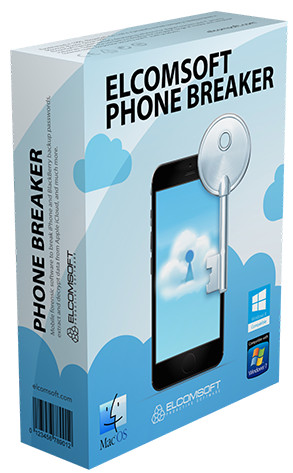
ElcomSoft Phone Breaker Forensic Edition 10.12.38814


4d449207f154d5986062d1c6fd984c1d.jpeg


File size: 89 MB​

Perform logical and over-the-air acquisition of iOS, Windows Phone 8/8.1, Windows 10 Mobile and BlackBerry 10 devices, break into encrypted backups, obtain and analyze information from Apple iCloud.

Break passwords and decrypt iOS backups with GPU acceleration
Decrypt iCloud Keychain and Messages with media files and documents from iCloud
Obtain synchronized data from Apple and Microsoft accounts
Download iCloud backups and synced data with or without Apple ID password
Cloud Acquisition via Apple iCloud and Microsoft Account
Cloud acquisition is a highly effective way of retrieving up-to-date information backed up or synced by modern smartphones with their respective cloud services. Elcomsoft Phone Breaker supports the extraction of cloud backups and synced data from Apple iCloud and Microsoft Account, enabling remote acquisition of iPhone and iPad devices as well as Windows devices, Skype and other Microsoft software.
Online backups and synchronized data can be acquired by forensic specialists without having the original iOS device in hands. All that's needed to access online data stored in the cloud service are the original user's authentication credentials including the second authentication factor.
End-to-End Encryption in iCloud
Elcomsoft Phone Breaker enables access to iCloud data with end-to-end encryption. Protected categories include iCloud Keychain, iCloud Messages, Health, Screen Time and Maps data. Accessing end-to-end encrypted data requires the user's full authentication credentials including second authentication factor, as well as a system password or screen lock password to one of the user's devices.
iCloud Keychain
Elcomsoft Phone Breaker is the only tool on the market to access, extract and decrypt iCloud Keychain, Apple's cloud-based system for storing and syncing passwords, credit card data and other highly sensitive information across devices. As opposed to authorizing a new Apple device, Elcomsoft Phone Breaker does not become part of the circle of trust and does not require a middleware device, thus offering truly forensic extraction of protected records.
Screen Time Passcode
The Screen Time passcode is an optional feature in iOS 12 and newer versions that can be used to secure the Content & Privacy Restrictions. Once the password is set, iOS will prompt for the Screen Time passcode if an expert attempts to reset the device backup password (iTunes backup password) in addition to the screen lock passcode. As a result, experts will require two passcodes in order to reset the backup password: the device screen lock passcode and the Screen Time passcode. Since the 4-digit Screen Time passcode is separate to the device lock passcode (the one that is used when locking and unlocking the device), it becomes an extra security layer effectively blocking logical acquisition attempts.
By extracting and analyzing Screen Time information, experts can extract Screen Time passwords,
thus gaining the ability to remove Screen Time protection and/or to reset the password protecting local (iTunes) backups. This in turn makes logical acquisition easily possible.
iCloud Messages and Health Data
Apple supports Health and Messages sync through iCloud. Elcomsoft Phone Breaker is the first tool on the market to extract and decrypt messages from iCloud complete with attachments, extract and decrypt Health data. To access Health and Messages, the login and password to the user's Apple Account, one-time code to pass Two-Factor Authentication and a screen lock password or system password for one of the already enrolled devices are required.
Access iCloud without Login and Password
If the user's Apple ID and password are not available, Elcomsoft Phone Breaker may be able to use a binary authentication token to access limited sets of synchronized data. The use of authentication tokens allows bypassing two-factor authentication even if no access to the second authentication factor is available.
New features
Extract Skype Conversations, Messages, Files and Metadata
The latest update enables the downloading of Skype conversation histories, files, contact lists and metadata directly from the user's Microsoft account. Individual and group chats, text messages and attachments are extracted. The downloading of the entire conversation of an average Skype history only takes minutes!
For deleted chats and messages as well as for files purged from Skype servers after the 30-day retention period, Elcomsoft Phone Breaker can obtain metadata such as the date and time the file was deleted, the file's name and size, sender's Skype ID and the name of the chat.
New iCloud Engine, Low-Level Access to iCloud Drive
The new and improved iCloud download engine is faster and significantly more robust than ever. Thanks to the new iCloud engine, Elcomsoft Phone Breaker becomes the first and only tool on the market that can download iCloud backups produced by Apple devices running all versions of iOS up to the latest versions.
Advanced iCloud Drive structure analysis is an optional feature allowing users to enable deep, low-level analysis of iCloud Drive secure containers. While high-level file and folder access is all you need in most circumstances, the more comprehensive low-level extraction will return the missing bits and pieces scattered around in legacy containers.
Whats New
fixed backup decryption problem (with known password)

Homepage:
Код:
https://www.elcomsoft.com/eppb.html

Download link

rapidgator.net:
Код:
https://rapidgator.net/file/4c38fc12a958cccaf1088d04d9d68640/lwtvb.ElcomSoft.Phone.Breaker.Forensic.Edition.10.12.38814.rar.html

uploadgig.com:
Код:
https://uploadgig.com/file/download/955f591e8BeDc931/lwtvb.ElcomSoft.Phone.Breaker.Forensic.Edition.10.12.38814.rar

nitroflare.com:
Код:
https://nitroflare.com/view/E68D8F2DDE0F2F4/lwtvb.ElcomSoft.Phone.Breaker.Forensic.Edition.10.12.38814.rar

1dl.net:
Код:
https://1dl.net/vewfmlzwaepi/lwtvb.ElcomSoft.Phone.Breaker.Forensic.Edition.10.12.38814.rar
 
FastStone Capture 9.9 Multilingual


da1b52ecfdda28308c14cd0169f5ad44.jpeg


File Size: 6.6 MB​

FastStone Capture is a powerful, lightweight, yet full-featured screen capture tool and screen video recorder. It allows you to easily capture and annotate anything on the screen including windows, objects, menus, full screen, rectangular / freehand / fixed regions as well as scrolling windows / web pages. It also allows you to record all screen activities including onscreen changes, speech from microphone, mouse movements and clicks into highly compressed video files. You can choose to send captures to editor, file, clipboard, printer, email, Word / PowerPoint document or upload them to your website.

Features
A small handy Capture Panel that provides quick access to its capture tools and output options
Global hotkeys to activate screen capturing instantly
Capture windows, objects, menus, full screen, rectangular/freehand regions and scrolling windows/web pages
Capture multiple windows and objects including multi-level menus
Record screen activities including onscreen changes, speech from microphone, mouse movements and clicks into highly compressed video files (Windows Media Video format). A built-in video editor allows you to draw annotations, apply zoom effects and cut unwanted sections. It even allows you to convert video files to animated gif files.
Options to specify output destination (internal editor, clipboard, file, printer ...)
Draw annotation objects such as texts, arrowed lines, highlights, watermarks, rectangles and circles
Apply effects such as drop-shadow, frame, torn-edge and fade-edge
Add image caption
Resize, crop, rotate, sharpen, brighten, adjust colors ...
Undo/Redo
Support tabs that allow you to capture and edit multiple screenshots simultaneously
Support external editors
Save in BMP, GIF, JPEG, PCX, PNG, TGA, TIFF and PDF formats
Acquire images from scanner
Convert images to a multi-page PDF file
Join images side by side to produce a single image file
Send captured images by email
Send captured images to Word and PowerPoint documents
Send captured images to a Web (FTP) server
Screen Color Picker
Screen Magnifier
Screen Crosshair
Screen Ruler
Support multiple monitors
Support touch interface (tap, swipe, pinch)
Run when Windows starts (optional)
Minimize to System Tray area
Small footprint in memory
And many more ...
Код:
http://www.faststone.org/FSCaptureDetail.htm

Homepage:
Код:
http://www.faststone.org

Download link

rapidgator.net:
Код:
https://rapidgator.net/file/5d49d72c62df9e2aadbcf3c66bf47207/ehnxy.FastStone.Capture.9.9.Multilingual.rar.html

uploadgig.com:
Код:
https://uploadgig.com/file/download/802bB13eaB306551/ehnxy.FastStone.Capture.9.9.Multilingual.rar

nitroflare.com:
Код:
https://nitroflare.com/view/9E62BED6739008E/ehnxy.FastStone.Capture.9.9.Multilingual.rar

1dl.net:
Код:
https://1dl.net/x1ev6dqiq8er/ehnxy.FastStone.Capture.9.9.Multilingual.rar
 
FoneLab Screen Recorder 1.3.90 (x64) Multilingual


beb24f61028073691da02b34816ea5f8.jpeg


File size: 90 MB​

FoneLab allows you to capture video, audio, online tutorial and you can easily customize size, edit the video or audio, and more.

If you want to record movies, calls, tutorials, TV shows, songs, take snapshot or others, FoneLab can help you do it.
There are different things on your computer you want to record and then share with friends or just save them on computer or hard drive. Such as your favorite film, tutorial, ball game, online game or others. It is no doubt that this program is easy to use so the professional knowledge is not required for it.
Record system or microphone voice.
Take snapshots easier.
You can edit the video or snapshot like arrow, line, text and more.
Use hotkey to start or stop the record.
Features
Area Selection
Choose recording or capture area and lock the recording area.
Choose Format
Select video or audio format.
Record Offline
No internet connection required during the recording process.
Edition Available
Add text, arrow, line and other drawing panels on the videos or snapshots.
Screen recorder featureScreen recorder feature
Record History
Access record history easily.
Around Mouse
You can choose full screen or customized size.
Record Quality
High-quality video, audio and image.
Shortcut
Set hotkeys to start/stop/open or close webcam etc.
Whats New
Updates: official site does not provide any info about changes in this version

Homepage:
Код:
https://www.fonelab.com

Download link

rapidgator.net:
Код:
https://rapidgator.net/file/1bd42949fef76e20361b7b63d9fabf9b/auejg.FoneLab.Screen.Recorder.1.3.90.x64.Multilingual.rar.html

uploadgig.com:
Код:
https://uploadgig.com/file/download/f8D3b3b89dAe8139/auejg.FoneLab.Screen.Recorder.1.3.90.x64.Multilingual.rar

nitroflare.com:
Код:
https://nitroflare.com/view/B77A726258AF6F5/auejg.FoneLab.Screen.Recorder.1.3.90.x64.Multilingual.rar

1dl.net:
Код:
https://1dl.net/9e2kbwv6dici/auejg.FoneLab.Screen.Recorder.1.3.90.x64.Multilingual.rar
 
FSNotes 6.1.3 macOS


6532373db3971c52892bdccdf5b08ca4.jpeg


Language: Multilingual | File size: 27 MB​

FSNotes is a plain-text note manager for macOS, and is modern reinvention of notational velocity (nvALT) on steroids. Our application respects the following open formats: plain/text, Markdown, and RTF, and stores data in the file system. You can view, edit, and copy data in your favourite external editor, and see live results in FSNotes.

Features
- ICloud synchronization
- Keyboard centric
- Global shortcuts (clipboard save / search field)
- Markdown and RTF markup (files stored on disk as plain/text and rich text)
- Markdown preview mode
- Elastic two pane view (vertical and horizontal layout)
- Blazing fast and lightweight
- Open files in finder / works with external editors (changes seamless live sync with UI)
- Pin/unpin important notes in top
- Multi folder storage
- Markdown live highlighting with over 170 languages in code blocks
Код:
https://geo.itunes.apple.com/app/id1277179284
Supported Operation Systems
macOS 10.14 or later

Homepage:
Код:
https://geo.itunes.apple.com/app/id1277179284

Download link

rapidgator.net:
Код:
https://rapidgator.net/file/4387c01a6d0b0ff7d950034762370ea4/hlcml.FSNotes.6.1.3.macOS.dmg.html

uploadgig.com:
Код:
https://uploadgig.com/file/download/4e676dB4d36Ab0eb/hlcml.FSNotes.6.1.3.macOS.dmg

nitroflare.com:
Код:
https://nitroflare.com/view/F62E6765B5ACBD6/hlcml.FSNotes.6.1.3.macOS.dmg

1dl.net:
Код:
https://1dl.net/g9f04vxrm7dx/hlcml.FSNotes.6.1.3.macOS.dmg
 
GiliSoft Image Watermark Master 9.5


6c532c75b6c2dca997c52f47fbce4cfe.jpeg


File size: 20 MB​

Ever wanted to remove something from a photo? Now you can. Image Watermark Master can make objects disappear as if they were never there. Make fun pictures, remove unwanted people, remove unsightly pimples, clean up the perfect shot.

Image Watermark Master quickly deletes unwanted objects such as logo, text, data stamp, watermark, acnes, people... and instantly fix the images automatically as if they were never there. Get the magical images done in seconds-to-minutes instead of minutes-to-hours. People all over the world use Image Watermark Master every day to beautify their photos. It targets to be a simple yet effective photo healing app for all users.
Whats New
Updates: official site does not provide any info about changes in this version

Homepage:
Код:
http://www.gilisoft.com/

Download link

rapidgator.net:
Код:
https://rapidgator.net/file/97a1918ceae58e9b28656796da91b5ab/xgjfw.GiliSoft.Image.Watermark.Master.9.5.rar.html

uploadgig.com:
Код:
https://uploadgig.com/file/download/03Bb87D1fCb6025e/xgjfw.GiliSoft.Image.Watermark.Master.9.5.rar

nitroflare.com:
Код:
https://nitroflare.com/view/807D33379220E84/xgjfw.GiliSoft.Image.Watermark.Master.9.5.rar

1dl.net:
Код:
https://1dl.net/tyg8h9u93a1x/xgjfw.GiliSoft.Image.Watermark.Master.9.5.rar
 
GM EPUB Reader Pro 2.2.1 macOS


4c2ccfd4c97d84c42067eef5b4436809.jpeg


File size: 11.53 MB​

The GM EPUB Reader Pro is a full-featured eBook reader with a simple and beautiful interface and a good reading experience.

※ EPUB Reader
- Support for reading EPUB and Mobi files.
- Support single page search and full text search, and highlight search results.
- Support the forward and backward browsing history.
- Support page turning, zooming, and sidebar shrinking.
- Support page printing.
- Support to view basic information of files.
- Support page number display and quick page switching.
- Support EPUB to PDF, Mobi to EPUB, Mobi to PDF.
- Support extracting images from EPUB and Mobi.
※ EPUB Bookshelf
- All the files you have read will be saved in the bookshelf for quick review next time.
- Support file(s) drag and drop addition.
※ Reading Experience
- It can remember the location of the last reading, so that it can continue reading next time.
- Photo adaptation, better layout.
- Support for page zooming using command+ or command- key combinations.
- Support for quick page turns and quick view of history pages using a combination of command and up and down left and right arrows.
- In the process of page reading, you can use the buttons J and K to quickly slide up and down the page.
Release Notes
Код:
https://geo.itunes.apple.com/app/id1506541486

Supported Operation System
• macOS 10.13 or later
• Apple Silicon or Intel Core processor

Homepage:
Код:
http://apps.apple.com/app/gm-epub-reader/id1506541486

Download link

rapidgator.net:
Код:
https://rapidgator.net/file/c4ffcced2b5ed6246c18eedb9f0bf978/civui.GM.EPUB.Reader.Pro.2.2.1.macOS.dmg.html

uploadgig.com:
Код:
https://uploadgig.com/file/download/7e76b7e1BD48775D/civui.GM.EPUB.Reader.Pro.2.2.1.macOS.dmg

nitroflare.com:
Код:
https://nitroflare.com/view/C5784AD4401B634/civui.GM.EPUB.Reader.Pro.2.2.1.macOS.dmg

1dl.net:
Код:
https://1dl.net/olj27bqo5ixy/civui.GM.EPUB.Reader.Pro.2.2.1.macOS.dmg
 
iCalamus 2.25 (19050) macOS


2030786f8bff7f37598c2af5dec1f7c4.jpeg


Language: Multilingual | File size: 25 MB​

iCalamus 2 is the new generation of our easy approach to DTP, and is an excellent choice for creating everything from simple posters, to complex magazines, scientific works and book publishing. iCalamus is a multi-lingual, frame-oriented desktop publishing solution for macOS.

iCalamus offers an easy approach to DTP, and is an excellent choice for creating simple posters to complex magazines, scientific works and for book publishing. iCalamus is the multi-lingual, frame-oriented desktop publishing solution for macOS.
Working with precise measurement units is a breeze. Out of the box, iCalamus offers flexible masking options with many predefined, dynamically changeable frame shapes. Users may build virtual copies for multiple document elements and change them afterwards with just a few mouse clicks (e.g. in business cards).
iCalamus can import all image and text formats which are supported by macOS. Easily grab text content from large PDF documents for further text processing. Images from digital cameras, scanners or iPhoto libraries can be imported, as well as complete web pages. Print output supports all printers, and iCalamus can optionally output documents in various PDF formats (e.g. PDF-X, encrypted PDF, PDF Fax).
Release Notes
Version 2.25 Build 19050 (1 new features; 2 updated features; 2 bugs fixed)

Supported Operation Systems
macOS 10.13 or later

Homepage:
Код:
https://www.lemkesoft.de

Download link

rapidgator.net:
Код:
https://rapidgator.net/file/2ecace1d586f5fc16f2b409983f13aac/wfxkr.iCalamus.2.25.19050.macOS.dmg.html

uploadgig.com:
Код:
https://uploadgig.com/file/download/6525d9F41287F2df/wfxkr.iCalamus.2.25.19050.macOS.dmg

nitroflare.com:
Код:
https://nitroflare.com/view/FAFCFC4B7BCD888/wfxkr.iCalamus.2.25.19050.macOS.dmg

1dl.net:
Код:
https://1dl.net/b6muzays1z5h/wfxkr.iCalamus.2.25.19050.macOS.dmg
 
iCollections 8.0.3 (80303) macOS


a26c50bb9a39258cb4da0833dc076aeb.jpeg


File size: 20.66 MB​

iCollections is an expertly designed application which helps you keep your Mac desktop organized. The app's unique features are what make it the most popular method of desktop organization for Mac users.

iCollections lets you create areas on your desktop so you can sort and arrange your icons. This helps you keep related items together so your files (pictures, documents, screenshot, applications, etc.) are organized and easy to find.
Key Features
• Easily create Collections to organize items on your desktop
• Create Disk Panel to show your disk drives
• Create Folder View to access selected folders right on the desktop
• Create Photo Frame to have your favorite images on your desktop
• Add tabs to group files in one Collection
• Watch a slide show of your pictures on the desktop
• Change a collection's style, fonts and colors
• Sort items within collections
• Change the size and style of items within a Collection
• iCollections integrates with your desktop
• Retina display support
Creating Collections
Easily create Collections with just a few clicks. These shaded windows on your desktop are used to organize your icons, files and folders depending on your preferences. You can label, re-size, highlight or move them however you would like. iCollections integrates with macOS, launching when the system starts.
Web Views
Display your favourite website right on the Desktop - Facebook, YouTube, Twitter, Messenger, news or any other of your choice.
Open a chat or a forum conversation and be online during your work on Mac. Websites can be displayed in mobile verison in exactly the same way as on your mobile phone.
Photo Frames
Select Photo Frame from the main menu to create a picture frame on the desktop. The Photo Frame will display a collection of your pictures as a slide show, eg. new picture every day. Just select your pictures folder or Photos© app album and revisit your most wonderful moments.
Use Settings to define a slide show: choose the frame design and details to display.
You can also create a static picture - just select a picture instead of a folder. Quick and easy!
Design Your Collection
Each Collection can be customized with an easily identifiable style from within the Appearance Settings.
Quickly change the look of the Collection to suit your needs.
Release Notes
• Release notes were unavailable when this listing was updated.

Supported Operation System
• macOS 10.13 or later
• Apple Silicon or Intel Core processor

Homepage:
Код:
http://naarakstudio.com/icollections

Download link

rapidgator.net:
Код:
https://rapidgator.net/file/aaa0d7a7e60ade92ab79fb22f104f5e8/otaee.iCollections.8.0.3.80303.macOS.dmg.html

uploadgig.com:
Код:
https://uploadgig.com/file/download/28062525d9b4f421/otaee.iCollections.8.0.3.80303.macOS.dmg

nitroflare.com:
Код:
https://nitroflare.com/view/644354A9769FCC1/otaee.iCollections.8.0.3.80303.macOS.dmg

1dl.net:
Код:
https://1dl.net/fq8ls2rbrr51/otaee.iCollections.8.0.3.80303.macOS.dmg
 
Lasso 1.2.0 macOS


277639c0246d2625e1410871b57109ab.jpeg


File size: 14 MB​

Lasso - Window Manager for macOS. Move and resize windows with your mouse. Posted on Reddit today. Looks really good. Click and drag - that's all you need to move and resize windows Quickly arrange and resize your windows with custom layouts

Streamline your workflow and increase productivity with the ability to assign unique keyboard shortcuts to each of your individual layouts. The simplest answer would be - all. Really, no matter how many screens you have - Lasso will handle all of them. With many options available, you can change how you work by adjusting the space around windows, selecting grid sizes for Layouts, and more. Make your workspace fit your needs.
Release Notes
Updates: official site does not provide any info about changes in this version

Supported Operation Systems
macOS 12.0 or later

Homepage:
Код:
https://thelasso.app/

Download link

rapidgator.net:
Код:
https://rapidgator.net/file/cab8edff75d4345de6a8de8e58558466/tqlyh.Lasso.1.2.0.macOS.dmg.html

uploadgig.com:
Код:
https://uploadgig.com/file/download/aA2e39f77fe74088/tqlyh.Lasso.1.2.0.macOS.dmg

nitroflare.com:
Код:
https://nitroflare.com/view/2F13BA114DE0932/tqlyh.Lasso.1.2.0.macOS.dmg

1dl.net:
Код:
https://1dl.net/2hq3j924iuf4/tqlyh.Lasso.1.2.0.macOS.dmg
 
MetaImage 2.3.0 macOS


69f9683cd68e213a6f1f6dcb43c231c7.jpeg


Language: Multilingual | File size: 59 MB​

MetaImage is the ultimate tool to read, write and edit images metadata. This is first editor that allows you to edit EXIF, IPTC and XMP tags as well as MakerNotes in a beautiful and familiar interface.

The application has been designed to improve your workflow. Users can create and manage presets. Moreover, a special support is provided for geographical and thumbnail data. In addition, displayed tags can be customized via the preferences. In this way, the application fits to your personal needs.
MetaImage is completely integrated to your mac ecosystem. The application even includes a Photos extension. In this way, you can directly inspect your photos from Photos.app.
Supported tags (>5000 tags)
- EXIF
- IPTC
- XMP
- ICC Profile
- Canon
- Leica
- FujiFilm
- Nikon
- Olympus
- Panasonic
- Pentax
- SigmaRaw
- Sony
- and much more
The application is designed for professional needs. More than 90 image formats are supported (HEIC, MOS, CR2, DNG, NEF, NRW, JPEG, PNG, TIFF, RAW, and much more). MakerNotes tags may be edited but not created or deleted. This avoids many potential problems with OEM software.
Additional features
- Export tags to CSV and JSON
- Export embedded thumbnails
- Export embedded jpeg from raw
- Copy/Paste multiple tags
- Support password-protected images
- Support notifications and touch bar
- Support folder processing (* except HEIC files *)
Release Notes
- Improvements: Import/export metadata as CSV table via the menu sidecar.
- Improvements: Fix several minor bugs when opening files from Photos.
- Improvements: Fix English typos and improve localizations.
- Improvements: Reload the location of selected files when opening the location panel.
- Improvements: Add options to copy and paste several tags in the contextual menu.
- Bugs Fixed: Fix date/time editing in some regions and time zones.
- Bugs Fixed: Fix several minor bugs.

Supported Operation Systems
macOS 11.0 or later

Homepage:
Код:
https://apps.apple.com/app/metaimage/id1397099749

Download link

rapidgator.net:
Код:
https://rapidgator.net/file/392434454e7c349870ca9e4087635133/xncmk.MetaImage.2.3.0.macOS.dmg.html

uploadgig.com:
Код:
https://uploadgig.com/file/download/24A6390B3c25fe3f/xncmk.MetaImage.2.3.0.macOS.dmg

nitroflare.com:
Код:
https://nitroflare.com/view/0042EFC1E8B453B/xncmk.MetaImage.2.3.0.macOS.dmg

1dl.net:
Код:
https://1dl.net/r2qmc1fq2p3g/xncmk.MetaImage.2.3.0.macOS.dmg
 
iCare Data Recovery Pro 8.4.6


1612fb2513fb5e5a5b2a3c925f9472c2.jpeg


File size: 4.0 MB​

iCare Data Recovery Software can recover any deleted file, including documents, photos, mp3 and zip files, or even folders and damaged disks. Besides deleted file recovery, it is able to restore files from system error like bad boot sector, bad MBR, bad partition table, bad MFT; Virus attacked file lost like destroyed boot sector, MBR; human errors like format partition by mistake, delete partition accidentally; software errors like merging partition failure with Partition Magic, resizing partition failure, copy partition failure, ghost failure.

Data loss won't be your headache! As a comprehensive data recovery solution, iCare Data Recovery can easily recover files from wrong formatted drives, unexpectedly file deletion, raw drive or raw file system, virus attack, partition deleted, software crash etc. It can recover any deleted files like photos, documents, mp3, outlook file, presentations, and it also works with any type of storage media like hard drive, removable hard drive, digital cameral sd card, usb drives, ipod, memory card etc.
- Format Recovery
Using advanced format searching technology, iCare Data Recovery is able to restore data after formatting when hard disk drive, memory card, usb flash etc. have been reformatted by mistake and need to restore lost data.
- Data Recovery off Local & External Drive
This data recovery software uses the most powerful file recovery ability to restore data from various kinds of data storage devices, eg the laptop&destop hard disk drive, external hard disk and more drives no matter what happened that causes the data loss.
- Powerful Data Restore Utility
Recovering data from recycle bin, formatted, deleted, or missing partitions is some of the most frequent data restore ability by iCare Data Recovery. What's more? It also helps you recover data when system crashed, has not formatted error, cannot format partition/card, MBR corrupted, disk repartitioned...
- Recover Data off Various Storage Media
iCare Data Recovery is able to restore data from variuos kinds of digital devices for example: hard disk drive, external disk, usb flash, memory card, cellphone, camera, laptop, desktop.
- Recover Deleted Files Fast Scanning
iCare Data Recovery Free scans 300% faster than other data recovery software to undelete lost files when files have been mistakenly deleted or lost due to virus attack and more.
- Recover files from Memory Card
It works for various kinds of memory card recovery including SD Card, MicroSD, SDHC, CF (Compact Flash) Card, xD Picture Card, Memory Stick and more. When memory card has data loss, all you need to do is to use this program to recover formatted, deleted, even corrupted memory card files.
Whats New
Updates: official site does not provide any info about changes in this version.

Homepage:
Код:
https://www.icare-recovery.com/

Download link

rapidgator.net:
Код:
https://rapidgator.net/file/bc1d2ff8786feae66a83dd65409063ca/wqxot.iCare.Data.Recovery.Pro.8.4.6.rar.html

uploadgig.com:
Код:
https://uploadgig.com/file/download/83af6dDf687d8533/wqxot.iCare.Data.Recovery.Pro.8.4.6.rar

nitroflare.com:
Код:
https://nitroflare.com/view/4A4979527879B64/wqxot.iCare.Data.Recovery.Pro.8.4.6.rar

1dl.net:
Код:
https://1dl.net/g3odq78ge4sl/wqxot.iCare.Data.Recovery.Pro.8.4.6.rar
 
ImageGrab 7.0.0


6825d76b0ccec6bcb90d548636805bb6.jpeg


File Size : 11.2 Mb​

ImageGrab is a powerful and user-friendly software that opens all kinds of video files and allows to extract images either in the format bmp, or in jpeg with a quality adjustable. It also allows you to copy them to the clipboard so as to use them in your favorite application.

Sometimes, when you watch videos or movies you want to be able to capture beautiful sceneries or funny pictures. ImageGrab is an application that can solve your problems.
The software can capture pictures from all kinds of video files and save them on a drive in the BMP or JPG format. The image quality can be easily adjusted, by dragging the slide bar. Furthermore, you can name your pictures by either choosing a root word or by using the name of the video file and adding timestamps or progressive numbers.
Also, you can have the image copied to the Clipboard, which makes it easy to insert it in an image editor, where you can apply a wider palette of effects or make some adjustments.
Various details can be added to the video before capturing images, such as timestamp and timecode, numbers, datecode or a personalized message that can be inserted by modifying the template. You can change the font and size of the text, as well as apply various attributes (bold, italic, underline) and a background color.
The app comes with a simple interface, with lots of buttons and you can find out what each of them does by simply hovering the mouse over them. Despite the inconvenience of such an interface, the software does its job well and is quite easy to operate once you figure out what everything does.
ImageGrab is a light tool that requires no installation. The app is suitable for users of all levels of experience.
Whats New
Updates: official site does not provide any info about changes in this version

Homepage:
Код:
https://paulglagla.com/en/

Download link

rapidgator.net:
Код:
https://rapidgator.net/file/d7a5c4c713df9c2d98ce718ae912c2c9/qshkd.ImageGrab.7.0.0.zip.html

uploadgig.com:
Код:
https://uploadgig.com/file/download/59976e6b34743b78/qshkd.ImageGrab.7.0.0.zip

nitroflare.com:
Код:
https://nitroflare.com/view/B05ED53456ABD1A/qshkd.ImageGrab.7.0.0.zip

1dl.net:
Код:
https://1dl.net/a8ll2almlf8r/qshkd.ImageGrab.7.0.0.zip
 
Markdown Monster 2.8.2.6


d5c7e19e0722c6635c8e27708dfd37fa.jpeg


File size: 20.4 MB​

Markdown Monster is a Markdown editor and viewer that lets you edit Markdown with syntax highlighting and fast text entry. A collapsible, synced, live preview lets you see your output as you type or scroll. Easily embed images, links, emojis and code using Markdown text or use our gentle UI helpers that simplify many operations with a couple of keystrokes. Paste images from the clipboard or drag and drop from Explorer or our built-in folder browser. Inline spell-checking and word counts keep your content streamlined unobtrusively.

You can export your Markdown to HTML or PDF by saving to disk or by copying Markdown selections as HTML directly to the clipboard. The HTML preview can display syntax colored code snippets for most common coding languages, and can easily be customized with HTML and CSS template to match your own sites. You can choose from a light and dark app theme, and choose individual editor and preview themes that are fully customizable. You can even use Vim or EMacs type conventions. Other convenience features let you browse for and select files in the built-in folder browser, use the document outline to jump through sections in your Markdown, or shell out to Explorer, Terminal or your favorite Git client. It's all about convenience - everything is at your finger tips, but it's out of your way until you need it.
Markdown Editing and Weblog Publishing for Windows
Syntax colored Markdown
Live HTML preview
Inline spell checking
Embed images, links and emoji
Paste images from Clipboard
Capture & embed screen shots
Save to Html and PDF
Weblog publishing and editing
HTML to Markdown conversion
Editor and preview themes
Git Integration
Document Outline
Template text expansion
.NET scripting & addins
Код:
https://github.com/RickStrahl/MarkdownMonster/blob/main/Changelog.md

Homepage:
Код:
https://markdownmonster.west-wind.com/

Download link

rapidgator.net:
Код:
https://rapidgator.net/file/3357ccaee3d5d6362c4db1ba99c1ff03/fkzvu.Markdown.Monster.2.8.2.6.rar.html

uploadgig.com:
Код:
https://uploadgig.com/file/download/33e2Fb1b6453A856/fkzvu.Markdown.Monster.2.8.2.6.rar

nitroflare.com:
Код:
https://nitroflare.com/view/D64B9B432DEF9E3/fkzvu.Markdown.Monster.2.8.2.6.rar

1dl.net:
Код:
https://1dl.net/tewjtplcwn65/fkzvu.Markdown.Monster.2.8.2.6.rar
 
MEGAsync 4.8.7 Multilingual


f49ff28301453566eabb131444f396f8.jpeg


File size: 51 MB​

MEGAsync is a simple and easy to use application that enables you to create a path between a local source folder and a cloud drive, in order to perform file synchronization. The program requires that you create a MEGA account and set up your cloud drive, then select a local source folder for synchronization. Once you sign up, the rest of the process is simple. All you have to do is copy or update the files you wish to synchronize in the local dedicated folder. The transfer is done instantly.

Does the world really need yet another cloud backup storage solution? The answer is yes when you look more closely at what MEGA, the brainchild of Kim Dotcom, has to offer. First, there's the offer of 50GB free storage space (capped to 10GB bandwidth a month), with paid-for plans offering 500GB/1TB monthly bandwidth from $11 a month or $120 a year.
Second, MEGA promises really tight security: 2048-bit RSA encryption no less. Your password acts as the master encryption key, so if it's strong enough it should be impervious even to brute-force attacks. Be wary, however: there are no password-reset options, so if you forget it, any data not shared with others will be lost.
Having 50GB to hand is very useful, but to make the most of it you'll want a client that can make uploading and syncing data between your machines effortless. This is that client.
Once installed, you're able to either sync the entire contents of your MEGA drive or just specific folders within it to your computer. These are housed inside a MEGA folder that's created inside your personal Documents folder - if this doesn't suit, take a trip to the Sync tab of the program's settings to delete the default choice and add your choice of location instead. A bit fiddly, but at least it can be done.
Any data already in your cloud account will then download to your PC, while any files or folders copied or updated into this folder will upload in turn back to your MEGA account online. Open the folder in Windows Explorer and you'll see tiny progress icons - red cross, blue sync and green tick - indicating if the files are in sync with your online storage or not.
Click the program's system tray icon for a more comprehensive view of what's going on behind the scenes: what's being synced, recently synced items and access to the all-important settings. From here you can perform a number of tweaks, and even optimise the client's bandwidth so that uploading doesn't cripple your internet connection (in most cases, the automatic setting should be fine).
Whats New
Updates: official site does not provide any info about changes in this version.

Homepage:
Код:
https://mega.nz

Download link

rapidgator.net:
Код:
https://rapidgator.net/file/29e78929fd7918c0ed151ecc19fd9851/imjpq.MEGAsync.4.8.7.Multilingual.rar.html

uploadgig.com:
Код:
https://uploadgig.com/file/download/b5Fc8b3f2cb87297/imjpq.MEGAsync.4.8.7.Multilingual.rar

nitroflare.com:
Код:
https://nitroflare.com/view/AA95BEE4CCDBF45/imjpq.MEGAsync.4.8.7.Multilingual.rar

1dl.net:
Код:
https://1dl.net/5chmk9lxamhd/imjpq.MEGAsync.4.8.7.Multilingual.rar
 
Memtest86+ 6.10 Stable


a16d2646c9b940ef2c91a62b9d9aa51c.jpeg


File Size : 0.3 Mb​

Memtest86+ provides you with some of the best tools for RAM testing purposes, a project started back in 2002 when the development of Memtest86 halted for two years. Its developer, Samuel Demeulemeester, once a part of the Memtest86 team, decided to port the application and develop it separately.

Constantly updating support for newer components
Although since 2009 both applications are being kept up to date, Memtest86+ has gathered up a few more grounds while Memtest was hibernating and this translates into a broader support area for various CPUs alongside their corresponding chipsets.
Pointing out nearly all possible issues
Memtest86+ can really work wonders when put to the test. It can detect virtually any anomaly in the RAM stick, thus notifying you of problems you might have with your system memory. Faulty RAM can manifest into a wide array of errors usually accompanied by BSODs (Blue Screen of Death) that may not point directly to the real problem.
Runs beyond your operating system
You have at least two methods that you can undergo in order to check your computer's memory and they both involve booting up your PC from a disc or removable device including Memtest86+ and running it. The difference is that you can also clean the inside of your system's case as well as its content. Tiresome, nonetheless, but this way you can eliminate some factors from the testing equation.
Thorough test cases performed
The framework of Memtest86+ is not complicated to understand; however, each and every test holds so many secrets to the average human eye that, to fully comprehend the whole idea alongside its tiny connections would take too much of anyone's time. The main concept relies on the writing of test pattern sequences to random yet the majority of memory addresses and comparison upon reading it back.
As a conclusion
To sum it up, Memtest86+ can, and really does deliver accurate results on bad RAM, thus relieving you of the stress you may accumulate during the time you may want to find out the source of your computer's problems without using it. No matter your know-how level, before taking your misbehaving PC to a "doctor", you can run a few tests with Memtest86+ and make sure your system memory is in tip-top shape or, on the contrary, the point of supply for all those errors.
Код:
http://www.memtest.org/#change

Homepage:
Код:
http://www.memtest.org/

Download link

rapidgator.net:
Код:
https://rapidgator.net/file/25c3e2a1222515e20fd90823b9006002/blglj.Memtest86.6.10.Stable.rar.html

uploadgig.com:
Код:
https://uploadgig.com/file/download/432D2bBd41858e08/blglj.Memtest86.6.10.Stable.rar

nitroflare.com:
Код:
https://nitroflare.com/view/466B187A9A56EA0/blglj.Memtest86.6.10.Stable.rar

1dl.net:
Код:
https://1dl.net/9l3i9eu8uo0y/blglj.Memtest86.6.10.Stable.rar
 
Microsoft Edge 109.0.1518.78 Stable Multilingual


8b2186e00c253d7b4a42a4e6eaa667b2.jpeg


File Size : 127/139 Mb​

Introducing the new Microsoft Edge: Rebuilt from the ground up to bring you world-class compatibility and performance, the security and privacy you deserve, and new features designed to bring you the best of the web. The new Microsoft Edge is a modern web browser - designed for faster, safer browsing. Get more done on the web with built-in tools for notetaking, reading and more.

The new Microsoft Edge is based on the Chromium project, so you can use the extensions/add-ons from Google Chrome extensions web store and from Microsoft Edge extensions web store for free. Choose your style
News, images, search-choose what you want to see when you open a new tab. Select a layout best for you: Focused, Inspirational, or Informational.
Take control of your data
Microsoft Edge and Bing give you more control over your data, and more transparency into what information is being collected, while you browse with new features like Tracking Prevention and InPrivate mode.
Browse with peace of mind
Microsoft Defender SmartScreen automatically protects you online from security issues, phishing schemes, and malicious software.
Browse anywhere
The new Microsoft Edge is now available on all supported versions of Windows, macOS, iOS, and Android.
Experience 4K streaming
Get the best browser for high definition media on Windows 10 with unique support for streaming in 4K Ultra HD.
Customize with extensions
The new Microsoft Edge is now compatible with your favorite extensions, so it's easy to personalize your browsing experience.
Код:
https://docs.microsoft.com/en-us/deployedge/microsoft-edge-relnote-stable-channel

Homepage:
Код:
https://www.microsoft.com/en-us/edge

Download link

rapidgator.net:
Код:
https://rapidgator.net/file/872f1f08ce7e93b057693520356dcc79/bbphk.MicrosoftEdgeEnterpriseX64..msi.html
https://rapidgator.net/file/5ceee33b705b5650e1fd5d0bcde3c579/bbphk.MicrosoftEdgeEnterpriseX86..msi.html

uploadgig.com:
Код:
https://uploadgig.com/file/download/5f7db41a7d80B160/bbphk.MicrosoftEdgeEnterpriseX64..msi
https://uploadgig.com/file/download/dd9C2a3EB42ccf7e/bbphk.MicrosoftEdgeEnterpriseX86..msi

nitroflare.com:
Код:
https://nitroflare.com/view/AE7348A7F17A7B1/bbphk.MicrosoftEdgeEnterpriseX64..msi
https://nitroflare.com/view/217323525F5FC4C/bbphk.MicrosoftEdgeEnterpriseX86..msi

1dl.net:
Код:
https://1dl.net/l6laqaq7mm12/bbphk.MicrosoftEdgeEnterpriseX64..msi
https://1dl.net/72kibu2l44k8/bbphk.MicrosoftEdgeEnterpriseX86..msi
 
Multitrack Editor 1.0.2 macOS


8ee4f83ad46b95b291615b0f9b174020.jpeg


File size: 83 MB​

Professional Mixing Studio. Simple, fast and reliable audio editing tool! Start a new project and add an audio file. You can start editing a single track or add more and edit them simultaneously! Various effects, filters, 6 band equalizer and other settings.

The best thing about multitrack editing is that it allows you to edit tracks separately. No need to make changes to the whole mix when you can do this individually before rendering the tracks into the final result.
Features
- Multitrack editing
- Various audio file formats
- File sharing
Change the duration, crop and cut the selected areas with only a few taps. Save your files or entire projects on your device. Even if you don't save, the app will back up any unsaved progress (can be activated/deactivated in the settings).
More tracks = more sound. And even more stuff with multitrack editing!
Top In-App Purchases: Full Version - included.
Release Notes
Код:
https://geo.itunes.apple.com/app/id1639999091

Supported Operation Systems
macOS 10.15 or later

Homepage:
Код:
https://geo.itunes.apple.com/app/id1639999091

Download link

rapidgator.net:
Код:
https://rapidgator.net/file/455001132a09dfaf5b0e0ed2931c78a7/uuxco.Multitrack.Editor.1.0.2.macOS.dmg.html

uploadgig.com:
Код:
https://uploadgig.com/file/download/9160486fc7533613/uuxco.Multitrack.Editor.1.0.2.macOS.dmg

nitroflare.com:
Код:
https://nitroflare.com/view/DD4C766523E5692/uuxco.Multitrack.Editor.1.0.2.macOS.dmg

1dl.net:
Код:
https://1dl.net/ygjyt3jda1h4/uuxco.Multitrack.Editor.1.0.2.macOS.dmg
 
PDF Search 12.21 macOS


63967416ea89b4d67c7ee1eabcb9a897.jpeg


File size: 8.55 MB​

PDF Search is an app to search multiple documents insanely fast. It enables you to find any information in seconds within lots of documents. It uses AI-powered search algorithm to detect the best related pages. It has lots of unique features, like NLP based Linguistic Search, Text Recognition (Built-in OCR), Search Results Export, Table of Contents search, which will boost the productivity of your any document based workflows.

WHAT MAKES IT DIFFERENT
Ordinary search tools search for existence. They only check whether your keywords exist in documents or not. Then they give you a bunch of document list. You check them one by one to understand whether they are the one you are looking for or not. There is no intelligence, just like a machine.
PDF Search makes intelligent search. Instead of checking the only existence, It analyses all pages separately and makes a relevancy check for each of them according to given keywords. This check is similar to how a human checks documents. For example, a human is more interested in a page if it has a title containing keywords. PDF Search combines all these kind of checks into a brand new algorithm. Using this algorithm, it finds the most relevant pages instantly among thousands of documents.
NATURAL LANGUAGE PROCESSING *
PDF Search supports tokenizing and lemmatization while indexing. With this feature you will be able to search plurals or lemma of the keywords. For example when you search for "hike" you will get results for "hiking" also. Or when you search for "children" you will get results for "child" also.
TEXT RECOGNITION ON IMAGES INSIDE DOCUMENTS (OCR)
PDF Search app has built-in OCR capability. It can index and search texts on images inside documents for the supported languages.*
UNIFIED SEARCH EXPERIENCE
You can search documents on your Mac using iPhone or iPad. Just Sync your files over WiFi with a single click and move all documents with you anywhere.
CONVERT DOCUMENTS TO PDF
Word, Powerpoint, Pages, Keynote, RTF, Text documents and Source Codes are supported with the integration of PDF Converter. PDF Converter is a free helper app which you can download from our website. After you install it office documents are converted to PDF automatically and indexed by PDF Search.
FEATURES
• Ultra-fast search
• Artificial Intelligence to find the best related pages in seconds.
• Text recognition on images inside documents (Built-in OCR).
• Export search results as a new PDF document which is containing all best pages from most relevant documents. So you can share results as one document.
• Synchronization between iOS and macOS app.
• Page ranking system
• Word distance algorithm
• Keyword placement analyze
• Ability to understand what you mean when you mistype a keyword
• Wild-char search ability to search words starting or ending with other words.
• Export current page as PDF easily to share with others
• Folder based navigation
• iCloud folder support
• Tag support
• Bookmark support
• Empower search with similar keywords
• Export as PDF
• Support for Word, Powerpoint, Pages, Keynote and RTF documents with the integration of PDF Converter app.
• Ability to run as a window app or menu bar app.
• Search specific files
• Higher rank for up-to-date files
• Quick navigation between pages in different documents
• Highlighting keywords in animations
• Insert annotates to pages (Highlight, Underline, Strikethrough)
• Global shortcut key to search
• Backup index database
Release Notes
• Release notes were unavailable when this listing was updated.

Supported Operation System
• macOS 10.13 or later
• Apple Silicon or Intel Core processor

Homepage:
Код:
http://pdfsearch.app

Download link

rapidgator.net:
Код:
https://rapidgator.net/file/fbb84c001018b77af74b77176f78b34e/htupa.PDF.Search.12.21.macOS.dmg.html

uploadgig.com:
Код:
https://uploadgig.com/file/download/aa96db35240a40D8/htupa.PDF.Search.12.21.macOS.dmg

nitroflare.com:
Код:
https://nitroflare.com/view/88FEDEFF2A4931E/htupa.PDF.Search.12.21.macOS.dmg

1dl.net:
Код:
https://1dl.net/xwy89ziu58us/htupa.PDF.Search.12.21.macOS.dmg
 
Назад
Сверху