• Форум работает в архивном режиме www.old.nado.in

All mitsumi'1s Applications !! (updated daily)

  • Автор темы Автор темы mitsumi1
  • Дата начала Дата начала
Tekla Structures 2022 SP6 (x64) Multilingual


7b24d6aae8c65f9fdc40a1ee790057a0.jpeg


Tekla Structures 2022 SP6 (x64) Multilingual
x64 | languages:Multilanguage | File Size: 3.40 GB​

Description
Trimble has released an update to Tekla Structures 2022, is much more than design and detailing software: it is the most accurate and comprehensive 3D building information modeling (BIM) tool in the market that streamlines the workflow from sales, bidding, cost estimation and conceptual design to detailing, manufacture and erection. This release arrives with improvements and fixes - be it drawings, collaboration, or modeling complex geometries or reinforcement.

Compatibility This version is not backwards compatible. When you create or save a model in Tekla Structures 2020, you cannot open it in older versions due to database differences.About Tekla Structures 2020 This version includes improvements and fixes for example in drawings, collaboration and modeling complex geometries or reinforcement. As a practical example of what the new version has to offer is modeling structures like spiral shaped stairs, which can become quick and easy with the new Spiral Beam. Working with steel bent plates is now easier, while Precast Concrete Floor and Wall Layout and the flexible, intelligent Tekla method for modeling and modifying reinforcement have been improved. Creating more complete drawings becomes faster, and DWG export functionality is more efficient.
In addition, there are new tools on top of Trimble's collaboration platform, Trimble Connect, for model and cloud-based supply chain management between Tekla Structures and Trimble Connect.
Tekla Software by Trimble. Trimble produces Tekla software solutions for advanced BIM and structural engineering workflow within the Trimble Buildings portfolio. Trimble's construction solutions range from total stations to advanced software, giving the industry tools to transform planning, design, construction and operation of buildings. Tekla software is at the heart of the design and construction workflow, building on the free flow of information, truly constructible models and collaboration.
About Trimble Buildings. Trimble Buildings, a part of Trimble's engineering and construction segment, is focused on solutions that optimize the complete design-build-operate (DBO) lifecycle of buildings. Trimble is dedicated to transforming the industry-increasing productivity, reducing waste and optimizing schedules, budgets and real estate portfolios-with powerful solutions that streamline communication and collaboration. These targeted solutions enable architects, engineers, contractors, owners, and occupiers to realize greater agility, efficiency and insight. Used in over 150 countries around the world, Trimble Buildings' solutions are transforming the way the world designs, builds and operates infrastructure and buildings.
About Trimble. Trimble is transforming the way the world works by delivering products and services that connect the physical and digital worlds. Core technologies in positioning, modelling, connectivity and data analytics enable customers to improve productivity, quality, safety and sustainability. From purpose built products to enterprise lifecycle solutions, Trimble software, hardware and services are transforming a broad range of industries such as agriculture, construction, geospatial and transportation and logistics.
System Requirements
OS:64-bit Windows 10/Windows 8.1
Memory:16 GB of RAM If you are working with heavier projects, you should consider having a computer with more RAM. It is not unusual to have 32 GB or even more RAM when working with large models
CPU:The faster, the better" is the rule that applies with processors Note that Tekla Structures does not support Itanium processors.
Код:
https://support.tekla.com/doc/tekla-structures/2022/rel_2022_sp6_new_features_and_improvements

257c95a1c1db426e2a3ff7d894a193a2.jpeg

Homepage:
Код:
https://www.tekla.com/

Download link

rapidgator.net:
Код:
https://rapidgator.net/file/6719c430c0156feabeb07666a1b59c0b/rakgp.Tekla.Structures.2022.SP6.x64.Multilingual.part1.rar.html
https://rapidgator.net/file/6ade373e587521d08857abdd3cd11fce/rakgp.Tekla.Structures.2022.SP6.x64.Multilingual.part2.rar.html
https://rapidgator.net/file/e564dc85245204558f7cc473acdfcdef/rakgp.Tekla.Structures.2022.SP6.x64.Multilingual.part3.rar.html
https://rapidgator.net/file/96cdaba123bce54467e7d384281a37ee/rakgp.Tekla.Structures.2022.SP6.x64.Multilingual.part4.rar.html

uploadgig.com:
Код:
https://uploadgig.com/file/download/FD3e96d9ea2Dd75f/rakgp.Tekla.Structures.2022.SP6.x64.Multilingual.part1.rar
https://uploadgig.com/file/download/7213e334db023e28/rakgp.Tekla.Structures.2022.SP6.x64.Multilingual.part2.rar
https://uploadgig.com/file/download/813910cab8FfBef4/rakgp.Tekla.Structures.2022.SP6.x64.Multilingual.part3.rar
https://uploadgig.com/file/download/ecC39BfeC6f7928a/rakgp.Tekla.Structures.2022.SP6.x64.Multilingual.part4.rar

nitroflare.com:
Код:
https://nitroflare.com/view/7CCFC3D84F44183/rakgp.Tekla.Structures.2022.SP6.x64.Multilingual.part1.rar
https://nitroflare.com/view/CAACA3F05BA3C82/rakgp.Tekla.Structures.2022.SP6.x64.Multilingual.part2.rar
https://nitroflare.com/view/A95C665E1FFA3C2/rakgp.Tekla.Structures.2022.SP6.x64.Multilingual.part3.rar
https://nitroflare.com/view/2A3BCDD59A9C5E4/rakgp.Tekla.Structures.2022.SP6.x64.Multilingual.part4.rar

1dl.net:
Код:
https://1dl.net/udeknlw90ad0/rakgp.Tekla.Structures.2022.SP6.x64.Multilingual.part1.rar.html
https://1dl.net/ca0un0jr7d6y/rakgp.Tekla.Structures.2022.SP6.x64.Multilingual.part2.rar.html
https://1dl.net/dmvdcc3wrki5/rakgp.Tekla.Structures.2022.SP6.x64.Multilingual.part3.rar.html
https://1dl.net/m2ii2lxachrd/rakgp.Tekla.Structures.2022.SP6.x64.Multilingual.part4.rar.html
 
Trellix Endpoint Security 10.7.0.5149


e0321e8e30a1432ca7b714165dc46978.jpeg


Languages: Multilingual
File Size: 575.08 MB
​

Trellix Endpoint Security (ENS). Future-proof your defenses and build resilience with. intelligent endpoint protection. Protect and empower your workforce with an integrated security framework that protects every endpoint. Trellix Endpoint Security (ENS) solutions apply proactive threat intelligence and defenses across the entire attack lifecycle to keep your organization safer and more resilient.

End-to-end integrated security for every endpoint
Protect and empower your workforce with an integrated security framework that protects every endpoint. Trellix Endpoint Security (ENS) solutions apply proactive threat intelligence and defenses across the entire attack lifecycle to keep your organization safer and more resilient.
Proactive and intelligent endpoint protection and XDR
Keep your endpoints secure in today's dynamic threat landscape. Explore how our integrated suite of endpoint protection technologies gives you the power of actionable intelligence, machine learning, and more to help you continuously monitor threats and avert attacks.
Proactively protect every endpoint
Take a proactive approach by minimizing your attack surface and maximizing your ability to stop incidents before they start.
Prevent ransomware and other advanced threats
Protect against emerging and advanced threats while securing your remote workforce with powerful, near-real-time threat detection and response.
Easily scale and manage all your endpoints
Simplify and streamline your security effectiveness with a centralized console that spans hundreds of thousands of endpoints.
Endpoint Security
Get intelligent endpoint security that aligns to your prioritized security needs-from preventing and hunting threats to tailoring security controls.
Release Notes
Trellix Endpoint Security (ENS) 10.7.0 November 2022 Update
Trellix Endpoint Security (ENS) 10.7.0 introduces enhancements and addresses known issues. It also addresses product rebranding changes.
Every update release is cumulative and includes all features and fixes from the previous release. We recommend that you always upgrade to the most current update. This release is recommended for all environments. Apply this update at the earliest convenience.
New features and changes
The release provides support for these features
Rebranding changes
This is solely for informational purpose, there is no action needed. You can continue to secure your organization with Trellix Endpoint Security (ENS) .
You notice the following changes in the software
- Product Name - McAfee Endpoint Security is renamed to Trellix Endpoint Security (ENS) . All features and options prefixed with product name are renamed with the new product name.
- Brand logo - McAfee logo is replaced with Trellix logo.
- User interface - Color and typeface are updated and provides better user experience.
- Copyright - Copyright is updated according to legal requirements.
- Domain name - The domain name for GTI functionality used in Trellix ENS modules has been updated. For more information about the changes to URLs and the schedule for further URL changes planned via AMCore content.
As part of rebranding, the certificates used to sign our software have been updated. If your enterprise automatically updates root certificates, the software update/installation does not require any additional effort. However, if your enterprise manages root certificate updates manually, you need to install the new intermediate and root certificates.
Multiple instance policies
Ability to apply multiple instance policies for Exploit Prevention Rules. You can assign one or more instances of the policy to a group or system in the System Tree. This provides single policy multi-purpose protection. For more information, see Assigning multiple instances of Exploit Prevention policy in Trellix Endpoint Security (ENS) 10.7.x Product Guide.
Exploit Prevention exclusion
You can now apply exclusions for multiple directories, files, or processes. For more details, see Add Exclusion or Edit Exclusion in Trellix Endpoint Security (ENS) 10.7.x Product Guide.

System Requirements
- Microsoft Windows 10 22H2
- Microsoft Windows 11 22H2
Код:
https://kcm.trellix.com/corporate/index?page=content&id=KB82761

8acf7a94c3d036927891c0b9a3422fbb.jpeg

Homepage:
Код:
https://www.trellix.com

Download link

rapidgator.net:
Код:
https://rapidgator.net/file/6be3a8ef2a563b5f10c4866caf8af6cc/nycwl.Trellix.Endpoint.Security.10.7.0.5149.rar.html

uploadgig.com:
Код:
https://uploadgig.com/file/download/dBCD3bb5d95c45bF/nycwl.Trellix.Endpoint.Security.10.7.0.5149.rar

nitroflare.com:
Код:
https://nitroflare.com/view/9D4E10B79423E7A/nycwl.Trellix.Endpoint.Security.10.7.0.5149.rar

1dl.net:
Код:
https://1dl.net/9k3056am32x9/nycwl.Trellix.Endpoint.Security.10.7.0.5149.rar.html
 
TweakNow WinSecret Plus 3.9.3


bf63474e7e95d0d2d2a2c09a02ca99ff.jpeg


File Size: 11 MB

TweakNow WinSecret for Windows 10 and 11 allows users to explore the hidden settings in Windows.​

This app is specifically geared for Windows, grouping numerous registry settings and delivering them from an easy and safe user interface.
With TweakNow WinSecret for Windows, you can move the Windows taskbar to the top and change the taskbar size by editing the registry value. With any app modifying the registry, it is strongly advised to have a backup to restore from in the advent of an issue.
TweakNow WinSecret for Windows makes the process easier than directly doing it via Regedit, potentially creating critical problems for a novice user. TweakNow WinSecret for Windows gives you a smooth platform to perform these tweaks in a more controlled environment.
TweakNow WinSecret for Windows is a solid option for those that want to improve their overall experience while on Windows through a simple and easy-to-navigate app.
Plus Features
Auto Dark
Automatically change app and system theme mode to light or dark
Auto Wallpaper Changer
Updates your background every day or hour with beautiful images from Bing homepage
Folder Size Analyzer
Figure out which files or folders who taking up your hard drive space
Find Duplicate
Find and remove duplicate files
Process Manager
View detail information about all running processes and change priority level for specified process
Secure Delete
Completely and securely delete sensitive file from your hard drive
Smart Shortcut
Automatically specified priority level for your favourite apps
System Information
Show detail information about your system
Track Cleaner
Protect your privacy by eliminating traces of your digital activities
Transparent Taskbar
Make your Windows Taskbar completely transparent
Troubleshooter
Fix problem with Internet connection, icon, thumbnail, and Microsoft Store
Windows Secret
Safely and easily explore Windows hidden settings
OS:Windows 10/11
Код:
https://www.tweaknow.com/WindowsSecretPlus.php

Homepage:
Код:
https://www.tweaknow.com/

Download link

rapidgator.net:
Код:
https://rapidgator.net/file/486f606c7bc13382fd84266047133e4a/hmuwx.TweakNow.WinSecret.Plus.3.9.3.rar.html

uploadgig.com:
Код:
https://uploadgig.com/file/download/11d927565E527222/hmuwx.TweakNow.WinSecret.Plus.3.9.3.rar

nitroflare.com:
Код:
https://nitroflare.com/view/B44572C94D4591E/hmuwx.TweakNow.WinSecret.Plus.3.9.3.rar

1dl.net:
Код:
https://1dl.net/krzvdhuqa8xd/hmuwx.TweakNow.WinSecret.Plus.3.9.3.rar.html
 
Viber for Windows 19.0.0.1


6c3a2f206e74d1e418705ca82f27ad3f.jpeg


File Size: 129.8 MB​

Conveniently place phone calls and send SMS messages for free to smartphones running popular operating systems, by using WiFi or 3G. Viber is an approachable software tool that proposes a simple solution for getting in contact with friends and family, by making phone calls and sending SMS messages for free over the web. It is cross-platform and supports iOS, BlackBerry OS, Android, Windows Phone, Series 40, Mac OS, Symbian and Bada devices.

Cross-platform utility with a comfortable interface
In order to efficiently work with this app, it must be installed on both the computer and mobile devices that you're trying to reach. After confirming the activation code, data will be synchronized so you can make calls and send texts via Wi-Fi or 3G.
The application is wrapped in a clean and intuitive interface that permits anyone to quickly get used to it, displaying all the available contacts, recent conversations and calls. You can exchange emoticons and locations in addition to text, photo and video messages.
Notifications and automatic contacts finder
If you plan to carry on with your normal activity on the PC but still want to keep an eye on Viber, you will be pleased to know that it supports message notifications that pop up from the system tray. As far as the configuration is concerned, you can set the tool to display alerts only for calls, or for both messages and calls.
Regarding the contacts, you don't have to import anything into Viber. Instead of manually looking them up, you can let the program take care of this tedious task by granting it access to your device's address book, thanks to the fact that it is able to automatically identify and put the contacts to good use.
Evaluation and conclusion
In terms of performance, Viber ran smoothly during our evaluation, without triggering the operating system to hang, crash or pop up error messages. The sound quality during phone calls was excellent and the connections remained stable throughout our tests.
Thanks to its highly intuitive options, Viber proves to be one of the most helpful and convenient applications when it comes to chatting with friends and sending free SMS messages over the Internet.
Whats New
official site does not provide any info about changes in this version.

Homepage:
Код:
https://www.viber.com/

Download link

rapidgator.net:
Код:
https://rapidgator.net/file/2564ddb89340efe699334fcc8e25b71b/tiasv.Viber.for.Windows.19.0.0.1.rar.html

uploadgig.com:
Код:
https://uploadgig.com/file/download/258857ae67DC7fEa/tiasv.Viber.for.Windows.19.0.0.1.rar

nitroflare.com:
Код:
https://nitroflare.com/view/CFEC29E3304DC22/tiasv.Viber.for.Windows.19.0.0.1.rar

1dl.net:
Код:
https://1dl.net/kiyelojejugf/tiasv.Viber.for.Windows.19.0.0.1.rar.html
 
VueScan Pro 9.7.96 Multilingual


407dbc1f896e007ed207ffa814d21399.jpeg


File size: 23 MB​

VueScan is a powerful scanning application that allows you to acquire high-quality images using a flatbed or film scanner. If you are not satisfied with the software delivered by the scanner vendor or if you want to improve it with new functions you should try this program.

Scan Documents
Whether you need to scan a single page or a hundred page book, VueScan has the tools to help you.
Scan with Flatbed and Automatic Document Feeders (ADF)
Scan to PDF (Single and Multipage)
Optical Character Recognition (OCR)
Automatic Color Detection
Small document file sizes
Automatic document deskewing
Scan Photos
Do you have a box full of photos in your drawer? Use VueScan to get them on your computer, and off your to-do list.
Scan to JPG or TIFF
Whether you're saving a few snapshots or archiving boxes of prints, VueScan has the tools you need to output your scans at either the highest possible quality or a large number of good quality scans.
Scan with Flatbed and Automatic Document Feeders (ADF)
VueScan supports over 3000+ different scanners from 35 manufacturers, even scanners that don't have drivers from their manufacturers anymore.
Preset photo sizes for faster scans
VueScan improves one of the slowest parts about scanning by scanning only the part of the flatbed where your photo is. So you can spend less time scanning, and more time enjoying your photos.
Scan multiple photos on the flatbed
Scanning multiple photos with VueScan is very simple. Just put them in the corners of the flatbed, do a preview, and manually crop each of the photos without needing to do another scan.
Automatic file naming for faster scans
Don't waste time manually naming every photo, use VueScan's auto naming feature to include dates, numbers, or other prefixes and suffixes in your file names.
Remove fading and correct colors
Stay out of photoshop and save the best version possible of your photos with VueScan's built in features to remove fading, and correct colors.
Scan Film and Slides
VueScan is the ultimate tool for all your film and slide scanning needs.
Works with almost all film/slide scanners
Scan to JPEG/TIFF/RAW
Infrared Dust Removal
Color correction
IT8 Calibration
Photoshop Integration
Код:
http://www.hamrick.com/vuescan/vuescan.htm#changes

Homepage:
Код:
http://www.hamrick.com/

Download link

rapidgator.net:
Код:
https://rapidgator.net/file/9737810c0b08cb4acde81427987becdf/txvbo.VueScan.Pro.9.7.96.Multilingual.rar.html

uploadgig.com:
Код:
https://uploadgig.com/file/download/b0cdc6615e211342/txvbo.VueScan.Pro.9.7.96.Multilingual.rar

nitroflare.com:
Код:
https://nitroflare.com/view/B2D9B5454D6E63A/txvbo.VueScan.Pro.9.7.96.Multilingual.rar

1dl.net:
Код:
https://1dl.net/rz15aulyh7cc/txvbo.VueScan.Pro.9.7.96.Multilingual.rar.html
 
WhatsApp for Windows 2.2245.9 Multilingual


c05a837dc3f04b92f9a0df3e665f9855.jpeg


File Size : 274 Mb​

WhatsApp is currently one of the most popular messengers on the mobile platform. The mobile applications for different operating systems allow group chats, sharing locations and sending photos and videos among others. With the introduction of WhatsApp for Windows, you can now enjoy using your favorite messenger from your desktop. The free desktop app is compatible with Windows 8 and later operating systems.

Nowadays, keeping in touch with your friends and family can be attained in a wide variety of ways, given the ever growing interest in communication solutions.
WhatsApp is a lightweight application that can help you connect with your contacts in a quick, efficient manner by providing you with a vast selection of relevant functions.
Please note that in order to benefit from this program's full capabilities you need a WhatsApp account. More so, both your computer and mobile device need to be connected to the Internet.
Smooth design
This application comes with a minimalistic, stylish user interface that encompasses a broad spectrum of straightforward functions. Therefore, numerous users can operate its controls without significant efforts, regardless of their PC skills or previous experience with similar apps.
When you first launch the program, you need to scan a QR code with your phone, in order for your devices to synchronize and grant you access to your account. Furthermore, you can choose to be kept signed in or automatically logged off after a certain idle period.
Send text messages, recordings or pictures
WhatsApp can help you stay in touch with your contacts by providing you with multiple ways of doing so. You can choose between sending text messages, audio or video recordings, images and also various other documents. It is possible to snap pictures with your webcam and send them instantly or select files from your computer.
More so, the chat window offers you an outstanding amount of emoticons that you can include in your messages by clicking the dedicated button and choosing your preferred one from the lists.
Group chat support
You can create group chats by choosing the New Group option from the context menu, selecting a group icon by taking or uploading a photo and setting a group subject. After you adjust the necessary settings, you can add participants by selecting them and clicking the tick symbol.
In case you no longer want to display a certain conversation in the main window, you can quickly remove it by either deleting it entirely or archiving it. Doing so is possible by either right-clicking the desired item and choosing the corresponding options or by using the functions under the dedicated Chat menu.
Reliable instant messaging application with several handy features
All things considered, WhatsApp is a lightweight, yet efficient application that can help you keep in touch with your mobile contacts by providing you with numerous handy features. It comes with a stylish design that encompasses various intuitive functions, thus proving itself to be highly accessible even for novices.
Whats New
Updates: official site does not provide any info about changes in this version

Homepage:
Код:
https://www.whatsapp.com

Download link

rapidgator.net:
Код:
https://rapidgator.net/file/fc3e3a5fd3d1af5cba11c600db5c03da/ynuxz.WhatsApp.for.Windows.2.2245.9.Multilingual.rar.html

uploadgig.com:
Код:
https://uploadgig.com/file/download/919cDbd3132f37FA/ynuxz.WhatsApp.for.Windows.2.2245.9.Multilingual.rar

nitroflare.com:
Код:
https://nitroflare.com/view/447C06C4E620686/ynuxz.WhatsApp.for.Windows.2.2245.9.Multilingual.rar

1dl.net:
Код:
https://1dl.net/t6j6x4lczw5p/ynuxz.WhatsApp.for.Windows.2.2245.9.Multilingual.rar.html
 
WinBin2Iso 6.01 Multilingual


0559f6d84e920e06de926814f5231870.jpeg


File Size : 0.2 Mb​

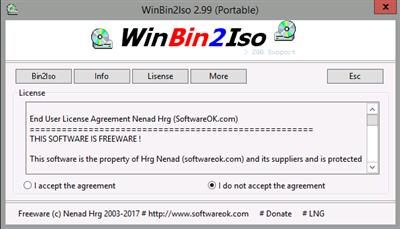
This small program converts BIN CD or DVD images to ISO images. Files over 2GB are also no problem and is works on all Windows and Server OS. When it comes to a quick convert, is exactly the WinBin2Iso conversion tool that you need.

Start the program. The first time that you use it the program it will present you with a license screen. The program is free and the license info is only displayed the first time (per PC).
WinBinToIso does not have to be installed and can be executed easily from the desktop, and can be carried on a small usb-stick or other memory device.
Features
- Very small program
- Low CPU usage
- Convert BIN CD and DVD images to ISO images
- support BIN and ISO files over 2GB
Код:
http://www.softwareok.com/?seite=Freeware/WinBin2Iso/History

Homepage:
Код:
http://www.softwareok.com

Download link

rapidgator.net:
Код:
https://rapidgator.net/file/5f21dc9781387aab69f6fe1ed298f41e/drjyf.WinBin2Iso.6.01.Multilingual.rar.html

uploadgig.com:
Код:
https://uploadgig.com/file/download/c91B4a3d1b49C1ad/drjyf.WinBin2Iso.6.01.Multilingual.rar

nitroflare.com:
Код:
https://nitroflare.com/view/9335279FB2F7315/drjyf.WinBin2Iso.6.01.Multilingual.rar

1dl.net:
Код:
https://1dl.net/eyispn9x3pon/drjyf.WinBin2Iso.6.01.Multilingual.rar.html
 
WinCam 2.2 Multilingual


e61a16559750d8373a570ae37ed97967.jpeg


File size: 16.67 MB​

WinCam is a powerful and extremely easy-to-use screen recorder for Windows. It can deal with a given application, a region or the entire screen - and record everything that goes on in there. With the ability to capture up to 60 frames per second, WinCam makes sure your recording doesn't miss a tiny thing, while hardware acceleration renders and encodes video in real time and truly effortless.

Designed as simple as possible, WinCam is packed with functions that allow for almost any use: recording video tutorials, saving Skype calls, capturing various media in real time and creating visual content in a hit of a button.
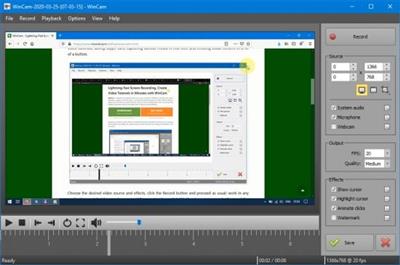
Choose the desired video source and effects, click the Record button and proceed as usual: work in any application, watch video or play games. When you're done, click WinCam icon or press a hotkey, and the video of your activity is ready for sharing.
Live Preview
WinCam incorporates the same design philosophy as WinSnap (our screenshot creator). On the right pane, you can adjust the video source, the frame rate and post-processing effects, and preview these changes immediately without starting recording.
Cursor Zoom, Highlight and Click Animation
Creating a tutorial, you can make your cursor pop by adjusting its size, adding the highlight effect and mouse click animations. Alternatively, when recording a live-stream video, you might want to hide the disturbing cursor at all.
System Audio and Microphone
With WinCam, you can record system audio, microphone or both simultaneously. The selected audio signals are automatically resampled to achieve the best possible quality, mixed together and encoded in real time alongside the video.
Basic Video Editing
When recording is done, you can preview it and do some basic editing directly in WinCam. Double-click the timeline or use the corresponding toolbar buttons to set the start and end times of the video. Then click the Save button to save your clip as a copy or overwrite the original video.
WinCam is Super Easy!!!
Stripped from anything beyond screen recording, WinCam brings this one function to perfection. Less talk, more action: hit the hotkey and start recording the screen the next minute after you download WinCam. No other software is THAT easy!
WinCam supports all versions of Windows from Windows 8 to Windows 11. Native 64-bit version is included in the setup package and installed automatically.
Release Notes
• Fixed scaling of hotkey controls on high DPI screens
• Fixed drawing of menu checks on high-DPI screens
• Slightly adjusted colors in Dark and Light themes
• Some other minor improvements and bug fixes

Homepage:
Код:
http://www.ntwind.com

Download link

rapidgator.net:
Код:
https://rapidgator.net/file/4327e837d8e9ef23c7deff527673a3a1/qzbbs.WinCam.2.2.Multilingual.rar.html

uploadgig.com:
Код:
https://uploadgig.com/file/download/556ef1e6943312E6/qzbbs.WinCam.2.2.Multilingual.rar

nitroflare.com:
Код:
https://nitroflare.com/view/F1814A10D0E8EE4/qzbbs.WinCam.2.2.Multilingual.rar

1dl.net:
Код:
https://1dl.net/wsxowka4p6h7/qzbbs.WinCam.2.2.Multilingual.rar.html
 
Wise Disk Cleaner 10.9.6.812 Multilingual


5eeb7dad06b40e67623889d5a067152d.jpeg


File size: 7.0 MB​

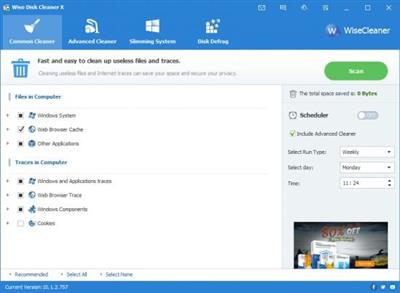
Wise Disk Cleaner is a free Disk Cleaner and Defragmenter that cleans junks of browsers, remove junk and useless file of Windows and defragments your disk. Also it cleans temporary files, history, cookies and autocomplete form history of Internet Explorer, Chrome, Firefox and Safari browsers. And it removes of Windows junk files, such as Recycle Bin, Recent Documents, Temporary files and Log files. This freeware tool cleans a lot more files than most similar products and includes a "slim down" mode that gets rid of a lot of extraneous objects including wallpapers and other Windows files you may never use. A disk defrag feature is also included for free. Clean your disk with Wise Disk Cleaner and your computer will run faster.

Improve Your PC performance by defragging and re-arranging files on Your Disk
Your hard disk drive will get fragmented over time. Fragmentation makes your hard disk do extra work that can slow down your computer. The 'Disk Defrag feature can rearrange fragmented data so your disks and drives can work more efficiently. 'Disk Defrag also offers you a clear graphic chart of the selected drive, letting you know the drive usage at a glance. You can also use it to analyze and defragment any external storage devices.
Scheduled Automatic Disk Cleaning
You can set to clean the disk on a daily, weekly, or monthly schedule according to your own need. It will automatically clean up the useless files in the background when the scheduled time is up. In settings, you can also create a 'Clean with 1-click' icon and place it on the desktop. With this feature, you can clean up the junk files by just clicking the icon without opening Wise Disk Cleaner.
Freeware and Low CPU Usage
Wise Disk Cleaner Free is completely free. Anyone can download it for free and enjoy free automatic update and technical support by email. Better yet, this program is a small and absolutely virus-free program that consumes very little system resource.
Код:
http://www.wisecleaner.com/blog_sort_5.html

Homepage:
Код:
http://www.wisecleaner.com

Download link

rapidgator.net:
Код:
https://rapidgator.net/file/bd4a95fa16953cbae6d9f7a8b96251d1/bwagc.Wise.Disk.Cleaner.10.9.6.812.Multilingual.rar.html

uploadgig.com:
Код:
https://uploadgig.com/file/download/803b664d708493ff/bwagc.Wise.Disk.Cleaner.10.9.6.812.Multilingual.rar

nitroflare.com:
Код:
https://nitroflare.com/view/C75A8CFFD50F98F/bwagc.Wise.Disk.Cleaner.10.9.6.812.Multilingual.rar

1dl.net:
Код:
https://1dl.net/zoiymjys3k7n/bwagc.Wise.Disk.Cleaner.10.9.6.812.Multilingual.rar.html
 
YT Downloader 7.18.0


6a1bd8afa521ded19571d26e2b083056.jpeg


YT Downloader 7.18.0
File size: 47.79 MB​

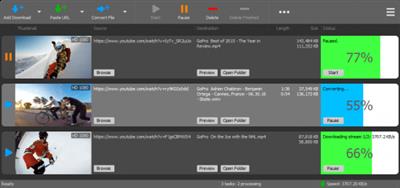
YT Downloader (ex YTD Youtube Downloader) is a simple and easy-to-use video download application. It helps you to download and convert videos from YouTube and hundreds of other video sites. YT Downloader increases your download speeds by up to 500%.

Features
YT Downloader is the easiest and the fastest way to download and convert videos from YouTube and other video sites.
Download videos from YouTube and hundreds of video sites
YT Downloader can download videos from YouTube, Facebook, Dailymotion, Vimeo, Metacafe, and hundreds of other video sites. After downloading your video files, you'll be able to watch them smoothly using any media player, even if you don't have internet access.
Accelerate your downloads
YT Downloader features an advanced download acceleration engine that lets you download videos 500% faster than normal speed.
Download 4K, 2K, HD 1080p and 720p videos from YouTube
You can also download 3D videos from YouTube if they are available.
YouTube to MP3
YT Downloader allows you to download only audio stream from YouTube, and save it as MP3. You don't need to download the entire video file. The audio stream is small, you can download it within seconds.
Download whole playlist from YouTube
Just enter a YouTube playlist ID, YT Downloader will download all or selected videos in the playlist from YouTube for you.
Support drag-and-drop
You can directly drag and drop video link from your browser to the drop box or program window to start a download. You don't even need to copy and paste video URL.
Download multiple videos at a time
YT Downloader supports simultaneous downloads. It allows you to download more than one video at same time and safe time.
Pause and resume downloads
You can pause, resume, or cancel your downloads if you need more connection to perform other important tasks.
Preview videos while downloading
While downloading, you can click the Preview button to play incomplete video and make sure the content you are downloading is really the content of your choice.
Video and audio converter
YT Downloader is also a powerful video/audio converter. It can convert local video/audio files to any format you wish so that they are playable everywhere.
Video to MP3
YT Downloader allows you to extract audio streams from videos and save them as mp3, wav, wma, ac3, ringtone, or other audio format.
Support all popular video and audio formats
YT Downloader allows you to save downloaded videos in any format for any device, so you can watch them smoothly on your PC, iPhone, iPad, Android phone, and other device.
Ready-made presets
YT Downloader provides ready-made presets for all video and audio formats. You can also custom output video/audio format settings.
iTunes compatible
Optionally, YT Downloader can add downloaded video/music to your iTunes library automatically, so you can easily synchronize your videos and music to your iPhone, iPad, iPod.
Media Player
YT Downloader includes a simple and easy-to-use media player. If your Windows Media Player cannot play your video/audio files, you may try our Media Player.
What's new
• official site does not provide any info about changes in this version

Homepage:
Код:
http://www.ytdapp.com/index.html

Download link

rapidgator.net:
Код:
https://rapidgator.net/file/ac404449228433fcf9ab65c31e0721b8/yohys.YT.Downloader.7.18.0.rar.html

uploadgig.com:
Код:
https://uploadgig.com/file/download/53e6Bd97eB48273f/yohys.YT.Downloader.7.18.0.rar

nitroflare.com:
Код:
https://nitroflare.com/view/A5FE52A44BDC51D/yohys.YT.Downloader.7.18.0.rar

1dl.net:
Код:
https://1dl.net/s526g80ngnh7/yohys.YT.Downloader.7.18.0.rar.html
 
4Videosoft Screen Capture 1.3.80 (x64) Multilingual


05cecd470db73421a34ac3056ebcec17.jpeg


File Size: 88.6 MB


As the professional screen capture program, it enables you to record and save video and audio in your Windows7/8/10.
​

Capture digital/streaming/network/webcam video
4Videosoft Screen Capture qualifies in capturing screen videos. Whether you want to capture streaming YouTube videos, or want to record live games videos, you are able to use this video capture program to record videos from YouTube, Twitch, Netflix, Facebook, etc. Also if you attend an online meeting, or make a Skype call, you can also record the video from webcam for future use. Moreover, this video capture software enables you to capture screen for tutorials for sharing in an online course.
Record audio for replaying on your PC
Working as a streaming audio recorder, 4Videosoft Screen Capture, makes it easy for you to record audio from computer and microphone. Instead of purchasing music from online store, you can capture free online music from Pandora for playback in your PC. Free from internet connection, you are capable of listening offline music from Spofify, SoundCloud, etc. when driving. You can also record microphone audio and system audio to save the conversation in a business talk in case.
Customize video and audio setting before capturing
This Windows screen capture utility facilitates you to make setting for video and audio before capturing screen. You can choose full screen or customized screen for your recording area. In this way, you can get rid of letter box to capture YouTube video freely. The optional audio settings enable you to capture system audio losslessly for getting massive free music online. Also you can record microphone audio and system audio to save the Skype video conversation from your families or friends in the front of computer.
Operate easily with simple interface
The simple interface of 4Videosoft Screen Capture enables you to capture screen video and audio in Windows. The user-friendly hotkeys give you a quick operation. You are allowed to follow or change the hotkeys to stop/start or pause/resume capture according to your preference. If you are busy in other things, you could set the duration time to stop capturing screen automatically. Also you can highlight the mouse cursor to show it in your recording for convenient operation.
Whats New
Updates: official site does not provide any info about changes in this version

Homepage:
Код:
http://www.4videosoft.com

Download link

rapidgator.net:
Код:
https://rapidgator.net/file/72619984bb88fa2a6321c044ae3fdf10/imfeg.4Videosoft.Screen.Capture.1.3.80.x64.Multilingual.rar.html

uploadgig.com:
Код:
https://uploadgig.com/file/download/46264b936e86A2Ac/imfeg.4Videosoft.Screen.Capture.1.3.80.x64.Multilingual.rar

nitroflare.com:
Код:
https://nitroflare.com/view/21236CE05E5B0BF/imfeg.4Videosoft.Screen.Capture.1.3.80.x64.Multilingual.rar

1dl.net:
Код:
https://1dl.net/oaotjb2l7nbx/imfeg.4Videosoft.Screen.Capture.1.3.80.x64.Multilingual.rar.html
 
Aiseesoft Screen Recorder 2.6.10 (x64) Multilingual


b250299b3740b5cde229dae9ba183075.jpeg


File size: 97 MB​

Get the easiest but professional way to record your screen and take snapshots here. Aiseesoft Screen Recorder is the best screen recording software to capture any activity on Mac or Windows computer. It can work as a good video game recorder, Skype call capture, YouTube video recording app, and more to capture any area of your screen. While screen recording, you can edit video/snapshot and draw new labels to output file.

Record screen video
As powerful screen recording software, Aiseesoft Screen Recorder enables you to record any screen video with ease. You can use it to capture online YouTube videos, games, podcasts, webinars, lectures, presentations, Skype calls, online conference, webcam videos, etc. in full screen or customized screen size.
While capturing screen, you can highlight the cursor movement to make it easier to track. Moreover, the "Blue-light" real-time HD video encoding technology can guarantee you excellent image and sound quality. Lock window capture feature allows you to keep recording activity on a certain window. So that the screen recording won't bother other operations. The captured video will be saved in MP4, WMV, MOV, AVI, GIF, TS, etc. for easily playback and sharing.
Record online, streaming audio and microphone voice
Aiseesoft Screen Recorder can record the internal audio of your computer only. This function enables you to record various music, radio or online audio instead of downloading them in MP3, WMA, AAC, M4A, FLAC, Ogg and Opus for easy playback.
Before recording, you are allowed to do a test audio recording to record from speaker and microphone for better experience.
Record streaming audio: Record any streaming audio from system audio, so you can get exactly the original sound quality.
Capture online audio: This audio grabber can save any online audio, including audio track in MV, voice in teaching videos and more.
Record microphone voice: Choose microphone audio and turn off system audio to add oral explanation to your video presentation.
Easier way to take snapshots
Taking snapshots is an easy and useful way to quickly save some important information. You may use it every day. This screen recorder can also work as a powerful snapshot app to help you capture anything on your screen and save it as picture. You can freely adjust the snapshot area and add your personal labels like rectangle, arrow, line and text to the output image. You can save the snapshot as PNG, JPEG, BMP, GIF, TIFF, etc. according to your need. Surely it is equipped with other key editing functions to help you make snapshot.
Whats New
Updates: official site does not provide any info about changes in this version

Homepage:
Код:
http://www.aiseesoft.com/

Download link

rapidgator.net:
Код:
https://rapidgator.net/file/27780da72f61b02017bf8154d8d95a63/jcbcd.Aiseesoft.Screen.Recorder.2.6.10.x64.Multilingual.rar.html

uploadgig.com:
Код:
https://uploadgig.com/file/download/b52ddE679D520795/jcbcd.Aiseesoft.Screen.Recorder.2.6.10.x64.Multilingual.rar

nitroflare.com:
Код:
https://nitroflare.com/view/1247ACBEFBD7729/jcbcd.Aiseesoft.Screen.Recorder.2.6.10.x64.Multilingual.rar

1dl.net:
Код:
https://1dl.net/ijjjbhx04fdy/jcbcd.Aiseesoft.Screen.Recorder.2.6.10.x64.Multilingual.rar.html
 
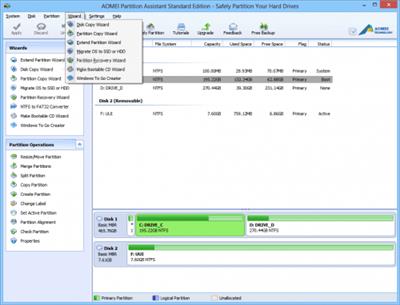
AoMei Partition Assistant v9.13 Professional WinPE


e0499344f14196b2f35d62a6d04e9352.jpeg


File size: 633.77 MiB | Language: English

Easy and safe partition software and disk management tool.
Bootable Windows PE.​

Resize/move partition, merge partitions, split partition without losing data.
Disk or partition clone lets you upgrade drive and backup data easily.
Convert MBR to GPT disk to fully use disk space beyond 2TB.
Migrate OS to SSD or HDD without reinstalling Windows and applications.
Release Notes
Changes inv9.13: some improvements.

Homepage:
Код:
https://www.diskpart.com/partition-manager-pro-edition.html

Download link

rapidgator.net:
Код:
https://rapidgator.net/file/54cd1b94bda2a2466883c9f87e1d139e/qlogh.AoMei.Partition.Assistant.v9.13.Professional.WinPE.rar.html

uploadgig.com:
Код:
https://uploadgig.com/file/download/10E224f900072250/qlogh.AoMei.Partition.Assistant.v9.13.Professional.WinPE.rar

nitroflare.com:
Код:
https://nitroflare.com/view/D801069766A0267/qlogh.AoMei.Partition.Assistant.v9.13.Professional.WinPE.rar

1dl.net:
Код:
https://1dl.net/fdf6rj5gq853/qlogh.AoMei.Partition.Assistant.v9.13.Professional.WinPE.rar.html
 
Apeaksoft Screen Recorder 2.2.16 (x64) Multilingual


09eba70d44babb318649b49e0554f0ac.jpeg


File size: 87.5 MB​

Apeaksoft Screen Recorder is a professional tool to record any video/audio and capture screen on your Windows or Mac computer. This excellent video screen recording software can help you easily get online movies and radio, record games, make video tutorials, capture webcam videos, take screenshot, etc. on your computer. Also, you are able to annotate your recording with a text box, arrow, highlight and more.

A Flexible Video Recorder to Get All You Want
Apeaksoft Screen Recorder is a professional tool to record any video/audio and capture screen on your Windows or Mac. This screen recorder enables you to record any on-screen activities you want with original image/sound quality. For instance, you can use it to record online videos, Skype calls, GoToMeeting, games, podcast, webinars, lectures, online conference, webcam videos, etc. in full screen or customized screen size.
Easy-to-Use Video Recorder to Capture Video with High Quality
Apeaksoft Screen Recorder can help you easily get online movies and music, record games, make video tutorials, capture webcam videos, take screenshot, etc. on your computer. Moreover, you are able to annotate the recording with a text box, arrow, highlight and more. It enables you to make various settings before video and audio recording. It is pretty convenient if you have lots of on-screen activities to record in the same demand. Screen Recorder enables you to record lock window as well. If you have more than one screen devices, you can also select which screen you would like to record.
User-Friendly Audio Recorder to Capture Beautiful Sound/Voice
Apart from videos, Apeaksoft Screen Recorder has the capability to record audio from System Audio, Microphone or both with high sound quality. This feature enables you to record many kinds of music, radios or online audios instead of downloading them. You can save the captured audio in MP3, WMA, AAC, M4A, FLAC, Ogg, Opus, etc. for easy playback. It can remove audio noise and enhance audio recording to optimize audio quality easily. You can test audio before starting recording to output the best quality.
Whats New
Updates: official site does not provide any info about changes in this version

Homepage:
Код:
https://www.apeaksoft.com/screen-recorder/

Download link

rapidgator.net:
Код:
https://rapidgator.net/file/9311fbb105471383ece6539ad522edd7/pjdnr.Apeaksoft.Screen.Recorder.2.2.16.x64.Multilingual.rar.html

uploadgig.com:
Код:
https://uploadgig.com/file/download/cA5D8C4734bBcd02/pjdnr.Apeaksoft.Screen.Recorder.2.2.16.x64.Multilingual.rar

nitroflare.com:
Код:
https://nitroflare.com/view/D14C7DDF28AA14E/pjdnr.Apeaksoft.Screen.Recorder.2.2.16.x64.Multilingual.rar

1dl.net:
Код:
https://1dl.net/ae96ybaek7ew/pjdnr.Apeaksoft.Screen.Recorder.2.2.16.x64.Multilingual.rar.html
 
Avdshare Audio Converter 7.4.4.8366 Multilingual


7ea88087010de251d3d3758aecadd5ea.jpeg


File size: 18 MB​

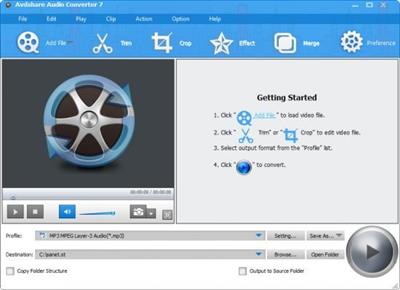
Convert between audio formats with zero quality loss; Extract audio from video; Directly Play Media Files, Edit Audio like merge, adjust audio volume, channel, bitrates etc.

1. Work as an audio player, directly play any audio files even without format conversion on Windows and Mac computer.1. Work as an audio player, directly play any audio files even without format conversion on Windows and Mac computer.
2. Convert between various audio formats with zero quality loss; you may set the output audio as general audio quality or lossless audio quality.
3. Extract audio from all kinds of video files and only save audio from a movie or a music video; convert video to audio format.
4. Download audio files from YouTube, Facebook, DailyMotion, Vimeo, Vevo, Spotify, SoundCloud etc.
5. Edit audio files like merge multiple audio files into one, trim, split by chapter, adjust audio volume, bitrates, channel etc.
6. Batch convert several audio files at the same time; support directly drag the audio folder
7. 30X faster conversion speed. Optimized for NVIDIA, CUDA, AMD, etc. technologies, Avdshare Audio Converter ensures accelerated audio conversion speed on a CUDA-enabled graphics card.
Supported Audio Formats:AAC, AC3, Apple Lossless ALAC, APE, AU, AUD, AIFF, AIF, AIFC, AMR, AWB, CAF, DTS, DSS, FLAC, GSM, MP3, M4A, M4B, M4R, MKA, MPC, MP1, MP2, MID, MIDI, OGG, OGA, OPUS, PCM, QCP, RA, RAM, RAW, SHN, VOC, VOX, Vorbis, WAV, WMA, XWM, 3GA etc.
Whats New
Updates: official site does not provide any info about changes in this version.

Homepage:
Код:
https://www.avdshare.com/

Download link

rapidgator.net:
Код:
https://rapidgator.net/file/5b71551c6e7059d7d6816742d23442b1/goryu.Avdshare.Audio.Converter.7.4.4.8366.Multilingual.rar.html

uploadgig.com:
Код:
https://uploadgig.com/file/download/974d80243F22e285/goryu.Avdshare.Audio.Converter.7.4.4.8366.Multilingual.rar

nitroflare.com:
Код:
https://nitroflare.com/view/2961C1ED2174B01/goryu.Avdshare.Audio.Converter.7.4.4.8366.Multilingual.rar

1dl.net:
Код:
https://1dl.net/eckzlcj3ynn1/goryu.Avdshare.Audio.Converter.7.4.4.8366.Multilingual.rar.html
 
Avdshare Audio Converter 7.4.4 macOS


75de3c4af5f9315256a82691a8253614.jpeg


Language: Multilingual | File size: 50 MB​

Convert between audio formats with zero quality loss; Extract audio from video; Directly Play Media Files, Edit Audio like merge, adjust audio volume, channel, bitrates etc. Supported Audio Formats: AAC, AC3, Apple Lossless ALAC, APE, AU, AUD, AIFF, AIF, AIFC, AMR, AWB, CAF, DTS, DSS, FLAC, GSM, MP3, M4A, M4B, M4R, MKA, MPC, MP1, MP2, MID, MIDI, OGG, OGA, OPUS, PCM, QCP, RA, RAM, RAW, SHN, VOC, VOX, Vorbis, WAV, WMA, XWM, 3GA etc.

Release Notes
Updates: official site does not provide any info about changes in this version

Supported Operation Systems
macOS 10.10 or later

Homepage:
Код:
https://www.avdshare.com

Download link

rapidgator.net:
Код:
https://rapidgator.net/file/93fa5490cf7533ea0110a16ace3d6db2/htamu.Avdshare.Audio.Converter.7.4.4.macOS.dmg.html

uploadgig.com:
Код:
https://uploadgig.com/file/download/c18d2100186e3Fa8/htamu.Avdshare.Audio.Converter.7.4.4.macOS.dmg

nitroflare.com:
Код:
https://nitroflare.com/view/841155DFC47EF47/htamu.Avdshare.Audio.Converter.7.4.4.macOS.dmg

1dl.net:
Код:
https://1dl.net/f0rtvliyfops/htamu.Avdshare.Audio.Converter.7.4.4.macOS.dmg.html
 
Avdshare Video Converter 7.4.4.8366 Multilingual


c19f1bd6fbfe87cbfe994b2d174f9424.jpeg


File Size: 19 MB​

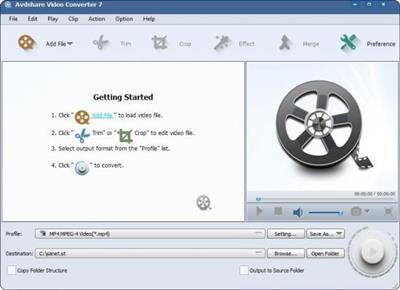
Avdshare Video Converter is the best Video Converter software that created to help you convert between various videos including MP4, H.264, AVI, MP3, WMV, WMA, FLV, MKV, MPEG-1, MPEG-2, 3GP, 3GPP, VOB, DivX, MOV, RM, M4A, AAC, WAV, etc with high speed and excellent sound/image quality. In addition, the best Video Converter can also extract audio from video file and convert them to M4A, MP3, AC3, AAC, WMA, WAV, and OGG as you want. The Video Converter supports almost all popular portable devices such as PSP, iPod, iPhone, iPad, PS3, Zune, Xbox, Creative Zen, BlackBerry, Mobile Phone, Android Phone, iRiver, Walkman, Pocket PC etc. All conversions such as Convert Mod to MPEG, TOD to MP4, AVI to MPEG, WMV to MPEG, WMV to AVI, MKV to AVI, and MKV to MPEG are very easy and fast with the best quality.

Other Features of Avdshare Video Converter
Convert various video and audio formats to AC3, AAC, AIFF, Apple Lossless, ALAC, AU, DTS Digital Surround Audio, FLAC, M4A, MP2, MP3, OGG, Opus, RA, WAV, WMA, etc.
Convert video to image and picture format like GIF, PGN, JPG, TIFF, BMP, SWF, FLV etc.
Preset output device to directly convert files for viewing on iPad, iPod, iPhone, Apple TV, Android, Android Pad, PSP, Zune, Xbox, BlackBerry etc
Do some basic editing before conversion: Crop video parts to remove black bars; Trim and cut video segment you do not like; Rotate videos 90 or 180 degrees; Merge multiple files into one; Add subtitles (SRT, ASS, SSA) to your movie; Edit subtitles size and font; Extract subtitles from video, remove subtitles from videos etc
Adjust video settings easily: change video resolution and frame rate of output files, increase video volume etc
Super fast conversion speed
Batch convert multiple video and audio files
Convert with 100% high output quality
Convert all popular and rare formats: Apple ProRes, AVI, ASF, ASX, AVCHD, AMV, AVS, BIK, BNK, CAVS, CDG, DAV, DPG, DV-AVI, DivX, DV, DVR-MS, DAT, FLV, F4V, Fraps video, Flip movies, GXF, HDV, H.261, H.262, H.263, H.264/AVC, HD, H.265/HEVC, HTML5, MP4, MOV, M4V, MTV, MKV, MTS, MXF, MVI, MOD,M2TS, M2T, MPG, MPEG-1, MPEG-2, MPEG-4, MJPEG, MJPG, WMV, IFV, OGM, OGV, PVA, QT, RM, RMVB, R3D, RM,RAX, RMX, RPL, SWF, SMV, TS, TOD, TP, TRP, Theora, VP8, VC1, VRO, VFW, WTV, WMV, WebM, XMV, Xvid, 3GP, 3G2, 3GPP, 3GPP2, 720p/1080p, 4k, videos etc.
Whats New
official site does not provide any info about changes in this version.

Homepage:
Код:
https://www.avdshare.com/video-converter-mac-windows

Download link

rapidgator.net:
Код:
https://rapidgator.net/file/5907592c303d704533dd705fe728b975/eqpty.Avdshare.Video.Converter.7.4.4.8366.Multilingual.rar.html

uploadgig.com:
Код:
https://uploadgig.com/file/download/03136466a8c1474A/eqpty.Avdshare.Video.Converter.7.4.4.8366.Multilingual.rar

nitroflare.com:
Код:
https://nitroflare.com/view/E070CAC25CB5A99/eqpty.Avdshare.Video.Converter.7.4.4.8366.Multilingual.rar

1dl.net:
Код:
https://1dl.net/t2cq1lv7y1jm/eqpty.Avdshare.Video.Converter.7.4.4.8366.Multilingual.rar.html
 
Avdshare Video Converter 7.4.4 macOS


7b1771ecbfe02789144293d5949148fc.jpeg


Language: Multilingual | File size: 51 MB​

Convert all popular and rare formats: Apple ProRes, AVI, ASF, ASX, AVCHD, AMV, AVS, BIK, BNK, CAVS, CDG, DAV, DPG, DV-AVI, DivX, DV, DVR-MS, DAT, FLV, F4V, Fraps video,

Flip movies, GXF, HDV, H.261, H.262, H.263, H.264/AVC, HD, H.265/HEVC, HTML5, MP4, MOV, M4V, MTV, MKV, MTS, MXF, MVI, MOD,M2TS, M2T, MPG, MPEG-1, MPEG-2, MPEG-4, MJPEG, MJPG, WMV, IFV, OGM, OGV, PVA, QT, RM, RMVB, R3D, RM,RAX, RMX, RPL, SWF, SMV, TS, TOD, TP, TRP, Theora, VP8, VC1, VRO, VFW, WTV, WMV, WebM, XMV, Xvid, 3GP, 3G2, 3GPP, 3GPP2, 720p/1080p, 4k, videos etc.
Release Notes
Updates: official site does not provide any info about changes in this version

Supported Operation Systems
macOS 10.10 or later

Homepage:
Код:
https://www.avdshare.com

Download link

rapidgator.net:
Код:
https://rapidgator.net/file/0c69922aa36978df318270d47e08d27f/krfaa.Avdshare.Video.Converter.7.4.4.macOS.dmg.html

uploadgig.com:
Код:
https://uploadgig.com/file/download/42c64fD0F0456A57/krfaa.Avdshare.Video.Converter.7.4.4.macOS.dmg

nitroflare.com:
Код:
https://nitroflare.com/view/9F380AA78F28B5A/krfaa.Avdshare.Video.Converter.7.4.4.macOS.dmg

1dl.net:
Код:
https://1dl.net/8bq8hafrqfy2/krfaa.Avdshare.Video.Converter.7.4.4.macOS.dmg.html
 
Dropshare 5.24 macOS


913abd1caf5ad5c94b2e1eaa96d948ae.jpeg


File size: 38 MB​

Dropshare is a menu bar application for drag & drop upload files, screenshots and even directories to your own server, Amazon S3, Backblaze B2 Cloud Files, Rackspace Cloud Files, Microsoft Azure Blob Storage, Google Drive or Dropbox. Additionally,

Dropshare offers a file sharing provider called Dropshare Cloud, which is perfectly suitable to start uploading in just minutes. Sharing files with friends, customers, colleagues or anyone else has never been so easy an professional!
Release Notes
Release notes were unavailable when this listing was updated

Supported Operation Systems
macOS 10.10 or later

Homepage:
Код:
https://dropshare.app

Download link

rapidgator.net:
Код:
https://rapidgator.net/file/5d7309434cfd20ad2f566049c311b910/vjwcb.Dropshare.5.24.macOS.dmg.html

uploadgig.com:
Код:
https://uploadgig.com/file/download/47bcFf2A6Acac7bb/vjwcb.Dropshare.5.24.macOS.dmg

nitroflare.com:
Код:
https://nitroflare.com/view/5D612560B4B0E36/vjwcb.Dropshare.5.24.macOS.dmg

1dl.net:
Код:
https://1dl.net/alp5op6ute1n/vjwcb.Dropshare.5.24.macOS.dmg.html
 
iDealshare VideoGo 6.6.4 macOS


48e5d4412d6790245f51ec2a8400ffac.jpeg


Language: Multilingual | File size: 50 MB​

iDealshare VideoGo for Mac is the best video converter for Mac which can convert all kinds of video and audio files for successful import to iMovie, Final Cut Pro, Final Cut Express, Avid, Sony Vegas, or for easy playback in iTunes, QuickTime, iPad, iPhone, iPod, Apple TV and etc.

It also supports to convert Mac or Apple natively supported MPEG-4, MOV, M4V, Apple Lossless M4A, AIFF, M4R, M4B and etc to other popular video or audio formats for successfully play or edit in non-Apple-Mac devices like Windows Media Player, Windows Movie Maker, Android, and etc.
Release Notes
Updates: official site does not provide any info about changes in this version

Supported Operation Systems
macOS 10.10 or later

Homepage:
Код:
https://www.idealshare.net/

Download link

rapidgator.net:
Код:
https://rapidgator.net/file/d39f65c8395ad83bed7d3a4662cf18ed/rrfrk.iDealshare.VideoGo.6.6.4.macOS.dmg.html

uploadgig.com:
Код:
https://uploadgig.com/file/download/175D6707B64fac10/rrfrk.iDealshare.VideoGo.6.6.4.macOS.dmg

nitroflare.com:
Код:
https://nitroflare.com/view/D6BF1DEFDA74EAA/rrfrk.iDealshare.VideoGo.6.6.4.macOS.dmg

1dl.net:
Код:
https://1dl.net/5zr764yccsi4/rrfrk.iDealshare.VideoGo.6.6.4.macOS.dmg.html
 
Назад
Сверху