• Форум работает в архивном режиме www.old.nado.in

All mitsumi'1s Applications !! (updated daily)

  • Автор темы Автор темы mitsumi1
  • Дата начала Дата начала
PDF24 Creator 11.8.0 Multilingual


c2be953011aeacad16cf3d0d4ebf88b8.jpeg


PDF24 Creator 11.8.0 Multilingual
File Size : 284 Mb​

PDF24 Creator is a program to create PDF files from almost any application. The PDF software is a free PDF creator to create PDF files from any type of document. With the PDF creator you can convert documents into PDF files very easily. The PDF creator acts as a PDF printer.

Advantages of PDF24 PDF Creator
Once installed, create PDF files forever
Free upgrades included
Conversion is simple and possible from all current programs
Create PDF files from almost any application
Easy to use
Multilingual
Several features of PDF24 PDF Creator
Merge and split PDF
Extract pages from a PDF
Copy pages from one PDF to another PDF
Integrated preview for easy PDF editing
Secure a PDF (Prevent from unauthorised opening, printing, etc.)
Set PDF information such as author and title
Код:
https://en.pdf24.org/pdf-creator-changelog.html

Homepage:
Код:
https://en.pdf24.org

Download link

rapidgator.net:
Код:
https://rapidgator.net/file/5b9f63b2e1d1a74d9400463ed5b45412/tjins.PDF24.Creator.11.8.0.Multilingual.rar.html

uploadgig.com:
Код:
https://uploadgig.com/file/download/90df65e1A24bbF4F/tjins.PDF24.Creator.11.8.0.Multilingual.rar

nitroflare.com:
Код:
https://nitroflare.com/view/18FBF0D7D326ACD/tjins.PDF24.Creator.11.8.0.Multilingual.rar

1dl.net:
Код:
https://1dl.net/u3znzr419ajj/tjins.PDF24.Creator.11.8.0.Multilingual.rar.html
 
Perfectly Clear Workbench 4.2.0.2347 macOS


0b730cad3976d604257c2974f698dbd4.jpeg


Perfectly Clear Workbench 4.2.0.2347 macOS
File size: 95.30 MB​

Perfectly Clear Workbench is an application that uses Athentech's Perfectly Clear image correction libraries and is made available to demonstrate the capabilities of the Perfectly Clear processing libraries, face detection library and to allow a quick export of the processing settings for use.

One of the key features in Workbench is the ability to "export to API" when saving a Preset. This allows you to make image corrections in Workbench and tune the settings to match your style and correction needs. Then, you can quickly export these settings to a text file - ready to be copy / pasted into your source code with our image correction SDK.
What's New in Perfectly Clear WorkBench 4
1. Beautiful new interface
2. New image correction tools
a. Preprocessing section for Input Looks and "Image Ambulance" for manual exposure corrections
b. "Face Aware" exposure for more accurate auto-exposure corrections in portraits and group photos
c. Black Point tool to deepen blacks
d. New Color Vibrancy tool to complement our previous "Vibrancy" control (now renamed to Color Restoration)
e. Sky and Foliage enhancements
3. Existing tools have been improved
a. Added strength sliders to Light Diffusion and Vibrancy for better control
b. Better 'color pickers' for Skin Tone and Blush adjustments
4. Manually identify faces that are not detected automatically
5. One-click to zoom to individual faces
6. Modify facial regions to provide the best corrections
7. Histogram
8. Much improved preset management
Supported Image Formats
Perfectly Clear requires RGB-formatted images in either 8 or 16-bit color depth. Any image file that Photoshop or Lightroom can open and convert to this format may be used in Perfectly Clear. Monochrome and CMYK images must be converted to RGB before using Perfectly Clear. RAW files must be opened through Adobe Camera RAW and loaded into Photoshop to be accessible to Perfectly Clear.
Release Notes
• Release notes were unavailable when this listing was updated.

Supported Operation System
• OS X 10.9 or later
• Intel Core processor

Homepage:
Код:
http://eyeq.photos/business/ai-photo-editor

Download link

rapidgator.net:
Код:
https://rapidgator.net/file/344bff74a1d2738f05d1990bc3bf1bb6/yapfw.Perfectly.Clear.Workbench.4.2.0.2347.macOS.dmg.html

uploadgig.com:
Код:
https://uploadgig.com/file/download/86B4e26120caaf4c/yapfw.Perfectly.Clear.Workbench.4.2.0.2347.macOS.dmg

nitroflare.com:
Код:
https://nitroflare.com/view/759D79C656A2B05/yapfw.Perfectly.Clear.Workbench.4.2.0.2347.macOS.dmg

1dl.net:
Код:
https://1dl.net/nuawmnndoztb/yapfw.Perfectly.Clear.Workbench.4.2.0.2347.macOS.dmg.html
 
Perfectly Clear WorkBench 4.2.0.2347 Multilingual


5efc1690122b8f9ae20bcfd14ce35237.jpeg


Perfectly Clear WorkBench 4.2.0.2347 Multilingual
Windows x64 | Addons | File size: 114.79 MB​

Perfectly Clear Workbench is an application that uses Athentech's Perfectly Clear image correction libraries and is made available to demonstrate the capabilities of the Perfectly Clear processing libraries, face detection library and to allow a quick export of the processing settings for use.

One of the key features in Workbench is the ability to "export to API" when saving a Preset. This allows you to make image corrections in Workbench and tune the settings to match your style and correction needs. Then, you can quickly export these settings to a text file - ready to be copy / pasted into your source code with our image correction SDK.
What's New in Perfectly Clear WorkBench 4
1. Beautiful new interface
2. New image correction tools
a. Preprocessing section for Input Looks and "Image Ambulance" for manual exposure corrections
b. "Face Aware" exposure for more accurate auto-exposure corrections in portraits and group photos
c. Black Point tool to deepen blacks
d. New Color Vibrancy tool to complement our previous "Vibrancy" control (now renamed to Color Restoration)
e. Sky and Foliage enhancements
3. Existing tools have been improved
a. Added strength sliders to Light Diffusion and Vibrancy for better control
b. Better 'color pickers' for Skin Tone and Blush adjustments
4. Manually identify faces that are not detected automatically
5. One-click to zoom to individual faces
6. Modify facial regions to provide the best corrections
7. Histogram
8. Much improved preset management
Supported Image Formats
Perfectly Clear requires RGB-formatted images in either 8 or 16-bit color depth. Any image file that Photoshop or Lightroom can open and convert to this format may be used in Perfectly Clear. Monochrome and CMYK images must be converted to RGB before using Perfectly Clear. RAW files must be opened through Adobe Camera RAW and loaded into Photoshop to be accessible to Perfectly Clear.
Код:
https://eyeq.photos/news
System Requirements
- Windows 8, 10 and 11 (64-bit only)
- 4 GB RAM or more

Homepage:
Код:
http://www.athentech.com

Download link

rapidgator.net:
Код:
https://rapidgator.net/file/fe81dcb784d4b59858a55a7bc9f7516a/rxmab.Perfectly.Clear.WorkBench.4.2.0.2347.Multilingual.rar.html

uploadgig.com:
Код:
https://uploadgig.com/file/download/8412071bce9F83ac/rxmab.Perfectly.Clear.WorkBench.4.2.0.2347.Multilingual.rar

nitroflare.com:
Код:
https://nitroflare.com/view/19D6040A06D0FFA/rxmab.Perfectly.Clear.WorkBench.4.2.0.2347.Multilingual.rar

1dl.net:
Код:
https://1dl.net/6lsh07xlrh74/rxmab.Perfectly.Clear.WorkBench.4.2.0.2347.Multilingual.rar.html
 
Prima Sketch 1.3.2


1c16262e3887a7308babc292565241ac.jpeg


Prima Sketch 1.3.2
Languages: English
File Size: 595.96 MB​

Prima Sketch - Sketch & Drawing Effect Style. PrimaSketch will automatically transform any photo into Sketch! PrimaSketch is a new cartoonizer software, it is a one-click effect, it has a strong AI technology, it will automatically convert a real photos into drawing style, like the children's books style.

Key Features
- Amazing Sketch Effects!
- Amazing Drawing Style Effects!
- One-click Effect!
- 100% offline conversion!
- Standalone software!
- Automatic White Border effect!
- It works with all Windows versions in 64-bit!
Release Notes
- Release notes were unavailable when this listing was updated.

System Requirements
Windows 11, 10, 8.1, 7 (64-bit)

Homepage:
Код:
https://primacartoonizer.com

Download link

rapidgator.net:
Код:
https://rapidgator.net/file/ee5644bafff9641c8be594416a036852/ktyst.Prima.Sketch.1.3.2.rar.html

uploadgig.com:
Код:
https://uploadgig.com/file/download/de876F7995ccd390/ktyst.Prima.Sketch.1.3.2.rar

nitroflare.com:
Код:
https://nitroflare.com/view/EC9844D516317AF/ktyst.Prima.Sketch.1.3.2.rar

1dl.net:
Код:
https://1dl.net/ii4muyzexew7/ktyst.Prima.Sketch.1.3.2.rar.html
 
Receipts 1.9.18 beta 1 macOS


f3f4e9343635a7278b1f8ef47d09e61a.jpeg


File size: 17 MB​

Receipts is ideal for collecting and managing receipts for tax purposes, for expenses, for preparation of bookkeeping and also for private households. The automatic recognition of amounts, date and other values as well as the self-learning classification according to contacts and categories make the work much easier.

The program understands all common formats like PDF, images, mails, websites but also offers excellent support for scanner
PDF, email or scans, Receipts is filing everything neatly. The biggest help is the automatic recognition of date, amount, taxes, currency and payment information.
Repeating receipts are automatically assigned to categories and contacts. Payments can easily be tracked and you can even pay them with one click.
The dashboard with diagrams gives a quick overview about credit and debit per time periods, categories and contacts. Flexible report and export options make it easy to use the data e.g. to handle expenses, bookkeeping, tax declarations and more.
Release Notes
Updates: official site does not provide any info about changes in this version

Supported Operation Systems
macOS 10.11 or later

Homepage:
Код:
https://www.receipts-app.com

Download link

rapidgator.net:
Код:
https://rapidgator.net/file/7ae4f5e782b831e01608ed1637147675/ubbjt.Receipts.1.9.18.beta.1.macOS.dmg.html

uploadgig.com:
Код:
https://uploadgig.com/file/download/AfeB2bD7496Dc799/ubbjt.Receipts.1.9.18.beta.1.macOS.dmg

nitroflare.com:
Код:
https://nitroflare.com/view/04FA929583C4266/ubbjt.Receipts.1.9.18.beta.1.macOS.dmg

1dl.net:
Код:
https://1dl.net/uooxol1yx2vy/ubbjt.Receipts.1.9.18.beta.1.macOS.dmg.html
 
Screen Wonders 2.1.6 macOS


14d8f3155ee7520ac753500b06a3d2aa.jpeg


Screen Wonders 2.1.6 macOS
Language: Multilingual | File size: 262 MB​

If you're tired of the motionless pictures on your desktop, if you're ready to welcome the magic of various places around the world and even parallel universes, we have gathered the best live wallpapers in this app! The variety of themes, seasons, and festive scenes are sure to appeal to you.

They say beauty demands sacrifice but you don't need to worry because the smart energy-saving settings will slow down the wallpaper if you need your computer to work at full capacity or if your notebook is running low on power. So sit back comfortably and relax - the wonders are already on your screen! And we continue creating new ones.
Features
• high-quality 3D graphics and effects
• Retina 5K display ready
• multi-monitor support
• option to automatically change wallpaper after a certain interval
• screen saver mode with password protection
• original soundtrack
• option to hide the dock icon
Top In-App Purchases:Full Version - included
Release Notes
Код:
https://geo.itunes.apple.com/app/id1513102332

Supported Operation Systems
macOS 10.10 or later

Homepage:
Код:
https://geo.itunes.apple.com/app/id1513102332

Download link

rapidgator.net:
Код:
https://rapidgator.net/file/3079a0865fed4f10cc790f3f75cb9984/dfgsv.Screen.Wonders.2.1.6.macOS.dmg.html

uploadgig.com:
Код:
https://uploadgig.com/file/download/a5F81812531c4Fff/dfgsv.Screen.Wonders.2.1.6.macOS.dmg

nitroflare.com:
Код:
https://nitroflare.com/view/D2B85E45A10431E/dfgsv.Screen.Wonders.2.1.6.macOS.dmg

1dl.net:
Код:
https://1dl.net/jjdvogbl0clv/dfgsv.Screen.Wonders.2.1.6.macOS.dmg.html
 
Starry Night Pro Plus 8.1.2.2254 beta macOS


5ce5a5e0e9ef707103bc65b1a7615fd5.jpeg


Starry Night Pro Plus 8.1.2.2254 beta macOS
File size: 2.84 GB​

Starry Night 8 - Professional Astronomy Telescope Control Software for Mac. Starry Night Pro Plus 8 is our fully featured flagship program, tailored for the astronomer who wants the very best in-class astronomy software and telescope control experience.

Improved DeepSky Database
Version 8 includes a 36,000 object, up-to-date, cross-referenced database built from various source catalogs
Improved Telescope Control
Starry Night 8 supports all telescopes that are supported by Ascom. Plus, connect SkyFi 3 with Starry Night too.
3D Binary Stars
Version 8 accurately renders stars as 3D bodies with classification color, surface texture and relative radii.
Data Backup and Cloud Sync
Backup your data to our secure cloud storage, sync it across Starry Night & SkySafari, and access it on LiveSky.com.
Redesigned Interactive SkyGuide
Web-delivered multimedia reveals the science of the solar system, stars, galaxies, and the known universe.
OpenGL Graphics
High performance OpenGL graphics set the industry standard for excellence in astronomy software.
Key features include
• Apollo 11 Mission Data
• Data Backup and Cloud Sync
• Improved DeepSky Database
• Improved Telescope Control
• New Dark Theme
• New Audio Descriptions
• Stars and Exoplanets in 3D
• Simple, fast, user-optimized interface
• All-Sky CCD Mosaic
• 5 multi-wavelength full sky surveys
• Fully featured with a complete object database
• Redesigned Live SkyGuide
• Maxim DL Plugin
→ What's New in Starry Night 8:
Data Backup and Cloud Sync
Backup your data to our secure cloud storage, sync it across Starry Night & SkySafari, and access it on LiveSky.com.
Improved DeepSky Database
Explore a new, up-to-date, 36,000 object, cross-referenced database, built from various source catalogs.
Improved Telescope Control
Telescope control has been redesigned to offer a modern, sleek looking, user experience,
Open Astronomy Log
With the international standard for astronomical logging now export your data to Open Astronomy Log (OAL) format.
Sky Calendar
Explore a hand picked list of the most interesting celestial objects to observe each evening.
Audio Descriptions
Hours of descriptive audio for over 400 of the most interesting night sky objects. Click and listen!
Maps & Location Services
Auto-detect your home location and choose additional observing sites quickly and accurately.
Interactive Live SkyGuide
Web-delivered multimedia reveals the science of the solar system, stars, galaxies, and the known universe.
Binary Star Systems
3D models of eight beautiful and accurately rendered binary stars!
→ Features:
Universal Search
New dynamic user-optimized interface, with "Universal Search" for objects, Starry Night files, SkyGuide references, options, events, and more.
High Performance Graphics
The incredibly rich and detailed Starry Night software OpenGL graphics that have set the industry standard for excellence in astronomy software.
Extragalactic 3D Database
New & Exclusive - The Starry Night Extragalactic 3D Database includes over 200,000 galaxies encompassing over 1 billion lights years of space.
Space Missions
New and updating space missions with 30 detailed and accurate 3D models of spacecraft & trajectories for a real flight time experiences.
3D Suns
Every star is now accurately rendered as a 3D body with classification-appropriate color, texture and relative radii.
Updated Messier Catalog
An updated Messier catalog with new breathtaking high resolution images of your favourite star clusters, nebulae, and galaxies.
Analemma Simulations
The Sun's analemma can now be drawn accurately on any planet's surface.
3D Exoplanets
Exoplanets as 3D bodies with proper location, size, orbit and planetary texture. Land on the surface, see a sunset from the surface of Kepler-62e!
Scientific Precision
The most precise planetary positions available (using JPL ephemerides) plus an expanded asteroid catalog with highlighted families and groups.
H-R Diagrams
Hertzsprung-Russell diagrams tell about star age and mass, plotting star luminosity on a vertical axis vs. star temperature on a horizontal axis.
Horizon Panoramas
54 streamable photorealistic horizon panoramas, from Antarctica, to Stonehenge to the Egyptian Pyramids, and much more!
Ephemeris Generator
Ephemeris values are handy for knowing where an object will be in the sky at a particular time. You can export and print it out.
Graph Tool
The Graph offers a way of examining changes in an object's qualities over time. It is possible to plot more than one object on the Graph at one time.
Updated Surface Maps
We've got new maps of many planets and moons including Vesta, Ceres, and, of course, our favorite dwarf planet Pluto!
Release Notes
• Release notes were unavailable when this listing was updated.

Supported Operation System
• macOS 10.12 or later
• Apple Silicon or Intel Core processor

Homepage:
Код:
http://www.starrynight.com

Download link

rapidgator.net:
Код:
https://rapidgator.net/file/fb7edf3791197a7740a10dd1856ea8d2/zfkcm.StarryNightProPlus8.1.2.2254betaHCiSO.DMGSAnet.zip.001.html
https://rapidgator.net/file/1fd306e58be8a7337f7929dff09fad13/zfkcm.StarryNightProPlus8.1.2.2254betaHCiSO.DMGSAnet.zip.002.html
https://rapidgator.net/file/42c8195e46a265e299754e127a9aa8b4/zfkcm.StarryNightProPlus8.1.2.2254betaHCiSO.DMGSAnet.zip.003.html

uploadgig.com:
Код:
https://uploadgig.com/file/download/56a6456802A93c07/zfkcm.StarryNightProPlus8.1.2.2254betaHCiSO.DMGSAnet.zip.001
https://uploadgig.com/file/download/9679f2a9fD41aa4f/zfkcm.StarryNightProPlus8.1.2.2254betaHCiSO.DMGSAnet.zip.002
https://uploadgig.com/file/download/23A4256111f4f691/zfkcm.StarryNightProPlus8.1.2.2254betaHCiSO.DMGSAnet.zip.003

nitroflare.com:
Код:
https://nitroflare.com/view/6079878E3B90AD5/zfkcm.StarryNightProPlus8.1.2.2254betaHCiSO.DMGSAnet.zip.001
https://nitroflare.com/view/51E96A3164E8B14/zfkcm.StarryNightProPlus8.1.2.2254betaHCiSO.DMGSAnet.zip.002
https://nitroflare.com/view/7B79887FE7FE6D8/zfkcm.StarryNightProPlus8.1.2.2254betaHCiSO.DMGSAnet.zip.003

1dl.net:
Код:
https://1dl.net/k323zhxbqbwu/zfkcm.StarryNightProPlus8.1.2.2254betaHCiSO.DMGSAnet.zip.001.html
https://1dl.net/9d6l65m3116s/zfkcm.StarryNightProPlus8.1.2.2254betaHCiSO.DMGSAnet.zip.002.html
https://1dl.net/jzfux059ovep/zfkcm.StarryNightProPlus8.1.2.2254betaHCiSO.DMGSAnet.zip.003.html

 
Wondershare Filmora X 11.7.7 macOS


e01272f3b7733b78646d68f0b503c1a0.jpeg


Wondershare Filmora X 11.7.7 macOS
Language: Multilingual | File size: 658 MB​

Wondershare Filmora is an easy-to-use yet powerful video-editing app to edit and retouch videos with rich video and photo editing functions like trimming, cropping, rotating, adding stylish titles, applying filter effects, inserting transition and motion effects, etc.

Wondershare Filmora is an easy-to-use yet powerful video-editing app to edit and retouch videos with rich video and photo editing functions like trimming, cropping, rotating, adding stylish titles, applying filter effects, inserting transition and motion effects, etc. Furthermore, you can export videos to various popular video formats and portable devices for wider sharing and enjoyment or directly upload them to YouTube for sharing with family and friends. It also enables you to burn videos to DVD discs for better video preservation.
Other Features
• Support importing all popular videos, audios and photos for editing.
• Trim, crop, and rotate videos freely & add voiceover and background music.
• Retouch videos and photos with rich filters, titles, transitions and motions.
• Save videos to local or portable devices or directly share to YouTube.
• Burn the edited videos to DVD for better video preservation.
Release Notes
Updates: official site does not provide any info about changes in this version

Supported Operation Systems
macOS 10.14 or later

Homepage:
Код:
https://filmora.wondershare.com

Download link

rapidgator.net:
Код:
https://rapidgator.net/file/b3fa769e170035c8dec743d93aff2fae/vdnhn.Wondershare.Filmora.X.11.7.7.macOS.dmg.html

uploadgig.com:
Код:
https://uploadgig.com/file/download/bB1E10d7D2cD6d3d/vdnhn.Wondershare.Filmora.X.11.7.7.macOS.dmg

nitroflare.com:
Код:
https://nitroflare.com/view/2912D6829215561/vdnhn.Wondershare.Filmora.X.11.7.7.macOS.dmg

1dl.net:
Код:
https://1dl.net/92bvpkrw8sum/vdnhn.Wondershare.Filmora.X.11.7.7.macOS.dmg.html
 
Wondershare PDFelement Pro 9.1.8 (OCR) macOS


f2c4e26f10059b66b7ff783806724347.jpeg


Wondershare PDFelement Pro 9.1.8 (OCR) macOS
Language: Multilingual | File size: 701 MB​

PDFelement - The easiest way to create, edit, convert, and sign PDF documents. We're now introducing the all-new PDFelement , which includes a redesigned UI, more advanced writing tools, improved team collaboration features, more powerful conversion tools, a user management console, and more.

*** PDFelement Pro ***
√ Includes all features in PDFelement Standard
√ OCR (Exclusive in Pro version)
- OCR (Optical Character Recognition)enables you to edit and convert characters in scanned PDF files or pictures
- Supports recognition of 29 languages
√ Create & Sign Forms (Exclusive in Pro version)
- Create fillable PDF Forms from interactive field objects, such as buttons, check boxes, radio buttons, list boxes, and drop-down lists
- Support adding digital signatures to forms
√ Merge PDF (Exclusive in Pro version)
- Combine different format files into a new PDF
√ Convert PDF (Exclusive in Pro version)
- Supports converting PDF file to a greater number of output formats like EPUB, HTML, Text, RTF
√ PDF/A (Exclusive in Pro version)
- Support PDF/A as an available output format with ISO Standard for long term archiving
√ Batch Processing of PDF Files (Exclusive in Pro version)
- Process PDFs in batches
- Add backgrounds, watermarks, headers and footers in batches
√ Bates Numbering (Exclusive in Pro version)
- Apply Bates Numbering with advanced formatting
√ Redact PDF (Exclusive in Pro version)
- Redact sensitive text and images in PDFs
Release Notes
Updates: official site does not provide any info about changes in this version

Supported Operation Systems
macOS 10.14 or later

Homepage:
Код:
https://www.wondershare.com/

Download link

rapidgator.net:
Код:
https://rapidgator.net/file/7901b24b1f6f308d961d4274e66145a9/hwwoo.Wondershare.PDFelement.Pro.9.1.8.OCR.macOS.dmg.html

uploadgig.com:
Код:
https://uploadgig.com/file/download/bd25bEcF7Dfa4779/hwwoo.Wondershare.PDFelement.Pro.9.1.8.OCR.macOS.dmg

nitroflare.com:
Код:
https://nitroflare.com/view/327ADF8F0A0F9C6/hwwoo.Wondershare.PDFelement.Pro.9.1.8.OCR.macOS.dmg

1dl.net:
Код:
https://1dl.net/54zyd1054fhs/hwwoo.Wondershare.PDFelement.Pro.9.1.8.OCR.macOS.dmg.html
 
SophiApp 1.0.88


2e9ba962c235e7bedbe98978281c974a.jpeg


File Size : 3.3 Mb​

Fine-tune your Windows 10 & Windows 11 machine through this piece of software, which was designed to act as a sort of one-stop-shop for all your system tweaking needs.

SophiApp has everything laid out in categories, making it easy to use.
Categories include
Privacy
Personalization
System
Start Menu
UWP Apps
Games
Scheduled Tasks
Context Menu
Settings
SophiApp does a great job of allowing you to find the most common sought-after Windows settings to customize and speed up Windows 10 & 11.
Код:
https://github.com/Sophia-Community/SophiApp/releases

Homepage:
Код:
https://github.com/Sophia-Community/SophiApp

Download link

rapidgator.net:
Код:
https://rapidgator.net/file/344be53ef2360df54a083f2b0e97243e/vbhzm.SophiApp.1.0.88.zip.html

uploadgig.com:
Код:
https://uploadgig.com/file/download/783a2A1ff6022d35/vbhzm.SophiApp.1.0.88.zip

nitroflare.com:
Код:
https://nitroflare.com/view/F65C2DEEFBF7526/vbhzm.SophiApp.1.0.88.zip

1dl.net:
Код:
https://1dl.net/0nbpmtztq0pr/vbhzm.SophiApp.1.0.88.zip.html
 
Start Everywhere 1.3.4.22 Multilingual


9570845ee2fea6f992b64f21e262fb7b.jpeg


File Size :0.4 Mb​

Start Everywhere is a Start Menu software which offers several unique solutions to enable you to launch applications installed on the computer and quickly access documents. The appearance, operation and management of Start Everywhere can be flexibly customized.

Advantages of using Start Everywhere
It provides efficient access to installed applications, documents and computer settings.
It puts long lists in alphabetic order, and also enables you to sort them by date.
The menu system of Start Everywhere can be displayed anywhere on the screen, even in a multi-monitor environment.
In addition to the conventional, click-based access, the menu system can also be accessed with active corners and hotkeys.
The operating system can use its own Start Menu and other Start Menus at the same time.
The display, color and size of menu items can be set flexibly.
The number of menu items and their starting folder can be set.
Frequently used Start items can be accessed in the Most Used menu.
It doesn't require installation, supports 64-bit Windows 7/8/10 operating systems, free to use.
Код:
https://www.wintools.info/index.php/start-everywhere-changelog

Homepage:
Код:
https://www.wintools.info

Download link

rapidgator.net:
Код:
https://rapidgator.net/file/c1dc9fa2e2f8de74037a6740dff5bef0/vzfpq.Start.Everywhere.1.3.4.22.Multilingual.rar.html

uploadgig.com:
Код:
https://uploadgig.com/file/download/f08d938977Bfdbd3/vzfpq.Start.Everywhere.1.3.4.22.Multilingual.rar

nitroflare.com:
Код:
https://nitroflare.com/view/F8757251042C3A4/vzfpq.Start.Everywhere.1.3.4.22.Multilingual.rar

1dl.net:
Код:
https://1dl.net/cqf0bbcol1f0/vzfpq.Start.Everywhere.1.3.4.22.Multilingual.rar.html
 
Tape Label Studio Enterprise 2022.10.0.6759 (x64) Multilingual


cd2d3b78f7edd8523926203f35ae0c74.jpeg


Tape Label Studio Enterprise 2022.10.0.6759 (x64) Multilingual
File Size: 69.9 MB​

Tape Label Studio is a useful and effective software solution aimed to provide business owners with a simple method of creating your own barcodes from scratch, without having to buy new ones every time you run out, since you can just print out another batch.

Features
Barcodes
Tape Label Studio prints standard tape labels using Code-39 barcodes - with or without checksum.
Import anything
Import any text in Advanced Mode - Tape Label Studio will analyze it and any labels found will be added to your list
Export to PDF
Export labels to PDF. If you can't print them now, print them later - anywhere.
Info Label
Print the current job's info (offsets, number of labels, etc.) on a label and never lose a setting again.
Starting point
In case you did not use all your labels in you last job you can change the starting position (e.g. to 3rd label in the 2nd row) for you current job
Print directly
Tape Label Studio prints your labels directly to any printer available in your Windows installation - with adjustable offsets.
Media support
Many predefined media types are supported out of the box but feel free to use your own.
Label alignment
Choose from different alignment types like barcode only, text at top, text at bottom, etc. with or without custom text support.
Custom Text
Some alignment types support custom text on your labels: provide owner or storage information or whatever text you like.
Код:
https://www.tapelabelstudio.com/blog/tape-label-studio-2022-10-available/

Homepage:
Код:
https://www.tapelabelstudio.com/

Download link

rapidgator.net:
Код:
https://rapidgator.net/file/80ada39eeaa18ac1d42b04c5311981c6/evext.Tape.Label.Studio.Enterprise.2022.10.0.6759.x64.Multilingual.rar.html

uploadgig.com:
Код:
https://uploadgig.com/file/download/8e52cfb838e2cd46/evext.Tape.Label.Studio.Enterprise.2022.10.0.6759.x64.Multilingual.rar

nitroflare.com:
Код:
https://nitroflare.com/view/ACE5E50A1D42B1D/evext.Tape.Label.Studio.Enterprise.2022.10.0.6759.x64.Multilingual.rar

1dl.net:
Код:
https://1dl.net/br3fex8em8fn/evext.Tape.Label.Studio.Enterprise.2022.10.0.6759.x64.Multilingual.rar.html
 
Tenorshare iCareFone 8.6.1.3 Multilingual


4e093c8cb3ea886f6fd2748198ed4a55.jpeg


Tenorshare iCareFone 8.6.1.3 Multilingual
File size: 100.7 MB​

iCareFone - A Real Manager of iOS Data. Transfer music, photos, videos, contacts, SMS without limitation. Backup & Restore your data selectively and instantly. Save iPhone/iPad/iPod from common iOS problems. Bring your device better performance (iOS 12 and iPhone X)

Transfer Your Files Flexibly
Enjoy music, videos and photos anytime and anywhere
iPhone/iPad/iPod
Transfer & Playback your music collection seamlessly
Keep your photos and videos and accessible on all devices
Export & Import your valuable contacts and SMS securely
Copy other files between your computer and iOS devices
Backup & Restore Your Device at Ease
Meet faster backup speed and more backup file choices. From now on, get rid of iTunes or iCloud backup.
Rescue Your Smartphone from Common iOS Troubles
Handle annoying iOS problems and device failure at home. No professional knowledge required.
Whats New
Updates: official site does not provide any info about changes in this version

Homepage:
Код:
https://www.tenorshare.net

Download link

rapidgator.net:
Код:
https://rapidgator.net/file/0f55152b5fc73ebbcc9630a32b92f008/hvqnt.Tenorshare.iCareFone.8.6.1.3.Multilingual.rar.html

uploadgig.com:
Код:
https://uploadgig.com/file/download/b338a79653Dca4Ab/hvqnt.Tenorshare.iCareFone.8.6.1.3.Multilingual.rar

nitroflare.com:
Код:
https://nitroflare.com/view/2E2A4D7CB078E70/hvqnt.Tenorshare.iCareFone.8.6.1.3.Multilingual.rar

1dl.net:
Код:
https://1dl.net/c31u394b8ndn/hvqnt.Tenorshare.iCareFone.8.6.1.3.Multilingual.rar.html
 
The Foundry MODO 16.0v4 (x64)


869a678c983f44e25ee6f1ad5543454d.jpeg


The Foundry MODO 16.0v4 (x64)
File size: 1.5 GB​

MODO is your starting point for creative exploration. Whether you're creating addictive real-time experiences, innovative product designs, compelling advertising images, or engaging film and video content, MODO's artist-friendly tools let you iterate freely to realize your ideas' full creative potential.

Modo features
Modeling
Modo® offers a unique combination of best-in-class direct modeling tools working hand-in-hand with a highly robust and flexible procedural modeling system. Additionally, Modo features the award-winning MeshFusion Boolean tools, integrated sculpting and retopology functionality.
UV workflows
Take the drudgery out of tedious UV creation tasks, with a highly efficient built-in toolset that offers many automated options, supports UDIM workflows, and-unlike some other 3D content creation tools-integrates fully with modeling and selection workflows.
Sculpting
Bring your artistic expression to 3D modeling, as you use Modo's integrated brush-based sculpting tools to intuitively rough out volumes and add multiple levels of fine detail with speed.
Shading
Streamline your workflow with fast, flexible layer-based and nodal shading systems for building sophisticated, convincing materials with ease. Drag-and-drop presets let you quickly develop the look you want, or simply select from a huge library of highly realistic physically-based materials.
Rendering
Enjoy photorealistic rendering at amazing speeds and limitless resolutions-even network rendering is free. Modo's production-proven, physically-based renderer offers a rare blend of speed and quality.
Baking
Review textures as you bake and watch them refine progressively. Modo also allows you to tweak settings and make surface changes without waiting for a final render, and it accurately bakes to Unity or Unreal standards with no extra tools required.
Rigging
Featuring a non-destructive, non-linear toolset and fully-integrated modular workflow, Modo's flexible node-based rigging system lets you easily create, edit, manage and reuse complex character rigs.
Animation
Incorporating traditional animation techniques applied in innovative ways, Modo's 3D animation framework is highly customizable to meet the most demanding of production challenges.
Effects
Modo's rule-based, directable particles work together with the fully-integrated rigid and soft bodies, and procedural shattering, to let you create compelling dynamic simulations in less time.
Hair and Fur
Modo lets you create and manipulate realistic hair, fur, grass, feathers and other fiber-based effects as actual geometry that can be sculpted, shaded and rendered directly in your scene.
and more...
Код:
https://www.foundry.com/products/modo/new-releases

Homepage:
Код:
https://www.thefoundry.co.uk

Download link

rapidgator.net:
Код:
https://rapidgator.net/file/589c18e6358217de2f99b0eee6518e7b/zzxin.The.Foundry.MODO.16.0v4.x64.part1.rar.html
https://rapidgator.net/file/3e857b2e3fc8e4802f9800945df363e4/zzxin.The.Foundry.MODO.16.0v4.x64.part2.rar.html

uploadgig.com:
Код:
https://uploadgig.com/file/download/0ffaDEd9ba64a9f5/zzxin.The.Foundry.MODO.16.0v4.x64.part1.rar
https://uploadgig.com/file/download/0BB410713952c723/zzxin.The.Foundry.MODO.16.0v4.x64.part2.rar

nitroflare.com:
Код:
https://nitroflare.com/view/50360C225E759A8/zzxin.The.Foundry.MODO.16.0v4.x64.part1.rar
https://nitroflare.com/view/D2CF9A5AF32A032/zzxin.The.Foundry.MODO.16.0v4.x64.part2.rar

1dl.net:
Код:
https://1dl.net/kw9ea2pjvmtb/zzxin.The.Foundry.MODO.16.0v4.x64.part1.rar.html
https://1dl.net/cj3yzicq51uf/zzxin.The.Foundry.MODO.16.0v4.x64.part2.rar.html
 
TreeSize Free 4.6.2.511


632f4f36522497c0e41d357ff9365789.jpeg


File Size : 9.7 Mb​

TreeSize Free will quickly scan directory sizes and tell you where precious disk space has gone.TreeSize Free shows you the size of this folder, including its subfolders in an Explorer-like fashion. Large folders can be identified at a glance thanks to the gradient bar displayed in the background. All scan results can be drilled down to file level and filters, e.g. for files of a certain type, can be applied.

TreeSize Free scans network drives and locally synchronized cloud shares (except on Windows servers and within a Windows domain)
Features
Find space hogs - clean up hard disk space
Break down hard disk space usage right down to file level: Explorer-like overview shows the size of all subfolders.
Visualization of folder sizes via a colored bar in the background facilitates easy orientation.
Quick overview over file information
The column view offers detailed information about files and folders: size, occupied disk space, number of files, last access, owner etc.
Filter scan results according to different criteria and according to patterns you create.
Small, fast, secure
TreeSize Free uses the Master File Table (MTF) for scans of local NTFS drives and thus guarantees ultra-fast scans.
The handy utility occupies minimal disk space and can be run from USB sticks without a hitch.
Код:
https://www.jam-software.com/treesize_free/changes.shtml

Homepage:
Код:
https://www.jam-software.com

Download link

rapidgator.net:
Код:
https://rapidgator.net/file/04258dcdb6716727b7c9409b28e1f3a0/vdsrq.TreeSize.Free.4.6.2.511.rar.html

uploadgig.com:
Код:
https://uploadgig.com/file/download/F3f7f2eEa6688a8F/vdsrq.TreeSize.Free.4.6.2.511.rar

nitroflare.com:
Код:
https://nitroflare.com/view/BC7009912FC6088/vdsrq.TreeSize.Free.4.6.2.511.rar

1dl.net:
Код:
https://1dl.net/39n7g37gk9fg/vdsrq.TreeSize.Free.4.6.2.511.rar.html
 
UltraViewer 6.6.6


47e98572c15814e920922ff54137d0c3.jpeg


File Size : 3.6 Mb​

UltraViewer helps you remote control your partner's computer to support them as if you were sitting in front of their screen.

Allows you to quickly connect to another computer
The installation is quick, uneventful and you can connect to a computer remotely immediately, especially since the program does not require any extra configuration. Upon launch, you are welcomed by an intuitive double-panel window that displays your ID and password as well as the credentials of your partner.
It is worth mentioning that the application includes an instant chat window that allows you to communicate with the user you are providing support to in real time. Considering that the window can interfere with your work, you should keep in mind that you can toggle it on and off via the hotkey of your choice.
Enables you to manage the other computer remotely
You can establish a connection without too much hassle by inputting the Partner ID and password in their dedicated fields and then hitting the Connect to partner button. In case you want to allow other users to watch your screen in real time, then you can provide them with your credentials.
You should know that the program allows you to establish secure connections, a feature that can come in handy when providing support for business clients who might have sensitive data stored on the computer they need assistance for. You can change the details of the connection by accessing the Options window and filling in the required information.
A handy tool for providing technical support remotely
Since UltraViewer is an easy to install utility that does not require advanced knowledge to run fitly even by users with limited computer skills, it can come in handy to professionals who need to provide technical assistance on a regular basis.
Whats New
Updates: official site does not provide any info about changes in this version

Homepage:
Код:
https://ultraviewer.net/

Download link

rapidgator.net:
Код:
https://rapidgator.net/file/9ec3307c6aa2aa94a75999e004704784/icdbv.UltraViewer.6.6.6.rar.html

uploadgig.com:
Код:
https://uploadgig.com/file/download/9c881d6F8b0D96a4/icdbv.UltraViewer.6.6.6.rar

nitroflare.com:
Код:
https://nitroflare.com/view/2D9787DE9741518/icdbv.UltraViewer.6.6.6.rar

1dl.net:
Код:
https://1dl.net/uay1conec78t/icdbv.UltraViewer.6.6.6.rar.html
 
ViewCompanion Premium 14.10


adc7d737d53cdb4b55e9c6839d312aff.jpeg


File size: 61 MB​

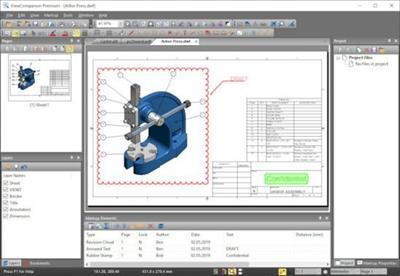
ViewCompanion Premium is the most powerful member of the ViewCompanion family. ViewCompanion Premium can view, print and convert Adobe PDF, PDF/A, Autodesk DWF, PLT, CGM, TIFF, CALS, EDMICS and several other file formats. With ViewCompanion Premium you can convert your files to many different output formats, please check the complete list of supported output formats below.

Your PLT, CGM, Gerber and DWF files can be converted into Autodesk DXF format, which can be read by all popular CAD applications, for example Autodesk AutoCAD™.
With the built-in PDF to CAD tools you can even convert your PDF files into editable DXF, Gerber, CGM or SVG files.
Both batch convert and batch print is included. The software can be configured to monitor a user defined folder, and all files copied to that folder will be automatically printed using your settings.
You can merge multiple files of different formats to a single multi-page PDF, DWF or TIFF file.
ViewCompanion can split a multipage PDF, TIFF or DWF file into multiple files. You may split a PDF file either based on a maximum number of pages per file or based on the maximum file size for each output file.
With ViewCompanion you can measure dimension lengths and areas. All measurements can be done using snap to drawing geometry to give the highest accuracy. Calibration of the measurement tools is available to make sure you get correct results even if your drawings are not scaled 1:1. The measurement results may be exported to either a Excel Workbook (XLSX) or to a CSV file which can be opened by any spreadsheet application.
Use ViewCompanion to compare files of different revisions and visualize the differences. You can compare all supported file formats, including PDF. A multipage PDF file can be compared page by page.
Annotate your files using markup elements like text, highlight, dimension line, area measurement, stamp, freehand, arrow, barcode, symbol, image and more.
ViewCompanion support symbol libraries that make it easy to add frequently used symbols as markups. You can create your own symbol libraries from any image file. You will also find a few libraries available for you to use after installation.
All markup elements will be stored in a separate file and the original file will be left unmodified. The markup elements can be included when the viewed file is printed or converted.
Код:
http://www.softwarecompanions.com/premiumupdate.html

Homepage:
Код:
http://www.softwarecompanions.com/

Download link

rapidgator.net:
Код:
https://rapidgator.net/file/600e1633c34d63165534d532a412ba95/punkq.ViewCompanion.Premium.14.10.rar.html

uploadgig.com:
Код:
https://uploadgig.com/file/download/1774483d07Cc7061/punkq.ViewCompanion.Premium.14.10.rar

nitroflare.com:
Код:
https://nitroflare.com/view/03EBD3773549AB4/punkq.ViewCompanion.Premium.14.10.rar

1dl.net:
Код:
https://1dl.net/7611nv6y86dq/punkq.ViewCompanion.Premium.14.10.rar.html
 
VovSoft Text Edit Plus 11.7.0 Multilingual


6bb95818846a5bee27abfeb9dc659204.jpeg


File Size: 4.9 MB​

Text Edit Plus is a lightweight tool that enables users to easily create new text documents or to modify existing ones. The application is designed as an alternative to Notepad, by offering a wider set of features.

Some of the features: Dark mode. Adding date and time. Changeability of background color and font properties. Encode and decode text. Combine lines. Command system for extracting the desired text. Delete empty lines. Delete same lines. Filter lines. Find and Replace. Full screen view. Generate e-mail list. Generate quick stats. Generate word list. Import picture as text (ASCII art). Insert numbers. Insert text into beginning or end of lines. Lowercase and uppercase conversion. Randomize lines. Reverse lines. Sort lines. Trim lines.
Код:
https://vovsoft.com/version-history/text-edit-plus/

Homepage:
Код:
https://vovsoft.com/software/text-edit-plus/

Download link

rapidgator.net:
Код:
https://rapidgator.net/file/2fc02fd8bea65d9897d8724b988bb12c/kerbt.VovSoft.Text.Edit.Plus.11.7.0.Multilingual.rar.html

uploadgig.com:
Код:
https://uploadgig.com/file/download/dB943Ca15904f869/kerbt.VovSoft.Text.Edit.Plus.11.7.0.Multilingual.rar

nitroflare.com:
Код:
https://nitroflare.com/view/747D247BDD15574/kerbt.VovSoft.Text.Edit.Plus.11.7.0.Multilingual.rar

1dl.net:
Код:
https://1dl.net/81dwe3b4ystu/kerbt.VovSoft.Text.Edit.Plus.11.7.0.Multilingual.rar.html
 
Windows 10 Enterprise 22H2 build 19045.2311 Preactivated Multilingual November 2022


a4919080d74897156b39b5fb636a7fb8.jpeg


Windows 10 Enterprise 22H2 build 19045.2311 Preactivated Multilingual November 2022
Windows x64 | Languages:Arabic,English,German,Greek,French,Spanish,Italian,Portuguese-Portuguese,Portuguese-Brazil,Turkish | File Size: 4.50 GB​

Windows 10 is a series of personal computer operating systems produced by Microsoft as part of its Windows NT family of operating systems. It is the successor to Windows 8.1, and was released to manufacturing on July 15, 2015, and to retail on July 29, 2015. Windows 10 receives new releases on an ongoing basis, which are available at no additional cost to users. Devices in enterprise environments can receive these updates at a slower pace, or use long-term support milestones that only receive critical updates, such as security patches, over their ten-year lifespan of extended support.

One of Windows 10's most notable features is support for universal apps, an expansion of the Metro-style apps first introduced in Windows 8. Universal apps can be designed to run across multiple Microsoft product families with nearly identical code*-*including PCs, tablets,smartphones, embedded systems, Xbox One, Surface Hub and Mixed Reality. The Windows user interface was revised to handle transitions between a mouse-oriented interface and a touchscreen-optimized interface based on available input devices*-*particularly on 2-in-1 PCs, both interfaces include an updated Start menu which incorporates elements of Windows 7's traditional Start menu with the tiles of Windows 8. Windows 10 also introduced the Microsoft Edge web browser, a virtual desktop system,a window and desktop management feature called Task View, support for fingerprint and face recognition login, new security features for enterprise environments, and DirectX 12.
Код:
https://support.microsoft.com/en-us/topic/november-15-2022-kb5020030-os-builds-19042-2311-19043-2311-19044-2311-and-19045-2311-preview-237a9048-f853-4e29-a3a2-62efdbea95e2

e5fa34f676f90dbce099f9c3f1da44f7.jpeg


b0102c06121181c560bb8aa356905cdd.jpeg

System Requirements
- Processor: 1 gigahertz (GHz) or faster.
- RAM: 1 gigabyte (GB).
- Free space on hard disk: 16 gigabytes (GB).
- Graphics card: DirectX 9 graphics device or a newer version.
- Additional requirements to use certain features.
- To use touch you need a tablet or monitor that supports multitouch.
- To access the Windows store to download and run apps, you need an active Internet connection and a screen resolution of at least 1024 x 768 pixels

Homepage:
Код:
http://www.microsoft.com

Download link

rapidgator.net:
Код:
https://rapidgator.net/file/0d45b7972bed1b273ddce863aa8fc393/uozxb.Windows.10.Enterprise.22H2.build.19045.2311.Preactivated.Multilingual.November.2022.part1.rar.html
https://rapidgator.net/file/9d22a2a1787fee34de926f5fcdbc2faa/uozxb.Windows.10.Enterprise.22H2.build.19045.2311.Preactivated.Multilingual.November.2022.part2.rar.html
https://rapidgator.net/file/a416dda24d09e3c36216a3fd6c93c1ab/uozxb.Windows.10.Enterprise.22H2.build.19045.2311.Preactivated.Multilingual.November.2022.part3.rar.html
https://rapidgator.net/file/342ed580a02c48887d17639757a9bfda/uozxb.Windows.10.Enterprise.22H2.build.19045.2311.Preactivated.Multilingual.November.2022.part4.rar.html
https://rapidgator.net/file/76e830227f8a3d930725c94332f27cdc/uozxb.Windows.10.Enterprise.22H2.build.19045.2311.Preactivated.Multilingual.November.2022.part5.rar.html

uploadgig.com:
Код:
https://uploadgig.com/file/download/9De8fa38fb540A75/uozxb.Windows.10.Enterprise.22H2.build.19045.2311.Preactivated.Multilingual.November.2022.part1.rar
https://uploadgig.com/file/download/1dFa4eDB9516b8c2/uozxb.Windows.10.Enterprise.22H2.build.19045.2311.Preactivated.Multilingual.November.2022.part2.rar
https://uploadgig.com/file/download/9B9374fd198f8165/uozxb.Windows.10.Enterprise.22H2.build.19045.2311.Preactivated.Multilingual.November.2022.part3.rar
https://uploadgig.com/file/download/47f70B6679405a4B/uozxb.Windows.10.Enterprise.22H2.build.19045.2311.Preactivated.Multilingual.November.2022.part4.rar
https://uploadgig.com/file/download/0b765c1e72cA1c41/uozxb.Windows.10.Enterprise.22H2.build.19045.2311.Preactivated.Multilingual.November.2022.part5.rar

nitroflare.com:
Код:
https://nitroflare.com/view/70DE795416DAAA7/uozxb.Windows.10.Enterprise.22H2.build.19045.2311.Preactivated.Multilingual.November.2022.part1.rar
https://nitroflare.com/view/0A0EDDC441D6790/uozxb.Windows.10.Enterprise.22H2.build.19045.2311.Preactivated.Multilingual.November.2022.part2.rar
https://nitroflare.com/view/EB152C288BDC91B/uozxb.Windows.10.Enterprise.22H2.build.19045.2311.Preactivated.Multilingual.November.2022.part3.rar
https://nitroflare.com/view/52C8733C327DE68/uozxb.Windows.10.Enterprise.22H2.build.19045.2311.Preactivated.Multilingual.November.2022.part4.rar
https://nitroflare.com/view/E329A22B9DD1C4F/uozxb.Windows.10.Enterprise.22H2.build.19045.2311.Preactivated.Multilingual.November.2022.part5.rar

1dl.net:
Код:
https://1dl.net/0lkcwqn8g3oc/uozxb.Windows.10.Enterprise.22H2.build.19045.2311.Preactivated.Multilingual.November.2022.part1.rar.html
https://1dl.net/zgs7o7xr4qgd/uozxb.Windows.10.Enterprise.22H2.build.19045.2311.Preactivated.Multilingual.November.2022.part2.rar.html
https://1dl.net/tnlq33ci1ght/uozxb.Windows.10.Enterprise.22H2.build.19045.2311.Preactivated.Multilingual.November.2022.part3.rar.html
https://1dl.net/eegjbe1y9ogq/uozxb.Windows.10.Enterprise.22H2.build.19045.2311.Preactivated.Multilingual.November.2022.part4.rar.html
https://1dl.net/yxu8ovmoq47u/uozxb.Windows.10.Enterprise.22H2.build.19045.2311.Preactivated.Multilingual.November.2022.part5.rar.html
 
WizTree 4.12 Enterprise Multilingual


12f5f86ef5c6ab0f4142dde16c316d27.jpeg


File size: 4.3 MB​

WizTree is a simple-to-use application that comes in handy for identifying the files which are taking up the most space on your hard disk, in order to take the appropriate measures for managing clutter.

The setup operation finishes in no time. You are greeted by a comfortable interface, consisting of a standard window with a well-defined structure. All you have to do is select the target drive and scan it with the click of a button.
The list of results displays a tree view with folders containing large files, and you can view their size, total items and folders, date and time of last modification, along with attributes. The queue can be sorted according to any of these parameters.
Alternatively, you can change the viewing mode to check out the top 1000 largest files that exist in your system and how much space of the drive they occupy (in percent). The top part of the main panel shows used, free and all space on the scanned drive.
Apart from dynamic values, it is possible to show their byte, KB, MB and GB counterparts, open a new instance or Command Prompt dialog, copy the path of a selected file or folder, as well as delete items permanently or send them to the Recycle Bin.
WizTree has a good response time and displays accurate information while using moderate RAM and low CPU. It does not burden machine performance or interrupt normal user activity. No errors were shown during Softpedia evaluation, and the tool did not freeze or crash. Unfortunately, it does not provide options for saving the information to file or printing it. Otherwise, WizTree should satisfy all users.
Код:
https://wiztreefree.com/whats-new

Homepage:
Код:
https://wiztreefree.com/

Download link

rapidgator.net:
Код:
https://rapidgator.net/file/649d0f49a116650ef36510485b2b26e2/voadc.WizTree.4.12.Enterprise.Multilingual.rar.html

uploadgig.com:
Код:
https://uploadgig.com/file/download/5eb7318fC30cb485/voadc.WizTree.4.12.Enterprise.Multilingual.rar

nitroflare.com:
Код:
https://nitroflare.com/view/CB56ED4FD9E934C/voadc.WizTree.4.12.Enterprise.Multilingual.rar

1dl.net:
Код:
https://1dl.net/opw63t2eptk3/voadc.WizTree.4.12.Enterprise.Multilingual.rar.html
 
Назад
Сверху