






• Форум работает в архивном режиме www.old.nado.in

All mitsumi'1s Applications !! (updated daily)

  • Автор темы Автор темы mitsumi1
  • Дата начала Дата начала
MAMP PRO 6.6.3 macOS


3501d698d512916636d1e09baf798c04.jpeg


Language: Multilingual | File size: 494 MB​

MAMP PRO is the commercial, professional grade version of the classic local server environment for OS X: MAMP. Designed for professional Web developers and programmers, MAMP Pro allows easy installation and administration of their development environment under OS X.

As a professional Web or WordPress developer you have to test your programs in detail. In addition, you need a highly configurable developing environment with all the components also used by most ISPs: Apache, MySQL and PHP in the latest stable versions. No matter whether you want to test your latest AJAX creation, or realize a new page with webEdition: MAMP Pro supports you during the tests of your developments. You can set up any number of servers to carry out tests without danger for your live system. Besides, the local name resolution is performed by MAMP Pro. To simulate a very authentic environment, the MAMP Pro also switches on the local mail server, so that dispatching mails by PHP scripts is possible.
The freely available standard design "MAMP" is automatically coinstalled with MAMP Pro. Thus all MAMP features are available to you immediately
- Apache Web server
- MySQL database server
- phpMyAdmin to access the MySQL database
- PHP as a module for the Web server
- Company of Web server and database on standard or individual port
*** You need to disable the System Integrity Protection (SIP) to perform the selected Application.
Release Notes
Updates: official site does not provide any info about changes in this version

Supported Operation Systems
macOS 10.12 or later

Homepage:
Код:
https://www.mamp.info

Download link

rapidgator.net:
У Вас недостаточно прав для просмотра ссылок. Войдите или зарегистрируйтесь.


uploadgig.com:
У Вас недостаточно прав для просмотра ссылок. Войдите или зарегистрируйтесь.


nitroflare.com:
У Вас недостаточно прав для просмотра ссылок. Войдите или зарегистрируйтесь.


1dl.net:
У Вас недостаточно прав для просмотра ссылок. Войдите или зарегистрируйтесь.

 
MarsEdit 4.6.1 macOS


e4c6fba00c725c7a65f8a51ac47b669d.jpeg


File size: 24 MB​

MarsEdit is a blog editor for OS X that makes editing your blog like writing email, with spell-checking, drafts, multiple windows, and even AppleScript support. It works with with most blog services including WordPress, Blogger, Drupal, Movable Type, TypePad, and many others.

Release Notes
Release notes were unavailable when this listing was updated

Supported Operation Systems
macOS 10.12 or later

Download link

rapidgator.net:
У Вас недостаточно прав для просмотра ссылок. Войдите или зарегистрируйтесь.


uploadgig.com:
У Вас недостаточно прав для просмотра ссылок. Войдите или зарегистрируйтесь.


nitroflare.com:
У Вас недостаточно прав для просмотра ссылок. Войдите или зарегистрируйтесь.


1dl.net:
У Вас недостаточно прав для просмотра ссылок. Войдите или зарегистрируйтесь.

 
Mirror for Chromecast 2.10 macOS


445170d514c1f4bade0ec29767ef2537.jpeg


File size: 14.97 MB​

Screen Cast from Mac to Chromecast. Cast to TV from your MacOS device in less than 5 minutes. Display videos and photos wirelessly with AirBeamTV mirror apps.

Connect your Mac to Chromecast Today!
Looking to cast from Mac to Chromecast? You don't need expensive hardware, like an Apple TV or AirPlay to watch movies, applications and videos on the big screen. Screen Mirroring apps, like AirBeamTV's "Mirror for Chromecast", will display your MacBook apps and photos on your Chromecast wirelessly, no extra equipment needed.
Watch Your Mac on the Big Screen
You may already watch movies or videos from your MacBook Pro or MacBook Air. But why settle for the small screen? To connect a Mac to Chromecast is possible with the "Mirror for Chromecast TV" app. Cast the screen of your laptop to your television set, cable-free.
For the highest quality viewing, AirBeamTV's "Mirror for Chromecast TV" stands out as an advanced Screen Mirroring extension to cast your Mac to Chromecast Streamers. Simply download the app on your MacBook and "Start Mirroring".
Cast Mac Screen to Smart TV
Mirror your Mac to Chromecast instantly with AirBeamTV. Now everyone can watch series and movies on the big screen!
Download the Mirror for Chromecast app then cast your Mac screen instantly to your TV. Your screen will appear "live" on your television, without the need for expensive hardware.
Stream Movies & Videos
Stream all of your favorite movies and YouTube videos on your Chromecast. AirBeamTV works with popular streaming platforms, like Hulu, YouTube and Netflix, so you can watch videos, shows, and movies from your Chromecast with one click. Just download the app on your MacBook, click "Start Mirroring" and your laptop screen will display on your TV in high definition.
Show Presentations on TV
You can share your computer by mirroring your Mac to Chromecast wirelessly. Share work presentations or show your friends and family a photo slideshow of your recent holiday. Our Screen Mirroring app for Mac also casts Zoom meetings and conference calls, so everyone in the room can join in.
Release Notes
• Release notes were unavailable when this listing was updated.

Supported Operation System
• macOS 10.12 or later
• Intel Core processor

Download link

rapidgator.net:
У Вас недостаточно прав для просмотра ссылок. Войдите или зарегистрируйтесь.


uploadgig.com:
У Вас недостаточно прав для просмотра ссылок. Войдите или зарегистрируйтесь.


nitroflare.com:
У Вас недостаточно прав для просмотра ссылок. Войдите или зарегистрируйтесь.


1dl.net:
У Вас недостаточно прав для просмотра ссылок. Войдите или зарегистрируйтесь.
 
Mirror for Hisense TV 3.9 macOS


3e0d931343ebdfb6166d68ead5851f97.jpeg


File size: 14.97 MB​

Screen Mirroring Mac to Hisense TV. Cast to TV from your MacOS device in less than 5 minutes. Display videos and photos wirelessly with AirBeamTV mirror apps.

Connect your Mac to Hisense TV Today!
Looking to cast from your Mac to a Hisense Smart TV? You don't need expensive hardware, like an Apple TV, AirPlay or Any view to watch shows, movies, and video on the big screen. Screen Mirroring apps, like AirBeamTV's "Mirror for Hisense TV", will display your MacBook apps and video on your Hisense TV wirelessly, no extra equipment needed.
Watch Your Mac on the Big Screen
You may already watch shows or videos from your MacBook Pro or MacBook Air. But why settle for the small screen? To connect your Mac to a Hisense Smart TV is possible with the "Mirror for Hisense TV" app. Cast the screen of your laptop to your television set, cable-free.
For the highest quality viewing, AirBeamTV's "Mirror for Hisense TV" stands out as an advanced Screen Mirroring app to cast your Mac to Hisense TVs, including the Hisense Roku TV models. Simply download the app on your MacBook and "Start Mirroring".
Cast Mac to Smart TV
Connect your Mac to Hisense Smart TV instantly with AirBeamTV. Now everyone can watch shows and movies on the big screen!
Download the Mirror for Hisense TV app then cast your Mac screen instantly on your TV. Your screen will appear "live" on your television, without the need for hardware or AirPlay.
Stream Movies & Videos
Stream all of your favorite movies and videos on your Hisense TV. AirBeamTV works with popular streaming platforms, like Hulu, YouTube and Netflix, so you can watch videos, shows, and movies from your Hisense TV with one click. Just download the app on your MacBook, click "Start Mirroring" and your laptop screen will display on your TV in high definition.
Show Presentations on TV
You can cast presentations by screencasting your Mac to Hisense TV wirelessly. Share work presentations or show your friends and family a photo slideshow of your recent holiday. Mirror for Mac also casts Teams meetings and conference calls, so everyone in the room can join in.
Release Notes
• Release notes were unavailable when this listing was updated.

Supported Operation System
• macOS 10.12 or later
• Intel Core processor

Download link

rapidgator.net:
У Вас недостаточно прав для просмотра ссылок. Войдите или зарегистрируйтесь.


uploadgig.com:
У Вас недостаточно прав для просмотра ссылок. Войдите или зарегистрируйтесь.


nitroflare.com:
У Вас недостаточно прав для просмотра ссылок. Войдите или зарегистрируйтесь.


1dl.net:
У Вас недостаточно прав для просмотра ссылок. Войдите или зарегистрируйтесь.

 
Mirror for Philips TV 2.8.1 macOS


35c4006934dc789dc789273575bdbf19.jpeg


File size: 14.97 MB​

Screen Mirroring Mac to Philips TV. Cast to TV from your MacOS device in less than 5 minutes. Display videos and photos wirelessly with AirBeamTV mirror apps.

Connect your Mac to Philips TV Today!
Looking to cast from Mac to Philips Smart TV? You don't need expensive hardware, like an Apple TV or AirPlay to watch shows, movies, and videos on the big screen. Screen Mirroring apps, like AirBeamTV's "Mirror for Philips TV", will display your MacBook apps and video on your Philips TV wirelessly, no extra equipment needed.
Watch Your Mac on the Big Screen
You may already watch shows or videos from your MacBook Pro or MacBook Air. But why settle for the small screen? To mirror your Mac to a Philips Smart TV is possible with the "Mirror for Philips TV" app. Cast the screen of your laptop to your television set, cable-free.
For the highest quality viewing, AirBeamTV's "Mirror for Philips TV" stands out as an advanced Screen Mirroring app to cast your Mac to Philips TVs, including the Philips Android TV models. Simply download the app on your MacBook and "Start Mirroring".
Cast Mac Screen to TV
Mirror your Mac to Philips Smart TVs instantly with AirBeamTV. Now everyone can watch shows and movies on the big screen!
Download the Mirror for Philips TV app then cast your Mac screen instantly on your TV. Your screen will appear "live" on your television, without the need for expensive hardware.
Stream Movies & Videos
Stream all of your favorite movies and videos on your Philips TV. AirBeamTV works with popular streaming platforms, like Hulu, YouTube and Netflix, so you can watch videos, shows, and movies from your Philips TV with one click. Just download the app on your MacBook, click "Start Mirroring" and your laptop screen will display on your TV in high definition.
Show Presentations on TV
You can cast presentations by screencasting your Mac to Philips TV wirelessly. Share work presentations or show your friends and family a photo slideshow of your recent holiday. Screen Mirroring for Mac also casts Zoom meetings and conference calls, so everyone in the room can join in.
Release Notes
• Release notes were unavailable when this listing was updated.

Supported Operation System
• macOS 10.12 or later
• Intel Core processor

Download link

rapidgator.net:
У Вас недостаточно прав для просмотра ссылок. Войдите или зарегистрируйтесь.


uploadgig.com:
У Вас недостаточно прав для просмотра ссылок. Войдите или зарегистрируйтесь.


nitroflare.com:
У Вас недостаточно прав для просмотра ссылок. Войдите или зарегистрируйтесь.


1dl.net:
У Вас недостаточно прав для просмотра ссылок. Войдите или зарегистрируйтесь.
 
Mirror for Samsung TV 3.8 macOS


b861d51b5003a30eeec90c556deb8494.jpeg


File size: 14.97 MB​

Screen Mirroring Mac to Samsung TV. Cast to TV from your MacOS device in less than 5 minutes. Display videos and photos wirelessly with AirBeamTV mirror apps.

Connect your Mac to Samsung TV Today!
Looking to cast from Mac to Samsung TV? You don't need expensive hardware, like an Apple TV or AirPlay to watch shows, movies, and video on the big screen. Screen Mirroring apps, like AirBeamTV's "Mirror for Samsung Smart TV", will display your MacBook apps and video on your Samsung TV wirelessly, no extra equipment needed.
Watch Your Mac on the Big Screen
You may already watch shows or videos from your MacBook Pro or MacBook Air. But why settle for the small screen? Screen Mirroring a Mac to Samsung TV is possible with the "Mirror for Samsung TV" app. Cast the screen of your laptop to your television set, cable-free.
For the highest quality viewing, AirBeamTV's "Mirror for Samsung TV" stands out as an advanced Screen Mirroring app to cast your Mac to Samsung TV. Simply download the app on your MacBook and "Start Mirroring".
Cast Mac Screen to TV
Mirror your Mac to Samsung Smart TVs instantly with AirBeamTV. Now everyone can watch shows and movies on the big screen!
Download the Mirror for Samsung TV app then mirror your Mac screen instantly on your TV. Your screen will appear "live" on your television, without the need for expensive hardware.
Stream Movies & Videos
Stream all of your favorite movies and YouTube videos on your Samsung TV. AirBeamTV works with popular streaming platforms, like Hulu and Netflix, so you can watch videos, shows, and movies from your Samsung TV with one click. Just download the app on your MacBook, click "Start Mirroring" and your laptop screen will display on your TV in high definition.
Show Presentations on TV
You can cast presentations by Screen Mirroring your Mac to Samsung TV wirelessly. Share work presentations or show your friends and family a photo slideshow of your recent holiday. Screen Mirroring for Mac also casts Zoom meetings and conference calls, so everyone in the room can join in.
Release Notes
• Release notes were unavailable when this listing was updated.

Supported Operation System
• macOS 10.12 or later
• Intel Core processor

Download link

rapidgator.net:
У Вас недостаточно прав для просмотра ссылок. Войдите или зарегистрируйтесь.


uploadgig.com:
У Вас недостаточно прав для просмотра ссылок. Войдите или зарегистрируйтесь.


nitroflare.com:
У Вас недостаточно прав для просмотра ссылок. Войдите или зарегистрируйтесь.


1dl.net:
У Вас недостаточно прав для просмотра ссылок. Войдите или зарегистрируйтесь.

 
Mirror for Sony TV 3.8 macOS


61e803e6584e9904b69d06e6bb9c782d.jpeg


File size: 14.96 MB​

Screen Mirroring Mac to Sony TV. Cast to TV from your MacOS device in less than 5 minutes. Display videos and photos wirelessly with AirBeamTV mirror apps.

Connect your Mac to Sony TV Today!
Looking to cast from Mac to Sony TV? You don't need expensive hardware, like an Apple TV or AirPlay to watch shows, movies, and video on the big screen. Screen Mirroring apps, like AirBeamTV's "Mirror for Sony TV", will display your MacBook apps and video on your Sony TV wirelessly, no extra equipment needed.
Watch Your Mac on the Big Screen
You may already watch shows or videos from your MacBook Pro or MacBook Air. But why settle for the small screen? Screen Mirroring a Mac to Sony TV is possible with the "Mirror for Sony TV" app. Cast the screen of your laptop to your television set, cable-free.
For the highest quality viewing, AirBeamTV's "Mirror for Sony TV" stands out as an advanced Screen Mirroring app to cast your Mac to Sony TVs, including the Bravia and Android TV models. Simply download the app on your MacBook and "Start Mirroring".
Cast Mac Screen to TV
Mirror your Mac to Sony Smart TVs instantly with AirBeamTV. Now everyone can watch shows and movies on the big screen!
Download the Mirror for Sony TV app then mirror your Mac screen instantly on your TV. Your screen will appear "live" on your television, without the need for expensive hardware.
Stream Movies & Videos
Stream all of your favorite movies and YouTube videos on your Sony TV. AirBeamTV works with popular streaming platforms, like Hulu and Netflix, so you can watch videos, shows, and movies from your Sony TV with one click. Just download the app on your MacBook, click "Start Mirroring" and your laptop screen will display on your TV in high definition.
Show Presentations on TV
You can cast presentations by Screen Mirroring your Mac to Sony TV wirelessly. Share work presentations or show your friends and family a photo slideshow of your recent holiday. Screen Mirroring for Mac also casts Zoom meetings and conference calls, so everyone in the room can join in.
Release Notes
• Release notes were unavailable when this listing was updated.

Supported Operation System
• macOS 10.12 or later
• Intel Core processor

Download link

rapidgator.net:
У Вас недостаточно прав для просмотра ссылок. Войдите или зарегистрируйтесь.


uploadgig.com:
У Вас недостаточно прав для просмотра ссылок. Войдите или зарегистрируйтесь.


nitroflare.com:
У Вас недостаточно прав для просмотра ссылок. Войдите или зарегистрируйтесь.


1dl.net:
У Вас недостаточно прав для просмотра ссылок. Войдите или зарегистрируйтесь.

 
Mirror for TCL TV 3.8 macOS


13b4005c9f7ae2911bfe9298a2eb55b5.jpeg


File size: 14.97 MB​

Screen Mirroring Mac to TCL TV. Cast to TV from your MacOS device in less than 5 minutes. Display videos and photos wirelessly with AirBeamTV mirror apps.

Connect your Mac to TCL TV Today!
Looking to cast from Mac to TCL TV? You don't need expensive hardware, like an Apple TV or AirPlay to watch shows, movies, and video on the big screen. Screen Mirroring apps, like AirBeamTV's "Mirror for TCL TV", will display your MacBook apps and video on your TCL TV wirelessly, no extra equipment needed.
Watch Your Mac on the Big Screen
You may already watch shows or videos from your MacBook Pro or MacBook Air. But why settle for the small screen? To cast your Mac to a TCL Smart TV is possible with the "Mirror for TCL TV" app. Cast the screen of your device to your television set, cable-free.
For the highest quality viewing, AirBeamTV's "Mirror for TCL TV" stands out as an advanced Screen Mirroring app to stream your Mac to TCL TVs, including the TCL Roku and Android TV models. Simply download the app on your MacBook and "Start Mirroring".
Cast Mac to TV
Connect your Mac to TCL Smart TV instantly with AirBeamTV. Now everyone can watch shows and movies on the big screen!
Download the Mirror for TCL TV app then cast your Mac screen instantly on your TV. Your screen will appear "live" on your television, without the need for hardware or AirPlay
Stream Movies & Videos
Stream all of your favorite movies and videos on your TCL. AirBeamTV works with popular streaming platforms, like Hulu, YouTube and Netflix, so you can watch videos, shows, and movies from your TCL TV with one click. Just download the app on your MacBook, click "Start Mirroring" and your laptop screen will display on your TV in high definition.
Show Presentations on TV
You can cast presentations by screencasting your Mac to TCL TV wirelessly. Share work presentations or show your friends and family a photo slideshow of your recent holiday. Mirror for Mac also casts Zoom meetings and conference calls, so everyone in the room can join in.
Release Notes
• Release notes were unavailable when this listing was updated.

Supported Operation System
• macOS 10.12 or later
• Intel Core processor

Download link

rapidgator.net:
У Вас недостаточно прав для просмотра ссылок. Войдите или зарегистрируйтесь.


uploadgig.com:
У Вас недостаточно прав для просмотра ссылок. Войдите или зарегистрируйтесь.


nitroflare.com:
У Вас недостаточно прав для просмотра ссылок. Войдите или зарегистрируйтесь.


1dl.net:
У Вас недостаточно прав для просмотра ссылок. Войдите или зарегистрируйтесь.

 
ZipTite 1.2 macOS


988e95b917a753abfab9323eb30072dc.jpeg


File size: 13.07 MB

ZipTite - the easiest way to Zip, Share, Back-up and Password-Protect your files.​

t, Share. Bam! So easy a Caveman can Zip it. And even add a Password.
JUST DRAG AND DROP
Zip your files by dragging them to the ZipTite Icon in the menu bar, pausing a moment, then dropping them on the Destination of your choice.
IT'S ALL ABOUT THE DESTINATION
When you drop the files on a Destination, ZipTite creates your Archive and automatically sends it to that Destination.
You can choose any of these Destinations:
→ Share:
• Attach it to a new Email
• Put in your Dropbox (with Share Link)
• Share it via Text Message
• Share it via Apple Air Drop
• Upload it to any FTP Server
→ Place:
• The Desktop
• Alongside the files being archived
• Up to your iCloud Drive
• Into any folder you choose
• Into a new "Backups" folder
CREATE PASSWORD-PROTECTED ARCHIVES
ZipTite can automatically password-protect each and every Zip Archive. Or, drag and drop your files directly onto the ZipTite Icon in the menu bar to create a one-off Archive, where you can provide any name and password on-the-fly.
Release Notes
• Release notes were unavailable when this listing was updated.

Supported Operation System
• OS X 10.9 or later
• Intel Core processor

Download link

rapidgator.net:
У Вас недостаточно прав для просмотра ссылок. Войдите или зарегистрируйтесь.


uploadgig.com:
У Вас недостаточно прав для просмотра ссылок. Войдите или зарегистрируйтесь.


nitroflare.com:
У Вас недостаточно прав для просмотра ссылок. Войдите или зарегистрируйтесь.


1dl.net:
У Вас недостаточно прав для просмотра ссылок. Войдите или зарегистрируйтесь.
 
TextFridge 1.4.0 macOS


61571341b1e286b9689a681446c8d2a6.jpeg


File size: 11.46 MB

TextFridge allows you to store lots of texts that you often need to write. (Store up to 150 texts)​

Interface is minimalist and user-friendly.
Basic use is as simple as can be
Drag texts from anywhere to a line of TextFridge, drag texts from a line of TextFridge to anywhere.
Of course many other functionalities are available
Give a title to a line, choose its color, move it, lock a color, drag texts from/to macOS clipboard etc...
Keep TextFridge always available
You can choose the main window to be visible permanently or only when a key combination is kept down.
Import/Export Data
It is easy to export TextFridge data (for example to "iCloud Drive" or to "Dropbox") and then to import it to another Mac.
(No automatic syncing)
It is possible to import data from TextOnTrays.

Supported Operation System
• OS X 10.10 or later
• Apple Silicon or Intel Core processor

Download link

rapidgator.net:
У Вас недостаточно прав для просмотра ссылок. Войдите или зарегистрируйтесь.


uploadgig.com:
У Вас недостаточно прав для просмотра ссылок. Войдите или зарегистрируйтесь.


nitroflare.com:
У Вас недостаточно прав для просмотра ссылок. Войдите или зарегистрируйтесь.


1dl.net:
У Вас недостаточно прав для просмотра ссылок. Войдите или зарегистрируйтесь.
 
Permute 3.9.11 macOS


e98618a9b41881b9c0db437838c0b836.jpeg


Language: Multilingual | File size: 81 MB​

Video, audio and image files come in many different kinds and shapes, but sometimes you need a specific format since your iPad or DVD player won't play that video. That is what Permute is for - easily convert your media files to various different formats.

Key Features
Easy to Use - built from the ground up, Permute is a perfect example of what a Mac app should be. With a gorgeous interface and drag & drop simplicity no need for complicated options.
Insanely Fast - Permute was engineered to be incredibly fast. Let us take care of the hard stuff. Just select the video format you want and it'll be done faster than you can say "hardware acceleration" - MP4 and HEVC presets now take advantage of your machine's hardware acceleration capabitlities, speeding up HEVC conversions more than 3 times over previous versions of Permute!
PDF Support - Permute 3 now includes support for stitching multiple images into a single PDF.
Everything Included - It doesn't matter if you're converting home movies or processing images. Permute can do it all. We support nearly every format and have plenty of device presets to choose from.
Looks Amazing - Whether you use dark mode or not, Permute will look amazing. Taking advantage of the modern technologies, Permute will even change its icon in dark mode.
Keep the Schedule - Video re-encoding is quite demanding on computer resources. This is why you can now schedule Permute to convert videos e.g. at night when you're not using your computer.
And so much more! - There are so many other great features in Permute - adjust volume of an audio file or an audio track in a video. Batch-resize, rotate and flip images and videos. And more!
Release Notes
Jun 7, 2022
New: Permute will now automatically adjust the font when burning Chinese, Japanese or Korean subtitles.
New: Text Encoding conversion module in Workshop now supports CSV documents.

Supported Operation Systems
macOS 10.12 or later

Download link

rapidgator.net:
У Вас недостаточно прав для просмотра ссылок. Войдите или зарегистрируйтесь.


uploadgig.com:
У Вас недостаточно прав для просмотра ссылок. Войдите или зарегистрируйтесь.


nitroflare.com:
У Вас недостаточно прав для просмотра ссылок. Войдите или зарегистрируйтесь.


1dl.net:
У Вас недостаточно прав для просмотра ссылок. Войдите или зарегистрируйтесь.
 
Permute 3.9.11 U2B macOS


8dbadde3ac1367671999b0334382221c.jpeg


File size: 79.81 MB​

Permute is the easiest to use media converter with it's easy to use, no configuration, drag and drop interface, it will meet the needs to convert all your media files.

Permute 3 was started from scratch - completely new project, everything written from the ground up again. It includes many new features and the entire workflow has been improved with many per-conversion customizations.
Video, audio and image files come in many different kinds and shapes, but sometimes you need a specific format since your iPad or DVD player won't play that video. That is what Permute is for - easily convert your media files to various different formats.
Key Features
• Easy to Use - built from the ground up, Permute is a perfect example of what a Mac app should be. With a gorgeous interface and drag & drop simplicity no need for complicated options.
• Insanely Fast - Permute was engineered to be incredibly fast. Let us take care of the hard stuff. Just select the video format you want and it'll be done faster than you can say "hardware acceleration" - MP4 and HEVC presets now take advantage of your machine's hardware acceleration capabitlities, speeding up HEVC conversions more than 3 times over previous versions of Permute!
• PDF Support - Permute 3 now includes support for stitching multiple images into a single PDF.
• Everything Included - it doesn't matter if you're converting home movies or processing images. Permute can do it all. We support nearly every format and have plenty of device presets to choose from.
• Looks Amazing - whether you use dark mode or not, Permute will look amazing. Taking advantage of the modern technologies, Permute will even change its icon in dark mode.
• Keep the Schedule - video re-encoding is quite demanding on computer resources. This is why you can now schedule Permute to convert videos e.g. at night when you're not using your computer.
• WebP and SVG support - not many apps that support these rather rare formats, don't you think? Well, Permute supports converting these files into more usable formats.
• And so much more! - there are so many other great features in Permute - adjust volume of an audio file or an audio track in a video. Batch-resize, rotate and flip images and videos, convert images to text. And more!

Supported Operation System
• macOS 10.12 or later
• Apple Silicon or Intel Core processor

Download link

rapidgator.net:
У Вас недостаточно прав для просмотра ссылок. Войдите или зарегистрируйтесь.


uploadgig.com:
У Вас недостаточно прав для просмотра ссылок. Войдите или зарегистрируйтесь.


nitroflare.com:
У Вас недостаточно прав для просмотра ссылок. Войдите или зарегистрируйтесь.


1dl.net:
У Вас недостаточно прав для просмотра ссылок. Войдите или зарегистрируйтесь.
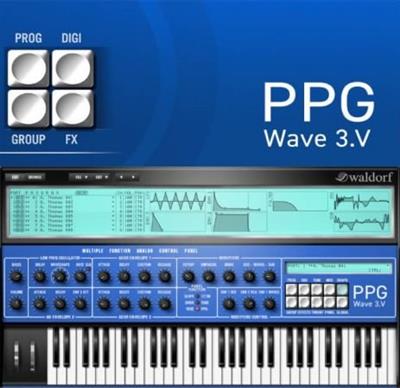
 
Waldorf PPG Wave 3 V v1.3.1 macOS


e4e8a7f712e20c4bf2bbf27e97c044f9.jpeg


Team R2R | 29 Sep 2022 | 98.7MB​

The PPG Wave 3.V is the reincarnation of the legendary PPG Wave, one of the most popular high end synthesizers of the 80s, originally developed by Wolfgang Palm.

While back then it was your choice to spent your money either for a vehicle or the PPG, -- now everyone can enjoy its breathtaking sonic character in their VST or AudioUnit host. During the development of the PPG Wave 3.V we received extensive consultation by Wolfgang Palm to ensure that the PPG Wave 3.V becomes a worthy successor of this adorable jewel of the art of German engineering.
Unleash the massive sound potential with the charm of the "good old digital days" with this unique instrument, and bring back the pure joy and individuality of 80s synthesis with the PPG Wave 3.V!!
Features
General
Up to 256 voices per instance (depending on available CPU power)
8 part Multimode
8 Stereo Outputs
Host automation of most parameters
MIDI Controller automation of most parameters
More than 100 new Wavetables created by Wolfgang Palm
Original Waveterm B Factory Sample Library
Original PPG Wave Factory Sounds
Per Voice
2 Wavetable Oscillators
Sample Playback with 8 bit, 12 bit or up to 32 bit
Authentic Aliasing Emulation of the PPG Wave 2.2/2.3/2.V or no aliasing
12dB / 24 dB Low Pass Filter
Authentic Filter Emulation of the PPG Wave 2.2/2.3
Overdrive behind Filter
1 LFO
3 Envelopes
Authentic Emulation of the modulation graininess (switchable with True PPG)
Per Part (up to 8 parts available)
Poly, Dual, Quad and Mono (8 voices) mode with 8 different semitone offsets to create chords or melodic lines
Arpeggiator with Up, Down, Alternate and Cascade (PPG special) mode
True PPG Mode switchable between PPG Wave 2.2, Wave 2.3 and Wave 2.V
4-Band EQ
Overdrive with various types
Phaser with up to 12 stages
Chorus with up to 6 stages
Flanger
Stereo Delay
Reverb
Other Features
Sample loading via drag&drop or load file dialog
Multisample playback by using the 8 part Multimode
8 adjustable Cutoff / Resonance deviations to simulate analog inexactness
Finer adjustments of several values in Fine Modulatione mode
Everything runs properly as AudioUnit on Mac, PC, and also on Intel based Mac.
Whats new in this version
Official site does not provide any info about changes in this version.
System Requirements
MacOS - 10.12.x or higher

Download link

rapidgator.net:
У Вас недостаточно прав для просмотра ссылок. Войдите или зарегистрируйтесь.


uploadgig.com:
У Вас недостаточно прав для просмотра ссылок. Войдите или зарегистрируйтесь.


nitroflare.com:
У Вас недостаточно прав для просмотра ссылок. Войдите или зарегистрируйтесь.


1dl.net:
У Вас недостаточно прав для просмотра ссылок. Войдите или зарегистрируйтесь.
 
Netcad GIS 2023 8.5.2.1027


95c4bec79fc54043b38164aad151bef2.jpeg


File size: 1.5 GB

We integrate the convenience of CAD-based data production with the comprehensive rules of the GIS environment.​

For more than 30 years, we have been producing solutions for the needs of professionals from different professional disciplines. With the agile software development philosophy, we aim to develop continuously in line with user needs and expectations.
With Netcad GIS, we offer our users the freedom of the CAD environment and the advantages of the rule-based structure of the GIS environment at the same time. We support these two spatial data formats, which we believe complementing each other in geographic data production processes, with dynamic CAD & GIS integration.
With its approach of integrated CAD and GIS solutions, Netcad GIS is designed to meet many different demands from different sectors and users. For many engineering and planning disciplines, demands such as mapping, design, calculation, data conversion, reporting, analysis are met with rich data format support. Netcad GIS is a geographic data source that supports a wide range of spatial information sources in international standards.
With the advanced data organization tools and the module capabilities customized for different professional specialization areas, needs-oriented projects can be produced. All different modules developed for professional needs run smoothly on Netcad GIS.
Whats New
Updates: official site does not provide any info about changes in this version.

Homepage:
Код:
https://en.netcad.com/en/products/netcad-gis

Download link

rapidgator.net:
У Вас недостаточно прав для просмотра ссылок. Войдите или зарегистрируйтесь.


uploadgig.com:
У Вас недостаточно прав для просмотра ссылок. Войдите или зарегистрируйтесь.


nitroflare.com:
У Вас недостаточно прав для просмотра ссылок. Войдите или зарегистрируйтесь.


1dl.net:
У Вас недостаточно прав для просмотра ссылок. Войдите или зарегистрируйтесь.
 
n-Track Studio Suite 9.1.7.6313 (x64) Multilingual


f8a8e2b06ab375c6599558cbe78d99f4.jpeg


File size: 153.7 MB​

n-Track Studio 9 turns your PC into an easy to use multitrack audio recording studio. It is the perfect tool for professional quality audio recording, encoding, mixing and editing. Record, edit, overdub your audio tracks, apply effects, process audio live input, mix and then burn audio CDs or create mp3 files. n-Track Studio is an Audio and MIDI Digital Multitrack Recorder that transforms your computer into a powerful audio recording studio. You can record, playback, overdub your audio tracks exploiting the flexibility and power of today's PCs for applying effects, realtime input processing, automated aux channels sends and returns, destructive and non-destructive wave editing. The program supports 24bit-192 khz recording, 64 bit mixing, multiple channels soundcards, live input processing, CD burning, mp3 encoding and more.

Main n-Track Studio features
• Records and plays back a virtually unlimited number of audio and MIDI tracks
• DirectX, VST and ReWire effects can be added to each channel/track
• Built-in effects include Reverb, Compression, Parametric and Graphic EQ, Echo, Auto-volume, Pitch Shift, Chorus, Multiband Compression, Spectrum analyzer
• Supports 16 and 24 bit single and multichannel soundcards at sampling frequencies up to 192 Khz using Asio, WaveRT, WDM, MME and DirectSound
• Is compatible with multichannel Asio, WaveRT, WDM and MME audio drivers, which means that n-Track can work with almost any soundcard available today with the lowest possible latency
• Supports VST Instruments and DirectX Instruments synth plug-ins. Sample-accurate MIDI tracks can be sent to VSTi/DXi software MIDI synths, without the need of expensive hardware MIDI synths.
• Adjust the effect settings and listen to the result in real time.
• Built-in effects include Reverb, Compression, Parametric and Graphic EQ, Echo, Auto-volume, Pitch Shift, Chorus, Multiband Compression, Spectrum analyzer.
• Supports third party DirectX, VST 2.0 and ReWire plug-ins.
• Realtime Audio effects can be added to each channel.
• Supports 16 and 24 bit single and multichannel soundcards at sampling frequencies up to 192 Khz using Asio, WaveRT, WDM, MME and DirectSound.
• Input processing allows to process with plug-ins live signals. Record the 'dry' (unprocessed) signal while processing and reprocess the recording later - i.e. Play a guitar through a distortion plug-in then change the distortion after the recording!
More Features
• Supports surround mixing for creating DVD audio projects using 5.1, 6.1 and 7.1 channels surround formats
• Each audio track includes a 20 bands parametric EQ with graphical frequency response view, a full spectrum analyzer and an automatic instrument tuner. Up to 32 aux channels with fully automated sends and returns.
• Supports multiple input and output soundcards or more than one soundcard. You can record multiple tracks at a time and output to more than one stereo output. Each output channels has its own master channel effects and volume control.
• Supports technology by Propellerhead Software AB. Mix signals in realtime with n-Track's own channels from other programs (such as Reason, Ableton Live, Fruityloops and many others).
• Import and export .wav, .mp3, .wma, .mid, .ogg, .flac, .aiff, .cda, .sng, .sgw audio files
• Import and export EDL multitrack song files for exchanging songs with other multitrack programs
• Sync to other programs or external devices using SMPTE/MTC or MIDI Clock sync, acting either as master or slave
• Loads and saves MIDI tracks to standard MIDI files
• Play Videos (AVI, MPEG) in sync with the song in a dedicated video playback window
• Automated volume, pan, aux sends and returns and effects parameters. You can "program" fade-in/outs, cross fades, boost the volume of a track when there is a solo etc.

Homepage:
Код:
https://ntrack.com/

Download link

rapidgator.net:
У Вас недостаточно прав для просмотра ссылок. Войдите или зарегистрируйтесь.


uploadgig.com:
У Вас недостаточно прав для просмотра ссылок. Войдите или зарегистрируйтесь.


nitroflare.com:
У Вас недостаточно прав для просмотра ссылок. Войдите или зарегистрируйтесь.


1dl.net:
У Вас недостаточно прав для просмотра ссылок. Войдите или зарегистрируйтесь.
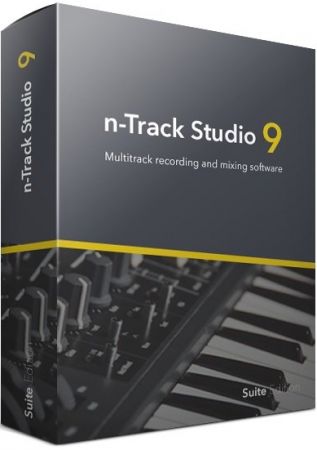
 
n-Track Studio Suite 9.1.7.6313 (x86) Multilingual


19771dd8b2e2d29707485fdd63b01124.jpeg


File size: 126.2 MB​

n-Track Studio 9 turns your PC into an easy to use multitrack audio recording studio. It is the perfect tool for professional quality audio recording, encoding, mixing and editing. Record, edit, overdub your audio tracks, apply effects, process audio live input, mix and then burn audio CDs or create mp3 files. n-Track Studio is an Audio and MIDI Digital Multitrack Recorder that transforms your computer into a powerful audio recording studio. You can record, playback, overdub your audio tracks exploiting the flexibility and power of today's PCs for applying effects, realtime input processing, automated aux channels sends and returns, destructive and non-destructive wave editing. The program supports 24bit-192 khz recording, 64 bit mixing, multiple channels soundcards, live input processing, CD burning, mp3 encoding and more.

Main n-Track Studio features
• Records and plays back a virtually unlimited number of audio and MIDI tracks
• DirectX, VST and ReWire effects can be added to each channel/track
• Built-in effects include Reverb, Compression, Parametric and Graphic EQ, Echo, Auto-volume, Pitch Shift, Chorus, Multiband Compression, Spectrum analyzer
• Supports 16 and 24 bit single and multichannel soundcards at sampling frequencies up to 192 Khz using Asio, WaveRT, WDM, MME and DirectSound
• Is compatible with multichannel Asio, WaveRT, WDM and MME audio drivers, which means that n-Track can work with almost any soundcard available today with the lowest possible latency
• Supports VST Instruments and DirectX Instruments synth plug-ins. Sample-accurate MIDI tracks can be sent to VSTi/DXi software MIDI synths, without the need of expensive hardware MIDI synths.
• Adjust the effect settings and listen to the result in real time.
• Built-in effects include Reverb, Compression, Parametric and Graphic EQ, Echo, Auto-volume, Pitch Shift, Chorus, Multiband Compression, Spectrum analyzer.
• Supports third party DirectX, VST 2.0 and ReWire plug-ins.
• Realtime Audio effects can be added to each channel.
• Supports 16 and 24 bit single and multichannel soundcards at sampling frequencies up to 192 Khz using Asio, WaveRT, WDM, MME and DirectSound.
• Input processing allows to process with plug-ins live signals. Record the 'dry' (unprocessed) signal while processing and reprocess the recording later - i.e. Play a guitar through a distortion plug-in then change the distortion after the recording!
More Features
• Supports surround mixing for creating DVD audio projects using 5.1, 6.1 and 7.1 channels surround formats
• Each audio track includes a 20 bands parametric EQ with graphical frequency response view, a full spectrum analyzer and an automatic instrument tuner. Up to 32 aux channels with fully automated sends and returns.
• Supports multiple input and output soundcards or more than one soundcard. You can record multiple tracks at a time and output to more than one stereo output. Each output channels has its own master channel effects and volume control.
• Supports technology by Propellerhead Software AB. Mix signals in realtime with n-Track's own channels from other programs (such as Reason, Ableton Live, Fruityloops and many others).
• Import and export .wav, .mp3, .wma, .mid, .ogg, .flac, .aiff, .cda, .sng, .sgw audio files
• Import and export EDL multitrack song files for exchanging songs with other multitrack programs
• Sync to other programs or external devices using SMPTE/MTC or MIDI Clock sync, acting either as master or slave
• Loads and saves MIDI tracks to standard MIDI files
• Play Videos (AVI, MPEG) in sync with the song in a dedicated video playback window
• Automated volume, pan, aux sends and returns and effects parameters. You can "program" fade-in/outs, cross fades, boost the volume of a track when there is a solo etc.
Release Notes

Supported Operating Systems:Windows 7, 8, 8.1, 10, 11 (32-bit, 64-bit).

Homepage:
Код:
https://ntrack.com/

Download link

rapidgator.net:
У Вас недостаточно прав для просмотра ссылок. Войдите или зарегистрируйтесь.


uploadgig.com:
У Вас недостаточно прав для просмотра ссылок. Войдите или зарегистрируйтесь.


nitroflare.com:
У Вас недостаточно прав для просмотра ссылок. Войдите или зарегистрируйтесь.


1dl.net:
У Вас недостаточно прав для просмотра ссылок. Войдите или зарегистрируйтесь.
 
OneLaunch 5.7.0


34c2a041f1f9e1f9992336044be9562d.jpeg


File Size : 80.7 Mb​

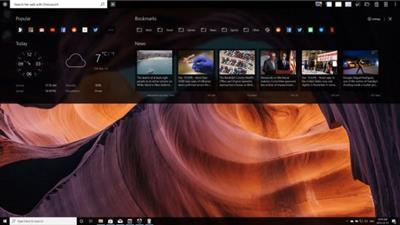
OneLaunch is an application dedicated to creating a single hub for accessing your applications, folders, settings, and other features on your machine. It doesn't necessarily bring a new concept to the table. In all its simplicity, this app is synonymous with a dock launcher. Still, it includes a couple of extra features that will come in handy to certain users.

Pretty yet crowded
During the whole test procedure, we couldn't help but notice how many features this app includes. On one hand, it makes it feel inclusive, filled with all sorts of goodies, on the other it seems exaggerated, crowded, and at times in the way. There was no need for a games section, for example. These are created for leisure activities, ergo you'll probably not feel the need to access these instantly, afraid of losing the perfect moment for doing that.
Work documents, folders, screenshots, and all similar elements, on the other hand, can be accessed without any hassle, and it's indeed helpful. You want to be more productive when you work because faster means more time for you to relax. The included search engine and browser again feel like extras you wouldn't really need, especially for Windows users who already have those included in the basic package.
Lots of apps included
Other notable mentions in terms of added functionality are a news and weather widget, a calculator, a dictionary and PDF reader, and even a recipe app. This further demonstrates the idea of a crowded app with functions from all imaginable areas of human existence. For some, this will be a blessing, for others an instant turn-off. The app can be customized, and it also includes an internet speed test program.
The bottom line with OneLaunch is the fact that it is an app dock and an app hub at the same time. It makes more sense to use if you've got an older OS with little to no features, but for individuals running the latest systems, this will feel like an unwelcomed addition.
Whats New
Updates: official site does not provide any info about changes in this version

Homepage:
Код:
https://onelaunch.com/

Download link

rapidgator.net:
У Вас недостаточно прав для просмотра ссылок. Войдите или зарегистрируйтесь.


uploadgig.com:
У Вас недостаточно прав для просмотра ссылок. Войдите или зарегистрируйтесь.


nitroflare.com:
У Вас недостаточно прав для просмотра ссылок. Войдите или зарегистрируйтесь.


1dl.net:
У Вас недостаточно прав для просмотра ссылок. Войдите или зарегистрируйтесь.
 
PassMark Memtest86 10.0 Build 1000


b78c1b64657a7b42b626aa11666c03d5.jpeg


File Size : 8.6 Mb​

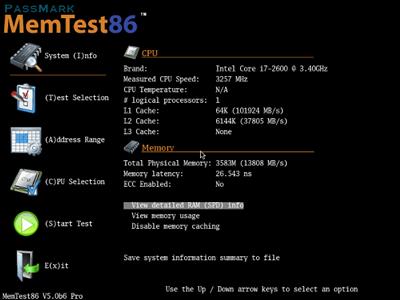
Memtest86 is considered by the majority of the hardware testing community the number one application when it comes to defective RAM sticks. The answer to the question regarding the working state of the installed memory modules comes fast with Memtest86 and that is what matters the most besides the certainty of the verdict.

There are many good approaches for testing memory. However, many tests simply throw some patterns at memory without much thought or knowledge of memory architecture or how errors can best be detected. This works fine for hard memory failures but does little to find intermittent errors. BIOS based memory tests are useless for finding intermittent memory errors.
RAM chips consist of a large array of tightly packed memory cells, one for each bit of data. The vast majority of the intermittent failures are a result of interaction between these memory cells. Often writing a memory cell can cause one of the adjacent cells to be written with the same data. An effective memory test attempts to test for this condition. Therefore, an ideal strategy for testing memory would be the following
Write a cell with a zero.
Write all of the adjacent cells with a one, one or more times.
Check that the first cell still has a zero.
It should be obvious that this strategy requires an exact knowledge of how the memory cells are laid out on the chip. In addition there are a never ending number of possible chip layouts for different chip types and manufacturers making this strategy impractical. However, there are testing algorithms that can approximate this ideal and MemTest86does just this.

Homepage:
Код:
https://www.memtest86.com

Download link

rapidgator.net:
У Вас недостаточно прав для просмотра ссылок. Войдите или зарегистрируйтесь.

uploadgig.com:
У Вас недостаточно прав для просмотра ссылок. Войдите или зарегистрируйтесь.


nitroflare.com:
У Вас недостаточно прав для просмотра ссылок. Войдите или зарегистрируйтесь.


1dl.net:
У Вас недостаточно прав для просмотра ссылок. Войдите или зарегистрируйтесь.
 
Realtek High Definition Audio Drivers 9414.1 (x64) WHQL


74c15ccf72a8b34602ad569331af13ed.jpeg


File Size : 223 Mb​

Realtek High Definition Audio Driver - there is a new driver package with native support for the upcoming OS Windows eighth Realtek High Definition Audio (HDA) is intended for ALC-8xx/2xx chipsets for Windows 7, Windows 8, Windows 10.

Supported chips sound cards
ALC880, ALC882, ALC883, ALC885, ALC888, ALC889, ALC861VC, ALC861VD, ALC892, ALC663, ALC662, ALC660, ALC665, ALC260, ALC262, ALC267, ALC268, ALC269, ALC270, ALC272, ALC273, ALC887, ALC670, ALC275, ALC680.
ALC861 Value HD Audio Codec
ALC861-VD-GR Value HD Audio Codec
ALC880 Series HD Audio Codec
ALC882 7.1+2 HD Audio Codec
ALC883 Value 7.1+2 HD Audio Codec
ALC888 7.1+2 Channel High Definition Audio Codec
ALC888T Advanced 7.1+2 HD Audio Codec for VoIP Applications
ALC885 7.1+2 Channel High-Performance HDA Codec with Content Protection
ALC888S 7.1+2 channel high definition audio codec with two independent s/pdif-out
ALC888S-VC 7.1+2 Channel High Definition Audio Codec with Two Independent S/PDIF-OUT
ALC888S-VD 7.1+2 Channel HD Audio Codec with Two Independent SPDIF Outputs
ALC889 7.1+2 Channel HD Audio Codec with Content Protection
ALC892 7.1+2 Channel HD Audio Codec with Content Protection
ALC662 5.1 Channel High Definition Audio Codec
ALC663 5.1 Channel High Definition Audio Codec
ALC665 5.1-Channel High Definition Audio Codec
ALC231 High Definition Audio Codec with Mono Class-D Speaker Amplifier
ALC260 HD Audio Codec
ALC262 2+2 HD Audio Codec
ALC268 2+2 Channel High Definition Audio Codec
ALC269 High Definition Audio Codec with Embedded Class D Speaker Amplifier
ALC272 4-Channel High Definition Audio Codec
Whats New
Updated drivers.

Homepage:
Код:
http://www.realtek.com.tw/

Download link

rapidgator.net:
У Вас недостаточно прав для просмотра ссылок. Войдите или зарегистрируйтесь.


uploadgig.com:
У Вас недостаточно прав для просмотра ссылок. Войдите или зарегистрируйтесь.


nitroflare.com:
У Вас недостаточно прав для просмотра ссылок. Войдите или зарегистрируйтесь.


1dl.net:
У Вас недостаточно прав для просмотра ссылок. Войдите или зарегистрируйтесь.
 
RecoveryTools Gmail Backup Wizard 6.7


23929da76df3b89b10cb99a30ded27b1.jpeg


File size: 25 MB​

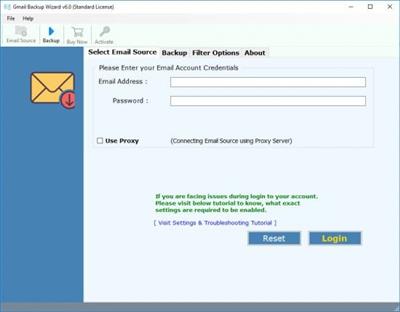
Gmail Backup Wizard - Best Utility Software to Take Backup of Gmail Emails to MBOX, PST, PDF on Computer Hard Drive.

Gmail Backup Software Allows You to Take Backup of Multiple Gmail Accounts at Once.
Save Gmail Emails in 25+ Common Formats i.e. PDF, PST, MBOX, DOC, EML, EMLX, etc.
Access Gmail Emails to Multiple Webmail, Email Clients, & Online Email Accounts Directly.
Gmail Backup Tool provides Multiple Advanced Filters to Take Selective Backup of Gmail Emails.
Download Gmail Emails to Hard Drive, Computer, PC, Desktop & USB Drive Locations.
Maintain Internal Structure, Integrity, & Email Formatting of Gmail Emails During Backup Process.
Gmail Backup Software Provides 100% Secure and Easy to Use Graphical User Interface.
Option to Transfer Emails from One Gmail Account to Another Gmail Account Directly.
Manage and Arrange Gmail Backup Files Data with Multiple File Naming Options.
Best Gmail Migration Tool to Access Google Mail Emails to Office 365, Exchange Server, etc.
Extract Gmail Email Account Email Addresses & Email Attachments with Email Backup Wizard.
Support All Microsoft Windows & Windows Server Operating System with x64 Bits Editions.
Whats New
Updates: official site does not provide any info about changes in this version.

Homepage:
Код:
https://www.recoverytools.com/backup/gmail/

Download link

rapidgator.net:
У Вас недостаточно прав для просмотра ссылок. Войдите или зарегистрируйтесь.


uploadgig.com:
У Вас недостаточно прав для просмотра ссылок. Войдите или зарегистрируйтесь.


nitroflare.com:
У Вас недостаточно прав для просмотра ссылок. Войдите или зарегистрируйтесь.


1dl.net:
У Вас недостаточно прав для просмотра ссылок. Войдите или зарегистрируйтесь.
 
Назад
Сверху