• Форум работает в архивном режиме www.old.nado.in

All mitsumi'1s Applications !! (updated daily)

  • Автор темы Автор темы mitsumi1
  • Дата начала Дата начала
Optimizer 9.4

519c91e8e54a0f6338ed770a5052898b.jpeg

File Size : 1.6 Mb​

A fresh Windows installation isn't as clean as many users would like, as some of the features included in the latest versions of the OS are seen as unnecessary, hampering performance and compromising your privacy.Optimizer is a simple-to-use application that enables you to disable various Windows features, clean unnecessary files, remove items from the startup list, manage the Registry and more.

Features:
Speed up your system and network performance
Disable unnecessary Windows services
Disable Windows telemetry
Disable Office telemetry (works only with 2016)
Disable Cortana
Disable Windows 10 automatic updates
Uninstall UWP apps
Block Skype ads
Clean up your system drive
Fix common registry issues
Remove unwanted programs running at startup
Change Microsoft Edge download folder
Edit your hosts file
Add items in desktop right-click menu
Define custom commands for run dialog

Download link:​
Код:
[center][b]rapidgator_net[/b]:
https://rapidgator.net/file/579e1c05cc51e98d47f7211373902bac/awgo6.Optimizer.9.4.rar.html

[b]uploadgig_com[/b]:
https://uploadgig.com/file/download/5e510885ec4a9670/awgo6.Optimizer.9.4.rar

[b]nitroflare_com[/b]:
https://nitroflare.com/view/10997F331A7D6C5/awgo6.Optimizer.9.4.rar[/center]

Links are Interchangeable - No Password - Single Extraction​
 
PdfMachine merge Ultimate 2.0.7865.28998

d01a161a3fdab4b530253fc22dfbd495.jpeg

File size: 14.5 MB​
pdfMachine merge is a fairly simple piece of software that aims to help you with sending large numbers of emails with personalized PDF attachments using Word, PowerPoint, Excel and even HTML files as the base merging templates.

Its basic principle is quite easy to understand, as it helps you personalize each email with its own distinct information. This makes it ideal for users who need to send batch emails to their subscribers and, for example, need to input their names in each one.
Requires you to install pdfMachine before it can work
First things first, before you can actually take advantage of what this utility can bring to the table, you need to make sure that pdfMachine is installed on your computer. Only after this, the app displays its well-designed main window.
You can customize the merging profile, send emails, search for information within the app and view a detailed list of actions by exploring the log. While at first it might seem a bit complicated, pdfMachine merge's interface does a good job at keeping things to a minimum level of difficulty.

User-friendly application with a somewhat lean learning curve
The process of creating and managing merge profiles is quite straightforward. Think of it this way: you have your base Word or Excel document, you load it into pdfMachine merge and it automatically generates personalized PDF attachments. Based on your further settings and input, they can be sent via email right away, for any number of recipients.

More precisely, after you load the base file, you need to select the emailing method and then customize the email sending settings. Besides this, you are required to also choose a location for each PDF attachment dynamically generated from merging the template file and the data source file.

When it comes to the actual email sending part, things are even simpler, as you once again have to choose the merge profile, select the email sending method and select one of the displayed merge modes.

You have the option to generate all documents and attachments without actually sending the email, send the message to a specific email address (for example, your own, to make sure they are correct) or send the email to recipients in the data source file directly.

Download link:​
Код:
[center][b]rapidgator_net[/b]:
https://rapidgator.net/file/f3b9249391deff2e3500352e2e8ce1ca/250we.PdfMachine.merge.Ultimate.2.0.7865.28998.rar.html

[b]uploadgig_com[/b]:
https://uploadgig.com/file/download/D1324c4826caa22A/250we.PdfMachine.merge.Ultimate.2.0.7865.28998.rar

[b]nitroflare_com[/b]:
https://nitroflare.com/view/13E28AA694F817B/250we.PdfMachine.merge.Ultimate.2.0.7865.28998.rar[/center]

Links are Interchangeable - No Password - Single Extraction​
 
PhoneRescue for Android 3.8.0.20210714 Multilingual

94c268a8c313b53a309d0ad7225fd5e8.jpeg

Languages: Multilingual | File size: 22.4 MB​
Covering literally all Android devices from SAMSUNG, HUAWEI, LG, Google or any manufacturer in the market, PhoneRescue can always save you from any data disaster at the very first moment. It adopts customized technologies based on each specific phone and tablet, making sure you get back your lost data and files with the highest success rate.

The Most Reliable Android Data Recovery Tool Saves All Your Indispensable Data & Files
- Highest data recovery success rate in the industry
- Retrieve messages, photos, contacts, and everything you need
- The ONLY software that restores lost data directly to phone
- Find lost and hidden data on device with or without root
- A complete solution to recover WhatsApp data, even attachments

Every Mis-deleted Byte, Now Finds A Way Back to Your Phone
It's so easy to mistakenly delete some important data without a backup. It may be a birthday message from your beloved one or the contact of an important client. Now, PhoneRescue saves them all with one simple click. First time ever, you can restore data directly to your phone, just like they were never deleted. No more fear of mis-deleting important data, they can always find a way back, easily and completely.

Dig Out Precious Files You Don't Even Know
Your phone stores more of your precious data than you know - the video clips you once received in WhatsApp, or even the photos scattered in every corner of your device storage. PhoneRescue now digs all the way into your phone even without root, and brings these hidden or forgotten files back to you. Just feel free to select and save them to your computer, along with all the memories from old days.

More Than Just Data, Even Save Your Locked Device
Lock screen is set to prevent prying eyes, but when you forget the password or your fingerprint is not able to unlock screen after a restart, you are blocked, too. Whether your screen is locked with password, pattern or fingerprint, PhoneRescue safely removes them for you without losing any data. It requires no tech knowledge at all. With just one simple tap, you can get full access to your phone again. As we never peek into your device, all your personal data and files will remain confidential.

Incredible Power Has Never Been So Easy to Handle
Recovering lost data can be a complicated technical task, but PhoneRescue makes it as plain as a few clicks. With a clear interface and step-by-step wizard, even your non-techy grandparents can recover their lost messages, photos, contacts, and more data in minutes, all by themselves.

WHat's New :
- Fixed some minor bugs.

System Requirements:
- Windows OS: Windows 10, 8, 7, Vista, XP, both 32bit and 64bit
- Android Version: Android 4.0 and above
- Resolution: 1024x768 display or above
- CPU: Pentium IV 2.4 GHz or above
- RAM: 512MB system memory
- Display Card: Accelerated 3D graphics - 64MB RAM
- Sound Card: Windows-compatible sound card
- Hard Disk: 100 MB and above free space
- Others: USB Driver and ADB Device Driver

Download link:​
Код:
[center][b]rapidgator_net[/b]:
https://rapidgator.net/file/930faa22eba7aeac37d629db28de4358/fenjt.PhoneRescue.for.Android.3.8.0.20210714.Multilingual.rar.html

[b]uploadgig_com[/b]:
https://uploadgig.com/file/download/53eAe34C5E112c46/fenjt.PhoneRescue.for.Android.3.8.0.20210714.Multilingual.rar

[b]nitroflare_com[/b]:
https://nitroflare.com/view/2CFB767A05F2FFA/fenjt.PhoneRescue.for.Android.3.8.0.20210714.Multilingual.rar[/center]

Links are Interchangeable - No Password - Single Extraction​
 
Portable Dia 0.97.2-2

2e90910d8e0a4e4aedf05a840787e4b3.jpeg

Portable Dia 0.97.2-2|Packed in VMware ThinApp|Windows(x86/x64)|rar|79.5 mb

Dia is a program to draw structured diagrams.​

Attention!
Dear users! We do not forget about our rights holders!
All portable assembly, designed exclusively for the promotion of the software and can be used for informational purposes only!
After testing the program and decide on the usefulness and necessity of you, this software - you are required! remove the assembly and turn to the developer, to purchase a license for a full version. Good luck!
Work on Windows 10 is POSSIBLE, BUT NOT GUARANTEED!
Release Notes

Dia Diagram Editor is drawing software for Windows. Dia supports more than 30 different diagram types like flowcharts, network diagrams, database models. More than a thousand readymade objects help to draw professional diagrams. Dia can read and write a number of different raster and vector image formats. Software developers and database specialists can use Dia as a CASE tool to generate code skeletons from their drawings. Dia can be scripted and extended using Python.
Features
* Draw structured diagrams (flowcharts, network layouts, etc)
* Easy to use (Recommended in 89% of the user ratings)
* More than 1000 predefined objects and symbols
* Supports Windows, Mac OS X and Linux
* Many im- and export formats
* Scriptable via Python

Release New

Whats New: There is no information

System Requirements
- Restrictions: It does not correspond to the tablet mode.
- CPU: Intel® Pentium 4 or later / AMD Athlon 64 or later (900 MHz or greater)
- (64bit support recommended)
- Memory: 4GB or more (Recommend 8GB or more)
- HDD: 10GB or more of free disk space
- Display: XGA (1,024x768), Full Color (24 bit or higher), 16-bit display (32-bit recommended)
Windows XP, Windows Vista all SP, Windows 7, Work on Windows 10 is POSSIBLE, BUT NOT GUARANTEED!
Language Multilanguage(Russian English)

Download link:​
Код:
[center][b]rapidgator_net[/b]:
https://rapidgator.net/file/c5b7ab6911cbf8b81563c183d03e9d98/xhpnf.Portable.Dia.0.97.22.rar.html

[b]uploadgig_com[/b]:
https://uploadgig.com/file/download/2f4Ae72debC37789/xhpnf.Portable.Dia.0.97.22.rar

[b]nitroflare_com[/b]:
https://nitroflare.com/view/545C4890C216532/xhpnf.Portable.Dia.0.97.22.rar[/center]

Links are Interchangeable - No Password - Single Extraction​
 
Portable NexusFile 5.4.1.5623

73b6ba702efaa160d5b093d46b919091.jpeg

Portable NexusFile 5.4.1.5623|Packed in VMware ThinApp|Windows(x86/x64)|rar|32.2 mb

NexusFile is a feature-rich file manager that puts a special emphasis on a streamlined interface with an attractive appearance.​

Attention!
Dear users! We do not forget about our rights holders!
All portable assembly, designed exclusively for the promotion of the software and can be used for informational purposes only!
After testing the program and decide on the usefulness and necessity of you, this software - you are required! remove the assembly and turn to the developer, to purchase a license for a full version. Good luck!
Work on Windows 10 is POSSIBLE, BUT NOT GUARANTEED!
Release Notes

It targets all users who want to try something different compared to Windows Explorer, for instance. The main application window is divided into two panels for seamlessly exploring files on the hard drive, similar to Total Commander.
You can use the functional keys to rename files, copy or move them to another location, refresh data, apply advanced renaming options (e.g. insert location, numbering, extension), create a new folder, and send selected items to the Recycle Bin.
NexusFile includes a context menu of its own, providing you with useful options such as changing file time and attributes, creating archives (ZIP, RAR, 7Z, ALZ, or ARJ format with or without password protection), and performing automatic extraction jobs. It is also possible to switch to the classic Explorer right-click menu.
Other options of NexusFile enable users to add or edit comments, calculate SHA1, MD5 or CRC checksums, create a favorites list, use an advanced selection tool with file names and/or formats or select all items with the same name or extension, establish a connection via FTP, split or join files, and many more.
NexusFile uses low-to-moderate memory and low CPU. It has a good response time and smoothly integrates into newer operating systems. No errors were shown in our tests, and the program did not hang or crash. All in all, NexusFile offers comprehensive options for performing various file operations, backed up by an appealing interface.

Release New

Whats New:
Updates: official site does not provide any info about changes in this version

System Requirements
- Restrictions: It does not correspond to the tablet mode.
- CPU: Intel® Pentium 4 or later / AMD Athlon 64 or later (900 MHz or greater)
- (64bit support recommended)
- Memory: 4GB or more (Recommend 8GB or more)
- HDD: 10GB or more of free disk space
- Display: XGA (1,024x768), Full Color (24 bit or higher), 16-bit display (32-bit recommended)
Windows XP, Windows Vista all SP, Windows 7, Work on Windows 10 is POSSIBLE, BUT NOT GUARANTEED!
Language Multilanguage(Russian English)

Download link:​
Код:
[center][b]rapidgator_net[/b]:
https://rapidgator.net/file/d299fe404367bb2a8cc000658cc951f6/qp22t.Portable.NexusFile.5.4.1.5623.rar.html

[b]uploadgig_com[/b]:
https://uploadgig.com/file/download/968e5d114FE5d4ec/qp22t.Portable.NexusFile.5.4.1.5623.rar

[b]nitroflare_com[/b]:
https://nitroflare.com/view/B2C5F75EDC2F405/qp22t.Portable.NexusFile.5.4.1.5623.rar[/center]

Links are Interchangeable - No Password - Single Extraction​
 
Portable Qemu Simple Boot 1.3

661643b831dbd08910d4816321104f5a.jpeg

Portable Qemu Simple Boot 1.3|Packed in VMware ThinApp|Windows(x86/x64)|rar|23.2 mb

Qemu Simple Boot is a handy and reliable utility that allows you to test bootable image before you burn them to a disc.​

Attention!
Dear users! We do not forget about our rights holders!
All portable assembly, designed exclusively for the promotion of the software and can be used for informational purposes only!
After testing the program and decide on the usefulness and necessity of you, this software - you are required! remove the assembly and turn to the developer, to purchase a license for a full version. Good luck!
Work on Windows 10 is POSSIBLE, BUT NOT GUARANTEED!
Release Notes

It uses QEMU, which is a known virtual machine emulator that can run a virtual OS on the current host without affecting it.
Qemu Simple Boot was mainly designed as a GUI for QEMU, with the purpose of helping users who are not accustomed with the console approach that the latter adopts.
It can work with removable media, CD discs, ISO and IMA images.The program depends on QEMU, but does not require you to install it separately
Qemu Simple Boot uses Qemu which is a generic and open source machine emulator and virtualizer, just imagine you have an iso file , to test it you first need to burn it to a disc , waste of time and Disc there is a easy way just use Qemu Simple Boot
how to use it:
Download the ZIP and extract it to the folder of your choice, then run Qsib.exe. The application is is very simple to use - just drag and drop your .iso, .ima or .img file(s) into the window, and click "Start QEMU Test". (There is also a checkbox letting you optionally close the program after QEMU has started). You can also use the plus (+) button located near the bottom right of the window to manually select an image file. A slider bar in the top right allows you to choose how much system RAM to to allocate to the test.
In addition, the Menu button in the bottom right of the window allows you to:
- test your USB, CD/DVD images and discs
- easily test your multiboot menu workout
- change the language (found in qsib.ini). Turkish, English and German languages are pre-installed.

Release New

1. Translate GUI added
2. Some code improvements
3. Free Ram checker function added ( it can be closed from Qsib.ini file)
4. Minimum ram requirement dropped to 32 MB

System Requirements
- Restrictions: It does not correspond to the tablet mode.
- CPU: Intel® Pentium 4 or later / AMD Athlon 64 or later (900 MHz or greater)
- (64bit support recommended)
- Memory: 4GB or more (Recommend 8GB or more)
- HDD: 10GB or more of free disk space
- Display: XGA (1,024x768), Full Color (24 bit or higher), 16-bit display (32-bit recommended)
Windows XP, Windows Vista all SP, Windows 7, Work on Windows 10 is POSSIBLE, BUT NOT GUARANTEED!
Supported languages: English , Arabic , Simplifed Chinese , Traditional Chinese, French , German , Greek , Hungarian , Italian , Japanese , Korean , Persian , Portuguese , Russian , Spanish , Swedish , Turkish , Ukrainian , Vietnamese , Finnish , Albanian , Dutch , Bulgarian , Slovenian , Indonesian , Hebrew , Catalan , Romanian

Download link:​
Код:
[center][b]rapidgator_net[/b]:
https://rapidgator.net/file/7649de62835a453c36ff1b0451fafbcf/0c8dt.Portable.Qemu.Simple.Boot.1.3.rar.html

[b]uploadgig_com[/b]:
https://uploadgig.com/file/download/f228efF16be496d1/0c8dt.Portable.Qemu.Simple.Boot.1.3.rar

[b]nitroflare_com[/b]:
https://nitroflare.com/view/471EDCC583E7CA9/0c8dt.Portable.Qemu.Simple.Boot.1.3.rar[/center]

Links are Interchangeable - No Password - Single Extraction​
 
RadioBOSS Advanced 6.0.6.1 Multilingual

26fa68eea6b88183703088ce9b0814a0.jpeg

File size: 68 MB​
RadioBOSS radio automation software provides professional radio programming engineering and automation at a fraction of what other applications cost. If you're creating programming for a terrestrial or Internet radio station, RadioBOSS lets you build sophisticated playlists with the professional features you need. RadioBOSS is also a simple to use solution to create background music for a wide range of venues: clubs, bars, restaurants, gyms and health clubs. With RadioBOSS, you can quickly create the right background music for your business and RadioBOSS will run unattended and trouble-free for months at a time.

RadioBOSS is used at radio stations, clubs, hotels, shops and casinos all over the world. You're in good company when you choose DJSoft.Net products!

RadioBOSS includes:
An extremely stable Player application that controls when and how playlists are played.
Support for all popular audio formats, use the audio assets you already have on disk or hard drive.
A simple-to-use music library to locate, track, annotate and manage your audio assets.
A robust playlist generator with professional functionality including playlist templates and more.
An advertisement scheduler to easily create and schedule commercial breaks.
A report generator to create detailed reports of what songs were played.

The components of RadioBOSS:

The Player is the central component of RadioBOSS. With it you can:
Launch and edit playlists.
Schedule various events. Events can be launched at a set time or by a DTMF signal.
For advertising, specify volume increase.
Automatically create teasers from songs
Automatic volume leveling, crossfading and silence trimming.
Use the automatic playlist generation to create sophisticated multi-hour audio programming.
Easily create random playlists.
Include Internet streams (HTTP, MMS and FTP) and podcasts in your playlists.
Automatically insert jingles before music tracks
Use the microphone and linear input
Improve the quality of any given audio asset with RadioBOSS' 12-band equalizer and sound compressor.
Use your WinAMP and VST plugins for even more sophisticated audio engineering.
Use the cart wall for instant audio playback
Take advantage of the multichannel card installed in your PC (4.0, 5.1, 7.1, etc.) output multiple channels.
Export metadata: upload to FTP, send HTTP request, save to text or XML file.
Broadcast using integrated Internet streaming support: Shoutcast, Icecast, Windows Media servers, and an integrated streaming server.
Create playlists with prerecorded voice tracks.
Use individual user profiles.
Configure User Access Control.
RadioBOSS supports ASIO and WASAPI low-latency input and output
RadioBOSS offers remote control API for advanced usage scenarios

The Playlist Generator creates playlists.
Automatically generate playlists for a given duration.
Generates playlists quickly using and reusing playlist templates.
Supports multiple generation options.
Create playlists with rotations.
Create playlists with jingles.
Create playlists with hour markers and commercials.

The Music Library organizes your audio assets.
Batch process audio tracks: normalize, detect BPM, trim silence.
Use Track Tags for filtering and search purposes.
Automatic indexing supports quick searches.
Filter and sort to work with just records you want.
Automatically tracks usage statistics.
Tag any audio asset, regardless of format.
Tag mutiple audio assets.
Add comments to any audio asset.

The Advertisement Scheduler
Create and schedule commercial breaks
Automatic playlist and event generation to schedule commercial breaks in RadioBOSS
Remote ads management over a network
Use custom intros and outros
Specify the Start and End dates for commercials

The Report Generator
View and print reports for the custom date range
Customizable report fields
Filters to exclude unneeded items
Export reports in various formats: XLS, PDF and others

Download link:​
Код:
[center][b]rapidgator_net[/b]:
https://rapidgator.net/file/7569f41962ef13e62a00893cf6d59b12/n727k.RadioBOSS.Advanced.6.0.6.1.Multilingual.rar.html

[b]uploadgig_com[/b]:
https://uploadgig.com/file/download/16f4f21607d1775a/n727k.RadioBOSS.Advanced.6.0.6.1.Multilingual.rar

[b]nitroflare_com[/b]:
https://nitroflare.com/view/79128597C8D4C73/n727k.RadioBOSS.Advanced.6.0.6.1.Multilingual.rar[/center]

Links are Interchangeable - No Password - Single Extraction​
 
RegRun Reanimator 12.70.2021.713

7b61684ca1fb49cf5693aff0fff97cd3.jpeg

File Size : 36.1 Mb​

RegRun Reanimator is a handy tool designed to help you remove remote malicious programs from your computer.You basically use this application to scan your PC, then send the generated log to another person who has the skills to identify the malicious components and remove them. RegRun Reanimator is an application designed to add an extra layer of security to your computer, providing advanced tools to remove multiple malware files.

You may find the interface of the so-called RegRun Assistant a bit overwhelming at the first run, but it's only a matter of time until you get used to it. All features are nicely organized in tabs listed at the bottom of the main window, while the center of the screen provides access to the scanning features. Every single button has detailed explanations, so you will know for sure what you're about to do even before clicking on it.

The virus scan tool does exactly what its name suggests, searching the computer for malicious files and removing them either on the spot or after a computer reboot.
You also have the option to scan another target, such as a network computer, by providing the path to the Windows operating system.
In case you're not an experienced user and you don't know how to deal with a suspicious file, just go over to the Send Report tab. This way, you can send a detailed system report to the support center and thus ask a specialist to lend you a hand.

Fortunately, there's also a so-called "Clean after Virus" feature that allows you to fix some of the damage caused by viruses, including the highly popular Task Manager or Registry Editor lock. In addition, there's an option to repair the 'access denied' error on some of the files that got in touch with the virus.
RegRun Reanimator works quickly and easily without hampering computer performance, and a scan took less than a minute during our computer, while the cleanup process depends on the user and how much one needs to analyze the suspicious files.
Overall, RegRun Reanimator is an excellent tool to get rid of a bunch of viruses. It's really worth the time if you got into trouble, so give it a try to see what it's up to.

Download link:​
Код:
[center][b]rapidgator_net[/b]:
https://rapidgator.net/file/7c665694959303d277cbde7031b4fcc9/o553h.RegRun.Reanimator.12.70.2021.713.zip.html

[b]uploadgig_com[/b]:
https://uploadgig.com/file/download/Fd1b5757b634da0a/o553h.RegRun.Reanimator.12.70.2021.713.zip

[b]nitroflare_com[/b]:
https://nitroflare.com/view/19445424223A8A7/o553h.RegRun.Reanimator.12.70.2021.713.zip[/center]

Links are Interchangeable - No Password - Single Extraction​
 
ScreenToGif 2.33 Multilingual

bb9318b11ab972e7ca892c005cad8183.jpeg

File Size : 3.1 Mb​

Screen To Gif is a highly intuitive application meant to aid users in generating their own animations. The program features multiple options for customization, such as adding text strings or sepia effects.

Features:
Record your screen and save directly to a gif looped animation or a video.
Pause and continue to record or start over by discard the recording.
Move the window around to record what you want, it stays on top.
You can add Text, Subtitles, Title Frames, Borders, Watermarks, Drawings, etc.
Crop and Resize.
Remove frames that you don't want.
Select a folder to save the file automatically or select one before encoding.
Add the system cursor to your recording.
Very small sized and portable executable.

Download link:​
Код:
[center][b]rapidgator_net[/b]:
https://rapidgator.net/file/7a1186157ad5f8cba1e5d4ff4f45e172/ki6uy.ScreenToGif.2.33.Multilingual.rar.html

[b]uploadgig_com[/b]:
https://uploadgig.com/file/download/e682B0341a9821f6/ki6uy.ScreenToGif.2.33.Multilingual.rar

[b]nitroflare_com[/b]:
https://nitroflare.com/view/C587831D4A5C5CB/ki6uy.ScreenToGif.2.33.Multilingual.rar[/center]

Links are Interchangeable - No Password - Single Extraction​
 
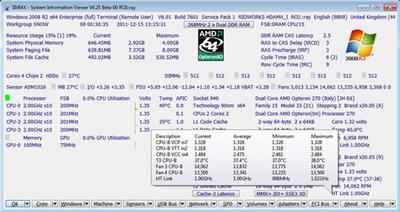
SIV (System Information Viewer) 5.60

7a1e573f2a9fe551cc7e7d82a2c932d8.jpeg

File Size : 18.2 Mb​

System Information Viewer is a general Windows utility for displaying lots of useful Windows, Network and hardware info - CPU info, PCI info, PCMCIA info, USB info, Machine Info, Hardware Sensors, Networked computers, Operating System Information and more. I use Craig Hart's pcidevs.txt file for my PCI device display with my usbdevs.txt being used for the USB devices, mondevs.txt for monitor descriptions and pcmdevs.txt for PCMCIA device descriptions.
This software is the portable version of System Information Viewer. As its title suggests, the tool lets you view various details about the system you are using.

Thanks to its portability, System Information Viewer doesn't require installation. So, you can place the software on an external drive and directly run it on any computer. Plus, your Windows registry will not be changed.

The interface of the program is based on a standard window in which you can check out data about your operating system, resource usage, system physical memory, paging file and file cache, and others.

In addition, you can save local, PCI, DMI, DIMM SPD, selected or all data, copy the bitmap, view menus, battery, STC and MEM information, as well as access Registry Editor.

Furthermore, you can view information on processes, services and entries of programs which automatically run at system startup, get your IP address and a summary on the current and average CPU, run a CPU benchmark, change the interface language and temperature units, and more.

Portable System Information Viewer uses a low-to-moderate amount of system resources, includes a well-drawn help file with descriptions for rookies and didn't freeze, crash or pop up errors during our tests. We highly recommend this tool to all users.

Download link:​
Код:
[center][b]rapidgator_net[/b]:
https://rapidgator.net/file/2ba0b2d8e817de868c3b6bc2fd1c86b0/o5fjh.SIV.System.Information.Viewer.5.60.zip.html

[b]uploadgig_com[/b]:
https://uploadgig.com/file/download/e283bB39c83284d6/o5fjh.SIV.System.Information.Viewer.5.60.zip

[b]nitroflare_com[/b]:
https://nitroflare.com/view/E9D85B89EA1FA27/o5fjh.SIV.System.Information.Viewer.5.60.zip[/center]

Links are Interchangeable - No Password - Single Extraction​
 
Sublime Text 4 Build 4113 macOS

b972b57c0fcacdd532cd2d4740c6d3f2.jpeg

File size: 44.39 MB​
Sublime Text is a sophisticated text editor for code, markup, and prose. You'll love the slick user interface, extraordinary features, and amazing performance.

Goto Anything
Use Goto Anything to open files with only a few keystrokes, and instantly jump to symbols, lines, or words.
Triggered with ⌘P, it is possible to:
* Type part of a file name to open it
* Type @ to jump to symbols, # to search within the file, and : to go to a line number
These shortcuts can be combined, so may take you to a function read_file within a file text_parser.py. Similarly, tp:100 would take you to line 100 of the same file.

Multiple Selections
Make ten changes at the same time, not one change ten times. Multiple selections allow you to interactively change many lines at once, rename variables with ease, and manipulate files faster than ever. Try pressing ⇧⌘L to split the selection into lines and ⌘D to select the next occurrence of the selected word. To make multiple selections with the mouse, take a look at the Column Selection documentation.

Command Palette
The Command Palette holds infrequently used functionality, like sorting, changing the syntax, and changing the indentation settings. With just a few keystrokes, you can search for what you want, without ever having to navigate through the menus or remember obscure key bindings. Show the Command Palette with ⌘⇧P.

Distraction-Free Mode
When you need to focus, Distraction-Free Mode is there to help you out. Distraction-Free Mode is full-screen, chrome-free editing, with nothing but your text in the center of the screen. You can incrementally show elements of the UI, such as tabs and the find panel, as you need them. You can enter Distraction Free Mode using the View/Enter Distraction Free Mode menu.

Split Editing
Get the most out of your wide-screen monitor with split-editing support. Edit files side-by-side, or edit two locations in the one file. You can edit with as many rows and columns as you wish. Take advantage of multiple monitors by editing with multiple windows, and using multiple splits in each window. Take a look at the View/Layout menu for split-editing options. To open multiple views into the one file, use the File/New View into File menu item.

Instant Project Switch
Projects in Sublime Text capture the full contents of the workspace, including modified and unsaved files. You can switch between projects in a manner similar to Goto Anything, and the switch is instant, with no save prompts. All your modifications will be restored next time the project is opened.

Plugin API
Sublime Text has a powerful, Python-based plugin API. Along with the API, it comes with a built-in Python console to interactively experiment in real time.

Customize Anything
Key bindings, menus, snippets, macros, completions and more - just about everything in Sublime Text is customizable with simple JSON files. This system gives you flexibility as settings can be specified on a per-file type and per-project basis.

Cross-Platform
Sublime Text is available for macOS, Windows and Linux. One license is all you need to use Sublime Text on every computer you own, no matter what operating system it uses. Sublime Text uses a custom UI toolkit, optimized for speed and beauty, while taking advantage of native functionality on each platform.

Supported Operation System:
* OS X 10.9 or later
* Apple Silicon or Intel Core processor

Download link:​
Код:
[center][b]rapidgator_net[/b]:
https://rapidgator.net/file/8853ea446534054ccfca66b316f01247/y5076.Sublime.Text.4.Build.4113.macOS.dmg.html

[b]uploadgig_com[/b]:
https://uploadgig.com/file/download/c99FdbA886f6fA0b/y5076.Sublime.Text.4.Build.4113.macOS.dmg

[b]nitroflare_com[/b]:
https://nitroflare.com/view/99390ADC9002BD2/y5076.Sublime.Text.4.Build.4113.macOS.dmg[/center]

Links are Interchangeable - No Password - Single Extraction​
 
Techtool Pro 14.0.2 Build 7175 macOS

84e5d2a0ad89f534e499f2f8b238441f.jpeg

Languages: Multilingual | File Size: 261.28 MB​
Your Macintosh counts on you to keep it running at its best. And other people may count on you to keep their own computers running at their best as well. Whether you're a single user or you support many other Macintosh users at work, you'll want to get the latest version of Techtool Pro. After many, many months of development, we're proud to announce version 14 of the ultimate utility for Macintosh. Shipping now, this is the most feature-rich release of Techtool Pro ever.

Diagnostics and Repair
Start with Check Computer to perform a complete diagnostic check of your Mac and hard drives. A single click of your mouse runs a SMART Check of your hard drive to detect impending drive failure, a RAM test, analysis of disk directories and more. If problems are found, advice is provided on how to proceed to repair the problem. Use Check Computer regularly as a part of your preventive maintenance program. Customize testing using built-in preferences.

Drive Testing and Repair
Techtool Pro will test, rebuild, and repair damaged directories on corrupted Mac OS Extended hard drives, and optimize the data directories when they are repaired. Techtool Pro can also repair Apple's APFS file system, standard Mac OS Extended volumes, as well as MS-DOS (FAT32) and ExFAT formatted volumes. When rebuilding Mac OS Extended volumes, Volume Rebuild will display a comparison chart before directory data is replaced. Use Volume Rebuild to keep your drives operating at their peak performance.

Smarter SMART Check
Hard drives include a technology called SMART (Self-Monitoring, Analysis and Reporting Technology) which can inform a computer about the health of its hard drives. In most utilities, just the overall results - passed or failed - are reported to the user. In the failed state, often there is little or no time to back up data before the drive fails entirely. Previous versions of Techtool Pro reported the overall status of each attribute, but some attributes don't contribute to the failure of a drive. Now, the SMART Check has gotten smarter. Techtool Pro now knows which attributes contribute to drive failure, and will report a failing result before the drive fails completely. Giving you time to rescue your data.

eDrive
Using Techtool Pro, you can easily create an eDrive, an extra startup partition based on the active system volume, which can be used as an emergency startup partition or to perform regular maintenance on your Mac.* The eDrive is based on your specific Macs system and includes Techtool Pro's tools for Mac repair. Using the eDrive, there's no need to reformat or to boot from a DVD or secondary hard drive. If needed, the eDrive's size can be expanded to fit your needs.

Partition Map
Techtool Pro will test and repair hard drive partition maps. The Partition Map test will verify the health of the partition map and the Partition Repair tool will repair any errors found in the partition map.

Memory Test
RAM problems are quite prevalent and can cause a variety of crashes, program errors and even data loss. We've seen many cases where a user will be chasing down a disk or extension problem when their issue was simply a faulty and inexpensively replaced memory module. As part of the RAM test, we've also added an SPD report that shows you an enormous amount of technical and other interesting information about your computer's memory.

Volume Cloning
Volume Cloning creates exact duplicates of your volumes for trouble-free archiving to backup your data and applications. Cloning volumes can also be helpful if you are upgrading from a smaller size hard drive to a larger drive. You have the options of creating a duplicate of an entire disk, file syncing by adding only the changed files to a clone, or cloning to numerous disc image formats. If you have an available drive, you can even use the tool to optimize disks that are especially fragmented.

Volume and File Optimization
Techtool Pro performs both file and volume optimization. File optimization defragments individual files on the hard drive. Volume optimization consolidates the free space on a hard drive. For full optimization, perform Volume Optimization after File Optimization. The resulting optimization simplifies the file storage layout and may enhance the overall performance of your drive.**

Disk Speed
Use Techtool Pro to measure disk speed. Drive manufacturers advertise speeds that may not be realistic for real-world use, depending on the connection used, etc. Find out how your drive actually performs using the Drive Speed tool.

Internet Speed
Use the Internet Speed tool to measure your real-wold internet connection speed. Many speed test websites optimize to give the best speed possible. The Internet speed tool uses the same servers used to host a large percentage of the internet so you can gauge realistic performance.

APFS Snapshot Recovery
Techtool Pro includes data recovery options for APFS volumes. Create longer lasting APFS snapshots that can be used to recover accidentally deleted files, even if a backup is unavailable. Create snapshots automatically using the new Snapshot Usage feature in Techtool Protection, and mount and recover from your snapshots using the Snapshot Recovery tool.

Battery Check Test
Techtool Pro tests internal Mac laptop batteries as well as the batteries in iOS devices. For iOS battery testing, trusted devices can be tested over WiFi as well as through a wired connection.

Data Recovery
Techtool Pro helps you recover your data from corrupted drives or volumes that don't mount on the desktop to save the data to another location.† Use the Trash History feature to track the location of deleted files and increase the chance of their recovery in the case of an accidental deletion. Use the Snapshot Recovery tool to recover data on APFS formatted SSDs from saved snapshots.

Processor Benchmarking
Get an objective measurement of your Mac's processor performance. The Processor Benchmark tool uses industry-standard measurement algorithms to test processor performance. Using this tool, you can get metrics that can be used to compare processor speeds apples-to-apples. Avoids the confusion of comparison using Clock Frequency.

Network and Connectivity Testing
Techtool can test your Bluetooth, Wi-Fi, Ethernet and any other network interface. Troubleshoot problems staying connected to Wi-Fi, or problems connecting to Bluetooth peripherals such as speakers, keyboards, and more

Network Monitoring and Connectivity
Techtool Pro will monitor the configuration of your local area network (LAN) by revealing the active services and ports on each selected machine or Bonjour supported device on your LAN. This information is important for strengthening security on a specific machine, Bonjour supported device or your overall LAN, and is also helpful in tracking what devices have been in use in the past that are no longer available since the last time monitoring was performed.

Protection Preferences
Techtool Pro includes the option to install the Techtool Protection system preference, where you configure automatic functions that operate in the background. In particular, you can configure Protection to track deleted files, monitor the free space on your hard drives, save backups of critical directory data to help with recovery in the event of drive corruption, and to monitor the SMART routines of your hard drives. Checks include scanning for input/output (I/O) errors, power on self-test alerts, battery problems and RAID errors. If problems are found, Protection delivers onscreen and email alerts.

New In Techtool Pro 14:

APPLE SILICON COMPATIBILITY
Techtool Pro 14 is a Universal Mac app, and runs natively on both Apple Silicon* and Intel Macs. Techtool Pro is deeply connected to your Mac's hardware, so nearly every test and tool has been updated to support Apple's latest processor technology.

VOLUME INITIALIZATION
Techtool Pro 14 can now reformat volumes connected to your Mac. Use the Volume Initialization tool to quickly reformat drives as either APFS, Mac OS Extended, or even Ex-Fat or FAT 32.

APP CHECK
Techtool Pro 14 introduces a new tool to quickly inspect your apps to ensure that they full support Apple Silicon, as well as whether they support Apple's latest security features.

LIVE STARTUP DISK REPAIR
Techtool Pro 14 now supports "live" volume repair on your APFS startup volume. Perform volume repairs without restarting to a separate startup disk.
Release Notes
- Updated eDrive and TechTool Protogo to use APFS as the volume format for macOS Big Sur users.

- Additional support for iMac (24-inch, M1, 2021) in the Sensors Test and the Processor Check tool.
- Fixed Snapshot Recovery tool to operate as expected when booted from the eDrive.
- Fixed TechTool Protogo to prevent incorrectly displaying unmounted system volumes.
- Fixed the Snapshot Recovery search results window to resize correctly for macOS Big Sur users.
- Fixed Snapshot Recovery to correctly handle localized dates and date formatting.
- Added French, German and Japanese versions of the TechTool Pro 14 PDF manual.
- Added model identification strings for the Check Computer configuration panel.
- Other minor fixes and enhancements.

System Requirements:
- Apple Silicon and Intel-based Macs
- OS X 10.11 or greater, including macOS 11 'Big Sur'
Homepage
У Вас недостаточно прав для просмотра ссылок. Войдите или зарегистрируйтесь.


Download link:​
Код:
[center][b]rapidgator_net[/b]:
https://rapidgator.net/file/27faf8f3be84b86fdf2d4c4f7361731d/egvos.Techtool.Pro.14.0.2.Build.7175.macOS.zip.html

[b]uploadgig_com[/b]:
https://uploadgig.com/file/download/b64733acbee16b9b/egvos.Techtool.Pro.14.0.2.Build.7175.macOS.zip

[b]nitroflare_com[/b]:
https://nitroflare.com/view/597E470FD9CCDF7/egvos.Techtool.Pro.14.0.2.Build.7175.macOS.zip[/center]

Links are Interchangeable - No Password - Single Extraction​
 
Topaz DeNoise AI 3.2.0 (x64)

aee8721f9fabdff973763ec38dbb545d.jpeg

File size: 1.3 GB​
Shoot anywhere in any light with no reservations. Eliminate noise and recover crisp detail in your images with the first AI-powered noise reduction tool. You may be surprised at the results you get.

Shoot anywhere in any light
Great noise reduction is like a lens upgrade. You'll be able to get much higher-quality results when you're shooting fast action shots, night images, or any other situation that requires a high ISO. Use DeNoise AI to help you create a pixel-perfect photo in any situation.

Groundbreaking technology
Noise reduction technology has basically been the same for a decade, with only minor incremental improvements here and there. (We would know - we made one!) DeNoise AI is different: we fed an algorithm millions of noisy/clear images until it actually learned what noise is and how best to remove it.

Recover true detail
DeNoise AI examines the whole image and holistically determines the difference between detail and noise in that photo. (Other NR tools only look at pixel-level detail.) After understanding what noise vs detail looks like for that specific image, DeNoise AI recovers a surprising amount of detail from noise.

Lightroom vs DeNoise AI
When you need pixel-level perfection in your results, DeNoise AI offers the absolute best quality currently available anywhere. Existing noise reduction tools like Lightroom give you a choice: keep some noise or remove some detail. DeNoise AI's technology allows you to get the best of both worlds: to remove noise while actually strengthening detail.

- Enhance real detail
- Remove noise naturally with no smudging
- Best for moderate to ultra-high ISOs

Any noise reduction tool can remove noise - the really tricky part is to tell the difference between noise and detail. DeNoise AI helps you get the best quality at 100% by removing noise while recovering original image detail. Give it a try to see the difference for yourself!

Download link:​
Код:
[center][b]rapidgator_net[/b]:
https://rapidgator.net/file/be3b7c29eb517f5f5072c48e0478ecf5/djsoz.Topaz.DeNoise.AI.3.2.0.x64.part1.rar.html
https://rapidgator.net/file/514f33095173a5eca5f9580714f1f065/djsoz.Topaz.DeNoise.AI.3.2.0.x64.part2.rar.html

[b]uploadgig_com[/b]:
https://uploadgig.com/file/download/4ab177722754Bd89/djsoz.Topaz.DeNoise.AI.3.2.0.x64.part1.rar
https://uploadgig.com/file/download/3787bFfB4b72d68c/djsoz.Topaz.DeNoise.AI.3.2.0.x64.part2.rar

[b]nitroflare_com[/b]:
https://nitroflare.com/view/A870520D5C7A42E/djsoz.Topaz.DeNoise.AI.3.2.0.x64.part1.rar
https://nitroflare.com/view/6380CCB1AD8F57E/djsoz.Topaz.DeNoise.AI.3.2.0.x64.part2.rar[/center]

Links are Interchangeable - No Password - Single Extraction​
 
TuneFab DVD Ripper 2.1.8 (x64) Multilingual

e542f1a36faae80c2bedab7fffcfa1d4.jpeg

File size: 63 MB​
Fed up with ordinary DVD Ripper? If yes, TuneFab DVD Ripper is your best option. TuneFab DVD Ripper enables you to convert all DVD movies to more than 300 formats such as MP3, MP4, AVI, MOV, WMV, etc. and make them available on almost all devices, like Samsung Galaxy S9, iPhone X, One Plus 6 and so on. Time is money, so TuneFab is unwilling to waste your time on ripping your DVD. With TuneFab DVD Ripper, you are able to get the converted contents in DVD with up to 6X faster speed than other rippers but with fantastic output quality.

Audio tracks and subtitles will be the indispensable parts for your DVD watching. When ripping videos from DVDs, TuneFab DVD Ripper can also help you preserve the original audio tracks and subtitles in your preferences. Moreover, you can select your favorites audio tracks and subtitles for your converted DVD files.

With one-click action, you can edit the DVD movie with some special effects such as the 3D Settings, Brightness, Saturation, etc. and you can merge several videos into one.

Rip DVD to Whatever Format in 3 Steps
Step 1. Load Disc Before Rip Your DVD
Launch TuneFab DVD Ripper and load the DVD disc you want to rip to common video by clicking on "Load disc" button.

Step 2. Select Video File Format
Select 3D or 2D format from the drop-down list under "Profile", or input the format you need in the quick search box.

Step 3. Click on Convert to Enjoy DVD Freely
Don't wait and click on "Convert" to rip DVD to common video formats like MP4, MOV, AVI, etc.

Whats New:
official site does not provide any info about changes in this version.

Download link:​
Код:
[center][b]rapidgator_net[/b]:
https://rapidgator.net/file/c37f1ffd3b6f794500eed36dc7610eaf/2oct5.TuneFab.DVD.Ripper.2.1.8.x64.Multilingual.rar.html

[b]uploadgig_com[/b]:
https://uploadgig.com/file/download/7e441269578617b8/2oct5.TuneFab.DVD.Ripper.2.1.8.x64.Multilingual.rar

[b]nitroflare_com[/b]:
https://nitroflare.com/view/9D425B5F0DACDC5/2oct5.TuneFab.DVD.Ripper.2.1.8.x64.Multilingual.rar[/center]

Links are Interchangeable - No Password - Single Extraction​
 
TuneFab Screen Recorder 2.2.28 (x64) Multilingual

3e7bccc3f283e8ee5c28fab7650cddd2.jpeg

Languages: Multilingual | File size: 34 MB​
TuneFab Screen Recorder, a professional video screen recording software will capture your screen for Windows computer in several steps. Create your own video for specific region/webcam with or without audios here.

Screen Recording Made Easy
Record Screen & Webcam
Record screen activity, webcam, live streaming video, gameplay, program activity, online meeting and more with or without sound.

Make Real-Time Editing
Make outstanding screen recording with a real-time drawing panel. You can add text, arrow and outline to recorded video or screenshot.

Select Recording Area
Record your screen or capture screenshot in any customized region or full screen. You can record locked window and fixed region.

Convert Video/Audio
Save video and audio recordings as high quality MP4, WMV, MOV, F4V, AVI, GIF, MP3, M4A, AAC and more popular formats.

Take Screenshots
Easily take and save screenshot as JPG, PNG, BMP, GIF and TIFF file. You also have the option to pin the screenshot to your screen.

Upload & Share
You are allowed to export, upload and share video to social network sites such as YouTube, Facebook, Instagram, Twitter, etc.

Whats New:
Updates: official site does not provide any info about changes in this version.

Download link:​
Код:
[center][b]rapidgator_net[/b]:
https://rapidgator.net/file/f61bd27ae46b43de3d8af421f6306154/8j139.TuneFab.Screen.Recorder.2.2.28.x64.Multilingual.rar.html

[b]uploadgig_com[/b]:
https://uploadgig.com/file/download/9079c9bd96a27746/8j139.TuneFab.Screen.Recorder.2.2.28.x64.Multilingual.rar

[b]nitroflare_com[/b]:
https://nitroflare.com/view/A73AAA6B4496E24/8j139.TuneFab.Screen.Recorder.2.2.28.x64.Multilingual.rar[/center]

Links are Interchangeable - No Password - Single Extraction​
 
UpdatePack7R2 21.7.14 Multilingual

48f819f8ebe1ff77c4e3d34390d7a2c4.jpeg

File size: 791.7 MB​
UpdatePack7R2 - the set allows you to update the operating system, and also to integrate updates into the distribution. Can be installed on any revision of Windows 7 and Server 2008 R2, any bit depth and any language. Includes updates for all versions of Internet Explorer, all critical, recommended and security updates.

Using:
The system must have at least 10 GB of free space on the hard drive and preferably not less than 1 GB of free RAM.
For flexible installation of the set, you can use the following keys and their combinations:
- Key / Reboot to automatically reboot, if required.
- / S key for completely silent installation without windows and messages. The register matters.
- Key / Silent for passive installation - you can see the progress, but the installation is completely automatic.
- Key / IE11 to install Internet Explorer 11 and localize it.
- The / Temp = key allows you to specify a temporary working directory. It does not have to be empty, but it must exist.
- The / NoSpace key allows you to skip checking for free space on the system partition, it is not recommended to use it.

Examples:
- You must automatically install all the updates, IE11 and restart the computer: UpdatePack7R2.exe / ie11 / silent / reboot
- You need to hide all updates to existing products, do not change the version of IE, you do not have to restart the computer: UpdatePack7R2.exe / S

The following keys are intended to integrate updates into the distribution:
- The / WimFile = key specifies the location of the wim file, you must specify an absolute path.
- / Index = specifies the index of the system in the wim-file, for each index it is necessary to perform the integration again.
- The / Index = * key allows one-by-one integration of updates into all indexes of the wim-file.

Notes:
- Before you specify an index, it's useful to run the command: Dism / Get-WimInfo /WimFile:C:\install.wim (replace the path with your own).
- Not all updates can be integrated (see table), but they will not affect the security of the system.
Examples:
- It is necessary to integrate IE11 and all updates into 1 index: UpdatePack7R2.exe / ie11 /WimFile=C:\install.wim / Index = 1
- It is necessary to integrate IE11 and all updates into all indexes: UpdatePack7R2.exe / ie11 /WimFile=C:\install.wim / Index = *
- It is necessary to integrate only updates to existing products, the version of IE does not change: UpdatePack7R2.exe /WimFile=C:\install.wim / Index = 1

Additional functionality:
1. It is possible to automatically install SP1 if it is not installed on the system. To do this, you need to place the Windows6.1-KB976932-X86.exe and Windows6.1-KB976932-X64.exe files in the same directory as the set.
2. If there is UpdatePack7R2Start.cmd next to the set, it will be performed before installing updates, UpdatePack7R2Finish.cmd - after installation, UpdatePack7R2Wim.cmd - after integration of updates. By default, the console windows will be displayed. To hide them, the first line in the cmd file should start with ": hide" (without the codes). The set of updates tracks the exit code from the cmd-files, in case of need to reboot. This code is 3010 (exit 3010).
3. If you want to apply your tweaks after installing Internet Explorer 11 on the production system, place the ie11.reg file in the folder with the set and it will be imported automatically.
4. Some keys can be replaced by renaming the file of the set itself. So to install IE11, you can add the word "ie11" to any place in the file name of the set, "-" for automatic reboot and "++" for passive installation.
Examples:
It is necessary to automatically install the set on the working system together with IE11 and restart the computer: Rename UpdatePack7R2.exe to UpdatePack7R2 - ie11 ++. Exe
This will be the same as using the following keys: UpdatePack7R2.exe / ie11 / silent / reboot

OS: Windows 7 SP1 and Server 2008 R2 SP1

Whats New:
Added KB5004289-x86-x64 with disabling telemetry and processor checking (replaces KB5004953-x86-x64)
Added KB5004378-x86-x64 (replaces KB4592510-x86-x64)

Download link:​
Код:
[center][b]rapidgator_net[/b]:
https://rapidgator.net/file/05b94a9698a963fa38190675f244e2d6/flhkq.UpdatePack7R2.21.7.14.Multilingual.part1.rar.html
https://rapidgator.net/file/a23dd97eb6383528b332f716ea933a23/flhkq.UpdatePack7R2.21.7.14.Multilingual.part2.rar.html

[b]uploadgig_com[/b]:
https://uploadgig.com/file/download/06CB7AdeA3134199/flhkq.UpdatePack7R2.21.7.14.Multilingual.part1.rar
https://uploadgig.com/file/download/53606587f673c01c/flhkq.UpdatePack7R2.21.7.14.Multilingual.part2.rar

[b]nitroflare_com[/b]:
https://nitroflare.com/view/9751B9649A90C07/flhkq.UpdatePack7R2.21.7.14.Multilingual.part1.rar
https://nitroflare.com/view/3C9AAE00929FA5A/flhkq.UpdatePack7R2.21.7.14.Multilingual.part2.rar[/center]

Links are Interchangeable - No Password - Single Extraction​
 
URL Manager Pro 5.8.3 macOS

48958bbbb910c25bf415f3363c7a72c5.jpeg

File size: 23.01 MB​
URL Manager Pro solves many of the problems of keeping track of your bookmarks. URL Manager Pro offers you an array of powerful features for collecting, manipulating, and using very large collections of URLs. Not just URLs of Web pages, but also the URLs of email addresses, newservers, FTP sites, Telnet hosts, and more.
URL Manager Pro allows you to manage your bookmarks independently from a web browser, yet use your bookmarks with any web browser, like Safari, Chrome, Edge, Chromium, Opera, Firefox, Vivaldi, Brave, Tor, iCab, OmniWeb etc.

- You can create and save several separate bookmark documents and you can access them all from the system-wide bookmarks menu.
- Using a system-wide bookmarks menu, you have access to your bookmarks in any app or web browser.
- You can also bookmark the current web page directly to URL Manager Pro from within your favourite web browser. It can also bookmark all your tabs in one command.
- In the URL Manager Pro documents, you can manage and organise your bookmarks easily with drag and drop. You can add tags, notes and colours to your bookmarks.
- You will have a powerful search function and you also can use Spotlight. You can also find duplicates and check your bookmarks for broken links.
- You can import and export bookmarks from (and to) several popular browsers, like Safari, Chrome, Edge, Firefox, Vivaldi, Brave, iCab, Opera etc. You can also scan TEXT files for URLs and import links and bookmarks from HTML and XBEL format. You can also scan your current email message for links.
- You can also export your bookmarks to HTML, XBEL, TEXT and Internet Location files.

URL Manager Pro's features include:
*System-Wide Access: You can access your bookmarks in any application through a Menu Extra. You can search for them using Spotlight (the ? icon in the upper right of your menu bar).
*Integration: You can access your bookmarks from the browser's menu bar and from the Dock.
*Accessible: Your bookmarks are stored in URL Manager Pro bookmark files, which you can store and manipulate in an intuitive way. No need to hunt for your bookmarks in browser preferences folders. You can set the app to automatically save at certain intervals as well as backup copies of bookmark documents to external devices on each save. You can easily save your bookmarks to iCloud or Dropbox.
*Validate: URL Manager Pro can find broken links, duplicates and web pages that moved.
*History: You can surf the web using several different browsers, and URL Manager Pro will keep a History record of each.
*Import and Export: URL Manager Pro can import from and export to Safari, Chrome, Edge, Chromium, Opera, Vivaldi, Brave, Firefox and iCab. It lets you 'harvest' bookmarks by importing XML (XBEL), HTML and text files for bookmarks and URLs. Create Internet Location files.
MacAppStore
*macOS app: features like : Auto Save, Versions, Large Type, Menu Extra and support for iCloud and Dropbox. Includes Share Extension and Safari Extension. Available also from the Mac App Store and reviewed by Apple.
AppStore
*iOS app: features : Syncs with macOS version (via iCloud, Dropbox etc.). Document-based app. Includes Share extension for Safari and other apps. Available from the App Store and reviewed by Apple.
Release Notes

Supported Operation System:
* macOS 10.13 or later
* Apple Silicon or Intel Core processor

Download link:​
Код:
[center][b]rapidgator_net[/b]:
https://rapidgator.net/file/73e732347a4cd34b4df844992b4de562/5rv9k.URL.Manager.Pro.5.8.3.macOS.dmg.html

[b]uploadgig_com[/b]:
https://uploadgig.com/file/download/03466654fC8aE9A3/5rv9k.URL.Manager.Pro.5.8.3.macOS.dmg

[b]nitroflare_com[/b]:
https://nitroflare.com/view/B23495A2F238D70/5rv9k.URL.Manager.Pro.5.8.3.macOS.dmg[/center]

Links are Interchangeable - No Password - Single Extraction​
 
VideoProc 4.2 (2021071201) macOS

b0b66f0e39810177a60d1dd3c22d621a.jpeg

File size: 49.75 MB​
VideoProc (former WinX HD Video Converter Deluxe) - the strongest video processing software designed to edit, cut, crop, merge, adjust, convert and compress (4K) videos with Full Hardware Acceleration. As the greatly enhanced successor, VideoProc integrates UHD video converter/compressor, (YouTube) video downloader with video editor, giving you an ultimate control over any multi-track, SD, HD and 4K video files on your PC. With Level-3 Hardware Acceleration tech, it makes the utmost of Intel QSV, NVIDIA CUDA/NVENC and AMD to encode and decode videos, which can averagely speed up video processing 64x faster than real time!

VideoProc is skilled at editing oversized videos recorded from GoPro, DJI, 4K cameras for stabilizing, denoising, cutting, filtering, splitting, merging and subtitling. In parallel, it is a video converter and compressor whiz that helps transcode HEVC / H.264 videos, convert any videos, audios and DVDs, such as MKV to MP4, M4A to MP3, and DVD to MP4, and make such media content playable on large TV screens or portable devices. Besides, it is one part video audio downloader and one part screen / webcam video recorder.

Convert video and fix video playback problems
* Built in 370+ video & audio codecs
* Convert 4K/1080p HD video
* MKV to MP4, AVI, MTS, AVCHD
* HEVC/H.265, H.264, MPEG4
* YouTube to MP3, iPhone ringtone
* Edit video, Merge, Crop, Cut, Trim, Subtitle
* Customize video quality & file size
* Adjust codec, resolution, bit rate & FPS; import or export subtitle files.

Download video/music from 1000+ sites
Fast download 4K/1080p video from Vevo, YouTube, Facebook, DailyMotion, Vimeo, Yahoo, SoundCloud, MTV, etc. Save video streams, live videos, playlist & channel.

Record video from computer's screen or webcam
* Stabilize videos from GoPro DJI
* Process videos fast. Denoise easily.
* Compress large 4K video files
* Resize HD/4K videos with minimum quality loss.

64x Real-time Faster Driven by Level-3 Hardware Acceleration
Because of WinX-built level-3 hardware acceleration, Video Audio Passthrough (Auto Copy), Hyper-threading and AMD 3DNow! Tech, VideoProc has defeated the absolute majority of competitors for over 64x real-time fast speed, stutter-free video conversion, and minimum CPU usage / temperature control. Besides, the exclusive video processing delivers over 90% compression ratio for resizing large video footage smoothly.

Full Hardware Acceleration Powered by Intel, NVIDIA, AMDProcess 4K Videos Fast
Input: Support 370+ Built-in Video Audio Codecs
VideoProc enfolds nearly all types of videos, audios and DVDs, ranging from ISO images, HEVC, H.264, MPEG-4, AVI, MKV, MOV, M2TS, MOD camcorder videos to 1080p multi-track HD videos and 4K @60fps videos from GoPro, DJI, DSLRs, Blu-ray, Apple iPhone X and Android smartphones. Both mainstream and niche videos can be converted, edited and adjusted at one go for easier playback and sharing.

Output: 420+ Profiles for Apple Android Devices
Not all videos can be accepted by all of your media players and devices. Besides converting between video formats like multi-track MKV to MP4, this HD video converter for Windows (10) can make any incompatible videos friendly with SNS, game consoles, HDTV and portable players to share them to YouTube, Vlog, or enjoy on iPhone, iPad, Xbox, PSP, Android tablets, smartphones, etc.

Strongest Edit/Cut/Merge/Subtitle Features
Strongest desktop video editor: It allows you to cut, split, crop, rotate, flip, subtitle, merge video clips, mix multiple video audio subtitle tracks to an MKV, add watermark, apply off-the-shelf filters and adjust video color effects such as image brightness, contrast, hue, gamma and saturation. Better still, you can remove or lessen shakiness and noise in GoPro videos, fix fisheye distortion, make GIFs, take snapshots, transform 3D video to 2D or convert video to M3U8 at one click.

Get Highest Quality Video at Smallest Size
The embedded High Quality Engine, "Yadif Double Frames" De-interlacing Engine and Auto Copy tech can optimize image quality dynamically, reduce noise and adjust definition to make the output video clearer. Thanks to cutting-edge GPU acceleration and video compression algorithm, the file size of a video with high resolution and bitrate can be reduced largely without compromise in quality at all.

Download Videos, Music, Playlist
With advanced Video Download Engine, it enables you to download any sharp 1080p/4K video (also playlist or channel) and 5.1 surround audio from YouTube, Yahoo, Facebook, DailyMotion, Vimeo, Vevo, SoundCloud etc. over 1000 UGC sites in about 20 sec. You can preset time to record live videos, search subtitles online, add videos to Watch Later Playlist for batch download, etc.

Record Videos from Screen or Webcam
VideoProc allows you to record videos from screen or webcam in standard or full HD 1080p quality in MP4, FLV, MOV, MKV, TS formats. It is a go-to tool to record gameplay, webinars, online courses, and make video tutorials, Vlogs or software reviews for ultimate livestreaming, editing, interaction, uploading and sharing.
Widgets: #PaintTool #Adjustable recording window #Record in picture-in-picture mode #Show mouse and key input during recording

Supported Operation System:
* OS X 10.9 or later
* Intel Core processor

Download link:​
Код:
[center][b]rapidgator_net[/b]:
https://rapidgator.net/file/049cea2010e31471c950ee4d14fc3aa6/ygibi.VideoProc.4.2.2021071201.macOS.dmg.html

[b]uploadgig_com[/b]:
https://uploadgig.com/file/download/afa9efB15d6e7d69/ygibi.VideoProc.4.2.2021071201.macOS.dmg

[b]nitroflare_com[/b]:
https://nitroflare.com/view/E66ABD27BF30EC1/ygibi.VideoProc.4.2.2021071201.macOS.dmg[/center]

Links are Interchangeable - No Password - Single Extraction​
 
VideoProc 4K 4.2 (2021071201) macOS

2531a6973c34537828ffbc942d2cc61e.jpeg

File size: 49.76 MB​
VideoProc 4K - the strongest video processing software designed to edit, cut, crop, merge, adjust, convert and compress (4K) videos with Full Hardware Acceleration. As the greatly enhanced successor, VideoProc integrates UHD video converter/compressor, (YouTube) video downloader with video editor, giving you an ultimate control over any multi-track, SD, HD and 4K video files on your PC. With Level-3 Hardware Acceleration tech, it makes the utmost of Intel QSV, NVIDIA CUDA/NVENC and AMD to encode and decode videos, which can averagely speed up video processing 64x faster than real time!

VideoProc 4K is skilled at editing oversized videos recorded from GoPro, DJI, 4K cameras for stabilizing, denoising, cutting, filtering, splitting, merging and subtitling. In parallel, it is a video converter and compressor whiz that helps transcode HEVC / H.264 videos, convert any videos, audios and DVDs, such as MKV to MP4, M4A to MP3, and DVD to MP4, and make such media content playable on large TV screens or portable devices. Besides, it is one part video audio downloader and one part screen / webcam video recorder.

Convert video and fix video playback problems
* Built in 370+ video & audio codecs
* Convert 4K/1080p HD video
* MKV to MP4, AVI, MTS, AVCHD
* HEVC/H.265, H.264, MPEG4
* YouTube to MP3, iPhone ringtone
* Edit video, Merge, Crop, Cut, Trim, Subtitle
* Customize video quality & file size
* Adjust codec, resolution, bit rate & FPS; import or export subtitle files.

Download video/music from 1000+ sites
Fast download 4K/1080p video from Vevo, YouTube, Facebook, DailyMotion, Vimeo, Yahoo, SoundCloud, MTV, etc. Save video streams, live videos, playlist & channel.

Record video from computer's screen or webcam
* Stabilize videos from GoPro DJI
* Process videos fast. Denoise easily.
* Compress large 4K video files
* Resize HD/4K videos with minimum quality loss.

64x Real-time Faster Driven by Level-3 Hardware Acceleration
Because of WinX-built level-3 hardware acceleration, Video Audio Passthrough (Auto Copy), Hyper-threading and AMD 3DNow! Tech, VideoProc has defeated the absolute majority of competitors for over 64x real-time fast speed, stutter-free video conversion, and minimum CPU usage / temperature control. Besides, the exclusive video processing delivers over 90% compression ratio for resizing large video footage smoothly.

Full Hardware Acceleration Powered by Intel, NVIDIA, AMDProcess 4K Videos Fast
Input: Support 370+ Built-in Video Audio Codecs
VideoProc enfolds nearly all types of videos, audios and DVDs, ranging from ISO images, HEVC, H.264, MPEG-4, AVI, MKV, MOV, M2TS, MOD camcorder videos to 1080p multi-track HD videos and 4K @60fps videos from GoPro, DJI, DSLRs, Blu-ray, Apple iPhone X and Android smartphones. Both mainstream and niche videos can be converted, edited and adjusted at one go for easier playback and sharing.

Output: 420+ Profiles for Apple Android Devices
Not all videos can be accepted by all of your media players and devices. Besides converting between video formats like multi-track MKV to MP4, this HD video converter for Windows (10) can make any incompatible videos friendly with SNS, game consoles, HDTV and portable players to share them to YouTube, Vlog, or enjoy on iPhone, iPad, Xbox, PSP, Android tablets, smartphones, etc.

Strongest Edit/Cut/Merge/Subtitle Features
Strongest desktop video editor: It allows you to cut, split, crop, rotate, flip, subtitle, merge video clips, mix multiple video audio subtitle tracks to an MKV, add watermark, apply off-the-shelf filters and adjust video color effects such as image brightness, contrast, hue, gamma and saturation. Better still, you can remove or lessen shakiness and noise in GoPro videos, fix fisheye distortion, make GIFs, take snapshots, transform 3D video to 2D or convert video to M3U8 at one click.

Get Highest Quality Video at Smallest Size
The embedded High Quality Engine, "Yadif Double Frames" De-interlacing Engine and Auto Copy tech can optimize image quality dynamically, reduce noise and adjust definition to make the output video clearer. Thanks to cutting-edge GPU acceleration and video compression algorithm, the file size of a video with high resolution and bitrate can be reduced largely without compromise in quality at all.

Download Videos, Music, Playlist
With advanced Video Download Engine, it enables you to download any sharp 1080p/4K video (also playlist or channel) and 5.1 surround audio from YouTube, Yahoo, Facebook, DailyMotion, Vimeo, Vevo, SoundCloud etc. over 1000 UGC sites in about 20 sec. You can preset time to record live videos, search subtitles online, add videos to Watch Later Playlist for batch download, etc.

Record Videos from Screen or Webcam
VideoProc allows you to record videos from screen or webcam in standard or full HD 1080p quality in MP4, FLV, MOV, MKV, TS formats. It is a go-to tool to record gameplay, webinars, online courses, and make video tutorials, Vlogs or software reviews for ultimate livestreaming, editing, interaction, uploading and sharing.
Widgets: #PaintTool #Adjustable recording window #Record in picture-in-picture mode #Show mouse and key input during recording
Supported Operation System:
* OS X 10.9 or later
* Intel Core processor

Download link:​
Код:
[center][b]rapidgator_net[/b]:
https://rapidgator.net/file/c2618108cd53aa11ea94829cb20e0e97/v6mjb.VideoProc.4K.4.2.2021071201.macOS.dmg.html

[b]uploadgig_com[/b]:
https://uploadgig.com/file/download/bE2f4ad9e743e7Ae/v6mjb.VideoProc.4K.4.2.2021071201.macOS.dmg

[b]nitroflare_com[/b]:
https://nitroflare.com/view/05C27CAE61FA46F/v6mjb.VideoProc.4K.4.2.2021071201.macOS.dmg[/center]

Links are Interchangeable - No Password - Single Extraction​
 
WiFi Explorer Pro 3.3 macOS

1dd749b8e0ffafaf6028fa3b41383b3a.jpeg

File size: 11.99 MB​
The leading Wi-Fi scanner for WLAN professionals.
WiFi Explorer Pro 3 is a Wi-Fi scanner and analyzer for Mac built to assist WLAN and IT professionals in the design, validation and troubleshooting of wireless networks.

Expert Features
Get an expert overview of the Wi-Fi landscape to quickly assess and find common problems that might be affecting the performance or connectivity of your wireless network.

Built For All Environments
Filter and organize scan results by name, physical access point, or vendor to better visualize and troubleshoot networks on any type of environment.

Additional Integrations
Visualize information from other wireless and non-802.11 energy sources using available integrations to better understand the effects of interference and channel utilization on your wireless network.

Designed for Wi-Fi professionals and enthusiasts
Traditional Wi-Fi scanners give you just basic information of nearby networks. WiFi Explorer Pro 3 goes beyond to provide you with a set of expert features to help you analyze and assess home, small office, and enterprise networks.

Polished in every detail
WiFi Explorer Pro 3 has been developed to be fast and clean. Its visualizations are designed to let you focus on important information as you navigate through the scan results. In addition, graphs can be customized to adjust to different screen sizes and to hide or show network information depending on your needs, including labels, device name or annotations.

Better than a Wi-Fi scanner
The spectrum analysis integration in WiFi Explorer Pro 3 lets you visualize RF information and correlate it with Wi-Fi data to identify non-802.11 energy sources and better understand the effects of interference and channel utilization on your wireless network.

Compatible spectrum analyzers:
* MetaGeek's Wi-Spy 2.4x (Version 2) & Wi-Spy DBx
* Oscium's WiPry 2500x
* RF Explorer Wi-Fi Combo
* Ubertooth One

Flexible and powerful
WiFi Explorer Pro 3 offers different ways to find and monitor Wi-Fi networks. Whether you're using your Mac's built-in Wi-Fi adapter, a supported remote sensor or access point, a capture file, results from AirPort Utility, Aruba Utilities, Analiti, or an external adapter, WiFi Explorer Pro 3 will show you the information of all the networks it can find in the same, useful manner.
Release Notes

* Release notes were unavailable when this listing was updated.

Supported Operation System:
* Apple Silicon or Intel Core processor
* macOS 10.13 or later

Download link:​
Код:
[center][b]rapidgator_net[/b]:
https://rapidgator.net/file/6f136af3cc303e1a894e0d9def854ce2/0ld3a.WiFi.Explorer.Pro.3.3.macOS.dmg.html

[b]uploadgig_com[/b]:
https://uploadgig.com/file/download/2Fd9981e3741933b/0ld3a.WiFi.Explorer.Pro.3.3.macOS.dmg

[b]nitroflare_com[/b]:
https://nitroflare.com/view/2D06DE8239C28F8/0ld3a.WiFi.Explorer.Pro.3.3.macOS.dmg[/center]

Links are Interchangeable - No Password - Single Extraction​
 
Назад
Сверху