• Форум работает в архивном режиме www.old.nado.in

All mitsumi'1s Applications !! (updated daily)

  • Автор темы Автор темы mitsumi1
  • Дата начала Дата начала
Easy2Convert BMP to JPG Pro 2.9

7d6e19c395f3465b34cafd15fe4e7009.jpeg

File size: 3.0 MB​
Easy2Convert BMP to JPG PRO converts Windows or OS/2 Bitmap files (.bmp, .rle, .dib) to JPEG files (.jpg, .jpeg, .jpe, .jif) easily and quickly. You may also define an output image quality and perform a resize of the images. Using Easy2Convert BMP to JPG PRO, you can convert many bmp-files at once!

Easy2Convert BMP to JPG PRO is a batch image converting software. It's a highly customizable and has many advanced options.

Key Features:
Convert Windows or OS/2 Bitmap files (.bmp, .rle, .dib) to JPEG files (.jpg, .jpeg, .jpe, .jif)
Batch convert option (convert many bmp-files at once)
Command-line run with parameters
Text or image watermarks option
Image resize/rotation/flip options
Color adjustment (brightness/contrast etc.) options
Image resize/rotation/flip options
Output jpg-quality and bpp options
Small and easy-to-use software

What's new:
File Format output in --DEBUG mode in command-line
Few fixes, CLI/docs updated

Download link:​
Код:
[center][b]rapidgator_net[/b]:
https://rapidgator.net/file/a14f2d74328939fd463af35308b0f03e/gz2gm.Easy2Convert.BMP.to.JPG.Pro.2.9.rar.html

[b]uploadgig_com[/b]:
https://uploadgig.com/file/download/65012f550fe84967/gz2gm.Easy2Convert.BMP.to.JPG.Pro.2.9.rar

[b]nitroflare_com[/b]:
https://nitroflare.com/view/A802F45BD8B8646/gz2gm.Easy2Convert.BMP.to.JPG.Pro.2.9.rar[/center]

Links are Interchangeable - No Password - Single Extraction​
 
Easy2Convert GIF to IMAGE 2.8

321b4dfe347e1f5f859e7223a63b8ee4.jpeg

File size: 3.5 MB​
Easy2Convert GIF to IMAGE converts Graphics Interchange Format files (.gif) to many image file formats quickly. You may change an output image quality or resize image when you need to. Using Easy2Convert GIF to IMAGE, you can convert many gif-files at once! Easy2Convert GIF to IMAGE is a professional batch image converter. It's a very customizable and has many advanced options.

Key Features:
Convert Graphics Interchange Format files (.gif) to various image formats (.bmp, .jpeg, .png, .ico, etc.)
Batch convert option (convert many gif-files at once)
Animated GIFs support with all/single/random frame export
Command-line support
Image rotation, resize and image flip options
Color manipulation option (brightness, contrast, gamma, etc.)
Text/Graphic watermark option
Small, easy-to-use software

Whats New:
"Dither" option with 7 image dithering algorithms
"Time Remaining" option in the Conversion Dialog
"File Format" output when --debug mode is ON in CLI
--TIFF-COLOR-MODEL changed to --TIFF-COLOR-MODE in CLI

Download link:​
Код:
[center][b]rapidgator_net[/b]:
https://rapidgator.net/file/f235418589f031873aa2f7f1471eac1d/f0lfz.Easy2Convert.GIF.to.IMAGE.2.8.rar.html

[b]uploadgig_com[/b]:
https://uploadgig.com/file/download/26EA083352ce9c26/f0lfz.Easy2Convert.GIF.to.IMAGE.2.8.rar

[b]nitroflare_com[/b]:
https://nitroflare.com/view/B6F6D24B05F2F96/f0lfz.Easy2Convert.GIF.to.IMAGE.2.8.rar[/center]

Links are Interchangeable - No Password - Single Extraction​
 
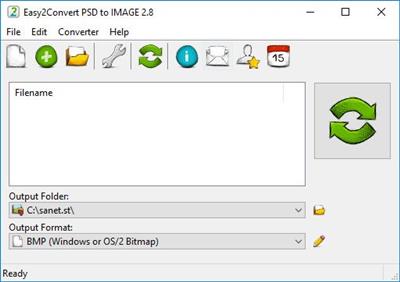
Easy2Convert PSD to IMAGE 2.8

51f3f8e2b62a0b89bc2e800371bc1c3d.jpeg

File size: 3.5 MB​
Easy2Convert PSD to IMAGE converts Adobe Photoshop files (.psd) to many image file formats easily and quickly. You may set an output image quality and do an image resize when you need to. Using Easy2Convert PSD to IMAGE, you can convert many psd-files at once!

Easy2Convert PSD to IMAGE is a professional batch image converter. It's a customizable and has many advanced settings.

Key Features:
Convert Adobe Photoshop files (.psd) to various image formats (.jpg, .bmp, .gif, .png, etc.)
Batch convert option (convert many psd-files at once)
Alpha channel transparency support as PNG 32bit image output (not available in a trial version)
HDR & 48/64/96/128 bit psd-files support
Command-line support
Image rotation, resize and image flip options
Color manipulation option (brightness, contrast, gamma, etc.)
Text/Graphic watermark option
Small, easy-to-use software

Whats New:
PSD Color Model (RGB, CMYK, LAB) option
WEBP Image Quality option
Improved PSD-conversion process
Minor improvements

Download link:​
Код:
[center][b]rapidgator_net[/b]:
https://rapidgator.net/file/bed2debcbb69a72095f4eb91b797f7c8/vhqjy.Easy2Convert.PSD.to.IMAGE.2.8.rar.html

[b]uploadgig_com[/b]:
https://uploadgig.com/file/download/c6b1ddfB78d6f85b/vhqjy.Easy2Convert.PSD.to.IMAGE.2.8.rar

[b]nitroflare_com[/b]:
https://nitroflare.com/view/0ED4A0FD978601B/vhqjy.Easy2Convert.PSD.to.IMAGE.2.8.rar[/center]

Links are Interchangeable - No Password - Single Extraction​
 
Easy2Convert PSD to JPG Pro 3.0

6dfc5872cff610e4b3834f50ed526d56.jpeg

File size: 3.0 MB​
Easy2Convert PSD to JPG PRO converts Adobe Photoshop files (.psd) to JPEG files (.jpg, .jpeg, .jpe, .jif) easily and quickly. You may also define an output image quality and perform a resize of the images. Using Easy2Convert PSD to JPG PRO, you can convert many psd-files at once! Easy2Convert PSD to JPG PRO is a batch image converting software. It's a highly customizable and has many advanced options.

Key Features:
Convert Adobe Photoshop files (.psd) to JPEG files (.jpg, .jpeg, .jpe, .jif)
Batch convert option (convert many psd-files at once)
Command-line run with parameters
Text or image watermarks option
Color adjustment (brightness/contrast etc.) options
Image resize/rotation/flip options
Output jpg-quality and bpp options
Fast, small and easy-to-use software

Whats New:
PSD Color Model (RGB, CMYK, LAB) option added
PSD-to-JPEG saving routine improved
Some internal additions, docs

Download link:​
Код:
[center][b]rapidgator_net[/b]:
https://rapidgator.net/file/02abaae83b41cf72e41c4abcd3a50e39/jbwea.Easy2Convert.PSD.to.JPG.Pro.3.0.rar.html

[b]uploadgig_com[/b]:
https://uploadgig.com/file/download/6f1F69D7f05D39c0/jbwea.Easy2Convert.PSD.to.JPG.Pro.3.0.rar

[b]nitroflare_com[/b]:
https://nitroflare.com/view/20D99A87F5FDAC8/jbwea.Easy2Convert.PSD.to.JPG.Pro.3.0.rar[/center]

Links are Interchangeable - No Password - Single Extraction​
 
Emurasoft EmEditor Professional 20.9 Multilingual

2c0cd2f107fe82b2a9188dd500a62a20.jpeg

File size: 41.1 MB​
EmEditor Professional - professional version of the powerful text editor for programmers, Web developers and ordinary users with the illumination of syntax and Unicode support. Editor features such as search and replace in files using regular expressions, auto-detection coding, highlighting the links and email addresses, block selection mode, configure the button bar, menu, font and color elements. For each language, you can create a separate configuration. The program also has the support of powerful macros written in javascript or VBScript, allowing you to capture virtually any action, used often or occasionally.

This editor is an ideal tool for editing HTML, PHP, JSP and XML files. When you specify a web browser as an external application, you will be able to view HTML files during editing. Supports syntax highlighting ASP, C, CSS, HTML, Java, javascript, JSP, Pascal (Delphi), Perl, Python, PHP, SQL, VBScript and other programming languages, function Drag and Drop, opening files size up to 248 GB the possibility of connecting additional external applications and plug-ins. In addition, the program allows to work with macros written in javascript or VBScript, and based on the Windows Scripting Host (WSH) engine, allows you to automate virtually any action. Adjustable backlight HTML and scripting languages makes it easy to detect spelling errors and typos.

Features:
- Support for file sizes up to 248 GB
- Edit binary files
- Optimized search and relocation
- Improved design plug-ins
- Ability to display panel functions
- Optimized speed when each row has a greater length
- Auto-panning by clicking the mouse wheel
- Supports Drag and drop
- Specify the temporary folder in the program settings
- Import INI files in the registry
- Unicode
- Syntax highlighting for ASP, C, CSS, HTML, javascript, JSP, Pascal, Perl, Python, PHP, SQL, VBScript and other
- User-friendly interface with customizable toolbar

EmEditor Professional Features List:
- Large File Support
- Unicode Support
- Macros
- Vertical Selection Editing
- Tabbed Windows, Drag and Drop
- Lightweight Design
- Regular Expressions
- Binary Editing
- Crash Recovery
- Grab Text

Download link:​
Код:
[center][b]rapidgator_net[/b]:
https://rapidgator.net/file/ec906e01bad66616ca3b4e3799e50a4e/hjzx8.Emurasoft.EmEditor.Professional.20.9.Multilingual.rar.html

[b]uploadgig_com[/b]:
https://uploadgig.com/file/download/47dE27b4bA3f4317/hjzx8.Emurasoft.EmEditor.Professional.20.9.Multilingual.rar

[b]nitroflare_com[/b]:
https://nitroflare.com/view/40184275ECDC2FF/hjzx8.Emurasoft.EmEditor.Professional.20.9.Multilingual.rar[/center]

Links are Interchangeable - No Password - Single Extraction​
 
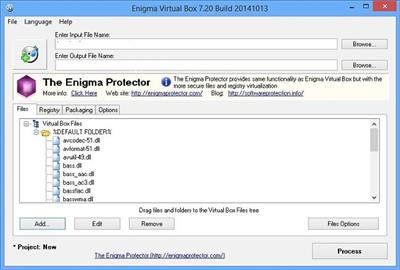
Enigma Virtual Box 9.70 Build 20210713 Multilingual

7968c0eff5f12fe3eb616708b62a793a.jpeg

File Size : 7 Mb​

Enigma Virtual Box is used to virtualize the file system and allows you to merge the files used by your application into one executable file without extracting files to the virtual disk. Enigma Virtual Box supports all file types: dynamic libraries (*. Dll), ActiveX / COM objects (*. Dll, *. Ocx), video and music files (*. Avi, *. Mp3), text files (*. Txt , * doc) and many others. Enigma Virtual Box does not remove temporary files on the disk emulation file occurs only in the internal memory of the process.

The main advantages are:
* Enigma Virtual Box virtual does not extract the files to disk and does not create any temporary files on your computer.
* Support for x86 (32 bit) and x64 (64-bit) executables that run on all versions of Windows NT.
* The system supports any type of file virtualization.
* The program allows you to compress the virtual files, thus reducing the overall size of your application several times.

Download link:​
Код:
[center][b]rapidgator_net[/b]:
https://rapidgator.net/file/7b73b2624c5dc53208d631739a4e0468/1vjb8.Enigma.Virtual.Box.9.70.Build.20210713.Multilingual.rar.html

[b]uploadgig_com[/b]:
https://uploadgig.com/file/download/aF83eeC7e22Ff6d1/1vjb8.Enigma.Virtual.Box.9.70.Build.20210713.Multilingual.rar

[b]nitroflare_com[/b]:
https://nitroflare.com/view/5A9ECE36547A4D9/1vjb8.Enigma.Virtual.Box.9.70.Build.20210713.Multilingual.rar[/center]

Links are Interchangeable - No Password - Single Extraction​
 
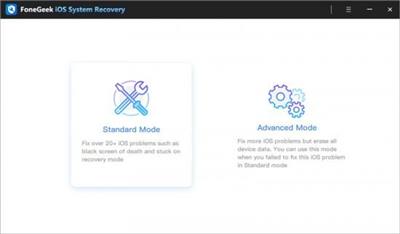
FoneGeek iOS System Recovery 2.0.0.1

9a5d8060bf4ca74f33c8b86ce33db592.jpeg

File size: 60 MB​
FoneGeek iOS System Recovery can fix any kinds of iOS system issues and get your iPhone/iPad back to normal, such as white Apple logo, DFU/recovery mode, looping on start, etc. In most cases, it's able to fix iOS without data loss.

Features :
Fix various iOS issues like iPhone black screen, white Apple logo, boot loop, etc.
Repair your iOS/iPasOS/tvOS system errors without any data loss.
Downgrade iOS version without iTunes or jailbreak.
Fully compatible with the latest iOS 15 and all iPhone 12 models.

Whats New:
Fixed some minor bugs

Download link:​
Код:
[center][b]rapidgator_net[/b]:
https://rapidgator.net/file/0537120934eab36b3c95a22dbf385542/3akrv.FoneGeek.iOS.System.Recovery.2.0.0.1.rar.html

[b]uploadgig_com[/b]:
https://uploadgig.com/file/download/b17fE8de3b16C76A/3akrv.FoneGeek.iOS.System.Recovery.2.0.0.1.rar

[b]nitroflare_com[/b]:
https://nitroflare.com/view/38BF1702660EEE3/3akrv.FoneGeek.iOS.System.Recovery.2.0.0.1.rar[/center]

Links are Interchangeable - No Password - Single Extraction​
 
FoneGeek iPhone Passcode Unlocker 2.2.1.1

45d5423e16f14b85444ba96340cef403.jpeg

File size: 64.6 MB​
Forgot Apple ID & password? FoneGeek iPhone Passcode Unlocker can bypass iCloud activation lock on iPhone and iPad without entering the password, so that you can regain full control over your iDevice.

Features :
Bypass Activation Lock without password fast and easily.
Remove various screen locks (4/6-digit passcode, Face ID, Touch ID) within 3 steps.
Turn off Find My iPhone without any Apple ID or password.
Works with iOS/iPadOS 15, iPhone 12, etc.

Whats New:
Fixed some minor bugs

Download link:​
Код:
[center][b]rapidgator_net[/b]:
https://rapidgator.net/file/5ed5197e0d4711d6ac3883d02a392b67/b02z0.FoneGeek.iPhone.Passcode.Unlocker.2.2.1.1.rar.html

[b]uploadgig_com[/b]:
https://uploadgig.com/file/download/03020121d3885b18/b02z0.FoneGeek.iPhone.Passcode.Unlocker.2.2.1.1.rar

[b]nitroflare_com[/b]:
https://nitroflare.com/view/E6C2FD0D4B0222A/b02z0.FoneGeek.iPhone.Passcode.Unlocker.2.2.1.1.rar[/center]

Links are Interchangeable - No Password - Single Extraction​
 
Freemake Video Converter 4.1.13.42 Multilingual

e47a103650009726df3549cf4e21575e.jpeg

File size: 85.5 MB​
Freemake Video Converter - convert video to AVI, MP4, WMV, MKV, 3GP, DVD, MP3, iPad, iPhone, PSP, Android phones. Video to MP3 with one click! Rip & burn DVD. Convert YouTube to MP4, AVI, etc. with Freemake! Guaranteed result.

200+ Input Formats:
Input any video files: AVI, MP4, MKV, WMV, MPG, 3GP, 3G2, SWF, FLV, TOD, AVCHD, MOV, DV, RM, QT, TS, MTS, etc. Import music (MP3, AAC, WMA, WAV), and photos (JPG, BMP, PNG,GIF) to turn them into video free and easily! All supported formats

Output to AVI, MP4, MKV, FLV, 3GP, MP3, HTML5:
Convert video free to the most popular video formats. Rip DVD movie (unprotected) to AVI, WMV, MP4, MPEG, MKV, FLV, SWF, 3GP. Convert video to Flash and embed it directly to your web page. Create HTML5 video (Ogg, WebM, H.264) for modern web browsers.

Convert Free to iPod, iPhone, iPad, PSP, Android:
Optimize videos for Apple, Sony, and Android devices. Convert videos free to iPod Classic, iPod Touch, iPod Nano, iPod 5G, iPhone, iPad, Sony PSP, PS2, PS3, BlackBerry, Samsung, Nokia, Xbox, Apple TV, Android mobile devices, smartphones, etc.

Fastest Video Converter with CUDA and DXVA:
Freemake is the only free video converter that features integrated both CUDA and DXVA technologies for the fastest ever video conversion and less CPU usage. The software automatically detects the optimal conversion parameters and switches on/off CUDA and DXVA for better conversion results.

Burn Blu-ray Video:
Convert your movies to video Blu-ray format and burn high-quality BDs for free. Create Blu-ray discs out of any input content: video, audio, photos, URLs. Burn multiple Blu-ray copies and save the resulted Blu-ray video to HDD as an ISO image or Blu-ray folder.

Burn DVD - up to 40 hours:
Unlike other software, our free video converter doesn't have a two-hour limit and can burn DVD video up to 20h to a Standard DVD or 40h to DVD-DL. With our free video converter, you can make multiple DVD copies and save the output DVD video to your PC as an ISO image or DVD folder.

Video Converter with Subtitles Support:
Convert DVD, MKV, MOV with embedded subtitles to any video format or device for free. Add SSA/SRT/ASS external subtitles to any video with our free video converter.

Advanced Preset Editor:
Take total control of the output result by customizing conversion parameters. Create your own presets by establishing video and audio codecs, frame size, etc. Choose an icon, and save you custom preset for further usage with our free video converter.

Upload Photos and MP3 to YouTube:
Upload videos, photo slideshows, MP3 to YouTube with our free video converter. Upload AVI, WMV, MP4, 3GP, JPG, BMP, GIF, MP3 to YouTube. The program will cut videos (if required) into 15-minute parts and insert them into one YouTube playlist.

Make Slideshows and Visualizations:
Turn photos and MP3 into slideshows with background music for free. Edit your slideshow: add, delete, and shuffle photos, enable panorama effect. Create music visualizations and upload photos to YouTube for free!

Cut, Join, Rotate, Limit size, Adjust to aspect ratio:
Cut video parts from your file. Flip or rotate video. Join several videos into one file, add transitions between parts. Fit the output file size to any limit (e.g. 700 Mb, 1.4 Gb, 4.7 Gb). Adjust output video to the established aspect ratio: add black bars, stretch, zoom, auto-adjust.

Download link:​
Код:
[center][b]rapidgator_net[/b]:
https://rapidgator.net/file/c28f7d01c63b3aac62861b924e583854/0rkk8.Freemake.Video.Converter.4.1.13.42.Multilingual.rar.html

[b]uploadgig_com[/b]:
https://uploadgig.com/file/download/a419fc2d38D3245f/0rkk8.Freemake.Video.Converter.4.1.13.42.Multilingual.rar

[b]nitroflare_com[/b]:
https://nitroflare.com/view/62A0E0C4DE5257F/0rkk8.Freemake.Video.Converter.4.1.13.42.Multilingual.rar[/center]

Links are Interchangeable - No Password - Single Extraction​
 
Geometric Glovius Pro 5.2.0.250

6e2b45651e081fac6fb4cddf424042bc.jpeg

File size: 282 MB​
Glovius is a modern 3D CAD viewer for CATIA, NX, STEP, IGES, Pro/ENGINEER and Creo, SolidWorks, Inventor and Solid Edge files. Take accurate measurements, cut dynamic sections, compare differences between models and export to 3D PDF, STL and Glovius Mobile.

Simple, easy to use modern interface
Honest pricing with subscription option View, query and review 3D designs
Free mobile apps for iOS & Android Powerful measure, section, compare tools
Full API SDK

View 3D models from all popular CAD and neutral formats including CATIA, NX, STEP, IGES, JT, Pro/ENGINEER and SolidWorks.
View product structure, hide/show, move & search components.
View, hide/show, search, sort and filter PMI.
View & search attributes, export BOM table.
Take accurate linear, angular and radial measurements.
Take sections with multiple section planes, cap and outline support.
Compare any two models. Visualize differences in 3D.
Export to 3D PDF, 3DS, OBJ, STL and Glovius Mobile format.

Download link:​
Код:
[center][b]rapidgator_net[/b]:
https://rapidgator.net/file/40042e4d4d6590a9c70fafcc0a932f0b/pk0wk.Geometric.Glovius.Pro.5.2.0.250.rar.html

[b]uploadgig_com[/b]:
https://uploadgig.com/file/download/a1343cbCe0244393/pk0wk.Geometric.Glovius.Pro.5.2.0.250.rar

[b]nitroflare_com[/b]:
https://nitroflare.com/view/B4EE01271BEF399/pk0wk.Geometric.Glovius.Pro.5.2.0.250.rar[/center]

Links are Interchangeable - No Password - Single Extraction​
 
GG Audio Blue3 2.4.0

4abc85887ec74a2ee5136cd87af9c8ae.jpeg

File size: 182 MB​
Blue3 is detailed simulation of a vintage tonewheel organ -actually, more than 30 actual tonewheel organs! Every component inside a classic B3, C3 and A100 as well as the associated classic rotary speaker, has been meticulously recreated in software, making sure to retain all the classic sound, warmth and imperfections.

Features:
91 modeled tonewheels with accurate phase synchronization
Full polyphony for upper, lower and pedal manuals
Adjustable tonewheel leakage, crosstalk and flutter
Adjustable 9 contact key and busbar simulation
Selectable keyboard split
Adjustable 3 band output EQ
Extensive MIDI controller mapping
Cherry, Walnut, Mahogany and Walnut cabinet finishes
Includes Spin, a separate plugin that contains Blue3's Tube Overdrive and Rotary Cabinet simulations
30 tonewheel sets from vintage A100, B3, C3 & L100 instruments
Continuously adjustable 6 way tonewheel scaling
Adjustable drawbar output levels
Hyper-accurate vibrato/chorus scanner
Completely adjustable percussion & vibrato scanner controls
Accurate manual taper & volume robbing
2 Stereo outputs, Main and Direct (pre-overdrive and cabinet)
Tuning from A=432 to A=445
Low memory/disk usage
Low CPU usage
Classic 122, 147 and "high power" custom rotary speaker simulations
3 classic 40 watt rotary speaker tube overdrive simulations and high gain British guitar amp overdrive
Completely adjustable rotary speeds, acceleration & deceleration
Accurate microphone spread, distance & balance controls
Rotary horn diffusers on/off
Front stop & Memphis control for rotary speaker
Guitar amp/cabinet simulation

New in V2
New 147 cabinet simulation
New RA200 cabinet simulation
Reverb with room size, pre or post cabinet
2 new tube overdrive simulations
User adjustable Inverted key presets
Improved Crosstalk simulation
Less blue, more wood
All new hyper-realistic UI
4 Microphone choices
3 completely adjustable custom tonewheel sets
New Perform and Cabinet views
Full support for Native Instruments NKS presets and controllers
Improved rotary definition

System Requirements:
- Windows 7 & later
- 32 & 64 bit
- VST 2.4 or higher
- VST3
- AAX for Pro Tools 11 & 12

Whats New:
* Added native support for Apple Silicon processors
* Minor touchup to rotary speakers
* Added a fix where a Windows update could unregister Blue3
* Fixed an issue where pedal mode was not saved
* Removed 32-bit AAX plugin for Windows

Download link:​
Код:
[center][b]rapidgator_net[/b]:
https://rapidgator.net/file/11a90215bca2671487deea4dcdee054d/nufzg.GG.Audio.Blue3.2.4.0.rar.html

[b]uploadgig_com[/b]:
https://uploadgig.com/file/download/1E8907C698933f5f/nufzg.GG.Audio.Blue3.2.4.0.rar

[b]nitroflare_com[/b]:
https://nitroflare.com/view/62F676F80E55939/nufzg.GG.Audio.Blue3.2.4.0.rar[/center]

Links are Interchangeable - No Password - Single Extraction​
 
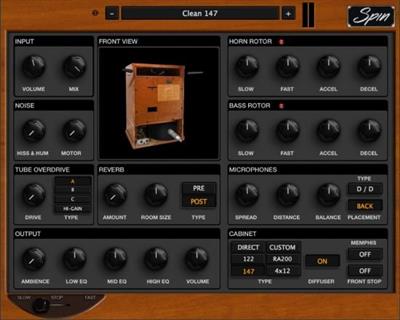
GG Audio Spin 1.3.0

f64f4396112764d1431a5c859724d493.jpeg

File size: 86 MB​
Spin is a detailed simulation of the classic rotary speakers that we all know and love. Every component inside a classic 122, 147 and a few more exotic cabinets has been meticulously recreated in software, making sure to retain all the classic sound, warmth and imperfections.

Features:
2 Classic rotary cabinets: 122 & 147
A custom "high-power" rotary speaker
The infamous RA200 cabinet with 3 rotating treble speakers
A classic 4x12 non-rotary speaker cabinet simulation
Adjustable 3 band output EQ
Extensive MIDI controller mapping
Cherry, Walnut, Mahogany and Walnut cabinet finishes
Low memory/disk usage
Classic 122, 147 and "high power" custom rotary speaker simulations
3 classic 40 watt rotary speaker tube overdrive simulations and high gain British guitar amp overdrive
Completely adjustable rotary speeds, acceleration & deceleration
Accurate microphone spread, distance & balance controls
Rotary horn diffusers on/off
Front stop & Memphis control for rotary speaker
Low CPU usage

System Requirements:
- Windows 7 & later
- 32 & 64 bit
- VST 2.4 or higher
- VST3
- AAX for Pro Tools 11 & 12

Whats New:
* Added native support for Apple Silicon processors
* Minor touchup to rotary speakers
* Added a fix where a Windows update could unregister Blue3
* Removed 32-bit AAX plugin for Windows

Download link:​
Код:
[center][b]rapidgator_net[/b]:
https://rapidgator.net/file/d37ef1590a272afb7a84d268371ce414/fnhtx.GG.Audio.Spin.1.3.0.rar.html

[b]uploadgig_com[/b]:
https://uploadgig.com/file/download/8c87adE1f5f93112/fnhtx.GG.Audio.Spin.1.3.0.rar

[b]nitroflare_com[/b]:
https://nitroflare.com/view/E4F8066BD4AB270/fnhtx.GG.Audio.Spin.1.3.0.rar[/center]

Links are Interchangeable - No Password - Single Extraction​
 
gImageReader v3.3.1

4a870a437f253df258076150f0e3a254.jpeg

File size: 32.08 MiB | 64-bit |Languages: English, Deutsch

OCR (optical character recognition) software.​

gImageReader is an application for recognising text in images/pictures or PDF documents and extracting it to your selected output format for editing. It's easy to import your image/picture or PDF document into the gImageReader program. Extracting selected text from it can be done in a couple of clicks.

Users will find the tool highly valuable, as it allows a full and intuitive access to a powerful OCR application.

The program allows several operations on the source documents. These include rotating views by 90 degrees, zooming in or out, as well as modifying basic image controls. Adjusting the brightness and contrast is a great addition, as is the resolution modifier, which can be employed to improve the visibility of some files.

Processing documents is performed with a simple click on the "Recognize all English" topside button. The output text is dumped in a small panel beside the source document and users are free to perform adjustments, as well as to double check the process.

Features:
* Automatic page layout detection
* User can manually define and adjust recognition regions
* Import images/pictures from disk, scanning devices, clipboard and screenshots
* Supports multipage PDF documents
* Recognized text displayed directly next to the image
* Basic editing of output text, including search/replace and removing line breaks
* Spellchecking for output text (if corresponding dictionary installed)
Release Notes

Changes inv3.3.1: some improvements.

Download link:​
Код:
[center][b]rapidgator_net[/b]:
https://rapidgator.net/file/ce28f20b6952a974cc1c9c61a1450906/3rnys.gImageReader.v3.3.1.rar.html

[b]uploadgig_com[/b]:
https://uploadgig.com/file/download/05E3b3954D80efdD/3rnys.gImageReader.v3.3.1.rar

[b]nitroflare_com[/b]:
https://nitroflare.com/view/BE04A61DF05D389/3rnys.gImageReader.v3.3.1.rar[/center]

Links are Interchangeable - No Password - Single Extraction​
 
GOM Cam 2.0.25.1 Multilingual

6fd228400172054a095858272953465d.jpeg

Windows x64 | Languages: Multilingual | File Size: 70.56 MB​
GOM Cam - Record online courses. Smart Video Recorder. Try a video recording program, GOM Cam for free which enables to record everything on your computer screen such as YouTube recording, gameplay recording, and online class recording.

All in One Video Editor & Screen Recorder
It is a capture program that supports video editing features such as trimming a video and inserting music, which make it much easier creating online class videos.

Everything about Recording, from Gameplay to Online Classes
Try a video recording program, GOM Cam for free which enables to record everything on your computer screen such as YouTube recording, gameplay recording, and online class recording.

Easy File Management with Thumbnail View and Tag Search
Files such as recorded videos and captured images are saved as thumbnails and easily searched with tags.

GOM Cam, Favorite Tool of Teachers, Students, and YouTubers
Easy to create online lectures and other video content with a drawing option on the screen during video recording.

Video Recorder Even Supporting Audio Extraction
The audio in a recorded video can be extracted and saved as a MP3 file with the feature of audio extraction after video recording.
Release Notes
- [Record Video] hot key has been reset due to the hot key error fix.

- Circular Webcam Screen have been added.​
- License expiration notification pop-up has been added.
- Minor improvements and bugs fixed
- Fixed uninstall error

System Requirements:
- [64bit] Microsoft Windows 10 / 8.1 / 8 / 7
- DirectX 9.0c or higher (Recommended to install the latest version of DirectX 10 or later)
- Memory 512MB RAM or more
- HDD 1GB or more
- CPU Intel Pentium 4 CPU, AMD Athlon 64 CPU CPU or equivalent
- Resolution 1280 x 800 or higher

Supported Languages:
한국어, English, 日本語, 中文(简体), 中文(繁體), čeština, Deutsch, Русский, Türkçe, Español, Português, Tiếng Việt
Homepage
У Вас недостаточно прав для просмотра ссылок. Войдите или зарегистрируйтесь.


Download link:​
Код:
[center][b]rapidgator_net[/b]:
https://rapidgator.net/file/5361e2b4a59aca53e7b2b32d59135752/suxxo.GOM.Cam.2.0.25.1.Multilingual.rar.html

[b]uploadgig_com[/b]:
https://uploadgig.com/file/download/aa1992eAbb4ad4b9/suxxo.GOM.Cam.2.0.25.1.Multilingual.rar

[b]nitroflare_com[/b]:
https://nitroflare.com/view/3A5ADEB1E1D7F04/suxxo.GOM.Cam.2.0.25.1.Multilingual.rar[/center]

Links are Interchangeable - No Password - Single Extraction​
 
Hidden Windows 10 Features 1.3.0 beta (x64)

a9d53902d79fc9425c56cf872e94ed5b.jpeg

File Size : 3 Mb​

Windows 10 also like previous Windows versions have many useful features that are hidden. These features can be enabled by editing Windows registry. Manual editing of Windows registry is long and not so easy process. With Hidden Windows 10 Features are hidden features available with one click. This one brings new feature that allows export settings and import it to another computer. It can be also used as backup when settings are changed.

Hidden Windows 10 Features allows to add items such as Recycle bin, Control panel, Administrative Tools, Printers to This PC. Context menu can be extend by items Copy to, Move to, Open with Notepad for all files. This one also contain features to improve security of Windows by Disabling autorun, Disabling Windows Script Host, Enabling secure sign in with CTRL+ALT+DELETE. Hidden Windows 10 Features can return back some features from Windows 7 such as Restore previous volume control, Calculator and also can hide/remove functions from current Windows 10 like Hide Action Center, Remove OneDrive from File Explorer, Disable Cortana. Next features are Disable aero shake, Add GodMode folder to the desktop, Stop Windows from adding "- Shortcut" to shortcut file names. All these and more functions are available with Hidden Windows 10 Features.

Download link:​
Код:
[center][b]rapidgator_net[/b]:
https://rapidgator.net/file/09fa71d59644ef1e9874fb2684e3c71a/zcigh.Hidden.Windows.10.Features.1.3.0.beta.x64.rar.html

[b]uploadgig_com[/b]:
https://uploadgig.com/file/download/d11eadc4ED219488/zcigh.Hidden.Windows.10.Features.1.3.0.beta.x64.rar

[b]nitroflare_com[/b]:
https://nitroflare.com/view/D45DC606DFEA965/zcigh.Hidden.Windows.10.Features.1.3.0.beta.x64.rar[/center]

Links are Interchangeable - No Password - Single Extraction​
 
HitPaw Toolkit 1.3.0.24 Multilingual

11fa73963a641145de31efccdaccc1cb.jpeg

Windows (x64) | File size: 101 MB​
HitPaw Toolkit gives you ultimate ways to create stunning video. You can use it to cut, crop & rotate, adjust, speed videos, add music to videos, stop motion, convert video to GIF and many more.

Get your video begin with HitPaw Toolkit. All the video tools you need, in one place.

1. Cut Video: it has never been so easy to cut a video. Just Drag in, cut and then, finish.
2. Add Music: add music to video, only 3 steps
3. Video to GIF: super easy and fast to convert video to GIF,
4. Change Speed: speed up or slow down video in 1 click
5. Adjust Video: make outstanding videos with special adjust features
6. Crop & Rotate: crop or rotate video easily as you want
7. Stop Motion: stop motion is not exclusive for a professional video creator with HitPaw

Whats New:
Updates: official site does not provide any info about changes in this version.

Download link:​
Код:
[center][b]rapidgator_net[/b]:
https://rapidgator.net/file/fb1f6af2b2e9ad3c7577d49d11cf3917/wdlwz.HitPaw.Toolkit.1.3.0.24.Multilingual.rar.html

[b]uploadgig_com[/b]:
https://uploadgig.com/file/download/1f96C2f7321Eb023/wdlwz.HitPaw.Toolkit.1.3.0.24.Multilingual.rar

[b]nitroflare_com[/b]:
https://nitroflare.com/view/47953F4705D0F58/wdlwz.HitPaw.Toolkit.1.3.0.24.Multilingual.rar[/center]

Links are Interchangeable - No Password - Single Extraction​
 
HitPaw Watermark Remover 1.2.1.1 (x64) Multilingual

4ee70e0f8224575913d2d14ee9ea486a.jpeg

Languages: Multilingual | File size: 81 MB​
When you need to quickly erase a watermark from one of your images, it is best to resort to specialized software solutions to ensure you obtain high-quality results. HitPaw Watermark Remover is one such utility.

All in all, HitPaw Watermark Remover can come in handy when you need to erase a watermark from your images or clips, and you do not have the expert skills to do it manually.

Whats New:
Updates: official site does not provide any info about changes in this version.

Download link:​
Код:
[center][b]rapidgator_net[/b]:
https://rapidgator.net/file/effa5743f3bc0f390070d0bf4d27e45e/532lc.HitPaw.Watermark.Remover.1.2.1.1.x64.Multilingual.rar.html

[b]uploadgig_com[/b]:
https://uploadgig.com/file/download/ffd95ab90A01F3aD/532lc.HitPaw.Watermark.Remover.1.2.1.1.x64.Multilingual.rar

[b]nitroflare_com[/b]:
https://nitroflare.com/view/9ECF2CBF8FEF011/532lc.HitPaw.Watermark.Remover.1.2.1.1.x64.Multilingual.rar[/center]

Links are Interchangeable - No Password - Single Extraction​
 
Home Designer 2022 v23.1.0.38

4eff434e5e7837a316fdca8fd6d34633.jpeg

Windows x64 | Editions: Professional, Architectural, Suite | File Size: 292.31 MB | 281.68 MB | 278.34 MB​
Home Designer Professional / Architectural / Suite is our most popular and best‑selling home design app. Discover why millions of do‑it‑yourselfers use Home Designer as the product of choice to create their dream homes.

Home Designer Pro is professional home design software for the serious DIY home enthusiast. Enjoy the same type of tools that the professionals use for home design, remodeling, interior design, outdoor living, and cost estimation. Home Designer Pro offers advanced design and smart building tools to produce detailed construction drawings.

Home Designer Architectural is powerful home design software for DIY home enthusiasts. Our Home Designer Architectural offers smart building tools to create 3D models, scaled plans and elevations for your home projects.

Home Designer Suite is our top‑selling home design app for DIY home enthusiasts. Created by Chief Architect, so you can enjoy the same type of tools that the professionals use for home design, interior design, and outdoor living. Home Designer Suite offers intuitive design and smart building tools for your home projects.

Why Choose Home Designer Professional?

In addition to all the great features found in Home Designer Architectural, Home Designer Professional includes several manual building tools and layout tools to create detailed construction drawings. Consider these added features:

Manual Framing Tools
Home Designer Pro automatically generates fully editable framing including joists, rafters, trusses, beams, posts, and more. Choose from multiple framing types such as lumber, steel, or engineered materials.

Manual Roof Tools
You can start with an automatic roof, then customize it to suit your needs or start from scratch and draw your own manual roof planes.

Manual Ceiling Planes
Ceilings are automatic in Home Designer. You can also draw your own custom ceiling planes for specialized designs.

Layout Sheets
Create scaled blueprint‑style layouts with 3D, CAD, cross‑section/elevation, and plan views.

Advanced Stair Tools
Home Designer Pro unlocks full control of your straight or curved staircase's shape, starter tread, tread width, and more.

Customize Wall Construction Methods
Customize the construction of walls, floor structures, platform heights, mudsills, framing, and more.

Advanced Cabinet Tools
Create horizontal and vertical layouts for doors, drawers, and appliances on any cabinet. Create entertainment centers and vanity cabinets with doors on one side and drawers on the other. Place objects and lighting inside of your cabinets and define multiple styles for doors, drawers, and hardware.

Cross-Section and Back-Clipped Cross Section Views
Create relevant details of the interior or exterior of your design for precise plan editing.

Advanced CAD Tools
Detail cross‑section views with insulation, cross‑boxes, blocking boxes, and more.

Advanced Dimensioning Tools
Includes angular and point‑to‑point dimensioning tools. Adjust your settings to quickly dimension to specific objects and locations.

Save Snapshot Materials Lists
Save snapshots of your materials list at different stages of the project to evaluate and compare cost differences. Add detail to each individual component and then store it to your master list for use in future projects.

Convert Polyline Tool
Create 3D objects (such as countertops, slabs, terrain features, and more) from 2D CAD shapes.

Custom Watermarks
Create watermarks and display them on your work. Control location, size, angle, and transparency. Add images to your watermark, such as your company logo for better branding.

North Pointer for Sun Angles
Create sun angles with accurate longitude, latitude, date, and time; use the North pointer as a bearing for the sun angle. Use multiple sun angles for different saved cameras.

Why Choose Home Designer Architectural?

In addition to all the great features found in Home Designer Suite, consider the following added features when you purchase Home Designer Architectural.

Cross-Sections & Elevations
Create detailed cross‑sections and elevations that include notes and dimensions.

Advanced 3D Rendering Techniques
In addition to Standard, Physically Based, and Glass House rendering techniques, Home Designer Architectural can create artistic views of your designs with Watercolor, Technical Illustration, and Vector techniques.

Record 3D Walkthroughs
Record your walkthroughs in stylized views with various rendering techniques.

Custom Wall Types
Create, copy, or delete wall types and define all the layers that make up their construction. All of your custom‑defined wall components are included in the materials list.

Custom Countertops
Create custom countertops with unique sizes, shapes and waterfall styles.

Custom Backsplash
Click the Custom Backsplash tool to generate a backsplash that automatically fits around cabinets, openings, and appliances.

Deck Designer™
Control the orientation and size of deck planking, including gap, width, overhang, direction, and border planks.

Custom Lighting
Define the shadows and intensity of your lighting. Locate lights by their name or room location in the Adjust Lights dialog.

Auto Place Corner Boards and Quoins
Automatically add or remove trim details to wall corners.

Patterns and Fill Styles
Patterns and fills are integrated into the Library. Apply these fills with the Fill Style Painter.

Import/Export DWG and Collada Files
Home Designer Architectural can import or export AutoCAD DWG and Collada DAE files.

Additional Library Items
An additional 2,300 library items are available to Home Designer Architectural over Home Designer Suite.

Stair and Ramp Tools
The stair and ramp tools support accessible design features that conform to ADA standards.

Design up to Five Levels
Use Home Designer Architectural to create up to five floors, including a basement and an attic level.

Multiple Wall Framing Layers
Create wall types with multiple framing layers and automatically generate framing for both layers; ideal for furred basement walls.

Plant Schedules
Generate a list of all the plants used in your design. Use different schedule callout shapes as reference labels for different plants in the design.

Why Choose Home Designer Suite?

Home Designer Suite is our best‑selling home design software for DIY home enthusiasts. Watch the overview video and see why Home Designer Suite is a top‑selling and top‑rated app on Amazon.

Automated Building Tools
One of the most powerful features in all Home Designer products is accurate automatic building tools consistent with the home building industry. Most home design apps are published by vendors that are not in the housing industry. Home Designer is produced by the creators of Chief Architect; the same software professionals use. Home Designer's Automated Building Tools include:
* Automatic Roofs
Roofs are simple, accurate, and update as you make changes to your design. A variety of roof styles are available with simple step‑by‑step instructions. Roofs frame accurately for every style.
* Automatic Ceilings
Ceilings generate automatically for each room. Home Designer Suite offers several options for creating cathedral, shed, or vaulted ceilings. Ceiling heights can be adjusted easily room‑by‑room.
* Automatic Foundations
Foundations automatically generate with footings and update as the main floor plan changes.
* Automatic Floors
Floors and floor platforms generate automatically and include structural components and floor finishes. Floors can easily be raised or lowered.
* Automatic Framing
Home Designer Suite generates accurate framing automatically as you draw.

Cabinets are Smart Objects
Cabinets automatically conform to common kitchen and bath standards - e.g. when a cabinet is resized from 24" to 36", the door will become a double door. When you place cabinets in a corner, they automatically become corner cabinets. Cabinets are fully customizable with 24 door/drawer styles and can be edited in both 2D and 3D views. There is a wide variety of built‑in islands and pre‑designed kitchens that can be placed directly into your drawing from the Library.

Stairs are Smart Objects
Automatically connect floor‑to‑floor. Stairs have an auto stairwell tool that produces an opening with railing. Add L‑shaped, U‑shaped, and curved stairs with a single click. Customization of stairs allows you to create a variety of styles and options.

Doors & Windows are Smart Objects
When you place a door or window in a wall the program automatically frames that opening accurately - including the header. There are a wide variety of options and shapes that can easily be customized.

Deck Railings Automatically Generate
Auto‑generate the deck framing and roof over a deck. Flexible style options for planks, rails, and panels. Generate a complete materials list.

3D Models and 3D Renderings
3D navigation, rendering, and editing is a clear advantage with Home Designer. You can show reflections, ambient occlusion, and bloom; all of which greatly improve the overall rendering quality. 3D navigation is natural and easy. You can edit in both 3D and 2D simultaneously using a split screen view. See examples in the Home Designer sample gallery.

360° renders can be exported to the Chief Architect Cloud (free) and then viewed or shared with virtual reality goggles such as Google Cardboard.

Export 3D Viewer models to the Chief Architect Cloud (free) and then view on the web, or on your mobile device with virtual reality goggles such as Google Cardboard.

System Requirements:
* Windows 10 64-bit
* 8 GB of RAM
* Video Card2
* 2 GB of RAM
* DirectX 123
* 5 GB of available hard disk space
* Internet access4

Download link:​
Код:
[center][b]rapidgator_net[/b]:
https://rapidgator.net/file/ee014b000e9131ee010ec8caa209459b/qiovy.DesignerArchitectural23.1.0.38Win64.rar.html
https://rapidgator.net/file/10a0ae78b8f3d76bb96aa304c5a95e08/qiovy.DesignerPro23.1.0.38Win64.rar.html
https://rapidgator.net/file/301125776350acdb6b6ca37dea0554b2/qiovy.DesignerSuite23.1.0.38Win64.rar.html

[b]uploadgig_com[/b]:
https://uploadgig.com/file/download/a075b926cec8539d/qiovy.DesignerArchitectural23.1.0.38Win64.rar
https://uploadgig.com/file/download/1608Eb1b327ce14d/qiovy.DesignerPro23.1.0.38Win64.rar
https://uploadgig.com/file/download/56Dfb44598a62b37/qiovy.DesignerSuite23.1.0.38Win64.rar

[b]nitroflare_com[/b]:
https://nitroflare.com/view/70CF4A74726947D/qiovy.DesignerArchitectural23.1.0.38Win64.rar
https://nitroflare.com/view/93A70E950891119/qiovy.DesignerPro23.1.0.38Win64.rar
https://nitroflare.com/view/2E4AF1C6146FA4E/qiovy.DesignerSuite23.1.0.38Win64.rar[/center]

Links are Interchangeable - No Password - Single Extraction​
 
IDimager Photo Supreme 6.3.0.3793 Multilingual

2f2376317272415cb08916d5cfb655b8.jpeg

File size: 114 MB​
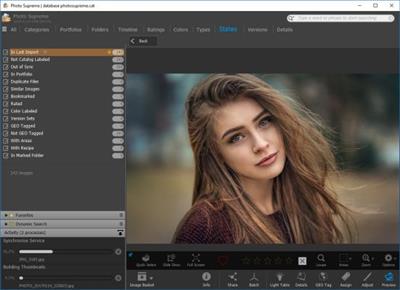
Photo Supreme is cross platform, Digital Asset Management software. Photo Supreme makes it possible to manage your image files by categorizing them. It categorizes files based on the available details about the file, this includes technical photo details, but also the location of the file on disk, or embedded metadata. In addition, you can add tags to the images, enrich the files with descriptions, add GEO information, detect face areas, or add custom information. Once you have setup your archive then you'll benefit from the many advantages. With Photo Supreme at hand you'll be able to quickly find images using all kinds of criteria and combinations.

Consider Photo Supreme to be the hub of your image workflow. From within Photo Supreme you'll ingest new files, manage your files, find files, retouch images with embedded or third party tools, or send them to your favorite photo sharing site.

Take your images with you
With Photo Supreme you have previews of your images stored inside the catalog. So even if your images are physically located on your network or external drive, they travel with you. While traveling, Photo Supreme remains fully functional. You can enjoy your images even while enjoying a Cuba Libre on the beach. Back home you then push the changes back to your image files.

Share with friends and family
Photo Supreme easily interfaces with popular photo sharing or social networking sites like Flickr, Zenfolio, and SmugMug. Display your images the way you want with options for size, quality, file names, keywords, descriptions, a personal logo, and more.
For Flickr users there's also a full synchronization feature which makes it a breeze to keep your Flickr pages up to date. Photo Supreme maintains the Flickr collection hierarchies, photo sets, descriptions, tags. And the best part is that the changes can be pushed to Flickr with a single click.

Unparalleled speed
Digital Asset Management software uses a catalog database and should be optimized to work with thousands of images in the database. We took this seriously and were able to get the speed up, there where it belongs. Searches will return results in just milliseconds. Photo Supreme uses state-of-the-art technology and utilizes all the processor cores that you have installed.

Download link:​
Код:
[center][b]rapidgator_net[/b]:
https://rapidgator.net/file/c7469055bfb2ee8235fdf41ef00e821f/f0qvi.IDimager.Photo.Supreme.6.3.0.3793.Multilingual.rar.html

[b]uploadgig_com[/b]:
https://uploadgig.com/file/download/Ee19b0F224190Cfa/f0qvi.IDimager.Photo.Supreme.6.3.0.3793.Multilingual.rar

[b]nitroflare_com[/b]:
https://nitroflare.com/view/72C51366AF2EB70/f0qvi.IDimager.Photo.Supreme.6.3.0.3793.Multilingual.rar[/center]

Links are Interchangeable - No Password - Single Extraction​
 
IDimager Photo Supreme 6.3.0.3795 Multilingual

22b935e1491f349d748888fbcf915e0e.jpeg

Windows (x64) | Languages: Multilingual | File size: 121 MB​
Do you own a digital camera? Then in no time you will have thousands of images on your computer, and finding that one image you are looking for will become a chore. But Photo Supreme can change all that. Whether you have 1,000 or 500,000 images in your archive, Photo Supreme's integrated photo cataloging and photo management features will help you quickly find and work with your desired image.

Extremely powerful yet easy-to-use
From the ground up, Photo Supreme was developed with easy-of-use as the primary focus. We were able to pack most of the features requested by our user base into a user interface that is clean and efficient, yet extremely powerful.

Photo Supreme comes with every essential image management feature you'll need to bring structure in your image archive. Assigning catalog labels, importing images to your computer, search features, etc. And once you have your images cataloged then you'll be able to find that one image you need within seconds to then view, duplicate, email, share on your favorite photo site, upload it to your FTP server, or edit it in your favorite photo editor.

Integrates with your favorite tools
Photo Supreme makes integration with your favorite photo editing tools seaminglessly. At installation it will automatically find and add the most common used image editing tools to the user interface.

Simply select an image and click on the application icon to start editing your image.

Unparalleled Speed
Digital Asset Management software uses a catalog database and should be optimized to work with thousands of images in the database. We took this seriously and were able to get the speed up, there where it belongs. Searches will return results in just milliseconds.

Always take your images with you
With Photo Supreme you can store previews of your images inside the database. Then, even if your images are physically located on your network, they travel with you. The previews can be stored in the size that you prefer, from small to large ones, up to 1680 pixels

Open architecture
Right from the start, Photo Supreme was designed with an open cataloging architecture in mind. Because existing industry standards are used to store its data, you can extract your information at any time, even without our software. Should you ever decide to switch applications (although once you've tried Photo Supreme, you'll never go back!), you won't have to repeat the time consuming operation of re-cataloging your data. After all, it is YOUR data, not the application's data!

Share with friends and family
Photo Supreme easily interfaces to public photo sharing sites like Facebook, Flickr, PicasaWeb, Zenfolio, or SmugMug. Resize or rename your images as you upload them to your on-line account without having to prepare them first. Also, add or remove your metadata, convert color space, or add your personal signature to your uploaded images.

Get started right away
If you already use some sort of image collection tool then Photo Supreme can help you get your existing data into Photo Supreme, saving you lots of time. There are import feature available for iPhoto™, Aperture™, Lightroom™ 3 and 4, iMatch™, and FotoTime™. At the same time, PSU is able to read and import meta-data that was written with XMP supporting tools, including Adobe products, Nikon software, iView™, MediaPro™.

Vocabularies
In addition there are import features to support market standard vocabularies, including David Rieck's ControlledVocabulary™, UltraTAG™, Lightroom™-Keyword Files, or any other tool that supports exporting to Formatted Vocabulary Files.

Main Features & Highlights:
Advanced search capabilities
Multi Tab Browsing
Import/Ingest images
Side-by-Side comparison (up to 6 images)
Keyword tagging
Advanced GEO Tagging
Image organization in portfolios
Duplicate Detection
Share images with Flickr, Smugmug, Zenfolio, Picasaweb, FTP, EMail
Dual Monitor Support
Creative Commons support
Face Detection
Area Tagging
Extensible metadata with Custom Fields
Take your previews with you while travelling
Color Managed
Lossless Image Editing
Fully Scriptable
Available for Windows and MacOSX platform
Multi-User network/server version available for PostgreSQL and SQLServer (Server Edition)
English, German, French, Italian, Dutch, Portuguese, and Russian locale

Download link:​
Код:
[center][b]rapidgator_net[/b]:
https://rapidgator.net/file/fd4144686ad443a3e9e4740146244d8a/jyuwa.IDimager.Photo.Supreme.6.3.0.3795.Multilingual.rar.html

[b]uploadgig_com[/b]:
https://uploadgig.com/file/download/c3CDbda946508607/jyuwa.IDimager.Photo.Supreme.6.3.0.3795.Multilingual.rar

[b]nitroflare_com[/b]:
https://nitroflare.com/view/1CAF9C55A89F878/jyuwa.IDimager.Photo.Supreme.6.3.0.3795.Multilingual.rar[/center]

Links are Interchangeable - No Password - Single Extraction​
 
Назад
Сверху