• Форум работает в архивном режиме www.old.nado.in

All mitsumi'1s Applications !! (updated daily)

  • Автор темы Автор темы mitsumi1
  • Дата начала Дата начала
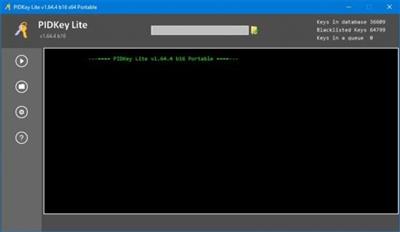
PIDKey Lite 1.64.4 b16 Multilingual
cb2dc5b7d756e461aa494484c6bf6b80.jpeg

File size: 13.28 MB​
PIDKey Lite The program is intended to show the renovation and conservation in the database of key information products to M $.It allows you to replace PIDKey by Ratiborus and VAMT. Program PIDKey LiteIt is the successor of PIDKey. and I took out of it the best program ideas (Allowing you to add new keys to the two modes of adding key modes).

Program Usage:
Run PIDKey.exe, select the desired configuration, insert the key into the input field then click GO!. Identifying the key configuration will be checked against all configurations starting at the beginning of the list until correct data is retrieved.
The program has several built-in configurations, but also you can create your custom configuration. If you put your config file in the program folder, the file will be saved in a relative path and the program can work with it from any location folder with the program.
When you select a custom configuration a button becomes available to remove it.
You can check the key from a file. You can use any file in text format containing a key mixed with any number of other keys so they will be correctly extracted.

It is the successor of PIDKey. and I took out of it the best program ideas (Allowing you to add new keys to the two modes of adding key modes),
Will be described below, and check them in the database to find the necessary keys
(). update information on them or move them to the locked

1. PIDKey Lite x64.exe checks and keys for x86 and x64 Windows XP, PIDKey Lite.exe for x86 only.
2. Memory setting verifiable key types. Displayed reminder.
3. When you first start a program RESET.
4. Folder pkconfig changed.

System requirements
OS: Windows 7/8 / 8.1 / 10
NET Framework: 4.0
A prerequisite for the program is the availability of Internet
The program requires no installation and is completely based in portability
Keys already GVLK, undefined keys and keys locked out

What's new
* Added config from 11 Windows, 3355 editions

Download link:​
Код:
[center][b]rapidgator_net[/b]:
https://rapidgator.net/file/106d63c7949a6c8ae9acb5ce5eebfd19/9z5sy.PIDKey.Lite.1.64.4.b16.Multilingual.rar.html

[b]uploadgig_com[/b]:
https://uploadgig.com/file/download/2d670Ea92c245FF0/9z5sy.PIDKey.Lite.1.64.4.b16.Multilingual.rar

[b]nitroflare_com[/b]:
https://nitroflare.com/view/C81F0FEF033B29E/9z5sy.PIDKey.Lite.1.64.4.b16.Multilingual.rar[/center]

Links are Interchangeable - No Password - Single Extraction​
 
PdfMachine merge Ultimate 2.0.7853.23393

1255ac49e44d67dc950d2a95b1cc0ff2.jpeg

File size: 14.2 MB​
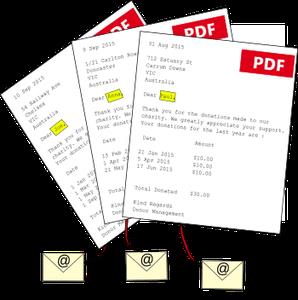
pdfMachine merge is a fairly simple piece of software that aims to help you with sending large numbers of emails with personalized PDF attachments using Word, PowerPoint, Excel and even HTML files as the base merging templates.

Its basic principle is quite easy to understand, as it helps you personalize each email with its own distinct information. This makes it ideal for users who need to send batch emails to their subscribers and, for example, need to input their names in each one.
Requires you to install pdfMachine before it can work
First things first, before you can actually take advantage of what this utility can bring to the table, you need to make sure that pdfMachine is installed on your computer. Only after this, the app displays its well-designed main window.
You can customize the merging profile, send emails, search for information within the app and view a detailed list of actions by exploring the log. While at first it might seem a bit complicated, pdfMachine merge's interface does a good job at keeping things to a minimum level of difficulty.

User-friendly application with a somewhat lean learning curve
The process of creating and managing merge profiles is quite straightforward. Think of it this way: you have your base Word or Excel document, you load it into pdfMachine merge and it automatically generates personalized PDF attachments. Based on your further settings and input, they can be sent via email right away, for any number of recipients.

More precisely, after you load the base file, you need to select the emailing method and then customize the email sending settings. Besides this, you are required to also choose a location for each PDF attachment dynamically generated from merging the template file and the data source file.

When it comes to the actual email sending part, things are even simpler, as you once again have to choose the merge profile, select the email sending method and select one of the displayed merge modes.

You have the option to generate all documents and attachments without actually sending the email, send the message to a specific email address (for example, your own, to make sure they are correct) or send the email to recipients in the data source file directly.

Download link:​
Код:
[center][b]rapidgator_net[/b]:
https://rapidgator.net/file/8ac2daf057a6f348c573117b0c6c61d9/a4fxh.PdfMachine.merge.Ultimate.2.0.7853.23393.rar.html

[b]uploadgig_com[/b]:
https://uploadgig.com/file/download/3b7c5D915c61910F/a4fxh.PdfMachine.merge.Ultimate.2.0.7853.23393.rar

[b]nitroflare_com[/b]:
https://nitroflare.com/view/ADE78916BB08BA9/a4fxh.PdfMachine.merge.Ultimate.2.0.7853.23393.rar[/center]

Links are Interchangeable - No Password - Single Extraction​
 
Outbyte Driver Updater 2.1.10.642 Multilingual

aae016882b422073271a0e4e5a164ae3.jpeg

Languages: Multilingual | File size: 21 MB​
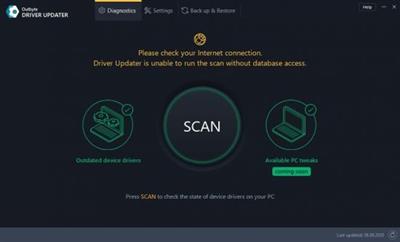
Outbyte Driver Updater is a smart tool that can point outdated drivers, look for the latest ones and install them, manually or automatically. On top of that, it also provides detailed hardware information.

Provides lots of system information
The first thing the app will do after the installation is over, is to perform a complete scan for both your hardware stats and outdated drivers. The System Overview lists parts like the CPU, GPU, motherboard, hard drives, memory, and even OS. All the details about these elements are listed in the first half of the Diagnostics tab.

Scrolling down would bring us to a new sub-category called Current Report on Devices Status. The information you get from this list if referential only, as it takes some part performances and compares them to some average results, probably relevant to the current year. The comparison is made for your CPU speed and load values, memory specs, SSD speed, and free disk space. If you have a powerful PC, the golden bar should easily top the white one, but if the system is a bit older, the bars should at least be equal.

Device performance and drivers check
That would be the title of the most important sub-category. Here you will find information about all outdated drivers and a way to update them. Clicking a specific driver will show you the currently installed version and the latest one. Also, the app will give information about whom the manufacturer is as well. That way, you can make sure that the recommended drivers come from genuine sources.

However, updating the drivers requires you to register the app, which means that you have to spend some cash to unlock юthis feature. But there is a way of verifying if the app is worth your time and money, and that is activating the basic version, which allows you to do a one-time update.

All in all, Outbyte Driver Updater seems like an excellent application to have in order to extend the life of your PC and keep it as smooth as possible. On the other hand, there is not much to do in the free version, except to check the system info and outdated drivers.

SCANS and UPDATES your drivers
With up to date drivers your hardware performs at its best
Driver Updater will scan your computer for outdated, corrupted or missing drivers and let you easily update them to the latest stable versions all at once or one at a time. This could resolve driver-related PC issues and device malfunctions helping to ensure a better performance.

SAVES TIME and ensures efficiency
No need to waste any more time on manual updates
Trying to find the right driver manually takes time and may result in an incorrect version of the driver or even a malware infection leading to even bigger issues. Driver Updater saves you time and reduces those risks, ensuring that you get the correct drivers for your device type and model.

IMPROVES PC stability and performance
Enjoy faster speed and better system stability
Manufacturers sometimes include improvements in their driver updates to make their equipment work even better or faster. Driver Updater lets you take advantage of these improvements by obtaining driver updates as soon as they are released. It helps to prevent driver-related malfunctions and to keep your PC run faster and smoother.

What's New:
official site does not provide any info about changes in this version.

OS:Windows 10 (8,7)

Download link:​
Код:
[center][b]rapidgator_net[/b]:
https://rapidgator.net/file/2381e697ce59867a436e1fdef09d24f5/8in2u.Outbyte.Driver.Updater.2.1.10.642.Multilingual.rar.html

[b]uploadgig_com[/b]:
https://uploadgig.com/file/download/3045efe9761b937a/8in2u.Outbyte.Driver.Updater.2.1.10.642.Multilingual.rar

[b]nitroflare_com[/b]:
https://nitroflare.com/view/440D7F6F2B12AEF/8in2u.Outbyte.Driver.Updater.2.1.10.642.Multilingual.rar[/center]

Links are Interchangeable - No Password - Single Extraction​
 
O&O DiskImage Professional / Server 16.5 Build 231

42d7d79eda398b1b1fba062d82f0765b.jpeg

File size: 230.7 MB​
O&O DiskImage lets you back up an entire computer or single files whenever you want - even while the computer is being used. In the event you should lose your personal data it can be quickly restored with just a few mouse clicks - even when Windows is no longer able to start. It also supports SSD drives and the latest UEFI System. O&O DiskImage lets you carry out a system restore and to duplicate or clone an entire PC or hard drive. You can even restore this backup onto a computer whose hardware is different from the original machine, for instance, where you have changed a motherboard on the target machine or have bought a brand new PC and want to restore an old backup onto it.

Features:
Backup an entire computer with the push of a button
Backup system and hard drives, clone drives and entire disks
Brand new file-based backup: now twice as fast as ever before - backup and restore individual files and/or folders
Direct creation of VHDs
Monitoring and warning of security risks
Incremental/differential backup: back up only the changes
Easily restore files, folders, drives and disks
System restore onto different hardware (M.I.R.)
Create a Windows Boot system directly from within the program with driver integration
Plug-and-play: Selected files and folders are automatically backed up and synchronized
Variable pixel density settings: adjusts to the selected DPI setting of the connected monitor
New and enhanced functions Control via Command Lines
Supports Windows 10, Windows 8.1 and Windows 8

A regular backup is still something that many users prefer to avoid. At least that is until they suffer their first loss of important files as a result of software, hardware or user error: that's when it becomes crystal clear just how valuable a reliable and up-to-date backup really is!

New in v16:
NEW: O&O DiskImage 16 with its own recovery partition
Normally with a backup or imaging program you need to create a boot medium (CD, USB) to boot up your system if something goes awry. This you have to either carry around or store somewhere safe in case disaster strikes.

Thanks to the integration into the system, the O&O DiskImage RecoveryPartition can be accessed immediately so that the last system image can be restored directly. If the Windows operating system does not start or if faulty drivers have to be uninstalled - with the integrated recovery environment, all O&O tools are available to make the system operational again as easily as possible. Not only is this much more comfortable and quicker for the user, it also provides them with an extra level of security as this medium cannot get lost or damaged as easily as a "portable", external one.

Whats New:
Updates: official site does not provide any info about changes in this version.

Download link:​
Код:
[center][b]rapidgator_net[/b]:
https://rapidgator.net/file/0b76481a98b241f0f8c10ddd524b3d07/6cnbd.OO.DiskImage.Professional..Server.16.5.Build.231.rar.html

[b]uploadgig_com[/b]:
https://uploadgig.com/file/download/43e1b1c2692143a3/6cnbd.OO.DiskImage.Professional..Server.16.5.Build.231.rar

[b]nitroflare_com[/b]:
https://nitroflare.com/view/71CE2B41663A6A5/6cnbd.OO.DiskImage.Professional..Server.16.5.Build.231.rar[/center]

Links are Interchangeable - No Password - Single Extraction​
 
NewBlue Titler Live 4 Broadcast 4.1.210630 Multilingual

9c1fc7f8d2d42ba30b2c13944ff69387.jpeg

Windows x64 | Languages: Multilingual | File Size: 973.04 MB​
Titler Live 4 Broadcast - Experience our most powerful graphics solution for professional broadcasters. Deliver unlimited layers of dynamic on-air graphics - per channel - on up to 16 channels. Titler Live 4 Broadcast delivers unlimited layers of dynamic 3D animated graphics. Streamline your workflows and instantly elevate your production value with a more powerful, intuitive and affordable on-air graphics solution.

Leverage Unlimited 4K Graphics
Deliver unlimited layers of 3D animated graphics - per channel - on up to 16 channels of 4K-NDI® or 4K-SDI key/fill. Experience real-time playout and gain more control over your graphics with TriCaster® macro controls, automated graphic sequencing, data search tools, hotkey functions and more.

Streamline Your Workflows
Titler Live 4 Broadcast features new workflows and controls to help you get started quickly and easily make changes on the fly.

Input Library - NEW
Quickly add input-driven designs to your playlist. Easily control which input is connected to a design to fit any workflow.

Variable Control - NEW
Drag and drop variable connections onto any part of a design to repurpose it as you need. Even connect multiple inputs to a design.

Design Control - NEW
Flexibly edit text, color and images directly in a design and quickly preview your changes before taking them live.

Integrate with Leading Solutions
Seamlessly work with leading streaming solutions including Wirecast®, NewTek™, Broadcast Pix™, EVS®, Lumantek, vMix®, Blackmagic Design®, Roland®, Panasonic® and more.

Connect to Your Data
Seamlessly connect to your data to prepare dynamic on-air graphics for any broadcast. Use the new hotkey functionality to apply unique keyboard shortcuts to designs in your playlist and quickly take them live. Even control your graphics with a powerful API to customize your workflows and incorporate any of your data.

Spreadsheets & More
- Connect to Excel® spreadsheets and tables, XML files, RSS feeds, clocks and more.
- Use the data search & select tool to quickly bring spreadsheet data into a design.
- Leverage spreadsheet autoplay mode to run-through your lower thirds, tables and crawls.

Social Media
- Engage your audience with comments, tweets and Facebook comment and reaction polling.
- Combine your Facebook, Twitter and YouTube feeds into one to easily manage your show.
- Quickly queue your most relevant comments and posts into a custom social playlist.

Scoreboards & Statistics
- Bring in scoreboard data from Daktronics® (via NewTek DataLink), Stat Crew® or Sportzcast.
- Leverage Stat Crew statistics to bring in real-time player, team and game stats.
- Stat Crew statistics inputs are currently available for football, soccer and volleyball.
Release Notes
- Release notes were unavailable when this listing was updated.

System Requirements:
- Microsoft® Windows® 7 or later
- 2 GHz processor (multicore or multiprocessor CPU recommended for HD)
- 4 GB RAM (8 GB RAM or greater recommended for HD)
- 1.82 GB hard-disk space for installation
- OpenGL 2.1-capable graphics card and minimum 1GB VRAM 2GB VRAM or higher recommended for HD

Homepage
У Вас недостаточно прав для просмотра ссылок. Войдите или зарегистрируйтесь.


Download link:​
Код:
[center][b]rapidgator_net[/b]:
https://rapidgator.net/file/57e09e84d77f29a4295e99fb410154c3/cnaft.NewBlue.Titler.Live.4.Broadcast.4.1.210630.Multilingual.rar.html

[b]uploadgig_com[/b]:
https://uploadgig.com/file/download/f823eacdd5e4cF36/cnaft.NewBlue.Titler.Live.4.Broadcast.4.1.210630.Multilingual.rar

[b]nitroflare_com[/b]:
https://nitroflare.com/view/8F21F53CABFECCA/cnaft.NewBlue.Titler.Live.4.Broadcast.4.1.210630.Multilingual.rar[/center]

Links are Interchangeable - No Password - Single Extraction​
 
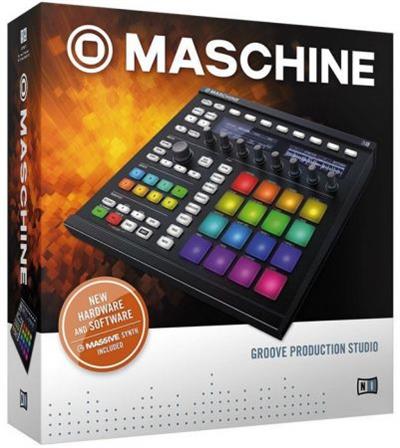
Native Instruments Maschine v2.14.1 (x64)

94658d173f24ab764f8662495b4df224.jpeg

File Size: 283 MB​
The new version is completely redesigned, Drum Synths, mixer, etc. NEW audio engine sound engine MASCHINE 2 now allows you to add unlimited groups and inserts effects MASCHINE powerful set of features. Multicore support ensures that your computer will handle all this in parallel with the processing of ultra high - even when using the software as a VST or AU plug-in module. New audio engine now also supports side bindings for sidechaining, for classic ducking effects and more .. MASCHINE a revolutionary system for creating grooves tactile creative bit-making organization of recognized sound library Kontakt 5 any other VST, VSTi library.

Together with the software package for creating beats MASCHINE create quickly and easily combine the power and flexibility of software with tactile immediacy of hardware. His sequencer based on patterns, high-performance sampler, has an incredible set of professional tools and studio effects, exemplary drum synthesizers and library Kontakt 5 are you a complete system for quickly and professionally create grooves.

NEW JUICE FOR OLD MASCHINES
If you're still using MASCHINE 1.x, the MASCHINE 2 software update can give you more functionality, sound, and raw power for modern music production. Completely reworked, the software offers countless new ways to support and fast-track your ideas.
The software is compatible with all generations of MASCHINE and MASCHINE MIKRO* - it works with the hardware you already have. Read on for details on what you get...

REWORKED AUDIO ENGINE
MASCHINE 2's audio engine adds unlimited groups and insert effects to MASCHINE's powerful feature set. Multicore support ensures your computer handles it all in parallel with ultra-efficient processing - even when using the software as a VST or AU plug-in. The new audio engine now also supports sidechaining, for classic ducking effects and more.

DRUM SYNTHSMASCHINE 2 sets a new benchmark in software drum synthesis. Create your own perfectly-tuned electronic and acoustic drum sounds in truly peerless sound quality.
Six exclusive monophonic drum plug-ins, with their own unique algorithms, give you any percussive sound you need. All fully tweakable, automatable, and perfectly integrated into MASCHINE - with the quality that comes from NI's acclaimed DSP expertise.

MIXER WINDOW
Polish your tracks to perfection with the mixer window in MASCHINE 2. Tweak volume and panning with ultimate ease. See group and individual track levels clearly on meters complete with peak level indicators. Adjust levels on any group of sounds. And two aux sends per channel let you freely route sounds anywhere in your project.
MASCHINE's new user interface brings you all this and much more - cutting-edge groove production has never been this easy.

NEW PLUG-IN STRIP
MASCHINE 2's new plug-in strip gives you a whole new way of seeing your instruments and effects. Each internal instrument and effect now has its own layout for lightning fast visual recognition. This intuitive, visual integration extends to KOMPLETE Instruments and Effects. And beyond that, MASCHINE can handle pretty much any VST, AU or effect plug-in you own.

MORE SOUND INSIDE
Browse presets and load any KOMPLETE 12 Instrument or Effect at-a-glance directly from MASCHINE 2's full-color product icon display. And now, there's even more to discover. MASCHINE 2 includes KOMPLETE 12 SELECT - a premium selection of 14 KOMPLETE Instruments and Effects. Get a full suite of professional sound right out of the box and control it all from your MASCHINE hardware.
You also get over 2000 more samples, 200 brand-new MASSIVE presets, and over 100 new kits - all in a streamlined browser that makes finding your sound fast and simple. No matter what sound you're after, MASCHINE is waiting for you.

Download link:​
Код:
[center][b]rapidgator_net[/b]:
https://rapidgator.net/file/61e48607c51534ac99505f6c23a99afb/77ngs.Native.Instruments.Maschine.v2.14.1.x64.rar.html

[b]uploadgig_com[/b]:
https://uploadgig.com/file/download/4bf3bec17390d267/77ngs.Native.Instruments.Maschine.v2.14.1.x64.rar

[b]nitroflare_com[/b]:
https://nitroflare.com/view/6F85F2EFEAE9CBC/77ngs.Native.Instruments.Maschine.v2.14.1.x64.rar[/center]

Links are Interchangeable - No Password - Single Extraction​
 
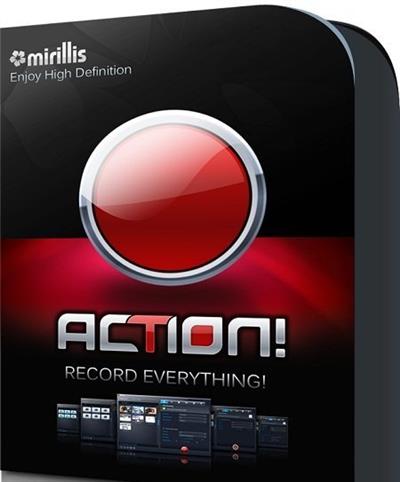
Mirillis Action! 4.20.1 Multilingual

5ff4c991d9598ef2c469b886977b92ba.jpeg

File Size: 95 MB​
Action! allows real-time recording/capture of Windows Aero desktop in a superb HD video quality. With Action! you can record web player videos, your gameplay, display game framerates, add live audio commentary to create high quality tutorials, record music, capture screenshots... and more!

Record your gameplay in HD. Benchmark games performance.
Action! outstanding performance and GPU utilization allows the smoothest real-time HD gameplay video recording ever! Display current and average game framerate (FPS) during gameplay and save your benchmark results.

Smooth Windows Aero HD desktop recording, easy tutorial creation!
Action! defines a new standard of performance and user experience for real-time desktop recording software. Record smooth high framerate HD videos of your dekstop and applications activity, add microphone audio commentary and create great tutorials with ease!

Real-time web videos recording. Record what you see.
Record videos from websites and other applications in real-time. Action! allows to record videos from defined display region, selected application window or in fullscreen mode. With Action! you can record videos from ANY web player, no matter which video service you are using!

Export your recordings to popular formats and devices!
Select one of many predefined profiles and push a button to export your recordings to popular formats, favorite multimedia devices, Facebook or YouTubeâ„¢. Save energy and time using optimized and hardware accelerated video exporting with NVIDIAA® CUDAâ„¢ or IntelA® Quick Sync Video technologies.

Upload to YouTube or Facebook
Export and upload your recordings to popular services and social networks like YouTubeâ„¢ and Facebook. Action! provides predefined exporting profiles for YouTubeâ„¢ and Facebook, just push a button to export and automatically upload your recordings to your favorite service fast and easy.

Capture screenshots
With Action! you can capture multiple screenshots of your games or desktop. Just press a hotkey and screenshot will be saved directly to a file on your hard disk without interrupting your work or gameplay.

Record live audio commentary
Action! allows to record additional live audio commentary during gameplay or dekstop recording making easy creation of tutorials and game walk-through videos. Microphone settings provide full control of microphone input volume and mixing level with system sounds.

User friendly and stylish interface
Action! is compact, stylish and user friendly.
Built-in managers for recordings, benchmarks and screenshots allow to browse, delete selected items and export recordings to popular formats and devices. With outstanding performance and sleek design Action! defines new standard of user experience for games benchmarking, gameplay and desktop real-time recording software.

Record what you hear!
Action! can record everything you hear on your PC. Audio recording function allows to record all sounds, music and game audio. Using microphone you can easily create podcasts. Additionaly Action! can encode in real-time the recorded audio in M4A format, making the recorded audio files small and compact.
M4A audio recording will be avialable in free update.

Play in HD - record in SD.
Ultra-efficient video recording!
With Action! ultra-efficient 480p video recording you can record your HD gameplay or HD desktop for a very long time, saving disk space. Optimized 480p video recording mode offloads your computers CPU and hard disk allowing smooth and comfortbale gaming and working.

Download link:​
Код:
[center][b]rapidgator_net[/b]:
https://rapidgator.net/file/07540d1dde8f305441c978162d38df56/wswwk.Mirillis.Action.4.20.1.Multilingual.rar.html

[b]uploadgig_com[/b]:
https://uploadgig.com/file/download/a67acf7f50dde2Aa/wswwk.Mirillis.Action.4.20.1.Multilingual.rar

[b]nitroflare_com[/b]:
https://nitroflare.com/view/4E1B8FDD8D63616/wswwk.Mirillis.Action.4.20.1.Multilingual.rar[/center]

Links are Interchangeable - No Password - Single Extraction​
 
Media Player Classic Home Cinema 1.9.14 Multilingual

c46503d2362caaa58270fc88c23882c5.jpeg

File Size : 32.1 Mb​

MPC HomeCinema is comfortable in all plans for the media player. It was built on the basis of a classical player Media Player Classic and one of the best collections of media codecs ffdshow, and thus can play many formats of video and audio files without installing external codecs. This player has a large number of different functionalities: it can play DVD disks, the hardware is able to decode H.264 format popular on the latest generation graphics cards, knows how to work correctly with the second monitor (TV), supports the various type of subtitles can work with QuickTime and RealVideo formats etc.
The player is small and completely understandable, and not overloaded functions redundant interface translated into 14 languages.

It has full compatibility with Windows XP, Vista and Se7en. Media Player Classic Home Cinema is an extremely light-weight media player for Windows. It looks just like Windows Media Player, but has many additional features. You can use the player as a Media Player Classic Home Theater.

Supported Decoding:
MPEG-1, MPEG-2 and MPEG-4 playback. Media Player Classic is capable of VCD, SVCD and DVD playback, without the need to install any additional software or codecs.
It has built-in codecs for MPEG-2 video and codecs for LPCM, MP2, AC3 and DTS audio, and also contains an improved MPEG splitter that supports playback of VCDs and SVCDs using its VCD/SVCD/XCD Reader. A *.mp4 and MPEG-4 Timed Text support added. An AAC decoding filter makes MPC suitable for AAC playback in MP4.
MPC Home Cinema also has H.264 and VC-1 with DXVA support, DivX, Xvid, and Flash Video formats is available in MPC HC. MPC can also use the QuickTime and the RealPlayer architectures. Media Player Classic supports native playback of OGM and Matroska container formats.

Supported Video, Audio and Image File Formats:
WAV, WMA, MP3, OGG, SND, AU, AIF, AIFC, AIFF, MIDI, MPEG, MPG, MP2, VOB, AC3, DTS, ASX, M3U, PLS, WAX, ASF, WM, WMA, WMV, AVI, CDA, JPEG, JPG, GIF, PNG, BMP, D2V, MP4, SWF, MOV, QT, FLV

Additional Player Features
* Option to remove Tearing.
* Better support for Windows Vista, including a release for 64 bits platform.
* Support for EVR (Enhanced Video Renderer)
* Supports Subtitles.
* Playback and recording of television if a supported TV tuner is installed.
* Creation of minidump when MPC HC crashes.
* OSD (On Screen Display)
* Shuttle PN31 remote control support
* Support Multi-Monitor configuration
* Pixel shader to convert BT601 - BT701
* YV12 Chroma Upsampling pixel shader
* Language Translations.
* All features from the Guliverkli MPC Project from Gabest.

languages: (currently Belarusian, Brazilian, Catalan, Czech, Dutch, English, French, German, Hungarian, Italian, Japanese, Korean, Polish, Russian, Simplified & Traditional Chinese, Slovak, Spanish, Swedish, Turkish, Ukrainian.)

Download link:​
Код:
[center][b]rapidgator_net[/b]:
https://rapidgator.net/file/d135be2bcd27c6bfe552934719983dc2/hkxjr.Media.Player.Classic.Home.Cinema.1.9.14.Multilingual.rar.html

[b]uploadgig_com[/b]:
https://uploadgig.com/file/download/9f4f394ec4888109/hkxjr.Media.Player.Classic.Home.Cinema.1.9.14.Multilingual.rar

[b]nitroflare_com[/b]:
https://nitroflare.com/view/A6F7E7FB4306031/hkxjr.Media.Player.Classic.Home.Cinema.1.9.14.Multilingual.rar[/center]

Links are Interchangeable - No Password - Single Extraction​
 
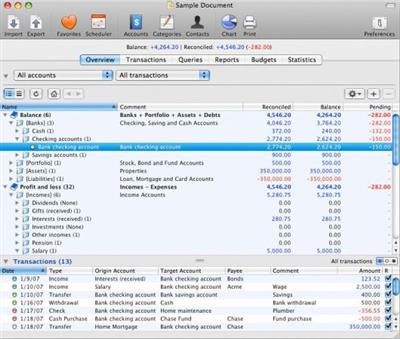
Maxprog iCash 7.8.3 Multilingual

6f8240c9e6e5495c66b3293664788b76.jpeg

File Size: 197.9 MB​
iCash is a software intended to control your personal finances, keeping track of incomes, expenses, credits, debts and Banks transactions for you. As simple as creating the accounts you need and move money between them! You don't even need to know about accounting or even care about it! Your finances depend largely on good organization that lets you know where your money comes from and to where it goes.

iCash is an easy-to-use, full featured and multi-purpose Personal Finance Manager tool for Macintosh and Windows intended to help you control all kinds of money issues. iCash can serve several small accounting needs for either private users, or clubs, associations, self-employed, small businesses or simply to be used at home, making keeping track of incomes, expenses and Banks transactions a snap. With a few clicks you can begin creating accounts and making transactions in minutes.

iCash is versatile and user-friendly. For this reason it doesn't use the principle of double-entry bookkeeping making it much easier to be used by people with very little or no accounting knowledge at all. Simply create accounts for all your expenses, incomes, Banks... and start moving money between them! iCash will then allow you to find out where all your money comes from and where it goes. All accounts are well organized according to user-defined categories and built-in types so reports can be tailored to include all records or only ones meeting specified criteria. iCash also allows you to have as many money manager documents as necessary so you can control almost anything from Clubs, associations, home and so on at the same time.

Download link:​
Код:
[center][b]rapidgator_net[/b]:
https://rapidgator.net/file/ce8d341476a347b105f4c6ae39ac4aa9/k9yct.Maxprog.iCash.7.8.3.Multilingual.rar.html

[b]uploadgig_com[/b]:
https://uploadgig.com/file/download/33eef95939652B7a/k9yct.Maxprog.iCash.7.8.3.Multilingual.rar

[b]nitroflare_com[/b]:
https://nitroflare.com/view/B94B08344DC263B/k9yct.Maxprog.iCash.7.8.3.Multilingual.rar[/center]

Links are Interchangeable - No Password - Single Extraction​
 
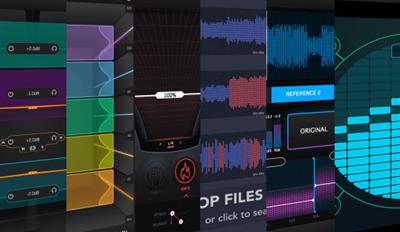
Mastering The Mix Bundle 2021 v1.2m macOS

ad818feee04ed0c596b8c3d68023f201.jpeg

MORiA | July, 3 2021 | Standalone | AU | VST | VST3 | 99.8 MB​

Included:
ANIMATE v1.1.5 - Multi-purpose mixing plugins (EXPAND, GROW, IGNITE, PUNCH)
BASSROOM v1.0.6 - Final Mix & Mastering EQ
EXPOSE v1.1.3 - Audio quality control StandAlone application
LEVELS v2.0.1 - Mixing & metering audio plugin
MIXROOM v1.0.4 - Intelligent & Versatile EQ
REFERENCE v2.0.1 - Mixing & mastering utility plugin
REFSEND v1.0.0

Whats new in this version:
Release Notes
MIXROOM
V1.0.4: Build Feb 12, 2021
This update includes:
Big Sur + Apple Silicon support optimizations specifically for the new Apple M1 processor.
Improved graphics performance.
Updated authorization error messages with links to fast solutions.
Balanced Master default preset.
Master filter mode as default.
Improvements to 'smart bands' feature.
Improvements to heat map.
Bug fixes

BASSROOM
V1.0.6: Build Feb 12, 2021
This update includes:
Big Sur + Apple Silicon support optimizations specifically for the new Apple M1 processor.
Improved graphics performance.
Updated authorization error messages with links to fast solutions.
Reduced UI height to fit on smaller screens available in settings.
Balanced Master default preset.
Bug fixes

REFERENCE
V2.0.1: Build Feb 12, 2021
This update includes:
Big Sur + Apple Silicon support optimizations specifically for the new Apple M1 processor.
Improved graphics performance.
Updated authorization error messages with links to fast solutions.
Reduced UI height to fit on smaller screens. UI height now adjustable.
Issue where level matching can cause spikes in volume now fixed.
Fixes for looping issues and Cubase/Wavelab compatibility.
Level Line EQ set to 'Match' by default. This means the EQ line you see in the Trinity Display is the exact curve to dial into your EQ to sound like your selected reference track.
Bug fixes

LEVELS
V2.0.1: Build Oct 26, 2019
This update includes:
New Loudness Range section.
Separated LUFS section.
New presets.
Compact view.
Adjustable filter solo in the Stereo Field section.
Tooltip suggestions on how to fix the issues the LEVELS finds.
Mid / Side solo feature.
UI and UX improvements.
Better error code reporting.
Offline activation.
Bug Fixes.

ANIMATE
V1.1.5: Build Feb 12, 2021
This update includes:
Big Sur + Apple Silicon support optimizations specifically for the new Apple M1 processor.
Improved graphics performance.
Updated authorization error messages with links to fast solutions.
Threshold engaged to-14dB on Expand. -60dB on Ignite, Punch and Grow to give faster results.

EXPOSE
V1.1.4: Build Feb 13, 2021
This update includes:
Big Sur + Apple Silicon support optimizations specifically for the new Apple M1 processor.
Improved graphics performance.
Updated authorization error messages with links to fast solutions.
Output settings now save for the next session.

System Requirements
NTEL + [M1]

Download link:​
Код:
[center][b]rapidgator_net[/b]:
https://rapidgator.net/file/4ad2e330d7bf4acbb828a7e6d3885abd/xjbn0.Mastering.The.Mix.Bundle.2021.v1.2m.macOS.rar.html

[b]uploadgig_com[/b]:
https://uploadgig.com/file/download/B170e57e9e11789B/xjbn0.Mastering.The.Mix.Bundle.2021.v1.2m.macOS.rar

[b]nitroflare_com[/b]:
https://nitroflare.com/view/BA5C40D4FBADFDF/xjbn0.Mastering.The.Mix.Bundle.2021.v1.2m.macOS.rar[/center]

Links are Interchangeable - No Password - Single Extraction​
 
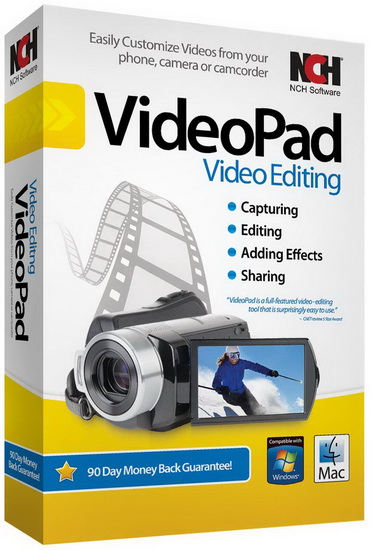
NCH VideoPad Video Editor Professional 10.54 Beta

a321131dd6383358bb0c8753c6ce0281.jpeg

Languages: English | File size: 13.2 MB​
Working with video files, especially editing them, is a task that requires a specialized application that can provide all the tools one needs. Among the software applications of this kind you can find VideoPad Video Editor. The interface of this utility is divided into several parts (e.g. Media List, Effects, Transitions, Files, Clips, Video Track, Audio Track, Overlay Track), which may make everything seem a little hard to operate. You can capture video from a camcorder or another device like a webcam or a TV capture card, and once you have added files and sequence clips to the queue, you can start editing them.

So, you can select position for the new clip (at slider's position, to the timeline's start or end point), add blank slides and overlays, modify media in an external editor, change playback speed and stabilize video with the Deshaker filter.
You can also create bookmarks and subtitles, import and export subtitles, select Chrome Key color, save video in the "Stereoscopic 3D" output format, apply audio effects (e.g. amplify, chorus, compressor, distortion, flanger, reverb), as well as record a narration.

Furthermore, you can apply various video effects (e.g. brightness, crop, edge detection, sepia, temperature, posterize, hue) and transitions (e.g. cross fade, reveal, split, fan, circle, diamond).
The program comes with a well-drawn help file and video tutorials while the system resource usage is moderate. It may lag sometimes between commands, but overall, VideoPad Video Editor manages to put up a good performance.

Key Features:

Stunning Transition Effects:
* Choose from a range of fade transitions to give your movie that professional touch.
* Preview the effects in real time.
* Customize the duration of the effect.

Amazing Audio Tools:
* Import and mix music tracks like a pro.
* Make your own custom movie soundtrack.
* Record your own narrations with the click of a button.
* Import pre-recorded narrations, sound effects or music.

Complete Video Optimization:
* Fine tune brightness, saturation and color for your video.
* Add photos and digital images with a click of a button.
* Apply effects like black & white, sepia tone and negative.
* Add text captions to your movie.

Share With Your Family and Friends:
* Burn to DVD and watch in your living room on your TV.
* Save for Youtube and share online with friends.
* Save to PSP, iPod, iPhone or 3GP mobile phone.
* Save to your PC as a high-quality digital movie.

Input Formats:
* Video: avi, mpeg, wmv, divX, Xvid, mpeg1, mpeg2, mpeg4, mp4, mov, asf, vob, ogm, .3gp, H.264, RM and many more.
* Image: bmp, gif, jpg, jif, jiff, jpeg, exif, png, tif

Output Formats:
* Disc export: DVD, CD, Blu-ray Discs, HD-DVD
* Video export: avi, wmv, asf, mpg, 3gp, mp4, mov, iPod, iPhone, PSP, Mobile Phone, Pocket PC

Download link:​
Код:
[center][b]rapidgator_net[/b]:
https://rapidgator.net/file/bd9113c754f00e7b46ccb7fedd80759b/uwba3.NCH.VideoPad.Video.Editor.Professional.10.54.Beta.rar.html

[b]uploadgig_com[/b]:
https://uploadgig.com/file/download/23762f25004442ff/uwba3.NCH.VideoPad.Video.Editor.Professional.10.54.Beta.rar

[b]nitroflare_com[/b]:
https://nitroflare.com/view/1781F247B6F8FEE/uwba3.NCH.VideoPad.Video.Editor.Professional.10.54.Beta.rar[/center]

Links are Interchangeable - No Password - Single Extraction​
 
Klevgrand Ting v1.1.0 MacOS

17534df6e8c18a9b4bf1ed125fe43f29.jpeg

MORiA | July, 2 2021 | AU | VST | VST3 | 63.7 MB​
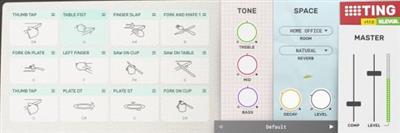
Ting is an instrument providing 28 different percussive sounds originating from everyday t(h)ings laying around at home - such as silverware, a sofa, toy drum or a pair of car keys. Each sound is carefully multi-sampled and processed with the common goal to be musically playable. Ting is intended to be a creative tool and a substitute for ordinary drum and percussion instruments. Altogether ~1500 individual samples are used to make this instrument. In addition to the sounds, there is an EQ, a room simulator, a reverb and a compressor.

Features
* 28 different high quality sounds, carefully multi-sampled and processed for maximum playability
* Built-in EQ
* Convoluting room ambience
* Algorithmic reverb
* Individual sound parameters for pan, pitch, dynamics, room send & reverb send
* Master compressor

Whats new in this version:
Ting v1.1.0 (hide changelog)
v1.1.0
Added 16 instruments
Added a preset manager (including factory presets)
Optimized memory usage
Minor CPU optimizations and stability fixes

v1.0.2
Native ARM support for macOS (M1 processor)
Updated to development framework to JUCE v6
Minimum macOS version 10.10

System Requirements
NTEL + [M1]
Mac OS 10.11 or higher

Download link:​
Код:
[center][b]rapidgator_net[/b]:
https://rapidgator.net/file/0db5241218377f189e38de82feeda090/n5raw.Klevgrand.Ting.v1.1.0.MacOS.rar.html

[b]uploadgig_com[/b]:
https://uploadgig.com/file/download/b956b3A944bAaa88/n5raw.Klevgrand.Ting.v1.1.0.MacOS.rar

[b]nitroflare_com[/b]:
https://nitroflare.com/view/4CD0EF90FE4DD60/n5raw.Klevgrand.Ting.v1.1.0.MacOS.rar[/center]

Links are Interchangeable - No Password - Single Extraction​
 
Klevgrand Tines v1.1.1 MacOS

d91abcc6d48b5a188bc3a3aeac5014a9.jpeg

MORiA | July, 2 2021 | AU | VST | VST3 | 16.4 MB​
Tines emulates an electric piano. With internal effects like a stereo tremolo, a multiband distortion panel and a subtle roomy reverb, Tines can sound like anything between a dreamy slick Rhodes to a nasty Wurlitzer (however, it is not designed to be a "vintage" emulation, but a modern and playable instrument). A fine-tuned velocity curve makes Tines a true joy to play on a MIDI keyboard. A very playable electric piano in its own right.

Features
* Tremolo depth and speed (XY pad) with phase offset
* Variable decay time
* Variable Air (room) amount
* Multiband distortion

Whats new in this version:
Tines v1.1.1 (changelog)
v1.1.1
Fixed an issue with timing when printing/bouncing

v1.1.0
Updated UI
Global preset system now also supports user presets
macOS binaries supports ARM (M1) CPU natively
New minimum macOS version is now macOS 10.10
Updated development framework from JUCE5 to JUCE6

System Requirements
NTEL + [M1]
Mac OS 10.12 or higher

Download link:​
Код:
[center][b]rapidgator_net[/b]:
https://rapidgator.net/file/18cdf45c664f9c36bfec3e5b8a2e2e3b/3wod4.Klevgrand.Tines.v1.1.1.MacOS.rar.html

[b]uploadgig_com[/b]:
https://uploadgig.com/file/download/B72dcC18b63b4726/3wod4.Klevgrand.Tines.v1.1.1.MacOS.rar

[b]nitroflare_com[/b]:
https://nitroflare.com/view/F3938CD7703399D/3wod4.Klevgrand.Tines.v1.1.1.MacOS.rar[/center]

Links are Interchangeable - No Password - Single Extraction​
 
Klevgrand Slammer v1.0.2 MacOS

15d38912a8ea148522fc16323683c49d.jpeg

MORiA | July, 2 2021 | AU | VST | VST3 | 121.1 MB​
Slammer is a multi-sampled drum plug-in that contains 30 different instruments made from a large number of carefully recorded and edited samples. Integrated custom-built real-time effects combined with some clever routing makes Slammer a versatile and flexible virtual instrument that is capable of rendering anything from natural acoustic to heavily distorted and compressed drum sounds. Each sound can be customized with a wide array of settings like pitch, filtering, effect sends, decay time, velocity mapping and much more.

There's also a "Dirt" section for distortion and compression, a reverb and tone control. The amount of "dirt" and reverb can be tweaked individually for each instrument. On top of all, Slammer comes with a set of factory presets, covering anything from light and slick to heavy and gritty. If you're looking for a drum instrument, giving you 'instant gratification' from the first hit, this is it.

Features
* 30 multi-sampled instruments using more than 2000 samples
* 12 slots / instrument players with individual tweaking possibilities
* Compression and Distortion section (dirt) with 8 different dist algorithms
* Reverb with several presets
* Plenty of factory presets
* Global tone control

Whats new in this version:
Slammer v1.0.2 (changelog)
v1.0.2
Right- or shift clicking a slot triggers the sound.
Clicking the instrument image in edit mode triggers the sound.

v1.0.1
Now steals oldest note when max polyphony is reached.

System Requirements
NTEL + [M1]
Mac OS 10.11 or higher

Download link:​
Код:
[center][b]rapidgator_net[/b]:
https://rapidgator.net/file/3cf94ec4b5010ad01178753cf0c9e66e/e66md.Klevgrand.Slammer.v1.0.2.MacOS.rar.html

[b]uploadgig_com[/b]:
https://uploadgig.com/file/download/36b81b4a197ef9F6/e66md.Klevgrand.Slammer.v1.0.2.MacOS.rar

[b]nitroflare_com[/b]:
https://nitroflare.com/view/AF9C073E2065B9E/e66md.Klevgrand.Slammer.v1.0.2.MacOS.rar[/center]

Links are Interchangeable - No Password - Single Extraction​
 
Klevgrand Jussi v1.1.1 MacOS

02905dfe874568cbeaf24f0cea696b6b.jpeg

MORiA | July, 2 2021 | AU | VST | VST3 | 16.6 MB​
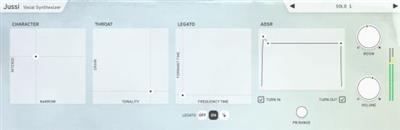
A unique vocal synthesizer. Jussi emulates male voice vowels in a unique way. Thanks to a set of powerful parameters you can make Jussi sing anything from soft and airy choir-like vowels to hard and angry shouting. Formants are controlled by playing with different velocity, which makes it fun and easy to play using a MIDI keyboard.

Features
* ADSR with "Turn-in" and "Turn-out" option (Turn-in and Turn-out affects the pitch and maps it to attack and release) Voice character XY pad (Intensity and Narrowness)
* Legato mode (glides between notes and velocity levels)
* Legato Hold mode (polyphonic legato when using a sustain controller, consult the documentation for more info) Throat emulation XY pad (Grain and Tonality)
* Built-in reverb

Whats new in this version:
Jussi v1.1.1 (changelog)
v1.1.1
Fixed an issue with timing when printing/bouncing

v1.1.0
Updated UI
Global preset system now also supports user presets
macOS binaries supports ARM (M1) CPU natively
New minimum macOS version is now macOS 10.10
Updated development framework from JUCE5 to JUCE6

System Requirements
NTEL + [M1]
Mac OS 10.11 or higher

Download link:​
Код:
[center][b]rapidgator_net[/b]:
https://rapidgator.net/file/31efd60aa35767106890bad09a337e9c/7ixz9.Klevgrand.Jussi.v1.1.1.MacOS.rar.html

[b]uploadgig_com[/b]:
https://uploadgig.com/file/download/dff864014B4B5fd2/7ixz9.Klevgrand.Jussi.v1.1.1.MacOS.rar

[b]nitroflare_com[/b]:
https://nitroflare.com/view/6589B5E557B817F/7ixz9.Klevgrand.Jussi.v1.1.1.MacOS.rar[/center]

Links are Interchangeable - No Password - Single Extraction​
 
Hasleo Backup Suite v1.8 WinPE

2e5518f4a026a2599f8ccbcc147d488f.jpeg

File size: 459.34 MiB |Language: English
Windows backup software.

WindowsPE bootable ISO.

Features:
* Backup and Restore, clone Windows operating system, disks and partitions.
* Supported backup modes: full, incremental and differential.
* Supports compression, encryption and splitting of backup image files.
* Centralized backup task management and e-mail notification.
* Add/Remove Boot Menu
* Wipe Drive
* Rebuild MBR
* Fully compatible with GPT and UEFI.​

Hasleo Backup Suite is a Windows backup and restore software, which embeds backup, restore and cloning features, it is designed for Windows operating system users and can be used on both Windows PCs and Servers.

The backup and restore feature of Hasleo Backup Suite can help you back up and restore the Windows operating systems, disks and partitions to protect the security of your Windows operating system and personal data. The cloning feature of Hasleo Backup Suite can help you migrate Windows to another disk, or easily upgrade a disk to SSD or a larger capacity disk.
Release Notes

Changes inv1.8: some improvements.

Homepage
Код:
https://www.easyuefi.com/backup-software/backup-suite-free.html

Download link:​
Код:
[center][b]rapidgator_net[/b]:
https://rapidgator.net/file/4d788cdcdad99575e43b76ae3f8c4211/xs1zy.Hasleo.Backup.Suite.v1.8.WinPE.rar.html

[b]uploadgig_com[/b]:
https://uploadgig.com/file/download/13B186d8Ed75a737/xs1zy.Hasleo.Backup.Suite.v1.8.WinPE.rar

[b]nitroflare_com[/b]:
https://nitroflare.com/view/109C1C1C49F082B/xs1zy.Hasleo.Backup.Suite.v1.8.WinPE.rar[/center]

Links are Interchangeable - No Password - Single Extraction​
 
Grids for Instagram 7.0.10 Multilingual

7759b3ec117642e0e7abbdb7a4fa5bce.jpeg

File size: 94.1 MB​
Experience Instagram in beautiful way on desktop. Grids is a better way to browse Instagram on the desktop. Grids app makes Instagram viewing on desktops more fluid and interactive.

Post Photos and Videos
Upload photos and videos directly from your desktop.

Multiple Accounts
Switch between multiple accounts seamlessly.

Responsive UI
Clean and smart UI works amazingly at fullscreen as well as at widget-size.

Notification
Get notification when there are new feed, followers, likes, comments, mentions or requests.

Achieving All Tasks
Like, comment, follow, search, explore.

Stories
View and post Stories. The only desktop app that supports Instagram Stories!

Direct Message
Start conversation with friends. Share posts, profiles, tags and locations.

Pixel-Perfect
Automatically adjust layout to window size, presenting Instagram photos beautifully.

Large/Fullscreen View
Utilize your big screen. View photos and vides in large/fullscreen view. Grids is for Desktop!

Bookmarks
Bookmark people, location, hashtag or single photo/video.

Download link:​
Код:
[center][b]rapidgator_net[/b]:
https://rapidgator.net/file/a7fe805680b6c41999b0698eca10c181/woufm.Grids.for.Instagram.7.0.10.Multilingual.rar.html

[b]uploadgig_com[/b]:
https://uploadgig.com/file/download/0B3549504Bc55612/woufm.Grids.for.Instagram.7.0.10.Multilingual.rar

[b]nitroflare_com[/b]:
https://nitroflare.com/view/DE15AACE3F0EFFD/woufm.Grids.for.Instagram.7.0.10.Multilingual.rar[/center]

Links are Interchangeable - No Password - Single Extraction​
 
GrandTotal 7.1.0.2 macOS

36ac78d6ccea44fcfd6b997aaaa0ea04.jpeg

File size: 47 MB​
GrandTotal is an application to create invoices and estimates based on your own templates. The built-in template editor allows you to adjust your layout to fit your company's corporate design. GrandTotal works great in conjunction with TimeLog.

Release Notes

Release notes were unavailable when this listing was updated

Supported Operation Systems:
OS X 10.12 or later

Download link:​
Код:
[center][b]rapidgator_net[/b]:
https://rapidgator.net/file/bff905dbc88a5462502e65167b4859fc/ix1nk.GrandTotal.7.1.0.2.macOS.dmg.html

[b]uploadgig_com[/b]:
https://uploadgig.com/file/download/73f5c8653c923025/ix1nk.GrandTotal.7.1.0.2.macOS.dmg

[b]nitroflare_com[/b]:
https://nitroflare.com/view/25DBCBABA3F0F84/ix1nk.GrandTotal.7.1.0.2.macOS.dmg[/center]

Links are Interchangeable - No Password - Single Extraction​
 
Garmin Express 7.7.1

94f7705429dacd5881e411bda1ad3f86.jpeg

File Size : 127 Mb​

You have probably heard about Garmin, since it is one of the best, if not the best, contender of today's GPS market. Sure, nowadays, the smartphones found in our pockets come with GPS functions, but there is no denying that Garmin devices are better in terms of accuracy and overall signal coverage. To ensure the maximum levels of performance of your Garmin device, you might want to make sure that it features the latest maps and updates installed. Here is where Garmin Express comes into play, an essential tool for managing your GPS device.

Intuitive app that helps you manage your Garmin device
In plain words, the utility makes it easy for you to update your maps, upload activities to Garmin Connect, backup data and transfer routes and other info between your Garmin devices.

Thanks to a user-friendly interface, working with the tool is very easy, even for novice PC users. Firstly, you need to make sure that your Garmin device is plugged into your computer with the help of its dedicated USB cable or ANT stick. Then, you can add a new device from the app's main window.

Guides you along the way and makes sure your devices are always up to date
The app guides you through the setup process and you are eventually brought face to face with the Dashboard, from where you can easily update maps with just a few mouse clicks. Thanks to a step-by-step wizard, the tool makes it easy for you to update maps and manage the available space on your Garmin device.

The program detects if you have a card inserted into your GPS device and enables you to install maps on it. Even if your Garmin device does not come with a card port, you can still install the latest updates, since Garmin Express allows you to install local or regional maps, which are smaller in size.

Essential utility for Garmin device owners
All in all, Garmin Express is a must-have application for every Garmin GPS owner, as it enables them to keep their devices up-to-date and offers more control over some of their functions.

Whats New:
Updates: official site does not provide any info about changes in this version

Download link:​
Код:
[center][b]rapidgator_net[/b]:
https://rapidgator.net/file/d07514851490d084c46242bccad1cf7b/m97r6.Garmin.Express.7.7.1.part1.rar.html
https://rapidgator.net/file/c9cd497101bc4a855c7039164cdedef6/m97r6.Garmin.Express.7.7.1.part2.rar.html

[b]uploadgig_com[/b]:
https://uploadgig.com/file/download/5014E85380B65eea/m97r6.Garmin.Express.7.7.1.part1.rar
https://uploadgig.com/file/download/79b83482a224f513/m97r6.Garmin.Express.7.7.1.part2.rar

[b]nitroflare_com[/b]:
https://nitroflare.com/view/B4CE8B3ECFF5121/m97r6.Garmin.Express.7.7.1.part1.rar
https://nitroflare.com/view/A50833FFD00890D/m97r6.Garmin.Express.7.7.1.part2.rar[/center]

Links are Interchangeable - No Password - Single Extraction​
 
Feeder 4.2.2 macOS

ac7dd58ee8b4ce9ab197958111089cb9.jpeg

File size: 13 MB​
Feeder is a full-featured application for creating, editing, and publishing RSS and iTunes podcast feeds. Features include quick and easy feed editing with auto-complete, templates, HTML tags, Markdown, an HTML preview and more.

Feeder is a full-featured application for creating, editing, and publishing RSS and iTunes podcast feeds. Features include quick and easy feed editing with auto-complete, templates, HTML tags, Markdown, an HTML preview and more.

For podcasters there is drag-and-drop episode creation, automatic tagging of audio and video files with artwork, and an iTunes Store preview. Feeder can publish feed, images, and media files with FTP, SFTP, WebDAV, or Amazon S3, post to a blog when publishing, and announce new content on Twitter and Facebook once everything is online.

Feeder 4 has been completely updated for macOS Big Sur and Apple's switch from iTunes to the Podcasts app. Feeder 4 also works with iCloud, so that you can access your feeds on all your Macs, and allows collaboration with other Feeder users via iCloud.

*** You need to disable the System Integrity Protection (SIP) to perform the selected Application.
Release Notes
Release notes were unavailable when this listing was updated.

Supported Operation Systems:
macOS 10.14 or later

Download link:​
Код:
[center][b]rapidgator_net[/b]:
https://rapidgator.net/file/edfe40891384494bf8fb39bea9aa3fa8/l0923.Feeder.4.2.2.macOS.dmg.html

[b]uploadgig_com[/b]:
https://uploadgig.com/file/download/d3A0053D3ddB6dfb/l0923.Feeder.4.2.2.macOS.dmg

[b]nitroflare_com[/b]:
https://nitroflare.com/view/2EACA0D4B3599CE/l0923.Feeder.4.2.2.macOS.dmg[/center]

Links are Interchangeable - No Password - Single Extraction​
 
Назад
Сверху