• Форум работает в архивном режиме www.old.nado.in

All mitsumi'1s Applications !! (updated daily)

  • Автор темы Автор темы mitsumi1
  • Дата начала Дата начала
Overloud TH-U Complete 1.3.5

e674750ac547b2ffe63407fac1a041dd.jpeg

Win/Mac | File size: 393/670 MB​
Overloud TH-U is a software suite for guitarists and bass players who like to do everything in the DAW. The previous version was TH-3 version, and the new TH-U brings more of everything: 15 new amps (94 in total), 14 new speakers (52 in total), 2 new effects (77 in total), a redesigned Cabinet IR module and a search function for presets.

239 models, the world's largest collection into a single software, including:
89 guitar amplifiers and 4 bass amplifiers
50 guitar cabinets and 2 bass cabinets
77 pedal and rack effects
18 microphone models, with up to four mics on each cabinet
More than 1000 presets covering all musical styles
Randall®, DVmark®, Brunetti® and THD® authorized models approved by the original manufacturers
Amp Tweak technology, allows you to mod the amplifiers by changing the preamp and poweramp tube models, as well as simulating the action of a variac
Rig Player (with 20 factory rigs), allows you to reproduce rig models created by sampling real setups
One entire preset bank dedicated to bass.
4th generation analog emulation technology, with proprietary nonlinear processing algorithm
3D, gap-less positioning of microphones and room simulation
Advanced cabinet emulations with ReSPiRe 2 technology
Built-in convolver to load external guitar cab IRs
Flexible sound chain with split point for parallel processing
Fully customizable MIDI control for live usage
BREVERB and SpringAge based reverb effects
Full compatibility with TH3 user presets

RIG PLAYER
TH-U is able to load rig models created from real setups.
The Overloud proprietary technology allows our engineers to sample and capture the response of an entire rig, including the nonlinear and dynamic response of the amplifier, the cabinet, the microphones, the mic preamplifier and the room sound. Rig To Model technology allows you to capture both analog and digital setups. The Rig Player, integrated into TH-U, allows you to reproduce any nuance of the sampled rigs.

AMP TWEAK
Thanks to its innovative dsp technology, TH-U features a new panel which allows you to change the pre and power tubes models, as well as to simulate the action of a variac. This allows you to mod any amplifier model with an almost limitless combination of tubes and opens the product to new sound capabilities.

Platform:WiN32/64 - EXE/VST/VST3/AAX

Download link:​
Код:
[center][b]rapidgator_net[/b]:
https://rapidgator.net/file/858f6acf97460116102afca289e9c898/aotb3.THU1.3.5.rar.html
https://rapidgator.net/file/596dbfec7d22df9aa0a1ebdf8cc5785f/aotb3.THU1.3.5Mac.zip.html

[b]uploadgig_com[/b]:
https://uploadgig.com/file/download/da4B2323Aa515610/aotb3.THU1.3.5.rar
https://uploadgig.com/file/download/d4c71b65FbFA64ac/aotb3.THU1.3.5Mac.zip

[b]nitroflare_com[/b]:
https://nitroflare.com/view/59D0E07D64BB681/aotb3.THU1.3.5.rar
https://nitroflare.com/view/B10748C680B4AC1/aotb3.THU1.3.5Mac.zip[/center]

Links are Interchangeable - No Password - Single Extraction​
 
Recordia 1.5.0 MAS

94c09044e849843b65d7dc000b919afa.jpeg

File size: 4.86 MB​
Recordia lets you record audio directly from the menu bar or with a global keyboard shortcut.
This can be useful for recording voice memos, song ideas, meetings, lectures, interviews, phone calls, voice-overs, and more.

Features:
- Record compressed or lossless audio.
- Customizable keyboard shortcuts to start/stop and pause/resume recording.
- Change input device.
- Unlimited recording duration.
- Set default output directory.
- Optionally show the recording in Finder when done.
- Easily copy and share the previous recording.
- Launch at login preference.
- Record system audio (See FAQ below).
- Choose between multiple menu bar icons.

Technical details: It records at 48 kHz to either M4A (AAC, 256 kbps, compressed) or WAV (PCM, 16-bit, uncompressed). The recording is stereo if the input device supports it, otherwise mono.

FAQ
→ How can I preview the recording when done?
First, ensure the "Show recording in Finder after saving" preference is enabled. When the recording is shown in Finder, press the Space key to preview it.

→How can I trim the recording when done?
Preview the recording as described above and then click the trim button.

→How can I record system audio?
Click "Record System Audio" in Recordia and follow the instructions.

→How can I sync recordings to iCloud?
Choose "iCloud Drive" as the output directory.

→Why 48 kHz and not 44.1 kHz?
48 kHz is the standard for audio in today's video production. It's also the internal production standard for many audio production companies. 44.1 kHz was popularized by music CDs.
Release Notes

* Added a preference to dim the menu bar icon when not recording.

Supported Operation System:
* 64-bit processor
* macOS 10.15 or later

Download link:​
Код:
[center][b]rapidgator_net[/b]:
https://rapidgator.net/file/a93db9b3d648e4a045f070507a9c37f2/z12w2.Recordia.1.5.0.MAS.rar.html

[b]uploadgig_com[/b]:
https://uploadgig.com/file/download/5896e1C4445f709f/z12w2.Recordia.1.5.0.MAS.rar

[b]nitroflare_com[/b]:
https://nitroflare.com/view/E548242AE41CBF3/z12w2.Recordia.1.5.0.MAS.rar[/center]

Links are Interchangeable - No Password - Single Extraction​
 
Replay Media Catcher 8.0.24.0

f112aea894fde23d1cbbb2763b706727.jpeg

File size: 117 MB​
The Ultimate Internet Video Downloader and Converter Tool. Replay Media Catcher is the most powerful, convenient online video downloader in the world. And it supports audio/MP3 download or recording too.

Here's why Replay Media Catcher is the world's most popular tool to capture online video:

Easy to Use.
Just play an online video, movie, or song, and a copy is downloaded to your PC. That's it! The built in Media Guide contains thousands of options to help you find the content you want.

Convert More Formats.
Our web video downloader supports more web site media protocols and converts to over 130 device and file formats.

Powerful Audio Recorder.
For music lovers, you can record and convert audio from ANY web site or source, at high quality.

Smart Video/MP3 Naming.
Automatically names video files, and identifies and tags recorded MP3 music files. Amazing!

Super Fast.
Advanced downloading technology captures videos and MP3 files at up to 10x playback speed.

Phone and Tablet Support.
Integrates with iTunes, DropBox, Google Drive or SkyDrive for automatically copying files to your Apple or Android phone or tablet.

Download Internet Video and MP3s
Replay Media Catcher is the only video downloader software you'll need to capture almost any internet video or audio. Most files can be downloaded at 10x speed, and for music sites that use encrypted formats, you can legally record them with the built-in audio recorder or our powerful DVR feature.

Explore Huge Media Guides
Replay Media Catcher also contains Media Guides to help you find and save online video, movies, TV shows and music. We've made it easy to find and grab the content you want in one simple step. You're going to love the new Media Guide.

Scheduled Downloads, Power Converter
Replay Media Catcher also has a scheduler and a powerful built-in converter. Discover the video downloader the pros use to capture video, audio and MP3s.

Download link:​
Код:
[center][b]rapidgator_net[/b]:
https://rapidgator.net/file/fc7f72602556944ff78a9aa2198b098f/90bq0.Replay.Media.Catcher.8.0.24.0.rar.html

[b]uploadgig_com[/b]:
https://uploadgig.com/file/download/72453b9471386bDd/90bq0.Replay.Media.Catcher.8.0.24.0.rar

[b]nitroflare_com[/b]:
https://nitroflare.com/view/0B5E73D3461E207/90bq0.Replay.Media.Catcher.8.0.24.0.rar[/center]

Links are Interchangeable - No Password - Single Extraction​
 
Rhino 7 v7.6.21127.19002 macOS

b5ed0302832d8dee17cc5202d7f025c4.jpeg

Language: Multilingual | File size: 425 MB​
Rhino - Versatile 3D modeler. Rhinoceros can create, edit, analyze, document, render, animate, and translate NURBS* curves, surfaces, and solids, point clouds, and polygon meshes. There are no limits on complexity, degree, or size beyond those of your hardware.

Special features include:
- Uninhibited free-form 3-D modeling tools like those found only in products costing 20 to 50 times more. Model any shape you can imagine.
- Accuracy needed to design, prototype, engineer, analyze, and manufacture anything from an airplane to jewelry.
- Compatibility with all your other design, drafting, CAM, engineering, analysis, rendering, animation, and illustration software.
- Read and repair meshes and extremely challenging IGES files.
- Accessible. So easy to learn and use that you can focus on design and visualization without being distracted by the software.
- Fast, even on an ordinary laptop computer. No special hardware is needed.
- Affordable. Ordinary hardware. Short learning curve. Affordable purchase price. No maintenance fees.
Release Notes
Bugs Fixed:
* Display:
* Symmetry settings controlled appearance of Radiate parent, but Reflect child
* Colors of Reflect and Radiate objects were slightly different
* File IO: Scripted .PLY export fails

Regressions Fixed:
* Display: Reflect preview loses render mesh on faces during edit

Mac-Only Changes
Crashes Fixed:
* Mesh: Meshing causes Rhino to crash

Supported Operation Systems:
macOS 10.14 or later

Download link:​
Код:
[center][b]rapidgator_net[/b]:
https://rapidgator.net/file/234ea328b19a7bc5bf433f579a174098/jup39.Rhino.7.v7.6.21127.19002.macOS.rar.html

[b]uploadgig_com[/b]:
https://uploadgig.com/file/download/A4bdf9c18297ec58/jup39.Rhino.7.v7.6.21127.19002.macOS.rar

[b]nitroflare_com[/b]:
https://nitroflare.com/view/A2C3F7AA29B6D27/jup39.Rhino.7.v7.6.21127.19002.macOS.rar[/center]

Links are Interchangeable - No Password - Single Extraction​
 
Smart Shooter 4.22 macOS

72491a15f1dbdc0cdae3e83555ec428e.jpeg

File size: 48 MB​
Smart Shooter is a digital photography work flow application for tethered shooting, remote capture and advanced camera control.

Smart Shooter allows you to fully control your camera from your computer, giving you freedom to explore and experiment to help take the perfect picture. Automatic download and display means you can fully evaluate your photos in seconds, and real time live view output will help you focus and compose the scene. Scripting language lets you control your camera, allowing you to take multiple photos with varying settings just by clicking a single button.

Key Features
Smart Shooter is aimed at both the professional and amateur photographer, providing them with the following features:

- Remote camera control via USB cable
- Full control of camera settings
- Photo download and display on you computer
- Real time zooming/panning photo display
- Live View display including overlay mode
- Live View recording of each frame to JPEG file
- Bulb shooting with timed exposure
- JPEG and RAW file formats
- Connect and control multiple cameras
- Automatic control via scripting
- Tethered shooting with automatic download and preview
- Smart Shooter works with all recent Canon EOS DSLR and Nikon DSLR cameras.
Release Notes
Release notes were unavailable when this listing was updated

Supported Operation Systems:
macOS 10.12 or later

Download link:​
Код:
[center][b]rapidgator_net[/b]:
https://rapidgator.net/file/822db1902ced7979239f32ac5dfa2df4/ud8jh.Smart.Shooter.4.22.macOS.rar.html

[b]uploadgig_com[/b]:
https://uploadgig.com/file/download/C47423098Eed02d8/ud8jh.Smart.Shooter.4.22.macOS.rar

[b]nitroflare_com[/b]:
https://nitroflare.com/view/AE79F489B54A44E/ud8jh.Smart.Shooter.4.22.macOS.rar[/center]

Links are Interchangeable - No Password - Single Extraction​
 
system-eye 1.2.35 MAS

dd529c10033d392b6740128fe3009f27.jpeg

File size: 14.33 MB​
Real-time sound system tuning, optimisation and diagnostics tool for your Mac. Performs Dual FFT Frequency Response measurement using your audio interface as input.

System-eye is a dual - channel FFT audio analyser. It allows You to measure the Transfer Function of the sound system under test by comparison of reference signal and signal produced by sending the reference through system under test, so called, measurement signal, in frequency domain.

It was designed to be very simple and lightweight, supplying the core needs of experienced system engineer, without an overkill of well - known alternatives.

It supports one measurement channel pair at a time, and so far cannot do such advanced stuff as Live average. It doesn't do SPL/calibration whatsoever.

What is does is Transfer Function (Frequency Response) part. Including coherence for measurement validity assessment, IR graph to see time data, and a set of averaging and smoothing capabilities to get You understanding your system in minutes.

Audio Input connection
Use external auido interface, input 1 - measurement mic, input 2 - reference signal. Select correct audio interface in Preferences; Send the same reference signal to input 2 and to measured system (use wire split). Use level indicator in the left bottom corner to make sure you get two distinct signals on reference and measurement channels.

AutoDelay
Use AutioDelay button to turn on automatical delay detection between mic and reference. Without proper delay detection the measurement will be incorrect. Once you capture a trace of your measurement, Delta Delay reading becomes visible.

System-eye is equipped with pink noise generator that can be used as a reference signal.

Captured traces
You can capture traces of Your measurement for future reference. Traces are stored in Trace Manager. You can open Trace manager using T keystroke, or using menu View -> Trace Manager. You can hide/show traces, change name and color and delete them.

Signal Generator
You can use built-in signal generator to generate pink noise as a stimulus for measurement. Use G keystroke to toggle it on /off. Go to settings to adjust level and destination output device.

Start/stop analysis using S keystroke, L to show/hide live trace, I, P and C to show/hide Impulse response, Phase and Coherence Descriptions respectively.
Release Notes

* Fixed color of live trace cell when it is selected and Mac is in light theme
* Fixed Auto Delay button appearance for El Capitan

Supported Operation System:
* 64-bit processor
* OS X 10.10 or later

Download link:​
Код:
[center][b]rapidgator_net[/b]:
https://rapidgator.net/file/1ab57278a4a71cc3ec9da22b824d8e50/ptll1.systemeye.1.2.35.MAS.rar.html

[b]uploadgig_com[/b]:
https://uploadgig.com/file/download/df74f3A2474C32B0/ptll1.systemeye.1.2.35.MAS.rar

[b]nitroflare_com[/b]:
https://nitroflare.com/view/527176A692105A0/ptll1.systemeye.1.2.35.MAS.rar[/center]

Links are Interchangeable - No Password - Single Extraction​
 
Samsung Data Migration 4.0 build 17

f82cf90123862ad250f076e9edf66629.jpeg

File Size : 60.4 Mb​

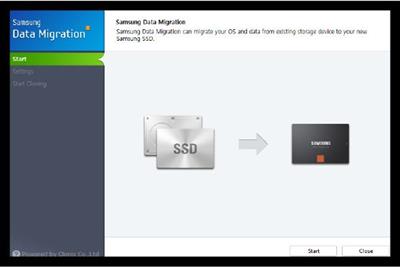
Samsung Data Migration lets you simply connect your Samsung SSD drive and clone your hard drive to your new Samsung SSD drive in just a couple of steps. Samsung SSD Magician can manage the health and performance of your Samsung SSD.

While you can easily use a program like Acronis True Image or Macrium Reflect, Samsung is one of the only companies who provides software with their SSD drive for migrating effortlessly to an SSD from a standard drive. I have used it a dozen times with no issues.

Simply plug in your SSD drive, install Samsung Data Migration and you can clone your old drive to your new SSD drive in just a couple of steps with a very simple, easy to use interface.

If you need help see the user guide "Samsung_SSD_Data_Migration_User_Manual_v30_ENG.pdf" inside the zip file.

Version History for Samsung Data Migration:
1. Windows 10 support
2. Option to exclude selected files from cloning
3. Cloning compatibility improvements

Limitations:
This Samsung-proprietary software was designed specifically for Samsung SSD products and is available for any Samsung SSD product, including 470, 830, 840, 840 PRO, 840 EVO, 850 PRO and 850 EVO SSDs. This software is not compatible with other manufacturers' SSDs.

Download link:​
Код:
[center][b]rapidgator_net[/b]:
https://rapidgator.net/file/7e2b24eb8e8ace037919c68f08a087c3/cbprp.Samsung.Data.Migration.4.0.build.17.rar.html

[b]uploadgig_com[/b]:
https://uploadgig.com/file/download/413d54CbaD08815e/cbprp.Samsung.Data.Migration.4.0.build.17.rar

[b]nitroflare_com[/b]:
https://nitroflare.com/view/0F8D5C901801955/cbprp.Samsung.Data.Migration.4.0.build.17.rar[/center]

Links are Interchangeable - No Password - Single Extraction​
 
SQL Delta for MySQL 6.5.6.103

4f6cced390a1d678552fbf6fdd7f6732.jpeg

File size: 68 MB
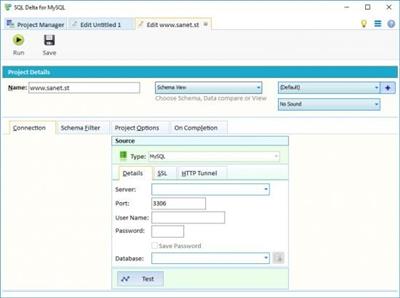
Compare and Sync Schema and Data for MySQL databases.​

Recent New Features:
Added support for SQL Server 2019 and support for ongoing SQL Azure changes
Improved dependency analysis when generating scripts.
Improved handling of various new data types.
Schema compare shows new icon when a table must be rebuilt or has auto mapped columns
New difference alert for schema compare of temporal tables
New bulk loading of existing SQL Delta projects
New compare options such as ignore encryption key details or varchar/nvarchar
Schema view has a new feature to drop and create replication subscriptions to allow changes to published databases

Whats New:
Improved printing data compare details
Tweaks to Schema View script editing with improved functionality:
- Ctrl + Shift + Up/Down to move line up/down
- Ctrl + Shift + D to duplicate line/selected content
- Ctrl + C without selection, copy row
- Ctrl + X without selection, cut the row
- Ctrl + / improved MySQL style SQL comments
Bug fixes.

Download link:​
Код:
[center][b]rapidgator_net[/b]:
https://rapidgator.net/file/9c732091b806d41fc1eb3b95bcff4060/2s18t.SQL.Delta.for.MySQL.6.5.6.103.rar.html

[b]uploadgig_com[/b]:
https://uploadgig.com/file/download/E091bDf6d17bE5D8/2s18t.SQL.Delta.for.MySQL.6.5.6.103.rar

[b]nitroflare_com[/b]:
https://nitroflare.com/view/F99B8AA7AA58943/2s18t.SQL.Delta.for.MySQL.6.5.6.103.rar[/center]

Links are Interchangeable - No Password - Single Extraction​
 
SQL Delta for Oracle 6.5.5.159

f53339517244f64842860436d4587cc5.jpeg

File size: 68 MB
Compare and Sync Schema and Data for Oracle databases.​

SQL Delta for Oracle
Run two or more projects side by side in separate tabs, whether it's two schema compare projects on completely separate servers or a schema compare and data compare project on the same server.
Because each process is run in separate threads you can be reviewing or even running an update script while waiting for other compare processes to complete.

Group Projects
You can assign each project to a project groups making organizing your projects easier. You can place all your data compare projects into a data group. Place a specific server group of projects under one group.

Whats New:
Improved printing data compare details
Tweaks to Schema View script editing with improved functionality:
- Ctrl + Shift + Up/Down to move line up/down
- Ctrl + Shift + D to duplicate line/selected content
- Ctrl + C without selection, copy row
- Ctrl + X without selection, cut the row
- Ctrl + / improved SQL comments
Bug fixes.

Download link:​
Код:
[center][b]rapidgator_net[/b]:
https://rapidgator.net/file/b9563db296f457a901bf7dd374364d68/m3axf.SQL.Delta.for.Oracle.6.5.5.159.rar.html

[b]uploadgig_com[/b]:
https://uploadgig.com/file/download/77dbf7e068e27533/m3axf.SQL.Delta.for.Oracle.6.5.5.159.rar

[b]nitroflare_com[/b]:
https://nitroflare.com/view/A54A6FB66BF8302/m3axf.SQL.Delta.for.Oracle.6.5.5.159.rar[/center]

Links are Interchangeable - No Password - Single Extraction​
 
SQL Delta for SQL Server 6.5.14.2223

408c14553ceebbee07bea25f812b22b0.jpeg

File size: 68 MB
Compare and Sync Schema and Data for SQL Server databases.​

Recent New Features:
Added support for SQL Server 2019 and support for ongoing SQL Azure changes
Improved dependency analysis when generating scripts.
Improved handling of various new data types.
Schema compare shows new icon when a table must be rebuilt or has auto mapped columns
New difference alert for schema compare of temporal tables
New bulk loading of existing SQL Delta projects
New compare options such as ignore encryption key details or varchar/nvarchar
Schema view has a new feature to drop and create replication subscriptions to allow changes to published databases

Whats New:
Improved transaction scripting for Memory Optimized objects.
Improved printing data compare details
Tweaks to Schema View script editing with improved functionality:
- Ctrl + Shift + Up/Down to move line up/down
- Ctrl + Shift + D to duplicate line/selected content
- Ctrl + C without selection, copy row
- Ctrl + X without selection, cut the row
- Ctrl + / improved SQL comments
Bug fixes.

Download link:​
Код:
[center][b]rapidgator_net[/b]:
https://rapidgator.net/file/e3465eb46e352aae4698dcdf94ea7b3f/k089k.SQL.Delta.for.SQL.Server.6.5.14.2223.rar.html

[b]uploadgig_com[/b]:
https://uploadgig.com/file/download/d072eB92368b4f0F/k089k.SQL.Delta.for.SQL.Server.6.5.14.2223.rar

[b]nitroflare_com[/b]:
https://nitroflare.com/view/2F1244213599AB2/k089k.SQL.Delta.for.SQL.Server.6.5.14.2223.rar[/center]

Links are Interchangeable - No Password - Single Extraction​
 
SQL DXP for Oracle and MySQL 6.5.6.164

a474ebb170dcaa085d638bf85d9477ef.jpeg

File size: 68 MB
Cross Platform Compare and Sync Schema and Data for Oracle and MySQL.​

Cross Platform Compare
SQL DXP can compare like for like databases, so Oracle Server to Oracle Server the same way that SQL Delta performs a compare. In addition SQL DXP can compare different database servers and transfer the schema and/or data across different platforms.

Schema Compare
SQL DXP will convert various objects of the source database into compatible objects for the target database. For example MySQL to Oracle Server converts the MySQL database into a Oracle Server form so the compare is then like for like.

It is important to note that not all objects and properties can be converted. MySQL doesn't support the feature set of Oracle Server however the objects are left as is to show the entire schema of the source database.

Data Compare
The cross platform data compare can be more closely aligned given common data types. Data compare provides a convenient way to transfer data from two different platforms with a very common use transferring web based MySQL data back into a backend SQL Server database.

Whats New:
Improved printing data compare details
Tweaks to Schema View script editing with improved functionality:
- Ctrl + Shift + Up/Down to move line up/down
- Ctrl + Shift + D to duplicate line/selected content
- Ctrl + C without selection, copy row
- Ctrl + X without selection, cut the row
- Ctrl + / improved SQL comments (especially MySQL)
Bug fixes.

Download link:​
Код:
[center][b]rapidgator_net[/b]:
https://rapidgator.net/file/97b66432af80034cb4259030ae85c6d8/pgwko.SQL.DXP.for.Oracle.and.MySQL.6.5.6.164.rar.html

[b]uploadgig_com[/b]:
https://uploadgig.com/file/download/2d82DeD35b047dc0/pgwko.SQL.DXP.for.Oracle.and.MySQL.6.5.6.164.rar

[b]nitroflare_com[/b]:
https://nitroflare.com/view/6E6D7C641207DB7/pgwko.SQL.DXP.for.Oracle.and.MySQL.6.5.6.164.rar[/center]

Links are Interchangeable - No Password - Single Extraction​
 
SQL DXP for SQL Server and MySQL 6.5.9.174

ef88b978fe4d80f41fa0f25890732c0b.jpeg

File size: 68 MB
Cross Platform Compare and Sync Schema and Data for SQL Server and MySQL.​

Cross Platform Compare
SQL DXP can compare like for like databases, so SQL Server to SQL Server the same way that SQL Delta performs a compare. In addition SQL DXP can compare different database servers and transfer the schema and/or data across different platforms.

Schema Compare
SQL DXP will convert various objects of the source database into compatible objects for the target database. For example MySQL to SQL Server converts the MySQL database into a SQL Server form so the compare is then like for like.

It is important to note that not all objects and properties can be converted. MySQL doesn't support the feature set of SQL Server however the objects are left as is to show the entire schema of the source database.

Data Compare
The cross platform data compare can be more closely aligned given common data types. Data compare provides a convenient way to transfer data from two different platforms with a very common use transferring web based MySQL data back into a backend SQL Server database.

Whats New:
Improved transaction scripting for SQL Server Memory Optimized objects.
Improved printing data compare details
Tweaks to Schema View script editing with improved functionality:
- Ctrl + Shift + Up/Down to move line up/down
- Ctrl + Shift + D to duplicate line/selected content
- Ctrl + C without selection, copy row
- Ctrl + X without selection, cut the row
- Ctrl + / improved SQL comments (especially MySQL)
Bug fixes.

Download link:​
Код:
[center][b]rapidgator_net[/b]:
https://rapidgator.net/file/6f30377f7d0c7738f7803451900819f8/dx0dx.SQL.DXP.for.SQL.Server.and.MySQL.6.5.9.174.rar.html

[b]uploadgig_com[/b]:
https://uploadgig.com/file/download/FBfd5a4630e8ce30/dx0dx.SQL.DXP.for.SQL.Server.and.MySQL.6.5.9.174.rar

[b]nitroflare_com[/b]:
https://nitroflare.com/view/24D417F1B8F125C/dx0dx.SQL.DXP.for.SQL.Server.and.MySQL.6.5.9.174.rar[/center]

Links are Interchangeable - No Password - Single Extraction​
 
SQL DXP Premium 6.5.9.175

6fc6574fd2eda5c9b328e249a9e8de8b.jpeg

File size: 68 MB
Cross Platform Compare and Sync Schema and Data for SQL Server, Oracle and MySQL.​

Cross Platform Compare
SQL DXP can compare like for like databases, so SQL Server to SQL Server the same way that SQL Delta performs a compare. In addition SQL DXP can compare different database servers and transfer the schema and/or data across different platforms from SQL Server, Oracle or MySQL.

Schema Compare
SQL DXP will convert various objects of the source database into compatible objects for the target database. For example MySQL to SQL Server converts the MySQL database into a SQL Server form so the compare is then like for like.

It is important to note that not all objects and properties can be converted. MySQL doesn't support the feature set of SQL Server however the objects are left as is to show the entire schema of the source database.

Data Compare
The cross platform data compare can be more closely aligned given common data types. Data compare provides a convenient way to transfer data from two different platforms with a very common use transferring web based MySQL data back into a backend SQL Server database.

Whats New:
Improved transaction scripting for SQL Server Memory Optimized objects.
Improved printing data compare details
Tweaks to Schema View script editing with improved functionality:
- Ctrl + Shift + Up/Down to move line up/down
- Ctrl + Shift + D to duplicate line/selected content
- Ctrl + C without selection, copy row
- Ctrl + X without selection, cut the row
- Ctrl + / improved SQL comments (especially MySQL)
Bug fixes.

Download link:​
Код:
[center][b]rapidgator_net[/b]:
https://rapidgator.net/file/eeb5cbc84440f3e1fc60b6f0259381d0/lji95.SQL.DXP.Premium.6.5.9.175.rar.html

[b]uploadgig_com[/b]:
https://uploadgig.com/file/download/d205CE4f3584adE8/lji95.SQL.DXP.Premium.6.5.9.175.rar

[b]nitroflare_com[/b]:
https://nitroflare.com/view/2CCBBDBDE73FA1D/lji95.SQL.DXP.Premium.6.5.9.175.rar[/center]

Links are Interchangeable - No Password - Single Extraction​
 
Tetraface Inc Metasequoia 4.7.7.2

f7aeac298b40016825b770e2f60a85b7.jpeg

File size: 126 MB​
Three-dimensional model design, especially the creation of human or animal-like characters, requires some knowledge in this area and, most importantly, a set of suitable tools for the job. For those who made some 3D creations using various specialized software solutions and need to work on them without having to install each program again, a utility like Metasequoia can be the right choice. This application manages to provide a strong set of features and make them available from a really friendly interface. There are several modes to operate Metasequoia, namely Beginner, Modeling (string), Modeling (icon) and Mapping.

Each of these styles comes with its commands for editing the loaded model, setting the appropriate lighting and more. There is a wide variety of objects that you can select and insert in the design, as well as some tools that are meant for modifying the model you are working on.

The editing function that Metasequoia is equipped with are rather basic, but, nonetheless, cover all the necessary actions for handling objects, material faces and vertices. Each selected portion of the design can be fixed, stored or restored when needed, as well as fit to view or set as center of rotation.

There are many customizations that can be made to the application from the 'Configuration' area, so you can assign, for instance, various actions to mouse buttons and key combinations. Texture rendering imperfections and some glitches that may occur can be avoided by adjusting the Direct3D and OpenGL preview options.

All things considered, Metasequoia seems to be a worthy alternative to more complex utilities of its kind, especially thanks to the ease of use coupled with a good support for a variety of formats this software is able to work with.

Download link:​
Код:
[center][b]rapidgator_net[/b]:
https://rapidgator.net/file/1e54969ecfb2d3960946e3ec94a1de53/mn7zs.Tetraface.Inc.Metasequoia.4.7.7.2.rar.html

[b]uploadgig_com[/b]:
https://uploadgig.com/file/download/05d1a194afB569E2/mn7zs.Tetraface.Inc.Metasequoia.4.7.7.2.rar

[b]nitroflare_com[/b]:
https://nitroflare.com/view/491AD16358C423A/mn7zs.Tetraface.Inc.Metasequoia.4.7.7.2.rar[/center]

Links are Interchangeable - No Password - Single Extraction​
 
TextPad 8.7

fd51a1168ce3fd7774a8d29a1bbc964f.jpeg

File Size: 14.4 MB​
TextPad is a powerful, general purpose editor for plain text files. Easy to use, with all the features a power user requires. TextPad® is designed to provide the power and functionality to satisfy the most demanding text editing requirements.

TextPad has been implemented according to the Windows XP user interface guidelines, so great attention has been paid to making it easy for both beginners and experienced users. In-context help is available for all commands, and in-context menus pop-up with the right mouse button. The Windows multiple document interface allows multiple files to be edited simultaneously, with up to 2 views on each file. Text can be dragged and dropped between files.

In addition to the usual cut and paste capabilities, you can correct the most common typing errors with commands to change case, and transpose words, characters and lines. Other commands let you indent blocks of text, split or join lines, and insert whole files. Any change can be undone or redone, right back to the first one made. Visible bookmarks can be put on lines, and edit commands can be applied to lines with bookmarks.

Frequently used combinations of commands can be saved as keystroke macros, and the spelling checker has dictionaries for 10 languages.
It also has a customizable tools menu, and integral file compare and search commands, with hypertext jumps from the matched text to the corresponding line in the source file (ideal for integrating compilers).

Features:
* Huge files can be edited, up to the limits of virtual memory. See Specifications for the actual limits.
* Supports Universal Naming Convention (UNC) style names, and long file names with spaces.
* CUA compliant keyboard commands.
* English, French, German, Italian, Polish, Portuguese and Spanish user interfaces.
* A spelling checker with dictionaries in 10 languages.
* Multiple files can be simultaneously edited, with up to 2 views per file.
* Warm Start feature lets you restart exactly where you left off.
* In addition to the usual cut, copy and paste capabilities, selected text can be case shifted and block indented, and characters, words and lines can be transposed. Cut and copied text can be appended to the clipboard, as well as replacing its contents.
* Text can be automatically word-wrapped at the margin, or at a specified column, if it does not fit on a line. In this mode, text can be split into separate lines where wrapping occurs, or lines can be intelligently joined, preserving paragraphs.
* OLE2 drag and drop editing for copying and moving text between documents.
* Unlimited undo/redo capability. The undo buffer can be optionally cleared when a file is saved, or by using the Mark Clean command.
* Block (column) selection mode, and visible display of tabs and spaces.
* A keystroke macro recorder, with up to 16 active macros.
* Sorting, using up to 3 keys.
* Text can be automatically aligned and indented, relative to the previous line, to aid block indentation.
* The right mouse button pops up an in-context menu.
* The cursor can be constrained to the text, or can be positioned freely in the document view.
* Toolbar with fly-by usage hints, and an active status bar.
* A powerful search/replace engine using UNIX-style regular expressions, with the power of editor macros. Sets of files in a directory tree can be searched, and text can be replaced in all open documents at once.
* Visible bookmarks can be placed on individual lines, and on all occurrences of a search pattern. Bookmarked lines can be cut, copied or deleted.
* A built in file manager for fast file copying, renaming, deleting etc.
* Print previewing, and printing with customizable headers/footers and page breaks.
* Viewer for binary files using a hexadecimal display format.
* Built in file comparison utility, and up to 16 user-defined tools with argument macros.
* Hypertext links from file search and user tool output to the relevant source line.
* DDE interface to other tools, such as MS Visual C++. The editor detects when an open file has been modified by another tool, and prompts you to reopen it.

Enhancements:
* Incremental Find command on the Search menu. It finds the next instance of a string, as you type it in the Incremental Find toolbar.
* Normalize command on Windows menu when document tabs are displayed. It eliminates any tiling and tab groups.
* Option to order document tabs leftmost first.
* Option to substitute TextPad for Notepad.
* Added commands to copy the filename and browse its folder to the Document Selector and tabs context menus.
* Added commands to create new tab groups to the document tabs context menu.
* Sets the Explorer path when opening a workspace.
* Tool names on the Configure/Preferences/Tools dialog box can now be edited by pressing F2.
* The Explorer now uses the Windows Explorer context menu.
* Optional toolbar for print commands.

Download link:​
Код:
[center][b]rapidgator_net[/b]:
https://rapidgator.net/file/86aba48a4a2eb3d94553c93644e78623/038fw.TextPad.8.7.rar.html

[b]uploadgig_com[/b]:
https://uploadgig.com/file/download/c1D9Dfd62e185e16/038fw.TextPad.8.7.rar

[b]nitroflare_com[/b]:
https://nitroflare.com/view/93F379B0F0B90EF/038fw.TextPad.8.7.rar[/center]

Links are Interchangeable - No Password - Single Extraction​
 
Tomabo MP4 Downloader Pro 4.3.2

256e142f2662a9a32ac70c55adc0c25f.jpeg

File size: 36.6 MB​
MP4 Downloader Pro is simple and light but features many attractive and useful functions.
Download your favorite videos from hundreds of video sharing sites.

Increase your download speeds by up to 500% or even more.
Download 4K, 2K, HD 1080p, HD 720p, and HQ videos from internet.
Support drag-and-drop, just drag and drop video link to the program window from Internet Explorer, Chrome, Firefox, or any other web browser to start download.
Integrate with Internet Explorer and Firefox. Add download commands to the context menu of your browser, so you can download any video with just one click.
Simultaneous downloads. Download more than one video at same time and safe time.

Pause and resume downloads. Pause, resume or cancel your downloads if you need more connection to perform other important tasks.
Search videos inside MP4 Downloader Pro and download them with one click.
Convert downloaded videos to MP4, WMV, MOV, AVI, 3GP, MPEG, DVD, or any other format, so you can store and play them on your PC, iPhone, iPad, iPod, PSP, Android phone, Android tablet, Windows Phone, or any other mobile device.
Extract audio tracks from downloaded videos and save them as mp3, wav, wma, ac3, ringtone, or any other popular audio format for any device.
Ready-made presets for all output formats.
Ability to custom output video/audio format settings.

Whats New:
Updates: official site does not provide any info about changes in this version.

Download link:​
Код:
[center][b]rapidgator_net[/b]:
https://rapidgator.net/file/1da13f3e86621296fa2b6e526f731f72/kox92.Tomabo.MP4.Downloader.Pro.4.3.2.rar.html

[b]uploadgig_com[/b]:
https://uploadgig.com/file/download/e365Bd5d851A4039/kox92.Tomabo.MP4.Downloader.Pro.4.3.2.rar

[b]nitroflare_com[/b]:
https://nitroflare.com/view/B2AB20ACF10CD83/kox92.Tomabo.MP4.Downloader.Pro.4.3.2.rar[/center]

Links are Interchangeable - No Password - Single Extraction​
 
VueScan Pro 9.7.54 Multilingual

e06f653160c83cdf4f1bc8c418b53780.jpeg

File size: 24 MB​
VueScan is a powerful scanning application that allows you to acquire high-quality images using a flatbed or film scanner. If you are not satisfied with the software delivered by the scanner vendor or if you want to improve it with new functions you should try this program.

Scan Documents
Whether you need to scan a single page or a hundred page book, VueScan has the tools to help you.
Scan with Flatbed and Automatic Document Feeders (ADF)
Scan to PDF (Single and Multipage)
Optical Character Recognition (OCR)
Automatic Color Detection
Small document file sizes
Automatic document deskewing

Scan Photos
Do you have a box full of photos in your drawer? Use VueScan to get them on your computer, and off your to-do list.

Scan to JPG or TIFF
Whether you're saving a few snapshots or archiving boxes of prints, VueScan has the tools you need to output your scans at either the highest possible quality or a large number of good quality scans.

Scan with Flatbed and Automatic Document Feeders (ADF)
VueScan supports over 3000+ different scanners from 35 manufacturers, even scanners that don't have drivers from their manufacturers anymore.

Preset photo sizes for faster scans
VueScan improves one of the slowest parts about scanning by scanning only the part of the flatbed where your photo is. So you can spend less time scanning, and more time enjoying your photos.

Scan multiple photos on the flatbed
Scanning multiple photos with VueScan is very simple. Just put them in the corners of the flatbed, do a preview, and manually crop each of the photos without needing to do another scan.

Automatic file naming for faster scans
Don't waste time manually naming every photo, use VueScan's auto naming feature to include dates, numbers, or other prefixes and suffixes in your file names.

Remove fading and correct colors
Stay out of photoshop and save the best version possible of your photos with VueScan's built in features to remove fading, and correct colors.

Scan Film and Slides
VueScan is the ultimate tool for all your film and slide scanning needs.
Works with almost all film/slide scanners
Scan to JPEG/TIFF/RAW
Infrared Dust Removal
Color correction
IT8 Calibration
Photoshop Integration

Download link:​
Код:
[center][b]rapidgator_net[/b]:
https://rapidgator.net/file/6cc4bba82e314f8dde7d3b0bc49317cc/9ojtq.VueScan.Pro.9.7.54.Multilingual.rar.html

[b]uploadgig_com[/b]:
https://uploadgig.com/file/download/f4A3644eE1da6ab3/9ojtq.VueScan.Pro.9.7.54.Multilingual.rar

[b]nitroflare_com[/b]:
https://nitroflare.com/view/433D1579ACFEEF3/9ojtq.VueScan.Pro.9.7.54.Multilingual.rar[/center]

Links are Interchangeable - No Password - Single Extraction​
 
Vuze Driver Booster Pro 21.4.21.2 (x64)

442d00e14ee455b09a21d8f0d085c6cf.jpeg

Languages: English | File size: 1.11 MB​
Update drivers for computer, laptop, audio card, video card or any device, for all brands. Vuze Driver Booster updates Realtek audio drivers, AMD radeon drivers, AMD ryzen drivers, Nvidia GeForce driver, Brother printer drivers.

With Vuze Driver Booster you can easily update drivers with one click for your printer, camera, speakers, keyboards, Wifi router, mouse, video card, network card, chipset or other device for major brands.

Update all drivers, certified 100% guarantee
Vuze Driver Booster uses only genuine drivers, only from hardware manufacturer. All drivers are tested and certified by Microsoft.

Update your video card driver for better video games
Vuze Driver Booster scans and updates your video card drivers in real time for clear video streaming and smoother gaming. Update your Nvidia video card drivers for 100% frame rate increase!

Drivers always up-to-date
Vuze Driver Booster scans your computer in real-time for missing and outdated drivers and fixes them to reduce PC freezes, crashes, blue screens, bugs, connectivity problems, mouse, printer issues and much more.

Whats New:
Updates: official site does not provide any info about changes in this version

Download link:​
Код:
[center][b]rapidgator_net[/b]:
https://rapidgator.net/file/b467bd818f4ca46aae029609ab836dd9/mw7us.Vuze.Driver.Booster.Pro.21.4.21.2.x64.rar.html

[b]uploadgig_com[/b]:
https://uploadgig.com/file/download/5aec9660687b6e29/mw7us.Vuze.Driver.Booster.Pro.21.4.21.2.x64.rar

[b]nitroflare_com[/b]:
https://nitroflare.com/view/329A08B7D74CAD9/mw7us.Vuze.Driver.Booster.Pro.21.4.21.2.x64.rar[/center]

Links are Interchangeable - No Password - Single Extraction​
 
W10Privacy 3.7.0.5 Multilingual

4f6cd940577a2f782004d0eb0ffd9049.jpeg

File size: 2.3 MB​
W10Privacy can display common Windows 10 security settings that can be activated as well as deactivated within the program. It also allows importing and exporting of your changes. While there are a lot of Windows 10 privacy tools out there, many of them lack the detail this program has. Of course, this means that it might take you a bit longer to go through your choices.

For those who don't want to go into detail you can choose from 3 predefined settings. While the design is very simple, there are also 3 colors so that you can easily spot the these 3 settings:
Green - Recommended - this is a conservative mode. Yellow - Conditionally recommended - probably the best bet but look over the choices. Red - Restricted - think of this as geek mode. Better know what you're doing. Must run as administrator.

Also, other similar apps don't always have a back or set a restore point making them a bit scary. This program however does offer a save, save as and load options so you can backup and import or export your settings anytime.
W10Privacy has a built in update checker and a handful of user settings as well.

Download link:​
Код:
[center][b]rapidgator_net[/b]:
https://rapidgator.net/file/14bcb33a1d25678b2d8748e697abb643/rgbj6.W10Privacy.3.7.0.5.Multilingual.zip.html

[b]uploadgig_com[/b]:
https://uploadgig.com/file/download/d7b8b8a2E07Cbe0B/rgbj6.W10Privacy.3.7.0.5.Multilingual.zip

[b]nitroflare_com[/b]:
https://nitroflare.com/view/CD9260EBA639A81/rgbj6.W10Privacy.3.7.0.5.Multilingual.zip[/center]

Links are Interchangeable - No Password - Single Extraction​
 
Windows 10 x64 Enterprise LTSC 2019 Multilanguage Preactivated May 2021

988eaf4c35e291f338ca2fe77bfb31ef.jpeg

x64 | Language: Multilanguage | Size File: 11 GB​

* This release contains one ISO [SOURCE ISO] and 23 executable svf-files.
* All exe-files are created from original MSDN releases.
* Hashes & all sources attached in separate .txt

* This is done with SmartVersion, a program that calculates the
* difference between two files (one of which is used as the source)
* and then creates an svf-file based on that difference.

* Download the SOURCE ISO and preferred language
* If you want en-US then just download the SOURCE ISO.

* Run the exe-file in the same folder as the SOURCE ISO.
* This will RECREATE THE ORIGINAL ISO in the selected language.

INCLUDED

* Windows 10 Enterprise LTSC 2019 - DLA

* DLA = Digital License Activation (HWID)

LANGUAGES

* ARABIC
* BRAZILIAN
* CROATIAN
* DANISH
* DUTCH
* ENGLISH GB
* ENGLISH US
* ESTONIAN
* FINNISH
* FRENCH
* GERMAN
* GREEK
* HUNGARIAN
* ITALIAN
* LATVIAN
* NORWEGIAN
* POLISH
* PORTUGUESE
* RUSSIAN
* SLOVENIAN
* SPANISH
* SWEDISH
* TURKISH
* UKRANIAN

FEATURES

* UEFI-ready
* install.wim splitted for UEFI support (FAT32)
* (Use attached Rufus USB-tool to make UEFI-bootable)
* Diagnostics and Recovery Toolset 10.0 (boot.wim only)

SOURCE ISO

* LTSC.2019.X64.en-US

INSTALLATION & INFORMATION

* Create bootable USB (highly recommended) with Rufus,
* (attached) or burn to DVD-DL at slow speed.

CREDIT

* Windows_Addict, Authtor of Windows Activation Script

* Hope you will enjoy this release!

What News?
* Servicing Stack Update:
* KB5003243
* Cumulative Update:
* KB5003171
* NET Framework 3.5
* NET Framework 4.8:
* KB4486153
* Cumulative Update for
* NET Framework 3.5 and 4.8:
* KB4601555

Homepage
Код:
https://www.microsoft.com

Download link:​
Код:
[center][b]rapidgator_net[/b]:
https://rapidgator.net/file/12ac8b0127480237e4b5a32150f5be19/hhtu4.Windows.10.x64.Enterprise.LTSC.2019.Multilanguage.Preactivated.May.2021.part01.rar.html
https://rapidgator.net/file/496e8776515a2da5bc243d8ea5c57426/hhtu4.Windows.10.x64.Enterprise.LTSC.2019.Multilanguage.Preactivated.May.2021.part02.rar.html
https://rapidgator.net/file/1371c9e01c65144d4caf333eecf0f516/hhtu4.Windows.10.x64.Enterprise.LTSC.2019.Multilanguage.Preactivated.May.2021.part03.rar.html
https://rapidgator.net/file/f9f2bfc620806bba764481aa8b285b0e/hhtu4.Windows.10.x64.Enterprise.LTSC.2019.Multilanguage.Preactivated.May.2021.part04.rar.html
https://rapidgator.net/file/4e1eb057a91408133a84fa345f4c096a/hhtu4.Windows.10.x64.Enterprise.LTSC.2019.Multilanguage.Preactivated.May.2021.part05.rar.html
https://rapidgator.net/file/260722000b9196ea9b4b72a84d11a318/hhtu4.Windows.10.x64.Enterprise.LTSC.2019.Multilanguage.Preactivated.May.2021.part06.rar.html
https://rapidgator.net/file/e01f5e37575fb20ce3bb4c34a4d4395b/hhtu4.Windows.10.x64.Enterprise.LTSC.2019.Multilanguage.Preactivated.May.2021.part07.rar.html
https://rapidgator.net/file/78e885fd9fa9e6c8ce453ea91438d639/hhtu4.Windows.10.x64.Enterprise.LTSC.2019.Multilanguage.Preactivated.May.2021.part08.rar.html
https://rapidgator.net/file/683057426e19edbb31d559f54c447b93/hhtu4.Windows.10.x64.Enterprise.LTSC.2019.Multilanguage.Preactivated.May.2021.part09.rar.html
https://rapidgator.net/file/81408b40aee634435c8c253a7ea296de/hhtu4.Windows.10.x64.Enterprise.LTSC.2019.Multilanguage.Preactivated.May.2021.part10.rar.html
https://rapidgator.net/file/9012b634aae156fbcb0bee157ec69862/hhtu4.Windows.10.x64.Enterprise.LTSC.2019.Multilanguage.Preactivated.May.2021.part11.rar.html

[b]uploadgig_com[/b]:
https://uploadgig.com/file/download/17BA64ef87c3f8dE/hhtu4.Windows.10.x64.Enterprise.LTSC.2019.Multilanguage.Preactivated.May.2021.part01.rar
https://uploadgig.com/file/download/4CCf7e2ac844c2c7/hhtu4.Windows.10.x64.Enterprise.LTSC.2019.Multilanguage.Preactivated.May.2021.part02.rar
https://uploadgig.com/file/download/D16988736CD3abbd/hhtu4.Windows.10.x64.Enterprise.LTSC.2019.Multilanguage.Preactivated.May.2021.part03.rar
https://uploadgig.com/file/download/Dd4A22d1e17A4cb3/hhtu4.Windows.10.x64.Enterprise.LTSC.2019.Multilanguage.Preactivated.May.2021.part04.rar
https://uploadgig.com/file/download/B2098ee8244d35c5/hhtu4.Windows.10.x64.Enterprise.LTSC.2019.Multilanguage.Preactivated.May.2021.part05.rar
https://uploadgig.com/file/download/939914F348038bA8/hhtu4.Windows.10.x64.Enterprise.LTSC.2019.Multilanguage.Preactivated.May.2021.part06.rar
https://uploadgig.com/file/download/49A8cC86F86f32bd/hhtu4.Windows.10.x64.Enterprise.LTSC.2019.Multilanguage.Preactivated.May.2021.part07.rar
https://uploadgig.com/file/download/2e3351299f3b14d4/hhtu4.Windows.10.x64.Enterprise.LTSC.2019.Multilanguage.Preactivated.May.2021.part08.rar
https://uploadgig.com/file/download/0a70420B5f93a475/hhtu4.Windows.10.x64.Enterprise.LTSC.2019.Multilanguage.Preactivated.May.2021.part09.rar
https://uploadgig.com/file/download/96b0de86ba099545/hhtu4.Windows.10.x64.Enterprise.LTSC.2019.Multilanguage.Preactivated.May.2021.part10.rar
https://uploadgig.com/file/download/755E0cc155dcBbeb/hhtu4.Windows.10.x64.Enterprise.LTSC.2019.Multilanguage.Preactivated.May.2021.part11.rar

[b]nitroflare_com[/b]:
https://nitroflare.com/view/BC04BB40753E666/hhtu4.Windows.10.x64.Enterprise.LTSC.2019.Multilanguage.Preactivated.May.2021.part01.rar
https://nitroflare.com/view/B630EB07F784F69/hhtu4.Windows.10.x64.Enterprise.LTSC.2019.Multilanguage.Preactivated.May.2021.part02.rar
https://nitroflare.com/view/5F5322120D99535/hhtu4.Windows.10.x64.Enterprise.LTSC.2019.Multilanguage.Preactivated.May.2021.part03.rar
https://nitroflare.com/view/DCB2E1D0405D963/hhtu4.Windows.10.x64.Enterprise.LTSC.2019.Multilanguage.Preactivated.May.2021.part04.rar
https://nitroflare.com/view/729A78A1523CD40/hhtu4.Windows.10.x64.Enterprise.LTSC.2019.Multilanguage.Preactivated.May.2021.part05.rar
https://nitroflare.com/view/72D796A3B608A49/hhtu4.Windows.10.x64.Enterprise.LTSC.2019.Multilanguage.Preactivated.May.2021.part06.rar
https://nitroflare.com/view/A1736C1E76C72F8/hhtu4.Windows.10.x64.Enterprise.LTSC.2019.Multilanguage.Preactivated.May.2021.part07.rar
https://nitroflare.com/view/F1B3D1DA07095DF/hhtu4.Windows.10.x64.Enterprise.LTSC.2019.Multilanguage.Preactivated.May.2021.part08.rar
https://nitroflare.com/view/7D0C1CDDFBAEE77/hhtu4.Windows.10.x64.Enterprise.LTSC.2019.Multilanguage.Preactivated.May.2021.part09.rar
https://nitroflare.com/view/717E63AC0E59A77/hhtu4.Windows.10.x64.Enterprise.LTSC.2019.Multilanguage.Preactivated.May.2021.part10.rar
https://nitroflare.com/view/D5FE59A74D050DB/hhtu4.Windows.10.x64.Enterprise.LTSC.2019.Multilanguage.Preactivated.May.2021.part11.rar[/center]

Links are Interchangeable - No Password - Single Extraction​
 
Назад
Сверху