• Форум работает в архивном режиме www.old.nado.in

All mitsumi'1s Applications !! (updated daily)

  • Автор темы Автор темы mitsumi1
  • Дата начала Дата начала
Exif Pilot 6.2.1

0edeae0b8bfdcd38070586cff91ed5e4.jpeg

File size: 10 MB​
Exif Pilot is software for the edition and analysis of EXIF, IPTC, and XMP data (information that indicates digital camera settings and picture taking conditions). Exif Pilot allows you to view, create, and edit the EXIF, EXIF GPS, IPTC, and XMP data. You can import/export EXIF and IPTC data from/to XML format as well. Exif Pilot supports exporting EXIF and IPTC data to MS Excel or CSV format and importing EXIF and IPTC from MS Excel or CSV format.

With Exif Pilot, you can find the optimal parameters for taking pictures, for example, the relationship between the depth of field and the aperture of a particular lens.

Exif Pilot supports the following formats:
JPEG images read and write.
TIFF images read and write.
PNG images read and write.
DNG images read and write.
NEF images read and write.
PEF images read and write.
CRW images read and write.
JP2 images read and write.
PSD images read and write.
ORF images read and write.
SRW images read and write.
EXV images read and write.
CR2 images read only.
MRW images read only.
ARW images read only.
RAF images read only.
RW2 images read only.
PGF images read only.

Download link:​
Код:
[center][b]rapidgator_net[/b]:
https://rapidgator.net/file/86f4eeee30344e7ad293630d40983613/nrze8.Exif.Pilot.6.2.1.rar.html

[b]uploadgig_com[/b]:
https://uploadgig.com/file/download/7b5C19aCbfe2b40A/nrze8.Exif.Pilot.6.2.1.rar

[b]nitroflare_com[/b]:
https://nitroflare.com/view/8A269664EE48954/nrze8.Exif.Pilot.6.2.1.rar[/center]

Links are Interchangeable - No Password - Single Extraction​
 
Feeder 4.1.4 macOS

b893b9c36203a327b9650770a1ef1ac6.jpeg

File size: 13 MB​
Feeder is a full-featured application for creating, editing, and publishing RSS and iTunes podcast feeds. Features include quick and easy feed editing with auto-complete, templates, HTML tags, Markdown, an HTML preview and more.

Feeder is a full-featured application for creating, editing, and publishing RSS and iTunes podcast feeds. Features include quick and easy feed editing with auto-complete, templates, HTML tags, Markdown, an HTML preview and more.

For podcasters there is drag-and-drop episode creation, automatic tagging of audio and video files with artwork, and an iTunes Store preview. Feeder can publish feed, images, and media files with FTP, SFTP, WebDAV, or Amazon S3, post to a blog when publishing, and announce new content on Twitter and Facebook once everything is online.

Feeder 4 has been completely updated for macOS Big Sur and Apple's switch from iTunes to the Podcasts app. Feeder 4 also works with iCloud, so that you can access your feeds on all your Macs, and allows collaboration with other Feeder users via iCloud.

*** You need to disable the System Integrity Protection (SIP) to perform the selected Application.
Release Notes
Release notes were unavailable when this listing was updated.

Supported Operation Systems:
macOS 10.14 or later

Download link:​
Код:
[center][b]rapidgator_net[/b]:
https://rapidgator.net/file/e1966b7cdf6ec22f3139be85bbcee570/it4qv.Feeder.4.1.4.macOS.rar.html

[b]uploadgig_com[/b]:
https://uploadgig.com/file/download/d5dd71abDC8aef24/it4qv.Feeder.4.1.4.macOS.rar

[b]nitroflare_com[/b]:
https://nitroflare.com/view/5E677F8A2C398C7/it4qv.Feeder.4.1.4.macOS.rar[/center]

Links are Interchangeable - No Password - Single Extraction​
 
FGS Cashbook 7.5.3 Multilingual

202e5d7bbe34098786c7f0de7c1db88d.jpeg

File size: 15 MB​
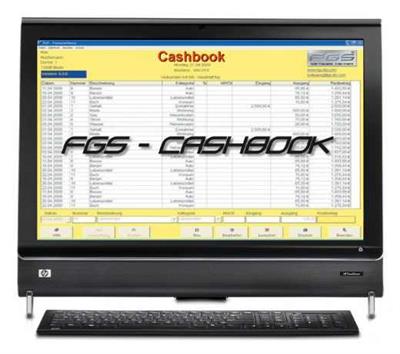
Do you ask yourselves also every month where your crossly earned money remains? Rent, electricity, petrol, food, clothes and sometimes a visit to the cinema - there it is not so easy at all to keep the overview above the current expenses. The program "FGS-Cashbook" helps you thereby. Keep track of your expenses and control over your budget more effectively!

"FGS-Cashbook" (also known as "FGS-Kassenbuch" and "FGS-Financesoftware") is a multilanguage and multi-currency financial application for you to create, manage, and keep your cash book handy and well organized. The user interface can be switched into English, German, Italian or Thai. There are many currencies available, as well as the possibility to create your own one. It is possible to create a cash book, name it and write your personal details. After that, you can start entering your income/expense data. Optionally, you can specify the date, category, VAT and more. This program will automatically calculate/deduct the VAT, will generate the individual balance and the total balance. You may set to print your cash book and make a backup.

Additional functions after registration:
- Password Entry
- Convenient search function
- Funds report in landscape mode with residual column
- Databackup - Export function in MS-Excel, MS-Access or text file
- Several cash books in the program can be managed
- Change the title (25 characters): eg elective cash book, cash - private, bank, club or household
- Evaluation Tool: Single overview document, Overview of documents in a given period

Whats New:
Updates: official site does not provide any info about changes in this version

Download link:​
Код:
[center][b]rapidgator_net[/b]:
https://rapidgator.net/file/317b76866d4109c80b8b26ff5c6befde/1ufip.FGS.Cashbook.7.5.3.Multilingual.rar.html

[b]uploadgig_com[/b]:
https://uploadgig.com/file/download/4Bd243e9e8a2bc3E/1ufip.FGS.Cashbook.7.5.3.Multilingual.rar

[b]nitroflare_com[/b]:
https://nitroflare.com/view/56DA79B85284FAA/1ufip.FGS.Cashbook.7.5.3.Multilingual.rar[/center]

Links are Interchangeable - No Password - Single Extraction​
 
FinalCrypt 6.8.0 (x64)

d7e5124ba9c9939e4105e9935c197904.jpeg

File Size : 55.8 Mb​

FinalCrypt uses symmetric One Time Pad Encryption which is known as the most unbreakable encryption in existence. FinalCrypt's large true random "One Time Pad" (FIPS140-2 & RFC4086 compliant) Keys are mathematically unbreakable. The Shor's algorithm has proven that all asymmetric encryption will instantly be broken by Quantum Computers (or simulators).

Full Disk Encryption doesn't offer much security either, since a virus, spying or indexing software can read all your files in an unlocked drive. FinalCrypt is the only One Time Pad, Bulk File Encryption Software, that is freely available to the public.

Do More
Let the new graphical user (guidance) interface guide you with ease or use the command line interface to fully automate encryption for large datasets (command-line manpage).
Encrypt up to 4 billion files in one go supporting unlimited file sizes. No need to encrypt files one by one. Select all the files and directories and encrypt or decrypt.

Personal Strength
FinalCrypt has no restriction in key size creating (GiB/TiB) keys large enough to encircle the earth several times in comparison to traditional encryption keys (only 32 bytes) or passwords. Also FinalCrypt keys have no fixed location and can' t be recognized as keys to prevent detection by key harvesting software.
An optional password enforces double encryption so a lost / stolen key-file can't unlock your data without your password.

Support
Keeping your personal data private is an increasingly difficult task in this online world. Get free support for FinalCrypt.

Global Use
FinalCrypt Worldwide
250,000+ downloads
Used in 100 countries

Non-Profit
FinalCrypt is OpenSource and Non-Profit software. Privacy is a human right and should be freely available. Licensed under: Creative Commons Public License (CC BY-NC-ND 4.0)

Download link:​
Код:
[center][b]rapidgator_net[/b]:
https://rapidgator.net/file/11d565370a166f2a06a173efa4067c27/q14si.FinalCrypt.6.8.0.x64.rar.html

[b]uploadgig_com[/b]:
https://uploadgig.com/file/download/f1fCb99Fc8535de6/q14si.FinalCrypt.6.8.0.x64.rar

[b]nitroflare_com[/b]:
https://nitroflare.com/view/28AC83E0B243165/q14si.FinalCrypt.6.8.0.x64.rar[/center]

Links are Interchangeable - No Password - Single Extraction​
 
FunctionBay RecurDyn V9R4 SP1.1 v9.4.34782.0.9410.1 (Update only)

50a723d13e05b30abea5033fac705611.jpeg

File Size: 2.1 GB​
RecurDyn is an interdisciplinary, computer-aided engineering (CAE) software package whose primary function is the simulation of MultiBody Dynamics (MBD). RecurDyn simulates both rigid and flexible body dynamics by combining traditional rigid MBD with cutting-edge finite element technology for modeling flexible bodies. In addition, RecurDyn also includes a tightly-integrated controller design tool, design optimization, particle dynamics for granular materials, and durability and fatigue analysis.

RecurDyn also supports co-simulation with various other computer-aided engineering software tools. RecurDyn includes a seamless co-simulation environment for coupled simulations with computational fluid dynamics solver, Particleworks from Promotech, allowing for detailed analysis of the interaction of fluids and multibody systems.

The base component of RecurDyn is RecurDyn Professional. RecurDyn Professional provides the capacity for all pre- and post-processing, simulating, and and analyzing rigid body systems. It also includes a complete customization environment. RecurDyn Professional is required to use any additional toolkits. Toolkits add functionality to RecurDyn Professional, including GUI features and solver code specific to the field of the toolkit. RecurDyn Professional includes RecurDyn Modeler, the pre- and post-processing environment, RecurDyn/Solver, and RecurDyn ProcessNet, the customization environment. RecurDyn Professional provides rigid body analysis. It includes a library of algebraic, idealized constraints and a library of rigid-to-rigid body contact algorithms.

RecurDyn Professional can perform various kinds of analyses: Dynamics Statics Position, Velocity, and Acceleration at the initial time Design Studies and Design of Experiments.

Features:
Fast and reliable mechanical system simulation
Familiar user interface: CAD-like & Windows-native
Powerful 2D/3D surface contact modeling
Advanced flexible body dynamics
Automated modeling using exclusive toolkits

Note: If Recurdyn fails to load, check the decimal separator in Regional Settings!
The only acceptable separator is DOT (.), NOT A COMMA (,)!

Download link:​
Код:
[center][b]rapidgator_net[/b]:
https://rapidgator.net/file/7d4a97fedd5083d132771e1add62818f/62ltj.FunctionBay.RecurDyn.V9R4.SP1.1.v9.4.34782.0.9410.1.Update.only.part1.rar.html
https://rapidgator.net/file/6aca4fa34fa878a4072dac5f1d13ab71/62ltj.FunctionBay.RecurDyn.V9R4.SP1.1.v9.4.34782.0.9410.1.Update.only.part2.rar.html
https://rapidgator.net/file/dd4410e95a5c8d66f97e018ea4cff0c9/62ltj.FunctionBay.RecurDyn.V9R4.SP1.1.v9.4.34782.0.9410.1.Update.only.part3.rar.html

[b]uploadgig_com[/b]:
https://uploadgig.com/file/download/2d005A35cE246ead/62ltj.FunctionBay.RecurDyn.V9R4.SP1.1.v9.4.34782.0.9410.1.Update.only.part1.rar
https://uploadgig.com/file/download/043c42eB237b90aC/62ltj.FunctionBay.RecurDyn.V9R4.SP1.1.v9.4.34782.0.9410.1.Update.only.part2.rar
https://uploadgig.com/file/download/AAeda085714d2991/62ltj.FunctionBay.RecurDyn.V9R4.SP1.1.v9.4.34782.0.9410.1.Update.only.part3.rar

[b]nitroflare_com[/b]:
https://nitroflare.com/view/0DD01430327C747/62ltj.FunctionBay.RecurDyn.V9R4.SP1.1.v9.4.34782.0.9410.1.Update.only.part1.rar
https://nitroflare.com/view/8C0EC76FC82A91F/62ltj.FunctionBay.RecurDyn.V9R4.SP1.1.v9.4.34782.0.9410.1.Update.only.part2.rar
https://nitroflare.com/view/8E200F5407368E0/62ltj.FunctionBay.RecurDyn.V9R4.SP1.1.v9.4.34782.0.9410.1.Update.only.part3.rar[/center]

Links are Interchangeable - No Password - Single Extraction​
 
Futuremark 3DMark 2.18.7184 (x64) Multilingual

e2afc457fd1b9d74a70652acb2c133c0.jpeg

File size: 6.4 GB​
Futuremark 3DMark is an essential tool to measure PC gaming performance. It is used by millions of gamers, hundreds of hardware review sites and many of the world's leading manufacturers.

Use it to test your PC's limits and measure the impact of overclocking and tweaking your system.
Search Futuremark's massive results database and see how your PC compares or just admire the graphics and wonder why all PC games don't look this good.
The new Futuremark 3DMark includes everything you need to benchmark your hardware. To get more out of your PC, put 3DMark in your PC.
With three all new tests you can bench everything from smartphones and tablets, to notebooks and home PCs. Also you can bench the latest high-end, multi-GPU gaming desktops. And it's not just for Windows.
With Futuremark 3DMark you can compare your scores with Android and iOS devices too. It's the most powerful and flexible 3DMark we've ever created.

The latest version of the world's most popular benchmark.
Everything you need to test your PC, notebook, tablet and smartphone in one app.
New in 2016, 3DMark now recommends the best benchmark for your system.
Compare your 3DMark scores with other Windows, Android and iOS devices.
Now includes a preview of VRMark, our upcoming VR benchmark.

Fire Strike is a showcase DirectX 11 benchmark designed for today's high-performance gaming PCs. It is our most ambitious and technical benchmark ever, featuring real-time graphics rendered with detail and complexity far beyond what is found in other benchmarks and games today.

DirectX 11 benchmark for gamers
Renders at 1920 x 1080 resolution
For high performance gaming PCs.

3DMark Fire Strike Extreme is an enhanced version of Fire Strike designed for high-end multi-GPU systems (SLI / Crossfire) and future hardware generations. In addition to raising the rendering resolution, additional visual quality improvements increase the rendering load to ensure accurate performance measurements for truly extreme hardware setups.

Enhanced for extreme hardware.
Renders at 2560 x 1440 resolution
For systems with multiple GPUs.

Fire Strike Ultra 4K UHD rendering resolution is four times larger than the 1080p resolution used in Fire Strike. A 4K monitor is not required, but your graphics card must have at least 3GB of memory to run this monstrously demanding benchmark.

The world's first 4K gaming benchmark
Renders at 4K UHD resolution (3840 x 2160)
The most demanding 3DMark test ever.

Use 3DMark Sky Diver to benchmark systems with mainstream graphics cards, mobile GPUs, or integrated graphics. It is especially suitable for DirectX 11 systems that cannot achieve more than single-digit frame rates in the more demanding Fire Strike test. Sky Diver is only available in the Windows editions at this time.

DirectX 11 benchmark for mainstream PCs.
Includes Graphics, Physics and Combined tests.
Breathtaking demo with an original soundtrack.

Cloud Gate is a new test that is designed for Windows notebooks and typical home PCs. Cloud Gate includes two graphics tests and a physics test. Cloud Gate uses a DirectX 11 engine limited to Direct3D feature level 10 making it suitable for testing DirectX 10 compatible hardware.

Designed for typical home PCs and notebooks.
DirectX 11 engine supporting DirectX 10 hardware.
Includes two Graphics tests and a Physics test.

Ice Storm Unlimited is a specialized offscreen test for making chip-to-chip comparisons of CPUs and GPUs. Use Ice Storm Extreme to compare low cost smartphones and tablets running Android, iOS and Windows. Ice Storm Extreme raises the rendering resolution from 1280 x 720 to 1920 x 1080 and uses higher quality textures and post-processing effects in the Graphics tests.

The 3DMark API Overhead feature test is the world's first independent test for comparing the performance of DirectX 12, Mantle, and DirectX 11. See how many draw calls your PC can handle with each API before the frame rate drops below 30 fps.

Test DirectX 12, (Windows 10 required).
Test Mantle, (with compatible AMD hardware).
Test DirectX 11, both single- and multi-threaded.

The VRMark preview is a taste of what to expect from the full release, coming soon. It does not produce a benchmark score. For more details about VRMark, please see this page.

Freely explore a preview of two VRMark test scenes.
Works with monitors too. VR headset not required.
Only in 3DMark Advanced & Professional Editions.

3DMark Professional Edition
Designed to meet the needs of business customers.
Licensed for business and commercial use.
Includes all benchmarks and feature tests.
Try a preview of VRMark, our new VR benchmark.
Command line automation and scripting.
Run stress tests from the command line.
Verify driver implementation with the Image Quality Tool.
Keep sensitive results private with the offline results option.
Export result data as XML for further analysis and reporting.
Priority technical support over email and telephone.

Recommended system requirements:
OS: Windows 7, 8, 8.1, 10
Processor: 1.8 GHz dual-core Intel or AMD CPU
Memory: 4 GB of system memory
Graphics: DirectX 11 with 1 GB graphics memory
Hard drive: 3 GB free hard disk space

Editions:Advanced / Professional

Homepage
Код:
https://www.techpowerup.com/

Download link:​
Код:
[center][b]rapidgator_net[/b]:
https://rapidgator.net/file/4382304716e9632c4efd9a954bc7a586/02o3q.Futuremark.3DMark.2.18.7184.x64.Multilingual.part1.rar.html
https://rapidgator.net/file/83f5f0eb30e19c84c9dac3c600538fb2/02o3q.Futuremark.3DMark.2.18.7184.x64.Multilingual.part2.rar.html
https://rapidgator.net/file/6aa3a58ccdccaece3f53cb6d09cd6b79/02o3q.Futuremark.3DMark.2.18.7184.x64.Multilingual.part3.rar.html
https://rapidgator.net/file/ad511f04002ccc718787081b19e902a1/02o3q.Futuremark.3DMark.2.18.7184.x64.Multilingual.part4.rar.html
https://rapidgator.net/file/64374b0436ad6a988d771bce3ad95d6d/02o3q.Futuremark.3DMark.2.18.7184.x64.Multilingual.part5.rar.html
https://rapidgator.net/file/8372547a8c771aca45c86a2c6a783f20/02o3q.Futuremark.3DMark.2.18.7184.x64.Multilingual.part6.rar.html
https://rapidgator.net/file/24464c91a1dc2daf512922e4c399b79e/02o3q.Futuremark.3DMark.2.18.7184.x64.Multilingual.part7.rar.html

[b]uploadgig_com[/b]:
https://uploadgig.com/file/download/b7ba2e904Bc04feC/02o3q.Futuremark.3DMark.2.18.7184.x64.Multilingual.part1.rar
https://uploadgig.com/file/download/537399e1e7b8690f/02o3q.Futuremark.3DMark.2.18.7184.x64.Multilingual.part2.rar
https://uploadgig.com/file/download/a88747B2b81ef9c4/02o3q.Futuremark.3DMark.2.18.7184.x64.Multilingual.part3.rar
https://uploadgig.com/file/download/0C29Be65cbdA7e6a/02o3q.Futuremark.3DMark.2.18.7184.x64.Multilingual.part4.rar
https://uploadgig.com/file/download/87Dbec221a90cc54/02o3q.Futuremark.3DMark.2.18.7184.x64.Multilingual.part5.rar
https://uploadgig.com/file/download/673591cce8B0A458/02o3q.Futuremark.3DMark.2.18.7184.x64.Multilingual.part6.rar
https://uploadgig.com/file/download/0ab263cD795108F8/02o3q.Futuremark.3DMark.2.18.7184.x64.Multilingual.part7.rar

[b]nitroflare_com[/b]:
https://nitroflare.com/view/6CE21F389EFA7ED/02o3q.Futuremark.3DMark.2.18.7184.x64.Multilingual.part1.rar
https://nitroflare.com/view/6A01BA9E1D0C07F/02o3q.Futuremark.3DMark.2.18.7184.x64.Multilingual.part2.rar
https://nitroflare.com/view/15B17DC2396D7CA/02o3q.Futuremark.3DMark.2.18.7184.x64.Multilingual.part3.rar
https://nitroflare.com/view/6F568A13F682AC8/02o3q.Futuremark.3DMark.2.18.7184.x64.Multilingual.part4.rar
https://nitroflare.com/view/09F8B93F3003212/02o3q.Futuremark.3DMark.2.18.7184.x64.Multilingual.part5.rar
https://nitroflare.com/view/7F35D42BCEB2710/02o3q.Futuremark.3DMark.2.18.7184.x64.Multilingual.part6.rar
https://nitroflare.com/view/1F1663E972948B4/02o3q.Futuremark.3DMark.2.18.7184.x64.Multilingual.part7.rar[/center]

Links are Interchangeable - No Password - Single Extraction​
 
GraphPad Prism 9.1.1.225 (x64)

a57c589fe41aca9eda9b1b21832cb00c.jpeg

File size: 25 MB​
GraphPad Prism provides users with an full-featured, comprehensive biostatistics application that aims to assist biologists and researchers in analyzing complex sets of data and generating understandable graphs. The application bundles a wide array of features and tools designed to guide you through all the necessary steps of organizing the information and performing detailed statistical analysis. While is is not intended to replace a professional statistics software, it can handle large data sets and allows you to perform various tests and measurements.

Organize Your Data Effectively
Prism is specifically formatted for the analyses you want to run, including analysis of quantitative and categorical data. This makes it easier to enter data correctly, choose suitable analyses, and create stunning graphs.

Perform The Right Analysis
Avoid statistical jargon. In clear language, Prism presents an extensive library of analyses from common to highly specific- t tests, one-, two- and three-way ANOVA, linear and nonlinear regression, dose-response curves, binary logistic regression, survival analysis, principal component analysis, and much more. Each analysis has a checklist to help you understand the required statistical assumptions and confirm you have selected an appropriate test.

Get Actionable Help As You Go
Reduce the complexity of statistics. Prism's online help goes beyond your expectations. At almost every step, access thousands of pages from the online Prism Guides. Browse the Graph Portfolio and learn how to make a wide range of graph types. Tutorial data sets also help you understand why you should perform certain analyses and how to interpret your results.

One-Click Regression Analysis
No other program simplifies curve fitting like Prism. Select an equation and Prism does the rest-fits the curve, displays a table of results and function parameters, draws the curve on the graph, and interpolates unknown values.

Focus on Your Research, Not Your Software
Prism handles the coding for you. Graphs and results are automatically updated in real time. Any changes to the data and analyses- direct entry of data, omitting erroneous data, correcting typos, or changing analysis choices-are reflected in results, graphs, and layouts instantaneously.

Automate Your Work Without Programming
Automatically add multiple pairwise comparisons to your analysis with a single click. For customization options of these lines and asterisks, simply click the toolbar button again. Make adjustments to the data or the analysis, and the results displayed on the graph will update automatically.

Download link:​
Код:
[center][b]rapidgator_net[/b]:
https://rapidgator.net/file/78bc2edb08715b2e54f04df772ac4b08/d6skq.GraphPad.Prism.9.1.1.225.x64.rar.html

[b]uploadgig_com[/b]:
https://uploadgig.com/file/download/3441984c69aCb218/d6skq.GraphPad.Prism.9.1.1.225.x64.rar

[b]nitroflare_com[/b]:
https://nitroflare.com/view/199D2797BC5A8BD/d6skq.GraphPad.Prism.9.1.1.225.x64.rar[/center]

Links are Interchangeable - No Password - Single Extraction​
 
Hasleo Disk Clone 2.0

301b313e1288e2425c29ec4314f0740f.jpeg

File Size : 22.4 Mb​

Hasleo Disk Clone is a free and all-in-one Windows cloning software that can help you migrate Windows to another disk, clone one disk to another disk or clone one partition to another location.

You can use it in the following situations, but not limited to the following situations.
1. Migrate Windows to SSD or HDD (smaller or larger) without reinstalling Windows and applications.
2. Clone one disk to another disk (smaller or larger) as a backup.
3. Clone a partition to another location without losing any data.

System, disk and partition cloning tool
This particular application provides a wizard-based GUI designed to help you quickly copy the content of disks or partitions on your PC, or perform Windows migration as easy and as fast as possible. The advantage of such a tool is that you get to transfer all your data without having to reinstall the operating system or all your software programs.

Migrate Windows with ease
Once you launch Hasleo Disk Clone, you will be greeted by the main window, which provides three simple options: system clone, disk clone or partition clone, each accompanied by a simple description.

If you need to migrate Windows, then keep in mind that, in the following step, the application automatically selects all the partitions that need to be cloned for the new system to work properly. However, the destination disk is your choice and so are the size and the location of the partitions to create. There are a few things you need to take into account when selecting the alignment mode.

Hasleo Disk Clone starts copying the system and, as you can imagine, it is a rather long process, so you can configure it to shut down the PC once it is finished.

The steps are practically the same when copying disks or partitions to another locations. You can use Hasleo Disk Clone to backup disks to a specific location or clone a partition without risking data loss.

Backup your system and migrate Windows
Hasleo Disk Clone makes it possible for you to migrate Windows and create secure backups of your disks and partitions. It promises to handle your data with care and comes with a simple wizard that allows anyone to use it, regardless of their experience.

Download link:​
Код:
[center][b]rapidgator_net[/b]:
https://rapidgator.net/file/a13b043d09cf8e2db78bd803aa3fface/bkhew.Hasleo.Disk.Clone.2.0.rar.html

[b]uploadgig_com[/b]:
https://uploadgig.com/file/download/B12962cfBd3aEea1/bkhew.Hasleo.Disk.Clone.2.0.rar

[b]nitroflare_com[/b]:
https://nitroflare.com/view/8157603BB5CE336/bkhew.Hasleo.Disk.Clone.2.0.rar[/center]

Links are Interchangeable - No Password - Single Extraction​
 
HomeGuard Professional 9.9.8.2

90c53c568314f31745e2d440991a24cf.jpeg

Windows (x64) | File size: 27.7 MB​
HomeGuard Professional is an easy to use activity monitoring tool for tracking and controlling the use of computers in home and office networks. HomeGuard records web activity and automatically blocks all adult and inappropriate content in websites in addition to customizable website block and allow lists and filtering based on file types (e.g.: exe downloads or online flash games). It also records detailed reports on usage of programs including active usage time, run time, bandwidth used, mouse clicks and keystrokes typed in each program with the option to block or time limit certain programs or games. Plus screen capture, periodically or based on specific activities, chat and email monitoring and filtering, printer and USB devices monitoring and blocking, Internet time restrictions, network connection monitoring and filtering, email notifications and more.

HomeGuard runs, by default, in stealth mode completely hidden and undetectable, however, it can be set to show warnings to users when anything is blocked. Either way it is uninstallable, unclosable and cannot be bypassed using proxy servers.

Whats New:
Updates: official site does not provide any info about changes in this version

Download link:​
Код:
[center][b]rapidgator_net[/b]:
https://rapidgator.net/file/75a0c3e8c48dca661bf47880bdf84aaf/2i4oj.HomeGuard.Professional.9.9.8.2.rar.html

[b]uploadgig_com[/b]:
https://uploadgig.com/file/download/babb415EeC3547cA/2i4oj.HomeGuard.Professional.9.9.8.2.rar

[b]nitroflare_com[/b]:
https://nitroflare.com/view/C256F24B4D28C3A/2i4oj.HomeGuard.Professional.9.9.8.2.rar[/center]

Links are Interchangeable - No Password - Single Extraction​
 
HyperSnap 8.17.00

877b36ca1236e2c8e61d7edfe00ce974.jpeg

32-bit setup | File size: 12.1 MB​
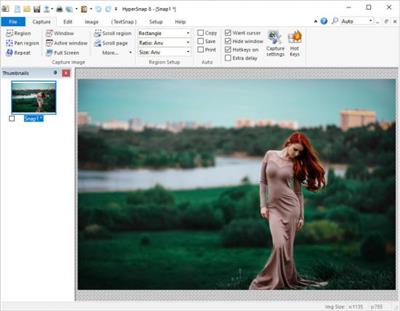
HyperSnap is the fastest and easiest way to take screen captures from Windows screen, and text capture (TextSnap) from places where normal text copy is not possible. HyperSnap combines the power of a first-class screen capture application with an advanced image editing utility - wrapped into one easy-to-use tool! It's perfect for capturing images that you want to include in your Help system, online tutorials, manuals, training handouts, presentations, marketing materials, Web pages, emails and more. Use HyperSnap to quickly share a picture-perfect representation of anything on your screen. HyperSnap is versatile and extremely easy-to-use. You can quickly customize menus and toolbars to fit your needs. Assign your own keyboard shortcuts, create instant toolbars, and even control HyperSnap with voice commands!

You can switch between modern "ribbon" interface shown on the image above, or tranditional menu and toolbars. Optional HyperSnap portable setup allows you to install it on a portable disk (such as a USB key) and preserves all of your settings and customizations across machines.

HyperSnap is compatible with 32 bit and 64 bit releases of Windows 8.1, Windows 8, Windows 7, Vista, XP, and their corresponding Windows Server editions.

HyperSnap Top Features:
* Image captures from any where on the screen or multiple monitors, in any shape or size.
* New & powerful image capture, editing, annotation and manipulation tools. Objects drawn over images can now be selected, edited, shown and hidden, moved, deleted any time. A new native file format saves the objects drawn for further editing later, or save a standard image and have the object "imprinted" permanently on them.
* Unlimited undo/redo.
* TextSnap feature to capture editable text from almost anywhere on the screen. Can also capture tab-delimited data for easy paste into MS Excel.
NOTE: TextSnap is no longer supported for new programs using accellerated graphics or running under Windows 8.
* Snags also those difficult-to-grab screens from DirectX and Glide games.
* Image stamps, frames, drop shadow, free-hand capture, FTP server uploads, more.
* Automatic color substitution.
* Non-rectangular window capture.
* Button Capture - perfect for professional technical writers who need to snap and document dozens of buttons!
* Auto-scrolls and concurrently captures long web pages and other. documents, enabling it to grab more than is visible on the screen.
* Tightly integrates with the MS Windows clipboard to automate repetitive tasks - will even automatically PASTE capture images where needed!
* Automatically saves your captures to graphics files.
* Doubles as effective image viewer, format converter (over 20 image formats supported).
* Fully customizable user interface. Rearrange menus and toolbars any way you want, assign any keyboard shortcuts you like, tear off menus to create instant toolbars, even control HyperSnap with voice commands!
* Extended Window Capture function when running on Windows XP or newer. Resizes a window to be much bigger than the screen before the capture - in one quick step, no auto-scrolling.
* Much, much more!

Download link:​
Код:
[center][b]rapidgator_net[/b]:
https://rapidgator.net/file/7f362f0d3c5f981990932116dc53ae4e/0dsuy.HyperSnap.8.17.00.rar.html

[b]uploadgig_com[/b]:
https://uploadgig.com/file/download/c34d12751ef40A47/0dsuy.HyperSnap.8.17.00.rar

[b]nitroflare_com[/b]:
https://nitroflare.com/view/EF278C97F7ED06D/0dsuy.HyperSnap.8.17.00.rar[/center]

Links are Interchangeable - No Password - Single Extraction​
 
IDM UltraEdit 28.10.0.18

2ac999c2ed48dab71982ddab0d9babc3.jpeg

File size: 185 MB​
UltraEdit is the world's de facto standard text editor. Used as the go-to editor by programmers, professional developers, researchers, bloggers, web developers, IT professionals and everyone in between! No matter what the job requires - from basic editing to full scale project development or heavy data mining - millions trust UltraEdit as their daily computing solution.

UltraEdit feature highlights:
Syntax highlighting for nearly any coding language
Do you code in SAS, Assembly languages, COBOL, Lisp, Oracle or MATLAB? In addition to the many languages we support by default, we also maintain a repository of over 600 wordfiles available at your disposal, including many obscure programming languages. From Actionscript to zMUD, we have you covered!

Layouts
Want a simpler interface? Layouts provide this in just one click. Go from a powerful multi-window layout to a sleek and clean minimalistic layout without having to manually disable each pane and toolbar! Create your own layouts or use one of our preconfigured defaults.

Integrated FTP client
Open, modify, and save files from any remote server! With support for FTP, SFTP, and FTPS protocols and a vast array of server types, UltraEdit provides one of the most powerful FTP clients available in any editor available. You can even add FTP files to your projects and lists and sync local and remote directories.

Integrated file compare utility
Diff local to remote, working copy to source copy, current version to backup and more with UltraCompare Lite! Included as an integrated diff/compare utility, UC Lite gives you the power to quickly diff files directly from UltraEdit. For more power, check out UltraCompare Professional.

Find and replace in files
Maximize the power of UltraEdit's find/replace engine with Find in Files and Replace in Files! Quickly search any folder or drive on your system and generate a list or report of what files contain your search string. Use Replace in Files to quickly replace data in multiple files at once.

File and project explorer
File management is a breeze with UltraEdit's integrated file and project explorer! Create projects to organize your source files and folders and link them with remote FTP sites. Use the integrated file tree view to quickly browse through, filter, and open files on your system. Create custom lists for your favorite files and more.

Smart templates
Smart templates provide a seamless blend of code completion, auto-expanding text, and context sensitive auto-complete. With Smart Templates, you can set up language-specific code templates and insert them based upon what kind of source file you're editing. Additionally, smart templates allow you to add as many custom variables to your template as you'd like, then tab through them upon insertion in order to complete the template.
and more...

Download link:​
Код:
[center][b]rapidgator_net[/b]:
https://rapidgator.net/file/44749a56f01ba5785601acb184842523/jnsz0.IDM.UltraEdit.28.10.0.18.rar.html

[b]uploadgig_com[/b]:
https://uploadgig.com/file/download/61691c9A2a40Ca58/jnsz0.IDM.UltraEdit.28.10.0.18.rar

[b]nitroflare_com[/b]:
https://nitroflare.com/view/343F249099C4FA3/jnsz0.IDM.UltraEdit.28.10.0.18.rar[/center]

Links are Interchangeable - No Password - Single Extraction​
 
ImageRanger Pro Edition 1.8.1.1742 (x64)

dac17532bb794917d8376a634d5ed4eb.jpeg

Windows (x64) | File size: 114 MB​
We live in the day in which pictures are a common thing, especially with all phones being equipped with pretty powerful cameras. As such, your computer can end up the storage place of your picture collections, but it can be a hassle to manually handle it. In this regard, ImageRanger comes as an advanced picture finding and organizing tool.

ImageRanger will index photos on your PC or storage drives so you can:
· Quickly load thousands of images
· Find portraits, faces
· Sort and filter
· Find duplicates and remove copies
· Organize in folders by year, location
· Crop, resize very quickly
· Manually sort collections from multiple folders
· Sort out your images from other illustrations, clip arts
· Find low quality images and improve image contrast
· Perform general photo managment tasks
· Print hundreds of photos

ImageRanger Features :

- Image Indexing
ImageRanger only needs to traverse your photo collection once, and you're free to search, sort and filter images anytime.
- NAS and USB drives support
ImageRanger index can be recorded directly in remote folders. This way you can quickly search and sort your photos on any other machine, using a previously built index.
- Manual Sorting
Exclude or include only folders you need while browsing images. Alternatively, ImageRanger can read your entire storage drive.
- Collections
Save and load previously found image collections to make sure you quickly restore important slideshows with manual ordering.
- Face Recognition
ImageRanger detects faces even in big portraits and group photos, letting you tag faces and quickly find images with specific people.
- Duplicates Removal
ImageRanger shows you the number of duplicated images and lets you remove redundant content.
- Arrange into folders
Option to import all your photos into a new folder structure, organized by capture time and location.
- GPS filtering
With built-in GPS locations, your images are sorted by captured city automatically. You can find all photos 5 meters away from any point on earth.

Download link:​
Код:
[center][b]rapidgator_net[/b]:
https://rapidgator.net/file/cd2c3b2660acad97aae728c6ebba9888/wiv9p.ImageRanger.Pro.Edition.1.8.1.1742.x64.rar.html

[b]uploadgig_com[/b]:
https://uploadgig.com/file/download/c98c869d564e1bAe/wiv9p.ImageRanger.Pro.Edition.1.8.1.1742.x64.rar

[b]nitroflare_com[/b]:
https://nitroflare.com/view/694E89B43F0EB73/wiv9p.ImageRanger.Pro.Edition.1.8.1.1742.x64.rar[/center]

Links are Interchangeable - No Password - Single Extraction​
 
Keep It 1.10.6 macOS

c620196d55a7ac5e7da5df47296b86fb.jpeg

File size: 27 MB​
Keep It is for writing notes, saving web links, storing documents, and finding them again. Available on Mac, and as a separate app for iPhone and iPad, changes are automatically made available to all your devices with iCloud. Keep It is the destination for all those things you want to put somewhere, confident you will find them again later.

Features

Create, edit, view and save:
Notes with styles, checklists and attachments that look good and read well on all your devices
Web links with live previews, or saved as PDFs for offline viewing
Rich and plain text files, and
More...

*** You need to disable the System Integrity Protection (SIP) to perform the selected Application.
Release Notes
Release notes were unavailable when this listing was updated

Supported Operation Systems:
macOS 10.15 or later

Download link:​
Код:
[center][b]rapidgator_net[/b]:
https://rapidgator.net/file/133a53a7c519b0e6ca7d4889d751a13e/cxb5e.Keep.It.1.10.6.macOS.rar.html

[b]uploadgig_com[/b]:
https://uploadgig.com/file/download/D55c39BE47b5615b/cxb5e.Keep.It.1.10.6.macOS.rar

[b]nitroflare_com[/b]:
https://nitroflare.com/view/EEF615A26BFA152/cxb5e.Keep.It.1.10.6.macOS.rar[/center]

Links are Interchangeable - No Password - Single Extraction​
 
K-Lite Codec Pack Update 16.1.6

246d50164873e66a1fbd9de59c6be6cd.jpeg

File size: 8.9 MB​
The K-Lite Codec Pack is a collection of DirectShow filters, VFW/ACM codecs, and tools. Codecs and DirectShow filters are needed for encoding and decoding audio and video formats. The K-Lite Codec Pack is designed as a user-friendly solution for playing all your audio and movie files. With the K-Lite Codec Pack you should be able to play all the popular audio and video formats and even several less common formats.

Some codec packs are far from being friendly with computers, as they tend to slow down Windows, break down multimedia files and make the whole movie watching experience a nuisance. This is why an efficient software has to be chosen, one that does exactly what it is supposed to without additional and unnecessary features.

Easily deployed on the system
Simply put, this is exactly what K-Lite Codec Pack Full is meant to do. This is one of the most efficient codec packs out there that is not only delivered as a very light package but is also impressively friendly with computer resources.

Installing it is quite easy, unless one is an expert who really enjoys toying around with the advanced settings. K-Lite has numerous advanced customization options but novices are advised not to spend too much time on this section, as they might erroneously modify some options and break the entire process.

View detailed info on what is installed
Furthermore, before going through the step-by-step thorough setup process, one gains access to a list that displays content, along with several details regarding each of the codecs, to give users a glimpse of what they are about to deploy.

If everything goes well and K-Lite Codec Pack Full is successfully installed, users will be able to open any multimedia files stored on their computers, without any quality loss. Furthermore, it works like a breeze from the first run, without major changes to its default settings, which is a clear indication that beginners and those who want a codec that just works have chosen the right package.

Adjust settings with a dedicated tool
Experts have the possibility to configure the audio and video decoders, as well as the DirectVobSub, in an attempt to obtain a top-notch experience when it comes to playing multimedia files. This is easily done with the help of an integrated tweaking tool that, if managed properly it can enhance the overall multimedia experience.

To sum it up
All these considered, K-Lite Codec Pack should be the first on everyone's list when it comes to codec packages. It is light, freeware, easy to use and gets along perfectly even with slower computers. It represents the first brick that needs to be placed in the multimedia entertainment wall.

Download link:​
Код:
[center][b]rapidgator_net[/b]:
https://rapidgator.net/file/f39f86d436a446b31b254e42f6e0651e/uw72n.KLite.Codec.Pack.Update.16.1.6.rar.html

[b]uploadgig_com[/b]:
https://uploadgig.com/file/download/4cF2e8A2Acfe9c58/uw72n.KLite.Codec.Pack.Update.16.1.6.rar

[b]nitroflare_com[/b]:
https://nitroflare.com/view/DD5FE1AA2469F77/uw72n.KLite.Codec.Pack.Update.16.1.6.rar[/center]

Links are Interchangeable - No Password - Single Extraction​
 
Microsoft .NET Desktop Runtime 5.0.6 Build 30021

ea0bd822f83b5dcb72799dcfbaa55c3b.jpeg

File Size : 98 Mb​

Microsoft .NET Desktop Runtime enables you to run existing Windows desktop applications. This release includes the .NET Runtime, you do not need to install it separately.

Microsoft .NET Desktop Runtime redistributable package installs the .NET Desktop Runtime and associated files required to run many applications that use this programming language.

This is Microsoft's comprehensive and consistent programming model for building applications that have visually stunning user experiences, seamless and secure communication, and the ability to model various business processes.

The .NET Desktop Runtime also includes the .NET Runtime.

Download link:​
Код:
[center][b]rapidgator_net[/b]:
https://rapidgator.net/file/031492f20d9f5464df2814af3f923209/y6ulk.Microsoft..NET.Desktop.Runtime.5.0.6.Build.30021.rar.html

[b]uploadgig_com[/b]:
https://uploadgig.com/file/download/e077e878bc1d50BC/y6ulk.Microsoft..NET.Desktop.Runtime.5.0.6.Build.30021.rar

[b]nitroflare_com[/b]:
https://nitroflare.com/view/8C59CBFE22FD7D0/y6ulk.Microsoft..NET.Desktop.Runtime.5.0.6.Build.30021.rar[/center]

Links are Interchangeable - No Password - Single Extraction​
 
Microsoft Malicious Software Removal Tool 5.89

3a44ee29d17ff55a86017707abc5817d.jpeg

File Size : 65 Mb​

The Microsoft Windows Malicious Software Removal Tool helps remove malicious software from your computers that are running Windows 10, Windows 8.1, Windows Server 2012 R2, Windows 8, Windows Server 2012, Windows 7, Windows Vista, Windows Server 2008.. Microsoft releases a new version of the Microsoft Malicious Software Removal Tool every month. After you download the tool, the tool runs one time to check your computer for infection by specific prevalent malicious software (including Blaster, Sasser, and Mydoom) and helps remove any infection it finds.

This article contains information about how the tool differs from an antivirus product, how you can download and run the tool, and what happens when the tool finds malicious software on your computer. The advanced user section includes information for the IT administrator and additional information about how to manage and run the Malicious Software Removal Tool.
Note In compliance with the Microsoft Support Lifecycle policy, the Windows Malicious Software Removal Tool (MSRT) will no longer be offered to or supported on Windows 2000-based systems after July 13, 2010. This date coincides with the end of the Extended Support phase for Windows 2000. For more information about the Support Lifecycle policy, go to the Microsoft Support Lifecycle website.

How the Microsoft Malicious Software Removal Tool differs from an antivirus product

The Microsoft Malicious Software Removal Tool does not replace an antivirus product. It is strictly a post-infection removal tool. Therefore, we strongly recommend that you install and use an up-to-date antivirus product.

The Microsoft Malicious Software Removal Tool differs from an antivirus product in three key ways:
The tool removes malicious software from an already-infected computer. Antivirus products block malicious software from running on a computer. It is significantly more desirable to block malicious software from running on a computer than to remove it after infection.
The tool removes only specific prevalent malicious software. Specific prevalent malicious software is a small subset of all the malicious software that exists today.
The tool focuses on the detection and removal of active malicious software. Active malicious software is malicious software that is currently running on the computer. The tool cannot remove malicious software that is not running. However, an antivirus product can perform this task.
For more information about how to protect your computer, go to the Microsoft Safety & Security Center website.

Note The Microsoft Malicious Software Removal Tool focuses on the detection and removal of malicious software such as viruses, worms, and Trojan horses only. It does not remove spyware. However, you can use Microsoft Security Essentials to detect and remove spyware.
Click here to download Microsoft Security Essentials
You do not have to disable or remove your antivirus program when you install the Microsoft Malicious Software Removal Tool. However, if prevalent, malicious software has infected your computer, the antivirus program may detect this malicious software and may prevent the removal tool from removing it when the removal tool runs. In this case, you can use your antivirus program to remove the malicious software.

Because the Microsoft Malicious Software Removal Tool does not contain a virus or a worm, the removal tool alone should not trigger your antivirus program. However, if malicious software infected the computer before you installed an up-to-date antivirus program, your antivirus program may not detect this malicious software until the tool tries to remove it.

Download link:​
Код:
[center][b]rapidgator_net[/b]:
https://rapidgator.net/file/204659b010edaed504dd878895180e91/5q6f9.Microsoft.Malicious.Software.Removal.Tool.5.89.rar.html

[b]uploadgig_com[/b]:
https://uploadgig.com/file/download/029f81F77Ac73fc7/5q6f9.Microsoft.Malicious.Software.Removal.Tool.5.89.rar

[b]nitroflare_com[/b]:
https://nitroflare.com/view/2B68B6D896CC30D/5q6f9.Microsoft.Malicious.Software.Removal.Tool.5.89.rar[/center]

Links are Interchangeable - No Password - Single Extraction​
 
Microsoft Office 2019 for Mac 16.49 VL Multilingual

28cbd86bae6e896d105c557bd5e00df5.jpeg

File Size: 1.75 GB​
Office 2019 for Mac is designed from the ground up to take advantage of the latest Mac features, including Retina display, full screen view support, and even scroll bounce. It's the perfect combination of the Office you know and trust, and the Mac you love.

Word
Create and share professional-looking documents with state-of-the-art editing, reviewing, and sharing tools. The new Design tab provides quick access to features, and Smart Lookup shows relevant contextual information from the web directly inside Word.

Excel
Analyze and visualize your data in new and intuitive ways with a fresh user interface plus your favorite keyboard shortcuts. Leverage features like Analysis Toolpak, Slicers, and Formula Builder to save time, so you can focus on insights.

PowerPoint
Create, collaborate, and effectively present your ideas with new slide transitions and an improved Animations task pane. Threaded comments alongside your slides help you incorporate feedback into your presentations. And Presenter View displays the current slide, next slide, speaker notes, and a timer on your Mac, while projecting only the presentation to your audience on the big screen.

OneNote
It's your very own digital notebook, so you can keep notes, ideas, web pages, photos, even audio and video all in one place. Whether you're at home, in the office, or on the move, you can take it all with you wherever you go while sharing and collaborating with others. It's great for school assignments, work projects, travel plans, party planning, and more.

Outlook
Easily manage your email, calendar, contacts, and tasks. Push email support keeps your inbox up to date, conversation view groups related messages, and calendars can be viewed side-by-side for planning.

Download link:​
Код:
[center][b]rapidgator_net[/b]:
https://rapidgator.net/file/7b5029d4d962642beb32cb9f006d356f/90bv8.Microsoft.Office.2019.for.Mac.16.49.VL.Multilingual.part1.rar.html
https://rapidgator.net/file/06c752a133ad9fcf9474e539b8807fa9/90bv8.Microsoft.Office.2019.for.Mac.16.49.VL.Multilingual.part2.rar.html

[b]uploadgig_com[/b]:
https://uploadgig.com/file/download/Ebc24f6a5e9ea410/90bv8.Microsoft.Office.2019.for.Mac.16.49.VL.Multilingual.part1.rar
https://uploadgig.com/file/download/3b5b6c976801C886/90bv8.Microsoft.Office.2019.for.Mac.16.49.VL.Multilingual.part2.rar

[b]nitroflare_com[/b]:
https://nitroflare.com/view/C2BC13B59822A54/90bv8.Microsoft.Office.2019.for.Mac.16.49.VL.Multilingual.part1.rar
https://nitroflare.com/view/A254D6EC844D888/90bv8.Microsoft.Office.2019.for.Mac.16.49.VL.Multilingual.part2.rar[/center]

Links are Interchangeable - No Password - Single Extraction​
 
Microsoft PowerToys for Windows 10 v0.37.2

2948c4a02e079c9b24bdf5fb2b7624e5.jpeg

File Size : 26.4 Mb​

Microsoft PowerToys is a set of utilities for power users to tune and streamline their Windows experience for greater productivity. Inspired by the Windows 95 era PowerToys project, this reboot provides power users with ways to squeeze more efficiency out of the Windows 10 shell and customize it for individual workflows.

Microsoft revealed earlier this year that PowerToys were coming back to Windows 10. PowerToys used to be useful little utilities that would let you further customize Windows. Microsoft's first PowerToys for Windows 10 are now available.
Current PowerToy Utilities:
* FancyZones
FancyZones is a window manager that makes it easy to create complex window layouts and quickly position windows into those layouts.

* File Explorer Add-ons (Preview Panes)
File Explorer add-ons right now are just limited to Preview Pane additions for File Explorer. Preview Pane is an existing feature in the File Explorer. To enable it, you just click the View tab in the ribbon and then click "Preview Pane".
PowerToys will now enable two types of files to be previewed: Markdown (.md) & SVG (.svg).

* Image Resizer
Image Resizer is a Windows Shell Extension for quickly resizing images. With a simple right click from File Explorer, resize one or many images instantly.

* Keyboard Manager
Keyboard Manager allows you to customize the keyboard to be more productive by remapping keys and creating your own keyboard shortcuts. This PowerToy requires Windows 10 Version 1903 (Build 18362) or newer.

* PowerRename
PowerRename is a Windows Shell Extension for advanced bulk renaming using search and replace or regular expressions. PowerRename allows simple search and replace or more advanced regular expression matching. While you type in the search and replace input fields, the preview area will show what the items will be renamed to. PowerRename then calls into the Windows Explorer file operations engine to perform the rename. This has the benefit of allowing the rename operation to be undone after PowerRename exits.

* PowerToys Run
PowerToys Run is a new toy in PowerToys that can help you search and launch your app instantly with a simple alt-space and start typing! It is open source and modular for additional plugins. Window Walker is now inside too! This PowerToy requires Windows 10 Version 1903 (Build 18362) or newer.

* Shortcut Guide
Windows key shortcut guide appears when a user holds the Windows key down for more than one second and shows the available shortcuts for the current state of the desktop.

Download link:​
Код:
[center][b]rapidgator_net[/b]:
https://rapidgator.net/file/6efba51189379b627b567a88734bb5b2/mbo1e.Microsoft.PowerToys.for.Windows.10.v0.37.2.rar.html

[b]uploadgig_com[/b]:
https://uploadgig.com/file/download/c76bab984fa2e273/mbo1e.Microsoft.PowerToys.for.Windows.10.v0.37.2.rar

[b]nitroflare_com[/b]:
https://nitroflare.com/view/41DB3F97A0A7847/mbo1e.Microsoft.PowerToys.for.Windows.10.v0.37.2.rar[/center]

Links are Interchangeable - No Password - Single Extraction​
 
Mountain Duck 4.6.0.18117 (x64) Multilingual

8aeac32646986c578e90d60c38c8a5d0.jpeg

File size: 68 MB​
Mountain Duck lets you mount server and cloud storage as a disk on your desktop. Open remote files with any application and work like on a local volume without synchronising files. Based on the solid open source foundation of Cyberduck, all major protocols are supported to connect to just about any server you want, including FTP, SFTP, WebDAV, Azure Cloud Storage, Amazon S3, Google Cloud Storage, Google Drive, Dropbox, Backblaze B2 & OpenStack Swift. Transfer files using Finder to remote servers, fast.

Mountain Duck is a nifty app that can make it a lot easier to manage your cloud storage accounts and FTP, SFTP or WebDAV servers, as it enables you to mount them as local volumes and transfer files using Finder.

The application is very easy to use and runs in your menu bar, allowing you to quickly connect and disconnect from various storage services.

Mount remote storage servers as standard Finder volumes, for easy browsing and file transfers
Mountain Duck is especially useful if you need to manage multiple servers or cloud storage services at once, as switching between several interfaces can become confusing and hinder your workflow.

Once you have added them as bookmarks in Mountain Duck, however, they can be accessed just like any other local volume, so that Finder can be used whenever you want to browse their contents or copy files.

Useful tool that supports numerous popular file transfer protocols
Mountain Duck does not limit you to a single connection, as you can add as many servers or cloud storage accounts as you wish. It supports FTP, SFTP, WebDav, Amazon S3, Microsoft Azure, Google Cloud and OpenStack Swift.

Configuring each bookmark is not at all difficult, provided you know the server address and the required username and password.

Unobtrusive menu bar app that is always close by when you need it
Your bookmarks can be configured and accessed from Mountain Duck's menu bar icon whenever you want to disconnect from a server, open its volume in Finder or remove it altogether.

Moreover, the app displays a detailed history of all past connections, and allows you to enable or disable Bonjour notifications.

All in all, Mountain Duck is a handy utility that could prove to be invaluable for users who commonly manage multiple remote storage servers, as it enables you to mount them as local volumes, and browse their contents or transfer files using Finder.

Download link:​
Код:
[center][b]rapidgator_net[/b]:
https://rapidgator.net/file/67fb7428bdd00a83d3862ee0f0dc79c5/je8ha.Mountain.Duck.4.6.0.18117.x64.Multilingual.rar.html

[b]uploadgig_com[/b]:
https://uploadgig.com/file/download/8Be985B4aB8Af311/je8ha.Mountain.Duck.4.6.0.18117.x64.Multilingual.rar

[b]nitroflare_com[/b]:
https://nitroflare.com/view/05EB60829CD1658/je8ha.Mountain.Duck.4.6.0.18117.x64.Multilingual.rar[/center]

Links are Interchangeable - No Password - Single Extraction​
 
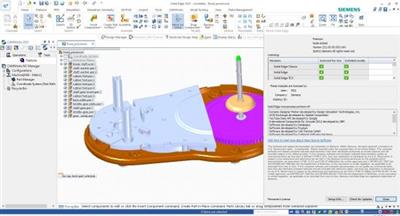
MP05 for Siemens Solid Edge 2021 (x64)

0e943d5983dafb662a6b3dba6eb8eff0.jpeg

x64 | File Size: 447 MB​
Description:
Solid Edge is the most full-featured hybrid 2D / 3D CAD system that uses synchronous technology to accelerate design and editing process, as well as enhanced support for reusing imported geometry. Solid Edge is a key component of the Velocity Series solution portfolio and features excellent tools for modeling parts and assemblies, drawing designs, transparent data management, and an integrated finite element analysis module that allows you to successfully cope with the increasing complexity of designed products. The new version of Solid Edge offers enhanced functionality based on synchronous technology, which significantly speeds up the product design process, simplifies the modification, import and application of data created in various CAD systems. The latest version includes improvements in finite element analysis, design data management, and over a thousand user-defined changes.

Implementing the concept of synchronous technology, Siemens PLM Software has expanded the possibilities of using synchronous technology in the entire system. In addition to support for modeling parts and sheet bodies implemented in previous versions, synchronous models can be used directly in assemblies - for example, in the design of pipelines, trusses, electrical wiring, and other types of products. First introduced associativity between synchronous parts, which allows the user to create and edit his idea before, during or at the end of the assembly design process.

Solid Edge provides the ability to work with both synchronous and conventional (ordered in the construction tree) structural elements in a single integrated design environment. Users can use synchronous structural elements to speed up the design process and flexible editing of models, and elements with a construction tree - for designing cast parts and parts obtained by machining. Elements with a construction tree in existing models can be selectively converted to synchronous, which gives the designer more flexibility and ease of use of the system.

As the number of enterprises making the transition from other 3D systems to Solid Edge and using the advantages of synchronous technology is growing, the possibility of combining 2D drawings with existing 3D models has emerged - another way to increase productivity. Technological dimensions in 2D drawings can now be automatically transferred to the appropriate imported 3D model. The resulting "production" 3D dimensions can be edited immediately, and the imported 3D model changes simultaneously due to synchronous technology.

Solid Edge has an application for finite element analysis, including new types of loads - torque and load in a cylindrical support, user-defined constraints, as well as new ways of connecting parts in assemblies, such as bolted connections and rib connections for sheet metal parts. The tools to simplify models allow you to quickly get the results of calculations, and improved visualization tools - to see the model from the inside.

The model can be adjusted using either synchronous technology or using a construction tree. Solid Edge provides control of models of parts and assemblies in the early stages of design, which reduces the time to market products and the cost of manufacturing prototypes.

In Solid Edge, thousands of customer-defined improvements that further increase the return on this product at all stages of the product design process. New functionality has appeared in various modules, including modeling of sheet bodies, pipelines and truss structures, assembly management and drawing tools. Improvements in the design environment of sheet bodies include new types of corner closures, an element for etching part designators and other geometry, as well as technological elements in the development of sheet metal parts, for example, shipping ears.

Solid Edge continues to raise the bar in the field of creating drawings, in which you can now transfer all technological dimensions and designations, designations of parts in the assembly, and even represent parts with different colors of lines in the drawing, borrowing them from the 3D model.

New "international" drawings allow you to use different sets of characters in different languages ​​of the world in one drawing or in one callout. The simplified user interface includes a fully customizable radial menu, which reduces the number of mouse movements. Transparent dialogues for managing structural elements and details, as well as dialogs for reduced-sized commands, provide the largest area of ​​the graphic workspace.

ATTENTION!
This is only an update! For installation, you must have a pre-installed Solid EDge 2021
Whats New

Read:Solid_Edge_MSI_MP4_Readme.txt

Screenshots

ad17fc7b72a68d183abe0a8f7689bf52.jpeg

Homepage
Код:
https://www.plm.automation.siemens.com/

Download link:​
Код:
[center][b]rapidgator_net[/b]:
https://rapidgator.net/file/83b2a8940a83cb400fbc92f0ed0c73bf/9dxpq.MP05.for.Siemens.Solid.Edge.2021.x64.rar.html

[b]uploadgig_com[/b]:
https://uploadgig.com/file/download/8A9690c24974a698/9dxpq.MP05.for.Siemens.Solid.Edge.2021.x64.rar

[b]nitroflare_com[/b]:
https://nitroflare.com/view/F353AB501122340/9dxpq.MP05.for.Siemens.Solid.Edge.2021.x64.rar[/center]

Links are Interchangeable - No Password - Single Extraction​
 
Назад
Сверху