• Форум работает в архивном режиме www.old.nado.in

All mitsumi'1s Applications !! (updated daily)

  • Автор темы Автор темы mitsumi1
  • Дата начала Дата начала
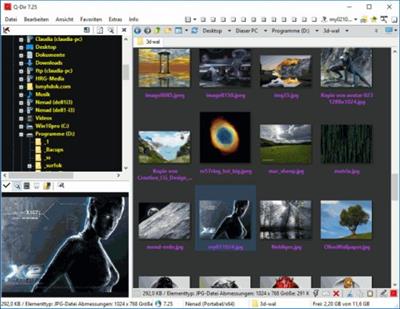
Q-Dir 9.44 Multilingual
ab5bc2d7603999e952e65f5bc7b2037a.jpeg

File size: 2.0 MB​
Q-Dir (the Quad Explorer) makes your files and folder easy to manage, as an installed or portable Windows program. Fast and easy access to your hard disks, network folders, USB-Stiks, floppy disks and other storage devices. Q-Dir i a good file manager with an amazing Quadro-View technique. You don't have to renounce the usual, Drag and Drop, all Views, and other functions of your system.

Q-Dir does not have to be installed and can be executed easily from the desktop. Rename Q-Dir_Installer.exe to Q-Dir.exe and GO.
It´s a small famous utility for Windows PC-s and also an USB-stick friend :).

Features:
Favorites: - Quick access to most often used folders.
Drag&Drop: - Move files by dragging in Q-views, and other programs such as MS Explorer.
Clipboard: - Copy/ Paste between the Q-Dir directory views, and other programs such as MS Explorer.
Folder-Type: - ZIP-, FTP-,cabinet-,network-, system - folders, shortcuts ...
Views: - Large icons, tiles, list, detail, thumbnail (Vista: extra large symbols) .
Export: - to XLS, CSV, TXT, HTML.
Popup Menus: - Desktop, My Computer.
Screen magnifier: - anything on the screen can be enlarged.
Color Filter: - Different colors for different item types (e.g. *.log;*.txt).
Highlight-Filter: - Effective way for fast items highlighting.
File-Filter: - Allows for quick and easy filtering of the items.
Columns: - All columns support, and save function .
Quick-Link´s: - For fast folder access.
Folder-Select: - Fast & flexible folder selection address-bar/ desktop menu/ my-computer menu/...
Multi-INI: - Several INI files for Q-Dir.
Tree-View: - Simple and quadruple.
Preview: - Allows a quick preview.

Download link:​
Код:
[center][b]rapidgator_net[/b]:
https://rapidgator.net/file/a0d1adcb663fd8074e72651f76c2ab6c/kamd5.QDir.9.44.Multilingual.rar.html

[b]uploadgig_com[/b]:
https://uploadgig.com/file/download/3db00FbC6e3B4538/kamd5.QDir.9.44.Multilingual.rar

[b]nitroflare_com[/b]:
https://nitroflare.com/view/01431C0630A67CF/kamd5.QDir.9.44.Multilingual.rar[/center]

Links are Interchangeable - No Password - Single Extraction​
 
Rhino 7 v7.6.21124.09002 macOS

3eb13caa26e1af341ae4e75fd94596d1.jpeg

Language: Multilingual | File size: 424 MB​
Rhino - Versatile 3D modeler. Rhinoceros can create, edit, analyze, document, render, animate, and translate NURBS* curves, surfaces, and solids, point clouds, and polygon meshes. There are no limits on complexity, degree, or size beyond those of your hardware.

Special features include:
- Uninhibited free-form 3-D modeling tools like those found only in products costing 20 to 50 times more. Model any shape you can imagine.
- Accuracy needed to design, prototype, engineer, analyze, and manufacture anything from an airplane to jewelry.
- Compatibility with all your other design, drafting, CAM, engineering, analysis, rendering, animation, and illustration software.
- Read and repair meshes and extremely challenging IGES files.
- Accessible. So easy to learn and use that you can focus on design and visualization without being distracted by the software.
- Fast, even on an ordinary laptop computer. No special hardware is needed.
- Affordable. Ordinary hardware. Short learning curve. Affordable purchase price. No maintenance fees.
Release Notes
Bugs Fixed:
* Display:
* Symmetry settings controlled appearance of Radiate parent, but Reflect child * Colors of Reflect and Radiate objects were slightly different
* File IO: Scripted .PLY export fails

Regressions Fixed:
* Display: Reflect preview loses render mesh on faces during edit

Mac-Only Changes
Crashes Fixed:
* Mesh: Meshing causes Rhino to crash

Supported Operation Systems:
macOS 10.14 or later

Download link:​
Код:
[center][b]rapidgator_net[/b]:
https://rapidgator.net/file/5a3496228e7cb52a0b535b72a4513101/l61bm.Rhino.7.v7.6.21124.09002.macOS.rar.html

[b]uploadgig_com[/b]:
https://uploadgig.com/file/download/9bdbB78caaA48737/l61bm.Rhino.7.v7.6.21124.09002.macOS.rar

[b]nitroflare_com[/b]:
https://nitroflare.com/view/881494B53F3B3B2/l61bm.Rhino.7.v7.6.21124.09002.macOS.rar[/center]

Links are Interchangeable - No Password - Single Extraction​
 
SDL Trados Studio 2021 SR1 Professional 16.1.5.4270

a874e260f576680cae9e8ce252a4c7ed.jpeg

Languages: English | File Size: 343.41 MB​
Translate faster and smarter while presenting a unified brand to the world. SDL Trados Studio is the complete translation environment for language professionals who want to edit, review and manage translation projects whilst in the office or on the move. Deliver world-class localized content to support your global sales and marketing efforts with software trusted by over 270,000 translation professionals worldwide.

Key Benefits
Discover a wealth of innovative features and create high-quality translations, faster.

- Translate more content.
- Maintain brand consistency.
- Increase team productivity.
- Reduce translation cost.
- Easily manage translation projects.

Powerful translation memory technology
Easily reuse previously translated and approved content across all of your projects with intelligent translation memory (TM) technology. The more you add to your TM, the faster your team can automatically match and translate subsequent translations, increasing translator productivity by as much as 80% and improving consistency across your content.

Sophisticated terminology management
Protect your brand values and ensure a consistent tone of voice across all languages by managing terminology. Your translation teams can create and share approved terminology across the organization to do more in less time, maintain consistency across every translation, all while reducing costs.

Efficient translation project management
Create and deliver translation projects quickly and easily in multiple languages with the project management capabilities found in SDL Trados Studio and SDL Trados GroupShare. Combine Studio with GroupShare for volume projects and complete control over security.

Innovative Neural Machine Translation
Our neural machine translation keeps improving from input by receiving and learning corrections dynamically. Incorporate our unique self-learning machine translation technology into existing translation workflows to complete projects faster and double your productivity levels.

Collaborate for even greater efficiency
Reduce the time required to complete translation projects. Enable your team to work together seamlessly with secure, shared access to centralized translation files, translation memories, and terminology.

Discover What's New in SDL Trados Studio 2021:
SDL Trados Studio 2021 is the ground-breaking, dynamic translation solution offering true flexibility for busy translators and project managers. Work on the Studio desktop app on your PC or laptop for maximum productivity, plus keep projects moving when you're away from your desk through SDL Trados Live - Studio's new cloud companion that works seamlessly across PC, mobile, and tablet.

Studio 2021's new, powerful features and enhancements will ensure everyone in your team achieves their full potential. The future way of working is here. The future of translation software is Studio 2021.

Flexibility to work wherever you are
The dynamic combination and flexibility offered by Studio 2021 and SDL Trados Live will benefit everyone - from individual translators through to project managers running large teams.

Higher quality translations can be delivered faster as you can:
- Manage your translations on the Studio 2021 desktop app when you're in the office
- Control your projects on any device, such as a tablet, through SDL Trados Live or the new SDL Trados Live mobile app, when you're away from your desk.

Designed to raise your productivity
When under pressure to deliver increasing volumes of translations within short timeframes, it's essential to find ways to be more productive.

Studio 2021 offers many enhancements:
- Improved automation and quality assurance (QA) with the ability to customize your recognition settings for Placeables such as dates, times, currencies, and measurements
- More powerful search with an upgrade to the Advanced Display Filter
- Enhanced Translation Quality Assessment (TQA) interface.

Personalize your Studio for increased functionality
It's now easier than ever to personalize your Studio. You can access the SDL AppStore directly from Studio 2021 making it faster and easier to find, manage, update, and remove apps with fewer clicks and effort.

Apps are used by thousands of our customers to customize and extend the functionality of Studio to:
- Improve and automate your translation, review or terminology processes
- Connect to third-party machine translation providers
- Fine-tune your verification checks to enhance the quality of your translations.

System Requirements:
- SDL Trados Studio 2021 will work on Windows 7*, Windows 8.1 and Windows 10. We recommend Windows 10.
- As a minimum requirement, we recommend an Intel or compatible CPU-based computer with 8 GB RAM and a screen resolution of 1024x768.

dfde543d55155eede04c8e1d8ea00add.jpeg


Download link:​
Код:
[center][b]rapidgator_net[/b]:
https://rapidgator.net/file/023268d0ecba7863e63f5faf4effc52f/puj7w.SDL.Trados.Studio.2021.SR1.Professional.16.1.5.4270.rar.html

[b]uploadgig_com[/b]:
https://uploadgig.com/file/download/41ffEB1Be85D47d5/puj7w.SDL.Trados.Studio.2021.SR1.Professional.16.1.5.4270.rar

[b]nitroflare_com[/b]:
https://nitroflare.com/view/67EA3EDF2F8CF2F/puj7w.SDL.Trados.Studio.2021.SR1.Professional.16.1.5.4270.rar[/center]

Links are Interchangeable - No Password - Single Extraction​
 
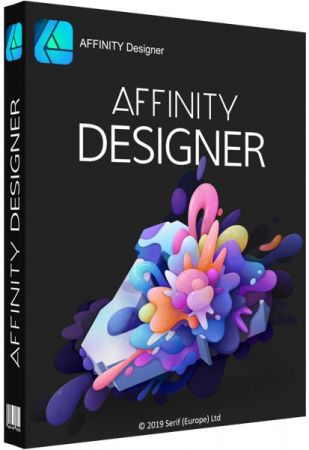
Serif Affinity Designer 1.9.4.1065 (x64) Beta Multilingual

0e74280ed5e9cc579694479285d48d56.jpeg

File size: 537.4 MB​
Affinity Designer is the fastest, smoothest, most precise vector graphic design software available. Whether you're working on branding, concept art, print projects, icons, UI, UX, or web mock ups, Affinity Designer will revolutionise how you work, on macOS and Windows.

Design tools redefined
All the tools you need in a professional vector design app, from an incredible precise pen tool to a super smooth gradient tool. All carefully considered and meticulously developed, they just work-in precisely the way you want them to.

Built for your workflow
With core principles of performance, stability and lack of bloat, Affinity Designer has been meticulously crafted for a professional workflow.

Cross platform performance
With a professional pedigree forged on Mac, and matched step for step on Windows, common file format delivers stunning results on either platform.

Unsurpassed speed and accuracy
Pan at 60fps and zoom to an eye-popping 10,000,000%, you'll see all adjustments, effects, transformations and brushes in real time.

Work in any color space
RGB, CMYK, LAB, Grayscale. End-to-end CMYK workflow with ICC color management, and 16-bit per channel editing.

Unsurpassed file compatibility
The best PSD import engine available and full support for SVG, EPS, PDF, PDF/X and FH files means injecting Affinity Designer into your workflow is painless.

Pixel perfect control
With real-time pixel preview in standard or retina resolution available with a single click, you can always see what you're going to get. Can't achieve the perfect result purely in vector? Just edit the pixels - Affinity Designer has a full suite of raster tools too.

Non-destructive effects and adjustments
With a huge library of adjustment layers, effects and blend modes-combined with full support for masks and clipping layers-Affinity Designer offers the most advanced layer controls available in any vector based app.

Flexible workspaces... and workflows
With a focused, fully customisable workspace, including docked and floating UI modes, Affinity Designer lets you work how you want. Add regular and custom 2D and isometric grids for flexible layouts, work on multiple designs at once, and use macOS features like Split Screen and Full Screen. Plus, with savable history, unlimited undo and non-destructive filters and adjustments you can always go back and change your mind.

Natural brushwork
Use Force Touch, stylus pressure, tilt and other controls for natural-looking artwork. Edit vector brush strokes as cleanly and easily as regular curves, and add raster brushwork-on its own or with vector art-to add depth and high quality organic textures. Rotate the canvas, blend colors, edit brush parameters, create your own brushes and nozzles, and import .abr brushes for complete control over your work.

Throw some shapes
Affinity Designer delivers a comprehensive set of shape primitives with easy controls for adjusting geometry with corner settings and smart snapping indicators. A full set of Boolean geometry operations, non-destructive compound shapes, and full node editing means you can create beautiful complex geometry in no time.

Just your type
Add artistic text for headlines, text frames of any shape, or text that follows any vector path. Apply sophisticated styling and ligatures, previewing all your available fonts and style sets in on-screen panels. All the controls you need are built in, including leading, kerning, baseline shift, tab stops - and now in version 1.5 you can create text styles across your document.

New professional print controls
Affinity Designer features full professional print output. Pantone support, end-to-end CMYK and ICC color management are just part of it. You can also open, edit and output PDF/X files, set overprint controls, use spot colors, and add bleed area, trim and crop marks.

Powerful export
In export mode you get a complete workspace dedicated to image export. Select areas, layers or objects to export, controlling each item's output settings independently. For efficient web and UI design, you can automatically create new files whenever your design changes, in whatever resolution, file format and folder structure you wish.

Common Affinity file format
Affinity's shared file format makes mixed discipline design as smooth and simple as it should be. Open any native Affinity file in any Affinity app on any platform and just keep working - with shared history, unlimited undo and seamless switching. And for export, Affinity Designer takes all major file types in its stride.

Incredibly powerful artboards
In Affinity Designer you can create an unlimited number of different design variants, sizes and screens - laying them out in one document to see them all at once. When you come to export you get full control over what artboards to output and with what settings, dramatically simplifying your workflow for responsive and app design.

Download link:​
Код:
[center][b]rapidgator_net[/b]:
https://rapidgator.net/file/52d61d0f1e6393866e1189aa911f00f2/1h8f9.Serif.Affinity.Designer.1.9.4.1065.x64.Beta.Multilingual.rar.html

[b]uploadgig_com[/b]:
https://uploadgig.com/file/download/4dde7fd029126383/1h8f9.Serif.Affinity.Designer.1.9.4.1065.x64.Beta.Multilingual.rar

[b]nitroflare_com[/b]:
https://nitroflare.com/view/E0C6AEE4D998D7F/1h8f9.Serif.Affinity.Designer.1.9.4.1065.x64.Beta.Multilingual.rar[/center]

Links are Interchangeable - No Password - Single Extraction​
 
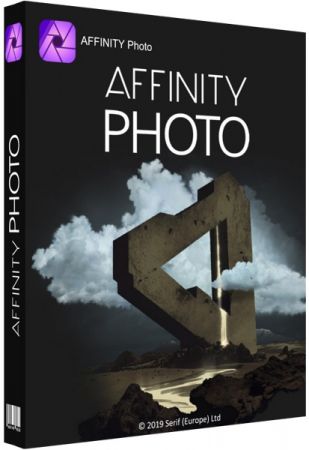
Serif Affinity Photo 1.9.4.1065 (x64) Beta Multilingual

a064874801db5bc63e9f5fabff804bbd.jpeg

File size: 558.1 MB​
Five years in the making, Affinity Photo redefines the boundaries for professional photo editing software. With a meticulous focus on workflow it offers sophisticated tools for enhancing, editing and retouching your images in an incredibly intuitive interface, with all the power and performance you need.

Engineered for professionals
Built on rock solid foundations with principles of performance, stability and lack of bloat, Affinity Photo is a professional photography tool to the very core.

Comprehensive RAW editing
Develop camera RAW files in a dedicated built-in workspace with all the processing adjustments and corrections you need.

Unsurpassed file compatibility
We've got the best PSD support out there, plus all the standards you'd expect including PNG, JPG, TIFF, EPS, PDF, and SVG.

Work in any color space
RGB, CMYK, LAB, Grayscale. End-to-end CMYK workflow with ICC color management, and 32-bit per channel editing.

Dedicated RAW editing workspace
Compatible with all major camera file formats, the Develop persona offers a dedicated processing workspace offering incredibly accurate editing in an unbounded linear color space.

Complete digital darkroom
Affinity Photo includes all the tools you need from a professional photography application. Every tool has been painstakingly engineered for speed, power and accuracy - and they work in precisely the way you want them to.

Fast, customizable effects
Affinity Photo comes with a huge range of high-end filters including lighting, blurs, distortions, tilt-shift, shadows, glows and many more. Full control is given over every aspect of a filter's properties with incredibly precise controls - all the while seeing a real-time live preview of the result. Best of all, filters can be applied as live layers, enabling you to edit, erase away, or mask effects after they have been applied.

Advanced adjustment layers
Correct and enhance images with Levels, Curves, Black and White, White Balance, HSL, Shadows and Highlights and over a dozen other adjustments that are previewed instantly and can be edited any time. Adjust, readjust, and drag and drop onto any layer, group, mask, or in any place in a stack to control how they're applied.

Live blend modes
Remove trial and error from your workflow - see changes to blend modes live as you edit without having to click apply each time. Affinity Photo's 30 layer blends preview smoothly in real time while you scroll through them.

Sophisticated selection refinement
Accurate selections are critical, whether cutting out objects, creating masks or selectively applying adjustments. Our selection refinement algorithm is one of the most advanced available, making selections - even down to individual strands of hair - easier than ever before.

Precise photo stitching
Affinity Photo's stitching algorithm is one of the most advanced available. On top of accurate automatic alignment and perspective corrections, you get full control over each image and boundary in the composite to fine tune to perfection.

Extensive retouching tools
Whether you want to make quick corrections, or spend an hour on a detailed retouch, Affinity Photo has all the tools you need. That naturally includes dodge, burn, clone, patch, blemish, and red eye tools. But you'll also find an incredibly accurate inpainting brush, frequency separation capability, and a full set of liquify features built-in.

Download link:​
Код:
[center][b]rapidgator_net[/b]:
https://rapidgator.net/file/c281649251cfa5fe2cb112dfe57a2ed8/ojdgq.Serif.Affinity.Photo.1.9.4.1065.x64.Beta.Multilingual.rar.html

[b]uploadgig_com[/b]:
https://uploadgig.com/file/download/a013dea3Bcc3Cba6/ojdgq.Serif.Affinity.Photo.1.9.4.1065.x64.Beta.Multilingual.rar

[b]nitroflare_com[/b]:
https://nitroflare.com/view/2F7CF58DD874A50/ojdgq.Serif.Affinity.Photo.1.9.4.1065.x64.Beta.Multilingual.rar[/center]

Links are Interchangeable - No Password - Single Extraction​
 
Sketch 72.1 macOS

d7f6ecc6cc180f70e4bdb2f828fc1a73.jpeg

File size: 71 MB​
Sketch is an innovative and fresh look at vector drawing. Its intentionally minimalist design is based upon a drawing space of unlimited size and layers, free of palettes, panels, menus, windows, and controls. Though simple to use, it offers powerful vector drawing and text tools like perfect Boolean operations, symbols, and powerful rulers, guides, and grids.

Release Notes
Release notes were unavailable when this listing was updated

Supported Operation Systems:
macOS 10.14.4 or later

Download link:​
Код:
[center][b]rapidgator_net[/b]:
https://rapidgator.net/file/8734ceb2b81ff8e9e7743fa82b2dd57a/ga7xu.Sketch.72.1.macOS.rar.html

[b]uploadgig_com[/b]:
https://uploadgig.com/file/download/d76f9b023aa06AAC/ga7xu.Sketch.72.1.macOS.rar

[b]nitroflare_com[/b]:
https://nitroflare.com/view/14708B5A8ACC221/ga7xu.Sketch.72.1.macOS.rar[/center]

Links are Interchangeable - No Password - Single Extraction​
 
Yate 6.4.1.2 macOS

fb3bcb068f74de48a40f040afedf2b12.jpeg

File size: 16 MB​
Yate was developed for people who want complete control over their tagging experience. The application was designed from the ground up for Mac users and uses its own tagging library. The application will tag mp3 (includes mp2), m4a (AAC, ALAC), mp4 (AAC, ALAC, video), m4b, m4v, flac, aiff (aifc, aif), dff, dsf, ape, wav, ogg (single stream Vorbis and Opus), Monkey's Audio (ape) and WavPack (wv) files..

Yate has a long list of features, including an innovative scripting system called actions. The app also supports integration with AcousticBrainz, AcousticID, Beatport, Discogs, iTunes, MusicBrainz and The Movie Database (TMDb)
Release Notes
Release notes were unavailable when this listing was updated.

Supported Operation Systems:
macOS 10.10 or later

Download link:​
Код:
[center][b]rapidgator_net[/b]:
https://rapidgator.net/file/5dbf448898c6ba1b15d54b383c1d56c1/quevk.Yate.6.4.1.2.macOS.rar.html

[b]uploadgig_com[/b]:
https://uploadgig.com/file/download/382c3683982f239a/quevk.Yate.6.4.1.2.macOS.rar

[b]nitroflare_com[/b]:
https://nitroflare.com/view/C63DACC7760D92F/quevk.Yate.6.4.1.2.macOS.rar[/center]

Links are Interchangeable - No Password - Single Extraction​
 
SNS-HDR Professional 2.7.3.1 Multilingual Portable

baf26f4bb25c6422afe2676a5ba28034.jpeg

Windows x64 | File size: 19.4 MB​
The HDR technique makes it possible to create an image so faithfully to how the scene is perceived in reality. When the scene being photographed has both very dark and very bright areas, the camera is unable to capture its entire range of luminosity. As a result, the image will contain underexposed or overexposed areas, which cannot be adequately corrected at the editing stage. In order to capture the full range of luminosity of such scenes, the HDR technique is used. It consists in capturing several images of the same scene at different levels of exposure and subsequently combining them into one complete image.

SNS-HDR is a software for processing images using the HDR technique. It allows users to create HDR images from sequences of photos, as well as process single images. Featuring a wide array of tools, the software has been optimized to make the generated images look natural. SNS-HDR is available in 3 versions (Professional, Home and Lite), which have different licenses and offer different sets of features.

Features:
Reading images in popular formats.
Reading RAW, Radiance HDR and OpenEXR images.
Merging several photos into HDR.
Processing single images.
Image alignment.
Ghosts reduction.
Unique image editing tools.
Built-in presets.
Masks.
Saving and restoring projects.
Saving images in JPEG and TIFF formats.
The batch processing module.

System Requirements:
Minimum system requirements:
- Display - 1280x720.
- Procesor - Intel Pentium 4 or AMD Athlon 64.
- RAM - 2GB.
- Disk Space - 50MB.
- Operating System - Windows Vista 64-bit.

Recommended system requirements:
- Display - 1920x1080.
- Procesor - Intel Core i5 or AMD Phenom II X4.
- RAM - 4GB.
- Disk Space -50MB.
- Operating System - Windows 7 64-bit or later.

Download link:​
Код:
[center][b]rapidgator_net[/b]:
https://rapidgator.net/file/c2131be839a85c04db8bebb470fe8abb/mhgw9.SNSHDR.Professional.2.7.3.1.Multilingual.Portable.rar.html

[b]uploadgig_com[/b]:
https://uploadgig.com/file/download/0CE52aa2679a3ffD/mhgw9.SNSHDR.Professional.2.7.3.1.Multilingual.Portable.rar

[b]nitroflare_com[/b]:
https://nitroflare.com/view/BC3D7A4E7DF3A85/mhgw9.SNSHDR.Professional.2.7.3.1.Multilingual.Portable.rar[/center]

Links are Interchangeable - No Password - Single Extraction​
 
Sublime Text 4.0 Build 4105 Dev

d777deb38df2c539059df359061ffd29.jpeg

File size: 41 MB​
Sublime Text is a sophisticated text editor for code, markup and prose. You'll love the slick user interface, extraordinary features and amazing performance.Sublime Text is a super fast and feature packed text and development editor. If you are going to be coding regularly you want to try this amazing editor (IDE).

Following some of the great features that make Sublime Text stand out from other code editors:
- Multiple cursors: Once you have discovered multiple cursors you won't want to work without them anymore. As the name suggests they let you write or edit in multiple places in a document at the same time.
- Vintage mode: Vim keyboard shortcuts will work just like in the original Vim editor. To use them, all you need to do is to enable vintage mode.
- Lightning fast: This is the fastest code editor you will find right now.
- Command pallet: A great feature that allows you to reach about all functions of the editor via the keyboard. You will hardly use your mouse and thus code more efficiently.
- Plugin collection: A hugely active community creates plugins for almost any task in Sublime Text. This includes syntax highlighting and code snippets for a large number of languages, for example Javascript, PHP, CSS, HTML, Python, LESS, XML and C++ to name just a few.
- Package control: This add-on let's you install plugins within seconds directly from the editor.
Release Notes

Changelog
Dev Channel Changelog
Build 4105

Fix crash with chain command
Caches have been moved to their proper location cache and /Library/Caches
Fixed an auto complete crash when auto_hide_menu is enabled
Fix memory leak

Supported Operation Systems:
macOS 10.9 or later

Download link:​
Код:
[center][b]rapidgator_net[/b]:
https://rapidgator.net/file/f0e3e418c271a592faa1dbc4d60eb70d/a9lvg.Sublime.Text.4.0.Build.4105.Dev.rar.html

[b]uploadgig_com[/b]:
https://uploadgig.com/file/download/cae973ecbe6ebB2a/a9lvg.Sublime.Text.4.0.Build.4105.Dev.rar

[b]nitroflare_com[/b]:
https://nitroflare.com/view/3A0CA83AA88E482/a9lvg.Sublime.Text.4.0.Build.4105.Dev.rar[/center]

Links are Interchangeable - No Password - Single Extraction​
 
Symantec Encryption Desktop Professional 10.5.0 MP1

727eec323b55a50b795203ea257475cb.jpeg

Languages: Multilingual | File Size: 110.1 MB​
Symantec Encryption Desktop Professional is a comprehensive suite of encryption applications which provides flexible, multi-layered encryption by bundling Drive Encryption to secure the files stored on local hard drives, and Desktop Email Encryption to secure confidential data in email.

Key Features
- Hard drive encryption software locks down the entire contents of a laptop, desktop, external drive, or USB flash drive, including boot sectors, system, and swap files.
- Enables encrypted email and secure AIM® Instant Messages.
- Creates storage-independent encrypted containers for transport and sharing of specific files using included utilities; PGP Self-Decrypting Archive, PGP Virtual Disk, and PGP Zip.
- Includes PGP Shredder which can completely destroy unwanted disk-based files and folders.
- Drive Encryption can be centrally deployed and managed by Symantec Encryption Management Server.

Key Benefits
- Secures email without burdening users, to improve compliance with policies and regulations without hindering productivity.
- Allows users to easily and transparently share encrypted files and folders, improving data security without impacting user productivity.
- Management by Encryption Management Server centralizes creation, deployment and management of data security policies and reporting.

New Features:

Compatibility with Microsoft Windows 10
This release supports the installation of Symantec Encryption Desktop on systems running Microsoft Windows 10, both 32- and 64-bit versions.

User Interface for Microsoft Windows Pre-Installation Recovery
Microsoft Windows Pre-Installation (WinPE) provides a bootable recovery tool to recover data from an encrypted drive that has been damaged or corrupted. You can now boot to a system that has been damaged or corrupted using a WinPE recovery CD or USB drive and then use the new graphical user interface to recover an encrypted drive.

New Pre-Boot Smart Card Compatibility
Added compatibility with Gemalto TOP DM GX4 72k (FIPS) cards for pre-boot authentication for Symantec Encryption Desktop for Windows.
Release Notes
What's new in this release:
The Symantec Encryption Desktop 10.5 Maintenance Pack 1 (MP1) for Windows release includes support for Windows 10 version 20H2 and fixes for various customer-reported issues.

- Support for Microsoft Windows 10 version 20H2
- This release supports installation of Symantec Encryption Desktop on Windows 10, version 20H2 (October 2020 Update), Enterprise, and Pro editions, 32-bit and 64-bit.

System Requirements:
- Windows 8.1, Windows 10, Windows Server 2012, 2016, 2019 (32-bit and 64-bit editions)
- 1 GB of RAM
- 300 MB hard disk space

Download link:​
Код:
[center][b]rapidgator_net[/b]:
https://rapidgator.net/file/6607d422366a711cb348436e686463a2/l4jol.Symantec.Encryption.Desktop.Professional.10.5.0.MP1.rar.html

[b]uploadgig_com[/b]:
https://uploadgig.com/file/download/55d35e425B740832/l4jol.Symantec.Encryption.Desktop.Professional.10.5.0.MP1.rar

[b]nitroflare_com[/b]:
https://nitroflare.com/view/2F0911016D82799/l4jol.Symantec.Encryption.Desktop.Professional.10.5.0.MP1.rar[/center]

Links are Interchangeable - No Password - Single Extraction​
 
VovSoft Text Statistics Analyzer 2.5

9492a2cce5060bbfba416b6105615e9f.jpeg

File size: 2.7 MB​
Analyze statistics on your character, word, and line frequency with the help of this lightweight software utility that could prove quite handy in linguistics studies. The GUI packs two main buttons, one allowing you to load your text from a file, with the other initiating the analysis itself. However, you can also simply paste your text in the main window, take a look at it and even make modifications if you consider them necessary.

As for the statistics the software utility provides you with, they are offered in a new window that is organized into several tabs. The General section informs you about the total number of characters, words, and lines, as well as how many unique elements were employed in your text. Whats more, character, word, and line frequency can be interpreted as well, with each item being associated with details regarding the number of instances it appeared in your text. Besides, the frequency is also expressed in percentage points in order to have an overview of your linguistic habits.

In case you consider it is more comfortable to explore the results of your quest in a CSV file, you can do that as well, with a button at the bottom of this second window allowing you to export all the data. Synonyms can be displayed by right-clicking any word in results window.

Download link:​
Код:
[center][b]rapidgator_net[/b]:
https://rapidgator.net/file/04b2519f5dd50d659d6ad1d4c8e09c20/jo7xe.VovSoft.Text.Statistics.Analyzer.2.5.rar.html

[b]uploadgig_com[/b]:
https://uploadgig.com/file/download/95de913b1cde4d94/jo7xe.VovSoft.Text.Statistics.Analyzer.2.5.rar

[b]nitroflare_com[/b]:
https://nitroflare.com/view/82208783B4787E0/jo7xe.VovSoft.Text.Statistics.Analyzer.2.5.rar[/center]

Links are Interchangeable - No Password - Single Extraction​
 
WidsMob ConvertPDF Pro 2.0.0.0 Multilingual

ecc91c21ca973686d1718c1a5307ed95.jpeg

Windows x64 | File size: 39.2 MB​
WidsMob ConvertPDF Pro is an all-in one conversion tool that offers to convert PDF into 7 different kinds of files, including Word, Excel, Image, Html, Epub, Txt and XML. With WidsMob ConvertPDF, there will be an easy and time-saving access for you to transform the PDF and modifies your files as much as you like.

PDF converter boasting support for various popular formats
First of all, users may want to know that the application features a straightforward GUI that makes trial and error unnecessary. You only need to select your PDFs using the dedicated button in the main window, at which point, a series of details about your added items are revealed. To be more specific, each PDF's name, directory path, security status, and number of pages are displayed.

The next step you need to take is indicate the type of conversion you want to carry out. You can thus select any of the following output file formats: Word, Excel, image, HTML. EPUB, TXT, and XML.

Can batch-process your PDF and preserve original quality
What's more, the "Settings" section packs a series of other modifications you can apply to the standard conversion process, depending on the output of choice. For instance, if you opt for Word format, you may choose between DOCX and DOC. If you go for HTML or TXT, you can indicate whether you want your PDF to be repacked as a single file or each page should have a corresponding document.

Then, if you are interested particularly in the images the PDF file includes, you may extract them all at once. Otherwise, you may simply convert all the pages of your PDF to one of the following formats: JPEG, TIFF, PNG, and EMFF.

Last but not least, once you have completed the aforementioned steps, all that is left for you to do is indicate an output location for your newly created files. Note that it can coincide with the input directory, but you can also configure it manually.

Approachable PDF converter aimed at all users alike
All in all, WidsMob ConvertPDF is an intuitive application packing advanced OCR tech that makes it possible to convert your PDFs files to a multitude of file formats without affecting the original fonts and layout. The program comes with support for batch processing and is overall easy to navigate, so giving it a try might be a good idea.

Advanced OCR Algorithm
Advanced OCR technology allows you to convert image-based PDFs to text-based formats. It makes the files converted editable, you can make use of the file you need quickly.

Support Multiple Formats
WidsMob ConvertPDF turns PDF to many popular file formats with the software. It supports convert PDF to Word, Excel, Image (JPG, PNG, TIFF, EMFF), HTML, Epub, TXT and XML. And you can even get the image from the PDF.

Batch and Partial Conversion
WidsMob ConvertPDF also enables you to choose all the PDF pages to convert or just one single page. And you can also the pages you want. Empower you to change the page order, so you can use the converter to make your work with ease.

Intuitive Graphic Interface
Brief interface allows you to know all the functions the converter has, and you can easily how to operate with some simple steps. Just within few clicks, you can convert the file quickly and securely.

Great Preservation
With the PDF converter, you can keep text, images, graphic with original presentation layout, fonts. You can also choose the place you import the file, such as the same resources or other place.

Whats New:
Updates: official site does not provide any info about changes in this version.

Download link:​
Код:
[center][b]rapidgator_net[/b]:
https://rapidgator.net/file/c0815057ae03af8a448375d01ce30106/mjl9q.WidsMob.ConvertPDF.Pro.2.0.0.0.Multilingual.rar.html

[b]uploadgig_com[/b]:
https://uploadgig.com/file/download/FEfcfc38aCe8d86e/mjl9q.WidsMob.ConvertPDF.Pro.2.0.0.0.Multilingual.rar

[b]nitroflare_com[/b]:
https://nitroflare.com/view/BD60334B62C0776/mjl9q.WidsMob.ConvertPDF.Pro.2.0.0.0.Multilingual.rar[/center]

Links are Interchangeable - No Password - Single Extraction​
 
Adobe After Effects 2021 v18.2.0.37 (x64) Multilingual

3634b335b727a49116e72462f7229204.jpeg

File Size: 2.5 GB​
Make a big scene bigger. Create cinematic movie titles, intros, and transitions. Remove an object from a clip. Start a fire or make it rain. Animate a logo or character. With After Effects, the industry-standard motion graphics and visual effects software, you can take any idea and make it move.

There.s nothing you can.t create with After Effects.
Animators, designers, and compositors use After Effects to create motion graphics and visual effects for film, TV, video, and the web.

Roll credits. Spin words. Twirl titles.
Create animated titles, credits, and lower thirds. Start from scratch or with one of the animation presets available right inside the app. From spin to swipe to slide .?there are countless ways to make your text move with After Effects.

Explosive effects. Mind-blowing results.
Combine videos and images to send a UFO across the sky or create an explosion . the possibilities are endless. Remove objects like booms, wires, or even people. Apply hundreds of effects to do anything from adding fog to making it snow. And create VR videos to drop your audience right into the center of the action.

Get animated.
Set anything in motion.from logos to shapes to cartoons.with keyframes or expressions. Or use presets to kick-off your designs and get unique results.

Plays well with others.
After Effects works seamlessly with other Adobe apps. Create comps and immediately see how they look in Premiere Pro with Adobe Dynamic Link. Import work from Photoshop, Illustrator, Character Animator, Adobe XD, and Animate. Use Team Projects to collaborate with editors no matter where they.re located. And After Effects is integrated with 300+ software and hardware partners.

Remove objects from video clips fast and easy
Want an object or person gone from your footage? With Content-Aware Fill, remove unwanted items quickly . no need to mask or cut out frame by frame.

Supercharge your animation flow
A JavaScript expression engine delivers up to a 6x boost in performance. And a new Expressions Editor makes writing easier and faster, including automatically identifying errors in your code.

Get depth passes from native 3D elements
Apply depth effects such as Depth of Field, Fog 3D, and Depth Matte so elements look natural . or use depth data to simulate 3D looks.

System Requirements:
- Processor: Multicore Intel processor with 64-bit support
- Operating system: Microsoft Windows 10 (64 bit) versions 1703 (Creators Update) and later
- RAM: 8 GB minimum (16 GB recommended)
- 4 GB of GPU VRAM
-Hard disk space
- 5GB of available hard-disk space; additional free space required during installation (cannot install on removable flash storage devices)
- Additional disk space for disk cache (10GB recommended)
- Monitor resolution 1280x1080 or greater display resolution
Homepage
Код:
https://www.adobe.com

Download link:​
Код:
[center][b]rapidgator_net[/b]:
https://rapidgator.net/file/dd1429ebfc4f75e309d566d076e28aea/vkb9m.Adobe.After.Effects.2021.v18.2.0.37.x64.Multilingual.part1.rar.html
https://rapidgator.net/file/98e811fbd31fcde84b899a16c5676fc6/vkb9m.Adobe.After.Effects.2021.v18.2.0.37.x64.Multilingual.part2.rar.html
https://rapidgator.net/file/bf4035e791a290260497740efa59e8ac/vkb9m.Adobe.After.Effects.2021.v18.2.0.37.x64.Multilingual.part3.rar.html

[b]uploadgig_com[/b]:
https://uploadgig.com/file/download/Ea475e193B10C5ba/vkb9m.Adobe.After.Effects.2021.v18.2.0.37.x64.Multilingual.part1.rar
https://uploadgig.com/file/download/cEB85b546ead0107/vkb9m.Adobe.After.Effects.2021.v18.2.0.37.x64.Multilingual.part2.rar
https://uploadgig.com/file/download/21a7F1eC0b2f6fbf/vkb9m.Adobe.After.Effects.2021.v18.2.0.37.x64.Multilingual.part3.rar

[b]nitroflare_com[/b]:
https://nitroflare.com/view/4ABBD9E7D1AC3B6/vkb9m.Adobe.After.Effects.2021.v18.2.0.37.x64.Multilingual.part1.rar
https://nitroflare.com/view/3ED09892F020D38/vkb9m.Adobe.After.Effects.2021.v18.2.0.37.x64.Multilingual.part2.rar
https://nitroflare.com/view/6DB22A7994978FF/vkb9m.Adobe.After.Effects.2021.v18.2.0.37.x64.Multilingual.part3.rar[/center]

Links are Interchangeable - No Password - Single Extraction​
 
Adobe Animate 2021 v21.0.6.41649 (x64) Multilingual

b52ce773f722ad94603c376be489a4b9.jpeg

File Size: 2.6 GB​
A new age for animation. Design interactive vector and bitmap animations for games, apps, and the web. Bring cartoons and banner ads to life. And add action to tutorials and infographics. With Animate CC, you can quickly publish to multiple platforms and reach viewers on desktop, mobile, and TV.

Animate just about anything.
The industry.s leading animation toolset lets you create apps, ads, and amazing multimedia content that moves across any screen.

Get your game on.
Create interactive web-based content for games and ads using powerful illustration and animation tools. Build game environments, design start screens and interfaces, create interactive player sprites, and even integrate audio. With Animate, you can do all your asset design and coding right inside the app.

Create characters that come alive.
Sketch and draw more expressive characters with pressure- and tilt-sensitive vector brushes that work like the real thing. Make your characters blink, talk, and walk with simple frame-by-frame animation. And create interactive web banners that respond to user interactions such as mouse movement, touch, and clicks.

Publish to any platform.
Reach your audience on desktop, mobile, and TV by exporting your animations to multiple platforms, including HTML5 Canvas, WebGL, Flash/Adobe AIR, and custom platforms like SVG. You can include code right inside your projects and even add actions without having to code.

Asset sculpting
Create new poses for vector or raster content using mesh deformation.

Better layer control
Organize your layers in a parent-child hierarchy for easier animation between poses.

Auto lip-sync
Thanks to Adobe Sensei, Animate now automatically matches mouth poses to sound inflections.

VR authoring and publishing (beta)
Use your 2D skills to export 360 VR animations and create an immersive experience for virtual walk-throughs.

Homepage
Код:
https://adobe.com/

Download link:​
Код:
[center][b]rapidgator_net[/b]:
https://rapidgator.net/file/9894a8aa51cfef038bd6455ecebbafa9/dqr1r.Adobe.Animate.2021.v21.0.6.41649.x64.Multilingual.part1.rar.html
https://rapidgator.net/file/3a7cbac9ad9ff89327442040a35c2267/dqr1r.Adobe.Animate.2021.v21.0.6.41649.x64.Multilingual.part2.rar.html
https://rapidgator.net/file/ca172a39747005fc568285d0d08176f7/dqr1r.Adobe.Animate.2021.v21.0.6.41649.x64.Multilingual.part3.rar.html

[b]uploadgig_com[/b]:
https://uploadgig.com/file/download/431e1b5276997e3D/dqr1r.Adobe.Animate.2021.v21.0.6.41649.x64.Multilingual.part1.rar
https://uploadgig.com/file/download/942b49D132Ffa326/dqr1r.Adobe.Animate.2021.v21.0.6.41649.x64.Multilingual.part2.rar
https://uploadgig.com/file/download/64dEed123e5c7ecA/dqr1r.Adobe.Animate.2021.v21.0.6.41649.x64.Multilingual.part3.rar

[b]nitroflare_com[/b]:
https://nitroflare.com/view/3DEF6BE6988998E/dqr1r.Adobe.Animate.2021.v21.0.6.41649.x64.Multilingual.part1.rar
https://nitroflare.com/view/9FC7A94B7DC0338/dqr1r.Adobe.Animate.2021.v21.0.6.41649.x64.Multilingual.part2.rar
https://nitroflare.com/view/AA05F7309215B44/dqr1r.Adobe.Animate.2021.v21.0.6.41649.x64.Multilingual.part3.rar[/center]

Links are Interchangeable - No Password - Single Extraction​
 
Adobe Audition 2021 v14.2.0.34 (x64) Multilingual

532531d5e1c1e96a7340e2ce9c822372.jpeg

File Size: 461.4 MB​
Adobe Audition. A professional audio workstation. Create, mix, and design sound effects with the industry's best digital audio editing software. Audition is a comprehensive toolset that includes multitrack, waveform, and spectral display for creating, mixing, editing, and restoring audio content. This powerful audio workstation is designed to accelerate video production workflows and audio finishing - and deliver a polished mix with pristine sound. Edit, mix, record, and restore audio.Audition is a comprehensive toolset that includes multitrack, waveform, and spectral display for creating, mixing, editing, and restoring audio content. This powerful audio workstation is designed to accelerate video production workflows and audio finishing - and deliver a polished mix with pristine sound.

What is Audition?
Meet the industry's best audio cleanup, restoration, and precision editing tool for video, podcasting, and sound effect design.

Record, edit, and integrate music clips.
This step-by-step tutorial guides you through the robust audio toolkit that is Adobe Audition, including its seamless workflow with Adobe Premiere Pro.

New interactive tutorials, right in app.
Add oomph to your audio. Use the Essential Sound panel to achieve professional-quality audio - even if you're not a professional.

Create a podcast
Learn the basic steps to record, mix, and export audio content for a podcast - or any other audio project..

Remix to fit.
Easily and automatically rearrange any song to fit any duration with Remix in Audition.

Repair and restore
Get best practices for fixing audio, including how to use the spectral frequency display, Diagnostics panel, effects, and more.

System Requirements:
- Processor: Multicore processor with 64-bit support
- Operating system: Microsoft® Windows 10 (64 bit) version 1703 or higher.
- RAM: 4GB of RAM
- Hard disk space: 4GB of available hard-disk space for installation; plus additional free space required during installation (cannot install on removable flash storage devices)
- Monitor resolution: 1920x1080 or larger display
- OpenGL: OpenGL 2.0 capable system
- Sound card: Sound card compatible with ASIO protocol, WASAPI, or Microsoft WDM/MME
- Control surface support : USB interface and/or MIDI interface may be required for external control surface support (see manufacturer's specifications for your device)
- CD burning: Optical drive is used for CD burning (optional)

Download link:​
Код:
[center][b]rapidgator_net[/b]:
https://rapidgator.net/file/c798b2b036a3508eb335ea195fb64745/ne3a9.Adobe.Audition.2021.v14.2.0.34.x64.Multilingual.rar.html

[b]uploadgig_com[/b]:
https://uploadgig.com/file/download/7769A98d76f63f62/ne3a9.Adobe.Audition.2021.v14.2.0.34.x64.Multilingual.rar

[b]nitroflare_com[/b]:
https://nitroflare.com/view/2AF7D4017DE6058/ne3a9.Adobe.Audition.2021.v14.2.0.34.x64.Multilingual.rar[/center]

Links are Interchangeable - No Password - Single Extraction​
 
Adobe Character Animator 2021 v4.2.0.34 Multilingual

1fb4be65472a4c2c4b99131c474236af.jpeg

File Size: 937 MB​
Animate in real time. Really. Create a character and animate it with your own performance. Character Animator uses your expressions and movements to animate your characters in real-time. So when you smile or nod your head, your character does, too. It's so fast, you can even stream your animations live.

Eye-opening animations. In eye-opening time.
Create animations for cartoons, an animated series, and live broadcasts. Or live stream your character on social media and wow your friends.

Create a character in seconds.
Turn any piece of art into an animated character using your webcam and new Characterizer, powered by Adobe Sensei AI. Or create characters by modifying the built-in character templates available in Character Animator, or importing art from Illustrator or Photoshop.

Put your best face forward.
Easily bring your character to life through your own performance. Using your webcam and microphone, Character Animator matches your expressions - from syncing lips to tracking eyes and facial features - to animate your character in real time. Look surprised, happy, or angry and your character does, too.

Animations with legs - and arms and heads.
Getting your character to move doesn't take a lot of work. Control gestures like waving with your keyboard or MIDI device. Movements can be saved as buttons, so they're easier to remember than key commands.

It's showtime.
Check out the Hollywood studios, broadcasters, and online content creators who use Character Animator to bring their characters to life in real time. The app is powerfully fast and integrates with other Adobe apps for a seamless animation workflow. So you can take your own characters live or bring them into Premiere Pro or After Effects to include in bigger projects. It's the next generation of animation tools. Available now.

Animate in seconds with Characterizer
Create a stylized, animated character using a work of art, your webcam, and Characterizer. Powered by Adobe Sensei AI technology, Characterizer quickly and easily turns art into animations.

Easily re-use your best takes
The new Replays feature lets you choose your best laugh or perfectly timed fist bump and create a trigger that you can re-use live or in your next recording. Adjust the length of your Replays trigger to easily fit into your scene.

Magnets to make your animations livelier
Now your puppet can throw, drop, pick up static items, and do things like drink from a cup or drop a ball.

Improvements to walking behavior
Newly added right and left shoulder and hip tags make a three-quarter drawn character look better when walking.

System Requirements:
- Processor: Multi-core Intel processor with 64-bit support
- Operating system: Microsoft® Windows 10 (64 bit) version 1703 or higher
- RAM: 8 GB of RAM (16 GB or more recommended)
- Hard-disk space: 3 GB of available hard-disk space for installation; additional free space required during installation (cannot install on removable flash storage devices)
- Display: 1280x1080 display (1920x1080 or larger recommended)
- OpenGL: Latest qualified graphics driver for your GPU, with at least OpenGL 3.2 support

Language versions available for Character Animator:
- Deutsch
- English
- Español
- Français
- Italiano
- Português (Brasil)
- Русский
- 日本語
- 한국어
- 简体中文

Download link:​
Код:
[center][b]rapidgator_net[/b]:
https://rapidgator.net/file/0b8cbd05cff38408d216f973373b5cc9/bhn4i.Adobe.Character.Animator.2021.v4.2.0.34.Multilingual.rar.html

[b]uploadgig_com[/b]:
https://uploadgig.com/file/download/f9c6d689ec237691/bhn4i.Adobe.Character.Animator.2021.v4.2.0.34.Multilingual.rar

[b]nitroflare_com[/b]:
https://nitroflare.com/view/61C1107FC611F8F/bhn4i.Adobe.Character.Animator.2021.v4.2.0.34.Multilingual.rar[/center]

Links are Interchangeable - No Password - Single Extraction​
 
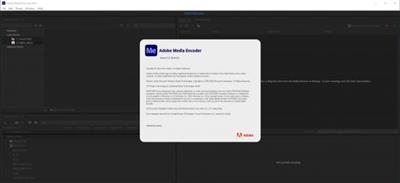
Adobe Media Encoder 2021 v15.2.0.30 (x64) Multilingual

840a319780f73090f30ed7222be904f3.jpeg

x64 | Languages:Multilingual | File Size: 0.99 GB​
Description:
Ingest, transcode, create proxies, and output any format you can imagine. This powerful media management tool allows you to work with media in a unified way across applications. Tight integration with Adobe Premiere Pro CC, After Effects CC, and other applications provides a seamless workflow.

Key Features:
- Support for 8K H.264 export
- Export XAVC QFHD Long GOP 4:2:2 formats
- Hardware-accelerated HEVC encoding on Windows 10 with 7th Generation (or later) Intel® Core™ processors and Intel Graphics enabled
- Improved RED camera format decoding
- Improved Sony RAW/X-OCN camera format decoding
- Hardware-accelerated H.264 encoding on Windows 10 with 6th Generation (or later) Intel® Core™ processors and Intel Graphics enabled
- Hardware-accelerated H.264 and HEVC encoding on Mac OS 10.13 systems with supported hardware
- Support for importing Canon C200 camera formats
- Support for importing Sony Venice camera formats
- RED camera Image Processing Pipeline PP2 support
- Destination Publishing support for new Twitter 280-character limit
- Channel selection when publishing to YouTube and Vimeo
- Playlist selection when publishing to YouTube
- Page selection when publishing to Facebook
- Add custom titles when publishing to YouTube, Facebook, or Vimeo
- Add custom video thumbnails when publishing to YouTube
- Notification for missing items in queue before encoding
- H.264 adaptive bitrate presets automatically choose best output bitrate based on source frame size and frame rate
- Animated GIF export on macOS and Windows
- Time Tuner effect improvements
- Newly optimized list of H.264 presets
- Format support for RF64 WAV Decode/Encode, decode for Sony X-OCN, and QuickTime DNx Smart Rendering
- Warning when importing non-native QuickTime sources
- Timecode modification for 720p 59.94 media
- Destination Publishing to Adobe Stock Contributor
- Adobe Team Projects support
- Support for Color Profiles from After Effects sources
- Automatically relinked assets when importing a sequence
- Option to maintain playback in Premiere Pro while rendering in Media Encoder
- Streamlined bit depth and alpha channel settings (QuickTime only)
- Export support for ambisonic audio (H.264 only)
- Support for Hybrid LOG Gamma (HLG)
- Support for HDR in HEVC (H.265) export Export support for Panasonic AVC-Long GOP Op1b

System Requirements:
- Processor: Intel 6thGen or newer CPU
- Operating system: Microsoft Windows 10 (64-bit), version 1703 or later (required)
- RAM: 16 GB of RAM
- Hard disk space: 4GB of available hard-disk space; additional free space required during installation (cannot install on removable flash storage devices)
- Monitor resolution: 1920 x 1080 or greater display resolution
- GPU: Adobe-recommended GPU card for GPU-accelerated performance (see Premiere Pro System Requirements)

4a2cd099448bddfb6af52b02db68a95c.jpeg


Download link:​
Код:
[center][b]rapidgator_net[/b]:
https://rapidgator.net/file/c4093622879af2c9679435073c21b8ac/3fbss.Adobe.Media.Encoder.2021.v15.2.0.30.x64.Multilingual.rar.html

[b]uploadgig_com[/b]:
https://uploadgig.com/file/download/70b65752e553a356/3fbss.Adobe.Media.Encoder.2021.v15.2.0.30.x64.Multilingual.rar

[b]nitroflare_com[/b]:
https://nitroflare.com/view/2BAFA1AEF3AEC63/3fbss.Adobe.Media.Encoder.2021.v15.2.0.30.x64.Multilingual.rar[/center]

Links are Interchangeable - No Password - Single Extraction​
 
Adobe Premiere Pro 2021 v15.2.0.35 (x64) Multilingual

29f387f5ace8367274f08734734fb6c2.jpeg

File Size: 1.65 GB​
Video editing that's always a cut above. Premiere Pro is the leading video editing software for film, TV, and the web. Creative tools, integration with other Adobe apps and services, and the power of Adobe Sensei help you craft footage into polished films and videos in one seamless workflow. And Premiere Rush, our new app, is included with your subscription so you can capture footage and start editing on all your devices, anywhere.

Smart tools. Better storytelling.
Premiere Pro is used by Hollywood filmmakers, TV editors, YouTubers, videographers - anyone with a story to tell, including you.

Stay in your creative flow.
Premiere Pro is the industry leader for editing everything from fast-turn TV series to feature films. Integrated, efficient workflows let you polish your work without leaving your timeline. And automated tools powered by Adobe Sensei speed up time-consuming tasks, so you can focus on your story.

Any camera. Any format. Any platform.
Edit footage in any modern format, from 8K to virtual reality. Broad native file support and simple proxy workflows make it easy to work with your media, even on mobile workstations. Delivering content that's optimized for any screen or platform is faster than ever.

Everything you need. Right where you need it.
Along with tools for color, audio, and graphics, Premiere Pro works seamlessly with other apps and services, including After Effects, Adobe Audition, and Adobe Stock. Open a Motion Graphics template from After Effects or download one from Adobe Stock and customize it - all without leaving the app. And Premiere Pro integrates with hundreds of partner technologies.

Precise and simple color grading
Take the guesswork out of curve adjustments with innovative Lumetri Color tools. Each curve has two axes with paired values, making selective color grading easy and accurate.

Improve audio instantly
New sliders in the Essential Sound panel let you dial down or remove background noise and reverb for incredible results.

Infographics with Motion Graphics templates
Drag and drop spreadsheets into new infographics Motion Graphics templates to quickly generate visualizations of your data. Any updates to your spreadsheets are automatically updated in your infographic.

Download link:​
Код:
[center][b]rapidgator_net[/b]:
https://rapidgator.net/file/a516dc06ccedfd5dd202961b3bcebfb2/f1fn2.Adobe.Premiere.Pro.2021.v15.2.0.35.x64.Multilingual.part1.rar.html
https://rapidgator.net/file/1847d6bdab761c6d91b0ea60362556d5/f1fn2.Adobe.Premiere.Pro.2021.v15.2.0.35.x64.Multilingual.part2.rar.html

[b]uploadgig_com[/b]:
https://uploadgig.com/file/download/Bdaf6dC0d0cCd93e/f1fn2.Adobe.Premiere.Pro.2021.v15.2.0.35.x64.Multilingual.part1.rar
https://uploadgig.com/file/download/94f1D9456e2714a4/f1fn2.Adobe.Premiere.Pro.2021.v15.2.0.35.x64.Multilingual.part2.rar

[b]nitroflare_com[/b]:
https://nitroflare.com/view/FFB4FEEE0FD7C00/f1fn2.Adobe.Premiere.Pro.2021.v15.2.0.35.x64.Multilingual.part1.rar
https://nitroflare.com/view/5F18EDA9C9AFBA8/f1fn2.Adobe.Premiere.Pro.2021.v15.2.0.35.x64.Multilingual.part2.rar[/center]

Links are Interchangeable - No Password - Single Extraction​
 
Atrise Lutcurve 4.0.4 Multilingual

fa05748d47089a1dbc6ad5e1c3292a13.jpeg

File size: 1.0 MB​
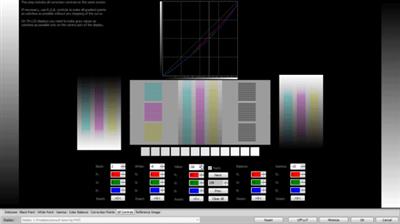
This program will help you to calibrate your monitor without a hardware calibrator device. High accuracy calibration is achieved by the high sensitivity of the human eye to neutral-color shades. The generated test patterns are based on an scientific article "Measurement of display transfer characteristic (gamma)" by A. Roberts. Multiple display configurations or notebook displays are supported.

As compared to other programs in this class, Lutcurve has high accuracy and flexibility in configuring virtually any monitor. This allows you to get great results even in low-quality TFT LCD displays based on TN-matrix. Best results are on IPS and PVA.

Users Who Should Use Calibrated Displays
Users working with videos and photos.
Designers and artists who work with drawings.
Professional photographers and enthusiasts.
Software developers and web designers.
Just web surfers who love the image quality.

Disadvantages of Non-calibrated Displays
Inaccurate reproduction of colors and shades.
The loss of image detail in dark and light areas.
Incorrect image brightness and gamma.
Ugly and unkempt appearance of web pages.
Eye strain when working at a computer.

Calibration of Any Display
Atrise Lutcurve lets you correct nonlinearity of displays, especially noticeable on LCD monitors. The count of calibration points is not limited, which means you can calibrate even an aging display. The quality of the calibration depends on your carefulness and may be very approximate to hardware calibration results and better.

Easy Steps to Calibrate
The program walks you through adjustments in a step-by-step manner.

See Before and After
Once the display is calibrated, it takes a bit of time to get over the gee whiz factor that comes from seeing that the images on your display closely match reality.

Technical Specifications for LUT
Calibration points: up to 256 (full range).
LUT precision: 16 bit (full range).
Curve interpolation: smooth spline.

System Requirements
OS: Windows® XP, Vista, 7, 8, 8.1 or 10. 32 or 64 bit.
Manufacturer video card driver installed. Most default Windows drivers cannot change the LUT Table, so visit AMD, NVIDIA or Intel web site to get better one.
Manufacturer ICM Profile is recommended.
Minimal display resolution: 1024x768.

Download link:​
Код:
[center][b]rapidgator_net[/b]:
https://rapidgator.net/file/cc6c23a74616bf4214d6813ea293280b/vxnwg.Atrise.Lutcurve.4.0.4.Multilingual.rar.html

[b]uploadgig_com[/b]:
https://uploadgig.com/file/download/478a911b871a4331/vxnwg.Atrise.Lutcurve.4.0.4.Multilingual.rar

[b]nitroflare_com[/b]:
https://nitroflare.com/view/AAB93589F46CFA2/vxnwg.Atrise.Lutcurve.4.0.4.Multilingual.rar[/center]

Links are Interchangeable - No Password - Single Extraction​
 
Bible 6.13 MAS

7284c32299edcf27641fd12f65a297eb.jpeg

File size: 183.88 MB​
Bible app is simple, elegant and beautiful. It's an easy to navigate offline Bible app for Mac that has a smart UI and many useful features. It allows you to sneak into the sacred scriptures without the confusion of the Internet. Sync your Marked, Journals, Sermons, Prayers with iCloud.

Top Features of Bible App:
* Completely revamped design.
* Search books, verse with chapter and verse number.
* Decrease or increase font size.
* Choose from 12 background colors to read Bible in the app preference.
* Choose from 10 font styles to read Bible in the app preference.
* Increase or decrease the speed of speech.
* Change the background color of the presentation view.
* Hide left pane which the consist book list.
* Now search bible with book name, verse number.
* Find highlighted verses sorted into different colors.
* Now save journals into different folders.
* Add sermons: Take notes with voice recording.
* Bible Concordance is added.
* More than 50 new Bible Versions have been added.
* At the bottom, character and line counts are added in both Journal and Sermon sections.
* You can add attachments (document, photos, files) with each journal and save them in the app. You can view the attached files simply by clicking the thumbnails.
* A desktop Widget is added that shows Daily Verses in two different backgrounds, Light and Dark.
* Daily Verse can be accessed in the Notification Center. Users can add the App Extension in Notification Center and browse Daily Verse.

Other Features:
* Easy-to-navigate smart UI.
* Add more than 600 Bible Versions/Translations into the App. (See the list below)
* Write Journals or take notes and save them for future reference.
* Share Journals via all the available sharing options.
* Search Verse: Search the entire Bible with Keywords and get to a specific Chapter or Book.
* Parallel Reading: Open two different Bible Translations side by side and cross-refer.
* Option to scroll both Translations together or separately.
* Mark Bible Verses as Favorite and browse all of them in one place.
* Highlight Bible Verses with Color and browse all of them in one place.
* Copy Bible Verse from the app and paste anywhere.
* Daily Verse: Get inspirational Bible codes daily on a small pop up.
* Speak Mode: The Bible reads out Bible Verses for you.
* Presentation Mode: Show scriptures from Bible to a projector screen or a secondary monitor in fullscreen.

* Hotkey integrations:
* Trigger Add Journal and Add Sermon window by Hotkey at the Menu bar.
* Spotlight Bible Search: Now search Bible verse, Journal and Sermon entries from a dedicated Search Bar which can be triggered by user-defined Hot Key. Check General Tab in App Preference window.
* Now add Sermon quickly from anywhere by pressing a user-defined Hotkey. Setup Hotkey in App Preference.
* Open Bible from MenuBar by pressing user-defined Hotkey. Setup Hotkey in App Preference.
* Now add Journal quickly from anywhere by pressing a user-defined Hotkey. Setup Hotkey in App Preference.
* Bible Translation name is shown in Mini-view mode.
* Improved Single-View Bible comparison between two different Translations.
* Highlight and mark Bible Verse as a favorite by using the MacBook Pro Touch Bar.
* Now you can schedule prayer meetings with title and description. List down your daily prayers and mark them complete when your wish is fulfilled.

iCloud:
We are using CloudKit to store users data. We are not keeping any data on our servers or anywhere, just only using CloudKit. We keep syncing Local CoreData with CloudKit.

iCloud sync will work only for followings:
1. Marking of Verses.
2. Journal
3. Sermon
4. Prayer

MAPS:
In the ​Dictionary tab, you can see some location's map.

Bible app has made Bible reading easier on Mac. Using the smartly designed UI, users can jump from one chapter to another very quickly without any issue. The powerful Search Verse will help to get your hands on to any chapter or verse in no time.
Try Bible app today!
Release Notes

* Widget added for daily verses.
* Improved Version.

Supported Operation System:
* 64-bit processor
* macOS 10.12 or later

Download link:​
Код:
[center][b]rapidgator_net[/b]:
https://rapidgator.net/file/041fb8a7e068be1087faedc6854d0d39/whs5j.Bible.6.13.MAS.rar.html

[b]uploadgig_com[/b]:
https://uploadgig.com/file/download/3e78aBcc2a84f391/whs5j.Bible.6.13.MAS.rar

[b]nitroflare_com[/b]:
https://nitroflare.com/view/29B9171361B4FB4/whs5j.Bible.6.13.MAS.rar[/center]

Links are Interchangeable - No Password - Single Extraction​
 
Назад
Сверху