• Форум работает в архивном режиме www.old.nado.in

All mitsumi'1s Applications !! (updated daily)

  • Автор темы Автор темы mitsumi1
  • Дата начала Дата начала
PGWare GameBoost 3.4.19.2021 Multilingual

582efa9e89653a285afb1049304c1624.jpeg

File Size: 5.8 MB​
GameBoost sets the standard for PC gaming and internet optimization software. A combination of our two products GameGain and Throttle; GameBoost instantly increases the performance of your computer and squeezes out every last bit of performance your computer and internet connection is capable of. With many of the latest PC games requiring high hardware requirements to have a suitable gaming experience, it is important to optimize your computer's performance.

Windows is a general operating system which is used for many tasks; it is not optimized for gaming. With GameBoost and a few clicks of your mouse, you will notice an increase in frames per second, smooth game play and less latency and lag during multiplayer gaming.
GameBoost makes several Windows registry and system changes to increase the performance of your current gaming hardware; this allows you to play the most recent games without having to spend hundreds of dollars to upgrade your hardware. These changes made to your computer improve memory usage, how foreground applications are prioritized with the CPU, hard drive access read and write speeds, how fast graphics can display on your screen, the overall speed of your internet connection and latency. GameBoost does not make changes, no patches and no modifications to games themselves, thus no anti-cheat detection software considers our software cheating software and you will not be banned from those gaming networks.

Faster Gaming Graphics
Increase the frames per second you are getting when playing the most current and exciting games without having to purchase a new graphics card, memory, or CPU.

CPU Prioritization
GameBoost instructs the CPU to prioritize full screen applications so they are given the most power and access to more CPU cores; this allows games to work faster.

No Patches to Games
Games run faster and are not directly patched or modified, thus you are not banned from networks that have cheat detection software that detect modifications to games.

Faster Internet Speed
Instantly increases the speed of your Cable, DSL, U-Verse, Fios and dial-up internet connection and improves latency issues that cause lag during multiplayer gaming.

GameBoost also improves the speed of your internet connection; these system changes work with all internet connections such as Cable, DSL, U-Verse, Fios and dial-up. If you notice during multiplayer gaming that you are getting long pings and lag, GameBoost can help improve the speed of your connection. GameBoost makes several Windows registry changes to improve how networking packets are transmitted and received, we increase the buffer sizes which allows data to be transmitted and processed faster on your computer, allowing games, web browsing and downloading files to work much faster.

Optimizing your Windows environment to work faster with games is a no brainer if you are a hardcore PC video game enthusiast. Just like tuning a car to get higher performance, GameBoost tunes your PC's hardware to work faster which improves gaming and internet performance. Get every last bit of horsepower out of your computer to play your games smoother and faster while also increasing the speed of your internet with a few clicks of the mouse. Download a trial version of GameBoost today and unleash the full power of your computer hardware for faster gaming and internet.

Features:
Compatible with Microsoft Windows 10, 8, 7, Vista, XP & Windows Server 2012, 2008, 2003. 32-BIT/64-BIT ready.
Optimizes your computer hardware to allow games to run faster and increase the speed of your internet connection for faster downloads and speed.
Increases the speed of all internet connection types such as Cable, DSL, U-Verse, Fios and dial-up.
Increase the frames per second that is displayed allowing games to play much smoother and increase your enjoyment of these games.
Advanced software based over-clocking feature which enhances memory speed, CPU prioritization of full screen applications and internet speed for games.
Changes are made to the Windows system directly not patches to game files; this prevents anti-cheat systems from accusing you of game modification.
New and improved modern user interface, easy and intuitive to use and compliant with Windows user interface guidelines.
Software updates can be downloaded and installed directly from inside the application without having to visit our web site.

Download link:​
Код:
[center][b]rapidgator_net[/b]:
https://rapidgator.net/file/b9a416e29edf1c978daa03e008d4f0fa/5bbc5.PGWare.GameBoost.3.4.19.2021.Multilingual.rar.html

[b]uploadgig_com[/b]:
https://uploadgig.com/file/download/1de743acaaacf956/5bbc5.PGWare.GameBoost.3.4.19.2021.Multilingual.rar

[b]nitroflare_com[/b]:
https://nitroflare.com/view/DB1F6A81396D5AA/5bbc5.PGWare.GameBoost.3.4.19.2021.Multilingual.rar[/center]

Links are Interchangeable - No Password - Single Extraction​
 
PGWare GameGain 4.4.19.2021 Multilingual

5242af2b68f2e126165d53ab1f897bde.jpeg

File Size: 5.5 MB​
One of the first and most comprehensive products, GameGain sets the standard for PC gaming optimization software. GameGain instantly increases the performance of your computer and squeezes out every last bit of performance your computer gaming hardware is capable of. With many of the latest PC games requiring high hardware requirements to have a suitable gaming experience, it is important to optimize your computer's performance.

Windows is a general operating system which is used for many everyday tasks; it is not optimized for gaming performance. With GameGain and a few clicks of your mouse, you will notice an increase in frames per second, smooth game play and less lag during gaming.
GameGain makes several Windows registry and system changes to increase the performance of your current gaming hardware; this allows you to play the most recent games without having to spend hundreds of dollars to upgrade your computer hardware. These changes made to your computer improve memory usage, how foreground applications are prioritized with the CPU, hard drive access read and write speeds and how fast graphics can display on your screen. GameGain does not make changes, no patches and no modifications to games themselves, thus no anti-cheat detection software considers our software cheating software and you will not be banned from those gaming networks.

Constant Updates
We constantly update GameGain with new system performance tweaks; this allows your gaming computer to keep up with the latest games that demand fast hardware.

Faster Gaming Graphics
Increase the frames per second you are getting when playing the most current and exciting games without having to purchase a new graphics card, memory, or CPU.

CPU Prioritization
GameGain instructs the CPU to prioritize full screen applications so they are given the most power and access to more CPU cores; this allows games to work faster.

No Patches to Games
Games run faster and are not directly patched or modified, thus you are not banned from networks that have cheat detection software that detect modifications to games.

Sometimes even the most powerful computer gaming hardware can be slowed down by the latest games. Many of the newer games require faster graphics cards, more memory and faster processors to have a playable game experience. Also due to the popularity of home game consoles many of these games are ported to the PC poorly, impacting performance on the fastest of machines. With GameGain your computer hardware is optimized to the extreme, allowing you to get the best performance possible for these games without sacrificing graphics fidelity.

Optimizing your Windows desktop environment to work faster with games is a no brainer if you are a hardcore PC video game enthusiast. Just like tuning a sports car to get higher performance, GameGain tunes your PC's hardware to work faster which improves gaming performance. Get every last bit of horsepower out of your computer to play your games smoother and faster with a few clicks of the mouse. Download a trial version of GameGain today and unleash the full power of your computer hardware for faster gaming.

Features:
Compatible with Microsoft Windows 10, 8, 7, Vista, XP & Windows Server 2012, 2008, 2003. 32-BIT/64-BIT ready.
Optimizes your computer hardware to allow the latest games to run faster with the highest graphic settings possible.
Decreases the amount of lag and screen pop-in you get playing games that require large map files to load during game play.
Increase the frames per second that is displayed allowing games to play much smoother and increase your enjoyment of these games.
Advanced software based over-clocking feature which enhances memory speed, CPU prioritization of full screen applications, making games run faster.
Changes are made to the Windows system directly not patches to game files; this prevents anti-cheat systems from accusing you of game modification.
New and improved modern user interface, easy and intuitive to use and compliant with Windows user interface guidelines.
Software updates can be downloaded and installed directly from inside the application without having to visit our web site.

Download link:​
Код:
[center][b]rapidgator_net[/b]:
https://rapidgator.net/file/fadd6e97f3bbc60c3f81b311ee518ea5/tc6oy.PGWare.GameGain.4.4.19.2021.Multilingual.rar.html

[b]uploadgig_com[/b]:
https://uploadgig.com/file/download/316aa72e565D72dc/tc6oy.PGWare.GameGain.4.4.19.2021.Multilingual.rar

[b]nitroflare_com[/b]:
https://nitroflare.com/view/3D116DA0B21EF9F/tc6oy.PGWare.GameGain.4.4.19.2021.Multilingual.rar[/center]

Links are Interchangeable - No Password - Single Extraction​
 
PGWare GameSwift 2.4.19.2021 Multilingual

53f306df86b3b5ffba5287996e446ea4.jpeg

File Size: 5.7 MB​
GameSwift sets the standard for PC and game optimization software. A combination of our two products PCMedik and GameGain; GameSwift instantly makes your computer faster and fixes common problems associated with frustrating slowdowns and errors and squeezes out every last bit of performance your computer and games are capable of. Do you remember when you first turned your brand new computer on and how fast it worked? With GameSwift and a click of the mouse you can bring back this speed to your computer instantly.

GameSwift quickly scans your computer for common problems and fixes them, it then makes several permanent changes to Windows so your computer feels like it is brand new once again. Don't deal with a slow computer and make tasks take longer to complete, install GameSwift and make your computer run faster.
Over time as you install new and updated software, you get the impression your computer is slower due to these applications being more demanding of faster hardware. GameSwift makes your computer faster by making several changes to Windows settings; for instance it turns off several animations that degrade performance, instructs the CPU how to prioritize background tasks, how files are loaded and written to the hard drive and changes to the way memory is used when programs use the memory swap file.

Heals Problems
Many small problems on your computer lead to a combined loss of performance over time, PCSwift will scan your computer for these problems and instantly repair them.

CPU Prioritization
GameSwift instructs the CPU to prioritize full screen applications so they are given the most power and access to more CPU cores; this allows games to work faster.

Constant Updates
We constantly update PCSwift with new system performance tweaks; this allows your computer to keep up with the latest software that demand faster hardware.

Faster Gaming Graphics
Increase the frames per second you are getting when playing the most current and exciting games without having to purchase a new graphics card, memory, or CPU.

GameSwift makes several Windows registry and system changes to increase the performance of your current gaming hardware; this allows you to play the most recent games without having to spend hundreds of dollars to upgrade your hardware. These changes made to your computer improve memory usage, how foreground applications are prioritized with the CPU, hard drive access read and write speeds, how fast graphics can display on your screen. GameSwift does not make changes, no patches and no modifications to games themselves, thus no anti-cheat detection software considers our software cheating software and you will not be banned from those gaming networks.

Optimizing your Windows environment to work faster with games is a no brainer if you are a hardcore PC video game enthusiast. Just like tuning a car to get higher performance, GameSwift tunes your PC's hardware to work faster which improves gaming and your computer performance. Get every last bit of horsepower out of your computer to play your games smoother and faster while also fixing problems with your computer with a few clicks of the mouse. Download a trial version of GameSwift today and unleash the full power of your computer hardware for faster gaming.

Features:
Compatible with Microsoft Windows 10, 8, 7, Vista, XP & Windows Server 2012, 2008, 2003. 32-BIT/64-BIT ready.
Optimizes your computer hardware to allow the latest games to run faster with the highest graphic settings possible.
Increase the frames per second that is displayed allowing games to play much smoother and increase your enjoyment of these games.
Decreases the amount of time for Windows to load, and makes loading and running your favorite programs much faster.
GameSwift repairs common problems found on most computers and instantly fixes them to improve computer stability and performance.
Changes are made to the Windows system permanently, allowing you to perform a single one time tune-up to increase performance forever.
New and improved modern user interface, easy and intuitive to use and compliant with Windows user interface guidelines.
Software updates can be downloaded and installed directly from inside the application without having to visit our web site.

Download link:​
Код:
[center][b]rapidgator_net[/b]:
https://rapidgator.net/file/5b68b9f736d86542d5db506af6b3dfbf/p7b43.PGWare.GameSwift.2.4.19.2021.Multilingual.rar.html

[b]uploadgig_com[/b]:
https://uploadgig.com/file/download/276841D87927285a/p7b43.PGWare.GameSwift.2.4.19.2021.Multilingual.rar

[b]nitroflare_com[/b]:
https://nitroflare.com/view/0F844A40C0706A8/p7b43.PGWare.GameSwift.2.4.19.2021.Multilingual.rar[/center]

Links are Interchangeable - No Password - Single Extraction​
 
PGWare PCBoost 5.4.19.2021 Multilingual

2bae8476caf904832e33b2d14665799b.jpeg

File Size: 6.9 MB​
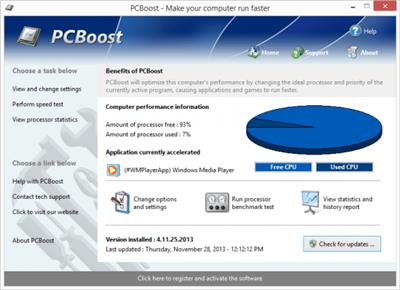
PCBoost allows you to run programs such as games, video production, photo editing software and any software that requires excessive processing power to run much faster than the software was originally designed for. With little to no effort you can instantly force programs & games to run faster on your computer without having to purchase new hardware. Most programs are designed to use a minimal amount of CPU (processor) power which often leads to the CPU being idle and not used to its fullest potential, with PCBoost your computer is able to take advantage of this by allocating more CPU power to the currently active application.

PCBoost constantly monitors which application is running as the foreground and active program; it then tells the CPU to give this application priority over all other applications. This direct instruction to the CPU forces the application to get more attention and quickly finish any tasks that are required as soon as possible. If you switch to another program or game PCBoost instantly notices this change and instructs the CPU to set the old application to a normal priority and the newly active and foreground application to a higher priority. This approach allows the current and active program to always use the most CPU power as possible.

Performance Increase
Instantly makes the foreground application run faster by instructing the computer processor to give the application a higher priority than all other applications running in the background.

Artificial Intelligence
Constantly switches the foreground application to use the least used processor core on multi-core computers; ensuring applications always have the most CPU power available to them.

Unlock Your Hardware
Unlock the power of your computer hardware, no longer do you have idle processor power being wasted when you need time critical applications to finish as soon as possible.

No More Waiting
Don't wait for programs that take forever to complete, applications now run much faster and tasks complete quicker when you take control of the CPU with PCBoost installed.

PCBoost also takes advantage of multi-core processors found in most computers today. Generally the more CPU cores you have the faster your computer will operate, however most applications are not written to take advantage of multi-core processors. When a multi-core processor is detected PCBoost instantly instructs the foreground application to run on a CPU core that is being used the least. For instance if your computer has two CPU cores and core one is at 75% and core two is at 25%, then PCBoost will make sure the application will run on core two. This feature allows applications to always have the most processing power available and instantly makes your computer run faster.

Any application that requires excessive processing power can instantly become faster when PCBoost is installed. It's as easy as downloading the current version of our software, clicking the install button and letting everything work on its own. PCBoost's simple to use interface allows you to set it and forget it, and let PCBoost automatically make your applications work faster. For the power computer users we do offer many settings, such as how fast applications should be accelerated, which applications should be blocked from being accelerated, if PCBoost should start up with Windows and many numerous other settings that are available for you to control. You can decide if you want to fine tune PCBoost or let it work on its own - our software works with the novice all the way up to expert computer users. Download a trial version of PCBoost and take control of your computer.

Features:
Compatible with Microsoft Windows 10, 8, 7, Vista, XP & Windows Server 2012, 2008, 2003. 32-BIT/64-BIT ready.
Optimizes games and applications by increasing the processor priority thread of the currently active application, allowing these programs to run faster.
Runs in the background, which allows the software to run quietly and accelerate applications without user interaction.
New ideal processor setting automatically sets applications to use processor cores that are not being fully utilized.
Processor benchmark test feature has been added in to get an estimate of how fast and stable your computer processor is.
Built-in and fully editable block list of applications which are not compatible, to prevent problems with the software such as slowdowns or computer crashes.
New and improved modern user interface, easy and intuitive to use and compliant with Windows user interface guidelines.
Software updates can be downloaded and installed directly from inside the application without having to visit our web site.

Download link:​
Код:
[center][b]rapidgator_net[/b]:
https://rapidgator.net/file/34ee0d8b9f180af47f4b0f182965b716/lqh5d.PGWare.PCBoost.5.4.19.2021.Multilingual.rar.html

[b]uploadgig_com[/b]:
https://uploadgig.com/file/download/4c224706F2e74695/lqh5d.PGWare.PCBoost.5.4.19.2021.Multilingual.rar

[b]nitroflare_com[/b]:
https://nitroflare.com/view/66B0437A67014B7/lqh5d.PGWare.PCBoost.5.4.19.2021.Multilingual.rar[/center]

Links are Interchangeable - No Password - Single Extraction​
 
PGWare PCMedik 8.4.19.2021 Multilingual

f8613987d8568fa08d2b1d934fea5e9c.jpeg

File Size: 5.6 MB​
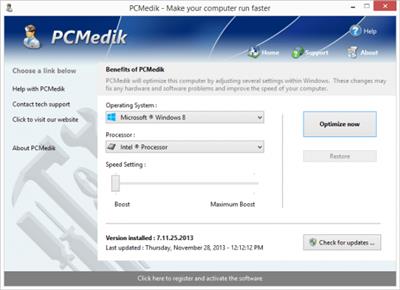
PCMedik instantly makes your computer faster and fixes common problems associated with frustrating slowdowns and errors. Do you remember when you first turned your brand new computer on and how fast it worked? With PCMedik and a click of the mouse you can bring back this speed to your computer instantly. PCMedik quickly scans your computer for common problems and fixes them, it then makes several permanent changes to Windows so your computer feels like it is brand new once again. Don't deal with a slow computer and make tasks take longer to complete, install PCMedik and make your computer run faster.

Over time as you install new and updated software, you get the impression your computer is slower due to these applications being more demanding of faster hardware. PCMedik makes your computer faster by making several changes to Windows settings; for instance it turns off several animations that degrade performance, instructs the CPU how to prioritize background tasks, how files are loaded and written to the hard drive, changes to the way memory is used when programs use the memory swap file and dozens of other performance settings. With these system changes made to Windows and the fixes to common problems, your computer will run faster and operate like it is brand new.

Constant Updates
We constantly update PCMedik with new system performance tweaks; this allows your computer to keep up with the latest software that demand faster hardware.

Heals Problems
Many small problems on your computer lead to a combined loss of performance over time, PCMedik will scan your computer for these problems and instantly repair them.

Simple to Use
PCMedik is easy to use, simply click a single button and the software instantly performs changes to your computer safely. PCMedik is simple, efficient and effective.

Instant Speed Increase
PCMedik will instantly increase the speed of your computer's hardware by making permanent system wide Windows changes to how your computer operates.

PCMedik is one of the easiest to use PC optimization utilities available on the market. We designed PCMedik to be very easy to use, allowing a novice computer user to simply install our software, click a single button and reboot the machine for an instant speed increase. While our software may appear very simple, it is extremely powerful on the inside and instantly fixes many of the common computer problems and makes permanent changes to your system intelligently. PCMedik has a built in system analyzer and diagnostic engine which quickly locates problems and fixes them, and we constantly update our software to provide you with new improvements.

Your computer works similar to a car, if over time you do not perform maintenance and tune-up's they both begin to exhibit problems and don't have the same performance they did when they were brand new. PCMedik performs a quick tune-up, fixes problems and optimizes the performance of your computer with a single click of the mouse. Don't waste money buying a new computer because your computer is slowing down or having problems, download a trial version of PCMedik today and make your computer run faster.

Features:
Compatible with Microsoft Windows 10, 8, 7, Vista, XP & Windows Server 2012, 2008, 2003. 32-BIT/64-BIT ready.
Instantly increases the speed of your computer with a very easy to use interface, simply click one button and reboot the computer.
Decreases the amount of time for Windows to load, and makes loading and running your favorite programs much faster.
PCMedik repairs common problems found on most computers and instantly fixes them to improve computer stability and performance.
Makes your computer faster by optimizing how the computer memory operates, how applications are prioritized with the CPU and how the disk drive performs.
Changes are made to the Windows system permanently, allowing you to perform a single one time tune-up to increase performance forever.
New and improved modern user interface, easy and intuitive to use and compliant with Windows user interface guidelines.
Software updates can be downloaded and installed directly from inside the application without having to visit our web site.

Download link:​
Код:
[center][b]rapidgator_net[/b]:
https://rapidgator.net/file/d14f322b9b2cf3185a21e499b5d54300/l6zy2.PGWare.PCMedik.8.4.19.2021.Multilingual.rar.html

[b]uploadgig_com[/b]:
https://uploadgig.com/file/download/e76cf52635f128F0/l6zy2.PGWare.PCMedik.8.4.19.2021.Multilingual.rar

[b]nitroflare_com[/b]:
https://nitroflare.com/view/CC1F23079D21B67/l6zy2.PGWare.PCMedik.8.4.19.2021.Multilingual.rar[/center]

Links are Interchangeable - No Password - Single Extraction​
 
PGWare PCSwift 2.4.19.2021 Multilingual

9f72d393f3570f4d5cae960908fef7b4.jpeg

File Size: 5.6 MB​
PCSwift sets the standard for PC and internet optimization software. A combination of our two products PCMedik and Throttle; PCSwift instantly makes your computer faster and fixes common problems associated with frustrating slowdowns and errors and squeezes out every last bit of performance your computer and internet connection is capable of. Do you remember when you first turned your brand new computer on and how fast it worked? With PCSwift and a click of the mouse you can bring back this speed to your computer instantly.

PCSwift quickly scans your computer for common problems and fixes them, it then makes several permanent changes to Windows so your computer feels like it is brand new once again. Don't deal with a slow computer and make tasks take longer to complete, install PCSwift and make your computer run faster.
Over time as you install new and updated software, you get the impression your computer is slower due to these applications being more demanding of faster hardware. PCSwift makes your computer faster by making several changes to Windows settings; for instance it turns off several animations that degrade performance, instructs the CPU how to prioritize background tasks, how files are loaded and written to the hard drive, changes to the way memory is used when programs use the memory swap file and the overall speed of your internet connection and latency.

Heals Problems
Many small problems on your computer lead to a combined loss of performance over time, PCSwift will scan your computer for these problems and instantly repair them.

Instant Speed Increase
PCSwift will instantly increase the speed of your computer's hardware by making permanent system wide Windows changes to how your computer operates.

Constant Updates
We constantly update PCSwift with new system performance tweaks; this allows your computer to keep up with the latest software that demand faster hardware.

Faster Internet Speed
Instantly increases the speed of your Cable, DSL, U-Verse, Fios and dial-up internet connection and improves latency issues that cause lag during multiplayer gaming.

PCSwift also improves the speed of your internet connection; these system changes work with all internet connections such as Cable, DSL, U-Verse, Fios and dial-up. If you notice during multiplayer gaming that you are getting long pings and lag, PCSwift can help improve the speed of your connection. PCSwift makes several Windows registry changes to improve how networking packets are transmitted and received, we increase the buffer sizes which allows data to be transmitted and processed faster on your computer, allowing games, web browsing and downloading files to work much faster.

Optimizing your Windows environment to work faster is a no brainer. Just like tuning a car to get higher performance, PCSwift tunes your PC's hardware to work faster which improves your computer and internet performance. PCSwift performs a quick tune-up, fixes problems and optimizes the performance of your computer and the speed of your internet with a few clicks of the mouse. Download a trial version of PCSwift today and unleash the full power of your computer hardware for a faster computer and internet.

Features:
Compatible with Microsoft Windows 10, 8, 7, Vista, XP & Windows Server 2012, 2008, 2003. 32-BIT/64-BIT ready.
Optimizes your computer hardware to allow your computer to run faster and increase the speed of your internet connection for faster downloads and speed.
Increases the speed of all internet connection types such as Cable, DSL, U-Verse, Fios and dial-up.
Decreases the amount of time for Windows to load, and makes loading and running your favorite programs much faster.
PCSwift repairs common problems found on most computers and instantly fixes them to improve computer stability and performance.
Changes are made to the Windows system permanently, allowing you to perform a single one time tune-up to increase performance forever.
New and improved modern user interface, easy and intuitive to use and compliant with Windows user interface guidelines.
Software updates can be downloaded and installed directly from inside the application without having to visit our web site.

Download link:​
Код:
[center][b]rapidgator_net[/b]:
https://rapidgator.net/file/990b0c7ab5680f4238bd5812a8ba6b72/ttar6.PGWare.PCSwift.2.4.19.2021.Multilingual.rar.html

[b]uploadgig_com[/b]:
https://uploadgig.com/file/download/Aec55685F5D6eca6/ttar6.PGWare.PCSwift.2.4.19.2021.Multilingual.rar

[b]nitroflare_com[/b]:
https://nitroflare.com/view/3143DA4FA938480/ttar6.PGWare.PCSwift.2.4.19.2021.Multilingual.rar[/center]

Links are Interchangeable - No Password - Single Extraction​
 
PGWare SuperRam 7.4.19.2021 Multilingual

6bafcb3e34defbc2ab65e3545b664340.jpeg

File Size: 8.5 MB​
SuperRam makes your computer run faster by taking control and managing the memory on your computer efficiently. If you notice your computer is running slow, this typically is due to the memory (RAM) running out of usable space. When memory space gets lower, Windows then starts opening programs into the Windows page file; this page file is the computer hard drive which is much slower than RAM. SuperRam switches this behavior and puts old programs into the Windows page file and any newly opened programs are put into actual RAM. This change in how Windows operates allows programs and games to run faster.

SuperRam constantly runs in the background on your computer and determines when the memory on your computer is getting to a low threshold; once it reaches this threshold it immediately frees memory back to the computer and makes programs run faster since they have access to physical memory. SuperRam's settings allow you to freely adjust and change this low memory threshold and give you the ability to determine how much memory to free back to Windows. SuperRam gives you full control over how memory works on your computer and allows you to fine tune how your computer operates.

Faster Applications
Applications and games instantly load and run faster than before since they have access to more RAM on your computer. This instantly makes your computer run smoother and faster.

Take Control
You are now in control of your computer and decide how the system works. SuperRam gives you instant access to control how the computer operates and then works in the background for you.

Always Running
SuperRam constantly runs in the background even if no user is logged in, works great for server systems and desktop machines whether they are in full use or idle.

Infinite Memory
SuperRam constantly frees wasted memory back to the computer giving the impression you have an unlimited supply of RAM available to your applications at all times.

SuperRam intelligently manages memory unlike many other memory management programs available on the internet. SuperRam monitors how much of your computer processor is being utilized; ensuring that it does not free memory when the computer is processing large amounts of data and cause slowdowns. SuperRam can also detect when a program is running full screen, such as a game or a DVD and prevent memory from being freed to also prevent the screen from lagging and causing video problems to occur. If you are using a laptop SuperRam can also be told not to run when the laptop is on battery power and only work when plugged in. These settings allow you to fully control SuperRam and dictate how your computer works.

If you notice your computer is running slower, trying our software SuperRam is as easy as downloading the current version, clicking the install button and letting everything work on its own. SuperRam's simple to use interface allows you to set it and forget it, and let SuperRam automatically manage your computer's memory. However if you would rather take control directly, SuperRam offers many settings to let you decide how much memory to free, and when memory should be freed depending on CPU utilization, full screen applications running and many other factors. Download a trial version of SuperRam and make your computer faster.

Features:
Compatible with Microsoft Windows 10, 8, 7, Vista, XP & Windows Server 2012, 2008, 2003. 32-BIT/64-BIT ready.
Allows games and applications to run faster by giving them access to more physical memory installed on the computer.
Runs in the background, which allows the software to run quietly freeing memory back to the computer without user interaction.
SuperRam can even run when no user is logged in allowing server systems to free memory leaks or give server software access to more RAM.
Memory benchmark test feature has been added in to get an estimate of how fast and stable your computer memory is.
Full customizable settings allow users the ability to fully control how memory behaves empowering the user to control their computer.
New and improved modern user interface, easy and intuitive to use and compliant with Windows user interface guidelines.
Software updates can be downloaded and installed directly from inside the application without having to visit our web site.

Download link:​
Код:
[center][b]rapidgator_net[/b]:
https://rapidgator.net/file/0edcc9b26c50f8aa2982f2bcbab44dc4/rbu7x.PGWare.SuperRam.7.4.19.2021.Multilingual.rar.html

[b]uploadgig_com[/b]:
https://uploadgig.com/file/download/F9f5a0aF6832b01e/rbu7x.PGWare.SuperRam.7.4.19.2021.Multilingual.rar

[b]nitroflare_com[/b]:
https://nitroflare.com/view/7C69A5E8B7F2FFB/rbu7x.PGWare.SuperRam.7.4.19.2021.Multilingual.rar[/center]

Links are Interchangeable - No Password - Single Extraction​
 
PGWare SystemSwift 2.4.19.2021 Multilingual

40418264982501bd87f155364e13d79c.jpeg

File Size: 5.8 MB​
SystemSwift sets the standard for PC and game optimization software. A combination of our three products PCMedik, GameGain and Throttle; SystemSwift instantly makes your computer faster and fixes common problems associated with frustrating slowdowns and errors, squeezes out every last bit of performance your computer and games are capable of and increases the speed of your internet connection. Do you remember when you first turned your brand new computer on and how fast it worked? With SystemSwift and a click of the mouse you can bring back this speed to your computer instantly.

SystemSwift quickly scans your computer for common problems and fixes them, it then makes several permanent changes to Windows so your computer feels like it is brand new once again. Don't deal with a slow computer and make tasks take longer to complete, install SystemSwift and make your computer run faster.
Over time as you install new and updated software, you get the impression your computer is slower due to these applications being more demanding of faster hardware. SystemSwift makes your computer faster by making several changes to Windows settings; for instance it turns off several animations that degrade performance, instructs the CPU how to prioritize background tasks, how files are loaded and written to the hard drive, changes to the way memory is used when programs use the memory swap file and the overall speed of your internet connection and latency.

Heals Problems
Many small problems on your computer lead to a combined loss of performance over time, PCSwift will scan your computer for these problems and instantly repair them.

Faster Downloads
Instantly makes downloads from the internet faster. Don't wait while downloading large files, SystemSwift makes large downloads take much less time to finish.

Constant Updates
We constantly update PCSwift with new system performance tweaks; this allows your computer to keep up with the latest software that demand faster hardware.

Faster Gaming Graphics
Increase the frames per second you are getting when playing the most current and exciting games without having to purchase a new graphics card, memory, or CPU.

SystemSwift also improves the speed of your internet connection; these system changes work with all internet connections such as Cable, DSL, U-Verse, Fios and dial-up. If you notice during multiplayer gaming that you are getting long pings and lag, SystemSwift can help improve the speed of your connection. SystemSwift makes several Windows registry and system changes to increase the performance of your current gaming hardware; this allows you to play the most recent games without having to spend hundreds of dollars to upgrade your hardware. These changes made to your computer improve memory usage, how foreground applications are prioritized with the CPU, hard drive access read and write speeds, how fast graphics can display on your screen, the overall speed of your internet connection and latency. SystemSwift does not make changes, no patches and no modifications to games themselves, thus no anti-cheat detection software considers our software cheating software and you will not be banned from those gaming networks.

Optimizing your Windows environment to work faster with games is a no brainer if you are a hardcore PC video game enthusiast. Just like tuning a car to get higher performance, SystemSwift tunes your PC's hardware to work faster which improves gaming and your computer performance. Get every last bit of horsepower out of your computer to play your games smoother and faster while also fixing problems with your computer with a few clicks of the mouse. Download a trial version of SystemSwift today and unleash the full power of your computer hardware for faster gaming.

Features:
Compatible with Microsoft Windows 10, 8, 7, Vista, XP & Windows Server 2012, 2008, 2003. 32-BIT/64-BIT ready.
Optimizes your computer hardware to allow your computer to run faster and increase the speed of your internet connection for faster downloads and speed.
Increases the speed of all internet connection types such as Cable, DSL, U-Verse, Fios and dial-up.
Increase the frames per second that is displayed allowing games to play much smoother and increase your enjoyment of these games.
SystemSwift repairs common problems found on most computers and instantly fixes them to improve computer stability and performance.
Changes are made to the Windows system permanently, allowing you to perform a single one time tune-up to increase performance forever.
New and improved modern user interface, easy and intuitive to use and compliant with Windows user interface guidelines.
Software updates can be downloaded and installed directly from inside the application without having to visit our web site.

Download link:​
Код:
[center][b]rapidgator_net[/b]:
https://rapidgator.net/file/00d7e235bffe854833d41ca647aff006/zg2ph.PGWare.SystemSwift.2.4.19.2021.Multilingual.rar.html

[b]uploadgig_com[/b]:
https://uploadgig.com/file/download/f24c9ca144b0fa3C/zg2ph.PGWare.SystemSwift.2.4.19.2021.Multilingual.rar

[b]nitroflare_com[/b]:
https://nitroflare.com/view/3D7968CD4B55445/zg2ph.PGWare.SystemSwift.2.4.19.2021.Multilingual.rar[/center]

Links are Interchangeable - No Password - Single Extraction​
 
PGWare Throttle 8.4.19.2021 Multilingual

2c77c24720d9985606266239d3816dc1.jpeg

File Size: 5.8 MB​
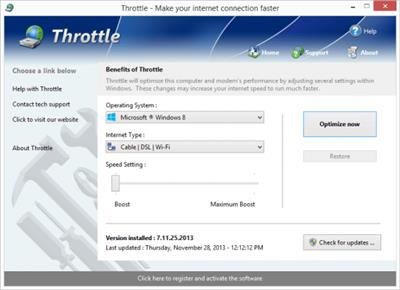
Throttle instantly upgrades your computer and modem to download files faster, browse the web faster and play games without lag. If you are tired of browsing the web and pages taking forever to load or you want to download large files faster, Throttle can instantly increase the speed of your internet. Throttle is one of the best internet acceleration software products available and works with Cable, DSL, U-Verse, Fios, dial-up, satellite and mobile phone (2G/3G/4G) internet connection types. You can easily upgrade you internet connection without having to pay extra monthly fees to your ISP using Throttle.

Throttle is very safe to use and makes several Windows registry and system changes to increase the performance of your modem and internet speed; this allows you to browse the web faster, download files faster and play games without lag. These permanent changes made to your computer and modem improves how large data packets are sent between your computer and servers, it lowers the latency between your computer and servers, and how Internet Explorer simultaneously downloads images and files. With Throttle your internet will become much faster and the changes it makes to your computer are completely safe and permanent.

Faster Downloads
Instantly makes downloads from the internet faster. Don't wait while downloading large files, Throttle makes large downloads take much less time to finish.

Safe and Permanent
Changes made to your computer and modem with Throttle are completely safe and are permanent, run once and your internet is permanently faster.

Easy to Use
Simply download and install Throttle on your computer and click a single button. Browsing the web, downloading and online gaming are instantly faster.

Faster Internet Speed
Instantly increases the speed of your Cable, DSL, U-Verse, Fios and dial-up internet connection and improves the speed of your internet connection dramatically.

Throttle instantly increases the speed of your internet and immediately saves you money. Throttle allows you to take advantage of a faster internet without having to pay extra monthly fees to your ISP for a more expensive internet package; try our Throttle software and instantly increase the speed you can download files, browse the web and play online games. Throttle makes several Windows registry changes to improve how networking packets are transmitted and received, we increase the buffer sizes which allows data to be transmitted and processed faster on your computer, allowing games, web browsing and downloading files to work much faster.

Increasing the speed of your internet connection, browse the web faster and download files faster as well as saving monthly fees are as easy as installing Throttle. Simply download and install Throttle from our web site, click a single button and reboot your computer; upon reboot you will quickly see how fast your internet connection has transformed, browsing the web is now much more enjoyable and playing games online will become an incredibly fun lag-free experience.

Features:
Compatible with Microsoft Windows 10, 8, 7, Vista, XP & Windows Server 2012, 2008, 2003. 32-BIT/64-BIT ready.
Instantly increases the speed of your internet making downloads faster, surfing the web faster and playing online games without lag.
Increases the speed of all internet connection types such as Cable, DSL, U-Verse, Fios and dial-up satellite and mobile phone (2G/3G/4G).
Saves you money by maximizing your current internet connection without having to upgrade to a higher package with your ISP.
Easy to use software that allows you to make permanent changes to your computer and modem with a single click.
Playing online multiplayer games is now a lag-free experience due to many of the settings Throttle makes to the computer.
New and improved modern user interface, easy and intuitive to use and compliant with Windows user interface guidelines.
Software updates can be downloaded and installed directly from inside the application without having to visit our web site.

Download link:​
Код:
[center][b]rapidgator_net[/b]:
https://rapidgator.net/file/a18bfee305479c5366abcb4bcae4a06d/vopx6.PGWare.Throttle.8.4.19.2021.Multilingual.rar.html

[b]uploadgig_com[/b]:
https://uploadgig.com/file/download/04d98ddA40851a55/vopx6.PGWare.Throttle.8.4.19.2021.Multilingual.rar

[b]nitroflare_com[/b]:
https://nitroflare.com/view/AC618AD4329A0B8/vopx6.PGWare.Throttle.8.4.19.2021.Multilingual.rar[/center]

Links are Interchangeable - No Password - Single Extraction​
 
ProgramEdit 5.0.2

2f4ce29ccb5b51c3928e512d736f6712.jpeg

File Size : 1.7 Mb​
Program Edit is a reliable program that offers powerful source code editing functions, such as easy navigation or syntax highlight. The software is user-friendly, features a tabbed file viewer and supports a multitude of script files, in several programming languages. The software allows you to search and replace any piece of text.

PgmEdit features includes:

» Drag-Drop file loading and text editing
» Tabbed and sorted-list file selection
» Hundreds of files open at a time
» Hex viewer for binary files
» Find, Find All, Replace, Replace All
» Regular Expressions
» Text highlighting
» Support for many popular languages:
Ada, C, C++, C#, CSS, HTML, Java, JavaScript, Perl, PHP,
Python, Ruby, VB, VBScript, Verilog, VHDL and Batch files
» Color syntax highlighting
» Bracket/brace matching
» Customization - colors, fonts, tabs, margins, shortcuts
» 15 global Bookmarks
» Macros - keystroke recording - New
» unlimited Sessions
» Hyperlinks - file, folder, web URL
» Multiple Undo/Redo
» ASCII Tables
» HTML/XML Tidy checking - New
» Active Tech Support, frequent software updates
» See PgmEdit Help Files for additional features and details

Download link:​
Код:
[center][b]rapidgator_net[/b]:
https://rapidgator.net/file/b4a090c860c8d7f3c3da60294bcbdf9c/97bza.ProgramEdit.5.0.2.rar.html

[b]uploadgig_com[/b]:
https://uploadgig.com/file/download/18ee4665f29Ce08b/97bza.ProgramEdit.5.0.2.rar

[b]nitroflare_com[/b]:
https://nitroflare.com/view/545F3AC1EB5EABD/97bza.ProgramEdit.5.0.2.rar[/center]

Links are Interchangeable - No Password - Single Extraction​
 
Tenorshare ReiBoot Pro 8.0.4.6 Multilingual

9064e8895ebd73728e34bcb8b20918e8.jpeg

File size: 28 MB​
ReiBoot is an extremely handy utility that can put your iOS device into recovery mode, as well as to pull it off this state with a single click. Usually, such an operation involves a tedious procedure which requires you to hold down the Home button of the device while disconnecting and connecting it to your computer, during which you also need to operate iTunes. Not to mention that sometimes the scenario gets even more complicated if boot issues occur.

ReiBoot is a wonderful resolution to all of these problems, making it possible to induce the Recovery mode, as well as exit it in an effortless manner, in a one-click operation.

Whether your device's Home button is broken, you've encounter a DFU black screen or even worse, the phone has entered an endless reboot loop, ReiBoot can help you nonetheless.

It's compatible with most modern iOS devices, including iPhones, iPods and iPads and is way less demanding than iTunes, which is the traditional way to accomplish such operations. Moreover, ReiBoot won't cause data loss, being able to preserve the files on the device untouched.

Manipulating ReiBoot is a child's play. Provided that you've connected the device to the computer, simply launch it, at which point the application detects your device model and lists it inside the main GUI.

If your device is already in Recovery mode, it will identify this accordingly, allowing you to pull it off the state by pressing the dedicated button.

Overall, it's incredibly easy and pleasant to work with ReiBoot. It is an effortless process - all you need to do in order to turn the Recovery mode on or off is to press one of two buttons.

Whats New:
Updates: official site does not provide any info about changes in this version

Download link:​
Код:
[center][b]rapidgator_net[/b]:
https://rapidgator.net/file/45eefd58b0ba881f75f4cf14dfe24e0b/8gwun.Tenorshare.ReiBoot.Pro.8.0.4.6.Multilingual.rar.html

[b]uploadgig_com[/b]:
https://uploadgig.com/file/download/4fE4f99ccCA6d66A/8gwun.Tenorshare.ReiBoot.Pro.8.0.4.6.Multilingual.rar

[b]nitroflare_com[/b]:
https://nitroflare.com/view/A8F37434E050FF8/8gwun.Tenorshare.ReiBoot.Pro.8.0.4.6.Multilingual.rar[/center]

Links are Interchangeable - No Password - Single Extraction​
 
ThunderSoft GIF to Video Converter 3.6.0.0

00da6bc363da56b4c565179b0175219d.jpeg

File size: 10.2 MB​
ThunderSoft GIF to Video Converter is the best software to batch convert gif files to video files and extract gif image serial. Supports all major video formats: avi,wmv,mp4,mkv,flv,mov,mpeg and so on. Provide gif file frame by frame preview, and rich output setting, include background music, background color, frame rate, bitrate, custom logo, etc.

Feature List
* Convert Gif, Png, Bitmap or JPEG files to video format.
* Supports all major video formats: avi,wmv,mp4,mkv,flv,mov,mpeg, etc.
* Allow batch convert with one click.
* Supports command line conversion.
* Extract gif file to image serial (Png, Bitmap or JPEG files).
* Rich output setting, include background color, frame rate, bitrate, etc.
* Allow add background music.
* Allow add custom logo.
* Output image setting, such as image format, image quality.
* Provide gif file frame by frame preview.

Whats New:
Updates: official site does not provide any info about changes in this version.

Download link:​
Код:
[center][b]rapidgator_net[/b]:
https://rapidgator.net/file/1fd71f3c8d60a28c698c721c3b221818/39bme.ThunderSoft.GIF.to.Video.Converter.3.6.0.0.rar.html

[b]uploadgig_com[/b]:
https://uploadgig.com/file/download/19242B5e06517B06/39bme.ThunderSoft.GIF.to.Video.Converter.3.6.0.0.rar

[b]nitroflare_com[/b]:
https://nitroflare.com/view/3F4F3F5275AF3C4/39bme.ThunderSoft.GIF.to.Video.Converter.3.6.0.0.rar[/center]

Links are Interchangeable - No Password - Single Extraction​
 
ThunderSoft SWF to GIF Converter 4.6.0

ce0519c8c9e76858e4f9c547be4cf4ad.jpeg

Languages: English | File size: 10.37 MB​
When you need a kind of animation effect to show something on website or other places but SWF file is not suitable to use, then you can have a try of gif animation. ThunderSoft SWF to GIF Converter is a professional converter for SWF file to animated gif conversion. User interactive flash movie is also suitable for conversion.

Feature List
* Convert SWF to GIF format with high quality
* Supports image logo or watermark
* Allow batch conversion
* Allow download swf files from internet
* Allow crop the flash movie for the output
* Supports auto conversion and user interactive conversion process
* Supports custom output frame rate
* Supports custom play speed in gif
RELEASE NOTES
Updates: official site does not provide any info about changes in this version.

Download link:​
Код:
[center][b]rapidgator_net[/b]:
https://rapidgator.net/file/616fdcb8a30262682026676e1ab5c2d0/wr71c.ThunderSoft.SWF.to.GIF.Converter.4.6.0.rar.html

[b]uploadgig_com[/b]:
https://uploadgig.com/file/download/dBa40162481dd3ad/wr71c.ThunderSoft.SWF.to.GIF.Converter.4.6.0.rar

[b]nitroflare_com[/b]:
https://nitroflare.com/view/123C6F516020DFD/wr71c.ThunderSoft.SWF.to.GIF.Converter.4.6.0.rar[/center]

Links are Interchangeable - No Password - Single Extraction​
 
Uconomix uMark 6.5 Multilingual

7cfe767a2e4c584766ef4aa4f267f29b.jpeg

File size: 27.6 MB​
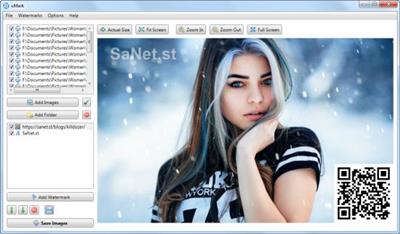
uMark is a useful program that enables you to add a text or image watermark to your digital photos. You have the possibility to customize the placement of your watermark or to set a custom font, size and color, as well as opacity level. uMark is an utility for marking the images and photos with a copyright notice or your company logo or both.

Key features of uMark Professional:

* Add text and image watermarks
Add your name or copyright notice along with symbols like © ® £ ¥ or your logo as watermarks on your photos. Stamp your authority over your images.

* Batch watermarking
Watermark hundreds of photos in one go. Add watermarks to multiple photos in minutes with the click of a button.

* Shapes and QR codes
Add various shapes and fill them with solid or gradient colors. Add QR codes as watermark on your photos.

Border and shadow
Apply borders to your photos. Add a shadow to make the photos stand out.

* Fully customizable watermarks
Choose the font, font size, style and color for your watermarks. Set custom transparency level, add shadows or rotate watermarks to your taste.

* Place watermarks where you want
Select from one of the 9 predefined positions to place your watermark or put the watermark at your desired location on the image by specifying top, left coordinates or by drag and drop.

* Live preview
View the real time preview of the watermark right on the photos you are watermarking so there are no surprises afterwards. Know precisely how the watermarked images will look beforehand.

* Add EXIF and other metadata as watermarks
Put a date stamp on your photos with uMark's EXIF watermarks. Add camera information or other technical details as watermarks. Put the image name, location and parameters like size and DPI in watermarks.

* Save watermarks for later use
Create your perfect watermark once and save it for repeated use. Watermark your next batch of photos within seconds without having to start from scratch.

* Watermark tiling for maximum protection
Repeat your watermark horizontally or vertically or both to cover the entire photo so that no single part of the photo can be used without your consent.

* Multi platform
Whether you are using Windows PC or a Mac. uMark is available for you.

* Multilingual
uMark supports 8 languages - Dutch, English, French, German, Italian, Portuguese, Spanish and Turkish. Use uMark in your language.

What's new
* official site does not provide any info about changes in this version

Download link:​
Код:
[center][b]rapidgator_net[/b]:
https://rapidgator.net/file/9b64e84820bc13d685863a7a67066d74/vi2hp.Uconomix.uMark.6.5.Multilingual.rar.html

[b]uploadgig_com[/b]:
https://uploadgig.com/file/download/64fA668f4A208718/vi2hp.Uconomix.uMark.6.5.Multilingual.rar

[b]nitroflare_com[/b]:
https://nitroflare.com/view/AAA6823159E5404/vi2hp.Uconomix.uMark.6.5.Multilingual.rar[/center]

Links are Interchangeable - No Password - Single Extraction​
 
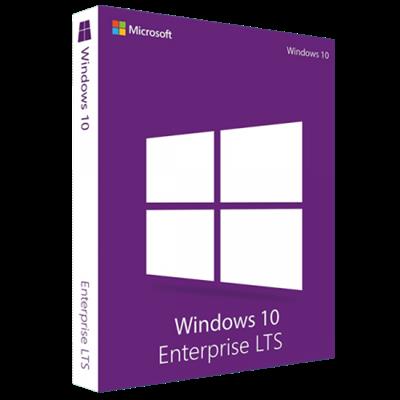
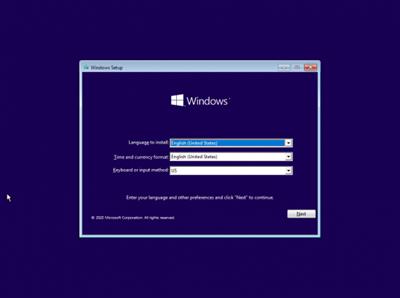
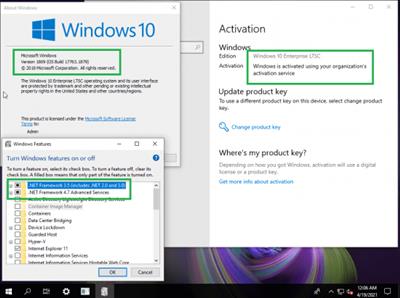
Windows 10 Enterprise 2019 LTSC 10.0.17763.1879 (x86/x64) Preactivated April 2021

3fb205745374ad0b43752a19aac7bd71.jpeg

Windows (x86/x64) | Languages: English | File Size: 3.77/6.29 GB​
Windows 10 is a series of personal computer operating systems produced by Microsoft as part of its Windows NT family of operating systems. It is the successor to Windows 8.1, and was released to manufacturing on July 15, 2015, and to retail on July 29, 2015. Windows 10 receives new releases on an ongoing basis, which are available at no additional cost to users. Devices in enterprise environments can receive these updates at a slower pace, or use long-term support milestones that only receive critical updates, such as security patches, over their ten-year lifespan of extended support.

One of Windows 10's most notable features is support for universal apps, an expansion of the Metro-style apps first introduced in Windows 8. Universal apps can be designed to run across multiple Microsoft product families with nearly identical code*-*including PCs, tablets,smartphones, embedded systems, Xbox One, Surface Hub and Mixed Reality. The Windows user interface was revised to handle transitions between a mouse-oriented interface and a touchscreen-optimized interface based on available input devices*-*particularly on 2-in-1 PCs, both interfaces include an updated Start menu which incorporates elements of Windows 7's traditional Start menu with the tiles of Windows 8. Windows 10 also introduced the Microsoft Edge web browser, a virtual desktop system,a window and desktop management feature called Task View, support for fingerprint and face recognition login, new security features for enterprise environments, and DirectX 12.

Net 3.5 Enabled
Converted:Install.wim

Whats New

KB5001342 (OS Build 17763.1879)

Highlights

Updates to improve security when Windows performs basic operations.
Updates to improve security when using input devices such as a mouse, keyboard, or pen.

Improvements and fixes

Addresses an issue in which a principal in a trusted MIT realm fails to obtain a Kerberos service ticket from Active Directory domain controllers (DC). This occurs on devices that installed Windows Updates that contain CVE-2020-17049 protections and configured PerfromTicketSignature to 1 or higher. These updates were released between November 10, 2020 and December 8, 2020. Ticket acquisition also fails with the error, "KRB_GENERIC_ERROR", if callers submit a PAC-less Ticket Granting Ticket (TGT) as an evidence ticket without providing the USER_NO_AUTH_DATA_REQUIRED flag.
Addresses an issue with security vulnerabilities identified by a security researcher. Because of these security vulnerabilities, this and all future Windows updates will no longer contain the RemoteFX vGPU feature. For more information about the vulnerability and its removal, see CVE-2020-1036 and KB4570006. Secure vGPU alternatives are available using Discrete Device Assignment (DDA) in Windows Server LTSC releases (Windows Server 2016 and Windows Server 2019) and Windows Server SAC releases (Windows Server, version 1803 and later versions).
Addresses a potential elevation of privilege vulnerability in the way Azure Active Directory web sign-in allows arbitrary browsing from the third-party endpoints used for federated authentication. For more information, see CVE-2021-27092 and Policy CSP - Authentication.
Addresses an issue that causes Windows Back up using File History to stop working for a few users. This issue occurs after installing the February 9, 2021 update. The error message is, "Failed to start the backup of user links (error 8007005)".
Security updates to Windows App Platform and Frameworks, Windows Apps, Windows Input and Composition, Windows Office Media, Windows Fundamentals, Windows Cryptography, the Windows AI Platform, Windows Hybrid Cloud Networking, the Windows Kernel, Windows Virtualization, and Windows Media.

Screenshots

c1fc86c3340f107ea591a3b3b35b15c0.jpeg

ece716e36e129b35e2cdc269f0d9a7d3.jpeg

System Requirements:
Processor: 1 gigahertz (GHz) or faster.
RAM: 1 gigabyte (GB).
Free space on hard disk: 16 gigabytes (GB).
Graphics card: DirectX 9 graphics device or a newer version.
Additional requirements to use certain features.
To use touch you need a tablet or monitor that supports multitouch.
To access the Windows store to download and run apps, you need an active Internet connection and a screen resolution of at least 1024 x 768 pixels
Homepage
У Вас недостаточно прав для просмотра ссылок. Войдите или зарегистрируйтесь.


Download link:​
Код:
[center][b]rapidgator_net[/b]:
https://rapidgator.net/file/93afaab6a70a2e9ca7d775e5d202c7d5/em246.W10.Enter.Ltsc.17763.1879.32Bit.part1.rar.html
https://rapidgator.net/file/a996bbcda5599be7e68454b56798e498/em246.W10.Enter.Ltsc.17763.1879.32Bit.part2.rar.html
https://rapidgator.net/file/4141a8e3ed31b8f27eb27659845a3644/em246.W10.Enter.Ltsc.17763.1879.32Bit.part3.rar.html
https://rapidgator.net/file/1fc333986dda192104d39ec130c7ac76/em246.W10.Enter.Ltsc.17763.1879.32Bit.part4.rar.html
https://rapidgator.net/file/013f9065f98c2b5e0883b74a7bb0c915/em246.W10.Enter.Ltsc.17763.1879.64Bit.part1.rar.html
https://rapidgator.net/file/ca34fc3ab1a01ed40463fe4607b4b1fc/em246.W10.Enter.Ltsc.17763.1879.64Bit.part2.rar.html
https://rapidgator.net/file/610e30b0ad0163d78569119b8a8716b3/em246.W10.Enter.Ltsc.17763.1879.64Bit.part3.rar.html
https://rapidgator.net/file/bf1568833a050bf3f53e2e6fe48bc619/em246.W10.Enter.Ltsc.17763.1879.64Bit.part4.rar.html
https://rapidgator.net/file/12e84e923783e9ae3ce65180bf3304b2/em246.W10.Enter.Ltsc.17763.1879.64Bit.part5.rar.html
https://rapidgator.net/file/4e0fa4b1c2a0e9629c1c12a3d61eccc1/em246.W10.Enter.Ltsc.17763.1879.64Bit.part6.rar.html
https://rapidgator.net/file/0d377a104c952763787b013b131d020f/em246.W10.Enter.Ltsc.17763.1879.64Bit.part7.rar.html

[b]uploadgig_com[/b]:
https://uploadgig.com/file/download/07398957d095d838/em246.W10.Enter.Ltsc.17763.1879.32Bit.part1.rar
https://uploadgig.com/file/download/2ddEa898dcfA78eb/em246.W10.Enter.Ltsc.17763.1879.32Bit.part2.rar
https://uploadgig.com/file/download/f9E019fBa418D406/em246.W10.Enter.Ltsc.17763.1879.32Bit.part3.rar
https://uploadgig.com/file/download/c9Fc7a2407863847/em246.W10.Enter.Ltsc.17763.1879.32Bit.part4.rar
https://uploadgig.com/file/download/052ab5A90d82D180/em246.W10.Enter.Ltsc.17763.1879.64Bit.part1.rar
https://uploadgig.com/file/download/9Ad4cD8577A43d3b/em246.W10.Enter.Ltsc.17763.1879.64Bit.part2.rar
https://uploadgig.com/file/download/075A383f2636C09b/em246.W10.Enter.Ltsc.17763.1879.64Bit.part3.rar
https://uploadgig.com/file/download/d8Ce5Ed787aebFad/em246.W10.Enter.Ltsc.17763.1879.64Bit.part4.rar
https://uploadgig.com/file/download/23E3b52F40A9e875/em246.W10.Enter.Ltsc.17763.1879.64Bit.part5.rar
https://uploadgig.com/file/download/3cfd8Bf348f2dA0c/em246.W10.Enter.Ltsc.17763.1879.64Bit.part6.rar
https://uploadgig.com/file/download/a76Cb039ee9867d8/em246.W10.Enter.Ltsc.17763.1879.64Bit.part7.rar

[b]nitroflare_com[/b]:
https://nitroflare.com/view/AE499B60BEC676E/em246.W10.Enter.Ltsc.17763.1879.32Bit.part1.rar
https://nitroflare.com/view/DFEEA73124EE30F/em246.W10.Enter.Ltsc.17763.1879.32Bit.part2.rar
https://nitroflare.com/view/A28B04E73E3AA0D/em246.W10.Enter.Ltsc.17763.1879.32Bit.part3.rar
https://nitroflare.com/view/0004CDF9E3EA402/em246.W10.Enter.Ltsc.17763.1879.32Bit.part4.rar
https://nitroflare.com/view/27EC526235F84AC/em246.W10.Enter.Ltsc.17763.1879.64Bit.part1.rar
https://nitroflare.com/view/E3B01D87806AF0E/em246.W10.Enter.Ltsc.17763.1879.64Bit.part2.rar
https://nitroflare.com/view/48570CE145B0BFB/em246.W10.Enter.Ltsc.17763.1879.64Bit.part3.rar
https://nitroflare.com/view/37EAE02DD09DCFB/em246.W10.Enter.Ltsc.17763.1879.64Bit.part4.rar
https://nitroflare.com/view/5006148F6A3B5B9/em246.W10.Enter.Ltsc.17763.1879.64Bit.part5.rar
https://nitroflare.com/view/C3A3F048E064A2E/em246.W10.Enter.Ltsc.17763.1879.64Bit.part6.rar
https://nitroflare.com/view/58DE1F26650FF85/em246.W10.Enter.Ltsc.17763.1879.64Bit.part7.rar[/center]

Links are Interchangeable - No Password - Single Extraction​
 
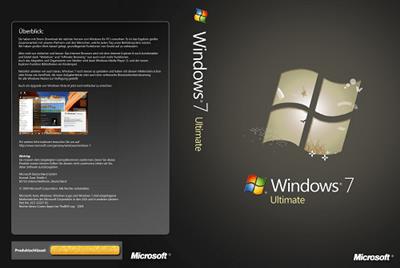
Windows 7 SP1 x64 Ultimate 3in1 OEM Preactivated April 2021 Multilingual

f3517a9c6b61162b3c76d4a3e03baf40.jpeg


x64 | Language: Multilingual | Size File: 5.28 GB​

[ RELEASE INFO ]

* File: WIN7X64.MULTi7.APR2021.iso
* Size: 5,28GB
* Format: Bootable ISO

* CRC32: 2de5d02e
* MD5: 738e46d4ced8fb24051be8039a0d19c8
* SHA-1: 4b8da0f8451db3948d852f59c8ec513a420774cb

[ LANGUAGES ]

* ARABIC
* BRAZILIAN
* ENGLISH S
* POLISH
* PORTUGUESE
* RUSSIAN
* UKRANIAN

[ EDITIONS INCLUDED ]

* Windows 7 Ultimate - STD
* Windows 7 Ultimate - DAZ
* Windows 7 Ultimate - OEM

* STD = Standard installation - For those with own License Key
* DAZ = Activated by DAZ Loader v2.2.2.0
* OEM (Original Equipment Manufacturer) will automatically
* activate original version installed by Manufacturer.

* Pre-Activated index will auto-reboot to complete the activation.

[ FEATURES ]

* UEFI-ready
* install.wim splitted for UEFI support (FAT32)
* (Use attached Rufus USB-tool to make UEFI-bootable)
* Diagnostics and Recovery Toolset 10.0 (boot.wim only)

* Additional integrated drivers:
* universal USB3.x drivers in winre.wim and install.wim
* nVME drivers in winre.wim and install.wim
* (W)Lan drivers in winre.wim and install.wim

[ INSTALLATION & INFORMATION ]

* Create bootable USB (highly recommended) with Rufus,
* (attached) or burn to DVD-DL at slow speed.

* Hope you will enjoy this release!

What News?
* Internet Explorer 11
* .NET Framework 4.8
* DirectX End-User Runtimes (June 2010)
* Important & Security Only Updates - 2021-04-13

SetupComplete / Post-install:

* Defender Updates

Homepage
У Вас недостаточно прав для просмотра ссылок. Войдите или зарегистрируйтесь.


Download link:​
Код:
[center][b]rapidgator_net[/b]:
https://rapidgator.net/file/b281ebc821a9c05d17312b119e4ed166/f3nks.Windows.7.SP1.x64.Ultimate.3in1.OEM.Preactivated.April.2021.Multilingual.part1.rar.html
https://rapidgator.net/file/79e16a63cbd0ce3cd73c32127f2bce56/f3nks.Windows.7.SP1.x64.Ultimate.3in1.OEM.Preactivated.April.2021.Multilingual.part2.rar.html
https://rapidgator.net/file/971c25b201bce0ad125f31e3f34a65bd/f3nks.Windows.7.SP1.x64.Ultimate.3in1.OEM.Preactivated.April.2021.Multilingual.part3.rar.html
https://rapidgator.net/file/a7ca04326462ca30ad2d65a86cf656bf/f3nks.Windows.7.SP1.x64.Ultimate.3in1.OEM.Preactivated.April.2021.Multilingual.part4.rar.html
https://rapidgator.net/file/b2b3f02a1c4daf2caaec1f78a16a8aa8/f3nks.Windows.7.SP1.x64.Ultimate.3in1.OEM.Preactivated.April.2021.Multilingual.part5.rar.html
https://rapidgator.net/file/1ee437c4c5b0b7d7262daf2c641ea47b/f3nks.Windows.7.SP1.x64.Ultimate.3in1.OEM.Preactivated.April.2021.Multilingual.part6.rar.html

[b]uploadgig_com[/b]:
https://uploadgig.com/file/download/C7f3D41e734c9576/f3nks.Windows.7.SP1.x64.Ultimate.3in1.OEM.Preactivated.April.2021.Multilingual.part1.rar
https://uploadgig.com/file/download/9b0cfB409b9168b4/f3nks.Windows.7.SP1.x64.Ultimate.3in1.OEM.Preactivated.April.2021.Multilingual.part2.rar
https://uploadgig.com/file/download/8f1CaF0ED02ecdFa/f3nks.Windows.7.SP1.x64.Ultimate.3in1.OEM.Preactivated.April.2021.Multilingual.part3.rar
https://uploadgig.com/file/download/DfcBfb1656f56d36/f3nks.Windows.7.SP1.x64.Ultimate.3in1.OEM.Preactivated.April.2021.Multilingual.part4.rar
https://uploadgig.com/file/download/Ed0b610193C50ffe/f3nks.Windows.7.SP1.x64.Ultimate.3in1.OEM.Preactivated.April.2021.Multilingual.part5.rar
https://uploadgig.com/file/download/434c7a85624F1144/f3nks.Windows.7.SP1.x64.Ultimate.3in1.OEM.Preactivated.April.2021.Multilingual.part6.rar

[b]nitroflare_com[/b]:
https://nitroflare.com/view/0A7A7E2DD40FC7E/f3nks.Windows.7.SP1.x64.Ultimate.3in1.OEM.Preactivated.April.2021.Multilingual.part1.rar
https://nitroflare.com/view/4831E83D7D4EF45/f3nks.Windows.7.SP1.x64.Ultimate.3in1.OEM.Preactivated.April.2021.Multilingual.part2.rar
https://nitroflare.com/view/B8DEAACE80906F4/f3nks.Windows.7.SP1.x64.Ultimate.3in1.OEM.Preactivated.April.2021.Multilingual.part3.rar
https://nitroflare.com/view/8E641AE18F44451/f3nks.Windows.7.SP1.x64.Ultimate.3in1.OEM.Preactivated.April.2021.Multilingual.part4.rar
https://nitroflare.com/view/2B8C98D90E6E809/f3nks.Windows.7.SP1.x64.Ultimate.3in1.OEM.Preactivated.April.2021.Multilingual.part5.rar
https://nitroflare.com/view/C7F61E53C4667DE/f3nks.Windows.7.SP1.x64.Ultimate.3in1.OEM.Preactivated.April.2021.Multilingual.part6.rar[/center]

Links are Interchangeable - No Password - Single Extraction​
 
Windows Server 2016 x64 VL with Update 04.2021

0336b4589dc1fde3a27d1e3d6ec4aef0.jpeg


x64 | Language: English | Size FileL 5.10 GB​

Windows Server 2016 with updates to April 2021.

The assembly is based on the original MSDN images:
SW_DVD9_Win_Svr_STD_Core_and_DataCtr_Core_2016_64Bit_English_MLF_X21-22843.ISO

Composition of editorial staff
en_windows_server_2016_vl_x64:
Windows Server 2016 Standard En with GUI
Windows Server 2016 Datacenter En with GUI
All editions have a Volume distribution channel

Contents of the Support folder automatically copied to the desktop
Activators: KMS Tools Portable 02.2021 (KMS Tools is a pack with activators and utilities)
Driverpack: SDI R2102 with drivers up to 04.2021 for LAN / Chipset / MassStorage / USB /

List of programs included in the MInstall shell:
Installation of programs is performed using the MInstall shell after installing the OS. (no timer)
There is a choice of software, what needs to be installed and what not.
Archivers:
WinRAR v6.1.0, 7-ZIP v21.01
Editors:
Notepad ++ v7.9.5
Systemic:
Microsoft Visual C ++ (Lib) 2005 ... 2019
Информация:
HashTab v6.0.0.34, CrystalDiskInfo v8.12.0, CPU-Z v1.96
Activation:
KMS38 (until 2038)
For stable activation, a 30sec timer has been added to the reboot, do not fuss.
It is not worth stopping the installation of programs after starting, after the installation of the programs is completed, the computer will be restarted.

Snappy Driver Installer with 04.2021 drivers for LAN / Chipset / MassStorage / USB added to image
A small set of Snappy Driver Installer R2102c drivers by 04.2021 for LAN / Chipset / MassStorage / USB has been added to the image -
\ sources \ $ OEM $ \ $ 1 \ Users \ Public \ Desktop \ Soft \ Drivers \ Driverpack \ SDI_2102 ~ 500MB
When starting SDI_x64_R2102.exe the shell can install the necessary drivers, and with the presence of an Internet, it can pull up the selected driver packages
or update the drivers you have selected.

The following components have been changed:
Changes to standard components:
.NET Framework 3.5 - Enabled
Windows-Defender-Features - Disabled
Windows-Defender - Disabled

What News?
2021-04 Servicing Stack Update for Windows Server 2016 for x64-based Systems (KB5001402)

Homepage
У Вас недостаточно прав для просмотра ссылок. Войдите или зарегистрируйтесь.


Download link:​
Код:
[center][b]rapidgator_net[/b]:
https://rapidgator.net/file/0ea2d5df20be8735a20e9446fceb6506/bhqvp.Windows.Server.2016.x64.VL.with.Update.04.2021.part1.rar.html
https://rapidgator.net/file/eb465c0bc2af5d46ba575a72c0a8968c/bhqvp.Windows.Server.2016.x64.VL.with.Update.04.2021.part2.rar.html
https://rapidgator.net/file/dae14b0ab7420348f6008c43b901b607/bhqvp.Windows.Server.2016.x64.VL.with.Update.04.2021.part3.rar.html
https://rapidgator.net/file/556256bd66719e95a9fb1b4edce6aaf3/bhqvp.Windows.Server.2016.x64.VL.with.Update.04.2021.part4.rar.html
https://rapidgator.net/file/a68321723ea9cd80ebfd8f381d56e55e/bhqvp.Windows.Server.2016.x64.VL.with.Update.04.2021.part5.rar.html
https://rapidgator.net/file/5fe06f7cd2233b61844da15edef2391f/bhqvp.Windows.Server.2016.x64.VL.with.Update.04.2021.part6.rar.html

[b]uploadgig_com[/b]:
https://uploadgig.com/file/download/cfa75dFaDb2d3262/bhqvp.Windows.Server.2016.x64.VL.with.Update.04.2021.part1.rar
https://uploadgig.com/file/download/Ac81f49cf58f4803/bhqvp.Windows.Server.2016.x64.VL.with.Update.04.2021.part2.rar
https://uploadgig.com/file/download/3b94Af4F56b8be2C/bhqvp.Windows.Server.2016.x64.VL.with.Update.04.2021.part3.rar
https://uploadgig.com/file/download/e7d9DAE0e5c63668/bhqvp.Windows.Server.2016.x64.VL.with.Update.04.2021.part4.rar
https://uploadgig.com/file/download/4264e9b854c55262/bhqvp.Windows.Server.2016.x64.VL.with.Update.04.2021.part5.rar
https://uploadgig.com/file/download/4319c400b0dcC9e3/bhqvp.Windows.Server.2016.x64.VL.with.Update.04.2021.part6.rar

[b]nitroflare_com[/b]:
https://nitroflare.com/view/86CF8EDC5B5AC05/bhqvp.Windows.Server.2016.x64.VL.with.Update.04.2021.part1.rar
https://nitroflare.com/view/7DC15A2A2C89347/bhqvp.Windows.Server.2016.x64.VL.with.Update.04.2021.part2.rar
https://nitroflare.com/view/01604EBC8EEE4F9/bhqvp.Windows.Server.2016.x64.VL.with.Update.04.2021.part3.rar
https://nitroflare.com/view/819B527678CC0B2/bhqvp.Windows.Server.2016.x64.VL.with.Update.04.2021.part4.rar
https://nitroflare.com/view/D95F93BF87078D1/bhqvp.Windows.Server.2016.x64.VL.with.Update.04.2021.part5.rar
https://nitroflare.com/view/BEAD25BB4748978/bhqvp.Windows.Server.2016.x64.VL.with.Update.04.2021.part6.rar[/center]

Links are Interchangeable - No Password - Single Extraction​
 
WinKey 1.31

bde685bd20a75e7a372cb78abcdfb9c8.jpeg

File Size : 0.1 Mb

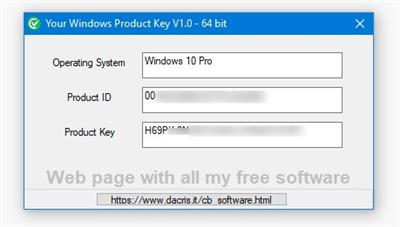
WinKey is designed to quickly display your Operating System Type, Product ID, and Key Number.​

WinKey works by utilizing a background VBS script to gather and display the system info. The data is pulled and displayed from a simple interface that allows easy copy and pasting of the details. A useful tool when you need to produce and enter a product key. It also eliminates the need to manually go in a obtain those details saving you time.

Whats New:
Updates: official site does not provide any info about changes in this version

Download link:​
Код:
[center][b]rapidgator_net[/b]:
https://rapidgator.net/file/c2d8695c91604497f64283b89426b2a8/ie83v.WinKey.1.31.zip.html

[b]uploadgig_com[/b]:
https://uploadgig.com/file/download/7FaB56f4052ba1cc/ie83v.WinKey.1.31.zip

[b]nitroflare_com[/b]:
https://nitroflare.com/view/8E1C436A6DC867E/ie83v.WinKey.1.31.zip[/center]

Links are Interchangeable - No Password - Single Extraction​
 
Wipe Professional 2021.06 Multilingual

4ce08a6669e240779af2a9bb9b567bef.jpeg

File Size: 6.6 MB​
The primary function of this utility is to put the utmost importance on the privacy and performance of your computer. Our software deletes temporary files, caches, cookies, Internet history, and more, thus freeing up valuable disk space. Deleting unnecessary files can be especially great for those running their systems on smaller SSDs. As a result of the software, you'll receive maximum confidentiality, so prying eyes won't be able to spy on you, record your activities, or do anything malicious.

Over 2500 zones supported
Unlike other privacy software on the market that only remove cookies and browser history, our software can dive deeper. The program removes junk files that are created while surfing the Internet. These files don't only waste valuable space, but also allow software developers to track you and use that data to sell or promote their products and services.

Huge list of supported areas
In the latest version of our software, we have put a higher importance on cleaning. Unlike our competitors who routinely add tools to their software that are unrelated to cleaning and end up wasting your time; we do things differently. Our main focus is simple - make your computer clean and private. And we do it best.

Download link:​
Код:
[center][b]rapidgator_net[/b]:
https://rapidgator.net/file/374a8993d6a24da1c0c76786cf03542f/xrxb4.Wipe.Professional.2021.06.Multilingual.rar.html

[b]uploadgig_com[/b]:
https://uploadgig.com/file/download/6bb475797d4959eC/xrxb4.Wipe.Professional.2021.06.Multilingual.rar

[b]nitroflare_com[/b]:
https://nitroflare.com/view/6123A927D6CFD33/xrxb4.Wipe.Professional.2021.06.Multilingual.rar[/center]

Links are Interchangeable - No Password - Single Extraction​
 
Yamicsoft Windows 10 Manager 3.4.6 Multilingual

fbd9fc57160b43a943be87b2fe28bd61.jpeg

File size: 34.5 MB​
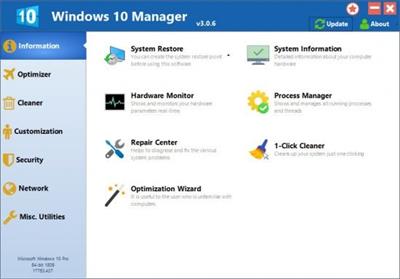
Yamicsoft Windows 10 Manager is a system utility that helps you optimize, tweak, repair and clean up Windows 10. It will increase your system speed, eliminate system fault, improve system security, and meet all of your expectations. Windows 10 Manager is a system utility that helps you optimize, tweak, repair and clean up Windows 10. It will increase your system speed, eliminate system fault, improve system security, and meet all of your expectations.

Information:
Get detailed system and all hardware information on your system; help you find out the installation key of Windows, Office products; show all detailed information of running processes and threads on your machine; Windows 10 Manager offers 1-clicking Cleaner cleans your system automatically; Repair Center helps you to fix various system problems.

Optimizer:
Tweak your system to improve windows startup and shutdown speed, tweak your hardware to increase system speed and performance; Control what is started on Windows startup, check and repair the advanced starup items to restore the malicious change by viruses; Tune up and optimize system services and Task Schedule, turn off smartly some unnecessary system services and tasks to improve system performance.

Cleaner:
Find out which files or folders engross your disk space and shown with chart; Smart Uninstaller can fully delete programs from your system without residual files and Registry entries; Find and clean junk files to increase Hard Disk space; Duplicate Files Finder can scan your computer for files with the same size, name and modification time; Registry Cleaner checks and repair incorrectly linked Registry entries; Registry Defrag rebuilds and re-indexes your Registry to reduce registry access time and therefore improve application responsiveness; Desktop Cleaner can clean useless icons and files on Desktop easily.

Customization:
Customize the look of your system by tweaking system Explorer, Desktop, Start Menu, Taskbar and notification area; Manage the pinned items and can pin any files or folders to Taskbar and Start Screen; Create the quick startup items on Taskbar with the Jump List launcher; Tune up Windows 10 boot menu; Edit context menus of mouse Right-Clicking; Edit easily the Win + X menu that shown when right-click on Desktop bottom-left corner or Win + X keyboard shortcut ; Create the shortcut that executed quick on run dialog box. Visual Customizer can change system and file type icons, change the lock screen image automatically.

Security:
Improve system security by tweaking system components, UAC and login settings; Tune up System Restore options; Hide and restrict to access drives and programs; Encrypt/decrypt files, move system folders to safe locations; Undelete the files that accidentally deleted or formatted on disk; Privacy Protector can maintain your personal privacy by eliminating the tracks that you leave behind; Hide, add or delete the Control Panel entries.

Network:
Optimize your Internet connection speed, manage all shares items; Tweak the Microsoft Edge and Internet Explorer easily; IP Switcher can switch your IP address easily on different networks; Edits the Hosts file to speed up surfing internet and permit only to access the specified Hosts.

Misc. Utilities:
Show the collection of Windows utilities and pin system items to Start Screen and Taskbar; split and merge any files; Automatically back up files regularly using Super Copy. Registry Tools help you to operate Registry easily.

Download link:​
Код:
[center][b]rapidgator_net[/b]:
https://rapidgator.net/file/1bde2896196c28aaec26641dd2e8597b/ow5ut.Yamicsoft.Windows.10.Manager.3.4.6.Multilingual.rar.html

[b]uploadgig_com[/b]:
https://uploadgig.com/file/download/63B76D82499989c1/ow5ut.Yamicsoft.Windows.10.Manager.3.4.6.Multilingual.rar

[b]nitroflare_com[/b]:
https://nitroflare.com/view/34204601A9E509A/ow5ut.Yamicsoft.Windows.10.Manager.3.4.6.Multilingual.rar[/center]

Links are Interchangeable - No Password - Single Extraction​
 
Назад
Сверху