• Форум работает в архивном режиме www.old.nado.in

All mitsumi'1s Applications !! (updated daily)

  • Автор темы Автор темы mitsumi1
  • Дата начала Дата начала
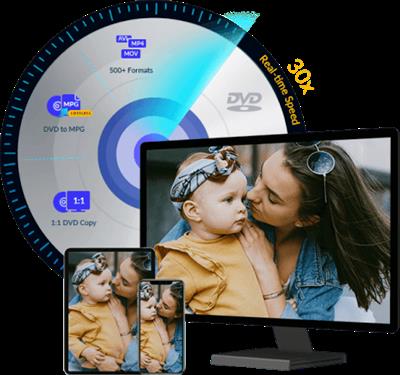
Tipard DVD Ripper 10.0.30 (x64) Multilingual
1c2703774f42c2b5a2910719d606f9de.jpeg

Languages: Multilingual | File size: 61.9 MB​
Fastest ripping speed to rip any DVD to MP4, MOV, AVI, MKV, and MP3. Tipard DVD Ripper enables you to rip any DVD with 12x faster ripping speed than others. You can convert any DVD to almost all video and audio formats like MP4, AVI, MOV, WMV, MKV, MP3 and more for playing and sharing on YouTube with excellent video/image quality. You can also feel free for backup any DVD movie on your computer local disc.

Rip any DVD to Video like MP4, AVI, MKV, MOV, FLV, WMV, and audio like MP3 and more than 300 formats.
Backup DVD disc/movie and even protected DVD to computer on Windows 10 with fastest speed.

Put DVD movies on iTunes, iPhone, iPad, iPod, Apple TV, Android, Samsung, HTC, and PSP, etc.
Edit video like clip/crop/add watermark/adjust video effect before ripping DVD movies.

Freely rip DVD to MP4, AVI, MOV, FLV, WMV, MKV, and more with fastest speed
The best DVD Ripper enables you to rip DVD to AVI, DVD to MP4, DVD to AVI, DVD to MOV, DVD to MKV, DVD to FLV, DVD to WMV, and other videos like M4V, TS, VOB, MPEG and more with super fast speed and fantastic video quality. Also, it's possible to extract audio files from and convert them to popular audio files like MP3, WAV, M4A, AAC, and AC3, etc.

You can convert DVD movies to all popular digital devices like iPhone X, iPhone 8/8 Plus, iPhone 7/7 Plus, iPhone 6s/6s Plus, iPhone 6/6 Plus, iPhone SE, iPhone 5s, iPhone 5c, iPhone 5, iPad Pro/mini 4, iPod, and Apple TV, Samsung, Sony Xperia, HTC, LG, Nokia Lumia and more multimedia players. With this all-in-one DVD Rip Software, you do not need to rely on VLC, but can play favorite DVD movies on your portable player easily.

Rip almost all DVDs latest released on Windows 10/8/7/Vista/XP
Tipard DVD Ripper allows you to rip any DVD disc like DVD-5/9, DVD folder and ISO files to any popular video. It is capable of ripping homemade DVDs to video and audio easily on Window PC with 1:1 clone. Moreover, for protected or commercial DVDs, it moves common protected DVD CSS, UOP, RCE, Sony ARccOS, region code, UOPs, APS, RCE, etc. For the new encryption method adopted by Disney X-project DRM, Paramount and Warner, it also works great to remove the protected elements and rip to the video as you like.
It is the super fast and high video/audio quality DVD Ripper with Hyper-threading and Super Encode Engine built on this DVD ripper.

Edit video and enhance video quality to create a new video
Tipard DVD Ripper is not just DVD Ripping software, it's also a Video Editing tool. In the Edit window, you're free to adjust the 3D settings like Anaglyph, Split Screen, Depth, crop the video frame, adjust the video effect like Brightness, Saturation, Contrast and Hue, add text/image watermark to the video and switch the audio volume as you like.

In addition, you're allowed to trim the video length by setting the start time and end time in the Clip window. What's more, it makes possible for you to enjoy several video clips successively with Merge function. In a word, you're the boss to adjust the editing parameters to get the ideal video effect. If your video has wrong viewing angle, you can rotate video direction to make it more enjoyable like "Rotate 90 clockwise, Rotate 90 counterclockwise, Horizontal flip, Vertical flip".

User-friendly DVD ripping experiences
Don't take it for granted that professional DVD Ripper must be very difficult to use. The free trial version of this Magic DVD Ripping software is professional yet easy-to-use software. With initial and simple design, it's very easy to use for anyone even without much computer knowledge.

Besides, it supports batch conversion, so you're able to get multiple different video formats at one conversion. The adoption of the NVIDIA® CUDA™ technology, AMD APP Acceleration and multi-core CPUs supporting technology, the ripping process will be over in a short while and has 6X faster speed than others.

More Features:
Preview and snapshot DVD movie
It owns a built-in player, allowing you to preview the source and target file. When previewing the movie, you're free to capture the video image and save as BMP, JPEG on your local disc.

Auto-update for lifetime
Once connected to the Internet, the software will automatically update if there is any update available. It's very convenient for you to use the latest version.

Select audio track and subtitle
If there is optional audio track and subtitle, you're free to choose your desired one according to your preferences.

Rip DVD with high quality
The ripped video's quality is no less than the quality of the original video in DVD. This DVD Ripper always gives you a good MP4 video file.

Whats New:
* official site does not provide any info about changes in this version

Download link:​
Код:
[center][b]rapidgator_net[/b]:
https://rapidgator.net/file/ff6c17129abdd32f3cb99dfbb75dca40/mx5d1.Tipard.DVD.Ripper.10.0.30.x64.Multilingual.rar.html

[b]uploadgig_com[/b]:
https://uploadgig.com/file/download/4d666283a25b003d/mx5d1.Tipard.DVD.Ripper.10.0.30.x64.Multilingual.rar

[b]nitroflare_com[/b]:
https://nitroflare.com/view/A91BCC79356CE6E/mx5d1.Tipard.DVD.Ripper.10.0.30.x64.Multilingual.rar[/center]

Links are Interchangeable - No Password - Single Extraction​
 
TMG solvers for NX 1847/1872/1899/1926/1953 Series Win64

04eaf8b0fe5fbe826714a86d5cc1932b.jpeg

x64 | File size: 963 MB​
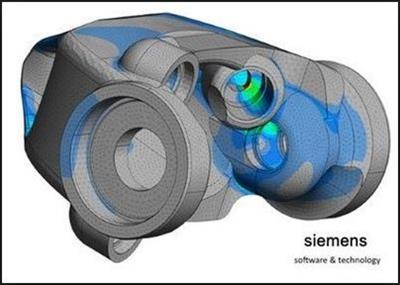
TMG Thermal / Flow Simulation - the NX for advanced calculation of heat transfer and fluid flow and gas flow. Main naznaenie obnovleniya- fix bugs identified in previous versions of the module.

Include:
tmg v2019.1.17 for NX-1847 Series (1847-1867.x) Win64 (2020-07-08)
tmg v2019.2.16 for NX-1872 Series (1872-1892.x) Win64 (2020-11-20)
tmg v2020.1.12 for NX-1899 Series (1899-1919.x) Win64 (2020-11-20)
tmg v2020.2.11 for NX-1926 Series (1926-1946.x) Win64 (2021-04-16)
tmg v2021.1.5 for NX-1953 Series (1953-1973.x) Win64 (2021-04-16)

WHATS NEW
Read: README.txt
Password: SAnet.ST
Homepage
Код:
https://www.plm.automation.siemens.com/global/en/

Download link:​
Код:
[center][b]rapidgator_net[/b]:
https://rapidgator.net/file/f9deab4e86e0d5dac96f4e77632c5abf/r53t5.TMG.solvers.for.NX.18471872189919261953.Series.Win64.rar.html

[b]uploadgig_com[/b]:
https://uploadgig.com/file/download/465554c8E3001e25/r53t5.TMG.solvers.for.NX.18471872189919261953.Series.Win64.rar

[b]nitroflare_com[/b]:
https://nitroflare.com/view/556893A2F3F5E9C/r53t5.TMG.solvers.for.NX.18471872189919261953.Series.Win64.rar[/center]

Links are Interchangeable - No Password - Single Extraction​
 
WebBrowserPassView 2.11

708f7e9168e4b6dc551c4468516548e9.jpeg

File Size : 0.3 Mb​
WebBrowserPassView is a password recovery tool that reveals the passwords stored by the following Web browsers: Internet Explorer (Version 4.0 - 11.0), Mozilla Firefox (All Versions), Google Chrome, Safari, and Opera. This tool can be used to recover your lost/forgotten password of any Website, including popular Web sites, like Facebook, Yahoo, Google, and GMail, as long as the Password (If need) stored by your Web Browser.

This tool can be used to recover your lost/forgotten password of any Website, including popular Web sites, like Facebook, Yahoo, Google, and GMail, as long as the Password (If need) stored by your Web Browser. After retrieving your lost passwords, you can save them into text / html / csv / xml file, by using the 'Save Selected Items' option (Ctrl+S). Easily recover your lost passwords using WebBrowserPassView.

Whats New:
Added new file type to save the passwords list: 'Firefox import/export csv file'. When you save the passwords in this file type, you can use the import feature of Firefox to import the saved passwords into Firefox: Import login data from a file
In order to save the passwords as 'Firefox import/export csv file', simply select the items you want to save (or press Ctrl+A to select all passwords), press Ctrl+S (Save Selected Items), choose 'Firefox import/export csv file' from the file type combo-box, type the filename to save and then click the 'Save' button to save the file.

Download link:​
Код:
[center][b]rapidgator_net[/b]:
https://rapidgator.net/file/3ff5f58383c700af6cae19bff47311a5/eue5o.WebBrowserPassView.2.11.zip.html

[b]uploadgig_com[/b]:
https://uploadgig.com/file/download/2592E09f996adbd1/eue5o.WebBrowserPassView.2.11.zip

[b]nitroflare_com[/b]:
https://nitroflare.com/view/A156D519B8E8580/eue5o.WebBrowserPassView.2.11.zip[/center]

Links are Interchangeable - No Password - Single Extraction​
 
Adobe Acrobat Pro DC 2021.001.20149 Portable

442f5f8a4e45971c69c39c7d7d5b7e9c.jpeg


Adobe Acrobat Pro DC 2021.001.20149 Portable | 782 MB
Languages : English / Italiano​
Adobe Acrobat Pro DC is the leading PDF converter and much more. Adobe Acrobat Pro DC software lets you deliver professional PDF communications. It's packed with smart tools that give you even more power to communicate. Create and edit PDF files with rich media included, share information more securely, and gather feedback more efficiently.

Adobe Acrobat Pro DC software is the advanced way for business professionals to create, combine, control, and deliver more secure, high-quality Adobe PDF documents for easy, more secure distribution, collaboration, and data collection.

Assemble electronic or paper files into reliable PDF documents that are easy to share with others using free Adobe Reader. You can assemble even Web sites, engineering drawings, and e-mail.

With Adobe Acrobat Pro DC you can manage document reviews, synthesizing feedback from multiple reviewers while preserving document format and integrity. Extend commenting capabilities to anyone using Adobe Reader. Windows users can design intelligent Adobe PDF forms that include business logic, such as calculations and data validations, to help increase the accuracy of data collection while reducing the costs of manual data entry.

Use Adobe Acrobat Pro DC to create high-impact PDF communications, collaborate more easily, and streamline reviews. Adobe Acrobat Dynamic PDF helps you get more done - easier, faster, better.

Edit PDF files
With Adobe Acrobat Pro DC, you can make minor edits to text and images right in your PDF file without requiring the original document or graphic. Edit text in a PDF. Fix a typo, change a font, or add a paragraph to your PDF as easily as you do in other applications using a new point-and-click interface. Edit images in a PDF. Resize, replace, and adjust images in your PDF with no need to track down the original file or graphic.

Export from PDF files
Reduce the time you spend retyping information stuck in PDF files. Convert PDF files to editable Microsoft Office documents. And save fonts, formatting, and effort.
Convert PDF files to Word. Save your PDF as a Microsoft Word document and take your fonts, formatting, and layouts with you. Convert PDF files to Excel. Turn your PDF or just part of it into an editable Excel spreadsheet you can use for data analysis right away. Convert PDF files to PowerPoint. Get a head start on new projects by saving a PDF file as a fully editable PowerPoint presentation.

Create PDF files
Stop worrying about whether the files you send will look right on other people's screens. Turn documents into PDF files anyone can reliably view with free Adobe Reader.
Convert Word, Excel, or PowerPoint to PDF. Right from your Office application in Windows, you can create PDFs, start a shared review, restrict PDF edits, and more. Print to PDF. Convert files to PDF from virtually any application that prints simply by selecting Adobe PDF as your printer. Scan to PDF. When you need to turn a paper document or form into a digital file, just scan it to create a searchable PDF file you can edit. Convert HTML pages to PDF. Save web pages as PDF files to archive web content, review the pages offline, or print them more reliably.

Create and analyze forms
Cut the time you spend creating forms, rekeying data, and correcting errors. Distribute forms online, and then collect responses and analyze results in real time.
Create new PDF and web forms. Customize professional templates or design from scratch with the Adobe FormsCentral desktop app included in Adobe Acrobat Pro DC. Collect form responses with FormsCentral. Easily collect responses by moving your PDF or web forms online with the Adobe FormsCentral online service. Convert existing forms to fillable PDFs. Type less, gather more. Quickly convert your paper, Word, or Excel forms to fillable PDF forms. Collect form responses using Adobe Acrobat tools. Compile returned forms into one PDF, or host forms using a network folder or Microsoft SharePoint server.

System Requirements:
1.5GHz or faster processor
Windows Server 2008 R2 (64 bit), 2012 (64 bit), 2012 R2 (64 bit), or 2016 (64 bit); Windows 7 (32 bit and 64 bit), Windows 8, 8.1 (32 bit and 64 bit), or Windows 10 (32 bit and 64 bit)
1GB of RAM
4.5GB of available hard-disk space
1024x768 screen resolution
Internet Explorer 11; Firefox (ESR); or Chrome
Video hardware acceleration (optional)

Home Page-
У Вас недостаточно прав для просмотра ссылок. Войдите или зарегистрируйтесь.


Download link:​
Код:
[center][b]rapidgator_net[/b]:
https://rapidgator.net/file/a29527b585310fd5ed9ee9d87b7411d0/bypa1.Adobe.Acrobat.Pro.DC.2021.001.20149.Portable.rar.html

[b]nitroflare_com[/b]:
https://nitroflare.com/view/3840E7756639E5D/bypa1.Adobe.Acrobat.Pro.DC.2021.001.20149.Portable.rar

[b]uploadgig_com[/b]:
https://uploadgig.com/file/download/6c4195fcD047FF93/bypa1.Adobe.Acrobat.Pro.DC.2021.001.20149.Portable.rar[/center]

Links are Interchangeable - No Password - Single Extraction​
 
All About PDF 3.1068 Portable

6740c6e4ed032dca6217c886c0a9c291.jpeg


All About PDF 3.1068 Portable | 171.8 Mb​
All-About-PDF is a fast and powerful Windows application that is built to take advantage of your computer's multiple processing cores for blazingly fast PDF processing.

All-About-PDF is a multi-threaded 64-bit application that utilizes your computer's multiple CPU cores for blazingly speedy PDF processing.

All-About-PDF can take multiple PDF files and merge them into a single file. You can also go the other way by taking a single PDF file and splitting it into multiple documents. This is done by either specifying multiple page ranges to split by or you can simply tell the application to split the PDF every N pages (for example, you can split a PDF from pages 1 to 5 and 6-10 or just every 3 pages).

You can add Owner and User passwords to your PDF using 256-bit encryption. With an Owner password set on your PDF, you can specify user permission such as:
ability to copy from the document
ability to print the document
ability to annotate the document
ability to modify the PDF attributes
ability to modify the PDF contents and more

System Requirements:
OS: Windows 7 SP1, 8/8.1, 10 and Server 2008 R2, 2012, 2016 and 2019
Microsoft .NET Framework 4.6.1 or above

Home Page -
У Вас недостаточно прав для просмотра ссылок. Войдите или зарегистрируйтесь.


Download link:​
Код:
[center][b]rapidgator_net[/b]:
https://rapidgator.net/file/c9fc6c523ee69193c643400aa88a6593/ahrnp.All.About.PDF.3.1068.Portable.rar.html

[b]nitroflare_com[/b]:
https://nitroflare.com/view/3E8089E31D4FD99/ahrnp.All.About.PDF.3.1068.Portable.rar

[b]uploadgig_com[/b]:
https://uploadgig.com/file/download/34cde173ca9d1a40/ahrnp.All.About.PDF.3.1068.Portable.rar[/center]

Links are Interchangeable - No Password - Single Extraction​
 
Altair Inspire Mold 2021.0.1 Build 2207

4f2372f6c564409a0526631b481ac22b.jpeg


Altair Inspire Mold 2021.0.1 Build 2207 | 2.3 Gb​
The software developer Altair is pleased to announce the availability of Inspire Mold 2021.0.1 is rapidly becoming the industry benchmark for injection molding simulation in the early stages of product design.

New Features and Enhancements 2021.0.0

Hot Runners and Valve Gates
The new Hot Runners tool on the Runner System icon allows you to configure hot runners. You have the option to define the heating system based on constant temperature or insulated runners.

4ab1b6f8d6c8e3fec39df1fa92ed69d9.jpeg

You can also define valve gates for the hot runners to control the flow of material through the gates. Click Select Valve Gates on the Runner System Configuration window and use the microdialog options to define the injection controls. Click Add Controller to specify when a valve opens or closes during the injection stage based on time, pressure, flow front or volume. Controls for multiple gates must be set up separately for each gate.

ae02e964a4473b05bb23c8af568432c9.jpeg

Altair Material Data Center
You can now import materials from the Altair Material Data Center into Inspire Mold. Just click the Import button on the My Materials tab of the Materials Viewer to import files in .xml or .json format. You can also export materials in .xml format as well.

81a21422ababa5f9fcfe34ced1a5825a.jpeg

Resolved Issues
The following issues were resolved in the 2021 release:
- Fixed an issue with runs failing when using the French user interface. [CMG-847]
- Fixed an issue with Portuguese translation. [CMG-895]
- Fixed missing workflow help text for runner system tools. [CMG-952]
- Fixed an issue where the default value for the sprue filling time was zero. [CMG-765]
- Fixed an issue where warpage stage results for deformation. [CMG-870]
- Improved post-processing performance for large models.

New Features and Enhancements 2021.0.1

Resolved Issues
Fixed an issue writing the input deck that was creating temperature overshoots in the hot runner system.

e8bd4951d237bd63c16f35cded2cc4bd.jpeg

Altair Inspire Moldprovides a modern integrated approach to streamline design for manufacturing (DfM) of injection molded components. Simulation is finally democratized and placed in the hands of designers and product engineers early in the development cycle, enabling easy exploration of options and delivering improved products, reduced scrap and tooling rework costs.

Watch Altair leaders explain how virtual testing, validation, correction, and optimization of molding designs can be easily performed, providing access to evaluation of injection molded part manufacturability that mitigates common manufacturing defects (warping, sink marks, short shots, etc.) long before a mold is made.

Introducing Altair Inspire Mold

Altairis a global technology company that provides software and cloud solutions in the areas of product development, high performance computing (HPC) and data analytics. Altair enables organizations across broad industry segments to compete more effectively in a connected world while creating a more sustainable future.

Product:Altair Inspire Mold
Version:2021.0.1 Build 2207
Supported Architectures:x64
Website Home Page :
У Вас недостаточно прав для просмотра ссылок. Войдите или зарегистрируйтесь.

Language:english
System Requirements:PC *
Size:2.3 Gb

Operating Systems:
- Windows 7, Windows 8.1, Windows 10
- 64 bit only

Hardware:
- OpenGL graphics card with at least 256 MB of onboard memory
- Integrated Intel graphics hardware is currently not supported/li>

Memory:
- 4 GB of RAM (8 GB recommended)
- 10 GB or more of free hard disk space

Download link:​
Код:
[center][b]rapidgator_net[/b]:
https://rapidgator.net/file/bf705db3b29a97355eb15df5898a1d7b/75hsf.Altair.Inspire.Mold.2021.0.1.Build.2207.part1.rar.html
https://rapidgator.net/file/ad6650a1427c4fa9c783bbe5f2430f20/75hsf.Altair.Inspire.Mold.2021.0.1.Build.2207.part2.rar.html
https://rapidgator.net/file/37b54e440054cef2aa5ec210eab8ba85/75hsf.Altair.Inspire.Mold.2021.0.1.Build.2207.part3.rar.html
https://rapidgator.net/file/792f48e352cb6b8aa8f93cf3e940a4b9/75hsf.Altair.Inspire.Mold.2021.0.1.Build.2207.part4.rar.html
https://rapidgator.net/file/a77c26cac16c4fc2a7d800220f3f2ac9/75hsf.Altair.Inspire.Mold.2021.0.1.Build.2207.part5.rar.html
https://rapidgator.net/file/a4e536e77c797454b27af72e86aede41/75hsf.Altair.Inspire.Mold.2021.0.1.Build.2207.part6.rar.html
https://rapidgator.net/file/cde9dc13b0d3a1dc5fe1c8acd4b6f70a/75hsf.Altair.Inspire.Mold.2021.0.1.Build.2207.part7.rar.html

[b]nitroflare_com[/b]:
https://nitroflare.com/view/7F76E3F9D978EE4/75hsf.Altair.Inspire.Mold.2021.0.1.Build.2207.part1.rar
https://nitroflare.com/view/99FD2D4615D673E/75hsf.Altair.Inspire.Mold.2021.0.1.Build.2207.part2.rar
https://nitroflare.com/view/2B1CE9FE2C72A95/75hsf.Altair.Inspire.Mold.2021.0.1.Build.2207.part3.rar
https://nitroflare.com/view/77E09D7AF9EC40E/75hsf.Altair.Inspire.Mold.2021.0.1.Build.2207.part4.rar
https://nitroflare.com/view/141C2EE29FD2CD8/75hsf.Altair.Inspire.Mold.2021.0.1.Build.2207.part5.rar
https://nitroflare.com/view/A521C7E196CC9D5/75hsf.Altair.Inspire.Mold.2021.0.1.Build.2207.part6.rar
https://nitroflare.com/view/49A1D8DE13BF047/75hsf.Altair.Inspire.Mold.2021.0.1.Build.2207.part7.rar

[b]uploadgig_com[/b]:
https://uploadgig.com/file/download/Ea27611779B627ae/75hsf.Altair.Inspire.Mold.2021.0.1.Build.2207.part1.rar
https://uploadgig.com/file/download/6dd28b35d47b8F02/75hsf.Altair.Inspire.Mold.2021.0.1.Build.2207.part2.rar
https://uploadgig.com/file/download/4e1d8ac137317a06/75hsf.Altair.Inspire.Mold.2021.0.1.Build.2207.part3.rar
https://uploadgig.com/file/download/6bb51a1104A448fb/75hsf.Altair.Inspire.Mold.2021.0.1.Build.2207.part4.rar
https://uploadgig.com/file/download/E1a103154c2a436f/75hsf.Altair.Inspire.Mold.2021.0.1.Build.2207.part5.rar
https://uploadgig.com/file/download/ec1bcfd61b4BcE8f/75hsf.Altair.Inspire.Mold.2021.0.1.Build.2207.part6.rar
https://uploadgig.com/file/download/0DBAb3fc54e33780/75hsf.Altair.Inspire.Mold.2021.0.1.Build.2207.part7.rar[/center]

Links are Interchangeable - No Password - Single Extraction​
 
Ambiera RocketCake Professional 4.0 Multilingual Portable

75e2828a007ff34b584c58fabc2febf2.jpeg


Ambiera RocketCake Professional 4.0 Multilingual Portable | 20.4 Mb​
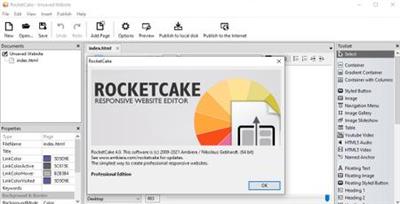
Having a beautiful website is one of the ways you can attract online visitors, no matter if you are selling complex products or you are keeping a personal blog. If programming is not among your skills, there are many dedicated applications that can come in handy, such as RocketCake.

WYSIWYG Editor
Edit the website as it appears on your device. Switch at any time to view and editor it as on any other tablet, PC or mobile.

No programming needed
No need to learn any HTML or CSS. Just click, drag'n'drop or type. But of course, you are still free to mix in your own code, if you like.

Create great responsive websites with a few clicks
Rocket Cake has built in support for all important HTML elements:
image galleries, slideshows, resizable containers, stylish buttons, gradients, HTML 5 video, audio, and more.

Clean Generated Code
The editor spits out clean HTML/CSS code. You also can use it as base for your more complicated websites or template for your server scripts.

Breakpoint Editor
Specify your own break points to adjust the website just as you like. The flexible break point editor makes it extremely easy.

Operating System:Windows 7, 8/8.1, 10

Home Page-
У Вас недостаточно прав для просмотра ссылок. Войдите или зарегистрируйтесь.


Download link:​
Код:
[center][b]rapidgator_net[/b]:
https://rapidgator.net/file/c204add85fa733a39fa7c8bc96a829a3/b1dcm.Ambiera.RocketCake.Professional.4.0.Multilingual.Portable.rar.html

[b]nitroflare_com[/b]:
https://nitroflare.com/view/226CA474380349F/b1dcm.Ambiera.RocketCake.Professional.4.0.Multilingual.Portable.rar

[b]uploadgig_com[/b]:
https://uploadgig.com/file/download/5a380780f891657E/b1dcm.Ambiera.RocketCake.Professional.4.0.Multilingual.Portable.rar[/center]

Links are Interchangeable - No Password - Single Extraction​
 
CorelCAD 2021.0 Build 21.0.1.1248 + Portable

5a700c302d649274f74ffa756e4277c5.jpeg


CorelCAD 2021.0 Build 21.0.1.1248 Multilingual + Portable | 992/386 Mb​
The professional, affordable and simplified CAD software. Experience a simplified CAD workflow using the professional, time-saving tools in CorelCAD™ 2021. Collaboration is easy with full native .DWG file format support. Leverage the enhanced 2D drafting functionality, advanced 3D modeling tools, and .STL support to elevate design efficiency and optimize output.

CAD software
- Professional 2D drafting and 3D design tools
- Industry-standard file compatibility with .DWG, .STL, .PDF, and .CDR*
- Time-saving collaboration and project sharing
- Optional automation and customization

Conceptualize quickly
Empower yourself with CorelCAD, an incredibly robust set of design tools developed expressly for design professionals. Conceptualize, plan, draft, layout, and edit with the assistance of a leading computer aided design software on the market. With an expansive feature set, your 2D drawings will come together expertly.

Transform with ease
Arm yourself with an advanced CAD program designed to create 3D computer graphics, effortlessly. Experience a fast transformation process, from 2D designs into three-dimensional graphics, in just a few clicks. Feel confident that you'll achieve results fast with CorelCAD; delivering to specifications, project parameters and industry standards.

Output with accuracy
Elevate your work with a strong tool for text, graphics, and tactile outputs. CorelCAD's full feature set manages nearly any technical design task, making collaborations with colleagues, classmates, or stakeholders a breeze. 3D printing is simple with .STL support for 3D printers or output connection.

Execute efficiently
Tackle projects head-on with CorelCAD, for precise results on time, every time. With the latest AutoCAD, full native, .DWG file format support, designers can collaborate seamlessly. CAD software aligns with any working environment, leveraging incredible customization and automation support options for the best user experience.

System Requirements:
- Microsoft Windows 10*, 8.1 or Windows 7, in 32-bit or 64-bit, all with latest Updates and Service Packs
Intel Core 2 Duo, or AMD Athlon x2 Dual-Core processor
- 2 GB RAM (8 GB or more recommended)
- 500 MB hard disk space
- 3D Graphics accelerator card with OpenGL version 1.4 (OpenGL version 3.2 or better recommended)
- 1280 x 768 screen resolution (1920 x 1080 (Full HD) recommended)
- Mouse or tablet

Home Page-
У Вас недостаточно прав для просмотра ссылок. Войдите или зарегистрируйтесь.


Download link:​
Код:
[center][b]rapidgator_net[/b]:
https://rapidgator.net/file/ecfc9a1de7b2cf5752e1d29c1ac23fd1/msr0a.CorelCAD.2021.0.Build.21.0.1.1248.64.Bit.Portable.rar.html
https://rapidgator.net/file/93626e5058db2abe4ef86ef47ee7e398/msr0a.CorelCAD.2021.0.Build.21.0.1.1248.rar.html

[b]nitroflare_com[/b]:
https://nitroflare.com/view/37DDA62A7FAC8B9/msr0a.CorelCAD.2021.0.Build.21.0.1.1248.64.Bit.Portable.rar
https://nitroflare.com/view/E4A5CB73F46382E/msr0a.CorelCAD.2021.0.Build.21.0.1.1248.rar

[b]uploadgig_com[/b]:
https://uploadgig.com/file/download/ee5671038f9b7e29/msr0a.CorelCAD.2021.0.Build.21.0.1.1248.64.Bit.Portable.rar
https://uploadgig.com/file/download/a9d745A21f5d60af/msr0a.CorelCAD.2021.0.Build.21.0.1.1248.rar[/center]

Links are Interchangeable - No Password - Single Extraction​
 
Easy Data Transform 1.15.1 Portable

fa20b61b912512e647caa2c7600c70a9.jpeg


Easy Data Transform 1.15.1 Portable | 24.4 Mb
Transform your Excel and CSV files without programming with Easy Data Transform.​

Features:
Joining multiple data tables
Changing CSV file delimiters and encodings
Filtering and analysing log files
Merging and deduping email and address lists
Restructuring data table columns
Reformatting dates and numbers

Home Page:
У Вас недостаточно прав для просмотра ссылок. Войдите или зарегистрируйтесь.


Language:English

У Вас недостаточно прав для просмотра ссылок. Войдите или зарегистрируйтесь.

Download link:​
Код:
[center][b]rapidgator_net[/b]:
https://rapidgator.net/file/3611a2df5abf6eabba76ce273e15b010/supu1.Easy.Data.Transform.1.15.1.Portable.rar.html

[b]nitroflare_com[/b]:
https://nitroflare.com/view/F469184183F97EC/supu1.Easy.Data.Transform.1.15.1.Portable.rar

[b]uploadgig_com[/b]:
https://uploadgig.com/file/download/3ffab661B2Cd8178/supu1.Easy.Data.Transform.1.15.1.Portable.rar[/center]

Links are Interchangeable - No Password - Single Extraction​
 
Icecream PDF Editor Pro 2.47 Multilingual + Portable

428b6904c36ebf5eb88b9b33f3c25882.jpeg


Icecream PDF Editor Pro 2.47 Multilingual + Portable | 22.9/24.6 Mb​
Icecream PDF Editor - software that enables you to edit PDF files easier than ever before. Get access to all the tools and PDF editing modes you need with the help of smart tools panel. You can edit text, add notes, redact, protect files, manage pages and much more with the PDF editor. Learn how to edit a PDF document in a hassle-free way!

Edit text
Edit any text in a PDF document with ease.

Manage pages
Visually combine and reorder PDF pages, split and merge PDF files.

Edit objects
Edit PDF objects: move, resize, rotate, etc.

Protect PDF
Set password or limit editing/copying rights for document protection purposes.

Annotate PDF
Add notes, highlight areas, strike through or highlight text, add comments and more.

Add stamps
Create custom stamps for better and quicker PDF proofreading.

System Requirements:
OS: Windows 10, Windows 8.1, Windows 8, Windows 7
2.33Ghz Intel, AMD or any other compatible processor / faster processor for netbooks;
2GB of RAM (4GB for better performance); 200MB to 2GB of free disk space

Home Page-
У Вас недостаточно прав для просмотра ссылок. Войдите или зарегистрируйтесь.


Download link:​
Код:
[center][b]rapidgator_net[/b]:
https://rapidgator.net/file/65c01e9b71b5705d171f70e9aa63440b/gq0zp.Icecream.PDF.Editor.Pro.2.47.Portable.fix.rar.html
https://rapidgator.net/file/fca47b288cf0a8dc00ae8eedb5ccaaf9/gq0zp.PDFEditor2.rar.html

[b]nitroflare_com[/b]:
https://nitroflare.com/view/6F33A7B538DE44B/gq0zp.Icecream.PDF.Editor.Pro.2.47.Portable.fix.rar
https://nitroflare.com/view/42FE1BD37A184EE/gq0zp.PDFEditor2.rar

[b]uploadgig_com[/b]:
https://uploadgig.com/file/download/2756C8Be7b205001/gq0zp.Icecream.PDF.Editor.Pro.2.47.Portable.fix.rar
https://uploadgig.com/file/download/d18ed208ff613d11/gq0zp.PDFEditor2.rar[/center]

Links are Interchangeable - No Password - Single Extraction​
 
Icecream Screen Recorder Pro 6.25 Multilingual Portable

88fc23da51c646f83c45ced23337ea64.jpeg


Icecream Screen Recorder Pro 6.25 Multilingual Portable | 30.3 MB​
IceCream Screen Recorder is a flexible and useful application that can help you to quickly record a certain area of your screen or capture snapshot anytime you need.

Area selection
Select the area of your screen that you'd like to take a screenshot of or make a video in a single click.

Drawing panel
Draw, outline, and add arrows or text to your screenshot or video while capturing.

Project History
Fast access to all captured videos and screenshots.

What else makes Icecream Screen Recorder so special?

Audio settings
Change the volume of your microphone and system sounds.

Clipboard
Save screenshots to the clipboard and share them via Skype or e-mail instantly.

Settings
Hide cursor or desktop icons, and disable screensaver if necessary.

Screenshot to URL
Send screenshots to Icecream Apps server in a single click, get a short URL, and share it with anyone.

Home Page-
У Вас недостаточно прав для просмотра ссылок. Войдите или зарегистрируйтесь.


Language:Multilingual

Download link:​
Код:
[center][b]rapidgator_net[/b]:
https://rapidgator.net/file/1d9ff8acff6351452ad7d069147184fa/ot9wv.Icecream.Screen.Recorder.Pro.6.25.Multilingual.Portable.rar.html

[b]nitroflare_com[/b]:
https://nitroflare.com/view/7A84566A7B25DA3/ot9wv.Icecream.Screen.Recorder.Pro.6.25.Multilingual.Portable.rar

[b]uploadgig_com[/b]:
https://uploadgig.com/file/download/4d03ecb054ea51Fc/ot9wv.Icecream.Screen.Recorder.Pro.6.25.Multilingual.Portable.rar[/center]

Links are Interchangeable - No Password - Single Extraction​
 
Inpaint 9.1 Multilingual + Portable

8f7a206506704bb3ca3b3cafa2ac8243.jpeg


Inpaint 9.1 (x64) Multilingual + Portable | 22 / 36.8 MB​
Inpaint will magically fill the selected area with intelligently-generated textures pulled from the surrounding image data. Go to our Tutorials page and see for yourself how easy it is for anyone to do with just a few simple steps. Download our Try-Before-You-Buy demo and use it on your own photos!

Magically remove tourists or other unwanted persons from your photo
Frustrated by nasty tourists stalking back and forth and spoiling the best shots? Take them away from your photos with Inpaint! With few simple gestures you will get clear, spectacular pictures, just like you intended them to be. Inpaint's Magic Wand tool allows you to select unnecessary objects or persons on a photo in literally seconds, so all you have to do then is to let Inpaint do the rest.

Remove any unwanted elements
Aside from the information we truly want to see on our photographs, there are also many not so crucial for composition if not worse. These are camera date stamps, watermarks placed by various websites, and other objects we don't want to be on a picture. After all, if you gonna hang a photo on a wall, you want it to look eye-catching not due to various visual wreckage on it. So remove it with Inpaint! With simple and efficient tools you are able to remove any unwanted elements totally effortlessly.

Remove objects from photos
The devil is always in details. A tiny object on a photo can ruin the entire composition or even make it produce the effect opposite to that you initially were hoping for. Using Inpaint removing objects from photos is almost as easy as taking a shot itself. With merely three simple steps you can make power lines, tourists, buildings, background wreckage and other elements vanish as if they never were there.

Repair old photos
Old doesn't always mean bad. Some older photos we have are still important to us as they still carry value and bring positive emotions. Alas, scratches, spots and tears are an inevitable legacy of the old film photography, especially if we talking about aged pictures. Happily the digital copy of a scanned old photo can be easily retouched with Inpaint. This little yet capable helper will make all those frustrating defects go away with minimum efforts from your side. Just select problematic zones on the picture and fix them!

Improve your skin with Inpaint
Nobody is ideal. Yet still we want to look better sometimes - retouch some wrinkles, remove skin defects. Indeed, what a wedding photo would bear redness or pimples on the bride's face? What about prom album or a dating site? Inpaint allows you to quickly improve your skin on photos and conceal everything you don't want to show. Just apply the Marker tool or the Magic Want tool to every problem zone and instantly see the difference!

Top Reasons to use Inpaint
- Repair old photos
- Remove watermarks
- Delete unwanted people from photo
- Erasing wires and power lines
- Remove unwanted objects
- Digital Facial retouching
- Remove date stamps
- Erase wrinkles and skin blemishes
- Remove tourists from travel photos
- Fill black areas of a panorama
- Remove text or logo from images
- Remove moving objects from photos
- Easy to get use & started
- Completely non-technical

System Requirements:
- Windows 7
- Windows 8
- Windows 10

Home Page-
У Вас недостаточно прав для просмотра ссылок. Войдите или зарегистрируйтесь.


Download link:​
Код:
[center][b]rapidgator_net[/b]:
https://rapidgator.net/file/46ae6c14fec89d119e80b078ad5ea572/xzudl.Inpaint.9.1.rar.html
https://rapidgator.net/file/c3adbf5c74cf3d47efb154e5a251b14e/xzudl.Teorex.Inpaint.v9.1.64.Bit.Portable.rar.html

[b]nitroflare_com[/b]:
https://nitroflare.com/view/58A53B607AB6FE3/xzudl.Inpaint.9.1.rar
https://nitroflare.com/view/3E84C51F4483FEF/xzudl.Teorex.Inpaint.v9.1.64.Bit.Portable.rar

[b]uploadgig_com[/b]:
https://uploadgig.com/file/download/e145f031c81C73fe/xzudl.Inpaint.9.1.rar
https://uploadgig.com/file/download/4Fa84aA099092cc4/xzudl.Teorex.Inpaint.v9.1.64.Bit.Portable.rar[/center]

Links are Interchangeable - No Password - Single Extraction​
 
proDAD ProDRENALIN 2.0.29.7 + Portable

2819d2eaf99481806d70ce539904d23f.jpeg


proDAD ProDRENALIN 2.0.29.7 (x64) Multilingual REPACK + Portable | 78.6/85 Mb​
The all-new ProDRENALIN V2 is a dream come true for avid actioncam and aerial drone users and is the perfect tool for refining rough video footage with next-level corrections for warped, shaky & jittery video that is also in need of extensive image cleanup. ProDrenalin handles all that with ease and adds cool filter effects to the video, and new industry-standard palette of editing tools that make advanced clip editing a snap. Simply put, ProDRENALIN V2 can rescue unusable video and transform so-so video into an awesome movie.

Faster, stronger in every way - ProDRENALIN V2 is so chock full of many enhancements and performance improvements it's almost impossible to list it all, but here are a few of the biggies:

- Lots of new and standardized editing workflows have been implemented, making ProDrenalin easier to use for users who are using ProDrenalin & a traditional NLE together.
- GPU-enabled, which significantly speeds up video analysis and other processes, optimized for multi-core processors.
- Capable of processing up to 8K UHD resolution clips

Features:
- Fix wonky colors with all new advanced pro-grade color correction, complete with an all-new automatic correction mode or extensive manual adjustment of brightness, contrast, white balance, and tint to get that perfect look, and even a histogram to monitor changes as you make them.

- Add video filter effects to add some sizzle to your clips with dozens of proDAD's professional video filter effects which can be applied individually to a clip and can even be controlled with key-frames if desired, and screen position, rotation, and scaling are fully adjustable. Popular vignette, film-looks, spotlight, color, and black & white effects give your clips that professional look.

- Shape things up even more with rolling-shuter correction to correct skew-distortion and newly enhanced video de-noising and sharpening that not only yields better correction than before, but is also significantly faster.

- Work smarter not harder with ProDRENALIN V2 new project management tools which allow you to save projects with a unique name and load them again later, and even save your camera profile and select settings for future use with new projects. New keyboard shortcuts and enhanced timeline controls give you the power of a big-name editor but without all the complexity. Preview everything in real-time before exporting so you know you've got it right.

- Bye-bye fisheye! ProDRENALIN V2 introduces newly optimized camera profiles for all major action cameras and many drones and DSLR cameras that more effectively flattens warped still images and video, and provides options to manually adjust a camera profile on the fly if you need to tweak a standard profile. Want to keep the fisheye look but need to stabilize the video? No problem, the new V2 camera profiles are optimized for this.

- Tell the story fast with ProDRENALIN V2 new Storyboard feature, allows you to arrange your clips into a rough-cut movie, even split longer clips into individual ones and preview everything in real-time. There is even a clever little magnifying glass to zoom in and check things out close up. Export the clips individually for sharing on social media, or combined together as a rough movie to be polished further with an NLE.

- New export format options give you loads more choices to meet your exacting needs. AVC/H.264 (.mp4 or .mov), H.265 (.mov), Apple ProRes (.mov), Motion JPEG (.mov), generic .AVI, Canopus HQ/HQX (.avi), and YES...GoPro Cineform are all supported now. Export individual clips or export many clips together with batch processing.

System Requirements:
- Windows 64-Bit Vista, Win7, Win8, Win8.1, Win10
- 2GB-memory,
- Recommended: i7-cpu, 6 GB memory

Homepage
У Вас недостаточно прав для просмотра ссылок. Войдите или зарегистрируйтесь.


Download link:​
Код:
[center][b]rapidgator_net[/b]:
https://rapidgator.net/file/2b0ba2fa1ed55d881a4d0933ca8d9b6c/g9sv3.proDAD.ProDRENALIN.2.0.29.7.rar.html
https://rapidgator.net/file/0b2308397a1d0a87bbbacf081f568c33/g9sv3.proDAD.ProDRENALIN.v2.0.29.7.64.Bit.Portable.rar.html

[b]nitroflare_com[/b]:
https://nitroflare.com/view/8CD02E97124D7B0/g9sv3.proDAD.ProDRENALIN.2.0.29.7.rar
https://nitroflare.com/view/B94FD50A16045E9/g9sv3.proDAD.ProDRENALIN.v2.0.29.7.64.Bit.Portable.rar

[b]uploadgig_com[/b]:
https://uploadgig.com/file/download/339dBF0e07d382ff/g9sv3.proDAD.ProDRENALIN.2.0.29.7.rar
https://uploadgig.com/file/download/3f85108Cc8c6ed03/g9sv3.proDAD.ProDRENALIN.v2.0.29.7.64.Bit.Portable.rar[/center]

Links are Interchangeable - No Password - Single Extraction​
 
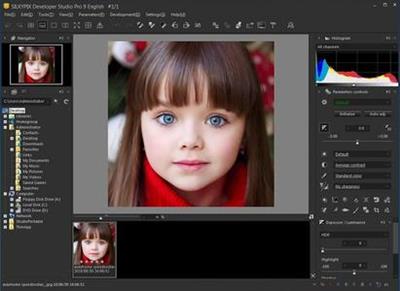
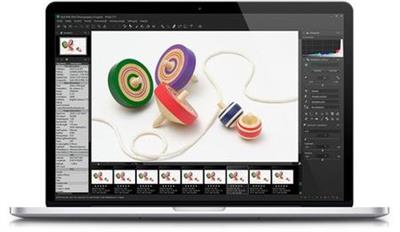
SILKYPIX Developer Studio 10.1.12.0 Portable

54253e9f93ed888c68fbdb75d0001330.jpeg


SILKYPIX Developer Studio 10.1.12.0 (x64) Portable | 348.9 Mb​
7 new features and workflow innovation. The blissful time named RAW development for you. Enables the user a impressive image quality and new expression The wide variety of composition modes can excite your imagination. Equipped with 6 RAWs composition modes. The new SILKYPIX® is equipped with the new function for compositing multiple RAWs which allows you to create a view of the world that cannot be represented from a single image.

And, since this function automatically aligns images according to our image coincidence detection technology (patent No. 4689758), it is possible to combine them without any shift even with hand-held shooting.

Full Basic Functions
SILKYPIX allows you to make adjustments such as exposure (brightness), white balance (shading), tone (light and dark sharpness) while maintaining a high quality of image without deteriorating the image. In addition, anyone can easily perform high-quality adjustments because basic adjustments are arranged in order from the top of the control panel. Furthermore, fine tuning adjustments for each item can be minutely performed with the "Slider" control.

A Variety of Functions to Recreate the Photographer's Images
The Partial correction function is included to adjust saturation and brightness of specified areas. What is more, a variety of fine adjustment functions such as Fine color controller which can be used to adjust each specific color and Highlight controller which restores colors in highlighted parts as well as recover gradation are available.

Easy Editing with Tastes
SILKYPIX Pro has 10 types of maker tastes installed which can take on various shooting scenes in advance. Just by choosing a taste such as "Landscape" or "Portrait," you can make a finished photograph easily that fits your image. In addition, you can save your adjusted parameters as a taste. Parameters are very useful functions, and you can easily create pictures from the same image by applying them to other photographs.

Compliable with JPEG and TIFF
With "SILKYPIX RAW Bridge" available only on SILKYPIX Pro, JPEGs and TIFFs are expanded to 16 bits, so even JPEG and TIFF images can be adjusted to a high degree of image quality with less image degradation.

Exposure (Brightness)
- Auto exposure bias
- Exposure bias
- Dodge / Color Burn
- HDR
- Highlight / Shadow

White balance (Tint)
- White balance adjustment
- Gray balance tool
- Skin color tool

Tone (Sharpness of light and dark)
- Contrast
- Tone curve
- Automatic level correctio
- Black level tool
- Clarity
- Dehaze

Saturation (Vividness)
- Prepare presets for Color representation (Standard color, Memory color, Portrait color, Film color)

Sharpening
- Natural sharp
- Normal sharp
- Pure detail
- Unsharp mask

Noise adjustment
- Color distortion
- Fringe reduction
- Neat noise
- Noise reduction
- Reduce moire
- Level of shadow noise reduction

Practical functions (A part of functions)
- Lens aberration correction
- Shading
- Distortion
- Chromatic aberration
- Distortion correction function by lens profile
- Distortion correction function using simultaneous recording JPEG

Image correction tool
- Crop
- Image rotation
- Shift lens effect
- Spotting tools (Dust removal)
- Red Eye Corrections

Partial correction tool
- Circular correction filter
- Gradual correction filter
- Select area with brush
- Curve / Polygon area selection
- Select color to be corrected
- Invert the filter area

Image controller
- Fine color controller (Adjustment of specific color)
- Highlight controller (Gradation expression of highlights)
- Monochrome controller (Adjustment monochrome image)
- Underwater photo controller (Adjustment underwater photograph)

Display warning
- Highlight warning
- Shadow warning
- Out of color gamut warning
- Soft proofing
- Focus peaking(Display focus area on monitor)

Others
- Search in the thumbnail
- Automatic adjustment button
- Independent arrangement of initialization button
- Open in another application
- Blurred / Sharp periphery
- Portrait Beautification
- Add Noise

System Requirements:
- Microsoft® Windows® 10 / 8.1 64-bit version
- * It does not correspond to the Windows® 10 tablet mode.
- * It does not correspond to 32-bit version OS.
- Intel® Core™ 2 Duo or higher, or AMD Athlon™ 64 X2 or higher processor
- 4GB or more RAM (8GB or higher recommended)
- 10GB of available hard-disk space or more
- Display that supports screen resolution of 1024x768 or higher

Home Page-
У Вас недостаточно прав для просмотра ссылок. Войдите или зарегистрируйтесь.


Download link:​
Код:
[center][b]rapidgator_net[/b]:
https://rapidgator.net/file/db4c5aca34c834ae906a3d2b67312241/433ic.SILKYPIX.Developer.Studio.10.1.12.0.Portable.rar.html

[b]nitroflare_com[/b]:
https://nitroflare.com/view/3BD1AA210B1E43B/433ic.SILKYPIX.Developer.Studio.10.1.12.0.Portable.rar

[b]uploadgig_com[/b]:
https://uploadgig.com/file/download/1510e84df05fF837/433ic.SILKYPIX.Developer.Studio.10.1.12.0.Portable.rar[/center]

Links are Interchangeable - No Password - Single Extraction​
 
SILKYPIX Developer Studio Pro 10.0.12.0 Portable

ef3a5fc93b92a75ed9d75c934e17f773.jpeg


SILKYPIX Developer Studio Pro 10.0.12.0 (x64) Portable | 349.9 Mb​
SILKYPIX Developer Studio Pro 10 adds new functions that were highly desired in addition to the rich features of SILKYPIX so far. Main new functions are "Dehaze function", "individual adjustment of Highlight / Shadow", "lens profile function" and so on. Extending and improving existing functions further improved operability and convenience. This product is RAW development software for professional.

SILKYPIX Developer Studio Pro 10 adds new functions that were highly desired
in addition to the rich features of SILKYPIX so far.

New function / Improvement list
- Tone- Dehaze Slider
- Exposure bias-Highlight / Shadow slider
- Lens aberration correction - Distortion correction function by lens profile
- Lens aberration correction - Distortion correction function
using simultaneous recording JPEG
- Effect - Blurred / Sharp periphery
- Partial correction tool - Curve / Polygon area selection / Select color
to be corrected
- Automatic adjustment button
- Noise Reduction - Level of shadow noise reduction
- Search in the thumbnail
- Independent arrangement of initialization button
- Add user mark color
- Open in another application
- Control Palette
- Customize toolbar
- Show / hide information box

System Requirements:
OS:Microsoft® Windows® 10 / 8.1 / 7 (Service Pack 1 or later) 64-bit version
* It does not correspond to the Windows® 10 tablet mode.
* It does not correspond to 32-bit version OS.
CPU:Intel® Core™ 2 Duo or higher, or AMD Athlon™ 64 X2 or higher processor
RAM:4GB or more RAM (8GB or higher recommended)
Space:10GB of available hard-disk space or more
Display: that supports screen resolution of 1024x768 or higher

Homepage-
У Вас недостаточно прав для просмотра ссылок. Войдите или зарегистрируйтесь.


Download link:​
Код:
[center][b]rapidgator_net[/b]:
https://rapidgator.net/file/965f0a9334ae77941d9ade89187f58e5/edhvi.SILKYPIX.Developer.Studio.Pro.10.0.12.0.Portable.rar.html

[b]nitroflare_com[/b]:
https://nitroflare.com/view/7ADB696601787CC/edhvi.SILKYPIX.Developer.Studio.Pro.10.0.12.0.Portable.rar

[b]uploadgig_com[/b]:
https://uploadgig.com/file/download/c6dc622552a9cce6/edhvi.SILKYPIX.Developer.Studio.Pro.10.0.12.0.Portable.rar[/center]

Links are Interchangeable - No Password - Single Extraction​
 
SILKYPIX JPEG Photography 10.2.12.0 Portable

615da0d3ccd35bba511631273ddcdb16.jpeg


SILKYPIX JPEG Photography 10.2.12.0 (x64) Portable | 58.5 MB​
"SILKYPIX JPEG Photography 10" is the best adjustment tool for finishing as a nice-looking photo for blogs and SNS, and printing and finishing uncompromised works. In SILKYPIX JPEG Photography 10, "Auto Adjust" button which automatically performs correction suitable for the image, "individual adjustment of highlight/shadow" of the highlight part and shadow part of the photograph, "Dehaze" function and other features newly added, and making it more powerful photo adjustment software.

High quality, precise control of the image enhancement and transformation process.
Although JPEG data uses 8 bit (256 gradations) gradation, it is automatically expanded to 16 bit (65,536 gradations) using SILKYPIX RAW Bridge. By treating JPEG data in a similar way to RAW data, high gradation rich image quality adjustment is possible.

Easy Editing with Tastes
SILKYPIX JPEG Photography includes "tastes", a kind of preset that incorporates useful styles and forms. Choose a taste such as "Landscape" or "Portrait" to make a finished photograph easily that fits your image. In addition, you can save all of your custom, adjusted parameters as a taste preset. Parameters are very useful functions, and you can easily recreate themes and styles across any number of photographs you take.

Freely remove dust, fix image orientation and crop your photo!
Remove unwanted objects using the Spotting Tool, such as dust that may appear due to contamination of your camera sensor. You can also adjust and apply rotation and cropping as you wish.

Process multiple photos at once
If you work with multiple images at the same time (such as images shot with continuous shooting), and adjust the taste and parameters, you can make corrections for all selected images at once. For example, even if you darken the exposure setting of the camera, if you select that picture and make correction, you can correct all the selected images at once.

Preview differences due to paper quality on your monitor
SILKYPIX offers color management for monitor viewing or printing, including a "Printer proof" system that lets you simulate printed results from an ICC profile. These features support a process from accurate editing for printing.

New Features:

Adding an automatic adjustment button
We have newly added the "Auto Adjust" button which performs [Auto exposure bias], [Auto White Balance Setting], [Automatic level correction] suitable for each image at the same time. The "Auto Adjust" button is recommended for those who are "to start adjusting photos in the future" or "Photo editing has many adjustable items and do not know what to start from". Also, when adjusting a large amount of images at once, you can improve the efficiency of the adjustment work by utilizing the "Auto Adjust" button.

Adjust brightness of highlight/shadow individually
The "Highlight/Shadow" slider is mounted in the exposure adjustment item. This makes it possible to individually adjust the brightness of light and dark areas in the image. Even in scenes where subjects with dark contrasts are difficult to shoot or exposure scenes might be difficult to control, the brightness adjustment can still be fixed afterwards by individually using the "Highlight/Shadow" slider.

Equipped with Dehaze function
Add the "Dehaze" slider to the adjustment item for the mist removement of hazy images caused by atmospheric moisture or vapor.

Function enhancement of partial correction tool (Curve / Polygon area selection, Select color to be corrected)
"Curve / polygon area selection" has been added for selecting the correction area of the partial correction tool. "Curve / polygon area selection" can be set by clicking the area to be partially corrected in the image and connecting it by a curve or a straight line. That makes it very easy to select even a complicated area which used to be difficult before.
In addition, it is now possible to click "Select color to be corrected" that allows you to adjust only specific color gamut within the region as a correction target by selecting all correction regions including Circular/Gradual correction filter and brush. By utilizing "Select color to be corrected", it became possible to select more complicated correction area, and it was also possible to easily create monochrome photographs of only a partial color.

"Blurred/sharp periphery" function added
The "Blurred/Sharp periphery" function is added to the effect adjustment item. Using this tool, users are now able to blur the periphery of the specified range and apply sharpness. You can create a close-up effect by blurring the surroundings of the subject that is the main subject in "Blurred periphery". You can make a good correction using "Sharp periphery", etc. when shooting with the aperture stop value of the lens and the peripheral resolution drops.

Improvement of noise reduction (Level of shadow noise reduction)
The adjustment item of "Level of shadow noise reduction" has been added to the adjustment item of noise reduction. In the latest SILKYPIX noise reduction, processing of the latter is optimized for each of the bright and dark parts of the image in order to achieve a higher image quality. However, the noise in the dark area may be conspicuous due to the exposure correction and sharp adjustment. Side effects, for example that the entire photo may be blurred will occur if the "noise removal" is strengthened with the "Smoothness" slider. Instead of this procedure setting the "Level of shadow noise reduction" of the new function, dark noise Removal can be applied.

"Search in thumbnail" possible
"Search in the thumbnail" is an easy way to search and display images by designating conditions such as file name, shooting date, comment or rating information from the specified folder.

Further improved operability
Independent arrangement of "initialization button" instantly returning the image to the state before adjustment. Added new color to "User mark" convenient for image selection etc. Added "Open in another application" that allows you to easily transfer images from SILKYPIX to retouching software etc. New construction of "control pallet" which can arrange multiple sub-controls collectively, Items related to operability such as "Customize toolbar" have been improved.

System Requirements:
- Microsoft® Windows® 10 / 8.1 / 7 (Service Pack 1 or later) 64-bit version
- * It does not correspond to the Windows® 10 tablet mode.
- * It does not correspond to 32-bit version OS.
- Intel® Core™ 2 Duo or higher, or AMD Athlon™ 64 X2 or higher processor
- 4GB or more RAM (8GB or higher recommended)
- 10GB of available hard-disk space or more
- Display that supports screen resolution of 1024x768 or higher

Homepage-
У Вас недостаточно прав для просмотра ссылок. Войдите или зарегистрируйтесь.


Download link:​
Код:
[center][b]rapidgator_net[/b]:
https://rapidgator.net/file/bee462527f2f2ce9663d1a780b7b9194/hwivk.SILKYPIX.JPEG.Photography.10.2.12.0.Portable.rar.html

[b]nitroflare_com[/b]:
https://nitroflare.com/view/B9C24ABDB4D7AAF/hwivk.SILKYPIX.JPEG.Photography.10.2.12.0.Portable.rar

[b]uploadgig_com[/b]:
https://uploadgig.com/file/download/720Dd1c228a64584/hwivk.SILKYPIX.JPEG.Photography.10.2.12.0.Portable.rar[/center]

Links are Interchangeable - No Password - Single Extraction​
 
StudioLine Photo Classic 4.2.62 Multilingual Portable

0c81297ba3857cad3f96b446fe5c1076.jpeg


StudioLine Photo Classic 4.2.62 Multilingual Portable | 111.7 Mb​
StudioLine Photo Classic 4 is a feature-packed software for conveniently managing and editing extensive image collections. Naturally all common file formats, including the RAW formats of the popular camera models are supported.

New Features:

Your Personal Load Assistant
Quickly and easily load images from you camera, hard disk or other drives. Any files not previously loaded are automatically suggested and selected.

Pre-defined Tool Settings
Store frequently used image tools (filters) or entire filter sequences as templates. This way the same tool settings are available at any time to treat further images with the same editing steps.

Protect Your Images
Superimpose your personal watermark into your images to prevent unauthorized use. Any graphics and text may be combined to create watermarks.

Easy Print
Create print layout to suit various occasions. Taylor your images for optimal print results on the desired output medium.

MediaCenter
Quickly and easily share your photos and videos on the web with friends and family. You control who may access each of your online albums, and if downloading is permitted.
Visitors of your albums can search images based on embedded information, or view them as a slide show or on a map.

Professional Image Editing
Numerous images tools such as white balance, unsharp mask oder RGB mixer are available. All editing steps are non-destructive; they are kept in a database and the original image remains untouched.
A few quick steps and your foto set will appear as a slide show, is published as a gallery to the web or burned onto CD/DVD, or is sent via email to your circle of friends.

Archival Made Easy
Categorize your images with unlimited text in system and user descriptors or by assigning keywords and ratings. After that, searching for specific images or those matching a certain theme is child's play.

Presentation
View your images in your own albums, in the advanced Timeline Explorer or by keywords and categories. Avoid data loss by backing up your image archive, with all metadata and image edits, to CD, DVD or secondary hard disk.

Convenient Geotagging
Geotag your images with GPS coordinates from GPS loggers or GPS equipped digital cameras. Or, use the Geo Explorer to drag untagged images to the correct location on a map.
StudioLine retrieves location details such as county, city and possibly street. This way, you'll be able to search, sort or filter your photo collection by names of cities and sites.

System Requirements:
Windows 8.1, Windows 10
Multi-core processor with a minimum of 1.6 GHz, higher recommended
4 GB RAM, more recommended
150 MB disk space for programs (allow extra space for data)
24 bit graphics adapter with monitor resolution of 1024 x 768 pixels

Home Page:
У Вас недостаточно прав для просмотра ссылок. Войдите или зарегистрируйтесь.


Language:Multilingual

Download link:​
Код:
[center][b]rapidgator_net[/b]:
https://rapidgator.net/file/cf9d2250e3c4aa2ec9bf663559b53677/tu30p.StudioLine.Photo.Classic.4.2.62.Multilingual.Portable.rar.html

[b]nitroflare_com[/b]:
https://nitroflare.com/view/A232EA460403BE8/tu30p.StudioLine.Photo.Classic.4.2.62.Multilingual.Portable.rar

[b]uploadgig_com[/b]:
https://uploadgig.com/file/download/18bebB8c0c1a84da/tu30p.StudioLine.Photo.Classic.4.2.62.Multilingual.Portable.rar[/center]

Links are Interchangeable - No Password - Single Extraction​
 
StudioLine Web Designer 4.2.62 Multilingual Portable

6b9b925ba9254b5e7131e9c9a831176b.jpeg


StudioLine Web Designer 4.2.62 Multilingual Portable | 144.4 Mb​
StudioLine Web Designer 4 integrates the components for the design, publishing and maintenance of professional websites into a common user interface - page editor, image archive and editing, graphics effects, publishing control, template editor and site management.

Web Design with Integrated Image Editor and Archive
Your create collages, edit image and use graphics effects directly in the page editor and instantly will see the results. With the media explorer your media assets - fotos, graphics, videos and sound bits. Image tools (filters) are applied as needed while working on your web page layout. Page templates let you position your design elements precisely and consistently, with the help of rulers and a guideline manager. Easily create menus and sub-menus for user friendly site navigation.

No HTML Programming Knowledge
Use the page editor to add content to your pages. Arrange text and images as needed until you are happy with the outcome. You can position content freely anywhere on your page, making use of a variety of available layout aids. Of course, snippets of your own custom HTML code can be embedded, if you should ever have the need.

Irregular Image Shapes
In StudioLine, images not limited to rectangular shapes. The actual shape of an image defines it's clickable area, not just in the StudioLine editor but also on the published web page. This enables complex layering of images without having to create and maintain traditional "image maps".

Shadows, Borders, Gradients and Rounded Corners
No need for external image editing software or learning HTML or CSS syntax. With StudioLine, you easily design your graphical elements using the integrated image tools.

Design Elements
Use intelligent container objects, called Design Elements, to automatically arrange text and images in a grid. Various settings control layout rules, such as horizontal and vertical alignment, spacing and margins. With that information, StudioLine will dynamically place and align the contained texts and images to fit within the available column width.

Professional Image Editing
Numerous images tools such as white balance, unsharp mask oder RGB mixer are available. All editing steps are non-destructive; they are kept in a database and the original image remains untouched. A few quick steps and your foto set will appear as a slide show, is published as a gallery to the web or burned onto CD/DVD, or is sent via email to your circle of friends.

Archival Made Easy
Categorize your images with unlimited text in system and user descriptors or by assigning keywords and ratings. After that, searching for specific images or those matching a certain theme is child's play.

Mobile Pages
Develop web pages for mobile devices such as smart phones and tablets. The web effects created by StudioLine are optimized to work on all popular mobile Internet devices.

Embed Slideshow on Web Page
Simply adding or removing images in your MediaCenter is all that's needed to change your slide shows - no need to manually update your web site each time.

System Requirements:
- Windows® Vista, Windows® 7, Windows® 8, Windows® 10
- Multi-core processor with a minimum of 1.6 GHz, higher recommended
- 2 GB RAM, more recommended
- 150 MB disk space for programs (allow extra space for data)
- 24 bit graphics adapter with monitor resolution of 1024 x 768 pixels

Home Page-
У Вас недостаточно прав для просмотра ссылок. Войдите или зарегистрируйтесь.


Language:Multilingual

Download link:​
Код:
[center][b]rapidgator_net[/b]:
https://rapidgator.net/file/dbb4dceb4842fb16778bbb04ed2d46de/g9ny4.StudioLine.Web.Designer.4.2.62.Multilingual.Portable.rar.html

[b]nitroflare_com[/b]:
https://nitroflare.com/view/A8A71CAF6C355B0/g9ny4.StudioLine.Web.Designer.4.2.62.Multilingual.Portable.rar

[b]uploadgig_com[/b]:
https://uploadgig.com/file/download/F94cc2d893e0a494/g9ny4.StudioLine.Web.Designer.4.2.62.Multilingual.Portable.rar[/center]

Links are Interchangeable - No Password - Single Extraction​
 
WavePad Masters Edition 12.47 macOS

043780bd4be4e1b487b14978685fea9a.jpeg


WavePad Masters Edition 12.47 macOS | 4.3 MB​
WavePad Audio & Music Editor is an audio recording and editing app for macOS. It is perfect for any audio project in the sound studio or at home. Easily record and edit music, voice and other audio recordings. Cut, copy and paste audio clips, add effects like echo, amplification and noise reduction and explore the other powerful tools designed with the professional sound engineer in mind to take your audio projects to the next level.

Audio Editor Features

Sound editing tools include cut, copy, paste, delete, insert, silence, auto-trim, compression, pitch shifting and more
Audio effects include amplify, normalize, equalizer, envelope, reverb, echo, reverse and many more
DirectX and Virtual Studio Technology (VST) plugin support gives producers access to thousands of additional tools and effects
Supports almost all audio and music file formats including MP3, WAV, VOX, GSM, WMA, AU, AIF, FLAC, real audio, OGG, AAC, M4A, MID, AMR, and many more
Batch processing allows you to apply effects and/or convert thousands of files as a single function
Scrub, search and bookmark audio for precise editing
Create bookmarks and regions to easily find, recall and assemble segments of long audio files
Advanced tools include spectral analysis (FFT), speech synthesis (text-to-speech), and voice changer
Audio restoration features including noise reduction and click pop removal
Supports sample rates from 6 to 192kHz, stereo or mono, 8, 16, 24 or 32 bits
Edit the audio from your video files
Integrates seamlessly with MixPad Multi-Track Audio Mixer
Easy to use interface will have you utilizing non-destructive audio editing in minutes
Export your audio file to video with waveform, FFT or image visualization
Sound effect library includes hundreds of sound effects and royalty free music clips

Mac OS X 10.5 or above

Home Page-
У Вас недостаточно прав для просмотра ссылок. Войдите или зарегистрируйтесь.


Download link:​
Код:
[center][b]rapidgator_net[/b]:
https://rapidgator.net/file/c40fbc4b9d6ff7341018918c0cc8600e/5tpx3.WavePad.Masters.Edition.12.47.macOS.zip.html

[b]nitroflare_com[/b]:
https://nitroflare.com/view/87B50C29ADF37DF/5tpx3.WavePad.Masters.Edition.12.47.macOS.zip

[b]uploadgig_com[/b]:
https://uploadgig.com/file/download/15Eb3812B37b29fa/5tpx3.WavePad.Masters.Edition.12.47.macOS.zip[/center]

Links are Interchangeable - No Password - Single Extraction​
 
MediaHuman YouTube to MP3 Converter 3.9.9.54 (01504) Multilingual macOS

62e6a1a6403a0389bb434539db286e1d.jpeg


MediaHuman YouTube to MP3 Converter 3.9.9.54 (01504) Multilingual macOS | 82 Mb​
You like to listen to music on YouTube or SoundCloud and want to save it for offline playing. Or you want to download soundtrack of a new movie. Then we recommend you to try out this software developed specifically for this purpose.

* Downloads all music from a playlist or channel
* Tracks playlist/channel updates and downloads only new videos
* Downloads highest available quality up to 320 kbps
* Supports YouTube, Vimeo, SoundCloud, Dailymotion, VEVO, etc.
* Downloads simultaneously several tracks
* Includes simple tag editor with cover art image support
* Works on all modern platforms (macOS, Windows, Ubuntu)
* Exports downloaded files to iTunes/Music.app

Main Features:

TurboBoost
TurboBoost option is a paid feature of MediaHuman YouTube to MP3 Converter. It allows you to download music from YouTube clips in seconds!

Playlists and channels
The software supports downloading all videos of a playlist or a channel. And there is also an option for subscribing to and downloading only newly uploaded tracks.

iTunes/Music.app support
In the preferences of the application you can select an option to add downloaded tracks into iTunes automatically. You can also specify iTunes playlist, where the converted track should be added.

Saves your time & traffic
The app detects audio track in YouTube video clip and downloads it, skipping the video part. As a result download speed increases dramatically, especially on HD-quality content.

Simple tag editor
Application automatically detects artist name and track title of the video and saves it in the downloaded file. But at the same time, you can easily change tags to whatever you want. You can even change a cover art image.

Original format, no conversions
You can save audio tracks in original quality without any conversion. It means that there will be no loss of quality and it greatly reduces the downloading time.

Free music
There is a great amount of music on YouTube. And our app will help you to convert YouTube videos to MP3 or save it on your computer in original M4A/AAC format. Just find the track you like and download it in the quality you need.

Not only YouTube
Vevo.com, Vimeo, DailyMotion, Soundcloud, Bandcamp, HypeMachine, MixCloud, MixUpload, Audiomack, UOL, Hearthis.at, Play.fm and many other sites are also supported. So you can download music as easy as from YouTube.

Clipboard tracking
The program tracks the content of the system clipboard. It means that you can easily add a video clip without switching from your favorite browser. Just copy an URL into the clipboard and it will be added to the download queue.

Multilingual interface
Localized to: Arabic, Armenian, Azerbaijani, Bulgarian, Catalan, Chinese (Taiwan), Croatian, Czech, Danish, Dutch, English, Esperanto, French, German, Greek, Hebrew (Israel), Hungarian, Indonesian, Italian, Japanese, Korean, Latvian, Lithuanian, Malay, Norwegian Bokmål, Polish, Portuguese, Portuguese (Brazil), Romanian, Russian, Spanish, Swedish, Turkish, Vietnamese

Supported Operation System:
* 64-bit processor
* OS X 10.10 or later

Home Page-
У Вас недостаточно прав для просмотра ссылок. Войдите или зарегистрируйтесь.


Download link:​
Код:
[center][b]rapidgator_net[/b]:
https://rapidgator.net/file/e61c52030686fc2b92efa17a09678609/lgyt3.MediaHuman.YouTube.to.MP3.Converter.3.9.9.54.01504.Multilingual.macOS.zip.html

[b]nitroflare_com[/b]:
https://nitroflare.com/view/E40D45AD33ECE86/lgyt3.MediaHuman.YouTube.to.MP3.Converter.3.9.9.54.01504.Multilingual.macOS.zip

[b]uploadgig_com[/b]:
https://uploadgig.com/file/download/84abfcf1bcF2Ea05/lgyt3.MediaHuman.YouTube.to.MP3.Converter.3.9.9.54.01504.Multilingual.macOS.zip[/center]

Links are Interchangeable - No Password - Single Extraction​
 
Назад
Сверху