• Форум работает в архивном режиме www.old.nado.in

All mitsumi'1s Applications !! (updated daily)

  • Автор темы Автор темы mitsumi1
  • Дата начала Дата начала
Backuptrans Android iPhone Line Transfer Plus 3.1.62

6357a992d015b70bc3cf0f4da4bf251a.jpeg

File size: 28 MB​
Copy Android/iPhone Line Messages to PC or another Android/iPhone. If you have two Android/iPhone devices or one Android and one iPhone, it's always wise to find a tool to help you manage Line chat history for your Android/iPhone devices or to transfer Line chat history between Android and iPhone. Backuptrans Android iPhone Line Transfer + is the best all-in-one Line chat history manager package which lets you copy Line chat history for Android/iPhone on computer directly. No Root/Jailbreak required.

Backup Line chat history from Android/iPhone to PC
Restore Line chat history from Computer to Android/iPhone
Transfer Line chat history between Android and iPhone
Recover Line chat messages from iTunes Backup to Android/iPhone
Export Line chat messages to document file(Txt, Csv, Doc, Html, PDF)
Print out Line chat messages in conversations on PC
Support iPhone, Samsung, HTC, Motorola, Sony Ericsson, LG, Huawei and More

All-in-one Line Chat History Copy & Transfer program for Android and iPhone

Own both an Android phone and an iPhone? How to manage your Line Chat History among Android, iPhone and computer? Nowadays, more and more people own more than one mobile phones. If you are one of them, either one Android phone and one iPhone or two Android phones/iPhones, Backuptrans Android iPhone Line Transfer + must be the best software for managing Line chat history smoothly on Computer. It provides all needed solutions, including Android Line to iPhone transfer, iPhone Line to Android transfer, Android/iPhone Line to computer transfer, restoring Line messages from computer to Android/iPhone, and print Line messages directly on computer.

Backup and Restore Line Chat Messages for Android/iPhone on computer - With Backuptrans Android iPhone Line Transfer +, you can easily backup & restore Line chat messages including video, photo etc attached files on computer. No data loss worry.

Directly Transfer Line Chat History between Android and iPhone - Backuptrans Android iPhone Line Transfer + is designed to transfer Line chat history between Android and iPhone directly on computer. Just connect both your iPhone and Android phone to computer and click the "Transfer" button, and you will get it done in a few seconds. All Line chat hsitory will be merged perfectly on your target phone.

Copy Line Messages from iTunes Backup to Android/iPhone - Lost your iPhone and now want to transfer Line chat history from an old iPhone backup to a new iPhone or to an Android phone? As long as you once backed up your iPhone with your iTunes on computer, Backuptrans Android iPhone Line Transfer + will extract and copy Line chat messages from your iTunes backup to your Android/iPhone smoothly even without your old iPhone.

More - Backuptrans Android iPhone Line Transfer + provides a great way to view, export or print Line chat messages on computer. Users can export and save Line Messages as a file onto computer with a few clicks. File format includes TXT, CSV, Word, HTML and PDF. Cleverly, Backuptrans Android iPhone Line Transfer + also lets users print out Line chat messages from Android/iPhone in threading conversations.

Whats New:
Supports iOS 14 and iPhone 12/iPhone 12 Pro/iPhone 12 Mini/iPhone 12 Pro Max/iPhone SE 2020..
Supports Google Android 10.

Download link:​
Код:
[center][b]rapidgator_net[/b]:
https://rapidgator.net/file/60ef92af73c6ca9e55296a8f6bfa37ea/e8nmv.Backuptrans.Android.iPhone.Line.Transfer.Plus.3.1.62.rar.html

[b]nitroflare_com[/b]:
https://nitroflare.com/view/0D67FD5101E8B84/e8nmv.Backuptrans.Android.iPhone.Line.Transfer.Plus.3.1.62.rar

[b]uploadgig_com[/b]:
https://uploadgig.com/file/download/c8Be03899189c86e/e8nmv.Backuptrans.Android.iPhone.Line.Transfer.Plus.3.1.62.rar[/center]

Links are Interchangeable - No Password - Single Extraction​
 
BackupTrans Android iPhone WhatsApp Transfer Plus 3.2.152

9b871c567f5a1f8a704f947047dca843.jpeg

File size: 35 MB​
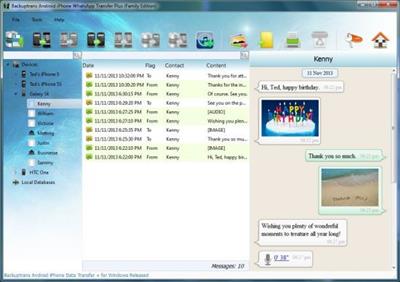
Copy Android/iPhone WhatsApp Messages to PC or another Android/iPhone. If you have two Android/iPhone devices or one Android and one iPhone, it's always wise to find a tool to help you manage WhatsApp Chat History for your Android/iPhone devices or to transfer WhatsApp Messages between Android and iPhone. Backuptrans Android iPhone WhatsApp Transfer + is the best all-in-one WhatsApp Messages manager package which lets you copy & share WhatsApp Chat Mesages for Android/iPhone on computer directly. No Root/Jailbreak required.

Backup WhatsApp Chat History from Android/iPhone to PC
Restore WhatsApp Chat History from Computer to Android/iPhone
Transfer WhatsApp Messages between Android and iPhone
Recover WhatsApp Messages from iTunes Backup to Android/iPhone
Export WhatsApp Messages to document file(Txt, Csv, Doc, Html, PDF)
Print out WhatsApp Messages in conversations on PC
Extract WhatsApp pictures videos audios etc attachments on PC
Support iPhone, Samsung, HTC, Motorola, Sony Ericsson, LG, Huawei and More

All-in-one WhatsApp Chat Messages copy & share program for Android and iPhone
Own both an Android phone and an iPhone? How to manage your WhatsApp Chat History among Android, iPhone and computer? Nowadays, more and more people own more than one mobile phones. If you are one of them, either one Android phone and one iPhone or two Android phones/iPhones, Backuptrans Android iPhone WhatsApp Transfer + must be the best software for managing WhatsApp Chat History smoothly on Computer. It provides all needed solutions, including Android WhatsApp to iPhone transfer, iPhone WhatsApp to Android transfer, Android/iPhone WhatsApp to computer transfer, restoring WhatsApp from computer to Android/iPhone, and extracting attached files in WhatsApp Messages onto your computer.

Backup and Restore WhatsApp Chat History for Android/iPhone on computer - With Backuptrans Android iPhone WhatsApp Transfer +, you can easily backup & restore WhatsApp Messages including video, photo etc attached files on computer. No data loss worry.

Directly Transfer WhatsApp Messages between Android and iPhone - Backuptrans Android iPhone WhatsApp Transfer + is designed to transfer WhatsApp Messages between Android and iPhone directly on computer. Just connect both your iPhone and Android phone to computer and click the "Transfer" button, and you will get it done in a few seconds. All WhatsApp Messages will be merged perfectly.

Copy WhatsApp Messages from iTunes Backup to Android/iPhone - Lost your iPhone and now want to transfer WhatsApp Chat History from an old iPhone backup to a new iPhone or to an Android phone? As long as you once backed up your iPhone with your iTunes on computer, Backuptrans Android iPhone WhatsApp Transfer + will extract and copy WhatsApp messages from your iTunes backup to your Android/iPhone smoothly even without your old iPhone.

More - Backuptrans Android iPhone WhatsApp Transfer + provides a great way to view, export or print WhatsApp Messages on computer. Users can export and save WhatsApp Messages as a file onto computer with a few clicks. File format includes TXT, CSV, Word, HTML and PDF. Cleverly, Backuptrans Android iPhone WhatsApp Transfer + also lets users print out WhatsApp Messages from Android/iPhone in threading conversations. If you want to extract the attached files in WhatsApp Messages, simply click "Extract Attachment" button, and it will automatically extract all pictures, videos, audios attachments onto computer.

Whats New:
Supports iOS 14 and iPhone 12/iPhone 12 Pro/iPhone 12 Mini/iPhone 12 Pro Max/iPhone SE 2020..
Supports Google Android 10.

Download link:​
Код:
[center][b]rapidgator_net[/b]:
https://rapidgator.net/file/b64c7a46c2fbb9a0c5e6f3b5f0d47afa/ohacf.BackupTrans.Android.iPhone.WhatsApp.Transfer.Plus.3.2.152.rar.html

[b]nitroflare_com[/b]:
https://nitroflare.com/view/45A33AAE9126005/ohacf.BackupTrans.Android.iPhone.WhatsApp.Transfer.Plus.3.2.152.rar

[b]uploadgig_com[/b]:
https://uploadgig.com/file/download/44fef2756887f5f4/ohacf.BackupTrans.Android.iPhone.WhatsApp.Transfer.Plus.3.2.152.rar[/center]

Links are Interchangeable - No Password - Single Extraction​
 
Cerbero Suite Advanced 4.6.0

c0eb00ec7487aae1bca6f364ca39ada2.jpeg

File size: 73 MB​
State-of-the-art suite of tools for malware triage and file analysis. Analysis for many file formats including PE, Mach-O, ELF, Java, SWF, DEX, PDF, DOC, XLS, RTF, Zip and many more. Automatic analysis, interactive analysis, Carbon Interactive Disassembler, byte-code disassemblers (.NET MSIL, Java, DEX, ActionScript2/3, VBA, fonts), hex editor with layouts, Windows memory analysis (raw dumps, WinDmp files, hibernation files), JavaScript debugger, extremely rich Python3 SDK, extension support, C++/PDB structures importer, support for projects and bookmarks. Completely multi-platform (Windows, Linux, OS X). Visit our blog to see Cerbero Suite in action!

This is a list of some relevant features of Cerbero Suite Advanced. Please note that it is not possible to enumerate all features because of the complexity and on-going improvement of the product.
Carbon Interactive Disassembler

Supported file formats:
Email (EML)
Extraction of attachments
Torrent
Windows Dmp files (WINDMP)
Inspection of internal structures
Full inspection of memory when available
Windows Hibernation files
Inspection of internal structures
Full inspection of memory
Windows Raw Memory Images (WINMEM)
Support for all Windows editions
Inspection of files in memory
Inspection of SSDT, IDT, GDT
Suppport for VAD trees
User address spaces
System address space
System symbols of all supported Windows editions

Download link:​
Код:
[center][b]rapidgator_net[/b]:
https://rapidgator.net/file/2d77cd111940e6f9ca6820cbe4b674de/1o3pq.Cerbero.Suite.Advanced.4.6.0.rar.html

[b]nitroflare_com[/b]:
https://nitroflare.com/view/B6C5C2DF2F71D6C/1o3pq.Cerbero.Suite.Advanced.4.6.0.rar

[b]uploadgig_com[/b]:
https://uploadgig.com/file/download/56A46674d53c5928/1o3pq.Cerbero.Suite.Advanced.4.6.0.rar[/center]

Links are Interchangeable - No Password - Single Extraction​
 
Executor 1.0.5

2bf17b4fc27b98ff2a3ebc7246ce0556.jpeg


File Size : 2.1 Mb​
Executor is a multi purpose launcher sporting many optional customizable features and advanced setup. The program originated as I was sick of spending too much time searching for programs through my ever growing windows start-menu, and eye-balling desktop trying to mouse locate what ever I wanted to launch. Also I missed a tool that could ease and optimize my daily workflow. There was of course already programs like this available, but each had it's annoyance or missing features or too(!) geeky.

Features
Keywords have properties like shortcuts, and you can for example drag-drop a shortcut/file/folder/favorite to add it as a keyword.
Auto-completion for keywords, file system and history (can also be configured).
Url detection, Enter URLs directly (like
У Вас недостаточно прав для просмотра ссылок. Войдите или зарегистрируйтесь.

Keywords support parameters. Example "google latest executor" "wiki nirvana".
Besides keywords Executor can also optionally and dynamically add matching start-menu items, control panel items and other handy items to the drop-down/list.
Ability to add your own paths to scan for user defined file extensions.
Each keyword can be assigned a hotkey, so Executor can also perform like many popular hotkey managers.
Keyword control, have keyword open program(s) minimized, with admin access, make sure only one instance is running of program and more
Can add keyword integration with popular services like GMail, Twitter, GCal, RTM and many others (see forums for howto's, tutorials and tips).
Optional show icon for current keyword/input.
Optional show drop-down box for current keyword/input (auto-completion).
Optional drop-down box can be set to auto-open (like windows run) displaying auto-completion suggestions.
Optional list displaying matching items.
Layout can be customized. Set colors, font, dimensions, position, transparency and more.
Skinable. Supporting alpha blending effects and free positioning of all elements.
Many settings to customize the program as you like.
Can be launched from an user defined hotkey.
One keyword or text input can start multiple keywords/urls/programs/documents/files etc. Example one keyword opens three websites and/or programs.
Each keyword have properties like optional group (to organize into groups), customizable icon and other properties.
Keyword "find [text]" for using Windows Instant Search feature or Windows Desktop Search.
A number of special commands (like for example pause and replace tag with parameter).
Optional windows context-menu integration (as another way of easily adding new keywords).
Optional show title for the current input.
Can import keywords from windows start-menu.
Can auto import keywords from an url on startup, so you can share keywords between different Executor installations (for example for cooperate use).
Executor has a number settings on how you want it to find desired item(s). Text could "start with" or "contain text" (substring) or short form detection (for example typing ffox for firefox).
All file-paths can be auto-completed (also when file-path is a parameter), and you can use tab and shift-tab to browse filesystem path.
Keywords to manipulate the current active window (center, resize to specific size, maximize width or height etc).
Special keywords to list (and open) running applications, text previously copied to clipboard and recent documents. Can also strip formatting from clipboard text.
Many special keywords like for example lock computer, restart, shutdown, standby, turn off monitor(s), mute sound, show date/time/week number etc.
Shortcut keys for faster navigation.
Integrated calculator.
Integrated Notes, for quick notes etc.
Import/Export keywords (import can also import directly from an url rather than a file).
Option to override windows run hotkey (Win-R).
Optional sounds.
Integrated Windows context-menu (for example when right-clicking list items).
At startup a number of keywords/commands optionally be launched.
Set simple a simple alarm, timer, stop-watch (with optional alert sound).
Pressing enter with no valid input will launch first suggested item (optional).
Be able to grab text from hidden launched console applications and display text in input or in multi-lined text.
Several hidden experimental/minor settings to play with (Example show time/date/other stuff when idle).
Plus more...
Free (freeware for you old timers) MIT-licensed.
Free for commercial use (but feel free to donate if you forced your entire organization to use Executor! I have put a lot of hours in to this :-)).

Download link:​
Код:
[center][b]rapidgator_net[/b]:
https://rapidgator.net/file/7d1d4e1bba232c66074e19a7574b583b/bbc9o.Executor.1.0.5.rar.html

[b]nitroflare_com[/b]:
https://nitroflare.com/view/B457F81E8B9D8CF/bbc9o.Executor.1.0.5.rar

[b]uploadgig_com[/b]:
https://uploadgig.com/file/download/Dbd14702E87103Df/bbc9o.Executor.1.0.5.rar[/center]

Links are Interchangeable - No Password - Single Extraction​
 
Gillmeister Automatic PDF Processor 1.1.2

4dff46500b429b87412cdd1921f94473.jpeg

File size: 21 MB​
With Automatic PDF Processor, PDF files can be processed automatically. Any number of folders can be monitored in order to automatically print, rename or move incoming PDF files to dynamically named folders. Numerous metadata of the PDF document can be used in addition to the content, for example to include invoice information in the file path. The PDF files to be processed can be narrowed down with various profile-specific filters - the document text, PDF metadata and general file information are available as filters.

Extraction of data from the text of PDF files is optional. An unlimited number of extraction rules can be created within a profile. The extracted data can be used (after optional validation and formatting) for naming folders or the file name, and can be saved as an extract in a CSV file. Another task that can be automated with the Automatic PDF Processor is the extraction of attachments from PDF files, for example to save ZUGFeRD XML files, XRechnung attachments or similar as part of a PDF invoice in the same folder.

Monitor any number of folders
Examine incoming PDF files and apply individual rules

Store PDF files in a structured manner
Automatically rename PDF files and save them in dynamically created folders

Print PDF files automatically
Send certain PDF documents directly to the printer (e.g., invoices or quotations)

Optional further processing
Perform subsequent tasks, e.g., run a program with the filename of the PDF file passed as parameter

Download link:​
Код:
[center][b]rapidgator_net[/b]:
https://rapidgator.net/file/4c0fe1a52d817ed8159637489365143f/8gep5.Gillmeister.Automatic.PDF.Processor.1.1.2.rar.html

[b]nitroflare_com[/b]:
https://nitroflare.com/view/D620D3CCEF94DB0/8gep5.Gillmeister.Automatic.PDF.Processor.1.1.2.rar

[b]uploadgig_com[/b]:
https://uploadgig.com/file/download/6dB66016114A9612/8gep5.Gillmeister.Automatic.PDF.Processor.1.1.2.rar[/center]

Links are Interchangeable - No Password - Single Extraction​
 
HistoryHound 2.3.2 macOS

e60260e8dddda7338bdc1dd4186954d1.jpeg

File size: 12 MB​
HistoryHound is for you if you ever tried to find something in your browser history or bookmarks, but couldn't quite remember when or where you saw it. Or perhaps you've got your bookmarks meticulously organized, but it takes forever to mouse through the menus to get to something you want? HistoryHound will chase down the page for you - fast!

HistoryHound lets you quickly search for keywords in the entire content of all Web pages and RSS feeds you've visited recently, plus all those that you've bookmarked. It's a "personal Web search." Instead of hunting through endless lists of obscure URLs and page titles, just type in a few words that appear anywhere on the page, and even narrow it down to a specific range of dates if you remember when you saw it. HistoryHound will give you a list of matches, ranked by relevance.
HistoryHound currently supports Safari, Firefox, Google Chrome, OmniWeb, Opera, iCab, Vivaldi, NetNewsWire and URL Manager Pro.

Supported Operation Systems:
macOS 10.9 or later

Download link:​
Код:
[center][b]rapidgator_net[/b]:
https://rapidgator.net/file/abc97637eafc87182dc06d042289042b/q3fqv.HistoryHound.2.3.2.macOS.rar.html

[b]nitroflare_com[/b]:
https://nitroflare.com/view/16ACD106074596E/q3fqv.HistoryHound.2.3.2.macOS.rar

[b]uploadgig_com[/b]:
https://uploadgig.com/file/download/dd1876de32c89d91/q3fqv.HistoryHound.2.3.2.macOS.rar[/center]

Links are Interchangeable - No Password - Single Extraction​
 
InPixio Photo Maximizer Pro 5.2.7748.21024 Multilingual Portable

adb193d5e48db03dc4acfe2d2b501e17.jpeg

File size: 35.1 MB​
Ultra powerful zoom function which can enlarge images by up to 1000%. With 7 zoom algorithms, Photo Maximizer can tell you the target size of the image in pixels or centimeters. The required resolution can also be adjusted to give you flawless results. This is particularly important when printing your photos and guarantees you the highest quality results.

High precision zoom without quality loss
- Magnify up to 1000%
- Ultra-powerful zoom - 7 algorithms
- Define presets and process in batches
- Print oversized images and posters
- Touch-ups and enhancements in one click
- Enlarge your photos and improve their quality
- NEW! Tone Curve module to adjust RGB

Ultra powerful zoom function which can enlarge images by up to 1000%
With 7 zoom algorithms, Photo Maximizer can tell you the target size of the image in pixels or centimeters. The required resolution can also be adjusted to give you flawless results. This is particularly important when printing your photos and guarantees you the highest quality results.

Zoom your images and maintain extremely sharp edges
Usually when you enlarge an image you get pixellation and deterioration of colour and brightness. Photo Maximizer maintains image quality and undesirable noise. With InPixio Photo Maximizer say goodbye to pixelated, grainy and blurred photos when zooming in.

Before/after comparison
Display up to four different zoom settings simultaneously! Compare the images and choose the best result!

Enlarge photos on your PC, mobile, camera, etc.
Simply transfer your photos to your PC and zoom away!

Print projects
Print your enlarged images as posters, photos for framing, t-shirts, postcards and more.

Batch processing - one thousand photos in one step - Pro Version
Define your zoom settings and Photo Maximizer will batch process up to 1000 images simultaneously!

Creating presets - Pro Version
Create and save your own settings (presets) so you can use them again later: turn your photos into works of art! Each image processing setting can be saved as a preset for subsequent use. Simplify your work without having to reconfigure your settings!

What's New in Version 5:

NEW! Advanced cropping module with rotation and horizon correction
Crop your photos manually or choose from the suggested crop formats: 1/1; 16/9; 3/4 etc. You can also rotate your images and adjust the angle.

NEW! Tone Curves Module
Play with the tone curves to obtain light or dark hues and adjust the RGB (Red, Green, Blue) curves one by one.

Noise reduction module
Effectively reduces the noise present in your photos taken under restricted light conditions.

Sharpness module - Only in Pro Version
Reinforce sharpness to reveal all the details of your enlarged images.

Film grain module - Only in Pro Version
Enhance your prints by adding great-looking film grain.

Improved! InPixio enlargement algorithm
The "InPixio" enlargement method has been significantly improved, so you can enlarge images and still get Improved definition and quality during processing. The outlines of enlarged areas are also more precises.

Improved! interface and workspace
The new version has an attractive, ultra-modern user interface designed for even easier use.

NEW! Find tutorial videos for each Photo Maximizer module
To get the most out of Photo Maximizer features, mini videos have been added to each of the software program's modules in the form of tooltips, making it easier and more effective to use.

Whats New
Updates: official site does not provide any info about changes in this version.

System Requirements:
- Windows 7, Windows 8 and Windows 10 (32-bit & 64-bit)
- Intel® Pentium® 1 GHz processor or equivalent
- 2 GB of RAM - (4 recommended)
- 500 MB of free disk space, mouse and keyboard

Download link:​
Код:
[center][b]rapidgator_net[/b]:
https://rapidgator.net/file/c14e5e080fc9e6182f45d3fe96b0069f/c84bg.InPixio.Photo.Maximizer.Pro.5.2.7748.21024.Multilingual.Portable.rar.html

[b]nitroflare_com[/b]:
https://nitroflare.com/view/A25B7AF8A5D4A6A/c84bg.InPixio.Photo.Maximizer.Pro.5.2.7748.21024.Multilingual.Portable.rar

[b]uploadgig_com[/b]:
https://uploadgig.com/file/download/638ad2B6e0a862ef/c84bg.InPixio.Photo.Maximizer.Pro.5.2.7748.21024.Multilingual.Portable.rar[/center]

Links are Interchangeable - No Password - Single Extraction​
 
PassFab Android Unlocker 2.2.3.0 Multilingual

667863328b04b7627403dba98d657eb9.jpeg

File size: 44 MB​
Unlock Android Lock Screen and Samsung FRP Lock in Minutes. No matter you are locked out of your Android phone because you forgot PIN, pattern or another password, PassFab Android Unlocker can help you solve this problem easily.

All Types of Android Lock Screen Removal
No matter you are locked out of your Android phone because you forgot PIN, pattern or another password, This Android password remover can help you remove screen lock easily.

Remove FRP Lock on Samsung Devices
Stuck on Google account verification stage and don't know how to do? This Google lock removal enables you to remove Google FRP lock with one click.
Get rid of all restrictions to enjoy all features
Bypass Samsung Google account without password
99% Samsung devices are supported
Note: Only available on Windows system currently.

Get Unlocked Android Phones in Safest Way
Worry not it will damage your Android device, This Android screen unlocker will automatically detect and match your system. At the same time, protect your device while removing Android password.
Disabled smartphone
Locked Folding phone
Second-hand Flip phone

Whats New:
Updates: official site does not provide any info about changes in this version.

Download link:​
Код:
[center][b]rapidgator_net[/b]:
https://rapidgator.net/file/f769f3a27d4b1d5b476d093228349bd6/vh5p7.PassFab.Android.Unlocker.2.2.3.0.Multilingual.rar.html

[b]nitroflare_com[/b]:
https://nitroflare.com/view/1BC27952AC0B237/vh5p7.PassFab.Android.Unlocker.2.2.3.0.Multilingual.rar

[b]uploadgig_com[/b]:
https://uploadgig.com/file/download/4b6eca7b030707f0/vh5p7.PassFab.Android.Unlocker.2.2.3.0.Multilingual.rar[/center]

Links are Interchangeable - No Password - Single Extraction​
 
Tenorshare 4uKey for Android 2.2.3.0 Multilingual

2f389f44b1710ac160442c8325e53898.jpeg

File size: 43 MB​
Unlock Android Just One Click Away. Remove Android password, pattern, PIN & fingerprint lock. Remove Google account from Samsung device without password. Secure unlocking in minutes with easy operations.

Completely Remove FRP Lock
Your Samsung device stuck in Google account verification, and how to remove Samsung account without password? Tenorshare 4uKey for Android will solve these problems with high rate.
Delete Samsung account without password
Fully control your device without any limiations
Support 99% Samsung devices, including Samsung Galaxy S10+, S10

Remove Any Android Screen Locks in Minutes
Tenorshare Android unlocker is capable of removing any formats of screen lock on your Android device. One can easily handle it without professional knowledge. Easy and quick.
Pattern
PIN
Password
Fingerprints

Auto System Detection before Unlocking Android
For each Android device that has a password lock, it will prepare corresponding test profile to detect whether your device is ready to perform the next operation, making it's less likely to get your Android device bricked when you reset Android screen lock.

Never Worried When Locked out of Android Phones
No matter what reasons caused your Android phone getting locked, this smart tool can easily solve the problem and bypass Android lock screen in minutes. Quick and easy.

Whats New:
Updates: official site does not provide any info about changes in this version.

Download link:​
Код:
[center][b]rapidgator_net[/b]:
https://rapidgator.net/file/a8b08997eb268e5a0c26c8330ae579f6/u0sox.Tenorshare.4uKey.for.Android.2.2.3.0.Multilingual.rar.html

[b]nitroflare_com[/b]:
https://nitroflare.com/view/77E62A78221BBED/u0sox.Tenorshare.4uKey.for.Android.2.2.3.0.Multilingual.rar

[b]uploadgig_com[/b]:
https://uploadgig.com/file/download/e1c3B0Afea737DFe/u0sox.Tenorshare.4uKey.for.Android.2.2.3.0.Multilingual.rar[/center]

Links are Interchangeable - No Password - Single Extraction​
 
3DWeather 3.7 macOS

e89d1652fb7aa778fa5f9073249f702a.jpeg

File size: 27 MB​
Weather3D is an impressive weather app for your macOS and unlike any other weather app available, Weather3D brings you weather information in an amazing 3D style, so that what matters most to you, all the important weather updates are delivered to you through widget which sits looking attractive on your desktop displaying the weather of a place .

It lets you keep a 3D animating widget on the desktop that generates scenic representation of the current weather condition of the place you set.
STUNNING THEMES:
Weather3D never gets monotonous and will never look old to you, because, as weather condition changes so does the app, representing the accurate information of the weather of that time. Weather3D comes packed with themes featuring different scenes, places and atmosphere.
It has several themes to select from, containing different natural elements and atmosphere.
We've been constantly updating Weather3D with new themes and features to make it an ideal weather app for you.

CUSTOMIZATION:
Weather3D lets you customise it to such extent that it will become your very own personal weather assistant.

DETAILED WEATHER STATISTICS from WEATHER UNDERGROUND:
Weather3D fetches weather stats from Weather Underground which is the most accurate and detailed weather forecast provider available world wide till date.

Weather Informations
- Humidity
- Dew Point
- UV index
- Wind chill
- Heat index
- Visibility
- WNW
- Precipitation in percentage
- Precipitation in mm
- Sunset and Sunrise timing with last update time
- Hourly weather forecast for the next 24 hours
- Daily weather forecast for the next 4 days
Release Notes
Bug fixes and performance improvements

Supported Operation Systems:
macOS 10.12 or later

Download link:​
Код:
[center][b]rapidgator_net[/b]:
https://rapidgator.net/file/8730427753c55abc4b80a7925709483c/a9s7i.3DWeather.3.7.macOS.rar.html

[b]nitroflare_com[/b]:
https://nitroflare.com/view/BCEC13D8F30C2DE/a9s7i.3DWeather.3.7.macOS.rar

[b]uploadgig_com[/b]:
https://uploadgig.com/file/download/f8980FF8c1ebc4d8/a9s7i.3DWeather.3.7.macOS.rar[/center]

Links are Interchangeable - No Password - Single Extraction​
 
Cisdem Duplicate Finder 5.8.0 macOS

5c854e76dac0c8877df29ecd7151bb05.jpeg

File size: 5 MB​
Cisdem Duplicate Finder offers a accurate way to find and delete all duplicate files. With this tool you can scan both computer drives and folders located on external devices, as well as Apple applications like iPhoto, iTunes, and Mail. Providing smart scanning algorithms, the program can find and remove duplicate files in batches, save hard drive space, and speed up your Mac to the most!

Release Notes

Fixed some minor bugs

Supported Operation Systems:
macOS 10.10 or later

Download link:​
Код:
[center][b]rapidgator_net[/b]:
https://rapidgator.net/file/e14c5edba72f81fa8d6c3b38c684e989/hr2ug.Cisdem.Duplicate.Finder.5.8.0.macOS.rar.html

[b]nitroflare_com[/b]:
https://nitroflare.com/view/483C5C68B06EA52/hr2ug.Cisdem.Duplicate.Finder.5.8.0.macOS.rar

[b]uploadgig_com[/b]:
https://uploadgig.com/file/download/2a08D711c7a07B84/hr2ug.Cisdem.Duplicate.Finder.5.8.0.macOS.rar[/center]

Links are Interchangeable - No Password - Single Extraction​
 
Data Guardian 6.0.8 macOS

550542db15964fa15abda1a89ccfc7d5.jpeg

File size: 37.84 MB​
Data Guardian is a secure database application. Security and privacy are two of the most important issues in today's world; leaving passwords on sticky notes around your computer simply will not cut it anymore. Data Guardian is a secure database application with up to 448-bits of Blowfish encryption - regardless of how sensitive your data is. Create multiple databases in Data Guardian for a variety of purposes such as an address book, customer database, christmas shopping list, journal, password manager, or even notepad.

Easily create categories to store records, and even apply custom color labels and icons! Change the view options for each category to see the information you want, and even add your own custom data fields. Do not be stuck with a program which forces you to input your information into predefined fields. Enter the data you need to, not what you are forced to.

Aside from Data Guardian's easy to use Keychain integration to autofill passwords on Web sites, it also offers a variety of other tools and features to enhance each record. Dial phone numbers through your modem with a single click, create new e-mail messages, generate secure passwords (based on an algorithm of your choosing), and even synchronize two databases.
Release Notes

Supported Operation System:
* 64-bit processor
* macOS 10.14 or later

Download link:​
Код:
[center][b]rapidgator_net[/b]:
https://rapidgator.net/file/c2160589ec63ea9023d54dbbb9b9c4b9/yqcjr.Data.Guardian.6.0.8.macOS.rar.html

[b]nitroflare_com[/b]:
https://nitroflare.com/view/B7C30C74FA126A0/yqcjr.Data.Guardian.6.0.8.macOS.rar

[b]uploadgig_com[/b]:
https://uploadgig.com/file/download/4fab0c55e9727D5C/yqcjr.Data.Guardian.6.0.8.macOS.rar[/center]

Links are Interchangeable - No Password - Single Extraction​
 
Display Maid 3.3.6 macOS

1dea426040b11bbab4b1ecd20899763f.jpeg

File size: 8 MB​
Display Maid allows you to save and restore window locations based on your display configuration. If you have a laptop that you use with one or more external displays, and you're tired of having to rearrange your windows every time you connect/disconnect your display, then Display Maid is for you.

With Display Maid you can:
Arrange your windows the way you like then and then save the positions of those windows.
Restore the last saved set of window positions with a single click, or keyboard shortcut.
Windows can be saved/restored globally, or by individual app.
Window layouts are owned by a specific display configuration. Save one set with a single display, save another with multiple, those layouts will only restore with the appropriate display configuration.
Let Display Maid automatically restore window positions when a display is connected/disconnected.
Release Notes

Release notes were unavailable when this listing was updated

Supported Operation Systems:
macOS 10.12 or later

Download link:​
Код:
[center][b]rapidgator_net[/b]:
https://rapidgator.net/file/b2bab703095dee348aa027dc406b139f/knu3o.Display.Maid.3.3.6.macOS.rar.html

[b]nitroflare_com[/b]:
https://nitroflare.com/view/D0ACE89132ECDFA/knu3o.Display.Maid.3.3.6.macOS.rar

[b]uploadgig_com[/b]:
https://uploadgig.com/file/download/2A6354e290ea6141/knu3o.Display.Maid.3.3.6.macOS.rar[/center]

Links are Interchangeable - No Password - Single Extraction​
 
Duplicate File Finder Pro 6.13 macOS

5b651f2c4de193e1c52919348a5d1bc7.jpeg

File size: 24 MB​
Duplicate File Finder Remover (was Duplicate File Finder) allows you to find and sort all duplicate files by categories: images, videos, music, archives, documents, and all other specific extensions. The app will the show you how much space each one of these files is taking up.

Duplicate File Finder FREE allows you to:
* Find duplicate files and folders
* Find duplicates in multiple disks and folders in one session
* Find duplicates in any folder, disk, mounted folder or storage
* Add files, folders and specified files extensions to Skip List
* Specify minimal duplicate file size for better duplicate-finding performance
* Preview a visual report of duplicates found
* Review duplicate files by types
* Preview duplicate folders
* Preview any duplicate file with built-in Preview option
* Get detailed information about any duplicate
* Use cleanup hints for fast duplicate removal
* Use Autoselect for quick duplicate files selection and removal
* Customize the Autoselect command
* Preview similar folders - the folders with duplicate and unique files
* Preview log of duplicates removed
* Review selected duplicates before removal
* Remove duplicate files permanently or move them to Trash

PRO Duplicate File Finder gives you even more features, you can:
* Find duplicates in hidden folders
* Use "Select Duplicates in Folder" option
* Remove duplicate folders
* Remove duplicate files in Similar folders
* Merge Similar folders
* Restore removed duplicates
Release Notes
Release notes were unavailable when this listing was updated.

Supported Operation Systems:
macOS 10.12 or later

Download link:​
Код:
[center][b]rapidgator_net[/b]:
https://rapidgator.net/file/1af7c55785d61416e3b348181ee2dcf6/giyhi.Duplicate.File.Finder.Pro.6.13.macOS.rar.html

[b]nitroflare_com[/b]:
https://nitroflare.com/view/5169BCACA1FE443/giyhi.Duplicate.File.Finder.Pro.6.13.macOS.rar

[b]uploadgig_com[/b]:
https://uploadgig.com/file/download/14827e9451EdC7Fb/giyhi.Duplicate.File.Finder.Pro.6.13.macOS.rar[/center]

Links are Interchangeable - No Password - Single Extraction​
 
Duplicate Photos Fixer Pro 3.2 macOS

6a32587d01a7630505b81538713bc6eb.jpeg

File size: 41 MB​
Duplicate Photos Fixer Pro is an excellent photo-fixing tool that smoothly scans and deletes duplicate or similar photos, depending on the matching level you choose. This captivating tool works with photos from iPhoto, along with photos from external storages and your system's hard drives as well.

Free up ample disk space by deleting a large number of similar and duplicate photos in just a click! Duplicate Photos Fixer Pro works like a charm and has the ability to detect duplicate and similar photos wherein:
- You click photos of the same scene in quick succession to capture the perfect shot
- Your photos are scattered all over the system, external storage devices, iPhoto and hard drives
- You clutter the system by creating backups of pictures and now want to remove the junk
Release Notes
Minor bug fixes.

Supported Operation Systems:
macOS 10.8 or later 64-bit

Download link:​
Код:
[center][b]rapidgator_net[/b]:
https://rapidgator.net/file/ccaae2bb42ebbf177569664671514ac0/fk26f.Duplicate.Photos.Fixer.Pro.3.2.macOS.rar.html

[b]nitroflare_com[/b]:
https://nitroflare.com/view/FD9E816F9CEDDB4/fk26f.Duplicate.Photos.Fixer.Pro.3.2.macOS.rar

[b]uploadgig_com[/b]:
https://uploadgig.com/file/download/a0A091a37Fa70933/fk26f.Duplicate.Photos.Fixer.Pro.3.2.macOS.rar[/center]

Links are Interchangeable - No Password - Single Extraction​
 
Find Any File (FAF) 2.3b10 macOS

d1d24c954ecdac4c75c1999d13e7c248.jpeg

File size: 6.95 MB
Find Any File is a program for Apple's macOS that lets you search for files on your disks.​

* Contrary to Spotlight (or the search in Finder), it does not use a database but instead uses the file system driver'sfast searchoperations, where available. This lets you search for file properties such as name, dates, size, kind etc., and even for plain text contents quite fast.
* Find Any File can find files that Spotlight doesn't, e.g. those inside bundles and packages and in inside folders that are usually excluded from Spotlight search. It can even search in other user's folders if you use FAF's unique root search mode

Find Any File doesn't replace Spotlight, but it complements it greatly:
* If you search for files by name, size, dates, kind and other directory properties, use FAF, because only then you can be sure that everything available is found.
* FAF can also find text content if it's uncompressed, as in plain text files and even most binary files. And with the new option to include Spotlight results, it can even find text in compressed PDF, Word and Excel documents if they were indexed by Spotlight.
* FAF can not find metadata stored in files, though, such as image sizes, EXIF data and GPS coordinates. If in doubt, see the or simply try out FAF for free, please.

Features:

Find Any File has a few gems that other search tools do not offer:

1.Better results:It offers an alternative hierarchical view for the found items. You can switch to it with cmd+2 or click on the right little icon at the top of the results window.
Note that the search above revealed hundreds of hits. If you'd look at that many results in a flat list, it would be hard to browse. With this new hierarchical view, however, you can directly look for the results in the folders that interest you.

2.Image Preview:If you're looking for pictures, the image preview browser is helpful as well (new in version 1.9):
3.Find everything on your disk:If you hold the Option key (alt ⌥) down in the Find window, the Find button turns into Find All. If you click on it then, you are asked for an administrator password - and then Find Any File will restart inr oot mode, being able to find really any file on your Mac's volumes, including files in other users' home directories (something that Spotlight won't do).
Note that this will only work on local disks, not on network mounts, though.
4. You cansave your entered searchesto files (they'll have the extension ".faf"). You can then double click them in the Finder to have them start the search immediately, or use the saved search as a preset.
Release Notes

* Release notes were unavailable when this listing was updated.

Supported Operation System:
* 64-bit processor
* OS X 10.11 or later

Download link:​
Код:
[center][b]rapidgator_net[/b]:
https://rapidgator.net/file/c492ef0ee2c1454f293ed849e017ef1e/0cvtn.Find.Any.File.FAF.2.3b10.macOS.rar.html

[b]nitroflare_com[/b]:
https://nitroflare.com/view/693AEF5EE0B2C46/0cvtn.Find.Any.File.FAF.2.3b10.macOS.rar

[b]uploadgig_com[/b]:
https://uploadgig.com/file/download/5a8077ad9e0007d6/0cvtn.Find.Any.File.FAF.2.3b10.macOS.rar[/center]

Links are Interchangeable - No Password - Single Extraction​
 
Imagenomic Portraiture for Lightroom 3.5.5 build 3552 macOS

528929942d7e7468b6e6539e26e411b0.jpeg

File size: 11 MB​
Portraiture for Adobe Lightroom eliminates the tedious manual labor of selective masking and pixel-by-pixel treatments to help you achieve excellence in portrait retouching.

Imagenomic's Portraiture is a powerful but user-friendly plug-in for Lightroom. It's an effective tool for smoothing skin while maintaining texture for realistic results-a fine line that all portrait photographers must be aware of. The program automatically detects the subject's skin and creates a mask, which can be tweaked if needed. There are plenty of options for refining the portrait with tools to adjust hue, saturation, luminance and latitude. A separate Enhancements panel provides sliders for a range of parameters including sharpness, tint, brightness, and contrast for fine-tuning the overall look and feel of a portrait. And if you're not sure exactly what you want, the program has a bracketing feature so you can choose from several variations of the same image. A handful of presets are available to get you started but you can create and save your own, along with a space for your notes so you can mix and match them each time you shoot a portrait under similar conditions.
Release Notes
Updates: official site does not provide any info about changes in this version

Supported Operation Systems:
macOS 10.10 or later

Download link:​
Код:
[center][b]rapidgator_net[/b]:
https://rapidgator.net/file/ca0dce0382da54e0bc0fa5a9c6968631/7c74d.Imagenomic.Portraiture.for.Lightroom.3.5.5.build.3552.macOS.rar.html

[b]nitroflare_com[/b]:
https://nitroflare.com/view/9B76CDFA3DB8773/7c74d.Imagenomic.Portraiture.for.Lightroom.3.5.5.build.3552.macOS.rar

[b]uploadgig_com[/b]:
https://uploadgig.com/file/download/01da8f70d8438308/7c74d.Imagenomic.Portraiture.for.Lightroom.3.5.5.build.3552.macOS.rar[/center]

Links are Interchangeable - No Password - Single Extraction​
 
MacMagic 1.0 macOS

e0dd81a90b2f5c54438aeb51f1d30f95.jpeg

File size: 30.63 MB​
MacMagic can help clear up gigabytes of lost storage space crowded up by the caches of poorly optimized apps, hide and show hidden files in the Finder, help force-delete the contents of the Trash or stubborn files, and perform various other tasks to help automate or simplify your daily workflow!

Release Notes

* Initial release

Supported Operation System:
* 64-bit processor
* macOS 10.14 or later

Download link:​
Код:
[center][b]rapidgator_net[/b]:
https://rapidgator.net/file/916cb16854d035da6e0b52368a1b5b5b/sx4l2.MacMagic.1.0.macOS.rar.html

[b]nitroflare_com[/b]:
https://nitroflare.com/view/B0E40A83E77AEDF/sx4l2.MacMagic.1.0.macOS.rar

[b]uploadgig_com[/b]:
https://uploadgig.com/file/download/Ff3a1C9C1fc1e6a6/sx4l2.MacMagic.1.0.macOS.rar[/center]

Links are Interchangeable - No Password - Single Extraction​
 
Network & Battery 12.2.4 MAS

3eff45ec17fc45b3c5b1a6910270c01d.jpeg

File size: 13.70 MB
See real time network speeds right in menu bar, see your daily data usage & get to know your MacBook battery health.​

Great Features:
* NETWORK: see real time upload/download speeds right in menu bar, you can also change styles.
* FLOAT WINDOW: keep an eye on your network status & CPU usage right on a float window, it can shows on every desktop and everywhere.
* BATTERY HEALTH: get know your MacBook health details.
* BATTERY REMAINING NOTIFICATION: get helpful low battery notifications, never lost your work.
* WIDGETS: quick view network, data usage, battery usage with widgets.

Amazing User Experience:
* Simple & clear design.
* Support Big Sur.
* Support Today Widgets & Big Sur Widgets.
* Support Dark Mode.

Privacy Mattes:
We do not collect any of your informations!
Release Notes

* Fixed an issue that CPU Usage view in Menu Bar sometimes may freeze.

Supported Operation System:
* 64-bit processor
* macOS 10.12 or later

Download link:​
Код:
[center][b]rapidgator_net[/b]:
https://rapidgator.net/file/f53a31c8e455c82807a8d5b8f35c2098/g2y9j.Network..Battery.12.2.4.MAS.rar.html

[b]nitroflare_com[/b]:
https://nitroflare.com/view/C2B6455B5CE302B/g2y9j.Network..Battery.12.2.4.MAS.rar

[b]uploadgig_com[/b]:
https://uploadgig.com/file/download/7c3b4898fb469393/g2y9j.Network..Battery.12.2.4.MAS.rar[/center]

Links are Interchangeable - No Password - Single Extraction​
 
Windows Grid Pro 1.6.0 macOS

3a90a064189e701df6cfce6046549d62.jpeg

File size: 10.00 MB​
With Windows Grid you can organise your workspace the way you want it. Put windows side by side, tile, stack, compare and multitask. Select from predefined layouts, use keyboard shortcuts or transform windows by dragging them to one of the screen's edges.

HOW TO USE IT
* Use a keyboard shortcut or press the menubar icon to show the possible layouts on your screen or in the Touch Bar. Clicking on any option will move and resize your front window
* You can also transform windows with a keyboard shortcut directly
* Or you can drag any window to one of the screen's edges to resize and snap it fast

FEATURES
* Make multitasking easier and faster
* Show all the possible layouts with a keyboard shortcut (Alt + Enter by default and customisable) or by clicking the menubar icon
* Transform windows with keyboard shortcuts
* Full Touch Bar support
* Drag windows to any screen edge or corner and snap it half screen
* Put windows side by side, tile, stack, move and resize
* Easy to use and access, quick and elegant, no complicated options
Release Notes

* Drag to corners (place windows in the corner of the screen)
* Dark mode full support
* Bug fixes

Supported Operation System:
* 64-bit processor
* OS X 10.11 or later

Download link:​
Код:
[center][b]rapidgator_net[/b]:
https://rapidgator.net/file/00d597221096b6b80cea82fb35097d95/f200l.Windows.Grid.Pro.1.6.0.macOS.rar.html

[b]nitroflare_com[/b]:
https://nitroflare.com/view/6D0A399195A2E07/f200l.Windows.Grid.Pro.1.6.0.macOS.rar

[b]uploadgig_com[/b]:
https://uploadgig.com/file/download/25E386eba2fA7437/f200l.Windows.Grid.Pro.1.6.0.macOS.rar[/center]

Links are Interchangeable - No Password - Single Extraction​
 
Назад
Сверху