• Форум работает в архивном режиме www.old.nado.in

All mitsumi'1s Applications !! (updated daily)

  • Автор темы Автор темы mitsumi1
  • Дата начала Дата начала
Capture One 21 Pro 14.1.0.74 + Portable

c709496bfc5e1f0a6ed78b6dc2a15fb7.jpeg


Capture One 21 Pro 14.1.0.74 (x64) Multilingual + Portable | 377/514 Mb​
Introducing Capture One 21 - Unleash the power of your photos. Capture One 21 is here. The most powerful photo editing software just got better. Transform your creative process with a revolutionary Speed Edit tool, the most authentic colors yet - and much more.

Color
Control every color - and create any color - with precision editing tools. And with true-to-life color processing, start your editing with RAW images that look better and more authentic than ever.

Speed
The unique Speed Edit tool lets you edit without the interface - and adjust multiple photos at once. Plus, professional workflow tools make import, export and file organization seamless.

Tethering
Get the ultimate assistant for shoots. With the industry's fastest tethering, you can connect your camera and shoot photos directly to Capture One, plus organize them on-the-go.

New in Capture One 21:

Speed Edit
Revolutionize how fast you edit photos. Speed Edit lets you work seamlessly without touching a slider on the interface - simply hold down selected hotkeys and scroll, drag or use the arrow keys to make rapid edits. You can even adjust multiple photos at once for the fastest ever batch edit.

Dehaze
Eliminate haze and reduce flatness in your images - all in one slider. The powerful new Dehaze tool automatically adjusts contrast, saturation and other elements in flat photos.

ProStandard Profiles
Stay true to real life with the most authentic colors yet. These new camera profiles preserve original colors better than ever, protecting hues from changes caused by contrast. A lifesaver for portrait and product photography - and any image that relies on authentic color.

HEIC Support
With support for HEIC files (8-bit), you can now edit photos from your Apple devices and more in Capture One.

Learn
It's never been easier to master Capture One. With the new "Learn" button, you'll quickly access a curated selection of tutorials designed to help you learn step-by-step. Plus, enable "Tool Tips" and hover over a tool for a quick explanation of how it works.

Faster Asset Management
It's now faster than ever to search and browse photos in Catalogs and Sessions. And with new high-resolution thumbnails, it's also easier to select and cull images before you even import. Plus, you can now import photos from different folders at once.

Basic Color Editing
Edit colors fast with a compact and intuitive Basic Color Editor. Click anywhere on the photo and drag to adjust the hue, saturation and lightness of any color - or adjust colors with simple sliders.

Advanced Color Editor
Get total control of colors with the Advanced Color Editor. Define color ranges to adjust hue, saturation and lightness with complete precision.

True-to-life colors
Get the best possible starting point for your editing. Capture One renders RAW files with true-to-life colors that are custom profiled to all major camera brands.

Color Balance Tool
For precise color grading, use the intuitive Color Balance tool to add color tints and adjust luminosity individually for shadows, midtones and highlights.

Skin Tone Editing
Create accurate skin tones without complex retouching thanks to three Uniformity sliders for hue, saturation and lightness. Apply these as a local adjustment for maximum control.

Black and White Tool
Control black and white conversion while minimizing the amount of introduced noise for a smooth result.

Details and lens profiles
Process the highest quality RAW files with the sharpest details. And minimize distortion and light fall-off thanks to custom lens profiles.

Image editing
Take creative control of your images with powerful and precise photo editing tools.

Layers and Masks
Focus your edits on specific parts of your image - without affecting the rest. Apply up to 16 layers and create precise masks to separate areas for editing.

Organization
From individual images to thousands of shots, stay on top of projects and files with smart management tools. Plus, get advanced settings to export different file types faster.

Workflow and performance
Get a seamless photo editing process thanks to a personalized interface and fast performance.

Microsoft® Windows® Minimum Requirements:
- Intel or AMD CPU with 2 cores
- 8 GB of RAM
- 10 GB of free hard disk space
- Calibrated monitor with 1280x800, 24-bit resolution at 96dpi
- Windows 7® SP1 64-bit, Windows 8.1® 64-bit, Windows 10® 64-bit*
- Microsoft® .NET Framework version 4.7 (will be installed if not present)
* Support for Windows 10 is up to build 2004

Recommended System Requirements
If working with high-resolution images and doing calculation-heavy adjustments we recommend the following:

- Intel CPU with 4+ cores
- 16+ GB of RAM
- Solid State Disk (SSD)
- Dual (matching) Graphics card from NVIDIA or AMD with 4GB+ RAM per card
- Calibrated monitor with at least 1920x1200, 24-bit resolution at 96dpi

Homepage-
У Вас недостаточно прав для просмотра ссылок. Войдите или зарегистрируйтесь.


Download link:​
Код:
[center][b]rapidgator_net[/b]:
https://rapidgator.net/file/60cab6392c1a36b5b084d398c1543b71/qhtwd.Capture.One.21.Pro.14.1.0.74.rar.html
https://rapidgator.net/file/c6497d5f7d340742301b0c7b1810066a/qhtwd.CaptureOne.rar.html

[b]nitroflare_com[/b]:
https://nitroflare.com/view/20F075AED36242C/qhtwd.Capture.One.21.Pro.14.1.0.74.rar
https://nitroflare.com/view/583FB7D1054CB3B/qhtwd.CaptureOne.rar

[b]uploadgig_com[/b]:
https://uploadgig.com/file/download/42a72cB84277ee0c/qhtwd.Capture.One.21.Pro.14.1.0.74.rar
https://uploadgig.com/file/download/23daA773264D9d0F/qhtwd.CaptureOne.rar[/center]

Links are Interchangeable - No Password - Single Extraction​
 
jv16 PowerTools 6.0.0.1099 Multilingual Portable

c75655b1a06f2db5c9de46f600117aaf.jpeg


jv16 PowerTools 6.0.0.1099 Multilingual Portable | 18.8 Mb​
jv16 PowerTools is the ultimate Windows Optimization, System Cleaning and Error Fixing Utility Suite. The program allows users to remove hidden traces of previously uninstalled software, to clean the Windows registry for optimal performance and stability, and to fix many registry-based problems with a single mouse click.

System Cleaner
System Cleaner is designed to scan your computer for temporary files, left-over files from software you have already uninstalled and even unnecessary system files that may clutter your system.
This system utility is also designed to do comprehensive registry sweeping. A common cause for computers running slow after extended use periods, which makes it a good practice to perform on a regular basis.
Common issues found on most systems include but are not limited to registry errors, file system issues, start menu and desktop items as well as temporary files.
During the scanning phase, no changes are made to your system. Everything found is collected into an easily read user interface that gets populated with all issues found.
Once the scan is completed, in the second part of this utility's operation, users take the matter into their own hands and decide either to clean all the recommended files or to edit what gets removed.

Internet Optimizer
There are many factors which can affect the speed of your Internet connection.
Luckily, with the help of Internet Optimizer, you can see improvements in just a few minutes, with little effort required.
Simply set the process off with a single click.
Once the tool has finished performing necessary benchmarks for your current Internet connection, a results overview will be displayed.
Before deciding if you would like to apply the suggested settings, our software will show the average DNS query speed improvement that can be obtained. then simply select your preferred DNS and apply.
In most cases, you can expect a speed improvement of 20% or more, however, this is highly susceptible on your Internet connection type, geographical positioning as well as overall hardware and software running on the benchmarked machine.

Software Uninstaller
Software Uninstaller does not just list the same software listed in the Windows Control Panel.
The tool digs even further by scanning your Windows registry and all your hard drives for data related to currently installed software and left-over traces of software you thought you had already uninstalled.
During the scanning process, no changes are made to your system.
The following screen displays the results and allows you to choose what you want to do about each particular piece of software.

Operating System:Windows Vista, 7, 8 and Windows 10

Download link:​
Код:
[center][b]rapidgator_net[/b]:
https://rapidgator.net/file/f4a3744b5b25565755cf14c2ebe562a7/7ab1x.jv16.PowerTools.6.0.0.1099.Multilingual.Portable.rar.html

[b]nitroflare_com[/b]:
https://nitroflare.com/view/171D382AF733B6C/7ab1x.jv16.PowerTools.6.0.0.1099.Multilingual.Portable.rar

[b]uploadgig_com[/b]:
https://uploadgig.com/file/download/c72950e1ef8d3947/7ab1x.jv16.PowerTools.6.0.0.1099.Multilingual.Portable.rar[/center]

Links are Interchangeable - No Password - Single Extraction​
 
Movavi Video Editor Plus 21.2 Multilingual + Portable

c931b00e27299a1486f894689d8d53b4.jpeg


Movavi Video Editor Plus 21.2 (x86/x64) Multilingual + Portable | 74.1/68.1/107.5 Mb​
If your inner filmmaker craves more video editing tools, Movavi Video Editor Plus is just what you need. The program includes all the functionality of our standard Video Editor, PLUS some exciting extra features like object animation.

Object Animation
Wondering how to make your videos more dynamic? Use keyframe animation to add seamless movement to overlay clips, titles, stickers, and callouts.

More Built-in Media
Need more videos, stickers, and audio clips for your project? Here's what you get in the Video Editor Plus built-in collections: 16 new video clips, 86 themed stickers, and 22 new music tracks!

Automatic Video Creation
Want to make a movie from your recorded footage, but don't want to spend time on video editing? Now you can just add your videos and photos to the smart Montage Wizard and it will produce a movie with the music of your choice in minutes.

System Requirements:
Microsoft® Windows® XP/Vista/7/8/10 with up-to-date patches and service packs installed
Intel®, AMD®, or compatible dual-core processor, 1.5 GHz
Intel® HD Graphics 2000, NVIDIA® GeForce® series 8 and 8M, Quadro FX 4800, Quadro FX 5600, AMD Radeon™ R600, Mobility Radeon™ HD 4330, Mobility FirePro™ series, Radeon™ R5 M230 or higher graphics card with up-to-date drivers
1280 x 768 screen resolution, 32-bit color
512 MB RAM for Windows XP and Windows Vista,
2 GB for Windows 7, Windows 8, and Windows 10
800 MB available hard disk space for installation,
500 MB for ongoing operations
Administrator permissions are required for installation

Home Page-
У Вас недостаточно прав для просмотра ссылок. Войдите или зарегистрируйтесь.


Download link:​
Код:
[center][b]rapidgator_net[/b]:
https://rapidgator.net/file/11f3e4b6d716cb01464d9484820b5a40/i5ip7.Movavi.Video.Editor.Plus.21.2.Portablex64.rar.html
https://rapidgator.net/file/42c0ebe56070a5ec4cc90a4aaf30185e/i5ip7.Movavi.Video.Editor.Plus.21.2.rar.html
https://rapidgator.net/file/14c65468be63f48f2b167384288b83d5/i5ip7.Movavi.Video.Editor.Plus.21.2x86.rar.html

[b]nitroflare_com[/b]:
https://nitroflare.com/view/E631F0F423C5660/i5ip7.Movavi.Video.Editor.Plus.21.2.Portablex64.rar
https://nitroflare.com/view/C78D25DC638D7EC/i5ip7.Movavi.Video.Editor.Plus.21.2.rar
https://nitroflare.com/view/CAAD5D76EC799AF/i5ip7.Movavi.Video.Editor.Plus.21.2x86.rar

[b]uploadgig_com[/b]:
https://uploadgig.com/file/download/f5Fb59C5108c6D83/i5ip7.Movavi.Video.Editor.Plus.21.2.Portablex64.rar
https://uploadgig.com/file/download/e54326a17155dAaC/i5ip7.Movavi.Video.Editor.Plus.21.2.rar
https://uploadgig.com/file/download/cc3c21e706bdcf4e/i5ip7.Movavi.Video.Editor.Plus.21.2x86.rar[/center]

Links are Interchangeable - No Password - Single Extraction​
 
Screenpresso Pro 1.9.4 Multilingual + Portable

197694a0935a76a626a6b16acfffc2ee.jpeg


Screenpresso Pro 1.9.4 Multilingual + Portable | 13.9/9.1 Mb​
Screenpresso overrides the Print Screen key and makes it easy to take the best screen captures in a few seconds. It is a light-weight Windows software giving a wonderful look to your screenshots!

Features:

Capture windows and region
Capture part of the screen or a specific window with the same shortcut. Simple.

Portable application
No need to install the application, you can run it directly after download.

Screenshot history
Don't bother to save screenshots on your drive, Screenpresso does it for you. Practical.

Attach screenshots to emails
Drag and drop screenshots from the history directly to your favorite email editor. Webmails like GMail are also taken into account! Swift.

Built-in image editor
Crop, spotlight an area or comment parts of a captured image. Efficient.

Capture scrolling part
Can't fit it on the screen ? Make a unique image thanks to the stitching mechanism. Smart.

Add effects
Look like a pro. Add drop shadow, rounded corners, reflection and more. Sleek.

Resize bunch of images
Need to export images or create thumbnails at a specific size, one click.

Share screenshots
Easily share your screenshots via Twitter, Facebook, G-Mail, Evernote, Flickr or FTP.

Great support
Simply send an e-mail to support team. It will always quickly respond.

System requirements:
Windows 10, 8.1, 8, 7, Server 2012
.NET 4 or above is required

Home Page-
У Вас недостаточно прав для просмотра ссылок. Войдите или зарегистрируйтесь.


Download link:​
Код:
[center][b]rapidgator_net[/b]:
https://rapidgator.net/file/9d7bafec8555eaaa072eb0ed10ac0ac9/176kp.Screenpresso.1.9.4.Portable.rar.html
https://rapidgator.net/file/65457aca3b09af62589c661468267139/176kp.ScreenpressoPro1.rar.html

[b]nitroflare_com[/b]:
https://nitroflare.com/view/BC189693FD1EEFD/176kp.Screenpresso.1.9.4.Portable.rar
https://nitroflare.com/view/52CCC04462D0434/176kp.ScreenpressoPro1.rar

[b]uploadgig_com[/b]:
https://uploadgig.com/file/download/aa81680FB7c67a70/176kp.Screenpresso.1.9.4.Portable.rar
https://uploadgig.com/file/download/df72d160e584d470/176kp.ScreenpressoPro1.rar[/center]

Links are Interchangeable - No Password - Single Extraction​
 
VovSoft Text Edit Plus 8.6 + Portable

301527535c3730f64edd47f426b2a2df.jpeg


VovSoft Text Edit Plus 8.6 + Portable | 9.4/8.4 Mb​
Text Edit Plus is a lightweight tool that enables users to easily create new text documents or to modify existing ones. The application is designed as an alternative to Notepad, by offering a wider set of features.

Some of the features: Adding date and time. Changeability of background color and font properties. Encode and decode text. Combine lines. Command system for extracting the desired text. Delete empty lines. Delete same lines. Filter lines. Find and Replace. Full screen view. Generate e-mail list. Generate quick stats. Generate word list. Import picture as text (ASCII art). Insert numbers. Insert text into beginning or end of lines. Lowercase and uppercase conversion. Randomize lines. Reverse lines. Sort lines. Trim lines.

Operating System:Windows XP, Vista, 7, 8/8.1, 10

Home Page-
У Вас недостаточно прав для просмотра ссылок. Войдите или зарегистрируйтесь.


Download link:​
Код:
[center][b]rapidgator_net[/b]:
https://rapidgator.net/file/bdb91de1666bfd11a41039a0cb990335/l81er.VovSoft.Text.Edit.Plus.8.6.Portable.rar.html
https://rapidgator.net/file/4b237f323d0b88ff6c10f5c8f5c092f2/l81er.VovSoft.Text.Edit.Plus.8.6.rar.html

[b]nitroflare_com[/b]:
https://nitroflare.com/view/6DF16199D5506D8/l81er.VovSoft.Text.Edit.Plus.8.6.Portable.rar
https://nitroflare.com/view/549FC5E8C796FBB/l81er.VovSoft.Text.Edit.Plus.8.6.rar

[b]uploadgig_com[/b]:
https://uploadgig.com/file/download/938fA8e8423039d4/l81er.VovSoft.Text.Edit.Plus.8.6.Portable.rar
https://uploadgig.com/file/download/293C99c3fe8800f2/l81er.VovSoft.Text.Edit.Plus.8.6.rar[/center]

Links are Interchangeable - No Password - Single Extraction​
 
Abelssoft YouTube Song Downloader 2021 v21.61 Multilingual

5324715f50681e6278bd0ae3d2d48dc2.jpeg


Abelssoft YouTube Song Downloader 2021 v21.61 Multilingual | 112.5 Mb​
Simply enter the artist or song title in the search box and you'll get great results from the YouTube portal. Afterwards, you can download the video or audio file. The albums search helps you to find a complete album for free on YouTube. The YouTube Song Downloader loads automatically the version with the best quality of each download and adjust the volume over all songs.

Download music and videos
Simply enter the artist or song title in the search box and you'll get great results from the YouTube portal. Afterwards, you can download the video or audio file.

Album search
The albums search helps you to find a complete album for free on YouTube.

YouTube Converter with Top quality
The YouTube Song Downloader loads automatically the version with the best quality of each download and adjust the volume over all songs.

Find music
Simply enter a song title, YouTube link or artist in the search box and you'll get great results from the YouTube portal. Afterwards, you can download the video or audio file.

Album search
The Album search helps you to find each song of an album on YouTube. For that, you simply need to enter the artist name and select an album.

Formats
You can download music files in MP3 or OGG and videos is FLV, AVI or MP4.

Make your choice
The YouTube Song Downloader allows you to preview files immediately. Simply select an entry and click the play button to get things going.

Operating System:Windows 7, 8/8.1, 10

Home Page-
У Вас недостаточно прав для просмотра ссылок. Войдите или зарегистрируйтесь.


Download link:​
Код:
[center][b]rapidgator_net[/b]:
https://rapidgator.net/file/9619315649c1df73fdf8ed563e06c4cc/4jp3h.Abelssoft.YouTube.Song.Downloader.2021.v21.61.Multilingual.rar.html

[b]nitroflare_com[/b]:
https://nitroflare.com/view/156A39FC52294A4/4jp3h.Abelssoft.YouTube.Song.Downloader.2021.v21.61.Multilingual.rar

[b]uploadgig_com[/b]:
https://uploadgig.com/file/download/d5897C49bf31FEf7/4jp3h.Abelssoft.YouTube.Song.Downloader.2021.v21.61.Multilingual.rar[/center]

Links are Interchangeable - No Password - Single Extraction​
 
Adobe Illustrator 2021 v25.2.1.236 (x64) Multilingual

b85d9204fd51f4def8e49328163f28ca.jpeg


Adobe Illustrator 2021 v25.2.1.236 (x64) Multilingual REPACK | 1.5 Gb​
The industry-standard vector graphics software is used by millions of designers and artists to create everything from gorgeous web and mobile graphics to logos, icons, book illustrations, product packaging, and billboards.

Iconic work at any size.
Get all the drawing tools you need to turn simple shapes and colors into sophisticated logos, icons, and graphics. Illustrator artwork is vector-based design software, so it can scale down for mobile screens and up to billboard size . and always look crisp and beautiful.

Gorgeous typography that says it all.
Incorporate a company name into a logo, create a flyer, or mock up a website design with the best type tools out there. Add effects, manage styles, and edit individual characters to create typographic designs that perfectly express your messages.

Draw attention everywhere.
Create freehand drawings, or trace and recolor graphics to turn them into works of art. Use your illustrations anywhere, including printed pieces, presentations, websites, blogs, and social media.

Pro power comes standard.
Illustrator launches, saves, and renders effects faster than ever before. Reuse your vector graphics and quickly access unlimited fonts. Work seamlessly with other Creative Cloud apps like Photoshop, InDesign, XD, and Premiere Pro. Your graphics, styles, and text are stored in the cloud, so they.re always up to date and at your fingertips.

Minimum system requirements for Illustrator:
Processor: Multicore Intel processor (with 64-bit support) or AMD Athlon 64 processor
Operating system: Microsoft Windows 7 (64-bit) with Service Pack 1 or Windows 10* (64-bit)
RAM: 8 GB of RAM (16 GB recommended)
Hard disk: 2 GB of available hard-disk space for installation; additional free space required during installation; SSD recommended
Monitor resolution: 1024 x 768 display (1920 x 1080 recommended)
To use Touch workspace in Illustrator, you must have a touch-screen-enabled tablet/monitor running Windows 10 (Microsoft Surface Pro 3 recommended).
GPU: OpenGL 4.x
Optional: To use GPU Performance: Your Windows should have a minimum of 1GB of VRAM (4 GB recommended), and your computer must support OpenGL version 4.0 or greater.

Home Page -
У Вас недостаточно прав для просмотра ссылок. Войдите или зарегистрируйтесь.


Download link:​
Код:
[center][b]rapidgator_net[/b]:
https://rapidgator.net/file/a53526be1b7fe47c40ec46b72c466a82/128v3.Adobe.Illustrator.2021.v25.2.1.236.x64.Multilingual.part1.rar.html
https://rapidgator.net/file/8b9ec8f9a568dc38587f96a908bfc171/128v3.Adobe.Illustrator.2021.v25.2.1.236.x64.Multilingual.part2.rar.html

[b]nitroflare_com[/b]:
https://nitroflare.com/view/16FA318E92D60F9/128v3.Adobe.Illustrator.2021.v25.2.1.236.x64.Multilingual.part1.rar
https://nitroflare.com/view/305E280AC724757/128v3.Adobe.Illustrator.2021.v25.2.1.236.x64.Multilingual.part2.rar

[b]uploadgig_com[/b]:
https://uploadgig.com/file/download/F3b1b28C1D06f230/128v3.Adobe.Illustrator.2021.v25.2.1.236.x64.Multilingual.part1.rar
https://uploadgig.com/file/download/1e800baC14922a7a/128v3.Adobe.Illustrator.2021.v25.2.1.236.x64.Multilingual.part2.rar[/center]

Links are Interchangeable - No Password - Single Extraction​
 
Affinity Publisher Beta 1.9.2.998 macOS

886c135cfc381ef3487a049dc6a8175f.jpeg


Affinity Publisher Beta 1.9.2.998 Multilingual | macOS | 704 mb​
Bring your vision to life with Affinity Publisher, the next generation of professional publishing software. From magazines, books, brochures, posters, reports and stationery to other creations, this incredibly smooth, intuitive app gives you the power to combine your images, graphics and text to make beautiful layouts ready for publication.

With essentials like master pages, facing page spreads, grids, tables, advanced typography, text flow, full professional print output and other amazing features, Affinity Publisher has everything you need to create the perfect layout - whatever your project.

+ Double page spreads
+ Live master pages, including nested master pages
+ Image frames with intelligent scaling options
+ Text wrapping with fine padding control
+ Custom shaped text frames
+ Link multiple text frames together across your document
+ Advanced guides, grids and snapping
+ Tables and custom table formats

Compatibility: OS X 10.9 or later

Download link:​
Код:
[center][b]rapidgator_net[/b]:
https://rapidgator.net/file/9095bdcbe46206840bf6d31e1f18aa98/yjlaz.Affinity.Publisher.Beta.1.9.2.998.part1.rar.html
https://rapidgator.net/file/7915cd039b8523e6860f663509e076c9/yjlaz.Affinity.Publisher.Beta.1.9.2.998.part2.rar.html

[b]nitroflare_com[/b]:
https://nitroflare.com/view/EE6CB30A4649C8F/yjlaz.Affinity.Publisher.Beta.1.9.2.998.part1.rar
https://nitroflare.com/view/3C7F00C91A82008/yjlaz.Affinity.Publisher.Beta.1.9.2.998.part2.rar

[b]uploadgig_com[/b]:
https://uploadgig.com/file/download/483c757799b3e123/yjlaz.Affinity.Publisher.Beta.1.9.2.998.part1.rar
https://uploadgig.com/file/download/8e0e455e4D503390/yjlaz.Affinity.Publisher.Beta.1.9.2.998.part2.rar[/center]

Links are Interchangeable - No Password - Single Extraction​
 
All Video Downloader Pro 7.2.12

4bc026b04a6c6ff35d1a6a150e9f3457.jpeg


All Video Downloader Pro 7.2.12 | 24 Mb​
All Video Downloader Pro is a professional Windows app for downloading and converting your favorite videos from video sharing sites. It accelerates your downloads by up to 5 times!

Download videos from hundreds of video sharing sites.
All Video Downloader Pro can download videos from YouTube, Facebook, Dailymotion, and hundreds of other video sharing sites. After downloaded, you'll be able to play them smoothly on your PC or mobile devices, even if you don't have internet access.

Accelerate downloads by up to 5 times.
All Video Downloader Pro features a multithreading download acceleration engine that can boost and increase your download speeds by up to 500% faster.

Download 4K, 2K, HD 1080p, HD 720p, and 3D videos.
All Video Downloader Pro allows you to download videos in different resolutions, including 4K/2160p, 2K/1440p, HD 1080p, HD 720p, 480p, 360p, and 240p. You can download 1080p HD videos to enjoy quality graphics on your TV, you can also download 240p videos in order to save space on your mobile devices.

YouTube to MP3 downloader.
All Video Downloader Pro allows you to download only audio stream directly from YouTube and save it as MP3, without downloading the entire video file.

Download entire playlist from YouTube at one time.
All Video Downloader Pro enables you to download an entire YouTube playlist with just a few clicks. All videos in the playlist can be downloaded automatically at one time.

Download multiple videos at a time.
All Video Downloader Pro supports simultaneous downloads that allows you to download more than one video at the same time.

Download subtitles in selected language and format.

Pause and resume downloads.
You may pause your downloads at any time. All Video Downloader Pro can resume broken download from where it was interrupted. You don't need to start from the beginning again.

Preview incomplete video while downloading.
While downloading, you can click the Preview button to play incomplete video and make sure that the content you are downloading is really the video of your choice.

Convert downloaded videos to any format.
All Video Downloader Pro can automatically convert downloaded videos to the format you choose. It supports MP4, FLV, WMV, MOV, ASF, AVI, DV, M4V, MKV, MPG, OGV, SWF, TS, VOB, WEBM, DVD, VCD, SVCD, and many others.

Optimize downloaded videos for any device.
All Video Downloader Pro can automatically optimize downloaded videos for your mobile devices, so you can watch them on your iPhone, iPad, Android phone, Android tablet, Xbox, Windows phone, PSP/PS4/PS3, Samsung Galaxy, etc.

Video to MP3 converter.
All Video Downloader Pro is capable of extracting audio streams from videos and save them as MP3, WAV, WMA, AC3, AAC, OGG, M4A, FLAC, MP2, or any other audio format.

Video and audio converter.
All Video Downloader Pro is a powerful video and audio converter too. It allows you to convert any video/audio files on your disk to the format you wish so that they are playable on your media player or mobile devices.

Ready-made video/audio format presets.
All Video Downloader Pro provides ready-made presets for all popular video and audio formats. You can also custom output video/audio format settings.

Schedule downloads.
All Video Downloader Pro can automatically start downloads at a set time, and shut down your computer when all done. You will no longer have to wait for your long list of videos to finish downloading.

Support drag-and-drop.
You may simply drag and drop a video link/URL from your web browser to All Video Downloader Pro's Drop Box to start a download. You don't even need to copy and paste video link/URL manually.

All Video Player.
All Video Downloader Pro includes a simple and easy-to-use media player - All Video Player, for playing MP4, WebM, FLV, MP3, AAC, and any other format video/audio files that Windows Media Player cannot play.

Operating System:Windows 7, 8/8.1, 10

Home Page-
У Вас недостаточно прав для просмотра ссылок. Войдите или зарегистрируйтесь.


Download link:​
Код:
[center][b]rapidgator_net[/b]:
https://rapidgator.net/file/d7bafa83c91d9d3c7e318a953ed635c3/90sft.All.Video.Downloader.Pro.7.2.12.rar.html

[b]nitroflare_com[/b]:
https://nitroflare.com/view/5E795801F8F3F7A/90sft.All.Video.Downloader.Pro.7.2.12.rar

[b]uploadgig_com[/b]:
https://uploadgig.com/file/download/f03e958215fc65a9/90sft.All.Video.Downloader.Pro.7.2.12.rar[/center]

Links are Interchangeable - No Password - Single Extraction​
 
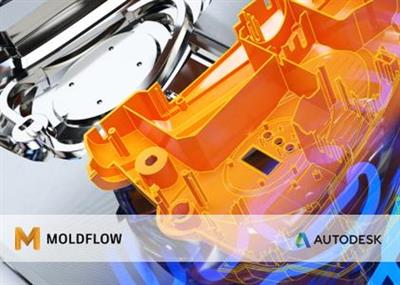
Autodesk Moldflow Products 2021.1

6b6c78695431230143c5fbb6ebe7b24a.jpeg


Autodesk Moldflow Products 2021.1 | 1.9 Gb​
The Moldflow development team is pleased to announce the availability of Autodesk Moldflow Products 2021.1. This release is localized, has a number of robustness improvements for the new Simulation Compute Manager (SCM), a updated material database and various bugfixes.

Autodesk Simulation Moldflow softwareprovides simulation tools for injection mold design, plastic part design, and validating and optimizing the injection molding design process. The software guides designers, mold makers, and engineers through simulation setup and results interpretation to show how changes to wall thickness, gate location, material, and geometry affect manufacturability for thermoset and thermoplastic materials.

On October 22, 2020, the latest Autodesk Moldflow Insight, Moldflow Synergy, and Moldflow Adviser releases became available for subscribers.

Some users were able to participate earlier this year in the Moldflow Insight & Synergy 2021 Beta program to help the developers test many of the great new features and functionalities within this latest release. With the extensive testing, we were able to successfully implement many of those features into this commercial release of Moldflow. If you want just a quick overview, take a look at the What's New in Moldflow 2021 overview video, that's under 3 minutes long to give you a high level overview of the new release.

Moldflow 2021 - What's New

Autodeskhelps people imagine, design and create a better world. Everyone-from design professionals, engineers and architects to digital artists, students and hobbyists-uses Autodesk software to unlock their creativity and solve important challenges.

Product:Autodesk Moldflow Products
Version:2021.1 (build 43.0.147) *
Supported Architectures:x64
Website Home Page :
У Вас недостаточно прав для просмотра ссылок. Войдите или зарегистрируйтесь.

Language:multilanguage
System Requirements:PC **
Size:1.9 Gb

Autodesk Moldflow Insight 2021.1
Autodesk Moldflow Synergy 2021.1

Graphics requirements
The graphic requirements listed here reflect the minimum required to obtain acceptable simulations.
- 512 MB DRAM or higher, OpenGL-capable graphics card and driver that supports hardware acceleration with OpenGL 3.2 or higher. Machines that do not support 3D hardware acceleration are not supported. Ensure you have installed the latest driver for your card. Please refer to the card manufacturer's website for drivers and instructions.
- 24-bit color setting at 1280 x 1024, or higher, screen resolution.

Download link:​
Код:
[center][b]rapidgator_net[/b]:
https://rapidgator.net/file/b610b47c8cea8f41d8918ef6685277a7/18twu.Insight.2021.1.part1.rar.html
https://rapidgator.net/file/f186c5e90e7e23dc2db61a4b1c3b76f2/18twu.Insight.2021.1.part2.rar.html
https://rapidgator.net/file/996667570ddd737358ce1e2e2b83f145/18twu.Insight.2021.1.part3.rar.html
https://rapidgator.net/file/b1ec01d3830925d9b95250de74b7c9ff/18twu.Synergy.2021.1.part1.rar.html
https://rapidgator.net/file/5b09aab4525c2dd073c25f00d7969846/18twu.Synergy.2021.1.part2.rar.html
https://rapidgator.net/file/a49f5d02bf125c9a0b821f62cbfd0801/18twu.Synergy.2021.1.part3.rar.html
https://rapidgator.net/file/417b33bd77d2b9f407b64afd24162681/18twu.Synergy.2021.1.part4.rar.html

[b]nitroflare_com[/b]:
https://nitroflare.com/view/10A2C2C7F73F565/18twu.Insight.2021.1.part1.rar
https://nitroflare.com/view/E6A04022C2C3592/18twu.Insight.2021.1.part2.rar
https://nitroflare.com/view/43158A169D8A40E/18twu.Insight.2021.1.part3.rar
https://nitroflare.com/view/DA44F65DF274716/18twu.Synergy.2021.1.part1.rar
https://nitroflare.com/view/4CC0E9DC6766795/18twu.Synergy.2021.1.part2.rar
https://nitroflare.com/view/4B2E90D80289668/18twu.Synergy.2021.1.part3.rar
https://nitroflare.com/view/3CD0BE6EA5DD97C/18twu.Synergy.2021.1.part4.rar

[b]uploadgig_com[/b]:
https://uploadgig.com/file/download/2906B173a98f4834/18twu.Insight.2021.1.part1.rar
https://uploadgig.com/file/download/31f50B8fb447D0b7/18twu.Insight.2021.1.part2.rar
https://uploadgig.com/file/download/c9f5c99f384BfEa0/18twu.Insight.2021.1.part3.rar
https://uploadgig.com/file/download/dce01197D4AE1b79/18twu.Synergy.2021.1.part1.rar
https://uploadgig.com/file/download/68ab19f1A22036D2/18twu.Synergy.2021.1.part2.rar
https://uploadgig.com/file/download/466fe9f8C0d19d12/18twu.Synergy.2021.1.part3.rar
https://uploadgig.com/file/download/b452fb36f258663c/18twu.Synergy.2021.1.part4.rar[/center]

Links are Interchangeable - No Password - Single Extraction​
 
Automatic Email Processor Ultimate 2.14.3

b155ef62c88c1e76f0d1f210b3238d48.jpeg


Automatic Email Processor Ultimate 2.14.3 | 35 Mb​
Automatic Email Processor is the complete solution for Outlook to store and print incoming emails and their attachments automatically. For this, various filters, flexible configuration options, such as individually definable storage folders and the possibility of subsequent processing are available. For example, the path of the location where you want Automatic Email Processor to save certain emails or email attachments, can be assembled dynamically from individual properties of an email.

For storing email messages, among other things, the output format can be specified (e.g. PDF, RTF or HTML). The standard Outlook message format (save email as MSG file) is particularly suitable for archiving important messages. The program supports the creation of an unlimited number of rules in order to be able to make separate settings for different email accounts. In addition, rules can be applied to emails of a certain period of time or to all emails already received in an Outlook folder.

Monitor Outlook folders
Examine incoming emails and apply appropriate rules.

Automatically save emails and attachments
Save emails and email attachments from Outlook automatically into dynamically created folders.

Print emails automatically
Send certain emails and attachments directly to the printer (for example, fax emails).

Optional further processing
Perform subsequent tasks, e.g., run a program with the filename of a saved attachment passed as parameter.

With Automatic Email Processor, you can:
* save emails automatically (as PDF file or in the original format)
* automatically print emails and email attachments (PDF files, Office documents etc.)
* save attachments automatically (save all or certain attachments of an email by using a filter)
* extract or print certain or all files from ZIP files
* monitor an unlimited number of Outlook folders
* create custom rules for different tasks
* filter by subject, sender, recipient, attachment file name ...
* receive status reports by email, forward messages or inform the sender
* use command line parameters: only one run, exit, catch-up
* create storage folders dynamically from properties of an email
* perform subsequent actions such as start a program with parameters, mark the message as read, or move the email into another Outlook folder
* re-process all emails (with certain criteria) of an Outlook email folder
* archive emails from any Outlook folder and period (e.g. as MSG files)
* have the email moved to a different Outlook folder after processing and have subfolders generated dynamically from properties of the email
* have an Excel report with an overview and detailed information sent to you on a regular basis
* limit the automatic processing of email messages to certain days and times

Automatically print emails and attachments from Outlook
Automatic Email Processor monitors Outlook and allows you to send emails or attachments that meet pre-defined criteria directly to a printer upon receipt. Different print settings can be defined for each rule, for example to be able to print certain emails in a different quality. The respective printer can be defined individually for each rule as well as separately for printing the email message or attachment. You can also specify that only certain pages of the email should be printed automatically (for example, print only the first or last page of a PDF attachment of the email).

Automatically save incoming emails as PDF files
With Automatic Email Processor, emails received in Outlook can automatically be saved into a specified directory as PDF file, for example, in order to keep a copy of the message for backup purposes. Attachments and the email itself can also be embedded (as MSG file with or without digital signature) in the PDF file. The path as well as the folder and file name of the PDF file to be saved can be composed of various properties of the email, such as the date and, for example, a part of the subject.

Automatically save and optionally detach Outlook email attachments
In addition to archiving the complete email, Automatic Email Processor can also automatically save attachments. The properties of the email and the name of the attachment can become part of the path, i.e. properties such as the sender name can be integrated in the folder and file name. After successfully saving the attachments, they can be detached or, more precisely, replaced by a link file containing only the path of the saved attachment. This can prevent problems caused by too large Outlook PST files and save storage space. The detachment of the attachment can optionally be done with a time delay - for example, two weeks.

Operating System:Windows 10, 8, 7 or Server (32-bit or 64-bit version).

Home Page-
У Вас недостаточно прав для просмотра ссылок. Войдите или зарегистрируйтесь.


Download link:​
Код:
[center][b]rapidgator_net[/b]:
https://rapidgator.net/file/587c64642bfafb3e932861c88619463b/be1va.Automatic.Email.Processor.Ultimate.2.14.3.rar.html

[b]nitroflare_com[/b]:
https://nitroflare.com/view/C40B4A83347F93B/be1va.Automatic.Email.Processor.Ultimate.2.14.3.rar

[b]uploadgig_com[/b]:
https://uploadgig.com/file/download/9371001d6a0D617b/be1va.Automatic.Email.Processor.Ultimate.2.14.3.rar[/center]

Links are Interchangeable - No Password - Single Extraction​
 
Bitwar Watermark Expert 2.0.5.0

1796a5ca4b5c6dba6d1333ba9a90a97c.jpeg


Bitwar Watermark Expert 2.0.5.0 | 19.2 Mb
Batch remove unwanted objects from images & videos or add text & image watermark to copyright protect your contents.​

Features:
- Remove Any Unwanted Elements from Pictures/Videos
- Get Rid Of Watermarks & Date Stamps
- Delete Unwanted Person from Photos
- Retouch old Photos Like a Wizard
- Copyright-Protect Your Photos & Videos Now

Operating System:Windows 7, 8/8.1, 10

Home Page-
У Вас недостаточно прав для просмотра ссылок. Войдите или зарегистрируйтесь.


Download link:​
Код:
[center][b]rapidgator_net[/b]:
https://rapidgator.net/file/9f37256f8c3669d570e9026538b12b5a/4lsd0.Bitwar.Watermark.Expert.2.0.5.0.rar.html

[b]nitroflare_com[/b]:
https://nitroflare.com/view/3DD15DC95EC1DAD/4lsd0.Bitwar.Watermark.Expert.2.0.5.0.rar

[b]uploadgig_com[/b]:
https://uploadgig.com/file/download/6751940b30Cc37f2/4lsd0.Bitwar.Watermark.Expert.2.0.5.0.rar[/center]

Links are Interchangeable - No Password - Single Extraction​
 
Boom 3D 1.2.2 (x64) Multilingual

a5e4a876e4b3b80f4625ee12e9a9e421.jpeg


Boom 3D 1.2.2 (x64) Multilingual | 52 Mb​
Boom 3D for Windows is an award-winning pro audio enhancement app designed to play your media content with incredible 3D effects on ANY headphones, from any player, any media or streaming services. You would not need an expensive headphone or costly surround sound boosters to feel your music.

Features that make your world go BOOM!
Tweak your system-wide audio with Boom's world-class enhance features

3D Surround
Experience movies, games and music with 3D Surround technology that offers a mind-blowing virtual surround sound without any special headphones to turn up the volume or costly surround speaker boosters.

Equalizer Presets
Most advanced Equalizers with 31 bands for precise audio tuning. Boom 3D for Mac & Windows also provides a vast array of presets carefully handcrafted to match different genres and individual taste of listening.

Boom Volume Booster
Boom 3D is a system-wide volume booster that safely increases the volume beyond its regular limits to deliver an intense and rich audio experience

Apps Volume Controller
Boom 3D allows you to manage individual application audio volumes and seamlessly have an undisturbed movie / game / music experience like a personal music player app.

State of the Art Audio Player
Play your locally stored songs with unbeatable Boom effects with our full-fledged audio player and create playlists to organize your music collections just like your personal music player app.

Amazing Audio Effects
- Ambience Fidelity Night Mode Spatial
- Be alive and feel the music around you with Ambience
- Be here, there and everywhere with Fidelity
- Optimize the night time listening volume with Night Mode
- Be right at the center of your audio with Spatial

Requirements:Compatible on Windows 10 only (64-bit).

Home Page -
У Вас недостаточно прав для просмотра ссылок. Войдите или зарегистрируйтесь.


Download link:​
Код:
[center][b]rapidgator_net[/b]:
https://rapidgator.net/file/79dbdb9b461c26a175229374188544e1/tweip.Boom.3D.1.2.2.x64.Multilingual.rar.html

[b]nitroflare_com[/b]:
https://nitroflare.com/view/07781533FA0B789/tweip.Boom.3D.1.2.2.x64.Multilingual.rar

[b]uploadgig_com[/b]:
https://uploadgig.com/file/download/f74551edde3369ec/tweip.Boom.3D.1.2.2.x64.Multilingual.rar[/center]

Links are Interchangeable - No Password - Single Extraction​
 
Bumpr 1.3.5 macOS

6e016620fddd3d6287502b8ac4c85d0b.jpeg


Bumpr 1.3.5 | macOS | 8 mb​
Bumpr is a handy, beautiful Mac app that lets you choose where to open links. Anytime you click on a web link, a compact, elegant menu pops up right in place and lets you choose which browser to open that link with. Bumpr also works with mail links.

Bumpr is particularly effective if you use more than one browser to run separate Google accounts, for cross-browser testing, to keep certain kinds of browsing activities restricted to certain browsers, and more. Its email handling is great if you use separate email clients for different email accounts.

Compatibility: macOS 10.11 or later

Download link:​
Код:
[center][b]rapidgator_net[/b]:
https://rapidgator.net/file/99c7e61340031464fed1f3c67de901bc/zm685.Bumpr.1.3.5.rar.html

[b]nitroflare_com[/b]:
https://nitroflare.com/view/01DB4D6C657757E/zm685.Bumpr.1.3.5.rar

[b]uploadgig_com[/b]:
https://uploadgig.com/file/download/a3c8B962053d50b1/zm685.Bumpr.1.3.5.rar[/center]

Links are Interchangeable - No Password - Single Extraction​
 
Butler 4.4 macOS

c86527574fc2ac9f6b05a0ff9c677c94.jpeg


Butler 4.4 | macOS | 5 mb​
Butler makes it easier for you to perform a wide variety of potentially recurring tasks. Just arrange these tasks in Butler's fully customizable configuration and assign one or more triggers to a task.

Available Triggers
- freely configurable system-wide menus in your menu bar/Butler's docklet
- freely configurable pop-up menus - triggered via hot key or hot corner (see below)
- abbreviations - for example, enter "qt" to launch QuickTime Player
- hot keys - for example, hit [F1] make iTunes switch to the next track
- hot corners - for example,
- events - for example,

Possible Tasks
- launch applications
- open files
- access preference panes
- manage bookmarks
- search the web
- run AppleScripts
- extend the pasteboard
- enter text snippets
- simulate keystrokes
- control iTunes
more...

Compatibility: OS X 10.9 or later

Download link:​
Код:
[center][b]rapidgator_net[/b]:
https://rapidgator.net/file/2399cbe8838867a6d9875cf22d04312f/h0772.Butler.4.4.rar.html

[b]nitroflare_com[/b]:
https://nitroflare.com/view/A3878ACB2AA6752/h0772.Butler.4.4.rar

[b]uploadgig_com[/b]:
https://uploadgig.com/file/download/a3E22aa1c253B325/h0772.Butler.4.4.rar[/center]

Links are Interchangeable - No Password - Single Extraction​
 
Capture One 21 Pro v14.1.0.220 macOS

57a8002704b051c84fbea65f6083a3cd.jpeg


Capture One 21 Pro v14.1.0.220 Multilingual | macOS | 561 mb​
Capture One is a professional RAW converter offering you ultimate image quality with beautiful colors and incredible detail for more than 500 high-end cameras. It offers state- of-the-art tethered capture, powerful digital asset management, extensive adjustment tools and a flexible workflow through customizable workspaces.

With an updated processing engine, market-leading performance and powerful new features, Capture One is the professional choice in imaging software. You get the highly responsive precision tools you need to create stunning images from your camera's RAW files in a time-saving workflow that can be customized to fit your needs.

New features and improvements
* Speed Edit
* Dehaze
* Improved importer

General User Experience Improvements and tweaks
* HEIF support
* Easy brush adjusting
* Improved performance
* Colored gradients on White Balance Sliders
* Enhanced tooltips
* Easy access to Tutorials

Compatibility: macOS 10.13 or later

Download link:​
Код:
[center][b]rapidgator_net[/b]:
https://rapidgator.net/file/ba78d9fb3ab641663a4f0944436b6306/h87w8.Capture.One.21.Pro.v14.1.0.220.part1.rar.html
https://rapidgator.net/file/01956de4be9a6b0756cc2ab5219f6369/h87w8.Capture.One.21.Pro.v14.1.0.220.part2.rar.html
https://rapidgator.net/file/28624c9ae452f38be668ce85726b0628/h87w8.Capture.One.21.Pro.v14.1.0.220.part3.rar.html

[b]nitroflare_com[/b]:
https://nitroflare.com/view/3C6085FAE88979B/h87w8.Capture.One.21.Pro.v14.1.0.220.part1.rar
https://nitroflare.com/view/1F4A7982AB25115/h87w8.Capture.One.21.Pro.v14.1.0.220.part2.rar
https://nitroflare.com/view/07FCC1E562C179F/h87w8.Capture.One.21.Pro.v14.1.0.220.part3.rar

[b]uploadgig_com[/b]:
https://uploadgig.com/file/download/45374B539132cece/h87w8.Capture.One.21.Pro.v14.1.0.220.part1.rar
https://uploadgig.com/file/download/931525b5Becd3D24/h87w8.Capture.One.21.Pro.v14.1.0.220.part2.rar
https://uploadgig.com/file/download/87768f63bC6C298b/h87w8.Capture.One.21.Pro.v14.1.0.220.part3.rar[/center]

Links are Interchangeable - No Password - Single Extraction​
 
Cradle CFD 2021.02 (Patch3) Update

2864a273f9ee7512ec076a4703b37950.jpeg


Cradle CFD 2021.02 (Patch3) Update | 336.9 mb​
The Software Cradle development team is pleased to announce the availability of Cradle CFD 2021.02 (Patch3) Update, is a series of practical, state-of-the-art CFD simulation and visualization software.

Cradle CFDis a series of practical, state-of-the-art CFD simulation and visualization software. Embracing remarkable processing speed, refined technology, and proven practicality verified by high user satisfaction, it has been in use for diverse applications, such as Automotive, Aerospace, Electronics, Building and Architecture, Civil Engineering, Fans, Machinery, and Marine developments, to solve thermal and fluid problems. Incorporating the reinforced Multiphysics co-simulation and chained simulation capability to achieve couplings with Structural, Acoustic, Electromagnetic, Mechanical, One-Dimensional, Optimization, Thermal Environment, 3D CAD and other relative analysis tools, as well as award-winning postprocessing feature to generate visually powerful simulation graphics, Cradle CFD enables any level users to process advanced simulations.

Cradle CFD Version 2021 is a multiphysics Computational Fluid Dynamics solution to enhance your productivity and aid smart manufacturing. The packages of scFLOW and scSTREAM are both integrated to Cradle CFD on the latest Version 2021.

The 2021 release offers more than 70 new beneficial features and improvements to enhance your CFD analysis and productivity.

MSC Software Cradle Computational Fluid Dynamics (CFD) Solutions

Software Cradle,part of Hexagon's Manufacturing Intelligence division, provides highly reliable, multiphysics-focused computational fluid dynamics (CFD), thermal dynamics software and integrated simulation tools that enhance customers' product quality and creativity. Hexagon's Manufacturing Intelligence division provides solutions that utilise data from design and engineering, production and metrology to make manufacturing smarter.

Product:Cradle CFD
Version:2021.02 Patch3 (February 2021)
Supported Architectures:x64
Website Home Page :
У Вас недостаточно прав для просмотра ссылок. Войдите или зарегистрируйтесь.

Language:english
System Requirements:PC *
Software Prerequisites:Cradle CFD V2021 preinstall
Size:336.9 mb

System Requirements
Cradle product supports following OS, hardware, and other requirements.

Operating SystemsWindows 8.1, 10 (Verified by Version 1909) Windows Server 2012, 2012 R2, 2016
Memory8 GB or more depending on the number of mesh elements
HDD10 GB free disk space for the product installation
GraphicsGraphics card, which supports OpenGL for Preprocessor and Postprocessor
User PrivilegeAdministrator privilege is required for installation.

Download link:​
Код:
[center][b]rapidgator_net[/b]:
https://rapidgator.net/file/c13994ca92cc58ce5ca05043c1565b78/o8ia1.Cradle.CFD.2021.02.Patch3.Update.rar.html

[b]nitroflare_com[/b]:
https://nitroflare.com/view/F50236BF39A5B95/o8ia1.Cradle.CFD.2021.02.Patch3.Update.rar

[b]uploadgig_com[/b]:
https://uploadgig.com/file/download/C19e1129ebc308b5/o8ia1.Cradle.CFD.2021.02.Patch3.Update.rar[/center]

Links are Interchangeable - No Password - Single Extraction​
 
CyberLink PowerDirector Ultimate 19.1.2521.0 (x64) Multilingual

5272426c0299395c5e0381140d7bf233.jpeg


CyberLink PowerDirector Ultimate 19.1.2521.0 (x64) Multilingual | 978 Mb​
Limitless Capabilities, Made Simple. Cut, refine, add effects, and publish - PowerDirector 365 offers best-in-class editing tools with an intuitive workflow. Create compelling content with powerful new effects, a streamlined user interface, and ever-growing resource libraries. No matter your level of proficiency, you can achieve spectacular results.

Integrate Complete Video Editing Capabilities Into Your Creative Workflow
Get the best of both worlds with still images and video in your production. PowerDirector works seamlessly with PhotoDirector to integrate edited photographs, graphics, or animated images. Refine your assets in PhotoDirector and add them right into your PowerDirector project or send out production stills and animated clips for a complete roundtrip workflow.

Powerful Tools, Infinite Possibilities, Inspiration Included
Unleash your creativity with the high-end performance and precision of PowerDirector 365. Harness the power of professional editing tools with an intuitive user interface, take advantage of a massive stock library, and bring your video ideas to life with monthly design packs.

Mask Designer (Enhanced!)
Create hyper-realistic image composites or expressive surrealist shots with our new advanced mask tools. Cut and combine images from different clips with unparalleled precision.

Dynamic Keyframe Controls (Enhanced!)
We've enhanced keyframing to provide more control over anchor points enabling dynamic motion as well as a new hold interpolation mode to apply your effects where you want them when you want them.

Customizable Motion Graphic Titles (Enhanced!)
Introduce every scene with an epic title. Use one of our stunning, ready-to-use motion graphic titles and customize the text and shape color to match your style.

Sketch Animation Overlays (New!)
Create the perfect tutorial video with animated sketch templates. Customize the size and color to match your style.

Refine and Match Colors, Fast (Enhanced!)
Set the tone. Keep color consistent across clips with one click or manually adjust the hue, saturation and brightness to match your look.

Add Customized Shape Objects
Insert customizable vector shapes with auto-fit text and precise keyframe controls. Choose from a wide range of text bubbles and callouts.

Dynamic Title Reveals
Get complete control over title animations and appearance with advanced tools to mask and reveal titles.

Green Screen Editing
Perform Hollywood-style green screen editing thanks to an improved chroma key engine and multi-key color sampling.

Intuitive Motion Tracking
Ensure 100% object tracking accuracy in your video clips with frame-by-frame motion tracking for both shapes and titles.

Stunning videos in a few clicks.
Pick from a huge range of ready-made templates complete with effects, titles and transitions in Express Projects. From there, it's simply a matter of adding your clips and clicking 'Produce'!

Easily Apply Speed Effects & One-Click Enhancements
Our Action Camera Center gives you everything you need to make quick edits, correct and enhance footage, as well as adjust frames, motion and more. Create the story you want, in just a few clicks!

Exceed Expectations
PowerDirector is renowned for being the world's fastest, most comprehensive video editing software. And with support for the latest video, photo, and audio formats, you'll be ready to tackle projects of any size.

Fast, by Design (Enhanced!)
Don't waste time waiting for your software to respond! Experience a superior editing performance with Intel 10th gen CPU optimization.

Professional Grade Support (New!)
Import and edit video shot on professional-grade cameras and in HEVC & VP9 10bit HDR10 & HLG, ProRes 10bit 4:2:2, XAVC 8bit 4:2:0 and MXF AVC 8bit 4:2:0 video compatibility. As well as support for AAC 5.1ch sound output.

Streamlined Workflow for YouTubers, Vloggers & Instagrammers
PowerDirector streamlines the workflow to make routine video production easier than ever - making it the best video editing software for Windows video creators!

Seamless Integration (New!)
Export your entire audio mix from PowerDirector directly into AudioDirector to deliver polished, pristine sound.

Nested Projects as PiP
Repurpose previous project files inside your new ones, and use keyframes to fully control the PiP object.

Audio Scrubbing
Hear audio while dragging the playhead through a project to quickly find a scene you need.

Video Pre-cut
Pre-cut long clips into short, reusable segments that you can use repeatedly throughout multiple projects.

Library Preview Window
Split-window mode for previewing clips, trimming, & inserting onto your timeline.

4K Preview
Preview your projects in 4K quality, and see how your video will look before you produce.

Minimum System Requirements:
- Microsoft Windows 10, 8/8.1, 7 (64 bit OS only)
- Intel Core™ i-series or AMD Phenom® II and above
- Standard Video: 128 MB VGA VRAM or higher
- 360-video: DirectX 11 compatible
- 4GB memory required (6GB or above recommended)
- 7GB hard disk space
- Burning drive is required for disc burning purpose
- Windows compatible sound card is required
- 1024 x 768, 16-bit color or above

Language Support:
- English
- French
- German
- Italian
- Spanish (European)
- Chinese Simplified
- Chinese Traditional
- Japanese
- Korean
- Dutch

Home Page -
У Вас недостаточно прав для просмотра ссылок. Войдите или зарегистрируйтесь.


Download link:​
Код:
[center][b]rapidgator_net[/b]:
https://rapidgator.net/file/4873a7989d3a078828a443c3b3e1d501/n2j4k.CyberLink.PowerDirector.Ultimate.19.1.2521.0.x64.Multilingual.rar.html

[b]nitroflare_com[/b]:
https://nitroflare.com/view/6B912A6B70C9596/n2j4k.CyberLink.PowerDirector.Ultimate.19.1.2521.0.x64.Multilingual.rar

[b]uploadgig_com[/b]:
https://uploadgig.com/file/download/a3f009acb92d1f54/n2j4k.CyberLink.PowerDirector.Ultimate.19.1.2521.0.x64.Multilingual.rar[/center]

Links are Interchangeable - No Password - Single Extraction​
 
DiskBoss Ultimate / Enterprise 12.1.16

73f5eeef879f15b2bd3e5158fdb80af3.jpeg


DiskBoss Ultimate / Enterprise 12.1.16 (x86/x64) | 34 Mb​
DiskBoss is an automated, rule-based data analysis and file management solution allowing one to perform disk space analysis operations, file classification, duplicate files search and cleanup, high-speed file synchronization and secure data migration, bulk file delete and secure data wiping operations, disk change monitoring, automated, policy-based file management and more.

DiskBoss provides advanced disk space utilization analysis capabilities allowing one to analyze one or more local disks, network shares or NAS storage devices and easily identify directories and files holding significant amounts of the disk space. In order to analyze one or more disks or directories, select the directories in the DiskBoss file navigator and press the 'Analyze' button located on the main toolbar.

DiskBoss will scan the selected disks and directories and display the analysis results dialog showing disks, directories and files sorted by the amount of the used disk space. The disk space analysis results dialog allows one to browse analysis results, perform file management operations, categorize and filter results, generate various types of charts, save analysis reports into the HTML, PDF, Excel, XML, text and CSV formats, submit reports to an SQL database, etc.

The user is provided with the ability to browse files and directories sorted by the used disk space, filter analysis results by the file extension, category, file size, last access time, user name, etc. and easily identify disk space usage hotspots. In addition, DiskBoss allows one to perform file management operations on analysis results, generate various types of disk space analysis charts and export reports into a number of standard formats such as HTML, PDF, XML, Excel CSV and ASCII text.

Supported Operating Systems:
Windows XP, Vista, 7, 8, 8.1, 10 Server 2003, 2008, 2008 R2, 2012, 2012 R2, 2016

Home Page-
У Вас недостаточно прав для просмотра ссылок. Войдите или зарегистрируйтесь.


Download link:​
Код:
[center][b]rapidgator_net[/b]:
https://rapidgator.net/file/6a50a82e14c0a27b079ad400565d539c/yljop.DiskBoss.Ultimate..Enterprise.12.1.16.rar.html

[b]nitroflare_com[/b]:
https://nitroflare.com/view/29E76369FD67930/yljop.DiskBoss.Ultimate..Enterprise.12.1.16.rar

[b]uploadgig_com[/b]:
https://uploadgig.com/file/download/28beC040D189A005/yljop.DiskBoss.Ultimate..Enterprise.12.1.16.rar[/center]

Links are Interchangeable - No Password - Single Extraction​
 
EasePaint Watermark Expert 2.0.5.0

a262e30ae868d961606292b791702abe.jpeg


EasePaint Watermark Expert 2.0.5.0 | 19.5 Mb​
One-click to Remove Watermarks or Unwanted Objects from Photos/Videos. Batch Mode Supported! Get Rid of the Watermarks, logos, People, Objects, Date Stamps, Texts, Emojis. Easily and Quickly with the Neural Network Algorithm.

Clean and capable interface that sports a well-thought layout, for optimal handling
The app sports an uncluttered layout which offers all of its tools in a concentric manner, this way providing users with an inherent, logical workflow when processing images or videos. Furthermore, the fact that the adjacent side-panels can be toggled on demand, makes things even more efficient.

Remove watermarks from either images or videos, thanks to competent editing tools
Having two main sections, one for erasing watermarks from images and one from videos, switching between the two is effortless. In terms of actual editing features, all that users need to do is perform a selection on the watermark area in the image and the app will automatically erase it.

Delete Unwanted Person from Travel Photos
Tourists, Extra objects can be Easily Erased.

Repair old Photos Like a Wizard
Retouch the Scratches & Blemishes from aged Photos, bring back the Memories!

Easily Erase Unwanted Elements in Pictures/Videos
- Get Rid of the Watermarks, logos, People, Objects, Date Stamps, Texts, Emojis
- Easily and Quickly with the Neural Network Algorithm.

Operating System:Windows 7, 8/8.1, 10

Home Page-
У Вас недостаточно прав для просмотра ссылок. Войдите или зарегистрируйтесь.


Download link:​
Код:
[center][b]rapidgator_net[/b]:
https://rapidgator.net/file/56f19e6e579e088974696bb7a67d0b2f/hijks.EasePaint.Watermark.Expert.2.0.5.0.rar.html

[b]nitroflare_com[/b]:
https://nitroflare.com/view/1F82B4FD0399FEB/hijks.EasePaint.Watermark.Expert.2.0.5.0.rar

[b]uploadgig_com[/b]:
https://uploadgig.com/file/download/f6d63350989b1811/hijks.EasePaint.Watermark.Expert.2.0.5.0.rar[/center]

Links are Interchangeable - No Password - Single Extraction​
 
Назад
Сверху