• Старая версия форума работает в архивном режиме www.old.nado.in

All mitsumi'1s Applications !! (updated daily)

  • Автор темы Автор темы mitsumi1
  • Дата начала Дата начала
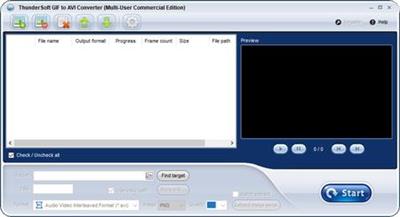
ThunderSoft GIF to AVI Converter 3.4.0

77f676e385bfb7e4d296bd6f0c6c4b5b.jpg


ThunderSoft GIF to AVI Converter 3.4.0 | 7.3 Mb​
ThunderSoft GIF to AVI Converter is the best software to batch convert gif files to avi files and extract gif image serial. Provide gif file frame by frame preview, and rich output setting, include background music, background color, frame rate, bitrate, custom logo, etc.

Features:
Convert Gif, Png, Bitmap or JPEG files to video format.
Allow batch convert with one click.
Supports command line conversion.
Extract gif file to image serial (Png, Bitmap or JPEG files).
Rich output setting, include background color, frame rate, bitrate, etc.
Allow add background music.
Allow add custom logo.
Output image setting, such as image format, image quality.
Provide gif file frame by frame preview.

Operating System: Windows 10/8.1/8/7/Vista/XP

Home Page -
У Вас недостаточно прав для просмотра ссылок. Войдите или зарегистрируйтесь.


Download link:​
Код:
[center][b]rapidgator_net[/b]:
https://rapidgator.net/file/ed77950b04331389188cb71a77df511d/nh0c6.ThunderSoft.GIF.to.AVI.Converter.3.4.0.rar.html

[b]nitroflare_com[/b]:
https://nitroflare.com/view/3588A0955E22E68/nh0c6.ThunderSoft.GIF.to.AVI.Converter.3.4.0.rar

[b]uploadgig_com[/b]:
https://uploadgig.com/file/download/d7280Bc372eeB874/nh0c6.ThunderSoft.GIF.to.AVI.Converter.3.4.0.rar[/center]

Links are Interchangeable - No Password - Single Extraction​
 
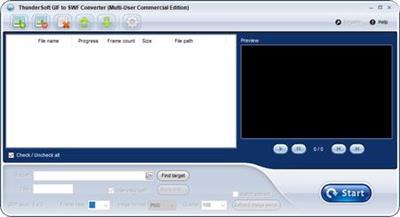
ThunderSoft GIF to SWF Converter 3.4.0.0

373db49d81009f3c05ecdfa74f99dcdf.jpg


ThunderSoft GIF to SWF Converter 3.4.0.0 | 7.4 Mb​
ThunderSoft GIF to SWF Converter is the best software to batch convert gif files to swf files and extract gif image serial. Provide gif file frame by frame preview, and rich output setting, include SWF version, background color, frame rate, image format, image quality, etc. Both image and speed of the output animation are same as the original gif files.

Features:
Convert Gif, Png, Bitmap or JPEG files to SWF format.
Allow add background music.
Allow batch convert with one click.
Supports command line conversion.
Extract gif file to image serial (Png, Bitmap or JPEG files).
Rich SWF file setting, include SWF version, size, background color, frame rate, etc.
The obtained SWF-movie can be linked to the specified URL.
Both image and speed are same as original.
Provide gif file frame by frame preview.
Allow change output animation speed.

Operating System: Windows 10/8.1/8/7/Vista/XP

Home Page -
У Вас недостаточно прав для просмотра ссылок. Войдите или зарегистрируйтесь.


Download link:​
Код:
[center][b]rapidgator_net[/b]:
https://rapidgator.net/file/670a77df51aa0239fb7780a9321d2621/d33vn.ThunderSoft.GIF.to.SWF.Converter.3.4.0.0.rar.html

[b]nitroflare_com[/b]:
https://nitroflare.com/view/F94CF1F32679699/d33vn.ThunderSoft.GIF.to.SWF.Converter.3.4.0.0.rar

[b]uploadgig_com[/b]:
https://uploadgig.com/file/download/bfc4203fCbfDf623/d33vn.ThunderSoft.GIF.to.SWF.Converter.3.4.0.0.rar[/center]

Links are Interchangeable - No Password - Single Extraction​
 
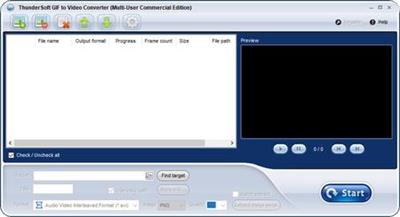
ThunderSoft GIF to Video Converter 3.4.0.0

1a6ff02f65796ffd6ae90724e31a0ffb.jpg


ThunderSoft GIF to Video Converter 3.4.0.0 | 7.3 Mb​
ThunderSoft GIF to Video Converter is the best software to batch convert gif files to video files and extract gif image serial. Supports all major video formats: avi,wmv,mp4,mkv,flv,mov,mpeg and so on. Provide gif file frame by frame preview, and rich output setting, include background music, background color, frame rate, bitrate, custom logo, etc.

Features:
Convert Gif, Png, Bitmap or JPEG files to video format.
Supports all major video formats: avi,wmv,mp4,mkv,flv,mov,mpeg, etc.
Allow batch convert with one click.
Supports command line conversion.
Extract gif file to image serial (Png, Bitmap or JPEG files).
Rich output setting, include background color, frame rate, bitrate, etc.
Allow add background music.
Allow add custom logo.
Output image setting, such as image format, image quality.
Provide gif file frame by frame preview.

Operating System: Windows 10/8.1/8/7/Vista/XP

Home Page -
У Вас недостаточно прав для просмотра ссылок. Войдите или зарегистрируйтесь.


Download link:​
Код:
[center][b]rapidgator_net[/b]:
https://rapidgator.net/file/944d50f339119f0181aa58c824b5b325/0wwp9.ThunderSoft.GIF.to.Video.Converter.3.4.0.0.rar.html

[b]nitroflare_com[/b]:
https://nitroflare.com/view/1A31CCE146A35AB/0wwp9.ThunderSoft.GIF.to.Video.Converter.3.4.0.0.rar

[b]uploadgig_com[/b]:
https://uploadgig.com/file/download/ad7e0D7f83a1223D/0wwp9.ThunderSoft.GIF.to.Video.Converter.3.4.0.0.rar[/center]

Links are Interchangeable - No Password - Single Extraction​
 
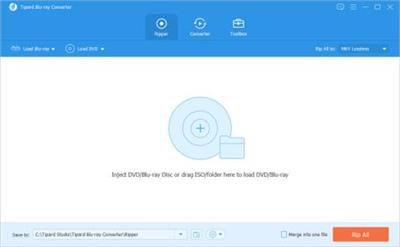
Tipard Blu-ray Converter 10.0.26 Multilingual

6ce11d484af171e8311b88ecc2a7aaf1.jpg


Tipard Blu-ray Converter 10.0.26 (x64) Multilingual | 63.8 Mb​
Tipard Blu-ray Converter, labeld as the best Blu-ray Ripper, features ripping Blu-ray Movies (disc, folder and iso files) and converting DVD and videos to various formats, like MP4, MKV, WMV, FLV, AVI, etc. It also possesses a wide range of output profile, including portable devices (iPhone 5S/C, iPad 4, iPad Air, iPad mini 2, Smasung Galaxy Series, HTC One Series and Kindle Fire, etc) and editing software (Avid Media Composer, Sony Vegas, After Effect and more).

Rip Blu-ray Movie to Popular Video/Audio Formats
Tipard Blu-ray Converter is casted as amazing blu-ray solution software to convert Blu-ray movie at blazing fast speed. It can convert any Blu-ray movie in Blu-ray disc, folder as well as iso files (virtual blu-ray drive is needed). Capable of ripping Blu-ray to mainstream video formats, this Blu-ray Ripper provides best solution to convert Blu-ray disc or Blu-ray m2ts files to MP4, MKV, WMV, MOV, AVI, FLV, DivX, etc or HD videos. Additional function to convert Blu-ray to videos of this Bku-reay Ripper is its extract capability to take out audios from Blu-ray and save them into desired audio formats, like FLAC, WAV, WMA, MP3, AMR, AIFF, OGG and more.

Comprehensive troubleshootor for DVD/video zealots
Blu-ray conversion is not the single merit of Tipard Blu-ray Converter. Held up as the best choice, it also features wonderful implementation to convert DVD and videos to desired formats you yearn for. This versatile Blu-ray Ripper is endowed with a exremely wide range of output profile, whose formats cover from prevailing devices to excellent editing software. That is, you can convert DVD/video to popular devices, like iPhone 5S, iPad 4, Samsung Galaxy Series, HTC One X, Kindle Fire HD, etc as well as current editing software, including Sony Vegas, Avid Media Composer, After Effect, Windows Movie Maker, Powerpoint and more. More importantly, huge quantity but no chaos is its another merit for the so much favourable causation.

Awesome Retouch Capability
No matter what source files you use, BD, DVD or video, this Blu-ray Converter enables users to make adjustment for video effect as needed. No matter what kind of edit you need to make, combing chapters or cutting video segments, this Blu-ray ripper will make it at a stroke with a small "merge" or "trim" button magically. As for users who needs to adjust video effect, several parameters like contrast, hue, brightness and Saturation are settable. The "Crop" feature padded with aspect ratio is mainly suit for users whose source videos have different aspect ratio with devices. If you need to label the output video with your logo, you can use the watermark function to paste picture/text, and the picture/text position, color as well transparency are alterable.

Welfare for Professional & Amateurish Users
Tipard Blu-ray Converter is one specially designed software around the concept of easy to use and user friendly. It adopts the best accelerating technology - NVIDIA® CUDA™ technology and AMD APP acceleration, which will make less time-consuming and faster file conversion on computers confired with multiple CPUs. As for Amateurish newbies, this Blu-ray ripper provides simple illustrated image guide on the main interface, easy but useful. Only several simple steps can complete the whole Blu-ray/DVD/video conversion process. Moreover, its coherent layout of profile list and category, to some extent, makes the profile-selection more smoothly, esp. with the quick user-friendly search frame.

System Requirements
OS Supported: Windows XP (SP2 or later), Windows Vista, Windows 7, Windows 8, Windows 10
CPU: 1.2GHz Intel or AMD CPU, or above;
RAM: 1G RAM or higher recommended
Drive: An internal or external Blu-ray drive

Home Page -
У Вас недостаточно прав для просмотра ссылок. Войдите или зарегистрируйтесь.


Language: Multilingual

Download link:​
Код:
[center][b]rapidgator_net[/b]:
https://rapidgator.net/file/92c4b8bf551b9bd1c0887e4e27f60ba5/8os6v.Tipard.Bluray.Converter.10.0.26.Multilingual.rar.html

[b]nitroflare_com[/b]:
https://nitroflare.com/view/8C9763F9E51EF09/8os6v.Tipard.Bluray.Converter.10.0.26.Multilingual.rar

[b]uploadgig_com[/b]:
https://uploadgig.com/file/download/0682854a1cD33e2E/8os6v.Tipard.Bluray.Converter.10.0.26.Multilingual.rar[/center]

Links are Interchangeable - No Password - Single Extraction​
 
Tipard Video Converter Ultimate 10.1.8 (x64) Multilingual

fa88fa6fe6806dcdc3f49514dbf34f79.jpg


Tipard Video Converter Ultimate 10.1.8 (x64) Multilingual | 107 Mb​
Tipard Video Converter Ultimate is capable of converting over 500 video and audio formats for playback on any mainstream device like iPhone 11/XS/ XR, iPad, iPod, Samsung, Huawei, Xiaomi, HTC, Motorola, Sharp, etc. Moreover, it can convert video to 4K UHD and 1080p HD video, so that you can get a superb clear image, even if you are using the 4K TV.

This powerful Media Converter supports full-quality conversion. It can convert recorded or downloaded video to the video of 4K H.265/HEVC (*.mp4), 4K H.264 FLV (*.flv), VP8 4K, VP9 4K, 2K HD, 1080p HD, 720p HD, 480p, etc., so that you can play Ultra HD video on any 4K TV like Samsung, Sony, Vizio and others, and play HD video on mainstream digital devices like iPhone, Samsung phone, etc.

The Excellent Video Converter supports over 500 media formats' conversion. It can convert video/video to MP4, MOV, WMV, AVI, FLV, MKV, VOB, WebM, TS, TRP, ASF, 3GP, MP3, WMA, WAV, FLAC, AAC, AIFF, OGG, MKA, AU, M4A, M4B, M4R, AMR, etc. You can extract the background audio from the video for ear pleasure. Meanwhile, the batch conversion can save your time greatly.

Rip and Copy DVD to Computer Losslessly
Not only working as the media converter, it can be the DVD Ripper and Copy. It can rip DVD into the digital formats for smooth playback on any device without DVD Player. Moreover, it can let you free up more room to copy the DVD disc into the DVD folder and ISO file.

Rip and convert DVD to a wide range of video formats of MP4, MKV, AVI, WMV, AVI, MOV, MP4, WMV, MKV, FLV, etc., and extract MP3, AAC, OGG, WAV, DTS, M4A, and more formats' music or songs from DVDs.

Convert DVD to MPG Lossless. Tipard Video Converter Ultimate can store the full original subtitle and audio track options of the DVD and keep the best output quality of the original DVDs.

Copy DVD to full DVD folder and ISO file. Tipard Video Converter can copy the DVD disc into the full-mode DVD folder and ISO file on the computer, so that you can experience the same playback as DVD player.

Convert Files at 60x Faster Speed with Full Quality
Tipard Video Converter Ultimate supports the GPU acceleration from Intel, AMD, NVENC, etc., which lets you experience the 60x faster speed than other common media converter in the market. Moreover, it converts the video files in full quality. Whether you rip a HD DVD to MPG Lossless, or convert 4K MP4 to 4K AVI, WebM, FLV, MKV, etc., it can lets you keep the original settings to keep the full quality.

Edit Video Effects to Refine Video Creations
This Media Conversion tool has a built-in video editor that allows you to edit the video effects easily. All the editing tools like watermark, clip, merge, crop, rotate, filter, etc., can be applied without any skills.

Clip & Merge
If you want to cut down a long video into parts for uploading, then this software is exactly what you need. It can split one file into 2 parts, and also keep the wanted part from a video file. It also lets you copy and paste the video segment to create what you want. When you want to make the collections, it can also combine more than one video and audio files into one file in simple clicks.

Crop Video
Feel annoyed by the black edges of the video? Just crop the video to remove the letterbox now. This video cropper lets you drag the frame to adjust the border directly to remove unwanted parts. Moreover, you can use the crop mode from Letter Box, Pan & Scan or Full. You can also change the aspect ratio as 16:9, 9:16, 4:3, 1:1 or freely.

Adjust Effects
How to get a darken recording video into a bright one? How to make the overexposed video normal. Tipard Video Converter Ultimate can solve it. It lets you adjust the contrast, hue, saturation and brightness manually by dragging the threshold slider. The deinterlacing feature can get a high-quality 1080i video and DVD titles.

Apply Filters
Filter is not only the magic for a photo. A video can also apply the filters to get a totally different video creation. You can apply the various filters like pixelate, gray, warm, coordinates, sketch, plain, whirlpool, purple, stars, modern, Hong Kong movie, and more, into your video file and get a fantastic movie vision with this video editor.

Add Watermark
Watermark is the specific of your video. When you share a video on YouTube, Facebook, etc., you can add your personal logo into the video to get recognition. This software lets you add the image as the watermark. It also lets you create a text watermark with your own font size, style, color, position, even the writing system.

Rotate & Flip Video
No body wants to get a sideways video playback on computer from the phone camera. So does you. Take Tipard Video Converter Ultimate to rotate your video in 90 counterclockwise or clockwise. Moreover, you can flip your video vertically and horizontally to create a mirroring video file to get more likes from others.

Add Subtitle & Audio Track
It will never be happy if you found your video downloaded is not synchronize in subtitle or voices. The software can help you fix it. It lets you remove the original substile and add the matching one. Moreover, for the background audio, you can silence it and add one or more audio tracks to replace the old one.

System Requirements
OS Supported: Windows XP (SP2 or later), Windows Vista, Windows 7, Windows 8, Windows 10
CPU: 1.2GHz Intel or AMD CPU, or above
RAM: 1G RAM or more

Home Page -
У Вас недостаточно прав для просмотра ссылок. Войдите или зарегистрируйтесь.


Download link:​
Код:
[center][b]rapidgator_net[/b]:
https://rapidgator.net/file/e7fe6b703292a725ca0ae6f08078f7b2/brziu.Tipard.Video.Converter.Ultimate.10.1.8.x64.Multilingual.rar.html

[b]nitroflare_com[/b]:
https://nitroflare.com/view/E1B826A9373D413/brziu.Tipard.Video.Converter.Ultimate.10.1.8.x64.Multilingual.rar

[b]uploadgig_com[/b]:
https://uploadgig.com/file/download/225aF282b2AFb263/brziu.Tipard.Video.Converter.Ultimate.10.1.8.x64.Multilingual.rar[/center]

Links are Interchangeable - No Password - Single Extraction​
 
Topaz DeNoise AI 2.3.5 (x64)

7e4432575a6b37d7d01f50eb01c2fb3a.jpg


Topaz DeNoise AI 2.3.5 (x64) | 1.07 Gb​
Shoot anywhere in any light with no reservations. Eliminate noise and recover crisp detail in your images with the first AI-powered noise reduction tool. You may be surprised at the results you get.

Shoot anywhere in any light
Great noise reduction is like a lens upgrade. You'll be able to get much higher-quality results when you're shooting fast action shots, night images, or any other situation that requires a high ISO. Use DeNoise AI to help you create a pixel-perfect photo in any situation.

Groundbreaking technology
Noise reduction technology has basically been the same for a decade, with only minor incremental improvements here and there. (We would know - we made one!) DeNoise AI is different: we fed an algorithm millions of noisy/clear images until it actually learned what noise is and how best to remove it.

Recover true detail
DeNoise AI examines the whole image and holistically determines the difference between detail and noise in that photo. (Other NR tools only look at pixel-level detail.) After understanding what noise vs detail looks like for that specific image, DeNoise AI recovers a surprising amount of detail from noise.

Lightroom vs DeNoise AI
When you need pixel-level perfection in your results, DeNoise AI offers the absolute best quality currently available anywhere. Existing noise reduction tools like Lightroom give you a choice: keep some noise or remove some detail. DeNoise AI's technology allows you to get the best of both worlds: to remove noise while actually strengthening detail. The original noisy image (© Luis Garena) is on the left; we compare the Lightroom vs DeNoise AI results on the right. Pay special attention to the increased definition in the image, especially in the car wheels and center signs.

- Enhance real detail
- Remove noise naturally with no smudging
- Best for moderate to ultra-high ISOs

Any noise reduction tool can remove noise - the really tricky part is to tell the difference between noise and detail. DeNoise AI helps you get the best quality at 100% by removing noise while recovering original image detail. Give it a try to see the difference for yourself!

Operating System Version:
- Windows 7 x64
- Windows 8/8.1 x64
- Windows 10 x64

Hardware Requirements:
- System RAM: 8GB / 16GB recommended
- GPU VRAM: 2GB / 4GB recommended

Graphics Card Requirements:
- NVIDIA: GeForce GTX 770 2GB / GeForce GTX 960 4GB recommended
- AMD: Radeon HD 8570 2GB / Radeon R9 270 4GB recommended
- Intel: HD Graphics 5000 / Iris Plus Graphics 640 recommended

Home Page -
У Вас недостаточно прав для просмотра ссылок. Войдите или зарегистрируйтесь.


Download link:​
Код:
[center][b]rapidgator_net[/b]:
https://rapidgator.net/file/22533e867f388b52674d8b40578fb23e/inund.Topaz.DeNoise.AI.2.3.5.x64.rar.html

[b]nitroflare_com[/b]:
https://nitroflare.com/view/F1CA68A7F0F93A9/inund.Topaz.DeNoise.AI.2.3.5.x64.rar

[b]uploadgig_com[/b]:
https://uploadgig.com/file/download/b49f681b7f60e5f1/inund.Topaz.DeNoise.AI.2.3.5.x64.rar[/center]

Links are Interchangeable - No Password - Single Extraction​
 
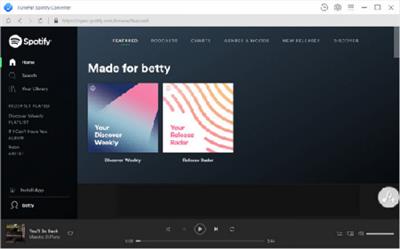
TunePat Spotify Music Converter 1.2.4 Multilingual

8249ebe8046ae3cb5fe2aae968fa931a.jpg


TunePat Spotify Music Converter 1.2.4 Multilingual | 74.76 Mb​
Download Spotify Songs without Premium It is well-known that the ability to download Spotify songs for offline play is proprietary for Premium users, Spotify Free users are limited to stream Spotify music online only. But now things changed thanks to the coming out of TunePat Spotify Converter.

TunePat Spotify Converter is dedicated to helping Spotify users to download and convert Spotify songs to a common format with no need to install the Spotify app. With it, both Spotify Free and Premium users can transfer Spotify songs to any of their devices for streaming offline.
Convert Spotify Music to MP3/AAC/WAV/FLAC
To make it easier for you to enjoy Spotify songs on more devices, TunePat Spotify Converter supports to convert any Spotify song, album, or playlist to various formats, including plain MP3, AAC, FLAC and WAV format.

With the help of such tool, you can easily get Spotify songs in MP3/AAC/WAV/FLAC format and enjoy them on all of your MP3 players, AAC compatible music players, car players, iPod, iPhone, Zune, PSP, and more.

Get Lossless Spotify Audio at 10X Conversion
Built with an innovative encoding technology, TunePat Spotify Converter can work at up to 10X faster speed when downloading music from Spotify. Users are allowed to add up to 100 songs from Spotify at one time to convert instead of monotonously selecting and processing single song.

What's more, there is no loss in the quality of the audio during the conversion process. After conversion, you will get 100% lossless Spotify music which is the same as the original audio files.

Keep All ID3 Tags Information
Apart from the fantastic listening effects, TunePat Spotify Converter also surprises people with a great feature of keeping all ID3 tags. This tool adopts an advanced ID3 tag identification technology which makes it possible to easily retain ID3 tags such as Track Number, Artist, Artwork, Album and other metadata information in output audio.

Thanks to this wonderful and humanized feature, now you can easily organize output music library by artists and albums without sorting them one by one manually.

Home Page:
У Вас недостаточно прав для просмотра ссылок. Войдите или зарегистрируйтесь.


Language: Multilingual

Download link:​
Код:
[center][b]rapidgator_net[/b]:
https://rapidgator.net/file/18fe61498eaf11c7375b82e605f4f3a2/9dq88.TunePat.Spotify.Music.Converter.1.2.4.Multilingual.rar.html

[b]nitroflare_com[/b]:
https://nitroflare.com/view/514E5BA191599B3/9dq88.TunePat.Spotify.Music.Converter.1.2.4.Multilingual.rar

[b]uploadgig_com[/b]:
https://uploadgig.com/file/download/F39346c5629911e8/9dq88.TunePat.Spotify.Music.Converter.1.2.4.Multilingual.rar[/center]

Links are Interchangeable - No Password - Single Extraction​
 
VideoSolo Video Converter Ultimate 2.0.22 Multilingual

24e7514e62ea54a1524cc1e8c5fd38a1.jpg


VideoSolo Video Converter Ultimate 2.0.22 (x64) Multilingual | 59.76 Mb​
VideoSolo Video Converter Ultimate allows you to convert almost all existing formats, including AVI, FLV, MP4, M4V, MKV, MOV, 3GP, 3G2, SWF, WMV, ASF, AAC, AC3, AIFF, FLAC, M4A, MP3, OGG, WAV, WMA and more. When you are reviewing captured video, how often do you feel that it cannot meet the quality you expected. Too dark? Overexposed? Shaking video? Don't worry, the built-in video enhancer can improve your video quality easily.

Edit Videos - Clip, Rotate, Crop, Watermark
With the built-in video editor, you are allowed to edit your videos basically. On its editing window, the editing features such as crop, clip, watermark and effect are offered.

Provide Complete Preset Profiles for Multiple Devices
With VideoSolo Video Converter Ultimate, you can throw all those incompatibility issues away and convert almost any video to the video format that preset for your iPhone, iPad, Android phone, PS4, Smart TV, etc.

Support HD/4K UHD and 3D converting
It supports HD/4K UHD and 3D conversion. You can take full control of the conversion of 4K (UHD), 1080P (FHD), 720P (HD) and 480P(SD). Better yet, you can rip homemade DVD to MP4.

A Real Time Saver- 6X Faster Video Conversion Speed
Thanks to the Support of NVIDIA CUDA, NVENC, AMD and Intel HD Graphics hardware acceleration technology, the conversion speed is 6 times faster than normal. No re-compression or loss of quality!

System requirements:
OS: Windows 10/8/7/Vista/XP (SP2 or later)
1GHz Intel/AMD CPU or above
512MB RAM, Super VGA (800x600) resolution, 16-bit graphics card or higher

Home Page -
У Вас недостаточно прав для просмотра ссылок. Войдите или зарегистрируйтесь.


Language: Multilingual

Download link:​
Код:
[center][b]rapidgator_net[/b]:
https://rapidgator.net/file/4b10636b3001f1f9be2f27d9febad700/4y12k.VideoSolo.Video.Converter.Ultimate.2.0.22.Multilingual.rar.html

[b]nitroflare_com[/b]:
https://nitroflare.com/view/6C6F1A7BE70C488/4y12k.VideoSolo.Video.Converter.Ultimate.2.0.22.Multilingual.rar

[b]uploadgig_com[/b]:
https://uploadgig.com/file/download/8ec1c85dF246dB7b/4y12k.VideoSolo.Video.Converter.Ultimate.2.0.22.Multilingual.rar[/center]

Links are Interchangeable - No Password - Single Extraction​
 
Video Watermark Subtitle Creator Professional Edition 4.0.7.0 Multilingual

30c46e3c7100a655cd72db2e1b7bad77.jpg


Video Watermark Subtitle Creator Professional Edition 4.0.7.0 Multilingual (x64) | 30.67 Mb​
Video Watermark Subtitle Creator is an best video watermark software for editing video, adding watermark and subtitle, It can add video, image, words and subtitle in WYSIWYG, and can set time of appearance, position, size and animated effects for watermark and subtitle to video, and preview at will. It can add watermark and subtitle to videos in batch, splitting and merging video in batch.

System Requirements:
OS: Windows 7, 8, 10 (64 bit)
Processor: 1GHz Intel/AMD processor or above
RAM: 256MB RAM (512MB or above recommended)
Free Hard Disk: 200MB space for installation

Home Page -
У Вас недостаточно прав для просмотра ссылок. Войдите или зарегистрируйтесь.


Language: English

Download link:​
Код:
[center][b]rapidgator_net[/b]:
https://rapidgator.net/file/3bcc1dfd0a79a7b555f5a21aa1e71d8d/8tgw6.Video.Watermark.Subtitle.Creator.Professional.Edition.4.0.7.0.Multilingual.rar.html

[b]nitroflare_com[/b]:
https://nitroflare.com/view/E13197D3067C0EC/8tgw6.Video.Watermark.Subtitle.Creator.Professional.Edition.4.0.7.0.Multilingual.rar

[b]uploadgig_com[/b]:
https://uploadgig.com/file/download/934A320607e4Cd89/8tgw6.Video.Watermark.Subtitle.Creator.Professional.Edition.4.0.7.0.Multilingual.rar[/center]

Links are Interchangeable - No Password - Single Extraction​
 
Vidmore Blu-ray Monster 1.0.12 Multilingual

81bc674bb0c022e5d85cb8586591ebd7.jpg


Vidmore Blu-ray Monster 1.0.12 (x64) Multilingual | 62.7 Mb​
With Vidmore Blu-ray Monster, you can easily convert your Blu-ray movie to a video or audio file that can be stored anywhere. It also allows you to rip the full Blu-ray disc to a folder with its original structure, 6x faster speed and no quality loss.

Rip Blu-ray to Any Video & Audio Formats, Any Devices
Vidmore Blu-ray Monster offers you the complete solutions to rip Blu-ray movies. You can find a wide range of output formats, as well as optimized presets for different smartphones, tablets, TVs, etc. Equipped with the best ripping technology, this software enables you to watch your Blu-ray collection on any device and share the movies in the way you like. Any Blu-ray discs, regardless of region restriction, can be converted with this powerful tool.

Rip Blu-ray to Video
Convert and rip Blu-ray discs to all 4K and 1080p video formats, including MP4, AVI, MKV, MOV, WMV, FLV, M4V etc.

Extract Audio from Blu-ray
Extract audio streams from your favorite Blu-ray movie and save them into common audio formats like MP3, M4A, FLAC.

Convert Blu-ray to Device
Rip Blu-ray discs to compatible formats for different devices, such as iPhone, iPad, Apple TV, Samsung Smartphone.

Cut out any clip from your Blu-ray movie
A handy built-in video cutter makes the Blu-ray ripping software easier to use, when you only want a small clip from your Blu-ray movie. The trim function lets you cut out any scenes from the main movie, and save them separately or merge them into a new video file. You only need to set up the start and end time of each clip. Then the software will do the rest job for you.

Merge titles of a Blu-ray to a video file
A Blu-ray disc always contains different titles including the main movie, trailer, BTS. If you want merge two or more title of the Blu-ray into a single video file, Vidmore Blu-ray Monster also comes in handy. You only need to select the titles you want and then activate the merging option. This software will automatically merge and convert them into a new video file.

Adjust the effects of the Blu-ray movie
Is the old Blu-ray disc too dark or is the sound of the movie too low? Vidmore Blu-ray Monster offers you easy options to adjust these effects, such as brightness, contrast, saturation and hue. The customized filters allow you personalize the Blu-ray movie instantly. Besides, you can also increase the sound volume up to 200%, so that you can enjoy a better sound effect.

System Requirements:
Windows 10, Windows 8.1/8, Windows 7
Intel® or AMD processor, 2 GHz or faster
2 GB or more of RAM (4 GB recommended)
120 MB of hard-disk space for installation
1024 x 768 display (1280x800 recommended)

Home Page -
У Вас недостаточно прав для просмотра ссылок. Войдите или зарегистрируйтесь.


Language: Multilingual

Download link:​
Код:
[center][b]rapidgator_net[/b]:
https://rapidgator.net/file/8ef4462928f16022050d14f8b6afa12c/vawff.Vidmore.Bluray.Monster.1.0.12.Multilingual.rar.html

[b]nitroflare_com[/b]:
https://nitroflare.com/view/06C8D4A80DDAAAA/vawff.Vidmore.Bluray.Monster.1.0.12.Multilingual.rar

[b]uploadgig_com[/b]:
https://uploadgig.com/file/download/7755C12a8553be5e/vawff.Vidmore.Bluray.Monster.1.0.12.Multilingual.rar[/center]

Links are Interchangeable - No Password - Single Extraction​
 
Vidpaw RipAnyBlu-ray 1.0.22 Multilingual

adfa8bb0d330c22b8ae08ec9bb251e7e.jpg


Vidpaw RipAnyBlu-ray 1.0.22 (x64) Multilingual | 59.8 Mb​
Want to back up Blu-ray contents from Blu-ray disc & folder? RipAnyBlu-ray features powerful RipAnyBlu-ray and ISO files ripper, 3D ripper to help you rip and convert any Blu-ray videos from Blu-ray disc, folder to 720p, 1080p, 4K with popular output formats like MP4, MKV. Moreover, it allows converting Blu-ray videos to audios with lossless quality in MP3, M4A, etc. Editing output file is supported. It supports to trim, rotate the output files based on your need. What's more, enable GPU acceleration to boost the performance easily.

RipAnyBlu-ray supports to specify the output file for certain devices. Output files are playable on various media devices, for example, Windows computer, MacBook, iPhone, iPad, Apple TV, Window Phone, Android phone/tablet, PS4 and so forth. With so many amazing features, RipAnyBlu-Ray is your perfect, do-it-all RipAnyBlu-ray indeed.

Features :

One-shot to Edit Multiple Tracks
EditMyVid allows to add multiple audio tracks for editing at one, saving much time and bringing great convenience.

Video Stablization
EditMyVid offers a simple way to stablize video only one click can eliminate shaky video and make it look more professional.

Auto Video Enhancement
Considering it a troublesome work to enhance a video step-by-step? Try EditMyVid's auto video enhance function

Import Video from Various Devices
You are allowed to import videos to EditMyVid from any device like a camera and smart phone (iOS/Adroid, etc.).

Auto Video Enhancement
Considering it a troublesome work to enhance a video step-by-step? Try EditMyVid's auto video enhance function

Import Video from Various Devices
You are allowed to import videos to EditMyVid from any device like a camera and smart phone (iOS/Adroid, etc.).

Download Photos from Social Media
Except for collecting photo materials from the Internet, you can also do this with EditMyVid! EditMyVid now is available for downloading photos from Facebook, Instagram, and Flickr.

Instant Video Preview
Preview the editing video at anytime and grasp the exact effect after you have added to it. With simpler ways and clear toolkits, you can create excellent video clips like a pro.

Home Page:
У Вас недостаточно прав для просмотра ссылок. Войдите или зарегистрируйтесь.


Language: Multilingual

Download link:​
Код:
[center][b]rapidgator_net[/b]:
https://rapidgator.net/file/5bad75a96a98b2d1356f12ce91b4868a/ujnxs.Vidpaw.RipAnyBluray.1.0.22.Multilingual.rar.html

[b]nitroflare_com[/b]:
https://nitroflare.com/view/FE4DAA89CC932C7/ujnxs.Vidpaw.RipAnyBluray.1.0.22.Multilingual.rar

[b]uploadgig_com[/b]:
https://uploadgig.com/file/download/6a125ef1dd845466/ujnxs.Vidpaw.RipAnyBluray.1.0.22.Multilingual.rar[/center]

Links are Interchangeable - No Password - Single Extraction​
 
Vidpaw RipAnyDVD 1.0.18 Multilingual

841b285c2e1ac22758cd477ba93f85b2.jpg


Vidpaw RipAnyDVD 1.0.18 (x64) Multilingual | 59.9 Mb​
RipAnyDVD is a powerful tool, specializing in ripping DVD to video or audio with any popular format. Based on the leading DVD decryption and decoding technology, RipAnyDVD can help you to fulfill any wish on ripping DVD for backup, recreation, or playback, etc. As a professional RipAnyDVD, it can rip DVD disc/folder/ISO to common formats such as MP4, AVI, MKV, MPG, WMV, MOV, 3GP and so on. Moreover, RipAnyDVD also supports to convert DVD to audio in MP3, M4A, M4B, AIFF, etc. For sure, its high-quality outcomes are the keys to attract and stay more users.

Another key to make it useful is feasible functions. RipAnyDVD enables users to edit the DVD video based on your needs. You can trim and crop the video. If you want to make your video outstanding, you can apply visual effects on it as well. More services on RipAnyDVD are waiting for you to explore.

Features :

Rip DVD to MP4, MP3, or Other Formats
RipAnyDVD enables you to rip DVD to HD video with multiple formats like MP4, AVI, WMV, FLV, MKV, 3GP, etc. Also, it can convert DVD to audio file with MP3, M4A, WMA, AIFF, M4B, etc. To meet different demands, RipAnyDVD also offers many presets for devices. All output profiles are acceptable by most devices like iPhone, iPad, Samsung Galaxy, Nokia,etc.

6X Faster to Rip Any DVD
Want to get faster converting performance? RipAnyDVD can help you as well. With the supported GPU acceleration service, you can enable NVIDIA GPU Acceleration, Intel App Acceleration, AMD APP Acceleration options on RipAnyDVD to get 6X faster DVD converting process. Let's enjoy the fast speed on ripping DVD.

Edit and DIY DVD Videos
RipAnyDVD not only provides RipAnyDVD but also video editor for users to DIY your own DVD videos. It offers some basic services like trimming video length and cropping video area. To beautify your DVD video, you can change some parameters to adjust brightness, contrast, saturation, frame rate, etc. Moreover, special visual effects are able to apply on your videos.

Rip DVD to 3D
RipAnyDVD has the ability to convert 2D DVD to 3D video as well. Moreover, 6 different 3D modes are offered - Anaglyph Red, Anaglyph Cyan, Side-by-Side Full, Side-by-Side Half-Picture, Top and Bottom Full, Top and Bottom Half-Picture. With RipAnyDVD, you can easily enjoy 3D movies on your computer with simple clicks.

Home Page:
У Вас недостаточно прав для просмотра ссылок. Войдите или зарегистрируйтесь.


Language: Multilingual

Download link:​
Код:
[center][b]rapidgator_net[/b]:
https://rapidgator.net/file/e70e2657d1dac6e1a9a4f6fe5cab4065/nr5qz.Vidpaw.RipAnyDVD.1.0.18.Multilingual.rar.html

[b]nitroflare_com[/b]:
https://nitroflare.com/view/694B28DF5AD70B4/nr5qz.Vidpaw.RipAnyDVD.1.0.18.Multilingual.rar

[b]uploadgig_com[/b]:
https://uploadgig.com/file/download/1e47c4ce9d297Ebf/nr5qz.Vidpaw.RipAnyDVD.1.0.18.Multilingual.rar[/center]

Links are Interchangeable - No Password - Single Extraction​
 
VovSoft Hide Files 6.3 Multilingual

80863ab066a7d8885a2cdc7c41a68d64.jpg


VovSoft Hide Files 6.3 Multilingual | 2.9 Mb​
Secure your confidential files and folders. Hide Files is a folder-locker utility. You can encrypt and decrypt your sensitive documents, photo albums, videos, emails and any kind of data. You can password protect any secret or embarrassing files. Hide your files and folders from prying eyes. Set your master password and lock your files. No one can access your files without your master password.

Hide Files supports NTFS, FAT32 and FAT16 file system types, local hard drives, external hard drives, SSD drives, SD/MMC memory cards and USB flash disks. Hide Files can lock and unlock your gigabytes of data within seconds. Hide Files supports drag and drop from Windows Explorer and supports lost password recovery. Hide Files stops locking process if any file or disk error occurs and helps you not to lose your important data. However it is always a good idea to backup your important files and folders first.

Operating System: Windows XP, Vista, 7, 8/8.1, 10

Home Page -
У Вас недостаточно прав для просмотра ссылок. Войдите или зарегистрируйтесь.


Download link:​
Код:
[center][b]rapidgator_net[/b]:
https://rapidgator.net/file/495f0c2449e831efe300838d8e13cc8f/nm8aa.VovSoft.Hide.Files.6.3.Multilingual.rar.html

[b]nitroflare_com[/b]:
https://nitroflare.com/view/76E4BF81434F78C/nm8aa.VovSoft.Hide.Files.6.3.Multilingual.rar

[b]uploadgig_com[/b]:
https://uploadgig.com/file/download/eF9873Cc455c25cd/nm8aa.VovSoft.Hide.Files.6.3.Multilingual.rar[/center]

Links are Interchangeable - No Password - Single Extraction​
 
VovSoft Open Multiple Files 2.5

1997801229ddcab56aa101f236562f83.jpg


VovSoft Open Multiple Files 2.5 | 2.6 Mb​
Working with multiple files, folders, apps or URLs at the same time can result in hectic situations, especially when trying to launch or open several instances at a time. Carried out manually, this process can be at least tiresome, not to mention inefficient. Open Multiple Files is an app which was developed for helping users cope with such issues and allow them to open multiple files or folders simultaneously.

Adding files or folders is a breeze and users can do so by either resorting to the dedicated menu, buttons or by dragging-and-dropping the preferred files. Once files or folders have been added, these will appear listed in the app's main viewing area, which could have benefited from the addition of a detailed-type listing, for better identification. Besides the files or folders, the app can also receive URLs as input, as well as executable files, this way providing users a broader usage palette. Running the main feature - the multi-file opener will quickly launch all the added content, simultaneously, in the inserted order.

A great feature is the ability to save the added content as a text listing, which can be opened at any time. This not only improves overall efficiency but also offers people the ability to manage their multi-file sessions better. It also adds shortcut to SendTo folder, user can right-click files and folders from the context menu.

Operating System: Windows 10/8.1/8/7/Vista/XP

Home Page -
У Вас недостаточно прав для просмотра ссылок. Войдите или зарегистрируйтесь.


Download link:​
Код:
[center][b]rapidgator_net[/b]:
https://rapidgator.net/file/573fb0450b00ffd3dbbae542d907ba98/cc6zd.VovSoft.Open.Multiple.Files.2.5.rar.html

[b]nitroflare_com[/b]:
https://nitroflare.com/view/90E95D3CADC6C4A/cc6zd.VovSoft.Open.Multiple.Files.2.5.rar

[b]uploadgig_com[/b]:
https://uploadgig.com/file/download/3893a5dc6ffB1607/cc6zd.VovSoft.Open.Multiple.Files.2.5.rar[/center]

Links are Interchangeable - No Password - Single Extraction​
 
WebSupergoo ABCpdf DotNET 11.314

dfe71d023bfbb8ae998bfc4ab25a8e98.jpg


WebSupergoo ABCpdf DotNET 11.314 | 225.5 Mb​
ABCpdf .NET is a .NET development tool that can be integrated into your web server and standalone applications to allow end users to create PDF documents with ease. The package contains a series of DLL files made for quick deployment.

Among other features, it facilitates a virtualized COM interface that can be used for backwards compatibility with ABCpdf ASP and Classic ASP/COM. The tool is suitable for ASP, VB.NET, C# and ASP.NET, along with projects supported by other programming languages too.

No print drivers are used in the making of the PDF files, which means that the process time is significantly reduced. It is fully multi-threaded, so that it can be deployed under COM+, MTS or .NET Enterprise Services.

ABCpdf .NET supports various filetypes, including HTML and CSS that can be imported from either local or remote websites. For instance, you can use Chrome, Firefox or IE style conversion. As far as graphical content is concerned, you can work with BMP, PNG, EXIF, JPEG, GIF, JPEG 2000, Photoshop PSD and PSB, EPS, TIFF, and HDR, among others.

Besides PDF, the utility can be used to create XPS and EPS. Other supported formats include Microsoft Word (DOC), PowerPoint (PPT), Lotus 1-2-3 (WK1) and AutoCAD (DXF). It is compatible with Unicode and foreign languages.

Operating System: ABCpdf 11 is supported on all Windows versions since Windows Vista.

Home Page -
У Вас недостаточно прав для просмотра ссылок. Войдите или зарегистрируйтесь.


Download link:​
Код:
[center][b]rapidgator_net[/b]:
https://rapidgator.net/file/77292879aac2575a53b7abc9565d886e/91wkr.WebSupergoo.ABCpdf.DotNET.11.314.rar.html

[b]nitroflare_com[/b]:
https://nitroflare.com/view/70A97690993E7CC/91wkr.WebSupergoo.ABCpdf.DotNET.11.314.rar

[b]uploadgig_com[/b]:
https://uploadgig.com/file/download/8c4d38D9dE935f46/91wkr.WebSupergoo.ABCpdf.DotNET.11.314.rar[/center]

Links are Interchangeable - No Password - Single Extraction​
 
WinX DVD Ripper Platinum 8.20.5.245 Multilingual

97ac5a63faeb47edbbeae3d24027a70c.jpg


WinX DVD Ripper Platinum 8.20.5.245 Multilingual | 33 Mb​
WinX DVD Ripper Platinum can rip the content of DVDs to all popular video formats such as AVI, MOV, FLV, WMV, MPEG, MP4, 3GP, etc. What's more, it also owns the ability of ripping different DVDs (including encrypted DVDs) to Sony PSP, Apple iPhone, iPod, iPad, iTouch, Apple TV, Zune, Mobile phone, etc.

This DVD ripper software supports multi-core CPU and is fully compatible with Windows 7. We promise WinX DVD Ripper Platinum is the fastest DVD ripping solution in the market. Besides converting DVD to regular video formats, 1:1 DVD copy enables you to backup your DVD with original video, audio and subtitles within only 5 minutes (the processing time also depends on your CPU and DVD driver speed).

WinX DVD Ripper Platinum fully supports normal DVDs, CSS protected DVDs, Sony ArccOS DVDs and all region 1-6 DVDs. Moreover, we are so proud to tell you that WinX DVD Ripper Platinum is the unique DVD ripping program which supports decrypting DVDs with the latest copy protection technology such as Transformers 2, Star Trek 2009, The Dark Knight, UP, WALL-E, The Proposal, District 9 etc.

Powerful Functions
Support ripping DVD video, extracting audio, grabbing screenshot and enable users to fully control output video quality or size by freely adjusting parameters.

Advanced Technology
Build in powerful and high speed encoding engine, support multi-core CPU, automatically detect and connect converted videos to portable devices and fully compatible with Windows 7.

Easy and Fast
WinX DVD Ripper Platinum is a one-click solution for DVD ripping. It is suitable for all levels of experienced users or even novices. And we promise it owns the fastest ripping speed.

Key Features

Unique features:
1. 1:1 DVD Copy without Quality Loss: Decrypt & copy DVD to PC with 100% original video, audio and subtitles within only 5 minutes - new!
2. If your original DVD's audio is out of sync with movie, the Intelligent A/V Synchronizer can help you solve the problem - new!
3. To avoid any kind of problems during conversion process, we offer you safe mode which can skip the problems and finish the whole conversion process more smoothly - new!
4. Enable to change interlaced scanning DVD movie to progressive scanning, make converted video with clearer image - new!
5. Multi-core CPU supported, which makes your conversion process much faster - new!
6. Batch rename all clips easily with "Renaming Template" before converting - new!

Ripping features:
1. Rip DVD to popular video formats, e.g. DVD to MOV, DVD to AVI, DVD to FLV, DVD to WMV, DVD to MPEG, DVD to MP4, etc
2. Rip DVD to popular portable devices including DVD to iPhone, DVD to iPod, DVD to iPad, DVD to PSP, DVD to Zune, DVD to Mobile phone, etc
3. Rip DVD audio into MP3 music file
4. Support grabbing screenshot from DVD video to JPG & BMP

Extra features:
1. All video/audio parameters are adjustable for users to optimize video quality
2. Automatically disable subtitles but enable users to choose
3. Trim any segment of DVD to convert
4. With powerful and high speed encoding engine inside, Platinum Edition enables users to rip and convert DVD video with much better video/audio quality
5. Support automatically detecting, connecting and transferring converted videos to portable devices

Operating System: Windows 2000, 2003, XP, Vista, Windows 7, Windows 8/8.1, Windows 10 | (32 & 64 bit)

Home Page -
У Вас недостаточно прав для просмотра ссылок. Войдите или зарегистрируйтесь.


Download link:​
Код:
[center][b]rapidgator_net[/b]:
https://rapidgator.net/file/5dc708ccb6b55c0e7c2f718b17a26eb4/eyf85.WinX.DVD.Ripper.Platinum.8.20.5.245.Multilingual.rar.html

[b]nitroflare_com[/b]:
https://nitroflare.com/view/5CD893BD5E20D7C/eyf85.WinX.DVD.Ripper.Platinum.8.20.5.245.Multilingual.rar

[b]uploadgig_com[/b]:
https://uploadgig.com/file/download/A6433553f7006A74/eyf85.WinX.DVD.Ripper.Platinum.8.20.5.245.Multilingual.rar[/center]

Links are Interchangeable - No Password - Single Extraction​
 
WinX HD Video Converter Deluxe 5.16.2.332 Multilingual

5b7cd4d05b433a3e2fbcc57669ee586d.jpg


WinX HD Video Converter Deluxe 5.16.2.332 Multilingual | 45.2 Mb​
WinX HD Video Converter Deluxe, all-in-one video software as an UHD video converter/compressor, (YouTube) video downloader, and video editor, gives you an ultimate control over any SD, HD and 4K resolution video files on your PC. With Level-3 Hardware Acceleration tech, it makes the utmost of Intel QSV and Nvidia CUDA/NVENC to encode and decode videos, which can speed up video processing 16x over software acceleration!

This software perfectly supports SD, 1080p multi-track HD and 4K UHD videos HEVC, H.264, MPEG-4, MKV, M2TS, AVCHD, MOD, Blu-ray videos, content filmed by various camcorders / drones, MP4, AVI, MPEG, WMV, MOV, VOB, FLV, RMVB, WebM, Google TV, etc. It has 420+ preset profiles to convert SD/HD/UHD movies and videos (e.g. MKV to MP4) for playing on Apple (iPhone, iPad, Apple TV, iTunes), Android (Samsung, Huawei, LG), Microsoft (Xbox, Surface), Chromecast, Sony device, etc offline anywhere anytime.

New! 47x Real-time Faster Driven by Level-3 Hardware Acceleration
Because of WinX-built level-3 hardware acceleration, Video Audio Passthrough (Auto Copy), Hyper-threading and AMD 3DNow! Tech, WinX HD Video Converter Deluxe has defeated the absolute majority of competitors for over 47x real-time fast speed, stutter-free video conversion, and minimum CPU usage / temperature control. Besides, the exclusive video transcoding process delivers over 90% compression ratio for resizing large video footages smoothly.

Input: Support 370+ Built-in Video Audio Codecs
WinX HD Video Converter Deluxe enfolds nearly all types of videos and audios, ranging from ISO images, HEVC, H.264, MPEG-4, AVI, MKV, MOV, M2TS, MOD camcorder videos to 1080p multi-track HD videos and 4K @60fps videos from GoPro, DJI, DSLRs, Blu-ray, Apple iPhone XS and Android smartphones. Both mainstream and niche videos can be converted, edited and adjusted at one go for easier playback and sharing.

Output: 420+ Profiles for Apple Android Devices
Not all videos can be accepted by all of your media players and devices. Besides converting between video formats like multi-track MKV to MP4, this 4K video converter for Windows (10) can make any incompatible videos friendly with SNS, game consoles, HDTV and portable players to share them to YouTube, Vlog, or enjoy on iPhone, iPad, Xbox, PSP, Android tablets, smartphones, etc.

Edit/Trim/Merge/Subtitle Videos at Ease
A desktop video editor: it allows you to trim video clips, crop to remove black edges, merge multiple video files, choose a desired language and subtitle track and attach the external SRT subtitles downloaded online before conversion. It auto fixes incorrect data and guarantees a stable video conversion process.

Get Highest Quality Video at Smallest Size
The embedded High Quality Engine, "Yadif Double Frames" De-interlacing Engine and Auto Copy tech can optimize image quality dynamically, reduce noise and adjust definition to make the output video clearer. Thanks to cutting-edge GPU acceleration and video compression algorithm, the file size of a video with high resolution and bitrate can be reduced largely without compromise in quality at all.

Online Downloader and Video Converter
With advanced Online Video Download Engine, it enables you to download sharp 2160p/4K videos and pop music video/audio files from YouTube, Yahoo, Facebook, DailyMotion, Vimeo, Vevo, SoundCloud etc. over 1000 video sites in 30 sec, and convert them to AVI, MPEG, WMV, MOV etc. for offline playback, further editing or DVD creation.

Make & Convert Photo Picture Slideshow Video
This HD video converter also has a bonus feature to create slideshow from your JPG/PNG/BMP photos images in a flash. With photo slideshow maker, you can share moving slideshow with friends via Email, or put it onto the internet. You can customize the image slideshow with background music and convert it to AVI, MP4, MKV, FLV, etc.

Operating System: Windows 7, 8/8.1, 10

Home Page -
У Вас недостаточно прав для просмотра ссылок. Войдите или зарегистрируйтесь.


Download link:​
Код:
[center][b]rapidgator_net[/b]:
https://rapidgator.net/file/75d50000cdd07ef5dd2763bbc8484dcc/8s8uz.WinX.HD.Video.Converter.Deluxe.5.16.2.332.Multilingual.rar.html

[b]nitroflare_com[/b]:
https://nitroflare.com/view/BB3B35ED5DA4A10/8s8uz.WinX.HD.Video.Converter.Deluxe.5.16.2.332.Multilingual.rar

[b]uploadgig_com[/b]:
https://uploadgig.com/file/download/c3Fd08C6ab675dd8/8s8uz.WinX.HD.Video.Converter.Deluxe.5.16.2.332.Multilingual.rar[/center]

Links are Interchangeable - No Password - Single Extraction​
 
XirusCAD 1.0.4.4 (x64) for Rhino 7

c99e7b4040e2a1b3cc1a8baf8a88f28d.jpg


XirusCAD 1.0.4.4 (x64) for Rhino 7 | 11 Mb​
Subdivision, bridges, Y-branches, smooth surface patches, starpoint creation with G2 or higher continuity and much more! XirusCAD provides a new, intuitive CAD solution for organic and freeform modeling.

XirusCAD® is currently available for Windows 7, 8, 8.1 and 10.

Rhino 6.12 or Rhino 5 (64-bit): XirusCAD® is currently developed for Rhino 6 and Rhino 5. Note that for Rhino 6 compatibility, version 6.12 or higher needs to be installed (6.11 and previous are not compatible with XirusCAD).

Home Page -
У Вас недостаточно прав для просмотра ссылок. Войдите или зарегистрируйтесь.


Download link:​
Код:
[center][b]rapidgator_net[/b]:
https://rapidgator.net/file/950c0a3452bf629633439c088ce32529/i2dvr.XirusCAD.1.0.4.4.x64.for.Rhino.7.rar.html

[b]nitroflare_com[/b]:
https://nitroflare.com/view/A3A6CFD047548D7/i2dvr.XirusCAD.1.0.4.4.x64.for.Rhino.7.rar

[b]uploadgig_com[/b]:
https://uploadgig.com/file/download/95539b73e2cBae96/i2dvr.XirusCAD.1.0.4.4.x64.for.Rhino.7.rar[/center]

Links are Interchangeable - No Password - Single Extraction​
 
Yoink 3.5.11 macOS

8c4efad02e6be04d9926c9929f4eb9ae.jpg


Yoink 3.5.11 Multilingual | macOS | 28 mb​
Yoink simplifies and improves drag and drop between windows, apps, spaces and fullscreen apps. The app has been repeatedly featured by on the Mac App Store in numerous categories and was recommended by John Gruber of DaringFireball and Federico Viticci of MacStories.

When you start dragging files in Finder or content from an application, Yoink fades in a tiny window at the edge of your screen so you can drag to it.
This frees up your mouse so you can comfortably navigate to the destination of the files and resume the drag from Yoink's window more comfortably.

For a quick video introduction, further information and tips and tricks for getting the most out of Yoink, please visit its website.

Compatibility: macOS 10.10 or later 64-bit

Download link:​
Код:
[center][b]rapidgator_net[/b]:
https://rapidgator.net/file/08bcdff91dedaa8e5dc72f5dd5669aa9/scrtw.Yoink.3.5.11.rar.html

[b]nitroflare_com[/b]:
https://nitroflare.com/view/79067A11407098E/scrtw.Yoink.3.5.11.rar

[b]uploadgig_com[/b]:
https://uploadgig.com/file/download/3d2e449bae0587D9/scrtw.Yoink.3.5.11.rar[/center]

Links are Interchangeable - No Password - Single Extraction​
 
Zoner Photo Studio X 19.2009.2.286

41e3fa2d2fc8f9a2a8a384da6e5f0dfd.jpg


Zoner Photo Studio X 19.2009.2.286 | 156.2 MB​
Zoner Photo Studio X helps you take control of your photos. Zoner Photo Studio is a complete toolbox for managing and processing digital photos. Acquire pictures from your camera, organize your archive, and edit and share your photos - it's never been easier! Zoner Photo Studio is useful for beginners, advanced users, and experienced photographers, who can select one out of four different variants.

This software also provides effects from fun (e.g. oil painting and posterization) to highly professional (e.g. framing and text-in-image).
* Just connect your camera, and Zoner Photo Studio handles the rest. Your imported photos are automatically sorted, and you can also rename them and back them up.
* Keep your photos organized, no matter whether you've got 100, 1,000, or 100,000. Add colored labels, rate photos, and give them map locations.
* Add color to your photos or brighten them effortlessly. The new Develop module lets you enhance photos non-destructively - your full-quality original is always at hand.
* Edit your photos, right to the last pixel. Zoner Photo Studio is your friend for collages, portrait retouching, adjusting objects' colors, and making beautiful panoramas. Its advanced photo editor will help with all this and more.

Bitmap formats: JPEG, GIF, TIFF, PNG, PSD, PSB, PCD, BMP, PCX, TGA, ICO, RLE, WPG, DIB, BMI, PSP, PSPIMAGE, THM, HDP, WDP, JP2, J2K, JPC, PNM, PPM, PAM, PBM, PGM, WBMP, BMS, JPS, PNS, DCM, KDC, MPO, JXR, HDR, ZPS

RAW formats: CRW, CR2, DNG, MRW, NEF, ORF, PEF, ARW, SRF, SR2, MEF, ERF, RAW, RAF, FFF, RWZ, RWL, 3FR, CS1, SRW
For viewing purposes only, you can expand the range of supported formats by installing extra WIC codecs (e.g. WebP)

Video formats: ASF, AVI, M1V, MOV, MP4, MPE, MPEG, MPG, MTS, OGV, QT, WMV
Install MPlayer to add support for these formats: 3GP, DIVX, DV, DVR*MS, FLV, M2T, M2TS, M2V, M4V, MKV, MPV, MQV, NSV, OGG, OGM, RAM, REC, RM, RMVB, TS, VCD, VFW, VOB

Zoner Photo Studio X Highlights:
* Optimized and faster RAW module
* Catalog, advanced picture management and archival
* Multi-exposures help you to do the "impossible"
* Transparency support
* Healing Brush and Selection Brush tool
* Direct upload to Facebook, Flickr, and Picassa Web Albums
* 64-bit program version
* A wide array of edits and effects for photo enthusiasts
* HDR, panoramas, 3D photo maker
* Convenient, time saving batch operations
* Support for GPS map data
* Easy and direct web publishing
* Templates for calendars, contact lists, and more

Operating System:
Windows® 10, Windows® 8 / 8.1, Windows® 7

Homepage -
У Вас недостаточно прав для просмотра ссылок. Войдите или зарегистрируйтесь.


Download link:​
Код:
[center][b]rapidgator_net[/b]:
https://rapidgator.net/file/db180ae0ba6abb99b265d0103d3b2108/of7k5.Zoner.Photo.Studio.X.19.2009.2.286.rar.html

[b]nitroflare_com[/b]:
https://nitroflare.com/view/6FC288164151BCC/of7k5.Zoner.Photo.Studio.X.19.2009.2.286.rar

[b]uploadgig_com[/b]:
https://uploadgig.com/file/download/b90A68280E4736fc/of7k5.Zoner.Photo.Studio.X.19.2009.2.286.rar[/center]

Links are Interchangeable - No Password - Single Extraction​
 
Назад
Сверху