• Старая версия форума работает в архивном режиме www.old.nado.in

All mitsumi'1s Applications !! (updated daily)

  • Автор темы Автор темы mitsumi1
  • Дата начала Дата начала
ZW3D 2021 v25.05 (x64)

7e1262c63a56c5121ea58c6d5dd716a8.jpg


ZW3D 2021 v25.05 (x64) | 1.4 GB​
ZW3D, an integrated CAD/CAM solution designed for the complete product development process, features the fastest kernel for Solid-surface Hybrid Modeling, non-solid mold parting and smart CNC Machining tactics from 2 axis to 5 axis. It brings customers endless benefits such as reduced costs, optimized design workflow and improved efficiency.

ZW3D: All-in-one, Affordable CAD/CAM
ZW3D, an integrated CAD/CAM solution designed for the whole process of product development, features the fastest kernel for Solid-Surface Hybrid Modeling, non-solid mold parting and smart CNC machining strategies from 2-axis to 5-axis. It brings customers multiple benefits such as reduced costs, optimized design workflow and improved efficiency.

ZW3D CAD Module
ZW3D CAD advances the capabilities of product design with powerful data exchange, unique Solid-Surface Hybrid Modeling, multi-object file management, reliable product verification tools, etc.

ZW3D Mold Module
ZW3D Mold takes care of the whole process of mold design, providing high-quality data import, smart model healing, unique non-solid mold parting, abundant mold bases and standard parts, practical electrode design, efficient 2D drafting, etc.

ZW3D CAM Module
ZW3D CAM is a comprehensive and easy-to-use CNC machining solution, offering 2-axis to 5-axis milling, turning, and various machining and drilling strategies, to realize efficient and high-quality machining.

What's New in ZW3D 2021:

Datum Axis
Datum Axis is now supported to facilitate sketch design, modeling, PMI dimensions and assembly constraint, increasing friendliness for your design work.

New Modeling Features
Cross Trim to trim and sew multiple surfaces at the same time, G2 Blend to get smoother fillets and blend faces, etc. are available for better modeling experience.

New Sketch Features
Enjoy your sketch work with Equal Curvature Constraint for higher-quality curves and surfaces, Cosmetic Sketch with symbols and shape marks, etc.

New Sheet Metal Features
Fillets and open faces can now be set in Punch. You can also punch a shape from an external z3prt file. What's more, the radius of flanges can be set as zero to satisfy special needs.

New Assembly Features
Assembly work gets easier with Clearance Check to guarantee safe distance, Batch Attribute Edit to add attributes to multiple components all at once, etc.

ECAD
The ECAD module is added for mechatronic design. You can import or export IDF files and set regions for Routing, Placement, Via, etc.

Upgraded Full Machine Simulation
Full Machine Simulation has been upgraded with the newly-added Machine Builder, CNC Controller, Machine Register, various measuring tools, etc.

Export Operation List to Excel
The CAM Operation List now can be exported to Excel with customizable templates. You can also show or hide the coordinate in the Excel.

Arc Fit
Available in 2-axis Milling, 5-axis Milling and Surface Engraving, Arc Fit helps generate toolpaths of higher precision, delivering more accurate machining results.

ZW3D System Requirements
Operating System Microsoft® Windows XP SP3 (32 bit)
Microsoft® Windows 2003 Server (32 bit)
Microsoft® Windows 2008 Server (32 bit)
Microsoft® Windows Vista (32 bit)
Microsoft® Windows 7 (32 bit)
Microsoft® Windows 8 (32 bit)
Processor Intel Core 2 Duo @2GHz or above, or equivalent AMD® processor
RAM Recommended configuration: 4G or above
Video OpenGL 2.1 or above
nVIDIA Quadro FX 580 @ 512MB or above, or equivalent AMD Graphic card
Minimum configuration: 1024 x 768 VGA with True Color
Recommended configuration: 1280 x 1024 VGA with True Color or above
Required for licensing Soft Key or Dongle
Required for Floating License Installation of TCP/IP Network Protocol

Languages: English

Home Page -
У Вас недостаточно прав для просмотра ссылок. Войдите или зарегистрируйтесь.


Download link:​
Код:
[center][b]rapidgator_net[/b]:
https://rapidgator.net/file/ce1bf7049dfcdaef73c9011e0ffccdc8/te2fc.ZW3D.2021.v25.05.x64.rar.html

[b]nitroflare_com[/b]:
https://nitroflare.com/view/BB36DE74BBDE8FA/te2fc.ZW3D.2021.v25.05.x64.rar

[b]uploadgig_com[/b]:
https://uploadgig.com/file/download/19817a3d865282a4/te2fc.ZW3D.2021.v25.05.x64.rar[/center]

Links are Interchangeable - No Password - Single Extraction​
 
Zortam Mp3 Media Studio Pro 27.60 Multilingual

9779ef2b60fa4e7cb5399940e8839dd4.jpg


Zortam Mp3 Media Studio Pro 27.60 Multilingual | 22 Mb​
Zortam Mp3 Media Studio is all-in-one Mp3 application that contains Mp3 ID3 Tag Organizer for searching and cataloguing Mp3 files into Mp3 library, editing ID3v1 and ID3v2.4 tags (ID3 Tag Editor-Mp3 Tag Editor), CD Ripper with album cover art/lyric support that uses CDDB (Internet Compact Disc Database) and automatically writes ID3v1 and ID3v2.4 tags.

CD Ripper downloads album cover arts and lyrics from the interenet as you rip your CD (CD Ripper with lyric/cover art support), Mp3 Normalizer with custom volume level allows normalization of your Mp3's (Batch Mp3 Normalizer), search for song lyric from the internet (Batch Lyric Finder), search for album cover (album) arts (pictures) from the internet (Batch Cover Finder), batch lyrics and cover art finder from the internet (Batch Lyric-Cover Finder).

Create lyric book in html format (cover pictures are included) from ID3v2 tags (Lyric Book), convert Wav to Mp3 files and Mp3 to Wav files (Wav/Mp3 Converter), manage M3u playlists (Playlist Manager), rename files using ID3 tags (Mp3 Renamer), search for duplicate Mp3 files, (Search Duplicate Mp3's). Play Mp3's using your favorite Mp3 player, add karaoke (Kar) and midi (Mid) files directly to ID3 tag (Karaoke Manager), and keep them together in Mp3 file and play either Mp3 or Kar file from the single Mp3 file.

Zortam Mp3 Media Studio gives you:
- Auto tag your Mp3 music collection using the Zortam Music Internet Database (ZMLIMD)
- Mp3 Tagger and MP3 Manager
- Zortam Mp3 Player with cover arts and lyrics support
- Organize Mp3 music and edit tags in your audio library with a powerful interface
- ID3 Tag Editor (Mp3 Tagger) with separate views for ID3v1 and ID3v2.4 Tags
- Download song lyric and download cover arts (Album covers) from the Zortam Music Interent Database using batch processing - iPod and iTunes ready
- Normalize your Mp3's with Volume Normalizer and set custom volume in dB
- Rip your CD with CD Ripper and tag your songs in one single step with cover arts(artworks) and lyrics
- Batch Wav to Mp3 converter and vice versa
- Burn Audio or Mp3 CD
- Print HTML Lyrics book width cover arts
- Powerful drag & drop playlist manager
- Write ID3 Tags from filename
- Delete ID3 Tags, delete cover arts, delete lyrics (ID3 Tag Remover)
- Search for duplicate Mp3's
- Batch file rename using information from ID3 tags(Mp3 Renamer)
- Write ID3 tags using information from filename
- Add karaoke and midi files directly to ID3 tags
- All options are supporting batch processing
- Use mp3 tag lookup using Zortam Music Internet Database for auto tagging
- Plus match more ...

Operating System: Windows 7, 8/8.1, 10

Home Page -
У Вас недостаточно прав для просмотра ссылок. Войдите или зарегистрируйтесь.


Download link:​
Код:
[center][b]rapidgator_net[/b]:
https://rapidgator.net/file/ec9e7a460f85604afb16f78c3d89608b/2t5cu.Zortam.Mp3.Media.Studio.Pro.27.60.Multilingual.rar.html

[b]nitroflare_com[/b]:
https://nitroflare.com/view/063571D4BC3F514/2t5cu.Zortam.Mp3.Media.Studio.Pro.27.60.Multilingual.rar

[b]uploadgig_com[/b]:
https://uploadgig.com/file/download/7cD4d3a5Aa5233bD/2t5cu.Zortam.Mp3.Media.Studio.Pro.27.60.Multilingual.rar[/center]

Links are Interchangeable - No Password - Single Extraction​
 
Worksheet Crafter Premium Edition 2020.3.2 Build 69

a7ec9e4455b3c0f196570d3ecebe4cd3.jpg


Worksheet Crafter Premium Edition 2020.3.2 Build 69 | Incl. Premium Content | 744.7 Mb​
Create Your Own Worksheets. Quickly and Easily. Make the perfect teaching templates, worksheets and class tests for your primary & special students in just a few clicks. Craft your own worksheets in a few clicks. It's fun to use, tested by 1000+ teachers, and as familiar as Microsoft Word.

Easy & Fun to Use
Craft your own worksheets in a few clicks. It's fun to use, tested by 1000+ teachers, and as familiar as Microsoft Word.

Numerous Templates
Choose from professional exercises templates designed by teachers, or modify the designs with your own text.

Smart Exercise Generator
Automatically generate and tweak your templates in a few clicks, or manually create exercises whenever you want.

2300+ Clip Art Images
Freely design your worksheets using built-in clip art, speech bubbles and more. Comes with 2000+ FREE clip art designs out of the box. Find out more.

Differentiate Your Designs
Every class is different. Individualize your worksheets on the fly to meet your classroom's individual needs.

Export to MS Word
If you use Microsoft Word, you can export full or partial worksheets into MS Word with one click.

Exchange with Other Teachers
Share your worksheets with colleagues and teachers online, and access thousands of other teacher-created templates. Join the marketplace today.

Crafted by Teachers for Teachers
Handcrafted in close cooperation with thousands of teachers who use it daily in today's classrooms.

Use Self-Control Items
Give your students the possibility to control their results on their own. For you this just requires a few clicks.

Optionally like hand-drawn
Do you prefer your worksheets in a more creative style? With a single click you can print your worksheets as if they where hand-drawn.

System Requirements:
- Pentium 500 MHz, or higher
- Windows XP/Vista/7/8/10
- Min. 512MB RAM
- Min. 60 MB free HDD space for Basic Edition and 500 MB for Premium and Unlimited Editions
- Product languages: English, German, Portuguese

Home Page -
У Вас недостаточно прав для просмотра ссылок. Войдите или зарегистрируйтесь.


Download link:​
Код:
[center][b]rapidgator_net[/b]:
https://rapidgator.net/file/316567c11d093f2de4f7d8fdd9ad353b/hyad0.Worksheet.Crafter.Premium.Edition.2020.3.2.Build.69.rar.html

[b]nitroflare_com[/b]:
https://nitroflare.com/view/4AFE07E9956DF97/hyad0.Worksheet.Crafter.Premium.Edition.2020.3.2.Build.69.rar

[b]uploadgig_com[/b]:
https://uploadgig.com/file/download/763fa6b43eD60d60/hyad0.Worksheet.Crafter.Premium.Edition.2020.3.2.Build.69.rar[/center]

Links are Interchangeable - No Password - Single Extraction​
 
Wondershare Recoverit 9.0.9.6

b6fd40b794a6d3b482c924956f7188ed.jpg


Wondershare Recoverit 9.0.9.6 (x64) Multilingual | 153 MB​
We Recover Data Recoverit recover your deleted, lost data with high recovery rate. Data recovery is easier, faster, and more reliable than ever before.

As time passed, the data that could be stored on our computers hasgrown to be able to have greater and greater value, either from an economic or sentimental standpoint. This makes data safekeeping an important aspect of our lives, and using a suitable software solution in case of failures and deletions, such as Recoverit, can be a good backup plan to have.

A modern looking software application
The moment you first launch the app you are greeted by a modern looking UI that is reminiscent of Windows 10 store apps. Everything is arranged in an intuitive and minimalist manner, so you will always know what you have to do.

All scanning processes are divided into several categories, ranging from the typical recovery of accidentally deleted files to the recovery of files lost due to partition format or failure.

A data recovery tool that offers support for a wide range of file formats
Once you select a recovery category, you will be greeted by a wizard-like process that will guide you step by step, ultimately finishing up with it displaying the scanning results of the selected media.

You have the option of choosing what file categories you want to recover, such as only the pictures, music, common MS Office files or even Outlook-specific mail files such as OST or PST.

There are no variables regarding how long a file scan lasts, expect maybe the amount of data that could be recovered, or your PC's general processing power. Finally, once the app successfully recovers all of the data you want, you may export it to a specified file directory.

An overall good file recovery software tool
Recoverit is a good piece of software when it comes to recovering deleted or lost items. The response times are short, and the interface is user-friendly, making it a good addition to anyone's digital library.

Operating System:
Windows® 10, Windows® 8 / 8.1, Windows® 7

Homepage -
У Вас недостаточно прав для просмотра ссылок. Войдите или зарегистрируйтесь.


Download link:​
Код:
[center][b]rapidgator_net[/b]:
https://rapidgator.net/file/ca4e3e729082c63c4cd7390df81b061d/vh00j.Wondershare.Recoverit.9.0.9.6.rar.html

[b]nitroflare_com[/b]:
https://nitroflare.com/view/DCA2B48CB9B17BF/vh00j.Wondershare.Recoverit.9.0.9.6.rar

[b]uploadgig_com[/b]:
https://uploadgig.com/file/download/759de468c7C40b61/vh00j.Wondershare.Recoverit.9.0.9.6.rar[/center]

Links are Interchangeable - No Password - Single Extraction​
 
Wondershare Filmora X v10.1.1.7 macOS

83dd445c07cdeadc377e8089452ddfc5.jpg


Wondershare Filmora X v10.1.1.7 | Multilingual | macOS | 273 mb​
Wondershare Filmora is an easy-to-use yet powerful video-editing app to edit and retouch videos with rich video and photo editing functions like trimming, cropping, rotating, adding stylish titles, applying filter effects, inserting transition and motion effects, etc.

Wondershare Filmora is an easy-to-use yet powerful video-editing app to edit and retouch videos with rich video and photo editing functions like trimming, cropping, rotating, adding stylish titles, applying filter effects, inserting transition and motion effects, etc. Furthermore, you can export videos to various popular video formats and portable devices for wider sharing and enjoyment or directly upload them to YouTube for sharing with family and friends. It also enables you to burn videos to DVD discs for better video preservation.

Other Features:

* Support importing all popular videos, audios and photos for editing.
* Trim, crop, and rotate videos freely & add voiceover and background music.
* Retouch videos and photos with rich filters, titles, transitions and motions.
* Save videos to local or portable devices or directly share to YouTube.
* Burn the edited videos to DVD for better video preservation.

Compatibility: OS X 10.11 or later 64-bit
Homepage:
У Вас недостаточно прав для просмотра ссылок. Войдите или зарегистрируйтесь.


Download link:​
Код:
[center][b]rapidgator_net[/b]:
https://rapidgator.net/file/2a5626039ecf61b17abcf210c1c79945/64pox.Wondershare.Filmora.X.v10.1.1.7.rar.html

[b]nitroflare_com[/b]:
https://nitroflare.com/view/650652FFDF1C7B7/64pox.Wondershare.Filmora.X.v10.1.1.7.rar

[b]uploadgig_com[/b]:
https://uploadgig.com/file/download/bd17eC465254bd56/64pox.Wondershare.Filmora.X.v10.1.1.7.rar[/center]

Links are Interchangeable - No Password - Single Extraction​
 
Wondershare DVD Creator 6.5.4.192 Multilingual

bea615d50d594ad36e83d3c8be4a05f1.jpg


Wondershare DVD Creator 6.5.4.192 Multilingual | 81.1 Mb​
Whatever's on Your Computer, Watch It Now on DVD! Want to make your own movies? Or maybe you just want to finally burn that film collection on your computer to DVD. Whatever you want to watch, Wondershare DVD Creator does it all. Simply drag your favorite feature film into DVD Creator for Win (Windows 10 supported), adjust the quality and click burn. Or use DVD Creator's powerful built-in editor to combine your own photos, videos and music into home movies, slideshow, really whatever your imagination can handle.

Create DVDs With Any Video
Burn videos in 150 formats to DVD/Blu-ray DVD folder/ISO/Blu-ray disc, like MP4 to DVD, MKV to DVD, AVI to DVD, and more.
Support all popular disc types: DVD-9 and DVD-5; DVD-R/RW, DVD+R/RW, DVD+R DL, DVD-R DL, DVD-RAM; BD-R, BD-RE, BD-25, BD-50, BD-100.

Burn DVDs Easily and Neatly
Directly burn multiple videos of different formats to a DVD at one time.
Create a DVD project file allowing you to quickly resume editing anytime.

Edit DVD Video With Built-in Video Editor
Trim: Trim unwanted part of your home movies.
Crop: Crop video to the proper size to fit your screen or remove the blank edge.
Enhance: Adjust video brightness/contrast/saturation, and apply special effects for a better visual experience.
Watermark: Add image/text watermark to video for copyright protection.
Subtitle: Add subtitles to your DVD movies, including .srt, .ass and .ssa extensions.

Smart Slideshow Maker to Create Photo Slideshow with Music
Adjust transition settings, add background music or text, set photo duration to personalize your photo slideshow.
Add, delete, rotate, and arrange as many photos as you need, and adjust photo order.
Burn your favorite photos and videos into one DVD.

System requirements:
OS: Windows 10/8/7/Vista/XP
Processor: >750MHz Intel or AMD CPU
Free Hard Disk Space: 100MB or above
RAM: 256MB or above

Home Page -
У Вас недостаточно прав для просмотра ссылок. Войдите или зарегистрируйтесь.


Download link:​
Код:
[center][b]rapidgator_net[/b]:
https://rapidgator.net/file/14543c3439075ece457fad0015c414b9/jn53e.Wondershare.DVD.Creator.6.5.4.192.Multilingual.rar.html

[b]nitroflare_com[/b]:
https://nitroflare.com/view/FE3629F12229404/jn53e.Wondershare.DVD.Creator.6.5.4.192.Multilingual.rar

[b]uploadgig_com[/b]:
https://uploadgig.com/file/download/f83d5828d0978467/jn53e.Wondershare.DVD.Creator.6.5.4.192.Multilingual.rar[/center]

Links are Interchangeable - No Password - Single Extraction​
 
Vectorworks 2021 SP1 macOS

56318bffb6abf5172bd852372a5b98b8.jpg


Vectorworks 2021 SP1 macOS | 3 GB​
Vectorworks is a line of industry-specific 2D/3D design and BIM software solutions that allows designers to advance their ideas from concept through completion. More than half a million users around the world transform the world with Vectorworks every day.

Smart Options Display
Stay in the modeling space with tools right at the tip of your mouse. There's no need to constantly move your mouse between your drawing area and the tool palettes. And the Smart Options Display is customizable to easily access your most-used tool sets, last-used tools, tool modes, and standard views with fewer mouse clicks, letting you focus on your design.

Quick Search
The versatility of Vectorworks comes from a dynamic set of tools and menus to get design done. In version 2021, we've made sure that these robust options are easily accessible without slowing down the design process while also freeing up space on your monitor. Quick Search delivers on that. Quickly find and activate any tool or menu command by typing what you need, and Vectorworks will make suggestions based on your search and most common tools.

Vectorworks Graphics Module Cache
We've enhanced the experience for users of multi-core processor machines by optimizing the Vectorworks Graphics Module (VGM). The new preference to save VGM cache means up to 5 times faster file loading. You'll also see improved transition time when changing 3D views and layer visibilities and no delays when navigating in 3D with the Flyover tool or when changing views.

Smart Markers
We've given a boost to drawing markers in Vectorworks 2021, creating a documentation workflow that is sure to exceed your expectations. Section markers, interior elevation markers, reference markers, detail callouts, and drawing labels are now consolidated into tools that are completely customizable. Create your own drawing marker from scratch and define unique graphics. You can also backreference a drawing label to the marker itself. And when you publish your drawing sets as PDFs, the markers will auto-create hyperlinks, streamlining navigation through multi-page production plans and construction documentation.

Materials
Say hello to a monumental addition to information modeling in Vectorworks - a resource called Materials. With Materials you can define the graphical attributes and data of building materials all in one location, including the 2D and 3D representation in plan and section views. Materials can also define construction properties, product data, and physical characteristics, providing a single source for structural, energy, and classification information. Materials can also be applied to complex, multi-component objects such as walls or floor systems, as well as to 3D-modeled objects. Like all BIM elements in Vectorworks, when a change is made to a material, any object to which the material is applied will be updated, letting you accurately report materials for your architecture and landscape architecture projects.

Grade Object Improvements
Grade objects have been an immense help to site designers who rely on slope-oriented or point-to-point grading. In version 2021, we've improved site modeling to better support your iterative design process by networking grade objects and automating changes made to networks. Changes made in one part of a network will be reflected in the rest of the grade. Or changes can be made to the network itself, giving you greater control in change management.

Lighting Device Object
It's become increasingly complex - yet imperative - to deliver high-quality lighting designs in a condensed project timeline. With 2021, we've reengineered the Lighting Device object to improve its overall performance and stability. The new focusing system makes setting up lights for visualization more intuitive. Additional enhancements to multi-circuit devices make reporting, circuit management, and communication with consoles efficient and reliable - all to give entertainment design pros high-value efficiency in completing projects.

Structural Grids
The new Grid Line tool lets you create a structural grid that is customizable and streamlines the drawing creation process by letting you draw your grid in plan and having it and any future changes automatically appear in all views - no need to draw in multiple drawing views! You can create different configurations of grids for every unique condition and building orientation. Better yet, this feature is IFC compatible, making collaboration just as efficient. With change management and automated drawing coordination in mind, you'll breeze through the drawing process.

Cable Tools
With Vectorworks Spotlight 2021, we're giving you a sneak peek into our new Cable Tools. This Preview Feature and re-engineered Cable tools will present an alternative workflow that will give you more flexibility to work in both 2D and 3D and take advantage of the most current Vectorworks functionality. These objects are compatible with Braceworks so that cable impacts on a system can be calculated seamlessly and without current workarounds. This Preview Feature will give you the opportunity to provide suggestions on the Vectorworks Community Board for improvements on a redesigned system for cabling.

Landscape Area Improvements
The Landscape Area enhancements extend the virtual replication of softscapes and planted landforms as no other landscape or BIM software can. Landscape areas can now be defined with components and our new Materials resource. These landscape areas can also be saved as a style and can be used to simplify the management of objects when changes occur, making features like green roofs, planted mounds, and rain gardens easier to design and more accurate to report.

3D Modeling Enhancements
The updates to Vectorworks' 3D modeling can't be beat. Improvements to the Push/Pull tool now support additional drawing tools like the Line tool, which creates a streamlined method to split the face of a solid and manipulate the geometry. Other modeling enhancements include simplification of editing solids created with fillet, chamfer, shell solid, and more. Rather than navigating through layers of history, you can simply highlight a face or edge for direct editing and speed through your 3D modeling process.

Project Sharing Server
Vectorworks' versatile multi-user environment, Project Sharing, can now be accessed through a unique Project Sharing server. Easy to install and use, the Project Sharing server will help support a greater array of server configurations, creating an uninterrupted collaborative environment.

Railings and Fences
With improvements to the Railing/Fence tool in Vectorworks 2021, the design and layout of these 3D objects are both powerful and flexible. 3D modification points on the railing or fence have been added, so you can move different parts of the object directly in the model. With a click of the mouse, the new Connect mode automatically joins single railings and fences, simplifying how you work on joining sloped portions with horizontal sections of other railings and fences, ultimately improving project details.

ConnectCAD Device Placement
Signal flow diagrams can be complex and require multiple devices in a connected system. In ConnectCAD 2021, our Device tool provides you with a new Linear Array mode, letting you quickly lay out multiple numbered devices in just a few clicks.

Detachable Tab Palettes
We've added improved usability to the Object Information, Navigation (Design Series only), and Visualization Palettes to handle your increasingly complex model and documentation work. You now have the ability to detach the tabs from palettes and either dock them or let them float. Move them to a second monitor to have a clear field for modeling while still keeping them readily accessible.

Audio Tool Improvements
The Speaker and Speaker Array tools now work with Vectorworks Symbols, giving you access to a wide range of content and the ability to create a more realistic looking model. For convenience, the active speaker configuration can be selected from the tool mode bar, making quick work of your audio layouts and easier management of your symbol library.

ConnectCAD Workflow Improvements
Manually searching through a series of PDFs to locate the "other end" of arrow circuits can be time consuming and frustrating. Thanks to smart linking in version 2021, ConnectCAD now has hyperlinked arrow connections that allow for fast navigation between views of schematic layouts both in Vectorworks and in published PDFs you share. Plus, the ConnectCAD device builder window has been simplified, helping you to create, search for, locate, and use the device types you need for your schematic diagrams.

Duplicate Array and Move by Points
The Duplicate Array tool has been enhanced to work in a 3D view, making it easier to use. The modes available with the Move by Points tool have also been updated to allow a live preview of your operation when using the tool. This enhancement stays true to Vectorworks' direct modeling environment, giving you real-time feedback as you design.

Download link:​
Код:
[center][b]rapidgator_net[/b]:
https://rapidgator.net/file/812c9c626548115d9988dcb0b29f2a24/k33ps.Vectorworks.2021.SP1.macOS.part1.rar.html
https://rapidgator.net/file/76265bca736c66571ee258a09d997f26/k33ps.Vectorworks.2021.SP1.macOS.part2.rar.html
https://rapidgator.net/file/52b57d4d5240f4593dfad0a89f953666/k33ps.Vectorworks.2021.SP1.macOS.part3.rar.html
https://rapidgator.net/file/90de0ecd1d737f085fadd2dbed220e3d/k33ps.Vectorworks.2021.SP1.macOS.part4.rar.html

[b]nitroflare_com[/b]:
https://nitroflare.com/view/CA7C567B2EBACD2/k33ps.Vectorworks.2021.SP1.macOS.part1.rar
https://nitroflare.com/view/D2CBAD1FB40B1E0/k33ps.Vectorworks.2021.SP1.macOS.part2.rar
https://nitroflare.com/view/EE7597D9B69A51C/k33ps.Vectorworks.2021.SP1.macOS.part3.rar
https://nitroflare.com/view/34843A9A1F541F9/k33ps.Vectorworks.2021.SP1.macOS.part4.rar

[b]uploadgig_com[/b]:
https://uploadgig.com/file/download/5d02620bEcf566c5/k33ps.Vectorworks.2021.SP1.macOS.part1.rar
https://uploadgig.com/file/download/10Aeb2b02459f488/k33ps.Vectorworks.2021.SP1.macOS.part2.rar
https://uploadgig.com/file/download/7123dd7f5ecF8E02/k33ps.Vectorworks.2021.SP1.macOS.part3.rar
https://uploadgig.com/file/download/4D4599e78508ca56/k33ps.Vectorworks.2021.SP1.macOS.part4.rar[/center]

Links are Interchangeable - No Password - Single Extraction​
 
Tenorshare ReiBoot for Android Pro 2.1.3.1 Multilingual

0b22ad79199b1e2dabd7f092246f9fb0.jpg


Tenorshare ReiBoot for Android Pro 2.1.3.1 Multilingual | 47.7 Mb​
Ultimate Repair for All Android System Issues. Your Android phone is stuck in download mode/recovery mode/fastboot mode? All Android problems are covered by ReiBoot for Android, which offers you the best solution to fix Android to normal with several clicks.

Repair Android System to Normal At Your Fingers
- Totally free to enter and exit Android fastboot mode by one click.
- Enter and exit Android recovery mode. Free and simple operation.
- Fix 50+ Android system issues like stuck on Samsung logo, app crashing, black screen, and so on.
- Repair Android system to fix slow, stuck, brick issues efficiently.
- Support 600+ Android phones and tablets, including new Samsung Galaxy S10 and Android 9 Pie.

Totally Free to Enter & Exit Android Fastboot Mode by One Click
- Boot into fastboot (Bootloader) mode on any Android device by one click.
- 1-Click to get out of fastboot mode when our phone is stuck in fastboot mode.
- No need to use the key combination method. Fast and hassle-free!

Easiest and Safest Way to Enter/Exit Android Recovery Mode
How to enter Android recovery mode easily? The key combination is not working? The process of entering/exiting Android recovery mode is varied in different brands and not easy for beginners. Any misoperation would brick your Android device. Now, ReiBoot for Android offers a one-click solution to boot your Android device into recovery mode without manually holding down any buttons, and guides you how to safely exit Android recovery mode as well. No risk! Just 1 click!

Goodbye Slow & Stuck, Hello Fast & Smooth
Most phones inevitably become bloated and sluggish after using for a time. One of the culprits is insufficient memory and fragmentation. Repair your Android system will free up RAM and cache on the device, thus you can always have a fresh and nimble phone.

- Update or restore Android OS to fix sluggish performance.
- Delete cached data on Android phone.
- Wipe private data on your phone.

Support 600+ Android Phones and Tablets
This Android system recovery tool supports Android 2.0 above and supports almost all Android devices, no matter your device is provided by AT&T, Verizon, Sprint, T-Mobile, Vodafone, Orange, or other carriers.

In Pro Version:
- Fix Android Stuck in Fastboot Mode
- Fix Android Stuck in Recovery Mode
- Fix Android Stuck in Download Mode
- Fix Samsung Phone Stuck on Samsung Logo
- Fix Samsung Stuck in Boot Loop
- Fix Samsung Not Updating/Won't Update
- Fix Andorid/Samsung Black Screen
- Fix Samsung Phone Won't Turn On
- Fix Android Recovery Mode No Command Error
- Fix Android Touch Screen Not Working
- Fix Android Phone Slow/lag
- Fix Samsung Freezes Up
- Fix Android Stuck in Headphone Mode
- Fix Android OTA Update Failed

Operating System: Windows 10 / 8.1 / 8 / 7

Home Page -
У Вас недостаточно прав для просмотра ссылок. Войдите или зарегистрируйтесь.


Download link:​
Код:
[center][b]rapidgator_net[/b]:
https://rapidgator.net/file/f55588cc98eef956e53496eeeb77dd72/agebu.Tenorshare.ReiBoot.for.Android.Pro.2.1.3.1.Multilingual.rar.html

[b]nitroflare_com[/b]:
https://nitroflare.com/view/C24DE9DBA189FB6/agebu.Tenorshare.ReiBoot.for.Android.Pro.2.1.3.1.Multilingual.rar

[b]uploadgig_com[/b]:
https://uploadgig.com/file/download/D747aE697476A35c/agebu.Tenorshare.ReiBoot.for.Android.Pro.2.1.3.1.Multilingual.rar[/center]

Links are Interchangeable - No Password - Single Extraction​
 
Tenorshare iCareFone 7.2.2.2 Multilingual

ffb4b5b45aa2bb65f20ea83c6b802e7e.jpg


Tenorshare iCareFone 7.2.2.2 Multilingual | 109.2 Mb​
Tenorshare iCareFone (iPhone Care Pro) is a PC-based tool to tweak your iOS Devices to its top performance. This tool is further divided into 6 small tools specializing in fixing certain issues. You can fix all kinds of iPhone problems just on your Windows computer after downloading iCareFone (iPhone Care Pro).

Great Utility to Clean Up and Speed Up iPhone, iPad and iPod
iCareFone (iPhone Care Pro) is an iOS cleanup/speedup tool that promises to clean up all sensitive and overloaded data. It enables you to get rid of unneeded files so that your device could have more free space and the apps runs more smoothly.
It provides 2 ways to clean iPhone, iPad and iPod: Quick Clean (FREE) and Deep Clean. Scan for and clean up app cookies, app crash logs, photo caches, call history, iTunes Radio caches and other junk files. You can decide and set certain types of files to clean by your own and clear all junk files in one click.

Fix Various iOS Stuck Related to iOS Upgrade, Overheat and More
iPhone, iPad or iPod gets stuck and can't boot properly? iCareFone (iPhone Care Pro) can help you fix all of iOS stuck issues only with one click.
Fix iPhone/iPad/iPod stuck on Recovery mode, DFU mode, Apple logo, iOS freeze, reboot loop, etc. And reboot your device when you need a firmware restore, but Home or Power button doesn't work.

Ultimate Solution to Repair iOS System
"Repair Operating System" function of Tenorshare iCareFone (iPhone Care Pro) provides an easy way to download firmware to fix iOS crash, upgrade failure and any iOS stuck issues. No Data loss. No jailbreak.
iOS can't boot properly due to system files loss.
Can't receive upgrade notification and fail to upgrade iOS.
iOS operating system is damaged severely.
Enter and exit recovery mode or DFU mode but iOS stuck issues still can't be resolved.

Block Ads on iPhone, iPad and iPod
iCareFone (iPhone Care Pro) is a great iOS ads blocker which easily blocks or removes ads and banners in apps on iPhone, iPad and iPod Touch. It creates a totally ad-free environment for your iOS devices.
Block ads from all popular apps: Pandora, YouTube, Airborne, etc.
Remove only ads. No damage to your apps and no leaking of personal information.
Improve system performance of iOS devices to a large extent.

Backup and Restore iOS Data
iTunes can't recognize your iPhone? Even without iTunes, you can still backup and restore iPhone, iPad and iPod from iTunes backup.
Faster than iTunes as there's no need to load all iTunes library when backup and restore.
Automatically list all iTunes backups for you to restore from.
Delete unneeded backups and save more space on your hard drive.

Operating System: Windows 10/Windows 8.1/Windows 8/7/Vista/XP (32-bit/64-bit)

Home Page -
У Вас недостаточно прав для просмотра ссылок. Войдите или зарегистрируйтесь.


Download link:​
Код:
[center][b]rapidgator_net[/b]:
https://rapidgator.net/file/ac9ba506b061988167cf9344ce2153d8/wwdka.Tenorshare.iCareFone.7.2.2.2.Multilingual.rar.html

[b]nitroflare_com[/b]:
https://nitroflare.com/view/E6972BEC0D55CD5/wwdka.Tenorshare.iCareFone.7.2.2.2.Multilingual.rar

[b]uploadgig_com[/b]:
https://uploadgig.com/file/download/9F1669f75b60a712/wwdka.Tenorshare.iCareFone.7.2.2.2.Multilingual.rar[/center]

Links are Interchangeable - No Password - Single Extraction​
 
Sync Breeze Ultimate / Enterprise 13.2.18

0703e2be0d54c707027ea9619ca19065.jpg


Sync Breeze Ultimate / Enterprise 13.2.18 (x86/x64) | 27 Mb​
SyncBreeze is a fast, powerful and reliable file synchronization solution for local disks, network shares, NAS storage devices and enterprise storage systems. Users are provided with multiple one-way and two-way file synchronization modes, periodic file synchronization, real-time file synchronization, bit-level file synchronization, multi-stream file synchronization, background file synchronization and much more.

SyncBreeze Main GUI Application
The SyncBreeze main GUI application allows one to configure and control file sync operations. The user is provided with multiple file synchronization modes, performance tuning options, periodic file synchronization operations, real-time file synchronization operations, bit-level file synchronization, file synchronization logs and error notifications.

File Synchronization Modes
SyncBreeze provides a number of one-way and two-way file synchronization modes optimized for different usage scenarios. Users can setup a number of file synchronization commands with each one pre-configured to synchronize files according to user-specific needs and requirements.

File Synchronization Preview Dialog
The file synchronization preview dialog shows all sync actions that should be performed and allows one to select/unselect specific actions. The preview dialog is displayed in the 'Preview' file synchronization mode and it may be effectively used for small-sized to medium-sized file systems. For large file systems containing millions of files, SyncBreeze provides the 'Stream' file synchronization mode, which synchronizes files on-the-fly, without showing the preview dialog.

File Synchronization Schedule Options
The file synchronization schedule tab allows one to configure periodic file synchronization operations, scheduled file synchronization operations, real-time file synchronization operations and control the file synchronization timeout.

Advanced File Synchronization Options
The advanced file synchronization options tab allows one to control the file copy mode, file copy verification mode, file synchronization performance mode, the number of parallel file synchronization streams and configure recoverable file copy operations.

Supported Operating Systems:
Windows XP, Vista, 7, 8, 8.1, 10 Server 2003, 2008, 2008 R2, 2012, 2012 R2, 2016

Home Page -
У Вас недостаточно прав для просмотра ссылок. Войдите или зарегистрируйтесь.


Download link:​
Код:
[center][b]rapidgator_net[/b]:
https://rapidgator.net/file/9b9c4d921e544a2f95a47ed3bf42388d/lwt47.Sync.Breeze.Ultimate..Enterprise.13.2.18.rar.html

[b]nitroflare_com[/b]:
https://nitroflare.com/view/0B64CA64BB7D75B/lwt47.Sync.Breeze.Ultimate..Enterprise.13.2.18.rar

[b]uploadgig_com[/b]:
https://uploadgig.com/file/download/9341EC5421fef293/lwt47.Sync.Breeze.Ultimate..Enterprise.13.2.18.rar[/center]

Links are Interchangeable - No Password - Single Extraction​
 
Steuererklärung 3.0.0 macOS

211c63d0ff856e9fb597682e788819af.jpg


Steuererklärung 3.0.0 | macOS | 90 mb​
Warum gibt es vom Finanzamt eigentlich keine Steuersoftware für den Mac? Das weiß niemand so genau, aber die gute Nachricht ist: Es gibt endlich Ersatz!

Mit „Steuererklärung" reichen Sie im Handumdrehen per ELSTER Ihre Einkommensteuererklärung ein - so einfach wie der Name der App verspricht.

Auch Unternehmer und Freiberufler kommen nun ohne teure Steuersoftware aus:

Die App unterstützt sowohl die Umsatzsteuer-Voranmeldung als auch die Abgabe von Gewerbesteuererklärung, Umsatzsteuererklärung, Einnahmenüberschussrechnung (EÜR) und Zusammenfassender Meldung (ZM).

Wenn Sie auf der Suche nach einer kostengünstigen und eleganten Alternative zu den oft unnötig aufgeblähten und trägen Steuerprogrammen der Vergangenheit sind, dann haben Sie sie gefunden:

„Steuererklärung" ist eine übersichtliche und einfach zu bedienende App, die ihren Funktionsumfang ganz Mac-typisch auf's Wesentliche fokussiert.

Damit Sie sich gleich zurechtfinden, ist die App den offiziellen Papiervordrucken nachempfunden. Bei der Eingabe Ihrer Steuerdaten steht Ihnen zu vielen Fragen eine umfangreiche Ausfüllhilfe zur Seite. Und die eingebaute Plausibilitätsprüfung stellt vor dem Absenden sicher, dass alles vollständig ausgefüllt ist. Dann wird Ihre Steuererklärung von der App online an das Finanzamt übermittelt, sicher verschlüsselt und amtlich anerkannt per ELSTER. Sie müssen nur noch den unterschriebenen Ausdruck nachreichen - fertig!

Top In-App-Käufe Inclusive
1. Jahrespaket 2020 ✓
2. Jahrespaket 2019 ✓
3. Jahrespaket 2018 ✓
4. Jahrespaket 2017 ✓
5. Jahrespaket 2016 ✓
6. Jahrespaket 2015 ✓
7. Jahrespaket 2014 ✓
8. Jahrespaket 2013 ✓

Compatibility: OS X 10.10 or later 64-bit

Download link:​
Код:
[center][b]rapidgator_net[/b]:
https://rapidgator.net/file/c55f8790bd4d55e3ca909619c95cd79a/wmfdm.Steuererklrung.3.0.0.rar.html

[b]nitroflare_com[/b]:
https://nitroflare.com/view/4DC5EB23E65B40E/wmfdm.Steuererklrung.3.0.0.rar

[b]uploadgig_com[/b]:
https://uploadgig.com/file/download/497f56dfdF36945F/wmfdm.Steuererklrung.3.0.0.rar[/center]

Links are Interchangeable - No Password - Single Extraction​
 
Steelray Project Analyzer 2020.11.53

3dc4528e3a65c62ba4f3f9f9358de8a3.jpg


Steelray Project Analyzer 2020.11.53 | 325.8 Mb​
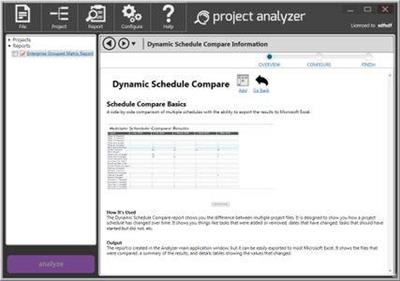
Steelray Project Analyzer is software that takes the pain out of creating, maintaining and delivering quality schedules. With Analyzer, you can evaluate your project schedule for quality and performance in minutes and produce understandable results. Schedules can be analyzed against project management best practices, internally defined best practices and government best practices. Analyzer supports Microsoft Project, Primavera P6 and UN/CEFACT XML.

Easy to Read Scorecard
Our innovative scorecard shows you the results of each check at a glance, using easy to read green, yellow, and red indicators. Our innovative score strip shows you a great deal of information in a compact space. Each scale is completely customizable.

Powerful report gallery
Analyzer comes pre-configured with all of the reports needed to analyze the quality of your schedule. In addition to our innovative scorecard, Analyzer includes the DCMA 14 Point Assessment, a schedule comparison report, a validation report, a longest path tool, and many more.

DCMA EVAS and 14 Point Metrics
The Defense Contract Management Agency EVAS Metrics and 14 Point assessment are a series of checks that help ensure that your schedule has a trustworthy critical path. Steelray Project Analyzer provides reports that run these assessments on your schedule and explains the results in a clear, easy to understand format.

Built-In Scheduling Enyclopedia
Steelray Project Analyzer includes The Coach, a built-in encylopedia that dives deeper into your results, explaining the in simple terms. For some users, The Coach teaches them the fundamentals of schedule quality. For others, it serves as a quick reference.

Jump to the Native Schedule
When tasks are flagged by Analyzer, simply click on a hyperlink to filter those tasks in the native scheduling application (e.g. Microsoft Project). Steelray Project Analyzer provides a smooth workflow to fixing schedule quality issues.

System requirements:
Microsoft .NET Framework v3.5 SP1
Microsoft Visual C++ 2010 Redistributable Package (x86)
(Note: Administrator privileges may be required for installation these prerequisites.)
Available Disk Space for Analyzer and Prerequisites: 500MB
Processor Speed: 1Ghz or better
Supported Operating Systems:Vista, Windows 7 (32/64), Windows 8 (32/64) and Windows 10 (32/64)
Project Version: Project 2003 SP3 or greater
Memory: 512MB Required, 1GB recommended
Display Resolution: 1024x768 or higher

Home Page -
У Вас недостаточно прав для просмотра ссылок. Войдите или зарегистрируйтесь.


Download link:​
Код:
[center][b]rapidgator_net[/b]:
https://rapidgator.net/file/d8269961f49af2e6eaebb9318aab4cb9/sbqsl.Steelray.Project.Analyzer.2020.11.53.rar.html

[b]nitroflare_com[/b]:
https://nitroflare.com/view/9D39A445021781C/sbqsl.Steelray.Project.Analyzer.2020.11.53.rar

[b]uploadgig_com[/b]:
https://uploadgig.com/file/download/17C84565b8793b0C/sbqsl.Steelray.Project.Analyzer.2020.11.53.rar[/center]

Links are Interchangeable - No Password - Single Extraction​
 
Soulver 3.4.11 macOS

e68566be53abe7c894e3cd729313c2eb.jpg


Soulver 3.4.11 Multilingual | macOS | 16 mb​
Soulver 3 is a smart notepad with a built-in calculator. It gives instant answers to any calculations it finds in your text. It's a better way to work stuff out than with a traditional calculator, and a more lightweight tool for quick calculations than a spreadsheet.

Math Features
* Instant calculations, no equals required
* Use words alongside numbers, so calculations make sense
* Quick totals of all your lines, and subtotals
* Calendar calculations (June 9 + 3 weeks, 3:35 pm + 6 hours 27 minutes)
* Easy percentages ("$300 - 10%", "30 as a % of 200")
* Unit conversions ("10 kg in pounds, "25 meters in feet")
* 168 live real-world and cryptocurrency rates.
* Line references to build little calculating documents
* Variables & variable autocompleting
* Global variables & custom units

App Features
* Dark mode
* Sidebar for organising your sheets and the ability to make folders
* Headings (#), comments (//) & labels (:)
* Customize your syntax coloring & font
* Automatic number formatting, with spaces around operators and thousand separators
* Number scrubbing (hold shift and hover over a number)
* Deep macOS system integration: Touch Bar support, Quicklook, Calculate anywhere services
* Automation tools: a command-line interface, Alfred workflow, Automator action

Compatibility: macOS 10.14.4 or later 64-bit
Homepage:
У Вас недостаточно прав для просмотра ссылок. Войдите или зарегистрируйтесь.


Download link:​
Код:
[center][b]rapidgator_net[/b]:
https://rapidgator.net/file/c64343420367c4f755478fb2018f4ebb/bk5kp.Soulver.3.4.11.rar.html

[b]nitroflare_com[/b]:
https://nitroflare.com/view/BAC603DFBFA923A/bk5kp.Soulver.3.4.11.rar

[b]uploadgig_com[/b]:
https://uploadgig.com/file/download/d00e3A4271a76A7c/bk5kp.Soulver.3.4.11.rar[/center]

Links are Interchangeable - No Password - Single Extraction​
 
SoftPerfect WiFi Guard 2.1.3 Multilingual Portable

35eb1a199f9fe677a162f4e210bb7e11.jpg


SoftPerfect WiFi Guard 2.1.3 Multilingual Portable | 5 Mb​
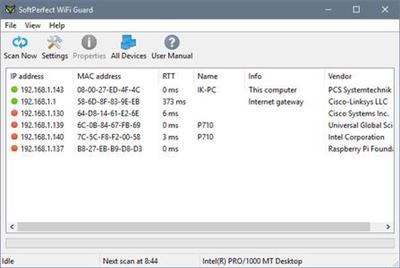
SoftPerfect WiFi Guard is an essential tool for everyone running a small wireless network and striving to keep it safe and secure. Generally, modern Wi-Fi networks are well protected, but there are a number of weaknesses that can compromise your Wi-Fi password; this includes vulnerabilities in encryption and brute force attacks. As a result, someone can gain unauthorised access to your Internet connection and LAN and exploit them while staying unnoticed.

Perhaps, you can say: "No big deal, I have unlimited Internet traffic!", but what about someone reading your personal emails, stealing private information or breaking the law online while using your Internet connection?

Here comes our little application: it will alert you if your network is used without your knowledge. WiFi Guard is a specialised network scanner that runs through your network at set intervals and reports immediately if it has found any new, unknown or unrecognised connected devices that could possibly belong to an intruder.

Key features:
Pings computers and other network devices and displays those alive.
Detects firewalled computers that do not respond to ping.
Scans your network at a specified interval.
Immediately alerts you if an unknown device is found.

Supported platforms:
Windows XP through Windows 10,
Windows Server 2003 through 2016
32-bit and 64-bit

Home Page -
У Вас недостаточно прав для просмотра ссылок. Войдите или зарегистрируйтесь.


Download link:​
Код:
[center][b]rapidgator_net[/b]:
https://rapidgator.net/file/2c6ebb1ba09c729db522c99f97f44c9f/yaqin.SoftPerfect.WiFi.Guard.2.1.3.Multilingual.Portable.rar.html

[b]nitroflare_com[/b]:
https://nitroflare.com/view/8EE9868A29E8717/yaqin.SoftPerfect.WiFi.Guard.2.1.3.Multilingual.Portable.rar

[b]uploadgig_com[/b]:
https://uploadgig.com/file/download/bc24B55A244e9fb4/yaqin.SoftPerfect.WiFi.Guard.2.1.3.Multilingual.Portable.rar[/center]

Links are Interchangeable - No Password - Single Extraction​
 
Sketch 70 macOS

63097a6a85de8a105181aa35e7904363.jpg


Sketch 70 | macOS | 62 mb​
Sketch is an innovative and fresh look at vector drawing. Its intentionally minimalist design is based upon a drawing space of unlimited size and layers, free of palettes, panels, menus, windows, and controls. Though simple to use, it offers powerful vector drawing and text tools like perfect Boolean operations, symbols, and powerful rulers, guides, and grids.

Compatibility: macOS 10.14.4 or later 64 bit
Homepage:
У Вас недостаточно прав для просмотра ссылок. Войдите или зарегистрируйтесь.


Download link:​
Код:
[center][b]rapidgator_net[/b]:
https://rapidgator.net/file/9a68634cd293ddbf440a67b8c49a86e7/cyv70.Sketch.70.rar.html

[b]nitroflare_com[/b]:
https://nitroflare.com/view/ED53FF662E4F891/cyv70.Sketch.70.rar

[b]uploadgig_com[/b]:
https://uploadgig.com/file/download/84480f7e8ec55882/cyv70.Sketch.70.rar[/center]

Links are Interchangeable - No Password - Single Extraction​
 
SILKYPIX Developer Studio Pro 10.0.9.0 (x64)

4c124c057782e812dec0e010277d7662.jpg


SILKYPIX Developer Studio Pro 10.0.9.0 (x64) | 427.4 Mb​
SILKYPIX Developer Studio Pro 10 is equipped with a new function for compositing multiple RAWs which enables the user a previously unprecedented level of creative photographic expression. The latest transformative enhancement to the software's capabilites is the "Fine detail" mode which enables the optimal noise reduction. In addition, the "Select" section enables high-speed display of a large number of high-resolution images. Professional edition of RAW development software with improved flexibility and ease of use.

Equipped with 6 RAWs composition modes.
The new SILKYPIX® is equipped with the new function for compositing multiple RAWs which allows you to create a view of the world that cannot be represented from a single image. And, since this function automatically aligns images according to our image coincidence detection technology (patent No. 4689758), it is possible to combine them without any shift even with hand-held shooting.

Lighten composite
Compares the selected images while giving priority to the lighter areas of each image.By compositing multiple images from an entire night of fireworks, you can layer these together to create a single image featuring an even larger launch of fireworks.

Multiple exposure composite
The image to be composed is treated equally and the result is the same as for a multiple exposure with a camera.Combine multiple images shot together during the same scene to create highly detailed and realistic images much more effectively than with normal noise reduction.
Image quality improves with multiple images combined. For example, combine 4 images is equivalent to ISO speed 3200, and combining 16 images is equivalent to ISO speed 800.

Multiple exposure (night view) composite
Noise reduction and saturation for nightscapes, and black-level compositing are performed.This mode allows you to create a long-exposure, beautiful night scenes from multiple images taken hand-held shooting.

Depth of field composite
By compositing images with different focus positions from the front to the back, you can create an image with a wide range of focus. This mode allows you to focus on photos taken with a macro lens with shallow depth of field.

Moving object removal composite
Removes moving subjects from multiple images of the same shooting scene and combines them into a single image.By this composition mode, you can create an unnormal surreal image.
In this mode, only the static subject from multiple images is left as a single image. For good composite results, the background must be robust and stationary, and the motion of the moving object must be obvious.

Stroboscopic motion composite
Composites moving subjects from multiple images in the same scene.With this mode, you can capture moving subjects continuously to create a single image.
In this mode, only the moving subject from multiple images is left as single image. For good composite results, the background must be robust and stationary, and the motion of the moving object must be obvious.

System Requirements:
Microsoft® Windows® 10 / 8.1 64-bit version
- It does not correspond to the Windows® 10 tablet mode.
- It does not correspond to 32-bit version OS.
Intel® Core™ 2 Duo higher, or AMD Athlon™ 64 X2 or higher processor
4GB or more RAM (8GB or higher recommended)
10GB of available hard-disk space or more
Display that supports screen resolution of 1024x768 or higher

Home Page -
У Вас недостаточно прав для просмотра ссылок. Войдите или зарегистрируйтесь.


Download link:​
Код:
[center][b]rapidgator_net[/b]:
https://rapidgator.net/file/450389c5786114cf9199e51d116575d0/b9cll.SILKYPIX.Developer.Studio.Pro.10.0.9.0.x64.rar.html

[b]nitroflare_com[/b]:
https://nitroflare.com/view/1FC586D99055229/b9cll.SILKYPIX.Developer.Studio.Pro.10.0.9.0.x64.rar

[b]uploadgig_com[/b]:
https://uploadgig.com/file/download/6608efbDec2F4dD9/b9cll.SILKYPIX.Developer.Studio.Pro.10.0.9.0.x64.rar[/center]

Links are Interchangeable - No Password - Single Extraction​
 
Red Giant Trapcode Suite 16.0 macOS

7a9efb8bf180eb1f2220cb1811a67bcb.jpg


Red Giant Trapcode Suite 16.0 macOS | 774 Mb​
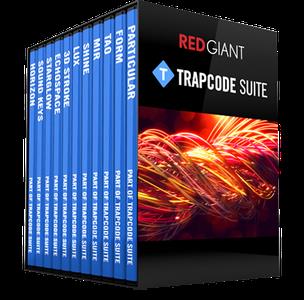
Trapcode Suite - the industry-standard package for motion graphics in After Effects. Red Giant Trapcode Suite is a set of 11 tools for 3D motion graphics and visual effects.

PARTICLE EFFECTS
Trapcode Suite brings the power of 3D particle systems right into After Effects. Use particle emitters to create fire, water, smoke, snow and other organic visual effects, or create technological marvels and user interfaces with immortal particle grids and 3D forms. Combine multiple particle systems into one unified 3D space for visually stunning results. With GPU acceleration, Trapcode plugins help you get beautiful results fast.

PHYSICS & FLUIDS
For the first time ever, run realistic fluid simulations using the new Dynamic Fluids™ physics engine, or emulate particles moving through the air and bouncing off surfaces.

3D OBJECTS & SURFACES
Create flowing surfaces, mountainous terrains, endless tunnels, and abstract shapes. Use paths and motion to generate beautifully complex geometric shapes, ribbons and extrusions. Whether you are creating motion graphics or visual effects, the possibilities are endless.

LIGHTS AND GLIMMERS
Bring light and life into your motion design. Simulate organic, 3D-camera aware volumetric lighting. Use masks and paths to add light streaks that can bring your logos and text to life and add starry glimmers to accent the highlights in your work.

SOUND AND MOTION
Use audio to generate keyframes that drive animation and effects. Scale, rotate and move to the beat, or use drum hits to create particle effects. Duplicate and offset layers and their motion with ease. Trapcode Suite gives you the power to automate complex animation easily.

TOOLS
Red Giant Trapcode Suite is a set of 11 tools for 3D motion graphics and visual effects.

System Requirements:
Adobe Creative Cloud (2017 - 2021)

Home Page -
У Вас недостаточно прав для просмотра ссылок. Войдите или зарегистрируйтесь.


Download link:​
Код:
[center][b]rapidgator_net[/b]:
https://rapidgator.net/file/e98bcad1ad6e116b13dd4c9ac2ecd0c3/uoeue.Red.Giant.Trapcode.Suite.16.0.macOS.zip.html

[b]nitroflare_com[/b]:
https://nitroflare.com/view/EEF6540D8936B41/uoeue.Red.Giant.Trapcode.Suite.16.0.macOS.zip

[b]uploadgig_com[/b]:
https://uploadgig.com/file/download/313e2041F5D0b68c/uoeue.Red.Giant.Trapcode.Suite.16.0.macOS.zip[/center]

Links are Interchangeable - No Password - Single Extraction​
 
Red Giant Trapcode Suite 16.0 (x64)

463807838350155438272c4fdad91dbd.jpg


Red Giant Trapcode Suite 16.0 (x64) | 749.3 Mb​
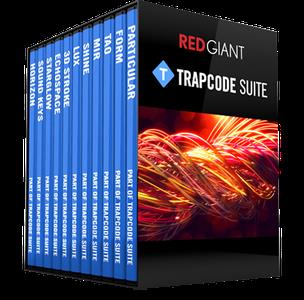
Trapcode Suite - the industry-standard package for motion graphics in After Effects. Red Giant Trapcode Suite is a set of 11 tools for 3D motion graphics and visual effects.

PARTICLE EFFECTS
Trapcode Suite brings the power of 3D particle systems right into After Effects. Use particle emitters to create fire, water, smoke, snow and other organic visual effects, or create technological marvels and user interfaces with immortal particle grids and 3D forms. Combine multiple particle systems into one unified 3D space for visually stunning results. With GPU acceleration, Trapcode plugins help you get beautiful results fast.

PHYSICS & FLUIDS
For the first time ever, run realistic fluid simulations using the new Dynamic Fluids™ physics engine, or emulate particles moving through the air and bouncing off surfaces.

3D OBJECTS & SURFACES
Create flowing surfaces, mountainous terrains, endless tunnels, and abstract shapes. Use paths and motion to generate beautifully complex geometric shapes, ribbons and extrusions. Whether you are creating motion graphics or visual effects, the possibilities are endless.

LIGHTS AND GLIMMERS
Bring light and life into your motion design. Simulate organic, 3D-camera aware volumetric lighting. Use masks and paths to add light streaks that can bring your logos and text to life and add starry glimmers to accent the highlights in your work.

SOUND AND MOTION
Use audio to generate keyframes that drive animation and effects. Scale, rotate and move to the beat, or use drum hits to create particle effects. Duplicate and offset layers and their motion with ease. Trapcode Suite gives you the power to automate complex animation easily.

TOOLS
Red Giant Trapcode Suite is a set of 11 tools for 3D motion graphics and visual effects.

System Requirements:
Windows 10 (x64)
Adobe Creative Cloud (2017 - 2021)

Home Page -
У Вас недостаточно прав для просмотра ссылок. Войдите или зарегистрируйтесь.


Download link:​
Код:
[center][b]rapidgator_net[/b]:
https://rapidgator.net/file/e01bef3c6f2dfe50f5ca198a3cbd41cd/eu9s2.Red.Giant.Trapcode.Suite.16.0.x64.rar.html

[b]nitroflare_com[/b]:
https://nitroflare.com/view/770088F19988379/eu9s2.Red.Giant.Trapcode.Suite.16.0.x64.rar

[b]uploadgig_com[/b]:
https://uploadgig.com/file/download/863d6e4Adf8cE3f9/eu9s2.Red.Giant.Trapcode.Suite.16.0.x64.rar[/center]

Links are Interchangeable - No Password - Single Extraction​
 
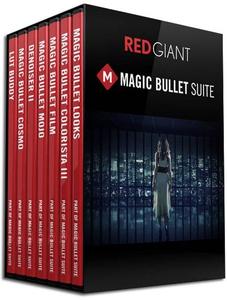
Red Giant Magic Bullet Suite 14.0.1 macOS

c8bbdbabb4f3cf14d48e70e5ff43e0d9.jpg


Red Giant Magic Bullet Suite 14.0.1 macOS | 309.7 Mb​
Magic Bullet Suite 14 is a complete set of plugins that gives you everything you need to make your footage look great, right on your editing timeline. Balance out your shots with powerful color adjustments. Then, go beyond color correction, with accurate simulations of lens filters and film stocks. And now, with both input and output color handling in Looks, Magic Bullet Suite fits in perfectly anywhere within your high-end color workflow.

STYLIZE
Give your footage the look of a Hollywood film. With the tools in Magic Bullet Suite, your footage can instantly have cinematic contrast and the sophisticated color palettes of big budget movies. With tons of fully customizable presets based on popular movies and TV shows, you will have beautiful results in seconds.

REFINE
Quickly balance skin tones, reduce wrinkles and remove skin blemishes, so your talent can look their best. Magic Bullet Suite makes cosmetic cleanup fast and easy, and gives you natural results that look untouched.

CLEANUP
Save your footage from video noise caused by shooting in the dark or at high ISOs. Magic Bullet Suite can clean up the noise while still preserving the details in your shot. At the end of your color grading process, Magic Bullet Suite can also reintroduce some subtle texture and a natural film grain that gives your final product a look that feels genuine and unprocessed.

TOOLS
Magic Bullet Suite is a set of seven tools that bring intuitive, real time color correction, and beyond, right to your editorial timeline.

System Requirements:
Adobe Creative Cloud (2017 - 2021)

Home Page -
У Вас недостаточно прав для просмотра ссылок. Войдите или зарегистрируйтесь.


Download link:​
Код:
[center][b]rapidgator_net[/b]:
https://rapidgator.net/file/13a373baf49468abb5bd1eedb1a27577/8mwkw.Red.Giant.Magic.Bullet.Suite.14.0.1.macOS.zip.html

[b]nitroflare_com[/b]:
https://nitroflare.com/view/F3B08D4FBBA587F/8mwkw.Red.Giant.Magic.Bullet.Suite.14.0.1.macOS.zip

[b]uploadgig_com[/b]:
https://uploadgig.com/file/download/Ea0484fe0af57bf9/8mwkw.Red.Giant.Magic.Bullet.Suite.14.0.1.macOS.zip[/center]

Links are Interchangeable - No Password - Single Extraction​
 
Red Giant Magic Bullet Suite 14.0.1 (x64)

4f055f71d2e10c3fd1ab4228f3c5ffe5.jpg


Red Giant Magic Bullet Suite 14.0.1 (x64) | 274.7 Mb​
Magic Bullet Suite 14 is a complete set of plugins that gives you everything you need to make your footage look great, right on your editing timeline. Balance out your shots with powerful color adjustments. Then, go beyond color correction, with accurate simulations of lens filters and film stocks. And now, with both input and output color handling in Looks, Magic Bullet Suite fits in perfectly anywhere within your high-end color workflow.

STYLIZE
Give your footage the look of a Hollywood film. With the tools in Magic Bullet Suite, your footage can instantly have cinematic contrast and the sophisticated color palettes of big budget movies. With tons of fully customizable presets based on popular movies and TV shows, you will have beautiful results in seconds.

REFINE
Quickly balance skin tones, reduce wrinkles and remove skin blemishes, so your talent can look their best. Magic Bullet Suite makes cosmetic cleanup fast and easy, and gives you natural results that look untouched.

CLEANUP
Save your footage from video noise caused by shooting in the dark or at high ISOs. Magic Bullet Suite can clean up the noise while still preserving the details in your shot. At the end of your color grading process, Magic Bullet Suite can also reintroduce some subtle texture and a natural film grain that gives your final product a look that feels genuine and unprocessed.

TOOLS
Magic Bullet Suite is a set of seven tools that bring intuitive, real time color correction, and beyond, right to your editorial timeline.

System Requirements:
- Windows 10 (64-bit only)

Home Page -
У Вас недостаточно прав для просмотра ссылок. Войдите или зарегистрируйтесь.


Download link:​
Код:
[center][b]rapidgator_net[/b]:
https://rapidgator.net/file/7c34f4b0fec9b19758239ca6b8419f46/c8f4y.Red.Giant.Magic.Bullet.Suite.14.0.1.x64.rar.html

[b]nitroflare_com[/b]:
https://nitroflare.com/view/3ACA2D819581CD0/c8f4y.Red.Giant.Magic.Bullet.Suite.14.0.1.x64.rar

[b]uploadgig_com[/b]:
https://uploadgig.com/file/download/e7edB4db57f16C96/c8f4y.Red.Giant.Magic.Bullet.Suite.14.0.1.x64.rar[/center]

Links are Interchangeable - No Password - Single Extraction​
 
Назад
Сверху