• Старая версия форума работает в архивном режиме www.old.nado.in

All mitsumi'1s Applications !! (updated daily)

  • Автор темы Автор темы mitsumi1
  • Дата начала Дата начала
Artlantis 2020 v9.0.2.23527 + Portable

8989db2c98235bad945842ac895b54c1.jpg


Artlantis 2020 v9.0.2.23527 (x64) Multilingual + Portable | Incl. Artlantis Media | 3.6 GB (in Total)​
Artlantis 2020 - 3D Rendering Software. A pioneer in architectural visualization and compatible with all the 3D modeling software on the market, Artlantis is the easiest and fastest solution for creating photorealistic renderings and animations.

Artlantis 2020 - Main Features:

Interface
Designed with an extremely clear and ergonomic interface, Artlantis is both easy and comfortable to learn and use. At all times, the necessary tools are at hand near the real-time preview window, which allows you to see the results of each adjustment.

Simplicity
You don't have to be skilled in computer graphics - learning and using Artlantis is easy and very fast. Artlantis is used by experts, advanced users and beginners alike to simulate, present and communicate their projects, by producing both high quality still images and animations with striking photo-realism in record time!

Real time preview
The reputation and success of Artlantis are based primarily on its founding concept: a preview of the scene allowing users continuous control of each change. Right from opening a 3D scene, navigating, changing shaders and objects, lights or 3D environment - all are immediately visible in the preview window.

Speed
The speed of displaying the scene, navigating, space positioning or light dispersion - in the preview and in the final rendering - is exceptional. While the Global Illumination, which assures the realism of scenes, is known to take a lot of calculation time, Artlantis is the only rendering software on the market to provide an efficient quality / time ratio. A "draft" mode allows a fast display of the preview during the preparation phases.

2D window
In addition to the 3D preview, Artlantis has a 2D window for positioning cameras or sequences, making it easy to set up a panorama path to explore the project.

Viewpoints
Define and save as many views as you want: in perspective, in parallel view, in insertion or panorama, each with its own light settings.

Depth of field
Just as a photographer chooses an apperture, in Artlantis, you can set the depth of field, the ISO and the shutter speed for as many views as you want. Whether you focus on an object, on a specifc point in space or infinity, you can easily set the blur with the help of a slider.

Parallel views
Parallel views (projections and cuts) can be set in the dedicated inspector, based on the type of projection (elevation, axonometry, top view), camera positioning, view width, or the definition of the cutting planes ... A control bar allows you to edit the main settings of the project in its environment.

Perspectives and verticals
Each point of view has its own infinite ground, level, materials and background or foreground images easy to manipulate, resize or even adjust the edges in the preview. Artlantis has a vertical function that makes a perspective mode particularly interesting for high-rise projects.

Shaders & Textures
With a simple drag and drop from the catalog onto a surface from a scene, you can instantly dress the surface with the designated material and set its attributes like color, tint, opacity, reflection and diffraction, orientation and pattern scale, etc. For more realism, you can fine tune the settings and change the outlook of the surface by modifying the reflectiveness, or shininess, or bump ...

Objects and 3D Characters
For scenerys of stricking reality reflecing the abundance of life, Artlantis offers a amazing object manager. You can manipulate objects in 3D or in 2D, and relate their behaviors to the scene specificity by controling their hierarchy, anchor, and season. Or, you can olso set their characteristics like being always vertical to the floor like a floor lamp for example, while a wall lamp has to hung perpendicularly to the wall.

MediaStore
Thousands of additional media are available for purchase in Medias Store directly accessible from inside of Artlantis. It laso a Media Converter for media belonging to the previous versions."

3D vegetation
Plants, grass, lawn and 3D trees are simple objects, to be aplyed with drag and drop.
In addition, they possess the astonishing peculiarity of adapting the density and the tint of their foliage to the season.
Artlantis offers a placement tool spécific to objects featuring vegetation. It allows to place objects individually by drag-and-drop or by zone.

Postcards
A Postcard is a snapshot of a scene saving all settings assigned to materials (colors, shaders and textures) for later usage or shareing. Similar to shaders, objects or images, the Postcards are also considered as media.

Integrated media catalog
Artlantis owes its fame to its rich and easy-to-use catalog: more than 1000 media are organized in an intuitive maner to be explored in your 3D scenes directly.

Site insertion
Essential tool permitting to simulate a building project in its future site for building permits, a feature unique to Artlantis. Its sequenced inspector leads you step by step through the space recognition settings immediately displayed in preview. The process is simple and fluid. You can even asign transparency to the foreground images directly. Once the insertion finished, the final project is revealed in the preview window in a record time.

White model
This type of rendering allows you to automatically transform all surfaces of a scene - except for the transparent ones - into white material to better appreciate the project volumes. As for the lights, they maintain their colors to create very elaborate atmospheres.

White balance
White balance allows you to adjust the color cast of an image, automatically, from the chosen reference color.

Ambient occlusion
Ambient occlusion creates shadows in the indoor and outdoor scenes, which gives scenes more depth and relief and therefore, more realism.

Pre-defined settings
Choose from several pre-recorded modes (indoor, outdoor, low light) and different definitions (speed, medium, quality), to quickly obtain an optimal result!

Adaptive antialiasing
Artlantis intelligent antialiasing adapts to the areas to be treated to improve image quality by reducing the effect of noise and aliasing contours.

Post-Processing
Apply different effects to the current view and set the brightness, contrast, and color of a rendering. Save time and add effects, like grain, paint or pastel; highlight contours directly in Artlantis.

Artlantis 2020 - New Features:

RAL Colors
Artlantis 2020 offers 243 codified colors and tints from Ral Effect, RAL Design and RAL Classic color chart, which are the defining paint standards in the world of architecture and building construction.

Denoiser tool
Decrease, or even cancel, the noise from your renderings, typically produced by the reflection from shaders. Want a little noise in your image? Decide for yourself to activate this option or not. The Denoiser tool analyzes the image's pixels and reduces the noise.

3D Grass
The integrated Media catalog offers 4 new grass types and 6 updated types of 3D grass enhanced with new settings: adjust the color of the grass tufts, apply density variations - the size is automatically calculated zone by zone."

Portals tool
Portals: a new optimization setting for managing light in Artlantis. When using low settings for a fast calculation of your renders, this option improves the lighting of your indoor scenes and removes the noise from the image.

Recommended Configuration:
- Intel® Core i7, 4+ Core
- RAM: 16 GB
- System: Windows 10 (64 bits)
- Graphic Card: 2 GB managing OpenGL *
- Display: 1920 x 1080 pixels
* Graphic chipsets are not supported

Home Page -
У Вас недостаточно прав для просмотра ссылок. Войдите или зарегистрируйтесь.


Download link:​
Код:
[center][b]rapidgator_net[/b]:
https://rapidgator.net/file/30eebe829426d25df1456ca5cf5a1a1e/pwuke.Artlantis.2020.v9.0.2.23527.rar.html
https://rapidgator.net/file/92ee756ad2a76c42387ee989232991bc/pwuke.Artlantis.Media.2020.0.1.part1.rar.html
https://rapidgator.net/file/1e41087bdbe1c1d349c6245a9f95a01f/pwuke.Artlantis.Media.2020.0.1.part2.rar.html
https://rapidgator.net/file/3fe1827c89830ea030f7157dceb8fe63/pwuke.Artlantis.Media.2020.0.1.part3.rar.html
https://rapidgator.net/file/852d73364c33c125f37e070b0fd06ba2/pwuke.Artlantis.Media.2020.0.1.part4.rar.html
https://rapidgator.net/file/225b7ebf7a2ebd8c3b1c6642efb4cf90/pwuke.Artlantis.rar.html

[b]nitroflare_com[/b]:
https://nitroflare.com/view/7A1D0FA0533DCF8/pwuke.Artlantis.2020.v9.0.2.23527.rar
https://nitroflare.com/view/36417A998454296/pwuke.Artlantis.Media.2020.0.1.part1.rar
https://nitroflare.com/view/E7F82EB0F33DE98/pwuke.Artlantis.Media.2020.0.1.part2.rar
https://nitroflare.com/view/67803AC48C32D4E/pwuke.Artlantis.Media.2020.0.1.part3.rar
https://nitroflare.com/view/55D4167D144153A/pwuke.Artlantis.Media.2020.0.1.part4.rar
https://nitroflare.com/view/2B726B2A0544E58/pwuke.Artlantis.rar[/center]

Links are Interchangeable - No Password - Single Extraction​
 
MediaHuman YouTube Downloader 3.9.9.48 (0711) Multilingual Portable

29e8260f326f83e357693c48db963db8.jpg


MediaHuman YouTube Downloader 3.9.9.48 (0711) (x86/x64) Multilingual Portable | 116.2 Mb​
MediaHuman YouTube Downloader is a handy application for those who found a favorite music video or trailer of a new movie and wants to keep it on your computer for viewing offline. Or you need to download a video lesson/tutorial. Our video downloader is an ideal solution for such kind of tasks.

Simultaneous downloads
- Supports Ultra High resolutions up to 4K
- Download whole playlists and channels
- YouTube, Vimeo, Dailymotion, Soundcloud
- Extract audio track and save it as MP3
- iTunes support
- VEVO support

Operating System: Windows 7, 8/8.1, 10

Home Page -
У Вас недостаточно прав для просмотра ссылок. Войдите или зарегистрируйтесь.


Download link:​
Код:
[center][b]rapidgator_net[/b]:
https://rapidgator.net/file/5184fe5e5c7402b0c91c01e2500a4559/d0f69.MediaHuman.YouTube.Downloader.3.9.9.48.0711.Multilingual.Portable.rar.html

[b]nitroflare_com[/b]:
https://nitroflare.com/view/7A2056F6D028AD1/d0f69.MediaHuman.YouTube.Downloader.3.9.9.48.0711.Multilingual.Portable.rar[/center]

Links are Interchangeable - No Password - Single Extraction​
 
Windows 10 (AArch64) version 2004 Build 19041.572

b2db7ad1d85d735d3986a6aa42b76bef.jpg


Windows 10 (AArch64) version 2004 Build 19041.572 | 8.6 Gb​
Microsoft announced the release of Windows 10 ARM64 (AArch64) version 2004 Build 19041.572 (KB4579311). This os can run on machines that are powered by ARM64 processors with the Fall Creators Update or newer.

October 13, 2020 - KB4579311 (OS Build 19041.572)

Highlights
- Updates to improve security when using Microsoft Office products.
- Updates for verifying usernames and passwords.
- Updates to improve security when Windows performs basic operations.
Improvements and fixes
This security update includes quality improvements. Key changes include:
- Addresses an issue with a possible elevation of privilege in win32k.
- Addresses an issue with the Group Policy service that might recursively delete critical files in alphabetic order from %systemroot%\system32. This issue occurs when a policy has been configured to delete cached profiles. These file deletions might cause stop error "0x5A (CRITICAL_SERVICE_FAILED)" boot failures.
- Addresses an issue with creating null ports using the user interface.
- Security updates to Windows App Platform and Frameworks, Microsoft Graphics Component, Windows Media, Windows Fundamentals, Windows Authentication, Windows Virtualization, and Windows Kernel.

Microsoft launched a version of Windows 10 that will run on low-powered ARM hardware. Unlike Windows RT, the version of Windows 8 that powered the original Surface and Surface 2, this is a full version of Windows 10 with an emulation layer that allows it to run traditional desktop apps from outside the Windows Store.

ARM is a different type of processor architecture from the standard Intel x86 and 64-bit Intel architecture used on PCs today. (Even AMD produces chips that are compatible with Intel's architecture.) Mobile devices like the iPhone, iPad, and Android phones-along with many other smaller devices-have ARM chips instead of Intel chips inside them.

Low-powered ARM PCs have some advantages over traditional x86 ones (which are most of the desktops and laptops we use today). ARM PCs have built-in LTE cellular connectivity, often offer better battery life than Intel and AMD CPUs, and the hardware is less expensive for manufacturers.

Microsoft would like Windows 10 to run on ARM hardware so it can reap those benefits. Sure, you probably won't use an ARM desktop any time soon, but ARM could be a great choice for tablets, 2-in-1 convertibles, and even smaller laptops.

Rather than creating a more limited version of Windows for this platform, like they did with the failed Windows RT, Microsoft has decided to release a full version of Windows 10 for ARM hardware, one that can even run traditional Windows desktop applications.

The resulting devices are designed to be "Always Connected" and promise up to 20 hours of active use and 700 hours of "Connected Modern Standby". And they can even run traditional Windows desktop software.

Microsoft first announced a partnership with Qualcomm to create Windows on ARM at WinHEC in December, 2016.

For the first time ever, our customers will be able to experience the Windows they know with all the apps, and peripherals they require, on a mobile, power efficient, always-connected cellular PC. Watch to learn more and see Windows PCs running on Qualcomm Snapdragon processors.

Microsoft Corporation, leading developer of personal-computer software systems and applications. The company also publishes books and multimedia titles, offers e-mail services, and sells electronic game systems, computer peripherals (input/output devices), and portable media players. It has sales offices throughout the world.

Product: Microsoft Windows 10
Version: ARM64 (AArch64) version 2004 Build 19041.572.vb_release_svc_prod1.201007-1724 *
Supported Architectures: ARM64
Website Home Page :
У Вас недостаточно прав для просмотра ссылок. Войдите или зарегистрируйтесь.

Language: english, русский
System Requirements: PC **
Size: 8.6 Gb

But on September 30, Microsoft provided a bit of an update on some of the work that's been happening with that platform.

Microsoft confirmed in a blog post on September 30 that Windows on Arm will be able to run x64 apps with x64 emulation. Windows Insiders will get this capability in test builds in November. The blog post doesn't mention when this capability will be generally available.


** System Requirements:

Originally Windows 10 (as distinguished from Windows 10 Mobile) could run only on PCs that were powered by x86 and x64 processors. Now, Windows 10 desktop can run on machines that are powered by ARM64 processors with the Fall Creators Update or newer. The power-saving nature of the ARM CPU architecture allows these PCs to have all-day battery life and support for mobile data networks. These PCs will provide great application compatibility and allow you to run your existing x86 win32 applications unmodified.

Apps and experiences on ARM

The built-in Windows 10 experiences such as Edge, Cortana, Start menu, and Explorer are all native and run as ARM64. This also includes all the device drivers such as graphics, networking, or the hard disk. This ensures that you get the best user experience and battery life out of your device running at the full native speed of the Qualcomm Snapdragon processor.

Windows 10 on ARM runs all x86, ARM32, and ARM64 UWP apps from the Microsoft Store. ARM32 and ARM64 apps run natively without any emulation, while x86 apps run under emulation.

In addition to UWP apps, Windows 10 on ARM can also run your x86 Win32 apps unmodified, with good performance and a seamless user experience, just like any PC. These x86 Win32 apps don't have to recompiled for ARM and don't even realize they are running on an ARM processor. Note that 64-bit x64 Win32 apps are not supported, but the vast majority of apps have x86 versions available. When given the choice of app architecture, just choose the 32-bit x86 version to run the app on a Windows 10 on ARM PC.

Download link:​
Код:
[center][b]rapidgator_net[/b]:
https://rapidgator.net/file/251d0bbcb0dbccc954f271a957a172c7/4afjp.SWDVD9WinPro102004.564ARMEnglishProEntEDUNMLF2X2240582.part01.rar.html
https://rapidgator.net/file/23571bdf47a484d7f709524c407032f5/4afjp.SWDVD9WinPro102004.564ARMEnglishProEntEDUNMLF2X2240582.part02.rar.html
https://rapidgator.net/file/f9886b2155155276e1abeec0cbd0b110/4afjp.SWDVD9WinPro102004.564ARMEnglishProEntEDUNMLF2X2240582.part03.rar.html
https://rapidgator.net/file/e8ef594d961683f4879265d997a26130/4afjp.SWDVD9WinPro102004.564ARMEnglishProEntEDUNMLF2X2240582.part04.rar.html
https://rapidgator.net/file/5e3639246b6830d848f68f4210ae2b42/4afjp.SWDVD9WinPro102004.564ARMEnglishProEntEDUNMLF2X2240582.part05.rar.html
https://rapidgator.net/file/ed7291f41ff08b977741379285c4dce2/4afjp.SWDVD9WinPro102004.564ARMEnglishProEntEDUNMLF2X2240582.part06.rar.html
https://rapidgator.net/file/c868e9275d7d0cfd5d8aa80f0be6abea/4afjp.SWDVD9WinPro102004.564ARMEnglishProEntEDUNMLF2X2240582.part07.rar.html
https://rapidgator.net/file/40d8f316d8ab03739631292f269137f8/4afjp.SWDVD9WinPro102004.564ARMEnglishProEntEDUNMLF2X2240582.part08.rar.html
https://rapidgator.net/file/ea5691e3c3185cc11779ab35fe66070d/4afjp.SWDVD9WinPro102004.564ARMEnglishProEntEDUNMLF2X2240582.part09.rar.html
https://rapidgator.net/file/7d97ac80a786fd22f118f98edb6b212d/4afjp.SWDVD9WinPro102004.564ARMEnglishProEntEDUNMLF2X2240582.part10.rar.html
https://rapidgator.net/file/ea3f1e81e6f9b4dd094c171b7f0d8b9d/4afjp.SWDVD9WinPro102004.564ARMRussianProEntEDUNMLF2X2240607.part01.rar.html
https://rapidgator.net/file/aab6e661166a1b709a9eb75a85110ae2/4afjp.SWDVD9WinPro102004.564ARMRussianProEntEDUNMLF2X2240607.part02.rar.html
https://rapidgator.net/file/e6204480db298616a9403536853f9d4f/4afjp.SWDVD9WinPro102004.564ARMRussianProEntEDUNMLF2X2240607.part03.rar.html
https://rapidgator.net/file/486abeee4ab4ba1255a3369e1a66d542/4afjp.SWDVD9WinPro102004.564ARMRussianProEntEDUNMLF2X2240607.part04.rar.html
https://rapidgator.net/file/33c85e09c0c09039b5b50d61d8c708c6/4afjp.SWDVD9WinPro102004.564ARMRussianProEntEDUNMLF2X2240607.part05.rar.html
https://rapidgator.net/file/0ac574264a8464ce2a69cd45e131a58d/4afjp.SWDVD9WinPro102004.564ARMRussianProEntEDUNMLF2X2240607.part06.rar.html
https://rapidgator.net/file/e8b6751c017ef46fdf91833a6e6ca13b/4afjp.SWDVD9WinPro102004.564ARMRussianProEntEDUNMLF2X2240607.part07.rar.html
https://rapidgator.net/file/acecb98ec7d590712a7ad4a2fc2da731/4afjp.SWDVD9WinPro102004.564ARMRussianProEntEDUNMLF2X2240607.part08.rar.html
https://rapidgator.net/file/05f6a09d36da8f594522ee0c9dde7c5a/4afjp.SWDVD9WinPro102004.564ARMRussianProEntEDUNMLF2X2240607.part09.rar.html

[b]nitroflare_com[/b]:
https://nitroflare.com/view/A51B9564C8C4BD3/4afjp.SWDVD9WinPro102004.564ARMEnglishProEntEDUNMLF2X2240582.part01.rar
https://nitroflare.com/view/4E73147DE888670/4afjp.SWDVD9WinPro102004.564ARMEnglishProEntEDUNMLF2X2240582.part02.rar
https://nitroflare.com/view/7C57EA385E4974B/4afjp.SWDVD9WinPro102004.564ARMEnglishProEntEDUNMLF2X2240582.part03.rar
https://nitroflare.com/view/364A83CECBFCD97/4afjp.SWDVD9WinPro102004.564ARMEnglishProEntEDUNMLF2X2240582.part04.rar
https://nitroflare.com/view/6E79788E30F4490/4afjp.SWDVD9WinPro102004.564ARMEnglishProEntEDUNMLF2X2240582.part05.rar
https://nitroflare.com/view/1F8F69F2A0295EF/4afjp.SWDVD9WinPro102004.564ARMEnglishProEntEDUNMLF2X2240582.part06.rar
https://nitroflare.com/view/D7CFA7F6393A2F6/4afjp.SWDVD9WinPro102004.564ARMEnglishProEntEDUNMLF2X2240582.part07.rar
https://nitroflare.com/view/BAC3B528F99D170/4afjp.SWDVD9WinPro102004.564ARMEnglishProEntEDUNMLF2X2240582.part08.rar
https://nitroflare.com/view/B7FC540633B14C5/4afjp.SWDVD9WinPro102004.564ARMEnglishProEntEDUNMLF2X2240582.part09.rar
https://nitroflare.com/view/35747D9A0BF8D5D/4afjp.SWDVD9WinPro102004.564ARMEnglishProEntEDUNMLF2X2240582.part10.rar
https://nitroflare.com/view/532EF27D2F8BFDC/4afjp.SWDVD9WinPro102004.564ARMRussianProEntEDUNMLF2X2240607.part01.rar
https://nitroflare.com/view/25569C841EB9AF7/4afjp.SWDVD9WinPro102004.564ARMRussianProEntEDUNMLF2X2240607.part02.rar
https://nitroflare.com/view/789526492C39165/4afjp.SWDVD9WinPro102004.564ARMRussianProEntEDUNMLF2X2240607.part03.rar
https://nitroflare.com/view/E222F7C6DA3421A/4afjp.SWDVD9WinPro102004.564ARMRussianProEntEDUNMLF2X2240607.part04.rar
https://nitroflare.com/view/0399765D1C51839/4afjp.SWDVD9WinPro102004.564ARMRussianProEntEDUNMLF2X2240607.part05.rar
https://nitroflare.com/view/045DAD5D864ADE8/4afjp.SWDVD9WinPro102004.564ARMRussianProEntEDUNMLF2X2240607.part06.rar
https://nitroflare.com/view/E6E6F1F4E592F05/4afjp.SWDVD9WinPro102004.564ARMRussianProEntEDUNMLF2X2240607.part07.rar
https://nitroflare.com/view/BC98F6EF597C932/4afjp.SWDVD9WinPro102004.564ARMRussianProEntEDUNMLF2X2240607.part08.rar
https://nitroflare.com/view/391DC692C58BC0A/4afjp.SWDVD9WinPro102004.564ARMRussianProEntEDUNMLF2X2240607.part09.rar[/center]

Links are Interchangeable - No Password - Single Extraction​
 
3DFlow Zephyr (Lite) 5.008 with Tutorials

0ee5655b10b5395ae61ad45c87fefa0c.jpg


3DFlow Zephyr (Lite) 5.008 with Tutorials | 1.3 Gb​
The 3Dflow development team is pleased to announce the availability of Zephyr 5.008, is the software solution by 3Dflow to automatically deal with any 3D reconstruction and scanning challenge.

With this update 3DF Zephyr is significantly faster than all previous releases and the quality of the reconstruction is now significanlty better: the new photoconsistency filter allows for much more beautiful and realistic sharp edges, the out of core new algorithm allows to process huge datasets at a much lower memory footprint, and our world-class texture algorithm now produces even sharper and better textures.This is the biggest technology update that 3DF Zephyr has ever received in a single release, and as tradition, all 3DF Zephyr versions (including Free and Lite) are getting the same technology improvements.

3DF Zephyr 5.0 is finally out!

What's new in 3DF Zephyr 5.0?

3DF Zephyr Pro and 3DF Zephyr Aerial have now been unified into one single software solution, called 3DF Zephyr. 3DF Zephyr Free and 3DF Zephyr Lite are still two separate products.

3DF Scarlet is a new, standalone software that is bundled at no additional cost with 3DF Zephyr 5.0 for laser scan registration: while you can still use the previous workflow you have learned in 3DF Zephyr, you may find 3DF Scarlet better suited to the task: designed from the ground up, it handles much bigger datasets than 3DF Zephyr for laser scan registration, it has dedicated tools for the tasks as well as a new automated registration feature.

3DF Zephyr now integrates WIC for faster image loading and better raw file format support - make sure to install the WIC raw plugin first, or Zephyr will fallback to the previous imaging engine.

3DF Zephyr is now also available in the Turkish and French languages, and among the many quality of life improvements we have a new toolbar to improve productivity, spline support in drawing elements, updated native laser scanner support plugins, and much more: make sure to check this link for a more descriptive changelog.

+ Introducing 3DF Scarlet! A new dedicated standalone software explicitly designed for laser scan data registration (bundled with 3DF Zephyr)
+ Out of core mesh processing
+ Significant SfM improvements both for accuracy and speed
+ WIC is now the default imaging engine
+ Merge workspace improvements (can now specify which elements to merge)
+ Added splines to drawing elements (only 3DF Zephyr)
+ Photoconsistency computation is now split in chunk to minimize memory usage
+ Photoconsistency speed improvements
+ Texture computation is now divided in chunks to minimize memory usage
+ Added edge filter in the photoconsistency computation.
+ Texturing improvements and better management of triangles without valid reprojection.
+ New Dark Blue skin
+ New 3DF Zephyr logo
+ Added French translation
+ Added Turkish translation
+ Added pivot support on the gizmo
+ User can now set CRS in batch and quick project wizard dialog (only 3DF Zephyr)
+ Added full resolution image loading on the rendering show view
+ Zephyr cache is now compressed to minimize disk usage
+ User can now specify an additional autosave folder
+ User can now specify a custom field of view in the decomposer tool
+ Improved Fls, ZF, and Riegl native laser scan file support
+ Revit plugin updated
+ Faster rendering
+ Duplicated camera names are now disambiguated better when moving a zep file to another location
+ Point inspection tool improved
+ User can now define selections of meshes and point clouds from any planar polyline in the workspace
+ Added command to "clone and make structured"
+ Exposed full parameters during marker detection
+ Added mask inversion for Masquerade
+ Masquerade automagic button now starts form the previous computation
+ Improved resolution when exporting an orthophoto to pdf
+ Fixed an issue which caused deadlock during surface computation in some rare cases
+ Improved level curves extraction
+ Added mesh wrapping with a template mesh with known topology (experimental feature)
+ Can now add an entire folder during project wizard
+ Added possibility to transfer texture mesh (instead of recomputing it) when importing a mesh with UV maps
+ Added full projection threshold control in the marker detection dialog
+ Rotated photos are now also rotated in the control point selection dialog
+ Fixed an issue with bundle adjustment on large datasets and variable parameters
+ Added a combo box to change control points to the edit control point dialog
+ Added a photoconsistency and blurriness checks during the orthophoto creation
+ You can now define a background color for orthophotos
+ 16 decimals xmp export
+ Export dialogs now keep you previous checkbox choices when you switch formats
+ Improved image I/O speed and undistorted image creation
+ Preset rebalancing
+ Added command to "reset" camera
+ Fixed an issue with progress bar showing the text of a previous job
+ Added the possibility to use only check-points to generate a report in the control points alignment dialog
+ Loading calibrated focal length from images storing the value
+ Fixed an issue that prevents to send dump files on certain configurations
+ Textured mesh rendering speed up
+ Added function to convert a surface drawing element to a mesh
+ Fixed a problem when exporting e57 georeferenced data
+ Fixed a crash when importing a point cloud with few points
+ Fixed a crash when using the densified mesh enhancer workflow
+ Fixed an issue with marker detection and unstable triangulation
+ Fixed an issue of missing triangles when importing a quad mesh for retexturing
+ Fixed export on SCR (improved precision)
+ Fixed a crash during Cuda check at startup
+ Fixed a crash related to key points animation
+ Fixed a crash during stereo point clouds merging
+ Do you really read all the changelog? This time it was huge, and we didn't report lots of ...
+ Minor fixes

3DF Zephyr allows you to reconstruct 3D models from photos automatically. The process isentirely automatic, and no coded targets, manual editing or special equipment are needed.3DF Zephyr is built on top of our proprietary, cutting-edge, reconstruction technology. 3DFZephyr comes with a user-friendly interface, and the possibility to export in many common 3Dformats or even to generate lossless video without the need for external tools. Furthermore,3DF Zephyr has a lot of advances functionalities, and you can, for example, edit your models,create true orthophotos, digital elevation models (DTM), manage laser scan data andcalculate areas, volumes, angles, contour lines, and much more.

3d Modeling From Reality with 3DF Zephyr

3Dflow is a technology company in the field of Computer Vision and Image Processing. It was established as a spinoff of the University of Verona in 2011 and recognized as a spinoff of the University of Udine in 2012. As an academic spinoff, 3Dflow is constantly pushing on research and development. Its operative headquarter is located inside the Computer Science Park in the department of Computer Science of the University of Verona.

Product: 3Dflow Zephyr
Version: 5.008 with Tutorials *
Supported Architectures: x64
Website Home Page :
У Вас недостаточно прав для просмотра ссылок. Войдите или зарегистрируйтесь.

Language: multilanguage
System Requirements: PC **
Size: 1.3 Gb

System Requirements:

3DF Zephyr is a computationally demanding application. It takes advantage of all availableCPU cores, and it makes use of the Nvidia CUDA technology where available. Please notethat a CUDA enabled Video Card can drastically improve performances (multi GPUconfigurations are supported as well in Lite, Aerial, Pro). We also suggest exiting all runningapplications when performing a reconstruction with 3DF Zephyr.

Minimum System Requirement:
OS: Windows 10/8.1/8/7/Vista (64 bit)
Processor: Dual Core 2.0GHz or equivalent processor
Memory: 16GB System RAM
Hard Disk Space: 10GB free HDD Space
Video Card: Direct X 9.0c compliant NVIDIA video card with at least 1GB of RAM

Recommended System Requirement
OS: Windows 10/8.1/8/7/Vista 64 bit
Processor: Quad-core Intel or AMD CPU
Memory: 32GB System RAM
Hard Disk: 20GB free HDD Space - SSD drive
Video Card: Direct X 9.0c compliant NVIDIA video card with at least 2GB of RAM and CUDAcapabilities >= 3.0

Download link:​
Код:
[center][b]rapidgator_net[/b]:
https://rapidgator.net/file/e4c929b4c12f768a388636ec45313199/hue2s.F3ZepAre5008Lite.rar.html
https://rapidgator.net/file/1c7a6fce8b83f76e1b8437d7b8ebd445/hue2s.F3ZepAre5008t.part1.rar.html
https://rapidgator.net/file/3213c40557ae1ba91409f7d01502605f/hue2s.F3ZepAre5008t.part2.rar.html
https://rapidgator.net/file/7749a1031b82171e9b45b31b809dae23/hue2s.F3ZepAre5008t.part3.rar.html
https://rapidgator.net/file/e458b07f29dc1627f3991123faac0e5a/hue2s.F3ZepAre5008t.part4.rar.html

[b]nitroflare_com[/b]:
https://nitroflare.com/view/2E90D0174A9D17D/hue2s.F3ZepAre5008Lite.rar
https://nitroflare.com/view/C11DFF8AC131ADA/hue2s.F3ZepAre5008t.part1.rar
https://nitroflare.com/view/E6D971D311B1E13/hue2s.F3ZepAre5008t.part2.rar
https://nitroflare.com/view/8B2C62F145D3F2F/hue2s.F3ZepAre5008t.part3.rar
https://nitroflare.com/view/D563758F195D6E8/hue2s.F3ZepAre5008t.part4.rar[/center]

Links are Interchangeable - No Password - Single Extraction​
 
Adobe InCopy 2020 v15.1.3.302 Multilingual

3669486c2dcf077502064a11b2487493.jpg


Adobe InCopy 2020 v15.1.3.302 Multilingual REPACK | 827.8 Mb​
InCopy. Collaborate with copywriters and editors. InCopy lets copywriters and editors style text, track changes, and make simple layout modifications to a document while designers work on the same document simultaneously in Adobe InDesign - all without overwriting each other's contributions.

Adobe InCopy 2020 - Feature List:
- Endnote support
- Add paragraph borders
- Find similar fonts
- Advanced font filtering
- Footnotes that span columns
- Open Type enhancements
- Modern user interface
- Work with glyphs easily
- Place images into tables
- Simple application of shading to text; includes controls for offsets and more
- Place Gun for adding borders to tables
- New Find Previous command
- Shortcuts and preferences memory
- Footnote enhancements that respect text wrap
- Color swatch folders for swatch management
- Drag-and-drop table editing
- HiDPI and Retina display support in Windows
- Adobe Typekit integration
- Typekit font syncing
- Quick font searching
- Convenient hyperlink creation
- Different page views when editing
- Enhanced copyfitting
- Save to Cloud command lets you access files on any device
- View recently used fonts
- Middle Eastern language support

System Requirements:
- Processor: Intel® Pentium® 4 or AMD Athlon® 64 processor
- Operating system: Windows 10* (64-bit)
- RAM: 4 GB of RAM (16 GB recommended)
- Hard disk space: 3.6 GB of available hard-disk space for installation; additional free space required during installation (cannot install on removable flash storage devices); SSD recommended
- Monitor resolution: 1024 x 768 display (1920 X 1080 recommended), HiDPI display support
- Video card: 32-bit video card
* Not supported on Windows 10 versions 1507, 1511, 1703, and 1709.

Home Page -
У Вас недостаточно прав для просмотра ссылок. Войдите или зарегистрируйтесь.


Download link:​
Код:
[center][b]rapidgator_net[/b]:
https://rapidgator.net/file/85f80630e2cf9f88f7b492993955f52f/youbv.Adobe.InCopy.2020.v15.1.3.302.Multilingual.rar.html

[b]nitroflare_com[/b]:
https://nitroflare.com/view/7248F96191B46BF/youbv.Adobe.InCopy.2020.v15.1.3.302.Multilingual.rar[/center]

Links are Interchangeable - No Password - Single Extraction​
 
Adobe InCopy 2020 v15.1.3 macOS

bf2e5fd935278c5931f69e99746c0d81.jpg


Adobe InCopy 2020 v15.1.3 Multilingual | macOS | 836 mb​
Adobe InCopy 2020 - a program for the professional creation and editing of materials, closely associated with the program Adobe InDesign 2020 to improve the interaction of design teams and editors. Adobe InCopy 2020 is ideal for large projects where many people work on text and graphic design.

Adobe InCopy 2020 is part of Creative Cloud . Therefore, all the latest updates are available to its users, and access to new versions is available from the moment of their release. Improve your skills and master new tools with a large and constantly updated collection of training videos. Thanks to the integration with Behance, you can share your projects with other users and instantly receive feedback on your work from designers from around the world.

Advantages of Adobe InCopy :
- Footnotes for multiple columns
- OpenType improvements
- Updated interface
- Simplified work with glyphs
- Placement in image tables
- Simple addition of shading to the text; includes offset management tools and much more
- Place Gun tool for adding frames to tables
- New search command in the opposite direction
- Preserving key combinations and settings when upgrading to the latest version
- Improvements to footnotes for text transfer
- Color swatch folders for improved sample management
- Editing tables by dragging and dropping
- Support for displaying high resolution objects and Retina display in Windows
- Adobe Typekit integration
- Typekit font synchronization
- Font search optimization
- Simplified New Hyperlinking
- Different Pageviews When Editing
- Improved flashing
- "Save to the cloud" command, which allows you to work with files on any device
- List of recently used fonts

Compatibility: macOS 10.13 or later 64 bit
Homepage:
У Вас недостаточно прав для просмотра ссылок. Войдите или зарегистрируйтесь.


Download link:​
Код:
[center][b]rapidgator_net[/b]:
https://rapidgator.net/file/984fefbf4017f942a3084fb9bc15dd49/oz9zv.Adobe.InCopy.2020.v15.1.3.rar.html

[b]nitroflare_com[/b]:
https://nitroflare.com/view/447D637ED85BFCA/oz9zv.Adobe.InCopy.2020.v15.1.3.rar[/center]

Links are Interchangeable - No Password - Single Extraction​
 
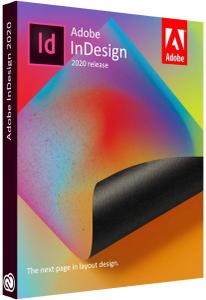
Adobe InDesign 2020 v15.1.3.302 (x64) Multilingual

24646e18e1cb5abfca94bb482833d5fb.jpg


Adobe InDesign 2020 v15.1.3.302 (x64) Multilingual REPACK | 940.4 Mb​
Standout layouts. Only with InDesign. InDesign is the industry-leading layout and page design software for print and digital media. Create beautiful graphic designs with typography from the world՚s top foundries and imagery from Adobe Stock. Quickly share content and feedback in PDF. Easily manage production with Adobe Experience Manager. InDesign has everything you need to create and publish books, digital magazines, eBooks, posters, interactive PDFs, and more.

Make an impression in print.
Design everything from stationery, flyers, and posters to brochures, annual reports, magazines, and books. With professional layout and typesetting tools, you can create multicolumn pages that feature stylish typography and rich graphics, images, and tables.

Digital publications. Dazzling interactions.
Create digital magazines, eBooks, and interactive online documents that draw people in with audio, video, slideshows, and animations. InDesign makes it easy to manage your design elements and quickly deliver immersive experiences in any format.

Keep your team on the same page.
Design faster and smarter with tools built for collaboration. Make changes quickly with Paragraph, Character, or Object Styles. Share feedback and edits from PDFs. InDesign integrates with Creative Cloud and Adobe Experience Manager, so you can share content, fonts, and graphics across all your projects.

See what new can do.
InDesign is always getting better, with new features rolling out regularly. And with your Creative Cloud membership, you get them as soon as we release them. Here are some of the latest updates.

Peak performance
Our latest upgrades include faster launch times and performance improvements.

Adobe Experience Manager integration
Keep your content up to date and share assets across all your projects using Adobe Experience Manager.

SVG import
Import SVG files into your InDesign projects to create interactive graphics and animations.

Variable fonts
Design with variable fonts - customizable typefaces that compact multiple fonts into a single file.

System Requirements:
- Processor: Intel® Pentium® 4 or AMD Athlon® 64 processor
- Operating system: Windows 10* (64-bit)
- RAM: 4 GB of RAM (16 GB recommended)
- Hard disk space: 3.6 GB of available hard-disk space for installation; additional free space required during installation (cannot install on removable flash storage devices); SSD recommended
- Monitor resolution: 1024 x 768 display (1920 X 1080 recommended), HiDPI display support
- Video card: 32-bit video card
* Not supported on Windows 10 versions 1507, 1511, 1703, and 1709.

Home Page -
У Вас недостаточно прав для просмотра ссылок. Войдите или зарегистрируйтесь.


Download link:​
Код:
[center][b]rapidgator_net[/b]:
https://rapidgator.net/file/0ea7f46e45fd8afcac8f00e85c7fca0b/i63uv.Adobe.InDesign.2020.v15.1.3.302.x64.Multilingual.rar.html

[b]nitroflare_com[/b]:
https://nitroflare.com/view/A01429F45143413/i63uv.Adobe.InDesign.2020.v15.1.3.302.x64.Multilingual.rar[/center]

Links are Interchangeable - No Password - Single Extraction​
 
Adobe InDesign 2020 v15.1.3 macOS

7b8d7d214e9182be2d0f235ffc7f968a.jpg


Adobe InDesign 2020 v15.1.3 Multilingual | macOS | 1007 mb​
The next page in layout design. The industry-leading page design and layout app lets you create, preflight, and publish beautiful documents for print and digital media. InDesign has everything you need to make posters, books, digital magazines, eBooks, interactive PDFs, and more. Standout layouts. Only with InDesign. Whether you work in print or digital media, InDesign can help you create layouts that leap off the page.

Benefits of Adobe InDesign 2020:
- New features add footnotes
- Improvements to the OpenType
- Control scale arrow pointers
- Simplified search as Adobe Stock
- New features the Creative Cloud the Libraries
- Improving the Creative Cloud the Assets
- Access to store Typekit the Marketplace
- Integration with the Animate 2020
- And more other

Compatibility: macOS 10.13 or later 64-bit
Homepage:
У Вас недостаточно прав для просмотра ссылок. Войдите или зарегистрируйтесь.


Download link:​
Код:
[center][b]rapidgator_net[/b]:
https://rapidgator.net/file/5cf57030288b389c3869e42810bb7cb6/ch6a0.Adobe.InDesign.2020.v15.1.3.rar.html

[b]nitroflare_com[/b]:
https://nitroflare.com/view/6EEE3CDA722EA78/ch6a0.Adobe.InDesign.2020.v15.1.3.rar[/center]

Links are Interchangeable - No Password - Single Extraction​
 
AnyTrans for iOS 8.8.0 (20201105) macOS

a14ec092fa3b7d0ba990787bad8c8a08.jpg


AnyTrans for iOS 8.8.0 (20201105) | Multilingual | macOS | 128 mb​
AnyTrans is the iPhone manager that breaks the sync boundary and consolidates every access to all your content in one place, including music, videos, photos, messages, books, Safari history, voice memo, etc.

Features:
* Flash-Sync Makes the fastest data transfer in market - By largely improving the data loading and transferring speed, AnyTrans gives you lightning-fast experience.
* Two-way Transfer between iOS devices, iTunes, iCloud and computer - Whether you want to transfer contacts from iPhone to Mac, messages from old iPhone to new iPhone, music and playlists from iPhone back to iTunes library, or videos from PC to iPad, AnyTrans gets anything transferred freely between your iPhone, iPad, iPod touch, iTunes, iCloud and computer.
* Easily manage all your contents on iPhone, iPad, and iPod touch - Browse, edit and export important contacts, messages, notes, and more personal data from iPhone; well organize your photos and music in iPhone and iPad by building up your own collections and playlists - you get full control over all your iOS data and files with ultra ease.
* Migrate everything to your new iPhone within one click clone - Upon just one simple click, everything from your old iPhone, even from iPad - will be cloned to your new iPhone. The game-level you just conquered, the photos you took yesterday, the note you plan for shopping and the music you favors will all be there waiting for you.
* Navigate your iTunes and iCloud backup contents with even more ease - Instead of making a guess on whether your iTunes/iCloud backup contains the notes, messages, contacts, voice memos, or * Safari bookmarks you need, AnyTrans lets you peek right into your backups, and grab any piece of data you need freely without a full restore.

Compatibility: OS X 10.9 or later 64-bit
Homepage:
У Вас недостаточно прав для просмотра ссылок. Войдите или зарегистрируйтесь.


Download link:​
Код:
[center][b]rapidgator_net[/b]:
https://rapidgator.net/file/c608d63f90f567eb6a9cd9ecb6f04541/lbm25.AnyTrans.for.iOS.8.8.0.20201105.rar.html

[b]nitroflare_com[/b]:
https://nitroflare.com/view/0068404790157F5/lbm25.AnyTrans.for.iOS.8.8.0.20201105.rar[/center]

Links are Interchangeable - No Password - Single Extraction​
 
Autodesk InventorCAM 2021.2.0 Update

149194359c369987cce4f11c13b6e940.jpg


Autodesk InventorCAM 2021.2.0 Update | 372.6 mb
Languages: Traditional 中文, Simplified 中文, Čeština, English, Français,
Deutsch, 日本語, Русский, Español
​
The Autodesk CAM development team is pleased to announce the availability of InventorCAM 2021.2.0, is a powerful CAM software application designed to improve productivity and deliver seamless workflows in manufacturing environments so design teams can easily move components from the design stage through to CNC manufacture.

Autodesk InventorCAM 2021.2.0 Release Notes Build 8.2.0.23120 / 4 November 2020

WHAT'S NEW

The following changes have been made in the current update (2021.2):

Changes for General
- The 'Send Feedback' item on the Help menu has been changed to 'Contact Support'. The new item now redirects you to the Autodesk 'Contact Support' site which offers various options for sending information to our Support teams. (#24491)
Changes for Post Process
- Fixed an issue in which the Document Properties were no longer output during post processing. (#23167)
- Fixed an issue in which Order by tool no longer worked across folders within a setup. (#23200)
Changes for Probing
- Fixed an issue in which an override of the driving WCS was also changing the WCS that the probe should update. (#24641)
Changes for Simulation
- Fixed a crash that could occur in certain cases when simulating toolpaths. (#24091)
Changes for API
- Fixed an issue in which an extra period was output before the extension in post output. (#23419)
- Add the ability to set the Notes for an operation via the API. (#24570)
Changes for Milling
- Fixed an issue where the clearance distance for avoid surfaces in linking was not respected. (#22275)
- Fixed an issue that could result in a potential collision of the holder if the top of a 3D Adaptive Clearing operation was set below the top of the model. (#21665)
- Fixed an issue where 3D Adaptive Clearing could sometimes cause an internal error that stopped execution when holder protection was enabled. (#23845)
- Fixed a problem with holder collision protection when selecting 'pull-away' for 3D Contour operations. This could cause the holder to collide with the model. (#22865)
- Enhanced the tool-axis movements for 5-axis Flow, which will now be smoother. (#20630)
- Fixed issue with multiple depths in Engrave, where arcs were incorrectly transformed into line segments. (#23126)
Changes for Linking
- Fixed a problem where some linking moves did not respect the avoid surface clearance for Pencil and Constant Scallop toolpaths. (#23071)
- Relinking is now performed correctly when smoothing is enabled. (#21963)
- Fixed an issue where touch/avoid surfaces were not honored in trimmed toolpaths. (#22488)
- Improved arc leads on vertical walls. (#22637)
Changes for General Turning
- Removed the constant surface speed option from turning threading operations since it did not apply. (#22108)
- Added the ability to do rest machining in a turning operation when the previous operation is a suppressed turning operation or an unsuppressed milling operation. (#2004, #23338)
- Improved the spun profile results in some cases where the result was very slow to compute and not very accurate. (#10249, #11670, #21832, #23312)
- Fixed an issue with certain turning profile finishing toolpaths with a neutral or horizontal tool that gave an error upon generation. (#21950)
- Fixed an issued in which using even depth of cuts in a back cutting operation could hang the process with specific geometry cases. (#23030)
- Fixed an issue with single grooving toolpaths where the tool was gouging into the model if the single groove edge selection was at the back of the model. (#9735, #24376)
- Fixed an issue with certain turning profile finishing toolpaths where the tool was incorrectly machining a radial groove when set to not allow grooving. (#23979)
- Fixed an issue with turning thread operations with use cycle turned on where the simulation was not generating threads on the stock. (#22075)
- Fixed an issue with turning thread operations with use cycle checked on where the rendered toolpath was not correct when the file was loaded. (#22370)
- Fixed an issue where turning profile finishing toolpaths with direction set to back to front were not seeing the correct lead ins. (#22027)
Changes for Turning Canned Cycles
- Fixed an issue with certain turning profile roughing operations that generated errors when canned cycles were turned on. (#22888, #22984)
- Fixed an issue with profile roughing canned cycles where the simulation was showing "no stock to leave" left on unmachined stock. (#19273)
Changes for Turning Profile Roughing
- Added "no drag" machining to turning profile roughing operations. (#17256)
- Added a parameter to turning profile roughing to specify whether stock to leave should be applied to remaining stock as well. (#21993)
- Fixed an issue with certain turning profile roughing toolpaths where the Z stock to leave was not being left on the face of the part as expected. (#23130)
- Fixed an issue with certain turning profile roughing toolpaths that were gouging when even depths of cut was turned on. (#20595)
- Fixed an issue with certain turning profile roughing toolpaths where the first pass was not retracting out of the model at 45 degrees. (#22400)
- Fixed an issue with turning profile roughing and finishing operations with the tool limit appearing in the wrong position for left handed turning tool holders with counter-clockwise spindle direction. (#21994)
- Fixed an issue with profile roughing with direction set to back to front where the tool was feeding into the material horizontally instead of vertically. (#24120)
- Fixed an issue with certain turning profiling operations containing arc moves where the toolpath was gouging into the model. (#22719)
- Fixed an issue where certain turning profile roughing toolpaths could not be generated without suppressing certain design features. (#22959)
- Fixed an issue with turning profile roughing strategies with even depths of cut turned on where the final cut was too thin. (#23079)
- Added the ability to use even depths of cut with turning profile roughing toolpaths when the cycle is set to back-cutting. (#23122)
- Fixed a problem with certain turning profile roughing toolpaths where the tool was rapiding into stock during the first move if the toolpath was starting inside a groove. (#23251)
- Fixed an issue with certain turning profile roughing toolpaths where the tool was not machining to the back Z limit. (#23422)
- Fixed an issue where turning profile roughing operations were giving an error during generation if the model was overridden with a sketch. (#23916)
- Fixed an issue in turning profile roughing toolpaths where the first retract move was starting outside the part to x / z clearance instead from the surface of the material. (#24139)
- Fixed an issue with certain turning profile roughing and finishing operations that were gouging into the part when grooving was set to allow axial and radial. (#24298)
- Fixed an issue with certain turning profile roughing operations with tangential extensions with tool limit set to contact point where the stock limits coincide with an edge. (#22103)

Integrated Autodesk Inventor CAM software - For those that aren't familiar with Computer Aided Manufacturing it is an approach that makes use of computer software to control machine tools and related machinery in the manufacturing of components.

Prior to CAM software, component machining was achieved via numerical control (NC) programming. This could be a very lengthy process and in modern design workflows where time to market is critical, traditional NC programming was often a bottleneck to early product launch.

The subsequent wider adoption of 3D CAD software such as Autodesk Inventor opened up a new realm of possibilities for CAM software and machining companies resulting in the growth of more intelligent CAM Software designed to bridge the gap between design and production.

Autodesk helps people imagine, design and create a better world. Everyone-from design professionals, engineers and architects to digital artists, students and hobbyists-uses Autodesk software to unlock their creativity and solve important challenges.

Product: Autodesk InventorCAM
Version: 2021.2.0 Build 8.2.0.23120 Update
Supported Architectures: x64
Website Home Page :
У Вас недостаточно прав для просмотра ссылок. Войдите или зарегистрируйтесь.

Language: multilanguage
System Requirements: PC *
Software Prerequisites: *
Size: 372.6 mb

- Autodesk Inventor CAM 2021 supports Microsoft Windows 10 64-bit.
- Inventor CAM 2021 is compatible with the 2018, 2019, 2020 and 2021 versions of Inventor, Inventor Professional, and Inventor LT.

Download link:​
Код:
[center][b]rapidgator_net[/b]:
https://rapidgator.net/file/f23d090b5cc8c9181557dd6d08a2a375/b75ox.Autodesk.InventorCAM.2021.2.0.Update.rar.html

[b]nitroflare_com[/b]:
https://nitroflare.com/view/1E467403E1FF034/b75ox.Autodesk.InventorCAM.2021.2.0.Update.rar[/center]

Links are Interchangeable - No Password - Single Extraction​
 
Cadence Design Systems Sigrity 2019 HF004

17d883b2befcf15c43b55eefd3e345ca.jpg


Cadence Design Systems Sigrity 2019 HF004 | 5.2 Gb​
The Allegro Sigrity development team has released an HF004 to Sigrity 2019. The product family Allegro Sigrity consists of signal and power integrity simulation tools printed circuits and IC- Packages.

Cadence Sigrity: What's New in Sigrity 2019 HF004 - Date: November 2020

Release Highlights

The following new features have been added to the release:

Celsius Thermal Solver Enhancements

Power Map Import Enhancements
You can now import 2D power map files in Celsius Solid Objects Simulation for 3D Structures and Celsius Fluid Flow Simulation modules. You have the option to import tile-based, as well as, area-based power map files. While importing the power map file, you can preview how the power values map to the corresponding data points in the design. You can also preview how an object would appear when flipped or rotated.
Support for Specifying the Flow Resistance in Celsius Fluid Flow Simulation
The Celsius Fluid Flow Simulation module lets you simulate porous regions by assigning a flow resistance to the selected regions. This porous media simplification helps in reducing the complexity of the mesh and saving the simulation time. You can specify the 2D flow resistance for 2D planes and 3D flow resistance to 3D objects.
You can also calculate the 2D flow resistance for the chassis walls.
Support for Compact Heat Sink Models
You can now create compact heat sink models in Celsius. In compact heat sink models, the fin area is modeled using the thermal resistance and flow resistance instead of individual fins. Celsius allows you to specify the thermal resistance as a single value or a thermal resistance versus flow speed curve.

Clarity 3D Solver Enhancements

Far Field Processing Capability Enhanced
The far field processing capability in Clarity 3D Workbench has been enhanced further. For example, you can now Description several parameters, such as Voltage Standing Wave Ratio (VSWR), Front to Back Ratio, Right-Handed Circular Polarization (RHCP), Left-Handed Circular Polarization (LHCP), PHI Polarization, and THETA Polarization. In addition, new options have been added in the FarFieldOptions dialog to control the display of the 3D far field pattern.
Performance of DC solution has been improved
Support for S parameters has been added in multi-terminal circuits
To model passive circuits, Clarity 3D Layout now supports the keyword S in multi-terminal circuits.

Signal integrity (SI) is the bane of most system designers. Getting those signals to pass intact through all the twists and turns of your design can be a maddening experience. But modern signal integrity design and analysis is the enabling soul of most of today's high- performance systems. Cadence's Sigrity tools are an industry leader in the signal and power integrity .

Integrated with Cadence PCB and IC package design tools, the Sigrity solutions for signal integrity (SI) and power integrity (PI) provide advanced analysis both pre- and post- layout. Operating early in the design cycle allows for "what if" scenario exploration, sets more accurate design constraints, and reduces design iterations. Sigrity tools read and write directly to the Allegro PCB and IC package design database for fast and accurate integration of results. It provides a SPICE- based simulator and embedded field solvers for extraction of 2D and 3D structures. It supports transistor- level and behavioral I/O modeling, including power- aware simulation using IBIS models. Parallel bus and serial channel architecture can be explored pre- layout to compare alternatives, or post- layout for a comprehensive analysis of all associated signals.

Sigrity Tech Tips: How to Import Optimized 3D Structures Into Your Design Tool After 3D EM Analysis

Cadence enables electronic systems and semiconductor companies to create the innovative end products that are transforming the way people live, work and play. Cadence® software, hardware and semiconductor IP are used by customers to deliver products to market faster. The company's System Design Enablement strategy helps customers develop differentiated products- from chips to boards to systems- in mobile, consumer, cloud datacenter, automotive, aerospace, IoT, industrial and other market segments. Cadence is listed as one of Fortune Magazine's 100 Best Companies to Work For.

Product: Cadence Design Systems Sigrity
Version: 2019 HF006 (version 19.00.006 - 2019)
Supported Architectures: x64
Website Home Page :
У Вас недостаточно прав для просмотра ссылок. Войдите или зарегистрируйтесь.

Language: english
System Requirements: PC *
Software Prerequisites: Cadence Design Systems Sigrity 2019 and above
Size: 5.2 Gb

* System Requirements:
System Requirements:

Supported Operating Systems:

Microsoft Windows 7 all versions (64- bit)
Windows 10 (64- bit)
Windows 2012 Server (All service packs)
Windows 2016 Server (All service packs).

Note: Clarity 3D Solver and Celsius with Hyper- V are not supported on Windows 7.

CPU: Intel Core i7 4.30 GHz or AMD Ryzen 7 4.30 GHz with at least 4 cores
RAM: 8 GB RAM / 64 GB RAM or higher
Space: 50 GB free disk space / 500 GB free disk space SSD is recommended for primary operating system (OS) and simulation working directory
Internet: Microsoft Internet Explorer 9.0 or later
Display: 1,024 x 768 display resolution with true color (16bit color) / Large monitor (or two) with Full HD resolution or higher
GPU: Dedicated graphics card with 1 GB video memory or higher

Download link:​
Код:
[center][b]rapidgator_net[/b]:
https://rapidgator.net/file/322b28b55189d2737e797a4e143f3547/2ijst.Cadence.Design.Systems.Sigrity.2019.HF004.part01.rar.html
https://rapidgator.net/file/937a7c6020f896baf704a90cc79df7c1/2ijst.Cadence.Design.Systems.Sigrity.2019.HF004.part02.rar.html
https://rapidgator.net/file/54b7b7161f1fe934dd35e7daf73b5de5/2ijst.Cadence.Design.Systems.Sigrity.2019.HF004.part03.rar.html
https://rapidgator.net/file/4cf12d9697922828ff4328e0f47bf7bc/2ijst.Cadence.Design.Systems.Sigrity.2019.HF004.part04.rar.html
https://rapidgator.net/file/15e7b04d4f7ab8b20660f398f95ad5b1/2ijst.Cadence.Design.Systems.Sigrity.2019.HF004.part05.rar.html
https://rapidgator.net/file/915091a9654727d44fd9f779888e1213/2ijst.Cadence.Design.Systems.Sigrity.2019.HF004.part06.rar.html
https://rapidgator.net/file/e44489ef1d3ff49f133d06da0ba7c2fa/2ijst.Cadence.Design.Systems.Sigrity.2019.HF004.part07.rar.html
https://rapidgator.net/file/50f2767eb03847b78173b7b6769350cf/2ijst.Cadence.Design.Systems.Sigrity.2019.HF004.part08.rar.html
https://rapidgator.net/file/5f40e32e41307f3f778cd03d07e5cae0/2ijst.Cadence.Design.Systems.Sigrity.2019.HF004.part09.rar.html
https://rapidgator.net/file/bbd14521c430cc1ccc14dfe27529cbef/2ijst.Cadence.Design.Systems.Sigrity.2019.HF004.part10.rar.html
https://rapidgator.net/file/007a8afad7e3792c5a7ce86bb230b11f/2ijst.Cadence.Design.Systems.Sigrity.2019.HF004.part11.rar.html
https://rapidgator.net/file/0911635f2410e9c4428272a682aa01f0/2ijst.Cadence.Design.Systems.Sigrity.2019.HF004.part12.rar.html

[b]nitroflare_com[/b]:
https://nitroflare.com/view/F0B6140E0A2B2C8/2ijst.Cadence.Design.Systems.Sigrity.2019.HF004.part01.rar
https://nitroflare.com/view/CF41092B0A07118/2ijst.Cadence.Design.Systems.Sigrity.2019.HF004.part02.rar
https://nitroflare.com/view/BE2021EBED376B3/2ijst.Cadence.Design.Systems.Sigrity.2019.HF004.part03.rar
https://nitroflare.com/view/7635B10685426A1/2ijst.Cadence.Design.Systems.Sigrity.2019.HF004.part04.rar
https://nitroflare.com/view/FB5D760AD293DD1/2ijst.Cadence.Design.Systems.Sigrity.2019.HF004.part05.rar
https://nitroflare.com/view/C1884C83B1538FC/2ijst.Cadence.Design.Systems.Sigrity.2019.HF004.part06.rar
https://nitroflare.com/view/B6584A5D5255924/2ijst.Cadence.Design.Systems.Sigrity.2019.HF004.part07.rar
https://nitroflare.com/view/F0941744571B09A/2ijst.Cadence.Design.Systems.Sigrity.2019.HF004.part08.rar
https://nitroflare.com/view/756BFAD8FD93F4E/2ijst.Cadence.Design.Systems.Sigrity.2019.HF004.part09.rar
https://nitroflare.com/view/2BD7267FA53579F/2ijst.Cadence.Design.Systems.Sigrity.2019.HF004.part10.rar
https://nitroflare.com/view/7766EFBEA622A07/2ijst.Cadence.Design.Systems.Sigrity.2019.HF004.part11.rar
https://nitroflare.com/view/7AF6EF0543B19D3/2ijst.Cadence.Design.Systems.Sigrity.2019.HF004.part12.rar[/center]

Links are Interchangeable - No Password - Single Extraction​
 
Charles 4.6 (x64)

603f627b8cd9794e0c472050cd01b15d.jpg


Charles 4.6 (x64) | 55.2 Mb​
Charles is a web debugging proxy that enables a developer to view all of the HTTP and SSL/HTTPS traffic between their machine and the internet. This includes deep inspection of requests, responses, headers, TLS information, compression and performance, and binary protocols such as Protobuf for both HTTP 1.1 and 2. Charles is perfect for debugging and measuring your web or mobile app's API requests and responses.

Charles Features
The following features are what I believe to be the key features of Charles. The best way to explore these features and to discover others is to download the free trial.

SSL Proxying
Charles can act as a man-in-the-middle for HTTP/SSL communication, enabling you to debug the content of your HTTPS sessions.

Bandwidth Throttling
Charles simulates modem speeds by effectively throttling your bandwidth and introducing latency, so that you can experience an entire website as a modem user might (bandwidth simulator).

AJAX
Charles is useful for XML development in web browsers, such as AJAX (Asynchronous Javascript and XML) and XMLHTTP, as it enables you to see the actual XML that is flowing between the client and the server. Charles natively supports JSON, JSON-RPC and SOAP; displaying each in a simplified tree format for easy viewing and debugging.

Flash
Charles is great for Adobe Flash developers as you can view the contents of LoadVariables, LoadMovie and XML loads. Charles also has native support for Flash Remoting (AMF0 and AMF3).

Browser & System Configuration
In order for any browser (or any application) to use Charles it must be configured to use Charles as its proxy server. Most browsers will have a way to configure this manually, but configuring manually is annoying because you have to configure and reconfigure everytime you start and stop Charles.

Fortunately Charles can autoconfigure the proxy settings in many cases including:
Windows / Internet Explorer proxy settings - used automatically by most Windows applications

Windows Proxy Settings
Charles can automatically configure the Windows proxy settings so that Internet Explorer and other Windows applications automatically start using Charles. By default Charles will configure and then reconfigure the Windows proxy settings whenever Charles is started or quit.

Charles proxy configuration behaviour can be changed in Charles in the Proxy Menu, Proxy Settings dialog.

The Windows proxy settings are configured in the Internet Options control panel on the Connections tab if you want to look at them yourself.

Microsoft Edge has an additional setting that you may need to make by browsing to about:flags and enabling Allow localhost loopback. This is required in order to connect to Charles Proxy running on localhost.

Home Page -
У Вас недостаточно прав для просмотра ссылок. Войдите или зарегистрируйтесь.


Download link:​
Код:
[center][b]rapidgator_net[/b]:
https://rapidgator.net/file/6ba01e8ea81d7555a48207518a8316ab/tb94k.Charles.4.6.x64.rar.html

[b]nitroflare_com[/b]:
https://nitroflare.com/view/14F0B4BDB63B19C/tb94k.Charles.4.6.x64.rar[/center]

Links are Interchangeable - No Password - Single Extraction​
 
CyberLink AudioDirector Ultra 11.0.2304.0 (x64) Multilingual

f30db9de3285ad3059153fc218c53172.jpg


CyberLink AudioDirector Ultra 11.0.2304.0 (x64) Multilingual | 364.2 Mb​
Your Professional Audio Workstation. No production is complete without sound design. Visually intuitive and stocked with tools and effects to master your production, AudioDirector is the comprehensive audio workstation for multi-tracking, mixing, editing and sound restoration.

Seamlessly Integrated with PowerDirector. (NEW!)
Export your entire audio project from AudioDirector directly into PowerDirector and vice versa. Your audio and video project edits synchronize perfectly between the two apps.

Perfect Audio, No Matter Where You Record It
Let powerful AI tools create the perfect recording environment, anywhere. Remove wind gusts, reverb, and echo from audio clips intelligently so dialogue and ambient sounds are clearly heard.

- AI Wind Remove
- AI DeReverb (NEW!)

Hit the Right Notes
Throw your vocals through professional tone filters - or create your own. Instantly fix pitch issues and achieve perfect intonation.

- Vocal Transformer
- Vocal Contouring

Make Any Music Track an Instrumental
Want to use a music track without the distracting vocals? Extract pristine instrumental tracks from your favorite songs.

Master the Mix
Get the most out of your mix with complete track control and comparison. Combine and apply multiple effects at the same time. Add and preview alternate clips side by side, to get the perfect sound.

- Vocal Balance and Removal (NEW!)
- Create Effect Combos (NEW!)
- Track Alternatives

Audio Editing Made Simple
Record from multiple audio channels directly and apply your favorite effects to different audio files at the same time.

- Batch Processing
- Multi-Channel Device Recording

Perfect Podcasts and Voiceovers
Quickly produce error-free podcasts and voiceovers with full-bodied, balanced sound.

Clean Up Your Audio
Apply a range of restoration tools to get crisp, clear, distraction-free vocals. No noise, hiss, hum and distortion.

Restoration Tools
- Contour Dialogue
- Plosive Removal
- Reduce Noise
- Remove clicks, pops, crackles
- Distortion Removal
- Hiss & Hum Removal

Audio, Visualized
Edit audio tracks for 360˚ videos in a visual preview window to precisely tune audio direction and elevation. Preview 360˚ video, import & edit multi-channel audio clips and export in 360˚ formats for a smoother workflow.

Minimum System Requirements:
- Microsoft Windows 10, 8/8.1, 7 (64-bit OS only)
- Multi-core Intel processor with 64-bit support
- 128 MB VGA VRAM or higher
- 4 GB memory required (8 GB or above recommended)
- 1 GB hard disk space required
- Windows compatible sound card is required
- 1024 x 768, 16-bit color or above

Language Support:
- English
- French
- German
- Italian
- Spanish (European)
- Chinese Simplified
- Chinese Traditional
- Japanese

Home Page -
У Вас недостаточно прав для просмотра ссылок. Войдите или зарегистрируйтесь.


Download link:​
Код:
[center][b]rapidgator_net[/b]:
https://rapidgator.net/file/1a7d2e302e3911af9cae94e445fac879/21eon.CyberLink.AudioDirector.Ultra.11.0.2304.0.x64.Multilingual.rar.html

[b]nitroflare_com[/b]:
https://nitroflare.com/view/D90DB1B54E72DB5/21eon.CyberLink.AudioDirector.Ultra.11.0.2304.0.x64.Multilingual.rar[/center]

Links are Interchangeable - No Password - Single Extraction​
 
DATAKIT CrossManager 2020.4 (build 2020-10-14)

4e1ab84092bf320ab03651161216e19b.jpg


DATAKIT CrossManager 2020.4 (build 2020-10-14) | 136.9 mb
Languages: English, Français, Deutsch, Italiano, Čeština, 中文, Русский, 한국어.​
Datakit, specialist in data transfer between CAD systems, announces that version 2020.4 of its software is now available. The latest update of Datakit's 2D and 3D data exchange software comes with many new features.

It adds support for the latest versions of CATIA V5, CGR and NX formats, conversion of new entities for JT, Rhino and CATIA V5 formats, as well as reinforcement of BIM format conversion.

DATAKIT CrossManager 2020.4.0 release Notes - Date: 2020-10-14

New in this version:
- IFC input : improved IFC4 add2 reading
- Inventor input : improved color reading on part
- Revit input : entities transparency is now correct, improved color retrieving for site, floor and roof elements
- STEP input : added "OriginalName" on root components of STEP files, improved reading of external references on compressed STEP files
- Solid Edge input : improved support for Parasolid, fixed assembly and part names inconsistencies
- SolidWorks input : fixed crashes due to parsing errors
- UG NX input : support of latest version NX 1926 Series until 1934
- 3D PDF output : handling of 3d entities, nodes persistent names and non persistent IDs
- STEP output : improved color/visibility on 1st level instances

With CrossManager, you can easily exchange your CAD models, w hatever the software you use. It supports most of the 2D and 3D, native and neutral CAD formats. More than 30 reading formats and 20 writing formats are available, so you can obtain a conversion solution that perfectly suits your data exchange needs. Indispensable to companies working in a multi-CAD environment, this tool avoids data loss and wasted time when exchanging between CAD software.

Is a quick demo showing how it works: You just have to select or drag & drop a file in the software to convert it in the format that you want. In this video, you can see a CATPart file Converted to 3DPDF, but dozen of other formats are also available!

Datakit is a company specialized in CAD data exchange. It offers standalone converters, plug-ins and SDK that import, analyze and export many CAD formats. Datakit exposes a wide range of geometrical and semantic data and works with many ISV who integrate its technology into their own software.

Product: DATAKIT CrossManager
Version: 2020.4 (build 2020-10-14)
Supported Architectures: x64
Website Home Page :
У Вас недостаточно прав для просмотра ссылок. Войдите или зарегистрируйтесь.

Language: multilanguage
System Requirements: PC *
Size: 136.9 mb

Configuration Requirements

- Windows (Vista/7/8/10).

The hardware configuration (i.e. processor speed, RAM, etc.) mostly depends on the size of the files that have to be converted. However, a 2 GHz CPU and 4 GB of RAM are recommended. The installation of CrossManager will take about 150 MB on your hard disk drive.

Download link:​
Код:
[center][b]rapidgator_net[/b]:
https://rapidgator.net/file/bef8793f2c2f4a0244a9ebdb5c87bb60/oivsa.DATAKIT.CrossManager.2020.4.build.20201014.rar.html

[b]nitroflare_com[/b]:
https://nitroflare.com/view/F987479F08EE13E/oivsa.DATAKIT.CrossManager.2020.4.build.20201014.rar[/center]

Links are Interchangeable - No Password - Single Extraction​
 
Directory Opus Pro 12.22 Build 7593 Multilingual

de85edce59dd9dcc7c0553305c4559ef.jpg


Directory Opus Pro 12.22 Build 7593 (x86/x64) Multilingual | 63.6 Mb​
Are you frustrated by the limitations of Windows Explorer? Directory Opus provides a complete Explorer Replacement with far more power and functionality than any other file manager available today.

Just some of the features include:
- Single or dual pane file display and folder trees
- Tabbed interface let you keep multiple folders open and switch quickly between them
- Unique Explorer Replacement mode provides a full replacement for Windows Explorer
- Quickly filter, sort, group and search your folders
- Color-code your files, assign status icons, star ratings, tags and descriptions
- View images, documents and more. Image marking lets you sort your photos quickly and easily
- Batch renaming including easy-to-use keyboard macros
- View and edit file metadata
- Support for FTP and archive formats like Zip, 7Zip and RAR
- Built-in tools including synchronize and duplicate file finder
- Calculate folder sizes and print or export folder listings
- Queue multiple file copies for improved performance
- Fully configurable user interface - colors, fonts, toolbars, keyboard hotkeys, and a full scripting interface let you tailor Opus exactly to suit your needs
- Efficient, multi-threaded, modern design. Supports the latest 4K monitors. Available in both 32 and 64 bit versions.

What's New in Directory Opus Pro 12:
Summary of major new features
* Full support for high-DPI (e.g. 4K and 5K) monitors.
* Redesigned Rename dialog, with new features like:
* A unique macro recorder, which lets you perform complex batch renames without regular expressions.
* Enhanced scripting capabilities.
* Better handling of recursive renames and filename clashing.
* An Apply button which lets you perform multiple renames without closing the dialog.

Improvements to the Image Viewer including:
* Configurable toolbar and hotkeys, including the ability to run arbitrary commands on the current image file.
* A new image marking system which makes it much easier to sort through a folder of photos to identify the ones you want to keep, print, share, etc.
* A read-ahead cache for faster image loading.
* An integrated metadata panel which lets you edit EXIF and other metadata from within the viewer.

Enhanced file and folder labels including:
* The ability to assign more than one label at once (label attributes are combined).
* Label categories (lets you organise your labels into groups).
* Adjustable label priority (for when more than one wildcard or filter label applies to a file)
* A new status icon system that lets you assign one or more status icons to each files (e.g. to track which files are 'done', 'watched', 'urgent' or 'to-do').
* A manual sorting mode that lets you sort your files and folders exactly how you want.
* An integrated dialog editor that lets scripts create their own complex user interfaces.
* File display enhancements including:
* Vertical folder tabs (displayed down the left or right side of the file display).
* You can assign your own tab colors for specific folders.
* Optional vertical as well as horizontal gridlines.
* Relative size and age graphs displayed as the background of size and date fields (rather than requiring their own column).
* A new "show everything" mode to quickly disable all filters.

Improvements to Folder Options including:
* Configure column widths to expand and fill the usable space in the file display.
* A column filter makes it easier to find and add the columns you want.
* File and folder name filters can be configured using regular expressions if desired.
* File copy improvements including a transfer speed graph in the progress dialog.
* Toolbar enhancements including scrollbars and distinct labels in drop-down menus.
* Lister layouts can now be arranged into folders and sub-folders.
* ... and as always, much, much more!

System Requirements:
* Microsoft Windows 10, 8, 7, Vista, XP,
* Microsoft Server 2012, 2008, 2003.

Homepage -
У Вас недостаточно прав для просмотра ссылок. Войдите или зарегистрируйтесь.


Download link:​
Код:
[center][b]rapidgator_net[/b]:
https://rapidgator.net/file/57f0b3862e5e00aea612cf66adef93ec/nk3oh.Directory.Opus.Pro.12.22.Build.7593.Multilingual.rar.html

[b]nitroflare_com[/b]:
https://nitroflare.com/view/8650FF062B70A24/nk3oh.Directory.Opus.Pro.12.22.Build.7593.Multilingual.rar[/center]

Links are Interchangeable - No Password - Single Extraction​
 
IDERA ERStudio Data Architect Suite 18.5.0 Build 11374

56aed73d3c1beac362031cc636d0e80c.jpg


IDERA ER/Studio Data Architect Suite 18.5.0 Build 11374 | 788.4 mb​
The Idera product team is pleased to announce the availability of ER/Studio Data Architect version 18.5.0, is a complete environment for analyzing, designing, creating, and maintaining database applications, including logical and physical models for many common database platforms.

What's New in Version 18.5

Offers new user interface features
This version of ER/Studio offers a new ribbon-based user interface for ease of use. Available actions are now located on ribbon bars for:

- Diagram. Includes the functions related to creating and maintaining a data model diagram, such as editing, formatting, and viewing.
- Insert. Includes the functions related to placing graphical objects onto a diagram, divided into Logical, Physical, and Data flow types.
- Model. Includes the functions related to managing the model as a whole, including generating a physical model and compare/merge, along with sub model properties and options.
- Tools. Includes the functions related to importing/exporting, managing a database, and other options.
- Repository. Includes the functions related to accessing the repository, such as diagram check in/check out, data dictionary and named release management, and administration.
- Macro. Allows the user to populate the ribbon with shortcuts to user-defined macros.

Support for Oracle 18c, 19c
ER/Studio Data Architect 18.5 includes support for Oracle 18c and 19c.
Connectivity with Aqua Data Studio
ER/Studio now can connect with Aqua Data Studio, providing the ability to export SQL code created during the Generate Database and Compare/Merge wizard process. This ability allows you to further edit and deploy to source control tools.

ER/Studio Data Architect, the essential cross-platform data modeling tool, enables companies to discover, document, and re-use data assets. With round-trip database support, data architects have the power to easily reverse-engineer, analyze, design, and optimize existing databases. Comprehensive model management and collaboration capabilities simplify building and maintaining complex enterprise data models in the repository. With an extensive feature set, ER/Studio Data Architect offers superior data modeling for complex data warehouse environments.

Create and Use Submodels with ER/Studio Data Architect

IDERA, Inc. is the parent company of global B2B software productivity brands whose solutions enable technical users to do more with less, faster. Idera, Inc. brands span three divisions - Database Tools, Developer Tools, and Test Management Tools - with products that are evangelized by millions of community members and more than 50,000 customers worldwide, including some of the world's largest healthcare, financial services, retail, and technology companies.

Product: IDERA ER/Studio Data Architect
Version: Suite 18.5.0 Build 11374 *
Supported Architectures: x64
Website Home Page :
У Вас недостаточно прав для просмотра ссылок. Войдите или зарегистрируйтесь.

Language: english
System Requirements: PC **
Size: 788.4 mb

Release info:
- ERStudio_Viewer_18.5.0_Windows_Client
- ERStudio_Data_Architect_18.5.0_Windows_Client_64bit
- ERStudio_Business_Architect_18.0.0_Windows_Client
- ERStudio_Software_Architect_18.0.0_Windows_Client

** System Requirements:

Minimum hardware requirements:
4GB RAM
2.5GB disk space
Supported Operating Systems:
Windows 7-10 (64-bit)
Native connections:
Db2 (LUW and z/OS)
Oracle
Azure SQL Database
SQL Server
SQL Server in Azure and AWS VMs
Sybase
MongoDB
Hadoop Hive
ODBC Connections
Supported Platforms:
Firebird 1.5, 2.x
Greenplum 4.2
Hitachi HiRDB
13
IBM Db2 for z/OS 5.x - 11.x
IBM Db2 for LUW 5.x - 10.x
IBM Db2 for iSeries V4R5 and V5R2
IBM Informix OnLine and SE
Informix 9.x dynamic server
InterBase 4, 2007, 2009
InterBase XE, XE3
Microsoft Access 2.0, 95, 97, 2000
Microsoft Azure SQL Database
Microsoft SQL Server 6.5, 7, 2000, 2005, 2008, 2012, 2014, 2016, 2017
Microsoft SQL Server on Azure
Microsoft Visual FoxPro 2, 3, 5
MongoDB 2.6, 3.0, 3.2, 3.4, 3.6
MySQL 3.x, 4.x, 5.x
Netezza 4.6, 5.0, 6.0, 7.0
Oracle 7.3, 8.x, 9i, 10g, 11g, 12c
PostgreSQL 8.x, 9.x
Sybase Adaptive Server Enterprise (ASE) 11.9.2, 12.x, 12.5, 15.0
Sybase Adaptive Server Anywhere (ASA) 5, 6, 7, 8, 9, 10
Sybase IQ 12.x, 15.x, 16.x
Sybase Watcom SQL
Teradata V2R4, V2R5, V2R6, 12, 13.0, 14.x, 15.10

Download link:​
Код:
[center][b]rapidgator_net[/b]:
https://rapidgator.net/file/c94db9717f7f195652fb589b3077638f/rh9gb.IDERA.ERStudio.Data.Architect.Suite.18.5.0.Build.11374.rar.html

[b]nitroflare_com[/b]:
https://nitroflare.com/view/909EFCC6817FA75/rh9gb.IDERA.ERStudio.Data.Architect.Suite.18.5.0.Build.11374.rar[/center]

Links are Interchangeable - No Password - Single Extraction​
 
iNet Network Scanner 2.7.5 macOS

50fcf5522da3038db295306e337c7591.jpg


iNet Network Scanner 2.7.5 | macOS | 125 mb​
iNet - explore your network! Find out about security risks and keep your network under control. This easy to use App outlines a computer network even to the unexperienced user. Is somebody using your network without your knowledge? Which devices are currently online? Which access ports are open? Which services are offered? What is the IP of your router? What is the IP of your router? Wake sleeping devices remotely. Add own icons to found devices ...

iNet provides you with information about networks and devices your Mac is connected to. Its very easy and user friendly design even allows the unexperienced user to get a profound and understandable overview of a network, the running services and the Wi-Fi quality.

In the current version the following functions are available:

* Network Scanner
* Bonjour Browser
* Portscan for standard ports
* Airport Monitor*
* Wake on Lan
* Help section

Compatibility: OS X 10.8 or later 64-bit

Download link:​
Код:
[center][b]rapidgator_net[/b]:
https://rapidgator.net/file/58abbb72187912d3e5a96a0d10cec22c/nsefw.iNet.Network.Scanner.2.7.5.rar.html

[b]nitroflare_com[/b]:
https://nitroflare.com/view/0C1D17B0DE3D33B/nsefw.iNet.Network.Scanner.2.7.5.rar[/center]

Links are Interchangeable - No Password - Single Extraction​
 
ManicTime Pro 4.5.12 Multilingual

306efe523e58ba9c6212327a2397a13d.jpg


ManicTime Pro 4.5.12 Multilingual | 68.6 Mb​
ManicTime will allow you to use automatically recorded past events to accurately track how you spend your time on your projects. With ManicTime you'll be able to monitor the PC usage and track the most often used applications.

Auto tracking of computer usage
Manictime sits in the background and records your activities, so you can just forget it is there and focus on your work. When you are finished you can use collected data to accurately keep track of your time.

Keep track of your work hours
After you have finished working, you can use MT to keep track of your hours. That means no more "punch-clock" like software, where you always forget to start or stop the clock. Just sit back and do your work. After you are finished, you can easily use collected data to accurately keep track of your time.

Simple and intuitive UI
During the course of the day average user can switch back and forth between applications more than a 1000 times, which means ManicTime gathers a lot of data. Using our timeline technology Manictime presents the data in an easy to understand way. You can drag on the timelines to select time or just mouse over to see hints about underlying data.

Local storage
Gathered data can sometimes be sensitive and you don't want it sent over the wire and shared. That is why all the data Manictime gathers is stored locally on your computer and you can delete it any time you want. Having a local database also enables you to use ManicTime offline, without an Internet connection.

Powerful statistics
See which applications you use the most or on which web sites you spend the most time. Also easily figure out how much time you spent working on projects to accurately bill your clients or just keep track of your work.

Operating System: Windows 7, 8/8.1, 10

Home Page -
У Вас недостаточно прав для просмотра ссылок. Войдите или зарегистрируйтесь.


Download link:​
Код:
[center][b]rapidgator_net[/b]:
https://rapidgator.net/file/58f59be5fd89b2ca82a3dd250232a58d/78k5i.ManicTime.Pro.4.5.12.Multilingual.rar.html

[b]nitroflare_com[/b]:
https://nitroflare.com/view/DF03C7FB53B62AF/78k5i.ManicTime.Pro.4.5.12.Multilingual.rar[/center]

Links are Interchangeable - No Password - Single Extraction​
 
MediaHuman YouTube Downloader 3.9.9.48 (0711) Multilingual

6ca28b0742ea97d82f990932b7b67bec.jpg


MediaHuman YouTube Downloader 3.9.9.48 (0711) (x86/x64) Multilingual | 112 Mb​
MediaHuman YouTube Downloader is a handy application for those who found a favorite music video or trailer of a new movie and wants to keep it on your computer for viewing offline. Or you need to download a video lesson/tutorial. Our video downloader is an ideal solution for such kind of tasks.

Simultaneous downloads
- Supports Ultra High resolutions up to 4K
- Download whole playlists and channels
- YouTube, Vimeo, Dailymotion, Soundcloud
- Extract audio track and save it as MP3
- iTunes support
- VEVO support

Operating System: Windows 7, 8/8.1, 10

Home Page -
У Вас недостаточно прав для просмотра ссылок. Войдите или зарегистрируйтесь.


Download link:​
Код:
[center][b]rapidgator_net[/b]:
https://rapidgator.net/file/e2dcd9951f55519232e86050790f7e73/6jz3l.MediaHuman.YouTube.Downloader.3.9.9.48.0711.Multilingual.rar.html

[b]nitroflare_com[/b]:
https://nitroflare.com/view/9F83F251DD06AE2/6jz3l.MediaHuman.YouTube.Downloader.3.9.9.48.0711.Multilingual.rar[/center]

Links are Interchangeable - No Password - Single Extraction​
 
MediaHuman YouTube To MP3 Converter 3.9.9.47 (0711) Multilingual

7eef2e7444f0ccba0771727c26a4a423.jpg


MediaHuman YouTube To MP3 Converter 3.9.9.47 (0711) (x86/x64) Multilingual | 113.5 Mb​
You like to listen to music on YouTube or SoundCloud and want to save it for offline playing. Or you want to download soundtrack of a new movie. Then we recommend you to try out this software developed specifically for this purpose.

Downloads all music from playlist or channel
Downloads highest available quality up to 320 kbps
Supports YouTube, Vimeo, SoundCloud, Dailymotion, VEVO, etc.
Downloads simultaneously several tracks
Includes simple tag editor with cover art support
Works on all modern platforms (macOS, Windows, Ubuntu)
Imports into iTunes

Playlists and channels
The software supports downloading all videos of a playlist or a channel. And there is also an option for subscribing to and downloading only newly uploaded tracks.

iTunes support
In the preferences of the application you can select an option to add downloaded tracks into iTunes automatically. You can also specify iTunes playlist, where the converted track should be added.

Saves your time & traffic
The app detects audio track in YouTube video clip and downloads it, skipping the video part. As a result download speed increases dramatically, especially on HD-quality content.

Simple tag editor
Application automatically detects artist name and track title of the video and saves it in the downloaded file. But at the same time, you can easily change tags to whatever you want. You can even change a cover art image.

Original format, no conversions
You can save audio tracks in original quality without any conversion. It means that there will be no loss of quality and it greatly reduces the downloading time.

Free music
There is a great amount of music on YouTube. You can always find the one you like there. And YouTube to MP3 Converter allows you to save it on your computer for free. Just find the track you like and download it in the quality you need.

Not only YouTube
Vevo.com, Vimeo, DailyMotion, Soundcloud, Bandcamp, HypeMachine, MixCloud, UOL and many other sites are also supported. So you can download music as easy as from YouTube.

Clipboard tracking
The program tracks the content of the system clipboard. It means that you can easily add a video clip without switching from your favorite browser. Just copy an URL into the clipboard and it will be added to the download queue.

Multilingual interface
Localized to: Arabic, Armenian, Azerbaijani, Bulgarian, Catalan, Chinese (Taiwan), Croatian, Czech, Danish, Dutch, English, Esperanto, French, German, Greek, Hebrew (Israel), Hungarian, Indonesian, Italian, Japanese, Korean, Latvian, Lithuanian, Malay, Norwegian Bokmål, Polish, Portuguese, Portuguese (Brazil), Romanian, Russian, Spanish, Swedish, Turkish, Vietnamese

Operating System: Windows 7, 8/8.1, 10

Home Page -
У Вас недостаточно прав для просмотра ссылок. Войдите или зарегистрируйтесь.


Download link:​
Код:
[center][b]rapidgator_net[/b]:
https://rapidgator.net/file/219f7757c21d4e4a0a85b4aa9393e2e0/cm760.MediaHuman.YouTube.To.MP3.Converter.3.9.9.47.0711.Multilingual.rar.html

[b]nitroflare_com[/b]:
https://nitroflare.com/view/0F87173F741EF6F/cm760.MediaHuman.YouTube.To.MP3.Converter.3.9.9.47.0711.Multilingual.rar[/center]

Links are Interchangeable - No Password - Single Extraction​
 
Назад
Сверху