• Старая версия форума работает в архивном режиме www.old.nado.in

All mitsumi'1s Applications !! (updated daily)

  • Автор темы Автор темы mitsumi1
  • Дата начала Дата начала
MAGIX Samplitude Pro X5 Suite 16.1.0.201 (x64) Multilingual

3e27d1bb277604eda563ca9a08b3380d.jpg


MAGIX Samplitude Pro X5 Suite 16.1.0.201 (x64) Multilingual | 1 Gb​
Samplitude Pro X provides recording and mixing engineers with practical functions that revolutionize the standard DAW workflow. Edit in realtime, during recording. Apply effects in a custom way to individual clips. Visualize volume, frequency and phase information for selected tracks. Use batch processing for the automated editing of multiple files simultaneously.

Brand new functions
New in Samplitude Pro X5 Suite: ARA2 integrates Melodyne and SpectraLayers Pro more seamlessly than before, MIDI Polyphonic Expression supports modern controllers such as ROLI Seaboard and a new section is included for simplifying monitoring. The tempo track functions enables centralized control of changing tempo and time signatures, Automation Shapes creates smooth curves and Convology XT Complete offers vintage reverb. Additional instruments for captivating sounds, the full coreFX Suite with essential effects and a bonus audio software bundle are included in the new Samplitude Pro X5 Suite.

Highlights
- New! ARA2 supports the latest versions of Celemony Melodyne essential and others
- New! MIDI Polyphonic Expression for additional parameters per note
- New! Monitoring Section for switching between monitoring paths
- New! Automation Shapes for predefined curves
- New! WaveColor for spectral waveform display
- New! Dedicated Tempo Track function for automating tempo changes
- New! Convology XT Complete with unlimited vintage reverb units (2965 impulse responses)

New! Monitoring Section
Say goodbye to meter-long cable connections and expensive routing hardware - the new Monitoring Section in Samplitude Pro X5 offers unprecedented flexibility. Set up multiple monitoring paths and load them with effects. Play back your configurations and integrate a talkback mic if you like - this can be done easily using the mouse or shortcuts.

New! ARA2 support
A second-generation ARA interface allows for more comprehensive switching between Samplitude Pro X5 and ARA-compatible plug-ins. Audio data can be swapped out faster and allows for more efficient editing in realtime. Time-consuming transfers are a thing of the past when integrating Melodyne, since audio events can be opened directly here. In addition, ARA2 simplifies simultaneous editing of multiple tracks and clean transitions between clips without crossfades.

New! Tempo Track
Tempo now has its own track. Use automations to create elegant transitions between slow and fast passages. Set additional buttons as helpful markers for beat and tempo change.

New! MIDI Polyphonic Expression
With MIDI Polyphonic Expression (MPE for short), discover the future of MIDI operation. MPE assigns each note a dedicated MIDI channel, which allows for parallel modulation simultaneously and independently of each other. This way, compatible controllers such as the ROLI seaboard can output their full potential. Want to apply pitch bend to a solo or bring down harmonies using sustain? It's all possible with MPE.

Full control, everything in view
New options for automation are front and center in Samplitude Pro X5. Advanced tools for visualization offer users a better insight into their audio material.

System Requirements:
- Windows 10, Windows 8 (64-bit)
- Processor: 2 GHz
- RAM: 4 GB
- Graphics card: Onboard, minimum resolution 1024 x 768
- Available drive space: x GB for program installation, 20 GB for Samplitude Pro X5, 100 GB for Samplitude Pro X5 Suite
- Sound card: Onboard

Home Page -
У Вас недостаточно прав для просмотра ссылок. Войдите или зарегистрируйтесь.


Download link:​
Код:
[center][b]rapidgator_net[/b]:
https://rapidgator.net/file/a53598fd2bdec631ef9a81cb5f0d9618/d276x.MAGIX.Samplitude.Pro.X5.Suite.16.1.0.201.x64.Multilingual.rar.html

[b]nitroflare_com[/b]:
https://nitroflare.com/view/511E89FDA488395/d276x.MAGIX.Samplitude.Pro.X5.Suite.16.1.0.201.x64.Multilingual.rar

[b]alfafile_net[/b]:
http://alfafile.net/file/8x7aF/d276x.MAGIX.Samplitude.Pro.X5.Suite.16.1.0.201.x64.Multilingual.rar[/center]

Links are Interchangeable - No Password - Single Extraction​
 
MarsEdit 4.4.6 macOS

98480ba33fa60b644ea70eee0b19d0d2.jpg


MarsEdit 4.4.6 | macOS | 18 mb​
Quick and convenient blog editor. MarsEdit is a blog editor for OS X that makes editing your blog like writing email, with spell-checking, drafts, multiple windows, and even AppleScript support. It works with with most blog services including WordPress, Blogger, Drupal, Movable Type, TypePad, and many others.

Compatibility: macOS 10.12 or later 64-bit
Homepage:
У Вас недостаточно прав для просмотра ссылок. Войдите или зарегистрируйтесь.


Download link:​
Код:
[center][b]rapidgator_net[/b]:
https://rapidgator.net/file/5a7624eaaf8831c1e9fcfa567fee61dc/bxtx6.MarsEdit.4.4.6.rar.html

[b]nitroflare_com[/b]:
https://nitroflare.com/view/BEEAEA487CBFB64/bxtx6.MarsEdit.4.4.6.rar

[b]alfafile_net[/b]:
http://alfafile.net/file/8x7a3/bxtx6.MarsEdit.4.4.6.rar[/center]

Links are Interchangeable - No Password - Single Extraction​
 
Minitube for YouTube 3.6.5 macOS

9017065965a82ae9ec9032595b3c72fb.jpg


Minitube for YouTube 3.6.5 Multilingual | macOS | 24 mb​
Minitube is a lightweight and elegant YouTube application for your Mac. With it you can watch YouTube videos in a new way: you type a keyword, Minitube gives you an endless video stream.

By automatically playing videos one after another, Minitube aims to create a TV-like experience. Stop fiddling, just sit back and enjoy.

Minitube is designed to be very easy to use for kids and grandparents too. Minitube is a gift for the whole family.

Minitube consumes less memory and CPU than a browser, preserving battery life and keeping your laptop cool.

With Minitube you can search by keyword, search YouTube channels or just paste a YouTube link. Related videos are always a click away. You can also browse top videos for your favorite category and country.

Compatibility: OS X 10.11 or later 64 bit

Download link:​
Код:
[center][b]rapidgator_net[/b]:
https://rapidgator.net/file/9ba4d862d2493fdcb6a7df1abed11bed/ik5nn.Minitube.for.YouTube.3.6.5.rar.html

[b]nitroflare_com[/b]:
https://nitroflare.com/view/6BC42893242A2C5/ik5nn.Minitube.for.YouTube.3.6.5.rar

[b]alfafile_net[/b]:
http://alfafile.net/file/8x72K/ik5nn.Minitube.for.YouTube.3.6.5.rar[/center]

Links are Interchangeable - No Password - Single Extraction​
 
MobaXterm 20.5

f00d3b87434badeca2eac0e0be71bd49.jpg


MobaXterm 20.5 | 25.5 Mb​
MobaXterm is your ultimate toolbox for remote computing. In a single Windows application, it provides loads of functions that are tailored for programmers, webmasters, IT administrators and pretty much all users who need to handle their remote jobs in a more simple fashion.

Key features

Embedded X server
Fully configured Xserver based on X.org

Easy DISPLAY exportation
DISPLAY is exported from remote Unix to local Windows

X11-Forwarding capability
Your remote display uses SSH for secure transport

Tabbed terminal with SSH
Based on PuTTY/MinTTY with antialiased fonts and macro support

Many Unix/Linux commands on Windows
Includes basic Cygwin commands (bash, grep, awk, sed, rsync,...)

Add-ons and plugins
You can extend MobaXterm capabilities with plugins

Versatile session manager
All your network tools in one app: Rdp, Vnc, Ssh, Mosh, X11, ...

Portable and light application
MobaXterm has been packaged as a single executable which does not require admin rights and which you can start from an USB stick

Professional application
MobaXterm Professional has been designed for security and stability for very challenging people

Operating System: Windows XP, Vista, 7, 8/8.1, 10

Home Page -
У Вас недостаточно прав для просмотра ссылок. Войдите или зарегистрируйтесь.


Download link:​
Код:
[center][b]rapidgator_net[/b]:
https://rapidgator.net/file/d44338325df456f8f1de6076e72247df/d5e9q.MobaXterm.20.5.rar.html

[b]nitroflare_com[/b]:
https://nitroflare.com/view/921F61E42742659/d5e9q.MobaXterm.20.5.rar

[b]alfafile_net[/b]:
http://alfafile.net/file/8x7ah/d5e9q.MobaXterm.20.5.rar[/center]

Links are Interchangeable - No Password - Single Extraction​
 
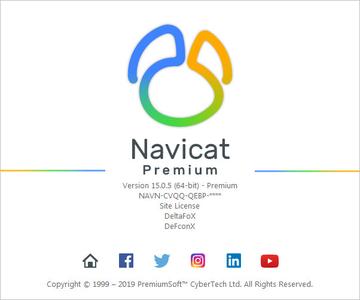
Navicat Data Modeler 3.0.11

b3ec2eb19f663f92a4c6bbba323d018c.jpg


Navicat Data Modeler 3.0.11 | 107 Mb​
Navicat Data Modeler is a powerful and cost-effective database design tool which helps you build high-quality conceptual, logical and physical data models. It allows you to visually design database structures, perform reverse/forward engineering processes, import models from ODBC data sources, generate complex SQL/DDL, print models to files, and much more.

Simplify the task of creating complex entity relationship models and generate the script SQL with a simple click. Navicat Data Modeler supports various database systems, including MySQL, MariaDB, Oracle, SQL Server, PostgreSQL, and SQLite.

Features:

Database Objects
Create, modify, and design your models using professional object designers, available for Tables and Views. Without the need to write complex SQL to create and edit objects, you'll know exactly what you are working on. Also, Navicat Data Modeler supports three standard notations: Crow's Foot, IDEF1x and UML. Using our feature-rich, simple, and user-friendly drawing tools, you can develop a complete data model with just a few clicks.

Model Types
Navicat Data Modeler enables you to build high-quality conceptual, logical and physical data models for a wide variety of audiences. Using the Model Conversion feature, you can convert a conceptual business-level model into a logical relational database model and then into a physical database implementation. From sketching a big picture of your system design to viewing relationships and working with attributes and columns from linked entities, tables and views. You can easily deploy accurate changes to database structures and build organized and more effective database systems.

Reverse Engineering
Reverse Engineering is one of the key features of Navicat Data Modeler. Load existing database structures and create new ER diagrams. Visualize database models so you can see how elements such as attributes, relationships, indexes, uniques, comments, and other objects relate to each other without showing actual data. Navicat Data Modeler supports different databases: Direct connection, ODBC (*Only for Windows and macOS Edition), MySQL, MariaDB, Oracle, SQL Server, PostgreSQL, and SQLite.

Comparison and Synchronization
The Synchronize to Database function will give you a full picture of all database differences. Once your databases are compared, you can view the differences and generate a synchronization script to update the destination database to make it identical to your model. Flexible settings enable you to set up a custom key for comparison and synchronization.

SQL Code Generation
Navicat Data Modeler is not only a tool for creating ER diagrams and designing your databases. Its Export SQL feature also gives you full control over the final SQL script and allows you to generate individual parts of your model, referential integrity rules, comments, character sets, etc., potentially saving you hundreds of hours of work.

Standard Designing Tools
Add vertices, layers, images, shapes, and notes/labels, align/distribute objects, unlimited undo/redo capacity, auto layout, search filter, and more.

Navicat Cloud
Navicat Data Modeler is fully integrated with Navicat Cloud. Sync your model files and virtual groups to the cloud for a real-time access at anytime and anywhere. With Navicat Cloud, you can leverage every minute of your day to maximize your productivity.

Operating System: Windows 7, 8/8.1, 10, Windows Server 2008 R2, 2012, 2016.

Home Page -
У Вас недостаточно прав для просмотра ссылок. Войдите или зарегистрируйтесь.


Download link:​
Код:
[center][b]rapidgator_net[/b]:
https://rapidgator.net/file/28a1dc9c8cda4192cb0869355fdb4e7f/m3jn8.Navicat.Data.Modeler.3.0.11.rar.html

[b]nitroflare_com[/b]:
https://nitroflare.com/view/FD0AE62473C0DC3/m3jn8.Navicat.Data.Modeler.3.0.11.rar

[b]alfafile_net[/b]:
http://alfafile.net/file/8x72y/m3jn8.Navicat.Data.Modeler.3.0.11.rar[/center]

Links are Interchangeable - No Password - Single Extraction​
 
Navicat Essentials Premium 15.0.19

6f58f01fb27bbc92fb1811ec9edc920a.jpg


Navicat Essentials Premium 15.0.19 | 120.7 Mb​
Navicat Essentials is a compact version of Navicat which provides the basic and necessary features you will need to perform simple database development. Navicat Essentials is for commercial use and is available for MySQL, MariaDB, SQL Server, PostgreSQL, Oracle, and SQLite databases. If you need to administer all aforementioned database servers at the same time, there is also Navicat Premium Essentials which allows you to access multiple servers from a single application.

Features:

The All-New Engine
We focus strongly on improving responsiveness, usability, and performance. We engineered an entirely new mechanism and applied multithreading, so you can run certain tasks in parallel to increase the overall efficiency of your database development.

Cloud Database Navigation
Manage both on-premises and cloud databases such as Amazon RDS, Amazon Aurora, Amazon Redshift, SQL Azure, Oracle Cloud, and Google Cloud. Just simply establish connection using the pertinent information that your cloud databases provide.

Effortless Deployment Toolkit
Add your favorite tabs to On Startup and have them open automatically when Navicat launches, and use MacBook Pro Touch Bar to easily access Navicat features and controls.

Diversified Manipulation Tool
Use Import/Export Wizard to have data conversion from plain text formats such as TXT, CSV, XML and JSON. Add, modify, and delete records with our spreadsheet-like Grid View together with an array of data editing tools to facilitate your edits. Navicat Essentials gives you the tools you need to manage your data efficiently and ensure a smooth process.

Make Collaboration Easy
Synchronize your connection settings and queries to our Navicat Cloud service so you can get real-time access to them, and share them with your coworkers anytime and anywhere. With Navicat Cloud, you can leverage every minute of your day to maximize your productivity. Learn more >

Advanced Secure Connection
Establish secure connections through SSH Tunneling and SSL ensure every connection is secure, stable, and reliable. Support different authentication methods of database servers such as PAM authentication for MySQL and MariaDB, and GSSAPI authentication for PostgreSQL. Navicat 12 provides more authentication mechanisms and high-performance environments so you never have to worry about connecting over an insecure network.

Operating System: Windows 7, 8/8.1, 10, Windows Server 2008 R2, 2012, 2016

Home Page -
У Вас недостаточно прав для просмотра ссылок. Войдите или зарегистрируйтесь.


Download link:​
Код:
[center][b]rapidgator_net[/b]:
https://rapidgator.net/file/cfd0d3f94880b01c242f47b7706cf765/oohyc.Navicat.Essentials.Premium.15.0.19.rar.html

[b]nitroflare_com[/b]:
https://nitroflare.com/view/6C7ACAD36282DF3/oohyc.Navicat.Essentials.Premium.15.0.19.rar

[b]alfafile_net[/b]:
http://alfafile.net/file/8x72j/oohyc.Navicat.Essentials.Premium.15.0.19.rar[/center]

Links are Interchangeable - No Password - Single Extraction​
 
Navicat for MariaDB 15.0.19

31512b783b514d7e6e9cc6dbb9c0c525.jpg


Navicat for MariaDB 15.0.19 | 75.8 Mb​
avicat for MariaDB provides a native environment for MariaDB database management and development. Connect to local/remote MariaDB servers and compatible with Amazon RDS. Navicat for MariaDB supports most of the additional features like new storage engines, microseconds, virtual columns, and more.

Features:

Seamless Data Migration
Data Transfer, Data Synchronization and Structure Synchronization help you migrate your data easier and faster for less overhead. Deliver detailed, step-by-step guidelines for transferring data across databases. Compare and synchronize databases with Data and Structure Synchronization. Set up and deploy the comparisons in seconds, and get the detailed script to specify the changes you want to execute.

Diversified Manipulation Tool
Use Import Wizard to transfer data into a database from diverse formats, or from ODBC after setting up a data source connection. Export data from tables, views, or query results to formats like Excel, Access, CSV and more. Add, modify, and delete records with our spreadsheet-like Grid View together with an array of data editing tools to facilitate your edits. Navicat gives you the tools you need to manage your data efficiently and ensure a smooth process.

Easy SQL Editing
Visual SQL Builder will help you create, edit and run SQL statements without having to worry about syntax and proper usage of commands. Code fast with Code Completion and customizable Code Snippet by getting suggestions for keywords and stripping the repetition from coding.

Intelligent Database Designer
Create, modify and manage all database objects using our professional object designers. Convert your databases into graphical representations using a sophisticated database design and modeling tool so you can model, create, and understand complex databases with ease.

Increase your Productivity
Our powerful local backup/restore solution guides you through the backup process and reduces the potential for errors. Compile professional high-quality reports in minutes using an interactive design interface and efficient workflow, and set an automation for repeatable deployment process like report generation, database backup, and script execution at a specific time or day. No matter where you are, you can always get the job done.

Make Collaboration Easy
Synchronize your connection settings, models, queries and virtual groups to our Navicat Cloud service so you can get real-time access to them, and share them with your coworkers anytime and anywhere. With Navicat Cloud, you can leverage every minute of your day to maximize your productivity.

Advanced Secure Connection
Establish secure connections through SSH Tunneling and SSL ensure every connection is secure, stable, and reliable. Support different authentication methods of database servers such as PAM authentication. Navicat 12 provides more authentication mechanisms and high-performance environments so you never have to worry about connecting over an insecure network.

Operating System: Windows 7, 8/8.1, 10, Windows Server 2008 R2, 2012, 2016

Home Page -
У Вас недостаточно прав для просмотра ссылок. Войдите или зарегистрируйтесь.


Download link:​
Код:
[center][b]rapidgator_net[/b]:
https://rapidgator.net/file/6485de370bed8b152f428881f188eafe/hlvff.Navicat.for.MariaDB.15.0.19.rar.html

[b]nitroflare_com[/b]:
https://nitroflare.com/view/38897B2BDBBCEC4/hlvff.Navicat.for.MariaDB.15.0.19.rar

[b]alfafile_net[/b]:
http://alfafile.net/file/8x72Y/hlvff.Navicat.for.MariaDB.15.0.19.rar[/center]

Links are Interchangeable - No Password - Single Extraction​
 
Navicat for MongoDB 15.0.19

9b9f804b82b393f4f671abb5c823c798.jpg


Navicat for MongoDB 15.0.19 | 84.3 Mb​
Navicat for MongoDB gives you a highly effective GUI interface for MongoDB database management, administration and development. Connect to local/remote MongoDB servers with MongoDB Atlas and Huawei Cloud compatibility. Navicat for MongoDB offers remarkable features for managing, monitoring, querying, and visualizing your data. You can easily increase productivity of routine MongoDB operations.

Features

Seamless Data Migration
Data Transfer and Data Synchronization help you migrate your data easier and faster for less overhead. Deliver detailed, step-by-step guidelines for transferring data across databases. Compare and synchronize databases with Data Synchronization. Set up and deploy the comparisons in seconds, and get the detailed script to specify the changes you want to execute.

Diversified Manipulation Tool
Use Import Wizard to transfer data into a database from diverse formats, or from ODBC after setting up a data source connection. Export data from collections, views, or query results to formats such as Excel, Access, CSV and more. Add, modify, and delete documents with our built-in editors and MongoDB 4 Transaction support, you can facilitate your edits in Tree View, JSON View, and the classic spreadsheet-like Grid View. With MongoDB 4 Transaction support, Navicat gives you the tools you need to manage your data efficiently and ensure a smooth process.

Easy Query Editing
Visual Query Builder will help you create, edit and run queries without having to worry about syntax and proper usage of commands. Code fast with Code Completion and customizable Code Snippet by getting suggestions for keywords and stripping the repetition from coding.

Intelligent Object Designer
Create, modify, and manage all database objects using our professional object designers. Preview results on each step and debug the sampled data before running your MapReduce jobs. Store and retrieve files from your MongoDB databases using our well-designed GridFS form that allows parallel upload/download process.

Increase Your Productivity
Our intuitive GUI for MongoDBDump Utility guides you through the backup process and minimizes potential errors. Set an automation for repeatable deployment process like MapReduce job and script execution at a specific time or day. No matter where you are, you can always get the job done.

Smart Schema Analyzer
Discover and explore your schema with our built-in schema visualization tool. Analyze your documents and displays rich structures within your collections, so you can understand your data's schema, find schema anomalies, and inspect outliers easily.

Make Collaboration Easy
Synchronize your connection settings, queries and virtual groups to our Navicat Cloud service so you can get real-time access to them, and share them with your coworkers anytime and anywhere. With Navicat Cloud, you can leverage every minute of your day to maximize your productivity.

Advanced Secure Connection
Establish secure connections through SSH Tunneling and SSL ensure every connection is secure, stable, and reliable. Support different authentication methods of database servers such as Kerberos and X.509 authentication. Navicat 12 provides more authentication mechanisms and high-performance environments so you never have to worry about connecting over an insecure network.

Operating System: Windows 7, 8/8.1, 10, Windows Server 2008 R2, 2012, 2016

Home Page -
У Вас недостаточно прав для просмотра ссылок. Войдите или зарегистрируйтесь.


Download link:​
Код:
[center][b]rapidgator_net[/b]:
https://rapidgator.net/file/728c3cdbd72a4e0c01dd0a3fd58ad360/b39tj.Navicat.for.MongoDB.15.0.19.rar.html

[b]nitroflare_com[/b]:
https://nitroflare.com/view/FD708EF27773B4D/b39tj.Navicat.for.MongoDB.15.0.19.rar

[b]alfafile_net[/b]:
http://alfafile.net/file/8x7ad/b39tj.Navicat.for.MongoDB.15.0.19.rar[/center]

Links are Interchangeable - No Password - Single Extraction​
 
Navicat for MySQL 15.0.19

e1dfb6f210b3518bbefc6cc48154b297.jpg


Navicat for MySQL 15.0.19 | 76.5 Mb​
Navicat for MySQL is the ideal solution for MySQL/MariaDB administration and development. It is a single application that allows you to connect to MySQL and MariaDB databases simultaneously. Compatible with cloud databases like Amazon RDS, Amazon Aurora, Oracle Cloud and Google Cloud. This all-inclusive frontend provides an intuitive and powerful graphical interface for database management, development, and maintenance.

Features:

Seamless Data Migration
Data Transfer, Data Synchronization and Structure Synchronization help you migrate your data easier and faster for less overhead. Deliver detailed, step-by-step guidelines for transferring data across databases. Compare and synchronize databases with Data and Structure Synchronization. Set up and deploy the comparisons in seconds, and get the detailed script to specify the changes you want to execute.

Diversified Manipulation Tool
Use Import Wizard to transfer data into a database from diverse formats, or from ODBC after setting up a data source connection. Export data from tables, views, or query results to formats like Excel, Access, CSV and more. Add, modify, and delete records with our spreadsheet-like Grid View together with an array of data editing tools to facilitate your edits. Navicat gives you the tools you need to manage your data efficiently and ensure a smooth process.

Easy SQL Editing
Visual SQL Builder will help you create, edit and run SQL statements without having to worry about syntax and proper usage of commands. Code fast with Code Completion and customizable Code Snippet by getting suggestions for keywords and stripping the repetition from coding.

Intelligent Database Designer
Create, modify and manage all database objects using our professional object designers. Convert your databases into graphical representations using a sophisticated database design and modeling tool so you can model, create, and understand complex databases with ease.

Increase your Productivity
Our powerful local backup/restore solution guides you through the backup process and reduces the potential for errors. Compile professional high-quality reports in minutes using an interactive design interface and efficient workflow, and set an automation for repeatable deployment process like report generation, database backup, and script execution at a specific time or day. No matter where you are, you can always get the job done.

Make Collaboration Easy
Synchronize your connection settings, models, queries and virtual groups to our Navicat Cloud service so you can get real-time access to them, and share them with your coworkers anytime and anywhere. With Navicat Cloud, you can leverage every minute of your day to maximize your productivity.

Advanced Secure Connection
Establish secure connections through SSH Tunneling and SSL ensure every connection is secure, stable, and reliable. Support different authentication methods of database servers such as PAM authentication. Navicat 12 provides more authentication mechanisms and high-performance environments so you never have to worry about connecting over an insecure network.

Operating System: Windows 7, 8/8.1, 10, Windows Server 2008 R2, 2012, 2016

Home Page -
У Вас недостаточно прав для просмотра ссылок. Войдите или зарегистрируйтесь.


Download link:​
Код:
[center][b]rapidgator_net[/b]:
https://rapidgator.net/file/48fc1f8270bb8f688e709ae3ea638a2c/kv7ku.Navicat.for.MySQL.15.0.19.rar.html

[b]nitroflare_com[/b]:
https://nitroflare.com/view/9AA523D822B0627/kv7ku.Navicat.for.MySQL.15.0.19.rar

[b]alfafile_net[/b]:
http://alfafile.net/file/8x72J/kv7ku.Navicat.for.MySQL.15.0.19.rar[/center]

Links are Interchangeable - No Password - Single Extraction​
 
Navicat for Oracle 15.0.19

c26bc14b21524fca801d116ae421e5df.jpg


Navicat for Oracle 15.0.19 | 95 Mb​
Navicat for Oracle improves the efficiency and productivity of Oracle developers and administrators with a streamlined working environment. Optimizing your Oracle development - create, organize, access, and share information quickly and securely. Navicat for Oracle is compatible with cloud databases like Amazon RDS and Oracle Cloud, and supports local/remote Oracle servers.

Features:

Seamless Data Migration
Data Transfer, Data Synchronization and Structure Synchronization help you migrate your data easier and faster for less overhead. Deliver detailed, step-by-step guidelines for transferring data across databases. Compare and synchronize databases with Data and Structure Synchronization. Set up and deploy the comparisons in seconds, and get the detailed script to specify the changes you want to execute.

Diversified Manipulation Tool
Use Import Wizard to transfer data into a database from diverse formats, or from ODBC after setting up a data source connection. Export data from tables, views, or query results to formats like Excel, Access, CSV and more. Add, modify, and delete records with our spreadsheet-like Grid View together with an array of data editing tools to facilitate your edits. Navicat gives you the tools you need to manage your data efficiently and ensure a smooth process.

Easy SQL Editing
Visual SQL Builder will help you create, edit and run SQL statements without having to worry about syntax and proper usage of commands. Code fast with Code Completion and customizable Code Snippet by getting suggestions for keywords and stripping the repetition from coding.

Intelligent Database Designer
Create, modify and manage all database objects using our professional object designers. Convert your databases into graphical representations using a sophisticated database design and modeling tool so you can model, create, and understand complex databases with ease.

Increase your Productivity
Our powerful local backup/restore solution guides you through the backup process and reduces the potential for errors. Compile professional high-quality reports in minutes using an interactive design interface and efficient workflow, and set an automation for repeatable deployment process like report generation, database backup, and script execution at a specific time or day. No matter where you are, you can always get the job done.

Make Collaboration Easy
Synchronize your connection settings, models, queries and virtual groups to our Navicat Cloud service so you can get real-time access to them, and share them with your coworkers anytime and anywhere. With Navicat Cloud, you can leverage every minute of your day to maximize your productivity.

Advanced Secure Connection
Establish secure connections through SSH Tunneling and SSL ensure every connection is secure, stable, and reliable. Support different authentication methods of database servers such as PAM authentication. Navicat 12 provides more authentication mechanisms and high-performance environments so you never have to worry about connecting over an insecure network.

Operating System: Windows 7, 8/8.1, 10, Windows Server 2008 R2, 2012, 2016.

Home Page -
У Вас недостаточно прав для просмотра ссылок. Войдите или зарегистрируйтесь.


Download link:​
Код:
[center][b]rapidgator_net[/b]:
https://rapidgator.net/file/f0e94567b113e28dbc7493b5001ce5ad/jwi1n.Navicat.for.Oracle.15.0.19.rar.html

[b]nitroflare_com[/b]:
https://nitroflare.com/view/8550ABE64317BB3/jwi1n.Navicat.for.Oracle.15.0.19.rar

[b]alfafile_net[/b]:
http://alfafile.net/file/8x72P/jwi1n.Navicat.for.Oracle.15.0.19.rar[/center]

Links are Interchangeable - No Password - Single Extraction​
 
Navicat for PostgreSQL 15.0.19

8dc20aa3114fcf59ac3b0e32531d2cdb.jpg


Navicat for PostgreSQL 15.0.19 | 75.4 Mb​
Navicat for PostgreSQL is an easy-to-use graphical tool for PostgreSQL database development. From writing simple SQL queries to developing complex databases, Navicat for PostgreSQL is designed to accommodate a wide range of users, from PostgreSQL beginners to seasoned developers. Connect to local/remote PostgreSQL servers and compatible with cloud databases like Amazon Redshift, Amazon Aurora, Amazon RDS and Google Cloud, and all PostgreSQL database objects.

Features:

Seamless Data Migration
Data Transfer, Data Synchronization and Structure Synchronization help you migrate your data easier and faster for less overhead. Deliver detailed, step-by-step guidelines for transferring data across databases. Compare and synchronize databases with Data and Structure Synchronization. Set up and deploy the comparisons in seconds, and get the detailed script to specify the changes you want to execute.

Diversified Manipulation Tool
Use Import Wizard to transfer data into a database from diverse formats, or from ODBC after setting up a data source connection. Export data from tables, views, or query results to formats like Excel, Access, CSV and more. Add, modify, and delete records with our spreadsheet-like Grid View together with an array of data editing tools to facilitate your edits. Navicat gives you the tools you need to manage your data efficiently and ensure a smooth process.

Easy SQL Editing
Visual SQL Builder will help you create, edit and run SQL statements without having to worry about syntax and proper usage of commands. Code fast with Code Completion and customizable Code Snippet by getting suggestions for keywords and stripping the repetition from coding.

Intelligent Database Designer
Create, modify and manage all database objects using our professional object designers. Convert your databases into graphical representations using a sophisticated database design and modeling tool so you can model, create, and understand complex databases with ease.

Increase your Productivity
Our powerful local backup/restore solution guides you through the backup process and reduces the potential for errors. Compile professional high-quality reports in minutes using an interactive design interface and efficient workflow, and set an automation for repeatable deployment process like report generation, database backup, and script execution at a specific time or day. No matter where you are, you can always get the job done.

Make Collaboration Easy
Synchronize your connection settings, models, queries and virtual groups to our Navicat Cloud service so you can get real-time access to them, and share them with your coworkers anytime and anywhere. With Navicat Cloud, you can leverage every minute of your day to maximize your productivity.

Advanced Secure Connection
Establish secure connections through SSH Tunneling and SSL ensure every connection is secure, stable, and reliable. Support different authentication methods of database servers such as PAM authentication. Navicat 12 provides more authentication mechanisms and high-performance environments so you never have to worry about connecting over an insecure network.

Operating System: Windows 7, 8/8.1, 10, Windows Server 2008 R2, 2012, 2016.

Home Page -
У Вас недостаточно прав для просмотра ссылок. Войдите или зарегистрируйтесь.


Download link:​
Код:
[center][b]rapidgator_net[/b]:
https://rapidgator.net/file/13134ff814386462d07518d738516851/9mvcl.Navicat.for.PostgreSQL.15.0.19.rar.html

[b]nitroflare_com[/b]:
https://nitroflare.com/view/EC8BD7B845FFDFA/9mvcl.Navicat.for.PostgreSQL.15.0.19.rar

[b]alfafile_net[/b]:
http://alfafile.net/file/8x7aw/9mvcl.Navicat.for.PostgreSQL.15.0.19.rar[/center]

Links are Interchangeable - No Password - Single Extraction​
 
Navicat for SQLite 15.0.19

c7ae4d5efecc9e66d73a30d49a801b97.jpg


Navicat for SQLite 15.0.19 | 74 Mb​
Navicat for SQLite is a powerful and comprehensive SQLite GUI that provides a complete set of functions for database management and development. Optimizing your SQLite workflow and productivity - you can quickly and securely create, organize, access, and share information.

Features:

Seamless Data Migration
Data Transfer, Data Synchronization and Structure Synchronization help you migrate your data easier and faster for less overhead. Deliver detailed, step-by-step guidelines for transferring data across databases. Compare and synchronize databases with Data and Structure Synchronization. Set up and deploy the comparisons in seconds, and get the detailed script to specify the changes you want to execute.

Diversified Manipulation Tool
Use Import Wizard to transfer data into a database from diverse formats, or from ODBC after setting up a data source connection. Export data from tables, views, or query results to formats like Excel, Access, CSV and more. Add, modify, and delete records with our spreadsheet-like Grid View together with an array of data editing tools to facilitate your edits. Navicat gives you the tools you need to manage your data efficiently and ensure a smooth process.

Easy SQL Editing
Visual SQL Builder will help you create, edit and run SQL statements without having to worry about syntax and proper usage of commands. Code fast with Code Completion and customizable Code Snippet by getting suggestions for keywords and stripping the repetition from coding.

Intelligent Database Designer
Create, modify and manage all database objects using our professional object designers. Convert your databases into graphical representations using a sophisticated database design and modeling tool so you can model, create, and understand complex databases with ease.

Increase your Productivity
Our powerful local backup/restore solution guides you through the backup process and reduces the potential for errors. Compile professional high-quality reports in minutes using an interactive design interface and efficient workflow, and set an automation for repeatable deployment process like report generation, database backup, and script execution at a specific time or day. No matter where you are, you can always get the job done.

Make Collaboration Easy
Synchronize your connection settings, models, queries and virtual groups to our Navicat Cloud service so you can get real-time access to them, and share them with your coworkers anytime and anywhere. With Navicat Cloud, you can leverage every minute of your day to maximize your productivity.

Advanced Secure Connection
Establish secure connections through SSH Tunneling and SSL ensure every connection is secure, stable, and reliable. Support different authentication methods of database servers such as PAM authentication. Navicat 12 provides more authentication mechanisms and high-performance environments so you never have to worry about connecting over an insecure network.

Operating System: Windows 7, 8/8.1, 10, Windows Server 2008 R2, 2012, 2016.

Home Page -
У Вас недостаточно прав для просмотра ссылок. Войдите или зарегистрируйтесь.


Download link:​
Код:
[center][b]rapidgator_net[/b]:
https://rapidgator.net/file/2da394a84b8b50589c3c60ed0aee6de0/4vyze.Navicat.for.SQLite.15.0.19.rar.html

[b]nitroflare_com[/b]:
https://nitroflare.com/view/7B20335675AFD5F/4vyze.Navicat.for.SQLite.15.0.19.rar

[b]alfafile_net[/b]:
http://alfafile.net/file/8x7ar/4vyze.Navicat.for.SQLite.15.0.19.rar[/center]

Links are Interchangeable - No Password - Single Extraction​
 
Navicat for SQL Server 15.0.19

333b0d2c744f31c96f1118c767c5a18b.jpg


Navicat for SQL Server 15.0.19 | 85.2 Mb​
Navicat for SQL Server gives you a fully graphical approach to database management and development. Quickly and easily create, edit, and delete all database objects, or execute SQL queries and scripts. Connect to any local/remote SQL Server, and compatible with cloud databases like Amazon RDS and SQL Azure.

Features:

Seamless Data Migration
Data Transfer, Data Synchronization and Structure Synchronization help you migrate your data easier and faster for less overhead. Deliver detailed, step-by-step guidelines for transferring data across databases. Compare and synchronize databases with Data and Structure Synchronization. Set up and deploy the comparisons in seconds, and get the detailed script to specify the changes you want to execute.

Diversified Manipulation Tool
Use Import Wizard to transfer data into a database from diverse formats, or from ODBC after setting up a data source connection. Export data from tables, views, or query results to formats like Excel, Access, CSV and more. Add, modify, and delete records with our spreadsheet-like Grid View together with an array of data editing tools to facilitate your edits. Navicat gives you the tools you need to manage your data efficiently and ensure a smooth process.

Easy SQL Editing
Visual SQL Builder will help you create, edit and run SQL statements without having to worry about syntax and proper usage of commands. Code fast with Code Completion and customizable Code Snippet by getting suggestions for keywords and stripping the repetition from coding.

Intelligent Database Designer
Create, modify and manage all database objects using our professional object designers. Convert your databases into graphical representations using a sophisticated database design and modeling tool so you can model, create, and understand complex databases with ease.

Increase your Productivity
Our powerful local backup/restore solution guides you through the backup process and reduces the potential for errors. Compile professional high-quality reports in minutes using an interactive design interface and efficient workflow, and set an automation for repeatable deployment process like report generation, database backup, and script execution at a specific time or day. No matter where you are, you can always get the job done.

Make Collaboration Easy
Synchronize your connection settings, models, queries and virtual groups to our Navicat Cloud service so you can get real-time access to them, and share them with your coworkers anytime and anywhere. With Navicat Cloud, you can leverage every minute of your day to maximize your productivity.

Advanced Secure Connection
Establish secure connections through SSH Tunneling and SSL ensure every connection is secure, stable, and reliable. Support different authentication methods of database servers such as PAM authentication. Navicat 12 provides more authentication mechanisms and high-performance environments so you never have to worry about connecting over an insecure network.

Operating System: Windows 7, 8/8.1, 10, Windows Server 2008 R2, 2012, 2016.

Home Page -
У Вас недостаточно прав для просмотра ссылок. Войдите или зарегистрируйтесь.


Download link:​
Код:
[center][b]rapidgator_net[/b]:
https://rapidgator.net/file/59cc9b7569f343a76c7e60afbc644f9a/oqo6d.Navicat.for.SQL.Server.15.0.19.rar.html

[b]nitroflare_com[/b]:
https://nitroflare.com/view/F83832CEDAC06F3/oqo6d.Navicat.for.SQL.Server.15.0.19.rar

[b]alfafile_net[/b]:
http://alfafile.net/file/8x729/oqo6d.Navicat.for.SQL.Server.15.0.19.rar[/center]

Links are Interchangeable - No Password - Single Extraction​
 
Navicat Premium 15.0.19

91d0d8fd469e31a60217fafb12d71443.jpg


Navicat Premium 15.0.19 | 122.5 Mb​
Navicat Premium is a database development tool that allows you to simultaneously connect to MySQL, MariaDB, SQL Server, Oracle, PostgreSQL, and SQLite databases from a single application. Compatible with cloud databases like Amazon RDS, Amazon Aurora, Amazon Redshift, SQL Azure, Oracle Cloud and Google Cloud. You can quickly and easily build, manage and maintain your databases.

Features:

Seamless Data Migration
Data Transfer, Data Synchronization and Structure Synchronization help you migrate your data easier and faster for less overhead. Deliver detailed, step-by-step guidelines for transferring data across various DBMS. Compare and synchronize databases with Data and Structure Synchronization. Set up and deploy the comparisons in seconds, and get the detailed script to specify the changes you want to execute.

Diversified Manipulation Tool
Use Import Wizard to transfer data into a database from diverse formats, or from ODBC after setting up a data source connection. Export data from tables, views, or query results to formats like Excel, Access, CSV and more. Add, modify, and delete records with our spreadsheet-like Grid View together with an array of data editing tools to facilitate your edits. Navicat gives you the tools you need to manage your data efficiently and ensure a smooth process.

Easy SQL Editing
Visual SQL Builder will help you create, edit and run SQL statements without having to worry about syntax and proper usage of commands. Code fast with Code Completion and customizable Code Snippet by getting suggestions for keywords and stripping the repetition from coding. Quickly locate and correct PL/SQL and PL/PGSQL coding errors using our debugging component such as setting breakpoints, stepping through the program, viewing and modifying variable values, and examining the call stack.

Intelligent Database Designer
Create, modify and manage all database objects using our professional object designers. Convert your databases into graphical representations using a sophisticated database design and modeling tool so you can model, create, and understand complex databases with ease.

Increase your Productivity
Our powerful local backup/restore solution and intuitive GUI for Oracle Data Pump/SQL Server Backup Utility guides you through the backup process and reduces the potential for errors. Set an automation for repeatable deployment process like database backup and script execution at a specific time or day. No matter where you are, you can always get the job done.

Make Collaboration Easy
Synchronize your connection settings, models, queries and virtual groups to our Navicat Cloud service so you can get real-time access to them, and share them with your coworkers anytime and anywhere. With Navicat Cloud, you can leverage every minute of your day to maximize your productivity. Learn more >

Advanced Secure Connection
Establish secure connections through SSH Tunneling and SSL ensure every connection is secure, stable, and reliable. Support different authentication methods of database servers such as PAM authentication for MySQL and MariaDB, and GSSAPI authentication for PostgreSQL. Navicat 12 provides more authentication mechanisms and high-performance environments so you never have to worry about connecting over an insecure network.

Operating System: Windows 7, 8/8.1, 10, Windows Server 2008 R2, 2012, 2016.

Home Page -
У Вас недостаточно прав для просмотра ссылок. Войдите или зарегистрируйтесь.


Download link:​
Код:
[center][b]rapidgator_net[/b]:
https://rapidgator.net/file/44bf7779095c5c6fe7c819a00fa31a3b/550rw.Navicat.Premium.15.0.19.rar.html

[b]nitroflare_com[/b]:
https://nitroflare.com/view/F88B2C933898C28/550rw.Navicat.Premium.15.0.19.rar

[b]alfafile_net[/b]:
http://alfafile.net/file/8x7a9/550rw.Navicat.Premium.15.0.19.rar[/center]

Links are Interchangeable - No Password - Single Extraction​
 
ORPALIS PaperScan Professional 3.0.119 Multilingual

fc9256d8211a920b133480b1c90ac85f.jpg


ORPALIS PaperScan Professional 3.0.119 Multilingual | 56.8 Mb​
PaperScan is a powerful TWAIN & WIA scanning software with an OCR engine centered on one idea : making document acquisition an unparalleled easy task for anyone. PaperScan is simply universal while most of the scanning applications are dedicated to one scanner or one protocol. With PaperScan you can control any scanner (TWAIN or WIA) including network scanners, cameras or acquisition cards via one simple click : all capabilities are automatically handled and negotiated by PaperScan.

Import any image/PDF files in PaperScan, arrange them in any imaginable single-page/multi-page configuration, perform a wide range of image adjustments/enhacements, annotate your documents with sticky notes, rubber stamps, highlighter or arrows and save your work in various file formats including JPEG, TIFF, PDF and JBIG2.

Here are some key features of "PaperScan Professional":
- autodeskew
- remove punch holes
- remove borders
- blank pages detection and removal
- angle rotation
- convert to black and white or greyscale or colour
- adjust colour (brightness, contrast, saturation, gamma)
- apply filters to smooth, stretch contrast or median the image
- apply bitonal filters to remove isolated dots or to dilate/erode characters
- apply contour, sepia or scanline effects
- image printing
- image quality selection
- area selection / crop selected area
- image resize
- information about image's resolution, size and colour mode

Operating System: Windows 7, 8/8.1, 10

Home Page -
У Вас недостаточно прав для просмотра ссылок. Войдите или зарегистрируйтесь.


Download link:​
Код:
[center][b]rapidgator_net[/b]:
https://rapidgator.net/file/15dd84ed6aaeb1f177fb79dbbd08265e/ntsyf.ORPALIS.PaperScan.Professional.3.0.119.Multilingual.rar.html

[b]nitroflare_com[/b]:
https://nitroflare.com/view/B3BA2DB20E2C7D5/ntsyf.ORPALIS.PaperScan.Professional.3.0.119.Multilingual.rar

[b]alfafile_net[/b]:
http://alfafile.net/file/8x72m/ntsyf.ORPALIS.PaperScan.Professional.3.0.119.Multilingual.rar[/center]

Links are Interchangeable - No Password - Single Extraction​
 
ORPALIS PDF OCR 1.1.36 Professional

171ddf99e35899c6255bf4730af08e5c.jpg


ORPALIS PDF OCR 1.1.36 Professional | 184 Mb​
Turn all your documents into Searchable PDFs! Scanned documents and images now searchable in a blink of an eye thanks to an innovative conversion engine. If you need a simple way to convert them into searchable documents, turning to third-party software solutions can be the best alternative. ORPALIS PDF OCR is one of the programs that can help you accomplish the task mentioned above easily.

Why PDF OCR?
To offer a fast and powerful tool quite a lot of technology is required. Here are a few facts about ORPALIS PDF OCR and the team who developed it.

- Faster document to PDF OCR conversion tool of the market.
- High quality optical character recognition and layout analysis.
- Productive and intuitive interface.
- Image files are now searchable
- No more wasted time looking for information in log documents.
- Performs fast automatic indexation on high volume of documents.
- User friendly software thanks to its intuitive interface.
- Fast and reliable OCR engine powered by the worldwide bestseller GdPicture.NET SDK.
- Built by recognized industry experts.

Check out PDF OCR innovative features:

Input file formats
Convert PDF (PDF OCR Cloud Edition) and more than 100 other file formats (PDF OCR On-Premises Edition) to a searchable PDF!

Supported languages
More than 60 languages are supported in PDF OCR On-Premises Edition! The Cloud Edition includes English, French, Spanish, German and Italian.

Multithreading support for multipage document
PDF OCR powerful multi-threading engine can process very long documents and hundreds of pages at once!

Multi Threading
Multithreading support for multiple documents.

Command line support
Integrate all PDF OCR features into your production line, automate your processes and gain a lot of time!

Layout analysis
Thanks to this feature the orientation of each page is automatically detected to provide the most accurate OCR result possible.and Drop

Document selection
You can select the exact document that will be processed by PDF OCR or the whole folder. Select your files or folders or drag and drop them directly in PDF OCR.

Localized User Interface
At the moment the User Interface is translated in English and French but hang on, more languages are yet to come!

64-bit support
PDF OCR is AnyCPU, this means that the application runs as a 64-bit process whenever possible and falls back to 32-bit when only that mode is available.

Requirements: Windows starting from XP SP3 to Windows 10.

Home Page -
У Вас недостаточно прав для просмотра ссылок. Войдите или зарегистрируйтесь.


Download link:​
Код:
[center][b]rapidgator_net[/b]:
https://rapidgator.net/file/c586f674cadaf4e0b284e3eadbd3babf/pjbid.ORPALIS.PDF.OCR.1.1.36.Professional.rar.html

[b]nitroflare_com[/b]:
https://nitroflare.com/view/577D9E8325A4F81/pjbid.ORPALIS.PDF.OCR.1.1.36.Professional.rar

[b]alfafile_net[/b]:
http://alfafile.net/file/8x72x/pjbid.ORPALIS.PDF.OCR.1.1.36.Professional.rar[/center]

Links are Interchangeable - No Password - Single Extraction​
 
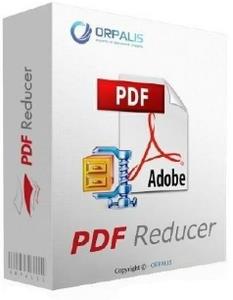
ORPALIS PDF Reducer 3.1.18 Professional

dfbf7bb4c141c574f50442af12cfefc7.jpg


ORPALIS PDF Reducer 3.1.18 Professional | 33.3 Mb​
Use ORPALIS PDF Reducer to select either individual files or entire folders to minimize the size of your PDFs and images. Make web publishing of PDFs a snap allowing fast web view or just save time when sending them via internet. And get everything done really fast!

Features:
PDF Reducer includes powerful, innovative and sophisticated features developed by worldwide recognized experts in document imaging.

ORPALIS PDF Reducer is a super fast and powerful PDF compression Software for general public and developers meant to help anyone to get existing PDF files reduced up to 80% more than concurrent products. To achieve that, ORPALIS PDF Reducer provides different innovative and highly sophisticated size-reducing techniques which can be optionally applied by user selection.

Unrivaled lossless data re-compression
Innovative and highly sophisticated techniques which restructure existing content and apply the most effective compression scheme based on data type. Documents are printable and zoomable without loss of quality. PDF Reducer is able to serialize several compression algorithms on images in order to (surpass) the limitations of some compression schemes.

Remove unwanted or unused objects
You might have received PDFs containing additional, unwanted objects: let PDF Reducer remove them for you.

Automatic color detection and layout analysis
Usually, scanning batches of papers under scanner's color-mode implies mixing together colored and B&W documents. PDF Reducer automatically identifies the B&W ones and encodes them as plain B&W thus dramatically reducing the file size.

Raster images re-sampling and re-composing
Decrease un-necessary high resolution to dramatically reduce the file size without affecting the viewing experience.

Content segmentation and optimal compression
Segments embedded images, separates text, finds similar bitmap sections and makes optimized recompression.

Input file formats
With PDF Reducer version 3 you can downsize a large variety of images and documents. Nearly 100 input files formats are now available besides PDF, including raster images formats such as TIFF, JPEG, PNG, JPEG 2000 and RAW camera formats.

Multi-threading support
Executes PDF processing via multiple, simultaneous and concurrent threads, decreasing processing time by using CPU resources most efficiently.

Command line interface support
Automate PDF processing with commands without needing repetitive actions control via the GUI (graphic user interface).

Unlimited batch processing fully available in On-Premises Editions, segmented in Cloud Edition
Executes PDF processing via multiple, simultaneous and concurrent threads, decreasing processing time by using CPU resources most efficiently.

Drag'n drop support
Do it fast, don't mind Windows Explorer.

Language & Interface
Default user interface language in ORPALIS PDF Reducer is English. Based on your Windows language settings, ORPALIS PDF Reducer automatically displays the localised version of the interface, if it exists among ORPALIS PDF Reducer translated interface versions. Currently, available languages for ORPALIS PDF Reducer interface are: English and French.

Requirements: Windows Vista or higher. PC with at least 512 MB RAM.

Home Page -
У Вас недостаточно прав для просмотра ссылок. Войдите или зарегистрируйтесь.


Download link:​
Код:
[center][b]rapidgator_net[/b]:
https://rapidgator.net/file/703c897b716ad53f3cc4ca5d0260d955/gg1vm.ORPALIS.PDF.Reducer.3.1.18.Professional.rar.html

[b]nitroflare_com[/b]:
https://nitroflare.com/view/668E733CEA1C856/gg1vm.ORPALIS.PDF.Reducer.3.1.18.Professional.rar

[b]alfafile_net[/b]:
http://alfafile.net/file/8x7aR/gg1vm.ORPALIS.PDF.Reducer.3.1.18.Professional.rar[/center]

Links are Interchangeable - No Password - Single Extraction​
 
ORPALIS PDF Reducer 3.1.18 Professional Portable

522eebe5f7f1371408646f76d29aec24.jpg


ORPALIS PDF Reducer 3.1.18 Professional Portable | 25.5 Mb​
Use ORPALIS PDF Reducer to select either individual files or entire folders to minimize the size of your PDFs and images. Make web publishing of PDFs a snap allowing fast web view or just save time when sending them via internet. And get everything done really fast!

Features:
PDF Reducer includes powerful, innovative and sophisticated features developed by worldwide recognized experts in document imaging.

ORPALIS PDF Reducer is a super fast and powerful PDF compression Software for general public and developers meant to help anyone to get existing PDF files reduced up to 80% more than concurrent products. To achieve that, ORPALIS PDF Reducer provides different innovative and highly sophisticated size-reducing techniques which can be optionally applied by user selection.

Unrivaled lossless data re-compression
Innovative and highly sophisticated techniques which restructure existing content and apply the most effective compression scheme based on data type. Documents are printable and zoomable without loss of quality. PDF Reducer is able to serialize several compression algorithms on images in order to (surpass) the limitations of some compression schemes.

Remove unwanted or unused objects
You might have received PDFs containing additional, unwanted objects: let PDF Reducer remove them for you.

Automatic color detection and layout analysis
Usually, scanning batches of papers under scanner's color-mode implies mixing together colored and B&W documents. PDF Reducer automatically identifies the B&W ones and encodes them as plain B&W thus dramatically reducing the file size.

Raster images re-sampling and re-composing
Decrease un-necessary high resolution to dramatically reduce the file size without affecting the viewing experience.

Content segmentation and optimal compression
Segments embedded images, separates text, finds similar bitmap sections and makes optimized recompression.

Input file formats
With PDF Reducer version 3 you can downsize a large variety of images and documents. Nearly 100 input files formats are now available besides PDF, including raster images formats such as TIFF, JPEG, PNG, JPEG 2000 and RAW camera formats.

Multi-threading support
Executes PDF processing via multiple, simultaneous and concurrent threads, decreasing processing time by using CPU resources most efficiently.

Command line interface support
Automate PDF processing with commands without needing repetitive actions control via the GUI (graphic user interface).

Unlimited batch processing fully available in On-Premises Editions, segmented in Cloud Edition
Executes PDF processing via multiple, simultaneous and concurrent threads, decreasing processing time by using CPU resources most efficiently.

Drag'n drop support
Do it fast, don't mind Windows Explorer.

Language & Interface
Default user interface language in ORPALIS PDF Reducer is English. Based on your Windows language settings, ORPALIS PDF Reducer automatically displays the localised version of the interface, if it exists among ORPALIS PDF Reducer translated interface versions. Currently, available languages for ORPALIS PDF Reducer interface are: English and French.

Requirements: Windows Vista or higher. PC with at least 512 MB RAM.

Home Page -
У Вас недостаточно прав для просмотра ссылок. Войдите или зарегистрируйтесь.


Download link:​
Код:
[center][b]rapidgator_net[/b]:
https://rapidgator.net/file/cd78c83678d3ea75b2866991d9afc79b/o0njk.ORPALIS.PDF.Reducer.3.1.18.Professional.Portable.rar.html

[b]nitroflare_com[/b]:
https://nitroflare.com/view/A7321C32876D21A/o0njk.ORPALIS.PDF.Reducer.3.1.18.Professional.Portable.rar

[b]alfafile_net[/b]:
http://alfafile.net/file/8x72b/o0njk.ORPALIS.PDF.Reducer.3.1.18.Professional.Portable.rar[/center]

Links are Interchangeable - No Password - Single Extraction​
 
PDF To JPG Converter 4.5

588dd0df47d38c6d73b943bdfc6b4005.jpg


PDF To JPG Converter 4.5 | 15.5 Mb​
PDF To JPG Converter is a windows utility that quickly converts PDF Files into JPG,BMP,TIF,GIF,PNG Images. With PDF To JPG Converter users can also convert PDF to JPG in page range, and set the output image DPI.

PDF is the most common format in business electronic document field. People create eBooks, send internet faxes, and build reports via PDF documents. Sometimes you may want to use the PDF resources for a PPT file or a website, so the easiest way is convert PDF to JPG files by PDF To JPG Converter. The program will convert multi PDF files to images in batch mode. PDF To JPG Converter also supports high DPI conversion for the High Quality printing.

PDF To JPG Converter Features & Benefits:

Convert PDF To JPG/JPEG Images
PDF To JPG Converter allows users to convert PDF to JPG images, so that users will be able to use the PDF information on website, or read the content without PDF readers.

Export PDF To High Quality Images
By modifying the DPI setting to a high number, PDF To JPG Converter will export large and high quality images from PDF. Users can use the exported high quality images for printing or publishing ads.

Batch Mode
Users can add hundreds of PDF documents from a folder, or drag them and drop to the file list. PDF To JPG Converter will convert PDFs to images in separate folders.

Fast Conversion
PDF To JPG Converter has a fast conversion engine which will convert PDF docs 180% faster than other normal PDF converters. Saving time is saving money.

More Output Formats
Converting PDF to JPG is not the only function of PDF To JPG Converter. The program also supports to convert PDF to TIF, PNG, GIF and BMP formats. Users have more options for the final converted image format with this converter.

Operating System: Windows XP/Vista/7/8/10

Home Page -
У Вас недостаточно прав для просмотра ссылок. Войдите или зарегистрируйтесь.


Download link:​
Код:
[center][b]rapidgator_net[/b]:
https://rapidgator.net/file/70b55975a95c8b9193dc5ba5a8bbdfe0/5wn0q.PDF.To.JPG.Converter.4.5.rar.html

[b]nitroflare_com[/b]:
https://nitroflare.com/view/5DB5EE71E26A3DA/5wn0q.PDF.To.JPG.Converter.4.5.rar

[b]alfafile_net[/b]:
http://alfafile.net/file/8x7ak/5wn0q.PDF.To.JPG.Converter.4.5.rar[/center]

Links are Interchangeable - No Password - Single Extraction​
 
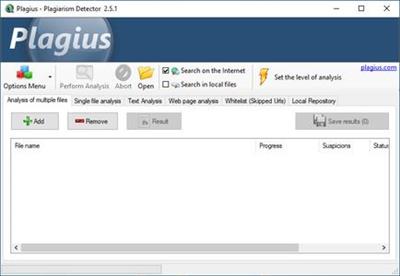
Plagius Professional 2.6.40995.7

10256e9f2a8c250010063d0a53836b51.jpg


Plagius Professional 2.6.40995.7 | 37.2 Mb​
Plagius is a desktop plagiarism checker software that analyzes documents looking for suspected plagiarism by searching on the internet or in local files. It is a tool to help in the hard task of finding plagiarism, allowing you to easily find sentences copied directly from websites or other files in your computer.

Plagius examines documents of various formats (Word, PDF, OpenOffice, HTML, RTF, plain text...) and displays detailed reports, informing the references found, the frequency of occurrences on the Internet and the percentage of suspected plagiarism.

Find the site from where it was copied
Search for suspected plagiarism in documents by searching through various internet search engines

Supports multiple file formats
The Plagius supports Word files (doc and docx), PDF, OpenOffice, PPT, Html, RTF, plain text...

Your work is safe
The Plagius does the analysis locally, on your computer.
Your work is not sent to be analyzed remotely.

Result
Advanced algorithm that discards insignificant occurrences
Builds detailed report with dynamic information about the analysis, including:
Suspicious phrases and their sources;
URLs found, with percentage of similarity;
Percentage of suspected plagiarism and quality indicators of the analysis;
Opens the analysis result in your Web Browser or exports it to a html file.

Plagius Professional
Get all plagiarism detection features with Plagius Professional.
Local Search: It allows you to search similarities in files from your computer or network shares.
Batch Search: Too many files to analyze? No problem, with Plagius Professional you can add all files at once and let the Plagius analyze them all.
Scan a page on the internet: If the text you want to analyze is on a website, page or blog, with the Plagius Professional you can enter the URL and the program will search for similar passages on the internet.

System requirements:
Windows 7, 8 or 10
Internet connection
You must have administrator privileges to install
Legacy mode in Windows XP with Microsoft .Net Framework
For full operation, we recommend disabling Firewall and Antivirus, or add Plagius in the exception list of these programs.

Home Page -
У Вас недостаточно прав для просмотра ссылок. Войдите или зарегистрируйтесь.


Download link:​
Код:
[center][b]rapidgator_net[/b]:
https://rapidgator.net/file/68e1122a1cbdbd96fb4bbeb52fe3799a/nbapm.Plagius.Professional.2.6.40995.7.rar.html

[b]nitroflare_com[/b]:
https://nitroflare.com/view/130756C282A2D5A/nbapm.Plagius.Professional.2.6.40995.7.rar

[b]alfafile_net[/b]:
http://alfafile.net/file/8x727/nbapm.Plagius.Professional.2.6.40995.7.rar[/center]

Links are Interchangeable - No Password - Single Extraction​
 
Назад
Сверху