• Старая версия форума работает в архивном режиме www.old.nado.in

All mitsumi'1s Applications !! (updated daily)

  • Автор темы Автор темы mitsumi1
  • Дата начала Дата начала
Disk Expert Pro 3.3 macOS

8ea6ed2186237175965ffb9d7a3740fa.jpg


Disk Expert Pro 3.3| macOS | 11 mb​
Disk Expert finds the biggest files and folders on your Mac. It scans your hard drive volumes and visually displays the disk space usage and makes a list of the most bulky content. It allows you to locate unneeded files and folders quickly using Mac OS X system tools. You can look for a file using Finder tab and preview the file using QuickLook.

Supported Volumes:
- HDD volumes
- CD and DVD discs
- Removable USB drives
- Mounted DMG
- SMB disk image

Compatibility: OS X 10.10 or later 64bit
Homepage:
У Вас недостаточно прав для просмотра ссылок. Войдите или зарегистрируйтесь.


Download link:​
Код:
[center][b]rapidgator_net[/b]:
https://rapidgator.net/file/7c05f65f529ea36f318be7e7adf8d864/y5938.Disk.Expert.Pro.3.3.rar.html

[b]nitroflare_com[/b]:
https://nitroflare.com/view/2846A4BC06E4D45/y5938.Disk.Expert.Pro.3.3.rar

[b]alfafile_net[/b]:
http://alfafile.net/file/8xzWM/y5938.Disk.Expert.Pro.3.3.rar[/center]

Links are Interchangeable - No Password - Single Extraction​
 
DivX Pro 10.8.9 Multilingual

79ba99870e4c63e05abe248dfcd7ddb7.jpg


DivX Pro 10.8.9 Multilingual | 175.5 Mb​
Watch amazing HD video from the Internet on your computer and TV using DivX Plus Software and devices. So what's DivX Plus all about? DivX Plus video, software and devices offer our highest quality and most comprehensive playback experience. How? By adopting and adding to the latest and greatest video technology (H.264 video in an MKV file container), you can play HD video on your computer or through a DivX Plus HD device, all with a small file size.

What's Included:
DivX Software is the first of its kind,award-winning video software that lets anyone play, create and stream their favorite videos, including DivX, MKV and HEVC up to 4K.

Player
Play your video library in high-quality up to 4K

Converter
Convert videos to DivX, MKV, HEVC and MP4

Web Player
Watch high-quality online videos up to 4K

Media Server
Stream to TV, Chromecast, tablets and more

DivX Pro
Advanced features, ad-free and more

DivX Pro Features:

Advanced Features
Unlock custom encode settings, HEVC 10bit playback and more.

Video Pack
Convert MPEG-2 and VC-1 video to DivX, MKV and MP4.

Dolby Audio Edition
Enjoy Dolby® audio in DivX Player and DivX Web Player.

Ad-Free
Enjoy your favorite videos without 3rd party ads or offers.

DTS-HD Plug-In
Convert and play videos with DTS-HD audio.

System Requirements:
- Windows XP SP3 (32-bit) with DirectX 9 or better, Windows Vista SP1 (32-bit, 64-bit), Windows 7 (32-bit, 64-bit), Windows 8 (32-bit, 64-bit), Windows 10 (32-bit, 64-bit)
- Intel® Pentium® III 733Mhz, AMD Duron™ 650, or equivalent for standard definition DivX
- Intel® Pentium® IV 2.4Ghz, AMD Athlon™ XP 2400+, or equivalent for high definition DivX
- Intel® Pentium® D 3.0Ghz, AMD Athlon™ 64 X2 4000+, or equivalent for Divx Plus HD

Home Page -
У Вас недостаточно прав для просмотра ссылок. Войдите или зарегистрируйтесь.


Download link:​
Код:
[center][b]rapidgator_net[/b]:
https://rapidgator.net/file/adb80dc73a0fd6b9e41336444c7b6499/0fjog.DivX.Pro.10.8.9.Multilingual.rar.html

[b]nitroflare_com[/b]:
https://nitroflare.com/view/1A0D98EF4FFBBBB/0fjog.DivX.Pro.10.8.9.Multilingual.rar

[b]alfafile_net[/b]:
http://alfafile.net/file/8xHN3/0fjog.DivX.Pro.10.8.9.Multilingual.rar[/center]

Links are Interchangeable - No Password - Single Extraction​
 
Dragonframe 4.2.2 (x64) Multilingual

e6c62c227915658f7700dab990ffe67c.jpg


Dragonframe 4.2.2 (x64) Multilingual | 159.1 Mb​
Dragonframe - begin your stop motion filmmaking journey today with the digital image capture software trusted by major motion picture studios and independent filmmakers alike.

Animation
Bring your animation to life. Professional on-screen tools for precise movements. Step, play, capture, repeat.

Cinematography
Compose and light the perfect shot with camera controls, test shots and advanced image review tools.

Audio
Import and edit multiple audio tracks. Perform dialogue track reading for multiple characters.

DMX Lighting
Program animated lighting with simple keyframes. Automate work lights for the animator. Simple front light / back light programming.

Motion Control
Use the intuitive graphical interface to program advanced camera moves.

Timeline
Frame-based editing as simple as drag and drop. Adjust timing, reshoot sequences, and even restore deleted frames.

Drawing Tools
Mark the screen to guide your animation with vector-based drawing tools. Description and preview motion paths with the increment editor.

X-Sheet
Plan your scene and track your progress in the X-Sheet side panel. Add reminders, sketch motion paths and adjusting timing.

Guide Layers
Configure all of your composition guides, drawing layers and reference material from the Guide Layers side panel.

Live View Mag
Use live view magnification to punch-in on a section of video assist image. (Canon, Nikon, Olympus and Fujifilm.)

Waveform Views
View the mixed audio waveform in the Timeline or X-Sheet, so you can see what's coming next while you are animating.

Reference Track Audio
Use the audio from a reference movie within the audio workspace. View the video as you scrub through the audio and perform track readings.

Time-Warp
Audio stays locked to your animation at the project frame rate. If you review your animation at a different speed, the audio adjusts to stay synced.

Custom Face Sets
Create your own face set as a multi-layered Photoshop file. Add groups for mouth, eyes, ears, or whatever parts you need.

Audio HUD
View character dialogue or face sets while animating, in a configurable heads-up display.

512 LIGHTS
Program up to 512 lights with the new DDMX-512 (or upgraded DDMX-S2)

Light Profiles
Create custom light profiles to match DMX values to light output.

Bash Light
Program a work light to use while animating.

JOGPAD
Enter the jogpad mode to get large text and a simple keypad interface so that you can step away from the computer and get near your rig and set.

Virtuals
When used with the DMC-16 or DMC+ and a motion control crane, such as the Volo, Dragonframe can provide virtual cartesian axes.

3D Import/Export
Transfer camera moves between Dragonframe and Maya, Kuper, or other 3D software.

Feathering
Add extra smoothing of acceleration or deceleration with the new "feathering" tool.

MARKERS
Create motion paths by marking positions you want to hit, then adjusting keyframes to move through them.

Operating System: Windows 7, 8/8.1, 10 (64-bit only)

Home Page -
У Вас недостаточно прав для просмотра ссылок. Войдите или зарегистрируйтесь.


Download link:​
Код:
[center][b]rapidgator_net[/b]:
https://rapidgator.net/file/d3f398c43487be6b690976452a966a26/x77lp.Dragonframe.4.2.2.x64.Multilingual.rar.html

[b]nitroflare_com[/b]:
https://nitroflare.com/view/7332A63C7568614/x77lp.Dragonframe.4.2.2.x64.Multilingual.rar

[b]alfafile_net[/b]:
http://alfafile.net/file/8xz2B/x77lp.Dragonframe.4.2.2.x64.Multilingual.rar[/center]

Links are Interchangeable - No Password - Single Extraction​
 
DropDMG 3.6 macOS

f27b75ee151eba8086f078823eafcee3.jpg


DropDMG 3.6 | macOS | 24 mb​
DropDMG is the easiest way to create OS X disk images, which pack entire folders or disks into a single compressed file, either for transport across the Internet or simply for backup. They are Apple's preferred format for distributing Mac software. Disk images are also the only archive format whose contents you can directly access in the Finder. Just drag-and-drop a folder or file, and you're done.

Or, you can drag an existing disk image or archive onto DropDMG to convert it to any of the other supported formats or to burn it to CD or DVD.

Compatibility: OS X 10.9 or later 64 bit
Homepage:
У Вас недостаточно прав для просмотра ссылок. Войдите или зарегистрируйтесь.


Download link:​
Код:
[center][b]rapidgator_net[/b]:
https://rapidgator.net/file/bff8833f44a463827c1a6b5b6845b13f/k013l.DropDMG.3.6.rar.html

[b]nitroflare_com[/b]:
https://nitroflare.com/view/F3BFE5B028A2AA2/k013l.DropDMG.3.6.rar

[b]alfafile_net[/b]:
http://alfafile.net/file/8xHRe/k013l.DropDMG.3.6.rar[/center]

Links are Interchangeable - No Password - Single Extraction​
 
DupeZap 4.1.3 macOS

2e82903f1f6fb95645eb8727090e8706.jpg


DupeZap 4.1.3 | macOS | 16 mb​
DupeZap (was DupeZap Plus) is a modern duplicate finder with a stylish interface, is easy to use, and is powerful. It is extremely fast, and scans your computer accurately.

Features
- Search for any file:
- Scan for Photos and iTunes duplicate files
- Find any duplicate file type (PDFs, images, movies, etc...)
- Search for duplicate folders

Scan anywhere:
- Search in your hard drive
- Scan any mounted disk (external hard drives, USB keys, etc...)
- Search in multiple locations at the same time, and enable additional features that help
More...

Compatibility: OS X 10.11 or later 64-bit
Homepage:
У Вас недостаточно прав для просмотра ссылок. Войдите или зарегистрируйтесь.


Download link:​
Код:
[center][b]rapidgator_net[/b]:
https://rapidgator.net/file/074fbbcbbd3814f10851ea47ef792957/xcn2b.DupeZap.4.1.3.rar.html

[b]nitroflare_com[/b]:
https://nitroflare.com/view/CACEAF34EE4B811/xcn2b.DupeZap.4.1.3.rar

[b]alfafile_net[/b]:
http://alfafile.net/file/8xzWD/xcn2b.DupeZap.4.1.3.rar[/center]

Links are Interchangeable - No Password - Single Extraction​
 
Duplicate File Finder Pro 6.9 macOS

6f8cc5339acfa9885a973ab42f016cc4.jpg


Duplicate File Finder Pro 6.9 | macOS | 22 mb​
Duplicate File Finder Remover (was Duplicate File Finder) allows you to find and sort all duplicate files by categories: images, videos, music, archives, documents, and all other specific extensions. The app will the show you how much space each one of these files is taking up.

Duplicate File Finder FREE allows you to:
* Find duplicate files and folders
* Find duplicates in multiple disks and folders in one session
* Find duplicates in any folder, disk, mounted folder or storage
* Add files, folders and specified files extensions to Skip List
* Specify minimal duplicate file size for better duplicate-finding performance
* Preview a visual report of duplicates found
* Review duplicate files by types
* Preview duplicate folders
* Preview any duplicate file with built-in Preview option
* Get detailed information about any duplicate
* Use cleanup hints for fast duplicate removal
* Use Autoselect for quick duplicate files selection and removal
* Customize the Autoselect command
* Preview similar folders - the folders with duplicate and unique files
* Preview log of duplicates removed
* Review selected duplicates before removal
* Remove duplicate files permanently or move them to Trash

PRO Duplicate File Finder gives you even more features, you can:
* Find duplicates in hidden folders
* Use "Select Duplicates in Folder" option
* Remove duplicate folders
* Remove duplicate files in Similar folders
* Merge Similar folders
* Restore removed duplicates

In-App Purchases: Pro Version - included.

Compatibility: macOS 10.12 or later 64-bit
Mac App Store:
У Вас недостаточно прав для просмотра ссылок. Войдите или зарегистрируйтесь.


Download link:​
Код:
[center][b]rapidgator_net[/b]:
https://rapidgator.net/file/9ff92aba63e4a86a466fcaeb1034ecba/mpbdy.Duplicate.File.Finder.Pro.6.9.rar.html

[b]nitroflare_com[/b]:
https://nitroflare.com/view/48415D5E1DAD815/mpbdy.Duplicate.File.Finder.Pro.6.9.rar

[b]alfafile_net[/b]:
http://alfafile.net/file/8xHzY/mpbdy.Duplicate.File.Finder.Pro.6.9.rar[/center]

Links are Interchangeable - No Password - Single Extraction​
 
DxO PhotoLab 4.0.0 Build 4419 (x64) Elite Multilingual

f603cdbc2249dd45b4779424de37bc5a.jpg


DxO PhotoLab 4.0.0 Build 4419 (x64) Elite Multilingual | 302.4 Mb​
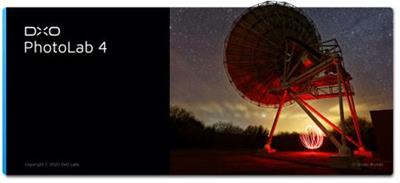
DxO PhotoLab 4 - Enjoy a whole new world of possibilities. Featuring an artificial intelligence technology capable of simultaneously denoising and demosaicing images, a dynamic workspace that can be personalized, batch renaming, a watermarking tool, and more, DxO PhotoLab 4 will transform the way you edit your photographs.

Exclusive features
Harness your creativity with a range of powerful tools.

Workflow
Photo editing is a breeze with our preset options.

Local adjustments
Edit with pinpoint precision with our extensive palette of adjustment settings.

Easy photo management
Direct access to your files and a well-organized photo library.

And much more...
A selection of smart editing tools that will optimize your workflow.

Unparalleled optical corrections
Our laboratories have analyzed more than 60,000 lens and camera combinations to bring you automatic optical corrections that are fine-tuned to suit your specific equipment.

Reveal The Natural Radiance of Your Images
Brighten the horizon in your photographs by erasing haze from your landscape images with DxO ClearView Plus. Restore their natural radiance and automatically improve their look in a single click, and all without creating a halo effect around the edges, or high-contrast transitions. Sharpen your image quality with this exclusive DxO feature.

Expertly retouch your photos with U POINT technology
Apply intuitive and effective local adjustments in addition to automatic corrections, using our selection assistance technology U POINT™. Simply add a Control Point by clicking the area you want to edit, adjust its size to propagate your changes to similar pixels and fine-tune your brightness, contrast, saturation and structure values with the multi-setting slider. Local adjustments have never been easier.

Play with Color With DxO ColorWheel
Editing the colors in your photographs has never been more fun or creative. With DxO ColorWheel you can select color ranges from eight separate channels or take a color sample directly from your photograph using the Color Selector. Adjust your chromatic values precisely, select your replacement color and fine-tune your transitions and hues to enhance the color ambiance of your images. Make your image brilliant with DxO ColorWheel, the most sophisticated HSL (Hue-Saturation-Luminance) tool on the market.

Uncover Every Last Detail With DxO Smart Lighting
Reveal the hidden details in underexposed and overexposed areas in your photographs, even when there are strong contrasts or backlighting. DxO Smart Lighting intelligently analyzes your images to recover information you thought was lost, and produces even more beautiful portraits with its Spot Weighted Corrections tool, a feature that automatically recognizes faces for a natural and balanced result.

DxO PhotoLibrary: Manage Images With Ease
Finding the image you want has never been easier with DxO PhotoLibrary. Thanks to a dynamic search system using a range of criteria, you can now access the photograph you're looking for instantly. DxO PhotoLab also lets you add and display simple, or complex, keywords so you can better organize your images before you export them.

Filter a selected area of your image
Balance exposure, add depth to the sky, or draw the viewer's eye in to the subject of your image by darkening or blurring surrounding areas with graduated filters. As with our U POINT™ Control Points functionality, you can also use a multi-setting equalizer.

Play with the Brush
Try out our Brush tool and create an editing mask to correct specific areas, with amazing precision, by adjusting opacity. The Automatic Mask can even detect colors that are similar to those initially selected.

Correct blemishes
Erase elements that detract from the beauty of your photographs automatically. With the Repair Tool you can remove imperfections by activating the Clone or Repair mode in the selected area.

Manage masks
View a list of your recent edits instantly with the Local Adjustments palette. You can even deactivate some of them to see the difference at a glance. A flexible way to produce beautiful images.

Feed your creativity
With nearly 40 carefully calibrated presets from various categories, including portrait, landscape, black and white, and single-image HDR, DxO PhotoLab 4 helps channel your creativity and get the most from your photos.

Selective copy and paste
Synchronize your settings across multiple similar images, by reapplying individual edits from one photo to another with the new DxO PhotoLab 4 copy and paste feature.

Work seamlessly with Adobe Lightroom Classic
Enjoy an uninterrupted workflow when using both Adobe Lightroom Classic and DxO PhotoLab. Transfer your RAW images from your Lightroom catalog to DxO PhotoLab, edit them and then send a bitmap file (JPEG, TIFF, or Linear DNG) back to Lightroom Classic. Yes, it's as easy as that.

Direct access to your files
Manage every step in your production flow with DxO PhotoLibrary. Thanks to its open system, you can effortlessly access files stored on your computer, an external hard drive, or a remote server.

Get organized with keywords
With our advanced keyword management tool you can quickly and easily find the photographs you're looking for, and even search for keywords added using other programs such as Adobe Lightroom. Delete, rename or reassign keywords to batches of images without a fuss. Managing your library has never been more straightforward.

Use Projects and simplify your editing
Your photographs will differ according to many different technical parameters - date, shoot equipment, exposure, storage source, etc. Make the editing process easier for yourself by grouping them by Projects in your DxO PhotoLibrary.

ICC and DCP profile management
Use ICC profiles to even out your color renderings and ensure your prints are true to your edits.

Full screen View
View your images in full screen mode and browse your photo library at the same time, without losing your EXIF data display. This special viewer functionality makes it much easier to edit and select your photos while in editing and export mode and allows you to use keyboard shortcuts to sort through hundreds of photos in the blink of an eye.

Red eye correction
Detect faces and eyes, and correct red-eye automatically. For more complex photographs, for example when the image involves a profile view, the semi-automatic and manual modes allow you to identify the area you want to correct.

Moiré effect correction
Easily remove that strange colored effect that sometimes appears when you've photographed intricate patterns, such as clothing or grids.

Color protection
Reveal the richness of detail and textures in highly saturated areas of your images.

Multiple exports
Export your files in a variety of formats, or share them to social networks, such as Facebook, Flickr, etc. in just one click. With DxO PhotoLab you can perform parallel exports and optimize your digital development sessions.

DxO PhotoLab 4 New Features:

Pioneering Simultaneous Denoising AND Demosaicing
Using groundbreaking artificial intelligence (AI) technology, DxO DeepPRIME reduces digital noise at the same time as it demosaics your photographs with unprecedented efficiency. Push the boundaries of your equipment by increasing ISO sensitivity, compensate for the drawbacks of small sensors in compact cameras, and revamp photographs taken with older-generation cameras.

DxO Smart Workspace: An Entirely Customizable Workspace
Personalize your workspace to suit your needs with the new DxO Smart Workspace. Select the tools you want to see by modifying the settings to display, or hide, elements using the filters available. And if you need to temporarily access a tool you've chosen to hide, simply look it up and it'll reappear on your workspace instantly. Switch to DxO PhotoLab 4: Your workspace can look just like it did with your current software.

Batch file renaming: simple, fast, and effective
Editing a series of photos can be time consuming. Save time with DxO PhotoLab 4's new batch renaming tool. Alter the names of multiple images for cataloging purposes in just one click, search and replace text in the names of selected files, and even number them. Don't waste a minute. Get organized with DxO PhotoLab 4.

Your editing memory
DxO Advanced History is much more than a simple record of your edits. It's the only tool on the market that allows you to display group adjustments. And for complex edits, such as with presets, you can display or hide the corrections, as required.

Intuitive image synchronization
Synchronize the edit settings of several similar images with this new feature. Simply right click and select the editing parameters you want to apply to another photograph and synchronize them. It's that easy!

Preview and customize your watermark before export
Embed a watermark on your images and check the results immediately using the preview feature available with DxO Instant Watermarking. It is also the only tool to offer seven blend modes to accommodate background lighting variations and ensure your image or text signature is easily visible.

System Requirements:
- Intel Core® 2 or AMD Athlon™ 64 X2 or higher (Intel® Core™ i7 4th generation or better, or AMD Ryzen™ recommended)
- 8 GB of RAM (16 GB recommended)
- 4 GB or more of available hard-disk space
- Microsoft® Windows® 8.1 (64-bit), or Microsoft® Windows® 10 version 1809 or higher (64-bit, and still supported by Microsoft®), Windows® 10 version 2004 or later recommended.
- DirectX® 10-capable system
- OpenCl 1.2-capable graphic card with 1GB of video memory to handle OpenCL acceleration
- NVIDIA GTX™ 1060, AMD Radeon™ RX 580 or better recommended

Home Page -
У Вас недостаточно прав для просмотра ссылок. Войдите или зарегистрируйтесь.


Download link:​
Код:
[center][b]rapidgator_net[/b]:
https://rapidgator.net/file/22c59c2079bab637ce925c1e9606fbc3/sxtf3.DxO.PhotoLab.4.0.0.Build.4419.x64.Elite.Multilingual.rar.html

[b]nitroflare_com[/b]:
https://nitroflare.com/view/F3C93B2B0572130/sxtf3.DxO.PhotoLab.4.0.0.Build.4419.x64.Elite.Multilingual.rar

[b]alfafile_net[/b]:
http://alfafile.net/file/8xzDA/sxtf3.DxO.PhotoLab.4.0.0.Build.4419.x64.Elite.Multilingual.rar[/center]

Links are Interchangeable - No Password - Single Extraction​
 
DxO PhotoLab 4.0.0 Build 4419 (x64) Elite Multilingual Portable

b8dcb9e158b214faf046ae1d52afec37.jpg


DxO PhotoLab 4.0.0 Build 4419 (x64) Elite Multilingual Portable | 442.6 Mb​
DxO PhotoLab 4 - Enjoy a whole new world of possibilities. Featuring an artificial intelligence technology capable of simultaneously denoising and demosaicing images, a dynamic workspace that can be personalized, batch renaming, a watermarking tool, and more, DxO PhotoLab 4 will transform the way you edit your photographs.

Exclusive features
Harness your creativity with a range of powerful tools.

Workflow
Photo editing is a breeze with our preset options.

Local adjustments
Edit with pinpoint precision with our extensive palette of adjustment settings.

Easy photo management
Direct access to your files and a well-organized photo library.

And much more...
A selection of smart editing tools that will optimize your workflow.

Unparalleled optical corrections
Our laboratories have analyzed more than 60,000 lens and camera combinations to bring you automatic optical corrections that are fine-tuned to suit your specific equipment.

Reveal The Natural Radiance of Your Images
Brighten the horizon in your photographs by erasing haze from your landscape images with DxO ClearView Plus. Restore their natural radiance and automatically improve their look in a single click, and all without creating a halo effect around the edges, or high-contrast transitions. Sharpen your image quality with this exclusive DxO feature.

Expertly retouch your photos with U POINT technology
Apply intuitive and effective local adjustments in addition to automatic corrections, using our selection assistance technology U POINT™. Simply add a Control Point by clicking the area you want to edit, adjust its size to propagate your changes to similar pixels and fine-tune your brightness, contrast, saturation and structure values with the multi-setting slider. Local adjustments have never been easier.

Play with Color With DxO ColorWheel
Editing the colors in your photographs has never been more fun or creative. With DxO ColorWheel you can select color ranges from eight separate channels or take a color sample directly from your photograph using the Color Selector. Adjust your chromatic values precisely, select your replacement color and fine-tune your transitions and hues to enhance the color ambiance of your images. Make your image brilliant with DxO ColorWheel, the most sophisticated HSL (Hue-Saturation-Luminance) tool on the market.

Uncover Every Last Detail With DxO Smart Lighting
Reveal the hidden details in underexposed and overexposed areas in your photographs, even when there are strong contrasts or backlighting. DxO Smart Lighting intelligently analyzes your images to recover information you thought was lost, and produces even more beautiful portraits with its Spot Weighted Corrections tool, a feature that automatically recognizes faces for a natural and balanced result.

DxO PhotoLibrary: Manage Images With Ease
Finding the image you want has never been easier with DxO PhotoLibrary. Thanks to a dynamic search system using a range of criteria, you can now access the photograph you're looking for instantly. DxO PhotoLab also lets you add and display simple, or complex, keywords so you can better organize your images before you export them.

Filter a selected area of your image
Balance exposure, add depth to the sky, or draw the viewer's eye in to the subject of your image by darkening or blurring surrounding areas with graduated filters. As with our U POINT™ Control Points functionality, you can also use a multi-setting equalizer.

Play with the Brush
Try out our Brush tool and create an editing mask to correct specific areas, with amazing precision, by adjusting opacity. The Automatic Mask can even detect colors that are similar to those initially selected.

Correct blemishes
Erase elements that detract from the beauty of your photographs automatically. With the Repair Tool you can remove imperfections by activating the Clone or Repair mode in the selected area.

Manage masks
View a list of your recent edits instantly with the Local Adjustments palette. You can even deactivate some of them to see the difference at a glance. A flexible way to produce beautiful images.

Feed your creativity
With nearly 40 carefully calibrated presets from various categories, including portrait, landscape, black and white, and single-image HDR, DxO PhotoLab 4 helps channel your creativity and get the most from your photos.

Selective copy and paste
Synchronize your settings across multiple similar images, by reapplying individual edits from one photo to another with the new DxO PhotoLab 4 copy and paste feature.

Work seamlessly with Adobe Lightroom Classic
Enjoy an uninterrupted workflow when using both Adobe Lightroom Classic and DxO PhotoLab. Transfer your RAW images from your Lightroom catalog to DxO PhotoLab, edit them and then send a bitmap file (JPEG, TIFF, or Linear DNG) back to Lightroom Classic. Yes, it's as easy as that.

Direct access to your files
Manage every step in your production flow with DxO PhotoLibrary. Thanks to its open system, you can effortlessly access files stored on your computer, an external hard drive, or a remote server.

Get organized with keywords
With our advanced keyword management tool you can quickly and easily find the photographs you're looking for, and even search for keywords added using other programs such as Adobe Lightroom. Delete, rename or reassign keywords to batches of images without a fuss. Managing your library has never been more straightforward.

Use Projects and simplify your editing
Your photographs will differ according to many different technical parameters - date, shoot equipment, exposure, storage source, etc. Make the editing process easier for yourself by grouping them by Projects in your DxO PhotoLibrary.

ICC and DCP profile management
Use ICC profiles to even out your color renderings and ensure your prints are true to your edits.

Full screen View
View your images in full screen mode and browse your photo library at the same time, without losing your EXIF data display. This special viewer functionality makes it much easier to edit and select your photos while in editing and export mode and allows you to use keyboard shortcuts to sort through hundreds of photos in the blink of an eye.

Red eye correction
Detect faces and eyes, and correct red-eye automatically. For more complex photographs, for example when the image involves a profile view, the semi-automatic and manual modes allow you to identify the area you want to correct.

Moiré effect correction
Easily remove that strange colored effect that sometimes appears when you've photographed intricate patterns, such as clothing or grids.

Color protection
Reveal the richness of detail and textures in highly saturated areas of your images.

Multiple exports
Export your files in a variety of formats, or share them to social networks, such as Facebook, Flickr, etc. in just one click. With DxO PhotoLab you can perform parallel exports and optimize your digital development sessions.

DxO PhotoLab 4 New Features:

Pioneering Simultaneous Denoising AND Demosaicing
Using groundbreaking artificial intelligence (AI) technology, DxO DeepPRIME reduces digital noise at the same time as it demosaics your photographs with unprecedented efficiency. Push the boundaries of your equipment by increasing ISO sensitivity, compensate for the drawbacks of small sensors in compact cameras, and revamp photographs taken with older-generation cameras.

DxO Smart Workspace: An Entirely Customizable Workspace
Personalize your workspace to suit your needs with the new DxO Smart Workspace. Select the tools you want to see by modifying the settings to display, or hide, elements using the filters available. And if you need to temporarily access a tool you've chosen to hide, simply look it up and it'll reappear on your workspace instantly. Switch to DxO PhotoLab 4: Your workspace can look just like it did with your current software.

Batch file renaming: simple, fast, and effective
Editing a series of photos can be time consuming. Save time with DxO PhotoLab 4's new batch renaming tool. Alter the names of multiple images for cataloging purposes in just one click, search and replace text in the names of selected files, and even number them. Don't waste a minute. Get organized with DxO PhotoLab 4.

Your editing memory
DxO Advanced History is much more than a simple record of your edits. It's the only tool on the market that allows you to display group adjustments. And for complex edits, such as with presets, you can display or hide the corrections, as required.

Intuitive image synchronization
Synchronize the edit settings of several similar images with this new feature. Simply right click and select the editing parameters you want to apply to another photograph and synchronize them. It's that easy!

Preview and customize your watermark before export
Embed a watermark on your images and check the results immediately using the preview feature available with DxO Instant Watermarking. It is also the only tool to offer seven blend modes to accommodate background lighting variations and ensure your image or text signature is easily visible.

System Requirements:
- Intel Core® 2 or AMD Athlon™ 64 X2 or higher (Intel® Core™ i7 4th generation or better, or AMD Ryzen™ recommended)
- 8 GB of RAM (16 GB recommended)
- 4 GB or more of available hard-disk space
- Microsoft® Windows® 8.1 (64-bit), or Microsoft® Windows® 10 version 1809 or higher (64-bit, and still supported by Microsoft®), Windows® 10 version 2004 or later recommended.
- DirectX® 10-capable system
- OpenCl 1.2-capable graphic card with 1GB of video memory to handle OpenCL acceleration
- NVIDIA GTX™ 1060, AMD Radeon™ RX 580 or better recommended

Home Page -
У Вас недостаточно прав для просмотра ссылок. Войдите или зарегистрируйтесь.


Download link:​
Код:
[center][b]rapidgator_net[/b]:
https://rapidgator.net/file/c45ce24f39f5470b3a82df4bd31db497/i6grd.DxO.PhotoLab.4.0.0.Build.4419.x64.Elite.Multilingual.Portable.rar.html

[b]nitroflare_com[/b]:
https://nitroflare.com/view/56D3C340D9416C9/i6grd.DxO.PhotoLab.4.0.0.Build.4419.x64.Elite.Multilingual.Portable.rar

[b]alfafile_net[/b]:
http://alfafile.net/file/8xHRY/i6grd.DxO.PhotoLab.4.0.0.Build.4419.x64.Elite.Multilingual.Portable.rar[/center]

Links are Interchangeable - No Password - Single Extraction​
 
DxO PhotoLab 4 ELITE Edition 4.0.0.40 macOS

bc091750f8d336517b4a3074671fb2fa.jpg


DxO PhotoLab 4 ELITE Edition 4.0.0.40 Multilingual | macOS | 371 mb​
DxO PhotoLab (was DxO Optics Pro) provides a complete set of smart assisted corrections that you can manually fine-tune at any time. Take control on every aspect of your photos: effectively remove noise, get rid of light constraints, recover color details, apply sophisticated optical corrections, and enhance details.

Reducing digital noise in RAW images is an ongoing challenge for most photo-editing software. But with DxO DeepPRIME we are breaking new ground. The first artificial intelligence-based (AI) technology of its kind, DeepPRIME enables you to demosaic and denoise images simultaneously. Try it out - the results speak for themselves.

Demosaicing and denoising are usually two separate processes. But with DxO DeepPRIME we've combined them to achieve even better results.
The outcome is spectacular. DxO DeepPRIME removes noise and renders photographic information without reducing color detail. Transitions are smoother and more natural, and you gain nearly two ISO sensitivity values compared to our earlier version, DxO PRIME, the benchmark software for all comparable programs currently available.
If you are an expert photographer, DxO DeepPRIME will open up a world of new possibilities by enabling you to shoot at very high sensitivities. As an amateur photographer, DeepPRIME will allow you to compensate for the drawbacks of small sensors in compact and bridge cameras that produce digital noise even at low ISO sensitivities. And if you're struggling with low quality, or older-generation cameras that are no longer suitable because of the scale of digital noise, DxO DeepPRIME will give your images a new lease of life.

Features
- DxO Smart Lighting
- DxO ClearView
- DxO PRIME
- Optical Corrections
- Introducing U Point

Compatibility: OS X 10.11 or later 64-bit
Homepage:
У Вас недостаточно прав для просмотра ссылок. Войдите или зарегистрируйтесь.


Download link:​
Код:
[center][b]rapidgator_net[/b]:
https://rapidgator.net/file/7e4931851c6f7d7b986b0813d55115c9/qq5as.DxO.PhotoLab.4.ELITE.Edition.4.0.0.40.rar.html

[b]nitroflare_com[/b]:
https://nitroflare.com/view/94CD299140723E3/qq5as.DxO.PhotoLab.4.ELITE.Edition.4.0.0.40.rar

[b]alfafile_net[/b]:
http://alfafile.net/file/8xzDa/qq5as.DxO.PhotoLab.4.ELITE.Edition.4.0.0.40.rar[/center]

Links are Interchangeable - No Password - Single Extraction​
 
Elsten Software Bliss 20201013

d8b723009d31bf07b47b711897ae1987.jpg


Elsten Software Bliss 20201013 | 75.2 Mb​
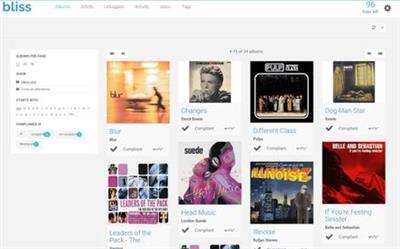
Album artwork downloaded, organized, automatically. bliss is a simple and accurate album artwork finder. Discover art for rare recordings. Free your art to view anywhere.

Album artwork finder
Download album artwork automatically with bliss

bliss is an album artwork finder that is simple, fast and accurate. bliss finds and installs album artwork automatically. bliss is fully automated and can even add album artwork to your music in the background, as you add the music to your collection. bliss uses both reputable and expansive sources for its album art.

Music folder organizer
Assess your current music file and folder structure

Organize your music files and folders by specifying a file organisation pattern. bliss then synchronises your tags with your file names. Choose from different tags to include in the file organisation pattern, and how you want to treat whitespace. You can perform the changes automatically if you like, ideal for large collections.

Control your genres
Filter genres into a defined subset

Keep track of the genres in your music collection. Music genres are notorious for ballooning as you add more music from different sources. Some genres are general, like 'Classical', while some are specific, like 'Experimental Big Band'. bliss allows you to control which genres are allowed in your music collection.

Operating System: Windows 10, 8, 7, Vista and Windows XP

Home Page -
У Вас недостаточно прав для просмотра ссылок. Войдите или зарегистрируйтесь.


Download link:​
Код:
[center][b]rapidgator_net[/b]:
https://rapidgator.net/file/7f3abb71eab2ca0296f6a4ce46c17e3f/khhwf.Elsten.Software.Bliss.20201013.rar.html

[b]nitroflare_com[/b]:
https://nitroflare.com/view/C11675C11216B6F/khhwf.Elsten.Software.Bliss.20201013.rar

[b]alfafile_net[/b]:
http://alfafile.net/file/8xHRV/khhwf.Elsten.Software.Bliss.20201013.rar[/center]

Links are Interchangeable - No Password - Single Extraction​
 
Evaer Video Recorder for Skype 2.0.10.21 Multilingual

e714b75c4237d170c345dfa0d76a46d8.jpg


Evaer Video Recorder for Skype 2.0.10.21 Multilingual | 25.7 Mb​
Record Skype video and audio calls into MP4 & AVI movie files. Easy to use for recording Skype video and audio interviews, conferences, podcasts, or family calls. Evaer Skype recorder records Skype call with capturing original media data and there is no data loss.

Features:
Capture original Skype audio and video data to record with high quality.
Supports recording single Skype video calls, Skype screen sharing sessions and up to 10 way Skype group video calls.
Record Skype video calls directly to your hard disk with picture-in-picture, side-by-side (landscape ,portrait), separate files, audio-only, local-webcam-only and remote-webcam-only mode.
Changeable recording video codec, video resolution (supports 240p, 360p, 480p, 720p, 1080p), aspect ratio (4:3, 16:9) and frame rate.
Self-adaptive selection of video resolution and aspect ratio.
Preview video while recording video calls.
Changeable local video position on picture-in-picture mode
Exchange video position during the recording on picture-in-picture mode
dynamically switch the video when recording Skype video calls
Save Skype video message and Skype voicemail directly to your hard disk.
Option to record Skype video calls into MP4 or AVI files.
Option to record separate MP3 audio files with video calls.
Option to record both sides sound, local sound only and remote sound only.
Automatically record MP3 audio files if audio calls only.
Supports recording Desktop of Skype, Skype 8, Skype UWP and Skype for Business.

Operating System: Windows Vista/7/8/10

Home Page -
У Вас недостаточно прав для просмотра ссылок. Войдите или зарегистрируйтесь.


Download link:​
Код:
[center][b]rapidgator_net[/b]:
https://rapidgator.net/file/20a637d7b6752df89d86ae8993301ae2/rb0bw.Evaer.Video.Recorder.for.Skype.2.0.10.21.Multilingual.rar.html

[b]nitroflare_com[/b]:
https://nitroflare.com/view/28C5E5289DA4763/rb0bw.Evaer.Video.Recorder.for.Skype.2.0.10.21.Multilingual.rar

[b]alfafile_net[/b]:
http://alfafile.net/file/8xzDH/rb0bw.Evaer.Video.Recorder.for.Skype.2.0.10.21.Multilingual.rar[/center]

Links are Interchangeable - No Password - Single Extraction​
 
FileZilla Pro 3.51.0 Multilingual + Portable

bc3641a42b3a1c55ac90d0a2aa61cace.jpg


FileZilla Pro 3.51.0 Multilingual + Portable | 24/27.7 Mb​
FileZilla Pro transfers files seamlessly between your machine and remote servers, using either FTP/S, SFTP, Amazon S3, Backblaze B2, Box, Dropbox, Google Cloud, Google Drive, Microsoft Azure, Microsoft OneDrive, Microsoft OneDrive for Business, Microsoft SharePoint, OpenStack Swift and WebDAV.

FileZilla Pro manages all of your transfers no matter how many files are in your source directory, it is heavily optimized for speed and you can also adjust the pace of your transfers at will.

FileZilla Pro Features:

General UI
FileZilla Pro comes with an intuitive tabbed user interface and is available in more than 50 languages.
You can use the Site Manager to organize your sites and bookmarks.
Your credentials are are stored securely, protected by strong cryptography.
- Intuitive tabbed user interface
- Available in many languages
- Powerful Site Manager
- Bookmarks

Navigating files
Use powerful tools to quickly and easily navigate the server and locate your files: Directory listing filters hide irrelevant files from view.
Compare local and remote directories and highlight the difference.
Change both local and remote directories in lockstep. Or just use the the search dialog to find your files.
- Filename filters
- Directory comparison
- Synchronized directory browsing
- Remote file search

Transferring
The transfer queue lets you manage your transfers, even if you queue millions of files.
The size of your files does not matter, FileZilla Pro knows no size limit.
Use the context menu to queue files or use drag & drop, not just within FileZilla, but also to/from Windows Explorer.
You can also directly transfer and open remote files in your favorite editor.
Configurable speed limits let you throttle FileZilla Pro if you need bandwidth for other purposes.
- Drag & drop support
- Remote file editing
- Configurable transfer speed limits
- Powerful transfer queue
- Supports resume and transfer of large files >4GB

Technical:
FileZilla Pro runs on Windows and macOS.
Supports FTP, FTP over SSL/TLS (FTPS), SSH File Transfer Protocol (SFTP), Amazon S3, Backblaze B2, Dropbox, Google Cloud Storage, Google Drive, Microsoft Azure, Microsoft OneDrive, Microsoft OneDrive for Business, Microsoft SharePoint, OpenStack Swift and WebDAV.
FileZilla Pro is ready for the Internet of the future with complete IPv6 support.
Compatible with HTTP/1.1, SOCKS5 and FTP proxies.
The network configuration wizard guides you through configuring not just FileZilla Pro but also any firewall or NAT router you are using.
Cross-platform. Runs on Windows, Mac OS X
Supports FTP, FTP over SSL/TLS (FTPS), SSH File Transfer Protocol (SFTP), Amazon S3, Google Cloud Storage, Microsoft Azure, OpenStack Swift and WebDAV.
Network configuration wizard
IPv6 support
Keep-alive
HTTP/1.1, SOCKS5 and FTP-Proxy support
Logging to file

Home Page -
У Вас недостаточно прав для просмотра ссылок. Войдите или зарегистрируйтесь.


Download link:​
Код:
[center][b]rapidgator_net[/b]:
https://rapidgator.net/file/15d3f4d0379e979a361153839b90bcce/okwbd.FileZilla.Pro.3.51.Portable.rar.html
https://rapidgator.net/file/f508643b2133d7f15dc7f4a9d1c3d75f/okwbd.FileZilla.Pro.3.51.rar.html

[b]nitroflare_com[/b]:
https://nitroflare.com/view/0D200376FD1496C/okwbd.FileZilla.Pro.3.51.Portable.rar
https://nitroflare.com/view/4335CCDE9E65A4D/okwbd.FileZilla.Pro.3.51.rar

[b]alfafile_net[/b]:
http://alfafile.net/file/8xHzM/okwbd.FileZilla.Pro.3.51.Portable.rar
http://alfafile.net/file/8xHzS/okwbd.FileZilla.Pro.3.51.rar[/center]

Links are Interchangeable - No Password - Single Extraction​
 
FreeGrabApp Free Amazon Prime Download 5.0.10.1020 Premium

c7f84b008efff12c4938e9a76cdb50f5.jpg


FreeGrabApp Free Amazon Prime Download 5.0.10.1020 Premium | 55.7 Mb​
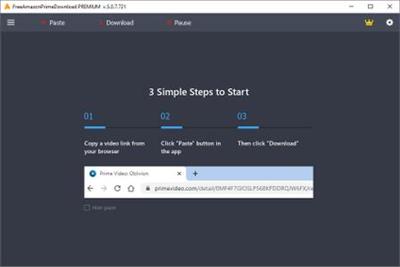
Free Amazon Prime Download is a very simple and fast video downloader. With our magnificent application, you can download and watch any Amazon Prime video offline on any device without spending internet traffic. The downloading process is quite simple. You need to paste video's URL by clicking one button and choose the quality of downloading video.

Interface
Free Amazon Prime Download got totally new and user-friendly interface! We hope you'll enjoy it.

Load Control
You can easily stop, resume the downloading process and much more.

Subtitles
Support downloading subtitles in TTML and SRT format.

Great Sound
Support downloading Dolby Digital Surround Audio 5.1.

HD Quality
Free Amazon Prime Download support downloading HD (1080p) Amazon Prime videos.

Multi-Stream
Free Amazon Prime Download is able to download multiple videos at the same time.

Operating System: Windows 7, 8/8.1, 10

Home Page -
У Вас недостаточно прав для просмотра ссылок. Войдите или зарегистрируйтесь.


Download link:​
Код:
[center][b]rapidgator_net[/b]:
https://rapidgator.net/file/17fe49ca53152cb62cde4bbf7fb0cf71/0p97a.FreeGrabApp.Free.Amazon.Prime.Download.5.0.10.1020.Premium.rar.html

[b]nitroflare_com[/b]:
https://nitroflare.com/view/D5AE8FCC4345BE4/0p97a.FreeGrabApp.Free.Amazon.Prime.Download.5.0.10.1020.Premium.rar

[b]alfafile_net[/b]:
http://alfafile.net/file/8xHNR/0p97a.FreeGrabApp.Free.Amazon.Prime.Download.5.0.10.1020.Premium.rar[/center]

Links are Interchangeable - No Password - Single Extraction​
 
FreeGrabApp Free Amazon Prime Download 5.0.10.1021 Premium

3cc971eb49fe541843b3b88e365dee43.jpg


FreeGrabApp Free Amazon Prime Download 5.0.10.1021 Premium | 55.7 Mb​
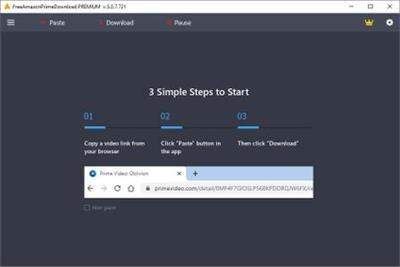
Free Amazon Prime Download is a very simple and fast video downloader. With our magnificent application, you can download and watch any Amazon Prime video offline on any device without spending internet traffic. The downloading process is quite simple. You need to paste video's URL by clicking one button and choose the quality of downloading video.

Interface
Free Amazon Prime Download got totally new and user-friendly interface! We hope you'll enjoy it.

Load Control
You can easily stop, resume the downloading process and much more.

Subtitles
Support downloading subtitles in TTML and SRT format.

Great Sound
Support downloading Dolby Digital Surround Audio 5.1.

HD Quality
Free Amazon Prime Download support downloading HD (1080p) Amazon Prime videos.

Multi-Stream
Free Amazon Prime Download is able to download multiple videos at the same time.

Operating System: Windows 7, 8/8.1, 10

Home Page -
У Вас недостаточно прав для просмотра ссылок. Войдите или зарегистрируйтесь.


Download link:​
Код:
[center][b]rapidgator_net[/b]:
https://rapidgator.net/file/2491216d832b5b9e05e867980342f2f1/wdks4.FreeGrabApp.Free.Amazon.Prime.Download.5.0.10.1021.Premium.rar.html

[b]nitroflare_com[/b]:
https://nitroflare.com/view/7A49583E46605B4/wdks4.FreeGrabApp.Free.Amazon.Prime.Download.5.0.10.1021.Premium.rar

[b]alfafile_net[/b]:
http://alfafile.net/file/8xz2f/wdks4.FreeGrabApp.Free.Amazon.Prime.Download.5.0.10.1021.Premium.rar[/center]

Links are Interchangeable - No Password - Single Extraction​
 
GOM Player Plus 2.3.58.5322 (x64) Multilingual

bb4a7a122ae8619322f44aaa587894e6.jpg


GOM Player Plus 2.3.58.5322 (x64) Multilingual | 28 Mb​
GOM Player Plus is the next evolution to GOM Player free version. GOM Player Plus still provides all of the capabilities as GOM Player, but with added major upgrades: No Advertisements, an Upgraded UI for easy and quick usage, Significant performance upgrade.

Why use GOM Player Plus?

Next Generation Performance
GOM Player Plus is turbo charged for highest video resolution and peak video player performance.

No Advertisements
GOM Player Plus is ad-free to enhance user experience and faster speed.

Comprehensive File Support
GOM Player Plus can play all the most popular video formats by default: AVI, MP4, MKV, FLV, WMV, MOV, and more!

Strong Subtitle Functionality
You can share and download a large number of subtitles through our own library and also by linking with OpenSubtitles.org. You can freely adjust the placement, size, and sync settings of your subtitles.

Play 360 degrees VR video
- Fully supports 360 degrees video, view the 360 degree world by just using the keyboard or mouse
- Multi-angle side viewer: front, back, left, and right as well as screen transition
- Provides search and play functions for 360 YouTube videos

Advanced Features
With a wide variety of advanced features like A-B repeat, screen capture, Media Player capture, playback speed control, and video effects, GOM Player Plus allows you do much more than simply play your videos.

Codec Finder
In the rare case that an uncommon video types isn't supported by GOM Player Plus. GOM Player Plus's Codec Finder service will search for the one you're missing and direct you to a place where you can read more and/or download the missing codec.

Connect with GOM Remote
You can control GOM Player Plus with GOM Remote. This includes all basic functions, such as moving forward/back, play, and pause. This also includes advanced functions, such as opening files, searching, and PC power control.

Operating System: Windows 10 / 8.1 / 8 / 7 (64-bit only)

Home Page -
У Вас недостаточно прав для просмотра ссылок. Войдите или зарегистрируйтесь.


Download link:​
Код:
[center][b]rapidgator_net[/b]:
https://rapidgator.net/file/31601de440d08698297c9b194883af1d/dyzim.GOM.Player.Plus.2.3.58.5322.x64.Multilingual.rar.html

[b]nitroflare_com[/b]:
https://nitroflare.com/view/E1A349C53500ED9/dyzim.GOM.Player.Plus.2.3.58.5322.x64.Multilingual.rar

[b]alfafile_net[/b]:
http://alfafile.net/file/8xHcn/dyzim.GOM.Player.Plus.2.3.58.5322.x64.Multilingual.rar[/center]

Links are Interchangeable - No Password - Single Extraction​
 
Icecream Ebook Reader Pro 5.23 Multilingual

90474c08fee34cc6d5f48c6cedad265d.jpg


Icecream Ebook Reader Pro 5.23 Multilingual | 28.8 Mb​
Meet Icecream Ebook Reader, one of the best free EPUB readers that transforms your computer screen into a convenient top-notch ebook reader. The tool enables you read ebooks in EPUB, MOBI, DJVU, FB2 and other popular formats. Manage digital library on your PC or Windows-based laptop. This program also features the ability to turn pages, use bookmarks, search your library, track reading progress and much more.

Library
Manage your digital ebook library in FB2, EPUB, PDF, MOBI and other formats.

Reading progress
Check how many pages are left to read and continue from where you left off.

Book search
Find a book that you're looking for either by author or title.

What else makes Icecream Ebook Reader so special?

Fullscreen mode
Make the most of your epub reader in a full screen mode.

Bookmarks
Use bookmarks to revisit the most memorable parts of your book.

Night mode
Read in low light or no lighting at all.

Book mode
Transform your entire screen into a real book for maximum comfort.

System requirements:
OS: Windows 10, 8.1, 8, 7, Windows 2003, 2000, Vista, XP, Windows Server 2008
1.33Ghz Intel®, AMD or any other compatible processor / faster processor for netbooks;
512MB of RAM (1GB for better performance); 70MB to 300MB of free disk space

Home Page -
У Вас недостаточно прав для просмотра ссылок. Войдите или зарегистрируйтесь.


Download link:​
Код:
[center][b]rapidgator_net[/b]:
https://rapidgator.net/file/f01bbf1ca58e618ad5d624093e869bfa/afnw2.Icecream.Ebook.Reader.Pro.5.23.Multilingual.rar.html

[b]nitroflare_com[/b]:
https://nitroflare.com/view/489ED831A909C31/afnw2.Icecream.Ebook.Reader.Pro.5.23.Multilingual.rar

[b]alfafile_net[/b]:
http://alfafile.net/file/8xHca/afnw2.Icecream.Ebook.Reader.Pro.5.23.Multilingual.rar[/center]

Links are Interchangeable - No Password - Single Extraction​
 
Icecream Ebook Reader Pro 5.23 Multilingual Portable

778c556eb466a2d2ce58c15c5d19c520.jpg


Icecream Ebook Reader Pro 5.23 Multilingual Portable | 43.5 Mb​
Meet Icecream Ebook Reader, one of the best free EPUB readers that transforms your computer screen into a convenient top-notch ebook reader. The tool enables you read ebooks in EPUB, MOBI, DJVU, FB2 and other popular formats. Manage digital library on your PC or Windows-based laptop. This program also features the ability to turn pages, use bookmarks, search your library, track reading progress and much more.

Library
Manage your digital ebook library in FB2, EPUB, PDF, MOBI and other formats.

Reading progress
Check how many pages are left to read and continue from where you left off.

Book search
Find a book that you're looking for either by author or title.

What else makes Icecream Ebook Reader so special?

Fullscreen mode
Make the most of your epub reader in a full screen mode.

Bookmarks
Use bookmarks to revisit the most memorable parts of your book.

Night mode
Read in low light or no lighting at all.

Book mode
Transform your entire screen into a real book for maximum comfort.

System requirements:
OS: Windows 10, 8.1, 8, 7, Windows 2003, 2000, Vista, XP, Windows Server 2008
1.33Ghz Intel®, AMD or any other compatible processor / faster processor for netbooks;
512MB of RAM (1GB for better performance); 70MB to 300MB of free disk space

Home Page -
У Вас недостаточно прав для просмотра ссылок. Войдите или зарегистрируйтесь.


Download link:​
Код:
[center][b]rapidgator_net[/b]:
https://rapidgator.net/file/f7ac8490788115a6fe66a0e807feb85c/nku9x.Icecream.Ebook.Reader.Pro.5.23.Multilingual.Portable.rar.html

[b]nitroflare_com[/b]:
https://nitroflare.com/view/84956EAF30F577F/nku9x.Icecream.Ebook.Reader.Pro.5.23.Multilingual.Portable.rar

[b]alfafile_net[/b]:
http://alfafile.net/file/8xHzD/nku9x.Icecream.Ebook.Reader.Pro.5.23.Multilingual.Portable.rar[/center]

Links are Interchangeable - No Password - Single Extraction​
 
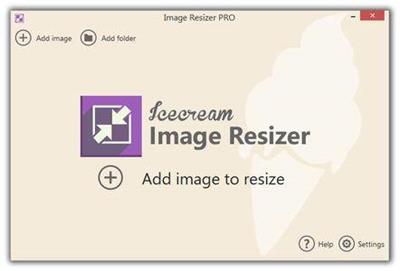
Icecream Image Resizer Pro 2.11 Multilingual

6f5981370f72ea1b89f0be4e64867ae7.jpg


Icecream Image Resizer Pro 2.11 Multilingual | 10.2 Mb​
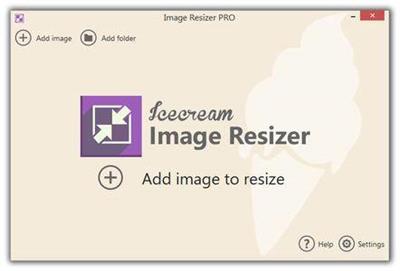
Meet Icecream Image Resizer, an application designed to help you resize your images quickly and conveniently. Add multiple files and even whole folders with photos and resize them in seconds. Just select the destination folder and simply click the "Resize" button! The tool supports all major graphic formats such as JPEG, JPG, PNG, BMP and TIFF. You can also set the desired width and height values either manually or using presets while retaining the original aspect ratio if desired.

Drag-and-drop
Simply drag and drop to add photos for resizing. It saves you both time and effort.

Presets
Choose one of the size presets for popular tasks: Facebook, email, mobiles, and more.

Original Ratio
Resize images while retaining their original aspect ratio.

VR System
Image resizer automatically applies reversed size settings for vertical images.

System Requirements
OS Windows 10, Windows 8.1, Windows 8, Windows 7, Windows 2003, Windows 2000, Windows Vista, Windows XP, Windows Server 2008
1.33Ghz Intel®, AMD or any other compatible processor / faster processor for netbooks;
512MB of RAM (1GB for better performance); 250MB to 1GB of free disk space

Home Page -
У Вас недостаточно прав для просмотра ссылок. Войдите или зарегистрируйтесь.


Download link:​
Код:
[center][b]rapidgator_net[/b]:
https://rapidgator.net/file/fc5a945f8da7fca6d10b677197bb1886/7jgbj.Icecream.Image.Resizer.Pro.2.11.Multilingual.rar.html

[b]nitroflare_com[/b]:
https://nitroflare.com/view/B7A40E4BD6EE42D/7jgbj.Icecream.Image.Resizer.Pro.2.11.Multilingual.rar

[b]alfafile_net[/b]:
http://alfafile.net/file/8xHiJ/7jgbj.Icecream.Image.Resizer.Pro.2.11.Multilingual.rar[/center]

Links are Interchangeable - No Password - Single Extraction​
 
Icecream Image Resizer Pro 2.11 Multilingual Portable

9ed8bfc31190b29ef20d02d8e82ef77c.jpg


Icecream Image Resizer Pro 2.11 Multilingual Portable | 8.9 Mb​
Meet Icecream Image Resizer, an application designed to help you resize your images quickly and conveniently. Add multiple files and even whole folders with photos and resize them in seconds. Just select the destination folder and simply click the "Resize" button! The tool supports all major graphic formats such as JPEG, JPG, PNG, BMP and TIFF. You can also set the desired width and height values either manually or using presets while retaining the original aspect ratio if desired.

Drag-and-drop
Simply drag and drop to add photos for resizing. It saves you both time and effort.

Presets
Choose one of the size presets for popular tasks: Facebook, email, mobiles, and more.

Original Ratio
Resize images while retaining their original aspect ratio.

VR System
Image resizer automatically applies reversed size settings for vertical images.

System Requirements
OS Windows 10, Windows 8.1, Windows 8, Windows 7, Windows 2003, Windows 2000, Windows Vista, Windows XP, Windows Server 2008
1.33Ghz Intel®, AMD or any other compatible processor / faster processor for netbooks;
512MB of RAM (1GB for better performance); 250MB to 1GB of free disk space

Home Page -
У Вас недостаточно прав для просмотра ссылок. Войдите или зарегистрируйтесь.


Download link:​
Код:
[center][b]rapidgator_net[/b]:
https://rapidgator.net/file/59ac578a057aeb2dabfe248901d73d47/5ny7g.Icecream.Image.Resizer.Pro.2.11.Multilingual.Portable.rar.html

[b]nitroflare_com[/b]:
https://nitroflare.com/view/B6990DF7C1E5B41/5ny7g.Icecream.Image.Resizer.Pro.2.11.Multilingual.Portable.rar

[b]alfafile_net[/b]:
http://alfafile.net/file/8xHit/5ny7g.Icecream.Image.Resizer.Pro.2.11.Multilingual.Portable.rar[/center]

Links are Interchangeable - No Password - Single Extraction​
 
Icecream PDF Converter Pro 2.88 Multilingual

0caf572b3c5ab8480b1d564b0216106d.jpg


Icecream PDF Converter Pro 2.88 Multilingual | 131.3 Mb​
Icecream PDF Converter is a powerful tool for converting many file types to PDFs, or converting PDFs to individual images. The process starts by choosing a conversion type ("From PDF" or "To PDF"), then dragging and dropping your target files onto the program.

PDF files can be converted to various image formats: JPG, PNG, BMP, TIFF, GIF, EPS or WMF. In theory these can also be packaged as HTML, although this didn't work for us.

There's better support for creating PDFs, with the program importing some Office documents (DOC/ DOCX, XLS/XLSX, ODT, ODS), images (JPG, PNG, BMP), ebooks (EPUB, MOBI, FB2), HTML and more.

You get various options to control the conversion process. It's possible to extract page ranges from a document, for instance (10-15, 123-131), or to merge various input files into a single PDF.

Finally, you're able to choose the output folder. When converting "From PDF" this defaults to a subfolder (MyFile.PDF > MyFile\MyFile_1.JPG, MyFile\MyFile_2.JPG), but this can be set to whatever you like.

For some reason this didn't always work for us. One test PDF had its images missing from the original DOCX, and we had significant problems converting to HTML (that is, nothing happened at all).

Most of our conversions delivered excellent results, though, and if you need this kind of tool then Icecream PDF Converter is worth a try.

Operating System: Windows 10, 8, 7, Vista, XP

Home Page -
У Вас недостаточно прав для просмотра ссылок. Войдите или зарегистрируйтесь.


Download link:​
Код:
[center][b]rapidgator_net[/b]:
https://rapidgator.net/file/4bce94dc1a887679b540aa40d94f27cc/qvznm.Icecream.PDF.Converter.Pro.2.88.Multilingual.rar.html

[b]nitroflare_com[/b]:
https://nitroflare.com/view/EE496101BFAAF74/qvznm.Icecream.PDF.Converter.Pro.2.88.Multilingual.rar

[b]alfafile_net[/b]:
http://alfafile.net/file/8xzDL/qvznm.Icecream.PDF.Converter.Pro.2.88.Multilingual.rar[/center]

Links are Interchangeable - No Password - Single Extraction​
 
Назад
Сверху