• Старая версия форума работает в архивном режиме www.old.nado.in

All mitsumi'1s Applications !! (updated daily)

  • Автор темы Автор темы mitsumi1
  • Дата начала Дата начала
NUMECA Fine / Marine 9.2

d3070063e3ef4e9f63bfd8c070179fc2.jpg


NUMECA Fine Marine 9.2 | 1.6 Gb​
NUMECA International is delighted to announce the official release of FINE / Marine simulation software version 9.2. Discover C-Wizard improvements, cable modeling, transpiration method, and much more in the newest version of FINE/Marine.

C-Wizard enhancements
- Users can now prepare an overset case for the Resistance, Seakeeping and Planing regime applications in only one additional click.
- Automatically schedule all your simulations in the task manager with a specified number of cores.
- The wizard also automates the preparation of matrices of simulations for PMM maneuvers such as static drift, pure sway, pure yaw, yaw and drift, and also roll decay.

4198f5979f437794a5ada1d6ca4f44e0.jpg

Transpiration method
The transpiration method will reduce the computation time by around 25% for modal approach cases and around 15% for unsteady simulations which frequently call for a weighted mesh deformation algorithm. To illustrate the applicability of this methodology to seakeeping or deformable structures simulations, for example, a new demo case has been created.

Cable modeling with Catenary approach
Thanks to our new collaboration with the D-ICE Engineering company, cables can be modeled with a higher degree of accuracy. This new module, called Catway, uses a catenary approach for modeling the lines with a quasi-static determination of the tension forces exerted on attached bodies. It also raises the bar of traditional quasi-static modeling by allowing fully three-dimensional set-ups for complex computations involving mooring systems for vessels and floating offshore structures.

Numerous results analysis tool improvements
All of your CFD reports can be made very quickly with all these improvements to the results analysis tool:

- Create user-defined Descriptions
- Change the units, resolution of the Descriptions and legend location
- Draw average and convergence lines automatically
- Compute friction lines for ITTC57, Grigson, Katsui, Schoenherr
- New available quantities: time step evolution, cavitation vapor volume
- Catway catenary approach: tension or position can be Descriptionted on line nodes
- Split the Descriptions per body
- Median and moving average filters available for motions
- Export the results to a CSV file

And that's not all:
- The periodic boundary condition is extended to translation, in addition to rotation, to handle cables for VIV simulations for instance.
- It is now possible to define an initial rotation for a ship even in a mono fluid steady simulation. Ideal for faster wind study simulations!
- A button has been added to reset all or a single expert parameter to default values in a single click.
- The convergence checker now prints in the .std file the averaged values of the monitored quantities at each time-step for a fast check of the current convergence.
- The Rhino plugin now benefits from a faster and more robust triangulation technique.

FINE / Marine , The Leading CFD Software for Naval Architects and Marine Engineers - FINE / Marine is a unique integrated CFD software environment for the simulation of mono-fluid and multi-fluid flows around any kind of ships, boats or yacht including various types of appendages. The powerful and customized graphical user interface drives the user into the whole simulation process and integrated marine-dedicated features for different applications.

NUMECA - Full-scale self-propulsion simulation performed with FINE/Marine

NUMECA International is a leading developer and provider of Grid Generation, Multi-physics CFD software systems for the multiphysics design simulation and optimization of industrial products and processes. A leader in the field of turbomachinery, NUMECA software is used for the simulation of fluids, acoustics, thermal and fluid/mechanical coupled systems in a wide range of applications. NUMECA has a worldwide presence, with branch offices in the USA, Japan, China, Hong Kong, India and Belgium, as well as a worldwide network of distributors.

Product: NUMECA Fine / Marine
Version: 9.2
Supported Architectures: x64
Website Home Page :
У Вас недостаточно прав для просмотра ссылок. Войдите или зарегистрируйтесь.

Language: english
System Requirements: PC *
Size: 1.6 Gb

Supported platforms and operating systems

NUMECA software is supported in 64 bits on x86_64 processors only (64 bits processors that are compatible with Intel 8086 set of instructions).

Formally tested on
- Windows 8.1 Professional
- Windows 10 Professional
- Windows HPC 2012
Also known to run on*
- Windows 7 Professional
- VISTA Business
- VISTA Ultimate
- Windows Server 2008
- Windows Server 2012
- Windows Server 2016
* Known from partners and/ or customers. No official support offered on these combinations

Multiprocessors calculations

Multiprocessors calculations are allowed on shared and homogeneous distributed platforms. Non-homogeneous configurations are not allowed.

The following limitations additionally apply:
- Multiprocessors calculations are allowed on distributed platforms in local user configurations provided that the same account is used for all machines,
- Domain administrators are not allowed to run multiprocessors calculations.
- MPICH2 library needs Microsoft .net Framework package before installing NUMECA software otherwise execution of mpiexec.exe will lead to a Windows error message.

Hardware requirements

Next to the standard hardware (monitor, keyboard and mouse), some specific recommendations apply in the use of NUMECA software:
- a mouse with scroll wheel is strongly recommended.
- the monitor should support 24-bit color graphics and have a 1280 x 1024 pixel resolution for adequate visualization.
- an Ethernet card should be installed and properly configured.
- NUMECA Software does not support CXFS (Clustered XFS) and IBRIX disk file systems.

Memory and disk space requirements

The Random Access Memory (RAM) required to run NUMECA software depends upon several factors, in particular including the number of grid points inserted in the grid, the physical models selected (turbulence, adaptation,...), the introduction of non-matching boundary conditions and the selected calculation mode (mixed or double precision).

Similarly, a minimum disk space is required on the hard disk to allow the storage of the project files. The size of these files largely depends upon the number of grid points generated.

More product specific details:

FINE /Marine

The use of minimum 2GB of RAM is mandatory, but the installation of 8 GB is recommended. As a general guideline, about 2 GB RAM is generally required to run a one million nodes project. The suggested swap space should be equivalent to at least three times the RAM installed. For parallel computations, a multi-processors environment with 2GB of RAM per core is recommended. In such case the suggested swap space should be equivalent to at least one time the RAM installed.

Mesh conversion and partitioning for multi-processor calculations requires about 1 GB per million cells. Since mesh partitioning cannot be performed taking benefit of multi-processor environments, access to nodes allowing large RAM (from 4 to 16 GB) may be mandatory during mesh partitioning.

As a general guideline, about 1.6 GB is required to store a one million nodes mesh, with flow solution on disk. The minimum storage is fixed as 400 MB per million cells, but this only guarantees proper restart procedures without direct possibilities for the visualization of the flow solution.

Graphics requirements

NVidia graphics cards are fully supported, installed together with the latest drivers.

NUMECA software makes use of the advantages of the available Graphics Card. Some trouble may however come up with the default driver OPENGL since it may not be supported by the user host computer and machine display. In order to set the system compatible with a more portable driver, typically MSW driver is used under Windows instead. Note however that the proposed drivers are usually less efficient in terms of graphical speed than the default driver.

Download link:​
Код:
[center][b]rapidgator_net[/b]:
https://rapidgator.net/file/f5863e1d105da6af634e0928a7e154c7/yjteq.NUMECA.Fine..Marine.9.2.part1.rar.html
https://rapidgator.net/file/e98df53a50af6da3e6f376172b525e83/yjteq.NUMECA.Fine..Marine.9.2.part2.rar.html
https://rapidgator.net/file/663f96412cdd6482c3316af3fb720d54/yjteq.NUMECA.Fine..Marine.9.2.part3.rar.html
https://rapidgator.net/file/d38daa1cfd13eae9d9c037808d13d171/yjteq.NUMECA.Fine..Marine.9.2.part4.rar.html
https://rapidgator.net/file/1193e69c26a9339e4eba4c6daae17db0/yjteq.NUMECA.Fine..Marine.9.2.part5.rar.html

[b]nitroflare_com[/b]:
https://nitroflare.com/view/7BE23761363B0D2/yjteq.NUMECA.Fine..Marine.9.2.part1.rar
https://nitroflare.com/view/21788558667C55D/yjteq.NUMECA.Fine..Marine.9.2.part2.rar
https://nitroflare.com/view/C9B00C668A61DFE/yjteq.NUMECA.Fine..Marine.9.2.part3.rar
https://nitroflare.com/view/525142DA054C81E/yjteq.NUMECA.Fine..Marine.9.2.part4.rar
https://nitroflare.com/view/54E7E6A11EE9275/yjteq.NUMECA.Fine..Marine.9.2.part5.rar

[b]uploadgig_com[/b]:
https://uploadgig.com/file/download/c7Bb6479e34aff2e/yjteq.NUMECA.Fine..Marine.9.2.part1.rar
https://uploadgig.com/file/download/83A69fc32efCcac1/yjteq.NUMECA.Fine..Marine.9.2.part2.rar
https://uploadgig.com/file/download/17e39e1a53349aA3/yjteq.NUMECA.Fine..Marine.9.2.part3.rar
https://uploadgig.com/file/download/B3eb9c771dC36aBa/yjteq.NUMECA.Fine..Marine.9.2.part4.rar
https://uploadgig.com/file/download/cd9Ae58Ab1331b21/yjteq.NUMECA.Fine..Marine.9.2.part5.rar[/center]

Links are Interchangeable - No Password - Single Extraction​
 
Perfectly Clear Complete 3.11.0.1861 macOS

abb7e96d49c0832669a0ce811bee1cf2.jpg


Perfectly Clear Complete 3.11.0.1861 Multilingual | macOS | 107 mb
Standalone & Plug-in for Adobe Photoshop and Lightroom​
Built for precision. Made for beauty. Above all, you want better photos. But what if you could have better photos faster? Perfectly Clear has mastered the science of intelligent image correction - creating superior quality photos in record time, so you can get back to doing what you really love...in no time.

You have better ways to spend your day than laboring over manual edits
You became a photographer to go out and capture the beauty of the world, not sit inside at an editing desk. We invented our automatic image corrections to take away the tedium and give you back your freedom. So let Perfectly Clear handle the editing chores while you devote your day to doing what you do best-creating incredible images.

- Up to 20 auto corrections with one click
- Batch process 1000s of images in minutes
- Stay within your workflow
- Unlock the details in every image
- Tap into professionally created presets
- Save countless hours of manual editing
- Fine tune details with precise controls

Also:
Perfectly Clear is Now A Stand-Alone Application!
- Open RAW and traditional photos directly
- Crop to whatever size you need
- Print your photos
- Export in the original format or as JPEG or TIFF for sharing

- Filmstrip for Easy Navigation
- Undo/Redo
- Visual Presets
- Visual LOOKs
- Preset & LOOKs Favorites
- Graduated Filters
- Stylistic Vignette and Radial Filters
- Robust Color Restoration
- Manual Finishing Controls

Compatibility: macOS 10.10 or later 64-bit,
Homepage:
У Вас недостаточно прав для просмотра ссылок. Войдите или зарегистрируйтесь.


Download link:​
Код:
[center][b]rapidgator_net[/b]:
https://rapidgator.net/file/02c3c153fb8c3db2e89234ce39838d3b/ep9fk.Perfectly.Clear.Complete.3.11.0.1861.rar.html

[b]nitroflare_com[/b]:
https://nitroflare.com/view/1ECFB389A8BF993/ep9fk.Perfectly.Clear.Complete.3.11.0.1861.rar

[b]uploadgig_com[/b]:
https://uploadgig.com/file/download/F5cc6255f0490017/ep9fk.Perfectly.Clear.Complete.3.11.0.1861.rar[/center]

Links are Interchangeable - No Password - Single Extraction​
 
Perfectly Clear Complete 3.11.0.1862 (x64) Multilingual

59e6516953ece7c4362673a17c2b6af8.jpg


Perfectly Clear Complete 3.11.0.1862 (x64) Multilingual | 107.4 Mb​
Built for precision. Made for beauty. Above all, you want better photos. But what if you could have better photos faster? Perfectly Clear has mastered the science of intelligent image correction - creating superior quality photos in record time, so you can get back to doing what you really love...in no time.

What's New in Perfectly Clear 3:

You have better ways to spend your day than laboring over manual edits
You became a photographer to go out and capture the beauty of the world, not sit inside at an editing desk. We invented our automatic image corrections to take away the tedium and give you back your freedom. So let Perfectly Clear handle the editing chores while you devote your day to doing what you do best-creating incredible images.

- Up to 20 auto corrections with one click
- Batch process 1000s of images in minutes
- Stay within your workflow
- Unlock the details in every image
- Tap into professionally created presets
- Save countless hours of manual editing
- Fine tune details with precise controls

We've got image correction down to a science
Creating our award-winning technology took more than a decade of R&D, multiple patented processes, and over a dozen unique algorithms. We cracked the code on correcting every pixel independently. That's how we make a 12-megapixel photo look like it was taken with 12 million separate apertures. The proof is in your pictures.

Investing, innovating and improving every year
At Athentech, we're committed to solving problems faced by photographers. Every year, we continue to innovate with R&D work by our team of physicists, engineers, and photographers. Every day, we invest in making your photos look their best.

Lighting.
- Perfect Exposure. More effective than traditional brightness, Perfect Exposure lets you maintain Real Color Photography™ without clipping or washing out. Our technology overcomes the distortions caused by a single aperture by replicating the way your eye gathers light and correcting your exposure pixel by pixel.
- Depth. Brings out the contrast in a photo without messing up the other colors. Perfectly Clear uses a patented algorithm that manages the dynamic range in a unique way, revealing the detail needed to produce this kind of depth.
- Light Diffusion. Perfectly Clear lets you create a softer look with warmer tones and captures the perfect portrait even in broad daylight.
- Skin & Depth bias. For realistic lighting on skin.

Color.
- Photoshop is powerful, but for Full Color Spectrum, Light Diffusion, automatic red-eye removal, you have to turn to Perfectly Clear.
- Vibrancy. Perfectly Clear mimics how the eye adjusts saturation, providing a color-vibrant photo. Sometimes digital cameras can cause photos to look washed out/faded because they have a linear response to light. But our solution overcomes this problem by looking at each channel independently.
- Fidelity. We reproduce the full visual spectrum of colors seen by the eyes, enabling you to capture purples properly every time.
- Tint. In the days of film, you had to carry around different films and filters for different times of day-all to get the lighting source correct. To remove nasty tints-from tungsten, fluorescent, incandescent, IR-Perfectly Clear searches for an abnormal tint, then reveals the great photo underneath.

Clarity.
- Sharpening. Traditional sharpening methods also sharpen weak signal and introduce halos. Perfectly Clear only searches for strong signal and creates sharp, clear photos with zero artifacts.
- Noise removal. Perfectly Clear automatically reduces noise 2-3 stops with one click (unlike Ps or Lr which requires multiple slider bar adjustments). ISO 1600 is effectively reduced to ISO 200-400 without blurring or losing details.

Eyes.
- Red-eye. We sourced this technology from our wonderful partner FotoNation, which is embedded in hundreds of millions devices. It detects and corrects imperfections as quickly as 5 images per second with no manual intervention.
- Unlike Photoshop, Perfectly Clear not only removes red eye automatically, it also includes Eye Enhance, Eye Enlarge, Dark Circle removal, and the ability to automatically add 5 different Catchlights.

Skin.
Perfectly Clear lets you smooth and tone skin, adjust blush, and remove infrared, shine and blemishes. Our robust, automatic correction uses advanced facial detection techniques to identify age, gender and key facial features including texture and skin tone. As a result, we're able to determine the precise amount of corrections to apply automatically. All of our Beautify corrections are much faster than doing this manually in Ps or Lr which will takes minutes per image instead of seconds.

Face.
Perfectly Clear lets you whiten teeth for the perfect smile and saves a painful trip to the dentist. Plus, it can sharpen the look of your lips and tone your face shape for a more slender and youthful appearance.

System Requirements:
- Windows 7, 8, or 10 (64-bit OS and Host application)
- Photoshop CS5, CS6 or Creative Cloud
- Photoshop Elements 13,14,15
- Corel PaintShop Pro X6, X7, X8, X9
- 4 GB RAM or more

Home Page -
У Вас недостаточно прав для просмотра ссылок. Войдите или зарегистрируйтесь.


Download link:​
Код:
[center][b]rapidgator_net[/b]:
https://rapidgator.net/file/ee7c09ca9be58ded7790a69bc2463917/36svv.Perfectly.Clear.Complete.3.11.0.1862.x64.Multilingual.rar.html

[b]nitroflare_com[/b]:
https://nitroflare.com/view/AF43B6D58B126BA/36svv.Perfectly.Clear.Complete.3.11.0.1862.x64.Multilingual.rar

[b]uploadgig_com[/b]:
https://uploadgig.com/file/download/5e32f8a599Dd6Fa0/36svv.Perfectly.Clear.Complete.3.11.0.1862.x64.Multilingual.rar[/center]

Links are Interchangeable - No Password - Single Extraction​
 
Plum Amazing iWatermark Pro 2.5.28 (x64)

a75c0907c30647629ff19537bb81e82d.jpg


Plum Amazing iWatermark Pro 2.5.28 (x64) | 224.7 MB​
iWatermark works as a standalone digital watermarking app with other photo browsers like Lightroom, Picasa and ACDSee. If you put your photos on the web then anyone can take and use them for whatever they like. Don't get ripped off, even a very small digital watermark will help protect your intellectual property. Watermark 1 or thousands of images at a time.

Used by beginners, pros, and large organizations. Designed to save photographers time. 11 types of watermarks
Text, graphic, QR, signature, metadata and steganographic.

Compatibility
Works with all cameras, Nikon, Canon, Sony, Smartphones, etc.

Batch
Process Single or batch watermark multiple photos simultaneously.

Metadata Watermarks
Create watermarks using metadata like author, copyright and keywords.

Steganographic Watermarks
Add our proprietary invisible StegoMark watermarks to embed info in a photo

QR Code Watermarks
Create in app QR codes with url, email or other info to use as watermarks.

Text Watermarks
Create text watermarks with different fonts, sizes, colors, angles, etc.

Graphic Watermarks
Create graphic or logo watermarks using transparent graphic files.

Watermark Manager
Keep all your watermarks in one place for you and your business

Signature Watermarks
Use your signature as a watermark just like the famous painters

Multiple Simultaneous Watermarks
Select and apply multiple different watermarks on a photo(s).

Add Metadata
Watermark using your copyright, name, url, email, etc. to photos.

Watermark Drawer
Select one or a number of watermarks from the drawer.

GPS Location Data
Maintain or remove GPS metadata for privacy

Resize Photos
In both the Mac and Win versions photos can be resized.

Fast
Uses GPU, CPU and parallel processing to speed watermarking.

Protect Photos
Utilize many different watermarking techniques to protect your photos

Compatible
with apps like Adobe Lightroom, Photos, Aperture and all other photo browsers

Watermark Cloud
Use PhotoNotary to export, backup and share all your watermarks in the cloud.

Special Effects
Special effects for pre and post processing of photos

Position
Control Absolute Position. Watermarks can be adjusted by pixels.

Control Relative Position
For same position in batches of photos of different orientations and dimensions.

Share
Share via email, Facebook, Twitter and other social media sites.

Photo Batches
Set up a workflow for renaming batches of photos automatically.

More Features:
- Batch watermark entire folders of images at once.
- Scale all your images to be the same size.
- Creates thumbnails of your watermarked images.
- Use text, TIFF or PNG logos for your watermarks
- Set the transparency of your watermark.
- Rotate, scale, and place your watermark, anywhere on your picture.
- Use special effects such as aqua, shadow and/or emboss on your watermark.
- Preserve the metadata captured with the image, such as EXIF, IPTC and XMP.
- Input and Output your watermarked image into a variety of different image formats.
- Less expensive, more efficient, faster and simpler to use then PhotoShop. iWatermark is exclusively designed for watermarking.
- Create and use QR codes (like barcodes) as watermarks (Pro and iPhone/iPad only).
- Use built in Creative Commons watermarks (Pro only).
- Use many watermarks simultaneously (Pro only).
- Import/Export/Share watermarks you create (Pro only).
- Set location watermark by x,y which insures your watermark appears in the same place no matter what size or resolution the images are.

Requirements: XP-Win 10.

Homepage -
У Вас недостаточно прав для просмотра ссылок. Войдите или зарегистрируйтесь.


Language: English

Download link:​
Код:
[center][b]rapidgator_net[/b]:
https://rapidgator.net/file/4fa7a297b729b3046f706e1c09bbe3cc/7bgqz.Plum.Amazing.iWatermark.Pro.2.5.28.x64.rar.html

[b]nitroflare_com[/b]:
https://nitroflare.com/view/33B648C8FD2E554/7bgqz.Plum.Amazing.iWatermark.Pro.2.5.28.x64.rar

[b]uploadgig_com[/b]:
https://uploadgig.com/file/download/ae8b3a17096deff4/7bgqz.Plum.Amazing.iWatermark.Pro.2.5.28.x64.rar[/center]

Links are Interchangeable - No Password - Single Extraction​
 
Wondershare UniConverter 12.0.5.11 macOS

e346148ad8401cfa51fc5b24238f55bb.jpg


Wondershare UniConverter 12.0.5.11 Multilingual | macOS | 113 mb​
Wondershare UniConverter is a complete video toolbox that lets you convert, edit, enhance, download, burn, organize, capture and watch video files. Convert videos to and from virtually any video format out there, with 30X faster conversion speed.

Wondershare Video Converter Ultimate will make your movies versatile by instantly converting them to AVI, WMV, MP4, MKV, FLV, 3GP, MPG - even convert video to 3D and 4K Ultra HD video format at ultrafast speeds. 159 formats supported and counting! Burn video files to Blu-Ray/ DVD disc, DVD folder, or ISO files, download or record videos from YouTube, Google, Yahoo and other video-sharing sites, convert home movies to any video/audio, for playback on any devices.

Compatibility: OS X 10.10 or later 64bit
Homepage:
У Вас недостаточно прав для просмотра ссылок. Войдите или зарегистрируйтесь.


Download link:​
Код:
[center][b]rapidgator_net[/b]:
https://rapidgator.net/file/2eb5f2cdf8a0304d5b3a5506cc7975f5/xgkrs.Wondershare.UniConverter.12.0.5.11.rar.html

[b]nitroflare_com[/b]:
https://nitroflare.com/view/7DDC46024393325/xgkrs.Wondershare.UniConverter.12.0.5.11.rar

[b]uploadgig_com[/b]:
https://uploadgig.com/file/download/eF65c0273b16058c/xgkrs.Wondershare.UniConverter.12.0.5.11.rar[/center]

Links are Interchangeable - No Password - Single Extraction​
 
Wondershare PDFelement Pro 7.6.1 (OCR) macOS

d3dc6c47b0bdd61be41070866e239241.jpg


Wondershare PDFelement Pro 7.6.1 (OCR) Multilingual | macOS | 604 mb​
PDFelement - The easiest way to create, edit, convert, and sign PDF documents. We're now introducing the all-new PDFelement 7, which includes a redesigned UI, more advanced writing tools, improved team collaboration features, more powerful conversion tools, a user management console, and more.

*** PDFelement Pro ***

+ Includes all features in PDFelement Standard
+ OCR (Exclusive in Pro version)
- OCR (Optical Character Recognition)enables you to edit and convert characters in scanned PDF files or pictures
- Supports recognition of 29 languages

+ Create & Sign Forms (Exclusive in Pro version)
- Create fillable PDF Forms from interactive field objects, such as buttons, check boxes, radio buttons, list boxes, and drop-down lists
- Support adding digital signatures to forms

+ Merge PDF (Exclusive in Pro version)
- Combine different format files into a new PDF

+ Convert PDF (Exclusive in Pro version)
- Supports converting PDF file to a greater number of output formats like EPUB, HTML, Text, RTF

+ PDF/A (Exclusive in Pro version)
- Support PDF/A as an available output format with ISO Standard for long term archiving

+ Batch Processing of PDF Files (Exclusive in Pro version)
- Process PDFs in batches
- Add backgrounds, watermarks, headers and footers in batches

+ Bates Numbering (Exclusive in Pro version)
- Apply Bates Numbering with advanced formatting

+ Redact PDF (Exclusive in Pro version)
- Redact sensitive text and images in PDFs

Top In-App Purchases: Pro Version - included
Compatibility: macOS 10.12 or later 64 bit
Mac App Store:
У Вас недостаточно прав для просмотра ссылок. Войдите или зарегистрируйтесь.


Download link:​
Код:
[center][b]rapidgator_net[/b]:
https://rapidgator.net/file/3545d2745e8efe4f48451ac746e7b8fb/m2u0u.Wondershare.PDFelement.Pro.7.6.1.OCR.part1.rar.html
https://rapidgator.net/file/5809ce9e527ccb0f2c968ba850bca9f0/m2u0u.Wondershare.PDFelement.Pro.7.6.1.OCR.part2.rar.html

[b]nitroflare_com[/b]:
https://nitroflare.com/view/34139F621063A77/m2u0u.Wondershare.PDFelement.Pro.7.6.1.OCR.part1.rar
https://nitroflare.com/view/98414ECFFE9CE61/m2u0u.Wondershare.PDFelement.Pro.7.6.1.OCR.part2.rar

[b]uploadgig_com[/b]:
https://uploadgig.com/file/download/4050ee333f418164/m2u0u.Wondershare.PDFelement.Pro.7.6.1.OCR.part1.rar
https://uploadgig.com/file/download/9fd6Fac99B6b7482/m2u0u.Wondershare.PDFelement.Pro.7.6.1.OCR.part2.rar[/center]

Links are Interchangeable - No Password - Single Extraction​
 
UJAM Virtual Drummer SOLID v2.1.0

c462c29a4c38ccb5fb78dddb66902329.jpg


UJAM Virtual Drummer SOLID v2.1.0 WiN | 433 Mb​
A virtual gold-standard drummer that follows your direction 5 meticulously recorded kits. 30 styles, 720 patterns (intro, verse, chorus, ending). Full control over tempo, timbre and variations. Custom FX algorithms.

Hear the Difference!
SOLID's drum kits were recorded with great attention to detail and love for the genre's specialities. We recorded real drummers' performances on a delicate selection of sought-after instruments, selected fitting recording rooms with prime acoustical space, and employed only the finest microphones, outboard gear and mixing equipment.

A Virtual Virtuoso
SOLID comes with 30 styles, 720 rhythm patterns played on 5 drum kits covering the vast musical range for all popular genres and moods.

Human After All
Add realism and subtle playing variety with Humanize and Feel.

Character Counts
An industry-first: Select from ready-made mix character presets that drive a sophisticated array of algorithms under the hood. Imagine an automated mixing engineer, what you click is what you get.

It Might Get Loud
The Slam control is a smart compressor that adds, yes, you guessed it, slam to your drum sound. Make your drums stick out in the mix and adjust the punchiness with just one button.

Download link:​
Код:
[center][b]rapidgator_net[/b]:
https://rapidgator.net/file/ca61c833bf3b35460761a205ab7a13ba/kvs79.UJAM.Virtual.Drummer.SOLID.v2.1.0.WiN.rar.html

[b]nitroflare_com[/b]:
https://nitroflare.com/view/A535F1F1C220DCE/kvs79.UJAM.Virtual.Drummer.SOLID.v2.1.0.WiN.rar

[b]uploadgig_com[/b]:
https://uploadgig.com/file/download/cCf31da2aa5B9aB6/kvs79.UJAM.Virtual.Drummer.SOLID.v2.1.0.WiN.rar[/center]

Links are Interchangeable - No Password - Single Extraction​
 
UJAM Virtual Drummer PHAT v2.1.0

3a7ab7b1fa7ff0d6f0551c93afd94795.jpg


UJAM Virtual Drummer PHAT v2.1.0 WiN | 431 Mb​
Virtual Drummer PHAT is your go-to ace for grooving funky and urban drumming. For all genres from Retro Soul to G-Funk, PHAT adds a smooth rhythm fundament to your production with its wide range of drumming styles and sounds.

Hear the Difference!
PHAT's drum kits were recorded with great attention to detail and love for the genre's specialities. We recorded real drummers' performances on a delicate selection of sought-after instruments, selected fitting recording rooms with prime acoustical space, and employed only the finest microphones, outboard gear and mixing equipment.

A Virtual Virtuoso
PHAT comes with 30 styles, 720 rhythm patterns played on 5 drum kits covering the vast musical range from retro soul to G-Funk.

Human After All
Add realism and subtle playing variety with Humanize and Feel.

Character Counts
An industry-first: Select from ready-made mix character presets that drive a sophisticated array of algorithms under the hood. Imagine an automated mixing engineer, what you click is what you get.

It Might Get Loud
The Slam control is a smart compressor that adds, yes, you guessed it, slam to your drum sound. Make your drums stick out in the mix and adjust the punchiness with just one button.

Download link:​
Код:
[center][b]rapidgator_net[/b]:
https://rapidgator.net/file/64546b5095fa2ff7a410f6780c133cc9/jv2fc.UJAM.Virtual.Drummer.PHAT.v2.1.0.WiN.rar.html

[b]nitroflare_com[/b]:
https://nitroflare.com/view/72C32A0399C8013/jv2fc.UJAM.Virtual.Drummer.PHAT.v2.1.0.WiN.rar

[b]uploadgig_com[/b]:
https://uploadgig.com/file/download/7133485F19e919d1/jv2fc.UJAM.Virtual.Drummer.PHAT.v2.1.0.WiN.rar[/center]

Links are Interchangeable - No Password - Single Extraction​
 
UJAM Virtual Drummer HEAVY v2.1.0

8d033ea3c7ccf22a05625c19153b05d3.jpg


UJAM Virtual Drummer HEAVY v2.1.0 WiN | 1.22 Gb​
Virtual Drummer HEAVY is a forceful rock and indie specialist. For all genres from soft pop rock ballads to Seattle-style overdrive grunge, HEAVY adds a wide range of drumming styles and sounds in your production.

Hear the Difference!
HEAVY's drum kits were recorded with great attention to detail and love for the genre's specialities. We recorded real drummers' performances on a delicate selection of sought-after instruments, selected fitting recording rooms with prime acoustical space, and employed only the finest microphones, outboard gear and mixing equipment.

Virtual Virtuoso Heavy
HEAVY comes with 30 styles, 720 rhythm patterns played on 5 drum kits covering any musical genre that benefits from high energy rock drumming.

Human After All
Add realism and subtle playing variety with Humanize and Feel.

Character Counts
An industry-first: Select from ready-made mix character presets that drive a sophisticated array of algorithms under the hood. Imagine an automated mixing engineer, what you click is what you get.

It Might Get Loud
The Slam control is a smart compressor that adds, yes, you guessed it, slam to your drum sound. Make your drums stick out in the mix and adjust their punchiness with just one button.

Download link:​
Код:
[center][b]rapidgator_net[/b]:
https://rapidgator.net/file/078a80774e84439c088c6b663c7b9a33/vkqam.UJAM.Virtual.Drummer.HEAVY.v2.1.0.WiN.rar.html

[b]nitroflare_com[/b]:
https://nitroflare.com/view/706BCAFAB7D0E19/vkqam.UJAM.Virtual.Drummer.HEAVY.v2.1.0.WiN.rar

[b]uploadgig_com[/b]:
https://uploadgig.com/file/download/8f0d15A6c3b4B225/vkqam.UJAM.Virtual.Drummer.HEAVY.v2.1.0.WiN.rar[/center]

Links are Interchangeable - No Password - Single Extraction​
 
TunePat Spotify Music Converter 1.2.2 Multilingual

36279f52700ca30226882d51f08a99df.jpg


TunePat Spotify Music Converter 1.2.2 Multilingual | 79.8 Mb​
Download Spotify Songs without Premium It is well-known that the ability to download Spotify songs for offline play is proprietary for Premium users, Spotify Free users are limited to stream Spotify music online only. But now things changed thanks to the coming out of TunePat Spotify Converter.

TunePat Spotify Converter is dedicated to helping Spotify users to download and convert Spotify songs to a common format with no need to install the Spotify app. With it, both Spotify Free and Premium users can transfer Spotify songs to any of their devices for streaming offline.
Convert Spotify Music to MP3/AAC/WAV/FLAC
To make it easier for you to enjoy Spotify songs on more devices, TunePat Spotify Converter supports to convert any Spotify song, album, or playlist to various formats, including plain MP3, AAC, FLAC and WAV format.

With the help of such tool, you can easily get Spotify songs in MP3/AAC/WAV/FLAC format and enjoy them on all of your MP3 players, AAC compatible music players, car players, iPod, iPhone, Zune, PSP, and more.

Get Lossless Spotify Audio at 10X Conversion
Built with an innovative encoding technology, TunePat Spotify Converter can work at up to 10X faster speed when downloading music from Spotify. Users are allowed to add up to 100 songs from Spotify at one time to convert instead of monotonously selecting and processing single song.

What's more, there is no loss in the quality of the audio during the conversion process. After conversion, you will get 100% lossless Spotify music which is the same as the original audio files.

Keep All ID3 Tags Information
Apart from the fantastic listening effects, TunePat Spotify Converter also surprises people with a great feature of keeping all ID3 tags. This tool adopts an advanced ID3 tag identification technology which makes it possible to easily retain ID3 tags such as Track Number, Artist, Artwork, Album and other metadata information in output audio.

Thanks to this wonderful and humanized feature, now you can easily organize output music library by artists and albums without sorting them one by one manually.

Home Page:
У Вас недостаточно прав для просмотра ссылок. Войдите или зарегистрируйтесь.


Language: Multilingual

Download link:​
Код:
[center][b]rapidgator_net[/b]:
https://rapidgator.net/file/553483d17010da60a9e66b7f71f5e6c4/oo6f0.TunePat.Spotify.Music.Converter.1.2.2.Multilingual.rar.html

[b]nitroflare_com[/b]:
https://nitroflare.com/view/B70ED753DA49ECA/oo6f0.TunePat.Spotify.Music.Converter.1.2.2.Multilingual.rar

[b]uploadgig_com[/b]:
https://uploadgig.com/file/download/DCb3b2a70b0DF8ee/oo6f0.TunePat.Spotify.Music.Converter.1.2.2.Multilingual.rar[/center]

Links are Interchangeable - No Password - Single Extraction​
 
TablePlus 3.10.6 Build 142

90f257ae444f14fe40a37200fe779a97.jpg


TablePlus 3.10.6 Build 142 | 118 Mb​
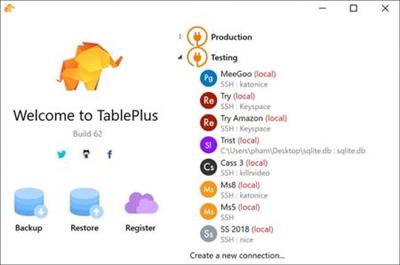
Modern, native, and friendly GUI tool for relational databases: MySQL, PostgreSQL, SQLite & more.

Native, lightweight and fast
With native build, simple design and powerful features, TablePlus makes database management easier, faster & more efficient for you.

Native, fast & secured
Query, edit and manage your databases easily with a native app that can run fast like a Lambo. It takes only half a second to get up and running.

Multi tabs & code review
Quickly get a snapshot of your database with multi-tab and multi-window view, as well as stay in control of what you have changed on your database with Code Review.

Built-in SSH
You don't need to install any SSH client in order to connect to the server. SSH is a part of TablePlus.

An intuitive GUI client
Browse, query, edit your data and database structure in a simple and clean spreadsheet-like editor.

Operating System: Windows 7, 8/8.1, 10

Home Page -
У Вас недостаточно прав для просмотра ссылок. Войдите или зарегистрируйтесь.


Download link:​
Код:
[center][b]rapidgator_net[/b]:
https://rapidgator.net/file/fb7a413329e55f3d8fad220730df2dd9/wg1e5.TablePlus.3.10.6.Build.142.rar.html

[b]nitroflare_com[/b]:
https://nitroflare.com/view/4ECBC5D4E52336F/wg1e5.TablePlus.3.10.6.Build.142.rar

[b]uploadgig_com[/b]:
https://uploadgig.com/file/download/bFc6A0f2e0b9AC35/wg1e5.TablePlus.3.10.6.Build.142.rar[/center]

Links are Interchangeable - No Password - Single Extraction​
 
Siemens Simcenter FloEFD 2020.2.0 v5054 for Solid Edge

73f828a9d19b200563b7046b9ec31743.jpg


Siemens Simcenter FloEFD 2020.2.0 v5054 for Solid Edge | 710.1 mb
Language: English, Deutsch, Français, Русский​
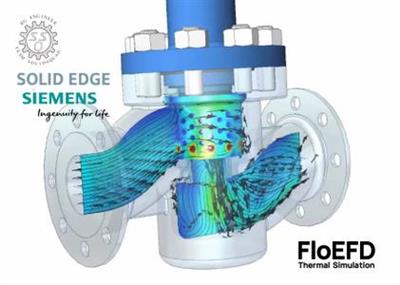
Siemens Digital Industries Software announces the latest release of its Simcenter FLOEFD software for Solid Edge, a CAD-embedded computational fluid dynamics (CFD) tool. The latest version offers new features that can improve accuracy and solve rates.

New Features
The following new features are available in this release.

- Free Surface with rotation. Free surface analysis can now include rotating equipment.
- Simcenter FLOEFD EDA Bridge can save changes. Adjustments to PCB and export settings in the Simcenter FLOEFD EDA Bridge are saved to a file before exporting. You can open saved PCB as *.edabridge file.
- SmartPCB material selection. In SmartPCB you can now choose material for dielectric and conductor from the Engineering database. It is necessary for a PCB whose conductor and dielectric materials are different from the default copper and FR4.
- BCI-ROM console solver. BCI-ROM models can now be solved with the FLOEFD executable routine (Results_Exporter.exe). No need to use 3 rd party software like MATLAB or GNU Octave.
- BCI-ROM FMU export. BCI-ROM can now be exported as FMU. FMU can be then imported into 1D or 3D CFD tools for co-simulation.
- Thermal Netlist VHDL export. Thermal Netlist can be exported into VHDL format for further simulation in Xpedition-AMS or SystemVision Cloud.
- Creating heat sources separately for each selected component or surface. You can create sources for each component or surface separately, i.e. instead of one heat source that includes all entities, for each selected entity a separate heat source will be created.
- Feature Goal is available while creating the feature. A feature goal is now available during creation of a feature. This can dramatically save time needed for creating multiple features each depending on a feature goal, e.g. dozens of heat sources, each depending on a source's maximum temperature.
- Electrical Resistance: Total value. In addition to the material thickness and selection of pre-defined resistances from the Engineering Database, you can now set a value of total electrical resistance. This makes it easier to perform design exploration varying the value in the Parametric Study.
- Flux Balance: Group All. You can group all displayed nodes by their types. Displaying the graph for all components and then grouping all will give you an overall balance image. In addition radiation is split into Directional, Thermal and Solar.
- Point Goals Improvement. A Point can be placed in the center of a component by selecting this component in the model tree. In addition, you can optionally disable interpolation so that a point goal outputs the value of the mesh cell.
- Goal Description at selected physical time. The Goal Description displays history until the loaded time moment, not the entire history until the end.
- Display Maximum Value achieved during calculation in the goal Description. Goal table has two new columns: Maximum value achieved during calculation and the time moment when it was achieved
- Equation goal can now calculate Min, Av, Max values. The new functions in Equation goals allow you to define Minimum, Average, Maximum from the set of Goals or parameters. Regular expressions are supported to handle huge number of parameters. For example the expression Max({VG BatteryName .*}) will give you the maximum from all goals starting with "VG BatteryName".
- Dynamic Probe in Simcenter FLOEFD Viewer. You can display probes in Simcenter FLOEFD Viewer scene.
- Point Parameters can import files. When creating point parameters you can import CSV or text files to define point locations.
- Adding 'mil' Unit. A new 'mil' (1/1000 of inch) unit is added.
- Import Solid Edge Materials. Solid Edge Materials can be imported into FLOEFD.
- Easier interface between FLOEFD and Solid Edge Simulation. A new "Export Results to Simulation" command marks model surfaces needed for structural analysis by Solid Edge Simulation excluding faces where loads are not defined. This allows Solid Edge Simulation (starting from SE 2021) to automatically get loads for the selected surfaces directly from FLOEFD results

Simcenter FLOEFD software for Solid Edge delivers the industry's leading computational fluid dynamics (CFD) analysis tool for fluid flow and heat transfer. Fully embedded in Solid Edge, Simcenter FLOEFD has intelligent tech-nology at its core to help make CFD eas-ier, faster and more accurate. It also enables design engineers to frontload CFD, or move simulation early into the design process, allowing users to iden-tify and fix problems earlier, saving time and money and enhancing productivity by up to 40 times.

SIMCENTER FloEFD pro Solid Edge 2020

Siemens Digital Industries Software is driving transformation to enable a digital enterprise where engineering, manufacturing and electronics design meet tomorrow. The Xcelerator portfolio helps companies of all sizes create and leverage digital twins that provide organizations with new insights, opportunities and levels of automation to drive innovation.

Product: Siemens Simcenter FloEFD
Version: 2020.2.0 v5054 for Solid Edge
Supported Architectures: x64
Website Home Page :
У Вас недостаточно прав для просмотра ссылок. Войдите или зарегистрируйтесь.

Language: multilanguage
System Requirements: PC *
Software Prerequisites: *
Size: 710.1 mb

Supported Platform

- Microsoft Windows 7 Professional, Ultimate or Enterprise 64-bit edition, Microsoft Windows 10 Pro or Enterprise 64-bit (tested with v1809)
- For solver: Microsoft Windows 2012 Server x64, Windows 2012 Server R2 x64, Windows Server 2016, Windows Server 2016 with HPC Pack 2016
- Microsoft Office 2013; Microsoft Office 2010; Microsoft Office 2007
- Solid Edge 2019
- Solid Edge 2020
- Solid Edge 2021 (tested version Beta 221.00.00.097)
- Teamcenter (tested version 11.2.3)
- Microsoft Windows Media Player 7.0 or higher
- x64 compatible PC
- Ethernet network adapter
- Mouse or other pointing device
- DVD-ROM drive
- 4GB RAM minimum, more recommended
- 1GB of free hard disk space, more required for simulation models

Download link:​
Код:
[center][b]rapidgator_net[/b]:
https://rapidgator.net/file/c07f4ebfcb5dd34782053833d48a7db8/26axq.Siemens.Simcenter.FloEFD.2020.2.0.v5054.for.Solid.Edge.rar.html

[b]nitroflare_com[/b]:
https://nitroflare.com/view/0D5B4889468CCE5/26axq.Siemens.Simcenter.FloEFD.2020.2.0.v5054.for.Solid.Edge.rar

[b]uploadgig_com[/b]:
https://uploadgig.com/file/download/9d4fB95c6bb7424D/26axq.Siemens.Simcenter.FloEFD.2020.2.0.v5054.for.Solid.Edge.rar[/center]

Links are Interchangeable - No Password - Single Extraction​
 
Saleen Web Downloader 1.0.0.668 (x64)

22dfc2b3d3a8a7c9a79a4b48564f17b5.jpg


Saleen Web Downloader 1.0.0.668 (x64) | 169 Mb​
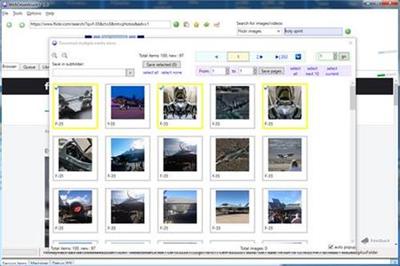
WebDownloader operates as a normal web browser, allowing you to navigate to popular web sites and download pictures and videos. It also has a built in search function to automatically search specific web sites. It features video downloader with built-in frame generation, picture downloader, and built-in library for easy management of your videos and pictures. Supported sites or functions Flickr images downloader, Flickr videos downloader, Google images downloader, YouTube video downloader, FaceBook images downloader, Picasa Web images downloader, PhotoBucket images downloader, and WebShots images downloader.

Features:
* Video downloader with built-in frame generation
* Picture downloader
* Built-in library for easy management of your videos and pictures
* Supported sites/functions
- Flickr images downloader
- Flickr videos downloader
- YouTube video downloader

Home Page:
У Вас недостаточно прав для просмотра ссылок. Войдите или зарегистрируйтесь.


Language: English

Download link:​
Код:
[center][b]rapidgator_net[/b]:
https://rapidgator.net/file/d1845e0ea5300387d3ad274710627cd5/v9zhh.Saleen.Web.Downloader.1.0.0.668.x64.rar.html

[b]nitroflare_com[/b]:
https://nitroflare.com/view/9D7DC130E6B4D41/v9zhh.Saleen.Web.Downloader.1.0.0.668.x64.rar

[b]uploadgig_com[/b]:
https://uploadgig.com/file/download/191E2dE1Fc204849/v9zhh.Saleen.Web.Downloader.1.0.0.668.x64.rar[/center]

Links are Interchangeable - No Password - Single Extraction​
 
TablePlus 3.10.8 Build 142

adfa07763f6635582590741a9cef8910.jpg


TablePlus 3.10.8 Build 142 | 121.2 Mb​
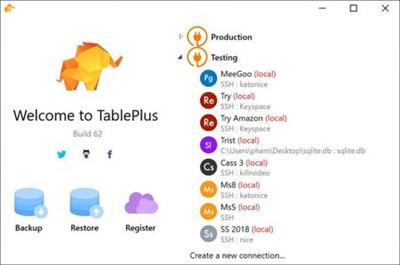
Modern, native, and friendly GUI tool for relational databases: MySQL, PostgreSQL, SQLite & more.

Native, lightweight and fast
With native build, simple design and powerful features, TablePlus makes database management easier, faster & more efficient for you.

Native, fast & secured
Query, edit and manage your databases easily with a native app that can run fast like a Lambo. It takes only half a second to get up and running.

Multi tabs & code review
Quickly get a snapshot of your database with multi-tab and multi-window view, as well as stay in control of what you have changed on your database with Code Review.

Built-in SSH
You don't need to install any SSH client in order to connect to the server. SSH is a part of TablePlus.

An intuitive GUI client
Browse, query, edit your data and database structure in a simple and clean spreadsheet-like editor.

Operating System: Windows 7, 8/8.1, 10

Home Page -
У Вас недостаточно прав для просмотра ссылок. Войдите или зарегистрируйтесь.


Download link:​
Код:
[center][b]rapidgator_net[/b]:
https://rapidgator.net/file/73c25272835094ffbf916a142f3e826a/othwo.TablePlus.3.10.8.Build.142.rar.html

[b]nitroflare_com[/b]:
https://nitroflare.com/view/D1A7E7FA629536B/othwo.TablePlus.3.10.8.Build.142.rar

[b]uploadgig_com[/b]:
https://uploadgig.com/file/download/d0e3254883b48F78/othwo.TablePlus.3.10.8.Build.142.rar[/center]

Links are Interchangeable - No Password - Single Extraction​
 
Overloud Gem Dopamine 1.1.5

14b4eed5b510398992697be9083197a3.jpg


Overloud Gem Dopamine 1.1.5 | 238.3 Mb​
Dopamine: the new way to enhance your tracks. Overloud dopamine is the emulation of two classic tape encoding processors, used as enhancers.

It is designed to revive individual tracks as well as complex mixes while preserving their natural tone. Overloud DOPAMINE does not introduce unpleasant artefacts like the exciters do: in fact it dynamically balances the harmonics that naturally exist in the original audio rather than generating non-existent harmonics by synthesizing them.

Features:
Replicates the enhancing side of the tape noise reduction units
Simulates two classic processors: the 180 and the 361
Simulates two cartridges: the A-Type and the Stressor
Naturally enhances the audio by balancing the harmonic content
Allows to tweak the dynamic action of the effect
Very low cpu usage: you can open the plugin on each track of the session with a negligible cpu load
Lots of presets designed in real mixing sessions
Scribble Strips: take notes anywhere on the plugin panel

System Requirements:
DOPAMINE is available as VST, AAX64 (ProTools 11 and Above) plugins, as well as a standalone application.
32bit and 64bit are natively supported except AAX32.
You can authorize DOPAMINE on up to three computers that you own and one USB stick with a simple one-click software procedure (no hardware key needed).
Core i3 1.4GHz with 4Gb of RAM, 1280x800 video.
Windows Vista, Windows 7, Windows 8 and Windows® 10 are supported.

Home Page -
У Вас недостаточно прав для просмотра ссылок. Войдите или зарегистрируйтесь.


Download link:​
Код:
[center][b]rapidgator_net[/b]:
https://rapidgator.net/file/1f1909b8b360de13d22f8d6b76e26119/pytpw.Overloud.Gem.Dopamine.1.1.5.rar.html

[b]nitroflare_com[/b]:
https://nitroflare.com/view/D33585A25372D0B/pytpw.Overloud.Gem.Dopamine.1.1.5.rar

[b]uploadgig_com[/b]:
https://uploadgig.com/file/download/257072cd5e4b7513/pytpw.Overloud.Gem.Dopamine.1.1.5.rar[/center]

Links are Interchangeable - No Password - Single Extraction​
 
Mestrelab Research Mnova 14.2 Build 26256

fafc4d60ed5ffa525524f4c0d6b95340.jpg


Mestrelab Research Mnova 14.2 Build 26256 | 443.91 Mb​
MestReNova (Mnova) is the latest Nuclear Magnetic Resonance & LC/GC/MS data processing, visualization, simulation, prediction, presentation and analysis software package available on the market.

MestReNova (Mnova) is the natural evolution of the very popular application MestReC. Whilst including all the NMR processing and analysis functionality present in MestReC, it is a completely new development and a completely new concept which will open up a whole new range of possibilities when storing and sharing data within organizations, changing the way in which scientists process and report NMR and LC/GC/MS data. Mnova has been designed to make NMR and LC/GC/MS both more convenient and more powerful, and to give the user improved results with minimum effort.

The program provides a variety of conversion facilities for most NMR and LC/GC/MS spectrometer and chromatogram formats and includes all the conventional processing, displaying, and Descriptionting capabilities of an NMR program, as well as more advanced processing techniques with a very user friendly graphical interface.

Features:
NINE PLUG-INS
Mnova has been split into two different basic plugins: Mnova NMR and Mnova MS. In addition, Mnova can run a number of additional advanced modules such as mixtures analysis, reaction monitoring, quantitation, chemical shift prediction, screening, verification as well as physico-chemical properties prediction.

WORKFLOW OPTIMIZATION
Excellent ability to manually interact with your data as well as to prepare an automated workflow to save your precious time.

ONE SHARED INTERFACE
Mnova combines all your analytical data within the same software interface. This is a time saver and a very efficient way to process, analyze and report your data.

SCRIPTING ENGINE
Perform any action available in the Mnova graphical user interface but in full automation. Our developers have created big projects using our scripting engine and we can help your business if you have specific needs.

ONE CORE APPLICATION
Mnova enables you to increase your productivity by combining your analytical data in one piece of software. Advanced algorithmia runs in the background to provide quality results.

EASIER LEARNING CURVE
Bringing all your analytical data into one single interface (powerpoint look) makes Mnova a piece of software with an extremely quick rate of learning.

Home Page:
У Вас недостаточно прав для просмотра ссылок. Войдите или зарегистрируйтесь.


Language: English

Download link:​
Код:
[center][b]rapidgator_net[/b]:
https://rapidgator.net/file/158581f2d08cdaee5dca5ccbb8c43e29/j5ois.Mestrelab.Research.Mnova.14.2.Build.26256.rar.html

[b]nitroflare_com[/b]:
https://nitroflare.com/view/033E67FC981C0FC/j5ois.Mestrelab.Research.Mnova.14.2.Build.26256.rar

[b]uploadgig_com[/b]:
https://uploadgig.com/file/download/8889390B47b3b510/j5ois.Mestrelab.Research.Mnova.14.2.Build.26256.rar[/center]

Links are Interchangeable - No Password - Single Extraction​
 
iDevice Manager Pro Edition 10.4.0.2 Multilingual

7bd8dd80680ff33d6db33f1ebf25acc2.jpg


iDevice Manager Pro Edition 10.4.0.2 Multilingual | 50.37 Mb​
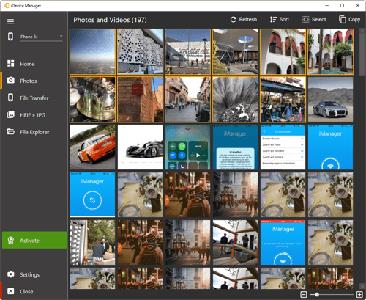
The iDevice Manager Pro Edition is an extension of the free iDevice Manager 10.0 to backup of iPhone and iPad files on your Windows computer and to create new unlimited ringtones from MP3 files. Together with the free iManager App is it possible to upload address book contacts, photos and videos to the iPad and iPhone.

iDevice Manager your iTunes alternative
- iPhone 11, 11 Pro, 11 Pro MAX and older
- Copy Photo, Video onto Computer
- Transfer Photo, Video onto iPhone
- Copy Contact vCard files to iPhone
- Explore the iPhone and iPad Filesystem
- Convert High Efficiency Image Format to JPG
- Transfer Photos from iPhone to PC
- Transfer Videos from iPhone to PC
- Photos and images upload to iPhone
- Video transfer to iPhone
- Transfer of Contacts to iPhone
- File Transfer in File System

Transfer Photos and Videos from iPhone onto Computer
Easy coping of your iPhone photos and videos from iPhone or iPad to your computer without iTunes. For safely storing of your photos, use you alternatively copy directly to your online storage Dropbox or OneDrive. The annoying buffering and manual transfer of the pictures is done by the iDevice manager for you.

Copy Photos and Videos to iPhone
Copying of photos and videos from computer to iPhone and iPad is just as easy as downloading from iPhone. Connect your iPhone with the USB cable on the computer and start the iDevice Manager. Select the photos and videos, which you want to transfer and start the process when the iManager app is also paired to the computer.

High Efficiency Image Format Converter
Since iOS 11, the iPhone has been offering the High Efficiency Image format for high-resolution photos instead of the JPG format. Because these photos cannot be easily viewed on the Windows computer, offers the iDevice Manager a converter to convert such images to JPG. The iDevice Manager contains a converter with which high quality photos (HEIC and HEIF) can be converted into JPG. If you want, can you activate this function in the settings for permanently converting of HEIC to JPG, if you transfer HEIC images to the Computer.

File Explorer to download any files
Who wants to sniff the iPhone file system e.g. want to download files, has the right software within iDevice Manager (formerly iPhone Explorer). The latest version also has a File Explorer like in Windows Explorer to find files and data.

Supported Devices:
- Apple iOS 13, 12, 11 firmware devices
- iPad Pro, iPad Air, iPad, iPad mini
- iPhone 11 & Pro & Pro MAX, XS & MAX, XR, iPhone X, iPhone 8 Plus, 8, iPhone 7 Plus, 7, 6S Plus, 6S, 6 Plus, 6

Supported Windows Versions:
- Windows 10
- Windows 8, 8.1
- Windows 7

Homepage -
У Вас недостаточно прав для просмотра ссылок. Войдите или зарегистрируйтесь.


Language: Multilingual

Download link:​
Код:
[center][b]rapidgator_net[/b]:
https://rapidgator.net/file/59dd08fb35209495380a6731a64a277e/71rn3.iDevice.Manager.Pro.Edition.10.4.0.2.Multilingual.rar.html

[b]nitroflare_com[/b]:
https://nitroflare.com/view/593F43A30D62952/71rn3.iDevice.Manager.Pro.Edition.10.4.0.2.Multilingual.rar

[b]uploadgig_com[/b]:
https://uploadgig.com/file/download/ebbb23fe8e6dF907/71rn3.iDevice.Manager.Pro.Edition.10.4.0.2.Multilingual.rar[/center]

Links are Interchangeable - No Password - Single Extraction​
 
dslrBooth Professional Edition 6.36.1009.1 Multilingual

bb2f8c2c94e2ef9de6e05c6bbd7f4608.jpg


dslrBooth Professional Edition 6.36.1009.1 Multilingual | 74.5 Mb​
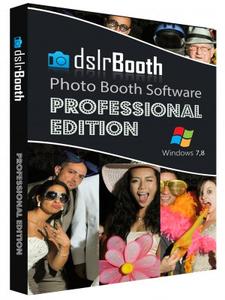
dslrBooth - Awesome Photo Booth Software. If you're looking to run a photo booth using your dslr camera and a computer, then you've found the solution you need. We built our photo booth software out of the same necessity. dslrBooth is a straightforward app that will powers your photo booth as it does for many others all over the world. Our users rave about our software.

We built our photo booth software out of necessity. We searched the internet and found software that can do the job but all of them either were too complicated, cost an arm and a leg, or didn't do the job. So we came up with a straightforward app that bridges the missing gap of going from single pictures to professionally printed and branded photo booth prints. Of course, we made sure not to imitate the poor solutions out there, our software is simple, cheap, and simply works.

Features:
- Compatible with PC and Mac.
- Triggers camera to take several photos and creates a print.
- Complete control over look and feel of final print including your own graphics, logos, and text. Includes a powerful Template Editor in Windows Edition.
- Stores all pictures and prints.
- Works with all digital dslr cameras as long as your computer can see them. Sorry, no support for webcams as we're sticklers for quality.
- Highest quality prints of all similar software thanks to your pro dslr camera combined with the latest in image processing technology. Standard Edition supports 4x6. Professional Edition adds support for all paper sizes,
- Optimized for Touch Screens.
- Optional Classic Unattended Photobooth Mode: Click a button and have a countdown with camera automatically snapping up to 4 pictures.
- Plenty of layout options in Standard Edition.
- Share Online: You can share your pictures on facebook, twitter, and a few dozen other social media sites.
- Trigger from a button or a foot switch.
- Male, Female, and Customizable Audio Prompts (Windows only).
- Allow guests to add effects similar to instagram or add them automatically (Windows only).
- View on ipad: Guests can view their prints right away on an ipad using an eye-fi card.

Professional Edition Added Features
- 4x8, 5x7, 6x8, 8x10, and all other paper sizes.
- Create custom layouts. Add your photos, position them and rotate them anywhere you wish.
- Green Screen (Chroma Keying) allowing the replacement of a green or blue background with a custom background. We're using state of the art Green Screen technology and in our usual style have taken out all the complexity of doing green screen. The process is completely automated and effortless.
- Live View which allows people to see a video of themselves before the camera takes a picture. This is supported by most recent dslr cameras.
- Automatic uploads to Facebook Pages in real-time.

Home Page -
У Вас недостаточно прав для просмотра ссылок. Войдите или зарегистрируйтесь.


Language: Multilingual

Download link:​
Код:
[center][b]rapidgator_net[/b]:
https://rapidgator.net/file/267b90ad584a9acb8600da52a39f6178/t7oh4.dslrBooth.Professional.Edition.6.36.1009.1.Multilingual.rar.html

[b]nitroflare_com[/b]:
https://nitroflare.com/view/C48D9316AA0DB3B/t7oh4.dslrBooth.Professional.Edition.6.36.1009.1.Multilingual.rar

[b]uploadgig_com[/b]:
https://uploadgig.com/file/download/C11A59885b72b9cF/t7oh4.dslrBooth.Professional.Edition.6.36.1009.1.Multilingual.rar[/center]

Links are Interchangeable - No Password - Single Extraction​
 
Bootstrap Studio 5.4.1 macOS

ac21557192429a708af470daca0c2f96.jpg


Bootstrap Studio 5.4.1 macOS | 87 MB​
A powerful desktop app for creating responsive websites using the Bootstrap framework. Bootstrap Studio is a desktop application that helps you create beautiful websites. It comes with a large number of built-in components, which you can drag and drop to assemble responsive web pages. It is built on top of the hugely popular Bootstrap framework, and exports clean and semantic HTML. Thousands of developers and designers use it every day. We are sure you'll love it too!

The Interface
Bootstrap Studio has a beautiful and powerful interface, which is built around the simplicity of drag and drop. This makes it the perfect tool for prototyping and designing web pages and apps.

Beautiful Built-in Components
Bootstrap Studio comes with a large number of pretty components for building responsive pages. We've got headers, footers, galleries, slideshows and even basic elements like spans and divs.

Smart Drag & Drop
Bootstrap Studio knows which Bootstrap components can be nested in one another and gives you suggestions. It automatically generates beautiful HTML for you, which looks as if it was written by hand by an expert.

Create Your Own Components
You can extract pieces of your designs as Custom Components, and have them ready to be dropped into any design you create. You can also export these components as files and share them.

Online Library
If you need a component which doesn't exist in our library, just click the Online tab in the Component Panel. There you will find thousands of components built and shared by the community. You can also upload your own.

Linked Components
This is a powerful feature which allows you to synchronize components, so changing one will automatically change the other. This is especially useful for things like headers and footers which you need to update across pages.

Realtime Preview
Bootstrap Studio has a powerful feature called Preview. With it, you can open your design in multiple web browsers and devices, and every change you make within the app will be shown instantaneously everywhere.

Editing Code
For some things drag and drop isn't enough. This is why Bootstrap Studio gives you full control over your markup when you need it. You can import and edit CSS, JavaScript and HTML in our Sublime Text-like editor.

Advanced CSS Editor
Our advanced CSS editing interface supports auto suggest and rule validation, and shows the active and inherited rules at an any given time. You will soon dread having to go back to your text editor.

JavaScript Editing
Write JavaScript in our Sublime Text-like editor. All your changes are synced with the preview, so you can write code and try it out without having to reload your browser.

HTML Editing
With our powerful Custom Code component, you can write HTML directly, without going through our drag and drop interface. You can also convert any piece of your page into Custom Code when you need it.

Import Existing Websites
If you have a website that you've developed previously, you can import it. Just drag and drop the HTML, CSS, JS files and images into Bootstrap Studio and they will be added to your project.

Even More Features
There is a lot more to say about our wonderful app. From productivity features to specialized Bootstrap tools, Bootstrap Studio makes designing websites and building fully working prototypes a real joy.

Built for Bootstrap
Bootstrap Studio knows how to construct a valid Bootstrap page and automatically writes the correct HTML. It supports Bootstrap 3 and will be updated to Bootstrap 4 once it's out.

Grid Tools
The app has specialized tools for working with the Bootstrap grid. Easily create, resize and offset columns, and apply responsive visibility classes.

Google Webfonts
Bootstrap Studio is integrated with Google Webfonts and gives you an easy way to import and manage your fonts. Font family names are even auto-suggested in our css editor.

Productivity Features
Bootstrap Studio has comprehensive support for keyboard shortcuts which allow you to speed up your workflow dramatically.

Themes and Icons
The app has a number of built-in Bootstrap themes, icon fonts, templates and components, which you can combine into beautiful and unique designs.

Always Up to Date
Bootstrap Studio updates automatically, so you always have the latest version. We release updates every month, filled with new features, components and improvements.

Requirements: Runs on macOS 10.9 and above.

Homepage -
У Вас недостаточно прав для просмотра ссылок. Войдите или зарегистрируйтесь.


Download link:​
Код:
[center][b]rapidgator_net[/b]:
https://rapidgator.net/file/428e295d1b28d9b7425adc32fed497dd/4m41d.Bootstrap.Studio.5.4.1.macOS.rar.html

[b]nitroflare_com[/b]:
https://nitroflare.com/view/0E0847814F8F7B0/4m41d.Bootstrap.Studio.5.4.1.macOS.rar

[b]uploadgig_com[/b]:
https://uploadgig.com/file/download/31e7932ca7E401d9/4m41d.Bootstrap.Studio.5.4.1.macOS.rar[/center]

Links are Interchangeable - No Password - Single Extraction​
 
WonderFox Photo Watermark 8.3

40689c82980bcdcf8397c9d774a0ec5e.jpg


WonderFox Photo Watermark 8.3 | 57.14 Mb​
If you are sharing your photos and artworks or demonstrating your company's products on the Internet, it's very necessary to add watermarks to protect them from illegal use. You really don't know who may copy them or disseminate them for some terrible reason. In other words, the pictures are spread without authorization. WonderFox Photo Watermark can help you get out of the problem.

With this photo watermark processor, you can not only add text but also image as watermarking. And you are provided with an easy-to-use interface, that is, even a beginner can simply add watermarks with a few clicks. Use it and you will never be regretted.

Secure Protection with Text Watermark and Image Watermark
Usually watermark contains text watermark and image watermark. Text watermark is your name, signature or any words that you can make some text effect on it. Image watermark is the most widely used way of watermark, such as your logo, avatar, company logo, etc.

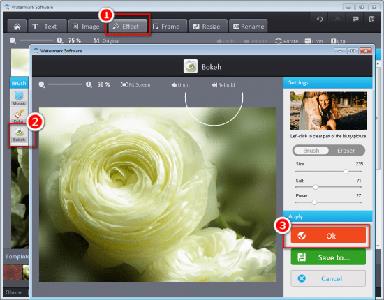
WonderFox Photo Watermark can add either text or image watermark to photos with a few clicks. Watermarks can't really stop people from using your pictures without permission, but at least from now on they'll have your name on them wherever they go. This professional photo watermark provides various types (150+) of free watermarking materials. You can also create your own ones!

Powerful Photo Editing Functions
Apart from the above reasons, there is another one no less important - the powerful editing functions. WonderFox Photo Watermark allows you to have your own editing ideas. You can crop your photos, resize or rename them. What's better, adding frame is another function that you can choose a wide range of frames as you like! Making your photos more beautiful!

Batch Watermarking Process and Watermarking Template
WonderFox Photo Watermark provide batch mode for watermarking your photos this feature will save 90% of the time for adding watermrk to lot of photos. Actually, you can easily add watermark to 100 photos within 1 minute.

The another feature - This software allows you to save current settings (watermark, word, location, transparence...) to a template file. When you use WonderFox Photo Watermark in the next time, you can load the template file to restore the current settings.

Home Page:
У Вас недостаточно прав для просмотра ссылок. Войдите или зарегистрируйтесь.


Language: English

Download link:​
Код:
[center][b]rapidgator_net[/b]:
https://rapidgator.net/file/9d3f856d25d3eeb6f9fdf233036c875e/g50m3.WonderFox.Photo.Watermark.8.3.rar.html

[b]nitroflare_com[/b]:
https://nitroflare.com/view/1170B25B927F7FB/g50m3.WonderFox.Photo.Watermark.8.3.rar

[b]uploadgig_com[/b]:
https://uploadgig.com/file/download/01db68744972d43b/g50m3.WonderFox.Photo.Watermark.8.3.rar[/center]

Links are Interchangeable - No Password - Single Extraction​
 
Назад
Сверху