• Старая версия форума работает в архивном режиме www.old.nado.in

All mitsumi'1s Applications !! (updated daily)

  • Автор темы Автор темы mitsumi1
  • Дата начала Дата начала
MediaHuman YouTube Downloader 3.9.9.46 (0910) macOS

466dd7e0d496bbfdc7cf34067707876c.jpg


MediaHuman YouTube Downloader 3.9.9.46 (0910) Multilingual macOS | 80 Mb​
MediaHuman YouTube Downloader is a handy application for those who found a favorite music video or trailer of a new movie and wants to keep it on your computer for viewing offline. Or you need to download a video lesson/tutorial. Our video downloader is an ideal solution for such kind of tasks.

- Supports Ultra High resolutions up to 4K
- Download whole playlists and channels
- YouTube, Vimeo, Dailymotion, Soundcloud
- Extract audio track and save it as MP3
- iTunes support
- VEVO support

Compatibility: OS X 10.9 or later 64-bit
Homepage -
У Вас недостаточно прав для просмотра ссылок. Войдите или зарегистрируйтесь.


Download link:​
Код:
[center][b]rapidgator_net[/b]:
https://rapidgator.net/file/54b4a8634f730f71a60cbb8c56195e72/334ca.MediaHuman.YouTube.Downloader.3.9.9.46.0910.rar.html

[b]nitroflare_com[/b]:
https://nitroflare.com/view/1B5929E567C28C3/334ca.MediaHuman.YouTube.Downloader.3.9.9.46.0910.rar

[b]uploadgig_com[/b]:
https://uploadgig.com/file/download/54f36f75Ff2a56c8/334ca.MediaHuman.YouTube.Downloader.3.9.9.46.0910.rar[/center]

Links are Interchangeable - No Password - Single Extraction​
 
MediaHuman YouTube To MP3 Converter 3.9.9.46 (0910) (x86/x64) Multilingual

f4795faefbc08d5f5e2d7c4266b5a5ee.jpg


MediaHuman YouTube To MP3 Converter 3.9.9.46 (0910) (x86/x64) Multilingual | 113.5 Mb​
You like to listen to music on YouTube or SoundCloud and want to save it for offline playing. Or you want to download soundtrack of a new movie. Then we recommend you to try out this software developed specifically for this purpose.

Downloads all music from playlist or channel
Downloads highest available quality up to 320 kbps
Supports YouTube, Vimeo, SoundCloud, Dailymotion, VEVO, etc.
Downloads simultaneously several tracks
Includes simple tag editor with cover art support
Works on all modern platforms (macOS, Windows, Ubuntu)
Imports into iTunes

Playlists and channels
The software supports downloading all videos of a playlist or a channel. And there is also an option for subscribing to and downloading only newly uploaded tracks.

iTunes support
In the preferences of the application you can select an option to add downloaded tracks into iTunes automatically. You can also specify iTunes playlist, where the converted track should be added.

Saves your time & traffic
The app detects audio track in YouTube video clip and downloads it, skipping the video part. As a result download speed increases dramatically, especially on HD-quality content.

Simple tag editor
Application automatically detects artist name and track title of the video and saves it in the downloaded file. But at the same time, you can easily change tags to whatever you want. You can even change a cover art image.

Original format, no conversions
You can save audio tracks in original quality without any conversion. It means that there will be no loss of quality and it greatly reduces the downloading time.

Free music
There is a great amount of music on YouTube. You can always find the one you like there. And YouTube to MP3 Converter allows you to save it on your computer for free. Just find the track you like and download it in the quality you need.

Not only YouTube
Vevo.com, Vimeo, DailyMotion, Soundcloud, Bandcamp, HypeMachine, MixCloud, UOL and many other sites are also supported. So you can download music as easy as from YouTube.

Clipboard tracking
The program tracks the content of the system clipboard. It means that you can easily add a video clip without switching from your favorite browser. Just copy an URL into the clipboard and it will be added to the download queue.

Multilingual interface
Localized to: Arabic, Armenian, Azerbaijani, Bulgarian, Catalan, Chinese (Taiwan), Croatian, Czech, Danish, Dutch, English, Esperanto, French, German, Greek, Hebrew (Israel), Hungarian, Indonesian, Italian, Japanese, Korean, Latvian, Lithuanian, Malay, Norwegian Bokmål, Polish, Portuguese, Portuguese (Brazil), Romanian, Russian, Spanish, Swedish, Turkish, Vietnamese

Operating System: Windows 7, 8/8.1, 10

Home Page -
У Вас недостаточно прав для просмотра ссылок. Войдите или зарегистрируйтесь.


Download link:​
Код:
[center][b]rapidgator_net[/b]:
https://rapidgator.net/file/ed33e8d4c4170fe38c11f5d0d4de084c/8gfa7.MediaHuman.YouTube.To.MP3.Converter.3.9.9.46.0910.x86x64.Multilingual.rar.html

[b]nitroflare_com[/b]:
https://nitroflare.com/view/9EB5E443E2BEB38/8gfa7.MediaHuman.YouTube.To.MP3.Converter.3.9.9.46.0910.x86x64.Multilingual.rar

[b]uploadgig_com[/b]:
https://uploadgig.com/file/download/65c7b6809331146f/8gfa7.MediaHuman.YouTube.To.MP3.Converter.3.9.9.46.0910.x86x64.Multilingual.rar[/center]

Links are Interchangeable - No Password - Single Extraction​
 
Mirillis Action! 4.12.1 Multilingual

1fa23fbad7a530c116a925594363844e.jpg


Mirillis Action! 4.12.1 Multilingual | 90.8 Mb​
Mirillis Action! screen recorder allows streaming and real-time recording of Windows desktop in a superb HD video quality. With Action! you can record and stream your gameplay, web player videos, record music, capture screenshots, add webcams, microphone commentary and more!

The most user friendly and stylish interface of all screen recorders!
Action! is compact, stylish and user friendly. Built-in screen and gameplay recording manager allows to browse, delete selected items and export recordings to popular formats and devices. Action! screen recorder defines new standard of user experience for games benchmarking, gameplay and Windows desktop real-time recording software.

Greenscreen Mode
Action! gives you Greenscreen Mode. Now you can cut out the background, while recording with your webcam, from your video recording. You don't need to have special camera for that - all you need is Action! screen recorder and any solid color background, what is much cheaper solution and gives the same, if not better, results.

Record webcam or USB/HDMI Capture Devices
Select device recording mode to capture video from gaming consoles, other PC, TV broadcasts, webcams or camcorders. Add your own logo, webcam, microphone commentary and record video to your local disk or live stream to popular services.

Try screen recording with Selected Application recording option.
This brand new recording mode allows you to record your Windows desktop screen in complete privacy! Record only the application you want to show to others on your screen recording, while the rest of your desktop screen will be blackened-out and not recorded on your video.

Record gameplay in HD. Benchmark games performance.
Outstanding screen and gameplay recording performance and GPU utilization allows the smoothest real-time HD gameplay recording ever! Display current and average game framerate (FPS) during gameplay and save your benchmark results.

The outstanding screen recording performance!
Action! defines a new standard of performance for gameplay and desktop recording software. It uses Mirillis ultra-fast, multicore optimized, proprietary video codec (FICV - Fast Intra Compression Video standard) which together with highly optimized application engine provides the ultimate performance of real-time HD video recording. Action! screen recorder also captures video directly to MP4 format utilizing NVIDIA NVENC, AMD APP or Intel® Quick Sync Video hardware acceleration.

Live stream gameplay and desktop activity to popular services!
Action! LIVE Streaming service allows to stream all your gameplays, videos or desktop activity to popular streaming services like Twitch.tv, YouTube, Smashcast (hitbox), Ustream, Livestream, Facebook, Aliez and more! With Action! screen recorder live streaming is easy and fun!

Operating System: Windows Vista, 7, 8/8.1, 10

Home Page -
У Вас недостаточно прав для просмотра ссылок. Войдите или зарегистрируйтесь.


Download link:​
Код:
[center][b]rapidgator_net[/b]:
https://rapidgator.net/file/e7aabb67fc9661ff49ba4bc6cfad6d3e/fkwro.Mirillis.Action.4.12.1.Multilingual.rar.html

[b]nitroflare_com[/b]:
https://nitroflare.com/view/EE3738EAC602514/fkwro.Mirillis.Action.4.12.1.Multilingual.rar[/center]

Links are Interchangeable - No Password - Single Extraction​
 
Perfectly Clear Complete 3.10.0.1861 (x64)

81f272b7e085fef0ad643d4283c05873.jpg


Perfectly Clear Complete 3.10.0.1861 (x64) | 82.9 Mb​
Built for precision. Made for beauty. Above all, you want better photos. But what if you could have better photos faster? Perfectly Clear has mastered the science of intelligent image correction - creating superior quality photos in record time, so you can get back to doing what you really love...in no time.

What's New in Perfectly Clear 3:

You have better ways to spend your day than laboring over manual edits
You became a photographer to go out and capture the beauty of the world, not sit inside at an editing desk. We invented our automatic image corrections to take away the tedium and give you back your freedom. So let Perfectly Clear handle the editing chores while you devote your day to doing what you do best-creating incredible images.

- Up to 20 auto corrections with one click
- Batch process 1000s of images in minutes
- Stay within your workflow
- Unlock the details in every image
- Tap into professionally created presets
- Save countless hours of manual editing
- Fine tune details with precise controls

We've got image correction down to a science
Creating our award-winning technology took more than a decade of R&D, multiple patented processes, and over a dozen unique algorithms. We cracked the code on correcting every pixel independently. That's how we make a 12-megapixel photo look like it was taken with 12 million separate apertures. The proof is in your pictures.

Investing, innovating and improving every year
At Athentech, we're committed to solving problems faced by photographers. Every year, we continue to innovate with R&D work by our team of physicists, engineers, and photographers. Every day, we invest in making your photos look their best.

Lighting.
- Perfect Exposure. More effective than traditional brightness, Perfect Exposure lets you maintain Real Color Photography™ without clipping or washing out. Our technology overcomes the distortions caused by a single aperture by replicating the way your eye gathers light and correcting your exposure pixel by pixel.
- Depth. Brings out the contrast in a photo without messing up the other colors. Perfectly Clear uses a patented algorithm that manages the dynamic range in a unique way, revealing the detail needed to produce this kind of depth.
- Light Diffusion. Perfectly Clear lets you create a softer look with warmer tones and captures the perfect portrait even in broad daylight.
- Skin & Depth bias. For realistic lighting on skin.

Color.
- Photoshop is powerful, but for Full Color Spectrum, Light Diffusion, automatic red-eye removal, you have to turn to Perfectly Clear.
- Vibrancy. Perfectly Clear mimics how the eye adjusts saturation, providing a color-vibrant photo. Sometimes digital cameras can cause photos to look washed out/faded because they have a linear response to light. But our solution overcomes this problem by looking at each channel independently.
- Fidelity. We reproduce the full visual spectrum of colors seen by the eyes, enabling you to capture purples properly every time.
- Tint. In the days of film, you had to carry around different films and filters for different times of day-all to get the lighting source correct. To remove nasty tints-from tungsten, fluorescent, incandescent, IR-Perfectly Clear searches for an abnormal tint, then reveals the great photo underneath.

Clarity.
- Sharpening. Traditional sharpening methods also sharpen weak signal and introduce halos. Perfectly Clear only searches for strong signal and creates sharp, clear photos with zero artifacts.
- Noise removal. Perfectly Clear automatically reduces noise 2-3 stops with one click (unlike Ps or Lr which requires multiple slider bar adjustments). ISO 1600 is effectively reduced to ISO 200-400 without blurring or losing details.

Eyes.
- Red-eye. We sourced this technology from our wonderful partner FotoNation, which is embedded in hundreds of millions devices. It detects and corrects imperfections as quickly as 5 images per second with no manual intervention.
- Unlike Photoshop, Perfectly Clear not only removes red eye automatically, it also includes Eye Enhance, Eye Enlarge, Dark Circle removal, and the ability to automatically add 5 different Catchlights.

Skin.
Perfectly Clear lets you smooth and tone skin, adjust blush, and remove infrared, shine and blemishes. Our robust, automatic correction uses advanced facial detection techniques to identify age, gender and key facial features including texture and skin tone. As a result, we're able to determine the precise amount of corrections to apply automatically. All of our Beautify corrections are much faster than doing this manually in Ps or Lr which will takes minutes per image instead of seconds.

Face.
Perfectly Clear lets you whiten teeth for the perfect smile and saves a painful trip to the dentist. Plus, it can sharpen the look of your lips and tone your face shape for a more slender and youthful appearance.

System Requirements:
- Windows 7, 8, or 10 (64-bit OS and Host application)
- Photoshop CS5, CS6 or Creative Cloud
- Photoshop Elements 13,14,15
- Corel PaintShop Pro X6, X7, X8, X9
- 4 GB RAM or more

Home Page -
У Вас недостаточно прав для просмотра ссылок. Войдите или зарегистрируйтесь.


Download link:​
Код:
[center][b]rapidgator_net[/b]:
https://rapidgator.net/file/b4470f4ffbbe2fd01a925f60e457efa4/ejz68.Perfectly.Clear.Complete.3.10.0.1861.x64.rar.html

[b]nitroflare_com[/b]:
https://nitroflare.com/view/DF465C5A1EB6E4A/ejz68.Perfectly.Clear.Complete.3.10.0.1861.x64.rar

[b]uploadgig_com[/b]:
https://uploadgig.com/file/download/6606427D6C0632b7/ejz68.Perfectly.Clear.Complete.3.10.0.1861.x64.rar[/center]

Links are Interchangeable - No Password - Single Extraction​
 
Permute 3.5.7 macOS

ddff51d58e7f380ec9bca39e3a908466.jpg


Permute 3.5.7 Multilingual | macOS | 58 mb​
Video, audio and image files come in many different kinds and shapes, but sometimes you need a specific format since your iPad or DVD player won't play that video. That is what Permute is for - easily convert your media files to various different formats.

Key Features

Easy to Use - built from the ground up, Permute is a perfect example of what a Mac app should be. With a gorgeous interface and drag & drop simplicity no need for complicated options.

Insanely Fast - Permute was engineered to be incredibly fast. Let us take care of the hard stuff. Just select the video format you want and it'll be done faster than you can say "hardware acceleration" - MP4 and HEVC presets now take advantage of your machine's hardware acceleration capabitlities, speeding up HEVC conversions more than 3 times over previous versions of Permute!

PDF Support - Permute 3 now includes support for stitching multiple images into a single PDF.

Everything Included - It doesn't matter if you're converting home movies or processing images. Permute can do it all. We support nearly every format and have plenty of device presets to choose from.

Looks Amazing - Whether you use dark mode or not, Permute will look amazing. Taking advantage of the modern technologies, Permute will even change its icon in dark mode.

Keep the Schedule - Video re-encoding is quite demanding on computer resources. This is why you can now schedule Permute to convert videos e.g. at night when you're not using your computer.

And so much more! - There are so many other great features in Permute - adjust volume of an audio file or an audio track in a video. Batch-resize, rotate and flip images and videos. And more!

Compatibility: OS X 10.11 or later 64-bit
Homepage:
У Вас недостаточно прав для просмотра ссылок. Войдите или зарегистрируйтесь.


Download link:​
Код:
[center][b]rapidgator_net[/b]:
https://rapidgator.net/file/372827259bfa7121123aa02a23f04596/fg72t.Permute.3.5.7.rar.html

[b]nitroflare_com[/b]:
https://nitroflare.com/view/F377905D53DF9F6/fg72t.Permute.3.5.7.rar

[b]uploadgig_com[/b]:
https://uploadgig.com/file/download/1842Fdd260c6ce21/fg72t.Permute.3.5.7.rar[/center]

Links are Interchangeable - No Password - Single Extraction​
 
PhotoCartoon Professional 3.5

ed8d90d44579a947b8fea5253e4eeac0.jpg


PhotoCartoon Professional 3.5 | 38.8 Mb​
Photo Cartoon is a graphic editor whose main purpose is to provide a series of filters ready to help you transform your picture into a drawing, a cartoon or a painting. Its feature set is, however, not limited to a set of effects, as it also comes with a set of controls in the image equalizer that help you enhance the quality of the loaded photo.

Turn your photo into a cartoon or a caricature
The interface layout is simple, comprising a generous preview area that displays the loaded photo. Unfortunately, there is no support for batch operations, so you will have to process multiple photos one by one.

All the graphic filters are elegantly displayed to the left and, as you apply any of them, you are able to see what the output looks like in the preview area. There are filters for transforming photos into caricatures, cartoons, watercolor paintings or crayon sketches. Some filters might take longer to load than others.

Adjust photo parameters to enhance its quality
The graphic equalizer is located in the right side of the main window, where you can find sliders for various parameters, such as brightness, contrast, saturation, gamma and hue. The photo is modified as you move the slider so you can preview the resulting image.

There is also an option to add text watermarks to the loaded image, which comes in handy for copyright protection. You can change the text color, the font and the background of the watermark. On the downside, there is no option to adjust the transparency of the watermark or overlay picture watermarks you edited in a third-party application.

A photo cartoonizer with basic editing features
Photo Cartoon allows you to cartoonize a photo rather quickly but it does not provide anything that any other reliable photo editor doesn't. Indeed, it allows quick editing and provides a satisfactory collection of effects that help you transform a photo, but it also lacks a few features that its competitors do provide.

Operating System: Windows 7, 8/8.1, 10

Home Page -
У Вас недостаточно прав для просмотра ссылок. Войдите или зарегистрируйтесь.


Language: English

Download link:​
Код:
[center][b]rapidgator_net[/b]:
https://rapidgator.net/file/8e44a980904b21f03316f40e55e85353/rlmd1.PhotoCartoon.Professional.3.5.rar.html

[b]nitroflare_com[/b]:
https://nitroflare.com/view/56A49D67A34421F/rlmd1.PhotoCartoon.Professional.3.5.rar

[b]uploadgig_com[/b]:
https://uploadgig.com/file/download/dA8a47efce484cE4/rlmd1.PhotoCartoon.Professional.3.5.rar[/center]

Links are Interchangeable - No Password - Single Extraction​
 
RiDoc 5.0.7.5 Multilingual

b21d946551e9308f0c2a0269a924f65a.jpg


RiDoc 5.0.7.5 Multilingual | 35.1 Mb​
RiDoc - the program for getting images from a scanner and reduction image files sizes. The programme provides an opportunity to reduce the size of the electronic version of documents or image files without losing information quality.

Main options:
Getting the electronic version of the document from a scanner.
Saving the assembly-file in different graphic format (bmp,jpeg,tiff,png).
Creating a gallery of scanned documents and images.
Export of electronic document into MS Word.
Export of electronic document into PDF file.
E-mailing of an assembly-file.
Virtual printer RiDoc.

Operating System: Windows 7, 8/8.1, 10

Home Page -
У Вас недостаточно прав для просмотра ссылок. Войдите или зарегистрируйтесь.


Download link:​
Код:
[center][b]rapidgator_net[/b]:
https://rapidgator.net/file/692f69a1f3e3bb05ef33c8131e925dd6/8zkwh.RiDoc.5.0.7.5.Multilingual.rar.html

[b]nitroflare_com[/b]:
https://nitroflare.com/view/E4E4861573AD18E/8zkwh.RiDoc.5.0.7.5.Multilingual.rar

[b]uploadgig_com[/b]:
https://uploadgig.com/file/download/cab9e02a4627474c/8zkwh.RiDoc.5.0.7.5.Multilingual.rar[/center]

Links are Interchangeable - No Password - Single Extraction​
 
ScreenHunter Plus 7.0.593

a1b8cb83b7a7beba277f737580dd19f1.jpg


ScreenHunter Plus 7.0.593 | 118 Mb​
ScreenHunter 7 is an award-winning solution to all-in-one image capture, print, edit and video recording. It's the total capture solution to save you time and boost productivity. Also with auto-scroll web pages, auto-capture, webcam and video screen capture. It captures what you see as an image even whilst recording. It has an easy-to-use interface.

All the features are visible in 4 easy-to-use tabs, so everyone from beginners to professionals can use ScreenHunter 7. The process is simple, the options are easy to manage, and the results are flawless.

Powerful and intelligent, ScreenHunter has proven to be an incomparable helper of your business.
The software supports full screen capture up to 6K for multiple monitors and records 4K videos for a single monitor. Supports frame rate up to 100 fps.
Using DirectX lets ScreenHunter 7 produce professional quality videos. It is a perfect tool for recording movies and courses online.

Moreover, ScreenHunter 7 captures and records windows covered by another window or even minimized windows. Optimal for automatic or scheduled captures and recording.

Furthermore, you can show your webcam anywhere at any given time, so you can integrate it into your recording the way you want.

ScreenHunter Pro 7 is the most advanced version with all the necessary tools included for your screen capture needs. It's the total capture solution to save you time and boost productivity. With this tool, you can capture screen to image or PDF files, immediately see the benefits of numerous time-saving features and deliver the highest quality screenshots. As well, it offers easy-to-use user interface and maximum flexibility for a more interactive capture experience.

Capturing Features
* Rectangular area
* Adjustable rectangle
* Object / Window
* Auto-scroll
* Multi-object
* Text
* Active Window
* Fixed area (user defined)
* Specific window (lock-in window)
* Full screen
* DOS program
* DirectX / Screen saver
* Movie / video
* Freehand
* Round area (Ellipse)
* Round Rectangular area
* Polygon
* Web capture
* Scanning images

Addition Features
* Mouse pointer
* Multiple monitors
* Transparent window
* AutoText (date/time stamps, note)
* Watermark
* Border

Timing Features
* Delayed capture
* Timed auto-capture
* Scheduled auto-capture
* Recurring capture

Viewing and Editing Features
* Image editing, adding text & annotation
* Advanced image processing
* High-quality zooming, resizing & cropping
* Viewing 100 images & conversion
* Drag & drop images from desktop

Saving Features
* Automatic naming and saving to files
* Clipboard
* Auto-email
* Auto-scale
* Saving in the smallest file size
* Optimized JPEG, GIF and PNG
* High quality and transparent GIF
* Saving to TIFF

Other Features
* Screen Color Picker
* System tray
* Zoombox
* Flexible hotkey
* Multiple hotkey
* Direct printing
* Wysiwyg printing
* Developer support

Home Page:
У Вас недостаточно прав для просмотра ссылок. Войдите или зарегистрируйтесь.


Language: English

Download link:​
Код:
[center][b]rapidgator_net[/b]:
https://rapidgator.net/file/9fd4952450c371f7c79fa53332ae1d47/bqxml.ScreenHunter.Plus.7.0.593.rar.html

[b]nitroflare_com[/b]:
https://nitroflare.com/view/56E5AADE1DEC1C6/bqxml.ScreenHunter.Plus.7.0.593.rar

[b]uploadgig_com[/b]:
https://uploadgig.com/file/download/14822e80cf9FdeEf/bqxml.ScreenHunter.Plus.7.0.593.rar[/center]

Links are Interchangeable - No Password - Single Extraction​
 
ScreenHunter Pro 7.0.1121

f7924217c6d4acc1bcdfea9ddccb14fc.jpg


ScreenHunter Pro 7.0.1121 | 127 Mb​
ScreenHunter 7 is an award-winning solution to all-in-one image capture, print, edit and video recording. It's the total capture solution to save you time and boost productivity. Also with auto-scroll web pages, auto-capture, webcam and video screen capture. It captures what you see as an image even whilst recording. It has an easy-to-use interface.

All the features are visible in 4 easy-to-use tabs, so everyone from beginners to professionals can use ScreenHunter 7. The process is simple, the options are easy to manage, and the results are flawless.

Powerful and intelligent, ScreenHunter has proven to be an incomparable helper of your business.
The software supports full screen capture up to 6K for multiple monitors and records 4K videos for a single monitor. Supports frame rate up to 100 fps.
Using DirectX lets ScreenHunter 7 produce professional quality videos. It is a perfect tool for recording movies and courses online.

Moreover, ScreenHunter 7 captures and records windows covered by another window or even minimized windows. Optimal for automatic or scheduled captures and recording.

Furthermore, you can show your webcam anywhere at any given time, so you can integrate it into your recording the way you want.

ScreenHunter Pro 7 is the most advanced version with all the necessary tools included for your screen capture needs. It's the total capture solution to save you time and boost productivity. With this tool, you can capture screen to image or PDF files, immediately see the benefits of numerous time-saving features and deliver the highest quality screenshots. As well, it offers easy-to-use user interface and maximum flexibility for a more interactive capture experience.

Capturing Features
* Rectangular area
* Adjustable rectangle
* Object / Window
* Auto-scroll
* Multi-object
* Text
* Active Window
* Fixed area (user defined)
* Specific window (lock-in window)
* Full screen
* DOS program
* DirectX / Screen saver
* Movie / video
* Freehand
* Round area (Ellipse)
* Round Rectangular area
* Polygon
* Web capture
* Scanning images

Addition Features
* Mouse pointer
* Multiple monitors
* Transparent window
* AutoText (date/time stamps, note)
* Watermark
* Border

Timing Features
* Delayed capture
* Timed auto-capture
* Scheduled auto-capture
* Recurring capture

Viewing and Editing Features
* Image editing, adding text & annotation
* Advanced image processing
* High-quality zooming, resizing & cropping
* Viewing 100 images & conversion
* Drag & drop images from desktop

Saving Features
* Automatic naming and saving to files
* Clipboard
* Auto-email
* Auto-scale
* Saving in the smallest file size
* Optimized JPEG, GIF and PNG
* High quality and transparent GIF
* Saving to TIFF

Other Features
* Screen Color Picker
* System tray
* Zoombox
* Flexible hotkey
* Multiple hotkey
* Direct printing
* Wysiwyg printing
* Developer support

Home Page:
У Вас недостаточно прав для просмотра ссылок. Войдите или зарегистрируйтесь.


Language: English

Download link:​
Код:
[center][b]rapidgator_net[/b]:
https://rapidgator.net/file/4079caad6e5f9c93ef20839f7cc6de70/g5rtb.ScreenHunter.Pro.7.0.1121.rar.html

[b]nitroflare_com[/b]:
https://nitroflare.com/view/F7B6A54C7707C7B/g5rtb.ScreenHunter.Pro.7.0.1121.rar

[b]uploadgig_com[/b]:
https://uploadgig.com/file/download/91308e1b48aEeee1/g5rtb.ScreenHunter.Pro.7.0.1121.rar[/center]

Links are Interchangeable - No Password - Single Extraction​
 
Screen Wonders 1.0.1 macOS

ce820fa3ada0ee3c6fc55d040b92fd46.jpg


Screen Wonders 1.0.1 Multilingual | macOS | 91 mb​
If you're tired of the motionless pictures on your desktop, if you're ready to welcome the magic of various places around the world and even parallel universes, we have gathered the best live wallpapers in this app! The variety of themes, seasons, and festive scenes are sure to appeal to you.

They say beauty demands sacrifice but you don't need to worry because the smart energy-saving settings will slow down the wallpaper if you need your computer to work at full capacity or if your notebook is running low on power. So sit back comfortably and relax - the wonders are already on your screen! And we continue creating new ones.

Features:
* high-quality 3D graphics and effects
* Retina 5K display ready
* multi-monitor support
* option to automatically change wallpaper after a certain interval
* screen saver mode with password protection
* original soundtrack
* option to hide the dock icon

Top In-App Purchases: Full Version - included

Compatibility: OS X 10.10 or later 64 bit
Mac App Store:
У Вас недостаточно прав для просмотра ссылок. Войдите или зарегистрируйтесь.


Download link:​
Код:
[center][b]rapidgator_net[/b]:
https://rapidgator.net/file/39408fb1ec8ca8977082aae7d21b5c22/wi8tf.Screen.Wonders.1.0.1.rar.html

[b]nitroflare_com[/b]:
https://nitroflare.com/view/AFA23A665E88380/wi8tf.Screen.Wonders.1.0.1.rar

[b]uploadgig_com[/b]:
https://uploadgig.com/file/download/33caA50DD9b8e0e1/wi8tf.Screen.Wonders.1.0.1.rar[/center]

Links are Interchangeable - No Password - Single Extraction​
 
Siemens Solid Edge 2021 Standard Parts

9098bca3a6897df06b9e7d275e73a0e2.jpg


Siemens Solid Edge 2021 Standard Parts | 2.3 Gb​
Siemens Digital Industries Software announces the 2021 version of Solid Edge Standard Parts software is a add-on module application that provides the necessary tools to build a Standard Parts database of Machine Library and Piping components.

Solid Edge is a complete 3D CAD system that uses Siemens Synchronous Technology for accelerated design, faster revisions, and better imported re-use that helps companies design smarter. When it comes to 3D design, Solid Edge is your best choice for accelerating design, getting products to market quicker, speeding ECO execution, and maximizing your re-use of imported 2D and 3D data.
Siemens Digital Industries Software announces the 2021 version of Solid Edge software, which the company says includes design capability enhancements such as new subdivision modeling and improved reverse engineering performance with new deviation analysis. A new artificial intelligence-powered adaptive user interface to predict next steps, and a seamless integration with 3dfind.it, an intelligent 3D model search engine powered by CADENAS, can also be used to save time in the early phases of design.

Solid Edge 2021

Solid Edge Standard Parts is a robust administration system that allows designers to use fasteners, bearings, structural shapes, pipes, fittings, etc. - quickly and efficiently. Models showing this level of detail make it easier to create complete bills of materials, get assembly weight and center of gravity, show more realistic pictorial views and renderings, as well as assist in the creation of assembly or maintenance instructions.

Standardization reduces design complexity, errors, and ultimately, costs. Not only does Solid Edge deliver local and cloud-based libraries of pre-modeled standard and catalog parts, its smart and efficient tools help to accelerate your design.

Standard & Catalog Parts in Solid Edge

Solid Edge Standard Parts Install

Siemens Digital Industries (DI) is an innovation leader in automation and digitalization. Closely collaborating with partners and customers, DI drives the digital transformation in the process and discrete industries. With its Digital Enterprise portfolio, DI provides companies of all sizes with an end-to-end set of products, solutions and services to integrate and digitalize the entire value chain. Optimized for the specific needs of each industry, DI's unique portfolio supports customers to achieve greater productivity and flexibility. DI is constantly adding innovations to its portfolio to integrate cutting-edge future technologies. Siemens Digital Industries has its global headquarters in Nuremberg, Germany, and has around 75,000 employees internationally.
Siemens PLM Software is a world-leading provider of product lifecycle management and manufacturing operations management software. We help thousands of companies realize innovation by optimizing their processes, from planning and development through manufacturing, production and support.

Product: Siemens Solid Edge Standard Parts
Version: 2021 build 221.00.00.114
Supported Architectures: x64
Website Home Page :
У Вас недостаточно прав для просмотра ссылок. Войдите или зарегистрируйтесь.

Language: english
System Requirements: PC *
Software Prerequisites: Siemens Solid Edge 2021
Size: 2.3 Gb

Operating system requirements and information

Solid Edge 2021 has been certified to run on the following:
- Windows 10 Enterprise or Professional (64-bit only) version 1809 or later
- Internet Explorer 11
- Internet Explorer is not required to be the default browser.
- Microsoft Office Professional 2016, Microsoft Office Professional 2019 or Microsoft Office 365 Business.
Note
- Windows Home not supported.
- We recommend that you not run Solid Edge on Server operating systems.
- Solid Edge stops certifying new releases against an operating system shortly after Microsoft drops mainstream support for it. Microsoft dropped mainstream support for Windows 7 in January 2015. Microsoft dropped mainstream support for Windows 8.1 in January 2018. Due to limited support from Microsoft and graphics card vendors for older operating systems, installation of Solid Edge on Windows 7 or Windows 8.1 is not recommended. Solid Edge will install and run on these operating systems, but issues determined to be caused by an incompatibility between Solid Edge and an end of life operating system may not be fixed. Due to the potential for critical issues on these older operating systems, Solid Edge 2020 could be the last Solid Edge release that installs on Windows 7 or Windows 8.1.

Hardware system requirements

Recommended system configuration
- Windows 10 Enterprise or Professional (64-bit only) version 1809 or later
- 32 GB RAM or more
- True Color (32-bit) or 16 million colors (24-bit)
- Screen Resolution: 1920 x 1080
Minimum system configuration
- Windows 10 Enterprise or Professional (64-bit only) version 1809 or later
- 16 GB RAM
- 65K Colors
- Screen Resolution: 1920 x 1080
- 8.5 GB of disk space required for installation

Download link:​
Код:
[center][b]rapidgator_net[/b]:
https://rapidgator.net/file/6391b1b330125d56e03fc236c8342959/eip96.Siemens.Solid.Edge.2021.Standard.Parts.part1.rar.html
https://rapidgator.net/file/da5c7a8a4fe7765d1d2303a8688cfdd3/eip96.Siemens.Solid.Edge.2021.Standard.Parts.part2.rar.html
https://rapidgator.net/file/e2cd1a02ff9ad28c1b88fda8b11c1343/eip96.Siemens.Solid.Edge.2021.Standard.Parts.part3.rar.html
https://rapidgator.net/file/0124224d0dfade7ee7ba1d40fdeb4d78/eip96.Siemens.Solid.Edge.2021.Standard.Parts.part4.rar.html
https://rapidgator.net/file/606778dda43ef1cb677b6ab688026a53/eip96.Siemens.Solid.Edge.2021.Standard.Parts.part5.rar.html
https://rapidgator.net/file/f2240f835c2a9e9e624d4aaaf722b492/eip96.Siemens.Solid.Edge.2021.Standard.Parts.part6.rar.html
https://rapidgator.net/file/8dcc4ee42de82838a464ce5d841efab5/eip96.Siemens.Solid.Edge.2021.Standard.Parts.part7.rar.html
https://rapidgator.net/file/859c823599003757de1740df68b9ac6c/eip96.Siemens.Solid.Edge.2021.Standard.Parts.part8.rar.html

[b]nitroflare_com[/b]:
https://nitroflare.com/view/922CA80EF302198/eip96.Siemens.Solid.Edge.2021.Standard.Parts.part1.rar
https://nitroflare.com/view/9504856517752E0/eip96.Siemens.Solid.Edge.2021.Standard.Parts.part2.rar
https://nitroflare.com/view/91D2FF7F9EAA81D/eip96.Siemens.Solid.Edge.2021.Standard.Parts.part3.rar
https://nitroflare.com/view/FE6E08BFABFE000/eip96.Siemens.Solid.Edge.2021.Standard.Parts.part4.rar
https://nitroflare.com/view/2B65E281A269F67/eip96.Siemens.Solid.Edge.2021.Standard.Parts.part5.rar
https://nitroflare.com/view/660FB2DFFD48AE6/eip96.Siemens.Solid.Edge.2021.Standard.Parts.part6.rar
https://nitroflare.com/view/EA923CD0766BB2C/eip96.Siemens.Solid.Edge.2021.Standard.Parts.part7.rar
https://nitroflare.com/view/17E77B9379A4BAF/eip96.Siemens.Solid.Edge.2021.Standard.Parts.part8.rar

[b]uploadgig_com[/b]:
https://uploadgig.com/file/download/8F230D93fcc9fF4f/eip96.Siemens.Solid.Edge.2021.Standard.Parts.part1.rar
https://uploadgig.com/file/download/9d069331495f7324/eip96.Siemens.Solid.Edge.2021.Standard.Parts.part2.rar
https://uploadgig.com/file/download/93b16651cad20765/eip96.Siemens.Solid.Edge.2021.Standard.Parts.part3.rar
https://uploadgig.com/file/download/c246549532927c8d/eip96.Siemens.Solid.Edge.2021.Standard.Parts.part4.rar
https://uploadgig.com/file/download/d7501Eeeb8f63e62/eip96.Siemens.Solid.Edge.2021.Standard.Parts.part5.rar
https://uploadgig.com/file/download/5Dd55e7c10E342ca/eip96.Siemens.Solid.Edge.2021.Standard.Parts.part6.rar
https://uploadgig.com/file/download/fD0b937d15b57845/eip96.Siemens.Solid.Edge.2021.Standard.Parts.part7.rar
https://uploadgig.com/file/download/a55e9000b8cc4587/eip96.Siemens.Solid.Edge.2021.Standard.Parts.part8.rar[/center]

Links are Interchangeable - No Password - Single Extraction​
 
Siemens Solid Edge 2021 Technical Publications

09aec0d8273c489dcd66520e9a1a5cf3.jpg


Siemens Solid Edge 2021 Technical Publications | 479.1 mb
Languages: (Simplified),(Traditional), Čeština, English, Français, Deutsch, Magyar,
Italiano, Polski, Português-Brazilian, Русский, Español
​
Siemens Digital Industries Software announces the 2021 version of Solid Edge Technical Publications software. This solutions makes creating interactive technical documentation and illustrations directly from 3D design data fast and easy.

Solid Edge is a complete 3D CAD system that uses Siemens Synchronous Technology for accelerated design, faster revisions, and better imported re-use that helps companies design smarter. When it comes to 3D design, Solid Edge is your best choice for accelerating design, getting products to market quicker, speeding ECO execution, and maximizing your re-use of imported 2D and 3D data.
Siemens Digital Industries Software announces the 2021 version of Solid Edge software, which the company says includes design capability enhancements such as new subdivision modeling and improved reverse engineering performance with new deviation analysis. A new artificial intelligence-powered adaptive user interface to predict next steps, and a seamless integration with 3dfind.it, an intelligent 3D model search engine powered by CADENAS, can also be used to save time in the early phases of design.

Solid Edge 2021

Solid Edge Technical Publications solutions enable designers can quickly create many types of technical documents-from simple illustrations for end user manuals to interactive 3D technical documents for manufacturing and service. You can reduce the need for specialist technical authors or external services and produce top quality documents in-house.

Solid Edge Technical Publications solutions are closely integrated with Solid Edge. This allows your designers to work directly with your Solid Edge parts and assemblies, and eliminates the need to convert your CAD files to a different format. Changes to original designs are easily incorporated into existing documents, speeding up the engineering change process and ensuring that your published documents accurately reflect the current design.

Solid Edge Illustrations allows you to create high-quality 3D PDF documents and cloud-ready illustrations from your Solid Edge files and other 3D CAD formats. Use Solid Edge to capture 3D views, then add features including markups and balloons before publishing. Solid Edge provides a complete image, animation and template-based 3D PDF creation package, making it easy to create high-quality communications from your 3D models.

Solid Edge 3D Publishing is easy-to-use technical document authoring software that enables you to embed Solid Edge and other 3D CAD models directly into your documents. Solid Edge includes a powerful set of tools for working with 3D CAD models, parts lists, and formatted text, allowing anyone to author complete printed or interactive technical documents in minutes. Our solution is perfect for creating training and work instructions, illustrated parts catalogs, service and support documentation, and product manuals.

Solid Edge 2021 Technical Publications

Siemens Digital Industries (DI) is an innovation leader in automation and digitalization. Closely collaborating with partners and customers, DI drives the digital transformation in the process and discrete industries. With its Digital Enterprise portfolio, DI provides companies of all sizes with an end-to-end set of products, solutions and services to integrate and digitalize the entire value chain. Optimized for the specific needs of each industry, DI's unique portfolio supports customers to achieve greater productivity and flexibility. DI is constantly adding innovations to its portfolio to integrate cutting-edge future technologies. Siemens Digital Industries has its global headquarters in Nuremberg, Germany, and has around 75,000 employees internationally.
Siemens PLM Software is a world-leading provider of product lifecycle management and manufacturing operations management software. We help thousands of companies realize innovation by optimizing their processes, from planning and development through manufacturing, production and support.

Product: Siemens Solid Edge Technical Publications
Version: 2021 build 221.00.00.066
Supported Architectures: x64
Website Home Page :
У Вас недостаточно прав для просмотра ссылок. Войдите или зарегистрируйтесь.

Language: multilanguage
System Requirements: PC *
Size: 479.1 mb

Minimum system configuration

- Windows 10 Enterprise or Professional (64-bit only) version 1809 or later
- Internet Explorer 10.0 and higher
- 2 GB RAM
- True Color (32-bit) or 16 million colors (24-bit)
- Screen resolution: 1280 x 1024 or higher, following the manufacturer's recommendations

Download link:​
Код:
[center][b]rapidgator_net[/b]:
https://rapidgator.net/file/8d24e73db0a6bae93992584623887530/zoxxa.Siemens.Solid.Edge.2021.Technical.Publications.rar.html

[b]nitroflare_com[/b]:
https://nitroflare.com/view/82139CA1E8AFCB2/zoxxa.Siemens.Solid.Edge.2021.Technical.Publications.rar

[b]uploadgig_com[/b]:
https://uploadgig.com/file/download/f7Ccf6f1db357Dcc/zoxxa.Siemens.Solid.Edge.2021.Technical.Publications.rar[/center]

Links are Interchangeable - No Password - Single Extraction​
 
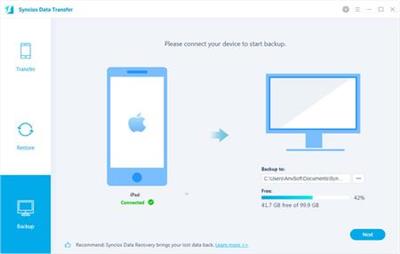
Syncios Data Transfer 3.1.3 Multilingual

84528838efe1bf0410195f30155cf1f0.jpg


Syncios Data Transfer 3.1.3 Multilingual | 81.4 Mb​
Syncios Data Transfer provides simply yet effective solution for transferring content between Android and iOS. Transfer almost all files, including contacts, video, SMS, photos, call logs, music, Ebook, apps, app data, whatsapp and safari history between phone to phone!

Transfer contacts, message, call log, WhatsApp, music, photo, video, apps, safari history, bookmark, Notes, calendar, ebook and more.
1 click transfer data between iOS and Android.
Selectively backup and restore phone data in lossless quality.
Recover iTunes/iCloud backup to iOS or Android devices selectively.
Sync media files from iTunes library to mobile phones.
Multiple OS supported: multiple phones run Android and iOS, compatible with latest Android 10 and iOS 14.

One Click Phone to Phone Transfer - Simple, Quick, Safe
Transfer almost all files, including contacts, video, SMS, photos, call logs, music, calendar, whatsapp, apps and more between phone to phone!
Transfer Cross Multiple Platform: iOS to iOS, Android to Android, iOS to Android, Android to iOS.
Support unlimited phones: share data with any phones you have.
Selectively transfer data between mobile phones without data overwriting.
Transfer data between different iOS or android versions.

Backup Phone Data to Computer
We know how painful it is to start all over once you lose a phone, put aside all fears! Backup data regularly with Syncios Data Transfer. You're able to select the type of data to back up on computer as per your preference.

Backup all Android contents to computer in 1 Click, including contacts, sms, call logs, photos, videos, music, bookmarks, calendar and apps.
Supporting transfer of 15 different kinds of data from iOS device, no iTunes/iCloud needed.
Professional iOS whatsapp transfer, including all media attachments.
Choose the type of content to backup with your own needs.
Individual backups, the newest one will not erase the old one.

Restore Data from iTunes/iCloud/Local Backup
Syncios Data Transfer allows you to restore your backup files selectively from iTunes, iCloud or computer without resetting your devices.

Restore data from iTunes backup to iOS/Android device.
Restore data from iCloud backup to iOS/Android device.
Restore previous backup made by Syncios to a new phone.
Selectively restore data from backup to phone.
Merge restored data with current phone data, no overwriting or data loss.

Sync Contents from iTunes Library to Computer and Device
Old phone to new phone data transfer enables you to transfer iTunes library contents into your iPhone and computer as well.

You can transfer songs and playlists from iTunes to an Android phone, iPhone, iPad and iPod touch.
Preview and transfer videos from iTunes to iOS or Android phone.

Operating System: Window 10/8/7

Home Page -
У Вас недостаточно прав для просмотра ссылок. Войдите или зарегистрируйтесь.
]

Download link:​
Код:
[center][b]rapidgator_net[/b]:
https://rapidgator.net/file/1ee018ac3bbcb596efbb0cb886a62376/k9nuq.Syncios.Data.Transfer.3.1.3.Multilingual.rar.html

[b]nitroflare_com[/b]:
https://nitroflare.com/view/F89D5E163E99817/k9nuq.Syncios.Data.Transfer.3.1.3.Multilingual.rar

[b]uploadgig_com[/b]:
https://uploadgig.com/file/download/36F9dDf3a45d5a8d/k9nuq.Syncios.Data.Transfer.3.1.3.Multilingual.rar[/center]

Links are Interchangeable - No Password - Single Extraction​
 
TablePlus 3.10.4 Build 142

2defed4c362708f8b7bb791286925fb2.jpg


TablePlus 3.10.4 Build 142 | 121.8 Mb​
Modern, native, and friendly GUI tool for relational databases: MySQL, PostgreSQL, SQLite and more.

Native, lightweight and fast
With native build, simple design and powerful features, TablePlus makes database management easier, faster and more efficient for you.

Native, fast and secured
Query, edit and manage your databases easily with a native app that can run fast like a Lambo. It takes only half a second to get up and running.

Multi tabs and code review
Quickly get a snapshot of your database with multi-tab and multi-window view, as well as stay in control of what you have changed on your database with Code Review.

Built-in SSH
You don't need to install any SSH client in order to connect to the server. SSH is a part of TablePlus.

An intuitive GUI client
Browse, query, edit your data and database structure in a simple and clean spreadsheet-like editor.

Operating System: Windows 7, 8/8.1, 10

Home Page -
У Вас недостаточно прав для просмотра ссылок. Войдите или зарегистрируйтесь.


Download link:​
Код:
[center][b]rapidgator_net[/b]:
https://rapidgator.net/file/679a1b11333adc93ab2231adbbe2a326/0bdkb.TablePlus.3.10.4.Build.142.rar.html

[b]nitroflare_com[/b]:
https://nitroflare.com/view/31772DDB0C2BAF6/0bdkb.TablePlus.3.10.4.Build.142.rar

[b]uploadgig_com[/b]:
https://uploadgig.com/file/download/03Bf5327969366bE/0bdkb.TablePlus.3.10.4.Build.142.rar[/center]

Links are Interchangeable - No Password - Single Extraction​
 
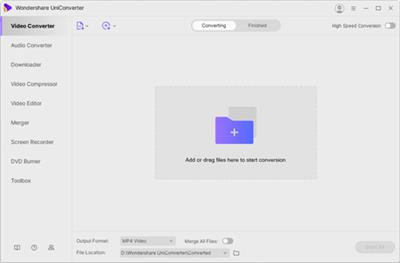
Wondershare UniConverter 12.0.6.2 (x64) Multilingual

322159d9b7abb778414a735b78d70a26.jpg


Wondershare UniConverter 12.0.6.2 (x64) Multilingual | 155.20 Mb​
UniConverter - Best Video Converter Ultimate. Convert, Download, Compress, Edit, Burn Videos in 1000 formats and do more.

Easy-to-Use Video Editor, Makes Your Video Stand Out
You can customize home movies through advanced editing features and get professional-looking works in minutes.

Save Videos From Over 10,000 Sites With One Click
Download or record your favorite 4K/HD videos from popular video sharing sites for enjoyment without Internet connection; Or convert them to compatible formats for playback on TV, smartphone, or other devices.

A Flawless DVD & Blu-ray Experience Anywhere
Powerful DVD toolkit of UniConverter (originally Wondershare Video Converter Ultimate) helps you to create and edit DVD files in an easy way.

Transfer Videos to Devices & External Hard Drives
Transfer media files to Apple devices, Android devices, USB flash drives or external hard drivers easily. More importantly, all unsupported formats will be intelligently converted to compatible ones during the transfer.

All-Purpose Video Toolbox
Wondershare UniConverter (originally Wondershare Video Converter Ultimate) also offers a full set of optimized video tools which will come in handy sometime.

System requirements:
Supported OS: Windows 10/8/7/Vista/XP
Processor: > 750MHz Intel or AMD CPU
Free Hard Disk Space: 100MB or above
RAM: 256MB or above

Home Page -
У Вас недостаточно прав для просмотра ссылок. Войдите или зарегистрируйтесь.


Language: Multilingual

Download link:​
Код:
[center][b]rapidgator_net[/b]:
https://rapidgator.net/file/114db4bd294b2e1529f8b94da6a09925/gg6bi.Wondershare.UniConverter.12.0.6.2.x64.Multilingual.rar.html

[b]nitroflare_com[/b]:
https://nitroflare.com/view/A60B84A04668B06/gg6bi.Wondershare.UniConverter.12.0.6.2.x64.Multilingual.rar

[b]uploadgig_com[/b]:
https://uploadgig.com/file/download/1ed6c5b591fF5CF4/gg6bi.Wondershare.UniConverter.12.0.6.2.x64.Multilingual.rar[/center]

Links are Interchangeable - No Password - Single Extraction​
 
Microsoft Azure: Controlling Cost

36b34583363858967765706840691375.jpg


Microsoft Azure: Controlling Cost
Video: .mp4 (1280x720, 30 fps(r)) | Audio: aac, 48000 Hz, 2ch | Size: 147 MB
Genre: eLearning Video | Duration: 1 hour, 22 mins | Language: English​

Learn how to minimize the costs associated with a move to a Microsoft Azure environment. Software architect and trainer Scott Duffy reviews typical Azure subscription costs and explores cost management options for Azure services including storage, compute, and networking. Learn about the factors driving costs and ways to analyze your spending using the built-in tools in Azure. Then explore practical strategies for reducing costs, such as improving system efficiency and introducing a storage life cycle. Plus, discover long-term proactive solutions for monitoring spending, such as alerts and diagnostics.

Topics include:

Azure pricing
Consumption-based pricing
Factors that drive compute, storage, and network costs
Determining the cost of Azure
Using the Azure Enterprise Agreement (EA) portal
Using reservations and Hybrid Benefit
Top ten ways to save on cloud costs
Monitoring cloud spending

Download link:​
Код:
[center][b]rapidgator_net[/b]:
https://rapidgator.net/file/df5a7cd8e7a883037665894003061967/ilxxh.Microsoft.Azure.Controlling.Cost.rar.html

[b]nitroflare_com[/b]:
https://nitroflare.com/view/07AA2F57CC295C5/ilxxh.Microsoft.Azure.Controlling.Cost.rar

[b]uploadgig_com[/b]:
https://uploadgig.com/file/download/cc310F276e7c00D4/ilxxh.Microsoft.Azure.Controlling.Cost.rar[/center]

Links are Interchangeable - No Password - Single Extraction​
 
Microsoft Collaboration: SharePoint, Teams, and Groups

01b890b0467bf4e35c72943f7982c820.jpg


Microsoft Collaboration: SharePoint, Teams, and Groups
Video: .mp4 (1280x720, 30 fps(r)) | Audio: aac, 48000 Hz, 2ch | Size: 102 MB
Genre: eLearning Video | Duration: 45 mins | Language: English​

Learn how to create organization-wide systems of collaboration using Microsoft SharePoint, Teams, and Office 365 Groups. Instructor Gini von Courter dives into each of the programs, showing you how to create systems for asynchronous collaboration, such as file sharing, as well as communication-based collaboration that's targeted to specific members or groups inside an organization. Learn how to create a SharePoint team site and an Office 365 group, as well as how you can use your sites and groups together. Discover how to start using Teams as the collaboration hub that gives users one access point for their Teams, SharePoint sites, and Groups, including how to include cloud storage, create a tab for a page from a SharePoint site, display a SharePoint list in Teams, and more.

Download link:​
Код:
[center][b]rapidgator_net[/b]:
https://rapidgator.net/file/e191838bdb066d1e4766e135d40fac66/p87l3.Microsoft.Collaboration.SharePoint.Teams.and.Groups.rar.html

[b]nitroflare_com[/b]:
https://nitroflare.com/view/57908A7D98C07A4/p87l3.Microsoft.Collaboration.SharePoint.Teams.and.Groups.rar

[b]uploadgig_com[/b]:
https://uploadgig.com/file/download/95f6aF0F75d0154f/p87l3.Microsoft.Collaboration.SharePoint.Teams.and.Groups.rar[/center]

Links are Interchangeable - No Password - Single Extraction​
 
MicroStrategy Desktop 2020

d8ddd982c852b5394d949a60a5ad428a.jpg


MicroStrategy Desktop 2020
Video: .mp4 (1280x720, 30 fps(r)) | Audio: aac, 44100 Hz, 2ch | Size: 2.02 GB
Genre: eLearning Video | Duration: 46 lectures (2 hour, 53 mins) | Language: English

A Beginners Guide to MicroStrategy Desktop​

What you'll learn

** Downloading and Installation of MicroStrategy Desktop Application.
** Getting Data from Multiple Data Sources.
** Creating Basic and Advanced Visuals.
** Getting Insights of data and taking faster decisions.
** Working with Sorting, Filtering, Export and Formatting.
** Creating different Dashboards in Dossier for Presentation Purpose.

Requirements

** Knowledge of Excel Pivot Table helpful .
** Knowledge of Excel Charts would be helpful.

Description


Business Intelligence domain is booming. Many BI tools are available in the market. We have MicroStrategy one of the leading and fastest growing tool.

This course is will take you through basics of MicroStrategy Desktop Application right from downloading and installation to creating beautiful dashboards. Also you will learn how to get data from Excel, create various types of visualization available and convey the right message . Different charts , filters and unique features to any BI tools like Keep Only, View data, Export would be covered.

This course will help you with Training Material, MCQ's and exercise files. So that you follow along with the videos.

After completing this training, you would receive a course completion certificate.

Who this course is for:

** Students or Candidates willing to learn New BI Tool
** Employees already having knowledge on any Business Intelligence tool and want to update on MicroStrategy
** Any Newbie to Data Science field looking to add a new tool in the Profile/Resume/CV

Download link:​
Код:
[center][b]rapidgator_net[/b]:
https://rapidgator.net/file/94eafe6e259fb28b591b875537ca02ce/x56f2.MicroStrategy.Desktop.2020.part1.rar.html
https://rapidgator.net/file/6e139eef8a81236938fa861c2e761a0a/x56f2.MicroStrategy.Desktop.2020.part2.rar.html
https://rapidgator.net/file/79ac3dcf6564d6a6e88774aba20575a7/x56f2.MicroStrategy.Desktop.2020.part3.rar.html

[b]nitroflare_com[/b]:
https://nitroflare.com/view/C2EFF529D33D6A6/x56f2.MicroStrategy.Desktop.2020.part1.rar
https://nitroflare.com/view/A1D2952908CA26B/x56f2.MicroStrategy.Desktop.2020.part2.rar
https://nitroflare.com/view/EC93B6C128EE33F/x56f2.MicroStrategy.Desktop.2020.part3.rar

[b]uploadgig_com[/b]:
https://uploadgig.com/file/download/b8fCd5289ce8726A/x56f2.MicroStrategy.Desktop.2020.part1.rar
https://uploadgig.com/file/download/fe155Fae0a0aD615/x56f2.MicroStrategy.Desktop.2020.part2.rar
https://uploadgig.com/file/download/53b7bcB945c31bDc/x56f2.MicroStrategy.Desktop.2020.part3.rar[/center]

Links are Interchangeable - No Password - Single Extraction​
 
MINDSET- The New Success Mantra!

3281de04f0f38ad2b14336063dd4ee17.jpg


MINDSET- The New Success Mantra!
Video: .mp4 (1280x720, 30 fps(r)) | Audio: aac, 44100 Hz, 2ch | Size: 983 MB
Genre: eLearning Video | Duration: 11 lectures (1 hour, 12 mins) | Language: English

Towards Excellence at Worklife!​

What you'll learn

Your mind-set impacts how you make sense of the world, and how you make sense of you. Your mindset is a big deal.

Requirements

Learning desire.

Description

Get Set Go for the module on Mindset. Explore the positive mindset and creativity at its peak with the deliberations on ground of managing success as a priority. Get to the known facts about the power of positivity and the flow of ideas towards excellence via a positive mindset and peace of mind. Explore Positive thinking as a mental and emotional attitude that focuses on the bright side of life and expects positive results through the modules in an effective manner. Cheers.

Who this course is for:

Any Individual who aims at success in life

Download link:​
Код:
[center][b]rapidgator_net[/b]:
https://rapidgator.net/file/d8109a6b9e5b18edb20095e1a088839f/hdlfi.MINDSET.The.New.Success.Mantra.part1.rar.html
https://rapidgator.net/file/e5a43077447d1c680c72ffc9b0fc6480/hdlfi.MINDSET.The.New.Success.Mantra.part2.rar.html

[b]nitroflare_com[/b]:
https://nitroflare.com/view/202CC64DF8054A6/hdlfi.MINDSET.The.New.Success.Mantra.part1.rar
https://nitroflare.com/view/D400252CCAC6DA6/hdlfi.MINDSET.The.New.Success.Mantra.part2.rar

[b]uploadgig_com[/b]:
https://uploadgig.com/file/download/b8245B35dee631a2/hdlfi.MINDSET.The.New.Success.Mantra.part1.rar
https://uploadgig.com/file/download/4e882762f7b9b266/hdlfi.MINDSET.The.New.Success.Mantra.part2.rar[/center]

Links are Interchangeable - No Password - Single Extraction​
 
Modern Java Clients with JavaFX: The Definitive Guide

1cdde1ecc24f461c9f4e37cb51af46c7.jpg


Modern Java Clients with JavaFX: The Definitive Guide
MP4 | Video: AVC 1280x720 | Audio: AAC 44KHz 2ch | Duration: 30M | 132 MB
Genre: eLearning | Language: English​

This session will help you build enhanced visual experiences and deploy modern, easy to maintain, client applications across a variety of platforms.

This session is for professionals building Java applications for desktop, mobile, and embedded devices in the Cloud age. It will help you build enhanced visual experiences and deploy modern, easy to maintain, client applications across a variety of platforms. These applications can take advantage of the latest user interface components, 3D technology, and cloud services to create immersive visualizations and allow high-value data manipulation. Learn how to leverage the latest open-source Java client technologies to build rich, responsive, and modern UIs from the authors of the definitive Java Client reference.

Download link:​
Код:
[center][b]rapidgator_net[/b]:
https://rapidgator.net/file/4aa2a4f57e9cccc02c204edd0e5afe62/pufc4.Modern.Java.Clients.with.JavaFX.The.Definitive.Guide.part1.rar.html
https://rapidgator.net/file/20992296941b1ca445fff7ce6a31e1c3/pufc4.Modern.Java.Clients.with.JavaFX.The.Definitive.Guide.part2.rar.html

[b]nitroflare_com[/b]:
https://nitroflare.com/view/7F6AEB1FBD601A9/pufc4.Modern.Java.Clients.with.JavaFX.The.Definitive.Guide.part1.rar
https://nitroflare.com/view/EBF9891537C64C3/pufc4.Modern.Java.Clients.with.JavaFX.The.Definitive.Guide.part2.rar

[b]uploadgig_com[/b]:
https://uploadgig.com/file/download/cB2644f4bD68b26e/pufc4.Modern.Java.Clients.with.JavaFX.The.Definitive.Guide.part1.rar
https://uploadgig.com/file/download/6180d9E5b5bb9feC/pufc4.Modern.Java.Clients.with.JavaFX.The.Definitive.Guide.part2.rar[/center]

Links are Interchangeable - No Password - Single Extraction​
 
Назад
Сверху