• Старая версия форума работает в архивном режиме www.old.nado.in

All mitsumi'1s Applications !! (updated daily)

  • Автор темы Автор темы mitsumi1
  • Дата начала Дата начала
JixiPix Premium Pack 1.2.0 (x64)

f82d783b5f0549449197bd50b00c1295.jpg


JixiPix Premium Pack 1.2.0 (x64) | 820.5 Mb​
For maximum savings and convenience, the Premium Pack bundles 18 incredible creative apps into one powerful package: Aquarella, Artista Haiku, Artista Oil, Artista Sketch, Artoon, Chalkspiration, Dramatic Black&White, Grungetastic, Kyoobik Photo, Moku Hanga, NIR Color, Pop Dot Comics, Portrait Painter, Rainy Daze, Romantic Photo, Simply HDR, Snow Daze and Vintage Scene. The Premium Pack comes wrapped together for convenience - one application, one installer, one interface, and a plugin for Photoshop, Elements, Lightroom and PaintShop Pro.

PREMIUM PACK
Created for convenience with one installer and one interface. Includes 5 Photography, 8 Artistic and 5 Creative Apps for Mac or Windows.

Included in the Premium Pack is a Plugin-which is the perfect complement to Photoshop, Elements, Lightroom and PaintShop Pro. Having the products within Adobe's applications saves valuable time with batch processing and actions, while the products themselves offer a level of creativity beyond using Photoshop alone.

Photoshop Plugin
Allows quick access to 18 Jixi products from inside Photoshop, Elements, Lightroom and PaintShop Pro. Supports actions, transparency, blending, last filter command, batch processing and 16bit RGB/Greyscale modes.

Every JixiPix Product Features
Support for high resolution images and output
Multiple undo
Randomize button
Quick previewing
Customizable settings
Superior customer service
Contact us any time we are committed to your long term satisfaction!

Operating System: Windows 7, 8/8.1, 10 (64-bit only)

Home Page -
У Вас недостаточно прав для просмотра ссылок. Войдите или зарегистрируйтесь.


Download link:​
Код:
[center][b]rapidgator_net[/b]:
https://rapidgator.net/file/3a35cb07732f064c78db5dba6620a29f/ze5lp.JixiPix.Premium.Pack.1.2.0.x64.rar.html

[b]nitroflare_com[/b]:
https://nitroflare.com/view/DCF25EEBFD92876/ze5lp.JixiPix.Premium.Pack.1.2.0.x64.rar

[b]uploadgig_com[/b]:
https://uploadgig.com/file/download/586c23Ed5674abc6/ze5lp.JixiPix.Premium.Pack.1.2.0.x64.rar[/center]

Links are Interchangeable - No Password - Single Extraction​
 
Key Metric Software FolderSizes 9.1.276 Enterprise Edition

6023ce1f53319ab1f246c71b8f8e21d4.jpg


Key Metric Software FolderSizes 9.1.276 Enterprise Edition | 37.2 Mb​
Desktop PCs and servers can quickly end up accumulating large quantities of unused, temporary, and duplicate files. Before you know it, you're out of drive space, backups are taking far too long to run, and users can't find the data they need when they need it. You need a visual, interactive software tool to help you manage disk usage. You need FolderSizes. FolderSizes is an award-winning, network-enabled disk space analysis tool. It can quickly isolate large, old, temporary, and duplicate files, or even show file distribution by type, attributes, or owner. All with multiple export formats, command-line support, shell context menu integration, and much more.

Benefits & Solutions:
Explore, visualize, and comprehend local and network storage
Reclaim gigabytes of drive space - fast!
Improve storage capacity planning capability
Find the disk space hogs with just a few clicks
Manage and monitor disk space across the network (Pro edition only)
Publish disk usage reports right to your web server share
Streamline file systems to optimize backups
Monitor and enforce employee data storage policies
Find excessively long file names that interfere with CD storage, etc.
Find recently saved files without knowing their names (find recently modified)
Find files owned by a specific individual or group
View the "size on disk" (actual space consumed) for any file or folder
Visualize the distribution of files by file type, age, and size
Find and eliminate empty folders
Search files by nearly any file attribute combination
Schedule the generation of nearly any FolderSizes report (Pro edition only)

Features:
Hierarchical folder map visualization (based upon treemap technology)
Integrated scheduler (Pro edition only)
Unicode file and folder name support
Interactive, dynamic, full-color bar and pie graphs
Fast, multi-threaded, network-aware file system scanning
Isolate largest, oldest, duplicate, and temporary files
View disk space utilization by file type / attributes
View local & network disk space usage by owner / group
Command line interface for scripting & integration (Pro edition only)
FilterZip regular-expression based compression system
See total & free space for fixed, removable, network drives
Export reports in HTML, XML (Pro edition only), CSV, and more
Integrates with the Windows shell context menu (32 and 64 bit support!)
Extremely configurable - colors, fonts, print options, etc.
Flexible, multi-path oriented search and file reporting systems
Strong support for viewing allocated disk space (e.g. "size on disk")
"Command Prompt from Here" in all context menus
Super-fast, in-memory database provides stunning performance
Support for direct entry of UNC network paths in all reports
Optional symbolic link skipping

Operating System:
Any edition of Windows 10, 8, 7, Vista, XP, Server 2003, Server 2008, Server 2012, and Server 2016.
Both 32 and 64 bit environments are fully supported.

Home Page -
У Вас недостаточно прав для просмотра ссылок. Войдите или зарегистрируйтесь.


Download link:​
Код:
[center][b]rapidgator_net[/b]:
https://rapidgator.net/file/347fafd374e34552c6d4840179179e96/b6ygk.Key.Metric.Software.FolderSizes.9.1.276.Enterprise.Edition.rar.html

[b]nitroflare_com[/b]:
https://nitroflare.com/view/B5406C0A16DC24F/b6ygk.Key.Metric.Software.FolderSizes.9.1.276.Enterprise.Edition.rar

[b]uploadgig_com[/b]:
https://uploadgig.com/file/download/b88765e4dA38341C/b6ygk.Key.Metric.Software.FolderSizes.9.1.276.Enterprise.Edition.rar[/center]

Links are Interchangeable - No Password - Single Extraction​
 
Lumina Analytica Decision Engine 5.4.6 (x64)

262fed7265fb44f00c4649938ec4f78b.jpg


Lumina Analytica Decision Engine 5.4.6 (x64) | 56.2 Mb​
ADE gives you Analytica's computational muscle with the means to seamlessly link it to your software. With ADE, you can deliver Analytica models to your end users as a Web application or via a custom graphical user interface.

Using Visual Basic, Visual C++, Microsoft Office applications, and many other environments, ADE lets you create a user interface to your Analytica model which will allow your customer to focus on model's insights, while shielded from the structure and complexity of your decision support application.

Using ADE as a back-end to your custom application, your customers won't need to learn Analytica, or any other modeling environment. ADE can be linked to a Web server to provide decision support to your customers around the office, the country, or the world.

When called from your application, ADE can read, modify, and evaluate any Analytica model. ADE can also be used to create and save models, which are completely compatible with Analytica.

The optional Optimizer module that supports linear, quadratic, non-linear continuous and mixed-integer program optimization is available for use with ADE.

Operating System: Windows 7, 8/8.1, 10 (64-bit only)

Home Page -
У Вас недостаточно прав для просмотра ссылок. Войдите или зарегистрируйтесь.


Download link:​
Код:
[center][b]rapidgator_net[/b]:
https://rapidgator.net/file/5af49036a0ad35410defd7ed2b853259/0gyew.Lumina.Analytica.Decision.Engine.5.4.6.x64.rar.html

[b]nitroflare_com[/b]:
https://nitroflare.com/view/50280085AFF0B65/0gyew.Lumina.Analytica.Decision.Engine.5.4.6.x64.rar

[b]uploadgig_com[/b]:
https://uploadgig.com/file/download/3b713c74A142791b/0gyew.Lumina.Analytica.Decision.Engine.5.4.6.x64.rar[/center]

Links are Interchangeable - No Password - Single Extraction​
 
Lumina Analytica Optimizer 5.4.6 (x64)

2bc089ec5f406155bc35e37c85d8de4c.jpg


Lumina Analytica Optimizer 5.4.6 (x64) | 55.4 Mb​
Optimizer is the highest edition level of Analytica. It includes all Enterprise features, plus the addition of powerful solver engines. It discovers decision values that minimize or maximize any quantified objective, subject to constraints. Or, in cases where an objective quantity is not present, it finds feasible solutions within constraint boundaries.

It handles Linear Programming, Quadratic Programming, and general Non-Linear Programming, and automatically distinguishes among all of them. Decision variables can be continuous, semi-continuous, discrete (Integer or Boolean), or mixed. Best of all, Analytica Optimizer seamlessly integrates optimization capability with all of Analytica's core features including: Monte Carlo simulation and Intelligent Arrays, simplifying model structure, and improving visual accessibility. It's a complete decision solution that combines solving power, scalability, and ease of use like no other optimization platform.

Should optimization models be intuitively represented, transparent, scalable, and easy to build? We think they should. But traditional optimization interfaces fail to meet all of these goals.
Spreadsheet optimizations are suitable for smaller problems, but they are inherently two-dimensional and difficult to scale;
Algebraic modeling languages are much better than the straight programming notation that preceded them, but their lack of visual context can still make complex models inscrutable to anyone but the model designer.

Analytica makes optimization modeling as simple and intuitive as it should be at all levels of complexity. Influence diagrams and Intelligent Arrays keep the entire analysis path accessible, from modeling to decision making. It accomplishes this in several ways:
Keeps model structure and assumptions in plain view at all times;
Combines optimization with sensitivity analysis to identify the inputs that have the most immediate influence on your objective value;
Allows you to add new scenarios for separate optimizations simply by adding a scenario dimension to any input array;
Adds Constraint nodes to allow you to specify arrays of constraints using simple inequality expressions;
Allows you to easily scale existing models using Intelligent Arrays.

Operating System: Windows 7, 8/8.1, 10 (64-bit only)

Home Page -
У Вас недостаточно прав для просмотра ссылок. Войдите или зарегистрируйтесь.


Download link:​
Код:
[center][b]rapidgator_net[/b]:
https://rapidgator.net/file/156c6ae626aec059e9c7aa6db4bee39c/922oi.Lumina.Analytica.Optimizer.5.4.6.x64.rar.html

[b]nitroflare_com[/b]:
https://nitroflare.com/view/BFB20E023DF8343/922oi.Lumina.Analytica.Optimizer.5.4.6.x64.rar

[b]uploadgig_com[/b]:
https://uploadgig.com/file/download/7610d72627B4C3eF/922oi.Lumina.Analytica.Optimizer.5.4.6.x64.rar[/center]

Links are Interchangeable - No Password - Single Extraction​
 
Mastercam 2021 Update 2 version 23.0.22299.0

08828509aca1c7f824b79301770f32be.jpg


Mastercam 2021 Update 2 version 23.0.22299.0 | 110.9 mb​
CNC Software, Inc.,  developer of Mastercam, the world's leading CAD/CAM software, has released an hotfix to  Mastercam 2021 Update 2. The 2021 release increases machining productivity and reduces overall production costs with faster and more flexible multiaxis improvements, improvements in turning and turning-related applications, advances in speed, safety, and much more.

Faster, more flexible multiaxis programming. As more shops continue to rely on streamlined multiaxis cutting for single-setup precision, Mastercam 2021 adds new techniques and strategies. Expanded Multiaxis Pocketing combines efficient pocket cutting with a focus on finishing with Accelerated Finish tools, automatically maintaining the correct tool contact within defined parameters. Mastercam now gives you the ability to analyze and modify the UV direction on surface models, expanding the power and flexibility of multiaxis flowline milling toolpaths. The new 3+2 Automatic Roughing toolpath automatically makes multiplane 3-axis roughing toolpaths by evaluating the model and stock, creating a cut, calculating what remains, and repeating the process until roughing is complete.

Advances in turning and turning-related applications. Mastercam 2021 expands the support for modeling chucks and chuck jaws; you can now define them by selecting a solid model. Mastercam Mill-Turn supports collet chucks as individual component types which greatly expands the range of machines that can be directly supported. Mill-Turn Simulation has been added to the Mastercam Simulator interface so you can experience Mill-Turn simulation with the same interface tools as Mastercam Simulator. And, our Swiss machining solutions combine Mastercam Mill and Mastercam Lathe with specialized post processors. This adds machine-specific controls inside the Mastercam interface, delivering accurate G-code for a wide variety of Swiss machines.

NC Programming speed, safety, and precision. A new toolpath in Mastercam 2021, Advanced Drill, is a customizable multi-segment drill cycle that is useful for spot drilling, deep hole drilling, and back spot facing and each segment of the drill cycle can be defined and customized. And, when using tools with a tip angle, the new Chamfer Drill toolpath chamfers holes after calculating the correct depth based on the desired width or depth, and lets you select holes of different diameters or sizes, or that lie in different planes, and machine them in a single operation with a single tool. When creating a bounding box in Mastercam 2021, the new Wrap option allows you to create the smallest bounding box possible. The new Check Tool Reach function lets you check your tool and holder against the selected model geometry to view where the tool can and cannot reach.

Mastercam is a computer-aided manufacturing (CAM) software program used by manufacturing professionals, such as machinists and computer numerical control (CNC) programmers. This software helps users produce mechanical drawings of machine parts, learn how to operate CNC lathes and mills, and create 3-dimensional wire frame models.

Mastercam 2021 General Enhancements

CNC Software, Inc. is dedicated to providing state-of-the-art software tools for CAD/CAM manufacturing markets. Our goal is to provide superior software products based on our users' needs to solve simple to complex design and machining problems

Product: Mastercam
Version: 2021 Update 2 (version 23.0.22299.0)
Supported Architectures: x64
Website Home Page :
У Вас недостаточно прав для просмотра ссылок. Войдите или зарегистрируйтесь.

Language: english
System Requirements: PC *
Software Prerequisites: Mastercam 2021 and above
Size: 110.9 mb

System Requirements

See the table below for minimum and recommended system configurations for Mastercam. These recommendations are based on systems we have in use at CNC Software for testing and evaluation purposes. Our recommendation is to get as much power (processor, video card, and memory) for your systems as you can afford.

79c69d86745d779f067c1107c32285f6.jpg


Download link:​
Код:
[center][b]rapidgator_net[/b]:
https://rapidgator.net/file/dc72cc2b37e703fdbfb5d1d7b9d254a5/laxmt.Mastercam.2021.Update.2.version.23.0.22299.0.rar.html

[b]nitroflare_com[/b]:
https://nitroflare.com/view/94F3AE86093A0E2/laxmt.Mastercam.2021.Update.2.version.23.0.22299.0.rar

[b]uploadgig_com[/b]:
https://uploadgig.com/file/download/Ebe9D5a25fd5bB18/laxmt.Mastercam.2021.Update.2.version.23.0.22299.0.rar[/center]

Links are Interchangeable - No Password - Single Extraction​
 
MediaHuman YouTube Downloader 3.9.9.46 (0710) (x64) Multilingual

fd4fcf7941cd97f90a840cc0917439c6.jpg


MediaHuman YouTube Downloader 3.9.9.46 (0710) (x64) Multilingual | 58 Mb​
MediaHuman YouTube Downloader is a handy application for those who found a favorite music video or trailer of a new movie and wants to keep it on your computer for viewing offline. Or you need to download a video lesson/tutorial. Our video downloader is an ideal solution for such kind of tasks.

Simultaneous downloads
- Supports Ultra High resolutions up to 4K
- Download whole playlists and channels
- YouTube, Vimeo, Dailymotion, Soundcloud
- Extract audio track and save it as MP3
- iTunes support
- VEVO support

System Requirements:
Internet connection
Windows 10, Windows 8, Windows 7, Windows Vista, Windows 2003, Windows XP for PC systems (32bit/64bit)
About 70 Mb of free hard drive space

Home Page -
У Вас недостаточно прав для просмотра ссылок. Войдите или зарегистрируйтесь.


Language: Multilingual

Download link:​
Код:
[center][b]rapidgator_net[/b]:
https://rapidgator.net/file/b4ccc7ec316663b9000f6fc9d12bbe1d/9xle7.MediaHuman.YouTube.Downloader.3.9.9.46.0710.x64.Multilingual.rar.html

[b]nitroflare_com[/b]:
https://nitroflare.com/view/7CF96DA65AF087D/9xle7.MediaHuman.YouTube.Downloader.3.9.9.46.0710.x64.Multilingual.rar

[b]uploadgig_com[/b]:
https://uploadgig.com/file/download/d8Ae75dE9D2eb98f/9xle7.MediaHuman.YouTube.Downloader.3.9.9.46.0710.x64.Multilingual.rar[/center]

Links are Interchangeable - No Password - Single Extraction​
 
MediaHuman YouTube To MP3 Converter 3.9.9.46 (0710) Multilingual

7b9eeadc54fdad3df9abe9bb3d7541a9.jpg


MediaHuman YouTube To MP3 Converter 3.9.9.46 (0710) (x86/x64) Multilingual | 113.6 Mb​
You like to listen to music on YouTube or SoundCloud and want to save it for offline playing. Or you want to download soundtrack of a new movie. Then we recommend you to try out this software developed specifically for this purpose.

Downloads all music from playlist or channel
Downloads highest available quality up to 320 kbps
Supports YouTube, Vimeo, SoundCloud, Dailymotion, VEVO, etc.
Downloads simultaneously several tracks
Includes simple tag editor with cover art support
Works on all modern platforms (macOS, Windows, Ubuntu)
Imports into iTunes

Playlists and channels
The software supports downloading all videos of a playlist or a channel. And there is also an option for subscribing to and downloading only newly uploaded tracks.

iTunes support
In the preferences of the application you can select an option to add downloaded tracks into iTunes automatically. You can also specify iTunes playlist, where the converted track should be added.

Saves your time & traffic
The app detects audio track in YouTube video clip and downloads it, skipping the video part. As a result download speed increases dramatically, especially on HD-quality content.

Simple tag editor
Application automatically detects artist name and track title of the video and saves it in the downloaded file. But at the same time, you can easily change tags to whatever you want. You can even change a cover art image.

Original format, no conversions
You can save audio tracks in original quality without any conversion. It means that there will be no loss of quality and it greatly reduces the downloading time.

Free music
There is a great amount of music on YouTube. You can always find the one you like there. And YouTube to MP3 Converter allows you to save it on your computer for free. Just find the track you like and download it in the quality you need.

Not only YouTube
Vevo.com, Vimeo, DailyMotion, Soundcloud, Bandcamp, HypeMachine, MixCloud, UOL and many other sites are also supported. So you can download music as easy as from YouTube.

Clipboard tracking
The program tracks the content of the system clipboard. It means that you can easily add a video clip without switching from your favorite browser. Just copy an URL into the clipboard and it will be added to the download queue.

Multilingual interface
Localized to: Arabic, Armenian, Azerbaijani, Bulgarian, Catalan, Chinese (Taiwan), Croatian, Czech, Danish, Dutch, English, Esperanto, French, German, Greek, Hebrew (Israel), Hungarian, Indonesian, Italian, Japanese, Korean, Latvian, Lithuanian, Malay, Norwegian Bokmål, Polish, Portuguese, Portuguese (Brazil), Romanian, Russian, Spanish, Swedish, Turkish, Vietnamese

Operating System: Windows 7, 8/8.1, 10

Home Page -
У Вас недостаточно прав для просмотра ссылок. Войдите или зарегистрируйтесь.


Download link:​
Код:
[center][b]rapidgator_net[/b]:
https://rapidgator.net/file/d4cbd4397bb977b6d0ed68a66a8d5700/x4pri.MediaHuman.YouTube.To.MP3.Converter.3.9.9.46.0710.Multilingual.rar.html

[b]nitroflare_com[/b]:
https://nitroflare.com/view/60D96E349DC124C/x4pri.MediaHuman.YouTube.To.MP3.Converter.3.9.9.46.0710.Multilingual.rar

[b]uploadgig_com[/b]:
https://uploadgig.com/file/download/b438167655429E48/x4pri.MediaHuman.YouTube.To.MP3.Converter.3.9.9.46.0710.Multilingual.rar[/center]

Links are Interchangeable - No Password - Single Extraction​
 
Money Pro - Personal Finance 2.5.16 macOS

5f8f690c5f98a31f5c38c805e5f018a1.jpg


Money Pro - Personal Finance 2.5.16 Multilingual | macOS | 36 mb​
Manage money like a pro. Сhange your spending behavior for good. Money Pro is the one place for bill planning, budgeting and keeping track of your accounts. Money Pro works great for home budgeting and even for business use. Easy sync with iPhone/iPad versions. Money Pro is the next generation of Money app (over 2 million downloads worldwide).

FEATURES

Calendar
- Mark days on the big calendar when your bills are due.
- Schedule recurring bills with custom periodicity.
- Filter transactions by selecting dates on the calendar.

Today view
- Take a quick glance at bills due.
- When you actually have a transaction, approve it quickly.
- Money Pro predicts transactions for the day that may not have been scheduled manually.

Bills due notifications
- A whole system of reminders will alert you of upcoming bills.
- Quick rescheduling option will help you deal with bills due (tomorrow, in 3 days, next week).

More ...

Compatibility: OS X 10.12 or later 64-bit
Mac App Store:
Код:
https://geo.itunes.apple.com/app/id972572731Money

Download link:​
Код:
[center][b]rapidgator_net[/b]:
https://rapidgator.net/file/115ef84fa458029f91635b13f50fdc6d/u9vv9.Money.Pro..Personal.Finance.2.5.16.rar.html

[b]nitroflare_com[/b]:
https://nitroflare.com/view/43EB23B941D1F0E/u9vv9.Money.Pro..Personal.Finance.2.5.16.rar

[b]uploadgig_com[/b]:
https://uploadgig.com/file/download/89379b046f595995/u9vv9.Money.Pro..Personal.Finance.2.5.16.rar[/center]

Links are Interchangeable - No Password - Single Extraction​
 
Movavi Screen Recorder 21.0.0 macOS

064fea8c95078184cad23f4b84b3fb55.jpg


Movavi Screen Recorder 21.0.0 Multilingual | macOS | 86 mb​
Capture video from your Mac display with Movavi Screen Recorder! This neat video recorder for Mac will help you save live streams and video and audio clips from web pages, record your interactions in apps, capture gameplay, and do lots more screen capturing tasks!

- Save streaming movies
- Capture video at good quality: record program how-tos and Skype calls
- Record gameplay

Compatibility: OS X 10.10 or later 64-bit
Homepage:
У Вас недостаточно прав для просмотра ссылок. Войдите или зарегистрируйтесь.


Download link:​
Код:
[center][b]rapidgator_net[/b]:
https://rapidgator.net/file/3c19a166043cd2a975a5cb82372a8004/v1em6.Movavi.Screen.Recorder.21.0.0.rar.html

[b]nitroflare_com[/b]:
https://nitroflare.com/view/CA40C96D8F0E27B/v1em6.Movavi.Screen.Recorder.21.0.0.rar

[b]uploadgig_com[/b]:
https://uploadgig.com/file/download/a5562edb5fD9a37b/v1em6.Movavi.Screen.Recorder.21.0.0.rar[/center]

Links are Interchangeable - No Password - Single Extraction​
 
Movavi Screen Recorder 21.0.0 Multilingual

41e68749748a49dcfa81a100d67f6e09.jpg


Movavi Screen Recorder 21.0.0 Multilingual | 45.2 Mb​
Movavi Screen Recorder: the Ultimate Screen Recorder for Windows. Movavi Screen Recorder is lightweight yet powerful video recording software that helps you capture streaming video and music from websites, save Skype calls and program activity, and much more.

Learning
- Record webinars, online tutorials, and other educational videos
- Cut out unwanted parts from any video
- Save recordings to watch on a computer or mobile device
- Replay captured videos at any time

Fun
- Capture short clips from websites
- Save movies and TV series
- Record video chats with your friends and family
- Extract music from video, record online radio
- Cut out ads and other unwanted content

Work
- Show screen activities to colleagues: take screenshots in a single click and illustrate them with arrows, frames, and captions
- Use screenshots and screen videos to demonstrate bugs and errors
- Save Skype conversations with colleagues and business partners
- Record online job interviews

System Requirements
Microsoft® Windows® XP*, Windows Vista, Windows 7, Windows 8, or Windows 10 with up-to-date patches and service packs installed
Intel®, AMD®, or compatible processor, 1 GHz
1024 x 768 screen resolution, 32-bit color
512 MB RAM for Windows XP and Windows Vista, 2 GB for Windows 7, Windows 8, and Windows 10
280 MB available hard disk space for installation, 2 GB for ongoing operations
Administrator permissions are required for installation
* Unfortunately, sound capture from multiple devices is not supported under Windows XP.

Home Page -
У Вас недостаточно прав для просмотра ссылок. Войдите или зарегистрируйтесь.


Download link:​
Код:
[center][b]rapidgator_net[/b]:
https://rapidgator.net/file/1d3dcafe9bec24a4718ec90140baa496/nspky.Movavi.Screen.Recorder.21.0.0.Multilingual.rar.html

[b]nitroflare_com[/b]:
https://nitroflare.com/view/DB9B00A3F297E16/nspky.Movavi.Screen.Recorder.21.0.0.Multilingual.rar

[b]uploadgig_com[/b]:
https://uploadgig.com/file/download/79993d56d2982c0b/nspky.Movavi.Screen.Recorder.21.0.0.Multilingual.rar[/center]

Links are Interchangeable - No Password - Single Extraction​
 
Movavi Video Suite 21.0.0 (x86/x64) Multilingual

7bc8a5df0280a01ffc74c7097b58d576.jpg


Movavi Video Suite 21.0.0 (x86/x64) Multilingual | 143.4/129.2 Mb​
Movavi Video Suite is comprehensive video making software that helps you create professional-looking movies and slideshows on your home computer - even if you have no experience.Incorporate music, create text captions, apply visual effects and transitions - you can do whatever you want with your video. In addition to the video making app, Movavi Video Suite contains a number of useful apps to help every video maker: powerful video converter that supports 180+ media formats, convenient utility for burning DVDs, a special tool for digitizing analog video, and more. Making video with Movavi is easy and fun! So, let's get started!

With Movavi movie making software you can:
- Make a movie from video or audio clips already stored on your computer, mobile device, or camera
- Create a slideshow from photos or pictures
- Capture video from a screen and make a video tutorial
- Record yourself on a webcam to create a unique entry for your blog

Improve Video Quality
Stabilize shaky video, tweak color settings, sharpen blurry video, and much more

Cut and Join
Cut out unnecessary fragments or join individual clips to make one longer movie

Let Your Story Flow Smoothly
Link the different segments of your video with stylish transitions

Work with Audio
- Add background music and sound effects in almost any format
- Take advantage of the built-in ready-made audio tracks and samples
- Record your own voice-over using your microphone
- Vary audio volume and playback speed, equalize sound, apply fade-in/out effects
- Overlay creative filters like Robot, Echo, Radio, and more

Add Captions and Labels
- Choose from over 100 fonts
- Add atmosphere with animated text
- Create colorful text backgrounds
- Enliven your movies with stickers and callouts

And that's not all!
In addition to Movavi's video maker, you also get a set of useful apps that will come in handy anytime you're working with video. You'll find:

The most powerful video converter ever!
Supports more than 180 video, audio, and image formats, changes the file format as quickly as copying it from one folder to another.

Convenient app for screen capturing
Records all your screen activity at the best quality possible: your use of applications, streaming video and audio, and much more.

Video Digitizer
Will accurately digitize your VHS collection or video stream from your TV tuner, as well as transfer AVCHD-camera recordings to your computer.

System Requirements:
- Microsoft® Windows® XP/Vista/7/8/10 with up-to-date patches and service packs installed
- Intel®, AMD®, or compatible dual-core processor, 1.5 GHz
- NVIDIA® GeForce® series 8, Intel® HD Graphics 2000, AMD Radeon™ R600 or higher graphics card with up-to-date drivers
- 1280 x 768 screen resolution, 32-bit color
- 512 MB RAM for Windows XP and Windows Vista,
- 2 GB for Windows 7, Windows 8, and Windows 10
- 830 MB available hard disk space for installation,
- 2 GB for ongoing operations
- Administrator permissions are required for installation

Home Page -
У Вас недостаточно прав для просмотра ссылок. Войдите или зарегистрируйтесь.


Download link:​
Код:
[center][b]rapidgator_net[/b]:
https://rapidgator.net/file/f304e4c2ebebe6b8880217a065f2dfc5/hvnay.Movavi.Video.Suite.21.0.0x64.rar.html
https://rapidgator.net/file/9132a7fb00f68ba69f112b01f7345972/hvnay.Movavi.Video.Suite.21.0.0x86.rar.html

[b]nitroflare_com[/b]:
https://nitroflare.com/view/11065E44C891D7B/hvnay.Movavi.Video.Suite.21.0.0x64.rar
https://nitroflare.com/view/E09087B96BF73E0/hvnay.Movavi.Video.Suite.21.0.0x86.rar

[b]uploadgig_com[/b]:
https://uploadgig.com/file/download/b53e748fb60d1fd8/hvnay.Movavi.Video.Suite.21.0.0x64.rar
https://uploadgig.com/file/download/498c251F89492db4/hvnay.Movavi.Video.Suite.21.0.0x86.rar[/center]

Links are Interchangeable - No Password - Single Extraction​
 
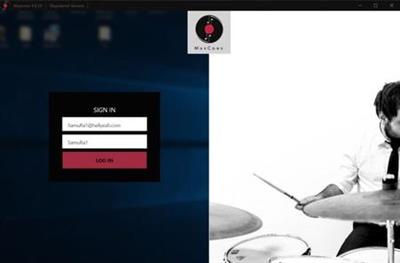
MusConv Ultimate 4.9.630

0e7c3f109472ab9c78202423a8df4d4e.jpg


MusConv Ultimate 4.9.630 | 172 Mb​
Wanna transfer your playlists and songs across various music services? MusConv will help you! Move wherever you want! Spotify, Apple Music, Google Music, iTunes, Amazon Music, YouTube, YouTube Music, Deezer, Tidal, SoundCloud, Pandora, Napster, Last.fm, Slacker Radio, Yandex Music and more!

Transfer From Spotify
* Import Spotify playlist to Amazon Music
* Transfer Spotify playlist to Apple Music
* Import Spotify playlist to Google Play Music
* Transfer Spotify playlist to Tidal
* Transfer Spotify playlist to YouTube
* Transfer Spotify playlist to Deezer
* Transfer Spotify playlist to SoundCloud
* Transfer Spotify playlist to CSV
* Spotify to iTunes
* Spotify to Pandora
* Spotify to Qobuz
* Spotify to Napster
* Spotify to Yandex Music

Transfer From Amazon Music
* Amazon Music to Spotify
* Amazon Music to Google Music
* Amazon Music to Apple Music
* Amazon Music to Youtube
* Amazon Music to SoundCloud
* Amazon Music to Tidal
* Amazon Music to Deezer
* Amazon Music to iTunes
* Amazon Music to Qobuz
* Amazon Music to Napster
* Amazon Music to Yandex Music
* Amazon Music to Shazam
* Amazon Music to iHeartRadio
* Amazon Music to Slacker Radio
* Amazon Music to Last.fm
* Amazon Music to CSV
* Amazon Music to Pandora

Transfer From Google Play Music
* Google Music to Amazon Music
* Google Music to Spotify
* Google Music to Apple Music
* Google Music to YouTube
* Google Music to SoundCloud
* Google Music to Deezer
* Google Music to Pandora
* Google Music to CSV
* Google Music to Qobuz
* Google Music to Napster
* Google Music to Tidal
* Google Music to iTunes
* Google Music to Yandex Music

Transfer From iTunes
* Transfer iTunes to Amazon Music
* Transfer iTunes to Spotify
* Transfer iTunes to Google Music
* iTunes to Apple Music
* Transfer iTunes to Tidal
* Transfer iTunes to SoundCloud
* iTunes to Deezer
* Transfer iTunes to CSV
* iTunes to Shazam
* iTunes to Napster
* iTunes to iHeartRadio
* iTunes to Yandex Music
* iTunes to Qobuz
* iTunes to Pandora

Transfer From Apple Music
* Apple Music To Spotify
* Apple Music To Amazon Music
* Apple Music To Google Music
* Apple Music To YouTube
* Apple Music To SoundCloud
* Apple Music To Deezer
* Apple Music To Pandora
* Apple Music To Tidal
* Apple Music To CSV
* Apple Music To Qobuz
* Apple Music To Napster
* Apple Music To Yandex Music

Transfer From Youtube
* YouTube To Apple Music
* YouTube To SoundCloud
* YouTube To iTunes
* YouTube To Spotify

Transfer From SoundCloud
* SoundCloud To Spotify
* SoundCloud To Apple Music
* SoundCloud To Amazon Music
* SoundCloud To YouTube
* SoundCloud To Google Play Music
* SoundCloud To Tidal
* SoundCloud To CSV

Transfer From CSV
* Transfer CSV to Amazon Music
* Transfer CSV to Apple Music

Transfer From Deezer
* Deezer To Spotify
* Deezer To Apple Music
* Deezer To Amazon Music
* Deezer To Google Music
* Deezer To YouTube
* Deezer To iTunes
* Deezer To Tidal
* Deezer To SoundCloud
* Deezer To Pandora
* Deezer To CSV
* Deezer To Napster
* Deezer To Qobuz
* Deezer To Shazam
* Deezer To iHeartRadio
* Deezer To Slacker Radio
* Deezer To Last.fm
* Deezer To Yandex Music

Transfer From Tidal
* Tidal To Spotify
* Tidal To Apple Music
* Tidal To Amazon Music
* Tidal To Google Play Music
* Tidal To Youtube
* Tidal To SoundCloud

Tidal To CSV
* Amazon Music vs Spotify
* Amazon Music vs Google Play Music
* Amazon Music vs iTunes
* Amazon Music vs Tidal
* Spotify vs Apple Music
* Spotify vs iTunes
* Spotify vs Tidal
* Spotify vs SoundCloud
* Google Play Music vs Spotify
* Google Play Music vs Apple Music
* Google Play Music vs Tidal
* Google Play Music vs iTunes

System Requirements:
* Windows 10
* Windows 8
* Windows 7

Home Page -
У Вас недостаточно прав для просмотра ссылок. Войдите или зарегистрируйтесь.


Language: Multilingual

Download link:​
Код:
[center][b]rapidgator_net[/b]:
https://rapidgator.net/file/707ce0d059a1494c6052e92679eb1ff4/djjou.MusConv.Ultimate.4.9.630.rar.html

[b]nitroflare_com[/b]:
https://nitroflare.com/view/A0340CBA4CFB391/djjou.MusConv.Ultimate.4.9.630.rar

[b]uploadgig_com[/b]:
https://uploadgig.com/file/download/b092774a34d9a997/djjou.MusConv.Ultimate.4.9.630.rar[/center]

Links are Interchangeable - No Password - Single Extraction​
 
Music Tag Editor 2 v5.4.2 macOS

7b57411971fff40d7f5b08e98ca83299.jpg


Music Tag Editor 2 v5.4.2 Multilingual | macOS | 20 mb​
Music Tag Editor can help you edit your music-tag info easily and effectively. You can also use it to convert the text encoding of music tags. It can repair the messy code in music tags. You also can download the album image for MP3 files

Support Music formats: MP3, M4A (Apple lossless), MP4, FLAC, APE, AIFF, WAV , Ogg files, asf, mkv, dsf, dsd...
Support ID3V1, ID3V2.3,ID3V2.4, xiphComments, APE Tag, Ogg Vorbis, Ogg Speex, Ogg Flac.

Main features:
1. support id3v1,id3v2,xiphComments, RIFF Info, APE Tag, Ogg Tags,iTunes tags. Tags:Title,Artist,Album,Genre,Copyright,Comments,Artworks,Lyrics and so on...
lyrics you saved to file can be show correctly in you iPhone or iPod music player.
2. support batch processing of lots of music files,support iTunes importing.
3. Online album image download,multi album image supported.
4. batch rename audio file with metadata
5. batch convert file name to tags
6. user can change,convert the tag text encoding easily, it also can repair messy code in situations.
7. Fully iTunes Tag supported.
8. Support strip APE or ID3V1 tags in mp3 files
9. support to save id3v2.3 or id3v2.4 tags!
10. Batch clean tags
11. Built-IN Music player for all audio formats

Advance features in pro version:
1.Edit Additional and Advanced Tags.
2.Custom and edit any tags you want.
3.Batch Find & Replace all tag fields in one click.
4.MusicBrainZ Cloud services supported.

Compatibility: OS X 10.8 or later 64-bit
Homepage:
У Вас недостаточно прав для просмотра ссылок. Войдите или зарегистрируйтесь.


Download link:​
Код:
[center][b]rapidgator_net[/b]:
https://rapidgator.net/file/41ac6b9ad04e84622ce5adb3a4c47116/q56fy.Music.Tag.Editor.2.v5.4.2.rar.html

[b]nitroflare_com[/b]:
https://nitroflare.com/view/77AE385E8742268/q56fy.Music.Tag.Editor.2.v5.4.2.rar

[b]uploadgig_com[/b]:
https://uploadgig.com/file/download/55d4b84d601dEa27/q56fy.Music.Tag.Editor.2.v5.4.2.rar[/center]

Links are Interchangeable - No Password - Single Extraction​
 
Native Instruments Super 8 R2 v2.0.0

261bebc968f023d9d3bc8fc230c26588.jpg


Native Instruments Super 8 R2 v2.0.0 WiN | 118 Mb​
The plugin version of our modem take on vintage analog polysynths. Over 550 presets, an intuitive interface, and a wide sweet spot.

RETRO INSPIRATION FOR MODERN TRACKS
Add the classic warm, rich tones of vintage synths to your contemporary productions. SUPER 8 gives you a fun, easy way to bring the past into your present. Dial up presets ranging from basses and leads to pads and special effects. Tweak your tones all you want with a simple, modern VST 3 interface that always keeps you in the instrument's sweet spot.

DESIGNED FOR TWEAKING
SUPER 8 makes it easy to tweak your sound through a clean, next-generation interface. Use simple sliders to blend up to four waveforms for each of the two oscillators. Mix the oscillators, sync them, and fold in FM oscillation for a digital edge. Apply low-pass, band-pass, or high-pass filtering, then use ASDR sliders to make quick changes to filter and amplifier envelopes.

Add motion to your patches by diving into the interface's modulation section. Choose one or more mod waveforms, then dial in speed and phase. For maximum creative flexibility, use mod routing to map almost any source to any destination.

EXTENSIVE PRESETS
Need something fast? Get started right away with any of the 550+ presets - from rich analog strings and ethereal pads to deep basses, biting leads, electronic percussion, and unusual effects. Patches were inspired by legendary synths from Roland, Sequential Circuits, and others. But SUPER 8 has a character all its own. Modern presets give you combinations of oscillators, filters, and modulation settings that wouldn't have been possible on original hardware.

BUILT TO BE PLAYED
Explore the full range of SUPER 8's creative possibilities with your MIDI controller. Drive the SUPER 8 pitch wheel, mod wheel, and touch strip controls from your hardware to produce expressive leads, shifting soundscapes, and evolving textures. You can set parameters directly from the interface's front page - or take advantage of automatic parameter mapping using a KOMPLETE KONTROL keyboard. With SUPER 8's flexible mod routing, you can adjust pitch, modulation, filtering, keytracking, and more - all in real time.

Download link:​
Код:
[center][b]rapidgator_net[/b]:
https://rapidgator.net/file/d31ff8ab8b6923396786adb44403a1a9/9ic2k.Native.Instruments.Super.8.R2.v2.0.0.WiN.rar.html

[b]nitroflare_com[/b]:
https://nitroflare.com/view/EEAB8F1779A1741/9ic2k.Native.Instruments.Super.8.R2.v2.0.0.WiN.rar

[b]uploadgig_com[/b]:
https://uploadgig.com/file/download/b29cE144c3738513/9ic2k.Native.Instruments.Super.8.R2.v2.0.0.WiN.rar[/center]

Links are Interchangeable - No Password - Single Extraction​
 
Paprika Recipe Manager 3.1.0 (x64)

f07cc7023bc537129f795ceb26389753.jpg


Paprika Recipe Manager 3.1.0 (x64) | 79 Mb​
Delightfully simply recipe management for everyone: from aspiring cooks to professional chefs. With web importing, grocery lists and meal planning, Paprika is the perfect kitchen companion. If you love to cook, Paprika will be the most useful app you've ever downloaded!

Features:
Create and modify your own recipes on any device.
Automatically download recipes from hundreds of websites with a single tap.
Integrated browser clipboard tools help you clip recipe information from any website.
Smart recipe view: cross off ingredients when you're done with them, and tap to highlight your current step.
Scale ingredients to your desired serving size.
Store nutritional information (automatically saved from sites which provide it) and personalized notes for each recipe.
Find your recipes in a flash with our powerful subcategory organization and advanced search tools which let you search by name, ingredient or source.
Intelligent grocery list automatically combines your ingredients and sorts them by aisle.
Use the pantry to keep track of what ingredients you already have.
Save time and money by planning your meals by the week! Create reusable menus from your favorite meals.
Print and email support for recipes, grocery lists, and meal plans.
Share recipes via email (that other Paprika users can automatically import).
Import existing recipes from popular desktop apps such as MasterCook & Living Cookbook.
Offline access. All of your data is stored locally, no internet connection is required to view your recipes.
Paprika Cloud Sync. Keep your recipes, grocery lists, and meal plans seamlessly synced between all your devices!
Bookmarklet. Capture recipes from your web browser straight into your Paprika Cloud Sync account.

System Requirements:
Windows 7 and .NET Framework 4.5 or later.

Home Page -
У Вас недостаточно прав для просмотра ссылок. Войдите или зарегистрируйтесь.


Language: English

Download link:​
Код:
[center][b]rapidgator_net[/b]:
https://rapidgator.net/file/9703d8462e466a961ba693078b293869/yo77o.Paprika.Recipe.Manager.3.1.0.x64.rar.html

[b]nitroflare_com[/b]:
https://nitroflare.com/view/9E7D79C1DA045A9/yo77o.Paprika.Recipe.Manager.3.1.0.x64.rar

[b]uploadgig_com[/b]:
https://uploadgig.com/file/download/099a3dECc6aB09d9/yo77o.Paprika.Recipe.Manager.3.1.0.x64.rar[/center]

Links are Interchangeable - No Password - Single Extraction​
 
Perfectly Clear Complete 3.10.0.1859 (x64)

992c11fcf02686a167d99fe0ef8c21a9.jpg


Perfectly Clear Complete 3.10.0.1859 (x64) | 82.9 Mb​
Built for precision. Made for beauty. Above all, you want better photos. But what if you could have better photos faster? Perfectly Clear has mastered the science of intelligent image correction - creating superior quality photos in record time, so you can get back to doing what you really love...in no time.

What's New in Perfectly Clear 3:

You have better ways to spend your day than laboring over manual edits
You became a photographer to go out and capture the beauty of the world, not sit inside at an editing desk. We invented our automatic image corrections to take away the tedium and give you back your freedom. So let Perfectly Clear handle the editing chores while you devote your day to doing what you do best-creating incredible images.

- Up to 20 auto corrections with one click
- Batch process 1000s of images in minutes
- Stay within your workflow
- Unlock the details in every image
- Tap into professionally created presets
- Save countless hours of manual editing
- Fine tune details with precise controls

We've got image correction down to a science
Creating our award-winning technology took more than a decade of R&D, multiple patented processes, and over a dozen unique algorithms. We cracked the code on correcting every pixel independently. That's how we make a 12-megapixel photo look like it was taken with 12 million separate apertures. The proof is in your pictures.

Investing, innovating and improving every year
At Athentech, we're committed to solving problems faced by photographers. Every year, we continue to innovate with R&D work by our team of physicists, engineers, and photographers. Every day, we invest in making your photos look their best.

Lighting.
- Perfect Exposure. More effective than traditional brightness, Perfect Exposure lets you maintain Real Color Photography™ without clipping or washing out. Our technology overcomes the distortions caused by a single aperture by replicating the way your eye gathers light and correcting your exposure pixel by pixel.
- Depth. Brings out the contrast in a photo without messing up the other colors. Perfectly Clear uses a patented algorithm that manages the dynamic range in a unique way, revealing the detail needed to produce this kind of depth.
- Light Diffusion. Perfectly Clear lets you create a softer look with warmer tones and captures the perfect portrait even in broad daylight.
- Skin & Depth bias. For realistic lighting on skin.

Color.
- Photoshop is powerful, but for Full Color Spectrum, Light Diffusion, automatic red-eye removal, you have to turn to Perfectly Clear.
- Vibrancy. Perfectly Clear mimics how the eye adjusts saturation, providing a color-vibrant photo. Sometimes digital cameras can cause photos to look washed out/faded because they have a linear response to light. But our solution overcomes this problem by looking at each channel independently.
- Fidelity. We reproduce the full visual spectrum of colors seen by the eyes, enabling you to capture purples properly every time.
- Tint. In the days of film, you had to carry around different films and filters for different times of day-all to get the lighting source correct. To remove nasty tints-from tungsten, fluorescent, incandescent, IR-Perfectly Clear searches for an abnormal tint, then reveals the great photo underneath.

Clarity.
- Sharpening. Traditional sharpening methods also sharpen weak signal and introduce halos. Perfectly Clear only searches for strong signal and creates sharp, clear photos with zero artifacts.
- Noise removal. Perfectly Clear automatically reduces noise 2-3 stops with one click (unlike Ps or Lr which requires multiple slider bar adjustments). ISO 1600 is effectively reduced to ISO 200-400 without blurring or losing details.

Eyes.
- Red-eye. We sourced this technology from our wonderful partner FotoNation, which is embedded in hundreds of millions devices. It detects and corrects imperfections as quickly as 5 images per second with no manual intervention.
- Unlike Photoshop, Perfectly Clear not only removes red eye automatically, it also includes Eye Enhance, Eye Enlarge, Dark Circle removal, and the ability to automatically add 5 different Catchlights.

Skin.
Perfectly Clear lets you smooth and tone skin, adjust blush, and remove infrared, shine and blemishes. Our robust, automatic correction uses advanced facial detection techniques to identify age, gender and key facial features including texture and skin tone. As a result, we're able to determine the precise amount of corrections to apply automatically. All of our Beautify corrections are much faster than doing this manually in Ps or Lr which will takes minutes per image instead of seconds.

Face.
Perfectly Clear lets you whiten teeth for the perfect smile and saves a painful trip to the dentist. Plus, it can sharpen the look of your lips and tone your face shape for a more slender and youthful appearance.

System Requirements:
- Windows 7, 8, or 10 (64-bit OS and Host application)
- Photoshop CS5, CS6 or Creative Cloud
- Photoshop Elements 13,14,15
- Corel PaintShop Pro X6, X7, X8, X9
- 4 GB RAM or more

Home Page -
У Вас недостаточно прав для просмотра ссылок. Войдите или зарегистрируйтесь.


Download link:​
Код:
[center][b]rapidgator_net[/b]:
https://rapidgator.net/file/8e77c249b40a7570af2ac043da5bee0f/bwvew.Perfectly.Clear.Complete.3.10.0.1859.x64.rar.html

[b]nitroflare_com[/b]:
https://nitroflare.com/view/AA4CF1388F00CC5/bwvew.Perfectly.Clear.Complete.3.10.0.1859.x64.rar

[b]uploadgig_com[/b]:
https://uploadgig.com/file/download/255ebB017e47fE9e/bwvew.Perfectly.Clear.Complete.3.10.0.1859.x64.rar[/center]

Links are Interchangeable - No Password - Single Extraction​
 
Perfectly Clear Complete 3.11.0.1858 macOS

e1ca2e8502b08fc9d549be6813987de0.jpg


Perfectly Clear Complete 3.11.0.1858 Multilingual | macOS | 107 mb
Standalone & Plug-in for Adobe Photoshop and Lightroom​
Built for precision. Made for beauty. Above all, you want better photos. But what if you could have better photos faster? Perfectly Clear has mastered the science of intelligent image correction - creating superior quality photos in record time, so you can get back to doing what you really love...in no time.

You have better ways to spend your day than laboring over manual edits
You became a photographer to go out and capture the beauty of the world, not sit inside at an editing desk. We invented our automatic image corrections to take away the tedium and give you back your freedom. So let Perfectly Clear handle the editing chores while you devote your day to doing what you do best-creating incredible images.

- Up to 20 auto corrections with one click
- Batch process 1000s of images in minutes
- Stay within your workflow
- Unlock the details in every image
- Tap into professionally created presets
- Save countless hours of manual editing
- Fine tune details with precise controls

Also:
Perfectly Clear is Now A Stand-Alone Application!
- Open RAW and traditional photos directly
- Crop to whatever size you need
- Print your photos
- Export in the original format or as JPEG or TIFF for sharing

- Filmstrip for Easy Navigation
- Undo/Redo
- Visual Presets
- Visual LOOKs
- Preset & LOOKs Favorites
- Graduated Filters
- Stylistic Vignette and Radial Filters
- Robust Color Restoration
- Manual Finishing Controls

Compatibility: macOS 10.10 or later 64-bit,
Homepage:
У Вас недостаточно прав для просмотра ссылок. Войдите или зарегистрируйтесь.


Download link:​
Код:
[center][b]rapidgator_net[/b]:
https://rapidgator.net/file/5a806a6991f4e47b958b6eef39276d67/bo0ke.Perfectly.Clear.Complete.3.11.0.1858.rar.html

[b]nitroflare_com[/b]:
https://nitroflare.com/view/377F6C50F6A96FF/bo0ke.Perfectly.Clear.Complete.3.11.0.1858.rar

[b]uploadgig_com[/b]:
https://uploadgig.com/file/download/4Ec0aabDc02Cec46/bo0ke.Perfectly.Clear.Complete.3.11.0.1858.rar[/center]

Links are Interchangeable - No Password - Single Extraction​
 
Perfectly Clear Complete 3.11.0.1858 (x64) Multilingual

16f93d251c557186aecb3ecd9beabff7.jpg


Perfectly Clear Complete 3.11.0.1858 (x64) Multilingual | 101.8 Mb​
Built for precision. Made for beauty. Above all, you want better photos. But what if you could have better photos faster? Perfectly Clear has mastered the science of intelligent image correction - creating superior quality photos in record time, so you can get back to doing what you really love...in no time.

Spend less time in front of your computer.
With Perfectly Clear, you'll get results faster so you can spend more time behind the camera and less time in front of the computer. Take advantage of intelligent image analysis to find and fix numerous camera flaws automatically. Plus, you can quickly add your favorite finishing touch with our stylized LOOKs.

Take complete control.
Our presets are just the starting point. Easily apply only the adjustments you need for the perfect image. Use our powerful sharpening and noise reduction, which goes beyond what other tools can do, to unlock a whole new image. Keep an eye on your color and exposure with a dynamic histogram that tracks exposure and color clipping.

A custom experience.
Every photographer is different, and so is Perfectly Clear. Our adaptive interface lets you hide tools you don't need while you work, allowing you to focus on your image. Plus, you can make and manage your own presets, which intelligently adapt to each photo.

Why change your workflow?
Rather than move your entire image library or change your workflow, we'll make your existing workflow better. We support several platforms and have more coming soon. With powerful batch processing and up to 30 corrections in one click, we'll make everything better.

We've got image correction down to a science.
Creating our award-winning technology took more than a decade of R&D, multiple patented processes, and over a dozen unique algorithms. We cracked the code on correcting every pixel independently. The proof is in your pictures.

System Requirements:
- Windows 7, 8 or 10 (64-bit only)
- Photoshop CS6 or Creative Cloud
- Photoshop Elements 13,14,15
- Corel PaintShop Pro X6, X7, X8, X9, 2020
- Lightroom 4 or newer, including v6 and CC
- 4 GB RAM or more
- OpenGL v2.0 or newer

Home Page -
У Вас недостаточно прав для просмотра ссылок. Войдите или зарегистрируйтесь.


Download link:​
Код:
[center][b]rapidgator_net[/b]:
https://rapidgator.net/file/a0e2017133e04357110fcf906ab32c13/yb4dj.Perfectly.Clear.Complete.3.11.0.1858.x64.Multilingual.rar.html

[b]nitroflare_com[/b]:
https://nitroflare.com/view/86D43B91E78437E/yb4dj.Perfectly.Clear.Complete.3.11.0.1858.x64.Multilingual.rar

[b]uploadgig_com[/b]:
https://uploadgig.com/file/download/32Ab00d327dff1AC/yb4dj.Perfectly.Clear.Complete.3.11.0.1858.x64.Multilingual.rar[/center]

Links are Interchangeable - No Password - Single Extraction​
 
Positive Grid BIAS FX 2 Elite v2.2.1.5050

3a166832ca9e69e23f88405490e44993.jpg


Positive Grid BIAS FX 2 Elite v2.2.1.5050 WiN | 484 Mb​
Over the last several years, a range of high processing powered digital guitar effects and mobile guitar apps have changed the way millions of guitarists play and record. The question is how we can create new tools to maximize the sound quality with today's technology.

The result is BIAS FX. It's designed from the ground up with no-compromise mindset on sound quality, it comes with all the greatest and latest algorithms from our audio signal processing research, it provides significantly detailed and authentic emulation of analog pedals and studio racks, it has dual custom BIAS Amp profiles integration and dual signal chain. BIAS FX is equipped with the most advanced DSP sound engine with a beautifully designed interface, it's seamlessly integrated with BIAS Amp Designer.

Download link:​
Код:
[center][b]rapidgator_net[/b]:
https://rapidgator.net/file/e6818752f3faf67fe7488cb9f1baeaad/i4uu8.Positive.Grid.BIAS.FX.2.Elite.v2.2.1.5050.WiN.rar.html

[b]nitroflare_com[/b]:
https://nitroflare.com/view/FAAD995E9C06EE4/i4uu8.Positive.Grid.BIAS.FX.2.Elite.v2.2.1.5050.WiN.rar

[b]uploadgig_com[/b]:
https://uploadgig.com/file/download/a6a8ad0A1762d88D/i4uu8.Positive.Grid.BIAS.FX.2.Elite.v2.2.1.5050.WiN.rar[/center]

Links are Interchangeable - No Password - Single Extraction​
 
ProPresenter 7.2.1 (117571849)

bfd93143c54f04aa7ce337a75e33d1c5.jpg


ProPresenter 7.2.1 (117571849) | 81 Mb​
ProPresenter is a cross-platform (Mac and Windows) presentation & production application for live events. It seamlessly displays lyrics, slides, and media, making high-quality live productions easy. It is the indispensible tool for worship gatherings, sporting events, conferences, trade shows, and studio broadcasts.

ProPresenter operators control presentations on one screen, while dynamically presenting to an audience on one or more additional screens.
- No separate edit and present modes
- Outputs are always live
- Completely non-linear flexibility
- On demand Scripture lookup
- Separate Outputs, for lobby, auditorium, and stage displays
- Volunteer friendly
- On the fly run-of-show changes

Tell Your Story. Extraordinarily
Whatever the story you want to tell, ProPresenter has the tools to help you tell it in the most engaging way possible. With a completely revamped video engine that is equally suitable for powering presentations in a room of 100 people or 100,000, the quality and professionalism of ProPresenter's output is unprecedented.

High quality video output
The ability to create high-quality video is becoming increasingly easy, making the use of videos in productions more prevalent than ever. The ProPresenter video engine (the same as is at the heart of PVP3) is the perfect way to present your final edit.

You can import and play videos instantly in ProPresenter. It also includes the ability to set in and out points dynamically, effect color, brightness, and volume, and crop/scale videos dynamically. Video effects empower you to leverage your video library to create limitless new looks for your pre-produced content. In addition, these same effects and manipulations can also be used on live video sources.

MULTI-LAYERED ARCHITECTURE
A multi-layered architecture allows for backgrounds, live video layers, slides, props, and masks to be controlled independently.

- High-quality transistions
- Announcements layer to show rolling announcements on one screen while rehearsing on another
- Individual slide settings for transitions and object builds
- Scale and cropping of media
- Data-driven text boxes (such as current time and countdown timers)
- Dynamically overlaid content
- Context driven visibility (clear a timer when it reaches the end)

Advanced Features - Now included!
ProPresenter 7 has a number of advanced features previously sold separately in Pro6 as add-on, paid for "modules" that offered additional features and capabilities beyond what your typical church needed. The typical church these days, however, has grown more sophisticated in their productions. We love seeing this and want to see more of it so Renewed Vision is now including these advanced features in Pro7 at no additional cost (a $2,593 value if all were purchased separately)!

Multi-Screen
Output to multiple displays with different combinations of content all at once, including multiple stage displays

Alpha Keyer
Output Broadcast-quality key and fill channels

Edge Blending
Project onto wide screens with multiple projectors and blend their edges to create one seemless, extra wide image

Master Control
Control multiple ProPresenter machines from a single computer (coming soon)

Communications
Control ProPresenter's functions from MIDI, DMX, or broadcast video

SDI / NDI
Send video out over SDI (coaxial cable) or over your network (Ethernet).

Stage Display
A sophisticated Stage Display output empowers you to communicate information to the people on stage. Show the content your stage talent needs to see including clocks, timers, current slide, next slide, slide notes, and stage announcements. Maintain flexibility of your Stage Display layouts using our advanced editor. With the output capabilities of ProPresenter you can use any layout on as many stage displays that you have available.

You deserve software that's easy to use
Regardless of how powerful a tool is, its value is determined by how easy it is to access that power. ProPresenter was designed from the beginning to allow beginners to feel confident in running the software with only a few minutes of training. We make all of our training available online via free video tutorials you can access before you even purchase the software. Here are just some of the ways that we make it easy for you to create the presentations that tell your story.

System Requirements:
- Windows 10: Version 1903 (build 18362) or newer
- GPU: If you are outputting to more than 4 HD screens, you should have a dedicated (meaning, not integrated) GPU.
- Video compression: H264 or H265 (HEVC) at 30mbps or less for HD, 50mbps for 4K; For videos with Alpha channels, ProRes 4444 is recommended.

Homepage -
У Вас недостаточно прав для просмотра ссылок. Войдите или зарегистрируйтесь.


Download link:​
Код:
[center][b]rapidgator_net[/b]:
https://rapidgator.net/file/d7dc63afd8af473ca474b1d4bec58fa0/p61u5.ProPresenter.7.2.1.117571849.rar.html

[b]nitroflare_com[/b]:
https://nitroflare.com/view/E34D96B73F47EBD/p61u5.ProPresenter.7.2.1.117571849.rar

[b]uploadgig_com[/b]:
https://uploadgig.com/file/download/49976AaD060dad22/p61u5.ProPresenter.7.2.1.117571849.rar[/center]

Links are Interchangeable - No Password - Single Extraction​
 
Назад
Сверху