• Старая версия форума работает в архивном режиме www.old.nado.in

All mitsumi'1s Applications !! (updated daily)

  • Автор темы Автор темы mitsumi1
  • Дата начала Дата начала
Xara Designer Pro+ 20.3.0.59963
e7ce33a762b9199e079bfb8bed5e3bac.jpg


Xara Designer Pro+ 20.3.0.59963 (x64) | 184 Mb​
Quite simply the world's fastest graphics software. Powerful illustration tools, innovative photo editing, flexible page layout and unrivalled WYSIWYG web design. A single application for all your creative work.

Graphic design & illustration
Create graphics and illustrations exactly the way you want and use a diverse set of tools to give them an expert, custom touch.

Vector graphics
Powerful drawing tools allow you to draw lines, shapes, and curves using vectors and adjust scale without loss of quality. Your pictures look sharp right down to the finest detail. This is perfect for when you need graphics in various sizes for different uses!

Essential effects
Intuitively create exciting effects like transparency, outlines and gradients to give your graphics and illustrations a special touch.

Get artistic with brushes
Get artistic with brushes Browse through a huge selection of art brushes, then draw creative lines and turn each and every one of your images into a work of art.

Adaptable shapes
Start with any shape and transform it into a custom design element for your graphics and illustrations.

SmartShapes
Discover over 900 SmartShapes, including the new, improved tables.

Stock photos
Stock photos A massive selection of agency photos to choose from is included.

Graphics & illustrations
Graphics & illustrations Access a fantastic collection of graphic designs and illustrations.

Web design
Creating a website has never been so easy: Select your favorite template, apply your own images and text - that's all there is to it!

Panorama photo slider
Use the full width of your website to present your photos. This showcases your images and makes your website an absolute eye-catcher. Expand the slider any way you want - either with a prominent call-to-action button or a customized header.

Parallax scrolling
Add more dynamics and depth to your website: Elements such as content and images move as you scroll and provide an interactive user experience.

Sticky objects
Sticky objects are unaffected by scrolling and remain visible at the same position. It's particularly practical when you need to use the navigation bar.

Reveal effects
Use the object reveal effects to fade in elements as soon as the corresponding area of your website is visible in a browser. This adds movement and variety to the page.

Easy & advanced image editing
Adjust brightness, contrast, color and saturation in images in no time at all or use 1-click optimization. For more precise results, edit the gradation curves for your photos or apply professional white balance.

Erase backgrounds
Create masks for easily removing object backgrounds. Simply mask the object, roughly erase the background and remove it with a click.

Cut items
Crop individual parts of your image or cut out figures. Select an outline using the mouse and the magnetic lasso will automatically create a path.

Perfect photo retouching
Use the retouch tool and fully customizable tool tips to easily retouch areas of an image.

Impressive photo filters
Impressive photo filters Present a photo differently each time. Simply select one of 140 photo filters in the Online Content Catalog** and apply it to your image with a single click.

Photo grids for collages
Create seamless photo collages. Select any template you want from the Online-Content-Catalog** and then drag and drop your pictures onto different positions.

Brighten or darken areas
Enhance sections of an image during editing. With the tool for color dodge and color burn you can darken or lighten precise areas within an image.

Straighten horizons Is the horizon slanted in your photo?
In Xara Designer Pro X you can simply use the "Straighten horizon" slider to adjust the position of the photo.

Wide range of print and online publications
Xara Designer Pro X includes all the tools you need for creating and publishing complex documents. The software makes dealing with even multi-page publications in different formats a cinch. When you need results, fast: The Online Content Catalog** includes a ton of templates that are 100% customizable, as well as over 1 million photos and graphics that you can use for your publications.

CMYK support
Maintain the correct color right through the the final print. CMYK (cyan, magenta, yellow and key) support offers the exact hue you need for flyers, photos and documents. Select file formats freely

Select file formats freely
With Xara Designer Pro X, you can import, edit and export virtually all file formats. You can easily exchange documents and photos with colleagues and friends, with no limitations.

System Requirements:
- You need a 64-bit version for the following operating systems:
- Windows 10, Windows 8, Windows 7, Windows Vista
- Processor: 700 MHz RAM: 512 MB
- Graphics card: Onboard, minimum resolution 1280 x 600
- Hard drive space: 300 MB for program installation

Home Page -
У Вас недостаточно прав для просмотра ссылок. Войдите или зарегистрируйтесь.


Download link:​
Код:
[center][b]rapidgator_net[/b]:
https://rapidgator.net/file/11e9631534b88d626b1538ea3b526b44/affu8.Xara.Designer.Pro.20.3.0.59963.rar.html

[b]nitroflare_com[/b]:
https://nitroflare.com/view/BE05867B1099B48/affu8.Xara.Designer.Pro.20.3.0.59963.rar

[b]uploadgig_com[/b]:
https://uploadgig.com/file/download/1c5cdEbD2687A1fe/affu8.Xara.Designer.Pro.20.3.0.59963.rar[/center]

Links are Interchangeable - No Password - Single Extraction​
 
Adobe Photoshop 2020 v21.2.3.308 (x64) Portable

2acb51613aa2268c9d8874056dc22272.jpg


Adobe Photoshop 2020 v21.2.3.308 (x64) Portable | 1.75 Gb​
Reimagine reality with Photoshop. Millions of designers, photographers, and artists around the world use Photoshop to make the impossible possible. From posters to packaging, basic banners to beautiful websites, unforgettable logos to eye-catching icons, Photoshop keeps the creative world moving. With intuitive tools and easy-to-use templates, even beginners can make something amazing.

The creative world runs on Photoshop. Millions of designers, photographers, and artists around the world use Photoshop to make the impossible possible.

Designed for anyone to design anything.
From posters to packaging, basic banners to beautiful websites, unforgettable logos to eye-catching icons, Photoshop keeps the creative world moving. With intuitive tools and easy-to-use templates, even beginners can make something amazing.

Not just photo taking. Breathtaking.
Whether you're looking for everyday edits or total transformations, our graphic design software offers a complete set of professional photography tools to turn your snapshots into works of art. Adjust, crop, remove objects, retouch, and repair old photos. Play with color, effects, and more to turn the ordinary into something extraordinary.

Power to the paintbrush.
Draw and paint whatever you dream up with tools designed especially for illustrators. Paint in perfectly symmetrical patterns. Get polished looks with stroke smoothing. And create with pencils, pens, markers, and brushes that feel real - including more than 1,000 from celebrated illustrator Kyle T. Webster.

Symmetry mode
Paint in perfect symmetry with a new mode that lets you define your axes and choose from preset patterns like circular, radial, spiral, and mandala.

New Content-Aware Fill experience
A dedicated workspace lets you select the exact pixels to use for fills, and Adobe Sensei makes it easy to rotate, scale, and mirror them.

Frame tool
Create shape or text frames to use as placeholders on your canvas. Drag and drop images to fill the frames and they'll scale to fit.

Minimum Requirements:
- Processor: Intel® Core 2 or AMD Athlon® 64 processor; 2 GHz or faster processor
- Operating system: Microsoft Windows 10 (64 bit) versions 1703 (Creators Update) and later
- RAM 2 GB or more of RAM (8 GB recommended)
- Hard disk space: 3.1 GB or more of available hard-disk space for 64-bit installation; additional free space required during installation (cannot install on a volume that uses a case-sensitive file system)
- Monitor resolution: 1024 x 768 display (1280x800 recommended) with 16-bit color and 512 MB or more of dedicated VRAM; 2 GB is recommended**
- Graphics processor acceleration requirements OpenGL 2.0-capable system

Home Page -
У Вас недостаточно прав для просмотра ссылок. Войдите или зарегистрируйтесь.


Download link:​
Код:
[center][b]rapidgator_net[/b]:
https://rapidgator.net/file/3c1423d14a30ec045c867ea64c7aa2e1/c93p1.Adobe.Photoshop.2020.v21.2.3.308.x64.Portable.rar.html

[b]nitroflare_com[/b]:
https://nitroflare.com/view/9E62608FC3C1E59/c93p1.Adobe.Photoshop.2020.v21.2.3.308.x64.Portable.rar

[b]uploadgig_com[/b]:
https://uploadgig.com/file/download/eedbca8Ea7EacF4c/c93p1.Adobe.Photoshop.2020.v21.2.3.308.x64.Portable.rar[/center]

Links are Interchangeable - No Password - Single Extraction​
 
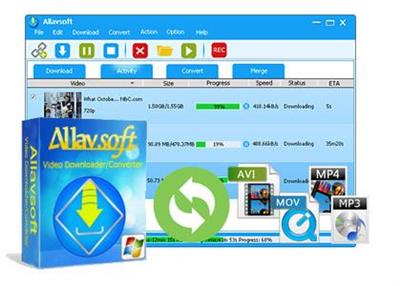
Allavsoft Video Downloader Converter 3.22.9.7554 Multilingual + Portable

fac6ffc9b07bdba348d18302e2428e2d.jpg


Allavsoft Video Downloader Converter 3.22.9.7554 Multilingual + Portable | 36/47.2 Mb​
This powerful Video Downloader supports downloading movies, music videos, playlist, sport videos, lectures and more from free video sharing website like Facebook, Dailymotion, eHow, and more than 100 video sharing sites.

Besides downloading video in its original format, Allavsoft also features one-click to download as well as convert the downloaded video to popular video format like MP4, AVI, WMV, MOV, MPEG-1, MPEG-2, VOB, ASF, RMVB, DV, TS, Apple ProRes, WebM, FLV, OGV and etc.

This ideal Web Video Downloader app enables selecting among all video qualities available for downloading like download videos in ultra high definition (4K), 3D video, HD 2k, HD 1080p, HD 720p, and stand definition 480p, 360p, and 240p.

This professional Video Downloading and Converting tool also helps to extract and download audio from online music video or movies as well as convert to popular audio format like MP3, WMA, WAV, AAC, AAC, Apple Lossless M4A, AIFF, RA, FLAC, OGG, AU and etc.

Batch download and convert
Allavsoft supports adding multiple video URLs and batch downloading and converting multiple videos at a time.
When download web video files, this wonderful Video Downloader will automatically detects advertisements and does not download them.
Preview and playback downloaded video files
There is a built-in video player in Allavsoft for us to preview and playback the downloaded video files.
Breakpoint Resume
You can pause and resume downloading at any time. It is very convenient to use.
Action after download done
You can set automatically shut down computer after all the download tasks are finished, if you have lots of videos to download and want to leave your Windows on to download them.
Keep history for downloading.

System Requirements
Microsoft® Windows® 2000, Microsoft® Windows® XP, Windows Vista®, Windows® 7, Windows® 8 or Windows® 10
1GHz Intel®/AMD processor or above
512MB RAM or more
30MB free hard disk space for installation
Super VGA (800 x 600) resolution, 16-bit graphics card or higher

Home Page -
У Вас недостаточно прав для просмотра ссылок. Войдите или зарегистрируйтесь.


Download link:​
Код:
[center][b]rapidgator_net[/b]:
https://rapidgator.net/file/dc74a21807a8e048b2061da6e3dc07ad/dp66m.Allavsoft.Video.Downloader.Converter.3.22.9.7554.Portable.rar.html
https://rapidgator.net/file/313ada5784eda184bdf270ff9c276601/dp66m.Allavsoft3.rar.html

[b]nitroflare_com[/b]:
https://nitroflare.com/view/A8AA62B283021EB/dp66m.Allavsoft.Video.Downloader.Converter.3.22.9.7554.Portable.rar
https://nitroflare.com/view/1DFE2E8FCA42FB7/dp66m.Allavsoft3.rar

[b]uploadgig_com[/b]:
https://uploadgig.com/file/download/2eF1704224523Eec/dp66m.Allavsoft.Video.Downloader.Converter.3.22.9.7554.Portable.rar
https://uploadgig.com/file/download/1b1332311E63ada7/dp66m.Allavsoft3.rar[/center]

Links are Interchangeable - No Password - Single Extraction​
 
Ashampoo Video Optimizer Pro 2.0.1 (x64) Multilingual + Portable

efb47aa6f479e9bf81417c37ba58ab17.jpg


Ashampoo Video Optimizer Pro 2.0.1 (x64) Multilingual + Portable | 109/155.7 Mb​
Video editing can be a frustrating experience with loads of fidgety fine tuning-unless you're using Ashampoo® Video Optimizer Pro 2! This powerful movie editor brings out the best in your shots, fully automatically and with batch-processing support!

Stabilize shaky videos, optimize colors and contrasts, and sharpen your footage at the click of a button. Digital noise caused by unfavorable lighting or the dreaded flickering are also easily fixed. Create stunning videos with slowmo or time-lapse effects and say goodbye to lens distortions, Add texts and images to add subtext to individual scenes and add additional polish to your videos with 20 presets that combine filters, effects and color settings. The well laid out video editor section lets you cut, rotate and merge individual clips with incredible ease, no previous knowledge required!

Quick fix or extensive edits-two worlds combined in Video Optimizer
Ashampoo® Video Optimizer Pro 2 is as multi-faceted as the needs of its users. Quick Mode is perfect to fix any number of videos quickly. Stabilize, sharpen, and denoise your shots in just a few clicks. Use the numerous other functions and effects to instantly enhance the quality of your videos with smart auto-features! Extended Mode is your creative playground and home for perfectionists with a need for maximum control and manual fine-tuning. With large previews and ample customization options, this mode offers the perfect environment to cut your footage into separate sections and optimize and adjust each of them individually. You can also easily exclude sections from exports to remove entire scenes from your movie.

20 brilliant presets for stunning color patterns
Our presets include more than just color filters. Our team has created extensive profiles that include lighting, color tones, saturation, vignettes, and much more. What would usually take you hours of manual tuning to find the perfect balance is now just one click away. From cold and unfeeling Scandinavian vibes to warm shades of red, you won't believe how quickly you can change the entire mood in your videos! Naturally, you can also create your own presets and reuse them in other projects.

Enhance colors and contrasts and make your videos shine
Ashampoo® Video Optimizer Pro 2 can enhance your videos by optimizing colors and contrasts. Your videos will feel more energetic and realistic after just a few clicks. You can adjust white balance settings to add coldness or warmth to your scenes, which is especially useful with digital cameras that tend to produce rather cold visuals. Of course, you can always make manual adjustments until you're fully satisfied with the results. This works wonders for old footage, too. Selective editing of brightness, hue, shadows and highlights then provides the final finish for the perfect image. With Ashampoo® Video Optimizer Pro 2, there are no more mediocre shots!

Stabilize shaky footage automatically
Clips taken with cellphones, DSLRs, or action cams (GoPro) tend to be shaky, ruining otherwise great moments. How about fixing this all to common annoyance right at home? Ashampoo® Video Optimizer Pro 2 offers powerful video stabilization for your shaky footage! Even handheld shots taken in motion will become smoother and more realistic. Enhance your clips and say goodbye to wobbly videos!

Denoise and deflicker your videos
The darker the footage, the more prevalent the dreaded digital noise. Unfavorable lighting then often adds nasty flickering to the mix. Poor lighting furthermore contributes to blurriness by making it harder for your lens to focus. Ashampoo® Video Optimizer Pro 2 auto-detects these issues. Your footage is then sharpened and stabilized, turning dark and blurry shots into passable videos.

Cut, rotate and resize your videos
Ashampoo® Video Optimizer Pro 2 not only enhances the quality of your videos but also supports cutting, rotating and cropping your shots. The new details view allows for even more precise adjustments. Select any number of sections and export highlights only or merge multiple photos and videos together into a single clip! Rotate and flip your videos at fixed intervals or freely and do away with crooked image horizons! Focus on individual image portions or resize the entire image as needed!

Work with slowmo and time-lapse effects
Change the speed of entire videos or individual sections with slowmo and time-lapse effects. Slowmo is great to accentuate details and the magic of the moment. Time-lapse works best to speed up less significant portions or showcase lengthy developments without the need for cuts. We highly recommend you try out these effects with the built-in tilt-shift effect. It's truly magical! Ashampoo® Video Optimizer Pro 2 makes working with these effects a breeze and adds an entirely new dynamic to your videos!

No more fisheye and lens distortions
Many cameras provide anything but realistic images, in some cases by design. Action cams in particular often come with wide-angle lenses to capture all of the action. While great at first, the viewing experience can quickly suffer, especially on larger screens! Ashampoo® Video Optimizer Pro 2 fixes these lens distortions for a more harmonious and natural image. The program comes with multiple camera profiles geared towards the most popular camera models. You can even quickly create your own in case your model isn't supported by default.

Add texts and effects
Custom text and effects add more individual flair to your videos. Ashampoo® Video Optimizer Pro 2 makes it particularly easy to add texts and external images to your scenes, from comments and explanations to funny cliparts and stickers. Color filters help set the mood and the tilt-shift feature selectively softens individual image portions to turn objects into miniatures. For a more pleasant touch, you can even round the corners of your video in just a few clicks or with the help of handy sliders!

Numerous formats, metadata editor and super-fast encoding
Ashampoo® Video Optimizer Pro 2 comes with a metadata editor to add details like author, copyright and title to your videos. The program supports all popular formats and codecs in all resolutions (including HD, 2K, 2.7K, and 4K) and also processes H.265, as used by GoPro cameras! To save you time and effort, all of these features are also supported in batch processing mode. Enhance and edit multiple videos, fill in missing metadata, or apply any of the numerous effects in a single click! Ashampoo® Video Optimizer Pro 2 has been speed-optimized and uses full H.264-based hardware acceleration on NVIDIA cards for an extra boost to help you edit your videos in record time.

More quality multimedia from Ashampoo
Capture what you see on your screen as images or videos. Ashampoo® Snap 11 makes it possible! Augment your captures with illustrations and comments, create GIFs and share the results. If audio is more on your side, get Ashampoo® Music Studio 7 and organize, mix and convert your songs to your heart's content. Turn your music CDs into digital files and benefit from automatic track naming and online cover searches! Automatic photo optimization is at the core of Ashampoo® Photo Optimizer 7-and it gets the job done like no other program can! Batch-process entire collections and add new shine and vibrancy to your images. And when you're done, import them into Ashampoo® Slideshow Studio HD 4 to create captivating slideshows with background music, visual effects and smooth transitions. Bring your images to life and turn your precious memories into professional videos!

System Requirements:

Operating System
You need the 64-bit version for the following operating systems:
Windows® 10, Windows® 8, Windows® 7

Software:
Windows Media Player 10
.NET Framework 4.0

Processor:
DVD quality editing / production - Dual-core processor with 2.4 GHz or better
HD quality editing / production - Intel Core i5 / i7 or similar quad-core processor

RAM:
2 GB or higher for DVD quality editing / production
4 GB or higher for HD quality editing / production
8 GB or more recommended

Home Page -
У Вас недостаточно прав для просмотра ссылок. Войдите или зарегистрируйтесь.


Download link:​
Код:
[center][b]rapidgator_net[/b]:
https://rapidgator.net/file/1c2482dbf863208d59b856e6a1bea062/038d3.Ashampoo.Video.Optimizer.Pro.2.0.1.Portable.rar.html
https://rapidgator.net/file/6fd9c5c2ddd2774c19f9cf2a298f0b7f/038d3.Ashampoo.Video.Optimizer.Pro.2.rar.html

[b]nitroflare_com[/b]:
https://nitroflare.com/view/F07F55F94FA0CF6/038d3.Ashampoo.Video.Optimizer.Pro.2.0.1.Portable.rar
https://nitroflare.com/view/5E2306CB6B9950A/038d3.Ashampoo.Video.Optimizer.Pro.2.rar

[b]uploadgig_com[/b]:
https://uploadgig.com/file/download/D7c627f8887f2B9f/038d3.Ashampoo.Video.Optimizer.Pro.2.0.1.Portable.rar
https://uploadgig.com/file/download/8bEb3B59ab8A00e2/038d3.Ashampoo.Video.Optimizer.Pro.2.rar[/center]

Links are Interchangeable - No Password - Single Extraction​
 
Bigasoft Video Downloader Pro 3.22.9.7557 Multilingual + Portable

6037daec972ec4f85b8751b5e24665c7.jpg


Bigasoft Video Downloader Pro 3.22.9.7557 Multilingual + Portable | 36.6/46.6 Mb​
Bigasoft Video Downloader Pro is a popular one-step online video downloader and converter to help to fast download and convert online movies for playing on personal computer, portable device, mobile phone, mp4 player, television and more with ease.

The powerful Video Downloader tool can save online videos in HD, HQ and 3D movies and then convert to MP4, AVI, WMV, MOV, MKV, FLV, MPG, VOB and etc for playback on a great variety of digital devices including iPad mini, iPad, iPod, iPhone, Google Nexus, Microsoft Surface, Kindle Fire, BlackBerry, Apple TV, Zune, PSP, PS3, Pocket PC, Creative Zen, Xbox, Archos and more.

The all-in-one Video Downloader and Converter is not only an easy-to-use movie converter and downloader tool but also a powerful audio downloader which can extract music from online video and then convert to MP3, AAC, AC3, WAV, WMA, FLAC, OGG, and more.

Bigasoft Video Downloader Pro supports to download videos instantly in HD 720p, HD 1080p, HD 2k, ultra high definition (4K), 3D video and standard definition with a single click from almost all popular video sharing websites like YouTube, Dailymotion, Vimeo, Goear music, Metacafe, Break, Veoh, etc. and automatically convert the downloaded videos to almost all popular video and audio formats.

System Requirements
Microsoft® Windows® 2000, Microsoft® Windows® XP, Windows Vista®, Windows® 7, Windows® 8, or Windows® 10
1GHz Intel®/AMD processor or above
512MB RAM or more
30MB free hard disk space for installation
Super VGA (800 x 600) resolution, 16-bit graphics card or higher

Home Page -
У Вас недостаточно прав для просмотра ссылок. Войдите или зарегистрируйтесь.


Download link:​
Код:
[center][b]rapidgator_net[/b]:
https://rapidgator.net/file/9bc24891051e789e667bbcc8ee071672/6houz.Bigasoft.Video.Downloader.Pro.3.22.9.7557.Portable.rar.html
https://rapidgator.net/file/b4dc3e32bbaa82b75b72007eea48d6ca/6houz.Bigasoft.Video.Downloader.Pro.3.22.9.rar.html

[b]nitroflare_com[/b]:
https://nitroflare.com/view/BCC729F1B926B57/6houz.Bigasoft.Video.Downloader.Pro.3.22.9.7557.Portable.rar
https://nitroflare.com/view/640446A17F118E5/6houz.Bigasoft.Video.Downloader.Pro.3.22.9.rar

[b]uploadgig_com[/b]:
https://uploadgig.com/file/download/635bE9edD19bCb32/6houz.Bigasoft.Video.Downloader.Pro.3.22.9.7557.Portable.rar
https://uploadgig.com/file/download/4469fd35bc229Df9/6houz.Bigasoft.Video.Downloader.Pro.3.22.9.rar[/center]

Links are Interchangeable - No Password - Single Extraction​
 
Icecream PDF Editor Pro 2.32 Multilingual + Portable

622f6f0b6b44e4874b76e90338ae51b7.jpg


Icecream PDF Editor Pro 2.32 Multilingual + Portable | 21.2/22.3 Mb​
Icecream PDF Editor - software that enables you to edit PDF files easier than ever before. Get access to all the tools and PDF editing modes you need with the help of smart tools panel. You can edit text, add notes, redact, protect files, manage pages and much more with the PDF editor. Learn how to edit a PDF document in a hassle-free way!

Edit text
Edit any text in a PDF document with ease.

Manage pages
Visually combine and reorder PDF pages, split and merge PDF files.

Edit objects
Edit PDF objects: move, resize, rotate, etc.

Protect PDF
Set password or limit editing/copying rights for document protection purposes.

Annotate PDF
Add notes, highlight areas, strike through or highlight text, add comments and more.

Add stamps
Create custom stamps for better and quicker PDF proofreading.

System Requirements:
OS: Windows 10, Windows 8.1, Windows 8, Windows 7
2.33Ghz Intel®, AMD or any other compatible processor / faster processor for netbooks;
2GB of RAM (4GB for better performance); 200MB to 2GB of free disk space

Home Page -
У Вас недостаточно прав для просмотра ссылок. Войдите или зарегистрируйтесь.


Download link:​
Код:
[center][b]rapidgator_net[/b]:
https://rapidgator.net/file/59139c47936949f2d9cd1c627943d9e4/uje01.Icecream.PDF.Editor.Pro.2.32.Portable.rar.html
https://rapidgator.net/file/569ba8554f248ce4cc6928f334a18df3/uje01.Icecream.PDF.Editor.Pro.2.32.rar.html

[b]nitroflare_com[/b]:
https://nitroflare.com/view/B1ABC1E8EE456FB/uje01.Icecream.PDF.Editor.Pro.2.32.Portable.rar
https://nitroflare.com/view/486CF3265482CAA/uje01.Icecream.PDF.Editor.Pro.2.32.rar

[b]uploadgig_com[/b]:
https://uploadgig.com/file/download/6a43699b831dC7a0/uje01.Icecream.PDF.Editor.Pro.2.32.Portable.rar
https://uploadgig.com/file/download/76150F579f8B1210/uje01.Icecream.PDF.Editor.Pro.2.32.rar[/center]

Links are Interchangeable - No Password - Single Extraction​
 
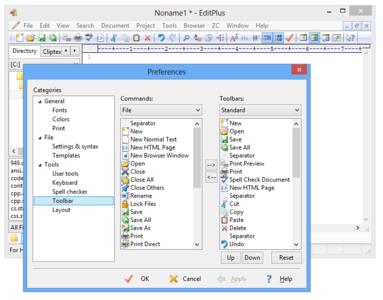
ES-Computing EditPlus 5.3 Build 3252 Portable

0b82b8cd6aa5628e43d404c10396c32e.jpg


ES-Computing EditPlus 5.3 Build 3252 Portable | 4.4 Mb​
EditPlus is a text editor for Windows with built-in FTP, FTPS and sftp capabilities. While it can serve as a good Notepad replacement, it also offers many powerful features for Web page authors and programmers.

Features:
Syntax highlighting for HTML, PHP, Java, C/C++, CSS, ASP, Perl, JavaScript, VBScript, Python and Ruby on Rails. Also, it can be extended for other programming languages based on custom syntax files.
Seamless Web browser for previewing HTML pages, and FTP (also sftp and FTPS) feature for uploading local files to FTP server.
Other features include Hex Viewer, HTML toolbar, user tools, line number, ruler, URL highlighting, auto completion, cliptext, column selection, powerful search and replace, multiple undo/redo, spell checker, customizable keyboard shortcuts, and more.

Requirements: Microsoft .NET Framework 2.0

Operating System: Windows 7/8/8.1/10

Home Page -
У Вас недостаточно прав для просмотра ссылок. Войдите или зарегистрируйтесь.


Download link:​
Код:
[center][b]rapidgator_net[/b]:
https://rapidgator.net/file/f5f31484f1ca8b84db775bf5ec152213/up8km.ESComputing.EditPlus.5.3.Build.3252.Portable.rar.html

[b]nitroflare_com[/b]:
https://nitroflare.com/view/4E7637DD9EF47B7/up8km.ESComputing.EditPlus.5.3.Build.3252.Portable.rar

[b]uploadgig_com[/b]:
https://uploadgig.com/file/download/25073D1Abc97ec22/up8km.ESComputing.EditPlus.5.3.Build.3252.Portable.rar[/center]

Links are Interchangeable - No Password - Single Extraction​
 
Lightmap HDR Light Studio Xenon 7.1.0.2020.0828 (x64) Portable

63d9ef6eaaa91ed8d1fe68d6dd2235d0.jpg


Lightmap HDR Light Studio Xenon 7.1.0.2020.0828 (x64) Portable | 77.4 Mb​
HDR Light Studio software provides 3D artists with a new way to light 3D imagery. Paint your shot with lights. The lighting process is now easy, fast, precise, creative and enjoyable. HDR Light Studio builds lighting that is used by your existing 3D software and renderer. By adding HDR Light Studio, 3D artists become more productive and image quality improves.

Interactive Image Based Lighting
The dynamic HDRI environment map is updated in real-time as lights are added and adjusted, as is the Render View that is lit by it.

HDRI Area Lights
HDR Light Studio can also create and control 3D Area Lights / Emitters inside your 3D software. These are positioned with the same intuative interface, clicking and dragging on the 3D model.

Use Standalone or Connected
HDR Light Studio can be used standalone - load a 3D scene and produce the perfect HDRI map.

Light Sources: Procedural
HDR Light Studio is best known for creating studio lighting - especially suited to reflective materials. Procedural lights can be precisely controlled and positioned to create a wide variety of lighting effects.

Light Sources: Images
For the most realistic lighting effects - load HDR images as light sources in HDR Light Studio. Image based light sources bring high levels of realism with subtle details and imperfections seen in reflections.

Includes a Library of Light Sources
HDR Light Studio includes a library of over 200 high quality HDR photographs of soft boxes, spot lights, windows and even clouds.

Render View & LightPaint
The Render View is a key feature of HDR Light Studio's lighting interface. Lights are positioned by clicking and dragging on the Render View - we call this patented process LightPaint.

Area Lights
Area Lights are controlled with LightPaint and are compatible with 3ds Max, Maya, Cinema 4D and MODO.

Handles Huge Scenes
The Render View and LightPaint remain fast even with huge scenes. For example this 3D scene has 19,514,622 polygons.

Matching Photography
When blending photography and CG imagery, matching the lighting between the photographic content and the CG elements is key to a successful and believable image. If a HDRI map of the location has not been captured then a lighting setup needs building from scratch. HDR Light Studio makes this process easy and enabling the rapid creation of a suitable lighting environment.

Enhancing Reality
When reality isn't enough. Load HDRI maps shot on location and add additional light sources to bring your subject to life. Just like on a real photoshoot, beauty lights are added to make your subject the star of the show.

Procedural Sky
HDR Light Studio includes a procedural sky shader. Replace the sky on an existing HDRI map and use an alpha ramp to control the horizon position and softness. Drag and drop the included Cloud preset images onto the sky for added realism. The sun disc can be increased in size whilst maintaining its overall lighting contribution, allowing for creative decisions about the sun scale. The sun disc has a controllable soft edge.

Mix Up Your Maps
Load more than one HDRI map into HDR Light Studio and use the alpha ramp to blend between them. Use saturation adjustments and color filtering, via blend modes, to take control of color and create a better match. Enabling you to get more out of your existing HDRI collection.

More than Lights
The HDR Canvas is a compositor for HDR and LDR content, supporting a range of image formats, mappings and blend modes.

Portable Lighting
HDRI maps are the ultimate portable lighting format. They can be used with different renderers and produce predictable and accurate results. Especially with physically based rendering.

Industry Standards
VFX artists will be pleased to know HDR Light Studio has progressed to embrace some industry standards. HDR Light Studio uses OpenColorIO color management and supports loading Alembic scene files. In order to efficiently handle very large image files, HDR Light Studio will automatically convert image files to mip-mapped and tiled images, saving them as .tx files. When using .tx files, HDR Light Studio only loads the image resolution and area needed - this vastly improves image load times and performance.

Requirements: Windows 7, 8, 8.1, 10 (64-bit)

Home Page -
У Вас недостаточно прав для просмотра ссылок. Войдите или зарегистрируйтесь.


Download link:​
Код:
[center][b]rapidgator_net[/b]:
https://rapidgator.net/file/6c326b3c64b1b0d4221f57af8cc1c98b/nppwz.Lightmap.HDR.Light.Studio.Xenon.7.1.0.2020.0828.x64.Portable.rar.html

[b]nitroflare_com[/b]:
https://nitroflare.com/view/C0E8558149E967C/nppwz.Lightmap.HDR.Light.Studio.Xenon.7.1.0.2020.0828.x64.Portable.rar

[b]uploadgig_com[/b]:
https://uploadgig.com/file/download/E46070259632dd4a/nppwz.Lightmap.HDR.Light.Studio.Xenon.7.1.0.2020.0828.x64.Portable.rar[/center]

Links are Interchangeable - No Password - Single Extraction​
 
Perfectly Clear Complete 3.10.0.1837 (x64) Multilingual Portable

c7e127041e842f5e2ddfb6b69f9d8aa4.jpg


Perfectly Clear Complete 3.10.0.1837 (x64) Multilingual Portable | 80.5 Mb​
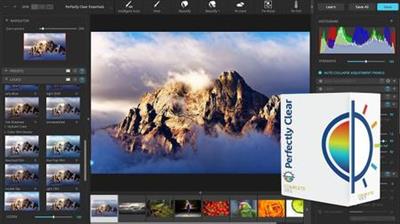
Built for precision. Made for beauty. Above all, you want better photos. But what if you could have better photos faster? Perfectly Clear has mastered the science of intelligent image correction - creating superior quality photos in record time, so you can get back to doing what you really love...in no time.

What's New in Perfectly Clear 3:
You have better ways to spend your day than laboring over manual edits
You became a photographer to go out and capture the beauty of the world, not sit inside at an editing desk. We invented our automatic image corrections to take away the tedium and give you back your freedom. So let Perfectly Clear handle the editing chores while you devote your day to doing what you do best-creating incredible images.

- Up to 20 auto corrections with one click
- Batch process 1000s of images in minutes
- Stay within your workflow
- Unlock the details in every image
- Tap into professionally created presets
- Save countless hours of manual editing
- Fine tune details with precise controls

We've got image correction down to a science
Creating our award-winning technology took more than a decade of R&D, multiple patented processes, and over a dozen unique algorithms. We cracked the code on correcting every pixel independently. That's how we make a 12-megapixel photo look like it was taken with 12 million separate apertures. The proof is in your pictures.

Investing, innovating and improving every year
At Athentech, we're committed to solving problems faced by photographers. Every year, we continue to innovate with R&D work by our team of physicists, engineers, and photographers. Every day, we invest in making your photos look their best.

Lighting.
- Perfect Exposure. More effective than traditional brightness, Perfect Exposure lets you maintain Real Color Photography™ without clipping or washing out. Our technology overcomes the distortions caused by a single aperture by replicating the way your eye gathers light and correcting your exposure pixel by pixel.
- Depth. Brings out the contrast in a photo without messing up the other colors. Perfectly Clear uses a patented algorithm that manages the dynamic range in a unique way, revealing the detail needed to produce this kind of depth.
- Light Diffusion. Perfectly Clear lets you create a softer look with warmer tones and captures the perfect portrait even in broad daylight.
- Skin & Depth bias. For realistic lighting on skin.

Color.
- Photoshop is powerful, but for Full Color Spectrum, Light Diffusion, automatic red-eye removal, you have to turn to Perfectly Clear.
- Vibrancy. Perfectly Clear mimics how the eye adjusts saturation, providing a color-vibrant photo. Sometimes digital cameras can cause photos to look washed out/faded because they have a linear response to light. But our solution overcomes this problem by looking at each channel independently.
- Fidelity. We reproduce the full visual spectrum of colors seen by the eyes, enabling you to capture purples properly every time.
- Tint. In the days of film, you had to carry around different films and filters for different times of day-all to get the lighting source correct. To remove nasty tints-from tungsten, fluorescent, incandescent, IR-Perfectly Clear searches for an abnormal tint, then reveals the great photo underneath.

Clarity.
- Sharpening. Traditional sharpening methods also sharpen weak signal and introduce halos. Perfectly Clear only searches for strong signal and creates sharp, clear photos with zero artifacts.
- Noise removal. Perfectly Clear automatically reduces noise 2-3 stops with one click (unlike Ps or Lr which requires multiple slider bar adjustments). ISO 1600 is effectively reduced to ISO 200-400 without blurring or losing details.

Eyes.
- Red-eye. We sourced this technology from our wonderful partner FotoNation, which is embedded in hundreds of millions devices. It detects and corrects imperfections as quickly as 5 images per second with no manual intervention.
- Unlike Photoshop, Perfectly Clear not only removes red eye automatically, it also includes Eye Enhance, Eye Enlarge, Dark Circle removal, and the ability to automatically add 5 different Catchlights.

Skin.
Perfectly Clear lets you smooth and tone skin, adjust blush, and remove infrared, shine and blemishes. Our robust, automatic correction uses advanced facial detection techniques to identify age, gender and key facial features including texture and skin tone. As a result, we're able to determine the precise amount of corrections to apply automatically. All of our Beautify corrections are much faster than doing this manually in Ps or Lr which will takes minutes per image instead of seconds.

Face.
Perfectly Clear lets you whiten teeth for the perfect smile and saves a painful trip to the dentist. Plus, it can sharpen the look of your lips and tone your face shape for a more slender and youthful appearance.

System Requirements:
- Windows 7, 8, or 10 (64-bit OS and Host application)
- Photoshop CS5, CS6 or Creative Cloud
- Photoshop Elements 13,14,15
- Corel PaintShop Pro X6, X7, X8, X9
- 4 GB RAM or more

Home Page -
У Вас недостаточно прав для просмотра ссылок. Войдите или зарегистрируйтесь.


Download link:​
Код:
[center][b]rapidgator_net[/b]:
https://rapidgator.net/file/c977f21280b38342d0d24c202c576047/wanwn.Perfectly.Clear.Complete.3.10.0.1837.x64.Multilingual.Portable.rar.html

[b]nitroflare_com[/b]:
https://nitroflare.com/view/214D55C593DFF5D/wanwn.Perfectly.Clear.Complete.3.10.0.1837.x64.Multilingual.Portable.rar

[b]uploadgig_com[/b]:
https://uploadgig.com/file/download/9856dE70Ab3a7682/wanwn.Perfectly.Clear.Complete.3.10.0.1837.x64.Multilingual.Portable.rar[/center]

Links are Interchangeable - No Password - Single Extraction​
 
PGWare SuperRam 7.9.7.2020 Portable

d57b4dd426f35de4430cd7c9e0fd610c.jpg


PGWare SuperRam 7.9.7.2020 Portable | 6.7 Mb​
SuperRam makes your computer run faster by taking control and managing the memory on your computer efficiently. If you notice your computer is running slow, this typically is due to the memory (RAM) running out of usable space. When memory space gets lower, Windows then starts opening programs into the Windows page file; this page file is the computer hard drive which is much slower than RAM.

SuperRam switches this behavior and puts old programs into the Windows page file and any newly opened programs are put into actual RAM. This change in how Windows operates allows programs and games to run faster.

SuperRam constantly runs in the background on your computer and determines when the memory on your computer is getting to a low threshold; once it reaches this threshold it immediately frees memory back to the computer and makes programs run faster since they have access to physical memory. SuperRam's settings allow you to freely adjust and change this low memory threshold and give you the ability to determine how much memory to free back to Windows. SuperRam gives you full control over how memory works on your computer and allows you to fine tune how your computer operates.

Faster Applications
Applications and games instantly load and run faster than before since they have access to more RAM on your computer. This instantly makes your computer run smoother and faster.

Take Control
You are now in control of your computer and decide how the system works. SuperRam gives you instant access to control how the computer operates and then works in the background for you.

Always Running
SuperRam constantly runs in the background even if no user is logged in, works great for server systems and desktop machines whether they are in full use or idle.

Infinite Memory
SuperRam constantly frees wasted memory back to the computer giving the impression you have an unlimited supply of RAM available to your applications at all times.

Operating System: Windows 10, 8, 7, Vista, XP & Windows Server 2012, 2008, 2003. 32-BIT/64-BIT ready.

Home Page -
У Вас недостаточно прав для просмотра ссылок. Войдите или зарегистрируйтесь.


Download link:​
Код:
[center][b]rapidgator_net[/b]:
https://rapidgator.net/file/1db6190f4cc89e2e88a8a07ff4272ffa/1cv7c.PGWare.SuperRam.7.9.7.2020.Portable.rar.html

[b]nitroflare_com[/b]:
https://nitroflare.com/view/39CA6224655ABBC/1cv7c.PGWare.SuperRam.7.9.7.2020.Portable.rar

[b]uploadgig_com[/b]:
https://uploadgig.com/file/download/0Bf6d4cAf2fb4B7f/1cv7c.PGWare.SuperRam.7.9.7.2020.Portable.rar[/center]

Links are Interchangeable - No Password - Single Extraction​
 
TurboMosaic 3.1.2.0 All Editions Portable

713d02559c46827adddd44584ced1991.jpg


TurboMosaic 3.1.2.0 All Editions Portable | 76.6/76.6/76.6/76.6 Mb​
A mosaic is a photo made out of many smaller photos. When viewed from a distance the big picture is prominent whereas when viewed from close up the individual smaller pictures show out distinctly.

The application provides you with various options that allow you to create a high quality picture mosaic with very little effort
Did you ever have the idea to compose an image out of hundreds of other tiny little pictures so that when you view everything from a distance, the big image is still prominent? If you did and also tried to do it all by yourself, without any tools that could aid you, I think we can both agree that the result was not really what you wanted, or there wasn't really a result at all.

TurboMosaic was designed for exactly that purpose, to ease and help you in the process of creating such a massive image with just a few, simple clicks.

Yes, a program like this truly exists
Maybe not many people think about building a piece of art called a mosaic, made out of tons of pictures, or maybe some want to create one, but do not know that there's a tool like TurboMosaic out there to give them a helping hand.

It is a great and fun way to keep a set of memories or events inside a single, huge picture. Let's say you have a string of photos you made in the happy moments of your life that you really cherish, or you just want to put some different events together in a special way.

TurboMosaic provides you with everything you need for bringing such an idea to life without any hassle.

In-depth customizations
The application offers you a variety of options to tweak the mosaic to your liking. From layout size options, either predefined or custom set by you, to the shapes of the tiny images and the number of rows and columns within the mosaic, there are plenty of options to pick from and find the best match for your mosaic.

After you are happy with your design choices, all there is to do is generate your mosaic and then export it in your preferred image format to be able to enjoy it in its own splendor.

It's fun, go for it
If you value your memories and want to keep them in an unconventional way, or you just want to have all the pictures from your wedding in one place, TurboMosaic is the right thing for accomplishing that.

TurboMosaic Professional-Plus Edition
Make images for your personal, business, or organization use. Make images for clients or third parties. Same features as the Professional edition but lets you make more massive photo mosaics.

Operating System: Windows 7, 8/8.1, 10

Home Page -
У Вас недостаточно прав для просмотра ссылок. Войдите или зарегистрируйтесь.


Download link:​
Код:
[center][b]rapidgator_net[/b]:
https://rapidgator.net/file/359ebc204a9a3287e835c36657c0a327/lgnkt.TurboMosaic.3.1.2.0.Advanced.Portable.rar.html
https://rapidgator.net/file/20c763287e8a617ffb876b5ab11ef04e/lgnkt.TurboMosaic.3.1.2.0.Home.Portable.rar.html
https://rapidgator.net/file/d551bf8c91d2501008719ccc9259a97c/lgnkt.TurboMosaic.3.1.2.0.Professional.Portable.rar.html
https://rapidgator.net/file/a318827a709b8d9a1f23838202053163/lgnkt.TurboMosaic.3.1.2.0.ProfessionalPlus.Portable.rar.html

[b]nitroflare_com[/b]:
https://nitroflare.com/view/928DFCD40717481/lgnkt.TurboMosaic.3.1.2.0.Advanced.Portable.rar
https://nitroflare.com/view/D71B4932109AAAA/lgnkt.TurboMosaic.3.1.2.0.Home.Portable.rar
https://nitroflare.com/view/58D748100859504/lgnkt.TurboMosaic.3.1.2.0.Professional.Portable.rar
https://nitroflare.com/view/D6B35FD1C511E67/lgnkt.TurboMosaic.3.1.2.0.ProfessionalPlus.Portable.rar

[b]uploadgig_com[/b]:
https://uploadgig.com/file/download/e9f08a405cdb6B8d/lgnkt.TurboMosaic.3.1.2.0.Advanced.Portable.rar
https://uploadgig.com/file/download/8aEc86F1565A90b4/lgnkt.TurboMosaic.3.1.2.0.Home.Portable.rar
https://uploadgig.com/file/download/F45B2f930d8Db54f/lgnkt.TurboMosaic.3.1.2.0.Professional.Portable.rar
https://uploadgig.com/file/download/4d005EfE58a3B123/lgnkt.TurboMosaic.3.1.2.0.ProfessionalPlus.Portable.rar[/center]

Links are Interchangeable - No Password - Single Extraction​
 
VovSoft Text Edit Plus 7.4 Portable

d23b7c1e8297b6b0fb42b55dd9cda922.jpg


VovSoft Text Edit Plus 7.4 Portable | 8.3 Mb​
Text Edit Plus is a lightweight tool that enables users to easily create new text documents or to modify existing ones. The application is designed as an alternative to Notepad, by offering a wider set of features.

Some of the features: Adding date and time. Changeability of background color and font properties. Encode and decode text. Combine lines. Command system for extracting the desired text. Delete empty lines. Delete same lines. Filter lines. Find and Replace. Full screen view. Generate e-mail list. Generate quick stats. Generate word list. Import picture as text (ASCII art). Insert numbers. Insert text into beginning or end of lines. Lowercase and uppercase conversion. Randomize lines. Reverse lines. Sort lines. Trim lines.

Operating System: Windows XP, Vista, 7, 8/8.1, 10

Home Page -
У Вас недостаточно прав для просмотра ссылок. Войдите или зарегистрируйтесь.


Download link:​
Код:
[center][b]rapidgator_net[/b]:
https://rapidgator.net/file/2c066f9927cdaa9d78b7b095e4f70391/dvha4.VovSoft.Text.Edit.Plus.7.4.Portable.rar.html

[b]nitroflare_com[/b]:
https://nitroflare.com/view/259F75B5485BD3F/dvha4.VovSoft.Text.Edit.Plus.7.4.Portable.rar

[b]uploadgig_com[/b]:
https://uploadgig.com/file/download/71C2Cce6Ff14fcF1/dvha4.VovSoft.Text.Edit.Plus.7.4.Portable.rar[/center]

Links are Interchangeable - No Password - Single Extraction​
 
Abyssmedia MIDIRenderer 3.9.0

f86a02a4d5b999dec788916ca272fb2f.jpg


Abyssmedia MIDIRenderer 3.9.0 | 12 Mb​
MIDIRenderer is a MIDI rendering software that allows you to convert MIDI to WAV, MP3, OGG, FLAC, APE, AMR or WMA files. It is often used when you need to playback MIDI composition on the portable player, car audio system or burn MIDI files on Audio CD. Unlike the other similar programs MIDIRenderer provides direct MIDI rendering to waveform without using sound card and allows you to use any high-quality instrument sound instead of Windows General MIDI set.

Main features:
High quality software synthesizer.
High performance. Depending from your CPU conversion will be 100x faster than real-time recording.
MIDIRenderer support all popular output formats. MIDI to MP3? No problems! Need higher quality? Use lossless format like FLAC or APE. You can even convert MIDI to AMR format for mobile devices.
Shell integration. Drag and Drop support.
Muitithreading. Get performance boost from modern multi-core CPU.
Quality not depend from sound card. Moreover, sound card not required for conversion.
SoundFont support. MIDI file will sounds different depending from selected SoundFont.

Supported Formats:
Input: MID, MIDI, RMI, RMID, KAR
Output: MP3, WAV, WMA, OGG, APE, FLAC, AMR
Default options: 44100 Hz, 16-bit, Stereo

Minimum System Requirements
Windows: XP/Vista/7/8/10
Processor: Intel / AMD compatible at 1000 MHz or higher
RAM: 256 MB or higher
Sound: DirectX compatible sound card
DirectX: Microsoft DirectX 9.0 or later
Administrative permissions for program installation

Home Page -
У Вас недостаточно прав для просмотра ссылок. Войдите или зарегистрируйтесь.


Download link:​
Код:
[center][b]rapidgator_net[/b]:
https://rapidgator.net/file/771a1e01b2293701e62f594a66c7a7af/r8rv2.Abyssmedia.MIDIRenderer.3.9.0.rar.html

[b]nitroflare_com[/b]:
https://nitroflare.com/view/B97C163E83D1908/r8rv2.Abyssmedia.MIDIRenderer.3.9.0.rar

[b]uploadgig_com[/b]:
https://uploadgig.com/file/download/79F94086b0D30b04/r8rv2.Abyssmedia.MIDIRenderer.3.9.0.rar[/center]

Links are Interchangeable - No Password - Single Extraction​
 
Adobe Photoshop 2020 v21.2.3.308 (x64) Multilingual

5d5f4da21e382026e9723451eba862e0.jpg


Adobe Photoshop 2020 v21.2.3.308 (x64) Multilingual REPACK | 1.82 Gb​
Reimagine reality with Photoshop. Millions of designers, photographers, and artists around the world use Photoshop to make the impossible possible. From posters to packaging, basic banners to beautiful websites, unforgettable logos to eye-catching icons, Photoshop keeps the creative world moving. With intuitive tools and easy-to-use templates, even beginners can make something amazing.

The creative world runs on Photoshop. Millions of designers, photographers, and artists around the world use Photoshop to make the impossible possible.

Designed for anyone to design anything.
From posters to packaging, basic banners to beautiful websites, unforgettable logos to eye-catching icons, Photoshop keeps the creative world moving. With intuitive tools and easy-to-use templates, even beginners can make something amazing.

Not just photo taking. Breathtaking.
Whether you're looking for everyday edits or total transformations, our graphic design software offers a complete set of professional photography tools to turn your snapshots into works of art. Adjust, crop, remove objects, retouch, and repair old photos. Play with color, effects, and more to turn the ordinary into something extraordinary.

Power to the paintbrush.
Draw and paint whatever you dream up with tools designed especially for illustrators. Paint in perfectly symmetrical patterns. Get polished looks with stroke smoothing. And create with pencils, pens, markers, and brushes that feel real - including more than 1,000 from celebrated illustrator Kyle T. Webster.

Symmetry mode
Paint in perfect symmetry with a new mode that lets you define your axes and choose from preset patterns like circular, radial, spiral, and mandala.

New Content-Aware Fill experience
A dedicated workspace lets you select the exact pixels to use for fills, and Adobe Sensei makes it easy to rotate, scale, and mirror them.

Frame tool
Create shape or text frames to use as placeholders on your canvas. Drag and drop images to fill the frames and they'll scale to fit.

Minimum Requirements:
- Processor: Intel® Core 2 or AMD Athlon® 64 processor; 2 GHz or faster processor
- Operating system: Microsoft Windows 10 (64 bit) versions 1703 (Creators Update) and later
- RAM 2 GB or more of RAM (8 GB recommended)
- Hard disk space: 3.1 GB or more of available hard-disk space for 64-bit installation; additional free space required during installation (cannot install on a volume that uses a case-sensitive file system)
- Monitor resolution: 1024 x 768 display (1280x800 recommended) with 16-bit color and 512 MB or more of dedicated VRAM; 2 GB is recommended**
- Graphics processor acceleration requirements OpenGL 2.0-capable system

Photoshop is available in the following languages:
Dansk, Deutsch, English, Español, Français, Français*, Hebrew*, Hungarian, Italiano, Nederlands, Norwegian, Polish, Português (Brasil), Suomi, Svenska, Turkish, Ukrainian, čeština, Русский , 日本語, 简体中文, 繁體中文, 한국어

Home Page -
У Вас недостаточно прав для просмотра ссылок. Войдите или зарегистрируйтесь.


Download link:​
Код:
[center][b]rapidgator_net[/b]:
https://rapidgator.net/file/04fb6c63f5562a0eafb5bb32b8f35d23/p1grd.Adobe.Photoshop.2020.v21.2.3.308.x64.Multilingual.rar.html

[b]nitroflare_com[/b]:
https://nitroflare.com/view/E865D8596E6F387/p1grd.Adobe.Photoshop.2020.v21.2.3.308.x64.Multilingual.rar

[b]uploadgig_com[/b]:
https://uploadgig.com/file/download/c68A3e3571603fbf/p1grd.Adobe.Photoshop.2020.v21.2.3.308.x64.Multilingual.rar[/center]

Links are Interchangeable - No Password - Single Extraction​
 
Aiseesoft Blu-ray Player 6.6.38 Multilingual

509bea95736b896893cfeeed7c47fa34.jpg


Aiseesoft Blu-ray Player 6.6.38 Multilingual | 57.7 Mb​
Aiseesoft Blu-ray Player is one easy-to-use player for PC. It can help users enjoy any Blu-ray movie with outstanding and perfect video quality at home. This amazing player can not only play Blu-ray Disc, but also support Blu-ray folder and ISO image files. This Blu-ray Player is reliable and expert in playing Blu-ray discs released in different regions and dates trough simple clicks of mouse.

Aiseesoft Blu-ray Player is also capable of playing popular video files. Users can enjoy videos in HD video, AVCHD video, MTS, M2TS, MXF, TS, TRP, MKV, MPEG, FLV, WMV, and MP4, etc. formats.

- Play Blu-ray disc, Blu-ray folder and ISO files
- Support playing popular video files
- Bring users 1080P HD video watching experience

Operating System: Windows 10, Windows 8, Windows 7, Windows Vista, Windows XP (SP2 or later)

Home Page -
У Вас недостаточно прав для просмотра ссылок. Войдите или зарегистрируйтесь.


Download link:​
Код:
[center][b]rapidgator_net[/b]:
https://rapidgator.net/file/4728019a1cc4dd3e2a5827e0feeff26c/q8gg0.Aiseesoft.Bluray.Player.6.6.38.Multilingual.rar.html

[b]nitroflare_com[/b]:
https://nitroflare.com/view/118E534C0A91741/q8gg0.Aiseesoft.Bluray.Player.6.6.38.Multilingual.rar

[b]uploadgig_com[/b]:
https://uploadgig.com/file/download/EA55c275e4207038/q8gg0.Aiseesoft.Bluray.Player.6.6.38.Multilingual.rar[/center]

Links are Interchangeable - No Password - Single Extraction​
 
Allavsoft Video Downloader Converter 3.22.9.7554 macOS

c090781bedc4cfb3e419fc0081e11dd0.jpg


Allavsoft Video Downloader Converter 3.22.9.7554 macOS | 52 Mb​
This powerful Video Downloader supports downloading movies, music videos, playlist, sport videos, lectures and more from free video sharing website like Facebook, Dailymotion, eHow, and more than 100 video sharing sites.

Besides downloading video in its original format, Allavsoft also features one-click to download as well as convert the downloaded video to popular video format like MP4, AVI, WMV, MOV, MPEG-1, MPEG-2, VOB, ASF, RMVB, DV, TS, Apple ProRes, WebM, FLV, OGV and etc.

This ideal Web Video Downloader app enables selecting among all video qualities available for downloading like download videos in ultra high definition (4K), 3D video, HD 2k, HD 1080p, HD 720p, and stand definition 480p, 360p, and 240p.

This professional Video Downloading and Converting tool also helps to extract and download audio from online music video or movies as well as convert to popular audio format like MP3, WMA, WAV, AAC, AAC, Apple Lossless M4A, AIFF, RA, FLAC, OGG, AU and etc.

Batch download and convert
Allavsoft supports adding multiple video URLs and batch downloading and converting multiple videos at a time.
When download web video files, this wonderful Video Downloader will automatically detects advertisements and does not download them.
Preview and playback downloaded video files
There is a built-in video player in Allavsoft for us to preview and playback the downloaded video files.
Breakpoint Resume
You can pause and resume downloading at any time. It is very convenient to use.
Action after download done
You can set automatically shut down computer after all the download tasks are finished, if you have lots of videos to download and want to leave your Windows on to download them.
Keep history for downloading.

System Requirements
Mac OS X v10.4(Tiger), 10.5(Leopard), 10.6(Snow Leopard), 10.7(Lion), 10.8(Mountain Lion), 10.9(Mavericks), 10.10 (Yosemite), 10.11 (El Capitan), 10.12(macOS Sierra), 10.13(macOS High Sierra), and 10.14(macOS Mojave);
PowerPC® G5 or Intel® processor;
512MB RAM or more;
50MB free hard disk space for installation;
Super VGA (800 x 600) resolution, 16-bit graphics card or higher

Home Page -
У Вас недостаточно прав для просмотра ссылок. Войдите или зарегистрируйтесь.


Download link:​
Код:
[center][b]rapidgator_net[/b]:
https://rapidgator.net/file/dd233bd629f38a5a6cb778dc79413440/mlgzv.Allavsoft.Video.Downloader.Converter.3.22.9.7554.macOS.zip.html

[b]nitroflare_com[/b]:
https://nitroflare.com/view/493A29569D883C7/mlgzv.Allavsoft.Video.Downloader.Converter.3.22.9.7554.macOS.zip

[b]uploadgig_com[/b]:
https://uploadgig.com/file/download/c4f5dadb9Fb66aE0/mlgzv.Allavsoft.Video.Downloader.Converter.3.22.9.7554.macOS.zip[/center]

Links are Interchangeable - No Password - Single Extraction​
 
All Video Downloader Pro 7.0.12 Portable

9b8e1f53664a6de225a5bf92442abe7e.jpg


All Video Downloader Pro 7.0.12 Portable | 24.7 Mb​
All Video Downloader Pro is a professional Windows app for downloading and converting your favorite videos from video sharing sites. It accelerates your downloads by up to 5 times!

Download videos from hundreds of video sharing sites.
All Video Downloader Pro can download videos from YouTube, Facebook, Dailymotion, and hundreds of other video sharing sites. After downloaded, you'll be able to play them smoothly on your PC or mobile devices, even if you don't have internet access.

Accelerate downloads by up to 5 times.
All Video Downloader Pro features a multithreading download acceleration engine that can boost and increase your download speeds by up to 500% faster.

Download 4K, 2K, HD 1080p, HD 720p, and 3D videos.
All Video Downloader Pro allows you to download videos in different resolutions, including 4K/2160p, 2K/1440p, HD 1080p, HD 720p, 480p, 360p, and 240p. You can download 1080p HD videos to enjoy quality graphics on your TV, you can also download 240p videos in order to save space on your mobile devices.

YouTube to MP3 downloader.
All Video Downloader Pro allows you to download only audio stream directly from YouTube and save it as MP3, without downloading the entire video file.

Download entire playlist from YouTube at one time.
All Video Downloader Pro enables you to download an entire YouTube playlist with just a few clicks. All videos in the playlist can be downloaded automatically at one time.

Download multiple videos at a time.
All Video Downloader Pro supports simultaneous downloads that allows you to download more than one video at the same time.

Download subtitles in selected language and format.

Pause and resume downloads.
You may pause your downloads at any time. All Video Downloader Pro can resume broken download from where it was interrupted. You don't need to start from the beginning again.

Preview incomplete video while downloading.
While downloading, you can click the Preview button to play incomplete video and make sure that the content you are downloading is really the video of your choice.

Convert downloaded videos to any format.
All Video Downloader Pro can automatically convert downloaded videos to the format you choose. It supports MP4, FLV, WMV, MOV, ASF, AVI, DV, M4V, MKV, MPG, OGV, SWF, TS, VOB, WEBM, DVD, VCD, SVCD, and many others.

Optimize downloaded videos for any device.
All Video Downloader Pro can automatically optimize downloaded videos for your mobile devices, so you can watch them on your iPhone, iPad, Android phone, Android tablet, Xbox, Windows phone, PSP/PS4/PS3, Samsung Galaxy, etc.

Video to MP3 converter.
All Video Downloader Pro is capable of extracting audio streams from videos and save them as MP3, WAV, WMA, AC3, AAC, OGG, M4A, FLAC, MP2, or any other audio format.

Video and audio converter.
All Video Downloader Pro is a powerful video and audio converter too. It allows you to convert any video/audio files on your disk to the format you wish so that they are playable on your media player or mobile devices.

Ready-made video/audio format presets.
All Video Downloader Pro provides ready-made presets for all popular video and audio formats. You can also custom output video/audio format settings.

Schedule downloads.
All Video Downloader Pro can automatically start downloads at a set time, and shut down your computer when all done. You will no longer have to wait for your long list of videos to finish downloading.

Support drag-and-drop.
You may simply drag and drop a video link/URL from your web browser to All Video Downloader Pro's Drop Box to start a download. You don't even need to copy and paste video link/URL manually.

All Video Player.
All Video Downloader Pro includes a simple and easy-to-use media player - All Video Player, for playing MP4, WebM, FLV, MP3, AAC, and any other format video/audio files that Windows Media Player cannot play.

Operating System: Windows 7, 8/8.1, 10

Home Page -
У Вас недостаточно прав для просмотра ссылок. Войдите или зарегистрируйтесь.


Download link:​
Код:
[center][b]rapidgator_net[/b]:
https://rapidgator.net/file/1c13023a78447d9b245d13b5ecc30e84/cw7zl.All.Video.Downloader.Pro.7.0.12.Portable.rar.html

[b]nitroflare_com[/b]:
https://nitroflare.com/view/D2E7E10ADAD0EB2/cw7zl.All.Video.Downloader.Pro.7.0.12.Portable.rar

[b]uploadgig_com[/b]:
https://uploadgig.com/file/download/0Ef80586b349aC89/cw7zl.All.Video.Downloader.Pro.7.0.12.Portable.rar[/center]

Links are Interchangeable - No Password - Single Extraction​
 
AnyDroid 7.3.0.20200909

54d1d0992cf5603c4ff3ab0e59bfb08d.jpg


AnyDroid 7.3.0.20200909 | 121.5 Mb​
The Beautifully Organized Android Life, Come with Ease and Free from Cords. AnyDroid (originally AnyTrans for Android) is designed to make your data management experience more instant, more convenient, and more delightful. Now, free yourself from USB cables, and take care of your whole Android content on computer instantly via Wi-Fi. Get ready to spend less time managing and more time enjoying your colorful Android life.

The Only Android Manager You'll Need for All Cases
From data management to cross-device transfer, take complete control of your Android content at any time, from any place, in any way you like.

Media Collections, Controlled
Your phone is crowded with growing media, and AnyDroid keeps them under control to save you from mess. A single click backs up photos and albums to preserve your memories. So you can make space for more life moments. Want to bring your music collection wherever you go, or enjoy videos you shot on phone from computer's big screen? It's a tap away.

Personal Connections, Secured
As contacts and messages connect you with everyone you care about, AnyDroid makes sure your connections are secure. You can back up contacts as your preferred format for future use. Browse messages and attachments from computer, and safely save precious conversations. Or, move them to a new phone at one go. Your connections are always at your fingertips.

Apps and All Your Files, Handled
AnyDroid handles almost all types of files on your phone. It lets you batch install, uninstall, and back up a bunch of apps in a blink of an eye. Easily explore files by category. Quickly spot what you want by searching keywords. Categorize scattered files into folders to keep neat. You will experience the most comprehensive and comfortable content management ever.

In-depth Management for Whole Content
Whether you want to transfer, organize or back up your phone, AnyDroid is here for you. No matter you want to manage photos, music, contacts, messages or any other data and files, AnyDroid gets there easily. It's just a few clicks away from keeping your content rich, organized and secure.

Instant Transfer with Lighter Experience
Need to add new songs or videos to your phone or export photos you took to computer? AnyDroid gives you lighter experience. Don't have to install any program on PC/Mac. No need of a USB cable. Skip tedious process. Simply scan a QR code, and you can start transferring files instantly.

Direct File Sharing Between Phones
AnyDroid makes file sharing easy peasy. Just install AnyDroid app on two phones and they'll communicate directly. Whether you want to share photos with family, share fun videos with friends, or send documents to your colleague, the files will fly fast to your wanted destination.

Take Precious Memories with You to The New Phone
Switching to a new phone doesn't necessarily mean to leave your precious memories behind. With AnyDroid, you can move over all your essentials seamlessly, safely, and speedily. Contacts of friends and family, photos of life highlights, messages you want to keep, songs you like to listen to, even the apps you need to use everyday. Everything you love is there on your new phone - no matter it's from an old Android phone or iPhone, or even iTunes and iCloud.

A World of Videos & Music, Right in Your Hand
You like watching videos and listening to music, so AnyDroid brings the world of entertainment into your hand. You can download movies, TV shows, and songs you like, from YouTube, SoundCloud, and other 1000+ sites. Pick your preferred format and quality, and save it straight to your phone. Don't worry about compatibility issues, as all incompatible videos and music will be automatically converted to widely supported MP4 or MP3. Now, you'll always have something great to enjoy during your daily commute to work, long flight, or whenever you feel bored.

System Requirements:
- Windows OS: Windows 10, 8, 7, both 32bit and 64bit
- Android Version: Android 5.0 and above
- Resolution: 1024x768 display or above
- CPU: Pentium IV 2.4 GHz or above
- RAM: 512MB system memory
- Display Card: Accelerated 3D graphics - 64MB RAM
- Sound Card: Windows-compatible sound card
- Hard Disk: 100 MB and above free space
- Others: USB Driver and ADB Device Driver

Home Page -
У Вас недостаточно прав для просмотра ссылок. Войдите или зарегистрируйтесь.


Download link:​
Код:
[center][b]rapidgator_net[/b]:
https://rapidgator.net/file/ba47d49e7753028412d445e38ef0b8ac/7b1fj.AnyDroid.7.3.0.20200909.rar.html

[b]nitroflare_com[/b]:
https://nitroflare.com/view/1E81A0623593FDA/7b1fj.AnyDroid.7.3.0.20200909.rar

[b]uploadgig_com[/b]:
https://uploadgig.com/file/download/51e81a94c8fD8Edf/7b1fj.AnyDroid.7.3.0.20200909.rar[/center]

Links are Interchangeable - No Password - Single Extraction​
 
AOMEI Backupper 6.0 Multilingual

270a09c6fa2c562afcb56e3dab5d73c7.jpg


AOMEI Backupper Professional / Technician / Technician Plus / Server 6.0.0 Multilingual | 120.7 Mb​
AOMEI Backupper is a professional-like, easy-to-use backup and recovery software. But is free for home users and commercial use, fully protects your computer from data loss. It lets you securely backup PC and Server, provides one-click backup your system partition or disk and does it in minutes.

This software also can explore the created image and restore it to the hard drive if your data gets lost or corrupted. In addition, you can create a bootable rescue disk for recovering your data when the system crashes and the application cannot be accessed from the Windows interface.

AOMEI Backupper lets you clone the partition or disk, too. The software already supports the Microsoft Volume Shadow Copy Service (VSS) that enables the data backup process and does not interfere the running applications. This option of AOMEI Backupper is very efficient because backup data can still be made when you're working.

System Backup. One-click back up all data of system drive, including system files and installed applications without interrupting system run.
Disk Backup. Backup your hard disk drives including MBR disk, GPT disk, external hard drive, USB disk, and other storage devices that can be recognized by Windows.
Partition and Volume Backup. If you just want to backup a partition or volume, not the entire disk, the feature will be your best choice. With it, you can backup one or multiple partitions/volumes (including dynamic volumes) to an image file.

When your computer occurs some problems, such as accidentally deleted files, the system can not start, virus damage, by using the created backup before, you can restore system to its previous normal state or retrieve lost data.

System Recovery. Easily and quickly restore system partition and ensure system bootable after completing the recovery process.
Disk and Partition Recovery. Reliably recover the whole hard disk drive, partition or dynamic volume to original state.
Selective file restore. Selectively restore individual files and folders from a backup image file without recovering the entire backup.

Supported OS: Windows XP, Vista, Windows 7, 8, 8.1, 10 (32-bit, 64-bit).
Supported File Systems: NTFS, FAT32, FAT16, EXT2, EXT3 and other file systems
Storage Devices: Internal hard disks, External hard disks, Solid-state drive (SSD), USB flash drives, Thumb Drives, Network-attached storage (NAS), cloud drive, Hardware RAID, Dynamic Disk and Virtual machine system, etc.

Home Page -
У Вас недостаточно прав для просмотра ссылок. Войдите или зарегистрируйтесь.


Download link:​
Код:
[center][b]rapidgator_net[/b]:
https://rapidgator.net/file/a8974fa56b9ae5a8c55930cfd4e16118/gp4wp.AOMEI.Backupper.6.0.Multilingual.rar.html

[b]nitroflare_com[/b]:
https://nitroflare.com/view/BC11656DAEE9D58/gp4wp.AOMEI.Backupper.6.0.Multilingual.rar

[b]uploadgig_com[/b]:
https://uploadgig.com/file/download/ee28A89B2018694f/gp4wp.AOMEI.Backupper.6.0.Multilingual.rar[/center]

Links are Interchangeable - No Password - Single Extraction​
 
Avast Cleanup Premium 20.1 Build 9294 Multilingual

e3106f761d3b3b52f89b7f351d3dd72e.jpg


Avast Cleanup Premium 20.1 Build 9294 Multilingual | 136.7 Mb​
The modern-looking interface reveals all three functions of Avast! Cleanup , namely to clean the PC, to optimize it and to schedule new scans. Once the analysis is complete, the cleanup tool displays the amount of junk files, browser cache, add-ons, as well as the download and browsing history. It shows obsolete software and driver packages, shared DLL files and reads the system logs to help you free up as much storage space as possible. Avast! Cleanup also targets the tracking cookies that installed browsers have gathered in time and detect whether you are using a restroom with a poor reputation. Depending on its findings, cleaning might take more or less time.

Make your PC live longer and run faster
Boost your PC speed, free up disk space by removing bloatware and junk files, and solve small issues before they become big problems. See how it works.

Speed up, tune up, and revive your PC
Your PC isn't getting any younger. Fix what's slowing you down with Avast Cleanup's patented breakthrough technology.

Give your PC a proper cleanup
Running out of disk space? Not anymore. Avast Cleanup scans your PC from top to bottom to remove gigabytes worth of leftover junk files from more than 200 applications, browsers, and even Windows.

Fix your PC problems
The quick fix for a tired PC, Avast Cleanup comes packed with tools for both novices and pros to fix some of the most annoying issues, crashes and freezes.

Avast Cleanup includes everything you need to tune up your PC:

Sleep Mode
Patented tuneup method puts all resource-draining applications in hibernation to make your PC feel like new again.

Shortcut Cleaner
Removes dead shortcuts from your desktop and history lists across Windows and other applications.

1-Click Maintenance
Takes care of 6 critical cleaning and tuning tasks with just one click.

Disk Cleaner
Safely deletes leftover files from Windows and over 200 of the most popular PC programs.

Registry Cleaner
Removes hidden junk from the Windows registry and fixes problems.

Browser Cleaner
Removes leftover browsing traces and cookies from 25+ browsers, including Edge, Chrome, Firefox, and IE.

Tuning Dashboard and Action Center
Offers a quick overview of your PC's health.

Bloatware Removal
Detects and removes 3rd-party trials, ads, and toolbars you never wanted.

Operating System: Windows 7, 8/8.1, 10

Home Page -
У Вас недостаточно прав для просмотра ссылок. Войдите или зарегистрируйтесь.


Download link:​
Код:
[center][b]rapidgator_net[/b]:
https://rapidgator.net/file/2f4be6c5075ad4d25a210e53a09c8b52/hm18l.Avast.Cleanup.Premium.20.1.Build.9294.Multilingual.rar.html

[b]nitroflare_com[/b]:
https://nitroflare.com/view/CC3F190F967532E/hm18l.Avast.Cleanup.Premium.20.1.Build.9294.Multilingual.rar

[b]uploadgig_com[/b]:
https://uploadgig.com/file/download/f6F6fdbAb2bB16e8/hm18l.Avast.Cleanup.Premium.20.1.Build.9294.Multilingual.rar[/center]

Links are Interchangeable - No Password - Single Extraction​
 
Назад
Сверху