• Форум работает в архивном режиме www.old.nado.in

All mitsumi'1s Applications !! (updated daily)

  • Автор темы Автор темы mitsumi1
  • Дата начала Дата начала
Apeaksoft Video Converter Ultimate 2.0.10 Multilingual
730b626073c9177f28bbf1ec2deac338.jpg


Apeaksoft Video Converter Ultimate 2.0.10 Multilingual | 129 Mb​
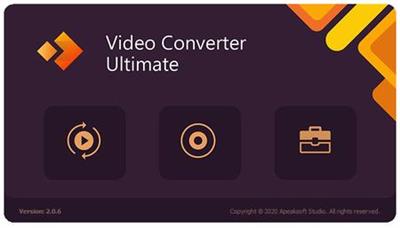
Convert video or audio files to iOS devices, Android devices, USB flash drives or external hard drivers easily. More importantly, all supported formats like MP4, MOV, MTS, AVI, WMV, MP3 and more will be intelligently converted to compatible ones during the conversion.

A Mighty Video Converter Supports Almost Videos
Video Converter Ultimate is the mighty video converting software, which works on various video files in input and output, whether your videos files are from/to iOS/Android, USB flash drives or external hard drivers easily.
Convert various video/audio formats: MP4, MOV, MTS, M2TS, MKV, FLV, 3GP, SWF, AVI, WMV, MP3, FLAC, WMA, OGG, AAC, AIFF, M4R, Homemade DVD, etc.
Convert videos from different sources: Videos from YouTube, Facebook, Dailymotion, Netflix, etc. camcorder, phone, etc.
Convert videos to different devices: Samsung Galaxy S10/S9, iPhone XS/XR, Xbox One/360, PSP, Avid, Wii, Adobe Permiere, TV, DV, etc.

An Outstanding Homemade DVD Editor and Converter
Video Converter Ultimate enables you to open DVD videos or folders, and lets you edit and convert homemade DVD videos with ease. You can convert homemade DVD to video in MP4, AVI, WMV, 3GP, FLV MOV, MP3, WMA, FLAC, AIFF, OGG, WAV, and other video formats for easy playback on your devices without DVD player or drive with simple clicks.
Besides, this wizard works great to edit DVDs before converting, like trim, crop, watermark, combine, rotate, adjust effects, etc.

An Easy-to-use Video Editor Makes Your Videos Perfect
Apart from the powerful converting features, other more features, like rotate, mirror, snapshot, etc. you should not miss will make your video files attractive. You can customize home movies through advanced editing features and get your customized videos in minutes.

Fast Speed Acceleration and Lossless
Slow to use online video converter? Poor quality of the output video file with other tools? Apeaksoft Video Converter Ultimate will be your best solutions to fix all the issues. Support AMD®, Intel® HD Graphics, NVIDIA® CUDA®, NVENC, and NVDEC hardware acceleration, you could get a super speed of conversion without data

System requirements:
Windows OS: Windows 10, Windows 8.1, Windows 8, Windows 7, Windows Vista, Windows XP (SP2 or later)
CPU: 1GHz Intel/AMD CPU or above
RAM: 1G RAM or more

Home Page -
У Вас недостаточно прав для просмотра ссылок. Войдите или зарегистрируйтесь.


Download link:​
Код:
[center][b]rapidgator_net[/b]:
https://rapidgator.net/file/4ad1314b2fcfba8e9cb67471c26de556/s50ce.Apeaksoft.Video.Converter.Ultimate.2.0.10.Multilingual.rar.html

[b]nitroflare_com[/b]:
https://nitroflare.com/view/B420003DD08CEE7/s50ce.Apeaksoft.Video.Converter.Ultimate.2.0.10.Multilingual.rar

[b]uploadgig_com[/b]:
http://uploadgig.com/file/download/5307a73c7e3eFcA9/s50ce.Apeaksoft.Video.Converter.Ultimate.2.0.10.Multilingual.rar[/center]

Links are Interchangeable - No Password - Single Extraction​
 
Autodesk AutoCAD (LT) 2021.0.1 macOs

acf0043670a79b0dd4be61725cf6ec5b.jpg


Autodesk AutoCAD (LT) 2021.0.1 macOs | 1.3 Gb​
Autodesk has launched hotfix to AutoCad 2021. This hotfix fixes issues that customers reported via multiple channels. It also improves overall stability of the product basing on crash reports we received.

AutoCAD and AutoCAD LT for Mac 2021.0.1 Hotfix Readme

- Sometimes AutoCAD freezes shortly at any command execution.
- Saving drawing to iCloud synced folders would save to duplicated files, and sometimes changes in the last save are lost.
- Sometimes AutoCAD crashes when selecting a drawing format and saving it.
- Renaming a layer from the right click menu does not work when the layer palette is in auto-hide mode.
- Printing with some Description styles gets random output result.
- Canvas shows in pure black or red if the sky status is on.
- Sometimes the "Select Alternate Font" dialog shows when open any drawing and cannot be dismissed.
- Sometimes AEC walls and dimensions may display and print with black fills in a layout.
- Random crashes when working in drawings with OTF postscript fonts.

AutoCAD 2021 provides a set of enhancements based on customer feedback, surveys, and analytic data that prioritize our efforts. Several features modernize and streamline frequently used features across many customer disciplines. The drawing format for this release continues to be AutoCAD 2018. For developers, this is an API-breaking release.

AutoCAD 2021 | New Features and Updates

Autodesk helps people imagine, design and create a better world. Everyone-from design professionals, engineers and architects to digital artists, students and hobbyists-uses Autodesk software to unlock their creativity and solve important challenges.

Product: Autodesk AutoCAD (LT)
Version: 2021.0.1 HF *
Supported Architectures: x64
Website Home Page :
У Вас недостаточно прав для просмотра ссылок. Войдите или зарегистрируйтесь.

Language: english
System Requirements: macOs **
Supported Operating Systems: **
Size: 1.3 Gb

* This hotfix can be installed on the official AutoCAD/AutoCAD LT 2021 version and is recommended for all users.

System requirements for AutoCAD 2021 (MacOs)

OS: Apple macOS High Sierra v10.13/ Apple macOS Mojave v10.14/Apple macOS Catalina v10.15
CPU: Basic:2.5-2.9 GHz processor / Recommended:3+ GHz processor
Multiple processors: Supported by the application
RAM: Basic: 8 GB / Recommended: 16 GB
Display Resolution:
Conventional Displays: 1920 x 1080 with True Color
High Resolution & 4K Displays: Resolutions up to 3840 x 2160 (with capable display card)
Disk space: 6.0 GB

Download link:​
Код:
[center][b]rapidgator_net[/b]:
https://rapidgator.net/file/ca48c0d964c6265fdb19617f1406d987/q9xf3.taCd21H1.mac.rar.html
https://rapidgator.net/file/4c870c783627972d824628cf29f268a1/q9xf3.taCdLt21H1.mac.rar.html

[b]nitroflare_com[/b]:
https://nitroflare.com/view/A9A740AE1D2002E/q9xf3.taCd21H1.mac.rar
https://nitroflare.com/view/C62354C31583B4A/q9xf3.taCdLt21H1.mac.rar

[b]uploadgig_com[/b]:
http://uploadgig.com/file/download/d38c6ac0f506e4a7/q9xf3.taCd21H1.mac.rar
http://uploadgig.com/file/download/Fe85e72D66344d11/q9xf3.taCdLt21H1.mac.rar[/center]

Links are Interchangeable - No Password - Single Extraction​
 
Boris FX Mocha Pro 2020.5 v7.5.1 Build 127

59fe757cb669591505757132ca6bc6c1.jpg


Boris FX Mocha Pro 2020.5 v7.5.1 Build 127 (x64) | Incl. Standalone and Plug-ins for Adobe | 320 Mb (Total)​
Mocha Pro 2020 is here! Mocha is the world's most recognized and powerful planar tracking tool for VFX and post-production. Mocha Pro features GPU-accelerated tracking and object removal, advanced masking with edge-snapping, stabilization, lens calibration, 3D camera solver, stereo 360/VR support, and more.

WHAT'S NEW: MOCHA PRO 2020

Mega Plate module:
Use planar tracking and temporal frame analysis to create extended stitched frames for advanced effects and clean up tasks

- Area Brush: Dynamic new paint tool with Quick Mask mode to quickly create tracking and masking layers
- OpenColorIO: color management for high-end VFX and finishing workflows
- Python scripting: now updated to support Python 3.0.

EXTENDED CLEAN PLATES
Mega Plate is a unique new module building on Mocha Pro's most powerful core technologies - planar tracking and temporal frame analysis - to create a stitched extended frame for visual effects tasks. Working with Mega Plates is a new way to visualize and work on a larger than raster "Mega" canvas for common VFX tasks such as object removal, clean plating, sky replacements, matte painting, and set extensions.

CREATE MOCHA LAYERS EVEN FASTER
Area Brush is a new paint tool that speeds up Mocha's most common core task - creating shapes. Area Brush with Quick Mask mode brings fluid gestural paint functionality into Mocha to define planar tracking and masking search areas. Instead of clicking and dragging spline points, add and subtract paint strokes are converted to vector splines - greatly speeding up and simplifying multi-shape tracking and masking set-ups. The Area Brush also supports Wacom tablets for pressure-sensitive scaling.

COLOR MANAGEMENT
Mocha Pro 2020 adds industry-standard OpenColorIO color management for consistent and predictable color display across industry workflows. OCIO support is compatible with the Academy Color Encoding Specification (ACES) and enables improved color-managed workflows with high-end post-production and VFX applications such as Silhouette, Foundry's NUKE, Autodesk Flame, Avid Media Composer, and more.

THE INDUSTRY'S MOST RELIABLE TRACKING
Planar tracking is at the heart of all Mocha Pro modules and is used to drive tracking, masking, object removal, stabilization, and more. Unlimited tracking layers and the advanced AdjustTrack module helps handle reflections, occlusions, noise, and even areas with motion blur or low details.

ROTO WITH LESS KEYFRAMES
Mocha's masking workflow features planar tracked spline tools to speed up shape creation and reduce manual keyframes.

PLUG-IN OPTION
Mocha Pro's integrated plug-in option delivers a fast & efficient workflow using the host's media engine. Launch Mocha Pro from within your favorite editing and effects hosts.

GPU-ACCELERATED OBJECT REMOVAL
Remove unwanted elements, wires, rigs, tracking marks, and 360 cameras. Generate clean plates for massive time-savings.

INSERT MODULE
Render accurate match moves and screen inserts with realistic motion blur or mesh warp distortions.

STABILIZE
Smooth camera jitter and lock down shots with the Stabilize Module. The stabilize module can lock down camera motion or stabilize moving objects based on planar tracking. Smooth option with selectable anchor frames helps reduce high frequency jitters while maintaining original camera motion. Center, scale or crop stabilized footage based on user driven tracking.

LENS MODULE
Calibrate, correct and remove lens distortion. This simple and easy-to-use interface allows users to calibrate the distortion introduced by camera lenses. Unwanted lens distortion can be removed or matched for realistic compositing. For 360/VR, a simplified Undistort/Distort workflow makes mono or stereo clean-ups on equirectangular footage easy.

STEREOSCOPIC WORKFLOW
Stereo 3D planar tracking, masking, and object removal workflow. Mocha supports native stereo 3D and 360/VR stereo formats. This unique workflow uses planar tracking analysis on "both eye views" to reduce manual offsets and tedious keyframe work on stereo 3D rotoscoping, tracking, 3D camera solve, and object removal.

3D CAMERA SOLVER
Solve 3D match moving capabilities with planar ease. Unlike feature based camera tracking, Mocha solves the 3D camera based on user-selected planar data. This fast and easy-to-use solution is ideal for set extensions, 3D text, and particle tracking. Additionally the 3D solver can be used to assist other 3D tracking applications on difficult shots with low detail or significant foreground occlusions.

360/VR POST-PRODUCTION TOOLKIT
Award-winning 360° video tools for tracking and masking, horizon stabilization, Camera and Object Removal, Nadir Patching, and spherical video post. A native mono and stereo 360° optimized workflow simplifies spherical video post-production challenges: work across seams with less pre-comps, nesting or rendering.

System Requirements:
- Windows: Windows 8, Windows 7, Windows XP Professional SP2 or higher, Windows Vista Business or Ultimate (64-bit)
- Processor: Intel Core 2 Duo or equivalent
- Memory: 4 GB + Disk: High-speed disk array
- Graphics Card: NVDIA Quadro FX 1500 or equivalent Monitor: 1920x1080 or higher

Home Page -
У Вас недостаточно прав для просмотра ссылок. Войдите или зарегистрируйтесь.


Download link:​
Код:
[center][b]rapidgator_net[/b]:
https://rapidgator.net/file/351e7d3f832f531965f25b7c61a9ba7a/ix5yi.Boris.FX.Mocha.Pro.2020.5.v7.5.1.Build.127.rar.html

[b]nitroflare_com[/b]:
https://nitroflare.com/view/C168640DDD30C70/ix5yi.Boris.FX.Mocha.Pro.2020.5.v7.5.1.Build.127.rar

[b]uploadgig_com[/b]:
http://uploadgig.com/file/download/10507e27a7b0ac8C/ix5yi.Boris.FX.Mocha.Pro.2020.5.v7.5.1.Build.127.rar[/center]

Links are Interchangeable - No Password - Single Extraction​
 
Burp Suite Professional 2020.5.1 Build 2921

209ec253dc3ed5b71a40c8cda05397aa.jpg


Burp Suite Professional 2020.5.1 Build 2921 | 358.6 Mb​
Burp Suite is an integrated platform for performing security testing of web applications. Its various tools work seamlessly together to support the entire testing process, from initial mapping and analysis of an application's attack surface, through to finding and exploiting security vulnerabilities.

Burp gives you full control, letting you combine advanced manual techniques with state-of-the-art automation, to make your work faster, more effective, and more fun.

Burp Suite contains the following key components:
- An intercepting Proxy, which lets you inspect and modify traffic between your browser and the target application.
- An application-aware Spider, for crawling content and functionality.
- An advanced web application Scanner, for automating the detection of numerous types of vulnerability.
- An Intruder tool, for performing powerful customized attacks to find and exploit unusual vulnerabilities.
- A Repeater tool, for manipulating and resending individual requests.
- A Sequencer tool, for testing the randomness of session tokens.
- The ability to save your work and resume working later.
- Extensibility, allowing you to easily write your own plugins, to perform complex and highly customized tasks within Burp.

Burp is easy to use and intuitive, allowing new users to begin working right away. Burp is also highly configurable, and contains numerous powerful features to assist the most experienced testers with their work.

Features of Professional Edition:
- Burp Proxy
- Burp Spider
- Burp Repeater
- Burp Sequencer
- Burp Decoder
- Burp Comparer
- Burp Intruder
- Burp Scanner
- Save and Restore
- Search
- Target Analyzer
- Content Discovery
- Task Scheduler
- Release Schedule

What operating systems does the software run on?
Burp requires a computer with the official Java Runtime Environment (64-bit edition, version 1.8 or later) installed. JREs are available for various popular operating systems, including Windows.

What are the system requirements for running the software?
Burp requires a minimum of 4Gb of memory. If you are performing large amounts of work, or testing large or complex applications, you may need more memory than this.

Home Page -
У Вас недостаточно прав для просмотра ссылок. Войдите или зарегистрируйтесь.


Download link:​
Код:
[center][b]rapidgator_net[/b]:
https://rapidgator.net/file/5837db52e0ec1d67bb3b2e9aab2e4cbc/bzf6r.Burp.Suite.Professional.2020.5.1.Build.2921.rar.html

[b]nitroflare_com[/b]:
https://nitroflare.com/view/A7658978CCF0676/bzf6r.Burp.Suite.Professional.2020.5.1.Build.2921.rar

[b]uploadgig_com[/b]:
http://uploadgig.com/file/download/f09853b78a4a9bbb/bzf6r.Burp.Suite.Professional.2020.5.1.Build.2921.rar[/center]

Links are Interchangeable - No Password - Single Extraction​
 
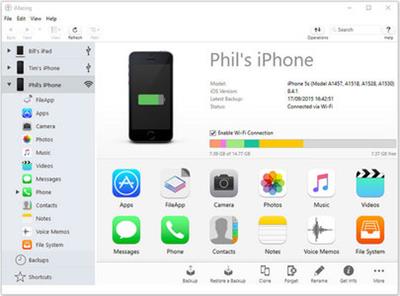
DigiDNA iMazing 2.11.7 Multilingual

019abda773c48532ec5501dad2d06835.jpg


DigiDNA iMazing 2.11.7 Multilingual | 112.6 Mb​
iMazing (was DiskAid) is the ultimate iOS device manager with capabilities far beyond what iTunes offers. With iMazing and your iOS device (iPhone, iPad, or iPod), you can: Copy music to and from any iOS device, Backup & restore individual iOS apps and your custom saved data, perfect for freeing up space on your iOS device without losing your files (or progress in a game) or for copying the app as-is to another iOS and much more!

With iMazing, you can:
- Copy music to and from any iOS device (even from one iOS device to another!) regardless of what Mac or PC the device is already synced to; it's music copy how you always wished it could be, without limitations or restrictions
- Backup & restore individual iOS apps and your custom saved data, perfect for freeing up space on your iOS device without losing your files (or progress in a game) or for copying the app as-is to another iOS device
- Transfer files to and from an iOS device, and browse the iOS file system
- Use your iOS device like an external drive
- Browse and save messages (SMS, MMS, iMessage), voicemails, and call logs, none of which iTunes can do
- Browse, save, and add contacts to your iPhone, without automatically adding them to your iCloud account
- Manage multiple backups of the same iOS device and restore from any one (similar to Time Machine for iOS)
- And other amazing things you never thought possible!

Operating System: Windows 7 or higher

Home Page -
У Вас недостаточно прав для просмотра ссылок. Войдите или зарегистрируйтесь.


Download link:​
Код:
[center][b]rapidgator_net[/b]:
https://rapidgator.net/file/8cc367917152e5df4ab6939f1b68925a/jqwf2.DigiDNA.iMazing.2.11.7.Multilingual.rar.html

[b]nitroflare_com[/b]:
https://nitroflare.com/view/E0566D6848AE836/jqwf2.DigiDNA.iMazing.2.11.7.Multilingual.rar

[b]uploadgig_com[/b]:
http://uploadgig.com/file/download/56f353198268ca5f/jqwf2.DigiDNA.iMazing.2.11.7.Multilingual.rar[/center]

Links are Interchangeable - No Password - Single Extraction​
 
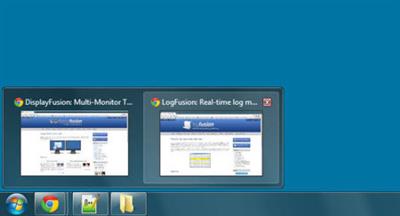
DisplayFusion Pro 9.7 Multilingual

b063bae3ff1f6083fbdf2c1be107a2c6.jpg


DisplayFusion Pro 9.7 Final Multilingual | 90.3 Mb​
DisplayFusion will make your dual monitor (or triple monitor or more) experience smooth and painless. With DisplayFusion you can add a taskbar to every monitor that works and looks just like the Windows Taskbar. Or take advantage of advanced multi-monitor wallpaper support, Flickr Integration for image searching and fully customizable window management hotkeys. These are just a few of the many things that DisplayFusion can do.

Features
DisplayFusion will make your multi-monitor life much easier. With powerful features like Multi-Monitor Taskbars, TitleBar Buttons and fully customizable Functions, DisplayFusion will make managing your multiple monitors easy. Take a look at some of the features below to learn how DisplayFusion can help you!
Advanced Wallpaper Management
Multi-Monitor Taskbars
Multi-Monitor TaskbarsKeep your windows easily organized by adding a taskbar to each of your monitors. The taskbar on each monitor can be configured to show all windows, or only the windows that are located on that monitor. Use button grouping, auto-hide, window previews, shortcuts, a Start Button and much more to help you work more easily with your application windows.
Advanced Wallpaper Management
Advanced Wallpaper ManagementDisplayFusion has powerful Wallpaper features that let you use images from your own computer, or load images from online sources. Tile, stretch, scale, crop, position and tint your images exactly how you want.
Customizable Functions
Customizable FunctionsDisplayFusion comes bundled with over 30 pre-configured Functions, or you can create your own powerful custom Functions. Create Functions to load Wallpaper or Monitor Profiles, move windows around, change window opacity, toggle DisplayFusion features and much more. Any Function, including custom Functions that you've created, can be assigned to a TitleBar Button for easier access with the mouse, or to a keyboard shortcut for keyboard power users. Functions can also be assigned to the Jump List menus on the DisplayFusion Multi-Monitor Taskbars, allowing them to be run even on applications that are minimized.
Monitor Configuration
Monitor ConfigurationUse DisplayFusion to set your Monitor Configuration. Configure the resolution, colour depth, refresh rate and orientation. You can even save your configurations as Monitor Profiles that you can load later using a key combination or TitleBar Button. Link a Wallpaper Profile with your Monitor Profile to load your desktop wallpaper automatically based on the monitors you have connected.
Windows 8 Tweaks
Windows 8 TweaksThe Windows 8 Tweaks in DisplayFusion provide extra options so that you can customize Windows 8 to your liking. Bypass the Start Screen to go directly to the Desktop, move the Power User Menu (Win + X) to the current mouse position, and more!
Window Snapping
Window SnappingDisplayFusion's Window Snapping feature makes it easy to line-up your windows with each other, or line-up your windows along a monitor edge. Just drag a window near a monitor edge or another window and release the mouse button to let DisplayFusion snap the window into place. Fully configurable, with the ability to ignore specific applications if needed.
Window Management
Window ManagementUse DisplayFusion's Window Management feature to easily move windows between your monitors. Whether you use the simple Middle-Click Move, or the more advanced Maximized Window Dragging, managing your desktop windows has never been so easy. You can even show tooltips when moving or resizing windows to help you position them precisely.
Window Location
Window LocationThe Window Location feature allows you to specify which monitor you would like selected applications to open on. You can customize this by specifying actions like maximize, centre, span or 'Run Function'. You can have all windows from the selected application open on the specified monitor, or only the first window.
Windows Logon Background
Windows Logon BackgroundUse DisplayFusion's powerful Windows Logon background image changer to customize your logon screen. Load images from your computer, or from any of the online providers that DisplayFusion supports. Customize the image positioning and colours (greyscale, sepia... etc) to suit your taste.
Multi-Monitor Screen Savers
Multi-Monitor Screen SaversWhy settle for one screen saver on your main monitor? With DisplayFusion you can span your screen saver across all monitors, or even display a different screen saver on each monitor. Use the default Windows screen savers, or load your own custom screen savers to fully customize your desktop.
Desktop Icon Profiles
Desktop Icon ProfilesEasily save and load your desktop icon layouts using DisplayFusion's Desktop Icon Profile feature. Loading a previously saved Desktop Icon Profile is an easy way to restore your familiar desktop icon layout when the icons get jumbled after adding or removing a monitor.
Easy Administration
Easy AdministrationDeploy and manage DisplayFusion in your corporate environment with ease by using DisplayFusion's silent installer options, and custom ADMX templates for Active Directory Group Policy environments. The custom ADMX templates will allow you to make sure your DisplayFusion settings are consistent across all workstations, making management and troubleshooting much easier.
Available in dozens of Languages
Available in dozens of LanguagesDisplayFusion comes bundled with dozens of languages, and more are added all the time. Using DisplayFusion in your native language makes it easier to fully understand and use each feature.

DisplayFusion works with these versions of Windows:
Windows 10, 8.1, 8, and 7 (32-bit and 64-bit)
Windows Server 2016, 2012 R2, 2012, and 2008 R2 (32-bit and 64-bit)

Home Page -
У Вас недостаточно прав для просмотра ссылок. Войдите или зарегистрируйтесь.


Download link:​
Код:
[center][b]rapidgator_net[/b]:
https://rapidgator.net/file/52229c73f5213797e0f5eca04dfcf5f8/srpv1.DisplayFusion.Pro.9.7.Multilingual.rar.html

[b]nitroflare_com[/b]:
https://nitroflare.com/view/5F77B81C92D4824/srpv1.DisplayFusion.Pro.9.7.Multilingual.rar

[b]uploadgig_com[/b]:
http://uploadgig.com/file/download/33977d3b3e21c514/srpv1.DisplayFusion.Pro.9.7.Multilingual.rar[/center]

Links are Interchangeable - No Password - Single Extraction​
 
FastRawViewer 1.6.0 Build 1639

53b127d2f709b39c0b36caaa4bffba8e.jpg


FastRawViewer 1.6.0 Build 1639 | 72.5 Mb​
FastRawViewer opens RAW files extremely quickly and renders them on-the-fly, instead of just displaying embedded JPEGs. It allows a photographer to see the RAW exactly as a converter will "see" it, without any delays or waiting time, guaranteeing the possibility to sort and cull RAW images lightning fast and based on the quality of the RAW itself, not JPEG previews.

FastRawViewer's RAW-based tools (unique ones such as RAW histogram, RAW statistics, Shadow Boost, Highlight Inspection, Focus Peaking, per-channel view, as well as familiar ones like Exposure Compensation, White Balance, Contrast Curves) allow one to estimate what a converter will be able to squeeze from the RAW image data and make preliminary adjustments to the RAW file, which will be read and applied by Adobe converters.

FastRawViewer provides tools for the rating, labeling and sorting photos, and filtering of any number of RAW images.

FastRawViewer supports a variety of RAW, JPEG, TIFF, and PNG formats.

FastRawViewer is very user-friendly and seamlessly integrates into any existing RAW workflow. It is extremely flexible; nearly all of its settings can be tuned and keyboard/mouse shortcuts can be changed according to individual habits and preferences.

System Requirements:
FastRawViewer for Windows requires a computer with SSE3-compatible CPU (that is, manufactured after 2004) and not-so-ancient video card. It works on a variety of 32/64 bit Windows platforms: 7, 8, 8.1,10 (we suggest Windows 8.1/64-bit or Windows 10/64-bit).

FastRawViewer for Windows uses hardware graphics acceleration:
Graphics based on Microsoft DirectX: DirectX 9.0 is required, DirectX 9.0c support or later is recommended
Graphics based on OpenGL - requires a video card with at least OpenGL 2.1 support.

Home Page -
У Вас недостаточно прав для просмотра ссылок. Войдите или зарегистрируйтесь.


Download link:​
Код:
[center][b]rapidgator_net[/b]:
https://rapidgator.net/file/2fa9b1472db27e68ce0ad6202f5859e8/fosvm.FastRawViewer.1.6.0.Build.1639.rar.html

[b]nitroflare_com[/b]:
https://nitroflare.com/view/CB54F0097091B8B/fosvm.FastRawViewer.1.6.0.Build.1639.rar

[b]uploadgig_com[/b]:
http://uploadgig.com/file/download/cF1635ff43E0ac8C/fosvm.FastRawViewer.1.6.0.Build.1639.rar[/center]

Links are Interchangeable - No Password - Single Extraction​
 
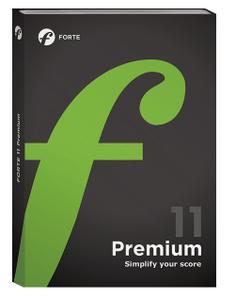
Forte Notation FORTE 11 Premium v11.2.2 Portable

70c75cff1384f2cd72f9a5d45980c072.jpg


Forte Notation FORTE 11 Premium v11.2.2 Portable | 230 Mb​
The FORTE Premium Edition is the flagship of the FORTE series and offers all the features you as an ambitious hobby musician or professional need for your work. FORTE Premium combines the simplest operation with full functionality at a comparatively low price. If you don't have to do professional music notation for a publisher, you don't need any of the complex, costly and time-consuming music notation programs that are available as an alternative.

Core Features
- 32 instruments per system
- 16 verses per staff
- 8 voices per staff
- MIDI live recording

Additional Features
- ScanScore - Scan sheet music
- Bandora - Create arrangements
- FORTE Player - Sound Library
- Write scores for St. Harmonika
- Audio export (WAV & MP3)
- XML Import/Export

Best suited for...
- Choir or Ensemble leaders
- Advanced musicians
- Musicians who want to scan sheet music
- Musicians who want to create own arrangements

Home Page -
У Вас недостаточно прав для просмотра ссылок. Войдите или зарегистрируйтесь.


Download link:​
Код:
[center][b]rapidgator_net[/b]:
https://rapidgator.net/file/538c87be5a81e5eb8e18c4df42482a7c/2vx7q.Forte.Notation.FORTE.11.Premium.v11.2.2.Portable.part1.rar.html
https://rapidgator.net/file/2e83bd2931a88099b78a27bb47452720/2vx7q.Forte.Notation.FORTE.11.Premium.v11.2.2.Portable.part2.rar.html
https://rapidgator.net/file/7688d4f57d43bd6ff26546086e5b2471/2vx7q.Forte.Notation.FORTE.11.Premium.v11.2.2.Portable.part3.rar.html

[b]nitroflare_com[/b]:
https://nitroflare.com/view/018402341CA5A8D/2vx7q.Forte.Notation.FORTE.11.Premium.v11.2.2.Portable.part1.rar
https://nitroflare.com/view/F55C550C594E56F/2vx7q.Forte.Notation.FORTE.11.Premium.v11.2.2.Portable.part2.rar
https://nitroflare.com/view/7DDA65C301C4227/2vx7q.Forte.Notation.FORTE.11.Premium.v11.2.2.Portable.part3.rar

[b]uploadgig_com[/b]:
http://uploadgig.com/file/download/93c5617580a93873/2vx7q.Forte.Notation.FORTE.11.Premium.v11.2.2.Portable.part1.rar
http://uploadgig.com/file/download/D6b9a18d29869210/2vx7q.Forte.Notation.FORTE.11.Premium.v11.2.2.Portable.part2.rar
http://uploadgig.com/file/download/e836421C2e7c6756/2vx7q.Forte.Notation.FORTE.11.Premium.v11.2.2.Portable.part3.rar[/center]

Links are Interchangeable - No Password - Single Extraction​
 
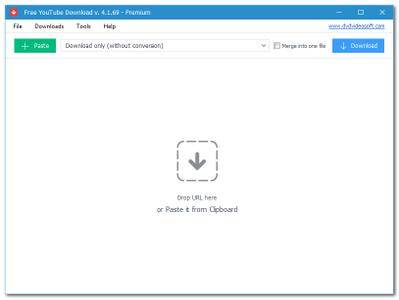
Free YouTube Download 4.3.18.623 Premium Multilingual + Portable

53e95fbfb0cdf4fadc64ab3e16fe83c4.jpg


Free YouTube Download 4.3.18.623 Premium Multilingual + Portable | 57/50.9 Mb​
Free YouTube Download is the most popular YouTube downloader application now, released in 2006 and updated on a regular basis. It lets you download and convert YouTube videos, so you can watch them whenever you want.

Instructions (step by step)
Download and run the app
Copy YouTube URL and click 'Paste' button
Click the 'Download' button and enjoy!

Download videos in bulk!
Save entire YouTube playlists, user channels, videos from personal playlists (History, Liked, Favorites, Watch later), videos from different categories.

Download videos super fast!
Free YouTube Download is known for its lightning fast multistream downloading.
It allows you to download several videos in original quality in just a few seconds.

Features
get YouTube stream in any format, choose between MP4, MKV up to 8K UHD, WEBM, and MP3
perform conversion to MP4, AVI, and MP3
apply output name format patterns
open lists of links from any text files
transfer videos to iTunes automatically and convert them to iPhone / iPad / iPod
download subtitles

Operating System:
Windows® 10, Windows® 8 / 8.1, Windows® 7

Home Page -
У Вас недостаточно прав для просмотра ссылок. Войдите или зарегистрируйтесь.


Download link:​
Код:
[center][b]rapidgator_net[/b]:
https://rapidgator.net/file/91525bd3995d0c183f27c5e9edb081dd/0c2j8.Free.YouTube.Download.4.3.18.623.Premium.rar.html
https://rapidgator.net/file/fb667c8e4e67f031c22fcbee39d398f8/0c2j8.Free.YouTube.Download.Premium.v4.3.18.623.Portable.rar.html

[b]nitroflare_com[/b]:
https://nitroflare.com/view/150C21353B56AFC/0c2j8.Free.YouTube.Download.4.3.18.623.Premium.rar
https://nitroflare.com/view/DBEC992C3D4F5F7/0c2j8.Free.YouTube.Download.Premium.v4.3.18.623.Portable.rar

[b]uploadgig_com[/b]:
http://uploadgig.com/file/download/6de8AFff65339913/0c2j8.Free.YouTube.Download.4.3.18.623.Premium.rar
http://uploadgig.com/file/download/fecD3a2C6287f5C7/0c2j8.Free.YouTube.Download.Premium.v4.3.18.623.Portable.rar[/center]

Links are Interchangeable - No Password - Single Extraction​
 
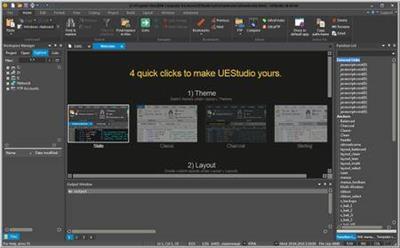
IDM UEStudio 20.00.0.40

b290b09302e7cd60762f06e153e60ee5.jpg


IDM UEStudio 20.00.0.40 (x86/x64) | 212.4 Mb​
UEStudio is the powerful IDE (Integrated Development Environment) built on the chassis of UltraEdit, the world renowned text editor.

As a full integrated development environment, UEStudio includes all the features of the powerful UltraEdit text editor plus native support for over 30 popular compilers (including Microsoft Visual C++, Java, GNU C/C++, PHP, Perl and over 30 others).

UEStudio includes integrated debugging, VCS version control, built-in class browsing, language intelligence (like Intellisense), project conversion. It also includes the batch building features, as well as many other advanced features.

UEStudio is fast, stable, lightweight, and powerful and offers any UltraEdit user advanced programming functionality at a fantastic value! It has all the features of UltraEdit plus the power of an IDE. Designed to transform the way you work!

UEStudio builds upon the highly acclaimed UltraEdit, but goes even further to bring you a must-see interface that offers stunning new functionality, as well as an array of powerful new features - such as an integrated PHP debugger, updated version control, and so much more.

Powerful project/solution features:
Visual Studio project to UEStudio project conversion
Integrated compiler support (note: compilers not included with IDE)
Integrated CVS version control support
Auto-discovery of files under CVS
Integrated SVN support
Support for multiple SVN/CVS modules within a project
Integrated tag support
Powerful project manager
Compiler-specific project templates

Application building features:
Compile your projects from within program
Build/batch build
Debug
Integrated debugger support for WinDbg for Microsoft C/C++ applications
WinDbg can be downloaded in debugger configuration
Windows symbol packages can be downloaded in debugger configuration
Run your application from within program

Web development features:
Special PHP/Ruby scripting support
Run and test your PHP/Ruby scripts from within UEStudio
Integrated PHP debugging with XDebug
PHP syntax-checking
PHP IntelliTip support for PHP elements
Parse your PHP/Ruby documents
Strip comments
Highlight source
Integrated javascript lint

Enhanced workspace manager features:
Classviewer for open project
Resource editor
Integrated tags for symbols (functions, variables, etc.)
Goto symbol definition (will open file and position cursor at definition)
Find symbol in active document
Find symbol in project files
FTP account access in file tree view

Language intelligence (IntelliTips) features:
IntelliTips (like IntelliSense)
Quick tips
Function tips

Extended toolbars:
All standard UltraEdit toolbars are included in UEStudio
Build toolbar
HTML toolbar
IntelliTips toolbar
Resource editor toolbar
Tools toolbar
Style builder
GUID generator
Visual Studio project converter
XMLint support

Operating System: Windows 7, 8/8.1, 10

Home Page -
У Вас недостаточно прав для просмотра ссылок. Войдите или зарегистрируйтесь.


Download link:​
Код:
[center][b]rapidgator_net[/b]:
https://rapidgator.net/file/c325045e92b054664641cbf317ab6d39/i3qsp.IDM.UEStudio.20.00.0.40.rar.html

[b]nitroflare_com[/b]:
https://nitroflare.com/view/DF91714D7E33856/i3qsp.IDM.UEStudio.20.00.0.40.rar

[b]uploadgig_com[/b]:
http://uploadgig.com/file/download/2636502AC53548E4/i3qsp.IDM.UEStudio.20.00.0.40.rar[/center]

Links are Interchangeable - No Password - Single Extraction​
 
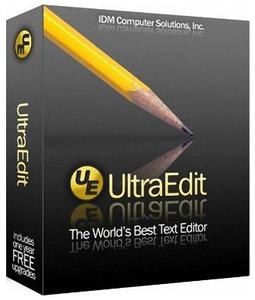
IDM UltraEdit 27.00.0.72

abf34241218febfaa2d7b7811c13a52b.jpg


IDM UltraEdit 27.00.0.72 (x86/x64) | 180.5 Mb​
IDM UltraEdit is used across a diverse range of industries, from professional writers, researchers and journalists to advanced programmers, database managers and web developers. Scores of individuals use UltraEdit as a powerful replacement for windows notepad and even more use it as a text editor because of its ability to handle multiple documents at once, large file handling, powerful search/find/replace functionality, spell checking versatility and much more.

Replacing Notepad or looking for a powerful text editor? UltraEdit is what you're looking for. UltraEdit is the ideal text, HEX, HTML, PHP, Java, javascript, Perl, and Programmer's editor. It's versatile and easy to use. UltraEdit is specially designed for inputting and editing text and code, UltraEdit supports configurable syntax highlighting and code structuring for most any programming languages.

Key features:
* Code Folding
* Unicode support
* Disk based text editing and large file handling - supports files in excess of 4GB, minimum RAM used even for multi-megabyte files
* Mulitline find and replace dialogs for all searches (Find, Replace, Find in Files, Replace in Files)
* 100,000 word spell checker, with foreign languages support (American English, British English, Dutch, Finnish, French, German, Hungarian, Italian, Spanish and Swedish)
* Syntax highlighting - configurable, pre-configured for C/C++, VB, HTML, Java, and Perl, with special options for FORTRAN and LaTex. Multiple wordfiles available for download
* FTP client built in to give access to FTP servers with multiple account settings and automatic logon and save. (32-Bit Only) Includes support for SFTP (SSH2)
* SSH/Telnet window
* Project / workspace support
* Environment Selector - Provides predefined or user-created editing "environments" that remember the state of all of UltraEdit's dockable windows, toolbars and more for user convenience.
* Integrated scripting language to automate tasks
* Configurable keyboard mapping
* Column / block mode editing
* Hexadecimal editor allows editing of any binary file, shows binary and ASCII view
* Named templates
* HTML toolbar preconfigured for popular HTML function

Operating System:
UltraEdit supports 64-bit file handling on both 32-bit and 64-bit Windows platforms (Windows 7 and later).

Home Page -
У Вас недостаточно прав для просмотра ссылок. Войдите или зарегистрируйтесь.


Download link:​
Код:
[center][b]rapidgator_net[/b]:
https://rapidgator.net/file/67534b72d57df2966faf25494a97ca37/jfdco.IDM.UltraEdit.27.00.0.72.rar.html

[b]nitroflare_com[/b]:
https://nitroflare.com/view/F8DB387E918A796/jfdco.IDM.UltraEdit.27.00.0.72.rar

[b]uploadgig_com[/b]:
http://uploadgig.com/file/download/17Bb28a154e191cd/jfdco.IDM.UltraEdit.27.00.0.72.rar[/center]

Links are Interchangeable - No Password - Single Extraction​
 
iMazing 2.11.7 Multilingual macOS

da2d7c7154be341952507139d6ccf82b.jpg


iMazing 2.11.7 Multilingual | macOS | 163 mb​
iMazing is a comprehensive macOS software solution that provides a clean and organized interface for browsing the contents of any device running iOS. Moreover, the iMazing app is able to detect any iOS device as soon you connect it to your Mac and will automatically load its contents for easy and simple browsing.

Manage your iPhone. Your way. Get a trusted software to transfer and save your music, messages, files and data. Safely back up any iPhone, iPad or iPod touch. Powerful and user-friendly, iMazing is simply the best iOS device manager for Mac and PC.

Compatibility: OS X 10.9 or later 64-bit
Homepage:
У Вас недостаточно прав для просмотра ссылок. Войдите или зарегистрируйтесь.


Download link:​
Код:
[center][b]rapidgator_net[/b]:
https://rapidgator.net/file/ad112986f33cda0d7b8a468f655b2a35/5mnll.iMazing.2.11.7.part1.rar.html
https://rapidgator.net/file/6086fd9d9cec928c994c5f0da2bd5584/5mnll.iMazing.2.11.7.part2.rar.html

[b]nitroflare_com[/b]:
https://nitroflare.com/view/106F458D17B772E/5mnll.iMazing.2.11.7.part1.rar
https://nitroflare.com/view/14BAFB523ECDD64/5mnll.iMazing.2.11.7.part2.rar

[b]uploadgig_com[/b]:
http://uploadgig.com/file/download/484D357f09d410f6/5mnll.iMazing.2.11.7.part1.rar
http://uploadgig.com/file/download/70346fDaeb220e40/5mnll.iMazing.2.11.7.part2.rar[/center]

Links are Interchangeable - No Password - Single Extraction​
 
Kigo Netflix Video Downloader 1.2.2 Multilingual Portable

c5f637f23a64c493c59ba0fc6d9ce396.jpg


Kigo Netflix Video Downloader 1.2.2 Multilingual Portable | 70.88 Mb​
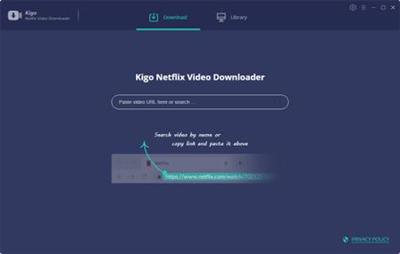
Wanna save Netflix videos for offline playing without limitations. One button to download HD Netflix videos with fast speed.

Download NetFlix Videos
Whether you are movie fans or TV Shows fans, during you subscribe Netflix, you can download Movies & TV Shows & NetFlix Series & Documentaries for offline playing.

Support Up to 1080p Videos
According to your plan types, you can download the videos from low quality 240p to high quality 720p even 1080p. You can also reset the output quality in the setting window.

Save Netflix to MP4 Format
Save to MP4 format playable on any video player like WMP, VLC, Roku, RealPlayer, Amazon Fire TV, Microsoft Xbox 360, Samsung Phones, iPhone and other Android phones.

Retain Tracks and Subtitles
Please don't worry you will lost the audio track or subtitles, after the downloading, all the audio tracks and subtitles of the videos will also be kept.

Operating System:Windows 7, 8/8.1, 10

Home Page -
У Вас недостаточно прав для просмотра ссылок. Войдите или зарегистрируйтесь.


Language: Multilingual

Download link:​
Код:
[center][b]rapidgator_net[/b]:
https://rapidgator.net/file/e7acbdd831b357268a7000d724bdc946/ft8an.Kigo.Netflix.Video.Downloader.1.2.2.Multilingual.Portable.rar.html

[b]nitroflare_com[/b]:
https://nitroflare.com/view/0DB9FEF86390F2B/ft8an.Kigo.Netflix.Video.Downloader.1.2.2.Multilingual.Portable.rar

[b]uploadgig_com[/b]:
http://uploadgig.com/file/download/6f93225eDF9b898c/ft8an.Kigo.Netflix.Video.Downloader.1.2.2.Multilingual.Portable.rar[/center]

Links are Interchangeable - No Password - Single Extraction​
 
Live Home 3D Pro 3.8.1 Multilingual macOS

637bb37c52a10ccc4e50208199221540.jpg


Live Home 3D Pro 3.8.1 Multilingual | macOS | 310 mb​
Live Home 3D Pro is the most intuitive and feature packed home design app suitable for homeowners and professional designers, a successor of Live Interior 3D. Besides offering advanced home design tools, Pro edition provides superior export quality and Elevation View mode.

General
* Create detailed 2D floor plans.
* Beautiful real-time 3D rendering.
* Unlimited floor levels. (Pro edition only)
* A collection of in-depth video tutorials.
* Built-in Help Assistant and free, quick tech support service.
* Project Gallery with house projects and sample rooms.
* Native Support for Live Interior 3D Projects.

Floor Plan Tools
* Draw complete rooms using Room tool.
* Use Arc and Straight Wall tools for drawing walls.
* Elevation view. (Pro edition only)
* 'Auto outline' vector-based 2D representation for furniture.
* View real-time measurements for walls, ceilings, and floors when drawing in 2D Plan view.
* Select the necessary measurement units (inches, feet, meters, etc).
* Use smart Dimension tool to set the distance between underlying objects or walls.
* Precise positioning thanks to smart guides and object snapping.

Real-Time 3D Environment
* Adjust the lighting, add and move objects, apply materials, and more right in 3D.
* All changes, made in 3D or 2D, are rendered in 3D in real time.
* Walk through your 3D interior.
* FOV (field of view) and parallel camera projection. (Pro edition only)
* Set multiple cameras to see the house from different point of views.
* Achieve natural lighting by setting up true Geo position, daytime and overcast.
* Adjust light fixtures throughout your project to get realistic lighting scene.
* Light editor helps to add a light source to an imported objects. (Pro edition only)
* Create corner windows and complex openings using the program advanced technology.
* Level of details tool allows to optimize 3D object and speed up the project.
* Professional Shadow Map technique makes shadows look soft and natural.

3D Models and Materials
* 2,000+ furniture and other models.
* Import models seamlessly from Trimble 3D Warehouse™ (previously Google 3D Warehouse™).
* Edit furniture in SketchUp. (Pro edition only)
* 2,100+ supplied materials.
* Drag and drop any image from the Finder to apply it to any surface as custom material.
* Advanced material editor. (Pro edition only)
* Set the exact size of a material tile to know how much of the material is needed for your house renovation project.
* Import objects in SketchUp, COLLADA, KMZ, FBX, OBJ or 3DS formats by simply dragging and dropping them into your project.
* Polygonal-based Block tool for drawing balconies, porches, and more. (Pro edition only)

Roofs and Dormers
* Roof Assistant with 12 customizable roof templates.
* Custom shaped roofs. (Pro edition only)
* Add custom segments to fully customize your roof.
* 16 customizable dormers.

Export and Share the Result
* Share the result to Facebook, Twitter, Vimeo or YouTube.
* Export 3D views to JPEG, TIFF, PNG, and BMP (up to 16000 x 16000).
* Share 360° Panorama JPEG images (up to Ultra HD) to Facebook.
* Render a realistic video walkthrough (up to Ultra HD).
* Create Stereo 3D Video, 360° Video and even Stereo 3D 360° Video.
* Quickly send a copy of your project via Mail, Messages or AirDrop.
* Export the entire project or selected objects to COLLADA, Trimble SketchUp™, VRML Version 2.0 or X3D format.
* Export to 3DS, FBX, USDZ and OBJ formats. (Pro edition only)

Compatibility: macOS 10.12.6 or later 64-bit
Homepage:
У Вас недостаточно прав для просмотра ссылок. Войдите или зарегистрируйтесь.


Download link:​
Код:
[center][b]rapidgator_net[/b]:
https://rapidgator.net/file/6184333c439bb3e8d01c9c45e5164ec2/kg0az.Live.Home.3D.Pro.3.8.1.part1.rar.html
https://rapidgator.net/file/c4244e4986d90fcc71d2977b794581f9/kg0az.Live.Home.3D.Pro.3.8.1.part2.rar.html
https://rapidgator.net/file/90ff59b5d411560808ea68aba1de5870/kg0az.Live.Home.3D.Pro.3.8.1.part3.rar.html
https://rapidgator.net/file/f0e70b277974492ddbd42be17c3f4670/kg0az.Live.Home.3D.Pro.3.8.1.part4.rar.html

[b]nitroflare_com[/b]:
https://nitroflare.com/view/5F95F5587B99D18/kg0az.Live.Home.3D.Pro.3.8.1.part1.rar
https://nitroflare.com/view/D450F1C22898C7F/kg0az.Live.Home.3D.Pro.3.8.1.part2.rar
https://nitroflare.com/view/3051BFCCCC342B6/kg0az.Live.Home.3D.Pro.3.8.1.part3.rar
https://nitroflare.com/view/895FC6731B84D10/kg0az.Live.Home.3D.Pro.3.8.1.part4.rar

[b]uploadgig_com[/b]:
http://uploadgig.com/file/download/5a05842829Cddef3/kg0az.Live.Home.3D.Pro.3.8.1.part1.rar
http://uploadgig.com/file/download/14c6Dc6bBD5cd3a6/kg0az.Live.Home.3D.Pro.3.8.1.part2.rar
http://uploadgig.com/file/download/50017a33bBa2fed1/kg0az.Live.Home.3D.Pro.3.8.1.part3.rar
http://uploadgig.com/file/download/545CBdef6f9a5860/kg0az.Live.Home.3D.Pro.3.8.1.part4.rar[/center]

Links are Interchangeable - No Password - Single Extraction​
 
Microsoft Office 2019 Professional Plus 2005 Build 12827.20470 (x86x64) Multilingual

ffc6bc74961ad0f2917ff7d2411d50cd.jpg


Microsoft Office Professional Plus 2019 - 2005 (Build 12827.20470) | 3.96/4.22 GB
Language: Arabic, English,German,Greek,French,Spanish,Italian,Turkish ,Russian​
Office Pro Plus, the cloud-connected version of Office, delivers the most productive and most secure Office experience-with the lowest total cost of ownership for deployment and management. However, for customers who aren't ready for the cloud, Office 2019 provides new features and updates to the on-premises apps for both users and IT professionals. Like Windows Long Term Servicing Channel (LTSC) releases, Office 2019 provides a set of valuable enhancements for customers who can't be cloud-connected or receive regular updates.

The new enhancements in Office 2019 are a subset of a long list of features that have been added to Office 365 ProPlus over the last three years. Office 2019 is a one-time release and won't receive future feature updates. However, we'll continue to add new features to Office 365 ProPlus monthly, including innovations in collaboration, artificial intelligence (AI), security, and more.
Office 2019 delivers features across apps to help users create amazing content in less time. In PowerPoint 2019, you can create cinematic presentations with new features like Morph and Zoom. And improved inking features across the apps in Windows-like the roaming pencil case, pressure sensitivity, and tilt effects-allow you to naturally create documents.

Excel 2019 adds powerful new data analysis features, including new formulas and charts and enhancements to PowerPivot.

Word 2019 and Outlook 2019 help you focus on what matters most. Learning Tools, like Read Aloud and Text Spacing, make it easier to engage with your content. Focus Mode blocks out distractions and puts your content front and center. And Focused Inbox moves less important emails out of the way-so you can get straight to taking care of business. For a longer list of the new features in Office 2019,

Office 2019 also includes new IT value for enhanced security and streamlined administration. We introduced Click-to-Run (C2R), a modern deployment technology, in Office 2013, and it's now used to deploy and update Office across hundreds of millions of devices worldwide. With Office 2019, we're moving the on-premises versions of Office to C2R to reduce costs and improve security. The advantages of C2R include predictable monthly security updates, up-to-date apps on installation, reduced network consumption through Windows 10 download optimization technology, and an easy upgrade path to Office 365 ProPlus. C2R offers the same enterprise-focused management capabilities as Microsoft Installer (MSI) based products and will also support an in-place upgrade when you move to Office 2019 from older MSI-based products.

The 2019 release of Office products also includes updates to our servers, and in the coming weeks, we will release Exchange Server 2019, Skype for Business Server 2019, SharePoint Server 2019, and Project Server 2019.

Office 2019 is a valuable update for customers who aren't yet ready for the cloud. And each time we release a new on-premises version of Office, customers ask us if this will be our last. We're pleased to confirm that we're committed to another on-premises release in the future. While the cloud offers real benefits in productivity, security, and total cost of ownership, we recognize that each customer is at a different point in their adoption of cloud services. We see the on-premises version of Office as an important part of our commitment to give customers the flexibility they need to move to the cloud at their own pace.

Microsoft Office 2019 Select Edition includes:
Microsoft Office 2019 Professional Plus
Microsoft Access 2019
Microsoft Excel 2019
Microsoft Lync 2019
Microsoft OneNote 2019
Microsoft Outlook 2019
Microsoft PowerPoint 2019
Microsoft Publisher 2019
Microsoft Visio Viewer 2019
Microsoft Word 2019
Skype for business 2019
Office Shared Features
Office Tools
And many more

Language:English,German,Greek,French,Spanish,Italian,Portuguese-Portuguese,Portuguese-Brazil, Russian

System Requirements:
OS:Windows 8/8.1/10 (x86/x64)

Download link:​
Код:
[center][b]rapidgator_net[/b]:
https://rapidgator.net/file/71e838a11d4ce9ab3117ca94e6d4e5fa/8r3bl.Office20162019x6416.0.12827.20470.part1.rar.html
https://rapidgator.net/file/5b6e221f1330930dfa73c5b8293e07cf/8r3bl.Office20162019x6416.0.12827.20470.part2.rar.html
https://rapidgator.net/file/a2662a6b286b5459dd22ea40cec283b1/8r3bl.Office20162019x6416.0.12827.20470.part3.rar.html
https://rapidgator.net/file/2bbfc31206a5da2c01ad9d726914a288/8r3bl.Office20162019x6416.0.12827.20470.part4.rar.html
https://rapidgator.net/file/6269e10f170f3035bcd91a05d4c40f55/8r3bl.Office20162019x6416.0.12827.20470.part5.rar.html
https://rapidgator.net/file/3011f12a5abc598fe8c3eba721c40fa2/8r3bl.Office20162019x8616.0.12827.20470.part1.rar.html
https://rapidgator.net/file/2db619ec7903c27f6cf5b68d89cd5dab/8r3bl.Office20162019x8616.0.12827.20470.part2.rar.html
https://rapidgator.net/file/d2ba464266e4952071a6b662cb4e52ef/8r3bl.Office20162019x8616.0.12827.20470.part3.rar.html
https://rapidgator.net/file/bf85c360c55f144633b8fb50e94accec/8r3bl.Office20162019x8616.0.12827.20470.part4.rar.html
https://rapidgator.net/file/ab26ff6bb706d2f3d080591994d45c51/8r3bl.Office20162019x8616.0.12827.20470.part5.rar.html

[b]nitroflare_com[/b]:
https://nitroflare.com/view/FF8A2369C122458/8r3bl.Office20162019x6416.0.12827.20470.part1.rar
https://nitroflare.com/view/FEC944FBFDD208D/8r3bl.Office20162019x6416.0.12827.20470.part2.rar
https://nitroflare.com/view/A33B2A64CAD9672/8r3bl.Office20162019x6416.0.12827.20470.part3.rar
https://nitroflare.com/view/20F8254A7085691/8r3bl.Office20162019x6416.0.12827.20470.part4.rar
https://nitroflare.com/view/5131048CF59EE2A/8r3bl.Office20162019x6416.0.12827.20470.part5.rar
https://nitroflare.com/view/A25B46F6309737E/8r3bl.Office20162019x8616.0.12827.20470.part1.rar
https://nitroflare.com/view/96F277310C8775B/8r3bl.Office20162019x8616.0.12827.20470.part2.rar
https://nitroflare.com/view/F3DB6BA454E498C/8r3bl.Office20162019x8616.0.12827.20470.part3.rar
https://nitroflare.com/view/D839CD5AD895E25/8r3bl.Office20162019x8616.0.12827.20470.part4.rar
https://nitroflare.com/view/F7CAEE5991D0D3F/8r3bl.Office20162019x8616.0.12827.20470.part5.rar

[b]uploadgig_com[/b]:
http://uploadgig.com/file/download/aaa5F61b53b0509e/8r3bl.Office20162019x6416.0.12827.20470.part1.rar
http://uploadgig.com/file/download/1020098a83ca93b9/8r3bl.Office20162019x6416.0.12827.20470.part2.rar
http://uploadgig.com/file/download/2ef052F9aE8401c8/8r3bl.Office20162019x6416.0.12827.20470.part3.rar
http://uploadgig.com/file/download/edFee2FaAee4dEee/8r3bl.Office20162019x6416.0.12827.20470.part4.rar
http://uploadgig.com/file/download/4d80Bf96d833E06f/8r3bl.Office20162019x6416.0.12827.20470.part5.rar
http://uploadgig.com/file/download/194B4cEf1ae041C6/8r3bl.Office20162019x8616.0.12827.20470.part1.rar
http://uploadgig.com/file/download/7D7a859079538e51/8r3bl.Office20162019x8616.0.12827.20470.part2.rar
http://uploadgig.com/file/download/B30a50B06be3c97b/8r3bl.Office20162019x8616.0.12827.20470.part3.rar
http://uploadgig.com/file/download/93bf33f1Eba852b0/8r3bl.Office20162019x8616.0.12827.20470.part4.rar
http://uploadgig.com/file/download/f11ba73e086D648f/8r3bl.Office20162019x8616.0.12827.20470.part5.rar[/center]

Links are Interchangeable - No Password - Single Extraction​
 
Microsoft Office Professional Plus 2013 SP1 15.0.5249.1001

09fbd923d560f3dbda4fb30113cd9ba0.jpg


Microsoft Office Professional Plus 2013 SP1 15.0.5249.1001
Office Related | OS: Windows Server/7/8/8.1/10 (x64x86) | 2.75/3.02 GB
Original Install File | Update: June 2020 | Language: English​
A new release of Microsoft Office 2013 has received an updated interface, became more social. It is optimized to work with touch and gestures, stylus, mouse and keyboard, so it supports all the new devices based on Windows, including tablets. OneNote and Lync are the first applications for the Office, in the style of Windows 8, they are ground for work on the tablets, your fingertips. By the way, it's claimed broad support Windows 8, including Windows RT.

Office 2013, which includes new versions of the applications Word, Excel, PowerPoint and OneNote, will be installed on devices with ARM-Windows 8, including the Microsoft Surface . One of the main features of Office has tight integration with cloud faylohranilischem SkyDrive, documents and all settings will be stored in it by default, providing ease of access from any device connected to the network. The content will be available as offline and synchronize when reconnecting to the network. From social opportunities in the first place is worth to mention integration with Skype. Skype contacts are integrated with Lync, allowing to call or send instant messages. Another function - People Card - allows you to view contact information of the networks Facebook and LinkedIn, including status updates, photos, contact information for yourself and so on. additional fly in the ointment: the new Microsoft Office works with Windows 7 and Windows 8, the software giant has decided to exclude support for operating systems such as Windows XP and Windows Vista . Release of the new Microsoft Office is expected in early 2013.

List of known changes in Office 15:
* The new interface, which is closer to the concept of Metro, flat menu buttons by analogy with Office 15 (or Office 2013 - is the name of the market, is rumored to be in the new package);
* Ability to view comments While reading;
* New opportunities to increase / decrease the font size, alignment, line, page width, control the spacing between paragraphs;
* New Menu "page layout" on the panel in edit mode.
* Office 2013 will not support work with operating systems of previous generations, the exception amount to only Windows 7.
* According to employees of the developer, the new version of office software will support work on iPad. Special release will provide users with "apple" tablet to work in the Special edition of Word, Excel and PowerPoint (recall that OneNote for iPad is already there).
* On ARM-plates Office 15 will be an integral part of the Windows RT (special assembly Winodws 8 for PC running ARM-processors).
* Expectedly, an office suite that will integrate with popular social networking sites such as, Facebook, Flickr, Hotmail and SkyDrive.
* You can also say that the software company is preparing an online platform of third party programs Office Marketplace.
* In the Office 15 version abolished Starter Edition, which in practice was not very popular among the users. Instead of this edition, it was decided to distribute 60-day "trial" version of the normal set of Microsoft Office.

Programs included in Microsoft Office Professional Plus 2013:

* Microsoft Access
* Microsoft Excel
* Microsoft InfoPath
* Microsoft Lync
* Microsoft OneNote
* Microsoft Outlook
* Microsoft PowerPoint
* Microsoft Publisher
* Microsoft SkyDrive Pro
* Microsoft Visio Viewer
* Microsoft Word
* Office Shared Features
* Office Tools

System Requirements:
Computer and processor: 1 GHz or greater x86/x64 Processor with SSE2 instruction set
Memory: 1 GB RAM (32-bit) / 2 GB RAM (64-bit)
Hard Disk: 3.5 GB free disk space
Operating System: Windows 7, Windows 8, Windows Server 2008 R2 or newer
Graphics: Graphics hardware acceleration requires DirectX10 graphics card.

HomePage -
У Вас недостаточно прав для просмотра ссылок. Войдите или зарегистрируйтесь.


Download link:​
Код:
[center][b]rapidgator_net[/b]:
https://rapidgator.net/file/9d66dc5defdb9e3eca6411cd3f449bf8/a3vol.Off.15.0.5249.1001.x64.part1.rar.html
https://rapidgator.net/file/61edafd97edcd3313f056d646dfd38b9/a3vol.Off.15.0.5249.1001.x64.part2.rar.html
https://rapidgator.net/file/661e2571b52020a246875e2859a98cb0/a3vol.Off.15.0.5249.1001.x64.part3.rar.html
https://rapidgator.net/file/6de3d61d3ae076780445e08d80eab9f5/a3vol.Off.15.0.5249.1001.x64.part4.rar.html
https://rapidgator.net/file/50e22895165e57fe62395e6bd6bf4deb/a3vol.Off.15.0.5249.1001.x86.part1.rar.html
https://rapidgator.net/file/c8af6357149c620cfb6e741f162ea9db/a3vol.Off.15.0.5249.1001.x86.part2.rar.html
https://rapidgator.net/file/387f0155412d79fe989ec56ab6e56385/a3vol.Off.15.0.5249.1001.x86.part3.rar.html

[b]nitroflare_com[/b]:
https://nitroflare.com/view/21C32CE3033B0EA/a3vol.Off.15.0.5249.1001.x64.part1.rar
https://nitroflare.com/view/BFA337B7165F839/a3vol.Off.15.0.5249.1001.x64.part2.rar
https://nitroflare.com/view/0A5454302A08C24/a3vol.Off.15.0.5249.1001.x64.part3.rar
https://nitroflare.com/view/7DDFDA9BC24244D/a3vol.Off.15.0.5249.1001.x64.part4.rar
https://nitroflare.com/view/1E08D14E4FAEBE7/a3vol.Off.15.0.5249.1001.x86.part1.rar
https://nitroflare.com/view/4BD104E4A2B705D/a3vol.Off.15.0.5249.1001.x86.part2.rar
https://nitroflare.com/view/E2D798C8FB9EFB1/a3vol.Off.15.0.5249.1001.x86.part3.rar

[b]uploadgig_com[/b]:
http://uploadgig.com/file/download/0067E02e5B0eF385/a3vol.Off.15.0.5249.1001.x64.part1.rar
http://uploadgig.com/file/download/605834ce236e7Aa6/a3vol.Off.15.0.5249.1001.x64.part2.rar
http://uploadgig.com/file/download/b4879d7483F31d8c/a3vol.Off.15.0.5249.1001.x64.part3.rar
http://uploadgig.com/file/download/71A1C4C60cE895f0/a3vol.Off.15.0.5249.1001.x64.part4.rar
http://uploadgig.com/file/download/454bd2823B18fb35/a3vol.Off.15.0.5249.1001.x86.part1.rar
http://uploadgig.com/file/download/b476d201f9a6617c/a3vol.Off.15.0.5249.1001.x86.part2.rar
http://uploadgig.com/file/download/45e6d2903c37edE8/a3vol.Off.15.0.5249.1001.x86.part3.rar[/center]

Links are Interchangeable - No Password - Single Extraction​
 
Navicat Premium 15.0.17 macOS

3f804b5682c105a45577cc1e58ac75c9.jpg


Navicat Premium 15.0.17 | macOS | 154 Mb​
Navicat Premium is a database development tool that allows you to simultaneously connect to MySQL, MariaDB, MongoDB, SQL Server, Oracle, PostgreSQL, and SQLite databases from a single application.

Navicat Premium is a database development tool that allows you to simultaneously connect to MySQL, MariaDB, MongoDB, SQL Server, Oracle, PostgreSQL, and SQLite databases from a single application. Compatible with cloud databases like Amazon RDS, Amazon Aurora, Amazon Redshift, Microsoft Azure, Oracle Cloud, Google Cloud and MongoDB Atlas. You can quickly and easily build, manage and maintain your databases.

Compatibility: OS X 10.11 or later 64-bit
Homepage:
У Вас недостаточно прав для просмотра ссылок. Войдите или зарегистрируйтесь.


Download link:​
Код:
[center][b]rapidgator_net[/b]:
https://rapidgator.net/file/da33efbd5416bf9faebe6c5c957550a4/r7eer.Navicat.Premium.15.0.17.part1.rar.html
https://rapidgator.net/file/091de9cfe50992da7ba5915f705ed59b/r7eer.Navicat.Premium.15.0.17.part2.rar.html

[b]nitroflare_com[/b]:
https://nitroflare.com/view/E48FA598F3B1C7F/r7eer.Navicat.Premium.15.0.17.part1.rar
https://nitroflare.com/view/4CFC825BB993549/r7eer.Navicat.Premium.15.0.17.part2.rar

[b]uploadgig_com[/b]:
http://uploadgig.com/file/download/6dBE38392782b463/r7eer.Navicat.Premium.15.0.17.part1.rar
http://uploadgig.com/file/download/1858F17999A58813/r7eer.Navicat.Premium.15.0.17.part2.rar[/center]

Links are Interchangeable - No Password - Single Extraction​
 
Rhinoceros 6.27.20176.05001 (x64)

42260a5543799a0e7484bce1b0a7e088.jpg


Rhinoceros 6.27.20176.05001 (x64) | 271.5 Mb​
In Rhino 6 for Windows, we've fully embraced Grasshopper - the wildly popular visual programming language - by "baking it in." Grasshopper is no longer beta; it's a stable development environment. We've also rewritten some features and renovated workflows that needed fundamental overhauls to make them truly productive.

Grasshopper
The long beta period is over: Grasshopper, the world's most beautiful programming language, is now a full-fledged part of Rhino. Used in some of the most ambitious design projects of the past decade, Grasshopper, like Rhino, has become a robust development platform. Grasshopper provides the solid foundation for many incredible third-party components ranging from environmental analysis to robotic control.

Presentation
Presentation is key: during nearly every phase of design, you need to communicate, getting "buy-in" from clients, customers, collaborators, or the public at large. We've improved Rhino with the aim of helping you present your work: be it "quick and dirty" or "high-res glossy." With major changes to Rendering, Materials, or just plain capturing the viewport, it's now easier and faster to present, discuss, make decisions, and iterate.

Display
Rhino's new display pipeline is faster, more stable, and uses features found on modern graphics hardware, like GPU sensitive shaders and memory optimizations. This results in fewer GPU-specific display glitches and more consistent, beautiful, and frequent frames, even with large models. In some conditions, display speed can be up to 300% faster.

Documentation
Modeling is just one part of the design process; you also need to show how to build what is on the screen. We've refined many parts of the documentation workflow, from a completely reworked annotation-style interface, to better DWG support, and RichText throughout. It's now easier to convey accurately and clearly the what and the how of your design.

Licensing & Administration
We have worked hard to make Rhino easier to install, license, and configure. There's a great new option to license Rhino using the Cloud Zoo.

Make2D
Make2D has been completely rewritten to provide faster, better, cleaner, more customizable results.

Rhino Refinements
Small quirks add up to painful paper cuts over the course of a prolonged modeling session. In Rhino 6, we've fixed hundreds of minor bugs and consolidated disparate - but similar - features into single commands, making Rhino much more refined.

Development Platform
Rhino is more than just a modeler. With a rich ecosystem of plugins and an open set of development tools, Rhino is quickly becoming the development platform for those seeking to push the envelope of design. Rhino 6 brings major improvements to our free SDKs, with API refinements, better documentation, and more access to Rhino commands from Grasshopper.

Serengeti
We're constantly improving Rhino. Rhino 6 users have access to the Serengeti community and our Work-In-Progress (WIP) builds. The WIP builds are where we are developing future features like SubD support, Grasshopper 2, a new real-time rendering engine, and much more.

System Requirements:
- Windows 10, 8.1, or 7
- 8 GB memory (RAM) or more is recommended.
- 600 MB disk space.
- OpenGL 4.1 capable video card is recommended.
- No more than 63 CPU Cores.
- Multiple-button mouse with scroll wheel is recommended.
- The SpaceNavigator is supported.
- Apple hardware is supported with Bootcamp.

Not supported:
Windows 8
Windows XP 64-bit
Windows Vista, NT, 95, 98, ME, or 2000
Windows 32-bit all versions

Home Page -
У Вас недостаточно прав для просмотра ссылок. Войдите или зарегистрируйтесь.


Download link:​
Код:
[center][b]rapidgator_net[/b]:
https://rapidgator.net/file/90fcd51f248955c3e6d24ec67aeb9722/1a7wv.Rhinoceros.6.27.20176.05001.x64.rar.html

[b]nitroflare_com[/b]:
https://nitroflare.com/view/04FC2A65D241085/1a7wv.Rhinoceros.6.27.20176.05001.x64.rar

[b]uploadgig_com[/b]:
http://uploadgig.com/file/download/c926f2D89f9b1ce5/1a7wv.Rhinoceros.6.27.20176.05001.x64.rar[/center]

Links are Interchangeable - No Password - Single Extraction​
 
R-Tools R-Drive Image 6.3 Build 6305 Multilingual BootCD

73f67aaac568712fec1a0d76063a7b75.jpg


R-Tools R-Drive Image 6.3 Build 6305 Multilingual BootCD | 80.4 Mb​
R-Drive Image is a potent utility providing disk image files creation for backup or duplication purposes. A disk image file contains the exact, byte-by-byte copy of a hard drive, partition or logical disk and can be created with various compression levels on the fly without stopping Windows OS and therefore without interrupting your business. These drive image files can then be stored in a variety of places, including various removable media such as CD-R(W)/DVD, Iomega Zip or Jazz disks, etc.

R-Drive Image restores the images on the original disks, on any other partitions or even on a hard drive's free space on the fly. To restore system and other locked partitions R-Drive Image is switched to the pseudo-graphic mode directly from Windows or bootable version created by the utility is launched from CD disc or diskettes.

Using R-Drive Image, you can completely and rapidly restore your system after heavy data loss caused by an operating system crash, virus attack or hardware failure. You can also use R-Drive Image for mass system deployment when you need to setup many identical computers. In other words, you can manually setup one system only, create an image of the system, and then deploy it on all other computers, saving your time and costs. If you need to restore only certain files from a disk image, you can connect that image as a virtual disk and copy those files directly from the disk image using Windows Explorer or any other file utility.

R-Drive Image is one of the best backup and disaster recovery solutions to prevent losing your data after a fatal system failure.

R-Drive Image Features
- A simple wizard interface - no in-depth computer management skills are required.
- On-the-fly actions: Image files are created on-the-fly, no need to stop and restart Windows. All other disk writes are stored in a cache until the image is created. - Data from image files are restored on-the-fly as well, except on a system partition. Data to the system partition can be restored either by restarting R-Drive Image in its pseudo-graphic mode directly from Windows, or by using specially created startup disks.
- Image files compression. Image files can be compressed to save free storage space.
- Removable media support. Image files can be stored on removable media.
- Startup version. A startup version can be used to image / restore / copy partitions locked by the OS. The computer can be re-started into the startup version either directly from Windows, or from an external USB device, a CD/DVD disk, or 6 floppies. The startup version can use either a graphic user interface, or a pseudo-graphic mode, if the graphic card isn't supported. Support for UEFI boot for modern computers.
- USB 2.0 and 3.0 support in the startup version. With hard drives prices constantly going down, an external IDE-USB 2.0 or 3.0 HDD case with an appropriate hard drive is an ideal (fast and reliable) solution for storing backup files for system and other partitions that can be restored only in the startup version. Do not use numerous unreliable CD discs and slow CD/DVD recorders any more. Remember: with the incremental backup, this hard drive is not to be too large.
- Network support in the startup version. R-Drive Image startup version supports disk image file creation and restoration over the Microsoft network (CIFS protocol).
- Extended List of the supported devices in the startup version. The list of hardware supported by R-Drive Image startup versions has been extended.
- An image file can be connected as a read-only virtual disk. Such disk can be browsed through and files/folders can be found and copied.
- Individual files and folders restoration. Individual files and floders rather than entire disk can be restored either during the restoring action or from a image file connected as a virtual disk.
- Image files splitting. Drive images can be split into several files to fit a storage medium.
- Image Protection. Disk image files can be password-protected and contain comments.
- New partition creation. Data from a disk image can be restored on a free (unpartitioned) space on any place on a hard drive. The size of the restored partition can be changed.
- Partition replacement. Data from a disk image can be restored on other existing partitions. R-Drive Image deletes such partitions and restores data on that free space.
- Disk to Disk copy. An entire disk can be directly copied on another one.
- Image files verification. You may check if your image files are good before you store them or restore data from them.
- Scheduler. A time for disk image creation may be scheduled and the process can be run in unattended mode.
- Script creation for frequent or unattended actions. Such scripts for creating an image file and appending data to an existing image file are created from the R-Drive Image interface the same way the actual action is performed. Scripts are executed from a command line and such command can be included to any command file.
- Action Report. When disk image is successfully created or the action fails the report can be automatically sent over e-mail or an external application can be launched.
- Support for the ReFS file system (Resilient File System), a new local file system Microsoft has introduced in its Windows 2012 Server. All disk actions are supported, except partition resizing.
- Full support for the GPT partitioning layout. R-Drive Image can create GPT disks, resize them, and change their partition layout during copy/restore operations.
- Support for Windows Storage Spaces (Windows 8/8.1 and 10), Linux Logical Volume Manager volumes, and MacRAIDs.

System Requirements
An Intel-compatible platform running Windows 2000/XP/ 2003/Vista/2008/Windows 7/8/8.1/10 / Windows Server 2012 (including 64 bits editions).
The administrative privileges are required to install and run R-Drive Image under Win2000/XP/ 2003/Vista/2008/Windows 7/8/8.1/10 / Windows Server 2012.

Home Page -
У Вас недостаточно прав для просмотра ссылок. Войдите или зарегистрируйтесь.


Download link:​
Код:
[center][b]rapidgator_net[/b]:
https://rapidgator.net/file/47ac903444194ffe095db2c0b9f36732/5xr7a.RTools.RDrive.Image.6.3.Build.6305.Multilingual.BootCD.iso.html

[b]nitroflare_com[/b]:
https://nitroflare.com/view/183D51DC412BC6A/5xr7a.RTools.RDrive.Image.6.3.Build.6305.Multilingual.BootCD.iso

[b]uploadgig_com[/b]:
http://uploadgig.com/file/download/4c103b38Da27060C/5xr7a.RTools.RDrive.Image.6.3.Build.6305.Multilingual.BootCD.iso[/center]

Links are Interchangeable - No Password - Single Extraction​
 
ScreenHunter Pro 7.0.1093

b3f7d0793f9c9e28e61bf2ef7ad27f33.jpg


ScreenHunter Pro 7.0.1093 | 127.42 Mb​
ScreenHunter Pro is the most advanced version of ScreenHunter with all the necessary tools included for your screen capture needs. It's the total screen capture solution to save you time and boost productivity. With ScreenHunter Pro, you can immediately see the benefits of numerous time-saving features and deliver the highest quality screenshots. As well, it offers easy-to-use user interface and maximum flexibility for a more interactive capture experience. Powerful and intelligent, ScreenHunter Pro has proven to be an incomparable helper of your business.

Capturing Features
* Rectangular area
* Adjustable rectangle
* Object / Window
* Auto-scroll
* Multi-object
* Text
* Active Window
* Fixed area (user defined)
* Specific window (lock-in window)
* Full screen
* DOS program
* DirectX / Screen saver
* Movie / video
* Freehand
* Round area (Ellipse)
* Round Rectangular area
* Polygon
* Web capture
* Scanning images

Addition Features
* Mouse pointer
* Multiple monitors
* Transparent window
* AutoText (date/time stamps, note)
* Watermark
* Border

Timing Features
* Delayed capture
* Timed auto-capture
* Scheduled auto-capture
* Recurring capture

Viewing and Editing Features
* Image editing, adding text & annotation
* Advanced image processing
* High-quality zooming, resizing & cropping
* Viewing 100 images & conversion
* Drag & drop images from desktop

Saving Features
* Automatic naming and saving to files
* Clipboard
* Auto-email
* Auto-scale
* Saving in the smallest file size
* Optimized JPEG, GIF and PNG
* High quality and transparent GIF
* Saving to TIFF

Other Features
* Screen Color Picker
* System tray
* Zoombox
* Flexible hotkey
* Multiple hotkey
* Direct printing
* Wysiwyg printing
* Developer support

Operating System: Windows 7, 8/8.1, 10

Home Page-
У Вас недостаточно прав для просмотра ссылок. Войдите или зарегистрируйтесь.


Language: English

Download link:​
Код:
[center][b]rapidgator_net[/b]:
https://rapidgator.net/file/4c75ccb9232966ea8d757a4980fa7746/q5ni3.ScreenHunter.Pro.7.0.1093.rar.html

[b]nitroflare_com[/b]:
https://nitroflare.com/view/9EFF627FD9515AD/q5ni3.ScreenHunter.Pro.7.0.1093.rar

[b]uploadgig_com[/b]:
http://uploadgig.com/file/download/bdBCcf24A2c59bf5/q5ni3.ScreenHunter.Pro.7.0.1093.rar[/center]

Links are Interchangeable - No Password - Single Extraction​
 
Назад
Сверху