• Форум работает в архивном режиме www.old.nado.in

All mitsumi'1s Applications !! (updated daily)

  • Автор темы Автор темы mitsumi1
  • Дата начала Дата начала
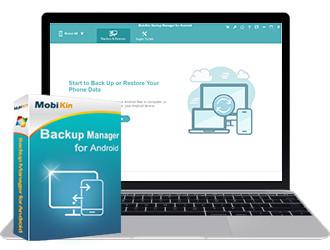
MobiKin Backup Manager for Android 1.1.12
f8eff33945860bb0018076849d824368.jpg


MobiKin Backup Manager for Android 1.1.12 | 20.8 Mb​
There occur many circumstances where users might face incident, which makes data loss from Android devices. This is where users need the top-rated MobiKin Backup Manager for Android to flexibly back up and restore Android files so as to avoid data loss issue.

1 Click to Back Up Your Android Phone Safely
Our mobile devices store almost all types of personal information, forming a virtual life. However, losing phone data is a common occurrence, which is very distressing. Therefore, we must immediately back up our Android phone to prevent this disaster. With the help of MobiKin Backup Manager for Android, it is easy to create complete backup for our Android devices.

Easily back up complete or selected Android data with a single click for future use.
This Android data management tool allows you to easily preview the name and count of backup files.
Supports backing up Android Contacts, Messages, Call Logs, Photos, Videos, Audio, Documents, Apps, etc., with a total of 8+ file types.
Lossless back up and restore, the new backup files will not overwrite the old one.

Restore Data from Backup Files to Device Selectively
The restore function of MobiKin Backup Manager for Android software gives timely help to some users who have lost their Android phones, accidentally deleted their phone data, or restored their devices to factory settings. With Android backup to PC by using this software, you can restore the backups from PC to any Android device with one click.

You can directly restore Android backup data like Contacts, Messages, Call Logs, Photos, Videos, Audio, Documents, Apps, etc. to your Android device, or select a specific Android file to restore for future use.
This Android data backup and restore tool provides a seamless method to help you easily restore backup data to the same or other Android devices.
No data will be lost during the restore and no data will be overwritten on your Android phone. You can choose whether to clear data before restoring.

Creative and Helpful Android Data Management Capabilities
There are many Android backup and restore tools, but a reliable software with sufficient mature technical support can let you better control the backup and restore process and achieve more results with less effort. MobiKin Backup Manager for Android software boasts a variety of feature-rich options built-in, making the backup and restore process of Android data flexible and safe.

The software offers you two ways to connect Android phone to the computer: If you have USB, you can connect phone to PC with a USB cable; if you have no USB, you are suggested to scan the QR code on the program with WiFi to get connected.
The Android data managing tool shows you the file name, size, date and count, so that you can preview and select the files you want to back up or restore.
You can also add backup folder to the list, that is, you can also add other backup files in the non-program default directory to the list for restoring.

Extensive Compatibility with 8000+ Android devices
After hundreds of thousands of rigorous tests, it is enough to prove that MobiKin Backup Manager for Android is 100% safe and reliable, and compatible of more than 8000 Android devices and overall Android OSes available.

Supports 8000+ Android devices, including Samsung, HTC, Motorola, Sony, LG, Huawei, OnePlus, Google, Xiaomi, Oppo, etc.
Supports overall Android OS versions available, from Android 2.1 to 10.0 (or up).
100% Secure & Read-only, it won't keep, modify or even leak the data on your device or in the backup file, nor give option to third-party to access data.
User-friendly, no prior technical experience is needed to use the tool.

System Requirements:
Operating System: Windows 10/8/7/XP/Vista
Processor: 750MHz Intel or AMD
RAM: 512MB or above
Hard Disk Space 1 GB or more

Home Page -
У Вас недостаточно прав для просмотра ссылок. Войдите или зарегистрируйтесь.


Download link:​
Код:
[center][b]rapidgator_net[/b]:
https://rapidgator.net/file/6f4b770d58994ee2794d9be165947408/q04y2.MobiKin.Backup.Manager.for.Android.1.1.12.rar.html

[b]nitroflare_com[/b]:
https://nitroflare.com/view/B6A0E3EE9BA1D2E/q04y2.MobiKin.Backup.Manager.for.Android.1.1.12.rar

[b]uploadgig_com[/b]:
http://uploadgig.com/file/download/cf7DD9bea43691dD/q04y2.MobiKin.Backup.Manager.for.Android.1.1.12.rar[/center]

Links are Interchangeable - No Password - Single Extraction​
 
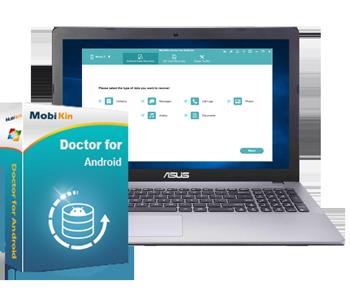
MobiKin Doctor for Android 4.1.58

4c5136236d660e33db6c753a0fe08d43.jpg


MobiKin Doctor for Android 4.1.58 | 19.9 Mb​
The best Android data recovery software to help you recover deleted contacts, text messages or call logs on Android phones and tablets. The best Android file recovery tool to retrieve photos, videos, music files or documents from overall Android devices.

Easily Recover All Your Wanted Files on Android without Backup
Accidentally delete your Android files, don't worry, MobiKin Doctor for Android will get the original files back. The program is designed to recover data from your Android phone to PC without any data loss.

Restore the deleted files from Android SD card/phone memory to PC at 1 click.
Backup the existing files from an Android device to PC.
Preview detailed contents before data recovery.
High success rate (98%) for data recovery.
Without data loss.
High speed & easy to use.

Best Android File Recovery to Recover All Kinds of deleted data on Android Efficiently
No matter which types of files you lost by accident, this program is able to scan them out and retrieve the lost data from Android to PC within a few minutes.

Retrieve deleted contacts, call logs, SMS, photos and document from Android internal memory/SIM card (root required).
Recover lost photos, videos, music, and documents from Android SD card (without root).
The exported contacts, call logs and SMS will be saved in HTML/XML files.
The media files and documents can be extracted to a PC in their original formats.

Supports 6000+ Android Devices & Various Android OS (from Android 2.1 to Android 10.0)
To ensure it can support all the Android mobile phones and Android tablets on the market, MobiKin has added the latest technology into the program and tried the best efforts to test for hundreds of times.

Work perfectly with almost all Android devices manufactured by Samsung Galaxy, LG, HTC, Motorola, Sony, Google, Asus, Huawei, and so forth. (Detailed models are under the "Tech Spec" tab)
Support different Android OS versions from Android 2.1 to Android 10.0.

System Requirements:
Operating System: Windows 10/8/7/XP/Vista
Processor: 750MHz Intel or AMD
RAM: 512MB or above
Hard Disk Space: 1 GB or more

Home Page -
У Вас недостаточно прав для просмотра ссылок. Войдите или зарегистрируйтесь.


Download link:​
Код:
[center][b]rapidgator_net[/b]:
https://rapidgator.net/file/8af45deec4e7f2ac08a9cb6181dc1c2c/i1y26.MobiKin.Doctor.for.Android.4.1.58.rar.html

[b]nitroflare_com[/b]:
https://nitroflare.com/view/23460756387C5C0/i1y26.MobiKin.Doctor.for.Android.4.1.58.rar

[b]uploadgig_com[/b]:
http://uploadgig.com/file/download/aeA2316167c2f419/i1y26.MobiKin.Doctor.for.Android.4.1.58.rar[/center]

Links are Interchangeable - No Password - Single Extraction​
 
Movavi Screen Recorder 11.5.0 Multilingual Portable

0a97bd9858f9fad7473c60ee69646587.jpg


Movavi Screen Recorder 11.5.0 Multilingual Portable | 66.4 Mb​
Movavi Screen Recorder: the Ultimate Screen Recorder for Windows. Movavi Screen Recorder is lightweight yet powerful video recording software that helps you capture streaming video and music from websites, save Skype calls and program activity, and much more.

Learning
- Record webinars, online tutorials, and other educational videos
- Cut out unwanted parts from any video
- Save recordings to watch on a computer or mobile device
- Replay captured videos at any time

Fun
- Capture short clips from websites
- Save movies and TV series
- Record video chats with your friends and family
- Extract music from video, record online radio
- Cut out ads and other unwanted content

Work
- Show screen activities to colleagues: take screenshots in a single click and illustrate them with arrows, frames, and captions
- Use screenshots and screen videos to demonstrate bugs and errors
- Save Skype conversations with colleagues and business partners
- Record online job interviews

System Requirements
Microsoft® Windows® XP*, Windows Vista, Windows 7, Windows 8, or Windows 10 with up-to-date patches and service packs installed
Intel®, AMD®, or compatible processor, 1 GHz
1024 x 768 screen resolution, 32-bit color
512 MB RAM for Windows XP and Windows Vista, 2 GB for Windows 7, Windows 8, and Windows 10
280 MB available hard disk space for installation, 2 GB for ongoing operations
Administrator permissions are required for installation
* Unfortunately, sound capture from multiple devices is not supported under Windows XP.

Home Page -
У Вас недостаточно прав для просмотра ссылок. Войдите или зарегистрируйтесь.


Download link:​
Код:
[center][b]rapidgator_net[/b]:
https://rapidgator.net/file/aa60e48ac14ae84a43db3e9db9fbbaf1/sxzzp.Movavi.Screen.Recorder.11.5.0.Multilingual.Portable.rar.html

[b]nitroflare_com[/b]:
https://nitroflare.com/view/D6A841F410D68BA/sxzzp.Movavi.Screen.Recorder.11.5.0.Multilingual.Portable.rar

[b]uploadgig_com[/b]:
http://uploadgig.com/file/download/da099C3ad5c7f10e/sxzzp.Movavi.Screen.Recorder.11.5.0.Multilingual.Portable.rar[/center]

Links are Interchangeable - No Password - Single Extraction​
 
Navicat Data Modeler 3.0.9

d97f4083373b4093a1bb4ad6790eceed.jpg


Navicat Data Modeler 3.0.9 | 103.3 Mb​
Navicat Data Modeler is a powerful and cost-effective database design tool which helps you build high-quality conceptual, logical and physical data models. It allows you to visually design database structures, perform reverse/forward engineering processes, import models from ODBC data sources, generate complex SQL/DDL, print models to files, and much more.

Simplify the task of creating complex entity relationship models and generate the script SQL with a simple click. Navicat Data Modeler supports various database systems, including MySQL, MariaDB, Oracle, SQL Server, PostgreSQL, and SQLite.

Features:

Database Objects
Create, modify, and design your models using professional object designers, available for Tables and Views. Without the need to write complex SQL to create and edit objects, you'll know exactly what you are working on. Also, Navicat Data Modeler supports three standard notations: Crow's Foot, IDEF1x and UML. Using our feature-rich, simple, and user-friendly drawing tools, you can develop a complete data model with just a few clicks.

Model Types
Navicat Data Modeler enables you to build high-quality conceptual, logical and physical data models for a wide variety of audiences. Using the Model Conversion feature, you can convert a conceptual business-level model into a logical relational database model and then into a physical database implementation. From sketching a big picture of your system design to viewing relationships and working with attributes and columns from linked entities, tables and views. You can easily deploy accurate changes to database structures and build organized and more effective database systems.

Reverse Engineering
Reverse Engineering is one of the key features of Navicat Data Modeler. Load existing database structures and create new ER diagrams. Visualize database models so you can see how elements such as attributes, relationships, indexes, uniques, comments, and other objects relate to each other without showing actual data. Navicat Data Modeler supports different databases: Direct connection, ODBC (*Only for Windows and macOS Edition), MySQL, MariaDB, Oracle, SQL Server, PostgreSQL, and SQLite.

Comparison and Synchronization
The Synchronize to Database function will give you a full picture of all database differences. Once your databases are compared, you can view the differences and generate a synchronization script to update the destination database to make it identical to your model. Flexible settings enable you to set up a custom key for comparison and synchronization.

SQL Code Generation
Navicat Data Modeler is not only a tool for creating ER diagrams and designing your databases. Its Export SQL feature also gives you full control over the final SQL script and allows you to generate individual parts of your model, referential integrity rules, comments, character sets, etc., potentially saving you hundreds of hours of work.

Standard Designing Tools
Add vertices, layers, images, shapes, and notes/labels, align/distribute objects, unlimited undo/redo capacity, auto layout, search filter, and more.

Navicat Cloud
Navicat Data Modeler is fully integrated with Navicat Cloud. Sync your model files and virtual groups to the cloud for a real-time access at anytime and anywhere. With Navicat Cloud, you can leverage every minute of your day to maximize your productivity.

Operating System: Windows 7, 8/8.1, 10, Windows Server 2008 R2, 2012, 2016.

Home Page -
У Вас недостаточно прав для просмотра ссылок. Войдите или зарегистрируйтесь.


Download link:​
Код:
[center][b]rapidgator_net[/b]:
https://rapidgator.net/file/dde68c2db274db5787f7354f88a70173/b8a21.Navicat.Data.Modeler.3.0.9.rar.html

[b]nitroflare_com[/b]:
https://nitroflare.com/view/7F95D09D9D83DA2/b8a21.Navicat.Data.Modeler.3.0.9.rar

[b]uploadgig_com[/b]:
http://uploadgig.com/file/download/52b11f447688eb2D/b8a21.Navicat.Data.Modeler.3.0.9.rar[/center]

Links are Interchangeable - No Password - Single Extraction​
 
Navicat Essentials Premium 15.0.17

70c1f670ba9ce14bb127ea223c9c8df9.jpg


Navicat Essentials Premium 15.0.17 | 117.2 Mb​
Navicat Essentials is a compact version of Navicat which provides the basic and necessary features you will need to perform simple database development. Navicat Essentials is for commercial use and is available for MySQL, MariaDB, SQL Server, PostgreSQL, Oracle, and SQLite databases. If you need to administer all aforementioned database servers at the same time, there is also Navicat Premium Essentials which allows you to access multiple servers from a single application.

Features:

The All-New Engine
We focus strongly on improving responsiveness, usability, and performance. We engineered an entirely new mechanism and applied multithreading, so you can run certain tasks in parallel to increase the overall efficiency of your database development.

Cloud Database Navigation
Manage both on-premises and cloud databases such as Amazon RDS, Amazon Aurora, Amazon Redshift, SQL Azure, Oracle Cloud, and Google Cloud. Just simply establish connection using the pertinent information that your cloud databases provide.

Effortless Deployment Toolkit
Add your favorite tabs to On Startup and have them open automatically when Navicat launches, and use MacBook Pro Touch Bar to easily access Navicat features and controls.

Diversified Manipulation Tool
Use Import/Export Wizard to have data conversion from plain text formats such as TXT, CSV, XML and JSON. Add, modify, and delete records with our spreadsheet-like Grid View together with an array of data editing tools to facilitate your edits. Navicat Essentials gives you the tools you need to manage your data efficiently and ensure a smooth process.

Make Collaboration Easy
Synchronize your connection settings and queries to our Navicat Cloud service so you can get real-time access to them, and share them with your coworkers anytime and anywhere. With Navicat Cloud, you can leverage every minute of your day to maximize your productivity. Learn more >

Advanced Secure Connection
Establish secure connections through SSH Tunneling and SSL ensure every connection is secure, stable, and reliable. Support different authentication methods of database servers such as PAM authentication for MySQL and MariaDB, and GSSAPI authentication for PostgreSQL. Navicat 12 provides more authentication mechanisms and high-performance environments so you never have to worry about connecting over an insecure network.

Operating System: Windows 7, 8/8.1, 10, Windows Server 2008 R2, 2012, 2016

Home Page -
У Вас недостаточно прав для просмотра ссылок. Войдите или зарегистрируйтесь.


Download link:​
Код:
[center][b]rapidgator_net[/b]:
https://rapidgator.net/file/4a2b61a832e8b75ac4542e7a728b1c57/afd2s.Navicat.Essentials.Premium.15.0.17.rar.html

[b]nitroflare_com[/b]:
https://nitroflare.com/view/F3095650F67220D/afd2s.Navicat.Essentials.Premium.15.0.17.rar

[b]uploadgig_com[/b]:
http://uploadgig.com/file/download/feB316c1Cc60bd55/afd2s.Navicat.Essentials.Premium.15.0.17.rar[/center]

Links are Interchangeable - No Password - Single Extraction​
 
Navicat for MariaDB 15.0.17

35723b640e99286bb31398c5fed3cf24.jpg


Navicat for MariaDB 15.0.17 | 72.1 Mb​
avicat for MariaDB provides a native environment for MariaDB database management and development. Connect to local/remote MariaDB servers and compatible with Amazon RDS. Navicat for MariaDB supports most of the additional features like new storage engines, microseconds, virtual columns, and more.

Features:

Seamless Data Migration
Data Transfer, Data Synchronization and Structure Synchronization help you migrate your data easier and faster for less overhead. Deliver detailed, step-by-step guidelines for transferring data across databases. Compare and synchronize databases with Data and Structure Synchronization. Set up and deploy the comparisons in seconds, and get the detailed script to specify the changes you want to execute.

Diversified Manipulation Tool
Use Import Wizard to transfer data into a database from diverse formats, or from ODBC after setting up a data source connection. Export data from tables, views, or query results to formats like Excel, Access, CSV and more. Add, modify, and delete records with our spreadsheet-like Grid View together with an array of data editing tools to facilitate your edits. Navicat gives you the tools you need to manage your data efficiently and ensure a smooth process.

Easy SQL Editing
Visual SQL Builder will help you create, edit and run SQL statements without having to worry about syntax and proper usage of commands. Code fast with Code Completion and customizable Code Snippet by getting suggestions for keywords and stripping the repetition from coding.

Intelligent Database Designer
Create, modify and manage all database objects using our professional object designers. Convert your databases into graphical representations using a sophisticated database design and modeling tool so you can model, create, and understand complex databases with ease.

Increase your Productivity
Our powerful local backup/restore solution guides you through the backup process and reduces the potential for errors. Compile professional high-quality reports in minutes using an interactive design interface and efficient workflow, and set an automation for repeatable deployment process like report generation, database backup, and script execution at a specific time or day. No matter where you are, you can always get the job done.

Make Collaboration Easy
Synchronize your connection settings, models, queries and virtual groups to our Navicat Cloud service so you can get real-time access to them, and share them with your coworkers anytime and anywhere. With Navicat Cloud, you can leverage every minute of your day to maximize your productivity.

Advanced Secure Connection
Establish secure connections through SSH Tunneling and SSL ensure every connection is secure, stable, and reliable. Support different authentication methods of database servers such as PAM authentication. Navicat 12 provides more authentication mechanisms and high-performance environments so you never have to worry about connecting over an insecure network.

Operating System: Windows 7, 8/8.1, 10, Windows Server 2008 R2, 2012, 2016

Home Page -
У Вас недостаточно прав для просмотра ссылок. Войдите или зарегистрируйтесь.


Download link:​
Код:
[center][b]rapidgator_net[/b]:
https://rapidgator.net/file/7716f36315ab07ade35d9e4259183454/w8nnl.Navicat.for.MariaDB.15.0.17.rar.html

[b]nitroflare_com[/b]:
https://nitroflare.com/view/B006C1814152EA5/w8nnl.Navicat.for.MariaDB.15.0.17.rar

[b]uploadgig_com[/b]:
http://uploadgig.com/file/download/c5c7402B6E76e9d4/w8nnl.Navicat.for.MariaDB.15.0.17.rar[/center]

Links are Interchangeable - No Password - Single Extraction​
 
Navicat for MongoDB 15.0.17

cd6b05641728d94e2b933692b56f5a68.jpg


Navicat for MongoDB 15.0.17 | 80.4 Mb​
Navicat for MongoDB gives you a highly effective GUI interface for MongoDB database management, administration and development. Connect to local/remote MongoDB servers with MongoDB Atlas and Huawei Cloud compatibility. Navicat for MongoDB offers remarkable features for managing, monitoring, querying, and visualizing your data. You can easily increase productivity of routine MongoDB operations.

Features

Seamless Data Migration
Data Transfer and Data Synchronization help you migrate your data easier and faster for less overhead. Deliver detailed, step-by-step guidelines for transferring data across databases. Compare and synchronize databases with Data Synchronization. Set up and deploy the comparisons in seconds, and get the detailed script to specify the changes you want to execute.

Diversified Manipulation Tool
Use Import Wizard to transfer data into a database from diverse formats, or from ODBC after setting up a data source connection. Export data from collections, views, or query results to formats such as Excel, Access, CSV and more. Add, modify, and delete documents with our built-in editors and MongoDB 4 Transaction support, you can facilitate your edits in Tree View, JSON View, and the classic spreadsheet-like Grid View. With MongoDB 4 Transaction support, Navicat gives you the tools you need to manage your data efficiently and ensure a smooth process.

Easy Query Editing
Visual Query Builder will help you create, edit and run queries without having to worry about syntax and proper usage of commands. Code fast with Code Completion and customizable Code Snippet by getting suggestions for keywords and stripping the repetition from coding.

Intelligent Object Designer
Create, modify, and manage all database objects using our professional object designers. Preview results on each step and debug the sampled data before running your MapReduce jobs. Store and retrieve files from your MongoDB databases using our well-designed GridFS form that allows parallel upload/download process.

Increase Your Productivity
Our intuitive GUI for MongoDBDump Utility guides you through the backup process and minimizes potential errors. Set an automation for repeatable deployment process like MapReduce job and script execution at a specific time or day. No matter where you are, you can always get the job done.

Smart Schema Analyzer
Discover and explore your schema with our built-in schema visualization tool. Analyze your documents and displays rich structures within your collections, so you can understand your data's schema, find schema anomalies, and inspect outliers easily.

Make Collaboration Easy
Synchronize your connection settings, queries and virtual groups to our Navicat Cloud service so you can get real-time access to them, and share them with your coworkers anytime and anywhere. With Navicat Cloud, you can leverage every minute of your day to maximize your productivity.

Advanced Secure Connection
Establish secure connections through SSH Tunneling and SSL ensure every connection is secure, stable, and reliable. Support different authentication methods of database servers such as Kerberos and X.509 authentication. Navicat 12 provides more authentication mechanisms and high-performance environments so you never have to worry about connecting over an insecure network.

Operating System: Windows 7, 8/8.1, 10, Windows Server 2008 R2, 2012, 2016

Home Page -
У Вас недостаточно прав для просмотра ссылок. Войдите или зарегистрируйтесь.


Download link:​
Код:
[center][b]rapidgator_net[/b]:
https://rapidgator.net/file/87b925a71ca70fbe315dde3874f42bde/vmbqv.Navicat.for.MongoDB.15.0.17.rar.html

[b]nitroflare_com[/b]:
https://nitroflare.com/view/D276A2567D7DBFF/vmbqv.Navicat.for.MongoDB.15.0.17.rar

[b]uploadgig_com[/b]:
http://uploadgig.com/file/download/07f00b2f8E883382/vmbqv.Navicat.for.MongoDB.15.0.17.rar[/center]

Links are Interchangeable - No Password - Single Extraction​
 
Navicat for MySQL 15.0.17

1d82cbaf8d1383d1a059fcdb981d597e.jpg


Navicat for MySQL 15.0.17 | 72.7 Mb​
Navicat for MySQL is the ideal solution for MySQL/MariaDB administration and development. It is a single application that allows you to connect to MySQL and MariaDB databases simultaneously. Compatible with cloud databases like Amazon RDS, Amazon Aurora, Oracle Cloud and Google Cloud. This all-inclusive frontend provides an intuitive and powerful graphical interface for database management, development, and maintenance.

Features:

Seamless Data Migration
Data Transfer, Data Synchronization and Structure Synchronization help you migrate your data easier and faster for less overhead. Deliver detailed, step-by-step guidelines for transferring data across databases. Compare and synchronize databases with Data and Structure Synchronization. Set up and deploy the comparisons in seconds, and get the detailed script to specify the changes you want to execute.

Diversified Manipulation Tool
Use Import Wizard to transfer data into a database from diverse formats, or from ODBC after setting up a data source connection. Export data from tables, views, or query results to formats like Excel, Access, CSV and more. Add, modify, and delete records with our spreadsheet-like Grid View together with an array of data editing tools to facilitate your edits. Navicat gives you the tools you need to manage your data efficiently and ensure a smooth process.

Easy SQL Editing
Visual SQL Builder will help you create, edit and run SQL statements without having to worry about syntax and proper usage of commands. Code fast with Code Completion and customizable Code Snippet by getting suggestions for keywords and stripping the repetition from coding.

Intelligent Database Designer
Create, modify and manage all database objects using our professional object designers. Convert your databases into graphical representations using a sophisticated database design and modeling tool so you can model, create, and understand complex databases with ease.

Increase your Productivity
Our powerful local backup/restore solution guides you through the backup process and reduces the potential for errors. Compile professional high-quality reports in minutes using an interactive design interface and efficient workflow, and set an automation for repeatable deployment process like report generation, database backup, and script execution at a specific time or day. No matter where you are, you can always get the job done.

Make Collaboration Easy
Synchronize your connection settings, models, queries and virtual groups to our Navicat Cloud service so you can get real-time access to them, and share them with your coworkers anytime and anywhere. With Navicat Cloud, you can leverage every minute of your day to maximize your productivity.

Advanced Secure Connection
Establish secure connections through SSH Tunneling and SSL ensure every connection is secure, stable, and reliable. Support different authentication methods of database servers such as PAM authentication. Navicat 12 provides more authentication mechanisms and high-performance environments so you never have to worry about connecting over an insecure network.

Operating System: Windows 7, 8/8.1, 10, Windows Server 2008 R2, 2012, 2016

Home Page -
У Вас недостаточно прав для просмотра ссылок. Войдите или зарегистрируйтесь.


Download link:​
Код:
[center][b]rapidgator_net[/b]:
https://rapidgator.net/file/21fe571c8f738a7b15b34ff44da3832d/367xj.Navicat.for.MySQL.15.0.17.rar.html

[b]nitroflare_com[/b]:
https://nitroflare.com/view/57C5ADD5BF7C6C7/367xj.Navicat.for.MySQL.15.0.17.rar

[b]uploadgig_com[/b]:
http://uploadgig.com/file/download/e192a901753b8833/367xj.Navicat.for.MySQL.15.0.17.rar[/center]

Links are Interchangeable - No Password - Single Extraction​
 
Navicat for Oracle 15.0.17

202d373c9b083360619a6810ac1582cd.jpg


Navicat for Oracle 15.0.17 | 91 Mb​
Navicat for Oracle improves the efficiency and productivity of Oracle developers and administrators with a streamlined working environment. Optimizing your Oracle development - create, organize, access, and share information quickly and securely. Navicat for Oracle is compatible with cloud databases like Amazon RDS and Oracle Cloud, and supports local/remote Oracle servers.

Features:

Seamless Data Migration
Data Transfer, Data Synchronization and Structure Synchronization help you migrate your data easier and faster for less overhead. Deliver detailed, step-by-step guidelines for transferring data across databases. Compare and synchronize databases with Data and Structure Synchronization. Set up and deploy the comparisons in seconds, and get the detailed script to specify the changes you want to execute.

Diversified Manipulation Tool
Use Import Wizard to transfer data into a database from diverse formats, or from ODBC after setting up a data source connection. Export data from tables, views, or query results to formats like Excel, Access, CSV and more. Add, modify, and delete records with our spreadsheet-like Grid View together with an array of data editing tools to facilitate your edits. Navicat gives you the tools you need to manage your data efficiently and ensure a smooth process.

Easy SQL Editing
Visual SQL Builder will help you create, edit and run SQL statements without having to worry about syntax and proper usage of commands. Code fast with Code Completion and customizable Code Snippet by getting suggestions for keywords and stripping the repetition from coding.

Intelligent Database Designer
Create, modify and manage all database objects using our professional object designers. Convert your databases into graphical representations using a sophisticated database design and modeling tool so you can model, create, and understand complex databases with ease.

Increase your Productivity
Our powerful local backup/restore solution guides you through the backup process and reduces the potential for errors. Compile professional high-quality reports in minutes using an interactive design interface and efficient workflow, and set an automation for repeatable deployment process like report generation, database backup, and script execution at a specific time or day. No matter where you are, you can always get the job done.

Make Collaboration Easy
Synchronize your connection settings, models, queries and virtual groups to our Navicat Cloud service so you can get real-time access to them, and share them with your coworkers anytime and anywhere. With Navicat Cloud, you can leverage every minute of your day to maximize your productivity.

Advanced Secure Connection
Establish secure connections through SSH Tunneling and SSL ensure every connection is secure, stable, and reliable. Support different authentication methods of database servers such as PAM authentication. Navicat 12 provides more authentication mechanisms and high-performance environments so you never have to worry about connecting over an insecure network.

Operating System: Windows 7, 8/8.1, 10, Windows Server 2008 R2, 2012, 2016.

Home Page -
У Вас недостаточно прав для просмотра ссылок. Войдите или зарегистрируйтесь.


Download link:​
Код:
[center][b]rapidgator_net[/b]:
https://rapidgator.net/file/99a289041065a9f040eaf5bb6c3be0e1/i1f7x.Navicat.for.Oracle.15.0.17.rar.html

[b]nitroflare_com[/b]:
https://nitroflare.com/view/254F2BC6822F2CA/i1f7x.Navicat.for.Oracle.15.0.17.rar

[b]uploadgig_com[/b]:
http://uploadgig.com/file/download/d493968e3af87235/i1f7x.Navicat.for.Oracle.15.0.17.rar[/center]

Links are Interchangeable - No Password - Single Extraction​
 
Navicat for PostgreSQL 15.0.17

68deb7b7a1baaac47e353531c59386af.jpg


Navicat for PostgreSQL 15.0.17 | 71.5 Mb​
Navicat for PostgreSQL is an easy-to-use graphical tool for PostgreSQL database development. From writing simple SQL queries to developing complex databases, Navicat for PostgreSQL is designed to accommodate a wide range of users, from PostgreSQL beginners to seasoned developers. Connect to local/remote PostgreSQL servers and compatible with cloud databases like Amazon Redshift, Amazon Aurora, Amazon RDS and Google Cloud, and all PostgreSQL database objects.

Features:

Seamless Data Migration
Data Transfer, Data Synchronization and Structure Synchronization help you migrate your data easier and faster for less overhead. Deliver detailed, step-by-step guidelines for transferring data across databases. Compare and synchronize databases with Data and Structure Synchronization. Set up and deploy the comparisons in seconds, and get the detailed script to specify the changes you want to execute.

Diversified Manipulation Tool
Use Import Wizard to transfer data into a database from diverse formats, or from ODBC after setting up a data source connection. Export data from tables, views, or query results to formats like Excel, Access, CSV and more. Add, modify, and delete records with our spreadsheet-like Grid View together with an array of data editing tools to facilitate your edits. Navicat gives you the tools you need to manage your data efficiently and ensure a smooth process.

Easy SQL Editing
Visual SQL Builder will help you create, edit and run SQL statements without having to worry about syntax and proper usage of commands. Code fast with Code Completion and customizable Code Snippet by getting suggestions for keywords and stripping the repetition from coding.

Intelligent Database Designer
Create, modify and manage all database objects using our professional object designers. Convert your databases into graphical representations using a sophisticated database design and modeling tool so you can model, create, and understand complex databases with ease.

Increase your Productivity
Our powerful local backup/restore solution guides you through the backup process and reduces the potential for errors. Compile professional high-quality reports in minutes using an interactive design interface and efficient workflow, and set an automation for repeatable deployment process like report generation, database backup, and script execution at a specific time or day. No matter where you are, you can always get the job done.

Make Collaboration Easy
Synchronize your connection settings, models, queries and virtual groups to our Navicat Cloud service so you can get real-time access to them, and share them with your coworkers anytime and anywhere. With Navicat Cloud, you can leverage every minute of your day to maximize your productivity.

Advanced Secure Connection
Establish secure connections through SSH Tunneling and SSL ensure every connection is secure, stable, and reliable. Support different authentication methods of database servers such as PAM authentication. Navicat 12 provides more authentication mechanisms and high-performance environments so you never have to worry about connecting over an insecure network.

Operating System: Windows 7, 8/8.1, 10, Windows Server 2008 R2, 2012, 2016.

Home Page -
У Вас недостаточно прав для просмотра ссылок. Войдите или зарегистрируйтесь.


Download link:​
Код:
[center][b]rapidgator_net[/b]:
https://rapidgator.net/file/75445fd7dfadf24b101fcca83b8a38af/67op8.Navicat.for.PostgreSQL.15.0.17.rar.html

[b]nitroflare_com[/b]:
https://nitroflare.com/view/A56B1C49C87FFC3/67op8.Navicat.for.PostgreSQL.15.0.17.rar

[b]uploadgig_com[/b]:
http://uploadgig.com/file/download/b62a8e31Ed438cEc/67op8.Navicat.for.PostgreSQL.15.0.17.rar[/center]

Links are Interchangeable - No Password - Single Extraction​
 
Navicat for SQLite 15.0.17

e42a74398cb1c31dd015f713c3edb4c3.jpg


Navicat for SQLite 15.0.17 | 70 Mb​
Navicat for SQLite is a powerful and comprehensive SQLite GUI that provides a complete set of functions for database management and development. Optimizing your SQLite workflow and productivity - you can quickly and securely create, organize, access, and share information.

Features:

Seamless Data Migration
Data Transfer, Data Synchronization and Structure Synchronization help you migrate your data easier and faster for less overhead. Deliver detailed, step-by-step guidelines for transferring data across databases. Compare and synchronize databases with Data and Structure Synchronization. Set up and deploy the comparisons in seconds, and get the detailed script to specify the changes you want to execute.

Diversified Manipulation Tool
Use Import Wizard to transfer data into a database from diverse formats, or from ODBC after setting up a data source connection. Export data from tables, views, or query results to formats like Excel, Access, CSV and more. Add, modify, and delete records with our spreadsheet-like Grid View together with an array of data editing tools to facilitate your edits. Navicat gives you the tools you need to manage your data efficiently and ensure a smooth process.

Easy SQL Editing
Visual SQL Builder will help you create, edit and run SQL statements without having to worry about syntax and proper usage of commands. Code fast with Code Completion and customizable Code Snippet by getting suggestions for keywords and stripping the repetition from coding.

Intelligent Database Designer
Create, modify and manage all database objects using our professional object designers. Convert your databases into graphical representations using a sophisticated database design and modeling tool so you can model, create, and understand complex databases with ease.

Increase your Productivity
Our powerful local backup/restore solution guides you through the backup process and reduces the potential for errors. Compile professional high-quality reports in minutes using an interactive design interface and efficient workflow, and set an automation for repeatable deployment process like report generation, database backup, and script execution at a specific time or day. No matter where you are, you can always get the job done.

Make Collaboration Easy
Synchronize your connection settings, models, queries and virtual groups to our Navicat Cloud service so you can get real-time access to them, and share them with your coworkers anytime and anywhere. With Navicat Cloud, you can leverage every minute of your day to maximize your productivity.

Advanced Secure Connection
Establish secure connections through SSH Tunneling and SSL ensure every connection is secure, stable, and reliable. Support different authentication methods of database servers such as PAM authentication. Navicat 12 provides more authentication mechanisms and high-performance environments so you never have to worry about connecting over an insecure network.

Operating System: Windows 7, 8/8.1, 10, Windows Server 2008 R2, 2012, 2016.

Home Page -
У Вас недостаточно прав для просмотра ссылок. Войдите или зарегистрируйтесь.


Download link:​
Код:
[center][b]rapidgator_net[/b]:
https://rapidgator.net/file/f93022ff4dd4c2b4d4dd38100bc0187b/rgs0u.Navicat.for.SQLite.15.0.17.rar.html

[b]nitroflare_com[/b]:
https://nitroflare.com/view/A94D4A0794A152A/rgs0u.Navicat.for.SQLite.15.0.17.rar

[b]uploadgig_com[/b]:
http://uploadgig.com/file/download/fd940e62844D239c/rgs0u.Navicat.for.SQLite.15.0.17.rar[/center]

Links are Interchangeable - No Password - Single Extraction​
 
Navicat for SQL Server 15.0.17

4770445fa11a5401e2e2a6c2762d021a.jpg


Navicat for SQL Server 15.0.17 | 81.3 Mb​
Navicat for SQL Server gives you a fully graphical approach to database management and development. Quickly and easily create, edit, and delete all database objects, or execute SQL queries and scripts. Connect to any local/remote SQL Server, and compatible with cloud databases like Amazon RDS and SQL Azure.

Features:

Seamless Data Migration
Data Transfer, Data Synchronization and Structure Synchronization help you migrate your data easier and faster for less overhead. Deliver detailed, step-by-step guidelines for transferring data across databases. Compare and synchronize databases with Data and Structure Synchronization. Set up and deploy the comparisons in seconds, and get the detailed script to specify the changes you want to execute.

Diversified Manipulation Tool
Use Import Wizard to transfer data into a database from diverse formats, or from ODBC after setting up a data source connection. Export data from tables, views, or query results to formats like Excel, Access, CSV and more. Add, modify, and delete records with our spreadsheet-like Grid View together with an array of data editing tools to facilitate your edits. Navicat gives you the tools you need to manage your data efficiently and ensure a smooth process.

Easy SQL Editing
Visual SQL Builder will help you create, edit and run SQL statements without having to worry about syntax and proper usage of commands. Code fast with Code Completion and customizable Code Snippet by getting suggestions for keywords and stripping the repetition from coding.

Intelligent Database Designer
Create, modify and manage all database objects using our professional object designers. Convert your databases into graphical representations using a sophisticated database design and modeling tool so you can model, create, and understand complex databases with ease.

Increase your Productivity
Our powerful local backup/restore solution guides you through the backup process and reduces the potential for errors. Compile professional high-quality reports in minutes using an interactive design interface and efficient workflow, and set an automation for repeatable deployment process like report generation, database backup, and script execution at a specific time or day. No matter where you are, you can always get the job done.

Make Collaboration Easy
Synchronize your connection settings, models, queries and virtual groups to our Navicat Cloud service so you can get real-time access to them, and share them with your coworkers anytime and anywhere. With Navicat Cloud, you can leverage every minute of your day to maximize your productivity.

Advanced Secure Connection
Establish secure connections through SSH Tunneling and SSL ensure every connection is secure, stable, and reliable. Support different authentication methods of database servers such as PAM authentication. Navicat 12 provides more authentication mechanisms and high-performance environments so you never have to worry about connecting over an insecure network.

Operating System: Windows 7, 8/8.1, 10, Windows Server 2008 R2, 2012, 2016.

Home Page -
У Вас недостаточно прав для просмотра ссылок. Войдите или зарегистрируйтесь.


Download link:​
Код:
[center][b]rapidgator_net[/b]:
https://rapidgator.net/file/41b8217990637831a871167681da5d0c/8a2rh.Navicat.for.SQL.Server.15.0.17.rar.html

[b]nitroflare_com[/b]:
https://nitroflare.com/view/0C28C683F40F4C0/8a2rh.Navicat.for.SQL.Server.15.0.17.rar

[b]uploadgig_com[/b]:
http://uploadgig.com/file/download/bb1a7Ff483dC2614/8a2rh.Navicat.for.SQL.Server.15.0.17.rar[/center]

Links are Interchangeable - No Password - Single Extraction​
 
Navicat Premium 15.0.17

3a47c32332c538972633018293de768e.jpg


Navicat Premium 15.0.17 | 119.1 Mb​
Navicat Premium is a database development tool that allows you to simultaneously connect to MySQL, MariaDB, SQL Server, Oracle, PostgreSQL, and SQLite databases from a single application. Compatible with cloud databases like Amazon RDS, Amazon Aurora, Amazon Redshift, SQL Azure, Oracle Cloud and Google Cloud. You can quickly and easily build, manage and maintain your databases.

Features:

Seamless Data Migration
Data Transfer, Data Synchronization and Structure Synchronization help you migrate your data easier and faster for less overhead. Deliver detailed, step-by-step guidelines for transferring data across various DBMS. Compare and synchronize databases with Data and Structure Synchronization. Set up and deploy the comparisons in seconds, and get the detailed script to specify the changes you want to execute.

Diversified Manipulation Tool
Use Import Wizard to transfer data into a database from diverse formats, or from ODBC after setting up a data source connection. Export data from tables, views, or query results to formats like Excel, Access, CSV and more. Add, modify, and delete records with our spreadsheet-like Grid View together with an array of data editing tools to facilitate your edits. Navicat gives you the tools you need to manage your data efficiently and ensure a smooth process.

Easy SQL Editing
Visual SQL Builder will help you create, edit and run SQL statements without having to worry about syntax and proper usage of commands. Code fast with Code Completion and customizable Code Snippet by getting suggestions for keywords and stripping the repetition from coding. Quickly locate and correct PL/SQL and PL/PGSQL coding errors using our debugging component such as setting breakpoints, stepping through the program, viewing and modifying variable values, and examining the call stack.

Intelligent Database Designer
Create, modify and manage all database objects using our professional object designers. Convert your databases into graphical representations using a sophisticated database design and modeling tool so you can model, create, and understand complex databases with ease.

Increase your Productivity
Our powerful local backup/restore solution and intuitive GUI for Oracle Data Pump/SQL Server Backup Utility guides you through the backup process and reduces the potential for errors. Set an automation for repeatable deployment process like database backup and script execution at a specific time or day. No matter where you are, you can always get the job done.

Make Collaboration Easy
Synchronize your connection settings, models, queries and virtual groups to our Navicat Cloud service so you can get real-time access to them, and share them with your coworkers anytime and anywhere. With Navicat Cloud, you can leverage every minute of your day to maximize your productivity. Learn more >

Advanced Secure Connection
Establish secure connections through SSH Tunneling and SSL ensure every connection is secure, stable, and reliable. Support different authentication methods of database servers such as PAM authentication for MySQL and MariaDB, and GSSAPI authentication for PostgreSQL. Navicat 12 provides more authentication mechanisms and high-performance environments so you never have to worry about connecting over an insecure network.

Operating System: Windows 7, 8/8.1, 10, Windows Server 2008 R2, 2012, 2016.

Home Page -
У Вас недостаточно прав для просмотра ссылок. Войдите или зарегистрируйтесь.


Download link:​
Код:
[center][b]rapidgator_net[/b]:
https://rapidgator.net/file/2ef98b8988c92afb99841431cdd06324/vos5g.Navicat.Premium.15.0.17.rar.html

[b]nitroflare_com[/b]:
https://nitroflare.com/view/11190929984ACF0/vos5g.Navicat.Premium.15.0.17.rar

[b]uploadgig_com[/b]:
http://uploadgig.com/file/download/e58ad79a9c3e4343/vos5g.Navicat.Premium.15.0.17.rar[/center]

Links are Interchangeable - No Password - Single Extraction​
 
OfficeSuite Premium 4.40.32503.0 (x86) Multilingual

c03421e4d49773a5a577bc0d1411dafb.jpg


OfficeSuite Premium 4.40.32503.0 (x86) Multilingual | 175.7 Mb​
An office suite that includes a word processor, a PDF editor and reader, a spreadsheet editor, and a presentation creator, all of them with modern and clean interfaces. When talking about Office suites, many of you might only point to Microsoft's widely-known product. However, there are other alternatives that you can try out, especially if you are a home user. Very popular on mobile platforms, OfficeSuite has also shifted towards Windows, delivering a suite of office-related tools with a clean look and simple options.

Modern-looking yet familiar suite of office tools
With a name that speaks out simplicity and ease of use, OfficeSuite tries to concentrate the most important features of applications that are usually included in such a suite. As such, it brings to the table a word processor, a spreadsheet editor, a presentation maker, and a PDF reader and editor.

OfficeSuite cannot work without you logging in to your account, which makes it possible for anyone to sync their profiles (and licenses, if that is the case) on all the devices.

All the applications feature the ribbon-based toolbox you are used to, and a clean and modern-looking GUI. All the settings are one-click away, and there are plenty of exporting and saving options.

Text and spreadsheet editors, a presentation maker, and a PDF reader
The word processor features basic text editing and formatting capabilities, with standard page setup options. You can insert images, tables, hyperlinks, and bookmarks into your documents, and export the result as a PDF, print it, or save it to the cloud.

Moving on to the presentation maker, it features simple tools to help you build compelling content, with graphics and transition effects. The spreadsheet editor also depicts a familiar environment, with support for all kinds of charts, a plethora of formulas and functions to help you process statistical data.

Last but not least, the PDF reader can use a two-sided viewer to display the text, enabling you to attach notes, take snapshots, and freely draw on the desktop. And while the application is a reader, without editing functionality, input PDF documents can be exported to Word, Excel, or ePub format.

Simplistic alternative to Microsoft Office
With standard functionality in all the applications, OfficeSuite delivers a good alternative to Microsoft Office, from whom it also borrows the GUI layout. It supports all the Office formats, so you don't have to worry about compatibility issues.

Nevertheless, you should know that it doesn't sport the same rich feature set you can find in Microsoft Office. Instead, it sticks to the basic set of options that should be enough for any home user.

System Requirements:
OS: Windows 7 or later
.NET Framework 4.8

Home Page -
У Вас недостаточно прав для просмотра ссылок. Войдите или зарегистрируйтесь.


Download link:​
Код:
[center][b]rapidgator_net[/b]:
https://rapidgator.net/file/227a65092a34f787c22d757ac3b56269/l7oyw.OfficeSuite.Premium.4.40.32503.0.x86.Multilingual.rar.html

[b]nitroflare_com[/b]:
https://nitroflare.com/view/F9296DEABD3BC6F/l7oyw.OfficeSuite.Premium.4.40.32503.0.x86.Multilingual.rar

[b]uploadgig_com[/b]:
http://uploadgig.com/file/download/14396b2846331E69/l7oyw.OfficeSuite.Premium.4.40.32503.0.x86.Multilingual.rar[/center]

Links are Interchangeable - No Password - Single Extraction​
 
OfficeSuite Premium 4.40.32504.0 (x64) Multilingual Portable

beb1e51359de718f0217bc2bf7c09c2b.jpg


OfficeSuite Premium 4.40.32504.0 (x64) Multilingual Portable | 140.6 Mb​
An office suite that includes a word processor, a PDF editor and reader, a spreadsheet editor, and a presentation creator, all of them with modern and clean interfaces. When talking about Office suites, many of you might only point to Microsoft's widely-known product. However, there are other alternatives that you can try out, especially if you are a home user. Very popular on mobile platforms, OfficeSuite has also shifted towards Windows, delivering a suite of office-related tools with a clean look and simple options.

Modern-looking yet familiar suite of office tools
With a name that speaks out simplicity and ease of use, OfficeSuite tries to concentrate the most important features of applications that are usually included in such a suite. As such, it brings to the table a word processor, a spreadsheet editor, a presentation maker, and a PDF reader and editor.

OfficeSuite cannot work without you logging in to your account, which makes it possible for anyone to sync their profiles (and licenses, if that is the case) on all the devices.

All the applications feature the ribbon-based toolbox you are used to, and a clean and modern-looking GUI. All the settings are one-click away, and there are plenty of exporting and saving options.

Text and spreadsheet editors, a presentation maker, and a PDF reader
The word processor features basic text editing and formatting capabilities, with standard page setup options. You can insert images, tables, hyperlinks, and bookmarks into your documents, and export the result as a PDF, print it, or save it to the cloud.

Moving on to the presentation maker, it features simple tools to help you build compelling content, with graphics and transition effects. The spreadsheet editor also depicts a familiar environment, with support for all kinds of charts, a plethora of formulas and functions to help you process statistical data.

Last but not least, the PDF reader can use a two-sided viewer to display the text, enabling you to attach notes, take snapshots, and freely draw on the desktop. And while the application is a reader, without editing functionality, input PDF documents can be exported to Word, Excel, or ePub format.

Simplistic alternative to Microsoft Office
With standard functionality in all the applications, OfficeSuite delivers a good alternative to Microsoft Office, from whom it also borrows the GUI layout. It supports all the Office formats, so you don't have to worry about compatibility issues.

Nevertheless, you should know that it doesn't sport the same rich feature set you can find in Microsoft Office. Instead, it sticks to the basic set of options that should be enough for any home user.

System Requirements:
OS: Windows 7 or later (64-bit only)
.NET Framework 4.8

Home Page -
У Вас недостаточно прав для просмотра ссылок. Войдите или зарегистрируйтесь.


Download link:​
Код:
[center][b]rapidgator_net[/b]:
https://rapidgator.net/file/2f6056c52e8e1154e70c0d986da6be1d/ip5i0.OfficeSuite.Premium.4.40.32504.0.x64.Multilingual.Portable.rar.html

[b]nitroflare_com[/b]:
https://nitroflare.com/view/260ADA26103CEEF/ip5i0.OfficeSuite.Premium.4.40.32504.0.x64.Multilingual.Portable.rar

[b]uploadgig_com[/b]:
http://uploadgig.com/file/download/69d38c4DbD7F214a/ip5i0.OfficeSuite.Premium.4.40.32504.0.x64.Multilingual.Portable.rar[/center]

Links are Interchangeable - No Password - Single Extraction​
 
OkMap 14.12.6 (x64) Multilingual

8a0d55758ba0d02a389407f8d34dff54.jpg


OkMap 14.12.6 (x64) Multilingual | 144.26 Mb​
OkMap is an interactive software which allows you to work on your computer screen with web maps or digital maps that you have either bought or scanned. OkMap can also import vectorial data from the most common formats and DEM data relevant to height information. Through these maps, you can organize your paths by creating waypoints, routes and tracks on your computer monitor, and upload this data to your GPS. OkMap sets automatically altitude data and estimates travel times.

Features:
OkMap is an interactive software which allows you to work on your computer screen with web maps or digital maps that you have either bought or scanned. OkMap can also import vectorial data from the most common formats and DEM data relevant to height information.

Through these maps, you can organize your paths by creating waypoints, routes and tracks on your computer monitor, and upload this data to your GPS. OkMap sets automatically altitude data and estimates travel times. Furthermore OkMap provides you also with autorouting and geocoding functions.

Data collected by your GPS can be downloaded on your computer, stored and displayed on the maps. They can also be used to create different types of statistics.

By connecting a GPS to your laptop, you can Description your position on maps in real-time. If you are connected to the network you can constantly send your position to a remote computer, or receive the position of your companions on your computer and display the related tracks on maps in real time.

Whats New:
GPSBabel: New version 1.6.0.
C ++: New version 14.23.27820.0.
Enabled the management of vector data in web maps.
New function: Export vectorial data in OkMap format.
Preferences: Receiving remote data at startup (OkMap and GpsGate).
FIX: Importing vectorial data: The datum was not converted in the calculation of the metric coordinates.
FIX: File - Save - Map - KMZ: It always oriented the image to the north.
FIX: Tracks: The navigation bitmap overwrote the trace end bitmap.
FIX: Calculate distances: Incorrect management of the measurement window on the map change.
FIX: Menus were not enabled / disabled after drawing a pie / icon / comment.

Operating System: Windows 7 or higher (64-bit only)

Home Page -
У Вас недостаточно прав для просмотра ссылок. Войдите или зарегистрируйтесь.


Language: Multilingual

Download link:​
Код:
[center][b]rapidgator_net[/b]:
https://rapidgator.net/file/760d2ed2f606acfc3d66f587e4579427/os6w3.OkMap.14.12.6.x64.Multilingual.rar.html

[b]nitroflare_com[/b]:
https://nitroflare.com/view/0A427BCBB24127D/os6w3.OkMap.14.12.6.x64.Multilingual.rar

[b]uploadgig_com[/b]:
http://uploadgig.com/file/download/746d8628dC33f461/os6w3.OkMap.14.12.6.x64.Multilingual.rar[/center]

Links are Interchangeable - No Password - Single Extraction​
 
PDF Squeezer 4.1.1 Multilingual macOS

51d99140fe4c03e46da935f85b0e1139.jpg


PDF Squeezer 4.1.1 Multilingual | macOS | 22 mb​
PDF Squeezer is an easy-to-use PDF compression tool. It reduces the size of large PDF documents by compressing images and removing irrelevant information. This will help you obtain important savings in bandwidth costs, digital storage costs and network transmission times.

Key Features:

* Everything Mac: Specifically designed and engineered to work optimally with macOS
* Drop it like it's hot: Drag and drop your file into the application window
* The more the merrier: Batch compress multiple files
* Every bit counts: Sophisticated compression process that uses numerous methods to reduce the file size
* Automate your workflow: Includes an Automator action and a command line interface
* Compression Profile: Select from predefined compression profiles OR create your own!
* Folder Convenience: Select a folder and compress all its files - including subfolders
* Watchdog: Support for password-protected PDFs
* Side by side Comparisons: Compare files and different compression settings easily
* Sharing is caring: Export and share your compression profiles with others
* Full-screen mode: The app window supports a full-screen mode which is especially useful when comparing compressions
* Up to date: Conforms to all common PDF versions from 1.0 to 1.7 and 2.0
* Stats, stats, stats: See how much disc space you've saved since you started using PDF Squeezer

Compatibility: OS X 10.13 or later 64-bit
Homepage:
У Вас недостаточно прав для просмотра ссылок. Войдите или зарегистрируйтесь.


Download link:​
Код:
[center][b]rapidgator_net[/b]:
https://rapidgator.net/file/a607bb34196f179a2dd30ae17f1f7d65/p2469.PDF.Squeezer.4.1.1.rar.html

[b]nitroflare_com[/b]:
https://nitroflare.com/view/840C7AEF308C10C/p2469.PDF.Squeezer.4.1.1.rar

[b]uploadgig_com[/b]:
http://uploadgig.com/file/download/8a47f16aB5afe187/p2469.PDF.Squeezer.4.1.1.rar[/center]

Links are Interchangeable - No Password - Single Extraction​
 
PowerISO 7.7 Multilingual

eff098c5b074ff71966da069f2d7695c.jpg


PowerISO 7.7 (x86/x64) Multilingual | 8.7 Mb​
PowerISO is a powerful image processing and file compression tool, which allows you to create, extract, compress, edit and convert ISO/BIN image files, and mount these files with internal virtual drive. And most of all, the compressed files can be used directly without decompressing.

* Support ISO, BIN, NRG, IMG, DAA, ...
* Open, Create, Edit, Extract ISO File...
* Compress, Encrypt, Split ISO File...
* Integrated with internal Virtual Drive...

Main Features:
* Support almost all CD/DVD-ROM image file formats (ISO, BIN, NRG, IMG, DAA and so on).
Note: DAA (Direct-Access-Archive) is an advanced format for image file, which supports some advanced features, such as compression, password protection, and splitting to multiple volumes. It can be handled directly just like other formats, such as ISO, BIN, ...
* Supports on-the-fly burning.
* Supports UDF image file.
* Create image file from hard disk files or CD/DVD-ROM.
* Edit an existing image file.
* Can edit and burn Audio CD image file.
* Extract files and folders from image file.
* Convert image files between ISO/BIN and other formats.
* Make bootable image file, get boot information from bootable image file.
* Make floppy disk image file.
* Optimize files to save disk space while saving image files.
* Mount image file with internal virtual drive. Even if the image file is saved as DAA format, the virtual drive can handle that format directly.
* Support shell integration, such as context menu, Drag and Drop, clipboard...
* Supports command-line parameters.
* Can open XBOX image file.
* Supports multiple languages

Supported operating systems:
32-bit Windows: Windows 98, Windows Me, Windows 2000, Windows XP, Windows 2003, Windows Vista, Windows 2008, Windows 7, Windows 8 / 8.1, Windows 10
64-bit Windows: Windows XP, Windows 2003, Windows Vista, Windows 2008, Windows 7, Windows 8 / 8.1, Windows 10

Language : English, Arabic, Armenian, Belarusian, Bosnian, Bulgarian, Chinese Simplified, Chinese Traditional, Croatian, Czech, Danish, Dutch, Farsi, French, German, Greek, Hungarian, Italian, Japanese, Korean, Lithuanian, Malay, Norsk, Polish, Portuguese, Russian, Serbian, Slovak, Slovenian, Spanish, Swedish, Thai, Turkish, Ukrainian, Vietnamese, Kazakh

Home Page -
У Вас недостаточно прав для просмотра ссылок. Войдите или зарегистрируйтесь.


Download link:​
Код:
[center][b]rapidgator_net[/b]:
https://rapidgator.net/file/809545e20f4ee879d21fce6392680d34/xuydi.PowerISO.7.7.Multilingual.rar.html

[b]nitroflare_com[/b]:
https://nitroflare.com/view/AEE11BFED8D0871/xuydi.PowerISO.7.7.Multilingual.rar

[b]uploadgig_com[/b]:
http://uploadgig.com/file/download/ca43c4D33878f311/xuydi.PowerISO.7.7.Multilingual.rar[/center]

Links are Interchangeable - No Password - Single Extraction​
 
PullTube 1.4.9 Multilingual macOS

525b15aed22cb48eca37a8bf3e2de06d.jpg


PullTube 1.4.9 Multilingual | macOS | 62 mb​
A beautiful online video downloader for your Mac. PullTube proposes a streamlined workflow for quickly downloading videos from YouTube or Vimeo, provides control over the output quality, and enables you to extract the audio to MP3 or M4A files.

The PullTube app can handle videos of any duration or size, and you get to monitor the download progress within its main window. The utility also integrates with the Notification Center to send completion alerts.

- Supports Youtube, Vimeo, Facebook, Dailymotion, Instagram, Youku and IQY.
- More platforms to be added upon user requests.
- PullTube allows you to download video in any format available
- Convert and save videos to mand m4a
- Nice looking, dark user interface

Compatibility: OS X 10.11 or later 64-bit
Homepage:
У Вас недостаточно прав для просмотра ссылок. Войдите или зарегистрируйтесь.


Download link:​
Код:
[center][b]rapidgator_net[/b]:
https://rapidgator.net/file/ef7169380523ab01f91e495ce0d53b0b/f9wq6.PullTube.1.4.9.rar.html

[b]nitroflare_com[/b]:
https://nitroflare.com/view/0A8515FB0B02185/f9wq6.PullTube.1.4.9.rar

[b]uploadgig_com[/b]:
http://uploadgig.com/file/download/a8d6c3397763ebF4/f9wq6.PullTube.1.4.9.rar[/center]

Links are Interchangeable - No Password - Single Extraction​
 
ReaConverter Pro 7.588 Multilingual

6fe7aae89abad941a52c6d7a2c6205a9.jpg


reaConverter Pro 7.588 Multilingual | 228.42 Mb​
A Better Way to Handle Your Images. Flexible, Smart and Very Fast. Understandable on a hunch, reaConverter makes batch conversion and oft-recurring image editing simple. Every year thousands of users around the world save thousands of hours using reaConverter!

Versatility
As well as handling every conceivable format you may encounter, reaConverter also provides a command line utility allowing you to process images automatically.

Power
And of course, we've added all the most useful features, such as image editing and the most efficient batch processing in any software of this type.

Add Images
Load files you want to process.

Apply Editing
Select from a variety of editing actions.

Save the Result
Choose output format and folder, tune saving options.

Automate
All the actions are available in an automatized way.

Widest Range of Supported Formats
- Highly efficient software that makes it easy to convert millions of files and folders in a single operation.
- Convert between a great number of file formats, including archaic and rare ones.

Ample Scope for Image Editing
- Understandable on a hunch, reaConverter makes oft-recurring image editing simple.
- Touch up, transform, apply editing and effects to any number of images at the same time.

State-of-the-art Features
Uber-powerful tool with a great variety of features. It gives advanced solution for image processing and tuning. Get complete, fine-grained control over your work.

Windows Context Menu Integration
Managing basic image conversion processes with reaConverter's latest edition takes less time and effort than ever! And now it doesn't even have to include opening the actual program - you can manage everything from Windows Explorer. Simply browse and select the images you intend to convert, right click and opt for a regular conversion, or for a conversion with changes.

Watch Folders
Editing a large amount of images can be extremely time consuming and drain you of energy and creativity. For this reason, reaConverter brings you one step closer to avoiding repetitive and dull batch image editing operations by adding an additional feature called Watch Folders. With Watch Folders you can configure reaConverter to monitor your system folders and automatically apply specific processing actions to all files you drop in Watch Folder.

Command-line Image Processing
reaConverter functionality can be implemented into scripts, applications or websites via command-line tool. It provides command-line access to all reaConverter features and can be used to automate processes via scripting. Running through command-line is an advanced feature available with Pro edition - a piece of software intended mainly for users who do image processing professionally.

DLL
reaConverter's full range of conversion and image editing options can now be included into your own customized software solution using the latest edition's Dynamic Link Library (DLL) feature. This is mainly addressed to developers and proficient users and is designed for the Windows platform. The DLL feature works similarly with the command-line interface, however, the DLL works only via internal program calls. reaConverter DLL is available with Pro edition only.

System Requirements:
- Windows XP, Vista, 7, 8, 10
- Server 2003, 2008, 2012, 2016

Homepage -
У Вас недостаточно прав для просмотра ссылок. Войдите или зарегистрируйтесь.


Language: Multilingual

Download link:​
Код:
[center][b]rapidgator_net[/b]:
https://rapidgator.net/file/0c8fac9f8ee3e54ca0b4138441cd6754/3dd8p.ReaConverter.Pro.7.588.Multilingual.rar.html

[b]nitroflare_com[/b]:
https://nitroflare.com/view/05A6F7C6963DC96/3dd8p.ReaConverter.Pro.7.588.Multilingual.rar

[b]uploadgig_com[/b]:
http://uploadgig.com/file/download/271d4AbB728a8808/3dd8p.ReaConverter.Pro.7.588.Multilingual.rar[/center]

Links are Interchangeable - No Password - Single Extraction​
 
Назад
Сверху