• Форум работает в архивном режиме www.old.nado.in

All mitsumi'1s Applications !! (updated daily)

  • Автор темы Автор темы mitsumi1
  • Дата начала Дата начала
Coursera - Self-Driving Cars Specialization by University of Toronto
eaf3b3a1b4be8e71d379520364e83cf9.jpg


Coursera - Self-Driving Cars Specialization by University of Toronto
Video: .mp4 (1280x720) | Audio: AAC, 44100 kHz, 2ch | Size: 11.6 Gb | Materials: PDF
Genre: eLearning Video | Duration: 19h 45m | Language: English
Launch Your Career in Self-Driving Cars. Be at the forefront of the autonomous driving industry.​

Introduction to Self-Driving Cars
Welcome to Introduction to Self-Driving Cars, the first course in University of Toronto's Self-Driving Cars Specialization.

This course will introduce you to the terminology, design considerations and safety assessment of self-driving cars. By the end of this course, you will be able to: - Understand commonly used hardware used for self-driving cars - Identify the main components of the self-driving software stack - Program vehicle modelling and control - Analyze the safety frameworks and current industry practices for vehicle development For the final project in this course, you will develop control code to navigate a self-driving car around a racetrack in the CARLA simulation environment. You will construct longitudinal and lateral dynamic models for a vehicle and create controllers that regulate speed and path tracking performance using Python. You'll test the limits of your control design and learn the challenges inherent in driving at the limit of vehicle performance. This is an advanced course, intended for learners with a background in mechanical engineering, computer and electrical engineering, or robotics. To succeed in this course, you should have programming experience in Python 3.0, familiarity with Linear Algebra (matrices, vectors, matrix multiplication, rank, Eigenvalues and vectors and inverses), Statistics (Gaussian probability distributions), Calculus and Physics (forces, moments, inertia, Newton's Laws). You will also need certain hardware and software specifications in order to effectively run the CARLA simulator: Windows 7 64-bit (or later) or Ubuntu 16.04 (or later), Quad-core Intel or AMD processor (2.5 GHz or faster), NVIDIA GeForce 470 GTX or AMD Radeon 6870 HD series card or higher, 8 GB RAM, and OpenGL 3 or greater (for Linux computers).

State Estimation and Localization for Self-Driving Cars
Welcome to State Estimation and Localization for Self-Driving Cars, the second course in University of Toronto's Self-Driving Cars Specialization. We recommend you take the first course in the Specialization prior to taking this course.

This course will introduce you to the different sensors and how we can use them for state estimation and localization in a self-driving car. By the end of this course, you will be able to: - Understand the key methods for parameter and state estimation used for autonomous driving, such as the method of least-squares - Develop a model for typical vehicle localization sensors, including GPS and IMUs - Apply extended and unscented Kalman Filters to a vehicle state estimation problem - Understand LIDAR scan matching and the Iterative Closest Point algorithm - Apply these tools to fuse multiple sensor streams into a single state estimate for a self-driving car For the final project in this course, you will implement the Error-State Extended Kalman Filter (ES-EKF) to localize a vehicle using data from the CARLA simulator. This is an advanced course, intended for learners with a background in mechanical engineering, computer and electrical engineering, or robotics. To succeed in this course, you should have programming experience in Python 3.0, familiarity with Linear Algebra (matrices, vectors, matrix multiplication, rank, Eigenvalues and vectors and inverses), Statistics (Gaussian probability distributions), Calculus and Physics (forces, moments, inertia, Newton's Laws).

Visual Perception for Self-Driving Cars
Welcome to Visual Perception for Self-Driving Cars, the third course in University of Toronto's Self-Driving Cars Specialization.

This course will introduce you to the main perception tasks in autonomous driving, static and dynamic object detection, and will survey common computer vision methods for robotic perception. By the end of this course, you will be able to work with the pinhole camera model, perform intrinsic and extrinsic camera calibration, detect, describe and match image features and design your own convolutional neural networks. You'll apply these methods to visual odometry, object detection and tracking, and semantic segmentation for drivable surface estimation. These techniques represent the main building blocks of the perception system for self-driving cars. For the final project in this course, you will develop algorithms that identify bounding boxes for objects in the scene, and define the boundaries of the drivable surface. You'll work with synthetic and real image data, and evaluate your performance on a realistic dataset. This is an advanced course, intended for learners with a background in computer vision and deep learning. To succeed in this course, you should have programming experience in Python 3.0, and familiarity with Linear Algebra (matrices, vectors, matrix multiplication, rank, Eigenvalues and vectors and inverses).

Motion Planning for Self-Driving Cars
Welcome to Motion Planning for Self-Driving Cars, the fourth course in University of Toronto's Self-Driving Cars Specialization.

This course will introduce you to the main planning tasks in autonomous driving, including mission planning, behavior planning and local planning. By the end of this course, you will be able to find the shortest path over a graph or road network using Dijkstra's and the A* algorithm, use finite state machines to select safe behaviors to execute, and design optimal, smooth paths and velocity profiles to navigate safely around obstacles while obeying traffic laws. You'll also build occupancy grid maps of static elements in the environment and learn how to use them for efficient collision checking. This course will give you the ability to construct a full self-driving planning solution, to take you from home to work while behaving like a typical driving and keeping the vehicle safe at all times. For the final project in this course, you will implement a hierarchical motion planner to navigate through a sequence of scenarios in the CARLA simulator, including avoiding a vehicle parked in your lane, following a lead vehicle and safely navigating an intersection. You'll face real-world randomness and need to work to ensure your solution is robust to changes in the environment. This is an intermediate course, intended for learners with some background in robotics, and it builds on the models and controllers devised in Course 1 of this specialization. To succeed in this course, you should have programming experience in Python 3.0, and familiarity with Linear Algebra (matrices, vectors, matrix multiplication, rank, Eigenvalues and vectors and inverses) and calculus (ordinary differential equations, integration).

Download link:​
Код:
[center][b]rapidgator_net[/b]:
https://rapidgator.net/file/9713ded2dbbaa861af0e2c5c88d0b117/d217c.Coursera..SelfDriving.Cars.Specialization.by.University.of.Toronto.part01.rar.html
https://rapidgator.net/file/a5ccb3988c34849ceed9360c37cbe96a/d217c.Coursera..SelfDriving.Cars.Specialization.by.University.of.Toronto.part02.rar.html
https://rapidgator.net/file/cf2a7406b1ff69954564e7a53c9c88ee/d217c.Coursera..SelfDriving.Cars.Specialization.by.University.of.Toronto.part03.rar.html
https://rapidgator.net/file/7a5e52a5e31dc3f9e6eb5119e1b64529/d217c.Coursera..SelfDriving.Cars.Specialization.by.University.of.Toronto.part04.rar.html
https://rapidgator.net/file/f212044b91c7de937ab548c3c56b07d2/d217c.Coursera..SelfDriving.Cars.Specialization.by.University.of.Toronto.part05.rar.html
https://rapidgator.net/file/442593e5267935de6608e2d1c5365737/d217c.Coursera..SelfDriving.Cars.Specialization.by.University.of.Toronto.part06.rar.html
https://rapidgator.net/file/3a925098e49e4a0889e6bdf44eda2720/d217c.Coursera..SelfDriving.Cars.Specialization.by.University.of.Toronto.part07.rar.html
https://rapidgator.net/file/067589fdc7b45cc947b8f8ce1ad20b88/d217c.Coursera..SelfDriving.Cars.Specialization.by.University.of.Toronto.part08.rar.html
https://rapidgator.net/file/bdcd79d2abafc8c58e9b5b292d559722/d217c.Coursera..SelfDriving.Cars.Specialization.by.University.of.Toronto.part09.rar.html
https://rapidgator.net/file/04a160a564f5a49349f1886fd1b17645/d217c.Coursera..SelfDriving.Cars.Specialization.by.University.of.Toronto.part10.rar.html
https://rapidgator.net/file/45cee465cd5717be34bf93a8afac0390/d217c.Coursera..SelfDriving.Cars.Specialization.by.University.of.Toronto.part11.rar.html
https://rapidgator.net/file/20c5b1b2bb1037940f3433d2e3b5213e/d217c.Coursera..SelfDriving.Cars.Specialization.by.University.of.Toronto.part12.rar.html

[b]nitroflare_com[/b]:
https://nitroflare.com/view/E67D4D3109AFB3B/d217c.Coursera..SelfDriving.Cars.Specialization.by.University.of.Toronto.part01.rar
https://nitroflare.com/view/5323325E6F30B43/d217c.Coursera..SelfDriving.Cars.Specialization.by.University.of.Toronto.part02.rar
https://nitroflare.com/view/EF3EA0927DBB2E7/d217c.Coursera..SelfDriving.Cars.Specialization.by.University.of.Toronto.part03.rar
https://nitroflare.com/view/15244EB5C35DFE9/d217c.Coursera..SelfDriving.Cars.Specialization.by.University.of.Toronto.part04.rar
https://nitroflare.com/view/E4FA82B665F5405/d217c.Coursera..SelfDriving.Cars.Specialization.by.University.of.Toronto.part05.rar
https://nitroflare.com/view/3C359A58EA86AF8/d217c.Coursera..SelfDriving.Cars.Specialization.by.University.of.Toronto.part06.rar
https://nitroflare.com/view/97F36A7D81EC0EE/d217c.Coursera..SelfDriving.Cars.Specialization.by.University.of.Toronto.part07.rar
https://nitroflare.com/view/B710F1049EDD05D/d217c.Coursera..SelfDriving.Cars.Specialization.by.University.of.Toronto.part08.rar
https://nitroflare.com/view/227D726A824C785/d217c.Coursera..SelfDriving.Cars.Specialization.by.University.of.Toronto.part09.rar
https://nitroflare.com/view/F530D97AC983FB6/d217c.Coursera..SelfDriving.Cars.Specialization.by.University.of.Toronto.part10.rar
https://nitroflare.com/view/6D67BE78CB54DFC/d217c.Coursera..SelfDriving.Cars.Specialization.by.University.of.Toronto.part11.rar
https://nitroflare.com/view/53E30452193F420/d217c.Coursera..SelfDriving.Cars.Specialization.by.University.of.Toronto.part12.rar

[b]uploadgig_com[/b]:
http://uploadgig.com/file/download/2A197cc4f471AEd9/d217c.Coursera..SelfDriving.Cars.Specialization.by.University.of.Toronto.part01.rar
http://uploadgig.com/file/download/61Cae05840acBa49/d217c.Coursera..SelfDriving.Cars.Specialization.by.University.of.Toronto.part02.rar
http://uploadgig.com/file/download/dae2ce2ba324e137/d217c.Coursera..SelfDriving.Cars.Specialization.by.University.of.Toronto.part03.rar
http://uploadgig.com/file/download/5B0f8Ec7647ff19f/d217c.Coursera..SelfDriving.Cars.Specialization.by.University.of.Toronto.part04.rar
http://uploadgig.com/file/download/56079B7594dC14A0/d217c.Coursera..SelfDriving.Cars.Specialization.by.University.of.Toronto.part05.rar
http://uploadgig.com/file/download/16cC5d4d344d57fA/d217c.Coursera..SelfDriving.Cars.Specialization.by.University.of.Toronto.part06.rar
http://uploadgig.com/file/download/656310c9AdF366b4/d217c.Coursera..SelfDriving.Cars.Specialization.by.University.of.Toronto.part07.rar
http://uploadgig.com/file/download/01ef183bf7B13663/d217c.Coursera..SelfDriving.Cars.Specialization.by.University.of.Toronto.part08.rar
http://uploadgig.com/file/download/F74fada74e2a60a9/d217c.Coursera..SelfDriving.Cars.Specialization.by.University.of.Toronto.part09.rar
http://uploadgig.com/file/download/68cb4Dce27D9f2f1/d217c.Coursera..SelfDriving.Cars.Specialization.by.University.of.Toronto.part10.rar
http://uploadgig.com/file/download/1B5cdf744f5bC490/d217c.Coursera..SelfDriving.Cars.Specialization.by.University.of.Toronto.part11.rar
http://uploadgig.com/file/download/7a49895ce0088e99/d217c.Coursera..SelfDriving.Cars.Specialization.by.University.of.Toronto.part12.rar[/center]

Links are Interchangeable - No Password - Single Extraction​
 
FoneDog Toolkit for iOS 2.1.22 Multilingual

d7707aae8b376b2c73453045894708a0.jpg


FoneDog Toolkit for iOS 2.1.22 Multilingual | 51.6 Mb​
Repair Your iPhone and iPad back to normal status without data loss when you meet iTunes error code, iPhone stuck in recovery mode, Apple logo, etc. (iOS 13 is Supported.)

Two Ways to Fix Your iOS System Issues
This software will detect your device is in a normal state or not. You have two modes to fix your iPhone/iPad back to normal status. "Standard mode" will fix your device without data loss. "Advanced mode" will fix your device when Standard mode fails, but all data of your device will be erased.

Easily Repair Your iOS System at Home
You don't need to go to the Apple Support Center. Just connect your iPhone to PC and launch FoneDog iOS System Recovery. It will detect your device needs to be repaired or not. To fix iPhone system issues to normal, just 3 steps: Choose a repair mode->Download the firmware->Fix your device back to normal.

System Requirements:
Windows OS: Windows 10/8.1/8/7/Vista/XP (32 bit or 64 bit)
CPU: 1GHz Intel/AMD CPU or above
RAM: 512 MB or more (1024MB Recommended)
Resolution: 1024x768 display or above
Others: Apple Device Driver & iTunes pre-installed

Home Page -
У Вас недостаточно прав для просмотра ссылок. Войдите или зарегистрируйтесь.


Download link:​
Код:
[center][b]rapidgator_net[/b]:
https://rapidgator.net/file/7438e1e46368e828c84dfb1e1fa9ff6f/6xrsm.FoneDog.Toolkit.for.iOS.2.1.22.Multilingual.rar.html

[b]nitroflare_com[/b]:
https://nitroflare.com/view/211D217DB629F37/6xrsm.FoneDog.Toolkit.for.iOS.2.1.22.Multilingual.rar

[b]uploadgig_com[/b]:
http://uploadgig.com/file/download/b04Dd3C8458d70cD/6xrsm.FoneDog.Toolkit.for.iOS.2.1.22.Multilingual.rar[/center]

Links are Interchangeable - No Password - Single Extraction​
 
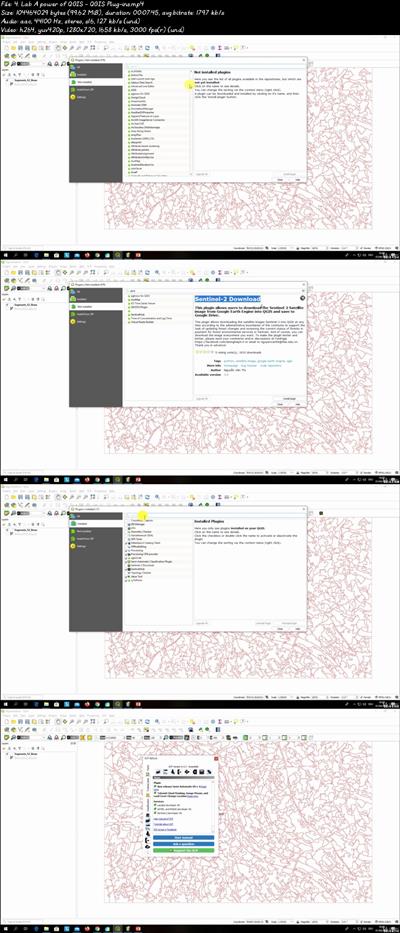
Get started GIS & Remote Sensing in QGIS: Theory & Practice

c8572d6213a56b79e3c1b4a2ba3a2d0d.jpg


Get started GIS & Remote Sensing in QGIS: Theory & Practice
Video: .mp4 (1280x720, 30 fps(r)) | Audio: aac, 44100 Hz, 2ch | Size: 1.43 GB
Genre: eLearning Video | Duration: 19 lectures (2 hour, 30 mins) | Language: English
Learn GIS, QGIS and Remote Sensing with open data & tools (QGIS and Google Earth Engine), apply/learn fundamentals.​

What you'll learn

Fully understand basics of GIS and Remote Sensing
Learn Applications of GIS and Remote Sensing
Learn open source GIS and Remote Sensing software tools
Learn feely available sources of geodata
Fully understand the components of GIS system and its main functionality
Learn how to install QGIS and its basics functionallity
Learn how to create basic GIS-based map
Learn Geodata types: raster and vector data types

Requirements

The course is for beginners, Freshers or for those transitioning from another industry or discipline.
A working computer.

Description

This course provides an introduction to GIS (geographic information systems) and Remote Sensing for spatial analysis with the emphasis on open source software available for free as well as free spatial data portals that offer a possibility to get started with the GIS, Remote Sensing, and spatial data analysis. This spatial analysis introductory course will provide you with an understanding of the GIS system and Remote Sensing in a very short time. By the end of the course, you will feel confident and completely understand the GIS and Remote Sensing technology and where get GIS software geodata to make maps.

This course will prepare the students for the basics of using GIS and Remote Sensing with open source and absolutely free software tools. We will go over various industries where GIS and Remote Sensing can be used including agriculture, geology, mining, hydrology, forestry, environmental, and many more! We will talk about the main GIS components and stages of GIS analysis. I will explain your desktop computer requirements needed to start working with GIS. We will talk about different geodata types. Finally, I will also equip you with the knowledge of different geospatial software tools available and GIS data portals where you can download your spatial maps and data for free.

As a BONUS lecture, I provide you a half an hour step-by-step video training on how to quickly create a land cover/ land use map on the cloud with Google Earth Engine using Machine Learning algorithms without any prior knowledge.

In this course, I include downloadable practical materials that will teach you:

- Understand the fundamentals of GIS and Remote Sensing

- Learn a variety of open FREE data sources and GIS % Remote Sensing software for conduction geospatial analysis

- How to install open source GIS software on your computer and correctly configure it

- QGIS software interface including its main components and plug-ins

- Learn how to prepare your first GIS map using open-source tools in QGIS

- Learn how to create a land use/land cover map using Google Earth Engine

Who this course is for:

Geographers, geologists, crop scientists or every other expert who deals with maps in their field.

30306d18835f830356af0e8a70096fe1.jpg


Download link:​
Код:
[center][b]rapidgator_net[/b]:
https://rapidgator.net/file/96e6e272a97905f01c38959d3729d774/aus4o.Get.started.GIS..Remote.Sensing.in.QGIS.Theory..Practice.part1.rar.html
https://rapidgator.net/file/60d14d95bed0608adab910e3bc00f586/aus4o.Get.started.GIS..Remote.Sensing.in.QGIS.Theory..Practice.part2.rar.html

[b]nitroflare_com[/b]:
https://nitroflare.com/view/0FF83ED52C59F67/aus4o.Get.started.GIS..Remote.Sensing.in.QGIS.Theory..Practice.part1.rar
https://nitroflare.com/view/55F1039154EBE42/aus4o.Get.started.GIS..Remote.Sensing.in.QGIS.Theory..Practice.part2.rar

[b]uploadgig_com[/b]:
http://uploadgig.com/file/download/f4649CAe1A8e5fF4/aus4o.Get.started.GIS..Remote.Sensing.in.QGIS.Theory..Practice.part1.rar
http://uploadgig.com/file/download/4e1b74811f3c279A/aus4o.Get.started.GIS..Remote.Sensing.in.QGIS.Theory..Practice.part2.rar[/center]

Links are Interchangeable - No Password - Single Extraction​
 
InPixio Photo Cutter 10.3.7466.30245 Multilingual

80ffd5ce2c3731dd8af171225db9b6c5.jpg


InPixio Photo Cutter 10.3.7466.30245 Multilingual | 286 Mb​
inPixio Photo Cutter lets you produce creative and realistic photomontages in just a few clicks. Thanks to these powerful digital scissors, no more time is wasted cutting out your images down to the nearest pixel since Photo Cutter does it all for you. The time saved can be devoted to coming up with original photomontages that are bound to impress your friends and family.

Create photomontages in a few clicks
- Cut out your photos easily
- Crop your photos to your liking
- Add a wallpaper from among the themes on offer or import your own images
- NEW! + 100 stickers and text templates
- NEW! Import several images into your photo montages

Cutting out in a few clicks
With inPixio Photo Cutter, your digital scissors, cut out any detail, individual, object or even landscape in your photos. Select the outline of the person using the slider or the background to erase, and the Photo Cutter algorithm then runs automatically! Conversely, you can use the "keep" slider for important features to make sure your cut-out is perfect. Even hair, drops of water and the finest details are removed from the background down to the nearest pixel.

Choose a background:
Then put the cut objects on the available backgrounds to make photomontages or collages in an instant! Just select your background pattern from the new original images, or download your own images for unique photomontages.

Even easier use and infinite creations
You can now import multiple photos in a single edit for spectacular and unexpected results. Also find over 100 stickers and text templates to add style to your photos and photomontages. Original content for every special occasion (birthdays, greetings, invitations, etc.).

Find tutorial videos for each Photo Cutter module
To get the most out of Photo Cutter 9's features, mini videos have been added to each of the software program's modules in the form of tooltips, making it easier and more effective to use. The old and new features of the program are explained in a fun and dynamic way. Simply hover over one of the features to reveal a demonstration of what you can do with it.

Solid-coloured wallpapers
In addition to the themed wallpapers, you can simply choose a solid colour in the background. You can choose from a wide range of colours while colour gradients are also an option.

System Requirements:
- OS : Windows 7/8/10
- Processor Intel® or AMD
- 1 GB RAM
- 100 MB free disk space
- Screen Resolution 1024 x 768

Home Page -
У Вас недостаточно прав для просмотра ссылок. Войдите или зарегистрируйтесь.


Download link:​
Код:
[center][b]rapidgator_net[/b]:
https://rapidgator.net/file/d297ab65aeb039141d3850ea4a77471a/ssmiu.InPixio.Photo.Cutter.10.3.7466.30245.Multilingual.rar.html

[b]nitroflare_com[/b]:
https://nitroflare.com/view/F51CEA13C797B8B/ssmiu.InPixio.Photo.Cutter.10.3.7466.30245.Multilingual.rar

[b]uploadgig_com[/b]:
http://uploadgig.com/file/download/02fe9f19a8550274/ssmiu.InPixio.Photo.Cutter.10.3.7466.30245.Multilingual.rar[/center]

Links are Interchangeable - No Password - Single Extraction​
 
InPixio Photo Editor 10.3.7468.21882 Multilingual

2c38475383746f0450d21ec4c6e940df.jpg


InPixio Photo Editor 10.3.7468.21882 Multilingual | 306 Mb​
inPixio Photo Editor is a photo software program that is loaded with features and easy to use. It offers you a whole host of editing options such as photo retouching, cropping, adding filters or frames. We have added several photo retouching modules to this new version, such as self-correction in 1 click or the possibility of adding color effects (LUT) will enhance your photos and give them an original and creative look worthy of a professional. After just a few minutes using inPixio Photo Editor, you will be turning out photographs worthy of a pro!

Create beautiful photos - with 1 click!
- Add filters & photo effects: warm, black & white, pink lady, negative, sepia, science fiction, vintage...
- Cut & crop: change the focus and size of your photos without being a pro.
- Edit your photos: change the colour & brightness etc. to get the most out of your favourite shots!
- NEW! Automatic correction in 1 click
- NEW! Addition of LUT styles
- NEW! Find tutorial videos for each module

Viewing your photos
Relax, Photo Editor is really quick to master. You will be able to easily navigate between the various tools. For viewing your photos you can choose a simple view but also:

- A double viewing window (original photo on the left and photo being modified on the right)
- A before-and-after view
- Use the Zoom feature to enhance the view and make your alterations in the closest detail.
- Batch processing - Apply changes to multiple photos at once
- Save your own settings which you can call up again in just one click during future projects

Add filters:
From over 100 filters classified by theme, choose the one which best suits your photo.

Add a frame:
Find the right frame for your photo from over 100 models sorted by type (classic, retro, sport, travel etc.)

Crop your photos:
- Crop your photos manually or choose from the suggested crop formats: 1/1; 16/9; 3/4 etc.
- You can also rotate your images and adjust the angle.

Noise reduction module
Effectively reduces the noise present in your photos taken under restricted light conditions.

Fog correction module
The (atmospheric) fog correction tool makes it possible to limit, or even remove altogether, the dull, gray overlay, and makes it more vibrant.

Selective touch-up module
Graduated filter, radial filter, correction brush.

Sharpness module
Allows greater sharpness to reveal all the details of the images

Film grain module
Adds grain to give the photo an artistic or retro effect.

Creative blur module
A brand new module allowing you to blur all or part of your photo.

Tone curve:
Play with the tone curves to obtain light or dark hues and adjust the RGB (Red, Green, Blue) curves one by one.

Color balance:
Adjust the hue and saturation with amazing precision. You can adjust the shadows, midtones and highlights of your photo on a case-by-case basis.

Add different textures:
- All categorized by theme (Light leak, grain, film, geometric, material etc.).
- It is also possible to adjust their opacity and the intensity of the texture as required.

Automatic correction in 1 click:
Amazing photos in just one click - using 100% automatic smart technology! Improve the quality and colors of your photos in under a second thanks to our fully automatic process. You no longer have to be a Photoshop expert to create perfect photos!

Addition of LUT styles
Incredible photos in just 1 click. Turn your pictures into one-of-a-kind shots by using styles worthy of a professional photographer. In just 1 click, your original photo is transformed and enhanced thanks to our selection of LUTs. You can also use this tool to import your own libraries or download and import free libraries from the Internet.

Automatic Red-Eye Correction
This new, 100% automatic technology recognises faces in your photos, and detects and corrects red eyes in a flash Give a new sparkle to your portraits or family photos from paper prints or slides, for instance.

Find tutorial videos for each Photo Editor module
To get the most out of Photo Editor 9's features, mini videos have been added to each of the software program's modules in the form of tooltips, making it easier and more effective to use. The old and new features of the program are explained in a fun and dynamic way. Simply hover over one of the features to reveal a demonstration of what you can do with it.

System Requirements:
- OS : Windows 7/8/10
- Processor Intel® or AMD
- 1 GB RAM
- 100 MB free disk space
- Screen Resolution 1024 x 768

Home Page -
У Вас недостаточно прав для просмотра ссылок. Войдите или зарегистрируйтесь.


Download link:​
Код:
[center][b]rapidgator_net[/b]:
https://rapidgator.net/file/3d107f526ad7eade102f8c169e1bd65d/dqdip.InPixio.Photo.Editor.10.3.7468.21882.Multilingual.rar.html

[b]nitroflare_com[/b]:
https://nitroflare.com/view/5EDFBBBE19C4867/dqdip.InPixio.Photo.Editor.10.3.7468.21882.Multilingual.rar

[b]uploadgig_com[/b]:
http://uploadgig.com/file/download/b3A0d88bbBfBd06B/dqdip.InPixio.Photo.Editor.10.3.7468.21882.Multilingual.rar[/center]

Links are Interchangeable - No Password - Single Extraction​
 
InPixio Photo Eraser 10.3.7466.30306 Multilingual

0a64dea7a0f68c28ad3ad6ef1c3b95e5.jpg


InPixio Photo Eraser 10.3.7466.30306 Multilingual | 146.1 Mb​
Tired of taking pictures with all those unwanted background images? Have you ever wanted to just get rid of that sign behind your or those people walking by? Well now you can erase anything in your picture that you don't want there with Photo Eraser for PC. All you need to do is decide which image you want to erase, select it, and click! If there are any slight marks left behind, use the clone tool to blend the colours back in for smooth, seamless appearance. No one will ever know you erased anything and you will have that perfect picture you were trying to capture in the first place.

Remove unwanted elements like magic!
So often we spend too much time trying to get that ultimate family photo. Or, we want to take the most spectacular pictures from our trip to show our friends. It seems almost impossible to get exactly what we want out of our pictures and we end up having to just settle for what we take. With Photo Eraser for PC there is no need to worry anymore about background images ruining our photos and waiting and waiting for people to pass so we can get only our family in the picture and not a bunch of strangers. You can now easily erase things like people, signs, wires, shadows, and numbers or dates.

Don't lose the magic in your photos
Don't let people roaming in the background of your shots spoil your vacation photos. Erase them easily and maintain a natural look in the backgrounds of your images.

Once in a lifetime moment
Its difficult enough to capture that special moment let alone have an unwanted object in the shot. Don't let it happen, quickly remove the object with just a few clicks.

Ordinary into extraordinary
Take an existing photo and erase objects that take away from the mood of the occasion. Sometimes even the smallest changes can enhance the beauty of a landscape or romantic setting.

The perfect shot
No need to worry about waiting for that perfect picture in a tourist hotspot during your vacation. Just quickly take your picture, and then take out all the other tourists when you get home using Photo Eraser.

Pixel by pixel
Photo Eraser erases the unwanted object and restores your picture pixel by pixel.

Everyday objects
Completely remove unwanted objects from your picture. Things like, signs, wires, people, or any image that distracts you from what you are trying to capture are gone.

A natural look
The technical features of Photo Eraser automatically identify the sections of an image that need to be filled in and make your new photo look natural and seamless.

No need to be exact
Take the hassle out of trying to carefully cut out images that take time and concentration. Other image processing programs require you to be exact and it can be quite noticeable that you have altered your picture in some way.

System Requirements:
- Windows 10, Windows 8, Windows 7
- 1 GHz Intel® Pentium® processor or equivalent
- 1 GB RAM CD/DVD ROM drive
- 100 MB hard disk space, mouse and keyboard

Home Page -
У Вас недостаточно прав для просмотра ссылок. Войдите или зарегистрируйтесь.


Download link:​
Код:
[center][b]rapidgator_net[/b]:
https://rapidgator.net/file/5fadaa68b92a4dd6830d0f73375c542c/nmi3n.InPixio.Photo.Eraser.10.3.7466.30306.Multilingual.rar.html

[b]nitroflare_com[/b]:
https://nitroflare.com/view/CFDC4583F09538E/nmi3n.InPixio.Photo.Eraser.10.3.7466.30306.Multilingual.rar

[b]uploadgig_com[/b]:
http://uploadgig.com/file/download/36Bda26e041A4BFe/nmi3n.InPixio.Photo.Eraser.10.3.7466.30306.Multilingual.rar[/center]

Links are Interchangeable - No Password - Single Extraction​
 
InPixio Photo Focus Pro 4.11.7466.30125 Multilingual

3f06393f2f449984af34d46fc5353cc4.jpg


InPixio Photo Focus Pro 4.11.7466.30125 Multilingual | 147 Mb​
Improve sharpness! Getting sharp photos is not always easy - especially with spontaneous snapshots. InPixio Photo Focus solves this problem in a flash and creates clear, high-resolution images.

Improve the sharpness of your photos
- Improve the sharpness of your photos
- Simple 1-click sharpening tool
- Reinforce & accentuate the focus
- Includes Tilt-Shift & Artistic Blur effects that bring the subject of the photo to life!

ONLY IN THE PRO VERSION:
- Create professional looking photos with oval frames (vignetting)
- Add customised artistic blur to achieve the perfect finish
- Save personal presets that can be used in a single click for future projects

Improve sharpness
Getting sharp photos is not always easy - especially with spontaneous snapshots. InPixio Photo Focus solves this problem in a flash and creates clear, high-resolution images.

Increase focus
You can add sharpness, soft focus and blurred areas to your images. This helps you to further accentuate the difference between the background and the sharp centre of the image.

Refocus
Not all images are always correctly centred. Redefine the centre of your images and focus the attention towards the centre of the image.

Impressive effects with tilt-shift and soft focus functions
Add horizontal soft focus (tilt-shift) to your images. This creates fantastic miniature effects that allow the focal object of your image to look like miniature!

Create structure and details
Emphasise the finest details in your images. Manage contrast and clarity - for impressive and detailed photos!

Resharpening
You can get so much more from all your photos! Even the sharpest photos can be resharpened - for perfect prints or an extremely sharp impression!

Simple
During the development stage of InPixio Photo Focus, particular attention was given to making sure the software is easy to use. The programme is intuitive and helps you through with the various 1-Click Assistants. If you need help when using the software, there are tool tips offering brief explanations next to each function.

Only in the Professional Version:

MORE! Creative Blur
Add a selected blurred area to your image through iris blurring (only available with PRO version). In photography, this effect is achieved through maximum fade-in.

MORE! Add Presets
Store your personal optimisation settings (presets) Create and save your own presets with 1 click for future use.

MORE! Vignetting module
Add oval picture frame to your photos to (vignetting) Create atmospheric shots from your photos with an oval picture frame in black or white. You can select the transparency of the frame to suit your taste and choose sharp or blurred transitions.

What's New in Version 4:

NEW! Advanced cropping module with rotation and horizon correction
Crop your photos manually or choose from the suggested crop formats: 1/1; 16/9; 3/4 etc. You can also rotate your images and adjust the angle.

NEW! Tone Curves Module
Play with the tone curves to obtain light or dark hues and adjust the RGB (Red, Green, Blue) curves one by one.

IMPROVED! interface and workspace
The new version has an attractive, ultra-modern user interface designed for even easier use.

NEW! Find tutorial videos for each Photo Focus module
To get the most out of Photo Focus features, mini videos have been added to each of the software program's modules in the form of tooltips, making it easier and more effective to use.

System Requirements:
- Windows 7, Windows 8 and Windows 10 (32-bit & 64-bit)
- Intel® Pentium® 1 GHz processor or equivalent
- 2 GB of RAM - (4 recommended)
- 500 MB of free disk space, mouse and keyboard

Home Page -
У Вас недостаточно прав для просмотра ссылок. Войдите или зарегистрируйтесь.


Download link:​
Код:
[center][b]rapidgator_net[/b]:
https://rapidgator.net/file/1db9c7f65aace18039f5f88c96d27331/yc7js.InPixio.Photo.Focus.Pro.4.11.7466.30125.Multilingual.rar.html

[b]nitroflare_com[/b]:
https://nitroflare.com/view/4900437A9FF7A6F/yc7js.InPixio.Photo.Focus.Pro.4.11.7466.30125.Multilingual.rar

[b]uploadgig_com[/b]:
http://uploadgig.com/file/download/97A3248d8f3163c4/yc7js.InPixio.Photo.Focus.Pro.4.11.7466.30125.Multilingual.rar[/center]

Links are Interchangeable - No Password - Single Extraction​
 
InPixio Photo Maximizer Pro 5.11.7466.30187 Multilingual

2e3e45affd1d22f75b46f39ca1090581.jpg


InPixio Photo Maximizer Pro 5.11.7466.30187 Multilingual | 146.6 Mb​
Ultra powerful zoom function which can enlarge images by up to 1000%. With 7 zoom algorithms, Photo Maximizer can tell you the target size of the image in pixels or centimeters.

The required resolution can also be adjusted to give you flawless results. This is particularly important when printing your photos and guarantees you the highest quality results. High precision zoom without quality loss
- Magnify up to 1000%
- NEW! Ultra-powerful zoom - 7 algorithms
- NEW! Define presets and process in batches
- NEW! Print oversized images and posters
- NEW! Simple, intuitive interface
- NEW! Touch-ups and enhancements in one click
- IMPROVED! Enlarge your photos and improve their quality

3 Simple Steps!
InPixio Photo Maximizer has been designed to be user-friendly and even includes a helpful wizard.

- Upload an image.
- Select the subject of your photograph
- Select the zoom setting: and that's it!

Before/after comparison
Display up to four different zoom settings simultaneously! Compare the images and choose the best result!

Enlarge photos on your PC, mobile, camera, etc.
Simply transfer your photos to your PC and zoom away!

Zoom your images and maintain extremely sharp edges
Usually when you enlarge an image you get pixilation and deterioration of colour and brightness. Photo Maximizer maintains image quality and undesirable noise. With InPixio Photo Maximizer say goodbye to pixelated, grainy and blurred photos when zooming in.

Batch processing - one thousand photos in one step
Define your zoom settings and Photo Maximizer will batch process up to 1000 images simultaneously!

Print projects
Print your enlarged images as posters, photos for framing, t-shirts, postcards and more.

Settings module - New!
Temperature, Hue, Brightness, Contrast, Shadows, Highlights, Clarity, Saturation

Share Module - New!
Facebook, Twitter FlickR, InstaCards - Share your photos with your friends and family on social networks, via email or as one-of-a-kind postcards (first card free)

Noise-reduction module - Improved! (Only in Pro Version)
Use this tool to effectively limit the noise in your enlarged image.

Sharpness module - Improved! (Only in Pro Version)
Reinforce sharpness to reveal all the details of your enlarged images.

Film grain module - New! (Only in Pro Version)
Enhance your prints by adding great-looking film grain.

Print and Formatting functions - New!
Determine image quality and easily print your photos from home

Photo roll - New!
One-click access to photos! All photos in the current folder are displayed and viewable in a preview area. Now you don't have to use the Open function to view photos!

InPixio bridge - New!
With a single click, switch from one editing function (e.g. cut) to the next (e.g. delete)!

"InPixio" enlargement algorithm - Improved!
The "InPixio" enlargement method has been significantly improved, so you can enlarge images and still get enhanced definition and quality during processing. The outlines of enlarged areas are also more precise.

Creating presets - Improved! (Only in Pro Version)
Create and save your own settings (presets) so you can use them again later: turn your photos into works of art! Each image processing setting can be saved as a preset for subsequent use. Simplify your work without having to reconfigure your settings!

Batch processing - Improved! (Only in Pro Version)
Make it easier on yourself: apply a preset to 1,000 or more photos and automate the image-processing step. Process large amounts of images with a single click.

New interface and workspace - New!
The new version has an attractive, ultra-modern user interface designed for even easier use.

Home screen - New!
Access all functions directly from a centralised start-up screen!

Getting started tutorial - Improved!
Interactive introductory lesson (tutorial) This short demonstration teaches you how to use the software and repeat the exact same steps on your own.

System Requirements:
- Windows 7, Windows 8, Windows 10
- Pentium IV 1.2 GHz and compatible processors
- 1 GB RAM (2 GB RAM for Windows 7/Vista)
- 15 MB hard disk memory

Home Page -
У Вас недостаточно прав для просмотра ссылок. Войдите или зарегистрируйтесь.


Download link:​
Код:
[center][b]rapidgator_net[/b]:
https://rapidgator.net/file/e4f3a03e9889b3f33636063333ee1d00/h3rq1.InPixio.Photo.Maximizer.Pro.5.11.7466.30187.Multilingual.rar.html

[b]nitroflare_com[/b]:
https://nitroflare.com/view/BC8C616DA661145/h3rq1.InPixio.Photo.Maximizer.Pro.5.11.7466.30187.Multilingual.rar

[b]uploadgig_com[/b]:
http://uploadgig.com/file/download/e6cd56E020ca6C5E/h3rq1.InPixio.Photo.Maximizer.Pro.5.11.7466.30187.Multilingual.rar[/center]

Links are Interchangeable - No Password - Single Extraction​
 
InPixio Photo Studio Pro 10.03.0 Multilingual

458b74b3c3ffa01ca7f80362344a5266.jpg


InPixio Photo Studio Pro 10.03.0 Multilingual | 493.7 Mb​
Photo Studio describes exactly what our software is today: a fully-fledged editing program that lets you create your pictures in your way. We're really excited about this new identity and hope you like the new name as much as we do. And rest-assured, the name might be changing but all the things our users love about Photo Clip are here to stay: Photo Studio 10 will still be a user-friendly photo editing software, full of fun content to help you create the perfect photos and photo montages. Read on to find out more about all the new features and improvements in Photo Studio 10.

Photo Clip is now Photo Studio
The first thing to know about version 10 of Photo Clip is that it has a new name: Photo Studio. Why change the name? Because the latest version of the software is so packed full of features that we decided it was time for an upgrade. Our flagship Photo Clip software has evolved a lot over the years, from a program for making background cutouts to a multi-functional suite of applications, covering a range of editing needs from erasing to enhancing.

Cutout and background erasing is now just one aspect of the program. Recent versions of the software also include:
- Advanced photomontage possibilities, such as adding new images, backgrounds, text and stickers to a photo.
- Erase tools, which remove distracting items from your photos, while preserving the original background.
- Tools for correcting and enhancing your photos. For example, the auto-correction function, which adds color and brightness to photos with just a single click.

New in Photo Studio 10:
As with every new release, we have updated Photo Studio to provide even more editing possibilities. This time, we have also put a big focus on improving performance and usability so that you can edit better and faster than ever. Here is a selection of the top new features to look forward to in Photo Studio 10.

Perspective tool
The perspective tool is a smart new feature that is useful for correcting photos of buildings and architecture.

You have probably had that experience where you want to photograph a beautiful building but you can't get far enough way to get it in shot, so instead you have to shoot "upwards" or from an angle. This leads to something called perspective distortion in your image, where the lines of your building don't appear straight. For example, if you photograph a tall building, such as a cathedral, from below, the result may look tilted as if the structure is leaning away from you.

The Perspective tool helps you to remove this distortion and correct any tilted or skewed appearance in your photos. If this sounds complicated, don't worry: the tool is very easy to use with three automatic settings, for horizontal, vertical and full correction. After the auto correct has done its work, you can use simple sliders to make the final adjustments yourself. Finally, if you want to have full control over the process there is also a manual mode where you can apply guides to your photo to make a precise correction. In short, you can say goodbye to (unwanted) slanting in your architecture photos, thanks to this new tool.

inPixio Photo Transfer
To coincide with the launch of Photo Studio, we are releasing a complimentary new app that you can download from the App Store or Google Play. With the inPixio Photo Transfer app, you can copy photos easily from your smartphone to your PC or Mac using Wi-Fi.

The app was designed as a helpful tool to facilitate photo editing with PC and Mac-based inPixio software. With a few clicks and a Wi-Fi connection, you can transfer your entire photo library to your laptop and download images ready for editing in Photo Studio. There is no need for a cable, cloud service, or software and your photos remain safe with no external storage. The app is also a useful way to back up your photos to your computer and save space on your cell phone.

EXIF data and Histogram
EXIF metadata is a set of information attached to a photo and stored automatically in your camera or smartphone. This can include date, location and more. When you upload a photo to Photo Studio, you can now view and edit all of this information. For example, you can add tags and ratings or even copyright information to a photo. This is useful for organizing your photos to help you quickly find what you're looking for. It's also especially useful if you upload your photos to online platforms such as Flickr.

Another new source of information in Photo Studio 10 is the Histogram. This measures exposure levels in your photo so you can get a better idea of the light and dark areas in an image. Referring to the histogram when editing exposure settings can help you to get the right level of brightness in your image.

New Local Adjustments
The selective retouching tab allows you to adjust specific sections of your photo with gradients or the paintbrush.

In Photo Studio 10, we have added new sliders to the selective retouching tab, meaning that you can now make even more edits to your photos. The new local adjustments are hue, whites, blacks, dehaze, sharpness and noise reduction.

RAW Images
Photo Studio 10 now supports RAW format images. Raw images are not pre-processed and compressed like standard image formats such as JPEG, meaning they take up a lot of disk space. Because raw images are heavy and because the format varies between camera manufacturers, it is often difficult to open them in software programs. However, thanks to improvements made by inPixio developers, now you can open and edit all you raw images in Photo Studio.

Interactive Film Strip
We mentioned usability improvements, and this is one of the big ones. The filmstrip is the panel at the bottom of the Photo Studio interface that displays all the images in a selected file. In Version 10, it is now fully interactive. This means that in Photo Editor you can filter images easily by date taken, camera, file type and a range of other criteria. You can also apply edits directly from the filmstrip. For example, you can autocorrect an image with a simple right-click without opening it in the workspace. You can also delete edits in the same way.

Video Tutorials
Even with the easiest software, you may need a little extra help from time to time. Our video tutorials are designed to guide you through some of the main tools and the main uses of Photo Studio, so that you can get to know the program more quickly and get the best possible results. Photo Studio 10 comes with a new section for Video Tutorials: simply click on the link to access the playlist of tutorials. A database of support resources is also available from the Assistance section of the menu.

New Content
Our users requested it and we are more than happy to oblige! In Photo Studio 10, you will find a selection of new backgrounds and other visual content in both the Photo Cutter and Photo Editor modules. Try personalizing the new stickers by editing colors and more. And of course, don't forget to try out the new backgrounds in your photomontages. We particularly love the new Hollywood background and cannot wait to see what our users do with this!

System Requirements:
- Windows 10, Windows 8, Windows 7
- 1 GHz Intel® Pentium® processor or equivalent
- 1 GB RAM CD/DVD ROM drive
- 100 MB hard disk space, mouse and keyboard

Home Page -
У Вас недостаточно прав для просмотра ссылок. Войдите или зарегистрируйтесь.


Download link:​
Код:
[center][b]rapidgator_net[/b]:
https://rapidgator.net/file/91067bf04c151a90aa9396645a2eb3e0/7jj6z.InPixio.Photo.Studio.Pro.10.03.0.Multilingual.rar.html

[b]nitroflare_com[/b]:
https://nitroflare.com/view/44D0779E5D1D8B9/7jj6z.InPixio.Photo.Studio.Pro.10.03.0.Multilingual.rar

[b]uploadgig_com[/b]:
http://uploadgig.com/file/download/545B27839bf51478/7jj6z.InPixio.Photo.Studio.Pro.10.03.0.Multilingual.rar[/center]

Links are Interchangeable - No Password - Single Extraction​
 
InPixio Photo Studio Ultimate 10.03.0 DC 12.06.2020 Multilingual

4e2882ed0b9db70acd2a922c8a7ee02c.jpg


InPixio Photo Studio Ultimate 10.03.0 DC 12.06.2020 Multilingual | 523 Mb​
Photo Studio describes exactly what our software is today: a fully-fledged editing program that lets you create your pictures in your way. We're really excited about this new identity and hope you like the new name as much as we do. And rest-assured, the name might be changing but all the things our users love about Photo Clip are here to stay: Photo Studio 10 will still be a user-friendly photo editing software, full of fun content to help you create the perfect photos and photo montages. Read on to find out more about all the new features and improvements in Photo Studio 10.

Photo Clip is now Photo Studio
The first thing to know about version 10 of Photo Clip is that it has a new name: Photo Studio. Why change the name? Because the latest version of the software is so packed full of features that we decided it was time for an upgrade. Our flagship Photo Clip software has evolved a lot over the years, from a program for making background cutouts to a multi-functional suite of applications, covering a range of editing needs from erasing to enhancing.

Cutout and background erasing is now just one aspect of the program. Recent versions of the software also include:
- Advanced photomontage possibilities, such as adding new images, backgrounds, text and stickers to a photo.
- Erase tools, which remove distracting items from your photos, while preserving the original background.
- Tools for correcting and enhancing your photos. For example, the auto-correction function, which adds color and brightness to photos with just a single click.

New in Photo Studio 10:
As with every new release, we have updated Photo Studio to provide even more editing possibilities. This time, we have also put a big focus on improving performance and usability so that you can edit better and faster than ever. Here is a selection of the top new features to look forward to in Photo Studio 10.

Perspective tool
The perspective tool is a smart new feature that is useful for correcting photos of buildings and architecture.

You have probably had that experience where you want to photograph a beautiful building but you can't get far enough way to get it in shot, so instead you have to shoot "upwards" or from an angle. This leads to something called perspective distortion in your image, where the lines of your building don't appear straight. For example, if you photograph a tall building, such as a cathedral, from below, the result may look tilted as if the structure is leaning away from you.

The Perspective tool helps you to remove this distortion and correct any tilted or skewed appearance in your photos. If this sounds complicated, don't worry: the tool is very easy to use with three automatic settings, for horizontal, vertical and full correction. After the auto correct has done its work, you can use simple sliders to make the final adjustments yourself. Finally, if you want to have full control over the process there is also a manual mode where you can apply guides to your photo to make a precise correction. In short, you can say goodbye to (unwanted) slanting in your architecture photos, thanks to this new tool.

inPixio Photo Transfer
To coincide with the launch of Photo Studio, we are releasing a complimentary new app that you can download from the App Store or Google Play. With the inPixio Photo Transfer app, you can copy photos easily from your smartphone to your PC or Mac using Wi-Fi.

The app was designed as a helpful tool to facilitate photo editing with PC and Mac-based inPixio software. With a few clicks and a Wi-Fi connection, you can transfer your entire photo library to your laptop and download images ready for editing in Photo Studio. There is no need for a cable, cloud service, or software and your photos remain safe with no external storage. The app is also a useful way to back up your photos to your computer and save space on your cell phone.

EXIF data and Histogram
EXIF metadata is a set of information attached to a photo and stored automatically in your camera or smartphone. This can include date, location and more. When you upload a photo to Photo Studio, you can now view and edit all of this information. For example, you can add tags and ratings or even copyright information to a photo. This is useful for organizing your photos to help you quickly find what you're looking for. It's also especially useful if you upload your photos to online platforms such as Flickr.

Another new source of information in Photo Studio 10 is the Histogram. This measures exposure levels in your photo so you can get a better idea of the light and dark areas in an image. Referring to the histogram when editing exposure settings can help you to get the right level of brightness in your image.

New Local Adjustments
The selective retouching tab allows you to adjust specific sections of your photo with gradients or the paintbrush.

In Photo Studio 10, we have added new sliders to the selective retouching tab, meaning that you can now make even more edits to your photos. The new local adjustments are hue, whites, blacks, dehaze, sharpness and noise reduction.

RAW Images
Photo Studio 10 now supports RAW format images. Raw images are not pre-processed and compressed like standard image formats such as JPEG, meaning they take up a lot of disk space. Because raw images are heavy and because the format varies between camera manufacturers, it is often difficult to open them in software programs. However, thanks to improvements made by inPixio developers, now you can open and edit all you raw images in Photo Studio.

Interactive Film Strip
We mentioned usability improvements, and this is one of the big ones. The filmstrip is the panel at the bottom of the Photo Studio interface that displays all the images in a selected file. In Version 10, it is now fully interactive. This means that in Photo Editor you can filter images easily by date taken, camera, file type and a range of other criteria. You can also apply edits directly from the filmstrip. For example, you can autocorrect an image with a simple right-click without opening it in the workspace. You can also delete edits in the same way.

Video Tutorials
Even with the easiest software, you may need a little extra help from time to time. Our video tutorials are designed to guide you through some of the main tools and the main uses of Photo Studio, so that you can get to know the program more quickly and get the best possible results. Photo Studio 10 comes with a new section for Video Tutorials: simply click on the link to access the playlist of tutorials. A database of support resources is also available from the Assistance section of the menu.

New Content
Our users requested it and we are more than happy to oblige! In Photo Studio 10, you will find a selection of new backgrounds and other visual content in both the Photo Cutter and Photo Editor modules. Try personalizing the new stickers by editing colors and more. And of course, don't forget to try out the new backgrounds in your photomontages. We particularly love the new Hollywood background and cannot wait to see what our users do with this!

System Requirements:
- Windows 10, Windows 8, Windows 7
- 1 GHz Intel® Pentium® processor or equivalent
- 1 GB RAM CD/DVD ROM drive
- 100 MB hard disk space, mouse and keyboard

Home Page -
У Вас недостаточно прав для просмотра ссылок. Войдите или зарегистрируйтесь.


Download link:​
Код:
[center][b]rapidgator_net[/b]:
https://rapidgator.net/file/57b4d3b1160551798b1e4afc93fdf915/3344l.InPixio.Photo.Studio.Ultimate.10.03.0.DC.12.06.2020.Multilingual.rar.html

[b]nitroflare_com[/b]:
https://nitroflare.com/view/FE67CE1977878E2/3344l.InPixio.Photo.Studio.Ultimate.10.03.0.DC.12.06.2020.Multilingual.rar

[b]uploadgig_com[/b]:
http://uploadgig.com/file/download/A67f45f56aA471d6/3344l.InPixio.Photo.Studio.Ultimate.10.03.0.DC.12.06.2020.Multilingual.rar[/center]

Links are Interchangeable - No Password - Single Extraction​
 
MS Word For Beginners: Fast Track Training

f4fb5c1142d7e99451d938e123091756.jpg


MS Word For Beginners: Fast Track Training
Video: .mp4 (1280x720, 30 fps(r)) | Audio: aac, 44100 Hz, 2ch | Size: 426 MB
Genre: eLearning Video | Duration: 21 lectures (51 mins) | Language: English

Learn how to master MS Word methods quickly and easily for yourself or business​

What you'll learn

How To Easily Master MS Word For Beginners
How To Optimize MS Word For Best Results
Brand New Over-The-Shoulder Video Series For MS Word

Requirements

A computer with internet access
A willingness to learn and take action
MS Word Installed On Your Computer

Description

MS Word For Beginners: Fast Track Training:

Brand New Over-The-Shoulder Video Series On How To Write Better & Faster Using MS Word.

Do you want to write better?

Do you need a reliable word processing software that will help you create text documents, print them on paper or even save them as PDF files?

If the answer is a big YES...

I have good news for you...

Heard of MS Word.

No word processor is as convenient as MS Word. From formatting to split view to tracking changes and project sharing, MS Word just makes things easier.

You can work on a document and have other people review and contribute to the content.

Even better, you can track all changes made to a Word document and even revert to an earlier version.

MS Word is the best word processing software on the planet and if you don't know how to use it yet, then you're missing out big time.

90% Market Share

Before we go any further, let me give you some insights about MS Word:

Microsoft first released Word on October 25 1983. When it was released it was known as Multi-Tool Word for Xenix systems.

From its time of release up to 1994, Word was boasting of an impressive 90% share market.

Word has different licenses for different stakeholders. Commercial versions of Word are licensed as a standalone product or as a component of Microsoft Office.

Word was made available on Mac and PC, besides these two, the only other desktop platform to be graced with its own version of Word was the Atari ST.

AutoCorrect was introduced to the sixth version of Word in 1993. Before then, users had to correct their own typing, spelling and grammar mistakes.

In 2013, Microsoft introduced the first touch friendly version of Word.

Word is available on mobile devices and online for easy accessibility.

Word is included in the latest version of Microsoft Office, Office 365.

Why You Need To Get Started Now:

Word is available everywhere.

Create different file formats using Word.

Easy to use and integrate with other tools.

Identify and resolve grammar and spelling issues with Word.

Word is very convenient.

Introducing...

Write Better With Word

Better, Faster, Smarter.

There's nothing like this video series.

Watch as I show you how to get started with Ms Word.

I reveal my best tips for using some unknown tactics that only a few elite few knows.

You get to see everything. I explain everything to you.

There will be no guesswork.

All you need is just a short hour of your time to learn everything and you'd be ready to get started with it instantly.

Here's What You'll Discover Inside This Video Training:

How to get started with MS Word.

Learn how to get use to the interface and configure your settings.

Learn how to create your first document and which features to select when doing it.

Learn how to work with MS Word templates and backgrounds.

How to quickly and easily work with text, colours and others.

How to format attractive word document that prints awesomely well.

How to use the configuration settings and organize your ideas properly before writing.

And so many more...

----------------------------------

MS Word For Beginners: Fast Track Training:

Section 1: Overview

1 - Overview

Section 2: File Menu

2 - File Menu - Part 1

3 - File Menu - Part 2

Section 3: Home Menu

4 - Home Menu - Part 1

5 - Home Menu - Part 2 - Styles

Section 4: Insert Menu

6 - Insert Menu - Part 1

7 - Insert Menu - Part 2

Section 5: Design & Layout Menus

8 - Design Menu

9 - Layout Menu

Section 6: Reference & Mailings Menus

10 - References Menu

11 - References Menu - Table Of Contents

12 - Mailings Menu

Section 7:Review & View Menus

13 - Review Menu - Part 1

14 - Review Menu - Part 2

15 - Review Menu - Resume Assistant

16 - View Menu

Section 8: Basic Document Creation & File Saving

17 - Basic Document Creation - Part 1

18 - Basic Document Creation - Part 2

19 - File Type Saving

Section 9: Conclusion

20 - Conclusion

Who this course is for:

All MS Word Students
Students who want to master MS Word
Professionals, Business Owners, Internet Marketers, Entrepreneurs, Hobbyists

fcdca7d763a2954772cc0f6101770796.jpg


Download link:​
Код:
[center][b]rapidgator_net[/b]:
https://rapidgator.net/file/b38c7cee48a528446c7bce721b650028/xow41.MS.Word.For.Beginners.Fast.Track.Training.rar.html

[b]nitroflare_com[/b]:
https://nitroflare.com/view/D83F5FC90B82E32/xow41.MS.Word.For.Beginners.Fast.Track.Training.rar

[b]uploadgig_com[/b]:
http://uploadgig.com/file/download/3ee7e743827Ec5f8/xow41.MS.Word.For.Beginners.Fast.Track.Training.rar[/center]

Links are Interchangeable - No Password - Single Extraction​
 
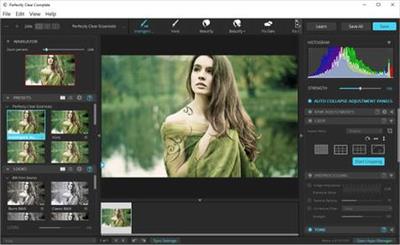
Perfectly Clear Complete 3.10.0.1799 (x64) Multilingual

8c37488b13e0d3b212b0ce2b431cbb94.jpg


Perfectly Clear Complete 3.10.0.1799 (x64) Multilingual | 122.8 Mb​
Built for precision. Made for beauty. Above all, you want better photos. But what if you could have better photos faster? Perfectly Clear has mastered the science of intelligent image correction - creating superior quality photos in record time, so you can get back to doing what you really love...in no time.

Spend less time in front of your computer.
With Perfectly Clear, you'll get results faster so you can spend more time behind the camera and less time in front of the computer. Take advantage of intelligent image analysis to find and fix numerous camera flaws automatically. Plus, you can quickly add your favorite finishing touch with our stylized LOOKs.

Take complete control.
Our presets are just the starting point. Easily apply only the adjustments you need for the perfect image. Use our powerful sharpening and noise reduction, which goes beyond what other tools can do, to unlock a whole new image. Keep an eye on your color and exposure with a dynamic histogram that tracks exposure and color clipping.

A custom experience.
Every photographer is different, and so is Perfectly Clear. Our adaptive interface lets you hide tools you don't need while you work, allowing you to focus on your image. Plus, you can make and manage your own presets, which intelligently adapt to each photo.

Why change your workflow?
Rather than move your entire image library or change your workflow, we'll make your existing workflow better. We support several platforms and have more coming soon. With powerful batch processing and up to 30 corrections in one click, we'll make everything better.

We've got image correction down to a science.
Creating our award-winning technology took more than a decade of R&D, multiple patented processes, and over a dozen unique algorithms. We cracked the code on correcting every pixel independently. The proof is in your pictures.

System Requirements:
- Windows 7, 8 or 10 (64-bit only)
- Photoshop CS6 or Creative Cloud
- Photoshop Elements 13,14,15
- Corel PaintShop Pro X6, X7, X8, X9, 2020
- Lightroom 4 or newer, including v6 and CC
- 4 GB RAM or more
- OpenGL v2.0 or newer

Home Page -
У Вас недостаточно прав для просмотра ссылок. Войдите или зарегистрируйтесь.


Download link:​
Код:
[center][b]rapidgator_net[/b]:
https://rapidgator.net/file/b85580ce6ef8d10597fe741ea790e602/k4w7s.Perfectly.Clear.Complete.3.10.0.1799.x64.Multilingual.rar.html

[b]nitroflare_com[/b]:
https://nitroflare.com/view/075DB075EBEF759/k4w7s.Perfectly.Clear.Complete.3.10.0.1799.x64.Multilingual.rar

[b]uploadgig_com[/b]:
http://uploadgig.com/file/download/4436674a89997180/k4w7s.Perfectly.Clear.Complete.3.10.0.1799.x64.Multilingual.rar[/center]

Links are Interchangeable - No Password - Single Extraction​
 
Pitrinec Macro Toolworks Professional 9.1.4

8f42cbcfb252cac2c37bd4a09f323b69.jpg


Pitrinec Macro Toolworks Professional 9.1.4 | 24.6 Mb​
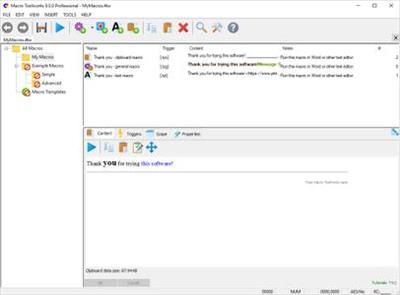
Macro Toolworks is a powerful all-in-one Windows automation software. It allows users to record macros, write macros in a easy to use editor that does not require macro commands syntax knowledge, and playback the macros in any Windows application. Each macro can be triggered multiple ways depending on the user's needs: by text shortcuts, keyboard hot-keys, mouse clicks or other mouse events, time scheduler, file/folder changes, customizable toolbars, etc.

Macros recorded in the recorder (both keyboard and mouse events are recorded) can be manually edited and optimized. Macros can simply mimic user behavior by sending Windows keys and mouse clicks or they can do even more complex repetitive daily tasks such as file backups and other file manipulation, fill web forms, sending/receiving e-mails, manipulating registry, inserting/retrieving data to/from Excel files, downloading/uploading files, zipping and encrypting files and folders, and much more...

Macro Toolworks Professional Features:
* Multiple macro files open simultaneously
* Multi-language UI
* Macros saved in a single file, "File/Open", "File/Save as" supported
* Macro file encrypted to protect content from being easily viewed
* Macro file AES encryption to strongly protect sensitive content
* Help integrated to commands editor
* Search within macros, macro names, triggers and descriptions
* Enable/Disable all macro triggers on a single click
* Smart macro recorder
* Export/Import macros to/from XML
* Export macros to HTML
* Lock macro file to protect macros from being changed
* Status bar
* Disable macros and macro groups
* Generate redistributable .EXE file or the "Free Macro Player" file to freely share your macros with others
* Application specific triggers - the same trigger can start different macros in different applications or the trigger works just in a defined application
* Text shortcut (such as .s1)
* Hot-keys (such as Ctrl+Alt+W)
* Extended hot-keys (such as Ctrl+Alt+W, Ctrl+1)
* Auto-complete
* Macro hint as typing
* Macro toolbars
* Macro submenus
* Macro toolbar buttons with text
* Custom toolbar colors
* Time scheduled macros (run at specified time/date, run every x seconds/minutes/hours/days, etc.)
* Wake-up computer before macro is started
* Trigger macro on window is activated/de-activated/opened/closed
* Trigger macro on file create/delete/change
* Trigger macro on a file or subfolder in folder is changed/created/deleted
* Trigger macro on low space on hard drive
* Trigger macro when a screen pixel changes
* Trigger macro on idle time
* Trigger macro on Windows shutdown
* Trigger macro on mouse button is clicked
* Trigger macro on mouse shake
* Trigger macro on mouse is moved to specific location
* Trigger macro on mouse wheel
* Control key modifiers available for each trigger
* Macro commands supported Very limited set Most All 300+
* (All Standard Edition + VBA like Basic Script, file path parser, Excel commands, XML parsing)
* Automatically validate macro syntax
* Password protect macros to prevent running/changing/viewing them by unauthorized users or accidentally
* Run just selected commands of the macro
* Clipboard macros - paste data of any kind (text, rich text, pictures, tables, sheets, graphics, whatever you can copy/paste)
* Adjustable macro playback speed
* Log macro execution (user optional)
* Bulk macro changes
* Macro debugging with macro variables preview
* Simple visual macro editing with help file integrated
* Multiple user defined options to handle errors detected during macro execution.
* Ability to run macro in a separate process
* Start macro remotely from other machine on LAN

Requirements: 32 bit or 64 bit version of Windows 10, Windows 8.1, Windows 8, Windows 7, Windows Vista, and their server versions. 55 MB free hard disk space.

Home Page -
У Вас недостаточно прав для просмотра ссылок. Войдите или зарегистрируйтесь.


Download link:​
Код:
[center][b]rapidgator_net[/b]:
https://rapidgator.net/file/f5ae5b32ab33add809525cff38f2cc83/gkb4g.Pitrinec.Macro.Toolworks.Professional.9.1.4.rar.html

[b]nitroflare_com[/b]:
https://nitroflare.com/view/0B9F6A0BF7DB57C/gkb4g.Pitrinec.Macro.Toolworks.Professional.9.1.4.rar

[b]uploadgig_com[/b]:
http://uploadgig.com/file/download/e8de3f346E3Be744/gkb4g.Pitrinec.Macro.Toolworks.Professional.9.1.4.rar[/center]

Links are Interchangeable - No Password - Single Extraction​
 
Pitrinec Perfect Keyboard Professional 9.1.4

7d423f7cfaf5aca10539925267cec669.jpg


Pitrinec Perfect Keyboard Professional 9.1.4 | 24.3 Mb​
Perfect Keyboard is a macro program intended for users who mostly need to automate text and data insertion using keyboard. The Perfect Keyboard contains subset of the Macro Toolworks features. It allows users to create macros running in all Windows applications and web sites and fire them by keyboard shortcuts, hotkeys, and auto-complete feature from within any application.

Macro recorder (both keyboard recorder and mouse recorder) and macro editor makes it easy to create new macros. Macros can consist from keys (keystrokes), mouse clicks and macro commands (there are 170+ commands build in). Perfect Keyboard brings users faster and error free typing, complete Windows automation and reliable processing of repetitive tasks of all kinds.

Note: If you would like to be able to start macros also by other triggers like mouse events (click, move mouse on screen edge, shake mouse, etc.), handy toolbars or schedule them to run at specified time or on specific conditions (file was created/deleted, file was changed, screen content changed, computer is in idle time, etc.) then consider using Macro Toolworks - our all-in-one macro automation software - that offers many additional macro triggering options.

System requirements:
32 bit or 64 bit version of Windows 10, Windows 8.1, Windows 8, Windows 7, Windows Vista, and their server versions. 55 MB free hard disk space.

Home Page -
У Вас недостаточно прав для просмотра ссылок. Войдите или зарегистрируйтесь.


Download link:​
Код:
[center][b]rapidgator_net[/b]:
https://rapidgator.net/file/f155469433c1821fd0e639ac39642430/rxtvo.Pitrinec.Perfect.Keyboard.Professional.9.1.4.rar.html

[b]nitroflare_com[/b]:
https://nitroflare.com/view/5D43F7C1FAE9D73/rxtvo.Pitrinec.Perfect.Keyboard.Professional.9.1.4.rar

[b]uploadgig_com[/b]:
http://uploadgig.com/file/download/e3C97774441F76c0/rxtvo.Pitrinec.Perfect.Keyboard.Professional.9.1.4.rar[/center]

Links are Interchangeable - No Password - Single Extraction​
 
Pixarra Luminance Studio 3.03

c8be8605eff58288860260d7ab63289f.jpg


Pixarra Luminance Studio 3.03 | 37.4 Mb​
Luminance Studio is a Pixarra product in the Studio series with a focus on painting with luminance for both natural media and design style of artwork. It builds on the success of other Studio products by Pixarra, giving you, the artist, a tool dedicated to achieving your vision quicker and better than other options.

Luminance Studio 3 Features:
- New Tools - Paint Bucket, Gradient, Transform, Line, Bezier Curve, Rectangle, Ellipse, Rectangle Mask, Ellipse Mask, Polygon Mask​, Lasso Mask, Magic Wand Mask, and Warp ​Tools
- New Brush Effects - Auto Mask Fine Tolerance​, 3D Highlight Color and 3D Shadow Color
- Brush Control Panel
- Clips
- Copy and Paste Page
- New UI Color Themes
- New Hotkeys and More!

Natural Media Art Style
All the paintings in Luminance Studio start with a black background and are painted to the light. In most of the cases the number of colors and brushes that are needed for an artwork is limited and you can achieve great results with just a few.

Design Art Style
In addition to the natural media art style, Luminance Studio also excels at line art with a luminance style which is well suited for abstract works.

Artsets
Luminance Studio comes with 5 primary ArtSets. Paint, Design, Overpaint, Scribblers, and Masking ArtSets. Additionally there are 5 user ArtSets that can hold up to 60 brushes each.

Clean User Interface
Luminance Studio, as all of Pixarra's focused Studio products, has a clean interface, designed for an easy, quick work flow. Dark and lighter color themes are available.

Paper Texture
Your fine art creations will come alive with the Luminance Studio paper textures. There is a wide collection of different textures available.

Quick Access Panels
The Color Management panel and the Brush Shortcut Panel are two panels you will use a lot. All the panels in Luminance Studio will automatically hide if they get in your way while painting. Manually hiding all panels is also possible with the F3 hotkey.

Quick Command Panel
The Quick Command panel gives you a configurable array of buttons you can keep close at hand while working. Resize and reshape the panel to your needs. Add, remove and move buttons to create the layout that works best for you. Quickly show or hide the panel with the [F4] hotkey. Right click to edit a button or add one to an empty slot. [Ctrl] + click to drag a button to a new location. As an added bonus there is some functionality exposed in the Quick Command panel that isn't available anywhere else in Luminance Studio.

Powerful Brush Effects System
Since User ArtSets are available you might be thinking where will you get new brushes from. There are a number of ways, user shared brushes in the Pixarra forum, brushes imported from Pro Studio, OR now you can edit brushes right in Luminance Studio with the powerful Brush Effects system from Pro Studio. First an IMPORTANT NOTE: Editing brushes is NOT an easy task. There are over 500 different effects that can be combined in 28 effect layers with each effect processed with 100's of modifiers. I think it's safe to say the Pixarra brush effects system makes for the most powerful brush engine in existence. Evidenced in the ability to draw simple lines or fully detailed tree with the same engine with a single stroke as can be seen in Tree Studio.

Layers
Easy access support for layers are in Luminance Studio. The idea is to keep your work flow simple and fast. A simple single click to create a layer with no scrolling. Right click a layer for additional options. Drag layers to rearrange them.

Extensive Tool Set
In Paint Studio 3 you have a full range of tools at your disposal, including Color Picker, Crop, Transform, Line, Bezier Curve, Rectangle, Ellipse, Paint Bucket, Gradients, Mask Rectangle, Mask Ellipse, Mask Polygon, Mask Wand, Warp, Copy tool, Paste tool, Pan and Rotate Brush tools.

Clips
A fantastic productivity system that allows for easy storage and reuse of your clipped images and photo elements for use later. ​

Brush Control
Brush Control is a custom control panel, until now, available only in TwistedBrush Pro Studio, that changes for every Pro brush.​ The brush editor allows the designer to define exposed control points for a brush to make it easy to tune a selected brush without needing to understand the details of brush editing.​​​​

Other features:
- 64 bit color painting system for the smoothest blends available anywhere.
- World's most powerful and flexible brush engine with the Pixarra brush effects system
- Automatic saving multiple copies of your work in progress.
- Brush compatibility with other Pixarra Studio products.
- Tracing paper to use as a guide.
- Up to 9 floating reference Image panels to hold reference photos when working on your art.
- Sketchbook system that automatically saves your work to your sketchbook.
- Switching pages in your book with a single key press (Page Up or Page Down)
- Saving your work to a range of standard image formats.
- And many more features!

System Requirements:
- Windows /XP / Vista / Windows 7/ Windows 8 / Windows 10
- 500MB disk space
- 1024x768 minimum display resolution
- 4GB RAM (8GB or more recommended)

Home Page -
У Вас недостаточно прав для просмотра ссылок. Войдите или зарегистрируйтесь.


Download link:​
Код:
[center][b]rapidgator_net[/b]:
https://rapidgator.net/file/9e365fc216796e21570484dfa1a420fe/tjg83.Pixarra.Luminance.Studio.3.03.rar.html

[b]nitroflare_com[/b]:
https://nitroflare.com/view/8841F303D82157D/tjg83.Pixarra.Luminance.Studio.3.03.rar

[b]uploadgig_com[/b]:
http://uploadgig.com/file/download/EbbbECf36de3E9e5/tjg83.Pixarra.Luminance.Studio.3.03.rar[/center]

Links are Interchangeable - No Password - Single Extraction​
 
Pixarra Luminance Studio 3.03 Portable

fce067e8a999bb2378a254db9c0697d9.jpg


Pixarra Luminance Studio 3.03 Portable | 54.2 Mb​
Luminance Studio is a Pixarra product in the Studio series with a focus on painting with luminance for both natural media and design style of artwork. It builds on the success of other Studio products by Pixarra, giving you, the artist, a tool dedicated to achieving your vision quicker and better than other options.

Luminance Studio 3 Features:
- New Tools - Paint Bucket, Gradient, Transform, Line, Bezier Curve, Rectangle, Ellipse, Rectangle Mask, Ellipse Mask, Polygon Mask​, Lasso Mask, Magic Wand Mask, and Warp ​Tools
- New Brush Effects - Auto Mask Fine Tolerance​, 3D Highlight Color and 3D Shadow Color
- Brush Control Panel
- Clips
- Copy and Paste Page
- New UI Color Themes
- New Hotkeys and More!

Natural Media Art Style
All the paintings in Luminance Studio start with a black background and are painted to the light. In most of the cases the number of colors and brushes that are needed for an artwork is limited and you can achieve great results with just a few.

Design Art Style
In addition to the natural media art style, Luminance Studio also excels at line art with a luminance style which is well suited for abstract works.

Artsets
Luminance Studio comes with 5 primary ArtSets. Paint, Design, Overpaint, Scribblers, and Masking ArtSets. Additionally there are 5 user ArtSets that can hold up to 60 brushes each.

Clean User Interface
Luminance Studio, as all of Pixarra's focused Studio products, has a clean interface, designed for an easy, quick work flow. Dark and lighter color themes are available.

Paper Texture
Your fine art creations will come alive with the Luminance Studio paper textures. There is a wide collection of different textures available.

Quick Access Panels
The Color Management panel and the Brush Shortcut Panel are two panels you will use a lot. All the panels in Luminance Studio will automatically hide if they get in your way while painting. Manually hiding all panels is also possible with the F3 hotkey.

Quick Command Panel
The Quick Command panel gives you a configurable array of buttons you can keep close at hand while working. Resize and reshape the panel to your needs. Add, remove and move buttons to create the layout that works best for you. Quickly show or hide the panel with the [F4] hotkey. Right click to edit a button or add one to an empty slot. [Ctrl] + click to drag a button to a new location. As an added bonus there is some functionality exposed in the Quick Command panel that isn't available anywhere else in Luminance Studio.

Powerful Brush Effects System
Since User ArtSets are available you might be thinking where will you get new brushes from. There are a number of ways, user shared brushes in the Pixarra forum, brushes imported from Pro Studio, OR now you can edit brushes right in Luminance Studio with the powerful Brush Effects system from Pro Studio. First an IMPORTANT NOTE: Editing brushes is NOT an easy task. There are over 500 different effects that can be combined in 28 effect layers with each effect processed with 100's of modifiers. I think it's safe to say the Pixarra brush effects system makes for the most powerful brush engine in existence. Evidenced in the ability to draw simple lines or fully detailed tree with the same engine with a single stroke as can be seen in Tree Studio.

Layers
Easy access support for layers are in Luminance Studio. The idea is to keep your work flow simple and fast. A simple single click to create a layer with no scrolling. Right click a layer for additional options. Drag layers to rearrange them.

Extensive Tool Set
In Paint Studio 3 you have a full range of tools at your disposal, including Color Picker, Crop, Transform, Line, Bezier Curve, Rectangle, Ellipse, Paint Bucket, Gradients, Mask Rectangle, Mask Ellipse, Mask Polygon, Mask Wand, Warp, Copy tool, Paste tool, Pan and Rotate Brush tools.

Clips
A fantastic productivity system that allows for easy storage and reuse of your clipped images and photo elements for use later. ​

Brush Control
Brush Control is a custom control panel, until now, available only in TwistedBrush Pro Studio, that changes for every Pro brush.​ The brush editor allows the designer to define exposed control points for a brush to make it easy to tune a selected brush without needing to understand the details of brush editing.​​​​

Other features:
- 64 bit color painting system for the smoothest blends available anywhere.
- World's most powerful and flexible brush engine with the Pixarra brush effects system
- Automatic saving multiple copies of your work in progress.
- Brush compatibility with other Pixarra Studio products.
- Tracing paper to use as a guide.
- Up to 9 floating reference Image panels to hold reference photos when working on your art.
- Sketchbook system that automatically saves your work to your sketchbook.
- Switching pages in your book with a single key press (Page Up or Page Down)
- Saving your work to a range of standard image formats.
- And many more features!

System Requirements:
- Windows /XP / Vista / Windows 7/ Windows 8 / Windows 10
- 500MB disk space
- 1024x768 minimum display resolution
- 4GB RAM (8GB or more recommended)

Homepage -
У Вас недостаточно прав для просмотра ссылок. Войдите или зарегистрируйтесь.


Download link:​
Код:
[center][b]rapidgator_net[/b]:
https://rapidgator.net/file/4f334c3f538b53a090862e21da218904/q9hby.Pixarra.Luminance.Studio.3.03.Portable.rar.html

[b]nitroflare_com[/b]:
https://nitroflare.com/view/CEB6382305D8834/q9hby.Pixarra.Luminance.Studio.3.03.Portable.rar

[b]uploadgig_com[/b]:
http://uploadgig.com/file/download/60fAad4857ca0420/q9hby.Pixarra.Luminance.Studio.3.03.Portable.rar[/center]

Links are Interchangeable - No Password - Single Extraction​
 
progeCAD 2020 Professional 20.0.8.3

9d54e3a201530c6ba12c71a8dd25ec6f.jpg


progeCAD 2020 Professional 20.0.8.3 (x64) | 675 Mb​
progeCAD is an AutoCAD® compatible 2D/3D CAD application that works with AutoCAD® DWG files from v. 2.5 to v. 2020 and imports Autodesk Revit® and IFC files! The best solution for AEC, MCAD and all generic CAD usages. progeCAD sells with perpetual licensing and offers more CAD functions than AutoCAD® LT at a fraction of the cost of AutoCAD®, ArchiCAD® or Microstation®.

10 Reasons for progeCAD Professional:
* Perpetual Licensing! No annual fee. You decide when to upgrade
* Nothing to learn, if you are AutoCAD® users
* Works natively with DWG! Fully compatible with AutoCAD® without conversion
* Import BIM projects and objects (Autodesk Revit® and IFC)
* PDF to DWG conversion included
* Convert your old paper draughts into CAD!
* Create architectural layouts in a flash with the EasyArch parametric plug-in
* 22.000 blocks ready to use + customizable blocks manager
* Import/Export - STEP, IGES, PDF, 3D PDF, DWF, 3DS, DAE, LWO, POV, Maya, OBJ, BMP, JPG, WMF, EMF, SVG
* Professional Artisan Render Engine included

progeCAD Advanced Features:
* PDF Export with Layers - includes PDF/A ISO19005 Standard export
* PDF to DWG conversion
* Insert BIM models into DWG. IFC and Autodesk Revit® files supported
* Exports STEP, IGES, PDF, DWF, 3DS, DAE (Collada), STL, LWO, POV, MA(Maya), OBJ(Wavefront), BMP, JPG, WMF, EMF, SVG
* Imports STEP, IGES, IFC, Rvt/Rfa (Revit®), ESRI-SHAPE SHP, 3DS, DGN(Microstation), LWO, OBJ, STL, IFC, RGT, KMZ, DXF, DWF, DWFx
* PointCloud import (ReCap® .rcp, .rcs, .pcg, .isd, .xyz, .ply, .las, .laz)
* Customizable Toolpalettes for Blocks, Hatches and frequently used Commands
* 3D Print - STL export for 3D Printer output
* iCADLib Blocks Manager. More than 22.000 2D/3D ready-to-use blocks
* Direct access to Traceparts, Cadenas and BIM&CO with millions of blocks and BIM objects ready-to-use
* Dynamic blocks editing
* EasyArch - 2D and 3D building plugin for architects
* SuperHatch
* Helix and Loft Commands
* Multileaders
* ADDSELECTED - create a new object of the same type and general properties of a selected object.
* Gradient Hatch
* Bitmap/Raster support - Jpeg, TIFF, Png, Gif, ECW, MrSID and Jpeg 2000
* Bitmap polygonal clipping
* Description Margin Customization - cover the entire sheet area
* Digital signatures to .dwg files
* AUTOSEZ automatic creation of surface profiles (Topographic Sections - AutoCAD Civil 3D Feature)
* SLOPE creation of slope patterns
* Block Editor (BEDIT)
* Availability of industrial standard Pantone® and RAL™ Color Books
* Optimization for 4K displays
* Dynamic UCS
* Dynamic Input
* AEC, Civil, GeoMaps, Mechanical objects support
* Flatshot command - Generates an accurate flat view of a 3D model
* AREATEXT - Calculate boundary area and place the text with the value in the center of the area.
* Formulas in Tables: table cells can contain formulas
* ARRAYPATH - Place object copies uniformly along a path or a portion of a path
* Find and Replace
* Express Tools - A complete set of Extra functions for Blocks, Layers, Texts
* Annotative Objects
* Arc Aligned Text
* Multigrip Editing
* Render engine - progeCAD integrates for free the Artisan Renderer module
* Automatic Perspective image correction
* 3DConnection SpaceMouse support
* eTransmit - Compacting and transmitting DWG files with dependences by email
* Eattedit - Advanced Attribute editing
* Advanced Data Extraction
* QDIM - Quick dimensioning
* Google EarthTM Integration
* Spell Checker
* Publish (Batch Description)
* Raster to Vector converter - Convert your paper drawings to editable DWG files
* Cloud - Share files on Cloud - Supports the major cloud services for file sharing and syncing like DropBox, Google Drive and Microsoft One Drive
* BetterWMF Integration

System Requirements:
* CPU: Intel or AMD Pentium equivalent, or more powerful processor
* Disk space: 2 Gb free hard disk space
* Memory (RAM): 256 Mb RAM minimum (2 Gb or more recommended)

Operating Systems:
* Windows Vista
* Windows 7
* Windows 8
* Windows 10
Homepage

Home Page -
У Вас недостаточно прав для просмотра ссылок. Войдите или зарегистрируйтесь.


Download link:​
Код:
[center][b]rapidgator_net[/b]:
https://rapidgator.net/file/c406c182571de68045da9c26b6984bdc/8zeky.progeCAD.2020.Professional.20.0.8.3.rar.html

[b]nitroflare_com[/b]:
https://nitroflare.com/view/3A9769760E3D099/8zeky.progeCAD.2020.Professional.20.0.8.3.rar

[b]uploadgig_com[/b]:
http://uploadgig.com/file/download/3D787E73B13a8069/8zeky.progeCAD.2020.Professional.20.0.8.3.rar[/center]

Links are Interchangeable - No Password - Single Extraction​
 
Qiplex Easy File Organizer 2.7.0

4b3507910a84de9a994c21daf50f7ba9.jpg


Qiplex Easy File Organizer 2.7.0 | 83.8 Mb​
Easy File Organizer - Organize files, folders and Desktop easily! Your desktop can quickly become a crowded space even without realizing. Needless to say that it becomes tedious to start cleaning out your files, unless you rely on some specialized applications. In this regard, Easy File Organizer wants to help you filter files from any locations using various smart options.

Intuitively Simple
Loved by happy users from 14 to 80 years old.

Blazingly Fast
Organizing 1000 files takes less than half a second!

Variety of Choices
Sort files the way you want! By Kind, Extension, Size, Date or ABC!

Recursive Organizing
Organize files in all subfolders with a simple click!

Auto Organizing
Automatically organize files and folders with predefined schedule!

Custom Rules
Easily organize groups of files with custom rules!

Templates
Organize files into folders generated from file names.

Smart Filters
Organize preselected categories of files in a click.

Easy Review
Review your files before and after organizing.

External Drives
Organize files on external USB drives easily!

Multi Folder Organizing
Tired of organizing one folder at a time? Organize many folders in a click!

Always Reversible
You can undo your organized files to previous state anytime!

Requirements: Windows® 10, Windows® 8/8.1, Windows® 7 and below.

Home Page -
У Вас недостаточно прав для просмотра ссылок. Войдите или зарегистрируйтесь.


Download link:​
Код:
[center][b]rapidgator_net[/b]:
https://rapidgator.net/file/1c35155d39bc8ada00c088981a9e51a3/wncnx.Qiplex.Easy.File.Organizer.2.7.0.rar.html

[b]nitroflare_com[/b]:
https://nitroflare.com/view/BB6ADED9789FCFA/wncnx.Qiplex.Easy.File.Organizer.2.7.0.rar

[b]uploadgig_com[/b]:
http://uploadgig.com/file/download/f6b16896Aa6fa289/wncnx.Qiplex.Easy.File.Organizer.2.7.0.rar[/center]

Links are Interchangeable - No Password - Single Extraction​
 
Toolchefs Atoms Crowd 3.4.1 for Houdini/Katana/Maya (Win/Lnx)

2d1ec49b0c2e6ae752fe667895c59af9.jpg


Toolchefs Atoms Crowd 3.4.1 for Houdini/Katana/Maya (Win/Lnx) | 1.7 GB (Total)​
Atoms Crowd makes crowd animation available to anyone. You don't need any particular skill set to layout your crowd shots and simulate them. You don't believe it, do you? Wait and see!

Abstract Skeletons

Atoms Crowd supports characters with any number of legs!

There's no difference between two, four, eight, twelve legs! Atoms will simulate any kind of skeleton!

Customizable

Full control on every single entity in the simulation!

Different users can take advantage of their skill sets.
Do you like playing with nodes?
Do you script with Python?
Can you write C++ plug-ins?
If the answer is yes, you can unlock a whole new world within Atoms Crowd.

Hybrid Workflow

Atoms Crowd supports multiple softwares and each integration shares the same workflow!

You can lookdev and prepare your agents in Maya, simulate in Houdini and come back to Maya for rendering. Or do the opposite. Or use only one software. It's up to you really!

Platform Requirements
- Microsoft Windows
-Linux
Video Card supported
- Any NVidia video card. You might get the following error depending on your drivers. In case you do, please set the ATOMS_GLSL_DISABLE_LIGHTS environment variable (defined in your Maya module) to 1.
0(490) : error C5208: Sampler needs to be a uniform (global or parameter to main), need to inline function or resolve conditional expression
- AMD video cards will only show agents in skeleton and proxy mode.
3D Packages supported
- Maya 2015 (windows only), 2016, 2016.5, 2017 (64 bit)
- Houdini 15, 16
Rendering engines
- Arnold 4.x
- Renderman 20.x, 21.x
- V-Ray 3.5x, 3.6x

Home Page -
У Вас недостаточно прав для просмотра ссылок. Войдите или зарегистрируйтесь.


Download link:​
Код:
[center][b]rapidgator_net[/b]:
https://rapidgator.net/file/08edfe12961483e658d3ced07d513256/jg1o1.Toolchefs.Atoms.Crowd.v3.4.1.for.Clarisse.LINUXAMPED.rar.html
https://rapidgator.net/file/616e62f59e6e783851cfda084117caeb/jg1o1.Toolchefs.Atoms.Crowd.v3.4.1.for.ClarisseAMPED.rar.html
https://rapidgator.net/file/c594590d43ee9cd3a27d2e308ce30e03/jg1o1.Toolchefs.Atoms.Crowd.v3.4.1.for.Houdini.17.0.506AMPED.rar.html
https://rapidgator.net/file/0d13a1f8b0c5ffee8e48d6b24c59211b/jg1o1.Toolchefs.Atoms.Crowd.v3.4.1.for.Houdini.17.5.229.LINUXAMPED.rar.html
https://rapidgator.net/file/0b535b28567640282dd11612aeaf1f2d/jg1o1.Toolchefs.Atoms.Crowd.v3.4.1.for.Houdini.17.5.258.LINUXAMPED.rar.html
https://rapidgator.net/file/21ac50ead5eee79ce27877b2fda10673/jg1o1.Toolchefs.Atoms.Crowd.v3.4.1.for.Houdini.17.5.327.LINUXAMPED.rar.html
https://rapidgator.net/file/7cf6020fee456b39766c622af38d34b1/jg1o1.Toolchefs.Atoms.Crowd.v3.4.1.for.Houdini.17.5.391.LINUXAMPED.rar.html
https://rapidgator.net/file/5e6495f09c4461c9bd56e55f1a059a48/jg1o1.Toolchefs.Atoms.Crowd.v3.4.1.for.Houdini.17.5.425.LINUXAMPED.rar.html
https://rapidgator.net/file/e00b00c731ddeafca9e775bd7fc3add0/jg1o1.Toolchefs.Atoms.Crowd.v3.4.1.for.Houdini.17.5.460.LINUXAMPED.rar.html
https://rapidgator.net/file/13aa712ef0a1baeb4dcc5ffb8f28386d/jg1o1.Toolchefs.Atoms.Crowd.v3.4.1.for.Houdini.17.5.460AMPED.rar.html
https://rapidgator.net/file/9311a14125eb84abefd521cca721c69c/jg1o1.Toolchefs.Atoms.Crowd.v3.4.1.for.Houdini.18.0.287.LINUXAMPED.rar.html
https://rapidgator.net/file/fbbb951331eafe98f36b4f099831ba15/jg1o1.Toolchefs.Atoms.Crowd.v3.4.1.for.Houdini.18.0.391.LINUXAMPED.rar.html
https://rapidgator.net/file/87d49e6f6ea3c7660e682bffee9bc894/jg1o1.Toolchefs.Atoms.Crowd.v3.4.1.for.Houdini.18.0.416.LINUXAMPED.rar.html
https://rapidgator.net/file/5161f5441e6e8d0082b170304761c790/jg1o1.Toolchefs.Atoms.Crowd.v3.4.1.for.Houdini.18.0.416AMPED.rar.html
https://rapidgator.net/file/87b222d8108ed6d479d71c6aa3694ad4/jg1o1.Toolchefs.Atoms.Crowd.v3.4.1.for.Houdini.18.0.460.LINUXAMPED.rar.html
https://rapidgator.net/file/b8f6974030531a141882bc6770ecac31/jg1o1.Toolchefs.Atoms.Crowd.v3.4.1.for.Houdini.18.0.460AMPED.rar.html
https://rapidgator.net/file/3a0445ea8dc6109e59afa2cfe7617f1b/jg1o1.Toolchefs.Atoms.Crowd.v3.4.1.for.Katana.LINUXAMPED.rar.html
https://rapidgator.net/file/bcbfed45077099c6531a5770844e34b8/jg1o1.Toolchefs.Atoms.Crowd.v3.4.1.for.KatanaAMPED.rar.html
https://rapidgator.net/file/3585bfb6211aac1402148fc07239b1f1/jg1o1.Toolchefs.Atoms.Crowd.v3.4.1.for.Maya.LINUXAMPED.rar.html
https://rapidgator.net/file/3b1f9cd1a1a3e26138dd52d96c38568b/jg1o1.Toolchefs.Atoms.Crowd.v3.4.1.for.MayaAMPED.rar.html

[b]nitroflare_com[/b]:
https://nitroflare.com/view/E10AD7909991AD2/jg1o1.Toolchefs.Atoms.Crowd.v3.4.1.for.Clarisse.LINUXAMPED.rar
https://nitroflare.com/view/9D564A4A32F66CC/jg1o1.Toolchefs.Atoms.Crowd.v3.4.1.for.ClarisseAMPED.rar
https://nitroflare.com/view/67EFEB5BF084AE3/jg1o1.Toolchefs.Atoms.Crowd.v3.4.1.for.Houdini.17.0.506AMPED.rar
https://nitroflare.com/view/6571BFAD6C74B1F/jg1o1.Toolchefs.Atoms.Crowd.v3.4.1.for.Houdini.17.5.229.LINUXAMPED.rar
https://nitroflare.com/view/1CB366062F6CD9E/jg1o1.Toolchefs.Atoms.Crowd.v3.4.1.for.Houdini.17.5.258.LINUXAMPED.rar
https://nitroflare.com/view/514A1C25021F6C2/jg1o1.Toolchefs.Atoms.Crowd.v3.4.1.for.Houdini.17.5.327.LINUXAMPED.rar
https://nitroflare.com/view/442EB8F59F7AD2D/jg1o1.Toolchefs.Atoms.Crowd.v3.4.1.for.Houdini.17.5.391.LINUXAMPED.rar
https://nitroflare.com/view/60A9BC3C71B16FF/jg1o1.Toolchefs.Atoms.Crowd.v3.4.1.for.Houdini.17.5.425.LINUXAMPED.rar
https://nitroflare.com/view/85F1DEEFF6ABEA7/jg1o1.Toolchefs.Atoms.Crowd.v3.4.1.for.Houdini.17.5.460.LINUXAMPED.rar
https://nitroflare.com/view/DA1373816834AE2/jg1o1.Toolchefs.Atoms.Crowd.v3.4.1.for.Houdini.17.5.460AMPED.rar
https://nitroflare.com/view/27CA244D2C309CE/jg1o1.Toolchefs.Atoms.Crowd.v3.4.1.for.Houdini.18.0.287.LINUXAMPED.rar
https://nitroflare.com/view/07ECD7312436101/jg1o1.Toolchefs.Atoms.Crowd.v3.4.1.for.Houdini.18.0.391.LINUXAMPED.rar
https://nitroflare.com/view/6D806463D9405E2/jg1o1.Toolchefs.Atoms.Crowd.v3.4.1.for.Houdini.18.0.416.LINUXAMPED.rar
https://nitroflare.com/view/F526AAF7A751045/jg1o1.Toolchefs.Atoms.Crowd.v3.4.1.for.Houdini.18.0.416AMPED.rar
https://nitroflare.com/view/C83DEB33A4E2F3D/jg1o1.Toolchefs.Atoms.Crowd.v3.4.1.for.Houdini.18.0.460.LINUXAMPED.rar
https://nitroflare.com/view/26913F4EB6746F7/jg1o1.Toolchefs.Atoms.Crowd.v3.4.1.for.Houdini.18.0.460AMPED.rar
https://nitroflare.com/view/F6B588010FB137F/jg1o1.Toolchefs.Atoms.Crowd.v3.4.1.for.Katana.LINUXAMPED.rar
https://nitroflare.com/view/594B161FC8E1502/jg1o1.Toolchefs.Atoms.Crowd.v3.4.1.for.KatanaAMPED.rar
https://nitroflare.com/view/B1CD2CD26392612/jg1o1.Toolchefs.Atoms.Crowd.v3.4.1.for.Maya.LINUXAMPED.rar
https://nitroflare.com/view/904DE2CF484EC8B/jg1o1.Toolchefs.Atoms.Crowd.v3.4.1.for.MayaAMPED.rar

[b]uploadgig_com[/b]:
http://uploadgig.com/file/download/4C9e2725220a1ca5/jg1o1.Toolchefs.Atoms.Crowd.v3.4.1.for.Clarisse.LINUXAMPED.rar
http://uploadgig.com/file/download/706F7daeB7690c24/jg1o1.Toolchefs.Atoms.Crowd.v3.4.1.for.ClarisseAMPED.rar
http://uploadgig.com/file/download/Ffc01b20c42e4938/jg1o1.Toolchefs.Atoms.Crowd.v3.4.1.for.Houdini.17.0.506AMPED.rar
http://uploadgig.com/file/download/88D86601ee0e980c/jg1o1.Toolchefs.Atoms.Crowd.v3.4.1.for.Houdini.17.5.229.LINUXAMPED.rar
http://uploadgig.com/file/download/Bf9dda31B2b6faFc/jg1o1.Toolchefs.Atoms.Crowd.v3.4.1.for.Houdini.17.5.258.LINUXAMPED.rar
http://uploadgig.com/file/download/9fa854f3bB8e5d27/jg1o1.Toolchefs.Atoms.Crowd.v3.4.1.for.Houdini.17.5.327.LINUXAMPED.rar
http://uploadgig.com/file/download/6B2cb78646213692/jg1o1.Toolchefs.Atoms.Crowd.v3.4.1.for.Houdini.17.5.391.LINUXAMPED.rar
http://uploadgig.com/file/download/ecbed5F2b8ad3990/jg1o1.Toolchefs.Atoms.Crowd.v3.4.1.for.Houdini.17.5.425.LINUXAMPED.rar
http://uploadgig.com/file/download/A6b1a0b625bFc58c/jg1o1.Toolchefs.Atoms.Crowd.v3.4.1.for.Houdini.17.5.460.LINUXAMPED.rar
http://uploadgig.com/file/download/c9994ce2De98ca99/jg1o1.Toolchefs.Atoms.Crowd.v3.4.1.for.Houdini.17.5.460AMPED.rar
http://uploadgig.com/file/download/c6596AC5C0a3b484/jg1o1.Toolchefs.Atoms.Crowd.v3.4.1.for.Houdini.18.0.287.LINUXAMPED.rar
http://uploadgig.com/file/download/22e5Aa8f2921ce48/jg1o1.Toolchefs.Atoms.Crowd.v3.4.1.for.Houdini.18.0.391.LINUXAMPED.rar
http://uploadgig.com/file/download/a30bee38bd42B255/jg1o1.Toolchefs.Atoms.Crowd.v3.4.1.for.Houdini.18.0.416.LINUXAMPED.rar
http://uploadgig.com/file/download/Bc65f5770f84eeD3/jg1o1.Toolchefs.Atoms.Crowd.v3.4.1.for.Houdini.18.0.416AMPED.rar
http://uploadgig.com/file/download/1ed7a6c96fb04893/jg1o1.Toolchefs.Atoms.Crowd.v3.4.1.for.Houdini.18.0.460.LINUXAMPED.rar
http://uploadgig.com/file/download/17B08aCd5F9255d9/jg1o1.Toolchefs.Atoms.Crowd.v3.4.1.for.Houdini.18.0.460AMPED.rar
http://uploadgig.com/file/download/0a6f171db4c11196/jg1o1.Toolchefs.Atoms.Crowd.v3.4.1.for.Katana.LINUXAMPED.rar
http://uploadgig.com/file/download/d403De50Df89a173/jg1o1.Toolchefs.Atoms.Crowd.v3.4.1.for.KatanaAMPED.rar
http://uploadgig.com/file/download/b806d1A3060b0f73/jg1o1.Toolchefs.Atoms.Crowd.v3.4.1.for.Maya.LINUXAMPED.rar
http://uploadgig.com/file/download/40d73A33d60cB0ee/jg1o1.Toolchefs.Atoms.Crowd.v3.4.1.for.MayaAMPED.rar[/center]

Links are Interchangeable - No Password - Single Extraction​
 
progeCAD 2020 Professional v20.0.8.3 (x64) Portable

535c7e7e275fe0e8a6f9a5d6c0db418c.jpg


progeCAD 2020 Professional v20.0.8.3 (x64) Portable | 1.8 GB​
progeCAD is an AutoCAD® compatible 2D/3D CAD application that works with AutoCAD® DWG files from v. 2.5 to v. 2020 and imports Autodesk Revit® and IFC files! The best solution for AEC, MCAD and all generic CAD usages. progeCAD sells with perpetual licensing and offers more CAD functions than AutoCAD® LT at a fraction of the cost of AutoCAD®, ArchiCAD® or Microstation®.

10 Reasons for progeCAD Professional:
* Perpetual Licensing! No annual fee. You decide when to upgrade
* Nothing to learn, if you are AutoCAD® users
* Works natively with DWG! Fully compatible with AutoCAD® without conversion
* Import BIM projects and objects (Autodesk Revit® and IFC)
* PDF to DWG conversion included
* Convert your old paper draughts into CAD!
* Create architectural layouts in a flash with the EasyArch parametric plug-in
* 22.000 blocks ready to use + customizable blocks manager
* Import/Export - STEP, IGES, PDF, 3D PDF, DWF, 3DS, DAE, LWO, POV, Maya, OBJ, BMP, JPG, WMF, EMF, SVG
* Professional Artisan Render Engine included

progeCAD Advanced Features:
* PDF Export with Layers - includes PDF/A ISO19005 Standard export
* PDF to DWG conversion
* Insert BIM models into DWG. IFC and Autodesk Revit® files supported
* Exports STEP, IGES, PDF, DWF, 3DS, DAE (Collada), STL, LWO, POV, MA(Maya), OBJ(Wavefront), BMP, JPG, WMF, EMF, SVG
* Imports STEP, IGES, IFC, Rvt/Rfa (Revit®), ESRI-SHAPE SHP, 3DS, DGN(Microstation), LWO, OBJ, STL, IFC, RGT, KMZ, DXF, DWF, DWFx
* PointCloud import (ReCap® .rcp, .rcs, .pcg, .isd, .xyz, .ply, .las, .laz)
* Customizable Toolpalettes for Blocks, Hatches and frequently used Commands
* 3D Print - STL export for 3D Printer output
* iCADLib Blocks Manager. More than 22.000 2D/3D ready-to-use blocks
* Direct access to Traceparts, Cadenas and BIM&CO with millions of blocks and BIM objects ready-to-use
* Dynamic blocks editing
* EasyArch - 2D and 3D building plugin for architects
* SuperHatch
* Helix and Loft Commands
* Multileaders
* ADDSELECTED - create a new object of the same type and general properties of a selected object.
* Gradient Hatch
* Bitmap/Raster support - Jpeg, TIFF, Png, Gif, ECW, MrSID and Jpeg 2000
* Bitmap polygonal clipping
* Description Margin Customization - cover the entire sheet area
* Digital signatures to .dwg files
* AUTOSEZ automatic creation of surface profiles (Topographic Sections - AutoCAD Civil 3D Feature)
* SLOPE creation of slope patterns
* Block Editor (BEDIT)
* Availability of industrial standard Pantone® and RAL™ Color Books
* Optimization for 4K displays
* Dynamic UCS
* Dynamic Input
* AEC, Civil, GeoMaps, Mechanical objects support
* Flatshot command - Generates an accurate flat view of a 3D model
* AREATEXT - Calculate boundary area and place the text with the value in the center of the area.
* Formulas in Tables: table cells can contain formulas
* ARRAYPATH - Place object copies uniformly along a path or a portion of a path
* Find and Replace
* Express Tools - A complete set of Extra functions for Blocks, Layers, Texts
* Annotative Objects
* Arc Aligned Text
* Multigrip Editing
* Render engine - progeCAD integrates for free the Artisan Renderer module
* Automatic Perspective image correction
* 3DConnection SpaceMouse support
* eTransmit - Compacting and transmitting DWG files with dependences by email
* Eattedit - Advanced Attribute editing
* Advanced Data Extraction
* QDIM - Quick dimensioning
* Google EarthTM Integration
* Spell Checker
* Publish (Batch Description)
* Raster to Vector converter - Convert your paper drawings to editable DWG files
* Cloud - Share files on Cloud - Supports the major cloud services for file sharing and syncing like DropBox, Google Drive and Microsoft One Drive
* BetterWMF Integration

NOTE: This portable release supported Win7, Win8/8.1, Win10 (64-bit ONLY)

Home Page -
У Вас недостаточно прав для просмотра ссылок. Войдите или зарегистрируйтесь.


Download link:​
Код:
[center][b]rapidgator_net[/b]:
https://rapidgator.net/file/cd931680ce7ec1f97e5cded54ed18192/8r7zn.progeCAD.2020.Professional.v20.0.8.3.x64.Portable.part1.rar.html
https://rapidgator.net/file/9dcdf2496da470b3653d2677b03705c0/8r7zn.progeCAD.2020.Professional.v20.0.8.3.x64.Portable.part2.rar.html
https://rapidgator.net/file/d3acbb258dd164c7f5ee74ea63bd5692/8r7zn.progeCAD.2020.Professional.v20.0.8.3.x64.Portable.part3.rar.html
https://rapidgator.net/file/16928e9ed524a832075a90d3041148f4/8r7zn.progeCAD.2020.Professional.v20.0.8.3.x64.Portable.part4.rar.html

[b]nitroflare_com[/b]:
https://nitroflare.com/view/379682C9C630A81/8r7zn.progeCAD.2020.Professional.v20.0.8.3.x64.Portable.part1.rar
https://nitroflare.com/view/71F47E8ED0A43A5/8r7zn.progeCAD.2020.Professional.v20.0.8.3.x64.Portable.part2.rar
https://nitroflare.com/view/C3934AE5AA9A2A5/8r7zn.progeCAD.2020.Professional.v20.0.8.3.x64.Portable.part3.rar
https://nitroflare.com/view/E2A640BA2F646FF/8r7zn.progeCAD.2020.Professional.v20.0.8.3.x64.Portable.part4.rar

[b]uploadgig_com[/b]:
http://uploadgig.com/file/download/1859a7AAccb28d3a/8r7zn.progeCAD.2020.Professional.v20.0.8.3.x64.Portable.part1.rar
http://uploadgig.com/file/download/29358da7e1c5fa66/8r7zn.progeCAD.2020.Professional.v20.0.8.3.x64.Portable.part2.rar
http://uploadgig.com/file/download/e57FDDded841B8E7/8r7zn.progeCAD.2020.Professional.v20.0.8.3.x64.Portable.part3.rar
http://uploadgig.com/file/download/1e4C6b8259d7E2fb/8r7zn.progeCAD.2020.Professional.v20.0.8.3.x64.Portable.part4.rar[/center]

Links are Interchangeable - No Password - Single Extraction​
 
Назад
Сверху